


Choosing a no-code app builder commits your team to a platform for the next 12 to 24 months, yet many teams base the decision on free trials and vendor demos built to show the fastest route to a first screen. Shortcuts like these usually result in problems later, once dozens of your non-technical team members are building and publishing apps every day. IT needs to audit what each app can access, and AI calls and integration triggers start adding charges the subscription price never showed. A platform that can’t handle either forces a rebuild after your team already depends on its new tools.
A structured no-code builder evaluation answers those questions before you sign a contract. This guide sets out 10 criteria for comparing platforms and a 2-4 week pilot built on real scenarios and the team members who’ll build the apps. It also shows how monday vibe handles each criterion for teams building on the data and permissions they already manage in the monday AI Workspace.
Try monday vibe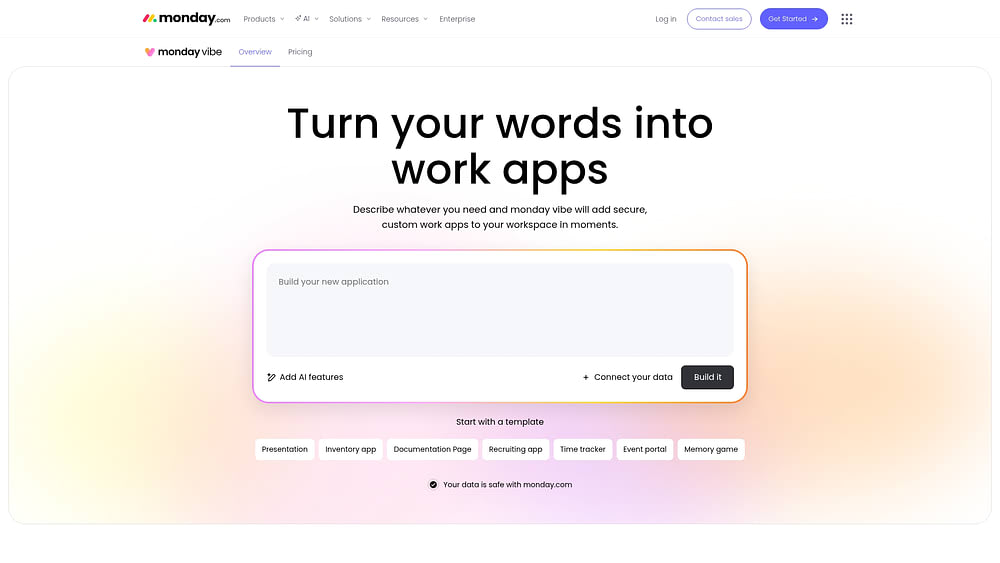
Key takeaways
- Judge each platform on how well it protects your data and permissions, since any builder can produce a fast first app.
- Score AI-assisted building and AI-powered apps as separate criteria, and check agent support on its own because each one adds different costs and risks.
- Model every cost layer over 12 months before you compare platforms on price, because AI calls and integration triggers add charges the subscription price doesn’t show.
- A short pilot with non-technical team members and real data tells you more than any vendor demo.
- monday vibe apps inherit the board permissions you already set in the monday AI Workspace, so IT has no extra governance setup to do after publishing.
What is a no-code builder?
A no-code builder is a software platform that lets business teams create applications without writing code, usually through a drag-and-drop visual interface. Its main users are business team members, such as operations managers or HR coordinators, who need custom software but can’t get engineering time for it. Vibe-coding platforms take a different approach and generate apps from natural-language prompts, which the comparison below covers.
Teams use no-code builders for apps like these:
- Internal approval workflows: Form-based apps that route each request to the right approver and track its status.
- Customer-facing portals: Pages for people outside the organization, such as client dashboards or vendor submission forms.
- Resource dashboards: Views that combine team capacity and budget data from several sources in one place.
- AI-powered apps: Apps that use AI at runtime, such as a chatbot that answers questions from an uploaded knowledge base or a lead-scoring tool.
No-code builder evaluation is the process of comparing these platforms against a fixed set of criteria before you commit budget and team time. IT usually reviews governance and security, while operations leads test whether the platform works alongside their workflow automation software.
Why a no-code builder evaluation is high stakes
The apps your team builds on a no-code platform end up running processes people depend on every day, such as approvals and client reporting. AI agents and growing governance expectations both raise the cost of picking a platform that can’t keep up.
AI agents raise the bar for no-code builders
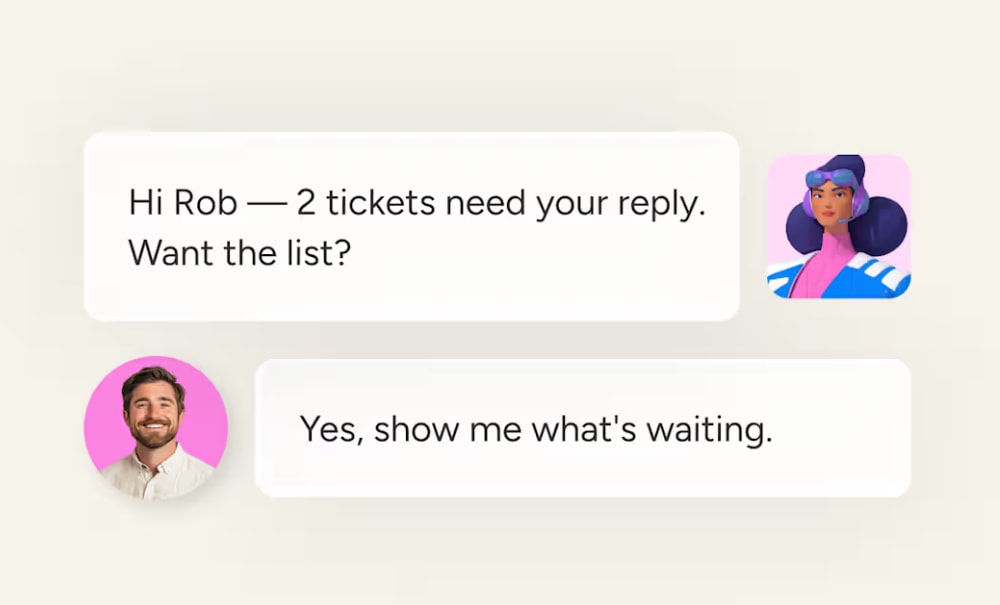
AI agents are autonomous software assistants that carry out multi-step work on their own, and companies are adopting them quickly. Deloitte’s 2026 State of AI report finds that 74% of companies plan to deploy agentic AI within 2 years. No-code builders that support agents let teams automate multi-step processes without writing scripts. In the monday AI Workspace, monday agents already handle this kind of work: the Ticket Management Agent classifies and routes support tickets, and the Status Reporter turns board updates into stakeholder-ready progress reports.
Add one question to every platform review: can this builder trigger AI agents or run inside agent workflows? If the answer is no, you may have to rebuild today’s apps before your contract term ends.
IT needs governance controls before business teams start building
As more non-technical team members build apps, IT and compliance teams have to confirm that each app follows data-access rules and regulatory requirements. Governance hasn’t kept pace with adoption. The same Deloitte report finds that only 21% of companies have a mature governance model for autonomous agents. One ungoverned app that exposes customer data can create compliance risk for the whole organization.
Ask these questions to find out whether a platform gives IT the controls it needs:
- Publishing controls: Can admins restrict who publishes apps to the organization?
- Permission inheritance: Do apps follow the same data-access rules as the rest of the platform without extra setup?
- Audit visibility: Can admins see which data each app accesses and who built it?
What the wrong platform costs you
A poor platform choice gets expensive once your team relies on the apps built with it. The costs usually show up in these areas:
- Rebuilds: The platform can’t handle more complex apps, so your team has to rebuild them from scratch somewhere else.
- Retraining: The builder is too complex for non-technical team members to use without help, so IT ends up answering requests and running training.
- Security exposure: Governance comes as an add-on, so each new app needs its own security review.
No-code vs. low-code vs. vibe coding
There are 3 ways to build apps without traditional development, each suiting a different audience and with different trade-offs. The table shows which one fits your team before you compare specific platforms.
| Attribute | No-code | Low-code | Vibe coding |
|---|---|---|---|
| Who builds | Non-technical team members | Developers or technical power users | Anyone who can describe what they want |
| How they build | Drag-and-drop visual interface | Visual interface plus custom code | Natural-language prompts to AI |
| Flexibility | Constrained to platform's visual components | High — custom code extends capabilities | High — AI generates custom logic from prompts |
| Speed to first app | Minutes to hours | Hours to days | Minutes |
| Governance model | Platform-managed permissions | Varies, often requires manual setup | Depends on underlying platform controls |
With vibe coding, you describe the app in plain language, then refine it in chat until it does what you need. There’s no drag-and-drop canvas and no code editor.
10 criteria for evaluating no-code app building software
Use these 10 criteria to narrow your shortlist before you book demos or start a pilot. Each one covers a risk your team will run into after launch if the platform falls short.
Criterion 1: Fit for your use cases
Start with whether the platform supports the apps your team plans to build. Some builders handle internal workflow apps well but can’t support customer-facing portals or AI-powered apps.
Write down your top 3-5 use cases before you look at any platform, using the app types covered earlier as a starting point. Then check whether each builder offers templates or documented examples for them. A builder with no examples for your main use case should move down your list.
Criterion 2: Builder usability for non-technical teams
The usability test is whether someone with no coding experience can build a working app in under an hour on their first try. On vibe-coding platforms, the quality of the prompting experience decides most of this, and good templates shorten the first build.
The most reliable way to test usability is to watch someone use the builder. Give it to an operations manager or sales lead and see whether they can produce a working app without asking IT for help.
Criterion 3: Integration and data connectivity
An app only helps your team if it can reach the data they already work with, such as CRM records and project data. Check the following:
- How many native integrations the platform offers
- Whether it supports API connections for systems without a native integration
- Whether a single app can pull from more than one data source at once
Criterion 4: Governance, permissions, and compliance
Governance controls decide who can build an app and who can publish it to the rest of the organization. Regulated industries need these controls most, but any team that wants to keep half-finished apps away from the whole company needs them too.
Use the governance questions earlier in this guide as your checklist, then test the answers yourself. Set up a test account without publishing rights and confirm that any app it builds stays private. Next, share an app with a colleague who can’t access its underlying data, and check what they can see.
Criterion 5: Security and enterprise readiness
Security covers infrastructure-level protections such as encryption and compliance certifications, plus data residency options if your organization needs data stored in a specific region.
The key question is whether apps inherit the platform’s security automatically. If someone has to configure security for each app, your risk grows with every app your team publishes.
Criterion 6: AI and agent capabilities
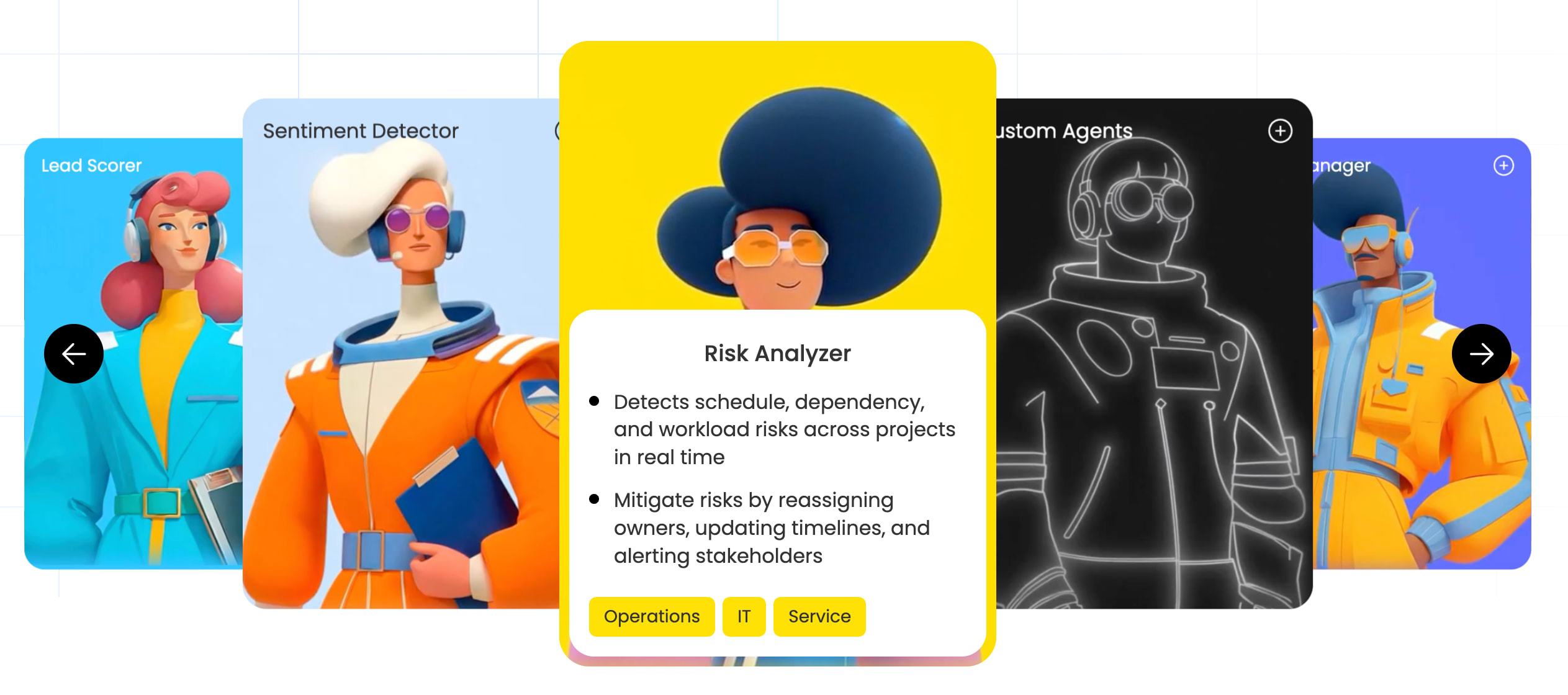
AI appears in separate layers of a no-code builder, and each carries its own costs and risks. Score each layer on its own:
- AI-assisted building: AI helps create the app, for example by turning a prompt into working components or suggesting logic.
- AI-powered apps: The finished app uses AI at runtime to summarize data or score leads.
- Agent support: The platform lets autonomous AI agents trigger your apps or work alongside them in multi-step workflows.
Criterion 7: Lifecycle management and app operations
Lifecycle management covers what happens after you publish an app, including how your team edits and updates it without disrupting the people who use it. Look for these baseline capabilities:
- Draft mode: Edit a published app without affecting the version people are using.
- Version history: Roll back to a previous version if an update causes problems.
- App duplication: Copy an existing app to use as the starting point for a new one.
Criterion 8: Extensibility and developer handoff
Some apps will outgrow the builder. A time tracker that starts as a simple log may later need custom calculations or a connection to another system. Check whether developers can:
- Extend apps with custom code
- Connect apps to external APIs
- Export app logic for further development
Criterion 9: Total cost of ownership
The subscription price covers only part of what you’ll pay. Platforms charge across several layers, and your costs at scale can look very different from your costs at signup.
- Building costs: Credits or fees your team uses while creating apps. Some platforms charge per prompt or per AI model.
- Publishing costs: Fees for sharing apps with the organization. Some plans include a set number of published apps per tier.
- Running costs: Charges every time a published app makes an AI call or triggers an integration.
Model all of the layers over 12 months before you compare platforms on price.
Criterion 10: Vendor viability and ecosystem strength
Once an app tracks a process like client onboarding, switching platforms means rebuilding it from scratch, so you need a vendor that will stay in business and keep improving the product. Weigh these factors:
- Financial stability and funding history
- How often the vendor ships product updates
- Size of the user community and quality of third-party resources
- Integrations with tools your team already uses
How to run a proof-of-value pilot
A pilot puts the platform in front of the team members who’ll use it, working with your own data, so you get results you can score instead of a vendor’s best-case demo. Most teams can run one in 2-4 weeks.
Step 1: Select 3 representative scenarios
Choose 3 scenarios that match your team’s needs and increase in complexity, so the pilot tests the platform’s limits as well as its easiest use case:
- Simple app: A straightforward app like a time tracker that tests speed to first app and basic usability.
- Moderately complex app: A multi-source dashboard or approval workflow that tests data connectivity and permissions.
- AI-powered app: A lead-scoring app or AI chatbot that tests runtime AI capabilities.
Step 2: Set success metrics before you build
Agree on these metrics with every stakeholder before anyone opens a builder. Fixed metrics stop anyone from moving the goalposts once results come in:
- Time to first working app: How long does a non-technical team member take to build and publish a functional app?
- Data accuracy: Does the app pull and display the correct data from connected sources?
- Governance compliance: Can an admin control who sees and edits the app?
- AI reliability: If the app uses AI features, are the outputs accurate?
Step 3: Run the pilot on a 4-week schedule
4 weeks gives you enough time to see how each app holds up in daily use, and smaller pilots can compress the middle phase. Here’s a schedule that works:
- Week 1: Build all the scenarios on each platform you’re evaluating.
- Weeks 2-3: Ask the intended users to work with the published apps in their day-to-day tasks.
- Week 4: Score each platform against your success metrics in a shared scorecard.
How monday vibe supports your no-code builder evaluation
monday vibe is an AI-powered no-code builder that turns plain-language prompts into custom apps inside the monday AI Workspace.
Apps run on the boards and permissions your team already uses, so you can test them against every criterion in this guide during your pilot.
Build custom apps on your existing data
Describe the app you need and monday vibe generates it, connected to your existing boards. A single app can pull from up to 5 boards, which lets teams build portfolio dashboards and OKR trackers without moving data into a separate tool.
Starter AI templates cover common pilot scenarios, including a time tracker and a recruiting app, so your simple pilot app can start from a working base.
Add AI to the apps you build
Tell an app to “use AI” or “search the web” in the chat, and monday vibe adds those capabilities to it. This covers the AI-powered scenario in your pilot, such as a chatbot that answers questions or a lead-scoring app.
Governance and permissions built in
monday vibe’s governance controls apply automatically, so IT has no extra configuration to do after an app goes live. Here’s how they map to the governance criteria above:
- Private by default: Each new app is visible only to the person who built it until they publish it.
- Publishing permissions: Admins decide who can publish apps at the account or role level in the permissions center. Only members with the “Publish vibe apps” permission can share an app.
- Permission inheritance: Apps follow the same board permissions as the rest of the monday AI Workspace. Members and guests can view an app only if they can access its underlying boards.
- Usage oversight: Admins track AI credit usage in the AI governance section of the Administration page.
How monday vibe pricing works
monday vibe runs on the AI credits included in paid monday.com plans, and publishing a live app for other account members requires a paid app bucket. Check the current credit rates in the AI Feature Catalog when you build your 12-month cost model for Criterion 9.
Try monday vibeHow to choose the right no-code builder for your team
The evaluation framework, scorecard, and pilot process described in this guide work together as a decision-making system. The question has moved from “Can we build without code?” to “Can we build something we can trust, govern, and maintain?”
Key takeaways to carry into your evaluation:
- Speed to first screen is easy. Speed to a safe, governed, shared app is the real test.
- Builders closer to your data reduce friction. Platforms that inherit your existing permissions cut rework and compliance review time.
- Separate your AI criteria. AI-assisted building, AI-powered apps, and agent readiness carry different costs and risks — evaluate each independently.
- Model cost across all the layers. Building, publishing, and running costs over 12 months give you a realistic total cost of ownership.
- Pilot with real scenarios. A short pilot with non-technical builders and real data is more reliable than any vendor-led demo.
Start your pilot with monday vibe
The builder you choose will run processes your team depends on for years, so base the decision on how it performs with your data and your team. The criteria and pilot in this guide give you results you can defend to stakeholders before you sign a contract.
monday vibe lets you run that pilot on the boards and permissions your team already uses in the monday AI Workspace. Build your pilot scenarios on your own data, then score the results against the metrics you set in Step 2.
Try monday vibeFrequently asked questions
Does no-code work for enterprise apps?
Yes, as long as the platform meets enterprise security and governance standards. Large organizations use no-code builders for internal workflow apps and customer-facing portals. Before you commit, confirm that the platform offers role-based publishing permissions and the compliance certifications your industry requires.
Are no-code apps secure enough for regulated industries?
They can be, if the platform handles security for every app automatically. Look for encryption and the compliance certifications your regulators expect. The safest platforms apply their existing permissions to each new app and let admins control who publishes, so no one has to configure protections app by app.
How much do no-code platforms cost over time?
It depends on the pricing model, and your 12-month total can look very different from the signup price. Some platforms charge per seat or per published app, while vibe-coding platforms usually add AI credits for building and running apps. Model every cost layer over 12 months before you compare platforms.
Can I migrate away from a no-code builder if I outgrow it?
Usually, but the effort depends on what the platform lets you export. Check whether you can export your data and app logic, and whether developers can get the documentation they need to rebuild apps elsewhere. Run this check during your pilot, before your team depends on the apps.
What is the difference between no-code and vibe coding?
No-code builders use a visual drag-and-drop interface, while vibe coding generates apps from natural-language prompts. In a no-code builder, you assemble an app from the platform’s visual components. Vibe coding lets you describe the app in plain language, then refine what the AI generates in chat.

 Get started