


Many service platforms were built for a different era, designed like complex machinery that required a specialized crew for every small change. Today’s service teams operate more like a pit crew, prioritizing speed, flexibility, and seamless collaboration to stay competitive.
This shift is driving teams to explore Pega alternatives that give them greater autonomy to build, adapt, and scale on their own terms. Platforms built on this principle connect service delivery with the broader business, creating a flexible Work OS where service and projects operate in one unified environment.
The following comparison covers the top ten Pega alternatives, outlining their core features, AI capabilities, and implementation speed. It also includes a five-step playbook to help you choose the right platform for your team, so you can accelerate service operations from day one.
Key takeaways
- Focus on solving specific pain points, not chasing features: choose AI that automates your biggest time drains like data entry and follow-ups rather than platforms with the most capabilities.
- Prioritize speed to value over complexity: modern alternatives deploy in weeks with no-code tools, letting your team deliver better service immediately instead of waiting months for implementation.
- Empower your team with self-service customization: the best platforms put workflow building directly in your agents’ hands, eliminating IT bottlenecks and accelerating process improvements.
- Break down silos with unified collaboration: look for solutions like monday service that connect service, projects, and departments seamlessly, creating one smooth experience across your entire organization.
- Calculate total cost beyond the price tag: factor in implementation time, training overhead, integration expenses, and ongoing maintenance to understand the real investment required.
Why are service teams moving beyond Pega?
Ambitious service teams often find their own platform is the biggest obstacle to greatness. The vision and drive are there, but a rigid, complex platform can feel more like an anchor than a sail, especially when speed matters most. This isn’t about chasing the newest shiny object; it’s about finding a partner that helps teams accelerate, not pump the brakes.
The big shift is toward empowerment, giving teams the keys to build and adapt their own workflows without waiting in a long IT queue. When service pros can tweak a process or launch a new service board on their own, everything moves faster and frees up resources for what really matters. The people closest to the work should have the power to improve it.
Ultimately, modern service is a team sport that stretches across the entire organization. Platforms need to connect service, projects, and sales seamlessly, creating one smooth experience for everyone involved. If the current setup makes working with other departments feel like a chore, it’s a clear sign that it’s time for a system built for collaboration from the ground up.
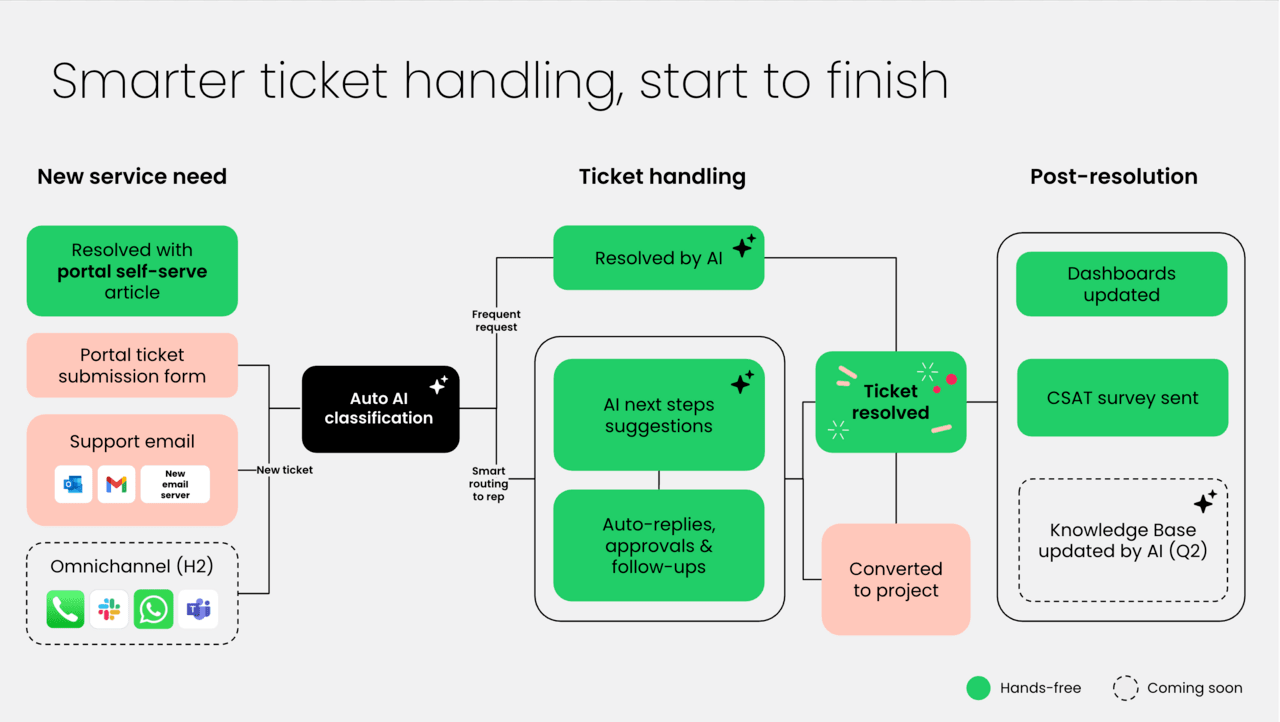
10 best Pega alternatives for service excellence
Service teams require platforms that enhance productivity rather than hinder it. When tools add complexity instead of streamlining operations, it’s time to consider solutions designed to support your workflows effectively.
Modern Pega alternatives are built on a fundamental principle: powerful capabilities should be accessible to all users. With no-code automation, integrated AI, and a unified digital workspace for tickets and projects, your team can connect service delivery across the organization seamlessly.
These platforms are designed to align with your team’s operational needs, offering intuitive workflows that can be configured and modified quickly. This approach enables faster resolution times without extensive training requirements, empowering your team to deliver high-quality service efficiently.
1. monday service
Service delivery transforms with AI-powered automation and unified workflows that connect every department through monday service. Built for teams who need rapid deployment without the complexity of traditional ITSM platforms, it empowers business users to create and modify service processes through intuitive, no-code design. The platform seamlessly bridges service operations with broader organizational work, making cross-team collaboration effortless.
Example:
Enterprise service management across IT, HR, facilities, and other departments comes together through monday service’s unified Work OS that accelerates resolution times and reduces administrative overhead.
Key features:
- AI-powered ticket categorization, routing, and auto-responses: up to 98% accuracy in assignment, according to internal performance data.
- Visual workspaces with real-time dashboards: SLA tracking embedded directly in ticket boards.
- Branded customer portals: self-service capabilities and seamless integration across all organizational workflows.
Pricing:
- Standard: ~$31/seat/month (ten seats, billed annually).
- Pro: ~$45/seat/month (ten seats, billed annually).
- Enterprise: custom pricing based on features and volume.
- Annual billing discount: 18% savings available.
- Price increase: 18% effective on renewals after February 10th, 2026.
- Guardian governance add-on: enhanced security and compliance features available.
Why it stands out:
- Fastest time-to-value in the market: visual, no-code setup that eliminates lengthy implementations.
- Native AI capabilities built into every workflow: ticket triage to knowledge base assistance, reducing manual work by hours per ticket.
- Unified platform approach: service requests can seamlessly become projects, connecting service delivery with broader organizational execution.
2. ServiceNow
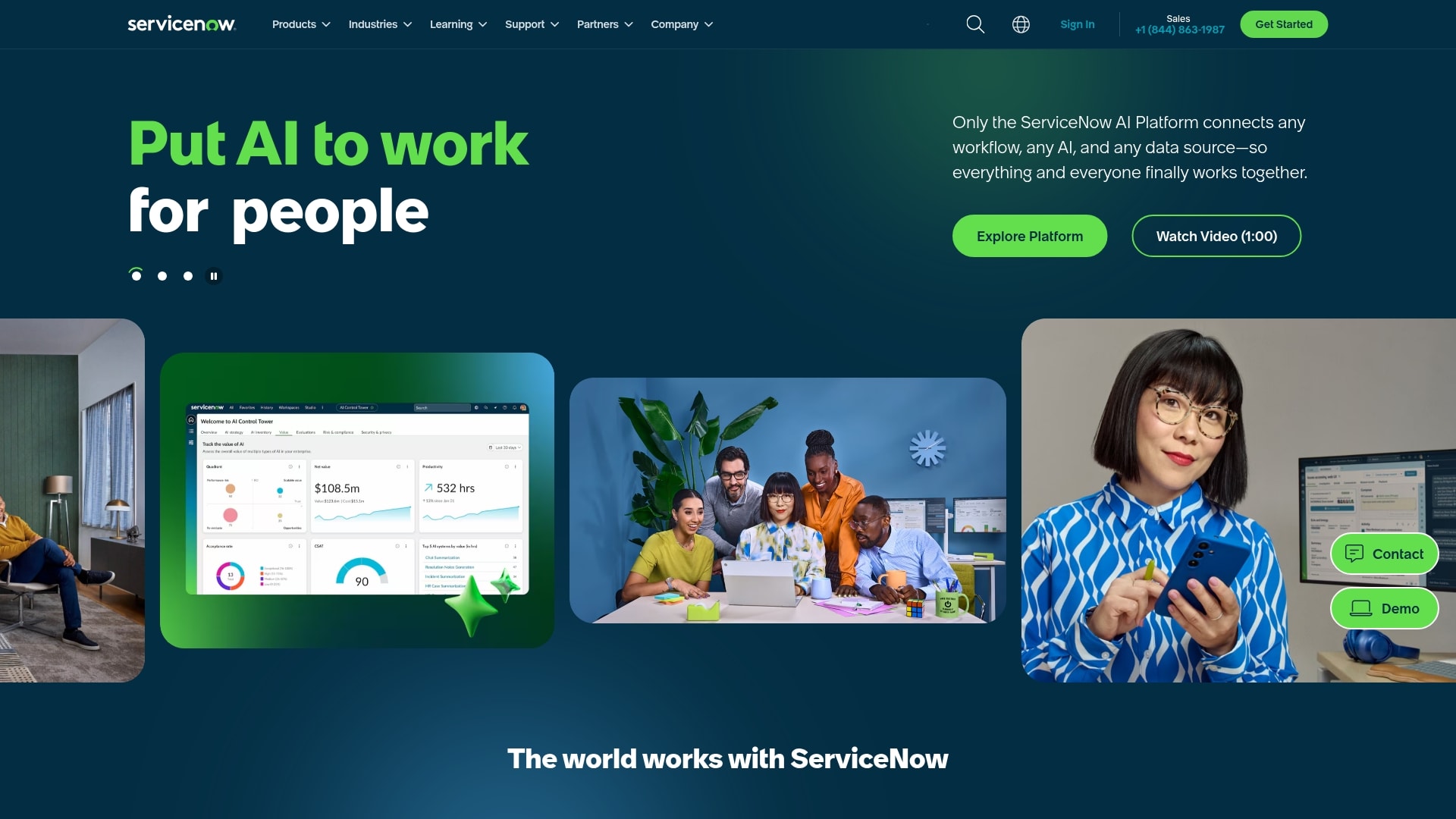
As the enterprise standard for comprehensive service operations, ServiceNow offers a unified AI platform that transforms how large organizations handle IT, customer, and employee services. The platform excels in complex environments where compliance, scalability, and cross-departmental integration are critical, making it the go-to choice for Fortune 500 companies.
With over 8,400 customers and 85% Fortune 500 penetration, ServiceNow has established its position as a leader in enterprise-grade service operations.
Example:
ServiceNow unifies IT service management, customer service management, and HR service delivery on a single platform with native AI capabilities, enabling enterprise organizations to standardize service processes across all departments while maintaining strict compliance requirements.
Key features:
- Service Operations Workspace: consolidates ITSM and IT operations management into a unified agent experience with predictive intelligence and automated incident routing.
- Now Assist GenAI: provides AI-powered case summarization, resolution recommendations, and virtual agent capabilities across IT, customer, and HR services.
- Enterprise Service Management: extends service management beyond IT to HR, legal, facilities, and other departments using consistent workflows and data models.
Pricing:
- Standard, Pro, and Enterprise tiers: quote-based pricing with capability tiers for ITSM and CSM.
- Pro Plus and Enterprise Plus add-ons: include advanced AI features like AI Agents and enhanced Now Assist capabilities.
- Custom enterprise pricing: volume discounts and multi-product bundles available through direct negotiation.
- Additional costs: premium success plans, Store apps, and specialized compliance features may require separate licensing.
Considerations:
- Complex implementation process: often requires specialized skills or partner support for initial configuration and advanced customization.
- Higher total cost of ownership: compared to mid-market alternatives, with advanced AI features typically requiring premium tier subscriptions.
3. Zendesk
By prioritizing AI-powered automation and multichannel support, Zendesk helps organizations meet customers and employees where they are. The platform excels at streamlining both external customer service and internal employee support through intuitive workflows and smart routing.
With over 110,000 companies relying on its comprehensive service ecosystem, Zendesk makes complex service operations feel surprisingly simple.

Example:
Zendesk empowers organizations to deliver unified service experiences across IT, HR, and customer support through AI-driven automation and omnichannel communication.
Key features:
- AI-powered ticket management: automatically classifies, routes, and prioritizes tickets with intelligent triage and sentiment analysis.
- Omnichannel support: seamlessly connects email, chat, social media, Slack, and Microsoft Teams in one unified workspace.
- Employee service suite: combines IT service desk and HR help desk with HRIS integrations for personalized employee experiences.
Pricing:
- Support Team: $19/agent/month (annual billing).
- Suite Team: $55/agent/month (annual billing).
- Suite Professional: $115/agent/month (annual billing).
- Suite Enterprise: custom pricing (contact sales).
- Employee Service Suite: starting from $29/month.
- Add-ons: Copilot ($50), Quality Assurance ($35), Workforce Management ($25), Advanced Data Privacy ($50) per agent/month.
Considerations:
- Asset management limits: asset management capabilities capped at 10,000 assets and 50 asset types may restrict very large organizations.
- Premium features require upgrades: enterprise-grade privacy protection and FedRAMP compliance only available on higher-tier plans or through paid add-ons.
4. Freshservice
For IT teams seeking ITIL-aligned service management without overwhelming complexity, Freshservice provides a powerful, user-friendly solution. The platform combines intuitive design with robust automation features, making it especially popular among organizations seeking efficient IT operations.
With built-in AI and comprehensive ESM capabilities, Freshservice extends beyond traditional IT support to serve departments like HR, finance, and facilities.

Example:
Freshservice excels at providing enterprise-grade service management capabilities without the typical complexity, making it ideal for organizations that need comprehensive ITSM, ITOM, and ITAM functionality with rapid implementation.
Key features:
- AI-powered automation: Freddy AI handles ticket routing, deflection, and provides intelligent insights across 40+ languages.
- Unified platform: combines ITSM, ITOM, ITAM, and ESM in one solution with integrated CMDB and asset discovery.
- Omnichannel support: native integrations with Slack, Microsoft Teams, email, and self-service portals for seamless communication.
Pricing:
- Starter: $19/agent/month (annual billing).
- Growth: $49/agent/month (annual billing).
- Pro: $99/agent/month (annual billing).
- Enterprise: custom pricing with 1,200 Freddy AI Agent sessions per license annually.
- MSP Core: $49/agent/month with Day Pass options for occasional agents.
- Business Teams (ESM): $49/agent/month for standalone ESM functionality.
- Business Agent add-on: available at $49/agent/month for non-IT departments.
Considerations:
- Advanced reporting and analytics features are limited on lower-tier plans, which may restrict data visibility for growing teams.
- Heavy usage of AI features and add-ons can increase total cost of ownership, especially with frequent Day Pass requirements for occasional agents.
5. Jira Service Management
Bridging the gap between development workflows and IT operations is the core strength of Jira Service Management. The platform excels at connecting DevOps with service management, making it a natural choice for organizations where development and IT teams must collaborate closely. Its deep integration with the Atlassian ecosystem creates a unified workspace where incidents, changes, and software projects flow together effortlessly.

Example:
Jira Service Management delivers high-velocity service management on a unified platform that connects development, IT operations, and business teams through integrated workflows and AI-powered automation.
Key features:
- Dev-IT convergence: native integration with Jira Software, Bitbucket, and CI/CD pipelines enables seamless incident and change management alongside development workflows.
- AI-powered operations: virtual service agent handles requests across Slack, Teams, email, and portals, while AI assists with triage, summaries, and automated ticket routing.
- Flexible CMDB: Assets provides open schema configuration management with discovery, dependency mapping, and automation to support change risk assessment and incident root cause analysis.
Pricing:
- Free: up to three agents with basic service management features.
- Standard: $25/agent/month (billed annually) with core ITSM capabilities.
- Premium: $57/agent/month (billed annually) including Assets CMDB, virtual service agent, and 99.9% uptime SLA.
- Enterprise: $119/agent/month (billed annually) with advanced analytics, multi-site support, and 99.95% uptime SLA.
- Unlimited requesters: included at all tiers.
- Additional costs: extra virtual agent conversations and Assets objects beyond included allowances.
Considerations:
- Feature limitations at lower tiers: virtual service agent and Assets CMDB only available in Premium and Enterprise plans.
- Knowledge base functionality requires Confluence integration: may involve additional licensing costs for advanced features like public knowledge bases.
6. Salesforce Service Cloud
Leveraging the power of a unified CRM, Salesforce Service Cloud connects customer service operations with broader business objectives through AI-powered support tools. The platform is a powerhouse for organizations that need deep integration between sales, marketing, and support functions. With its robust ecosystem and enterprise-grade capabilities, it’s built for companies ready to scale their service operations without losing sight of the bigger picture.

Example:
Salesforce Service Cloud delivers comprehensive customer service management that integrates seamlessly with CRM and sales processes, making it ideal for organizations that need unified customer data across all touchpoints.
Key features:
- Omnichannel routing with AI-powered case management: automatically assigns tickets based on skills, workload, and customer priority.
- Native incident management with Slack integration: real-time swarming and collaborative problem-solving during major service disruptions.
- Agentforce AI assistants: automated responses, knowledge recommendations, and intelligent case summaries to accelerate resolution times.
Pricing:
- Starter Suite: $25/user/month (monthly or annual billing).
- Pro Suite: $100/user/month.
- Enterprise: $175/user/month (Service).
- Unlimited: $350/user/month (includes Premier Success and Full Sandbox).
- Agentforce 1 Service: $550/user/month (includes full AI suite and unmetered Agentforce usage).
- Contact Center package: $150/user/month (bundles Service Cloud Voice, Digital Engagement, Self-Service).
- Service Cloud Voice: $50-$200/user/month depending on telephony options.
- Additional costs: Customer Community licenses, Field Service, and premium support plans.
Considerations:
- Steep learning curve and complexity: often requires skilled administrators or partners for advanced configurations.
- Total cost can escalate quickly: add-ons for voice, digital engagement, field service, and portal licenses may make it expensive for smaller teams.
7. Microsoft Power Platform
Enterprises invested in the Microsoft ecosystem can create tailored service solutions using the comprehensive low-code environment of Microsoft Power Platform. The platform excels at integrating seamlessly with Microsoft 365 and Dynamics, making it perfect for organizations that want to build custom applications and automate workflows without extensive coding.
Example:
Microsoft Power Platform empowers organizations to streamline service delivery through centralized administration, automated workflows, and enterprise-grade governance features that scale with business growth.
Key features:
- Managed Environments: unified governance, security, and monitoring with environment groups, sharing limits, and automated quality gates.
- In-product CI/CD pipelines: pre-validation reduces deployment errors and streamlines application lifecycle management.
- Comprehensive analytics and monitoring: tenant-level insights, weekly usage reports, and Azure Application Insights integration.
Pricing:
- Power Apps Premium: $20/user/month (annual billing).
- Power Apps Volume: $12/user/month (minimum 2,000 seats).
- Power Automate Premium: $15/user/month (annual billing).
- Power Pages Authenticated: $200 per 100 users/site/month.
- Power BI Pro: $14/user/month (effective April 1, 2025).
- Copilot Studio: $200 for 25,000 credits/month.
- Volume discounts: available for large deployments.
- Pay-as-you-go options: through Azure for flexible scaling.
Considerations:
- Premium licensing requirements: some advanced features require premium licensing and specific Microsoft 365 compliance SKUs, which can increase overall costs.
- Complex pricing structure: multiple products may require careful planning to avoid unexpected Azure overages for storage and requests.
8. Appian
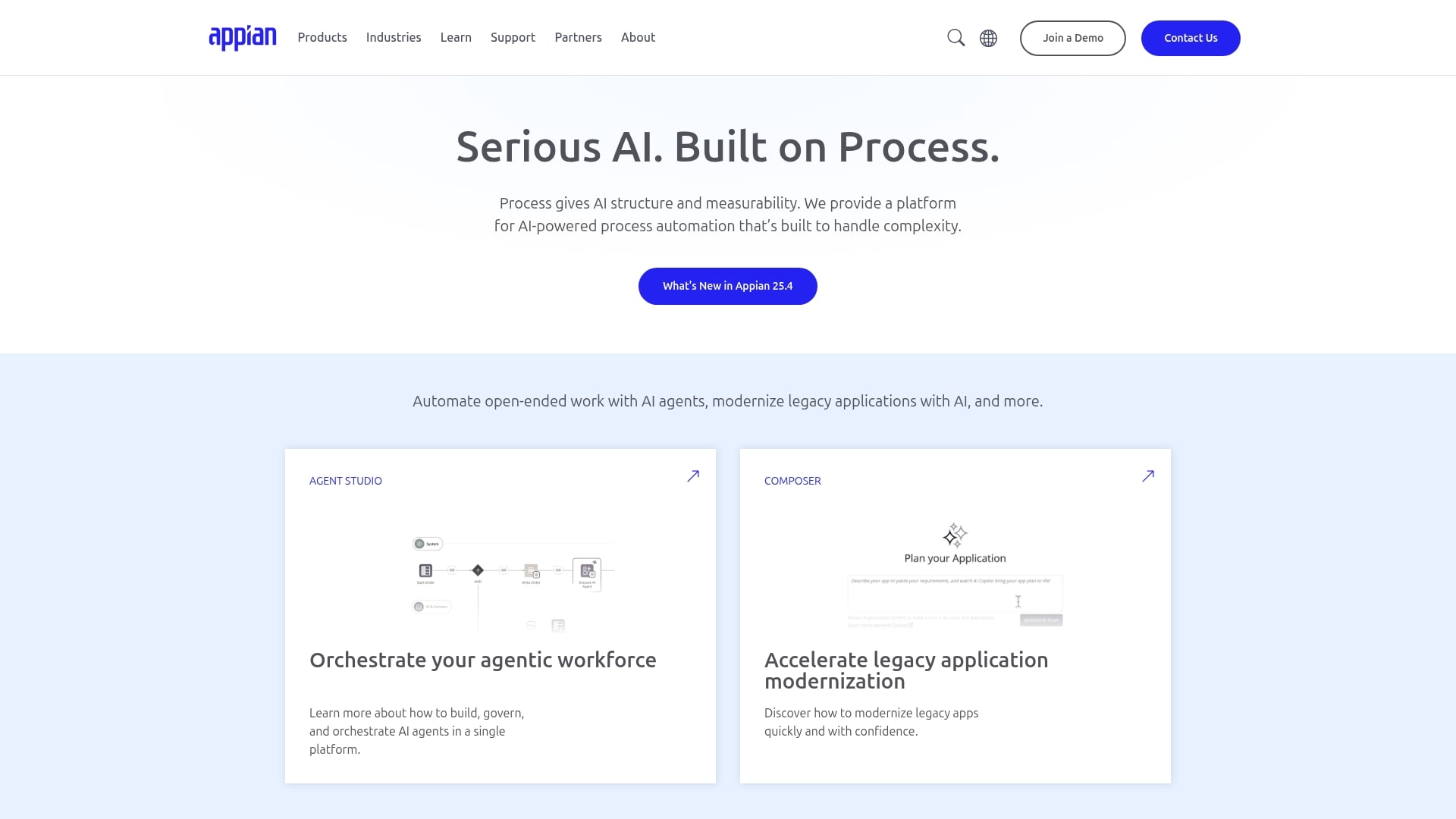
With a focus on AI-powered process automation, Appian’s platform unifies case management, contact centers, and field operations. It specializes in rapid application development and complex workflow orchestration, making it ideal for enterprises with intricate service processes across multiple departments. Organizations leverage Appian’s low-code approach to build custom service solutions that adapt quickly to changing business needs.
Example:
Appian delivers composable service management applications through configurable frameworks rather than traditional out-of-the-box ITSM suites, enabling organizations to rapidly build custom service solutions that orchestrate complex, cross-departmental workflows.
Key features:
- Case Management Studio: provides no-code modules that cover approximately 80% of typical case management needs out-of-the-box, with extensibility through RPA, AI Skills, and secure self-service portals.
- Intelligent Contact Center: unifies customer interactions across channels with dynamic case management, embedded voice/chat/SMS capabilities, and AI-guided agent assistance.
- Private AI and Agent Studio: embed governable AI agents directly into service processes while keeping sensitive data within compliance boundaries.
Pricing:
- Standard: per user, per month, per app (includes low-code development, 5 RPA bots, one portal per app, mobile access).
- Advanced: per user, per month, per app (adds Process HQ, Case Management Studio, offline mobile, 25 RPA bots, unlimited portals).
- Premium: per user, per month, per app (includes unlimited RPA bots and higher AI/document processing limits).
- Specific pricing: requires sales consultation as list prices are not publicly available.
Considerations:
- Requires more configuration and design resources: compared to traditional turnkey ITIL packages, as solutions are built on configurable frameworks rather than pre-built service management suites.
- Feature availability varies significantly: by deployment type and tier, with some capabilities like Portals being cloud-only and certain features limited in self-managed environments.
9. Creatio
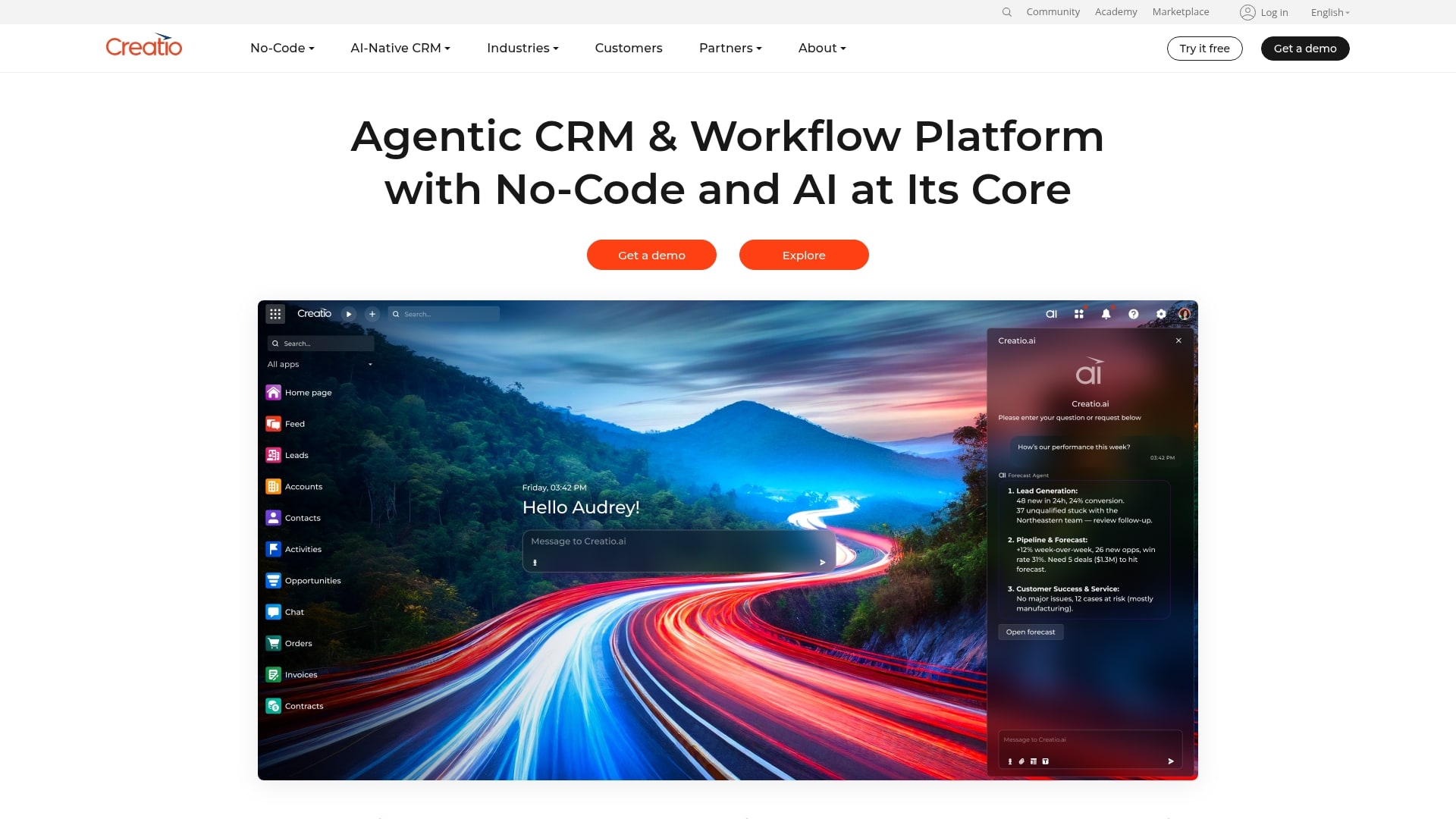
Creatio combines a no-code platform with robust CRM capabilities, allowing teams to build composable, AI-powered service workflows. The platform targets mid-market and enterprise organizations seeking to unify service delivery with customer experience management. With its “Agentic Service Platform,” Creatio embeds AI agents directly into service processes to accelerate resolution times and optimize operations.
Example:
Creatio excels at providing unified service management that combines AI-driven case resolution with comprehensive CRM integration, enabling organizations to deliver consistent customer experiences across all touchpoints.
Key features:
- AI agents for automated case triage: classification and resolution suggestions with real-time SLA monitoring.
- Composable no-code platform: rapid workflow customization without technical expertise.
- Unified customer 360 desktop: complete customer context and omnichannel communications for agents.
Pricing:
- Growth plan: $25/month per user (platform only).
- Enterprise plan: $55/month per user (platform only).
- Unlimited plan: $85/month per user (platform only).
- Service app: $15/month per user (additional to platform cost).
- AI packages: starting at $5,000 annually for 25,000 AI actions.
- Support plans: 10-20% of subscription cost (mandatory add-on).
Considerations:
- Advanced ITSM capabilities like asset management and CMDB visualizations: require third-party marketplace apps with additional subscriptions.
- Total cost can escalate quickly: when factoring in mandatory support packages, AI add-ons, and third-party connectors for telephony or messaging.
10. Nintex
Rather than replacing entire systems, Nintex excels at orchestrating complex workflows by connecting people, systems, and AI into seamless automated processes. The platform specializes in low-code process automation and document management, making it ideal for teams looking to extend their existing service management tools instead of overhauling them.

Example:
Nintex excels at orchestrating service workflows across existing platforms like ServiceNow, Zendesk, and Jira, eliminating manual handoffs and creating unified service experiences without requiring a complete system overhaul.
Key features:
- Native connectors to major service platforms: ServiceNow, Zendesk, Jira for seamless ticket management and cross-system automation.
- Integrated RPA capabilities: automate repetitive service tasks, plus document generation and e-signature workflows.
- Case management accelerators: skill-based assignment and analytics for complex, human-centric service scenarios.
Pricing:
- 30-day free trials: available for Workflow, Process Manager, Apps, DocGen, and eSign products.
- Process Manager tiers: Essentials, Professional, Expert, and Enterprise with scaling user counts and process limits.
- RPA licenses: Standard and Enterprise editions with different governance and connectivity features.
- Custom pricing: through sales quotes for most enterprise packages.
Considerations:
- Process orchestration focus: enhances existing ITSM platforms rather than providing a standalone suite with native CMDB or change management modules.
- Technical limits on workflow executions: per-hour start limits may impact high-volume service operations.
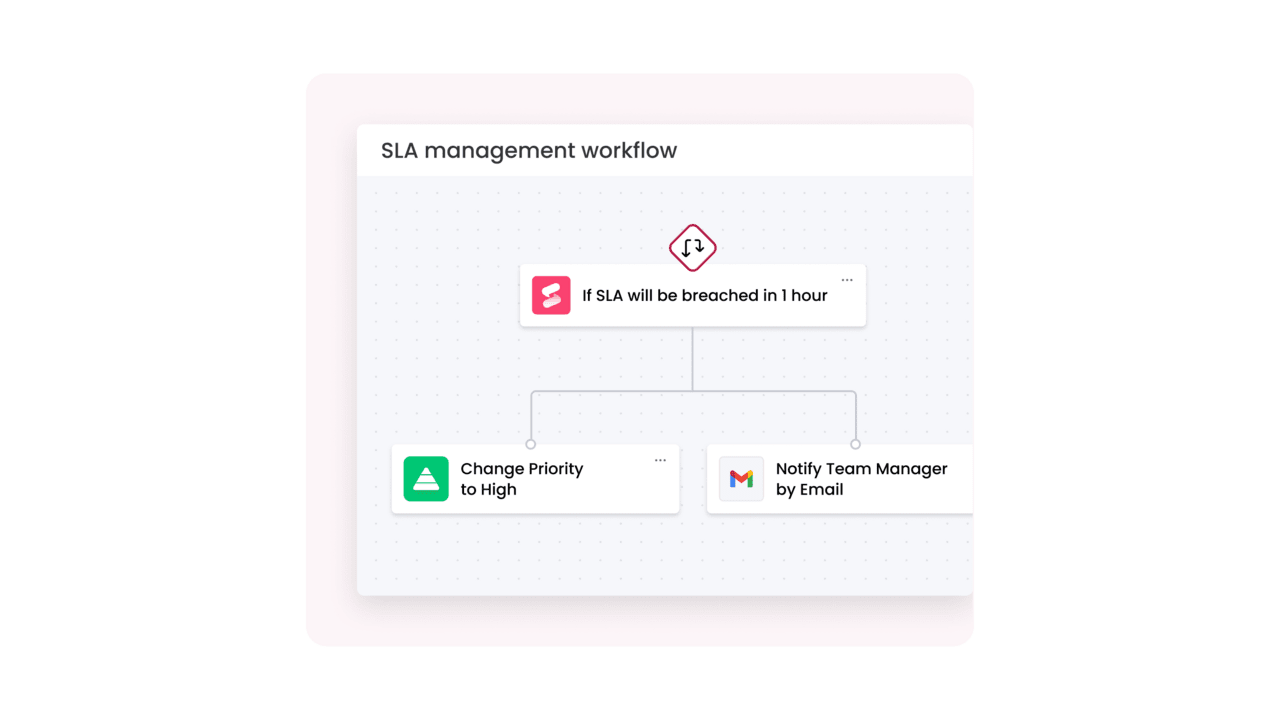
The playbook for modern service platforms
Instead of simply closing tickets faster, great service teams connect every part of the organization to deliver exceptional experiences.
Your service platform should act as the central nervous system of your operations, linking daily requests to broader business goals. It needs the flexibility to grow with your organization and the intelligence to anticipate what comes next.
Building a high-performing service operation requires capabilities that turn routine work into strategic advantage. Modern solutions like monday service support teams with:
- No-code workflow automation: put the power to build and adapt workflows directly in your team’s hands, no coding required. This means you can fine-tune your service plays on the fly, keeping your operations moving at the speed of your customers.
- AI-powered ticket management: let AI handle the busywork of sorting, routing, and even suggesting replies for incoming tickets. Your agents get to skip the admin grind and focus their brainpower on solving the tough problems that truly matter.
- Unified ticketing and project management: see the full story by connecting service tickets directly to your team’s projects and goals. This breaks down silos and gives everyone the context they need, turning reactive support into a proactive game plan.
- Real-time performance analytics: ditch the outdated reports and get a live look at your team’s performance with dashboards that make sense. Spot bottlenecks, celebrate wins, and make smart, data-driven calls in the moment, not weeks later.
- Pre-built service templates: get a running start with ready-to-go templates built on best practices for service, IT, and more. You’ll be up and running in no time, with a solid foundation that’s still flexible enough to make your own.
Comparing Pega competitors by service features
Navigating the crowded market for service platforms requires clarity. While many tools make big promises, the best choice is one that aligns with your team’s specific rhythm and goals. It should feel less like a rigid process and more like a launchpad for your team’s success.
Some platforms are built like heavy machinery; they’re powerful but demand months of setup and a specialized crew to operate. A different path exists, where powerful tools are also intuitive, letting your team build and adapt workflows in weeks, not quarters. This approach gets everyone collaborating and solving problems faster, together.
| Platform | No-code Workflows | AI Capabilities | Implementation Time | Cross-Department Collaboration | Enterprise Scalability | Starting Price Range |
|---|---|---|---|---|---|---|
| monday service | Excellent | Good | Weeks | Excellent | Excellent | $$ |
| ServiceNow | Limited | Excellent | Months | Good | Excellent | $$$$ |
| Zendesk | Good | Good | Weeks | Limited | Good | $$ |
| Freshservice | Good | Good | Weeks | Limited | Good | $$ |
| Jira Service Management | Good | Good | Weeks | Good | Excellent | $$ |
| Salesforce Service Cloud | Limited | Excellent | Months | Good | Excellent | $$$$ |
| Microsoft Power Platform | Excellent | Good | Weeks-Months | Excellent | Excellent | $$ |
| Appian | Limited | Excellent | Months | Good | Excellent | $$$$ |
| Creatio | Excellent | Good | Weeks | Good | Good | $$ |
| Nintex | Excellent | Limited | Weeks | Limited | Good | $$ |
Key evaluation criteria include the following factors:
- No-code workflows: how easily business users can create or modify workflows without IT assistance.
- AI capabilities: platform maturity in AI-driven ticket management, classification, and automation.
- Implementation time: typical duration for initial rollout, ranging from weeks to months.
- Cross-department collaboration: ability to support collaboration across service, project, and business teams.
- Enterprise scalability: capacity to support large, complex organizations with high service volumes.
- Starting price range: general cost indication, from $ (lowest) to $$$$ (highest).
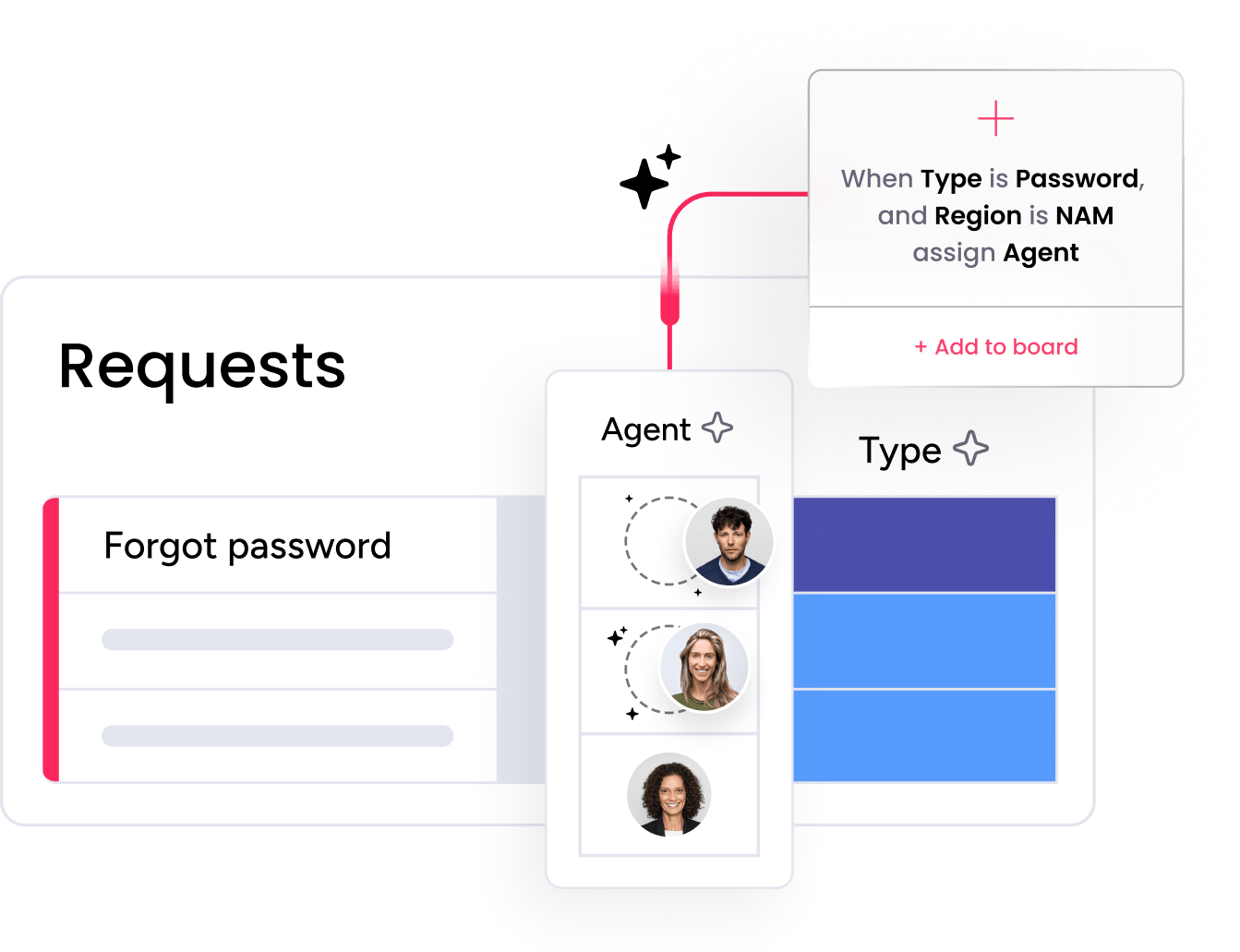
AI and automation maturity across platforms
The term ‘AI’ is ubiquitous in service platforms, but its real-world impact varies dramatically. The difference between a simple checklist feature and a genuine game-changer is what separates adequate platforms from great ones. The focus should be on delivering tools that actually move the needle for your team.
True value emerges when powerful automation feels like a natural part of your team’s flow, not another complicated tool to learn. It frees everyone to focus on solving high-impact problems, accelerating resolutions and improving customer satisfaction. This is how complex operations become efficient, high-performing machines.
This philosophy is at the core of monday service. Smart, intuitive AI sits right where teams need it, turning complex workflows into simple, automated wins. With built-in intelligence and real-time analytics, service teams aren’t just managing tickets — they’re optimizing entire service operations.
How to select your ideal Pega alternative
Choosing a Pega alternative is not just a technology decision. It determines how quickly your service team can adapt, scale, and collaborate across the business. The following five steps focus on practical evaluation criteria that help you cut through vendor noise and select a platform built for real-world service operations, not just feature checklists.
Step 1: get real about your current workflows
Before you can build something better, you need a clear picture of what’s happening on the ground. Get your team together and map out your service process from the first hello to the final resolution. Pinpoint the exact spots where things get stuck, tasks feel repetitive, or handoffs turn into black holes.
This is your chance to uncover the real energy drains in your system. Are agents toggling between five different apps just to resolve one request? Do tickets get lost in translation between departments? Nailing down these specific frustrations gives you a clear target for what your new platform needs to solve.
Step 2: uncover the true cost of ownership
The price tag is only the opening act. The real cost includes everything from implementation and training to the time your team spends wrestling with a clunky interface. Create a budget that accounts for the full picture, including integrations and the cost of pulling your team away from their work for a lengthy rollout.
Think about the long game, too. A platform that seems cheap now might lock you into expensive upgrades later as you scale. A solution like monday service is built to be intuitive from the start, which dramatically lowers the “cost” of training and boosts adoption, saving you resources down the line.
Step 3: make sure your tools play on the same team
Your service platform must be a team player, connecting seamlessly with the platforms you already rely on every day. List out your must-have integrations: your CRM, communication apps, asset management systems, and any other software that keeps your business running.
The goal is to make your entire tech stack feel like one cohesive unit, not a collection of siloed apps. Look for a solution with powerful, easy-to-use integrations that bring all your information together. This way, your team has everything they need in one place to deliver amazing service without the headache.
Step 4: choose a platform that’s ready to grow with you
Consider your organization’s growth trajectory beyond current ticket volumes and team size. Your platform should accommodate increased users, expanded service offerings, and greater operational complexity without requiring a complete system overhaul. Select a solution that aligns with your long-term strategic objectives.
True scalability is about more than just capacity; it’s about flexibility. Can the platform easily adapt to support new departments or evolve from a simple help desk to a full-blown enterprise service management (ESM) solution? Find a foundation you can build on for years to come.
Step 5: map out a winning migration plan
A smooth transition doesn’t happen by accident; it requires a clear, confident plan. Outline a realistic timeline that covers data migration, system testing, and team training, complete with a phased rollout to keep things manageable. Building in a little buffer time is always a smart play.
Most importantly, your service can’t stop while you switch systems. Figure out how to keep everything running without a hitch, ensuring your team feels supported and prepared every step of the way. A great launch sets the tone for long-term success.
How do service operations transform with monday service?
Service requests often get lost in a maze of disconnected tools and endless email threads, slowing everyone down. With monday service clearing that path, you get one flexible hub that adapts to how your teams actually work, not the other way around. This is where your organization comes together to get things done, faster.
Imagine IT, HR, and facilities all collaborating on a single request, in real-time, without the usual back-and-forth chaos. The platform empowers your team to build these seamless workflows and automate away the busywork with intuitive, no-code tools. You can get started in days, delivering exceptional service while other teams are still stuck in implementation meetings.
This isn’t just about closing tickets; it’s about building a foundation for service excellence that grows right alongside your ambitions. As you scale from a simple help desk to full enterprise service management, you get the real-time analytics needed to optimize operations and keep your entire organization in sync.

"Our team LOVES the monday service platform and we’re already exploring how we could incorporate it for other departments, too. It has streamlined our workflow in a way that both our team and customers appreciate."
Andrew Marshall | VP Operations
״monday service provides clear insights into requests volume and types, response times, and trends - helping us continuously improve operations"
Grant De Waal-Dubla | CIO
"The biggest value for us is speed and flexibility. You can get up and running in days, change anything instantly, and see everything in real time. And you don’t need a dedicated admin to do it."
Clive Camilleri | Head of People Tech & OperationsStart your service transformation journey
The future of service excellence lies not in simply closing tickets faster, but in building a smarter, more connected way of working. This is an opportunity to move beyond solving today’s problems and start building the engine for tomorrow’s growth, where everyone has a role to play.
When you unify service tools onto a single platform, you unlock incredible momentum. Agents get the answers they need instantly, customers receive seamless support, and everyone gains the clarity to move work forward without the usual roadblocks. It’s about creating flow, not friction.
Frequently asked questions
Is migrating from Pega to modern service management alternatives worth the effort?
When considering if migrating from Pega is worth the effort, the answer is yes. Teams that switch see immediate value through faster adoption, easier process changes, and a significantly lower total cost of ownership. The move to an intuitive, no-code platform streamlines daily operations and empowers your team to work more efficiently.
How do Pega competitors compare on implementation time?
Modern alternatives like monday service are live in weeks, not years, thanks to pre-built templates and drag-and-drop functionality. This rapid deployment means your team can start delivering better service almost immediately.
Which Pega alternatives offer the most advanced AI capabilities?
Platforms like monday service, ServiceNow, and Salesforce lead with sophisticated, out-of-the-box AI for intelligent routing, predictive analytics, and automated responses. These tools integrate seamlessly, helping teams automate work without needing a data science degree.
Can alternatives to Pega handle enterprise-scale service volumes?
Absolutely. Modern platforms are engineered for enterprise-level performance and scalability, easily supporting thousands of users and high ticket volumes. Their architecture is designed to grow right alongside your organization.
What makes monday service different from other Pega alternatives?
Uniquely combining unified service management with project management in a single, visual platform, monday service lets you manage everything from requests to cross-departmental projects. The no-code environment empowers your team to customize workflows and automate tasks without waiting on IT.
Do service teams need implementation partners when switching from Pega?
While partners can be helpful for highly complex deployments, they aren't always necessary for modern platforms designed for self-implementation. Many teams successfully migrate on their own using our intuitive tools and comprehensive support resources.

 Get started