


Service management used to be simple. A ticket came in, an agent resolved it, and closed the case. But today, a single request can trigger a chain reaction across IT, HR, and operations. An IT hardware issue becomes a procurement project. An HR onboarding case kicks off workflows for three different teams. The old model of siloed support no longer keeps up with how modern businesses actually work. Choosing the right platform is critical, and this guide provides a clear comparison to help you decide between Zendesk and monday service.
Your decision comes down to your service strategy. Are you optimizing a traditional support queue, or are you building a connected service operation that links requests to business outcomes? This article explores the fundamental differences in their approach, from ticketing and case management to workflow automation and built-in AI. We also break down the true cost of ownership beyond list price and compare implementation speed, so you can see the full picture. Understanding how each platform is designed to work is the first step toward making the right choice for your organization.
Key takeaways
- monday service connects service work to your broader operations: tickets become projects, workflows span departments, and everything stays visible in one platform.
- Choose based on your service model: pick monday service when requests flow across multiple teams (IT, HR, facilities), or Zendesk when you primarily handle external customer support.
- AI capabilities work differently in each platform: monday service includes AI in every workflow from day one, while Zendesk’s advanced AI features often require higher pricing tiers.
- Implementation speed depends on your team’s technical skills: monday service’s visual setup lets business teams configure workflows themselves, while Zendesk may need more technical expertise.
- Total costs include more than license fees: factor in implementation time, training needs, integration work, and ongoing maintenance when comparing real costs.
What is monday service?
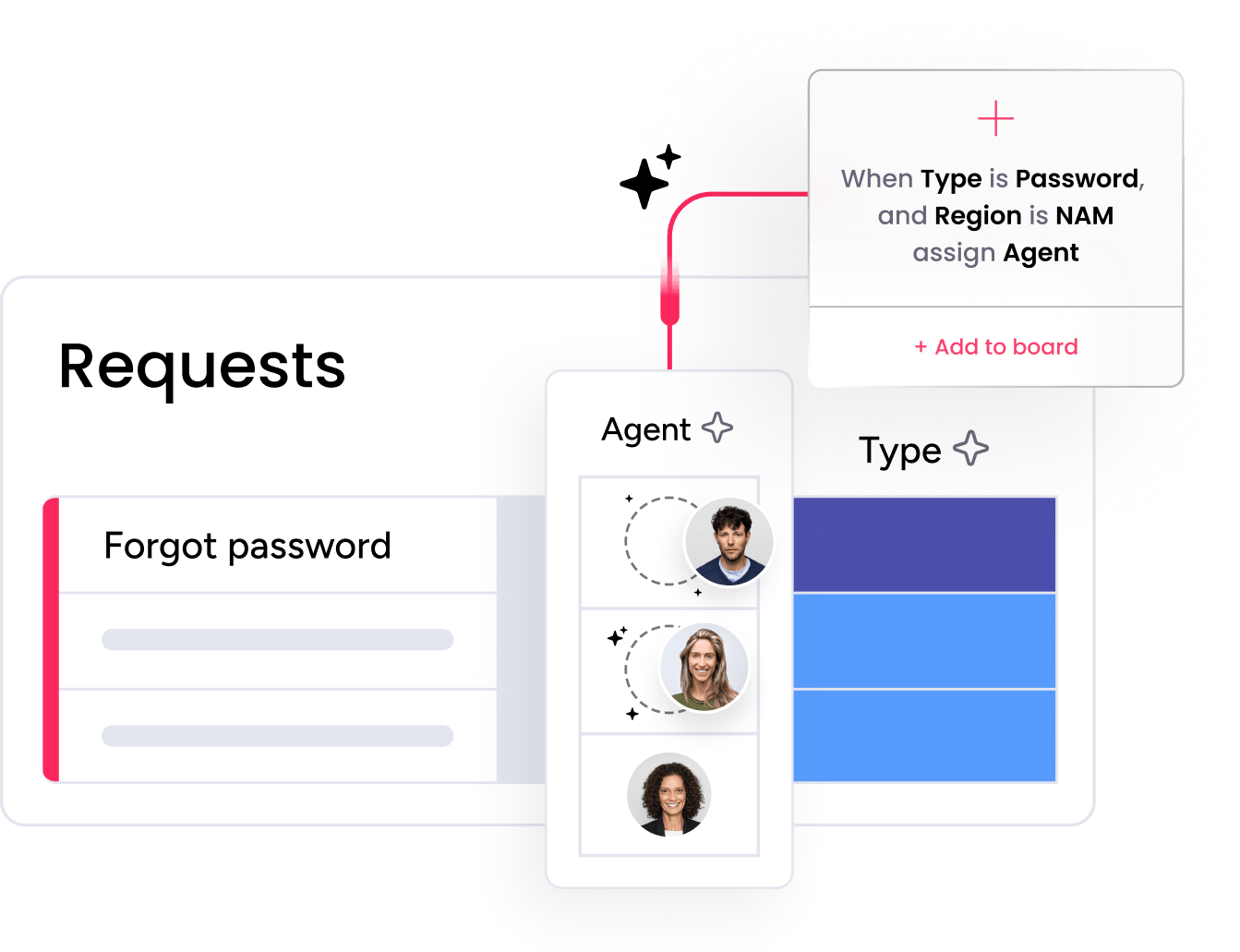
monday service is an AI-powered service management platform that connects ticketing, projects, and cross-department workflows in one workspace. This means your IT requests can trigger implementation plans, HR cases connect to onboarding workflows, and facilities issues move directly into maintenance projects, all without manual handoffs between teams.
The platform runs on the monday.com Work OS, which lets you customize workflows visually using a no-code interface.
monday service offers AI capabilities built directly into service processes, including smart routing, automated classification, and predictive analytics that surface trends before they become problems.
AI-powered service management platform
AI in monday service works as part of your daily workflows, not as an add-on you configure separately. The AI service agents handle routine requests automatically, suggest responses based on past tickets, and route work to the right team based on content and urgency. This reflects the broader trend where 23% of organizations are now scaling AI agents in enterprise environments, with IT and service-desk management being the most common use cases.
Here’s what that looks like in practice:
- Password resets get resolved instantly: The AI recognizes the request type and completes it without human intervention.
- Urgent issues reach the right team faster: AI reads ticket content and sentiment to prioritize and assign work correctly.
- You spot problems before they spread: Predictive analytics flag when certain issue types spike or when teams approach capacity limits.
Built on Work OS for connected operations
With the Work OS, your service requests don’t end as closed tickets. They become project items, escalations, process sequences, or stakeholder updates in the same environment where your teams already work. For example:
- An IT hardware request needs procurement approval and delivery tracking
- An HR onboarding request triggers equipment setup, access provisioning, and orientation checklists
- A facilities incident becomes a maintenance project with owners, timelines, and progress updates.
monday service handles these connections naturally because everything runs on the same platform.
Key capabilities and use cases
monday service supports every department that handles service requests: IT, HR, operations, facilities, finance, and customer-facing teams. You can standardize how requests come in while letting each team keep their own workflows.
The no-code automation builder lets you update routing rules, escalations, and approvals yourself when things change. Large organizations can run hundreds of service portals for different departments or locations from one platform, keeping governance consistent while allowing local flexibility.
What is Zendesk?

Zendesk is a customer support platform built for managing high volumes of external customer interactions. Unlike platforms such as monday service that connect service to broader operations, Zendesk excels at keeping email, chat, phone, and social media conversations organized in one place where support agents can respond efficiently.
The platform works best for traditional customer service teams that measure success through response times, resolution rates, and customer satisfaction scores. While you can extend it for internal use, its core design centers on external support operations.
Omnichannel customer support platform
Omnichannel support means your customers can start a conversation on email, continue it on chat, and finish it on phone, and your agents see the complete history. Zendesk keeps these conversations unified so agents don’t waste time piecing together what happened.
This matters most when you’re handling lots of customer inquiries:
- E-commerce support: Order issues, returns, and shipping questions from multiple channels stay organized.
- SaaS support: Product questions and technical issues get tracked across all customer touchpoints.
- Consumer brands: Customer conversations stay continuous even when switching between channels.
Core strengths and market position
Zendesk has been around long enough that most support professionals know how it works. Its marketplace includes hundreds of integrations, and its support model is familiar to teams that think in terms of queues, tickets, and handle times.
The platform shines when customer-facing support is your main priority. You get mature ticketing features, agent productivity tools, and detailed reporting on support metrics that matter to customer service leaders.
Primary use cases
Zendesk fits best when you need to manage large volumes of customer requests with strong queue management and agent workflows. Retail teams use it for shipping inquiries and returns. Software companies use it for troubleshooting and account questions.
The platform works well for organizations that want a traditional ticket-queue approach, allowing agents to resolve issues efficiently within a dedicated support environment.
monday service vs Zendesk feature comparison
The fundamental difference is this: monday service treats service work as part of broader business operations, while Zendesk treats it primarily as customer support activity. This shapes everything from interface design to automation capabilities.
monday service uses visual boards and connected workflows. Zendesk uses ticket queues and conversation threads. monday service lets business teams configure the system themselves, while Zendesk often requires more technical expertise for advanced setups.
Here’s a quick side-by-side overview of both platforms’ core features:
| Feature | monday service | Zendesk |
|---|---|---|
| Ticketing & case management | Visual boards with connected workflows and project creation | Traditional ticket queues and conversation threads |
| Workflow automation | No-code visual builder for cross-department workflows | Support-specific routing and macro responses |
| Analytics & reporting | Operational insights across departments and projects | Customer support metrics and agent performance |
| Integration approach | Connected workflows within one platform | App marketplace with external integrations |
| AI capabilities | Built-in AI agents with predictive analytics | Answer Bot and premium AI add-ons |
Ticketing and case management
In monday service, tickets live on visual boards where you can see status, dependencies, and connections to other work. A ticket can trigger a project, create approval workflows, or spawn follow-up tasks, all visible in one place.
Zendesk uses a more traditional approach where tickets move through queues. This works efficiently for support teams but doesn’t naturally connect to broader operational work. The difference becomes clear when you compare how each platform handles complex requests:
- monday service: An IT incident creates a remediation project with tasks, owners, and timelines.
- Zendesk: An IT incident gets resolved and closed, with any follow-up work happening elsewhere.
Workflow automation capabilities

monday service gives you a visual automation builder where you can see triggers, conditions, and actions in one view. You don’t need to know code or complex rule syntax, just drag, drop, and connect the pieces.
Here’s what each platform does well with automation:
- monday service strengths: Cross-department workflows, approval chains, project creation from tickets, and status updates across connected boards.
- Zendesk strengths: Support-specific routing, SLA timers, macro responses, and customer communication sequences.
Analytics and reporting tools
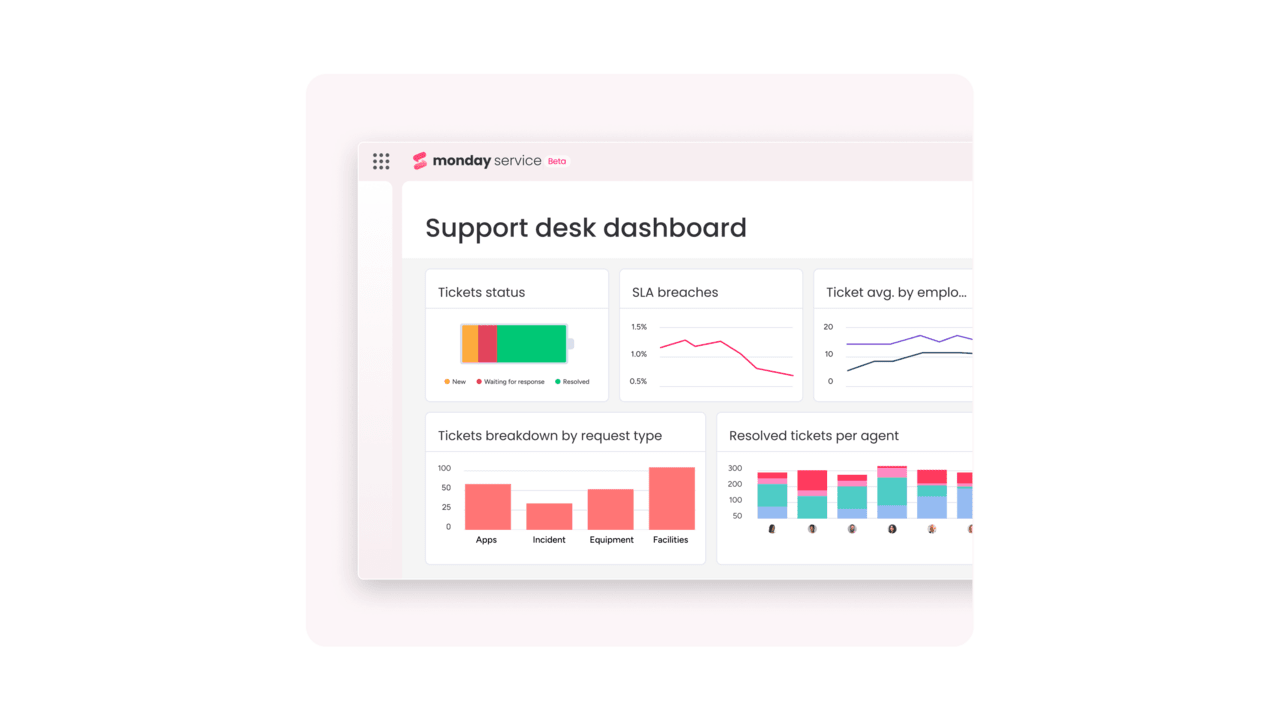
monday service shows you how service work affects your entire operation. You can track ticket volume alongside project progress, team capacity, and downstream impacts. This helps leaders understand the full picture of service delivery.
Zendesk focuses on customer support metrics like response times, agent performance, and satisfaction scores. These matter when you’re optimizing a support team, but don’t show how service work connects to other departments.
Integration ecosystem

Both platforms integrate with external systems, but they approach it differently. monday service keeps work connected once it enters the platform, so a service request can flow through to completion without leaving the environment.
Zendesk relies heavily on its app marketplace to extend functionality. This gives you options, but can create complexity when you need deep integration across multiple systems.
Try monday serviceAI service capabilities comparison
AI determines how quickly teams can respond, how accurately they route work, and how well they predict problems. The question isn’t whether these platforms have AI, but how easily you can use it. Studies indicate that organizations piloting agentic AI are already seeing measurable results, with 36% achieving greater organizational productivity and 26% reporting better customer experience.
monday service builds AI into the workflow itself. When you create a service process, AI capabilities are already there. Zendesk also offers AI, but advanced features often require higher pricing tiers or additional setup.
AI service agents vs Answer Bot
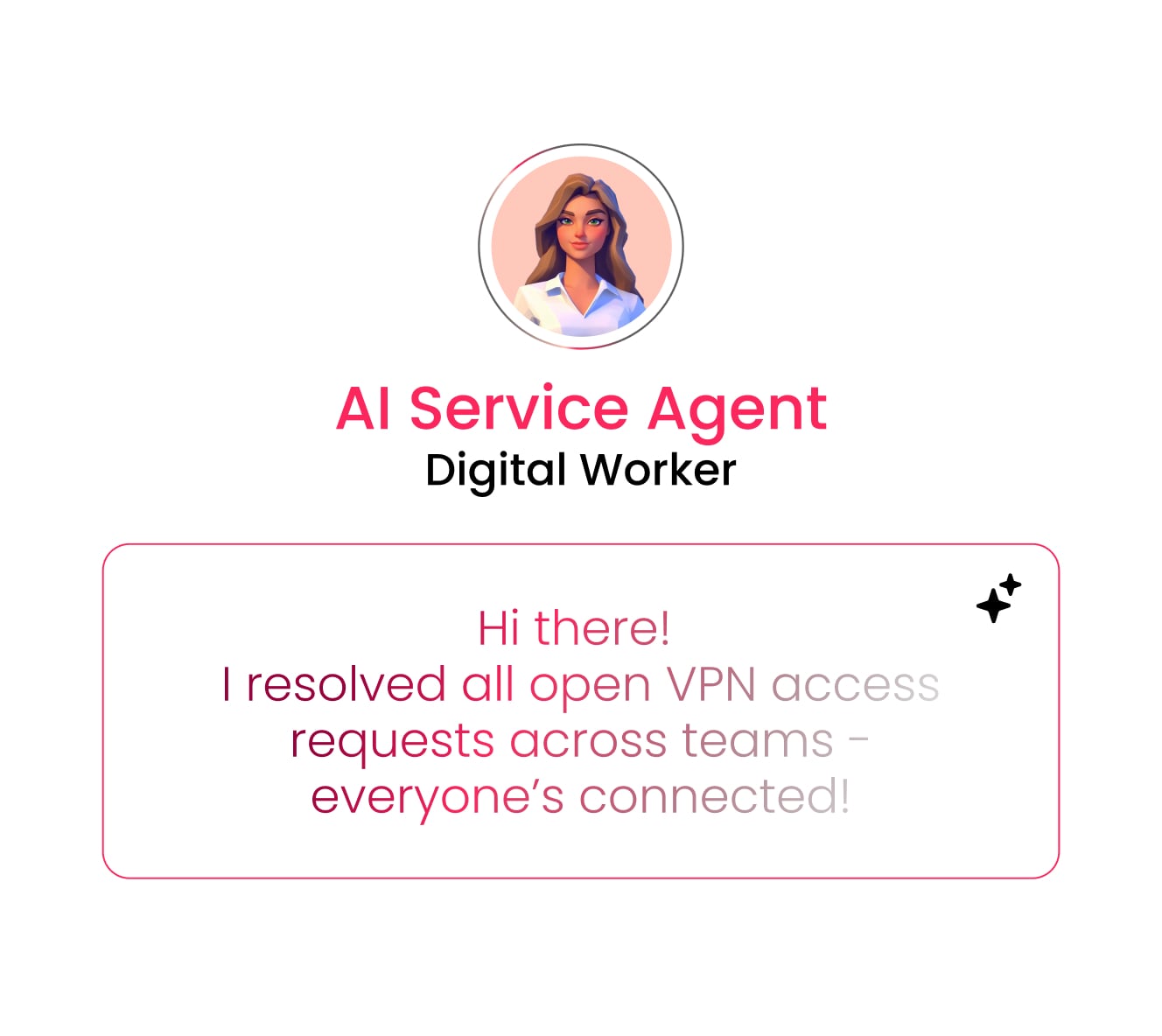
monday service AI agents work inside your actual workflows. They can classify requests, trigger automations, suggest next steps, and handle multi-step processes. An AI agent might recognize an access request, check the requester’s role, route for approval, and provision access once approved.
Zendesk’s Answer Bot focuses on deflecting simple customer questions by suggesting help articles. This reduces ticket volume but doesn’t handle complex internal processes or multi-step workflows.
Built-in AI vs premium add-ons

With monday service, AI features come standard. You don’t need to calculate whether AI is worth the extra cost since it’s already part of how the platform works. Teams can start using smart routing, classification, and predictions right away.
Zendesk’s AI capabilities often sit in higher pricing tiers. This can make budgeting tricky when you want to expand AI use across more teams or use cases.
Predictive analytics and smart routing
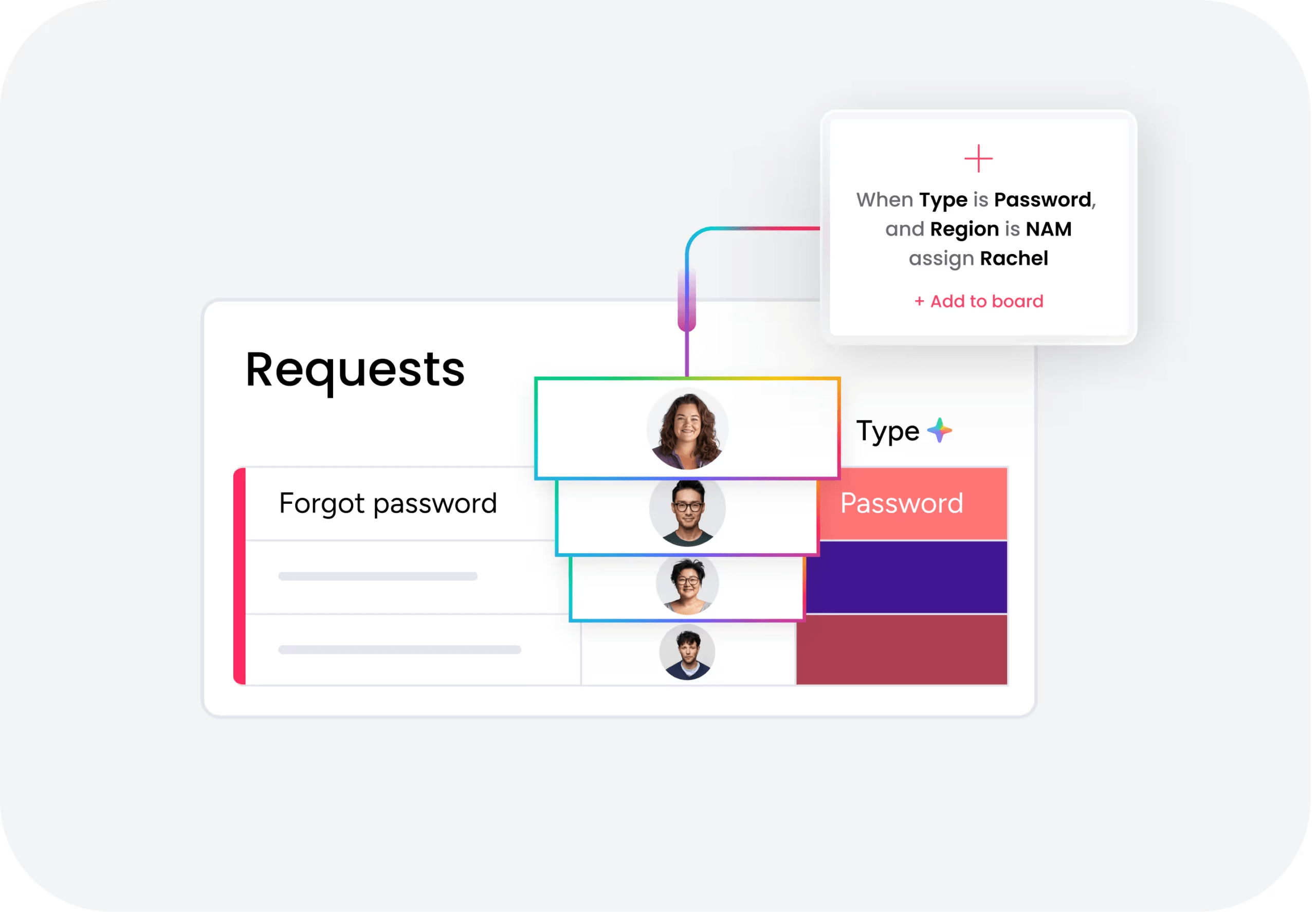
monday service uses AI to spot patterns across your entire service operation. It can tell you when IT tickets are trending up, which teams are overloaded, or which types of requests are likely to miss SLAs. Research shows that 42% of leader organizations have successfully used AI-powered approaches to reverse rising inbound volumes through smarter service delivery.
Zendesk’s AI focuses on optimizing customer conversations: detecting intent, suggesting responses, and routing based on customer needs. This works well for external support but doesn’t help with internal service patterns.
True cost analysis beyond list pricing
List prices tell you what you’ll pay per seat or agent, but the real cost includes implementation, training, maintenance, and the hidden expenses that appear later. Understanding these helps you make a smarter decision.
Per-seat vs per-agent pricing models
monday service uses per-seat pricing, which works well when many people need platform access, such as requesters, approvers, managers, and occasional users. Everyone can see what’s happening without worrying about license limits.
Zendesk typically charges per agent, which makes sense for dedicated support teams. But costs can surprise you when non-agents need access for approvals, visibility, or collaboration.
Hidden costs in enterprise deployments
Enterprise service management deployments come with costs beyond the license fees. Here’s what often surprises buyers:
- Implementation services: monday service’s visual setup reduces consulting needs. Zendesk may require more specialized help for complex configurations.
- Training time: Visual interfaces need less training. Traditional admin consoles take longer to master.
- Premium features: Key capabilities hiding in higher tiers can blow your budget later.
- Integration work: Custom connections between systems add development costs.
- Ongoing maintenance: Someone needs to keep the system running and improving.
- AI tools: AI copilot requires a higher tiered plan and an additional $50/agent/month fee
- Resolution costs: Per-resolution fee for advanced AI usage – $2/per resolution
Total cost of ownership breakdown
Real costs depend on your specific situation, but patterns emerge when you compare similar organizations. monday service often shows lower total cost when service work spans multiple departments. Zendesk can be cost-effective for pure customer support operations.
The key is matching the platform to your service model. Cross-functional operations favor monday service’s connected approach. Traditional support centers may find Zendesk’s focused model more economical.
Implementation speed and complexity
Getting a platform running quickly matters as much as its features. The real question is who can set it up and how long before you see value.
Rollout timelines
monday service typically deploys faster because teams can start with templates and adjust them visually. A focused implementation might take 2-4 weeks for a single department or 6-12 weeks for enterprise-wide rollouts.
Zendesk can also start quickly for basic setups, but often needs more time for channel configuration, workflow rules, and app integration. Enterprise deployments commonly stretch to 10-20 weeks or more.
No-code setup vs technical requirements
monday service lets service managers configure their own workflows. You can change forms, automations, and routing rules without waiting for IT or consultants. This speeds up both initial setup and ongoing improvements.
Zendesk provides configuration options too, but complex changes often need technical knowledge. This can create bottlenecks when business needs change quickly.
Time to first value comparison
First value happens when teams start seeing real improvements: faster routing, less manual work, or clearer visibility. monday service often delivers this quickly because the platform improves coordination immediately.
Zendesk reaches first value fast in customer support scenarios where consolidating channels and standardizing responses bring immediate benefits.
Try monday serviceCross-department service management
Most service requests don’t stay in one department. They flow through IT, HR, operations, and other teams before resolution. This is where platform philosophy really matters.
Connecting IT, HR, and operations
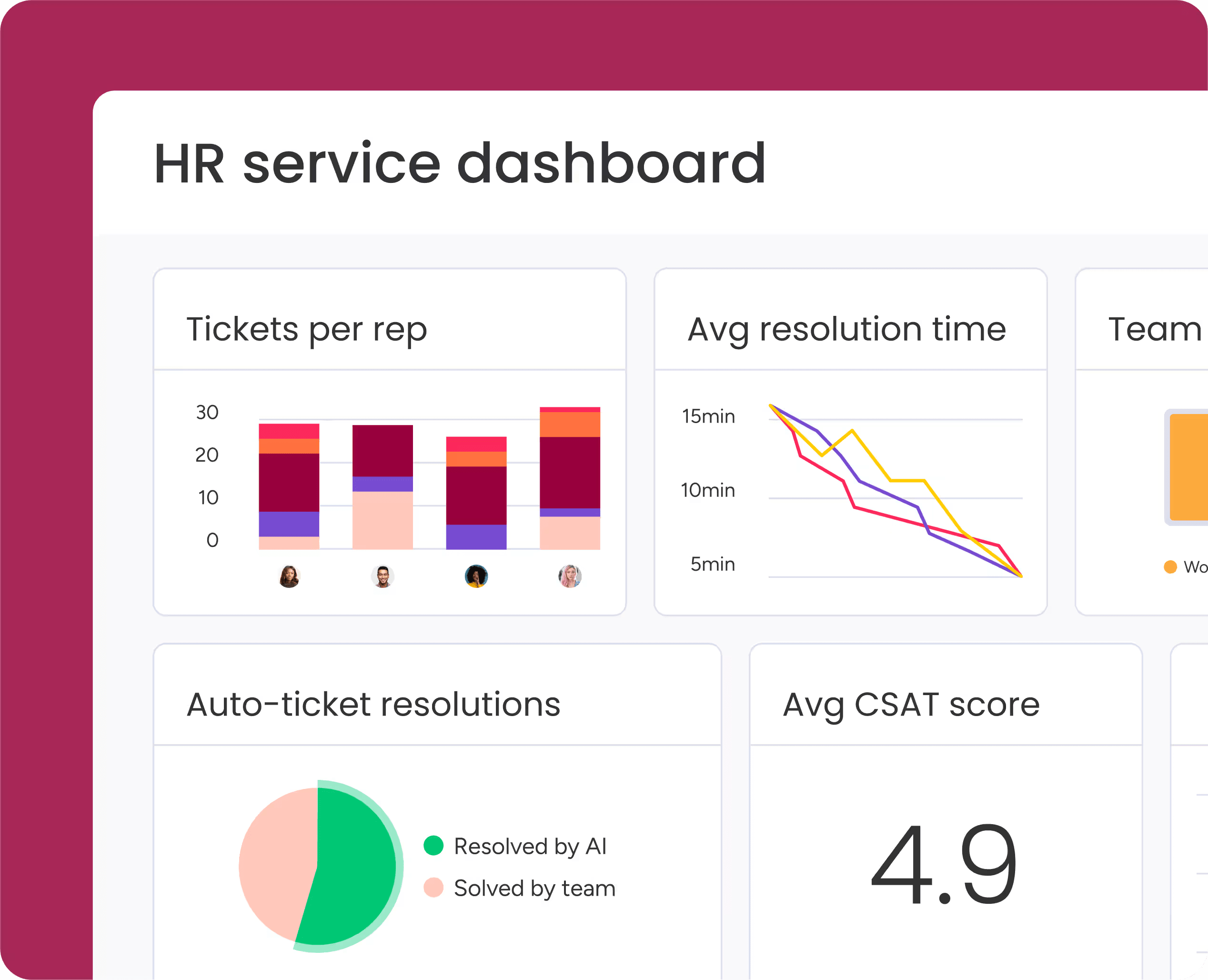
monday service lets different departments work their own way while staying connected. Each team can have unique workflows, but requests flow smoothly between them. An employee onboarding request might start in HR, trigger IT provisioning, involve facilities for workspace setup, and include finance for benefits enrollment, all tracked in one place.
Zendesk can route between teams, but wasn’t built for this kind of operational flow. Teams often end up managing the real work outside the ticketing system.
Service-to-project workflow integration
Many service requests need more than a quick fix. They need planning, multiple steps, and coordination. monday service turns these requests into projects automatically:
- Facility repair: Becomes a maintenance project with vendor coordination
- Software rollout: Becomes a deployment project with testing and communications
- Compliance issue: Becomes a remediation plan with audit trails
Managing multiple portals from one platform
Large organizations need different service experiences for different groups. monday service supports hundreds of portals from one platform, so each department gets what they need while you maintain central control.
This matters for governance, reporting consistency, and avoiding the mess of disconnected systems.
Self-service and knowledge management
The best ticket is the one that never gets created. Both platforms support self-service, but they approach it differently.
Customer portal capabilities

monday service portals connect directly to workflows. Users submit requests, track progress, and get updates while the actual work happens behind the scenes. The portal is part of the process, not just a submission form.
Zendesk portals excel at customer support experiences with ticket submission, article browsing, and conversation history. They’re polished for external users who need help.
Knowledge base integration methods
monday service delivers knowledge contextually during the service process. Relevant articles appear when users submit requests or when agents work on tickets. Knowledge becomes part of the workflow.
Zendesk uses a traditional knowledge base model with search, browse, and suggest features. It’s proven for customer self-service at scale.
Automated ticket deflection
Both platforms can prevent tickets, but they do it differently:
- monday service: Guides users to the right workflow or form before they create unnecessary tickets
- Zendesk: Suggests articles and answers to deflect common customer questions
Automation without technical dependencies
Automation only helps if your team can actually use it. The best automation is the kind you can build, understand, and modify yourself.
Visual workflow builder comparison
monday service uses visual automation that shows you exactly what happens: trigger, condition, action. You can see the logic and change it without diving into code or complex rules.
Zendesk uses rules and triggers that work well for support workflows, but can become complex when you need cross-functional automation.
Pre-built automation templates
Both platforms offer templates to speed setup. monday service templates cover operational workflows like approvals, escalations, and cross-department handoffs.
Zendesk templates focus on support scenarios like routing, responses, and SLA management. The key is whether templates match your actual workflows or force you to adapt to the platform’s assumptions.
Scaling service operations efficiently
As you grow, automation needs to grow with you. monday service scales by letting you extend workflows across more teams without recreating everything. One automation can serve multiple departments with variations.
Zendesk scales by handling more volume through the same support workflows. This works well when growth means more tickets, not more complexity.
Choosing the right platform for your strategy
Your choice depends on what service management means in your organization. Is it primarily external customer support? Or does it include internal operations across multiple departments?
When monday service excels
monday service connects service work to broader operations. Choose it when tickets become projects, workflows span departments, and service requires cross-team coordination.
Choose monday service when you need to:
- Connect service to operations: Turn IT tickets into implementation projects, HR requests into onboarding workflows, or facilities issues into tracked maintenance projects.
- Support multiple internal departments: Give IT, HR, operations, facilities, and finance their own workflows while keeping everyone connected.
- Deploy quickly without technical dependencies: Let business teams build workflows themselves using no-code tools.
- Scale service across the organization: Run hundreds of portals from one platform with consistent governance.
- Get AI capabilities immediately: Use built-in AI agents, smart routing, and predictive analytics from day one.
When Zendesk makes sense
Zendesk is built for customer-facing support operations. Choose it when your priority is managing high volumes of external customer interactions through traditional channels.
Choose Zendesk when you need to:
- Optimize external customer support: Manage email, chat, phone, and social conversations with strong queue management.
- Manage high-volume support operations: Process large numbers of inquiries with mature ticketing and support metrics.
- Leverage existing Zendesk investments: Expand your current Zendesk workflows and integrations rather than replace them.
- Focus on traditional support metrics: Measure success through response times, resolution rates, and customer satisfaction scores.
Power end-to-end service operations with monday service
Modern service management is about connecting service work to business outcomes. monday service reflects this shift by turning tickets into workflows that drive real progress.
From tickets to connected workflows

When a ticket becomes a connected workflow, everyone can see where work stands and what happens next. Service stops being a black box and becomes visible, manageable, and improvable.
This matters because service requests often trigger broader work. monday service keeps everything connected instead of creating handoff points where things get lost.
AI that works out of the box

AI in monday service doesn’t require a separate project or budget. It’s built into how the platform works, so teams get intelligent routing, classification, and predictions from day one. This immediate value means teams can focus on improving service instead of implementing technology.
Your path to service excellence
monday service fits organizations ready to move beyond traditional ticketing. If you want service management that connects to your broader operation, adapts to your needs, and empowers your teams, monday service delivers. The platform brings together the flexibility of Work OS, the intelligence of built-in AI, and the simplicity of visual workflows. Your service teams can finally work the way they need to while staying connected to the rest of your organization.

"Our team LOVES the monday service platform and we’re already exploring how we could incorporate it for other departments, too. It has streamlined our workflow in a way that both our team and customers appreciate."
Andrew Marshall | VP Operations
״monday service provides clear insights into requests volume and types, response times, and trends - helping us continuously improve operations"
Grant De Waal-Dubla | CIO
"The biggest value for us is speed and flexibility. You can get up and running in days, change anything instantly, and see everything in real time. And you don’t need a dedicated admin to do it."
Clive Camilleri | Head of People Tech & OperationsMaking the right choice for your service strategy
Your platform choice shapes how teams work and how well service connects to business outcomes. monday service excels at linking requests to operational workflows across departments, while Zendesk fits organizations focused on external customer support. Choose based on whether you’re optimizing a support queue or building a connected service operation.
Both platforms deliver value for different service models. The right platform makes service management feel natural instead of forcing your processes into rigid structures. Evaluate your current workflows and future needs, then choose the platform that supports your service strategy.
Try monday serviceFAQs
How complex is migrating from Zendesk to monday service?
Migrating from Zendesk to monday service is moderately complex because data transfer is straightforward, but you'll need to redesign workflows and rebuild integrations. Most migrations take a few weeks for simple setups or a few months for enterprise deployments with multiple departments and custom workflows.
Which platform requires less training for agents?
monday service typically requires less training for agents because its visual interface is intuitive for business users who aren't technical experts. Zendesk feels more natural for agents already familiar with traditional support consoles, but monday service is easier for mixed teams that include non-support staff.
Can monday service integrate with existing Zendesk data?
Yes, monday service can integrate with existing Zendesk data through data exports and API connections. You can migrate historical tickets, customer information, and knowledge base articles, though the exact method depends on whether you're doing a full migration or maintaining both systems temporarily.
How do compliance certifications compare between platforms?
Both monday service and Zendesk support enterprise security requirements including SOC 2, ISO certifications, and GDPR compliance. The specific certifications, data residency options, and contractual terms vary by plan level, so verify requirements during procurement for your industry and region.
Which platform offers stronger mobile functionality?
Zendesk offers stronger mobile functionality for agents managing traditional support queues on the go. monday service provides more comprehensive mobile access for users who need to view workflows, update project status, and collaborate across teams from mobile devices.
What are XLAs and does monday service support them?
To answer the question of what XLAs are and if monday service supports them: XLAs (Experience Level Agreements) are metrics that measure service quality from the user's perspective, not just technical performance. monday service fully supports XLAs through customizable metrics, satisfaction surveys, workflow tracking, and dashboards that measure user experience outcomes beyond traditional SLA compliance.

 Get started