


The budget is approved. The platform shortlist is down to three options. Leadership wants ROI, not another system that looks impressive in a demo but takes months to deliver results.
This decision matters more than it seems.
Choosing between Wrike, Basecamp, and monday.com is not about who has the longest feature list. It is about speed to value. How fast can teams start doing real work? How easily will people adopt the platform? And how smoothly can it scale across departments without adding friction?
Some platforms feel powerful but require heavy setup. Others are simple but hit a ceiling as complexity grows. The difference shows up in your ROI timeline.
This comparison breaks down how each platform performs where it counts: implementation speed, user adoption, AI capabilities, cross-team visibility, and total cost of ownership. If the goal is measurable results this quarter instead of next year, these are the factors that decide it.
Key takeaways
- Speed to value drives ROI: Platforms that enable teams to start real work within days deliver faster returns than those requiring weeks of setup.
- User adoption determines actual impact: Intuitive interfaces and low learning curves increase engagement and ensure investment translates into productivity.
- Automation and AI accelerate efficiency: Built-in AI features like risk insights and workflow automation multiply returns by reducing manual effort and preventing delays.
- Cross-departmental connectivity multiplies value: Platforms that unify marketing, sales, operations, and IT workflows enhance collaboration and reduce duplicated effort.
- monday.com supports rapid implementation and scalability: The Work OS architecture allows organizations to deploy quickly, adopt widely, and scale without disrupting existing processes.
Quick ROI verdict for busy decision makers
If you only have five minutes to evaluate these platforms, focus on one thing: how fast each one turns budget into measurable results.
Not feature depth. Not interface design. Not brand familiarity.
Speed to value determines whether ROI shows up this quarter or gets delayed by months of configuration, training, and process redesign. Some platforms require heavy setup before real work begins. Others let teams launch immediately but struggle as complexity grows. The differences are not subtle, and they directly impact financial return.
The table below compares monday.com, Wrike, and Basecamp across the ROI drivers that matter most: time to value, setup effort, scalability, and primary value lever. It highlights how each platform performs once the contract is signed, not just during the sales demo.
| Metric | Wrike | Basecamp | monday AI Workspace |
|---|---|---|---|
| Time to value | Weeks to months (configuration dependent) | Days (limited scope) | Days (immediate adoption) |
| Setup requirement | High (often requires consultants) | Low (fixed structure) | Low (self-serve + templates) |
| ROI driver | Process control | Centralized communication | Automation and AI insights |
| Scalability | Medium (vertical focused) | Low (small team focused) | High (enterprise Work OS) |
monday.com delivers value in days
Modern platforms like monday.com enable teams to adopt workflows quickly through a no-code setup that is intuitive yet robust enough for enterprise operations. Teams can build complex workflows without relying on IT, so meaningful work begins within hours of sign up.
AI capabilities, including Portfolio Risk Insights, identify bottlenecks before they impact revenue. This proactive approach protects ROI by addressing issues before they affect budgets. The Work OS connects departments in one platform, eliminating duplicate data entry from day one.
Pre-built templates and an intuitive interface also allows organizations to move from setup to results in days, not months. Teams can start executing immediately because workflows adapt to the way teams work, rather than forcing rigid structures.
Wrike requires weeks of setup
Wrike functions as a traditional project management platform designed for specific methodologies. While powerful for Waterfall approaches, the strict hierarchy usually requires professional services or dedicated admins to configure properly.
The complex interface can slow adoption, which delays ROI because teams require formal training. Wrike works well for specialized teams such as marketing or IT, but unifying the entire organization often needs significant customization.
Basecamp offers simplicity with trade-offs
Basecamp emphasizes communication and basic tracking within a fixed workflow. Teams must adapt to the platform rather than tailoring workflows to their goals. This allows rapid setup but limits optimization for complex processes.
Modern platforms like monday.com enable teams to adopt workflows quickly through a no-code setup that is intuitive yet robust enough for enterprise operations. Teams can build complex workflows without relying on IT, so meaningful work begins within hours of sign up.
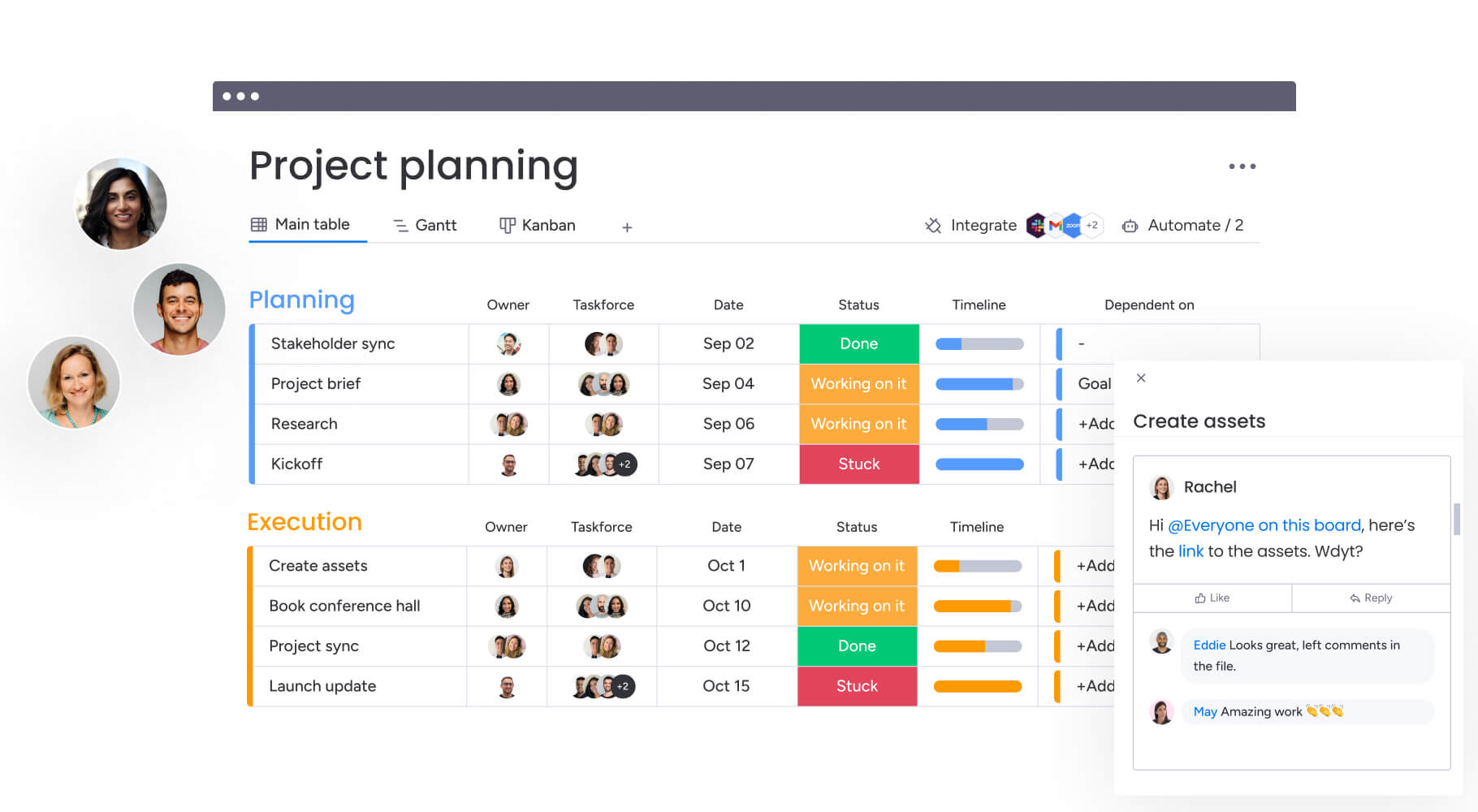
Real implementation timelines that impact ROI
Implementation speed influences ROI at three distinct stages: first value, full-team adoption, and cross-department impact.
It is not just about how quickly a board can be created. It is about how fast meaningful workflows launch, how easily teams adopt the platform, and how smoothly those workflows connect across the organization. Delays at any stage slow returns. Momentum at each stage accelerates them.
The comparison below breaks down how monday.com, Wrike, and Basecamp perform across these critical milestones.
Day one to first value
The key question is how fast teams can begin doing meaningful work. This initial window determines whether returns appear immediately or months later.
- Immediate project creation: AI Blocks generate project boards and automations in hours, enabling teams to start work without delay.
- Data organization at scale: Categorize hundreds of items automatically.
- Content summarization: Turn lengthy documents into actionable insights.
- Information extraction: Pull critical data from PDFs, documents, and images.
Wrike requires defining folder structures and request forms first. Admins must configure the workspace before projects can be managed effectively, often delaying results by weeks.
Basecamp setup is nearly instant, with few configuration options. Value is limited to message boards and checklists, and complex workflows cannot be mapped immediately.
Full team deployment speed
A platform only delivers value if the entire organization uses it. Deployment speed varies significantly between platforms.
- Intuitive interface: Visual boards feel like spreadsheets but operate as databases, requiring minimal training.
- Natural adoption: Teams expand usage after seeing interconnected workflows.
- High engagement: Enterprise adoption is higher because teams enjoy using the platform.
Wrike typically requires phased rollout with structured training sessions. Non-technical teams often resist due to a dense interface.
Basecamp deploys quickly because there are few features, but full adoption often leaves out departments that need advanced capabilities, fragmenting the tech stack.
Time to cross-department success
Maximum ROI comes when workflows link across departments seamlessly.
- Connected workflows: Dashboards and automations link marketing campaigns, sales data, and product roadmaps.
- Industry examples: Supports over 200 workflow examples across industries.
- Proactive risk management: Automations identify bottlenecks before they escalate.
Wrike’s cross-departmental workflows require careful permissions and blueprinting. Integration often demands ongoing administrative support.
Basecamp isolates projects by design. Cross-departmental connections usually occur manually or through external chat, limiting systemic efficiency gains.
The table below summarizes how each platform performs across these three phases of speed to value:
| Phase | Wrike | Basecamp | monday AI Workspace |
|---|---|---|---|
| Initial setup | 2-4 weeks | 1 day | 1-3 days |
| Team onboarding | Structured training (days) | Minimal (hours) | Self-guided (hours) |
| Workflow optimization | Periodic (admin-led) | Static (platform-led) | Continuous (user-led) |
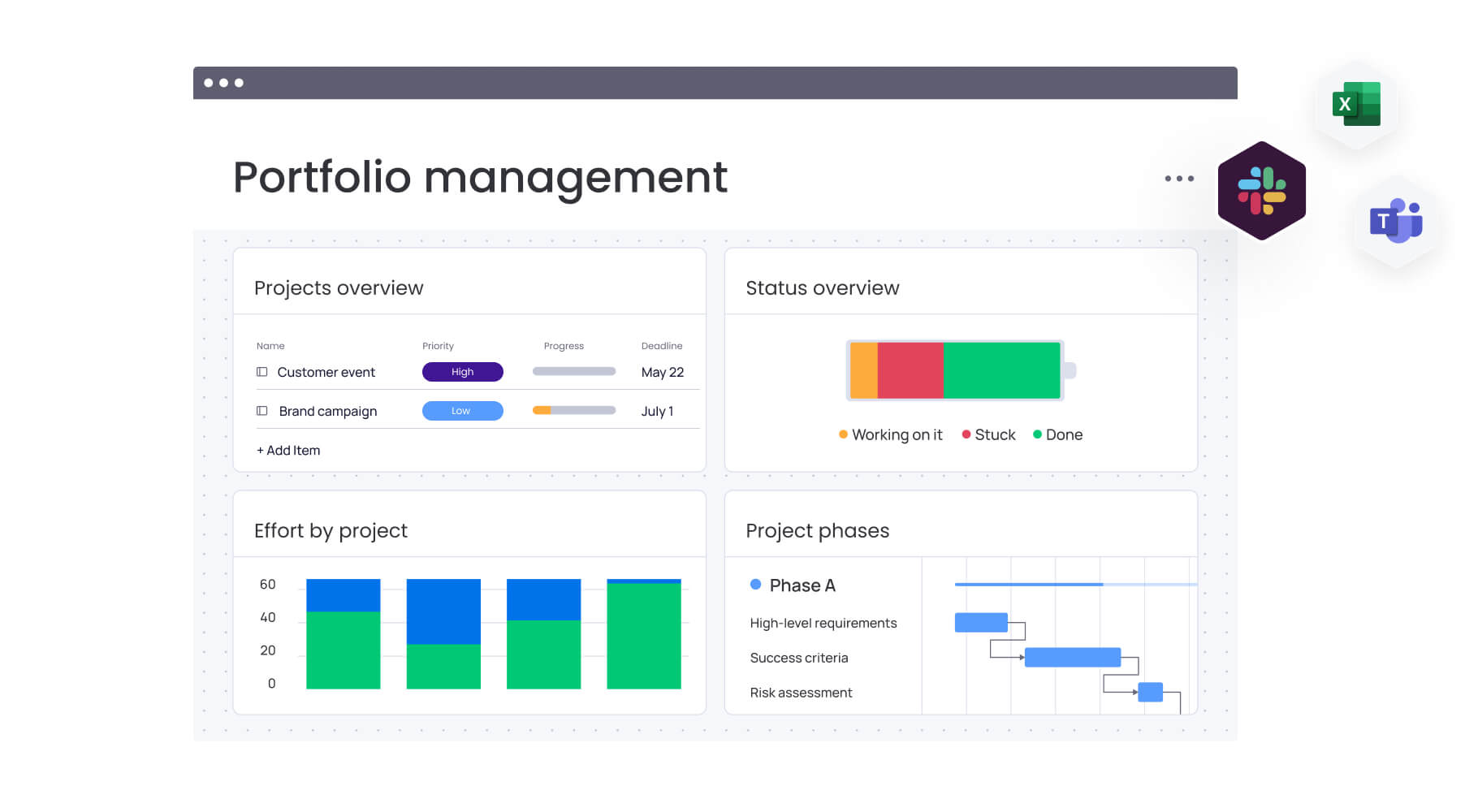
Total cost of ownership beyond subscription fees
Evaluating the sticker price is only the first step in understanding the financial impact of a project management platform. The service layer required to make software functional can double or triple the first-year cost.
Successful organizations look beyond monthly fees to understand the complete investment needed for long-term success.
Transparent pricing structures
The true cost of any platform includes more than base licenses — features, support, and scalability options often define long-term value. monday.com uses a seat-based model with tiered plans. Advanced capabilities like automations and integrations are included in higher tiers without extra charges for storage or basic support.
Wrike offers base licenses, but essential features for enterprise security, advanced reporting, or two-way sync often require add-ons or higher-tier bundles. This can complicate budget planning and long-term forecasting.
Basecamp meanwhile provides flat-fee pricing for unlimited users in some plans or per-user pricing in others. While simple, the approach can become expensive if additional tools are needed for Gantt charts, resource management, or time tracking.
Hidden implementation costs
Several cost categories often surprise organizations during their first year. Understanding these upfront helps you calculate true ROI and avoid budget overruns:
- Consulting fees: Wrike implementations frequently require certified partners or professional services packages to map complex enterprise processes. monday.com’s no-code environment allows internal operations teams to build these solutions without external consultants.
- Integration maintenance: Custom-coding API connections for Wrike or Basecamp adds ongoing developer costs. monday.com’s integration center eliminates this expense for standard platforms.
- Training downtime: The cost of employee hours spent in training sessions for complex platforms represents a significant soft cost that monday.com’s intuitive UX minimizes.
Define the baseline
Before measuring ROI, track what your team spends today on manual coordination that software could automate. How many hours are used compiling status reports from scattered emails? How often does the PMO chase updates across teams?
Document real costs: meeting hours spent on status updates instead of strategic decisions, salary hours spent on duplicate data entry, and lost revenue from delayed projects. Many organizations find teams lose 15–20 hours per employee per month to coordination overhead. Multiply by team size and hourly cost to establish baseline waste.
Calculate direct savings
Next, tally the subscriptions for platforms a unified Work OS would replace. Consider the costs of your project tracker, communication tool, reporting dashboard, and any spreadsheet-based systems connecting them.
Include soft costs: subscriptions for third-party integrations, developer hours maintaining custom connections, and storage fees for dispersed files. Subtract the new platform’s subscription cost from this total. Mid-size teams often eliminate $15,000–$40,000 annually in tool sprawl while improving functionality when consolidating on monday.com.
Estimate productivity gains
Automation saves time and multiplies capacity. Calculate hours spent on repetitive tasks now handled automatically: status notifications, approval routing, data syncing, and report generation.
For example, a marketing team automating campaign handoffs reclaims 12–15 hours per campaign. An IT team using automated ticket routing can save 20+ hours weekly. Multiply these hours by team value and factor in additional outcomes achievable with the freed capacity. ROI compounds as saved time translates into revenue growth, not just cost reduction.
Account for risk reduction
Failed projects waste resources and affect client relationships, market timing, and team morale. Assign realistic value to projects avoided through early risk detection.
If Portfolio Risk Insights prevents one major project failure per year, estimate contract value at risk, emergency resource costs, and opportunity costs of delayed launches. For enterprise teams, avoiding a $500K project failure can justify an entire platform investment. Conservative estimates value risk reduction at two to three times the cost of projects saved.
Subtract TCO
Include subscription fees, implementation time (days for intuitive platforms versus weeks for traditional ones), training hours, and ongoing maintenance. Factor in integration development costs, though native integrations often eliminate most of this expense.
Subtract these costs from combined savings, productivity gains, and risk reduction to determine net ROI. The resulting timeline shows whether returns occur this quarter or over several years.
| Cost category | Wrike | Basecamp | monday AI Workspace |
|---|---|---|---|
| License model | Per seat + add-ons | Flat fee or per seat | Per seat (tiered) |
| Implementation | High/external | None | Low/internal |
| Training | High (formal required) | Minimal | Minimal (self-serve) |
| Add-on platforms needed | Medium | High (requires stack) | Low (all-in-one) |
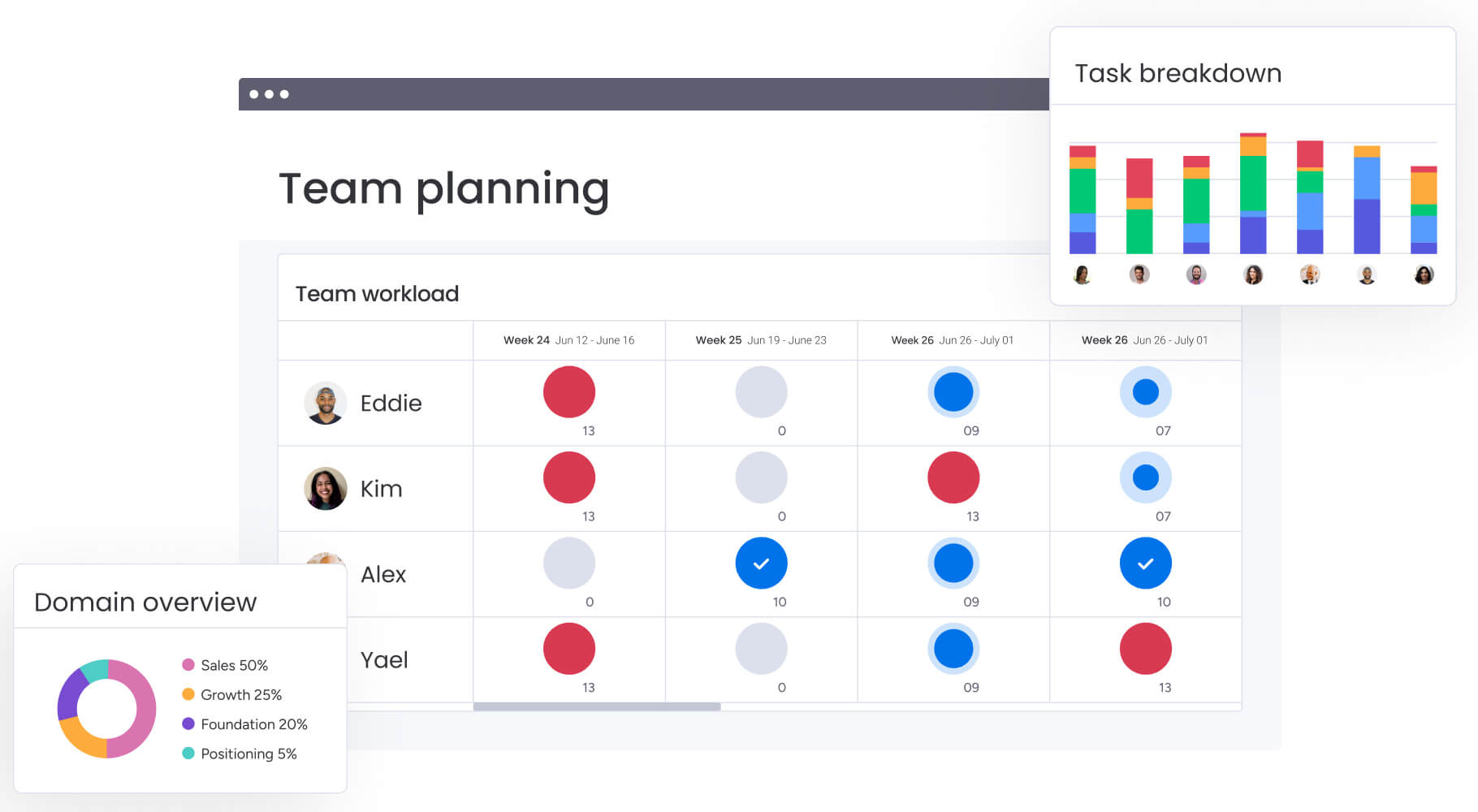
User adoption rates drive ROI success
A platform delivers value only if teams actively use it. Adoption determines whether an investment generates measurable returns or becomes shelfware. Keep in mind that the speed and depth of team engagement directly influence the benefits an organization extracts from any project management tool.
Platform learning curves compared
The complexity of initial user experience shapes adoption across teams. How quickly employees understand core concepts dictates whether momentum builds or stalls.
Modern platforms like monday.com use visual cues and drag-and-drop functionality. Teams grasp boards, groups, and items within minutes, maintaining high data integrity. Organizations report payback periods of less than four months, largely due to this fast adoption.
Wrike’s folder-tree structure and multiple views present a steeper learning curve. Users often struggle to navigate the hierarchy, sometimes reverting to spreadsheets.
Basecamp offers a very shallow learning curve because of limited features. However, power users may feel constrained, which can reduce adoption among project managers.
Team engagement metrics
High engagement ensures the platform serves as the single source of truth. Key indicators reveal whether teams actively use the platform or simply go through the motions:
- Daily active usage: Teams engage consistently because the platform centralizes work execution, not only status reporting.
- Collaboration frequency: Contextual updates within items reduce email threads, while the Update section fosters interaction and responsiveness.
- Mobile adoption: A fully functional mobile app keeps field teams and traveling executives connected, preventing data gaps.
Early success indicators
Recognizing adoption wins early helps validate platform investment. The following signs in the first 90 days indicate whether the platform delivers expected value:
- Self-sufficiency: Teams creating their own automations without IT assistance signal strong platform adoption.
- Reduction in meetings: Fewer status-update meetings reflect effective real-time visibility on the platform.
- Email volume: Decreased internal project-related emails show that communication has migrated successfully to the platform.
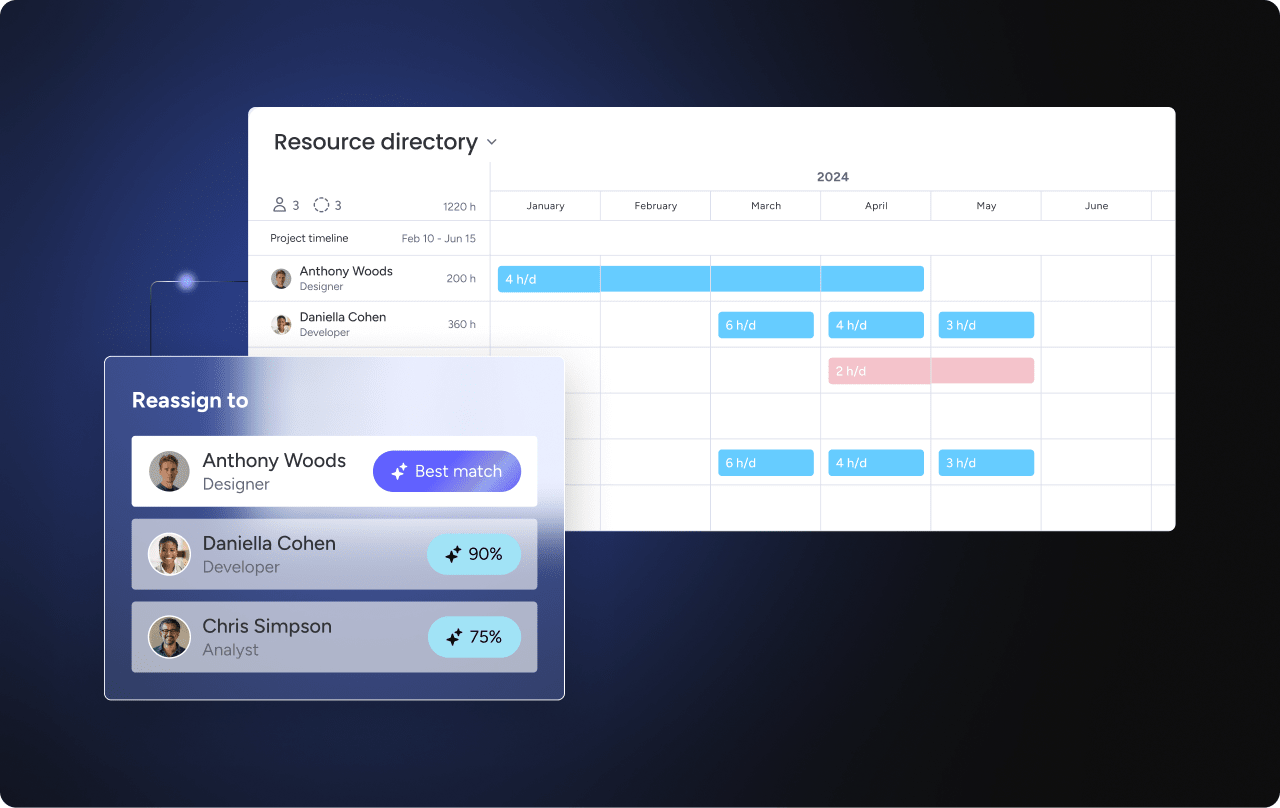
AI capabilities that accelerate returns
AI elevates projects from reactive tracking to proactive optimization. Platforms that embed AI into daily workflows achieve compounding benefits over time, reducing manual effort and enabling earlier risk detection.
Organizations leveraging AI also experience measurable improvements in project success and resource allocation efficiency.
Portfolio risk management with AI
AI-powered insights identify potential project delays before they occur. monday.com’s Portfolio Risk Insights analyzes historical data across hundreds of projects, allowing leaders to reallocate resources proactively and avoid costs associated with missed deadlines. Critical risks are flagged by severity, helping teams focus on the most urgent issues.
Wrike provides AI for prioritization and risk prediction but requires significant historical data setup. Basecamp lacks native AI risk analysis, leaving managers to manually assess project health.
Automation impact on efficiency
AI-driven automation reduces cognitive load from routine work, freeing teams to focus on strategic initiatives. monday.com uses AI Blocks to:
- Categorize feedback: Automatically sort customer input by urgency and sentiment.
- Summarize documents: Convert lengthy reports into actionable bullet points.
- Extract data points: Pull key information from unstructured text without manual entry.
Suggested automations based on user behavior continuously improve process efficiency. For example, when a status changes to “Done,” the system can notify clients automatically.
Digital workforce ROI potential
A digital workforce augments human teams with intelligent agents. monday.com’s Digital Workers, such as the Project Analyzer, monitor board health around the clock, identifying inconsistencies or incomplete data. This ensures reporting accuracy without requiring a PMO audit.
Wrike’s AI focuses on generative text and smart search. While useful, it does not include active agents that maintain workflow health like monday.com’s Digital Workforce.
Try monday.com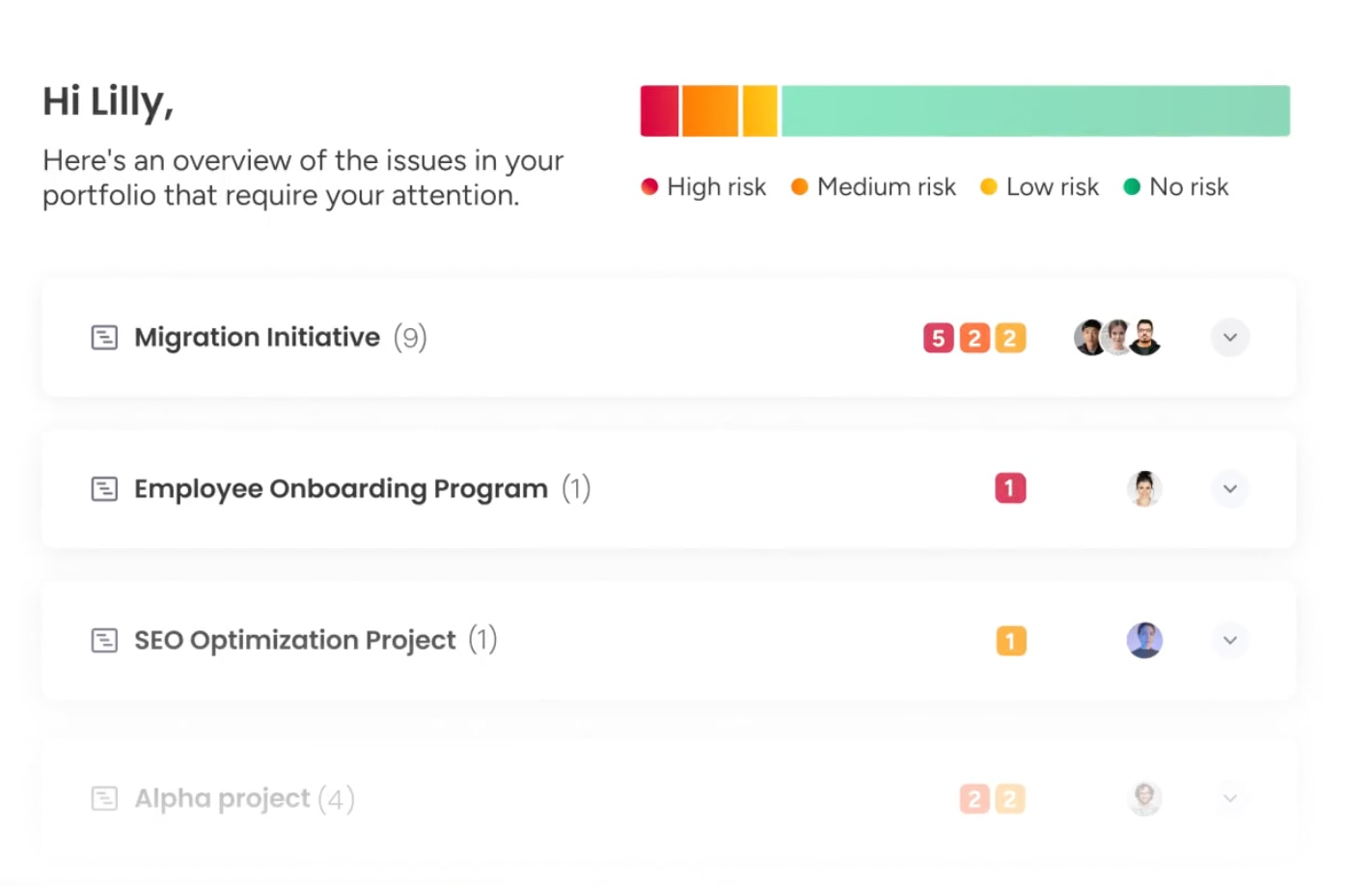
Cross-departmental features for enterprise value
ROI multiplies when a platform connects the entire value chain: isolated systems create friction through handoffs, version control issues, and duplicated effort. Enterprise organizations need platforms that break down departmental barriers and unify workflows across the business.
Breaking organizational silos
True enterprise value emerges when departments operate in connected workflows rather than in isolation. This connectivity transforms work across the organization.
Modern platforms like monday.com allow marketing, sales, product, and IT teams to work in the same digital environment. A marketing request triggers a design assignment, which updates the product launch roadmap automatically. This unified workspace aligns teams around shared objectives and reduces coordination delays.
Other solutions may introduce silos: Wrike often requires distinct spaces that can become disconnected, while Basecamp creates rigid walls between projects, making it harder to visualize dependencies between a sales win and a customer onboarding workflow.
Portfolio-level visibility
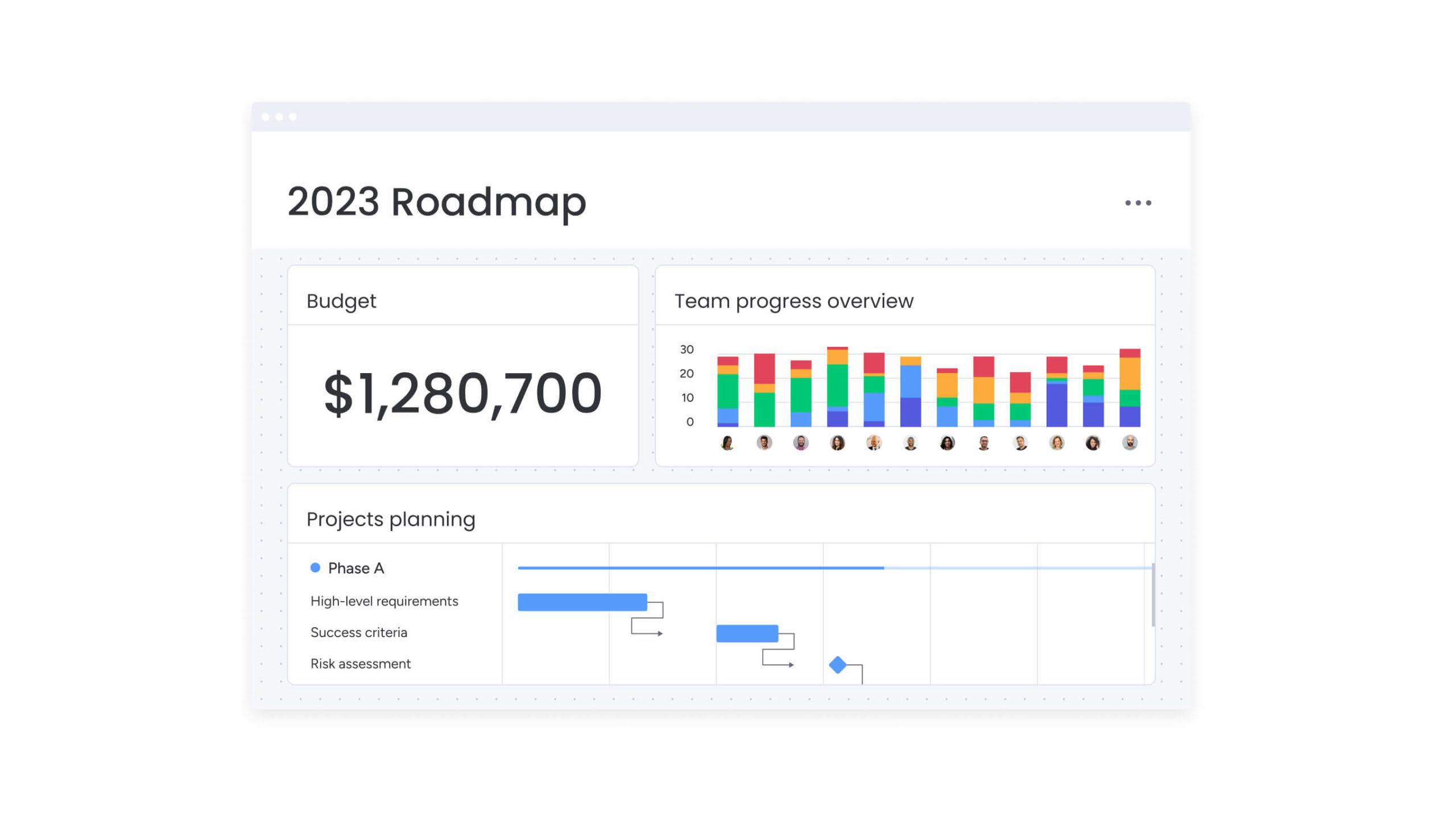
Executives need a macro view to make informed investment decisions. monday.com aggregates data from unlimited boards into high-level dashboards, providing real-time insight into budget burn, resource allocation, and project progress across the portfolio.
Wrike provides reporting but typically requires complex configuration to consolidate cross-space data. Basecamp lacks native portfolio dashboards, requiring leaders to manually compile status reports from separate projects.
Collaboration effectiveness
Collaboration only drives ROI when communication happens in context. When updates live in email threads, chat tools, and disconnected documents, teams lose time switching between systems and clarifying decisions.
monday.com keeps communication attached to the work itself. Updates live directly on items, files can be annotated within the platform, and approvals happen in the same workspace where execution occurs. This reduces back-and-forth and shortens decision cycles.
WorkCanvas by monday strengthens this connection between planning and delivery. Teams can brainstorm visually and convert sticky notes into live project items instantly, ensuring ideas move into execution without manual handoffs.
The table below compares how each platform supports contextual collaboration, portfolio visibility, and cross-board alignment — all of which influence productivity and long-term ROI.
| Feature | Wrike | Basecamp | monday AI Workspace |
|---|---|---|---|
| Cross-board connections | Requires configuration | Manual/non-existent | Native and automated |
| Portfolio dashboards | Report builder | None | Drag-and-drop widgets |
| Document collaboration | Proofing add-on | Basic file sharing | Embedded and annotatable |
| Whiteboard integration | External integration | None | Native (WorkCanvas) |
True enterprise value emerges when departments operate in connected workflows rather than in isolation. This connectivity transforms work across the organization.
Scalability that protects your investment
A scalable platform prevents costly rip-and-replace cycles as the organization grows. Systems that work for fifty users should also work for five thousand without requiring migration or restructuring.
Remember to weigh up how platforms handle growth: this is essential before committing to long-term contracts.
Growth without platform changes
The architecture of monday.com scales from a single team to thousands of users. As complexity increases, teams can add layers of automation and reporting without changing the core user experience.
Wrike scales for enterprise but may become cumbersome at high user counts, while Basecamp often reaches a ceiling when resource management or advanced reporting becomes necessary, triggering migrations.
Enterprise security standards
Protecting data protects ROI. monday.com meets strict enterprise standards, including HIPAA, GDPR, and SOC 2 Type II compliance. Granular permissions ensure sensitive data is accessible only to authorized team members.
Choose your platform based on ROI needs
The right platform depends on organizational context too, not universal rankings. Evaluating priorities and operational needs ensures the solution delivers the highest return on investment.
Understanding how your team works and scales is also absolutely essential for selecting a platform that maximizes efficiency and value.
Compare more:
When monday.com maximizes returns
monday.com is the optimal choice for organizations seeking a flexible, scalable Work OS that unifies operations. Consider it when:
- Cross-departmental connection is essential: The organization needs to connect distinct departments on one AI Workspace.
- Speed of implementation is a priority: The team needs to be up and running in days, not months.
- AI and automation are required: Reducing manual administrative work and providing predictive insights is a business priority.
Wrike for traditional enterprises
Wrike serves organizations with rigid, waterfall-based project management needs. Consider it when:
- Vertical focus is primary: The main use case is detailed project management within a specific vertical rather than a company-wide OS.
- Dedicated PMO exists: The organization has budget for professional services implementation.
- Complex proofing is required: Users need specific proofing capabilities and are comfortable with folder-based hierarchies.
Basecamp for basic needs
Basecamp is suitable for small teams or specific projects where communication is the primary goal. Consider this platform when:
- Team size is small: The team is under 50 people and does not require complex reporting or automation.
- Budget is strictly limited: The organization prefers a flat fee over seat-based pricing.
- Workflow is simple: Workflows are unlikely to change or scale significantly in the near future.

“monday.com has been a life-changer. It gives us transparency, accountability, and a centralized place to manage projects across the globe".
Kendra Seier | Project Manager
“monday.com is the link that holds our business together — connecting our support office and stores with the visibility to move fast, stay consistent, and understand the impact on revenue.”
Duncan McHugh | Chief Operations OfficerHow monday.com’s AI Workspace compares to Wrike and Basecamp
When evaluating Wrike vs. Basecamp, one of the clearest tensions is the trade-off between power and simplicity. Wrike offers deep customization but requires more setup time. Basecamp gets teams productive quickly, but it can feel limiting as workflows grow more complex. monday.com’s AI Workspace helps resolve this tension by giving teams flexible workflows, visual project tracking, dashboards, automations, integrations, and an intuitive user experience in one connected workspace.
What sets monday.com’s AI Workspace apart is how AI-powered capabilities are built into everyday workflows, helping teams summarize updates, create workflows, surface risks, and reduce manual work without switching tools.
- monday sidekick is a built-in AI assistant that helps with formulas, summarizes project updates, extracts action items from meeting notes, and drafts content, all within the context of your boards and workflows
- monday vibe helps teams describe the workflow or app they need in plain language, then move from idea to a structured workspace faster with boards, automations, and dashboards
- monday agents can support repetitive workflows by helping teams update information, summarize progress, categorize requests, surface risks, and keep work moving with the right context and guardrails
- AI columns and the AI workflow builder can help teams add AI-powered steps to their workflows, such as categorizing information, generating summaries, extracting details, or drafting text
These capabilities span monday.com’s broader platform, including CRM, dev, and service workflows, so teams can bring more context to project execution.
On the customization front, monday.com’s AI Workspace supports custom workflows, automations, dashboards, native integrations, and an open API, giving teams flexibility as their processes grow. The interface is visual and approachable, giving teams a middle ground between Wrike’s depth and Basecamp’s simplicity. For more comparisons, see the monday.com reviews on G2.
| Feature | Wrike | Basecamp | monday AI Workspace |
|---|---|---|---|
| Task views | Gantt, Kanban, table, calendar | To-dos, cards, lineup, schedule | Multiple views, including Gantt, Kanban, timeline, calendar, chart, workload, map, and form |
| Automations | Rule-based automations, depending on plan | Limited native automation | No-code automations for reminders, status changes, assignments, approvals, and workflow updates |
| AI features | Wrike AI features for content, tasks, and risk-related support | Limited native AI capabilities | AI-powered capabilities including monday vibe, monday sidekick, monday agents, AI columns, and AI workflow builder |
| Dashboards | Custom dashboards | Hill Charts and project visibility tools | Customizable dashboards with widgets and cross-project visibility |
| Time tracking | Built-in time tracking on select plans | Typically handled through external tools | Built-in time tracking column and reporting widgets |
| Resource management | Workload and resource management capabilities | Limited native resource management | Workload view and capacity planning to help teams manage availability |
| Integrations | Broad integration library and API | More limited native integrations, with external connection options | Native integrations and an open API to connect work across tools |
| Pricing | Plan-based pricing that varies by features and users | Simple pricing structure | Plans for monday.com’s AI Work Platform start at $9 per seat/month |
| Best fit | Teams that need structured project management and reporting | Teams that want simple communication and project coordination | Teams that need flexible project management, workflow automation, dashboards, AI-powered capabilities, and cross-functional visibility |
Maximize your project management ROI with the right platform choice
At a high level, ROI comes down to five factors: implementation speed, AI capability, scalability, adoption, and total cost of ownership. The table below summarizes how each platform performs across those dimensions.
| ROI dimension | Wrike | Basecamp | monday AI Workspace |
|---|---|---|---|
| Implementation speed | Slow: complex configuration delays ROI | Fast: but value ceiling is low | Fast: templates and AI setup enable day-one value |
| AI capabilities | Moderate: generative text and smart search | None: manual operation only | Advanced: Risk Insights, AI Blocks, Digital Workers |
| Scalability | Medium: becomes complex at scale | Low: breaks under complexity | High: works for 10 to 10,000+ users |
| User adoption | Medium: steep learning curve | Medium: simple but limiting | High: intuitive UX |
| TCO | High: add-ons and services increase cost | Low: but requires other platforms | Optimized: all-in-one platform reduces sprawl |
The differences are not minor. They shape how quickly value appears and how well that value compounds over time.
Selecting the right AI Workspace platform determines whether an investment produces measurable returns or becomes a long rollout with limited impact. Organizations that see the fastest ROI typically prioritize three things: rapid deployment, intuitive adoption, and architecture that scales without rework.
monday.com combines these elements within the monday.com Work OS. Strategy connects directly to execution across departments, so teams are not managing work in isolation. Features like Portfolio Risk Insights, AI Blocks, and Digital Workers shift teams from reactive tracking to proactive optimization, while keeping data centralized and reliable.
The real differentiator is momentum. Platforms that allow teams to deploy in days, adopt naturally, and scale without friction often deliver measurable returns within the first quarter. Platforms that require heavy configuration or siloed rollouts tend to delay impact.
Try monday.comFrequently asked questions
How quickly can teams migrate from other platforms to monday.com?
Migration is often completed in days using the dedicated import center, which transfers data from Excel, Asana, Trello, Jira, and Basecamp into monday boards without data loss.
What free trials are available for each platform?
monday.com offers a fully functional 14-day trial with no credit card required, allowing teams to build and test workflows before committing.
Which platform handles remote teams most effectively?
A centralized AI Workspace like monday.com provide a single digital workspace with real-time updates, mobile capabilities, and asynchronous collaboration, reducing dependence on physical proximity.
What's the average payback period for each solution?
Organizations that invest in AI and automation often see a rapid payback period due to immediate efficiency gains. Some studies indicate measurable productivity improvements within six months of implementation.
How do security features compare across platforms?
Enterprise-grade security on monday.com includes SOC 2 Type II, HIPAA compliance, SSO, and granular permissions. These protections generally exceed standard offerings of Basecamp and match or surpass Wrike’s enterprise tiers.
Which platform offers the most effective mobile experience?
monday.com provides a top-rated mobile app that mirrors the desktop experience, enabling users to manage boards, communicate, and monitor dashboards seamlessly on iOS and Android devices.

 Get started