


Every project involves some degree of uncertainty: shifting priorities, resource constraints, or external factors that can change outcomes overnight. The difference between chaos and control often comes down to how consistently teams identify, assess, and respond to risk. Risk management templates provide the foundation for that consistency, transforming risk handling from a reactive process into a structured system that tracks potential threats, assigns ownership, and ensures accountability across teams.
In this post, you’ll find essential templates that guide every stage of risk management, from planning and identification to mitigation and reporting, along with practical ways to connect them into one cohesive, real-time workflow using monday’s AI Workspace.
Key takeaways
- Begin with a risk register: Document all potential threats, then apply a risk assessment matrix to prioritize them by probability and impact.
- Apply structured response strategies: Use the four core approaches (avoid, mitigate, transfer, or accept) to create actionable plans with clear ownership and timelines.
- Centralize your templates into an intelligent system: Get real-time updates, AI-powered risk detection, automated alerts, and visual dashboards, all in monday’s AI Workspace.
- Tailor templates to your needs: Adapt frameworks by industry and company size, focusing on operational, financial, strategic, and compliance risks.
- Review and update regularly: Assess critical risks weekly and moderate risks monthly to keep your risk management system current and effective.
What are risk management templates?
Risk management templates are pre-built documents that help you identify, assess, and control risks across your organization. Essentially they act as blueprints that guide your team through evaluating threats, from cybersecurity breaches to supply chain disruptions, using the same proven risk management process every time.
These templates transform risk management from guesswork into a repeatable system. Instead of starting from scratch, you follow structured frameworks that drive consistent decision-making, which research shows leads to improved business outcomes and faster revenue growth.
Before diving into specific templates, let’s define the key terms you’ll encounter in this guide:
- Risk identification: finding and documenting potential threats before they impact your business.
- Risk assessment: measuring how likely risks are to occur and how much damage they could cause.
- Risk mitigation: creating action plans to reduce or eliminate risk exposure.
- Risk monitoring: tracking risks over time to ensure your responses stay effective.
- Risk communication: keeping stakeholders informed about threats, responses, and evolving risk conditions.
9 essential risk management templates
The following templates cover every stage of the risk management lifecycle, from initial identification to executive reporting. Most can be adapted for Excel, Google Sheets, or Word depending on your team’s workflow. Each one serves a specific purpose in building a comprehensive enterprise risk management system that protects your operations while supporting growth.
1. Risk assessment template
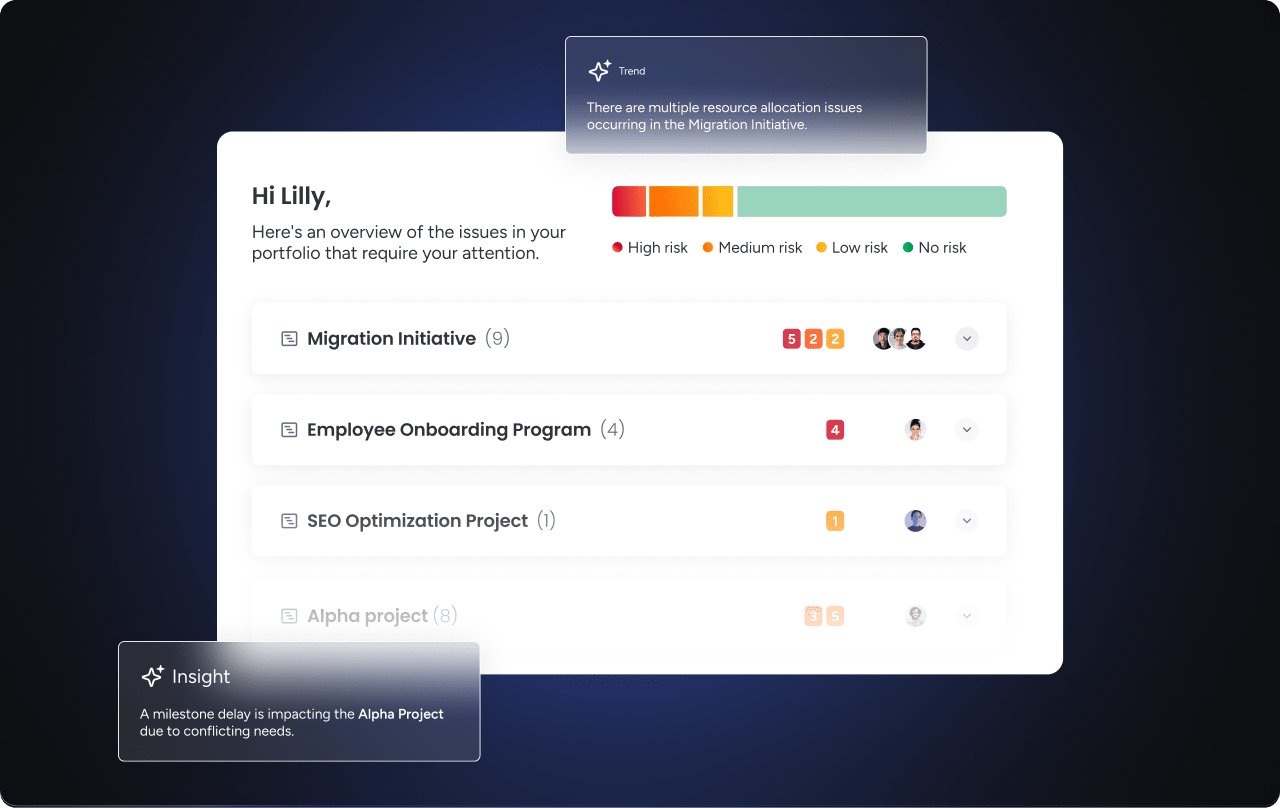
A risk assessment template helps teams systematically identify and score potential threats before they affect the project. It’s the starting point for turning vague concerns into quantified, prioritized action items.
The core fields include risk description, likelihood score (1–5), impact score (1–5), composite risk score, and risk owner. Once scored, each risk maps directly to a risk matrix for visual prioritization.
A thorough risk assessment template also includes fields for risk category, detection difficulty, and recommended response. monday.com’s AI Blocks can automatically flag scheduling conflicts and workload imbalances as part of the assessment process, so threats surface before they escalate.
2. Risk management plan template
Your risk management plan template is the master document that defines how your organization approaches risk. It sets the ground rules: who’s responsible for what, how often you’ll review risks, and what happens when threats materialize.
This template includes your risk tolerance levels, escalation procedures, and communication protocols. It also maps out which departments handle specific risk types and how decisions flow through your organization.
3. Risk register template
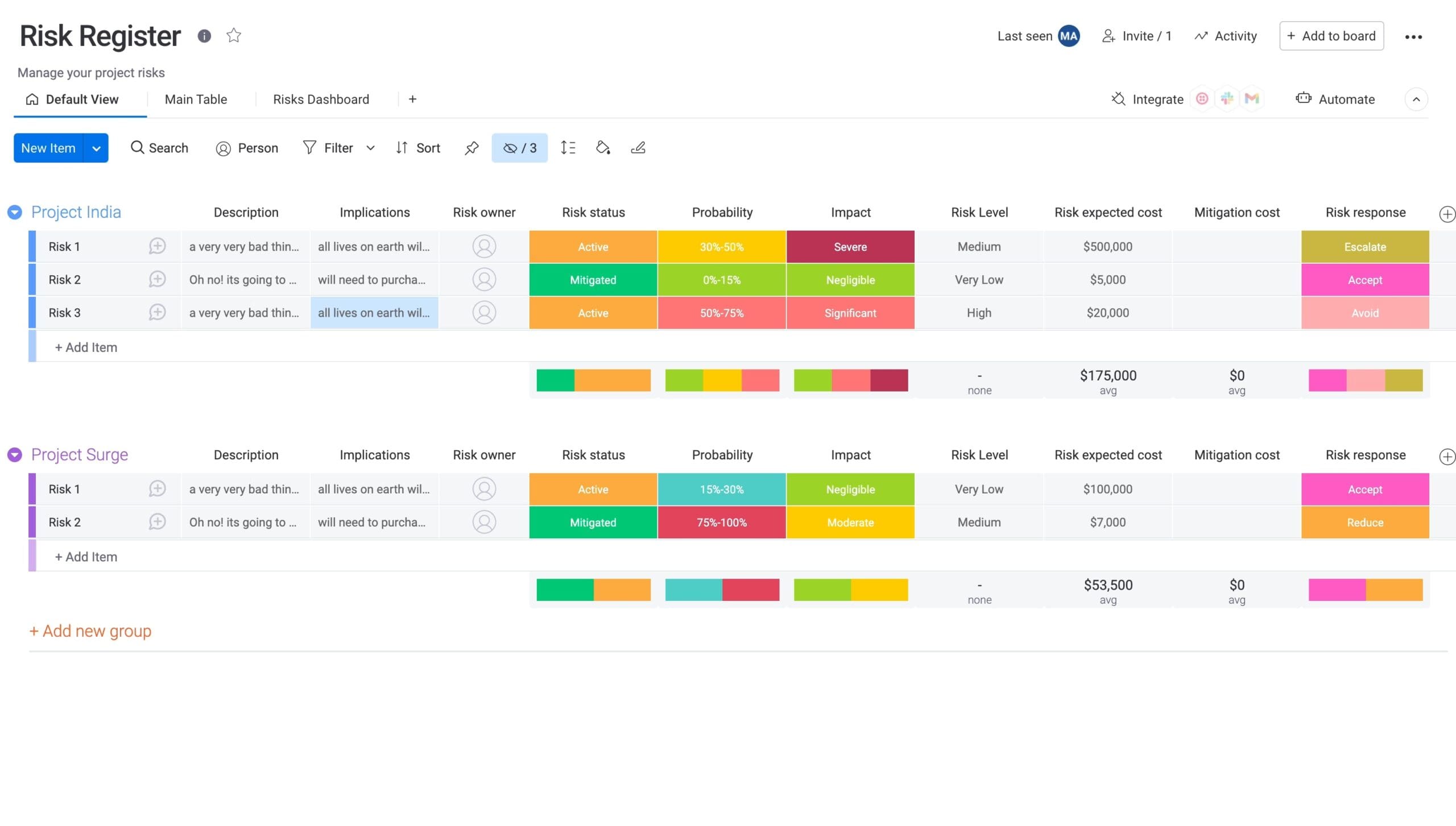 A risk register template creates your central risk database. This living document supports risk tracking with details like description, probability, impact, owner, and current status.
By utilizing a platform like monday’s AI Workspace you can turn static risk registers into dynamic systems. Real-time updates, automated notifications, and visual dashboards make risk information instantly accessible to everyone who needs it.
Learn more: AI risk management software
4. Risk mitigation plan template
This template converts identified risks into concrete action plans. Each risk gets linked to specific strategies, responsible parties, and completion deadlines.
Your risk mitigation plan should track both preventive measures and contingency responses. It also monitors the cost and effectiveness of each action, helping you optimize risk management investments over time.
Similarly, performing an impact analysis helps measure the outcomes of each response, while having a contingency plan ensures you’re ready if unexpected changes occur.
5. Issue and action tracking template
When risks become real problems, understanding risk vs issue helps you apply this template effectively. It provides structure for incident handling, resolution tracking, and capturing lessons learned.
Key elements include severity classifications, response team assignments, and post-incident analysis. This ensures quick, coordinated responses when risks materialize.
6. Risk dashboard template
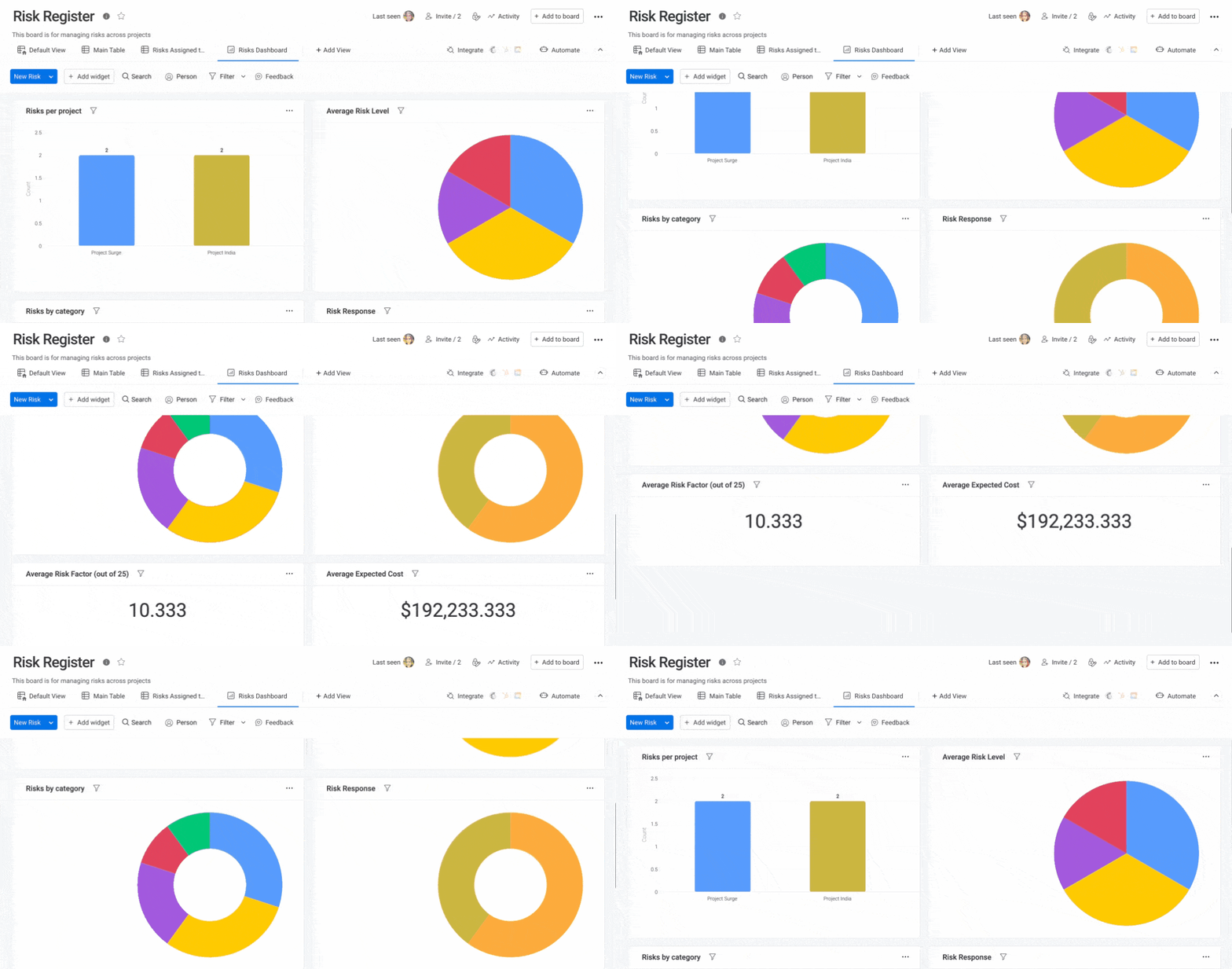
Dashboard templates aggregate risk data from multiple projects into executive-ready views. Leaders see portfolio-wide risk exposure, trending issues, and mitigation progress at a glance. In worst-case scenarios, a disaster recovery plan template provides defined steps to restore critical operations.
monday.com provides dashboards that can pull live data from all your projects, creating real-time visibility without manual report building.
7. Risk communication template
Different stakeholders need different levels of risk information: this template provides frameworks for tailoring risk reports with detailed risk analysis for project teams, high-level summaries for executives.
It includes communication frequency guidelines, escalation triggers, and audience-specific formatting to ensure everyone gets the information they need.
8. RAID log template
RAID log combines Risks, Assumptions, Issues, and Dependencies into one consolidated tracking document, making it especially useful for complex, multi-stakeholder projects where separate documents become impractical.
Key fields include category (R/A/I/D), description, owner, status, resolution date, and notes. Each entry gets tagged by type so teams can filter quickly: view only open risks, or surface unresolved dependencies blocking the critical path.
RAID logs work best when project complexity makes maintaining individual risk registers, assumption logs, and dependency trackers separately too time-consuming. If your project involves cross-functional teams or multiple vendors, a RAID log keeps everything visible in one place. Many project managers use a RAID log alongside a risk register: the RAID log provides the consolidated view, while the risk register tracks individual threats in greater detail.
9. Risk breakdown structure template
A risk breakdown structure (RBS) organizes risks into a hierarchical tree, from broad categories (financial, operational, technical) down to specific threats. It complements the risk register: the RBS categorizes risks for analysis, while the register tracks them for action.
Use an RBS when your project spans multiple departments or risk domains. Starting with top-level categories and drilling down to individual threats helps teams spot patterns and allocate resources where exposure is highest. For example, a software launch might have top-level categories for technical risks, market risks, and regulatory risks, each branching into specific threats like server downtime, competitor pricing changes, or data privacy requirements.
The RBS is especially valuable during project planning, when stakeholders need to confirm that all risk categories have been considered before execution begins.
Get StartedHow to create a risk management plan template
Writing a risk management plan starts with defining what you’re protecting, who’s responsible, and how decisions escalate. From there, you document your risk categories, scoring methodology, and review cadence.
Building an effective risk management plan requires understanding your organization’s unique needs. Your template should be comprehensive enough to capture critical information yet simple enough for consistent use.
Essential elements of your risk plan
Your risk management plan needs several core components working together. Start with specific objectives: what are you trying to protect? Revenue? Reputation? Operational continuity?
Next, define your risk categories to organize threats logically:
- Operational risks: process failures, system outages, and human errors.
- Financial risks: budget overruns, market changes, and credit exposure.
- Strategic risks: competitive threats, technology shifts, and market disruption.
- Compliance risks: regulatory changes, legal issues, and policy violations.
Be sure to include your risk assessment methodology too — the specific criteria teams will use to evaluate risks consistently. Define probability scales, impact measurements, and how you’ll calculate overall risk scores.
Roles and responsibilities prevent gaps in coverage, which is critical when 92% of senior leaders believe their organization fosters shared ownership, but only 76% of individual contributors agree.
Remember, it’s vital to specify who identifies risks, who assesses them, who develops responses, and who monitors progress.
Customizing for your organization
Your industry shapes your risk profile. Healthcare organizations focus on patient safety and HIPAA compliance. On the other hand, technology companies prioritize data security and rapid market changes, while manufacturing emphasizes operational continuity and supply chain stability.
Company size matters too. Smaller organizations need streamlined templates with fewer approval layers. Large enterprises require sophisticated governance structures and detailed documentation, especially since only 61% of their employees are satisfied with organizational transparency.
Building an effective risk register template
A well-structured risk register centralizes all your threat information in one accessible location. Let’s explore the essential components that transform a simple spreadsheet into a powerful risk management resource.
Key fields to include
Essential fields capture both descriptive and actionable information about each risk. Start with risk identification basics like a unique ID, detailed description, category, and potential causes.
- Probability rating: How likely is this risk to occur?
- Impact assessment: What damage would it cause?
- Risk score: Combined probability and impact rating.
- Detection difficulty: How hard is it to spot early warning signs?
Management fields ensure accountability:
- Risk owner: Who’s responsible for monitoring and response?
- Current status: Open, in progress, monitoring, or closed.
- Mitigation actions: Specific steps to reduce the risk.
- Target dates: When actions should be complete.
Tracking risk status and updates
Regular updates keep your risk register relevant. Use standardized status categories everyone understands, such as “Open” for new risks, “In Progress” for active mitigation, “Monitoring” for controlled risks, and “Closed” for resolved threats.
Schedule review cycles based on risk severity. Critical risks might need weekly reviews, while low-priority items can be checked monthly.
By using monday.com, you can automate the entire review process. Schedule recurring reminders, escalate overdue actions, and track updates over time all without manual follow-up. monday.com’s Risk Analyzer agent monitors your risk register in real time, flagging schedule and dependency risks and alerting owners before issues escalate.
Risk assessment matrix template: Scoring and prioritizing threats
Visualizing risk priority is essential for making informed decisions about where to focus your resources. These matrix templates provide the structure you need to consistently evaluate threats and communicate their severity across your organization.
Setting up probability and impact scales
Define specific criteria for each scale level. Instead of vague terms like “low” or “high,” use specific thresholds teams can evaluate objectively.
- Level 1 (Rare): less than 10% chance in the next year.
- Level 2 (Unlikely): 10–30% chance in the next year.
- Level 3 (Possible): 30–50% chance in the next year.
- Level 4 (Likely): 50–80% chance in the next year.
- Level 5 (Almost certain): more than 80% chance in the next year.
Impact scales should reflect what matters most to your business — financial loss, operational disruption, regulatory penalties, or reputation damage.
Color-coding for quick risk identification
Visual indicators make matrices actionable. The traffic light system works universally — red for critical risks, yellow for moderate concerns, green for acceptable levels.
monday.com’s visual boards naturally support this approach. Customize colors to match your risk tolerance and see portfolio-wide risk status instantly. Portfolio Risk Insights scans all project boards and flags risks by severity, so critical items surface automatically, even without manual color reviews.
Developing risk mitigation plan templates
Once you’ve identified and assessed your risks, you need structured plans to address them. Effective risk mitigation templates transform abstract threats into concrete action steps with ownership and timelines.
4 core risk response strategies
Risk theory identifies four fundamental approaches. Your template helps teams choose the right strategy based on cost, feasibility, and organizational priorities:
- Avoid: Eliminate the risk by changing plans or processes.
- Mitigate: Reduce probability or impact through preventive controls.
- Transfer: Shift risk to insurance, vendors, or partners.
- Accept: Monitor risks within your tolerance levels.
Linking risks to actionable tasks
Turn high-level mitigation strategies into trackable actions with defined owners, deadlines, and success criteria.
With monday’s AI Workspace, these actions become part of an integrated workflow where automated reminders maintain momentum and real-time updates show progress against each mitigation plan.
Risk dashboard templates for real-time monitoring
Visibility is the foundation of proactive risk management. As projects evolve, you need more than static reports, you need live insight into where risks are emerging, how mitigation efforts are progressing, and which areas demand attention.
Below, we’ll look at the key metrics your dashboards should display and how to tailor reporting for both operational teams and executive stakeholders.
Critical risk metrics to display
Your dashboard should balance current status with trend analysis. Include metrics that drive action:
- Risk distribution: Number of risks by category and severity.
- Mitigation progress: Percentage of actions completed on time.
- Emerging threats: New risks identified this period.
- Risk velocity: How quickly risks are escalating or improving.
Creating executive-ready reports
Executive dashboards should emphasize what drives decisions rather than every detail.
With the monday AI Workspace, you can generate tailored views from a single source of data. Executives get concise, high-level insights, while teams access detailed updates in real time to keep actions aligned with strategy. monday’s AI Workspace generates AI-powered executive summaries from live dashboard data, giving leaders portfolio-level risk views without manual report building.
How to choose the right risk management framework template
Not all risk management templates are created equal: your industry, company size, and specific threats require thoughtful customization. The right framework transforms theoretical risk management into practical protection tailored to your organization’s unique challenges.
Industry-specific template considerations
Different sectors face unique challenges requiring specialized approaches:
- Technology: focus on cybersecurity, data privacy, and market disruption. According to PwC, cybersecurity is the number one business risk on managers’ minds, with 78% worried about more frequent or broader cyber attacks.
- Healthcare: emphasize patient safety, HIPAA compliance, and clinical risks.
- Manufacturing: priority on operational continuity, safety, and supply chain.
- Financial services: concentrate on credit risk, market volatility, and regulatory compliance.
Common risk management framework templates
Templates can be structured around established frameworks, and choosing the right one depends on your industry and regulatory environment. Here are the three most widely adopted:
- ISO 31000: a globally recognized standard that defines risk as the “effect of uncertainty on objectives.” ISO 31000-based templates emphasize a risk treatment process with defined criteria and a continuous monitoring loop.
- NIST Risk Management Framework (RMF): widely used in IT and government contexts. Templates based on NIST RMF typically include a categorization step, control selection, implementation, and continuous monitoring columns.
- COSO ERM: used primarily in financial services and corporate governance. Templates focus on risk appetite statements, risk tolerance thresholds, and board-level reporting.
monday.com supports any of these frameworks so teams can configure boards, automations, and reporting to match their chosen standard.
Scaling templates across your organization
As organizations grow, risk management becomes more complex. Templates need to scale across departments and locations while keeping processes consistent and comparable.
Standardized criteria, language, and formats make it possible to consolidate insights at the organizational level. By adopting monday’s AI Workspace, teams can customize risk templates to fit their workflows while maintaining the structure needed for unified reporting and governance.
monday's AI Workspace: AI-powered risk management from identification to resolution
Managing risk at scale requires more than a static spreadsheet; it requires a system that detects threats automatically, alerts the right people, and adapts as projects evolve. monday’s AI Workspace turns risk management from amanual, reactive task into a proactive, AI-driven workflow.
Risk Analyzer agent: Detect and resolve threats in real time
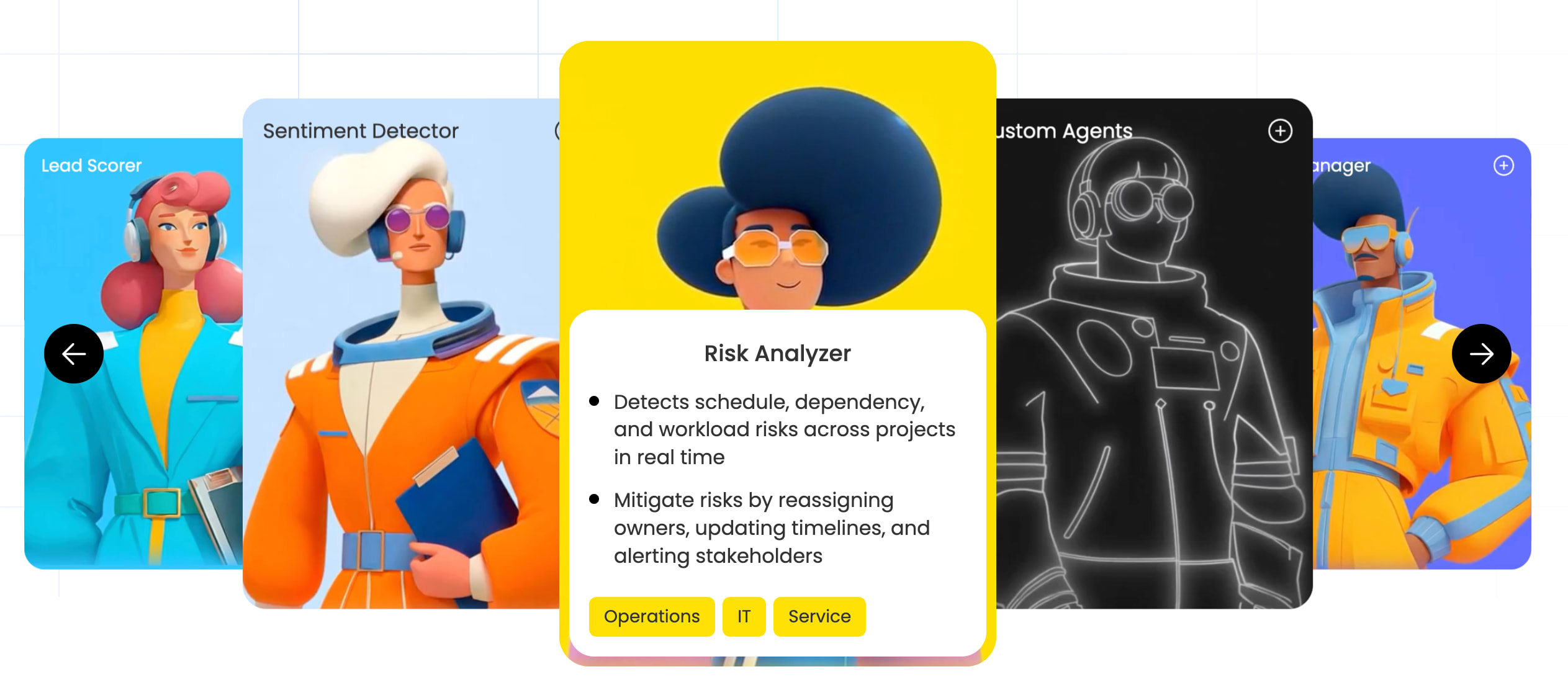
monday.com’s Risk Analyzer agent continuously monitors all project boards, detecting schedule conflicts, dependency risks, and workload imbalances. It doesn’t just flag issues; it takes action by reassigning task owners, updating timelines, and alerting stakeholders automatically. When a deadline shifts on one board and creates a cascade of downstream delays, the Risk Analyzer agent identifies the impact, notifies the affected owners, and proposes adjusted timelines before your next standup.
Portfolio Risk Insights: Executive visibility across all projects
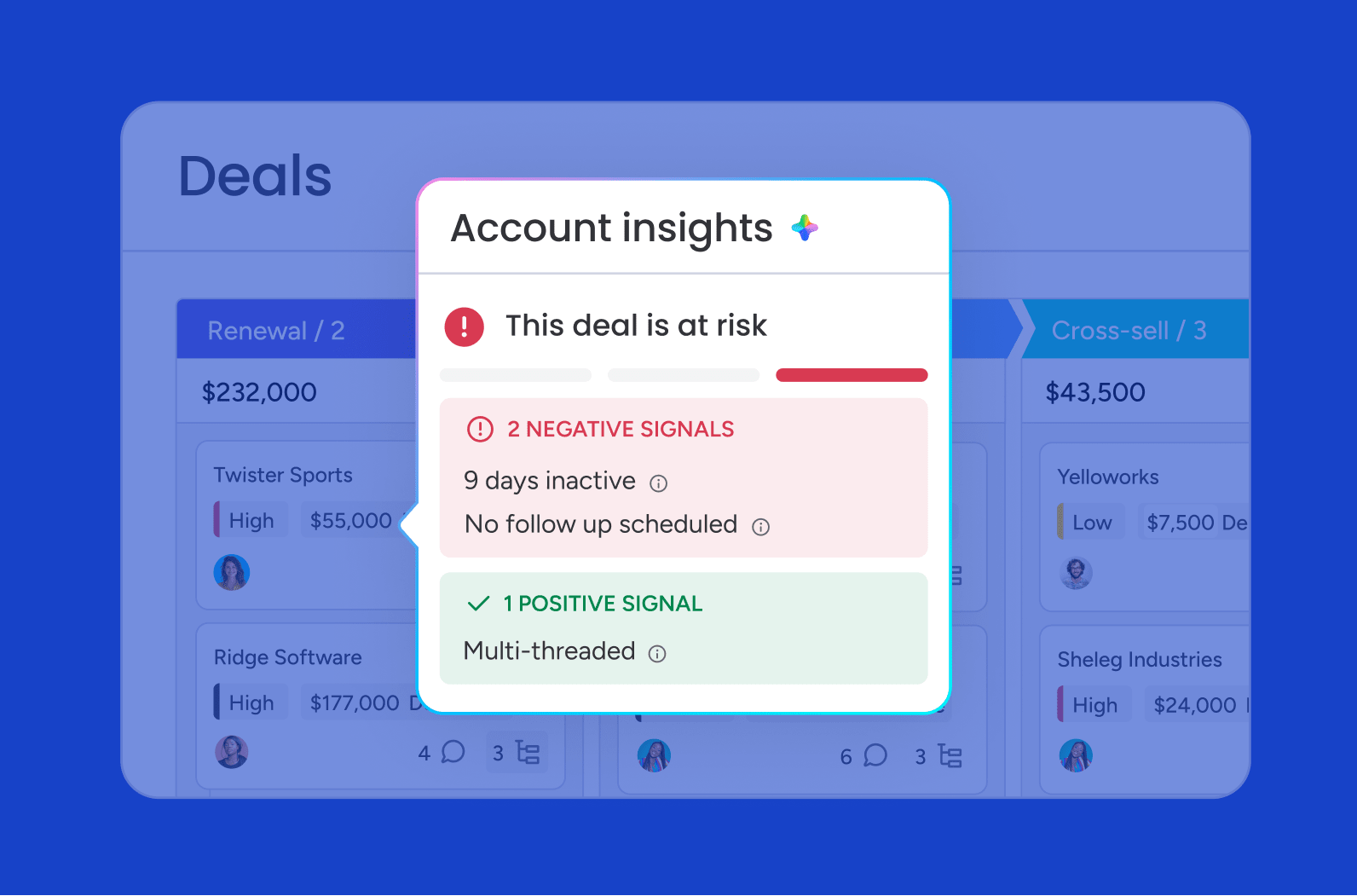
Portfolio Risk Insights uses AI to scan every board in a portfolio, categorize risks by severity, and surface them in a single executive dashboard.Leaders get one-click notifications to project owners and AI-generated reports without building manual status decks. Instead of assembling a weekly risk summary from five different boards, executives open one view and see aggregated risk exposure, trending threats, and mitigation progress across every active project.
AI Blocks and monday sidekick: Automate risk workflows without code
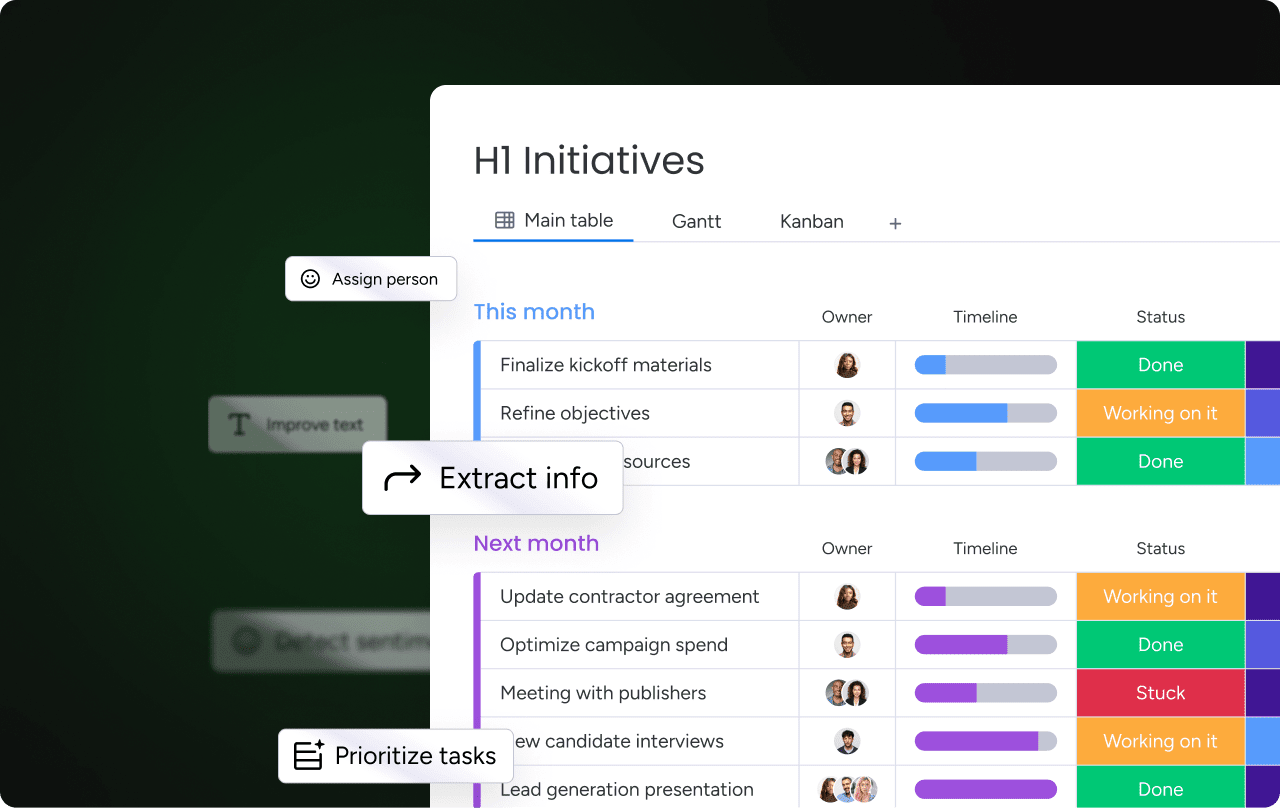
AI Blocks are pre-built AI functions that can be dropped into any board for task automation, smart reporting, and proactive risk management. monday sidekick is a context-aware AI assistant that summarizes project updates, generates risk reports, and creates workflows from plain-language prompts. Neither requires technical setup, so your team can start using them immediately.
monday vibe and custom risk apps
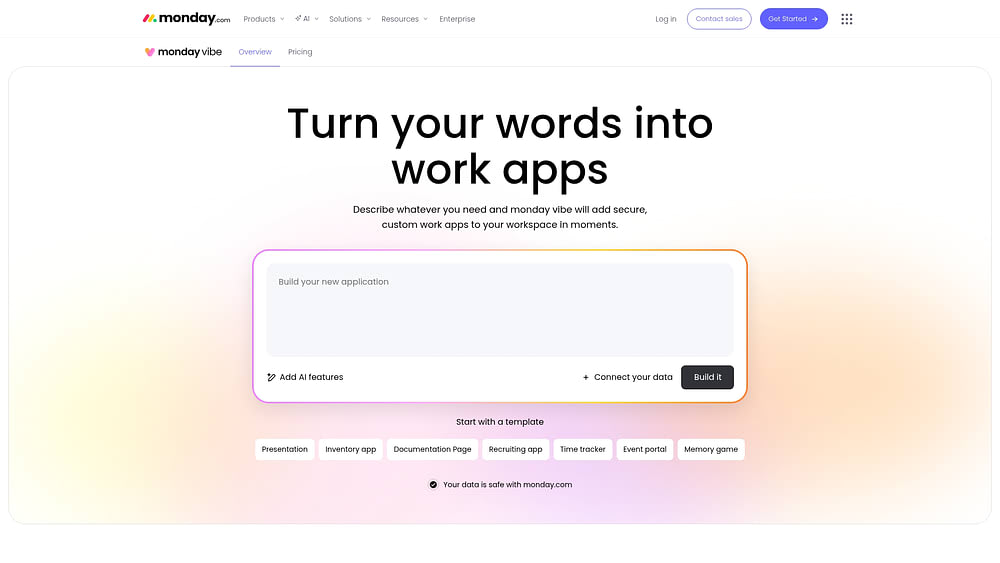
monday vibe is an AI-powered no-code app builder that lets teams create custom risk tracking apps, risk dashboards, and intake forms from a text prompt. For example, you can say “Build me a risk intake form that scores risks by likelihood and impact and notifies the project owner,” and monday vibe creates it. From there, you can customize the scoring logic, add automations, and connect it to your existing boards.
200+ integrations and monday MCP: Connect risk data everywhere

Connect the monday AI Workspace to Slack, Microsoft Teams, Google Workspace, and 200+ other tools to ensure risk data flows automatically across your tech stack. monday MCP connects AI tools like Claude and ChatGPT to monday.com for cross-board risk reporting, task creation, and analysis, all without switching tabs. It’s a single connection point between your AI stack and your risk management workflow.
The future of risk management is proactive, not reactive
As AI-powered platforms make risk detection continuous and automatic, the role of templates shifts from manual tracking to strategic configuration. The teams that stay ahead don’t treat templates as forms to fill in; they use them as the starting point for automated, intelligent risk systems that adapt in real time. Risk management templates give you the structure, while monday’s AI Workspace gives you the intelligence layer on top: automated detection, real-time dashboards, AI-generated reporting, and agents that act on risks before your team even spots them.
The organizations that build their risk processes on intelligent templates today won’t just respond faster when threats emerge; they’ll anticipate them. That’s the shift from reactive to proactive, and it starts with the right foundation.
Get StartedFAQs
What are the 5 basic steps of risk management?
The five basic steps of risk management are: (1) identify risks: document every potential threat to the project; (2) analyze risks: assess probability and impact using a scoring scale; (3) evaluate risks: prioritize which threats require immediate action; (4) treat risks: apply the appropriate response (avoid, mitigate, transfer, or accept); and (5) monitor risks: track progress and reassess as conditions change. This model aligns with ISO 31000 and forms the backbone of every risk management template.
What are the 5 components of risk management?
The five components of risk management are risk identification (finding potential threats), risk assessment (scoring probability and impact), risk mitigation (developing response strategies), risk monitoring (tracking threats over time), and risk communication (keeping stakeholders informed). Most risk management templates are structured around these five components.
What is the difference between a risk register and a risk management plan?
A risk register is an operational document: a living list of identified risks with owners, scores, and statuses that is updated throughout a project. A risk management plan is a strategic document that defines how your organization will identify, assess, and respond to risks before any specific threats are logged. The plan sets the rules; the register tracks what happens under those rules.
Can risk management templates work for small businesses?
Risk management templates work excellently for small businesses when simplified to focus on critical risks and streamlined to match available resources without creating administrative overhead. Small teams benefit most from templates that combine multiple functions, like a RAID log that tracks risks, issues, and dependencies in one place, reducing the need to maintain separate documents.
Which risk management template should I start with?
Start with a basic risk register template to identify and document your key risks, then add a risk assessment matrix to prioritize them based on probability and impact. Once you've established consistent risk identification and scoring, layer in a risk mitigation plan template to convert your highest-priority threats into actionable response strategies.
Can I build a risk management template in monday.com's AI Workspace?
Yes, the monday AI Workspace includes ready-to-use risk management templates that teams can activate in minutes. Boards can be customized to match any risk register, assessment matrix, or mitigation plan structure, and AI features like the Risk Analyzer agent and Portfolio Risk Insights layer intelligent automation on top of your template setup.

 Get started