


Most teams don’t struggle with setting goals as much as knowing whether they’re progressing toward them. As organizations grow, goal tracking software gives leaders real-time visibility into what’s on track and what’s at risk.
This guide compares 5 goal-tracking platforms teams are using in 2026, explores how AI and automation are changing goal management, and helps you evaluate which approach fits your organization. monday AI Workspace sits at the center of this comparison as an example of strategy-to-execution connectivity.
Get startedKey takeaways
- Connect strategy to execution in one workspace: tracking project goals in isolation from daily work creates blind spots that turn ambitious targets into guesswork and outdated reports.
- Automate progress tracking to reclaim strategic time: manual updates drain hours that teams could spend driving results instead of chasing status reports across disconnected systems.
- Use AI to shift from reactive to proactive: intelligent platforms like monday AI Workspace flag risks before they derail objectives, giving leaders time to adjust rather than scramble.
- Align resources with your most important goals: visibility into workload ensures critical objectives get the support they need to succeed.
- Choose platforms that scale with your ambition: a system that works for 50 people must adapt to support 500 without introducing friction.

What is goal tracking software?
Goal tracking software is a platform that sets measurable objectives, connects them to the work that drives them, and updates progress automatically. Unlike a task management app that focuses on individual to-dos or a habit tracker that monitors daily routines, goal tracking software links your strategic targets (quarterly revenue goals, product launch milestones, customer satisfaction improvements) to the projects, tasks, and teams responsible for achieving them.
How does an objective tracker differ from a KPI dashboard?
A KPI dashboard displays metrics after the fact: revenue this month, tickets closed last week, conversion rates over the quarter. Goal tracking software goes further by tying those metrics to specific objectives, showing who owns each goal, tracking the underlying work in real time, and flagging risks before numbers turn red. When a milestone slips or a project falls behind, goal tracking software can alert stakeholders immediately, not at the next quarterly review.
Think of goal tracking software as the connective tissue between your strategy deck and your execution platform. It answers the question every leader asks: “Are we on track to hit our targets, and if not, where do we need to focus?”
Why do teams need goal tracking software beyond spreadsheets?
Strategic objectives are typically documented in presentation decks, while execution occurs across disparate systems. As leadership establishes ambitious targets, teams often execute workflows in isolated platforms, creating a fundamental disconnect between high-level strategy and operational execution.
The core challenge
- Inadequate scaling: spreadsheets and manual tracking methods cannot maintain pace with growth.
- Outdated reporting: progress measurement devolves into estimation as reports quickly become obsolete.
- Loss of clarity: teams lose sight of how their contributions align with strategic priorities.
- Administrative overhead: manual tracking displaces productive work with tedious status updates.
The strategic advantage
- Automated milestones: milestones update automatically as work reaches completion.
- Focused impact: teams redirect their energy from status reporting to meaningful work.
- Real-time visibility: leadership gains immediate insight into organizational progress.
- Sustained alignment: accelerated decision-making ensures the entire company remains cross-functionally aligned.
The stakes are high when work drifts from strategy. Gallup’s Q12 meta-analysis shows that highly engaged teams consistently outperform less-engaged peers on productivity and profitability, and giving people clear line of sight from daily tasks to company goals is one of the most reliable ways to build that engagement.
4 types of goal tracking software
Not all goal tracking platforms serve the same purpose. Understanding the categories helps you choose software that fits how your organization works. What does your team need: OKR alignment, project milestone tracking, performance reviews, or personal productivity?
- OKR and alignment platforms: purpose-built for connecting company-level objectives to team and individual key results, and often overlapping with dedicated OKR software. Best for organizations adopting structured goal frameworks (OKRs, SMART goals) that cascade from leadership to frontline teams. monday AI Workspace fits this category, connecting daily work directly to strategic objectives.
- Project-led goal tracking: platforms where goals are tracked through project milestones, task completion rates, and delivery timelines. Best for teams whose objectives are naturally tied to deliverables, product launches, marketing campaigns, client projects.
- Performance and HR goal management: designed for employee goal setting, reviews, and development tracking. Best for HR teams managing annual objectives, competency goals, and career growth aligned with company priorities.
- Personal goal and habit apps: focused on individual productivity, habit formation, and personal and professional goals. Best for freelancers, solo professionals, or individuals tracking personal milestones outside a team context.
Most organizations benefit from OKR and alignment platforms or project-led goal tracking because these approaches connect goals to measurable work output across multiple teams.
5 goal tracking platforms to turn ambition into results
What is the best goal tracking software? The answer depends on your team size, whether your goals must connect to daily work, and how much automation you need. For enterprise teams seeking strategy-to-execution alignment, platforms that integrate AI, automation, and cross-departmental visibility deliver the most value.
1. monday AI Workspace
monday AI Workspace connects strategic objectives to the daily work that drives them. Rather than tracking goals in isolation, monday embeds objectives directly into the boards, projects, and tasks your teams use every day, so progress updates automatically as work gets done.

Example
A marketing director sets a Q3 objective to increase qualified leads by 30%. With monday AI Workspace, this goal links to the campaign board tracking webinars, content launches, and ad spend. As each campaign completes, the goal dashboard updates automatically. When the content team falls behind on blog delivery, the Risk Analyzer agent flags the delay before it impacts the quarterly target.
Key features
- Goals and OKRs: set company, team, and individual objectives with key results tied to boards and projects.
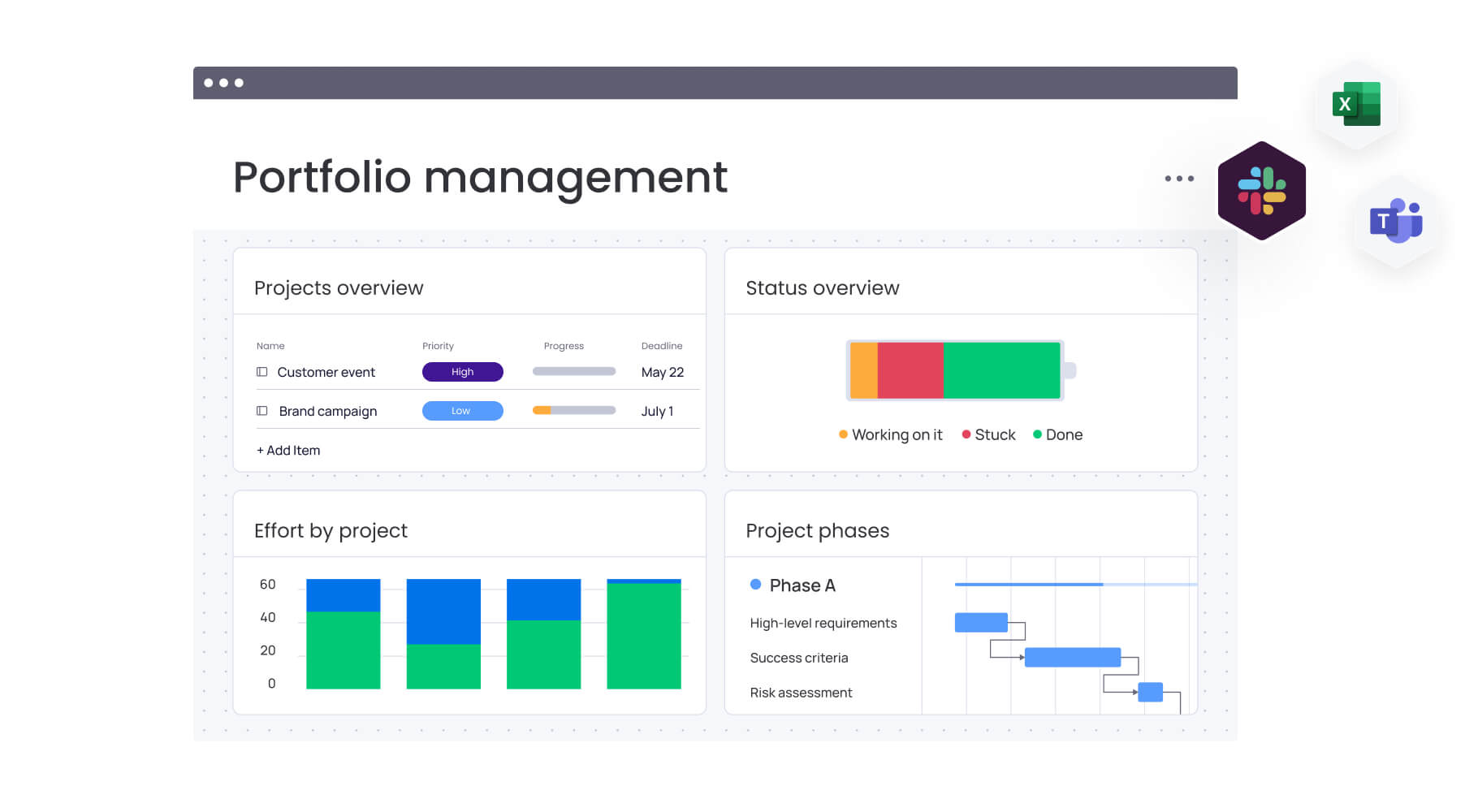
- Dashboards: numeric goal tracking with progress battery views, portfolio-level summaries, and executive reporting.
- AI risk detection: monday agents like the Risk Analyzer and OKR Tracker flag at-risk goals before deadlines slip.
- Automations: 200+ automation recipes update goal progress when milestones complete, status changes, or dependencies shift.
- 200+ integrations: connect Slack, Microsoft Teams, Salesforce, HubSpot, and other platforms to keep goal data in sync.
- Workload views: allocate capacity to high-priority objectives and rebalance when teams are overcommitted.
Pricing
Free tier available for up to 2 seats. Paid plans start at $9/seat/month (Basic), $12/seat/month (Standard), and $19/seat/month (Pro), billed annually with a 3-seat minimum, as of 2026. Enterprise pricing is custom-quoted for organisations requiring advanced security, permissions, and AI features.
Considerations
Deeper AI features (monday agents, Vibe, advanced automations) require Pro or Enterprise plans. Smaller teams with simple goal tracking needs may find the full platform more than they require initially, though the platform scales as requirements grow.
Recognised as a Leader in three Gartner Magic Quadrant reports: Collaborative Work Management, Adaptive Project Management and Reporting, and Marketing Work Management Platforms. Trusted by 225,000+ organizations including 60%+ of the Fortune 500.
Get started2. Be Focused
Best for: Individuals using the Pomodoro technique to maintain focus on daily tasks and personal goals.

Example
A freelance writer uses Be Focused to track writing sessions, setting a daily goal of 8 Pomodoro intervals. The app tracks completed intervals and shows progress toward weekly writing targets.
Key features
- Pomodoro timer with customizable work and break intervals.
- Daily and weekly goal tracking for completed focus sessions.
- Simple interface without project or team complexity.
Pricing
Free version available; Pro version around $2.99 (one-time purchase on iOS/macOS), as of 2026.
Considerations
No team collaboration, no integration with project management systems, and no automated progress tracking for multi-step objectives.
3. MindNode
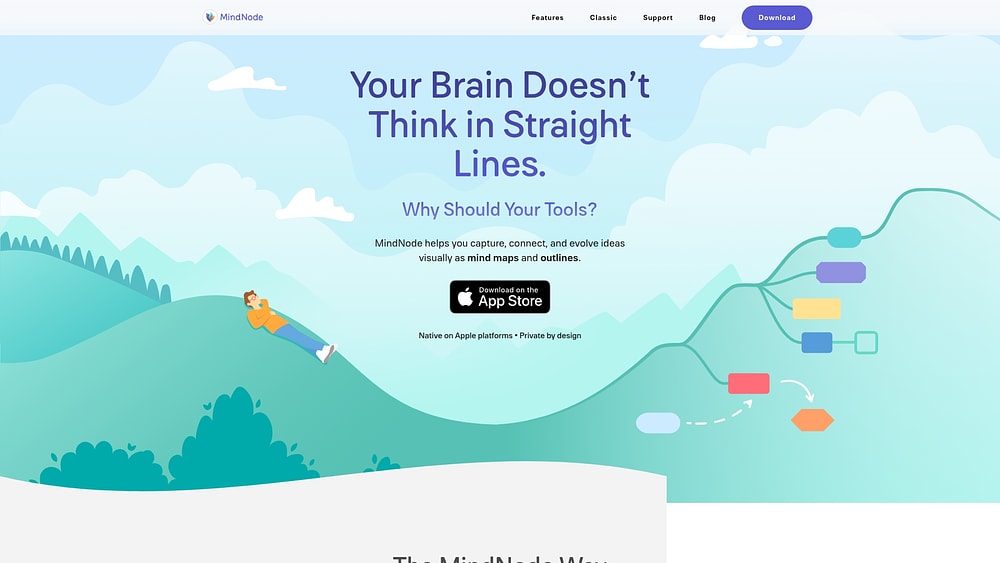
Best for: Visual thinkers who want to brainstorm and map out goal planning using mind maps.
Example
A product designer uses MindNode to map a career development plan, branching objectives like “learn new design system” and “complete certification” into sub-goals with deadlines.
Key features
- Visual mind mapping with nested branches for hierarchical goals.
- Outline mode to view goals as a structured list.
- iCloud sync across Apple devices.
Pricing
Free limited version; paid subscription from $2.99/month or one-time purchase options available on the Apple App Store, as of 2026.
Considerations
Purely visual and personal, no automated progress tracking, no team collaboration, and no integration with work execution platforms.
4. 2Do

Best for: Individuals who want robust task organization with tags, priorities, and due dates for personal goal tracking.
Example
A graduate student uses 2Do to track thesis milestones: literature review, data collection, draft chapters. Tags and due dates keep deadlines visible, and recurring tasks handle weekly advisor check-ins.
Key features
- Flexible task organization with lists, tags, and smart filters.
- Recurring tasks for habit-style goals.
- Calendar integration and location-based reminders.
Pricing
One-time purchase: approximately $14.99 on iOS and macOS via the App Store, as of 2026.
Considerations
Designed for personal productivity, not team alignment. No connection between tasks and strategic business objectives.
5. Structured
Best for: Individuals who want time-boxed daily planning to structure their day around personal goals.

Example
A consultant uses Structured to block morning hours for deep work on a certification goal, with afternoon slots dedicated to client calls. Visual timeline shows how the day maps to priorities.
Key features
- Visual daily timeline with time-boxed task blocks.
- Recurring routines and habit scheduling.
- Apple ecosystem integration (Calendar, Reminders, widgets).
Pricing
Free version available; Structured Pro subscription approximately $29.99/year via the App Store, as of 2026.
Considerations
Personal daily planning only, no multi-team goal tracking, no strategic alignment, and no AI risk detection.
How AI and automation change goal tracking
Manual goal tracking forces teams into a reactive cycle: wait for the status meeting, discover a project is behind, scramble to adjust. The same reactive cycle shows up in annual reviews, which is why more HR teams are pairing goal platforms with AI performance management software that flags at-risk goals and stalled reviews at the same time. AI and automation flip this dynamic by detecting risks early, updating progress automatically, and connecting daily work to strategic objectives in real time.
The shift toward AI-assisted work is already underway, but leadership support determines whether it sticks. Gallup’s State of the Global Workplace 2026 report found that when managers actively support their teams’ use of AI, employees are 8.7 times as likely to say AI has transformed how work gets done. Embedding AI into goal tracking workflows is one practical way to move teams from reactive status reporting to proactive risk management.
How does AI transform goal tracking in practice?
- Automatic progress updates: instead of asking project managers for weekly status, AI pulls completion data from linked tasks, boards, and integrations. Goals update as work gets done.
- Risk detection before deadlines slip: AI agents analyze task dependencies, due dates, and workload capacity to flag at-risk goals. When a milestone is likely to miss its target, stakeholders receive alerts with time to adjust.
- Connecting daily work to objectives: automation recipes trigger goal progress when specific events occur, a deal closes, a feature ships, a campaign launches. No manual data entry required.
- Conversational language queries: platforms with AI assistants let leaders ask questions in plain language: “Which Q3 goals are behind schedule?” or “What’s blocking the product launch milestone?”
Learn more: AI goal manager agent
How to choose the right goal tracking software for your team
Selecting goal tracking software requires you to match platform capabilities to how your organization works. Evaluate these 4 dimensions before committing to a platform.
Evaluate your current tech stack integration needs
Can goal tracking software integrate with Slack and Microsoft Teams? Yes, most modern platforms offer native integrations with communication apps, CRMs, and project boards. The question is how deep those integrations go. Surface-level integrations send notifications; deeper integrations pull data automatically to update goal progress.
Look for platforms that connect to your existing systems without requiring manual data transfer. If your sales team lives in Salesforce and your marketing team tracks campaigns in HubSpot, your goal tracking software should pull revenue targets and campaign performance directly rather than requiring spreadsheet exports.
Assess team size and collaboration requirements
A goal tracking platform for five people differs from one built for 500. Smaller teams may need simple objective tracking with basic progress indicators. Larger organizations require hierarchical goals (company to department to team to individual), role-based permissions, and cross-functional visibility.
Consider how goals cascade in your organization. Does leadership set annual objectives that roll down to quarterly team targets? Do multiple departments contribute to shared goals? Platforms built for enterprise alignment handle these complexities; personal goal apps do not.
Consider AI and automation capabilities
Manual status updates become unsustainable as goal volume increases. Evaluate whether the platform offers:
- Automated progress tracking based on linked tasks or integrations.
- AI-powered risk detection that highlights potential issues before deadlines.
- Conversational language queries to check goal status without navigating dashboards.
- Trigger-based automations that update goals when work events occur.
Calculate total cost of ownership and ROI
Per-seat pricing scales differently depending on how many users need access. Some platforms charge only for goal owners; others require licenses for everyone who views or contributes to objectives. Factor in implementation time, training costs, and the productivity gained from automated tracking versus the hours currently spent on manual updates.
4 steps to implementing goal tracking software
Follow these steps to move from spreadsheet chaos to automated goal tracking that scales with your team.
Step 1. Build a strong foundation
Start with clear, measurable objectives before configuring the platform. Define what success looks like for each goal, who owns it, and which teams contribute. Import existing goals from spreadsheets or decks, and connect them to the boards, projects, or systems where work happens.
Establish naming conventions and goal hierarchies early. Consistent structure makes it easier to report across departments and avoids confusion as the system scales.
Step 2. Inspire adoption with early wins
Roll out goal tracking to a pilot team before expanding organization-wide. Choose a team with measurable objectives and executive visibility, early success stories build momentum for broader adoption.
Demonstrate value quickly: show leadership a dashboard that updates automatically instead of requiring manual compilation. When teams see progress reflected without extra effort, adoption accelerates.
Step 3. Refine and optimize in real time
Use the first quarter to identify gaps. Are automations firing correctly? Do integrations pull accurate data? Are goal owners updating qualitative notes when automated metrics tell only part of the story?
Collect feedback from users and adjust configurations. Effective goal tracking evolves as your organization learns what works.
Step 4. Scale with confidence as you grow
Once the pilot team demonstrates value, expand to additional departments. Use templates to standardise goal structures across teams while allowing flexibility for unique workflows.
As AI capabilities mature, layer in agents and advanced automations. Platforms that grow with your organization, from 50 users to 500 and beyond, avoid the cost and disruption of switching systems later.
Change your team's goal achievement with monday AI Workspace
monday AI Workspace brings together goal tracking, project execution, and intelligent automation in a single workspace. Rather than managing objectives in isolation, it connects strategic goals directly to the boards, tasks, and workflows your teams use daily, updating progress automatically as work gets done and spotting risks before they derail your targets.
Go from reactive to proactive with AI
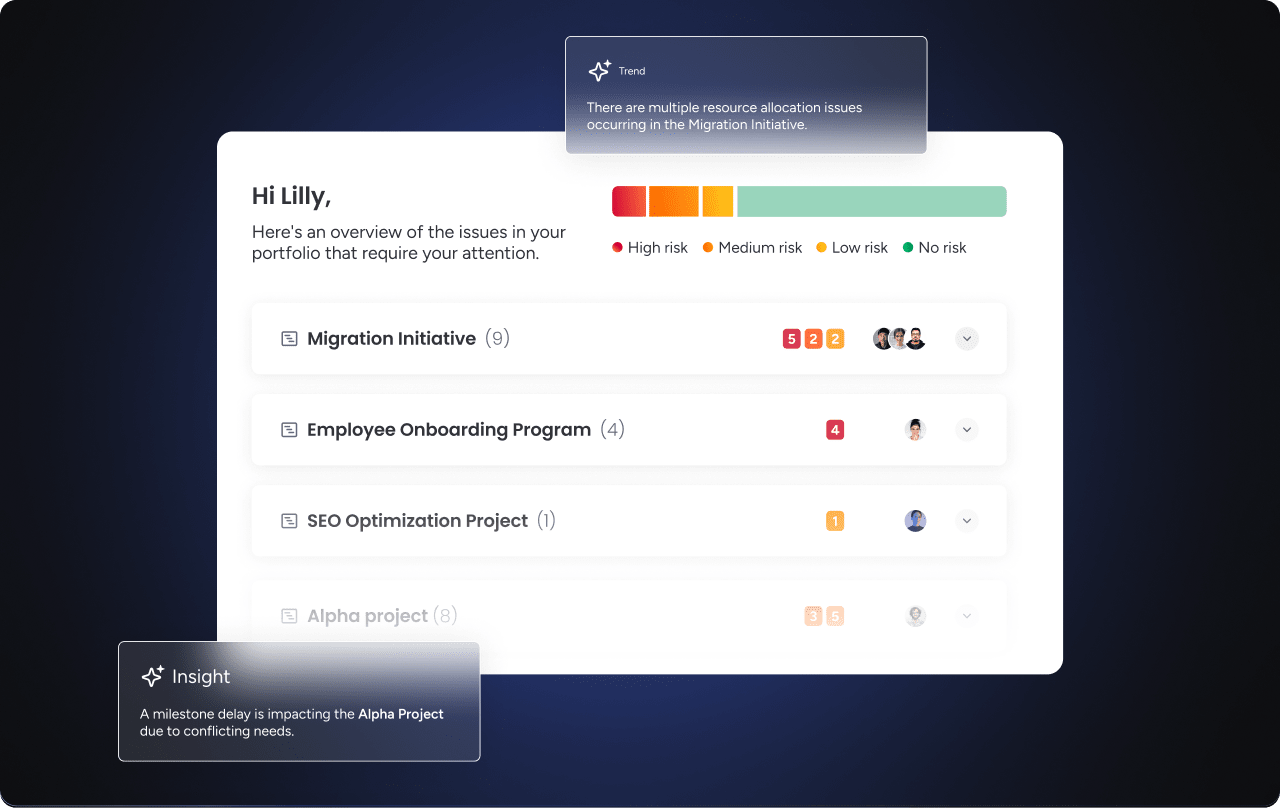
Traditional goal tracking waits for problems to present themselves. monday AI Workspace flags risks before they derail objectives. These agents monitor progress continuously: the Risk Analyzer identifies tasks nearing deadlines without sufficient progress, while the OKR Tracker pinpoints blockers across teams before they cascade into missed targets.
These agents run automatically on triggers, you do not need to remember to check. When a goal moves into risk territory, stakeholders receive alerts with time to adjust resources, reprioritise work, or address blockers directly.
Connect daily work directly to goal progress
Goals should not live in a separate system from the work that drives them. With monday AI Workspace, objectives link directly to boards, tasks, and projects. When a campaign launches, a feature ships, or a deal closes, the connected goal updates automatically.
This eliminates the weekly status chase. Leaders see real-time progress without scheduling meetings or sending reminder emails. Teams spend less time reporting and more time executing.

Align every team around a single source of truth
When marketing, sales, product, and operations share a connected workspace, goals cascade naturally from company objectives to team targets to individual key results. Everyone sees how their work contributes to strategic priorities.
Dashboards aggregate goal progress across departments, giving executives portfolio-level visibility. Filter by team, time period, or objective type to drill into the details or zoom out to the big picture.
Put your resources behind your most important goals
Workload views show capacity across teams. When high-priority goals need more resources, managers can identify available capacity and rebalance assignments. When a critical objective is understaffed, the gap becomes visible before deadlines slip.
The AI Workspace ecosystem for goal tracking
The platform extends beyond basic goal tracking with capabilities that scale as your organization grows:
- monday agents: the OKR Tracker monitors objective health and alerts owners when key results fall behind. The Risk Analyzer flags tasks with deadline risk. The Status Reporter summarises goal progress for leadership reviews.
- monday vibe: create a custom OKR monitoring app or executive overview dashboard without writing code. Describe what you need, and Vibe builds it, connected natively to your goal and project data.
- Dashboards: numeric goal tracking, progress battery views, portfolio summaries, and executive reports. Build views for team leads, department heads, and C-suite stakeholders from the same underlying data.
- monday MCP: query goals and boards in natural language from Claude, ChatGPT, or other AI assistants. Ask “Which goals are behind schedule for Q3?” and get answers without navigating dashboards.
- monday sidekick: a context-aware AI assistant that answers questions about goal progress, summarizes status across teams, and helps draft updates without leaving the workspace.
The result: leaders spend less time chasing status updates and more time acting on insights that keep goals on track.
Get startedAchieve strategic alignment with smart goal tracking software
As AI matures, goal tracking moves from passive reporting to active guidance, flagging blockers, suggesting resource shifts, and connecting the dots across departments. The organizations that embed goal tracking software into their workflows now will build the foundation for smarter execution as AI capabilities expand. Get started with the monday AI Workspace.
Get startedFrequently asked questions
What is the difference between a goal tracker and project management software?
A goal tracker measures progress toward strategic objectives like OKRs and team targets, while project management software organises the tasks, timelines, and resources needed to deliver specific projects. The most effective platforms connect both, so goals cascade to projects and project completion updates goal progress automatically, keeping strategy and execution aligned in one workspace.
Should teams use OKRs or SMART goals in their goal tracking software?
OKRs and SMART goals both work in goal tracking software, and the choice depends on your culture. OKRs suit ambitious, measurable goals with clear ownership across teams. SMART goals suit tightly defined, realistic targets. Many organizations combine them, using OKRs for strategic direction and SMART criteria to keep each key result measurable. Most platforms support either framework.
How does the AI Workspace handle goal tracking?
monday AI Workspace connects goals directly to the boards, tasks, and projects where work happens, so progress updates automatically as tasks complete. monday agents like the OKR Tracker flag when key results fall behind, Dashboards give numeric goal tracking and portfolio summaries, and automations update goals when milestones complete.
Can AI in goal tracking software flag at-risk goals automatically?
Yes, AI in goal tracking software can flag at-risk goals automatically by analysing task dependencies, due dates, and workload capacity. With monday AI Workspace, the Risk Analyzer agent monitors tasks approaching deadlines without enough progress and alerts stakeholders before problems cascade, giving leaders time to adjust resources or address blockers.
How long does it take to implement goal tracking software?
Implementing goal tracking software takes anywhere from a few days to several weeks. A small team can import objectives, connect boards, and configure dashboards in days. Enterprise rollouts with integrations, custom automations, and hierarchical goals typically take four to eight weeks. Starting with a pilot team reduces risk before scaling organization-wide.
What is the ROI of switching from spreadsheets to goal tracking software?
The ROI of switching from spreadsheets to goal tracking software comes from reclaimed hours on manual status updates, earlier risk detection that avoids missed targets, and better resource allocation. Teams also gain tighter alignment, since everyone sees how their daily work contributes to strategic objectives rather than chasing reports across disconnected systems.

 Get started