


Retail project managers face a daily battle: they’re tracking hundreds of projects across stores, rushing to meet seasonal deadlines, and constantly putting out fires when supply chains break down — often watching months of careful planning unravel in days. When risks emerge at store level, they need immediate visibility and fast response times. Traditional spreadsheets and disconnected platforms create blind spots that turn manageable issues into project failures.
Great risk management software does more than just track problems. It puts all your risks in one place so everyone can see them, sends instant alerts when things start going wrong, and lets your store managers report issues right from their phones the moment they notice something off. These platforms connect project risks to daily operations, giving teams the real-time insights needed to prevent small problems from becoming major setbacks.
Let’s look at what actually works in risk management software for retail, focusing on the features you’ll need when managing stores across multiple locations. We’ll further examine how leading work management platforms address the unique challenges retail project managers face, from seasonal demand spikes to complex store rollouts.
Key takeaways
Managing risk across retail operations requires a little more than spreadsheets and weekly check-ins, which is why adopting risk management software can unify processes. When you’re coordinating hundreds of projects across multiple locations, traditional risk tracking breaks down.
Here’s what actually moves the needle for retail project managers:
- Centralize all project risks in one platform: stop juggling hundreds of spreadsheets across store locations and connect risks, workflows, and mitigation strategies where everyone can see them.
- Use AI-powered automation to catch risks early: set up smart alerts that notify the right people instantly when risk conditions change, preventing small issues from becoming project failures.
- Give store managers mobile access for real-time reporting: enable field teams to log risks with photos and updates directly from their phones, ensuring accurate information flows from every location.
- Build visual dashboards that executives actually use: transform manual risk reporting into real-time dashboards that show risk trends, heat maps, and mitigation progress without spreadsheet maintenance.
- Scale risk management across 150+ concurrent projects: monday work management’s Risk View and workload management features help retail PMOs maintain visibility and control even during peak seasonal demands.
What makes project managers in retail choose monday work management for risk management?
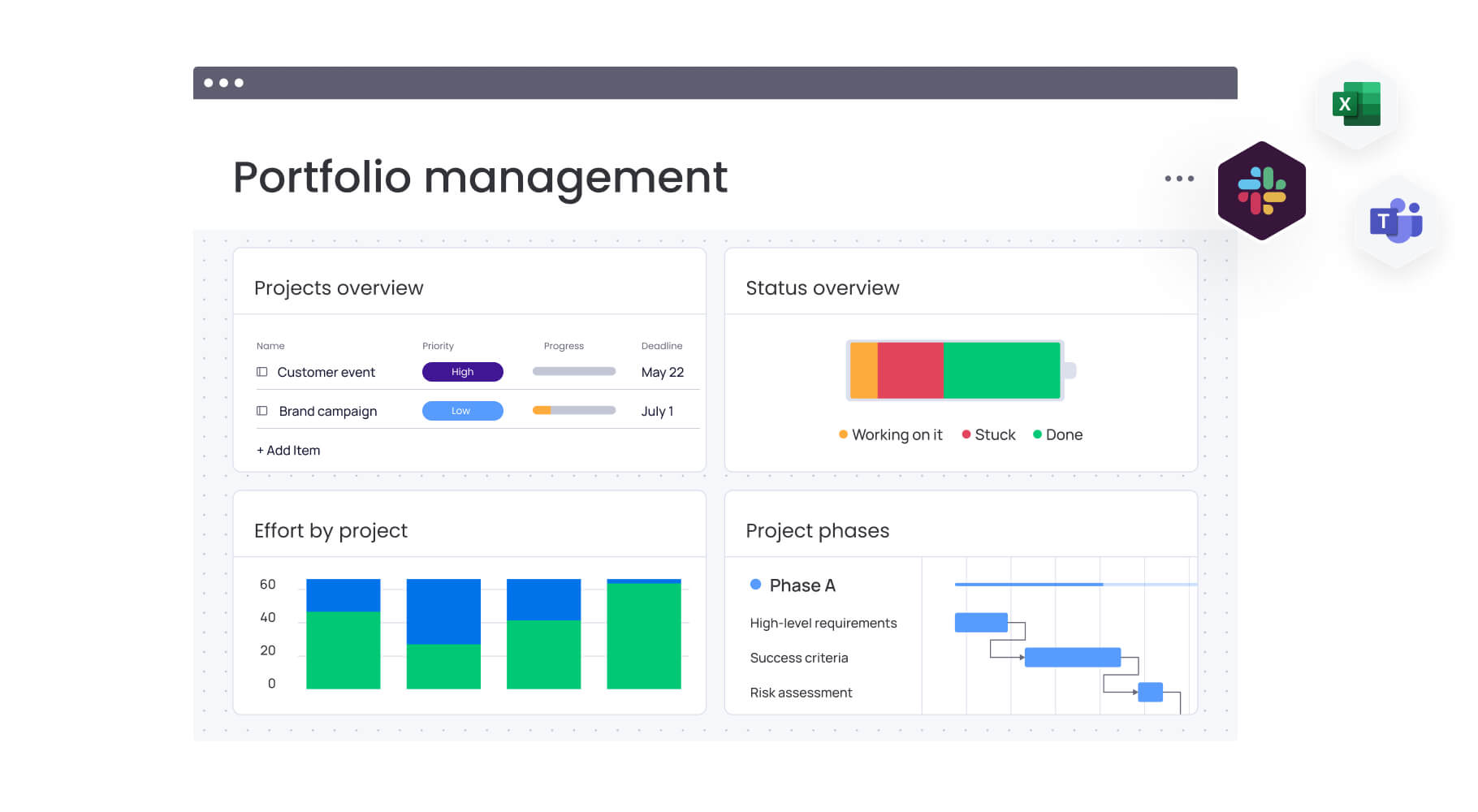
Retail project managers face a challenging operational reality that demands sophisticated risk management solutions. You’re managing risks across store rollouts, seasonal campaigns, supply chain disruptions, and inventory shortages while critical information sits scattered across spreadsheets, emails, and disconnected platforms.
This fragmentation often creates blind spots that can derail even the most carefully planned retail initiatives, underscoring the importance of project risk management.
Intelligent platforms like monday work management brings order to this chaos by putting everything in one place. Your risks, projects, and day-to-day operations all live together, so you can spot problems early and fix them before they wreck your deadlines.
The solution also transforms how retail PMO departments handle risk at scale. Instead of maintaining hundreds of risk spreadsheets with countless tabs across different store locations, you gain a single source of truth. Project risks, dependencies, and mitigation strategies become visible to everyone who needs them.
What makes monday work management unique? It’s actually easy to use. Store managers, ops teams, and executives can all jump in without special training — you don’t need to be a risk management expert to get value from day one.
For a real-world example, Country Road Group achieved 25% more efficiency managing 150+ projects simultaneously after consolidating their scattered spreadsheets onto the platform.
monday work management top features for risk management
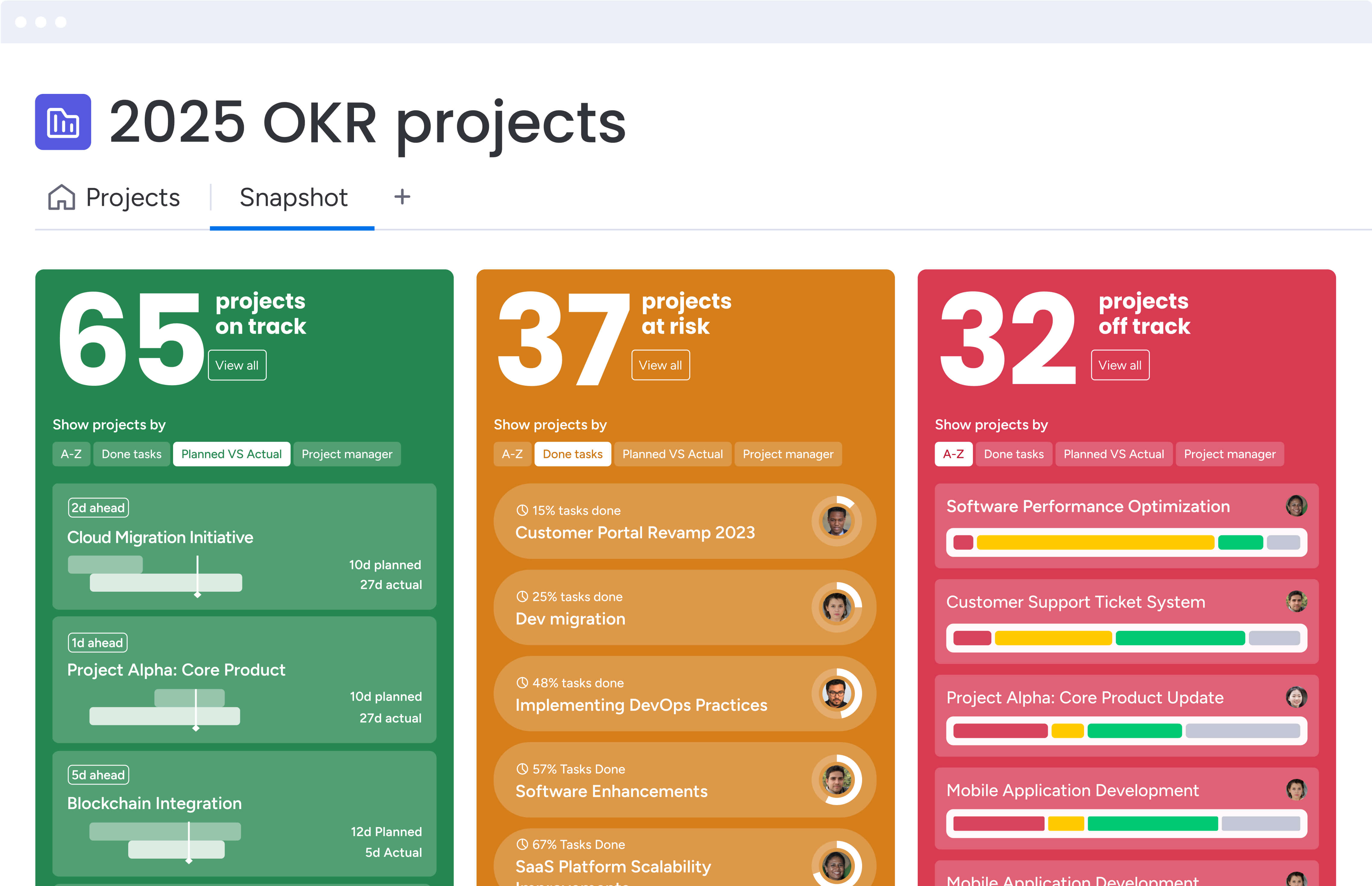
These five features will completely change how you handle risks across your stores. They tackle the exact problems you face when trying to keep dozens of locations running smoothly at once.
Risk View
Risk View gives you one centralized place to manage every risk across your retail projects. Each risk is captured in a detailed risk card inside your risk register, including probability, impact, priority, mitigation steps, and ownership. The system auto-calculates risk scores so you immediately see which issues need attention first.
This replaces the manual spreadsheet chaos that happens when you’re tracking risks across dozens or hundreds of store rollouts. You can filter risks by store, project type, or risk category to spot patterns quickly and allocate resources where they matter most.
Key strengths include:
- Centralized tracking: all risks live in one risk register shared across teams and locations.
- Automatic scoring: probability × impact formulas highlight which risks need action first.
- Quick filtering: sort risks by store, category, or project type to spot patterns fast.
- Portfolio visibility: view exposure across dozens or hundreds of projects instantly.
This level of clarity is what allowed retailers like Officeworks to replace more than 600 spreadsheets and give teams an intuitive system they actually use day-to-day.
Automation Center
The Automation Center lets you create alert systems without any technical skills — when a risk pops up or changes, the right people get notified immediately. S
Set up rules like “When risk priority changes to High, notify the PMO Director and create a mitigation task” or “When a project deadline approaches and risk status remains Open, alert the project owner.”
These automations run continuously, ensuring critical risks never slip through during busy retail periods.
For project managers juggling 150+ concurrent projects, automation shifts risk management from reactive to proactive. The system alerts you automatically when risk thresholds are crossed, eliminating manual checking. During seasonal peaks when teams are stretched thin, automated notifications ensure high-priority risks get immediate attention.
Country Road Group leveraged automation to manage complex workflows across retail locations. Their pipeline board uses automations to generate timelines, allocate resources, and adjust dynamically based on progress.
Dashboard Analytics
Dashboard Analytics gives you real-time visibility into risk metrics across your entire retail portfolio. You can build custom dashboards that show heat maps, risk distribution by category, trend lines, and mitigation progress — all updating automatically as store teams and project managers log new information.
This eliminates the visibility gaps that make multi-location retail so challenging. Instead of digging through spreadsheets or waiting on weekly updates, you get instant clarity on which store rollouts face the highest risk, whether seasonal inventory issues are rising, and where mitigation work is falling behind.
Key strengths include:
- Real-time insights: dashboards pull live data from every project without manual updates.
- Custom views: build heat maps, trend charts, and category breakdowns tailored to your operations.
- Stakeholder-ready visuals: give leadership clear, accurate snapshots without extra reporting work.
- Portfolio clarity: quickly compare risk exposure across stores, brands, or seasonal initiatives.
Retailers like Officeworks now use dashboard analytics to give leaders immediate, reliable oversight — replacing manual reporting with real-time visibility that actually drives action.
Workload Management
Workload Management shows exactly how risk mitigation tasks distribute across team members. The visual workload view displays each person’s assigned tasks on a timeline, color-coded by intensity, so you can quickly rebalance assignments to prevent burnout and ensure critical risk mitigation work gets completed on schedule.
During high-pressure periods like holiday shopping season, you need visibility into whether store managers have capacity to implement risk measures or if they’re already stretched thin. Workload Management helps you make informed decisions about reassigning tasks, bringing in additional resources, or adjusting timelines to accommodate realistic capacity constraints.
Country Road Group used workload visibility to manage store planning operations across 15 different work types. The platform’s visualization helped them identify gaps and allocate resources effectively.
Mobile App Access
Mobile App Access ensures store managers and field teams can log and manage risks the moment they appear — right from the sales floor, stockroom, or while traveling between locations. They can capture photos, update mitigation status, and receive alerts in real time, all through an interface that mirrors the desktop experience.
This immediate reporting closes the gap between when a risk appears and when it reaches your project team. No delays, no lost context, and no waiting until someone returns to a computer.
Key strengths include:
- Instant reporting: log risks with photos and notes directly from the store.
- Real-time updates: receive alerts and update mitigation status on the move.
- Consistent interface: mobile layout matches desktop, minimizing training needs.
- Faster response times: field teams surface issues early, preventing escalation.
Officeworks relies on mobile access to keep store teams aligned and ensure risks are documented accurately across their national network.
How a project manager in retail benefits from monday work management
When you get risk management right, your retail projects see higher success rates and more predictable outcomes. Bringing all your risks into monday work management saves time, increases success rates, and makes your entire team more confident in their ability to deliver.
Here’s what changes when you move from scattered spreadsheets to unified risk visibility:
- Reduce risk tracking time by 40 hours per month: eliminate manual spreadsheet updates, status chasing, and report preparation through automated tracking and real-time dashboards.
- Achieve 25% higher project success rates: centralized risk visibility ensures everyone from store managers to executives can see emerging risks and take action before projects derail.
- Enable cross-functional risk visibility: break down silos between operations, inventory, marketing, and store management so all stakeholders see risks affecting their work.
- Scale risk management across all store locations: create standardized processes that work consistently across 50, 100, or 200+ locations while allowing local customization.
- Improve compliance and audit readiness: maintain complete audit trails of risk assessments, mitigation activities, and decisions for straightforward compliance reporting.
- Accelerate risk response times: automated alerts and mobile access ensure the right people are notified instantly when high-priority risks emerge.
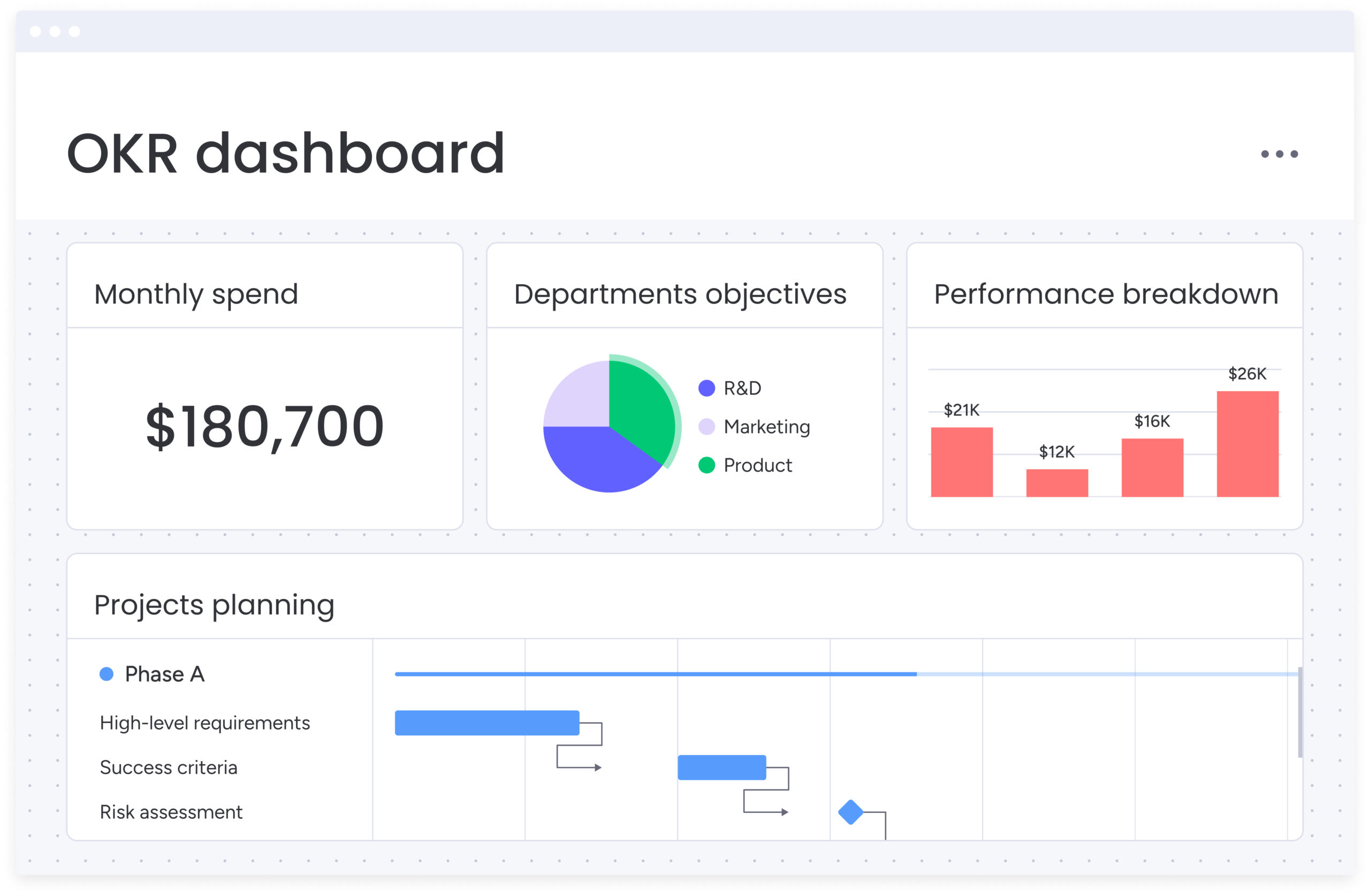
How to manage project risks with monday work management
Here’s exactly how to set up your retail risk management system in monday.com. Follow these steps to build a framework that works whether you’re managing five stores or 500.
Step 1: create your risk register board
Start by creating a dedicated Risk Register board, or use a risk register template to streamline the process. Add columns for risk description, category, likelihood, impact, risk score, priority level, risk owner, status, and a well-defined risk management plan. Customize the board to match your retail organization’s specific framework and terminology.
Step 2: configure risk scoring and priority levels
Set up your risk scoring methodology using formula columns. Create a formula multiplying likelihood × impact to generate automatic risk scores. Configure status labels with color coding:
- Critical (red): scores 20-25.
- High (orange): scores 15-19.
- Medium (yellow): scores ten-14.
- Low (green): scores 1-9..
Step 3: set up automated risk alerts
Use the Automation Center to build notification rules that flag urgent risks the moment they emerge. Configure automations that notify stakeholders when a risk becomes critical, when mitigation deadlines approach, or when seasonal campaigns heighten exposure.
These alerts keep teams ahead of issues without relying on manual monitoring.
Step 4: build risk dashboards for stakeholders
Create custom dashboards for different audiences:
- Executive dashboard: shows risks by priority level and trends.
- Store operations dashboard: filters risks by location.
- PMO dashboard: tracks mitigation completion rates.
Step 5: connect with your retail systems
Integrate monday work management with your existing technology stack — POS systems, inventory management, Microsoft Teams, and Slack. Use integrations to automatically create risk items when conditions are detected or push notifications into existing communication channels.
Step 6: train store managers and teams
Roll out the platform with simple, focused training that shows store managers how to report risks from their phones, attach photos, and update mitigation status in real time. The faster teams can log accurate information, the faster you can respond.
Comparison table: monday work management vs competing platforms
Not all risk management tools are built for the pace of retail. The table below breaks down how leading platforms compare on visibility, automation, mobile reporting, and scalability — the essentials for managing risks across many stores.
| Feature | monday work management | Wrike | ProjectManager | nTask |
|---|---|---|---|---|
| Unified risk-project management | ✓ Native integration | Limited | Limited | Limited |
| Portfolio risk aggregation | ✓ Multi-level dashboards | ✓ Available | ✓ Available | Basic only |
| No-code automation | ✓ Extensive | ✓ AI-powered | ✓ Available | Limited |
| Mobile risk reporting | ✓ Full-featured app | ✓ Available | ✓ Available | ✓ Available |
| Custom risk categories | ✓ Unlimited | ✓ Available | ✓ Available | ✓ Available |
| PSA tool integrations | ✓ 200+ integrations | ✓ 400+ integrations | ✓ Available | Limited |
| Implementation time | 2-4 weeks | 4-8 weeks | 4-6 weeks | 1-2 weeks |
| Price per user/month | From $10 | From $10 | From $13 | From $3 |
| G2 rating | 4.7/5 | 4.2/5 | 4.4/5 | 4.4/5 |
| Best for | Services PMOs needing unified work-risk management | Teams wanting AI predictions | Hybrid methodology teams | Small services teams |
How Country Road Group transformed their retail project management

Country Road Group operates a large portfolio of fashion brands — Country Road, Mimco, Trenery, Witchery, and Politix — each running its own store updates, refurbishments, concessions, and rollout schedules. With dozens of stakeholders and multiple work types in motion at all times, their store planning team needed a system that could keep pace with growing complexity.
Before adopting monday work management, the team relied on spreadsheets, manual coordination, and long email chains. As project volume increased, this approach created delays, duplication, and inconsistent visibility across brands.
The challenge
Managing more than 15 work types across multiple brands quickly became overwhelming. Status updates required digging through spreadsheets, designers and planners were often misaligned, and important project information lived in different documents depending on who managed it.
The complexity intensified when the business re-entered Myer department stores. A single Myer location could involve up to nine separate brand projects, each with its own tasks, timelines, and dependencies — all needing to be tracked simultaneously.
The solution
monday work management provided the centralized structure the team needed. They redesigned their workflows around:
- A consolidated board per store location: capturing all brand-specific project streams in one place.
- A unified pipeline board: offering a clear view of project status, milestones, and key dates across brands.
- Automations for workflows and timelines: generating schedules, allocating resources, and adjusting plans automatically.
- A scalable board architecture: managing more than 150 concession spaces across fewer than 50 boards.
The results
By replacing scattered spreadsheets with an integrated platform, the team saw immediate improvements:
- 25% increase in project management efficiency across 150+ concurrent projects.
- Centralized visibility that enabled the team to manage 150+ projects simultaneously without losing track of dependencies.
- Significant reduction in manual coordination, eliminating duplicate work across teams.
- Real-time workload and resourcing insights, helping leaders spot bottlenecks and redistribute tasks proactively.
Ready to transform your retail risk management approach?
Effective enterprise risk management separates successful retail operations from those that struggle with constant firefighting.
monday work management provides the centralized visibility, automated alerts, and mobile accessibility that retail project managers need to stay ahead of risks across multiple locations and complex seasonal demands. The platform’s proven track record with organizations like Country Road Group and Officeworks demonstrates its ability to transform scattered spreadsheets into streamlined, scalable risk management processes.
Ready to move beyond reactive risk management and build proactive systems that protect your retail projects? The combination of Risk View, automation capabilities, and real-time dashboards gives you the tools to identify issues before they escalate and ensure your teams can respond quickly when risks emerge.
For those comparing work management vs. project management, monday work management also unifies risk oversight across your entire retail ecosystem. Get started today.
The content in this article is provided for informational purposes only and, to the best of monday.com’s knowledge, the information provided in this article is accurate and up-to-date at the time of publication. That said, monday.com encourages readers to verify all information directly.
Frequently asked questions
How does monday work management handle seasonal demand fluctuations in retail?
monday work management's flexible board structure and automation capabilities make it ideal for managing seasonal demand fluctuations. Create seasonal campaign boards tracking all risks associated with peak periods. Workload management features help visualize team capacity during peak periods and rebalance resources before burnout occurs.
Can monday work management integrate with existing POS and inventory systems?
Yes, monday work management offers 200+ pre-built integrations and an open API enabling connection with most retail technology systems. For POS and inventory systems, use Zapier or Make to create custom integrations that automatically create risk items when certain conditions are detected.
How long does implementation take for risk management across multiple store locations?
Implementation typically takes two to four weeks for initial deployment. The recommended approach is piloting in three to five stores first, refining risk management processes based on feedback, then rolling out standardized templates across all locations.
What training is required for store managers to use monday work management?
Store managers become proficient with basic risk reporting within one to two hours of hands-on practice. The platform's visual, color-coded interface makes it easy to understand risk status at a glance without extensive training.
How does monday work management help with retail compliance and regulatory risk?
monday work management maintains complete audit trails of all risk assessments, mitigation activities, and decisions. Create dedicated boards for compliance risks related to PCI DSS, data privacy regulations, workplace safety standards, and financial controls.
Can I track both project risks and operational risks in the same platform?
Yes, monday work management manages all types of risks in one unified platform. Create separate boards for project risks and operational risks, or combine them in a single risk register with category filters.

 Get started