


Marketing teams at enterprise organizations manage dozens of campaigns simultaneously across multiple channels, regions, and stakeholders. When content calendars live in scattered spreadsheets and approval workflows happen through email chains, even well-planned campaigns miss deadlines and lose strategic focus. The core challenge is maintaining a complete view of production, clarifying ownership, and ensuring every piece of content aligns with your business goals.
To find the right content calendar software, you need to spot the difference between simple scheduling tools and robust work management systems that can handle your entire operation. Enterprise marketing leaders need platforms that connect content planning to campaign execution, provide real-time visibility across teams, and integrate with existing marketing technology stacks.
Let’s dig into what actually works for large marketing teams, the features that deliver real results, and how the right work management platform helps teams produce more content without sacrificing quality or strategic alignment. We’ll cover essential capabilities, implementation strategies, and real examples of how enterprise teams achieve better collaboration and faster delivery.
Key takeaways
Managing content across large marketing teams requires more than basic scheduling tools — it demands a platform that connects strategy to execution while maintaining visibility at scale.
Here’s what enterprise marketing leaders need to know about selecting content calendar software that actually drives results: a dedicated marketing calendar can unify all upcoming campaigns under one system.
- Connect content strategy to business results: link every piece of content to specific company goals and track real-time progress so your team focuses on initiatives that drive measurable impact.
- Eliminate tool chaos with unified visibility: replace scattered spreadsheets and siloed platforms with one centralized workspace where all teams see campaign status, deadlines, and dependencies instantly.
- Scale operations through smart automation: set up no-code workflows that handle repetitive tasks like approvals, notifications, and status updates so your team spends time on strategy, not coordination.
- Transform content planning with monday.com: use visual calendars, automated workflows, and real-time dashboards to manage 24+ campaigns across 100+ team members while achieving 40% better collaboration.
- Make resource decisions with data, not guesswork: track team bandwidth, project timelines, and budget allocation in real-time to prevent bottlenecks and optimize productivity across your entire marketing organization.
What makes heads of marketing choose monday.com for content calendar management?

Heads of marketing in services industries face a variety of touch challenges: managing 50-100+ team members across content, creative, acquisition, events, and operations (all while running 24+ simultaneous campaigns).
Spreadsheets and siloed tools create duplicative processes, unclear ownership, and missed deadlines that affect 40% of marketing teams.
Better scheduling is just the tip of the iceberg too. What you really need is one central digital workspace where you can see every campaign, track performance metrics, and monitor team bandwidth — a place where your big-picture strategy translates into day-to-day execution. Your team needs standardized processes and smart automation that save time without boxing you in.
Clever and connected solutions like monday.com confront these challenges by providing the capacity planning to allocate resources strategically.
As a Leader in the 2024 Gartner® Magic Quadrant™ for Marketing Work Management, the platform has proven results: VML saved 7,000 hours per account monthly with 2x faster delivery, while Canva achieved 3x creative output.
monday.com top features for content calendar management
The following features demonstrate how monday.com transforms content calendar management from basic scheduling into strategic execution. Each capability addresses specific challenges faced by enterprise marketing teams while delivering measurable business impact.
Campaign management
With proper campaign management, you get everything in one view — from initial planning to launch day to performance tracking — so your team stops wasting time hunting for information across multiple tools. The platform enables you to manage cross-functional marketing projects with seamless coordination from content brief to delivery, connecting all campaign elements in one centralized workspace.
For heads of marketing managing 24+ ongoing campaigns across multiple service lines, this directly addresses disconnected execution and lack of visibility. You can track campaign status and progression in real time, eliminating the need to search through emails or folders to understand where campaigns stand. Adopting a project management calendar also ensures tasks are aligned with overall timelines.
Content calendar
The content calendar centralizes all content planning, scheduling, and publishing activities across your marketing organization. Complementing it with a social media calendar template helps coordinate channel-specific scheduling. This visual planning system enables you to organize content by channel, audience, campaign, or any custom taxonomy that matches your structure, with drag-and-drop scheduling that makes adjusting timelines effortless.
You’ll see exactly what your team is creating, who owns each piece, when it needs to go live, and why it matters to your business goals — all updated in real time. You can filter views by team, content type, status, or timeline to see exactly what matters for strategic planning or tactical execution.
FARFETCH’s implementation showcases the transformative impact. Their Marketing Planning team brought together 400 people from 40 different teams to establish common workflows.
The result: $118K saved per month, 3.5K hours saved per month, and 6x ROI.
Marketing operations
Strong marketing operations get your teams working together instead of in silos. They share briefs that everyone contributes to, follow workflows that connect their efforts, and plan from the same playbook. The platform enables you to standardize processes through templates and automation while maintaining customization for different campaign types or regional variations.
This addresses the core challenge of siloed teams that scatter marketing impact. You can establish standardized workflows for campaign briefs, creative requests, and approval processes while customizing fields and automations to match your specific needs. Leveraging a content management platform extends these capabilities across your entire enterprise.
Resource management
Resource management enables you to make the most of your talent by managing team bandwidth and deliverables with precision. The platform provides real-time visibility into bandwidth, skills, and workload so you can allocate resources strategically and keep teams focused on high-impact delivery.
Key capabilities include:
- Workload visualization: view distribution across individuals, teams, or the entire marketing organization.
- Capacity monitoring: identify when teams are over capacity and proactively prioritize work.
- Performance tracking: see who’s working on what, when, and for how long to balance capacity for maximum efficiency.
This capability directly supports managing large teams while ensuring effective use of budget and resources — enabling you to report team productivity metrics to executive leadership with confidence.
Creative requests
Creative requests functionality accelerates workflows by scaling your business with automated request processes. The platform streamlines the complex digital and creative process through forms and automation recipes that formalize submission and approval processes.
When campaign managers submit creative briefs through forms, specific team members receive automated notifications. Teams can also establish a social media posting schedule for consistent cross-channel execution. This provides visibility into status and turnaround time, enabling realistic expectation-setting with stakeholders while giving creative teams a clear view of incoming work.
Dashboards and reporting
Dashboards provide real-time insights into campaign performance, team productivity, and resource utilization. You can choose from ready-made dashboards or build your own to pull in data from all your projects. Quick filtering helps you spot trends and bottlenecks, so everyone stays on the same page about what’s working and what needs attention.
You can create portfolio-level views showing campaign performance, budgets, timelines, and project owners at a glance. Track progress towards objectives, visualize workload distribution, identify bottlenecks, and demonstrate marketing’s contribution to business goals with shareable reports.
Automations
Automation capabilities eliminate manual work by handling repetitive tasks like assignments, status updates, notifications, and approvals automatically. The platform offers no-code automation recipes that you can customize to match your workflows.
Common automation setups include:
- Team notifications: notify team members when assigned to new tasks.
- Status progression: move items between status columns as work advances.
- Deadline reminders: send alerts before deadlines approach.
- Recurring tasks: create repeating content schedules automatically.
- Approval workflows: trigger review processes when content is ready.
These ensure consistency while reducing the coordination overhead that previously consumed team capacity.
Goals and OKRs
Goals and OKRs functionality enables you to align teams with strategy by tracking progress towards objectives. The platform connects goals, timelines, and dependencies in one place so every team executes with clarity.
Set company-level goals, link campaigns to specific OKRs, and visualize progress in real-time. This ensures team efforts focus on initiatives that drive strategic value rather than getting lost in tactical execution.
How a head of marketing in the services industry benefits from monday.com
When you bring monday.com into your marketing team, you’ll see improvements across every aspect of how you operate. Here’s how services marketing organizations realize tangible benefits across six key areas:
- Time savings: marketing teams save 7,000+ hours per account monthly by eliminating manual coordination and spreadsheet management.VML achieved 2x faster delivery, while McDonald’s reduced tracking time from 20+ hours weekly to just four hours.
- Cost efficiency: organizations achieve 6x ROI and save $118K+ per month through tool consolidation and resource optimization.FARFETCH saved 3.5K hours monthly, equivalent to adding multiple full-time employees without increasing headcount.
- Compliance and accuracy: enterprise-grade governance controls ensure brand consistency and regulatory compliance across all content. Version history, audit trails, and permission controls maintain data accuracy while enabling efficient workflows.
- Productivity improvements: teams achieve 40% improvement in collaboration and 62% improvement in assets and approvals.Genpact eliminated spreadsheets entirely and reduced email exchanges by 25%, while ThoughtWorks reduced email communication by 55%.
- Output quality improvements: organizations achieve 3x creative output and 142% more weekly campaigns by streamlining workflows. Increased output directly supports driving growth through multi-channel strategies while maintaining quality standards.
- Visibility and tracking improvements: real-time dashboards provide instant visibility into campaign status, team workloads, and performance metrics. This provides complete visibility into campaign status, team workloads, and performance metrics, enabling data-driven decision-making.
How to manage content calendars with monday.com
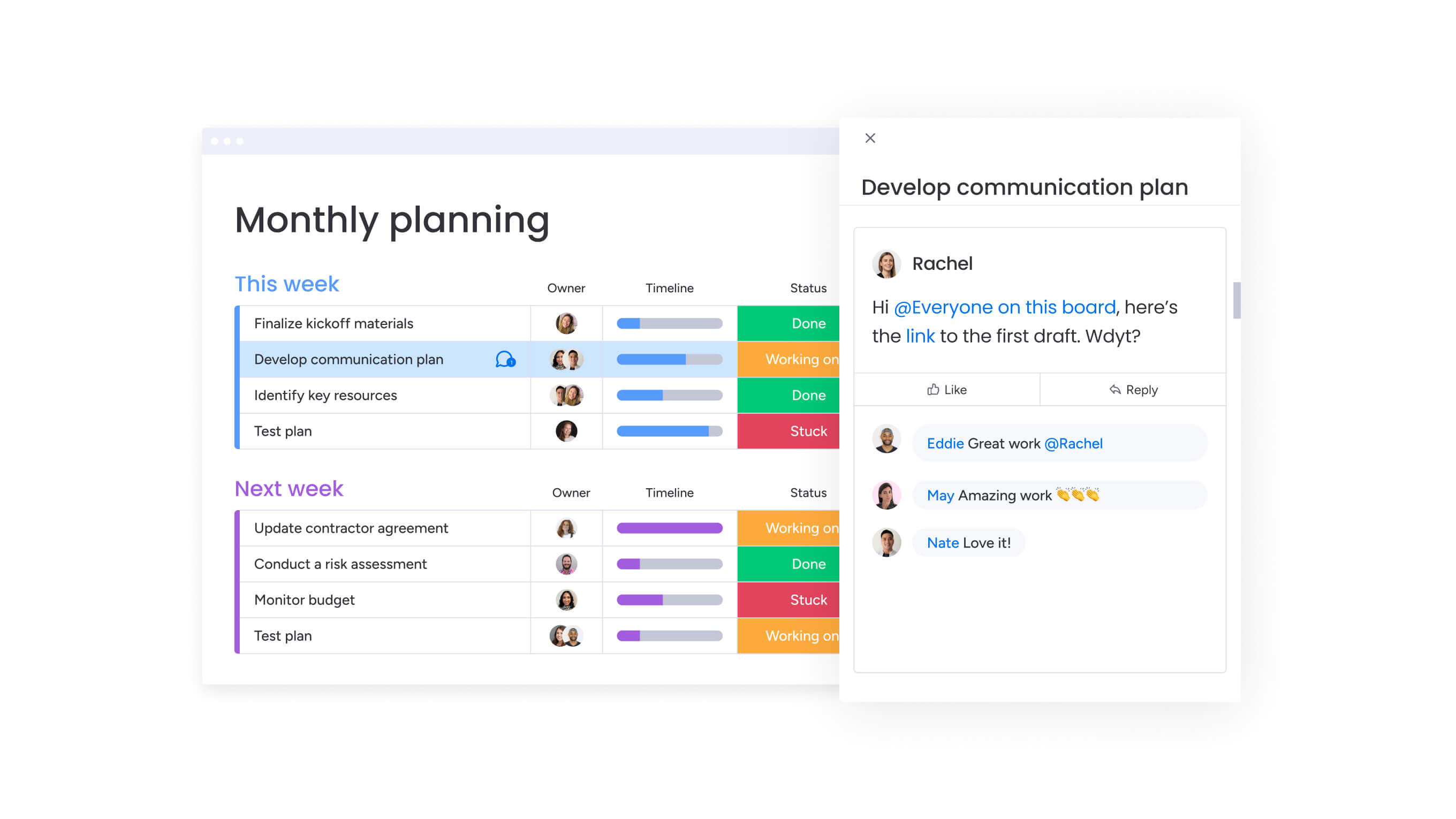
Setting up your content calendar system works best when you start with the basics and gradually add more sophisticated elements as your team gets comfortable. The following six steps guide you through establishing a comprehensive content management system that scales with your organization.
Step 1: centralize all marketing content in a master calendar
Create a unified content calendar housing all key dates, milestones, campaigns, and content pieces. In some cases, a Google Docs calendar template can jumpstart this process. Import existing plans from spreadsheets, connect regional and channel-specific calendars, and establish a single source of truth.
Use custom fields to categorize content by channel, audience, campaign, service line, or any taxonomy matching your structure. This foundation ensures all teams see what’s being produced and how it connects to objectives.
Step 2: standardize workflows with templates and automation
Build standardized workflows for content creation, approval, and distribution using templates capturing best practices. Set up automation recipes to handle repetitive tasks automatically.
Configure automations for:
- Task assignment: automatically assign content to team members based on type or expertise.
- Status progression: move items through workflow stages as work progresses.
- Deadline management: send notifications when deadlines approach.
This standardization eliminates inefficient processes while maintaining flexibility for different content types.
Step 3: connect cross-functional teams with transparent collaboration
Break down silos by giving content, creative, acquisition, events, and operations teams visibility into each other’s work. Use collaboration features — comments, mentions, file attachments, and real-time updates — to eliminate email threads.
Connect content production boards to campaign calendars so changes automatically reflect in related work. This ensures teams stay aligned as priorities shift.
Step 4: implement resource management and capacity planning
Use workload views to visualize team bandwidth and identify capacity issues. Track time estimates and actual time spent to improve forecasting.
Set up resource allocation workflows that flag capacity issues before they become bottlenecks. This enables proactive rebalancing to ensure consistent delivery without overworking team members.
Step 5: create dashboards for real-time performance tracking
Build custom dashboards providing at-a-glance visibility into content production status, campaign progress, and performance metrics. Connect data from multiple boards to create portfolio-level views.
Share dashboards with stakeholders so everyone accesses real-time insights without manual reporting. Track campaign ROI, content volume, budget adherence, and team utilization.
Step 6: align content strategy with business OKRs
Link content pieces and campaigns to specific company goals to ensure production focuses on strategic initiatives. Track progress towards objectives in real-time.
Use this alignment to prioritize content production, make resource allocation decisions, and demonstrate marketing’s strategic impact to leadership.
Comparison table: monday.com vs competing platforms
Choosing the right content calendar software comes down to how well a platform supports scale, collaboration, and real-world execution. This table compares leading solutions across the capabilities that matter most to enterprise marketing teams.
| Feature | monday work management | Asana | CoSchedule |
|---|---|---|---|
| Enterprise collaboration for 100+ teams | ✓ Full support with unlimited users | ✓ Available in Business+ tier | ✓ Available in Marketing Suite |
| Visual content calendar with drag-and-drop | ✓ Multiple calendar views (Calendar, Timeline, Gantt) | ✓ Calendar view with timeline | ✓ Marketing Calendar view |
| Automated approval workflows | ✓ No-code automation with unlimited recipes | ✓ Rules available in Premium+ | ✓ Approval workflows in Agency tier |
| Resource management and capacity planning | ✓ Built-in workload view with capacity tracking | ✓ Workload available in Business+ | ✗ Limited resource management |
| Real-time dashboards and reporting | ✓ Unlimited custom dashboards with 30+ widgets | ✓ Dashboards in Business+ tier | ✓ Marketing analytics included |
| Integration with marketing stack | ✓ 200+ native integrations + open API | ✓ 100+ integrations available | ✓ 50+ integrations focused on marketing |
| Goals and OKRs tracking | ✓ Native goals feature with progress tracking | ✓ Goals available in Business+ | ✗ Not available |
| Multi-channel campaign management | ✓ Unified view across all channels | ✓ Project-based organization | ✓ Marketing-specific views |
| Price per user/month | From $10/user (Standard) to $16/user (Pro) | From $10.99/user (Starter) to $24.99/user (Business) | From $19/user (Social Calendar) to custom (Marketing Suite) |
| Implementation time | 2-4 weeks for enterprise deployment | 2-4 weeks typical | 4-6 weeks for full Marketing Suite |
| G2 rating | 4.7/5 (12,000+ reviews) | 4.3/5 (9,500+ reviews) | 4.4/5 (200+ reviews) |
How Genpact transformed their global marketing operations
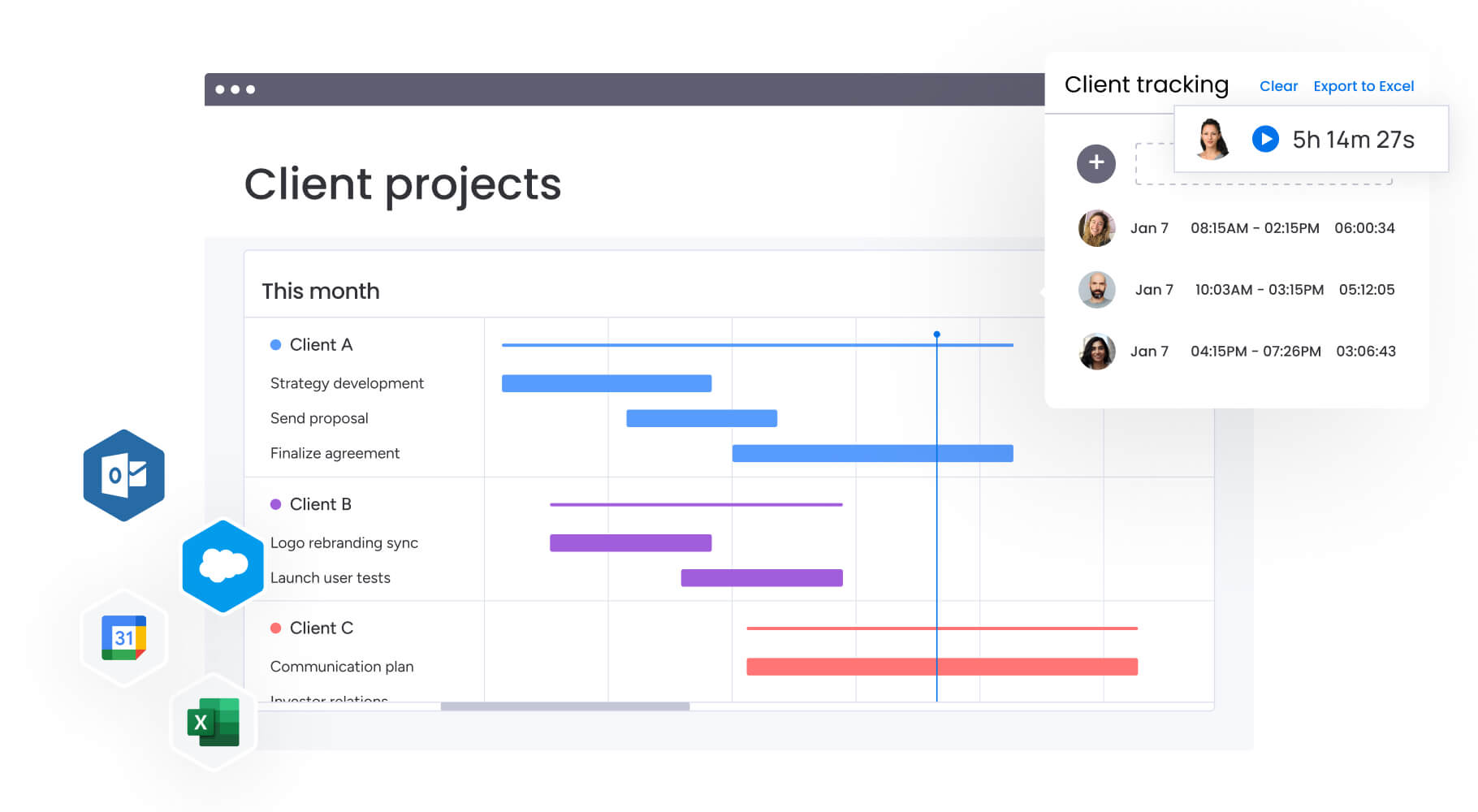
This case study demonstrates how a global services organization overcame content management challenges through strategic implementation of monday.com. The transformation showcases measurable improvements across collaboration, efficiency, and operational excellence.
The challenge
Genpact’s globally distributed marketing department runs multiple large-scale campaigns within each program. Sarah Pharr’s team manages about 24 ongoing campaigns at any given time, with hundreds of stakeholders and contributors involved.
Campaign managers relied on spreadsheets saved across desktops, emails, and SharePoint folders. No one knew who had the latest version or where to find it. There was no central repository tracking status, progression, and key information. Finding campaign status required sifting through emails or searching SharePoint folders.
The solution
Genpact implemented monday.com as their centralized platform for end-to-end campaign planning and execution. They created a high-level GTM campaign calendar with subitems showing the hierarchy of programs, campaigns, and activations.
The digital team formalized campaign brief submission and approval processes using forms. When managers submit briefs, specific team members receive automated notifications. This provides visibility into status and turnaround time, enabling realistic expectation-setting.
The team utilizes multiple view options and dashboards to see outstanding aspects of campaigns, drilling down into critical items and making adjustments as necessary.
The results
The implementation delivered measurable impact across the marketing organization:
- 40% improvement in cross-team collaboration for end-to-end campaign planning.
- 100% removal of spreadsheets from marketing operations.
- 25% decrease in email exchanges across the department.
Take control of enterprise content delivery with monday.com
To manage content calendars for large marketing teams, you need more than a glorified scheduling tool — you need a platform that shows everyone how their daily work ladders up to your biggest business goals. monday.com delivers the unified visibility, automated workflows, and cross-functional collaboration capabilities that transform how large marketing organizations operate.
The platform’s proven track record — from VML’s 7,000 hours saved monthly to FARFETCH’s $118K monthly savings — demonstrates tangible ROI for services organizations managing complex, multi-channel campaigns. By centralizing content planning, standardizing workflows, and providing real-time performance insights, teams achieve measurable improvements in collaboration, productivity, and output quality.
Additionally, a blog content strategy can focus editorial efforts for maximum engagement.
Ready to transform your content calendar management? Start by centralizing your marketing content, standardizing your workflows, and connecting your teams through transparent collaboration. The result: aligned execution that drives strategic impact across your entire marketing organization.
The content in this article is provided for informational purposes only and, to the best of monday.com’s knowledge, the information provided in this article is accurate and up-to-date at the time of publication. That said, monday.com encourages readers to verify all information directly.
Frequently asked questions
How does monday.com handle complex approval workflows across legal, product, and finance teams?
To handle complex approval workflows, monday.com provides customizable approval workflows with automated routing, notifications, and status tracking. You can design multi-stage approval processes matching your organizational requirements. Set up sequential or parallel approvals, assign specific stakeholders to review stages, and automate notifications when approvals are needed or completed. The platform maintains version history and audit trails for compliance, while permission controls ensure only authorized team members can approve content at each stage.
What's the implementation timeline for enterprise adoption across 100+ person marketing teams?
Enterprise implementation for 100+ person marketing teams typically takes two to four weeks from initial setup to full deployment. The timeline varies based on workflow complexity, number of integrations, and change management approach. The platform's intuitive interface enables rapid adoption. Best practices include starting with a pilot team to validate workflows, building base structures so teams can see their work on the platform, and providing support throughout the rollout.
How does monday.com integrate with existing martech stacks?
monday.com offers 200+ native integrations with marketing technology platforms including HubSpot, Salesforce, Google Analytics, Slack, Microsoft Teams, Adobe Creative Cloud, and social media management tools. The platform provides an open API enabling custom integrations with proprietary systems. These integrations enable bidirectional data flow, so information entered in monday.com automatically updates connected systems and vice versa.
What specific metrics can Heads of Marketing track to demonstrate ROI?
monday.com enables tracking comprehensive metrics including campaign ROI, customer acquisition cost, MQL-to-Customer conversion rates, content volume and performance, budget adherence, team productivity, and time-to-launch rates. The platform's custom dashboards connect data from multiple campaigns to provide portfolio-level views of marketing performance, with filtering by time period, campaign type, channel, or custom dimensions.
How does monday.com support multi-regional campaign coordination?
monday.com supports multi-regional coordination through centralized planning with regional customization. Create master campaign calendars showing global initiatives while using board views, filters, and permissions to give regional teams visibility into their responsibilities. The platform's automation handles time zone differences by scheduling notifications based on location. Regional teams work in preferred languages using the multilingual interface.
What training resources ensure successful enterprise-wide adoption?
Successful enterprise adoption requires structured training including initial onboarding for administrators and power users, role-based training for different functions, and ongoing support resources. The platform provides comprehensive training through monday academy with certification programs, video tutorials, help center documentation, and 24/seven support.

 Get started