


Assignments can quickly become overwhelming when deadlines, priorities, and responsibilities are scattered across emails, spreadsheets, and notes. Without a clear system for tracking work, important tasks can slip through the cracks, creating confusion and missed deadlines.
An assignment tracker template provides a structured system to organize assignments, monitor progress, and maintain accountability. These templates consolidate essential information such as deadlines, ownership, and requirements into a centralized view, giving teams and individuals clarity on what needs attention and when.
This guide explains how to build an effective assignment tracking system, offering ready-to-use templates, tips for customizing workflows, and strategies to turn basic tracking tools into a dynamic system that grows with individual or team needs.
Key takeaways
- Structured tracking improves accountability: Capture deadlines, ownership, progress status, and task details in one centralized system to ensure nothing gets overlooked or forgotten.
- Choose templates based on workflow needs: Student, team, client, marketing, and cross-functional trackers each address specific priorities and collaboration requirements.
- Visual layouts enhance clarity: Kanban boards, timelines, calendars, and dashboards help teams quickly identify bottlenecks, manage dependencies, and track deadlines.
- Automation reduces manual work: Smart reminders, recurring assignment creation, and automated progress updates streamline execution and increase timely completion rates.
- Scalable platforms support growing needs: Dynamic boards, AI-powered categorization, and real-time dashboards in monday.com allow teams to manage individual, team, and enterprise workloads efficiently.
What is an assignment tracker template?
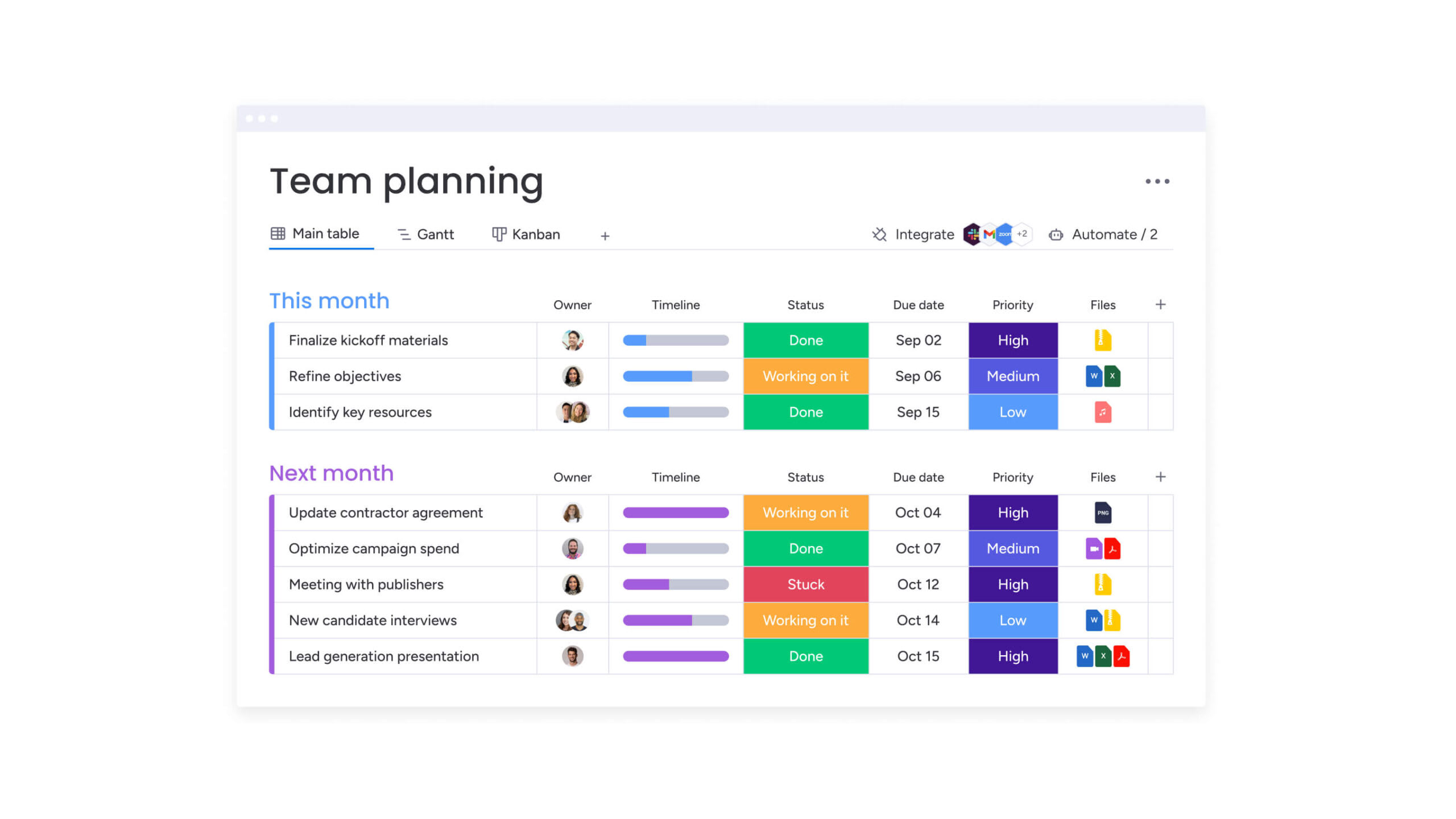
An assignment tracker template is a centralized system for managing work from start to finish. It tracks deadlines, progress, task ownership, and all relevant details. Unlike simple to-do lists that only catalog items, these templates provide the visibility and accountability necessary through project tracking to ensure deliverables do not slip through the cracks.
Modern assignment tracking extends beyond spreadsheets. Advanced templates now include automated notifications and real-time project progress insights, transforming data into actionable intelligence that helps teams address bottlenecks proactively.
Research indicates that digital logging and real-time tracking more than doubled the number of planned and completed assignments compared with traditional methods.
Assignment tracking functions across multiple contexts:
- Academic management: Students balance overlapping coursework, track grade weighting, and monitor study hours.
- Marketing coordination: Teams manage campaign deliverables across drafting, design, approval, and publication stages.
- Operations workflow: Teams handle incoming client requests and prioritize tickets based on service agreements and available resources.
Essential components of effective assignment trackers
Successful assignment tracking depends on capturing the right details in a format teams will consistently use. Therefore, the following components transform cluttered lists into organized workflows that scale with your team, with each element clarifying responsibilities and improving overall visibility.
Task details and descriptions
Clear documentation cuts down on confusion and endless email threads. A robust tracker includes instructions, reference links, and criteria for success. With detailed descriptions, team members can pick up assignments and understand requirements immediately, ensuring smooth handoffs and continuous progress.
Due dates and priority levels
Tracking deadlines and priority ranking create necessary urgency while also supporting smart resource allocation. Specific dates keep projects on schedule, and priority categories guide daily execution:
- High priority: Critical items blocking other work.
- Medium priority: Standard deliverables with fixed deadlines.
- Low priority: Optional items or long-term initiatives.
Status and progress indicators
Tracking status shows exactly where work stands at any moment. Because of this, standard categories let managers scan a board and instantly see project health.
Progress indicators also highlight bottlenecks early: items stuck too long become visible before they cause bigger problems.
Owner and stakeholder information
Designating a clear owner for every assignment ensures accountability and drives work to completion. Therefore, each assignment requires a primary owner responsible for execution, making progress transparent and measurable.
Tagging stakeholders also keeps relevant people informed without adding clutter: it maintains clear accountability and smooth communication across teams.
Custom fields for unique needs
Custom fields capture exactly what matters most to your team: this flexibility transforms a tracker into more than a simple task list.
They also enable teams to monitor priorities specific to their workflows:
- Budget tracking: Monitor spend against allocated funds per assignment.
- Client codes: Associate work with specific billing accounts.
- Department tags: Filter workloads by functional area.
A robust tracker includes instructions, reference links, and criteria for success. With detailed descriptions, team members can pick up assignments and understand requirements immediately, ensuring smooth handoffs and continuous progress.
5 assignment tracker templates for every workload
Teams have unique needs: selecting the right template early saves time and simplifies tracking. The most common tracking scenarios include:
| Template type | Primary use case | Key features | Ideal for |
|---|---|---|---|
| Student tracker | Academic management | Grade calculator, study time logs, syllabus links | Individuals managing coursework |
| Team project | Internal collaboration | Dependency mapping, milestone tracking, file sharing | Cross-functional project teams |
| Client work | Service delivery | Billable hours, approval status, client portals | Agencies and consultancies |
| Marketing campaign | Content production | Channel sorting, publication dates, asset libraries | Marketing and creative teams |
| Cross-functional | Enterprise strategy | Budget oversight, risk logs, executive reporting | PMOs and department heads |
1. Student assignment tracker template
Tracking course names, assignment types, submission methods, and grades, this tracker gives a complete view of your semester and helps balance deadlines across multiple classes.
2. Team project assignment organizer
Designed for teamwork, this template tracks ownership and dependencies across teams: handoffs and milestones are clear, helping teams coordinate efficiently.
3. Client work assignment tracker
This tracking template prioritizes professional accountability and client satisfaction. It tracks project codes, billing, and client communication, making sure you hit every deliverable and incorporate feedback.
4. Marketing campaign tracker
Ideal for multi-channel campaigns, this tracker coordinates content creation, approvals, and publication schedules: it aligns creative work with distribution timelines to launch campaigns on schedule.
5. Cross-functional assignment spreadsheet
This enterprise template spans departments and tracks budgets, compliance, and executive reporting: it gives leadership visibility while keeping individual work aligned with company objectives.
Build your assignment tracker in 4 simple steps
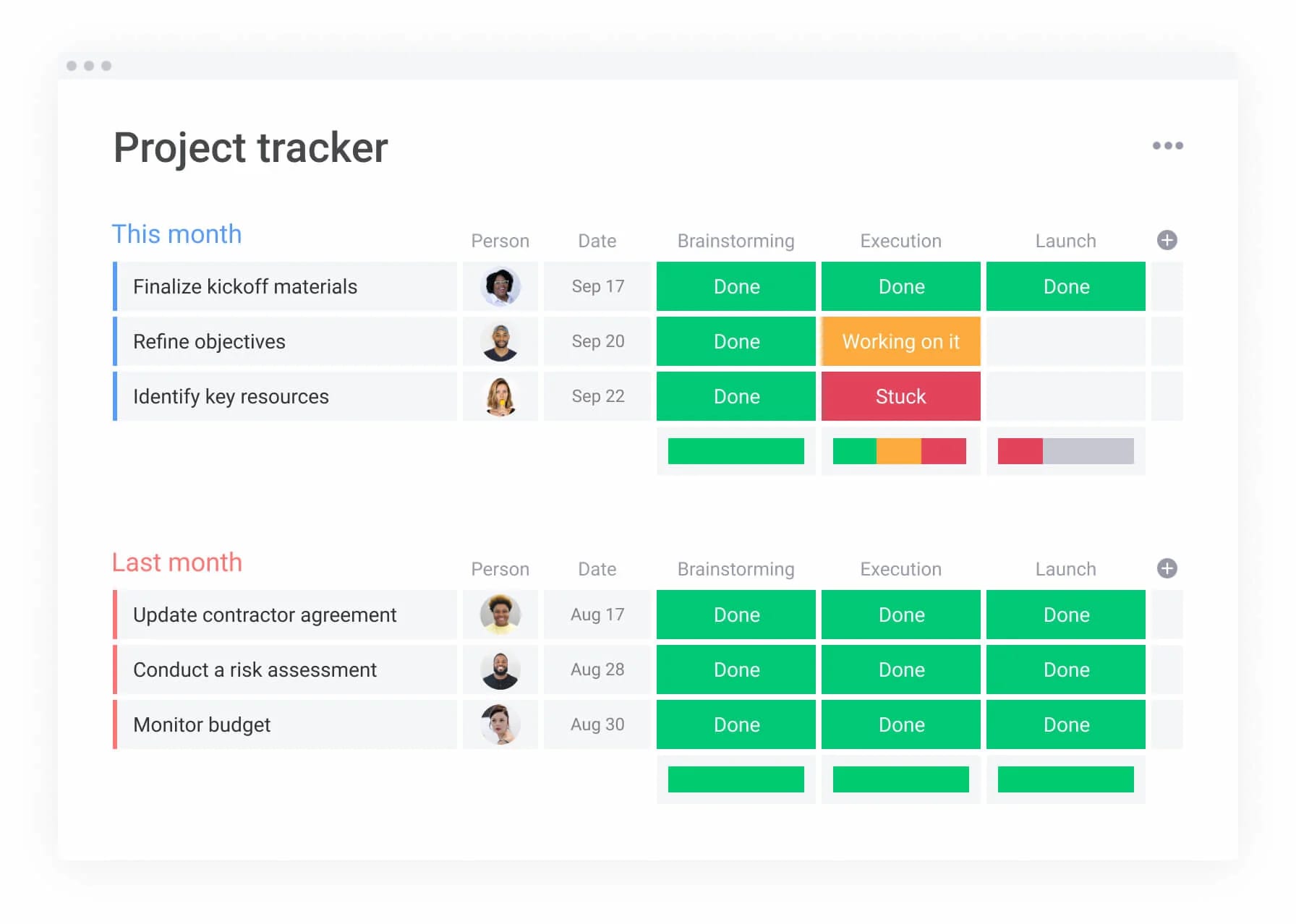
Creating an assignment tracker that actually works starts with choosing the right layout and automating repetitive processes. A well-designed system makes data easier to use, reduces manual updates, and scales as your team grows. Follow this step-by-step guide to build a tracker that fits your workflow.
Step 1: select your visual layout
The layout you choose determines how your team interacts with assignments. Different views serve different purposes, and switching between them ensures everyone sees information in the way that makes the most sense for their work.
Visual layouts each provide specific advantages for assignment tracking:
- List view: Works best for linear, data-heavy audits and inventory-style tracking.
- Board view (Kanban): Ideal for process-driven workflows where items move through distinct stages.
- Calendar view: Essential for deadline-focused projects and content schedules.
- Gantt/Timeline: Necessary for complex projects with dependencies and longer durations.
Step 2: configure essential columns
The core columns of your tracker make it functional and focused. Choosing the right combination ensures your tracker provides value without overwhelming team members.
Key column configurations include:
- Text columns: Capture detailed descriptions and requirements.
- People columns: Assign clear ownership and define stakeholder roles.
- Date columns: Track deadlines and milestone dates.
- Status columns: Monitor progress through workflow stages.
Each field should have a distinct purpose, keeping the tracker simple and actionable.
Step 3: create status workflows
Status stages should reflect the natural flow of work across your team. A common workflow moves from “Backlog” to “In Progress,” then “Review,” and finally “Complete.”
Defining these stages ensures a shared understanding of what completion means. This alignment prevents assignments from stalling and keeps work moving efficiently.
Step 4: enable smart notifications
Automated reminders reduce the need for manual follow-up. Notifications for upcoming deadlines or status changes help assignment owners stay informed and accountable. Research shows that automated reminders improve timely completion rates to 65.4% compared to 35.5% without them.
Setting up daily digest notifications instead of individual emails keeps team members informed without overwhelming their inboxes.
7 ways to customize your assignment tracking system
Templates provide a foundation, but customization turns them into a system that matches your team’s workflow. Focus on modifications that address real challenges and improve efficiency.
- Design custom fields for specific workflows: Add data points such as “SKU number” for retail or “Bug severity” for software projects to align the tracker with your team’s language.
- Create filtered views by project type: Save specific configurations to toggle instantly between “My assignments,” “High priority items,” or “Pending approvals.”.
- Build reusable assignment templates: Save complex recurring structures to reduce setup time and maintain consistency.
- Set up visual progress indicators: Use progress bars that automatically update as sub-items are completed for immediate visibility.
- Configure role-based access controls: Restrict editing rights for sensitive columns while allowing team members to update their assignments.
- Establish automated assignment workflows: Set rules that automatically reassign work or update statuses based on triggers.
- Create performance dashboards: Aggregate data into high-level dashboards to track team velocity, workload distribution, and on-time completion.
Master visual assignment management
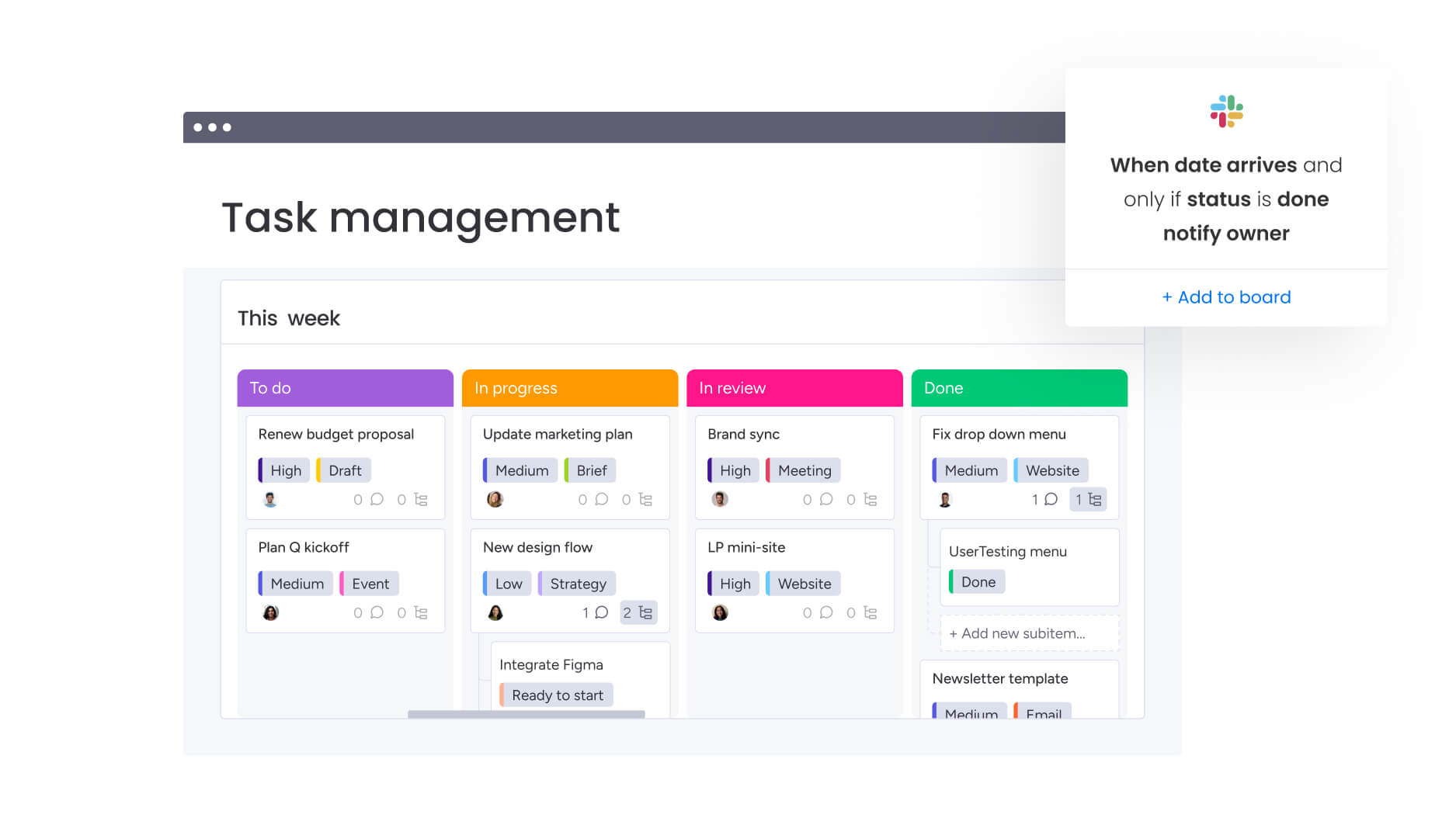
Visual organization transforms assignment tracking from administrative overhead into a strategic advantage. Teams process information faster, detect patterns that text-only lists miss, and make data-driven decisions confidently. Selecting the right visual approach depends on the workflow and type of assignments your team handles.
Kanban boards for real-time status
Board-style layouts provide instant feedback on work distribution by revealing bottlenecks where assignments accumulate as cards move from left to right.
In practice, this format encourages a “pull” system, which limits new assignments until current work is completed; consequently, workload imbalances become immediately visible, significantly improving team efficiency.
Timeline views for deadline tracking
Timeline layouts highlight how delays in one assignment affect downstream deliverables when you track project progress. This perspective allows managers to adjust schedules proactively rather than reacting to missed deadlines.
Teams using timeline views as a progress tracker can spot resource conflicts early and smooth out workload distribution before crunch time hits. Dependencies become visible, making coordination more straightforward.
Calendar integration for schedule management
Integrating assignments with calendar views aligns deadlines with broader scheduling commitments. Specifically, calendar views surface potential conflicts, such as multiple major deliverables falling on the same day.
This integration helps teams balance workloads over time, which avoids last-minute pressure and ensures deadlines are met consistently.
Analytics dashboards for performance insights
Data visualization reveals productivity patterns and identifies improvement opportunities. Dashboards transform raw tracking data into actionable insights about team performance — studies demonstrate that weekly dashboard check prompts boost progress by 5.06% over four-week periods.
| Visual approach | Use case | Key benefit |
|---|---|---|
| Kanban | Agile teams, continuous workflows | Instant bottleneck identification |
| Timeline/Gantt | Complex projects, dependencies | Critical path management |
| Calendar | Editorial teams, event planning | Schedule conflict prevention |
| Dashboards | Executives, department heads | High-level performance trends |
Automate assignment workflows to accelerate execution

Automation eliminates repetitive administrative work while reducing human error. By handling routine processes automatically, teams can focus on high-value execution rather than manual status updates.
Moreover, smart automation rules ensure your tracking system works behind the scenes to keep projects moving forward efficiently.
Automatic progress updates
Rules that update parent item status based on sub-item completion ensure the high-level view always matches reality. When all sub-items reach “Done,” the main project status automatically changes to “Completed.”
This automation eliminates manual status reporting and keeps dashboards accurate without constant updates.
Smart deadline reminders
Automated reminders trigger based on due dates, nudging owners before deadlines arrive. This proactive approach prevents deadlines from being missed because someone lost track of time.
Reminders can escalate to management when items become overdue, ensuring nothing falls through organizational cracks.
Recurring assignment generation
For work occurring on a regular cadence, automation creates new assignment records at defined intervals. Monthly reports, weekly audits, and routine maintenance items appear automatically.
This ensures standard operating procedures are consistently followed without relying on manual creation.
AI-powered categorization
Advanced systems analyze descriptions and automatically assign tags, priority levels, or departments. This intelligent categorization organizes work at scale without manual data entry.
Teams using AI categorization save hours weekly on administrative work while improving data consistency across the organization.
This automation eliminates manual status reporting and keeps dashboards accurate without constant updates.
Scale assignment tracking from individual to enterprise
Assignment tracking needs to evolve as organizations grow. Therefore, systems must adapt to support increasing complexity, larger teams, and diverse stakeholder requirements. Recognizing these scaling requirements helps you select solutions that grow with your organization rather than require replacement.
Personal assignment management
Individual tracking focuses on personal productivity and deadline management. The goal is to organize a single person’s workload to minimize cognitive load while ensuring work-life balance.
At this level, simplicity matters most. Individuals need quick visibility into commitments without complex features that slow them down.
Team collaboration features
Team tracking shifts focus to coordination and shared visibility. The system must support file sharing, in-context communication, and smooth handoffs.
Collaboration features also prevent information silos and ensure everyone understands current priorities and progress.
Department portfolio tracking
Departmental tracking requires cross-functional visibility and resource allocation capabilities. Managers need to see assignment distribution across multiple projects to prevent burnout.
Moreover, portfolio views help leaders balance strategic initiatives with operational demands while maintaining team capacity.
Organization-wide visibility
Enterprise tracking supports governance and strategic alignment. Executive dashboards aggregate data from all departments to monitor progress toward company-wide goals.
At this scale, assignment tracking becomes critical infrastructure supporting decision-making and resource optimization across the organization.
Connect your assignment tracker to existing systems
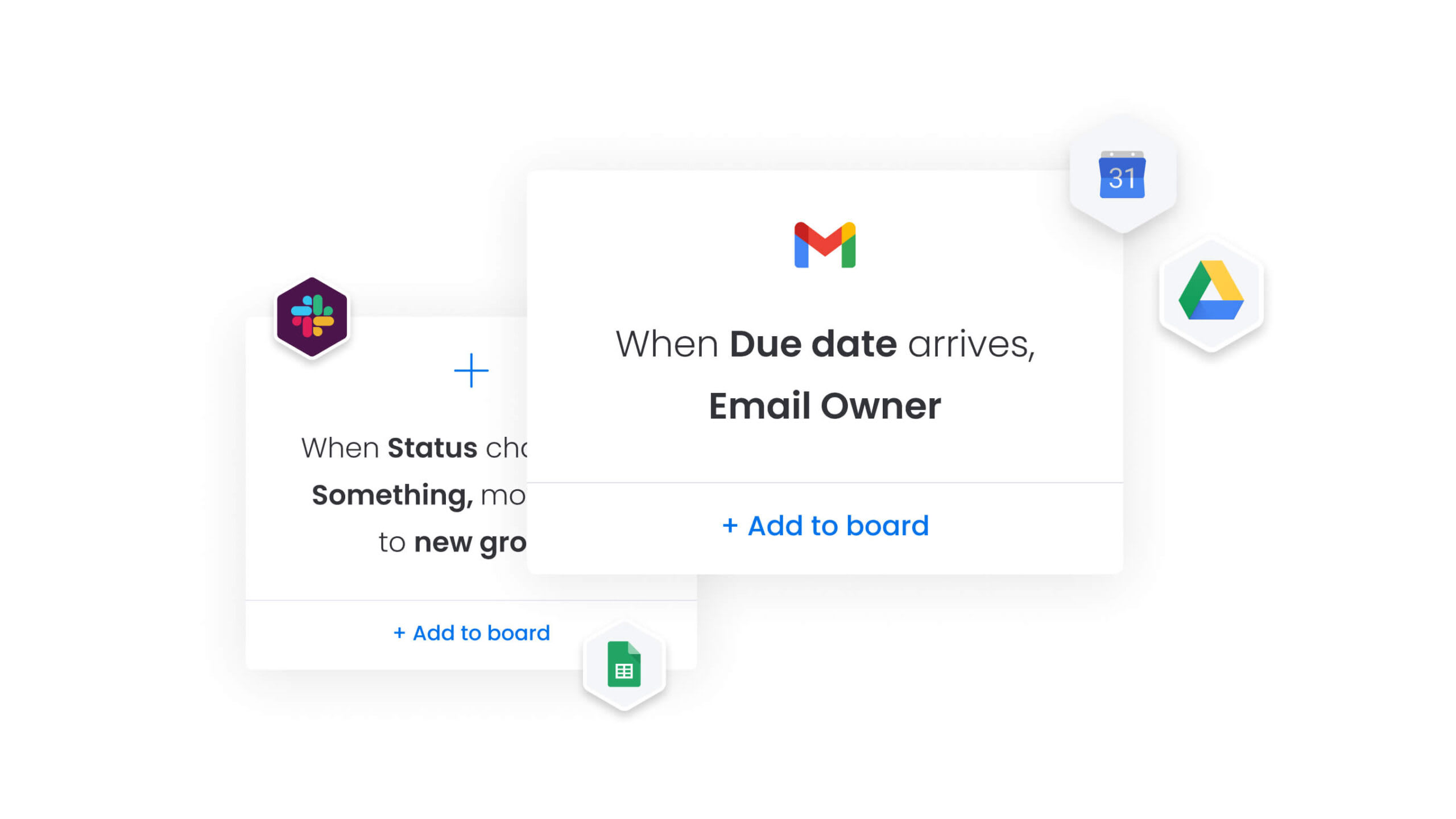
Assignment tracking becomes most effective when connected to existing business systems. Integration eliminates duplicate data entry and ensures a single source of truth. As a result, the right connections turn isolated tracking into a centralized workspace that strengthens overall team efficiency.
Communication platform integration
Integrating assignment trackers with Slack or Microsoft Teams allows updates to flow directly into team channels. This keeps conversations where work happens while enabling status updates to appear within communication platforms.
Team members stay informed without switching contexts, and critical updates reach the right people instantly, reducing delays and improving collaboration across projects.
Calendar and schedule syncing
Two-way sync with Google Calendar or Outlook ensures assignment deadlines appear alongside meetings and appointments. This visibility prevents overcommitment and helps individuals manage their time effectively.
Calendar integration also gives managers insight into team capacity, supporting balanced workloads and informed resource planning.
Document management connections
Linking assignment trackers to file storage systems connects deliverables directly to assignment records. This ensures final outputs are easy to locate and maintain correct project history.
Document connections also reduce time spent searching for files and maintain version control across collaborative work, making project tracking more reliable and efficient.
Data import and export options
Robust import and export capabilities allow teams to migrate legacy data or generate reports for external stakeholders. This flexibility ensures organizations retain historical information while maintaining data portability.
Therefore, teams can import existing assignment records from spreadsheets or other tools and continue tracking progress without losing prior work or insights.
Power your assignment tracking with monday.com
Effective assignment tracking extends beyond static templates, combining simplicity with enterprise-level intelligence and scalability. Flexible board structures adapt to any workflow, while automation and AI insights streamline tracking and decision-making.
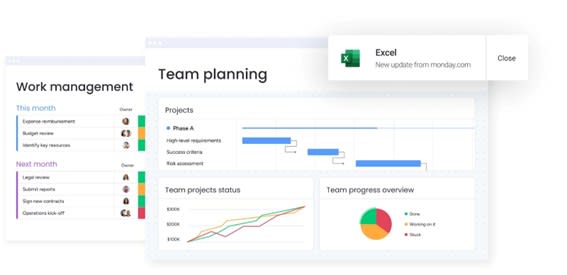
Modern platforms provide multiple views — Kanban, Gantt, and Calendar — so every stakeholder sees data in the format that makes the most sense. This improves adoption and reduces friction compared with spreadsheet-based tracking.
AI capabilities enhance tracking by automating categorization and progress summaries. The “Assign labels” block organizes assignments by type, urgency, or department, while the “Extract info” block pulls key details from attached documents or emails directly into assignment records.
Digital Workers act as intelligent assistants within the system. The Project Analyzer monitors assignment progress in real-time, flags delays, and suggests corrective actions. AI-powered workers reorganize boards automatically based on changing priorities, keeping workflows optimized without manual maintenance.
| Feature | Traditional templates | monday work management |
|---|---|---|
| Scalability | Limited to row count | Unlimited items and boards |
| Automation | None or basic macros | Advanced, multi-step workflows |
| Collaboration | Comments in cells | In-context chat, file proofing |
| Insights | Manual chart creation | Real-time, auto-updating dashboards |
| Intelligence | Static data entry | AI-driven categorization and risk detection |
Organizations transition from basic templates to monday.com by importing existing spreadsheets directly. The intuitive interface ensures rapid adoption, allowing teams to move from static lists to dynamic workflows in minutes.

“monday.com has been a life-changer. It gives us transparency, accountability, and a centralized place to manage projects across the globe".
Kendra Seier | Project Manager
“monday.com is the link that holds our business together — connecting our support office and stores with the visibility to move fast, stay consistent, and understand the impact on revenue.”
Duncan McHugh | Chief Operations OfficerTransform your assignment tracking approach
Assignment tracking evolves from simple lists to strategic workflow management when supported by the right framework and solutions. Templates and approaches provide a foundation for work that scales with team growth and complexity.
Effective tracking creates visibility that prevents tasks from falling through the cracks while allowing teams to focus on execution rather than administration. Whether managing academic coursework, client deliverables, or cross-functional initiatives, the principles remain consistent: capture essential details, define ownership, and maintain real-time progress visibility.
Switching from static templates to dynamic platforms enables teams to adapt tracking as needs change, benefit from automation, and leverage AI insights that improve decisions and reduce manual work.
Try monday.comFrequently asked questions
How do I choose the right assignment tracker template for my needs?
Consider workflow complexity, team size, and reporting requirements. Simple lists work for individuals, while cross-functional teams benefit from templates with dependency tracking and collaboration features. Selecting the right template ensures clarity, efficiency, and smooth coordination across projects.
Can assignment trackers handle both academic and professional workloads?
Assignment trackers are versatile enough to manage both academic and professional workloads. Core principles such as deadlines, priorities, and status tracking apply equally to university coursework and corporate deliverables. Using a structured system ensures consistency and accountability regardless of context.
What's the difference between an assignment tracker and a project management platform?
An assignment tracker focuses on tracking items and their status, usually in a simple, static format. A project management platform like monday.com provides dynamic capabilities, including resource allocation, automation, dependency management, and real-time collaboration. These features support more complex workflows and cross-team coordination.
How do I track assignments across multiple teams or departments?
Tracking assignments across teams requires a centralized system with shared dashboards or views. Teams maintain their individual boards while feeding critical data into a master view. This approach improves leadership visibility and ensures that cross-departmental dependencies and priorities are clear.
Can I automate recurring assignments in my tracker?
Advanced tracking platforms allow teams to create automation rules that regenerate assignments at defined intervals. This ensures recurring responsibilities, such as weekly reports or monthly audits, are automatically added to the workflow, reducing manual effort and maintaining consistency.
How do assignment trackers improve productivity and time management?
Assignment trackers enhance productivity by centralizing information, reducing time spent searching for details, and clarifying priorities. They also visualize deadlines and bottlenecks, helping individuals and teams focus energy on the most critical work and maintain efficient time management.

 Get started