

Posting content is easy. Coordinating content across departments is where complexity begins.
As organizations grow, social media becomes a shared responsibility across marketing, product, HR, and leadership teams. Without a clear system, messaging overlaps, approvals create delays, and brand voice gradually becomes inconsistent across channels.
Social media scheduling provides the structure needed to manage that complexity confidently. With the right workflows in place, teams maintain visibility, align publishing timelines, and ensure every post supports a cohesive narrative.
This handy article outlines the operational foundations of effective scheduling, including the core components of scalable workflows, the features that support collaboration, and the steps required to implement a system that grows with your team.
Key takeaways
- Scale social operations without adding headcount: Automated scheduling and approval workflows let lean teams manage high content volumes across multiple platforms while maintaining quality and brand consistency.
- Connect social media to business goals: Integrate scheduling with your broader marketing operations so every post serves strategic objectives rather than existing as isolated tactical activities.
- Build approval workflows that prevent bottlenecks: Design tiered review processes where routine content needs minimal approval while sensitive campaigns get proper stakeholder sign-off without slowing execution.
- Transform coordination with monday work management: Unite social calendars with product launches, sales campaigns, and company announcements in one platform that connects daily posts to quarterly business objectives.
- Measure ROI through business outcomes: Track lead generation, cost per acquisition, and revenue attribution rather than vanity metrics to prove social media’s financial impact on company growth.
What is social media scheduling?
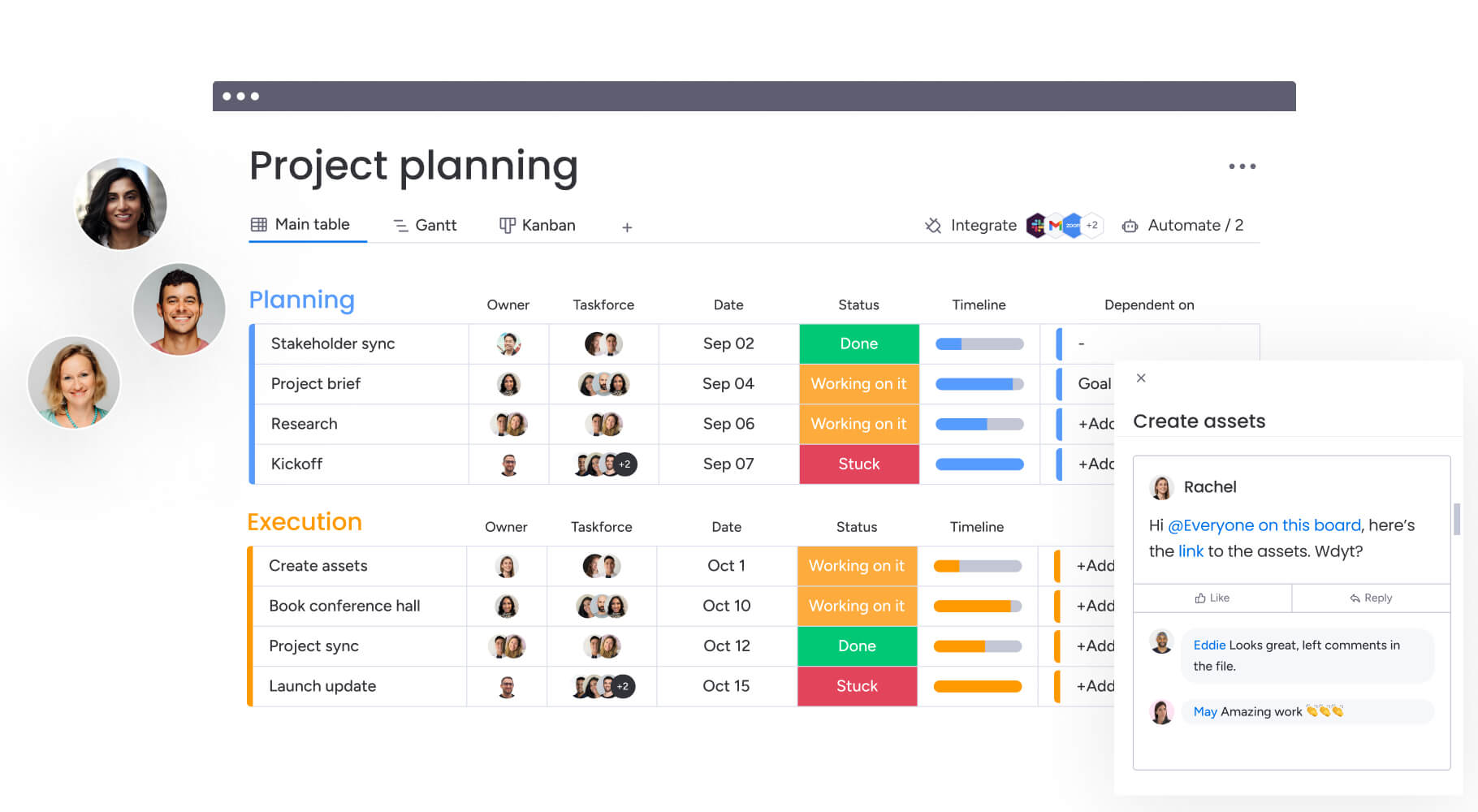
Social media scheduling is how you plan, create, approve, and publish content across platforms ahead of time — no more scrambling to post in real-time. For growing teams, you’re coordinating people, approvals, assets, and timelines — keeping brand messaging consistent without the chaos of real-time posting.
It’s the infrastructure that keeps your social presence running smoothly. You’re not just queuing posts — you’re managing an entire workflow that starts with content requests, moves through creation and approval stages, and ends with published content and performance analysis.
Social media scheduler fundamentals
A solid scheduling system connects four pieces that make social operations scalable. When you see how these pieces fit together, you can build workflows that scale as your team grows.
| Component | Function | Business impact |
|---|---|---|
| Content planning | Maps ideas to strategic timelines and ensures coverage across key themes | Prevents gaps in messaging and aligns posts with business priorities |
| Approval processes | Routes draft content to legal, brand, or product stakeholders before publication | Reduces risk and maintains brand consistency |
| Publishing automation | Pushes approved assets to platform APIs at designated times | Frees teams from manual posting and ensures consistent cadence |
| Performance tracking | Feeds engagement data back into the planning phase | Informs future strategy and demonstrates ROI |
These elements feed into each other — insights shape your planning, and governance keeps execution aligned with strategy. Treat these as separate activities, and you’ll end up with disconnected processes and inconsistent results.
Manual posting vs automated scheduling
Manual posting often works in the early stages, when one person manages a small number of channels. As content volume increases, that approach becomes harder to sustain. Each post requires manual coordination, last-minute approvals, and constant context switching between platforms.
Automated scheduling shifts social media from reactive activity to structured workflow. Teams plan content in advance, align stakeholders before publishing, and maintain consistent output without daily interruptions. The difference becomes clear when comparing how each approach supports scale, consistency, and team collaboration.
| Operational dimension | Manual posting | Automated scheduling |
|---|---|---|
| Time investment | High; requires daily attention and context switching | Low; enables batch processing and focused work sessions |
| Consistency | Variable; dependent on individual availability | High; ensures steady cadence regardless of staff changes |
| Team coordination | Difficult; relies on scattered email chains for approvals | Streamlined; centralized comments and status updates |
| Error rates | High; prone to typos and missed posting windows | Low; content is reviewed and validated before scheduling |
| Scalability | Limited; adding channels requires proportional headcount | High; one team manages exponential channel growth |
Evolution from solo creator to team coordination
Most organizations move through three stages of social media maturity, and each one needs a different approach to scheduling and coordination.
Solo stage: A single person manages everything from ideation to posting, often using native platform features. Speed is high, but all risk concentrates in one individual.
Team collaboration stage: Multiple contributors draft content, requiring shared workspaces to prevent collisions and ensure quality. Teams at this stage focus on:
- Defining roles and responsibilities.
- Establishing basic approval queues.
- Creating shared content libraries.
Enterprise coordination stage: Cross-functional stakeholders from product marketing, HR, and sales feed into a centralized calendar. At this level, scheduling requires:
- Sophisticated permission hierarchies.
- Automated compliance checks.
- Integration with the broader marketing technology stack.
You’re not just queuing posts — you’re managing an entire workflow that starts with content requests, moves through creation and approval stages, and ends with published content and performance analysis.
Why social media scheduling matters for growing teams
For mid-to-large organizations, social media scheduling is an essential component of a scalable marketing strategy. It separates content creation from publication timing, so teams can stay visible without constantly posting manually. The real value shows up when you look at how complex social operations have become.
How does your organization currently handle the gap between content creation and publication? This approach solves growth challenges that manual posting can’t touch.
Consistency across multiple channels
A fragmented brand voice confuses your market and weakens your message. Scheduling systems keep your voice consistent across LinkedIn, Twitter, Instagram, and Facebook.
When teams post manually, variations in tone, visual style, and response timing inevitably creep in. A centralized schedule ensures that campaign messages released on LinkedIn at 9:00 a.m. mirror perfectly on Instagram at 9:05 a.m., with platform-appropriate adjustments. This sync creates a surround-sound effect — your audience sees the same core message repeated across channels with consistent visuals.
Cross-department campaign coordination
Social media supports product launches, recruitment drives, and company announcements, but without centralized scheduling, these efforts collide. Marketing might promote a discount while product teams announce a service outage, or sales might push legacy products that marketing just rebranded.
Scheduling systems provide a shared visual timeline that aligns disparate departments:
- Product teams see exactly when launch posts are scheduled.
- Sales can prepare outreach materials matching current social messaging.
- Executives gain visibility into the market-facing narrative.
This coordination prevents embarrassing conflicts and gets all departments amplifying the same message.
Brand governance at scale
As organizations grow, the risk of off-brand or non-compliant posts shoots up. Posting without governance can lead to PR crises, compliance issues, or just plain embarrassment from low-quality content.
Scheduling systems mitigate this through governance by design:
- Permissions ensure interns can draft but not publish.
- Subject matter experts review technical accuracy before posts go live.
- Mandatory approval workflows create safety nets for sensitive content.
- Restricted content libraries maintain brand standards.
- Audit logs provide accountability and compliance tracking.

7 core benefits of social media scheduling platforms
A dedicated scheduling platform delivers measurable results that become more impactful as your team grows. These benefits turn social media from a cost center into an asset that scales and drives real value.
- Reclaim hours from manual posting: Automation eliminates the daily grind of posting logistics. Teams no longer spend time logging into individual platforms, resizing images, or interrupting their day to hit publish. That recovered time goes straight to strategy and community engagement.
- Maintain always-on brand presence: A scheduled queue ensures your brand remains active during weekends, holidays, and team off-sites. This consistency builds algorithmic authority and audience trust — your brand stays visible even when the marketing team is focused elsewhere.
- Optimize timing for peak engagement: Smart platforms analyze past performance and publish content when your audience is most active. Instead of posting when it’s convenient for the social media manager, the system publishes when the algorithm rewards it most.
- Enable seamless team approvals: Structured workflows replace chaotic email chains. Stakeholders receive automated notifications to review content, provide feedback directly on assets, and sign off with a single click.
- Track performance across all platforms: Centralized analytics pull data from different sources into one view. Teams can compare campaign performance across channels, identifying which messages resonate where.
- Scale content without adding headcount: Templates, duplication features, and bulk scheduling let lean teams handle high content volumes. You can version a single piece of content and schedule it across five platforms without breaking a sweat.
- Coordinate global teams effectively: Scheduling platforms bridge time zones and regional requirements. Teams in London can schedule content for Tokyo markets to go live during local business hours, ensuring global campaigns feel locally relevant.
Must-have features in social media scheduling software
As social media operations grow, the limitations of basic scheduling tools become obvious. Posting content is only one part of the process — teams also need ways to coordinate feedback, manage approvals, and maintain visibility across multiple channels.
The most valuable platforms support how teams actually work together. They make collaboration easier, reduce bottlenecks, and provide the structure needed to publish consistently without adding complexity. These are the capabilities that distinguish scalable scheduling platforms from simple posting tools.
Multi-user approval workflows
The system needs customizable approval chains that match your organization’s hierarchy. Different content types need different approval levels. Standard posts might need one approval while crisis communications require three, balancing risk with speed.
Cross-platform publishing power
Teams need platforms that handle each network’s quirks natively. This includes:
- Instagram Carousels and Stories.
- LinkedIn PDFs and native video.
- Twitter threads and polls.
- Facebook event promotion.
Content should look native, not like generic cross-posts.
Real-time analytics dashboards
Delayed reporting means missed opportunities. Dashboards should give immediate feedback on campaign performance so you can adjust mid-flight. Focus on metrics that matter — click-through rates and engagement depth, not vanity metrics.
Built-in collaboration features
The platform also needs to make it easy to discuss content:
- Contextual commenting on specific posts.
- @mentions for stakeholder notifications.
- Asset sharing within the platform.
- Version control for content iterations.
This cuts down on switching between project management software and the scheduling interface.
Visual content calendar management
Finally, a drag-and-drop calendar view is key for strategic planning. It allows teams to:
- Visualize post cadence across channels.
- Spot coverage gaps in messaging.
- Ensure balanced content mix.
- Easily reschedule campaigns by moving blocks on a timeline.
How to implement social media scheduling platforms
Successful implementation needs intentional change management to establish new ways of working. It’s not just about adopting technology. It’s about optimizing workflows for scale. These steps help your team transition smoothly and get the most from the platform.
Step 1: audit your current publishing process
Start with a thorough review of where you are now. Document every channel currently in use, who holds login credentials, how content is created, and where approvals happen. This audit uncovers hidden inefficiencies and security risks in your workflow.
Map these processes visually so stakeholders can see how complex current operations are and why you need a structured solution. Organizations using monday work management can create boards that track each step, making gaps and bottlenecks immediately visible.
Step 2: map team roles and permissions
Security and efficiency start with defined roles. Create distinct user groups with specific capabilities:
- Content creators: Drafting only.
- Editors: Review and edit capabilities.
- Approvers: Final sign-off authority.
- Admins: System configuration access.
This mapping ensures interns can’t accidentally delete the corporate LinkedIn page and executives are only pulled in when absolutely necessary.
Step 3: select your scheduling platform
Next, prioritize team-centric features over individual functionality when selecting a platform. Evaluate how well platforms handle your defined approval workflows, integrate with your existing tech stack, and provide analytics depth. Include stakeholders from IT and brand teams in the pilot phase to ensure the solution meets security and governance standards.
Step 4: build repeatable workflows
Standardization is the key to scalability, and a well-structured content calendar provides that foundation. Build templates for common post types, create checklists for quality assurance, and establish automated rules for routing through approval workflows. Document these workflows and build them into the platform so every piece of content follows the same process.
Step 5: drive team adoption through training
The value of your technology is fully realized when your team knows how to use it effectively. A structured onboarding program introduces teams to new workflows and shows them why the changes matter. Training sessions cover practical activities like requesting approvals and viewing calendars. Feedback loops allow teams to refine processes during initial rollout.
How to scale social media posting from individual to enterprise
Most social media processes aren’t designed for scale — they simply evolve as new contributors join. Over time, shared spreadsheets, informal approvals, and manual coordination start to slow progress and create unnecessary risk.
Scaling social media effectively means replacing ad hoc habits with clear structures that help teams stay aligned as content volume grows. These steps outline how organizations create workflows that support more contributors, more campaigns, and more consistent messaging.
Step 1: document your baseline process
Scaling begins with visibility. Capture the current end-to-end lifecycle of a social post, measuring how long each stage takes and identifying friction points. This documentation becomes your baseline for measuring improvement and shows which parts of the process depend on specific people versus documented standards.
Step 2: identify workflow bottlenecks
Analyzing your baseline process reveals what’s limiting growth. Common bottlenecks include:
- Single executives approving every post.
- Lack of access to design assets.
- Manual data entry for reporting.
- Unclear escalation paths for urgent content.
Prioritize these bottlenecks to solve the most critical scaling issues first — often through automation or delegated authority.
Step 3: design approval hierarchies
To scale volume without sacrificing quality, approval structures need to evolve. Design tiered approval paths based on risk and content type:
- Routine content: Peer review only.
- Campaign launches: Multi-stage review involving legal and PR.
- Crisis communications: Executive approval required.
This tiered approach prevents the approval queue from becoming a bottleneck.
Step 4: connect your tech stack
Siloed systems create data islands. Integrate your scheduling platform with the broader marketing ecosystem, including CRM, digital asset management systems, and project management platforms.
Modern and powerful solutions such as monday work management serve as connective tissues through integrations with Microsoft Teams, Gmail, Slack, Jira, and Salesforce, ensuring campaign status updates automatically reflect social asset readiness.
Step 5: implement governance standards
As you add contributors, governance keeps things consistent. Establish guidelines for:
- Brand voice and tone.
- Crisis response protocols.
- Community management standards.
- Content quality thresholds.
Bake these standards into your scheduling platform through mandatory fields, pre-approved image libraries, and automated compliance checks — making governance proactive instead of reactive.
Scaling social media effectively means replacing ad hoc habits with clear structures that help teams stay aligned as content volume grows. These steps outline how organizations create workflows that support more contributors, more campaigns, and more consistent messaging.
Best practices for cross-team social media scheduling
As discussed earlier, social media often involves multiple departments contributing content. Without clear coordination, messaging can overlap, priorities can conflict, and campaigns lose impact. The following best practices help teams stay aligned while keeping publishing workflows efficient.
Use one shared content calendar
Maintain a centralized calendar visible to marketing, product, HR, and sales teams. Shared visibility helps teams spot conflicts early and align posts with active initiatives.
Define transparent approval paths
Clarify who reviews each content type and when input is required. Clear approval structures prevent bottlenecks and ensure high-impact posts receive appropriate oversight.
Maintain consistent brand voice
Provide accessible brand guidelines and examples so contributors communicate with a consistent tone across platforms, even when multiple teams create content.
Align social posts with campaign timing
Coordinate publishing schedules with major initiatives such as product launches, email campaigns, press releases, and paid media activity to reinforce key messages.
Assign platform access intentionally
Limit publishing permissions while allowing collaborative input. Structured access reduces risk and protects content quality as contributor groups expand.
Try monday work management
Measuring ROI from your social media scheduling platforms
The value of a scheduling platform is measured by its impact on business goals, not just social metrics. ROI calculations tie operational efficiency and enhanced performance to the bottom line. Understanding these connections helps you justify platform investments and allocate resources better.
Define metrics that drive business value
Shift focus from vanity metrics to business outcomes. Key performance indicators should include:
- Lead generation volume and quality.
- Cost per acquisition across channels.
- Customer sentiment and brand perception.
- Share of voice in your industry.
These metrics show how social media activity supports broader business goals.
Link social performance to revenue goals
Attribution models connect social engagement to the sales pipeline. Track UTM parameters and conversion paths to demonstrate how scheduled LinkedIn campaigns contribute to demo requests or how consistent engagement reduces customer churn. This data proves the financial value of the social media function.
Generate executive-ready reports
Translate data into insights for leadership. Reports should highlight trends, competitive analysis, and strategic recommendations rather than raw data dumps. The narrative focuses on how social media supports company initiatives like market entry or brand repositioning.
Organizations using monday work management can automatically display live, high-level project data through dashboards, customizing views with drag-and-drop widgets to present data in formats executives need.
Optimize based on performance data
Measurement exists to inform action. Use performance data to refine your scheduling strategy:
- Adjust social media posting times based on engagement patterns.
- Shift resources to high-performing channels.
- Retire content formats that fail to convert.
- Double down on messaging themes that drive results.
This ongoing optimization makes your social media operation more efficient and effective over time.
Future-ready social media scheduling with AI
Artificial Intelligence upgrades your toolkit rather than replacing social media managers. AI capabilities embedded in scheduling platforms handle data analysis and routine activities, allowing human creativity to focus on strategy and connection. These emerging capabilities reshape how teams approach content planning and execution.
AI-powered content recommendations
AI analyzes vast datasets to suggest what to post and when. It identifies trending topics relevant to your industry, recommends optimal posting windows based on real-time audience activity, and suggests hashtags that maximize reach. These recommendations provide a data-backed starting point for content planning.
Intelligent workflow automation
AI moves beyond simple if-then rules. It categorizes incoming mentions by sentiment, automatically routing customer complaints to support while sending positive influencer mentions to marketing.
By leveraging monday work management’s AI Blocks, you can analyze content text to auto-tag posts, assign them to correct campaigns, and trigger appropriate approval workflows without manual data entry.
Predictive performance analytics
Forecasting capabilities model potential campaign impact before launch. AI analyzes historical data to predict engagement levels, warning teams if proposed subject lines are likely to underperform or if visual styles are trending downward. This allows optimization during the drafting phase, increasing success probability.
Omnichannel campaign orchestration
AI manages the complexity of cross-channel coordination. It automatically adapts core messages for different platforms, shortening copy for Twitter and adding hashtags for Instagram, while staggering publishing times to maximize cross-channel impact. This ensures cohesive narrative without manual reformatting for every endpoint.
Support scalable social media scheduling with monday work management
monday work management elevates social media scheduling from tactical activity to core business operation. Unlike standalone scheduling platforms creating data silos, the intelligent platform integrates social media workflows directly into your organization’s central operating system.
The award-winning solution also addresses complex coordination challenges of growing teams by providing a unified space for planning, creating, approving, and analyzing content. It connects social calendars to product roadmaps, sales enablement drives, and corporate event schedules.
| Feature | Traditional scheduling platforms | monday work management |
|---|---|---|
| Workflow integration | Isolated; disconnected from other business processes | Unified; social activities live alongside design, product, and sales workflows |
| Team collaboration | Limited to comments on posts | Comprehensive; context-rich communication, file sharing, and project tracking via WorkDocs by monday |
| AI capabilities | Focused on caption writing | Advanced; AI Blocks for workflow automation, sentiment analysis, and content categorization |
| Scalability | Often price-per-seat; rigid structure | Enterprise-grade; customizable permissions, automations, and views that scale |
| Business alignment | Metrics focus on social engagement | Metrics connect social performance to broader business goals and project KPIs |
Unite social campaigns with business objectives
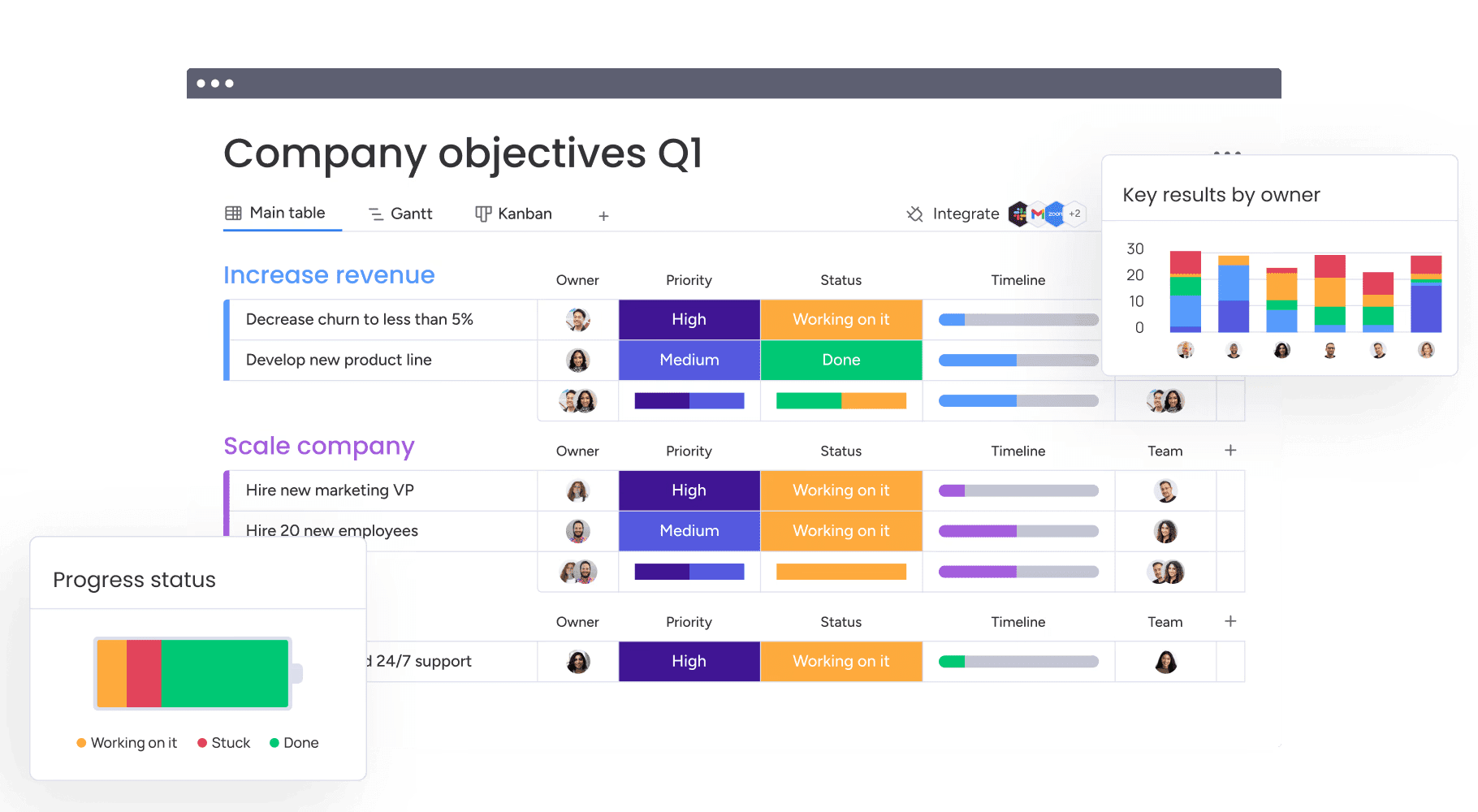
monday work management bridges the gap between daily posts and quarterly goals. The platform allows teams to map individual social media activities directly to high-level business objectives. A campaign isn’t just dates on a calendar — it’s a tracked initiative linked to specific KPIs, ensuring every piece of content serves a strategic purpose.
Centralize marketing operations and workflows
The platform serves as the single source of truth for your entire marketing department. Social media scheduling happens in the same environment as creative requests, budget tracking, and influencer management. This centralization eliminates friction from switching between platforms and provides leadership with a holistic view of marketing performance across all channels.
Scale confidently with enterprise features
Security and governance are built into the foundation. monday work management provides granular permission settings, audit logs, and SSO capabilities required by large organizations. Teams can build complex, automated approval workflows that ensure compliance without slowing creativity, allowing organizations to scale their social footprint securely.

“monday.com has been a life-changer. It gives us transparency, accountability, and a centralized place to manage projects across the globe".
Kendra Seier | Project Manager
“monday.com is the link that holds our business together — connecting our support office and stores with the visibility to move fast, stay consistent, and understand the impact on revenue.”
Duncan McHugh | Chief Operations OfficerBuild your social media scheduling foundation for sustainable growth
As alluded to throughout this guide, social media becomes more complex as more teams contribute content. Without structure, even strong ideas can feel disconnected or mistimed.
A thoughtful scheduling approach helps teams stay aligned as priorities evolve. Clear ownership, shared timelines, and consistent review processes allow content to move forward confidently without creating unnecessary friction.
monday work management connects these elements into one coordinated workspace, linking social activity to the broader initiatives it supports. When planning and execution live in the same environment, teams gain the visibility needed to maintain consistency as content operations expand.
Try monday work managementFrequently asked questions
What is the best time to schedule social media posts for maximum engagement?
The best time to schedule social media posts for maximum engagement depends entirely on when your specific audience is active online, which varies by industry and platform. Use your platform's analytics data to identify unique time windows when your followers are most likely to engage.
How many social media posts should growing teams schedule per week?
When determining how many social media posts growing teams should schedule per week, remember that consistency and quality matter more than volume. Teams should commit to a frequency they can sustain indefinitely with high-quality content based on their resources and audience expectations.
Can social media schedulers handle multiple brand accounts simultaneously?
Yes, social media schedulers can handle multiple brand accounts simultaneously. Enterprise-grade platforms are designed to manage dozens or even hundreds of accounts from a single dashboard, which is critical for organizations with multiple sub-brands, regional divisions, or franchise locations.
What is the average cost of social media scheduling platforms for teams?
Costs for team-oriented platforms vary significantly based on team members, social profiles, and advanced features like approval workflows and analytics, with enterprise solutions typically offering custom pricing that scales with organizational needs.
How do scheduling platforms handle social media platform API changes?
Reputable scheduling providers maintain close partnerships with social networks to update their integrations immediately when APIs change, and reliable platforms notify team members of any temporary disruptions or new feature capabilities resulting from these updates.
Which social media scheduling software works Use case enterprise organizations?
The social media scheduling software that works Use case enterprise organizations are platforms that prioritize security, advanced governance, and cross-functional integration. monday work management addresses these needs by offering the monday Work OS, which connects social media scheduling directly to broader business workflows.

 Get started