


Decisions rarely fail because teams lack ideas. More often, they slow down quietly, buried in long meetings, shifting criteria, and a sea of opinions pulling in different directions. One moment, everything feels urgent, and the next, weeks pass without a clear outcome.
This friction does more than delay projects; it allows faster competitors to seize the market. High-performing organizations win not because they are inherently “smarter,” but because they have built a system to decide sooner and with more confidence.
By turning scattered discussions into repeatable processes, you connect strategy directly to execution. Below, we explore how to use structured templates to save time, reduce executive fatigue, and drive consistent results across your entire business.
Key takeaways
- Build templates for high-impact decisions first: Prioritize decisions where mistakes are costly, such as vendor selections, major hires, and strategic initiatives, before expanding to recurring or smaller choices.
- Assign clear decision roles to prevent bottlenecks: Define who drives the process, who approves, and who provides input using frameworks like DACI or RACI to ensure accountability and reduce delays.
- Use measurable criteria and documentation standards: Establish quantitative and qualitative metrics for evaluation and require a rationale to be recorded, making decisions transparent and repeatable.
- Transform static templates into dynamic workflows: Platforms like monday work management centralize decision processes, automate approvals, and track progress in real-time for better visibility and efficiency.
- Track decision quality over time: Monitor decision speed, reversal rates, and implementation success to refine templates and improve future decision-making outcomes.
What is a decision-making template?
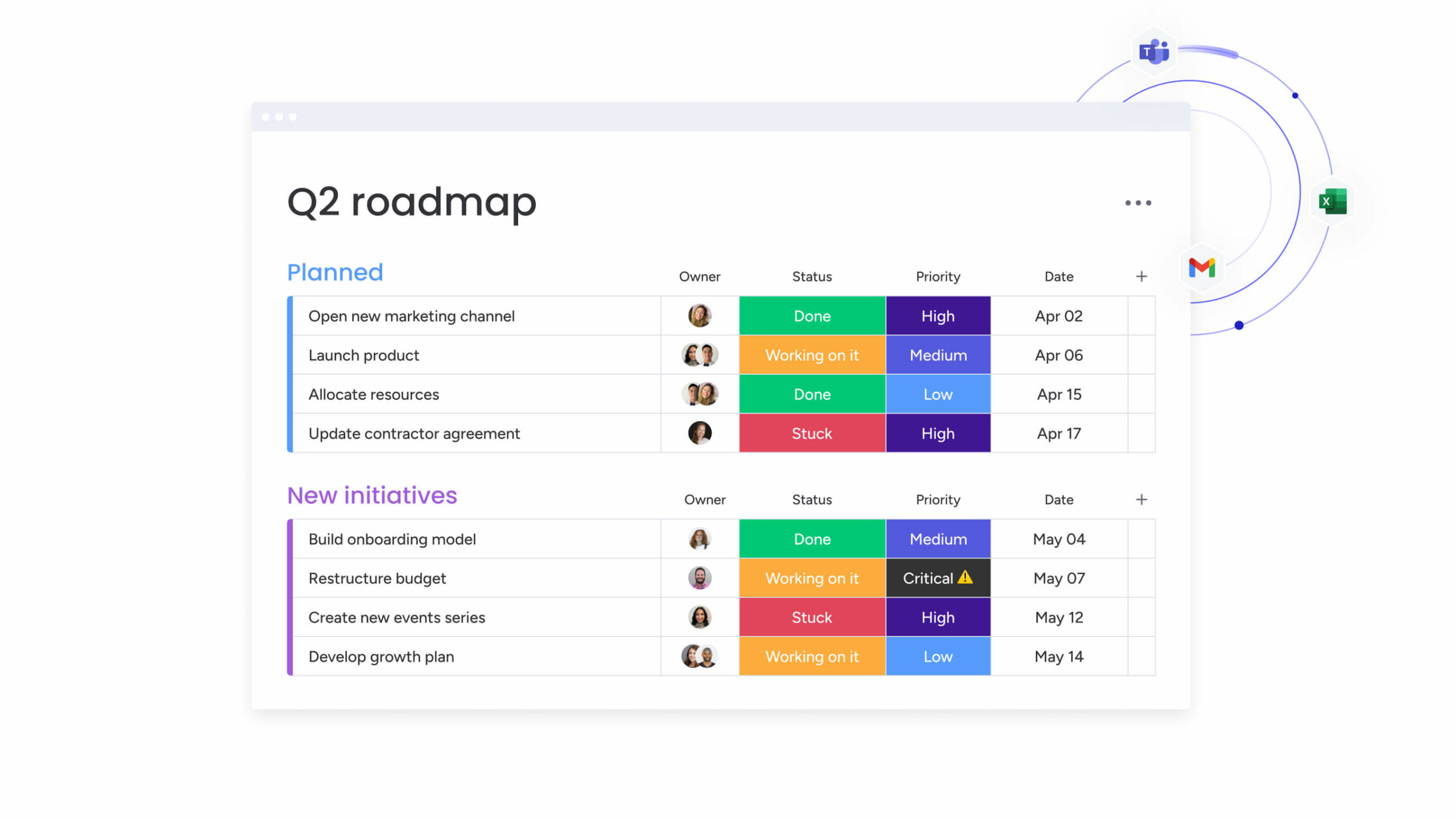
A decision template is a roadmap for teams to evaluate options, assign responsibility, and reach consensus. It removes guesswork and ensures every critical choice, from vendor selection to department restructuring, follows a clear, repeatable process.
Instead of letting the loudest voice dictate outcomes, templates use defined roles and standardized criteria to guide decisions. When teams across locations, like a hiring committee in New York and a finance team in London, follow the same framework, results become predictable and transparent.
Effective templates rely on core components that give structure and accountability. Recognizing these elements is the first step in creating a framework that prevents missteps and consistently drives strong outcomes.
Core components of decision templates include:
- Standardized criteria: Pre-defined metrics ensure everyone evaluates options using the same yardstick.
- Stakeholder roles: Clear definitions of who provides input, who approves, and who needs updates.
- Evaluation methods: Consistent scoring systems that reduce subjectivity.
- Documentation requirements: A record of the rationale for future reference and accountability.
Teams use these templates everywhere. For instance, a VP of operations benefits from structured candidate evaluation. Q4 marketing budget allocation requires documented criteria for channel prioritization.
Furthermore, product roadmap decisions need transparent frameworks for feature selection. Ad-hoc decisions vary from meeting to meeting. Templates give you a repeatable, evidence-based path.
Why do teams need decision-making templates?
Organizations without decision templates face specific challenges that compound over time and slow growth, making a structured decision-making process essential. These problems show up in measurable ways, slowing teams down and hurting both culture and performance.
Inconsistent decisions cost more than delayed projects. Teams waste executive time debating how to decide instead of evaluating options. When things fail, unclear accountability leads to finger-pointing.
| Challenge | Description | Business impact |
|---|---|---|
| Inconsistent decision quality | One team uses data analysis while another relies on intuition | Variable outcomes; impossible to predict success rates |
| Accountability void | Undefined roles create gray areas | Finger-pointing when things fail; no recognition for success |
| Operational drag | Teams debate how to decide rather than evaluating options | Wasted executive time; delayed execution |
| Scaling friction | Informal processes break as organizations grow | New employees and distributed teams cannot move at speed |
| Audit and compliance risks | No documented decision trail exists | Liability exposure in regulated industries |
How does your team handle cross-departmental decisions right now? If the answer involves multiple email threads, conflicting spreadsheets, and meetings that go nowhere, that friction costs you every single day.
Centralizing all decision workflows in one workspace is how monday work management fixes this problem. Stakeholders contribute input, track status, and document outcomes, all in one place. It creates the audit trail compliance teams need and gives leadership real-time visibility into decisions.
Inconsistent decisions cost more than delayed projects. Teams waste executive time debating how to decide instead of evaluating options.
6 essential decision-making framework templates
Not all decisions need the same framework, as a framework for a multi-million dollar acquisition will overwhelm a team choosing software. These six frameworks tackle different decision types and stakeholder setups.
DACI decision documentation template
DACI assigns clear authority so complex, high-stakes decisions don’t stall. It works best when multiple departments need input but one person makes the final call.
| Role | Definition | Responsibility |
|---|---|---|
| Driver | The project leader | Manages the process, gathers data, moves decisions forward |
| Approver | The final authority | Makes the final call with veto power (usually one person) |
| Contributors | Subject matter experts | Provide data and insights without voting rights |
| Informed | Affected stakeholders | Receive updates on outcomes without influencing the process |
A product team might use DACI when launching a new feature. The product manager (Driver) gathers data, the engineers (Contributors) assess feasibility, the VP of product (Approver) gives the green light, and the sales team (Informed) prepares the go-to-market strategy.
RACI matrix for accountability
While DACI focuses on making the decision, RACI centres on executing it. Use it for process-heavy decisions or operational changes across multiple departments.
The four roles create accountability without confusion:
- Responsible: The person doing the work to achieve the outcome.
- Accountable: The person answering for the correct and thorough completion.
- Consulted: Those whose opinions are sought, typically subject matter experts.
- Informed: Those kept up-to-date on progress.
Weighted decision matrix template
The weighted decision matrix brings objectivity to comparing multiple options against competing criteria. It cuts subjectivity by assigning numbers to priorities.
The process involves five key steps:
- List all viable options.
- Define evaluation criteria.
- Assign weights based on importance.
- Score each option against the criteria.
- Calculate weighted totals.
This reveals an objective winner when selecting a cloud provider where security might be weighted decision criteria higher than price.
RAPID decision framework
RAPID focuses on how decisions flow, not just who owns what. Therefore, use it for time-sensitive decisions where speed matters.
- Recommend: Proposes a course of action.
- Agree: Must agree for the recommendation to proceed (has veto power).
- Perform: Executes the decision once made.
- Input: Provides information to the recommender.
- Decide: Makes the final decision.
Eisenhower priority matrix
The Eisenhower Matrix helps teams prioritize when they’re juggling multiple decisions. It categorizes items into four distinct quadrants:
- Urgent & important: Do it immediately.
- Not urgent & important: Schedule for later.
- Urgent & not important: Delegate to others.
- Not urgent & not important: Delete from consideration.
Cost-benefit analysis template
Use this framework for financial or resource-heavy decisions. It lists all potential costs against expected benefits to calculate net value.
The analysis includes:
- Direct costs: Immediate financial outlays.
- Indirect costs: Hidden expenses and resource allocation.
- Opportunity costs: What you give up by choosing this option.
- Quantifiable benefits: Measurable returns and savings.
- Qualitative benefits: Strategic advantages and intangible value.
5 key components every decision template needs
No matter which framework you choose, every effective template needs five things. These components make templates actionable and complete without overwhelming users.
1. Decision statement and context
Templates start by defining exactly what you’re deciding. This section covers scope, timeline, and how you’ll define success.
- Poor example: “select a CRM vendor”.
- Strong example: “select a CRM vendor for the enterprise sales team with a budget of $50k by Q3”.
The specific version gives you clear direction and measurable boundaries.
2. Defined evaluation criteria
Measurable criteria act as your yardstick, and effective templates standardize this process by separating evaluation into two distinct categories:
- Quantitative criteria: ROI, implementation time, and upfront cost.
- Qualitative criteria: Strategic alignment, cultural fit, risk tolerance.
Weighting criteria helps teams focus on what matters most.
3. Stakeholder roles and responsibilities
Mapping people to roles prevents confusion about who’s in charge. Templates show who needs involvement and at what level, preventing too many stakeholders from slowing things down.
Key distinctions include:
- Decision makers: Those with approval authority.
- Contributors: Subject matter experts providing input.
- Informed parties: Stakeholders who need updates but don’t influence outcomes.
4. Risk and impact assessment
Every option carries inherent risks, and effective templates evaluate these potential downsides across three distinct categories.
- Operational risk: Will this break existing workflows?
- Financial risk: What’s the chance of cost overruns?
- Strategic risk: Does this align with long-term goals?
5. Action plan and timeline
Decisions mean nothing without execution, which is why comprehensive templates must conclude with clearly defined next steps.
- Implementation ownership: Who drives execution?
- Deadlines: When key milestones must be achieved?
- Resource allocation: What budget and personnel are required?
- Review checkpoints: How will progress be monitored?
7 steps to build your decision-making template

Building a decision template takes practical design work. These seven steps create frameworks teams can use right away, addressing real needs, not theoretical best practices.
Step 1: define the decision scope and boundaries
Begin with writing a scope statement that clearly states what’s in and what’s out. Identify constraints such as:
- Budget caps: Maximum financial commitment.
- Regulatory requirements: Compliance standards that must be met.
- Hard deadlines: Non-negotiable timing constraints.
- Resource limitations: Available personnel and expertise.
Step 2: map your stakeholders and decision rights
Identify who needs to be involved. Resolve potential conflicts early by specifying who holds final “Decide” or “Approve” rights.
Key considerations include:
- Authority concentration: Ensure decision power isn’t diluted across too many people.
- Expertise inclusion: Involve subject matter experts without giving them veto power.
- Communication needs: Identify who needs updates versus who influences outcomes.
Step 3: establish measurable criteria
Next, create evaluation criteria that are specific, measurable, and tied to business goals. Make sure your criteria are distinct, not redundant.
Good criteria are:
- Specific: Avoid vague terms like “user-friendly”.
- Measurable: Include quantifiable metrics where possible.
- Relevant: Connect directly to business objectives.
- Distinct: Each criterion should evaluate a different aspect.
Step 4: design your scoring framework
To compare options fairly, you must pick a consistent scoring method that removes guesswork from the evaluation.
- Simple scale: 1-5 rating system.
- Ranking system: Order options from best to worst.
- Pass/fail gates: Binary evaluation for non-negotiable requirements.
Weight criteria based on what matters most.
Step 5: include documentation standards
Decide how you’ll record the decision process. Define your decision log format and include:
- Rationale: Why this decision was made.
- Data sources: What information informed the choice.
- Final votes: How stakeholders weighed in.
- Dissenting opinions: Alternative viewpoints considered.
Step 6: build in review checkpoints
Set regular check-ins to assess decision quality and process effectiveness. Schedule post-mortems to see if decisions delivered expected outcomes.
Review elements should include:
- Outcome measurement: Did the decision achieve its intended results?
- Process evaluation: Was the template followed effectively?
- Timeline assessment: Were deadlines realistic and met?
- Stakeholder feedback: How did participants experience the process?
Step 7: create automation triggers
Finally, find the parts of your process that don’t need human input. Teams using monday work management automate notifications, approval requests, and status updates, cutting admin work.
Common automation opportunities include:
- Status notifications: Alert stakeholders when decisions move to new phases.
- Approval reminders: Prompt decision makers when input is overdue.
- Escalation triggers: Route stalled decisions to management automatically.
Turn static templates into dynamic decision workflows

Static documents get buried in shared folders.Therefore, high-performing teams turn file-based templates into dynamic systems that live where work happens.
Moving from static to dynamic decision management creates accountability, visibility, and momentum that paper can’t match. Teams see decision progress in real-time while keeping the structure templates provided.
Moving from documents to digital workflows
Static templates often create headaches, version confusion, outdated files, and no way to see real-time progress. In contrast, digital templates solve this by giving everyone access to a single source of truth. Updates happen instantly, and you can track every decision as it evolves.
Teams replace rigid spreadsheets with visual boards on monday work management, customizing columns to track status, owners, and timelines. This creates a clear, visual map of each decision, showing exactly where things stand and who’s responsible.
The platform adapts to any framework, making it easy to follow stakeholder involvement and monitor progress. By turning static documents into dynamic workflows, teams gain clarity, speed, and accountability without extra complexity.
Enable real-time team collaboration
Digital workflows let everyone contribute at once. Instead of passing documents around, stakeholders contribute comments, data, and votes at the same time.
This transparency delivers:
- Faster alignment: Objections are raised and resolved within the workflow context.
- Reduced email chains: All discussion happens in one centralized location.
- Version control: Everyone works from the same information.
- Audit trail: Complete record of who contributed what and when.
Automate decision routing and approvals
Smart workflows route decisions automatically. Based on your rules, the system routes decisions to the right approvers, sends reminders, and escalates stalled decisions.
Teams set up recipes that trigger actions automatically:
- Status changes: “When status changes to ‘ready for review’, notify VP of sales”.
- Time-based escalation: If a decision sits in ‘pending’ for more than two days, the system triggers escalation.
- Approval chains: Route decisions through multiple levels based on dollar amounts or risk levels.
Moving from static to dynamic decision management creates accountability, visibility, and momentum that paper can’t match. Teams see decision progress in real-time while keeping the structure templates provided.
3 best practices for decision template success
Implementing templates takes more than documentation; it takes changing how people work. These strategies help templates add value instead of creating red tape that teams ignore.
1. Focus on high-value decisions first
You don’t need a template for every decision. Therefore, build them for decisions where mistakes cost the most or where consistency gives you an edge.
Target these decision types:
- High-impact choices: Vendor selections, strategic initiatives, major hires.
- Recurring decisions: Budget allocations, project approvals, resource assignments.
- Complex evaluations: Multi-stakeholder choices with competing priorities.
Using a template for every small decision creates unnecessary administrative overhead and pushback.
2. Drive consistent team adoption
Templates stick when leaders use them first, as executive adoption signals to the entire organization that these frameworks actually matter.
Strategies for overcoming resistance include:
- Start small: Begin with one high-visibility decision that shows clear value.
- Demonstrate time savings: Show how templates prevent re-work and reduce meeting time.
- Set expectations: Make a template, use a requirement for certain decision types.
- Provide training: Ensure teams understand how to use templates effectively.
3. Track decision quality metrics
Tracking metrics that show whether templates make decisions faster and more successfully allows you to quantify the ROI of your structured approach.
Essential metrics include:
- Decision speed: Time from initiation to final approval.
- Reversal rate: How often decisions are overturned shortly after being made.
- Stakeholder satisfaction: Team sentiment regarding the decision process.
- Implementation success: Whether decisions led to expected outcomes.
How AI powers smarter decision templates?
AI enhances decision templates by processing data faster than humans can, acting as a smart assistant. AI empowers decision makers by giving them insights they couldn’t generate manually.
AI-driven risk detection
AI analyzes past projects to spot risks in current proposals. By spotting patterns across thousands of past decisions, AI flags risks before you finalize anything.
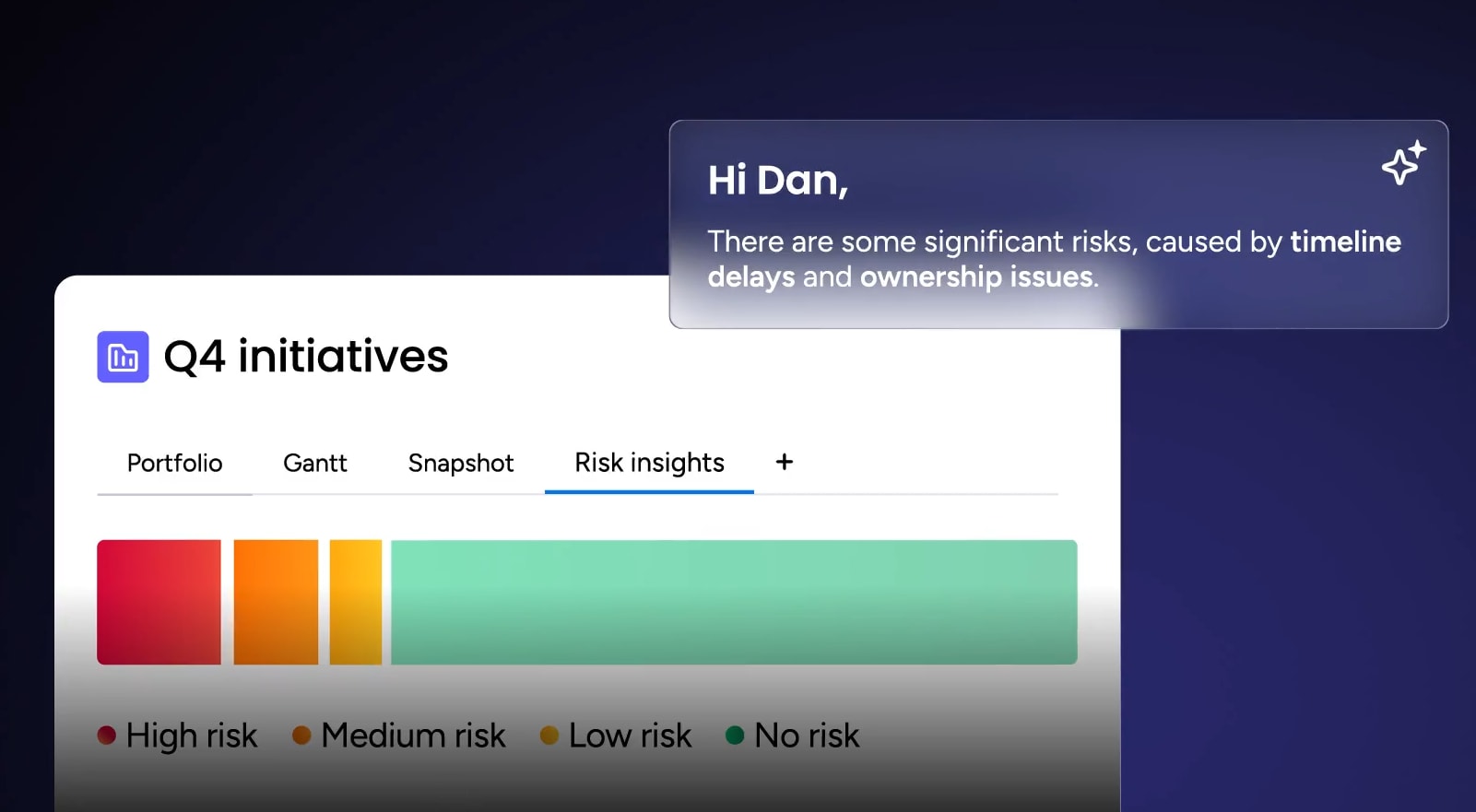
Portfolio Risk Insights on monday work management scans project boards and flags risks by severity, helping teams spot critical issues fast. It learns from past projects to predict where current decisions might hit problems.
Automated information extraction
AI scans emails, reports, and chat logs to auto-fill template sections. This reduces manual data entry and ensures decision records include comprehensive background information.
Teams use AI blocks to extract details from PDFs, text columns, or documents directly into their boards. Key information like budget figures, timeline constraints, and stakeholder requirements gets pulled automatically into decision templates.
Predictive analytics for informed choices
Predictive models analyze past decisions and outcomes to forecast the likely success of current options. These insights inform criteria weighting and provide objective, data-backed probability scores.
The system helps leaders check intuition against historical reality:
- Success probability: Based on similar past decisions, what’s the likelihood this choice succeeds?
- Resource requirements: How do actual costs typically compare to initial estimates?
- Timeline accuracy: Are projected deadlines realistic based on historical data?

“monday.com has been a life-changer. It gives us transparency, accountability, and a centralized place to manage projects across the globe".
Kendra Seier | Project Manager
“monday.com is the link that holds our business together — connecting our support office and stores with the visibility to move fast, stay consistent, and understand the impact on revenue.”
Duncan McHugh | Chief Operations OfficerConnect your decisions to execution and results
Teams often struggle with slow, inconsistent, or unclear decisions that ripple across daily work and strategic goals. Decision-making templates help, but their impact is fully realized when connected directly to execution and outcomes. Modern platform like monday work management bridges this gap, turning structured frameworks into actionable workflows that keep teams aligned and accountable.
Key features and benefits include:
- Centralized decision tracking: All input, status updates, and outcomes live in one place, reducing lost context and wasted time.
- Real-time visibility: Stakeholders see progress instantly, enabling faster alignment and fewer bottlenecks.
- Role clarity and accountability: Decision rights, contributors, and informed parties are clearly mapped, preventing confusion and delays.
- Automation of routine steps: Reminders, approvals, and escalations happen automatically, letting teams focus on work that matters.
- Data-backed insights: Historical decisions, performance metrics, and risk indicators inform smarter, more consistent choices.
By connecting decisions to execution, teams gain measurable efficiency, consistent outcomes, and stronger alignment with organizational strategy. Choices are no longer isolated events; they drive real business impact, scale across teams, and support long-term growth.
Frequently asked questions
What is the difference between DACI and RACI frameworks?
The difference between the DACI and RACI frameworks is their focus. DACI is designed for decision-making authority with roles like Driver and Approver, making it ideal for strategic choices. In contrast, RACI focuses on executing actions with roles like Responsible and Accountable, making it better for operational implementation.
How do I choose the right decision template for my team?
The right template depends on your decision's complexity, stakeholder count, and urgency. Use RAPID for speed, DACI for role definition in complex groups, and a Weighted Matrix for objective vendor or option selection.
Can decision templates work for small teams?
Yes, templates benefit small teams by preventing bottlenecks where one person makes every call. They establish scalable processes that ensure consistency as the team and decision volume grow.
How long does it take to implement decision templates?
Basic templates can be deployed in a few days. However, adopting comprehensive frameworks across an organization typically takes several weeks to ensure proper training and stakeholder buy-in.
What makes a decision template effective?
An effective template requires defined success criteria, specified roles, appropriate stakeholder inclusion, and a mechanism for regular review. It must be simple enough to use repeatedly but robust enough to capture critical data.
Should I customize templates for different departments?
Yes, templates should be customized to reflect specific departmental needs while maintaining a consistent core structure for organization-wide alignment. Technical criteria for engineering differs from financial metrics for finance teams.

 Get started