



Choosing between Pipedrive and HubSpot comes down to understanding what your team actually needs from a CRM. Pipedrive is built for sales teams that want a fast, focused pipeline with minimal setup, while HubSpot is designed for organizations where marketing and sales share data, goals, and workflows.
We’ll compare pricing, features, ease of use, automation, and integrations so you know exactly which platform fits your needs. You’ll also discover how flexible alternatives like monday CRM can adapt to your unique workflow without forcing you to choose between simplicity and power.
Pipedrive vs. HubSpot at a glance
Understanding what separates Pipedrive and HubSpot starts with knowing what each platform prioritizes and how those priorities align with your team’s needs. Here are the key differences that affect daily work, total cost, and long-term flexibility:
| Factor | Pipedrive | HubSpot |
|---|---|---|
| Primary strength | Visual pipeline management with activity-based selling | Integrated marketing, sales, and customer management |
| Ideal customer | Sales teams at SMBs that want fast setup | Growing businesses that need marketing and sales alignment |
| Starting price | $14/user/month (Essential) | Free plan available; paid plans start at $15/user/month |
| Core limitation | No native marketing automation | Complexity increases as you add hubs and features |
| Standout feature | Drag-and-drop sales pipeline | Unified customer data across marketing, sales, and service |
| Setup time | Hours | Days to weeks |
| AI capabilities | AI-powered sales insights | AI across marketing, sales, service, and content |
Sales-first vs. growth-first
The real difference between these 2 platforms isn’t features. It’s philosophy. One is built for sales execution, the other for cross-functional alignment.
- Pipedrive focuses exclusively on sales execution. Every feature centers on moving deals through a pipeline. No marketing hub, no service desk, no content management competing for attention. Sales reps see only what they need to close deals.
- HubSpot takes the opposite approach. The platform connects marketing, sales, and service teams through shared data, workflows, and customer records so everyone sees the same thing. A lead captured through marketing flows into sales with full engagement history, then continues into service with complete context.
In short, Pipedrive users get a CRM configured in days without training. HubSpot users get sophisticated cross-functional workflows that require dedicated admin time. The right choice for you depends on whether you need sales-only efficiency or cross-functional integration.
HubSpot vs. Pipedrive: Best fit by team type
Both HubSpot and Pipedrive help teams manage customer relationships, track deals, and improve sales performance. The difference isn’t whether they’re capable CRMs — it’s how they’re designed to support your business as it grows.
Use this quick comparison to see which platform aligns best with your team’s priorities:
| Business need | Pipedrive | HubSpot |
|---|---|---|
| A CRM you can implement in a day | ✓ | |
| An intuitive visual sales pipeline | ✓ | ✓ |
| Low administrative overhead | ✓ | |
| Marketing and sales working from the same data | ✓ | |
| Advanced marketing automation | ✓ | |
| Revenue attribution reporting | ✓ | |
| Customer lifecycle management | ✓ | |
| Straightforward sales pipeline management | ✓ | ✓ |
| AI assistance for sales teams | ✓ | ✓ |
| AI across marketing, sales, and service | ✓ | |
| Predictable per-user pricing | ✓ | |
| Deep customization and scalability | ✓ | |
| Best value for a dedicated sales team | ✓ | |
| Best fit for a multi-department organization | ✓ |
Why choose Pipedrive

Pipedrive is built for organizations that want sales reps spending more time selling and less time managing software.
Pipedrive is a strong choice if you want to:
- Launch quickly: Most teams can import contacts, configure a pipeline, and start using Pipedrive within a single day.
- Keep sales simple: The visual, drag-and-drop pipeline helps reps focus on moving deals forward instead of navigating complex menus.
- Reduce administrative work: Sales teams can adopt the platform with minimal training and little ongoing CRM management.
- Control costs as you grow: Straightforward per-user pricing makes long-term budgeting easier than platforms with multiple pricing variables.
- Avoid unnecessary features: Teams that don’t need built-in marketing or customer service tools can stay focused on sales execution.
- Support a structured sales process: Pipedrive works best when deals move through consistent stages with repeatable activities.
Why choose HubSpot

HubSpot is designed for businesses that want marketing, sales, customer service, and operations working from one shared customer record.
HubSpot is a strong choice if you want to:
- Align marketing and sales: Shared customer records give every team access to the same engagement history and customer data.
- Manage the full customer lifecycle: Marketing, sales, and service teams can collaborate from first touch through ongoing support.
- Automate complex workflows: Multi-step automations help reduce manual work across departments and customer touchpoints.
- Measure business impact: Advanced reporting connects marketing efforts to pipeline generation, revenue, and customer growth.
- Scale across multiple teams: Dedicated hubs support growing organizations with increasingly specialized business functions.
- Extend AI beyond sales: AI assists with lead scoring, content creation, conversation intelligence, and workflow automation throughout the platform.
If you’re finding yourself wanting the simplicity of Pipedrive with more flexibility, or the power of HubSpot without the complexity, hold that thought — we’ll compare both platforms with monday CRM later in this guide.
Try monday CRMHubSpot vs. Pipedrive: Pricing comparison
The full cost picture means looking beyond entry-level pricing to see what happens as teams grow and needs change. Both platforms price differently, and that affects long-term costs.
| Pricing factor | Pipedrive Essential | HubSpot Free | HubSpot Starter |
|---|---|---|---|
| Monthly cost | $14/user/month | $0 | $15/user/month |
| Pipeline management | Full functionality | Basic features | Full functionality |
| Email tracking | Included | Limited | Included |
| Automation | Basic workflows | None | Basic workflows |
| Reporting | Standard reports | Limited dashboards | Standard reports |
| Contact limits | Unlimited | 1 million | Unlimited |
Pipedrive’s Essential tier includes full pipeline management, contact management, email integration, and basic reporting. There’s no free tier, but the entry plan provides complete CRM functionality without limitations.
HubSpot’s free tier lets small teams test the platform with basic features. But automation, deeper reporting, and advanced features need paid plans. The free tier also includes HubSpot branding that disappears when you pay.
Long-term value comparison
Pipedrive’s costs stay predictable as more users mean proportionally higher costs and feature upgrades add predictable expenses. A 50-person sales team can forecast CRM costs accurately for multiple years.
HubSpot’s costs are less predictable. Adding marketing automation, service features, and growing contact volumes increases costs fast. Companies starting with Sales Hub Starter often jump to Professional or Enterprise tiers across multiple hubs within 2 years.
What drives costs up:
- Contact volume: HubSpot’s marketing contacts directly affect pricing.
- Feature gates: Advanced features require tier upgrades.
- Hub additions: Each hub (Marketing, Service, CMS) adds cost.
- User seats: Both platforms charge per user, but HubSpot’s hub model multiplies costs.
Pipedrive vs. HubSpot: Feature comparison
Both platforms handle the basics — pipeline management, contact records, and email tracking — but their approaches reflect different philosophies. Pipedrive optimizes for sales-specific simplicity, while HubSpot optimizes for cross-functional integration. Here’s how the key features compare.
Pipeline management

Pipedrive’s pipeline interface is the platform. Deals appear as cards organized by stage. Reps drag deals between stages and see instant updates. You don’t need to configure anything. The pipeline works immediately after setup.
HubSpot’s pipeline management includes more features:
- Multiple pipelines: Different pipelines for various products or teams
- Deal properties: Custom fields that sync with marketing data
- Automation rules: Deals move automatically based on activity or engagement
The daily experience is different. Pipedrive users configure less and sell more. HubSpot users get deeper automation but spend more time on setup and maintenance.
Contact management
Pipedrive keeps contact records focused on sales-relevant information: contact details, associated deals, activity history, and notes. The clean interface excludes data that doesn’t support sales activities.
HubSpot’s contact records include everything Pipedrive has, plus:
- Lifecycle stages: Automatic progression from lead to customer
- Marketing engagement: Email opens, page visits, form submissions
- Cross-object relationships: Links between contacts, companies, and deals
One HubSpot contact record shows the complete customer journey from first touchpoint to closed deal.
Email management
Pipedrive integrates with email providers to log conversations, track opens and clicks, and send emails from the CRM. Templates save time on repetitive messages. Basic tracking shows engagement.
HubSpot’s email capabilities go further: sequences that automate multi-touch follow-up, templates with personalization tokens, and engagement scoring. A prospect who opens 3 emails and clicks a pricing link gets a higher lead score and triggers a sales task.
HubSpot vs. Pipedrive: Ease of use comparison
Ease of use means setup speed, user adoption, admin effort, and ongoing maintenance. Both platforms claim simplicity, but the real experience depends on how much you implement.
Setup
Pipedrive’s setup takes hours. Import contacts from CSV, connect email accounts, and configure pipeline stages to match your sales process. Most teams get full functionality within one afternoon.
HubSpot’s free tier starts quickly. Teams implementing HubSpot’s full capabilities should plan for weeks of setup.
Daily experience
Pipedrive’s interface mirrors sales thinking. The visual pipeline immediately makes sense — deals are cards, stages are columns, progress means moving right. Reps update deals, log activities, and check pipelines without training.
HubSpot’s interface serves multiple roles including marketers, salespeople, service reps, and admins. This breadth means sales reps navigate menus and features they’ll never use. Reps benefit from added guidance to locate sales-specific features within the broader interface.
HubSpot vs. Pipedrive: Automation and AI comparison
Automation and AI capabilities vary significantly across platforms. Understanding these differences helps teams evaluate which platform removes more manual work — and which requires more effort to configure before delivering value.
Automation
Pipedrive’s automation handles basic triggers and actions:
- Deal stage changes: Send emails when deals move stages
- Activity completion: Create follow-up tasks automatically
- Lead assignment: Route leads based on simple criteria
HubSpot’s workflow builder supports complex multi-step automations spanning sales, marketing, and service. Workflows can branch based on conditions, wait for specific triggers, and execute dozens of actions. This power requires more setup time and technical understanding.
AI features
Pipedrive offers basic AI capabilities focused on sales insights and deal scoring. As a CRM with AI capabilities, the platform analyzes historical data to predict which deals will close and suggests next best actions.
HubSpot provides broader AI tools including:
- Predictive lead scoring: Identifies high-potential leads using historical patterns
- Content generation: Creates email copy and suggests subject lines
- Conversation intelligence: Analyzes call recordings for insights
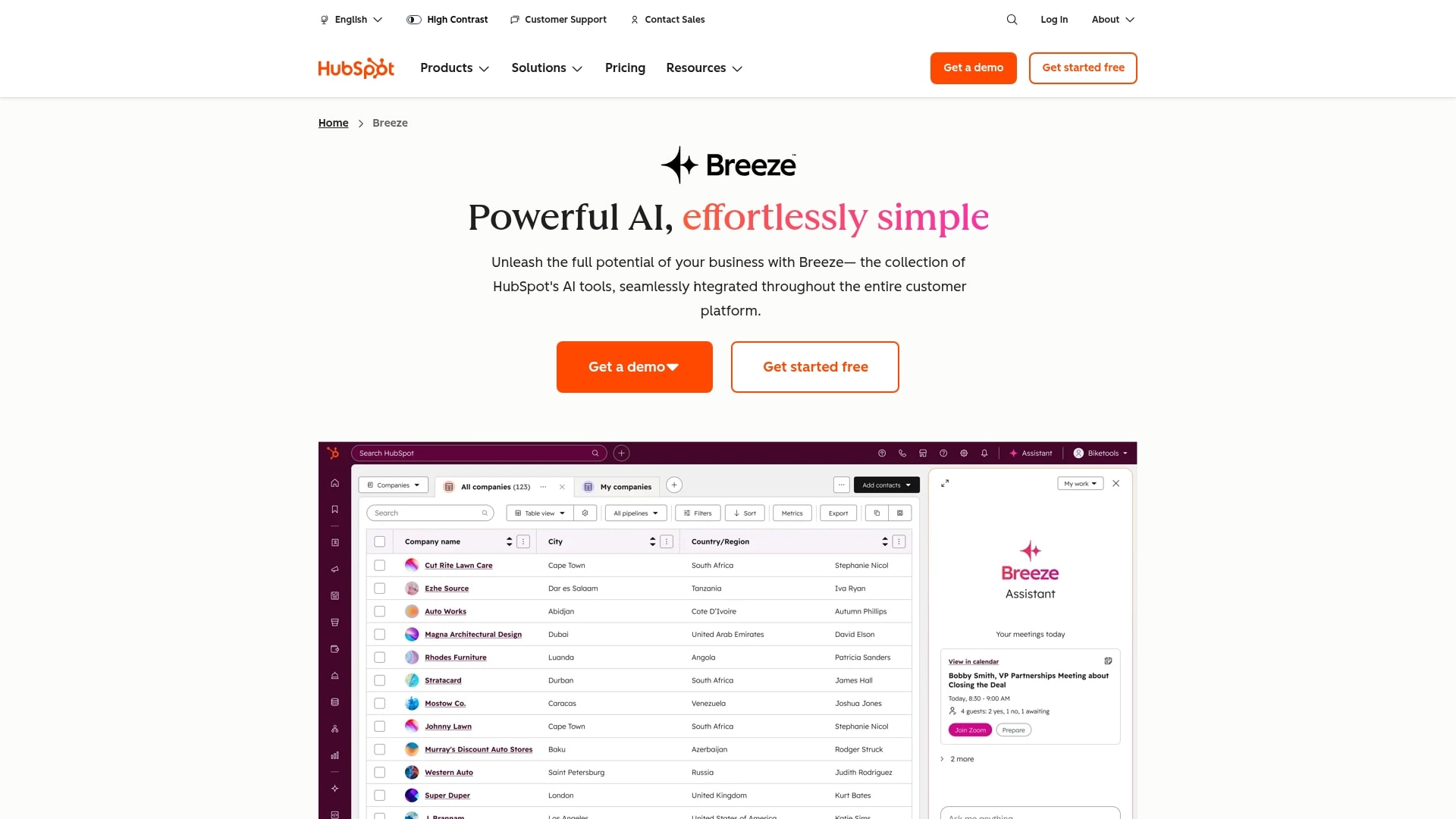
The practical difference shows in daily use. Pipedrive’s AI helps reps prioritize deals. HubSpot’s AI assists with content creation, lead qualification, and conversation analysis — though teams should plan additional configuration time to unlock its full value.
HubSpot vs. Pipedrive: Integration capabilities
Integration capabilities determine how well each platform connects with existing tools. Both offer extensive marketplaces, but integration depth varies depending on what your team actually needs to connect.
Native integrations
Pipedrive’s integration library focuses on sales platforms — email providers, calendar apps, communication platforms, and sales engagement solutions. Popular integrations work smoothly, but the ecosystem remains sales-centric.
HubSpot’s integration library spans marketing, sales, service, and operations platforms. The App Marketplace includes hundreds of certified integrations with deeper functionality. Marketing automation platforms, analytics solutions, and enterprise systems connect more comprehensively.
Data sync reliability
Pipedrive’s data sync stays simple because the platform itself stays focused. Fewer features mean fewer sync points and more reliable data flow.
HubSpot’s data sync can become complex. Syncing data across marketing, sales, and service requires careful configuration and ongoing maintenance. More powerful integrations create more potential failure points.
How monday CRM compares to Pipedrive and HubSpot
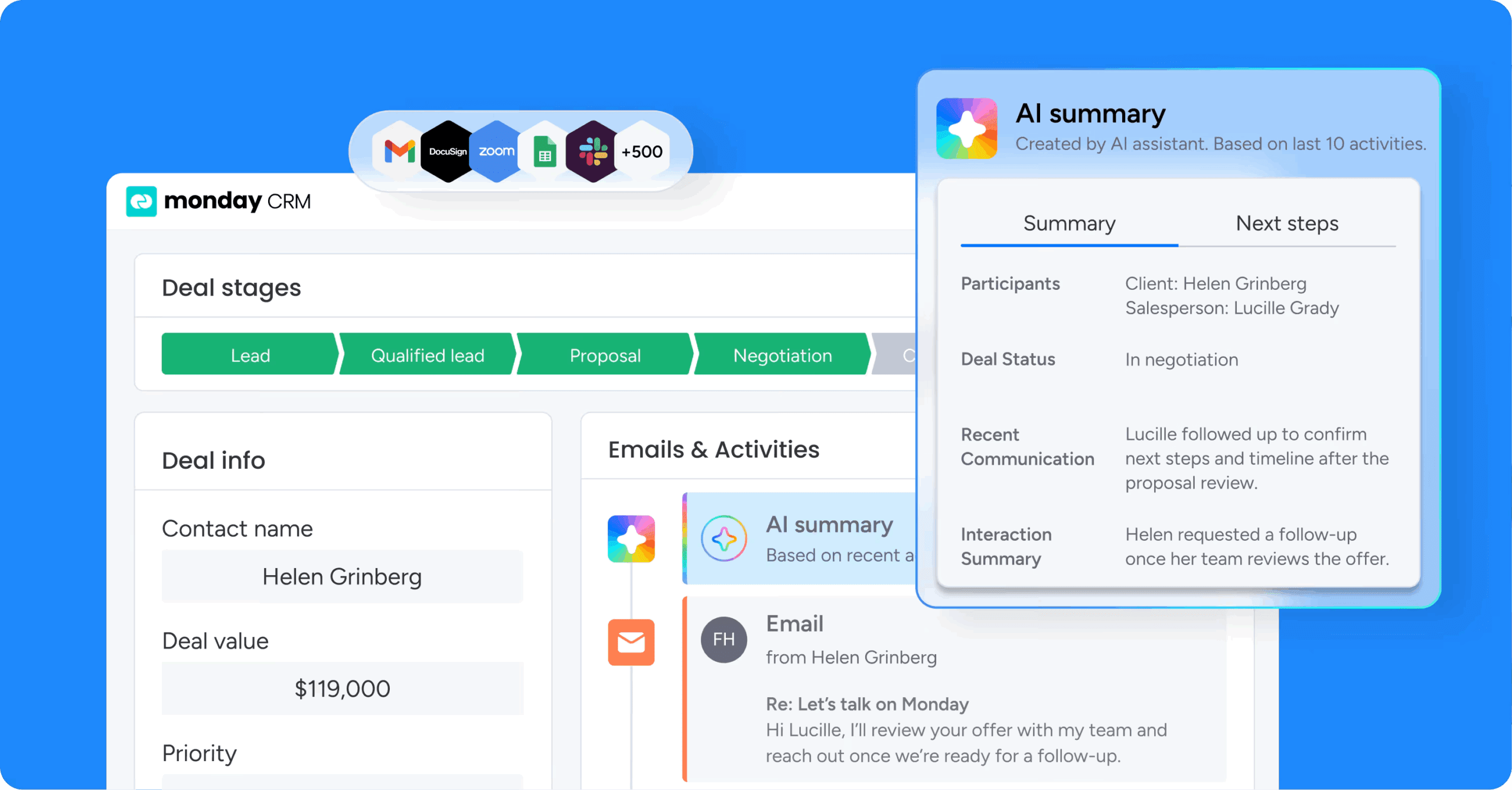
While Pipedrive offers simplicity and HubSpot provides integration, monday CRM takes a different approach — a flexible platform that adapts to how teams actually work without forcing choices between simplicity and power.
Flexibility that scales without adding complexity
monday CRM provides a no-code platform that’s easy to configure while giving teams the freedom to build whatever they need. Start with pre-built templates and customize as needs evolve. Adding pipeline stages, creating reports, or building automations doesn’t require admin expertise.
Teams gain the quick setup Pipedrive offers plus the customization depth approaching HubSpot’s capabilities — without the administrative overhead either platform requires.
AI that eliminates manual work, not just surfaces insights
monday CRM’s AI capabilities focus on eliminating manual tasks rather than just providing insights. AI Blocks let teams build custom AI actions including categorizing data, extracting information from documents, and detecting sentiment in communications.
The AI adapts to your process rather than forcing you to adapt to pre-built models. Teams can configure AI to match their specific criteria and workflows, creating automation that actually reduces daily work.
Cross-functional visibility without the cross-functional complexity
monday CRM provides cross-functional visibility through a unified platform where marketing, sales, operations, and service teams work in the same workspace. Teams share data and collaborate on workflows without purchasing separate products or managing complex integrations.
This approach eliminates handoff friction and reduces duplicate work while maintaining visibility across the full revenue cycle — from lead generation through renewal.

“With monday CRM, we’re finally able to adapt the platform to our needs — not the other way around. It gives us the flexibility to work smarter, cut costs, save time, and scale with confidence.”
Samuel Lobao | Contract Administrator & Special Projects, Strategix
“Now we have a lot less data, but it’s quality data. That change allows us to use AI confidently, without second-guessing the outputs.”
Elizabeth Gerbel | CEO
“Without monday CRM, we’d be chasing updates and fixing errors. Now we’re focused on growing the program — not just keeping up with it."
Quentin Williams | Head of Dropship, Freedom Furniture
“There’s probably about a 70% increase in efficiency in regards to the admin tasks that were removed and automated, which is a huge win for us.“
Kyle Dorman | Department Manager - Operations, Ray White
"monday CRM helps us make sure the right people have immediate visibility into the information they need so we're not wasting time."
Luca Pope | Global Client Solutions Manager at Black Mountain
“In a couple of weeks, all of the team members were using monday CRM fully. The automations and the many integrations, make monday CRM the best CRM in the market right now.”
Nuno Godinho | CIO at Velv
“monday.com provides developmental flexibility, operational efficiency, and data transparency — all in one place. We became a company that moved from chasing data to leading with it.”
Hyunghan Lee | Team Lead, Sandbox Network
"monday.com brought every part of our business into one connected space. The harmony between work management and CRM has become our operating system — giving us the clarity and confidence to scale.”
Jennifer Chinburg | Executive Vice President of Corporate Development & Brand, Chinburg Properties
“We just weren’t getting value from our old CRM. With monday.com, it's a thousand times better. Our sales teams are more informed, more consistent, and far more connected."
James Arnold | Chief Operating Officer, CenversaChoose the right CRM for your team
Pipedrive wins on speed and simplicity for sales-focused teams, while HubSpot wins on depth and integration for organizations needing marketing, sales, and service working from the same data. The question is which tradeoff your team can actually live with — or whether you need a platform that adapts to your process instead of forcing you into predefined limitations.
If neither feels like a perfect fit, monday CRM offers fast setup, flexible customization, and AI that removes real work rather than just reporting on it. Try monday CRM and see how a platform built around your workflow changes what’s possible.
Try monday CRMFAQs
What is the main difference between Pipedrive and HubSpot?
The main difference between Pipedrive and HubSpot is scope and focus. Pipedrive is a sales-only CRM designed for pipeline management, while HubSpot combines sales, marketing, and service tools in an integrated platform.
Is Pipedrive better than HubSpot for small businesses?
Pipedrive often fits small businesses better due to lower starting prices, faster setup, and a simpler interface that doesn't require dedicated admin support.
Can I use Pipedrive and HubSpot together?
You can integrate Pipedrive and HubSpot using connectors, but this creates data management overhead and potential sync issues that reduce efficiency.
Which CRM has better reporting capabilities?
HubSpot offers more advanced reporting including customizable dashboards, marketing attribution, and cross-functional analytics compared to Pipedrive's sales-focused reports.
How does monday CRM compare to both platforms?
monday CRM provides flexible, no-code customization that adapts to unique sales processes without requiring extensive configuration, offering a middle path between Pipedrive's simplicity and HubSpot's integration depth.
What is the total cost difference between Pipedrive and HubSpot?
Pipedrive maintains predictable per-user pricing while HubSpot's costs can scale significantly with marketing contacts, hub additions, and feature tier requirements.
