



When invoice data lives in one system and customer records live in another, your revenue team is flying blind. AI invoice management software connects payment status directly to your CRM, so account managers walk into every conversation with the full picture — no surprises, no awkward moments about overdue balances.
In this guide, you’ll discover how AI invoice processing works, which features actually drive revenue visibility, and 10 platforms built to keep your sales and finance teams aligned. We’ll show you how the right platform captures invoices from anywhere, validates data automatically, and connects payment status to your existing workflows.
What is AI invoice processing?
AI invoice processing uses artificial intelligence to automatically capture, read, validate, and route sales invoices through your approval workflow. Instead of manually typing data from PDFs or chasing down approvers, the AI handles the heavy lifting — turning messy documents into clean, actionable data that syncs directly with your systems.
Here’s how it works in practice:
- Capture invoices from anywhere: Invoices show up everywhere, from email attachments to supplier portals and scanned paper documents. Instead of manually chasing them down, AI pulls them all into one place automatically. monday CRM makes this simple, letting teams upload PDFs, images, or spreadsheets so the AI can get to work right away.
- Pull the right data, every time: Once an invoice is in, AI reads it like a human would, instantly pulling key details like vendor names, invoice numbers, and due dates. Unlike old-school platforms, it understands different layouts without needing a new template for every supplier. Revenue teams use monday CRM to extract this info, turning unstructured documents into clean data.
- Validate details and route approvals: Is the invoice right? AI checks for you by automatically comparing the invoice against the purchase order and flagging any mismatches. It then routes the document to the right person for approval based on rules you set. monday CRM’s simple automations keep approvals moving without any manual handoffs.
- Sync with your other systems: Once approved, payment data syncs directly to your ERP, but this isn’t just a win for finance. When payment info is locked away in another system, your account managers are flying blind on renewals. Tracking collections on monday CRM gives revenue teams the same visibility as finance so everyone sees the full picture, from deal to cash.
By automating these manual steps, your team stops chasing documents and starts focusing on actual revenue.
Try monday CRM for AI invoice management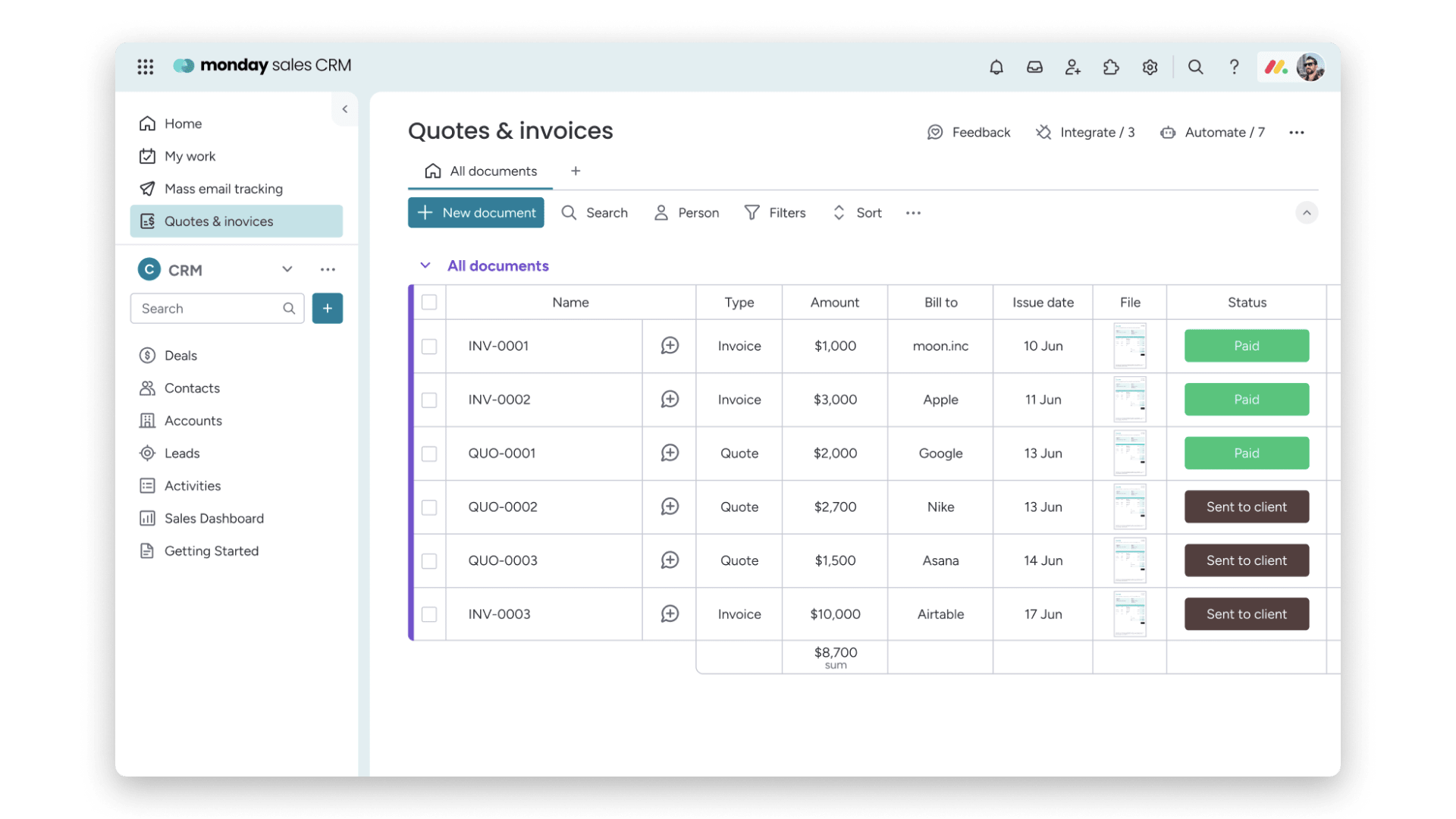
10 best AI invoice management software platforms
AI invoice management software can either function as a back-office AP tool or as part of a broader revenue workflow. Traditional AP platforms focus on processing invoices efficiently, while connected platforms tie invoice status directly to customer records, collections tracking, forecasting, and account management. For revenue teams, that visibility can make a major difference.
Here are 10 AI invoice management platforms worth considering:
| Platform | Use case | AI capabilities | ERP/CRM integration | Starting price |
|---|---|---|---|---|
| monday CRM | Revenue teams connecting invoice data to sales workflows | AI data extraction, autofill columns, custom AI blocks | Native CRM + 200+ integrations | From $9/seat/month |
| Rillion | Mid-market AP automation | AI-powered invoice capture and coding | ERP integrations | Contact for pricing |
| Rossum | Document-heavy AP teams | Cognitive data capture, transactional AI | ERP integrations | Contact for pricing |
| Stampli | AP teams needing collaborative approvals | AI-assisted coding, Billy the Bot | ERP integrations | Contact for pricing |
| Vic.ai | Finance teams wanting autonomous processing | Deep learning invoice processing | ERP integrations | Contact for pricing |
| BILL | SMBs managing payables and receivables | AI data capture, smart approvals | QuickBooks, Xero, NetSuite | From $45/user/month |
| Tipalti | Global AP and mass payments | AI data extraction, compliance automation | ERP integrations | Contact for pricing |
| Coupa | Enterprise procurement and AP | AI spend analysis, invoice matching | ERP integrations | Contact for pricing |
| Oracle NetSuite | Enterprise finance and ERP | Built-in AI invoice processing | Native ERP | Contact for pricing |
| QuickBooks | Small businesses managing basic invoicing | AI categorization, smart suggestions | Native accounting | From $30/month |
Prices may vary based on plan, billing cycle, or region.
1. monday CRM
Most CRMs track deals. monday CRM helps revenue teams connect what’s happening after “closed-won” to what happens next, including tracking collections as part of the customer journey. That matters when account managers, finance, and sales leaders all need the same picture before renewal, upsell, or escalation conversations.
Note: monday CRM is a CRM with strong invoice visibility and follow-through — not a dedicated AP automation platform. Teams typically use it to track invoice status, collect the right details fast, and keep customer communication tied to the record that matters.

Use case: Revenue teams that want invoice management tied to day-to-day selling and account work
Key features
- AI-powered data extraction (Extract info): Use Autofill with AI on supported columns to extract information from invoices and other documents. It works with files like .pdf, .png, .jpg, .jpeg, .webp, .docx, .xlsx, and .pptx, and it can pull specific details (including invoice numbers) directly into your board columns.
- Collection tracking (post-sales): Track your client collection status, get an overview of expected collections, and spot where your team should focus attention, without forcing sales and finance to work from separate systems.
- Customer context in one place: Teams log and track emails, meetings, and notes in the Emails & Activities timeline, so anyone stepping into the account (sales, account management, leadership) can understand what’s happening fast.
Pricing
- Basic: $12/seat/month (billed annually)
- Standard: $17/seat/month (billed annually)
- Pro: $28/seat/month (billed annually)
- Ultimate (Enterprise): Contact sales for pricing
- AI features are available on select plans; every account receives 500 free AI credits per month
Read more about monday CRM pricing.
Why it stands out
- Invoice follow-through lives with the customer record: Revenue teams use monday CRM to keep collections and account work connected. Reps and account managers walk into renewals with the full picture.
- Real visibility for leaders: Sales leaders pair collections tracking with sales analytics and forecasting. Dashboards let them review progress and drill down by rep, month, or whatever they need.
- Adaptable without heavy lift: Teams customize boards, pipelines, and tracking to match their sales cycle — then adjust when the business changes.

“With monday CRM, we’re finally able to adapt the platform to our needs — not the other way around. It gives us the flexibility to work smarter, cut costs, save time, and scale with confidence.”
Samuel Lobao | Contract Administrator & Special Projects, Strategix
“Now we have a lot less data, but it’s quality data. That change allows us to use AI confidently, without second-guessing the outputs.”
Elizabeth Gerbel | CEO
“Without monday CRM, we’d be chasing updates and fixing errors. Now we’re focused on growing the program — not just keeping up with it."
Quentin Williams | Head of Dropship, Freedom Furniture
“There’s probably about a 70% increase in efficiency in regards to the admin tasks that were removed and automated, which is a huge win for us.“
Kyle Dorman | Department Manager - Operations, Ray White
"monday CRM helps us make sure the right people have immediate visibility into the information they need so we're not wasting time."
Luca Pope | Global Client Solutions Manager at Black Mountain
“In a couple of weeks, all of the team members were using monday CRM fully. The automations and the many integrations, make monday CRM the best CRM in the market right now.”
Nuno Godinho | CIO at Velv
“monday.com provides developmental flexibility, operational efficiency, and data transparency — all in one place. We became a company that moved from chasing data to leading with it.”
Hyunghan Lee | Team Lead, Sandbox Network
"monday.com brought every part of our business into one connected space. The harmony between work management and CRM has become our operating system — giving us the clarity and confidence to scale.”
Jennifer Chinburg | Executive Vice President of Corporate Development & Brand, Chinburg Properties
“We just weren’t getting value from our old CRM. With monday.com, it's a thousand times better. Our sales teams are more informed, more consistent, and far more connected."
James Arnold | Chief Operating Officer, Cenversa2. Rillion
Rillion handles the full invoice lifecycle, from AI-powered capture to ERP posting, so mid-market finance teams can stop chasing paper and close books faster. Built for accounts payable, the platform uses multimodal LLMs to extract invoice data without templates or manual setup. It’s a strong fit for organizations processing high invoice volumes across multiple entities.
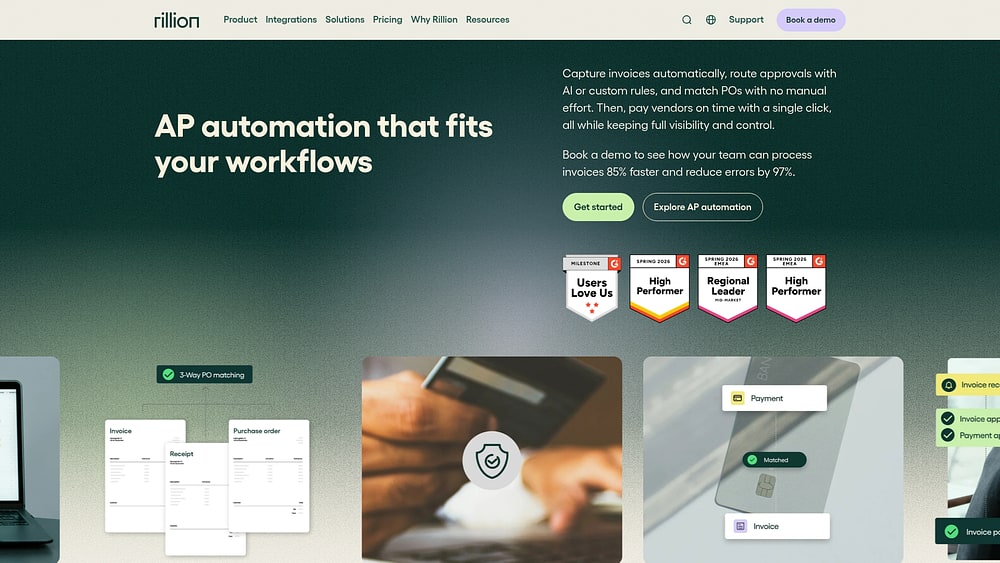
Use case: Mid-market finance teams wanting a dedicated AP automation platform that captures, codes, matches, and routes invoices for approval
Key features
- AI-native invoice capture: Uses multimodal LLMs to extract header- and line-level data from PDFs, emails, scanned documents, and supplier portals. No OCR templates required, high accuracy from day one.
- 3-way PO and contract matching: Automatically matches invoices against purchase orders, goods receipts, and contracts, routing exceptions to approvers with full context attached.
- Predictive approval routing and AI coding: Learns from historical coding decisions to suggest GL codes and predict approval paths, reducing manual intervention on recurring invoices.
Pricing
- Essential, Professional, and Premium tiers are available; all include unlimited users, approvers, and entities.
- Pricing is quote-based and tailored to invoice volume; an initial setup and implementation fee applies.
- Key capabilities — including AI-native PDF capture, e-invoice capture, PO matching, requisitions and budget management, document management, and US payments — are available as add-ons and may increase total cost depending on scope.
Considerations
- Rillion is purpose-built for accounts payable and does not connect invoice data to CRM or revenue workflows, so teams that need AP data linked to sales or customer records will find its scope limited to the finance function.
- Payment automation is available for US customers only and is delivered via a third-party provider (Finexio), which introduces an external dependency for payment execution.
3. Rossum
High-volume invoice processing demands a different approach. Rossum delivers with a proprietary AI model trained on millions of transactional documents — no templates required. Designed for mid-market to large enterprises in manufacturing, logistics, and wholesale distribution, it extracts data accurately even from non-standard supplier formats. Organizations processing hundreds or thousands of invoices monthly will appreciate the platform’s confidence-scoring and exception-routing capabilities.
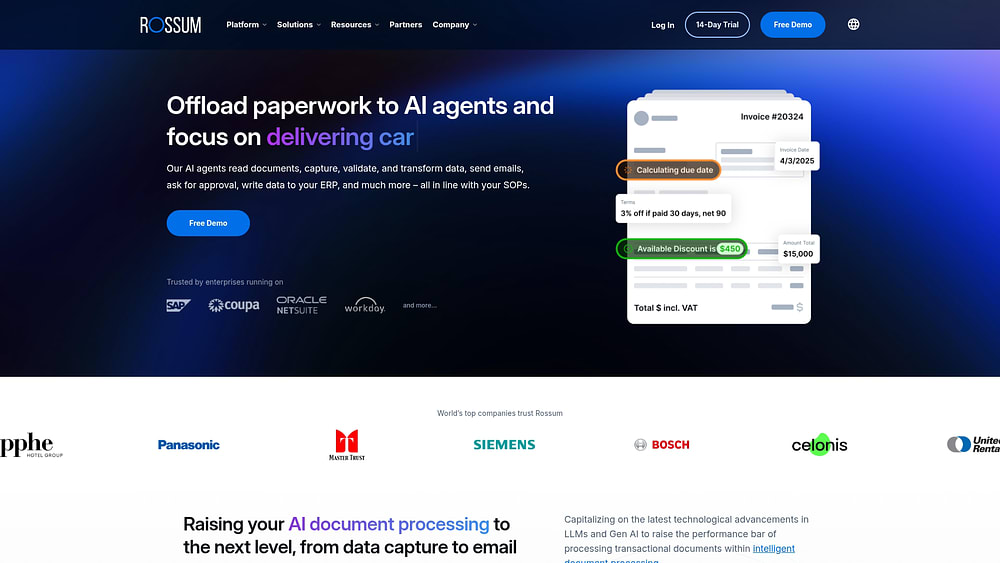
Use case: Document-heavy AP teams that need to process high invoice volumes across non-standard formats, from capture through ERP export
Key features
- Template-free extraction: Rossum Aurora, the platform’s proprietary transactional AI model, captures header and line-item data across 276 languages and non-standard formats without requiring manual template setup for each new supplier.
- Confidence scoring and exception routing: Each extracted field receives a confidence score; low-confidence fields surface automatically to human reviewers while high-confidence data moves forward, keeping touchless processing rates high.
- Validation and ERP integration: Built-in master data matching, duplicate detection, and approval workflows prepare invoice data before it syncs to ERP and P2P systems like SAP, NetSuite, and Microsoft Dynamics.
Pricing
- Starter: Starting at $18,000/year — includes unlimited seats, email and API ingestion, Aurora extraction, validation UI, 12-month archive, and API access. A 14-day free trial is available.
- Business, Enterprise, and Ultimate: Quote-based tiers that add custom workflows, master data matching, intelligent mailbox, SSO, sandbox environments, and extended archiving.
- Add-ons include ERP connectors (SAP, Coupa, Workday, Oracle), approval workflows, e-invoicing support, and onboarding services — each priced separately.
- Pricing is structured around annual contracts and document volume; higher-volume teams should request a custom quote.
Considerations
- Rossum focuses on document extraction, validation, and ERP handoff — it does not include native payment execution or revenue-side visibility, so finance teams still rely on their ERP for posting and payment runs.
- The $18,000/year entry point may be a significant investment for smaller AP teams; advanced configurations may also require partner support or professional services to implement.
4. Stampli
AI sits at the heart of Stampli’s accounts payable approach, automating invoice capture, coding, and approval routing without requiring human intervention at every step. AP teams, controllers, and CFOs managing complex ERP environments benefit from the platform’s direct connections to 70+ ERP systems — all through in-house integrations.

Use case: AP teams that need collaborative invoice approvals, AI-assisted coding, and strong ERP connectivity
Key features
- AI-powered invoice capture and coding: Billy the Bot extracts invoice data automatically upon intake, suggests GL accounts, cost centers, and vendor codes based on historical patterns, and flags duplicates and exceptions without manual review.
- Collaborative invoice approval workflows: All approver comments, questions, and audit trails live directly on the invoice, giving every stakeholder a single source of truth and reducing back-and-forth across email threads.
- AI line-level PO matching: Two- and 3-way matching at the header, line, and footer level is included in the base subscription, with the ability to auto-skip approvals for invoices that fall within set tolerances.
Pricing:
- All plans: Quote-based
- Stampli Direct Pay (domestic checks, ACH, global wires, and virtual cards) is included at no additional cost for Stampli customers.
- Modules beyond core AP — including Procurement and Advanced Vendor Management — are available as separate add-ons; confirm scope and pricing during the sales process.
Considerations
- Stampli focuses exclusively on AP workflows and does not extend invoice visibility into sales or revenue operations, so teams that need CRM connectivity will require a separate integration.
- Pricing is not publicly listed, which makes it harder to evaluate cost before engaging with the sales team.
5. Vic.ai
Deep learning powers Vic.ai’s autonomous invoice processing, handling coding, matching, and routing with minimal human intervention. Mid-market and enterprise finance teams benefit from a platform that continuously learns from every invoice it processes — no manual rule configuration required. Training data drawn from over 1 billion invoices makes it ideal for organizations running high-volume AP operations across multiple entities.

Use case: Finance teams reduce manual AP touchpoints by autonomously processing invoices from capture to approval, with confidence-scored routing that improves over time
Key features
- Template-free extraction: Captures invoice data from emails, PDFs, EDI, and mobile uploads without relying on predefined templates, using AI to extract both header and line-item data.
- Autopilot processing: Applies confidence scoring to route eligible invoices for touchless posting, with 2-, 3-, and 4-way PO matching to flag exceptions and keep approvals moving.
- VicInbox: Centralizes vendor email handling, auto-tags messages, drafts context-aware replies using ERP data, and detects duplicates before they reach the queue.
Pricing:
- All plans: Custom quote — no public pricing tiers are available.
- Analytics is offered in Standard, Advanced, and Premium packages; pricing for each is not publicly listed.
- VicPay (integrated bill pay) advertises zero U.S. transaction fees; international payment fees are not publicly disclosed.
Considerations:
- Autopilot enablement is staged, meaning touchless processing rates build over time rather than activating immediately — finance teams should factor in a ramp-up period before reaching peak automation.
- Vic.ai focuses exclusively on AP workflows and does not connect invoice data to revenue team pipelines, so organizations that need invoice visibility inside a CRM will require custom integrations.
6. BILL
Accounts payable and accounts receivable converge in BILL, giving SMBs a single platform to manage the full invoice lifecycle from intake to payment. AI captures invoice data, routes approvals, and executes payments across ACH, check, virtual card, and international wire — without requiring manual data entry at every step. Native integrations into QuickBooks, Xero, Sage Intacct, and NetSuite mean it fits directly into existing accounting workflows.

Use case: Small and midsize finance teams that want a unified AP/AR platform that automates invoice capture, approval routing, and payment execution while syncing directly with their accounting system
Key features
- AI invoice capture and coding: BILL’s AI extracts key fields from emailed or uploaded invoices, flags duplicates, and routes bills through configurable approval workflows based on vendor, amount, or department.
- 2- and 3-way invoice matching: The platform matches invoices against purchase orders and goods receipts before payment, reducing overpayment risk and strengthening financial controls.
- Multi-rail payment execution: Teams can pay vendors via ACH, mailed check, virtual card, or international wire transfer to 130+ countries — all from the same platform, with full audit trails attached to each transaction.
Pricing
- Essentials: $49/user/month
- Team: $65/user/month
- Corporate: $89/user/month
- Enterprise: Custom pricing
- Additional transaction fees apply: ACH $0.59, check $1.99, international USD wire $19.99, instant payment 1.0% (min $9.99, max $100)
- BILL Spend & Expense is available at $0/user/month (subject to credit approval)
Considerations
- Advanced integrations (NetSuite, Sage Intacct) and features like 2-/3-way matching and SSO are only available on higher-tier plans, so smaller teams on Essentials will face meaningful feature gaps.
- BILL is built for AP/AR automation, not revenue team visibility — teams that need invoice data connected to customer records, pipeline data, or sales forecasts will find the platform’s scope limited as they scale.
7. Tipalti
The full accounts payable cycle — from invoice capture to global payment — gets automated for mid-market and enterprise finance teams managing high volumes across multiple countries. Tipalti’s AI extracts invoice data, applies country-specific tax rules, and reconciles payments across 200+ countries and 120+ currencies. Organizations with complex international supplier networks will find this particularly valuable.
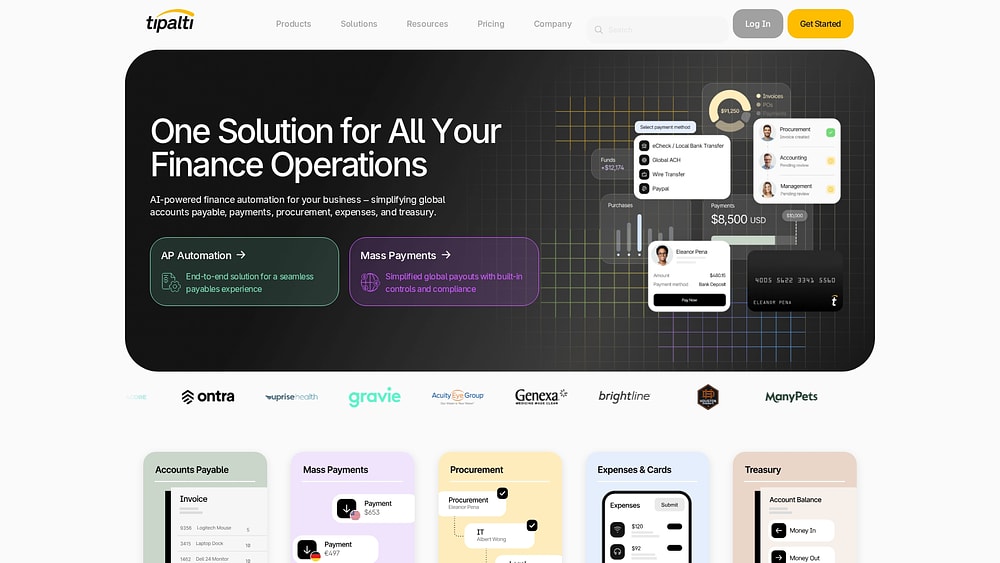
Use case: Finance and AP teams that need to manage global supplier payments, tax compliance, and invoice reconciliation in a single platform — without stitching together multiple systems
Key features
- AI Smart Scan with GL auto-coding: Tipalti’s AI extracts header and line-item data from invoices, pre-codes GL fields, and applies 26,000+ validation rules to catch duplicates and errors before they reach payment.
- PO matching with email approvals: Match POs at the header or line level with support for 2- and 3-way matching, depending on your ERP integration. It includes tolerance-based exception handling and email-based approvals so your team can act without logging in.
- Embedded global tax and compliance automation: A KPMG-verified tax engine handles W-9/W-8 collection, TIN matching, VAT, GST, withholding tax, and OFAC/sanctions screening across jurisdictions automatically.
Pricing
- Select: $99/month
- Advanced: $199/month
- Elevate: Custom pricing
- Mass Payments plans (Accelerate, Plus) are available at custom pricing
- All AP plans include unlimited approvers at no additional per-user fee
- Payment-rail and FX fees vary by country and payment method; multi-entity, advanced tax, and fraud modules may add cost
Considerations
- Tipalti is purpose-built for finance and AP functions — it does not connect invoice data to customer records or CRM workflows, so revenue teams will need a separate platform for that visibility.
- Total cost can be difficult to forecast upfront, as subscription pricing layers with transaction-based and FX fees that vary by payment destination and method.
8. Coupa
Procurement, invoicing, and payments unite in one AI-native platform built for enterprises managing spend at scale. Coupa delivers the kind of cross-functional visibility that finance and procurement leaders need to make confident decisions. Organizations running complex, multi-entity AP workflows gain real structure for what can otherwise be a fragmented process.

Use case: Large enterprises that need end-to-end spend management, connecting purchase orders, invoices, and payments across multiple departments, geographies, and ERP systems
Key features
- AI-powered invoice matching: Coupa’s AI automatically matches invoices against purchase orders and contracts, with configurable 2-way and 3-way matching tolerances to reduce manual review and speed up approvals.
- SpendGuard fraud detection: Before any invoice reaches payment, SpendGuard flags potential duplicates and fraudulent submissions — giving finance teams a pre-payment safety net backed by community intelligence.
- Global compliance coverage: Coupa’s Compliance-as-a-Service (CaaS) supports e-invoicing and clearance requirements across 50+ countries, so enterprises operating internationally stay compliant without building that infrastructure themselves.
Pricing
- Buyer (enterprise) pricing: Contact Coupa for a quote — pricing is modular and tailored by scope, users, and geographies.
- Supplier portal (CSP): Free for standard e-invoicing; optional paid tiers include Verified ($549/year), Premium Support (from $499/year), and Advanced ($4,800/year).
Considerations
- Coupa requires significant implementation investment and internal governance to reach “touchless” processing goals, with peer reviews on Gartner Peer Insights frequently citing ERP integration complexity and onboarding effort as key challenges.
- The platform is oriented toward procurement and finance operations, not revenue team visibility — mid-market teams looking for CRM connectivity and faster time-to-value will find Coupa’s scope and cost a poor fit for their needs.
9. Oracle NetSuite
The full invoice lifecycle — AR, AP, and everything in between — lives within a single ERP platform. Oracle NetSuite connects invoice data directly to the general ledger, procurement, and financial reporting without requiring third-party integrations. Organizations already running NetSuite as their ERP get native invoice automation baked in from day one.

Use case: Enterprise finance teams that need end-to-end invoice management across multiple entities, currencies, and tax jurisdictions
Key features
- AI-assisted data extraction and GL coding: NetSuite’s AI pulls invoice data and suggests general ledger codes automatically, reducing manual entry and the risk of miscoding across high-volume AP workflows.
- Three-way matching: The platform matches invoices against purchase orders and receipts in real time, giving finance leaders an auditable, controlled approval process before any payment is released.
- Multi-entity and multi-currency support: NetSuite OneWorld handles subsidiary management, global tax compliance, and cross-border transactions from a single platform — a strong fit for enterprises operating across multiple regions.
Pricing
- Contact for pricing: NetSuite does not publish list pricing. Costs vary based on the base platform license, per-user seats, and optional modules.
- Additional invoice-related modules — including SuiteBilling, Dunning Letters, and Electronic Bank Payments — may require separate licensing fees.
- Pricing is negotiable and typically customized based on term length, user volume, and module selection.
Considerations
- Implementation complexity is significant. Gartner Peer Insights reviewers frequently cite a steep learning curve, meaning teams should budget for experienced implementation partners and a longer time-to-value.
- NetSuite’s invoice automation is built for the finance function, not revenue teams. Organizations looking for CRM connectivity or a sales-focused workflow will find the platform’s scope limited to financial operations.
10. QuickBooks
The full accounts receivable cycle — from invoice creation to payment reconciliation — happens within a single accounting platform. QuickBooks combines native multi-rail payment acceptance with AI-assisted automation, making it ideal for small businesses and growing firms that want invoicing and bookkeeping in one place. The Advanced tier adds approval workflows and batch invoicing for teams managing higher invoice volumes.

Use case: Small businesses get a native invoice-to-cash workflow with built-in payment processing, automated reminders, and automatic reconciliation
Key features
- AI-assisted invoice automation: Automates recurring invoices, suggests payment terms, and sends configurable reminders to reduce manual follow-up and days sales outstanding (DSO).
- Multi-rail payment acceptance: Supports cards, ACH, Apple Pay, PayPal, and Venmo directly from the invoice, with payments reconciled to the ledger automatically.
- Advanced-tier controls: Batch invoice creation, invoice import, and approval workflows are available on the Advanced plan, giving growing teams more oversight without third-party add-ons.
Pricing
- Simple Start: $38/month
- Essentials: $75/month
- Plus: $115/month
- Advanced: $275/month
- Promotional discounts of 50% off for the first 3 months are frequently available
- Payment processing fees apply separately: 2.99% for cards and digital wallets, 1% for ACH
- Optional Instant Deposit available at 1.75% per transaction
Considerations
- Key features are gated by plan tier — progress invoicing requires Plus or Advanced, batch invoicing and invoice approvals require Advanced, and multi-currency invoicing is unavailable on Simple Start.
- Teams that need AI-powered data extraction, 3-way matching, or invoice data connected to CRM workflows will need to integrate QuickBooks with a separate platform, as its invoice capabilities are part of its broader accounting functionality rather than a dedicated AP automation solution.
7 key features to look for in AI invoice management software
The right AI invoice platform is more than an AP solution; it’s a revenue accelerator. When finance and sales don’t see the same numbers, deals stall and forecasts crumble. The right features connect your teams and separate a platform that drives growth from one that just digitizes old problems.
1. AI-powered data capture with confidence scoring
Manual data entry is a recipe for mistakes. One wrong number can derail a payment, a report, or an approval workflow, creating problems that ripple across the business.
AI data capture pulls invoice details automatically. A confidence score tells you exactly how sure the AI is, so your team only reviews what’s necessary. monday CRM’s Extract Info with AI feature pulls invoice details directly into your workflow, letting you decide exactly when automation takes over.
2. Invoice validation with 3-way matching
Overpayments, duplicates, and fraud aren’t just possibilities; they’re the cost of manual validation. These errors directly distort the cash flow visibility that revenue leaders need to forecast accurately.
Three-way matching is your defense. It automatically compares the invoice, purchase order, and receipt, flagging any mismatch before money leaves your account. This stops cash flow surprises before they happen.
3. Instant approval workflow configuration

Waiting for approvals kills momentum and delays payments. It’s a bottleneck everyone sees coming but few can fix, leaving revenue tied up in queues.
Configurable workflows put control back in your hands. You set the rules for who approves what, based on amount, vendor, or department, with no code required. monday CRM’s no-code automations let you build and adjust these routes instantly, keeping the process moving.
4. ERP and CRM integration
Finance and sales have lived in separate worlds for too long. That gap costs you real money and creates awkward, deal-killing conversations about overdue payments.
Integrating your ERP and CRM bridges that gap. Finance gets accurate cash flow data, and sales knows a customer’s payment status before an upsell call. With hundreds of integrations, monday CRM connects systems like QuickBooks and NetSuite to your sales pipeline, giving everyone a single source of truth.
5. Real-time dashboards
Monthly reports are history lessons. Revenue leaders need to know what’s happening now to make decisions that matter.
Real-time dashboards show you the live status of invoice aging, approval queues, and expected collections. monday CRM lets you build dashboards that combine this financial data with your sales pipeline. Finally, deal health and cash health live in the same view.
6. Fraud detection and audit trails
Fraud doesn’t just cost you money; it poisons your data. Bad data leads to bad forecasts and even worse board meetings.
AI can spot anomalies that humans miss, like duplicate invoice numbers or weird bank account changes. A complete, timestamped audit trail shows every touchpoint on an invoice. It’s your best defense for compliance, audits, and resolving disputes without ambiguity.
7. Global e-invoicing and multi-currency support
Selling globally means invoicing globally. That means navigating a minefield of local tax rules and currencies, a challenge that directly impacts revenue recognition.
Your platform must handle different e-invoicing formats and manage multiple currencies without breaking a sweat. When it fails, payments get delayed and customers get frustrated. It’s a revenue problem, not just a finance one.
Equipping your team with these capabilities ensures your invoice process accelerates revenue rather than slowing it down.
Try monday CRMBenefits of AI invoice automation for revenue teams
Moving invoice data out of its silo isn’t just about efficiency. It’s about giving CROs, sales VPs, and RevOps leaders the predictability they need from revenue management software to make smarter decisions about forecasting, commissions, and team collaboration.
- Faster cycle times and cash flow visibility: Automatic invoice processing closes the gap between a “yes” and cash in the bank. This turns your forecast from a guess into something you can actually stand behind.
- Cleaner data for sales and commissions: Manual data entry leads to errors, late payments, and commission disputes. monday CRM connects payment status directly to deal records, so your forecast and payroll are always accurate.
- Seamless cross-team collaboration: Payment issues shouldn’t live in messy email threads between sales and finance. A shared workspace means everyone sees the same information, solves problems faster, and gets back to their real jobs.
When sales and finance operate from the same data, your entire organization moves faster and with greater confidence.
How to choose the right AI invoice management platform: 7 steps
Choosing an AI invoice platform isn’t just a finance task; it’s a revenue decision. Get it wrong, and you’re stuck with another silo and more disconnected work. Before you look at a single demo, follow these steps to find a platform that actually solves your revenue drag:
- Calculate your monthly invoice volume and processing time: Track how many invoices you process each month and how long each one takes from receipt to payment.
- Measure your touchless processing rate: Determine how many invoices get through without manual intervention — a low number signals that manual work is eating your team’s time.
- Identify your biggest bottleneck: Pinpoint whether the slowdown is data entry, approval delays, or something else, so you know exactly what to look for in a new platform.
- List your required integrations: Confirm that the platform connects to your ERP, accounting software, and CRM — for revenue teams, the CRM connection is everything.
- Verify CRM connectivity for revenue visibility: Make sure payment status syncs directly to customer records so account managers and finance work from the same playbook.
- Evaluate ease of implementation: Choose a platform that fits into your team’s current systems without forcing them to build new workflows around it.
- Test with a pilot or demo: Run a trial with real invoices to see how the AI handles your specific document formats and approval workflows before committing.
Taking the time to map these requirements ensures you invest in a platform that actually solves your revenue drag.
Why monday CRM is the best choice for AI invoice management
Most invoice platforms stop at accounts payable. monday CRM goes further by connecting invoice data directly to your revenue workflows, giving sales and account teams the visibility they need to close deals confidently and manage renewals without surprises. When payment status lives alongside customer records, your entire revenue team operates from the same playbook — no more awkward calls about overdue balances or forecasts that ignore cash reality.
What sets monday CRM apart is how it fits into the way revenue teams actually work. You’re not forcing reps to log into a separate finance system or wait for end-of-month reports. Invoice status, collection tracking, and customer context live in one place, accessible to everyone who needs it. Plus, with AI-powered data extraction and 500 free AI credits per month, you can automate the tedious work without blowing your budget.
For teams that need more than just AP automation — teams that want invoice management tied to pipeline visibility, forecasting, and account health — monday CRM delivers the connection other platforms can’t.
Turn invoice data into a revenue advantage
Managing invoices shouldn’t feel like a guessing game between sales and finance. By bringing AI into your invoice workflows, you eliminate manual data entry, prevent costly errors, and give your revenue team the visibility they need to close deals confidently.
The right platform bridges the gap between closed-won and cash in the bank. When your CRM and financial data live together, you can forecast accurately, follow up on payments without friction, and keep your entire organization aligned.
Try monday CRMFAQs
What is AI invoice processing?
AI invoice processing is the use of artificial intelligence to automatically capture, extract, and validate data from invoices. Instead of manually typing in vendor details and amounts, the software reads the document, pulls the necessary information, and routes it for approval.
How does AI help with invoice management?
AI helps with invoice management by eliminating manual data entry and reducing human error. It automatically matches invoices to purchase orders, flags discrepancies, and syncs the approved data directly to your accounting or CRM platform.
Can AI detect invoice fraud?
Yes, AI can detect invoice fraud by spotting anomalies that humans might miss. It analyzes patterns, flags duplicate invoice numbers, and alerts teams to suspicious changes in vendor bank account details before any payment is processed.
Does AI invoice software integrate with CRMs?
AI invoice software integrates with CRMs to give revenue teams full visibility into customer payment statuses. Connecting these systems ensures that account managers know if an invoice is overdue before they jump on a renewal or upsell call.
How much time does AI invoice automation save?
AI invoice automation saves time by reducing manual data entry, approval follow-up, and duplicate checking. The exact time savings depends on invoice volume, workflow complexity, and how much of the process can run without manual review.
