



When late-stage deals go quiet and your forecast starts looking more hopeful than real, the culprit is usually scattered data — notes buried in email, CRM updates from last week, and no single source of truth. Deal tracking software solves this by giving revenue teams one place to see every live deal, the latest activity, and the next move that keeps momentum going.
This guide covers 12 platforms worth evaluating, the features that drive adoption and accurate forecasting, and how AI is transforming deal tracking. You’ll also get 6 practical steps to choose a platform that fits the way your team actually sells, so you can turn pipeline activity into predictable revenue.
What is deal tracking software?
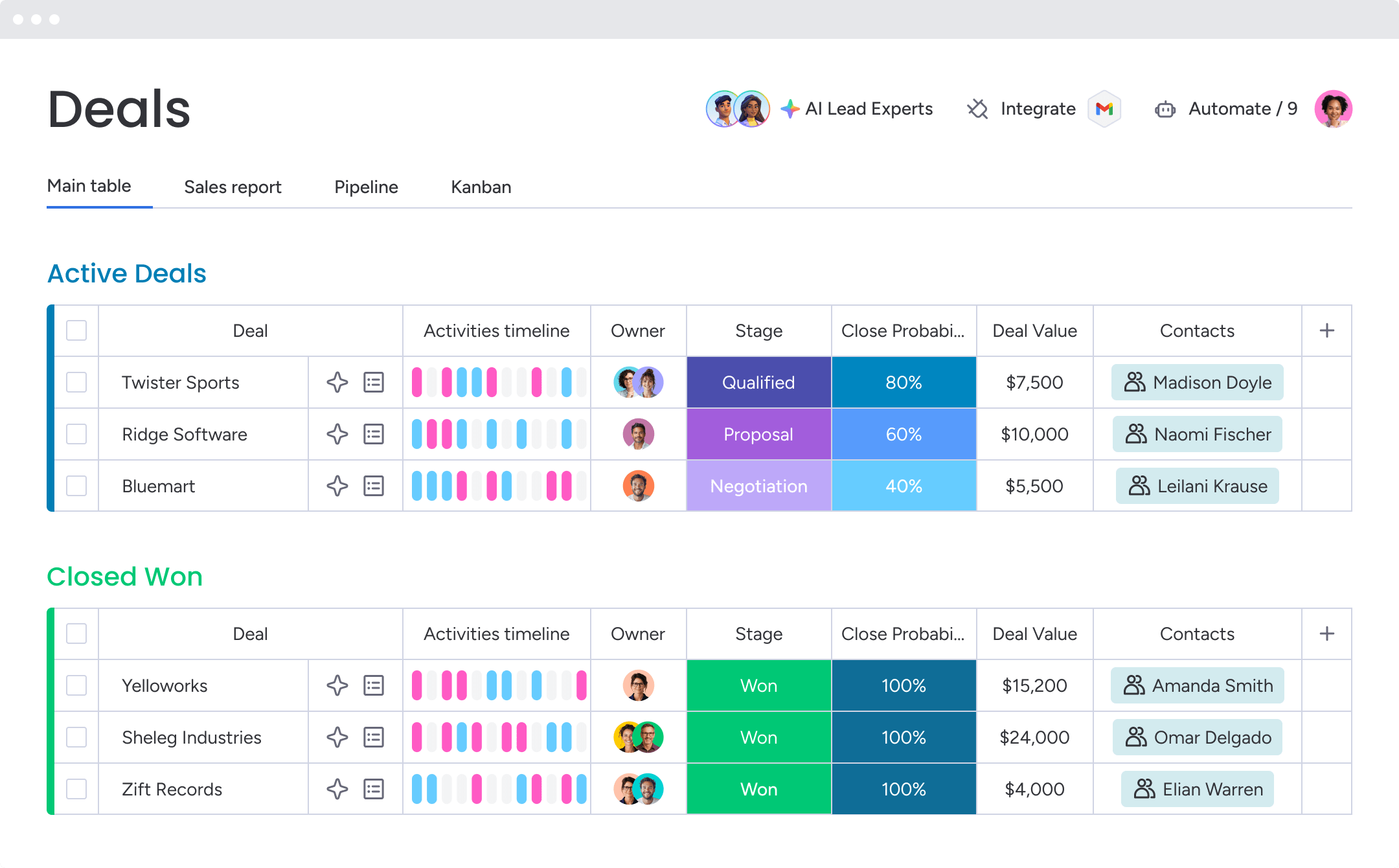
Deals rarely fall apart because the product misses the mark. More often, they unravel through small breakdowns that stack up: a missed follow-up, a delayed handoff, a rep stepping into a call without context. Deal tracking software is built to catch those gaps before they turn into lost revenue.
Picture it as the command center for your sales pipeline. It brings every opportunity into one view, makes ownership obvious, and highlights the next action needed to keep momentum going. Because emails and calls are captured automatically, the forecast starts reflecting reality instead of wishful thinking.
So, is this just another CRM? Not quite. A traditional CRM acts more like a digital filing system for customer records. Deal tracking software is designed to push opportunities ahead quickly for teams focused on winning revenue, not simply recording activity.
A deal tracker doesn’t just record pipeline activity; it influences the way your team sells. Pick the one that fits your real workflow, not the one that only looks good in a demo.
Deal tracking software is especially useful for teams managing multi-stage B2B sales cycles, complex handoffs, or high-value opportunities where missed follow-ups can quickly affect revenue.
Try monday CRM12 best deal tracking software platforms for revenue teams
The right deal tracker builds momentum. It helps the team sell by speeding up work, removing friction, and clearing the path to quota. The right deal tracker helps revenue teams sell with more speed, clarity, and control.
Here’s how 12 top deal tracking software platforms compare:
| Platform | Use case | Free trial* | Notable feature | Starting price* |
|---|---|---|---|---|
| monday CRM | Revenue teams that need full pipeline visibility without sacrificing flexibility | Yes | AI Timeline Summary condenses months of activity into seconds | $12/seat/month |
| Salesforce | Enterprises needing deep customization and AI-backed forecasting | Yes, 30 days | Einstein Opportunity Scoring with ML-based deal prioritization | $25/user/month |
| HubSpot | Teams wanting sales and marketing in the same ecosystem | Yes, 14 days | Unified sales and marketing data for smoother handoffs | $20/seat/month |
| Pipedrive | SMBs that want visual, low-friction pipeline management | Yes, 14 days | Deal rotting alerts catch opportunities before they go cold | $14/user/month |
| Zoho CRM | SMB and mid-market teams needing structured pipeline management | Yes, 15 days | Blueprint process enforcement ensures deals move correctly | $14/user/month |
| DealRoom | M&A teams managing multi-party deal workflows and due diligence | Contact sales | AI auto-captures deal conversations and proposes updates | Custom quote |
| Dealpath | Real estate investment teams tracking acquisitions and dispositions | Contact sales | AI Extract ingests offering memos in minutes | Custom quote |
| Affinity | Private capital teams needing relationship-first deal tracking | Contact sales | Automatic activity capture from email and calendar | $2,000/user/year |
| DealCloud | Financial services firms combining pipeline and relationship tracking | Contact sales | Zero-entry activity capture from Outlook | Custom quote |
| Dynamo Software | Alternative investment managers needing end-to-end lifecycle coverage | Contact sales | AI-powered relationship intelligence with Dynamo Indicators | Custom quote |
| Freshsales | SMBs wanting AI-assisted tracking with built-in communication | Yes, 21 days | Freddy AI tags deals as “Likely to Close” or “Trending” | $9/user/month |
| HighLevel | Agencies and SMBs needing CRM plus marketing automation | Yes, 14 days | White-label options with flat-fee pricing | $97/month |
*Pricing and trial availability based on publicly available information as of publication. Contact vendors directly for current offers.
1. monday CRM
monday CRM gives revenue teams one place to manage every deal from first touch through closed-won, without the long, heavy rollout that drags down many CRM implementations. It’s built for teams that value speed and flexibility. Reps and managers can adjust stages, automations, and workflows in minutes, so the system reflects the way the team already sells. With around 250,000 customers and a 4.6/5 rating on G2 (based on 1,151 reviews), it’s a platform teams tend to use consistently rather than simply maintain.

Use case: Revenue teams who need full pipeline visibility and deal control without sacrificing flexibility
Key features
- Visual pipeline management: Drag-and-drop stages make it easy to see where each deal stands at any moment. Teams can tailor stages to match their sales cycle, then filter by rep, region, deal size, or any custom field they use.
- Centralized Emails & Activities timeline: Emails, calls, meetings, and notes all live inside a single deal-level timeline, giving reps and managers the full backstory before the next move. It also supports account and contact management, letting teams log and review interactions in one history connected to the customer.
- AI Timeline Summary: Condenses the Emails & Activities timeline into a short, readable summary of emails, calls, meetings, and notes. This helps sales and support teams get current quickly before a conversation.
Pricing
- Basic: $12/seat/month (billed annually) or $18/seat/month (billed monthly)
- Standard: $17/seat/month (billed annually) or $25/seat/month (billed monthly)
- Pro: $28/seat/month (billed annually) or $41/seat/month (billed monthly)
- Enterprise (Ultimate): Contact sales for a quote
- Annual billing discount: Save 18% when billed annually
- Minimum: 3 seats required across all plans; teams of 40+ are prompted to request a custom quote
- AI features: Included on Standard and above; additional AI credits available as needed
Why it stands out
- Fast to set up, easy to adapt: Revenue teams can shape monday CRM around their sales process without heavy technical work or drawn-out implementation. When your go-to-market changes, your stages and workflows can change with it.
- Built for adoption, not busywork: monday CRM is designed so reps can keep records updated while they sell, which leads to more accurate reporting for leadership. How often does a forecast break down because CRM data is already stale? This helps stop that from happening.
- Works beyond sales: monday CRM supports broader customer workflows too, including onboarding, renewals, billable client work, and collection tracking. Rather than bouncing between disconnected tools, teams keep commercial work tied to the customer record.

“With monday CRM, we’re finally able to adapt the platform to our needs — not the other way around. It gives us the flexibility to work smarter, cut costs, save time, and scale with confidence.”
Samuel Lobao | Contract Administrator & Special Projects, Strategix
“Now we have a lot less data, but it’s quality data. That change allows us to use AI confidently, without second-guessing the outputs.”
Elizabeth Gerbel | CEO
“Without monday CRM, we’d be chasing updates and fixing errors. Now we’re focused on growing the program — not just keeping up with it."
Quentin Williams | Head of Dropship, Freedom Furniture
“There’s probably about a 70% increase in efficiency in regards to the admin tasks that were removed and automated, which is a huge win for us.“
Kyle Dorman | Department Manager - Operations, Ray White
"monday CRM helps us make sure the right people have immediate visibility into the information they need so we're not wasting time."
Luca Pope | Global Client Solutions Manager at Black Mountain
“In a couple of weeks, all of the team members were using monday CRM fully. The automations and the many integrations, make monday CRM the best CRM in the market right now.”
Nuno Godinho | CIO at Velv
“monday.com provides developmental flexibility, operational efficiency, and data transparency — all in one place. We became a company that moved from chasing data to leading with it.”
Hyunghan Lee | Team Lead, Sandbox Network
"monday.com brought every part of our business into one connected space. The harmony between work management and CRM has become our operating system — giving us the clarity and confidence to scale.”
Jennifer Chinburg | Executive Vice President of Corporate Development & Brand, Chinburg Properties
“We just weren’t getting value from our old CRM. With monday.com, it's a thousand times better. Our sales teams are more informed, more consistent, and far more connected."
James Arnold | Chief Operating Officer, Cenversa2. Salesforce
Salesforce is the dominant force in the CRM market. Although it offers products for companies of many sizes, its reputation comes from serving enterprises that need deep customization, AI-backed forecasting, and an enormous integration ecosystem — along with the complexity that often comes with that. For organizations with dedicated admins and enough runway to configure it well, few platforms match its depth.

Use case: Midmarket and enterprise organizations that need advanced pipeline control, AI-powered deal scoring, and close integration across sales, analytics, and collaboration tools
Key features
- Pipeline Inspection: A consolidated view of week-over-week deal changes, AI-driven insights, and activity timelines—available on Enterprise plans and above.
- Einstein Opportunity Scoring: ML-based scoring (1–99) that surfaces positive and negative deal factors, helping reps prioritize the deals most likely to close
- Collaborative forecasting: managers can adjust forecasts, map stage-to-forecast categories, and get a real-time read on whether the team will hit targets
Pricing
- Starter Suite: $25/user/month
- Pro Suite: $100/user/month (billed annually)
- Enterprise: $175/user/month (billed annually)
- Unlimited: $350/user/month (billed annually)
- Agentforce 1 Sales: $550/user/month (billed annually)
Considerations
- A number of Salesforce’s strongest capabilities sit behind higher tiers. Advanced features like Pipeline Inspection require Enterprise plans, and while Einstein Opportunity Scoring may be included for eligible customers depending on edition, many other valuable tools are paid add-ons. That can push the total cost much higher.
- Salesforce usually needs dedicated admin support and a longer implementation window, which makes it a tougher match for teams that need to launch quickly.
3. HubSpot
For teams that want sales and marketing operating inside the same ecosystem, HubSpot is a popular choice. It combines CRM and marketing automation in one platform, giving sales teams a connected place to manage deals from first interaction through closed-won. The free tier lowers the barrier for smaller teams, while paid plans add the forecasting, AI, and governance features revenue leaders tend to need. If your marketing team already runs on HubSpot, the handoff into sales feels far smoother.

Use case: Teams that want sales and marketing data in the same system, reducing friction between lead generation and deal management
Key features
- Visual deal pipeline: Drag-and-drop Kanban board with stage probabilities, time-in-stage tracking, and conditional required fields on stage transitions.
- AI-assisted deal insights: Predictive deal scoring and AI-generated recommendations surface risks and next steps directly within the deal record.
- Forecasting and revenue analytics: Forecast categories (Pipeline, Best Case, Commit) with team and rep roll-ups; recurring revenue analytics available at the Enterprise tier.
Pricing
- Free: Basic deal tracking with limited pipeline features
- Starter: $20/seat/month — up to 2 deal pipelines
- Professional: $100/seat/month — up to 15 deal pipelines, forecasting, and automation
- Enterprise: $150/seat/month — up to 100 deal pipelines, deal splits, recurring revenue analytics, and advanced governance
- Note: Enterprise onboarding is required at a one-time fee of $3,500. Add-ons such as calling minutes, e-signatures, and additional workflows carry separate costs.
Considerations
- Many advanced deal management capabilities — forecasting, AI tools, and deal splits among them — are reserved for Professional and Enterprise tiers, which can drive total ownership costs well beyond the starting price.
- Teams that are not using HubSpot’s marketing suite may end up paying for a broader platform than their sales motion really needs.
4. Pipedrive
Pipedrive keeps deal management visual, straightforward, and centered on activity. Built specifically for SMBs, it gives sales teams a clear way to track opportunities from first contact to closed-won without the weight of a full enterprise CRM.

Use case: Small and growing sales teams that want a visual, low-friction way to manage pipeline activity and stay on top of every live deal
Key features
- Drag-and-drop pipeline management: Move deals through customizable stages using a visual board that shows exactly where every opportunity sits, along with time-in-stage metrics and deal probability scores.
- Deal rotting alerts: Pipedrive identifies deals that have gone quiet beyond a set number of days, so reps can step in before the opportunity goes cold.
- AI Sales Assistant: Available on higher tiers, the AI surfaces next-best actions, win-probability cues, and deal summaries to cut down on manual analysis and keep reps focused.
Pricing
- Lite: $14/user/month (billed annually)
- Growth: $39/user/month (billed annually)
- Premium: $59/user/month (billed annually)
- Ultimate: $79/user/month (billed annually)
- Annual billing saves up to 42% compared to monthly pricing
- 14-day free trial available; no permanent free plan
- Add-ons (billed per company): LeadBooster from $32.50/month, Campaigns from $13.33/month, Projects from $6.67/month, Web Visitors from $41/month, Smart Docs from $32.50/month
Considerations
- Cross-functional collaboration is limited — teams that need legal, finance, or account management workflows in the same platform may find Pipedrive constraining, since it remains primarily focused on the sales pipeline.
- Advanced analytics, marketing automation, and some AI capabilities sit behind higher-tier plans, and add-ons can raise the total cost of ownership further.
5. Zoho CRM
If cost control matters but you still want real deal tracking depth, Zoho CRM stands out. It offers substantial pipeline management capability at a price point that is easier on the budget. Zoho CRM appeals to teams that want process rigor and AI-assisted selling without enterprise-level pricing. For organizations already using Zoho products, the native suite integrations add even more value.

Use case: SMB and mid-market teams that need structured pipeline management, AI-backed deal insights, and stronger process enforcement inside one integrated platform
Key features
- Blueprint process enforcement: Zoho’s Blueprint feature enforces stage transition rules, required fields, and approval steps so deals move through the pipeline correctly every time.
- Zia AI predictions: Zia estimates likelihood-to-win, expected close dates, and next best actions, giving sales managers a data-backed view of which deals need intervention before they stall.
- Stage flow analytics: Dashboard components surface time-in-stage, conversion paths, and drop-off points, helping teams spot bottlenecks and act quickly.
Pricing
- Free: $0 for up to 3 users
- Standard: $14/user/month (billed annually)
- Professional: $23/user/month (billed annually)
- Enterprise: $40/user/month (billed annually)
- Ultimate: $52/user/month (billed annually)
- Annual billing saves up to 34% compared to monthly rates.
- Add-ons are available for extra storage and data backup; premium support plans are priced as a percentage of your subscription.
Considerations
- Zoho’s broad feature set is impressive, but that breadth comes with a learning curve — especially for teams that need a fast setup or plan to connect multiple Zoho products.
- Several Zia AI features are limited to Enterprise and Ultimate tiers, and some require at least 20 users, which can reduce immediate AI value for smaller teams.
6. DealRoom
DealRoom is built around the M&A lifecycle from end to end — pipeline tracking, due diligence, and post-close integration all in one place. It’s designed for corporate development teams, private equity firms, and strategic buyers that want to replace spreadsheets and email threads with a more structured, AI-assisted system. If your work involves high-volume or complex acquisitions, this platform is tailored for that reality.

Use case: Corporate development and M&A teams that need to manage multi-party deal workflows, due diligence, and post-close integration in a single system of record
Key features
- AI-assisted pipeline management: DealRoom’s AI connects to Outlook and Gmail to automatically capture deal conversations, detect follow-ups, and propose updates to deal cards — keeping pipeline data current without manual entry.
- Due diligence and document management: Teams get built-in checklists, task tracking, version-controlled document management, and virtual data room integration to coordinate complex, multi-stakeholder diligence processes.
- Reporting and analytics: Built-in BI reporting with prebuilt dashboards, pipeline funnels, and exportable reports (JPG, Excel, PDF) gives exec stakeholders a real-time view of deal activity and progress.
Pricing
- Pricing model: Quote-based, structured by deal volume with unlimited users — no per-page or per-document fees.
- Pipeline: Available as a standalone purchase for teams focused on opportunity tracking.
- AI for diligence: Available as an add-on to the core M&A platform.
- Free archives and no onboarding fees are included under the flat-rate model.
Considerations
- DealRoom is purpose-built for M&A workflows, so teams searching for a deal tracker for standard B2B sales will likely find it too specialized.
- According to G2 reviewers, pricing trends premium, so organizations with low deal volume should weigh the cost against how often they transact.
7. Dealpath
Commercial real estate teams don’t need a generic pipeline tool; they need software built around investment workflows. That’s where Dealpath comes in. It centralizes the real estate investment lifecycle from sourcing to close, with a data model designed specifically for acquisitions, dispositions, and debt origination.

Use case: Real estate investment teams that need a single source of truth across pipeline management, underwriting, diligence, and deal execution
Key features
- AI-assisted deal intake: AI Extract ingests offering memoranda and broker flyers in minutes, pulling structured data directly into the pipeline with human review built in.
- Pipeline and analytics: Real-time dashboards track deals from sourcing to close, with underwriting model comparison, a proprietary comparables database, and critical-date tracking.
- Dealpath Connect: A private exchange that pipes curated listings directly from major brokerages into buy-side pipelines, giving acquisition teams faster access to relevant opportunities.
Pricing
- Professional and Enterprise tiers are available; pricing is quote-only and requires contacting Dealpath directly.
- Plans typically include a minimum of 5 users.
- White-glove implementation (typically 6–8 weeks) and dedicated customer success management are included in every plan.
Considerations
- Dealpath is designed specifically for commercial real estate investment teams — revenue teams outside real estate or private equity will need something more flexible.
- The 6–8 week implementation timeline and multi-user minimum make it a better fit for established institutional teams than for lean or early-stage organizations.
8. Affinity
Affinity approaches deal tracking from a relationship-first angle. Built for private capital teams — including venture capital, private equity, and investment banking — it automatically captures contact and interaction data from email and calendar, reducing manual entry and keeping the pipeline current with less effort from the team.
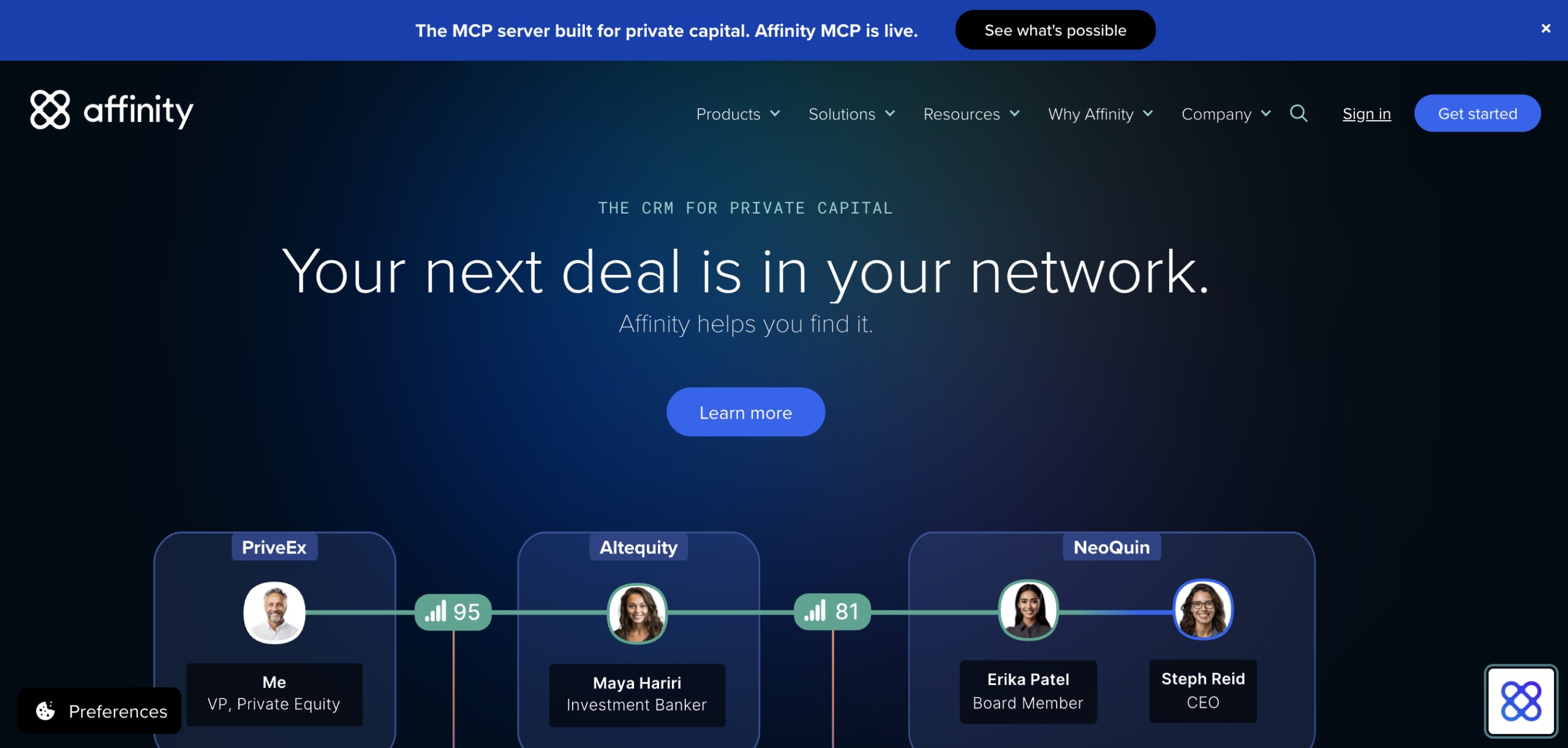
Use case: Private capital teams that need a living, auto-updated deal pipeline grounded in relationship data, so they can source, track, and close deals faster without the manual overhead
Key features
- Automatic activity capture: Syncs emails and calendar meetings continuously to build and update contact records and deal timelines without manual input.
- Relationship intelligence: Maps firm-wide relationship strength and warm introduction paths, helping teams identify the fastest route to any contact or company.
- AI-assisted deal management: Affinity Notetaker auto-records and summarizes meetings, while Deal Assist and File Analyzer extract insights from documents and notes to accelerate diligence.
Pricing
- Essential: $2,000 per user/year — includes automated activity capture, relationship scoring, and basic deal pipeline.
- Scale: $2,300 per user/year — adds deal velocity analytics, Chrome and email extensions, and MCP server connectivity.
- Advanced: $2,700 per user/year — adds AI Notetaker, bulk communication tracking, and premium data enrichment.
- Enterprise: Contact sales — includes enterprise SSO, custom governance, full API access, and dedicated implementation support.
- Some premium data sources (e.g., PitchBook) require separate third-party subscriptions.
Considerations
- Affinity is built for private capital workflows and has limited usefulness for standard B2B sales teams outside financial services or venture capital.
- Its pricing sits firmly in the enterprise range, so smaller or emerging funds may struggle to justify the annual per-seat cost depending on deal volume.
9. Intapp DealCloud
Dealmakers in financial services often need more than a simple sales pipeline. Intapp DealCloud combines pipeline management, relationship tracking, and business development in one platform tailored to firms such as private equity, investment banking, consulting, and adjacent professional services. Prebuilt workflows align with how those teams operate, while AI-assisted origination and automatic Outlook activity capture reduce manual admin.

Use case: Financial services firms that need a single source of truth for relationships and pipeline, combining AI-driven insights with embedded compliance and governance to accelerate deal execution
Key features
- Pipeline visibility and prioritization: Configurable dashboards and real-time reporting give executives and deal teams a full view of active deals across every stage of the lifecycle.
- Zero-entry activity capture: Automatically logs emails and meetings from Outlook, eliminating manual data entry and keeping relationship records current without extra effort.
- AI-assisted deal origination: Intapp Assist for DealCloud uses unified firm data and external market intelligence to source, screen, and track targets — with natural-language filters that convert watchlists directly into the pipeline.
Pricing
- Enterprise pricing: Available on request.
- Pricing is quote-based; no standard tiers are published publicly.
- Add-ons include Intapp Assist (AI features), Dispatch (integrated email marketing), Intapp Data (first-party firmographics), and DataCortex (third-party data integrations).
Considerations
- DealCloud is tailored to financial services workflows, which makes it a poor match for general-purpose sales teams outside private equity, investment banking, or related sectors.
- Configuration and some workflows can present a steep learning curve, and certain users report that the mobile experience doesn’t offer the same depth as the desktop platform.
10. Dynamo Software
Dynamo Software is aimed at alternative investment managers that need far more than standard deal tracking. It provides an end-to-end system covering deal origination, investor relations, portfolio monitoring, and fund accounting in a single platform. The software serves private equity, venture capital, hedge funds, family offices, and institutional investors. For firms that need operational coverage across the full investment lifecycle, Dynamo reaches well beyond a traditional CRM.
Use case: Alternative investment managers who need one system to handle front-, middle-, and back-office workflows
Key features
- AI-assisted relationship intelligence: Dynamo Indicators score relationship health across your network, while AI-powered document and meeting summarization reduces manual research time during diligence.
- Configurable deal pipeline management: Out-of-the-box workspaces, conversion funnels, and stage-tracking dashboards give deal teams real-time visibility into pipeline progression — from sourcing through close.
- Integrated data ecosystem: Direct connections to Preqin, PitchBook, Tracxn, and SourceScrub pull live market and company data into deal records, with Power BI and SSRS support for committee-ready reporting.
Pricing
- Custom pricing: Available on request.
- Pricing varies based on modules selected (e.g., CRM/deal management, portfolio monitoring and valuation, fund accounting), services such as Data Automation and HoldingsInsight, and any third-party data subscriptions
Considerations
- Dynamo is specifically built for alternative investment management — it is not a fit for general sales teams or organizations outside private capital markets.
- G2 reviewers mention a learning curve during initial setup, and enterprise deployments spanning multiple modules may require dedicated implementation resources and change management support.
11. Freshsales
Freshsales is aimed at SMBs and mid-market teams that want AI-assisted deal tracking without a complicated rollout. Native communication tools are part of the package, so teams can work with built-in email, phone, and chat instead of stitching together third-party systems. Freddy AI helps identify at-risk deals, recommend next steps, and support revenue forecasting, making it a practical option for teams that want AI doing useful work quietly in the background.

Use case: Sales-focused SMB and mid-market teams that want AI-guided pipeline management and built-in communication without complex configuration
Key features
- Freddy AI deal insights: Automatically tags opportunities as “Likely to Close” or “Trending,” surfaces commit suggestions, and highlights “rotten deals” so reps can prioritize the right opportunities at the right time.
- Weighted pipeline management: Customizable deal stages with stage-level probabilities, multi-pipeline support (by team, territory, or product), and deal velocity analytics that show age and days in stage to pinpoint where deals stall.
- Built-in communications: Native email, phone, SMS, and chat log every interaction automatically — no third-party integrations needed to keep contact activity and engagement scoring current.
Pricing
- Free: $0/month for up to 3 users
- Growth: $9/user/month (billed annually)
- Pro: $39/user/month (billed annually)
- Enterprise: $59/user/month (billed annually)
- Monthly billing is available at higher rates (Growth: $11, Pro: $47, Enterprise: $71/user/month)
- Add-ons that affect total cost include additional CPQ licenses (~$19/license/month), Freddy AI agent sessions (~$100 per 1,000 sessions), and phone credits (~$1/credit)
Considerations
- Multiple deal pipelines and Freddy AI deal insights are available only on Pro and Enterprise plans — Growth includes a single pipeline and no AI-assisted forecasting, which limits visibility as teams expand.
- Base seat pricing is accessible, but add-ons for CPQ, AI agent sessions, and phone credits can increase total cost of ownership, so it’s smart to estimate full usage before choosing a plan.
12. HighLevel
HighLevel bundles CRM, pipeline management, lead capture, and email/SMS automation into one platform geared toward agencies and small businesses. Its white-label options and flat-fee pricing make it especially appealing for agencies running multiple client pipelines without paying per seat. Because the platform is all-in-one, teams juggle fewer tools and can stay more focused on moving deals forward.

Use case: Digital marketing agencies and SMB teams that need deal tracking, multi-channel follow-up, and client management in a single system
Key features
- Kanban pipeline management: Drag-and-drop opportunity boards with configurable stages, bulk actions, and Smart Lists that save filters and views by pipeline for faster navigation.
- Workflow automation: Trigger-based automations that move, update, or create opportunities based on stage changes, engagement events, or stale deal alerts — reducing manual follow-up.
- Omnichannel communications: Built-in email and SMS sequences tied directly to pipeline activity, so follow-ups fire based on deal movement rather than manual scheduling.
Pricing
- Starter: $97/month (core features, unlimited users and contacts, 3 sub-accounts)
- Unlimited: $297/month (unlimited sub-accounts, user reporting, usage rebilling)
- Agency Pro (SaaS Mode): $497/month (SaaS resale, automated sub-account creation, rebilling with markup)
- Enterprise: Custom pricing, available on request
- Annual plans offer roughly 2 months free across all tiers
- Usage-based charges apply separately for SMS, voice, email sends, WhatsApp, and AI features
Considerations
- Deal tracking depth may feel limited for mid-market sales teams with more complex pipeline requirements — the platform’s breadth leans toward agency workflows over strict sales process enforcement.
- Some pipeline features roll out through Labs, so behavior can change during transition periods, and users have reported limitations in mobile pipeline navigation.
Why revenue teams rely on deal tracking software
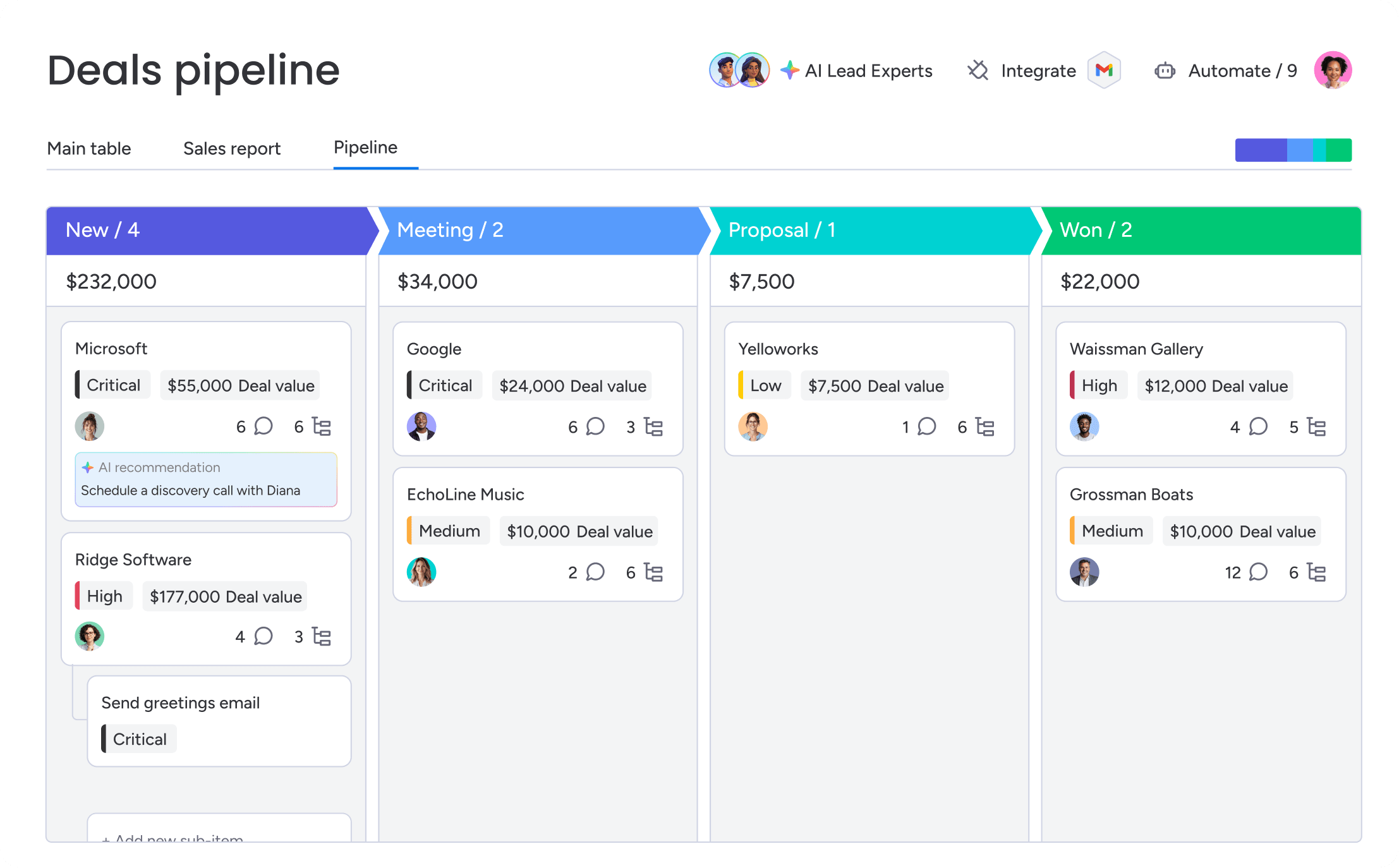
Plenty of teams already have a CRM, yet deals still slip away and forecasts still feel fuzzy. The issue usually isn’t the absence of software — it’s that the platform is hard enough to use that people avoid it. Strong deal tracking software closes that gap by giving teams a more precise, usable picture of pipeline reality.
This isn’t about piling on more features. It’s about driving measurable outcomes. When teams have a precise, real-time view of their pipeline, they can operate with more confidence and control. In practice, this translates directly to stronger business outcomes.
- Confident forecasts: Stop relying on guesses. With real-time data, you can report numbers you actually believe and make smarter planning decisions.
- Real accountability: See exactly when a deal loses momentum or a follow-up gets missed. Coaching becomes grounded in evidence, not instinct.
- Frictionless handoffs: Give legal and finance the context they need without scheduling yet another meeting. Deals move faster when nobody has to chase the status.
- Less admin work: Automate the data entry and status changes that drain your team’s energy. Reps get more time to focus on selling.
Many revenue teams use monday CRM to keep everyone aligned. When reps, managers, legal, and finance work from the same source of truth, the pipeline moves with less friction and far more confidence.
Try monday CRM7 key features to look for in deal tracking software
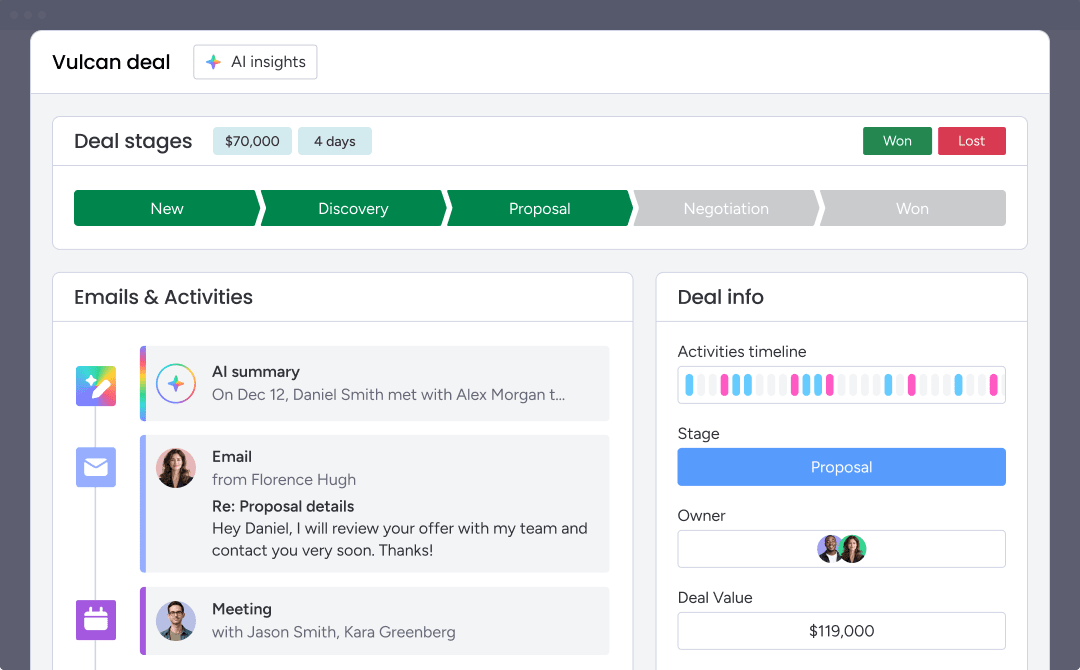
Not all deal tracking platforms deliver the same value. Some offer a polished dashboard with little substance behind it, while others bury useful functionality under layers of complexity. The right features do more than hold contact data — they help your team advance deals.
1. Visual pipeline management
No one should have to decode pipeline health by pulling reports. A visual board gives the entire team an immediate understanding of what’s happening, whether they’re a new rep or the CRO. Prioritize drag-and-drop stages and clear indicators of deal health. In monday CRM, for example, you can view conversion rates and surface stalled deals before they cool off completely.
2. Centralized communication and activity tracking
Momentum disappears when reps have to hunt through inboxes to reconstruct what happened. Calls, emails, and notes should be collected automatically in one place. Teams using monday CRM can centralize that history, and its AI summary turns months of communication into a concise brief a rep can scan in seconds.
3. Customizable stages and no-code workflows
Your CRM should fit your sales process — not force your team into awkward workarounds. Rigid tools hurt adoption fast. With monday CRM’s no-code functionality, teams can define their own stages and update workflows in minutes, without opening an IT ticket.
4. AI-powered deal scoring and forecasting
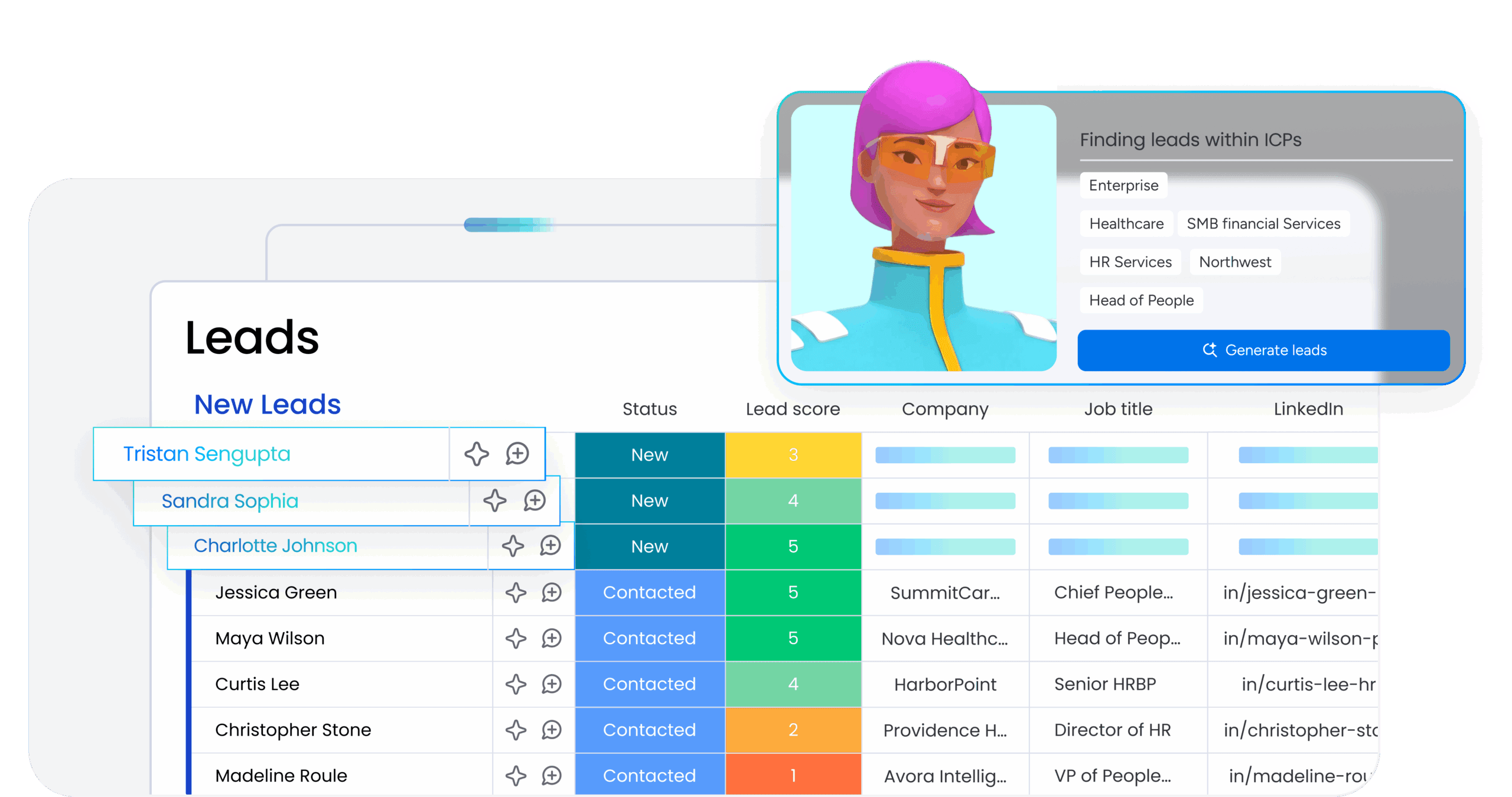
Rep-entered probabilities are often optimism dressed up as forecasting. AI deal scoring adds a more grounded layer by analyzing actual engagement signals. monday CRM’s AI agents can spot risk indicators and recommend next steps, helping leaders focus coaching where it can make the biggest difference.
5. Real-time dashboards and reporting
If your reports are based on last week’s data, they’re useful mainly as history. Managers and RevOps need to know what is happening right now. Live dashboards provide an up-to-date view of pipeline health and team performance without waiting on spreadsheet updates.
6. Cross-functional collaboration
A lot of deals lose speed during handoffs. When legal or finance has to review something, a messy email chain only adds delay. monday CRM keeps those workflows in the same workspace, allowing legal and finance to review and update without losing deal context.
7. Native integrations and mobile access
If the platform is awkward on mobile or doesn’t connect with the tools reps already use, adoption drops fast. Compatibility with Gmail, Outlook, and Slack, plus a strong mobile experience, should be table stakes for today’s sales teams.
Having 6 out of 7 features is not enough. One weak point in the process can create a bottleneck exactly when momentum matters most.
How AI is reshaping deal tracking and forecast accuracy
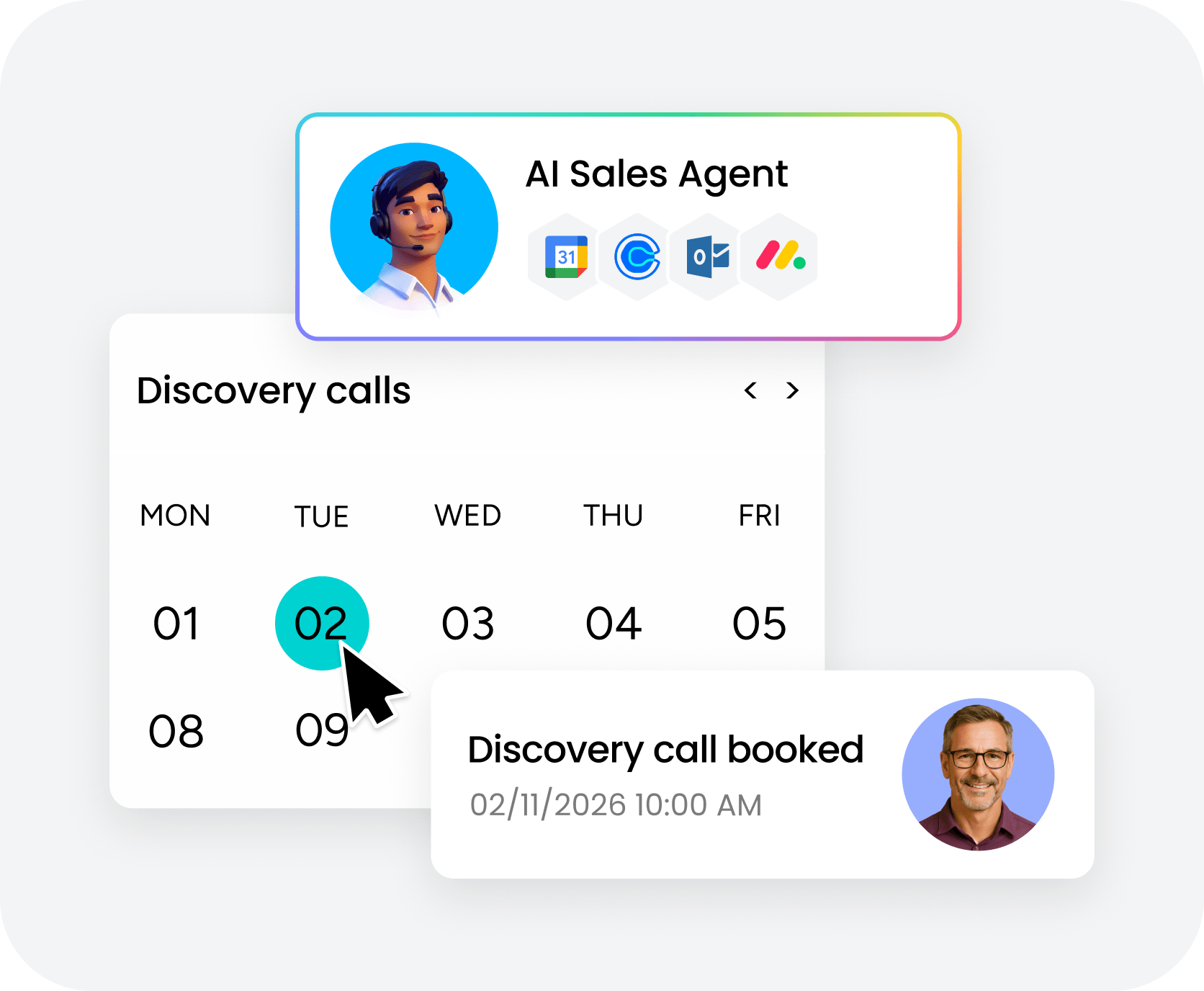
AI in sales has moved beyond novelty. It is no longer just an add-on sitting on top of your CRM; it is increasingly becoming part of the operating layer underneath. That shift is opening a real gap between teams using AI for surface-level suggestions and teams using AI that meaningfully changes execution.
What does that look like in practice? It means the platform stops waiting for instructions and starts surfacing what matters next. Many teams use monday CRM to create that advantage by automating the work that slows reps down and muddies the forecast.
- From assistant to agent: Instead of only helping draft an email, AI actively watches the pipeline. It highlights deals that are losing momentum and suggests the right next move to bring them back on track, without needing a prompt.
- Predictive scoring that’s actually predictive: It replaces gut feel with data-backed odds. By analyzing real engagement signals, it identifies which deals are healthy and which need attention, so coaching goes where it will matter most.
- Zero-effort activity capture: AI can listen to calls and read emails to extract key details, create summaries, and update the pipeline automatically. Reps spend less time acting as data-entry clerks and more time selling.
Once AI takes over the detection and documentation work, your team can concentrate on the conversations that actually close business. That isn’t some distant vision — it’s an advantage available now.
Try monday CRM6 steps to choose the right deal tracking platform
Most software mistakes are made before the first product demo ever happens. Teams jump into feature lists and price comparisons, then 6 months later wonder why adoption has fallen apart. Use the steps below to choose a platform that fits the way your team really sells, rather than the way a vendor says it should.
- Name your biggest pipeline problem: Before evaluating software, get specific about what’s broken. Are deals going cold without anyone noticing? That’s a visibility issue. Is forecasting mostly guesswork? That points to a data problem. Clarity matters here, because a platform designed to fix one type of issue won’t automatically solve the others.
- Match features to your sales process: A simple three-stage motion and a 12-stage enterprise cycle do not need the same toolset. Instead of getting distracted by giant feature lists, narrow the focus to the 3–5 capabilities you truly can’t do without. The platform should match your process, not force you to redesign it.
- Prioritize adoption and speed: A powerful platform that nobody uses becomes expensive shelfware. What matters is not just implementation time, but how quickly reps can start closing deals inside it. Long training cycles and dedicated admin support are hidden costs. Many teams choose monday CRM because it is built to be usable from day one, with no IT ticket required.
- Check if the AI is actually helpful: Every vendor claims to have AI, but that label can mean almost anything. Is it just glorified email drafting, or does it actually remove work from your team’s plate? Look for AI embedded directly into the deal workflow rather than tacked on afterward. Teams using monday CRM can autofill deal data and surface next steps without leaving the page.
- Make sure it plays nice with your other platforms: Your deal tracker needs to connect cleanly with email, calendar, and chat. Start by mapping your current tech stack and checking for native integrations. If the system depends on manual syncs or clunky connectors, it is creating more work, not less. monday CRM, for instance, connects natively to Gmail, Outlook, and Slack, which helps cut down the chaos of constant tab switching.
- Test it with your real, messy pipeline: Demos are always polished. Your actual pipeline is not. Load in your real deals, your imperfect data, and your actual team. Then see how long it takes a rep to log a deal or pull context for a call. If it isn’t faster than your current process, it isn’t the right fit.
Taking the time to work through these steps helps ensure you invest in a platform your team will actually adopt.
Track every deal and close pipeline gaps with monday CRM
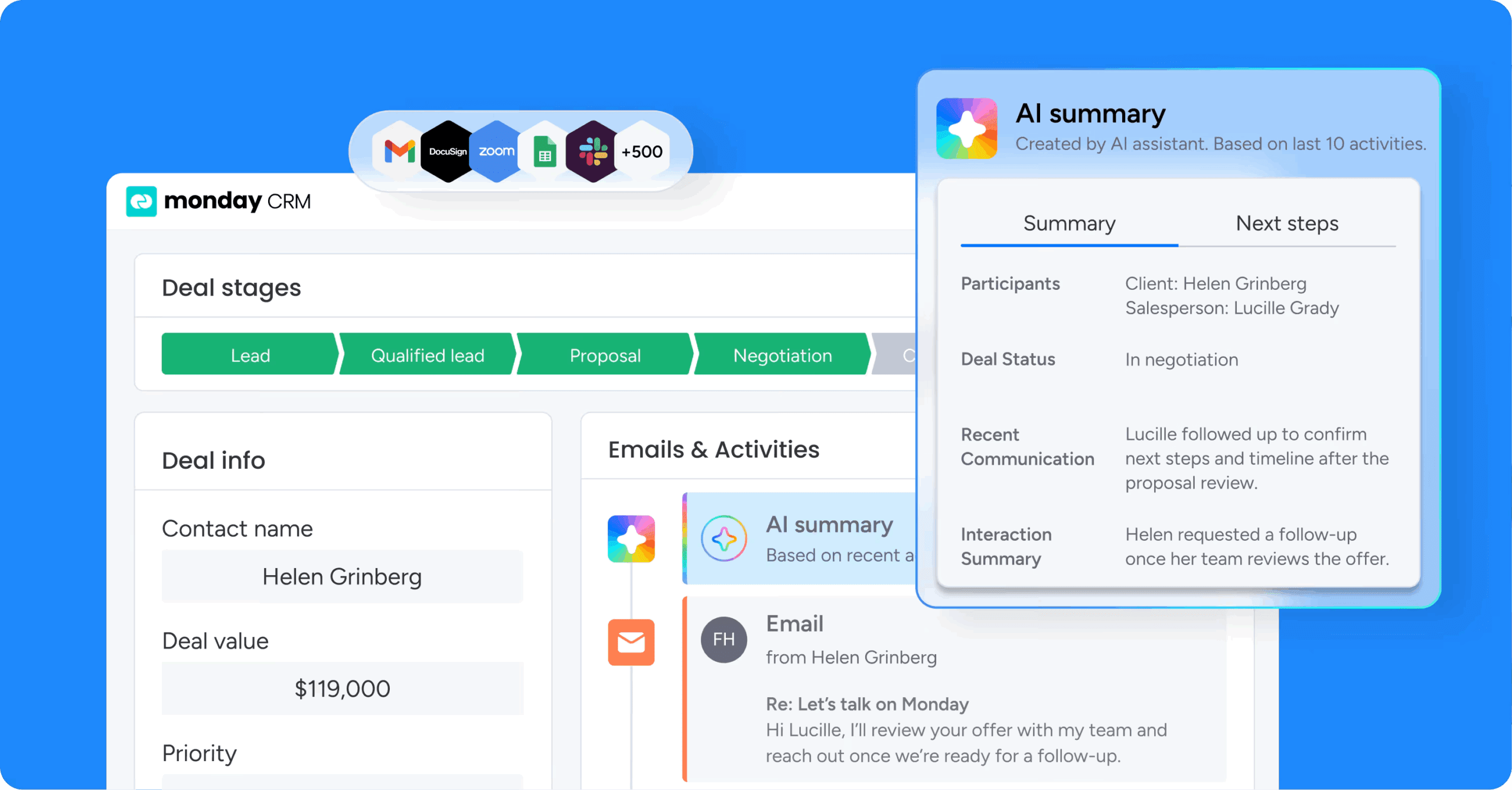
Lost deals are rarely about weak reps. More often, they come down to weak visibility. If forecast calls feel closer to guesswork than analysis, that’s a serious problem. How much revenue is slipping out simply because your team can’t see what’s happening soon enough? monday CRM gives you a real-time view of every deal, so you can spot gaps and act on them fast. No months-long rollout like old-school systems. Here’s how it compares.
See your pipeline in real time
You shouldn’t have to run reports just to understand where the quarter is heading. Our visual pipeline gives you an immediate read on every deal’s health, stage, and owner from a single view. That means you can spot stalled opportunities while there’s still time to intervene.
Get AI that does the work
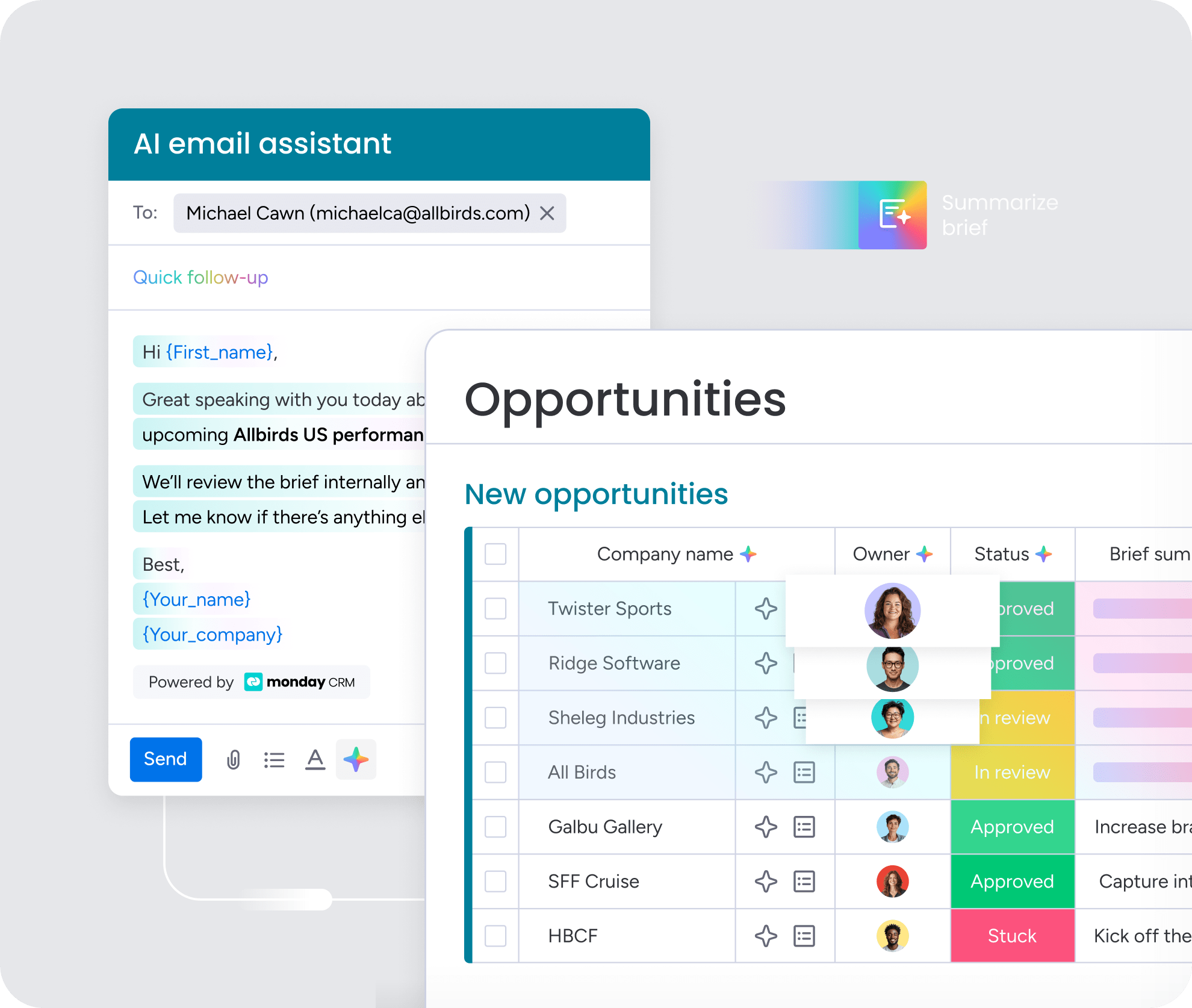
Recommendations are useful, but they’re only a starting point. Our AI flags stalled opportunities, drafts follow-up emails with actual context, and keeps pipeline data clean. Deals move forward faster. Reps get to spend more time selling and less time updating fields.
Bring your whole team together
Deals aren’t won in a sales-only silo. With monday CRM, legal, finance, and account management can work from the same shared context. No endless email chains. No version-control headaches. Just smoother handoffs that keep deals moving.
Build the apps you actually need
Your RevOps team shouldn’t have to wait months for IT to build something as simple as a commission calculator. Our no-code app builder lets them create custom tools using plain English. If you can describe it, you can build it.
When the whole revenue team works from one source of truth, deals move faster and forecasts become sharper. That’s not a slogan. It’s the natural outcome when your CRM starts working for your team instead of against it.
Mastering your sales pipeline for predictable revenue
The right deal tracking software turns scattered pipeline data into a single source of truth your team can actually use. When you can see every deal, spot stalled opportunities early, and automate the busywork that slows reps down, forecasts become reliable and revenue becomes predictable.
monday CRM gives your team that clarity without the months-long rollout or rigid workflows that kill adoption. Try it today and see how fast your pipeline starts moving when everyone’s working from the same playbook.
Try monday CRMFAQs
What is deal tracking software?
Deal tracking software shows your team exactly where every deal sits in your pipeline. It puts deal data, activity, ownership, and next steps in one place so teams can move opportunities toward closed-won.
What is the difference between deal tracking software and a CRM?
The difference comes down to focus. A CRM manages all customer relationships. Deal tracking software focuses on moving opportunities through the sales pipeline. It’s all about momentum and closing deals, not just storing contacts.
How does AI improve deal tracking?
AI automates manual work like data entry and flags deals at risk before they go cold. Your team spends less time on admin and more time selling.
What features should I prioritize in deal tracking software?
Focus on features that solve your biggest sales bottlenecks. Look for a visual pipeline, easy customization, and real-time dashboards that help your team sell faster.
How long does it take to implement deal tracking software?
Implementation can take months for legacy systems or just a few hours for more adaptable platforms. More adaptable platforms like monday CRM can often get teams working the same day.
Can deal tracking software help with sales forecasting?
Yes. Deal tracking software gives you real-time data on deal stages and win probabilities, so forecasts become more accurate. Sales leaders can build accurate, data-backed projections instead of relying on gut feelings.
