



Revenue teams can finally move beyond gut-feel forecasting. According to Gartner, only 45% of sales leaders have high confidence in their forecast accuracy, CRM automation with AI predictive analytics changes that by analyzing real deal behavior like engagement patterns, pipeline velocity, and historical win rates to show which deals will actually close.
This guide shows you how to implement AI predictive analytics in your CRM without a data science team or complete system overhaul. You’ll get 7 ready-to-use workflow examples, the essential data requirements for accurate predictions, and a practical 5-step implementation path that delivers results fast.
Key takeaways
- Combining CRM automation with AI lets revenue teams forecast deal outcomes, flag at-risk opportunities, and prioritize leads before problems surface.
- AI predictions are only as accurate as the data behind them — standardize your CRM records, remove duplicates, and fill critical gaps before enabling AI features.
- Pick one measurable goal like reducing deal slippage or improving forecast accuracy, then build from there rather than trying to overhaul everything at once.
- AI should recommend actions, not replace judgment — build approval checkpoints for high-stakes decisions like discounting or deal prioritization.
- With no-code automations, AI Blocks, and real-time dashboards, revenue teams can act on predictive insights from day one — no complex setup required.
What is CRM automation with AI predictive analytics?
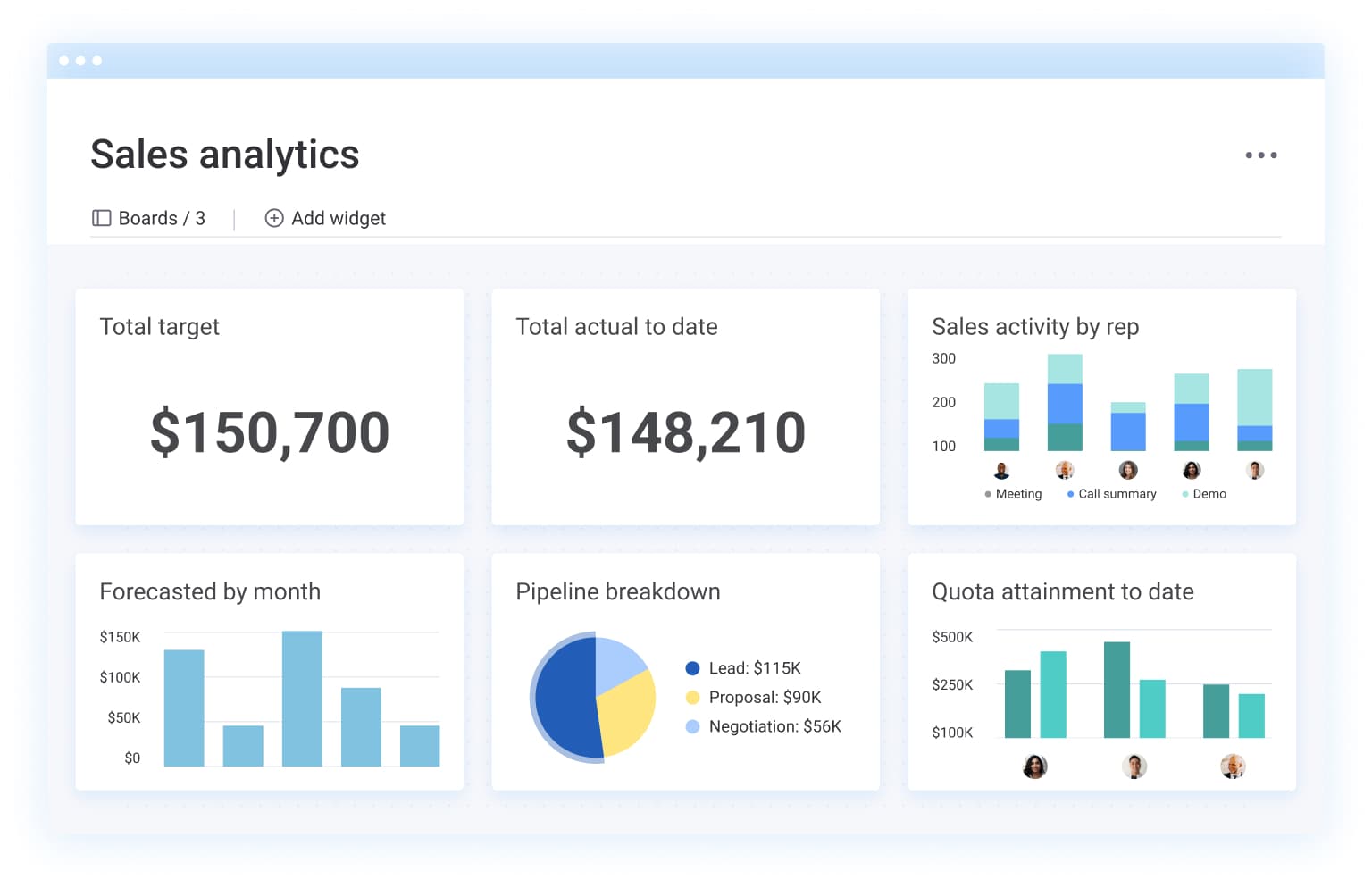
CRM automation with AI predictive analytics pairs workflow automation with machine learning to forecast outcomes, so revenue teams close more deals without the manual grunt work.
Traditional CRM automation handles the boring stuff: creating records, sending notifications, updating statuses. AI predictive analytics goes deeper — it analyzes historical patterns to forecast which leads will convert, which deals are at risk, and how much revenue you’ll actually close this quarter.
Here’s what that means: Your CRM automatically scores incoming leads based on conversion likelihood, flags deals showing early warning signs, and adjusts revenue forecasts in real time as your pipeline shifts. This means revenue teams spend less time on data entry and guesswork, more time on conversations and decisions that actually move deals forward.
How CRM and AI work together in revenue workflows
When CRM systems and AI work together, revenue teams stop reacting and start anticipating. Your CRM evolves from a glorified spreadsheet into a proactive system that does the heavy lifting, spotting patterns and recommending next steps.
How AI finds patterns in customer data
AI analyzes historical CRM data to spot patterns humans would miss — or take forever to find. These patterns reveal what’s actually happening with your deals and customers.
Here are the pattern types that matter most:
- Behavioral signals: How prospects engage with emails, content, and sales calls
- Engagement trends: Which activities correlate with closed deals
- Deal progression indicators: What separates fast-moving deals from stalled ones
- Customer health markers: Which behaviors predict churn or expansion
For example, AI might find that deals with 3 or more stakeholders engaged in the first 14 days tend to close significantly faster than deals with just one contact. That insight changes how reps prioritize their time.
How predictive analytics forecasts likely outcomes
Predictive analytics uses historical data to forecast future results. Traditional reporting just shows what already happened.
Example: Let’s say reporting tells you last quarter’s win rate was 28%. Predictive analytics tells you this quarter’s pipeline has a 72% shot at hitting target based on current deal velocity and engagement.
Revenue teams use predictive analytics to:
- Forecast deal close probability
- Estimate churn risk
- Predict lead conversion likelihood
- Project revenue with confidence intervals
These predictions are probabilities, not guarantees. They guide decisions — they don’t replace judgment.
How CRM intelligence turns insights into actions
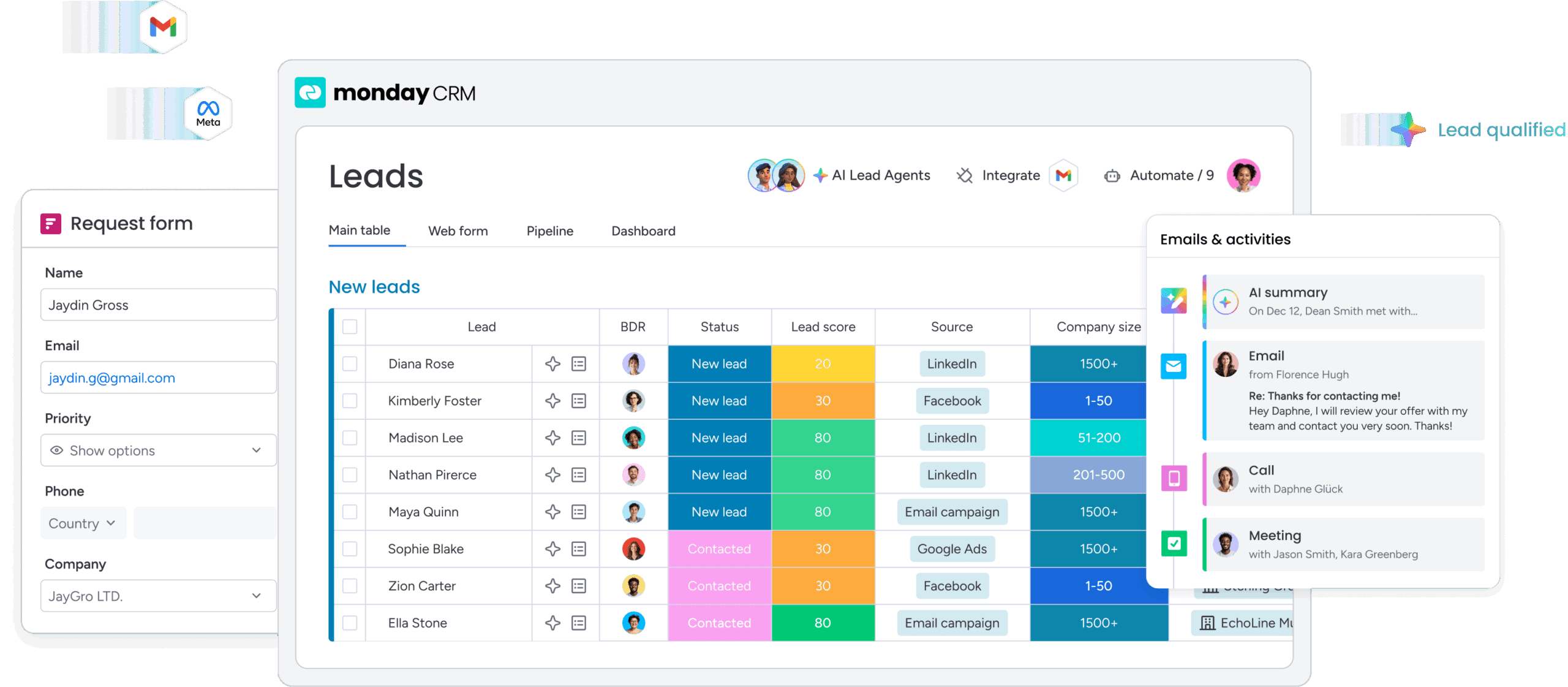
AI-powered CRM systems go beyond surfacing insights. They recommend or trigger actions based on what the data shows. When AI detects that a high-value deal hasn’t had engagement in 10 days, the CRM can automatically create a follow-up task, draft a re-engagement email, or alert the sales manager.
This is where automation and predictive analytics deliver real value. The CRM doesn’t just tell you a deal is at risk. It does something about it. Human oversight is still essential for high-stakes decisions, but AI handles the detection and initial response that used to need constant manual monitoring.
Why CRM predictive analytics matters for revenue teams
Adding predictive intelligence to your CRM changes what’s possible for revenue teams. Instead of reacting to what already happened, teams can anticipate what’s coming and act before problems turn into crises.
| Benefit | What it solves | Revenue impact |
|---|---|---|
| More reliable sales forecasting | Removes rep bias from pipeline estimates | Accurate resource allocation and realistic targets |
| Faster lead prioritization | Eliminates guesswork about which leads to work | Higher conversion rates and rep productivity |
| Earlier deal risk signals | Catches warning signs before deals officially slip | Proactive pipeline management |
| More relevant customer outreach | Personalizes timing and messaging based on behavior | Improved response rates and deal velocity |
| Stronger revenue reporting | Provides forward-looking visibility into pipeline health | Proactive decision-making for leadership |
More reliable sales forecasting
Predictive models cut forecast error by analyzing deal velocity, engagement patterns, and historical win rates across your entire pipeline. Manual forecasts rely on rep intuition and tend to be overly optimistic. Reps naturally believe their deals will close. AI removes this bias by analyzing hard data.
Example: Instead of relying on a rep’s gut feel that a $50K deal will close this quarter, AI analyzes 12 behavioral signals and assigns a 68% close probability. This helps leadership allocate resources and set realistic targets the team can actually hit.
Faster lead prioritization
AI scoring helps reps prioritize leads most likely to convert, rather than working leads in chronological order or by gut feel. Without scoring, reps waste time on low-intent leads while high-value opportunities go cold.
Example: A rep receives 40 inbound leads per week. AI scoring highlights the 8 leads with the highest conversion signals, so the rep can engage them within an hour instead of days later. The result is better conversion rates and rep productivity.
Earlier deal risk signals
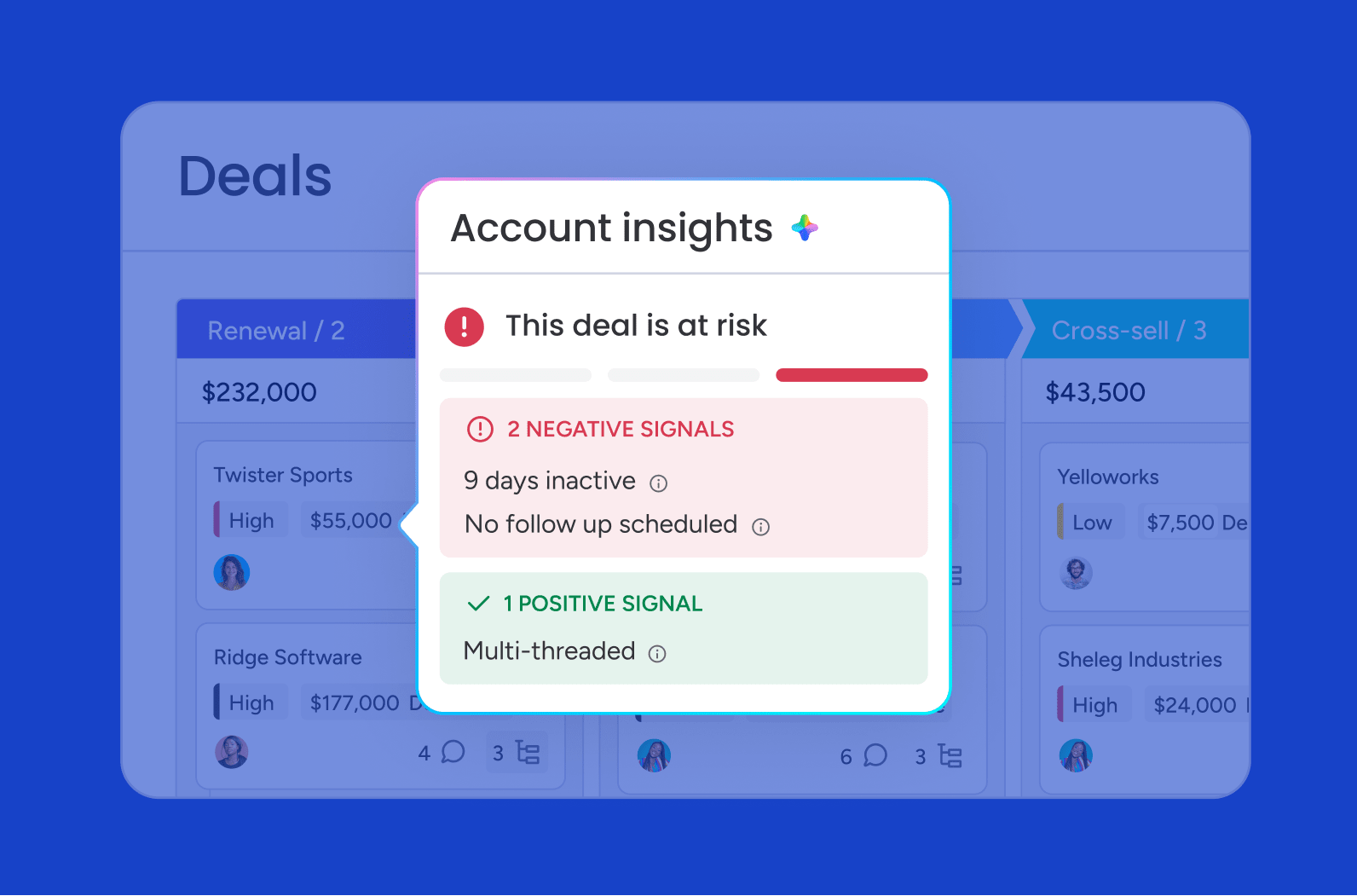
AI detects warning signs before deals officially slip: stalled engagement, missing stakeholders, delayed next steps. By the time a rep realizes a deal is at risk, it’s often too late to recover.
Example: AI flags a deal when the champion stops responding and no other stakeholders have engaged in 10 days, giving the rep time to re-engage before the deal goes dark. This provides the pipeline predictability needed to consistently hit quarterly targets.
7 CRM automation examples powered by AI predictive analytics
Revenue teams are using AI-powered CRM automation right now. Each example below shows a workflow that combines automation with predictive analytics to deliver measurable results.
Here’s a quick look table of the 7 examples:
| Use case | What AI predicts | Automated action |
|---|---|---|
| Predictive lead scoring | Likelihood of conversion | Prioritize and route leads automatically |
| Intelligent lead routing | Best rep assignment | Assign leads and create follow-up tasks |
| Sales forecasting | Expected revenue outcomes | Update forecasts and pipeline projections |
| Deal risk alerts | Probability of deal slippage | Trigger alerts and recovery workflows |
| Churn prediction | Likelihood of customer churn | Create retention tasks and outreach sequences |
| Personalized sales sequences | Best message and timing | Adjust email and outreach workflows |
| Customer handoff automation | Onboarding or renewal risks | Transfer data and launch next-stage workflows |
1. Predictive lead scoring
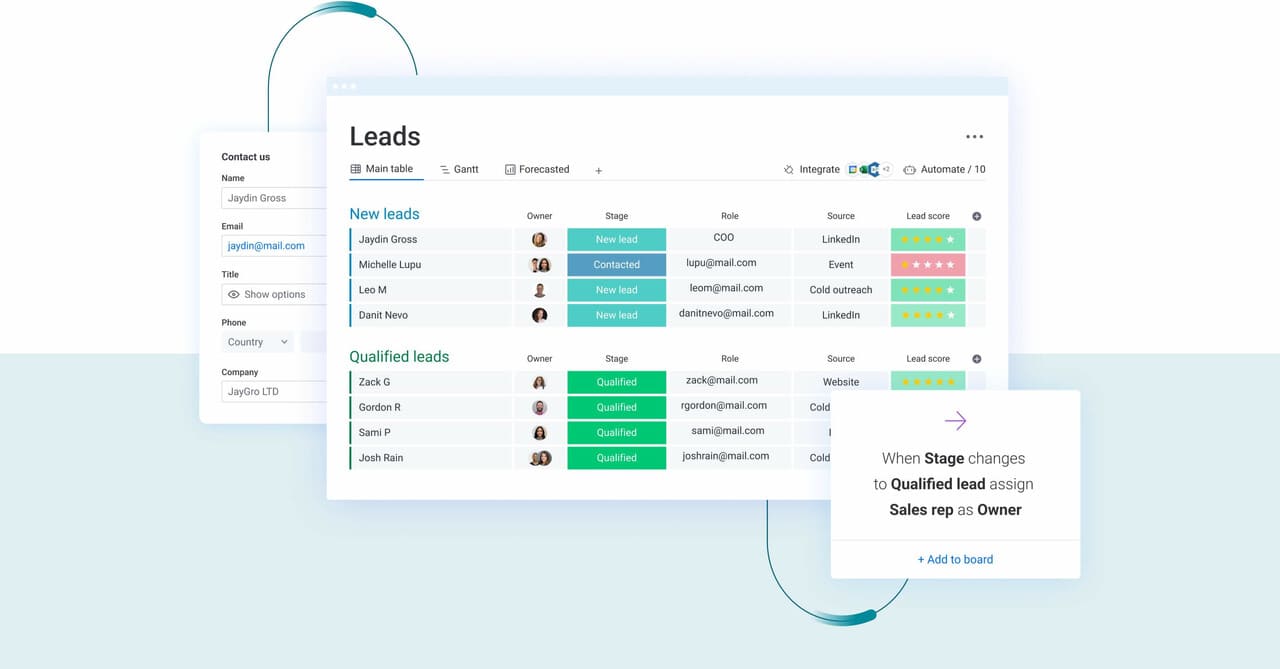
Predictive lead scoring uses AI to prioritize leads based on conversion likelihood, replacing static scoring rules with data-driven rankings.
- The model evaluates firmographic data, behavioral signals, and historical conversion patterns to assign scores.
- Scores update in real time as leads engage or go quiet.
Here’s an example: A SaaS company uses predictive scoring to route high-intent leads to senior reps within 5 minutes, while nurturing lower-scoring leads via automated sequences. The result? Faster response times for hot leads and higher conversion rates.
2. Intelligent lead routing and follow-up automation
Intelligent lead routing assigns incoming leads to the right rep or team based on AI-driven criteria — not just simple round-robin distribution. AI considers factors like rep capacity, territory, expertise, and lead characteristics. Follow-up tasks are automatically created with recommended timing and messaging based on what’s worked historically.
3. AI-powered sales forecasting
AI-powered sales forecasting uses predictive modeling to estimate future revenue based on pipeline data and historical trends. AI analyzes deal velocity, win rates by stage, rep performance patterns, and seasonal trends. Forecasts update in real time as deals progress or stall, giving leadership live visibility into whether the team will hit target.
4. Automated deal risk alerts
Deal risk alerts are AI-generated warnings that trigger when deals show signs of stalling or slipping before they officially miss their close date.
Risk models identify warning signals including lack of engagement, missing stakeholders, delayed next steps, and competitor mentions. Alerts trigger recommended actions like re-engagement emails, manager check-ins, or discount approvals.
5. Proactive churn prediction
Churn prediction spots customers likely to cancel or downgrade before they actually do, giving customer success teams time to intervene. AI analyzes usage patterns, support ticket volume, payment history, and engagement trends. Predictions trigger proactive outreach from customer success or account management.
6. Personalized sales sequences
Personalized sequences are AI-customized email and task workflows that adapt based on how leads behave. The system adapts messaging, timing, and channel for each lead. Sequences adapt in real time based on engagement. If a lead opens an email but doesn’t respond, the next touch might be a phone call instead of another email.
7. Automated customer handoff
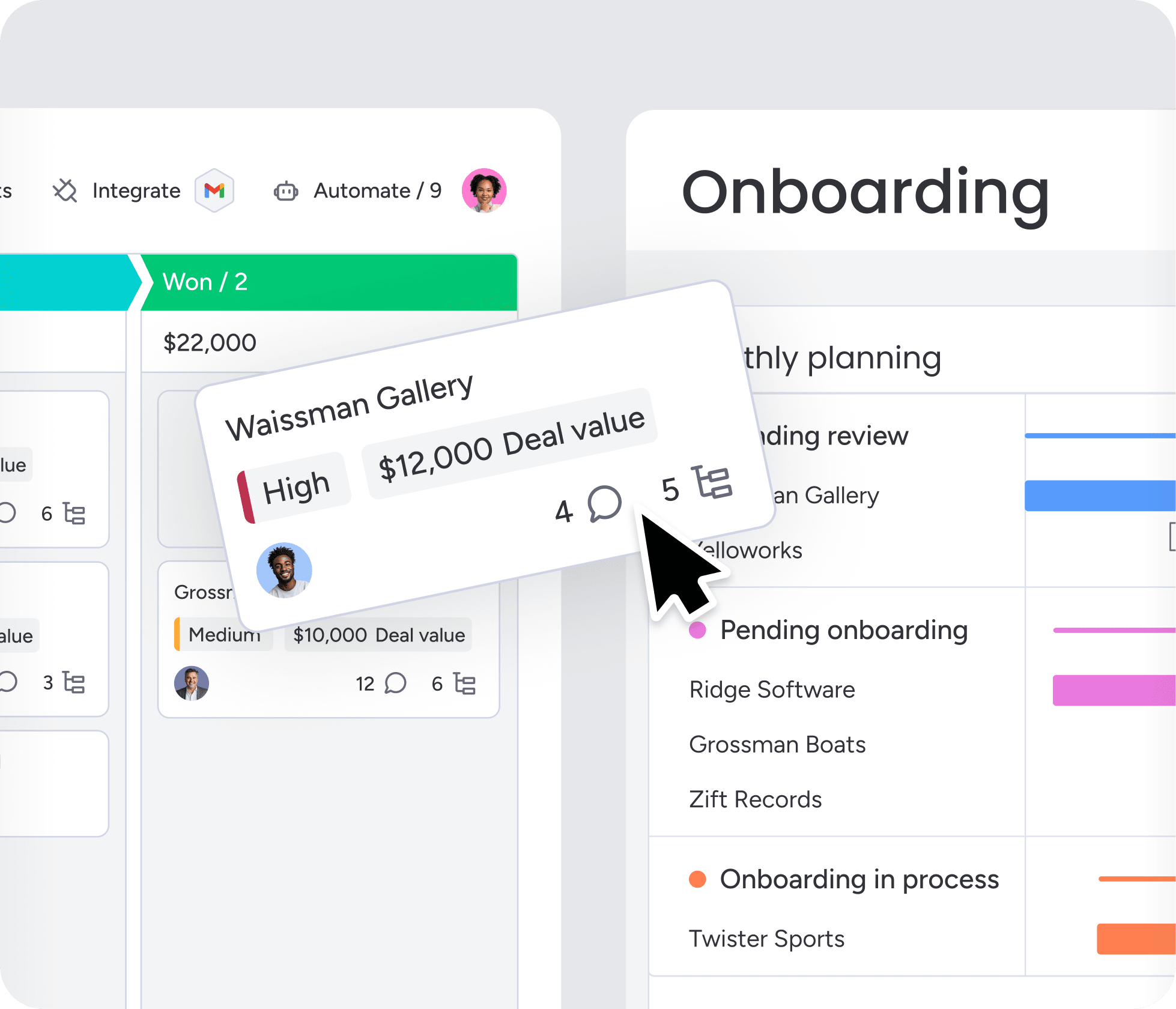
Handoff automation orchestrates transitions between sales, onboarding, and customer success teams. AI makes sure all relevant information transfers to the receiving team: deal notes, customer goals, key contacts, implementation requirements.
AI can trigger onboarding tasks, schedule kickoff calls, and flag potential issues based on deal characteristics.
What data revenue teams need for CRM predictive analytics
AI predictions are only as good as the data behind them. Revenue teams need to capture and organize specific data categories in their CRM to power accurate predictive analytics. This table shows the 6 core data categories and what AI does with each one:
| Data category | Key data points | What AI uses it for |
|---|---|---|
| Deal and pipeline data | Deal size, stage, expected close date, probability, product type, deal source | Revenue forecasting, deal prioritization, win probability calculation |
| Lead source and engagement data | Lead source, campaign attribution, content downloads, webinar attendance, email opens/clicks | Lead scoring, conversion prediction, channel optimization |
| Email, call, and meeting activity | Emails sent/received, calls logged, meetings scheduled/completed, response time | Engagement pattern detection, risk identification, next-step recommendations |
| Customer health and retention signals | Product usage frequency, feature adoption, support ticket volume, NPS score, payment history | Churn prediction, expansion opportunity identification |
| Cross-functional revenue data | Marketing spend by channel, customer acquisition cost, customer lifetime value, onboarding completion rate | Holistic forecasting, full-journey analysis |
Incomplete or outdated deal data leads to bad forecasts. Enforce required fields and keep your pipeline clean. Integrations matter too. The more data AI can access, the more accurate its predictions become.
5 steps to implement AI predictive analytics in CRM
You can implement AI predictive analytics without a complete CRM overhaul or a dedicated data science team. The best implementations start small, prove value fast, and expand from there. Here’s the playbook:
Step 1: Choose one revenue goal
Starting with one measurable goal prevents scattered efforts and unclear ROI. Trying to solve everything at once leads to half-finished implementations that deliver zero value.
Good starting goals include:
- Increasing lead-to-opportunity conversion by 15%
- Reducing deal slippage by 20%
- Improving forecast accuracy to within 10%
Pick a goal where you already have clean data and a clear success metric. This makes it easier to prove ROI and build momentum.
Step 2: Organize the CRM data that matters
AI needs clean, complete, consistent data to generate accurate predictions. Before turning on AI features, audit your CRM data for gaps, duplicates, and outdated records.
Here’s what to do:
- Standardize data entry: Use consistent lead sources and stage definitions.
- Remove duplicates: Merge duplicate contacts and accounts.
- Update stale records: Close out dead deals and inactive contacts.
- Fill critical gaps: Ensure high-value fields are populated.
Focus on the data tied to your goal before expanding to other areas.
Step 3: Build simple automation around high-value signals

Start with straightforward sales automation rather than complex multi-step workflows. Use your CRM’s built-in AI features before building custom models.
Early wins include:
- Lead scoring: Automatically prioritize incoming leads.
- Deal risk alerts: Flag deals showing warning signs.
- Follow-up reminders: Trigger tasks when engagement drops.
Start with automations that save reps time or reveal insights they couldn’t see manually.
Step 4: Add human review for important actions
AI should recommend actions — not execute them blindly. This is especially true for high-stakes decisions: discounting, deal prioritization, customer outreach.
Build “human in the loop” checkpoints where reps or managers approve AI-generated recommendations. Checkpoints include lead routing where AI suggests the best rep and a manager approves, or discount requests where AI recommends the discount and a manager signs off on it. This builds trust and prevents costly mistakes.
Step 5: Measure adoption and expand workflows
Track AI performance and user adoption: how accurate it is, how it impacts KPIs, and how often reps actually use it. High-performing AI that nobody uses delivers zero value.
Run a pilot with a small team before rolling out AI-powered workflows across the company. Successful pilots create champions who push for broader adoption. Celebrate early wins publicly to build momentum.
How monday CRM helps revenue teams automate CRM workflows with AI
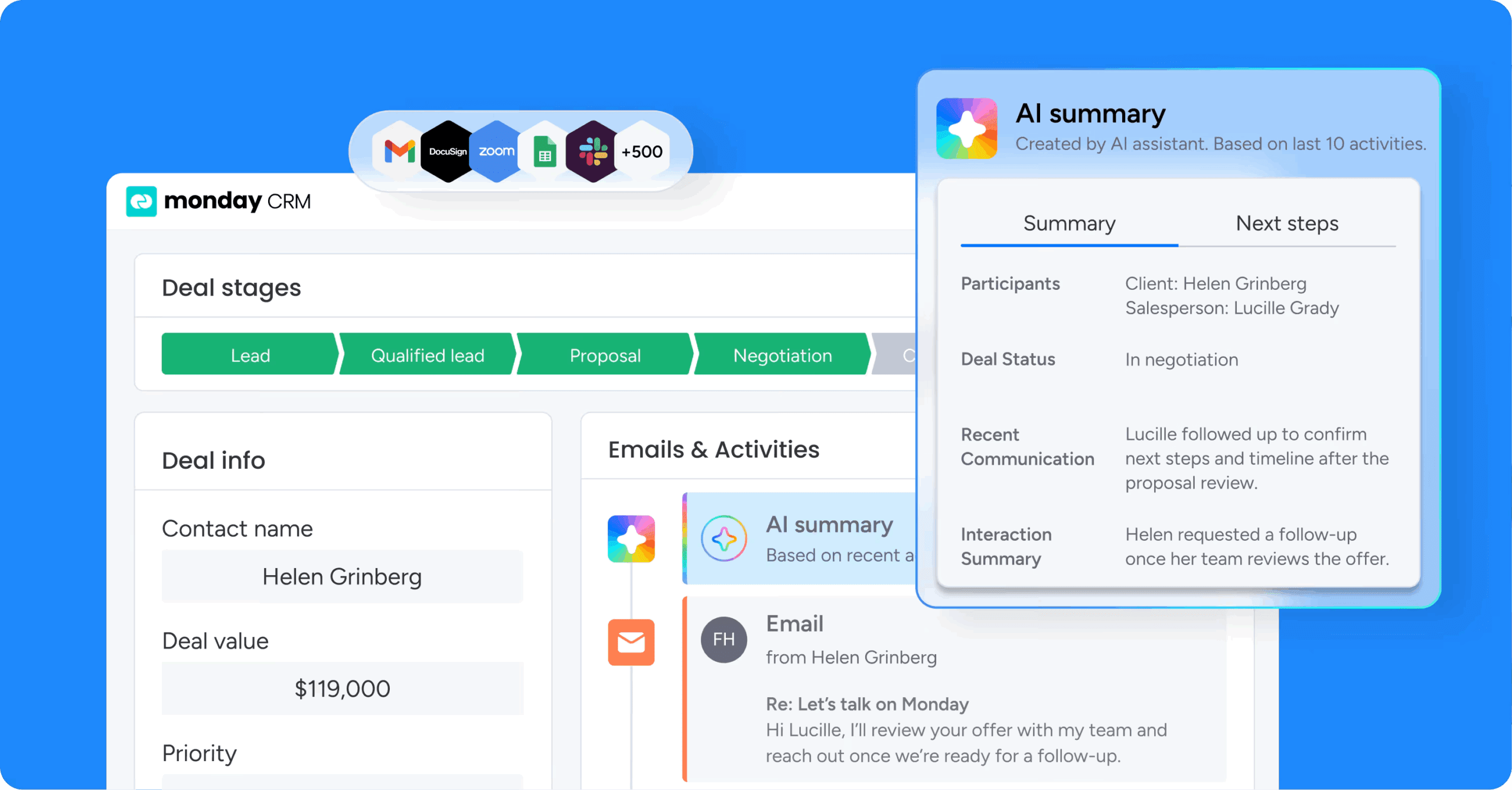
Revenue teams using monday CRM can implement AI predictive analytics without heavy IT lift or complex implementations. The platform combines flexible pipeline management with embedded AI that turns insights into action.
Build flexible pipelines with no-code automations
monday CRM lets revenue teams build custom pipelines, workflows, and automations without coding or IT support. Teams configure AI-powered automations using a visual workflow builder anyone can use.
This flexibility matters because business needs change. When AI surfaces new insights or market conditions shift, teams can adapt workflows immediately rather than waiting for IT to make changes.
Use AI Blocks to enrich CRM data and communication
monday CRM includes AI Blocks — pre-built AI functions that teams add to workflows to automate tasks. These capabilities support predictive analytics workflows by helping teams clean and enrich CRM data, which improves the accuracy of predictive models.
The following AI Blocks enhance predictive analytics:
- Categorize: Auto-tags records based on content to tag leads by industry, use case, or intent level
- Summarize: Condenses long text into key points to summarize meeting notes into actionable next steps
- Extract Info: Pulls structured data from unstructured text to extract budget, timeline, and decision-makers from emails
- Detect Sentiment: Identifies positive, negative, or neutral tone to flag deals with negative sentiment for manager review
Get real-time forecasting and pipeline visibility through dashboards
monday CRM provides real-time dashboards that surface AI-generated insights like forecast accuracy, deal risk, pipeline health, and rep performance. Dashboards update automatically as deals progress, giving leadership live visibility into whether the team will hit targets.
Key dashboard capabilities include forecast confidence intervals, at-risk deal highlighting, pipeline coverage analysis and rep performance tracking.
Centralize communication and activity tracking in one place
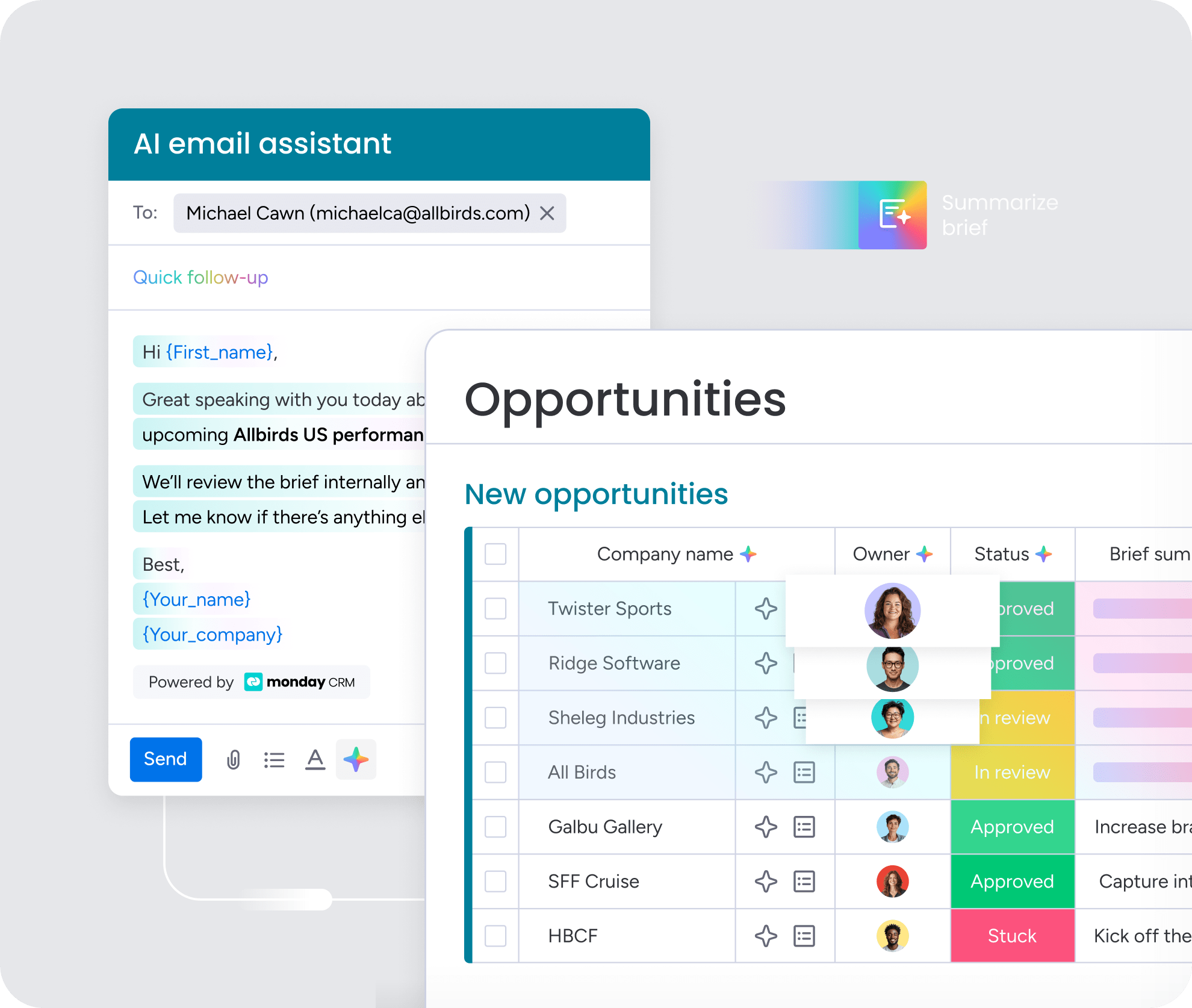
monday CRM centralizes all customer communication — emails, calls, and meetings — in one place. This ensures AI has access to the engagement data it needs for accurate predictions, with 2-way email sync capturing conversations automatically and eliminating manual logging.
Engagement patterns are among the strongest signals for deal outcomes. When AI can see every touchpoint, predictions become more accurate and risk signals surface earlier.
Start forecasting with confidence, not gut feel
Revenue teams that combine CRM automation with AI predictive analytics stop reacting to pipeline surprises and start anticipating them. The shift from manual tracking to intelligent, data-driven workflows means reps spend time on the right deals, managers get forecasts they can trust, and leadership makes resourcing decisions based on real signals — not optimism.
Start with one goal, clean the data that matters, and build from there — small wins compound quickly into meaningful advantages in pipeline visibility and forecast accuracy.
monday CRM gives revenue teams the flexibility to implement AI predictive analytics without heavy IT lift. From no-code automations and AI Blocks to real-time dashboards and centralized communication, the platform is built for teams that want to move fast and forecast accurately.
Try monday CRM automationFAQs
What is CRM automation with AI?
CRM automation with AI combines rule-based workflow automation with artificial intelligence to help revenue teams work more efficiently. Traditional CRM automation handles repetitive tasks like creating records and sending notifications based on predefined rules. AI adds intelligence by analyzing patterns in CRM data to score leads, predict deal outcomes, identify at-risk accounts, and recommend next actions.
How is AI used in CRM systems?
AI is used in CRM systems for lead scoring, sales forecasting, deal risk detection, churn prediction, personalized outreach, and automated task execution. AI analyzes historical CRM data to identify patterns and uses those patterns to make predictions and recommendations.
What is predictive analytics in CRM?
Predictive analytics in CRM uses historical data to forecast future outcomes like which leads will convert, which deals will close, and which customers will churn. Unlike traditional reporting that shows what already happened, predictive analytics tells you what's likely to happen next.
How can a small business use CRM with AI?
Small teams can benefit from AI predictive analytics even with limited data. The key is starting with focused use cases like lead scoring or deal risk alerts rather than trying to implement everything at once. AI models improve over time as more data accumulates, so teams that start with 6 months of clean deal data can still get useful predictions.
What data do I need for CRM predictive analytics to work?
CRM predictive analytics requires clean, consistent data in key areas: deal and pipeline data, lead source and engagement data, activity data, and customer health signals. You don't need perfect data across your entire CRM — focus on the data tied to your specific use case.
How do AI agents differ from traditional CRM automation?
Traditional CRM automation executes predefined rules. AI sales agents go further by analyzing data, making decisions, and taking action autonomously. An automation might create a follow-up item when a deal reaches a certain stage. An AI agent monitors deal activity, detects when engagement drops, drafts a personalized re-engagement email, and escalates to a manager if the prospect doesn't respond.
