



Enterprise sales teams generate huge amounts of customer data, but most CRM systems still rely on reps to manually update records, manage follow-ups, and build forecasts. AI enterprise CRM changes that by automating repetitive work, identifying trends and risks in real time, and helping teams make faster decisions with better context.
This guide explains how AI enterprise CRM works, the capabilities that matter most, and how revenue teams use AI to improve forecasting, automate workflows, and scale more efficiently.
Key takeaways
- AI CRM handles predictive scoring, automated follow-ups, and generative email drafts so your team can focus on selling.
- AI analyzes deal patterns and updates predictions continuously to deliver accurate forecasting.
- AI assistants help reps draft content and suggest actions, while AI agents execute tasks autonomously based on predefined rules.
- Revenue teams get built-in AI features, no-code builders, and cross-functional visibility with monday CRM.
- Pilot 2-3 workflows, measure results, and expand gradually to scale AI adoption across your organization.
What is an AI enterprise CRM?
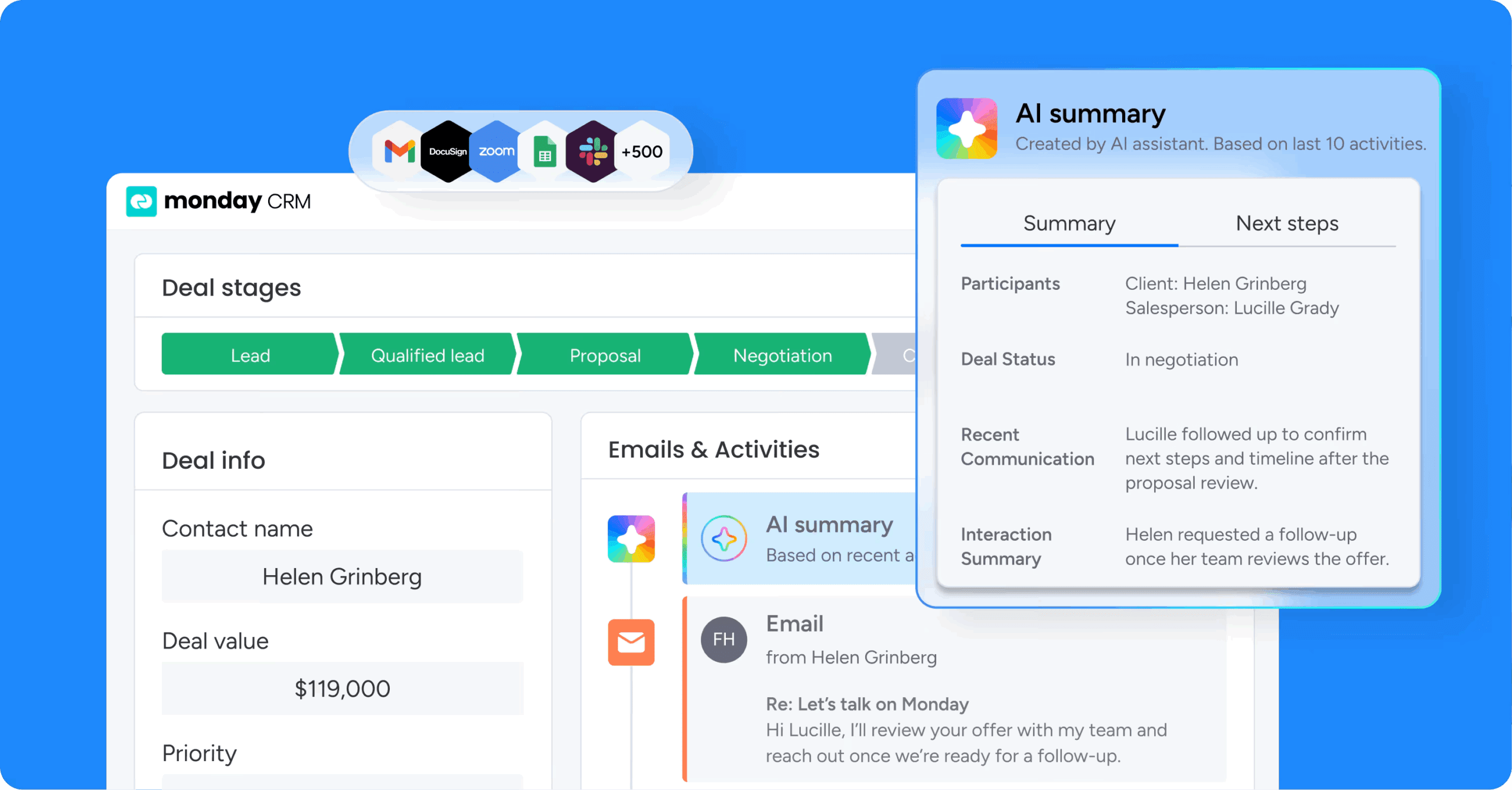
An AI-powered enterprise CRM uses artificial intelligence to cut manual work and sharpen forecast accuracy. It supports cross-functional revenue operations as you grow. Your sales, service, and marketing teams get a system that actively participates in their daily work instead of just storing customer information.
AI enterprise CRM platforms analyze customer activity in real time to identify risks, prioritize opportunities, automate repetitive work, and improve forecasting accuracy.
How AI CRM differs from traditional CRM
Unlike traditional CRM systems that function primarily as databases, an AI-powered enterprise CRM automates repetitive tasks. It predicts outcomes and generates intelligent recommendations. Traditional CRM systems store customer information, but they don’t automatically analyze trends, recommend actions, or execute workflows.
Here’s where the differences show up:
| Capability | Traditional CRM | AI-powered CRM |
|---|---|---|
| Data entry | Manual input by reps | Automated capture from emails, calls, and meetings |
| Forecasting | Spreadsheet-based estimates | Predictive modeling based on deal velocity and historical patterns |
| Lead scoring | Rule-based criteria set by admins | AI-driven scoring based on engagement signals and firmographics |
| Content creation | Manual drafting of every email | Generative AI pulls context from CRM to draft personalized messages |
| Workflow execution | Human-triggered actions | Autonomous agents execute tasks based on predefined rules |
AI assistants vs. AI agents in CRM
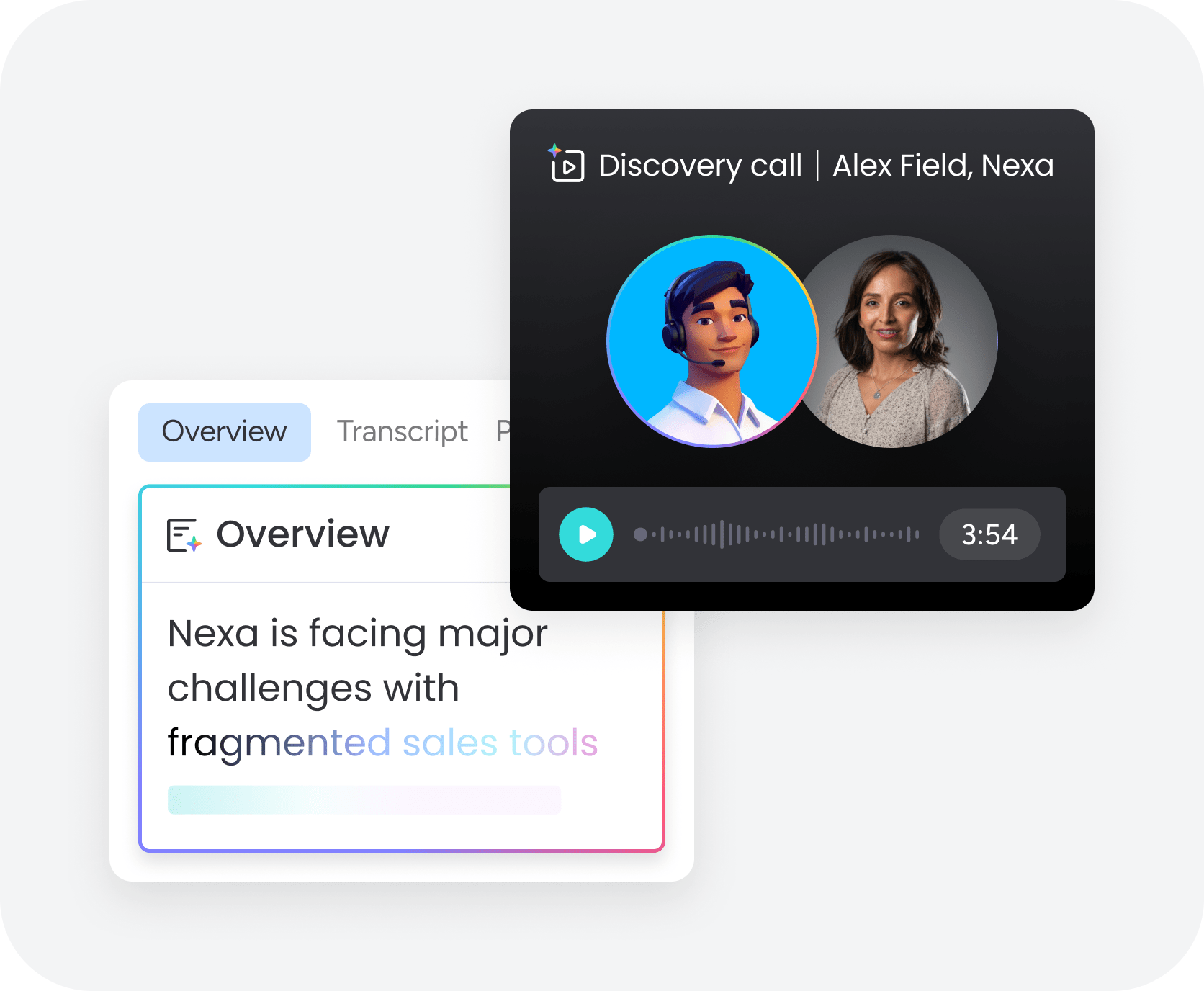
Understanding the difference between AI sales assistant and agents helps you use each effectively. Each serves a different purpose. Assistants and agents are critical AI CRM components that solve different problems. Understanding their roles helps you deploy them effectively for productivity and scale.
| Feature | AI Assistants | AI Agents |
|---|---|---|
| Definition | Help users complete tasks by drafting emails or summarizing conversations | Execute tasks autonomously based on predefined rules and triggers |
| Human involvement | Support human work but need approval before taking action | Work independently without requiring human approval for each action |
| Example workflow | A sales rep asks an AI sales assistant to draft an email, review it, edit it, and send it | When a lead fills out a demo request form, an AI agent assigns the lead to a rep, creates a follow-up task, and sends a confirmation email automatically |
| Primary use case | Help individual contributors work faster | Handle high-volume, repetitive execution at scale |
How AI works inside an enterprise CRM
AI in enterprise CRM works across specific connected layers. Each layer tackles different business needs for revenue teams. Here’s what this looks like:
Predictive AI for forecasting and lead scoring
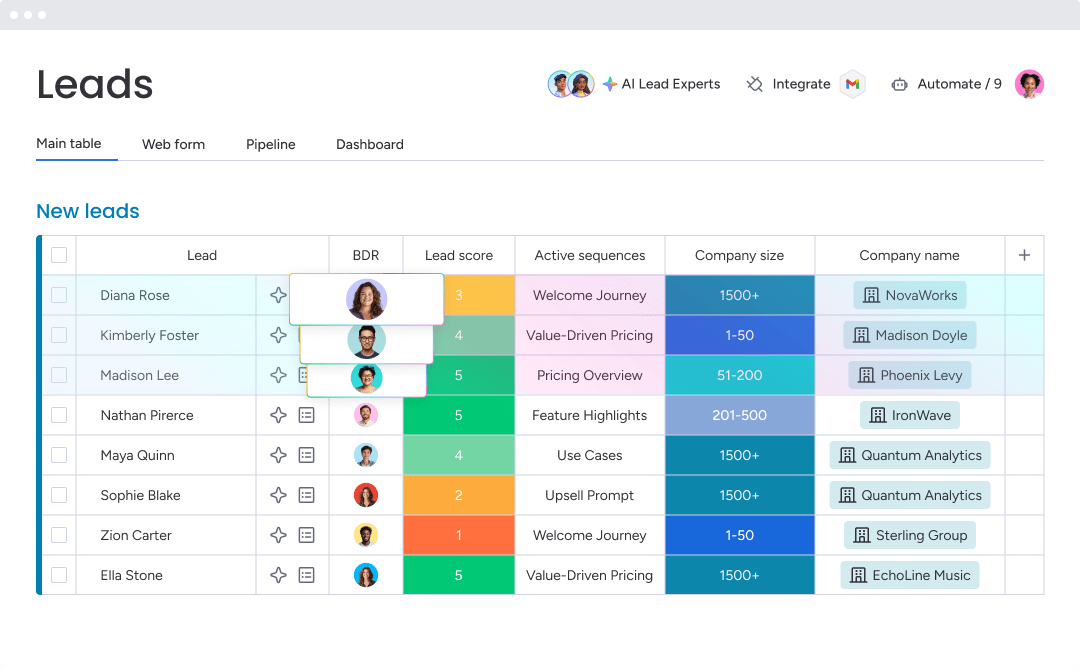
Predictive AI analyzes historical data, customer behavior, and engagement signals to forecast outcomes and prioritize leads. The system spots patterns from thousands of past deals:
- Which activities preceded closed-won outcomes?
- How long was spent on successful deals at each stage?
- Which firmographic characteristics correlate with higher win rates?
Sales teams focus outreach on prospects most likely to convert, not alphabetically or by recency. Leadership gains confidence in pipeline accuracy because forecasts update continuously. They reflect real deal velocity and conversion rates, not guesses.
Generative AI for content and communication
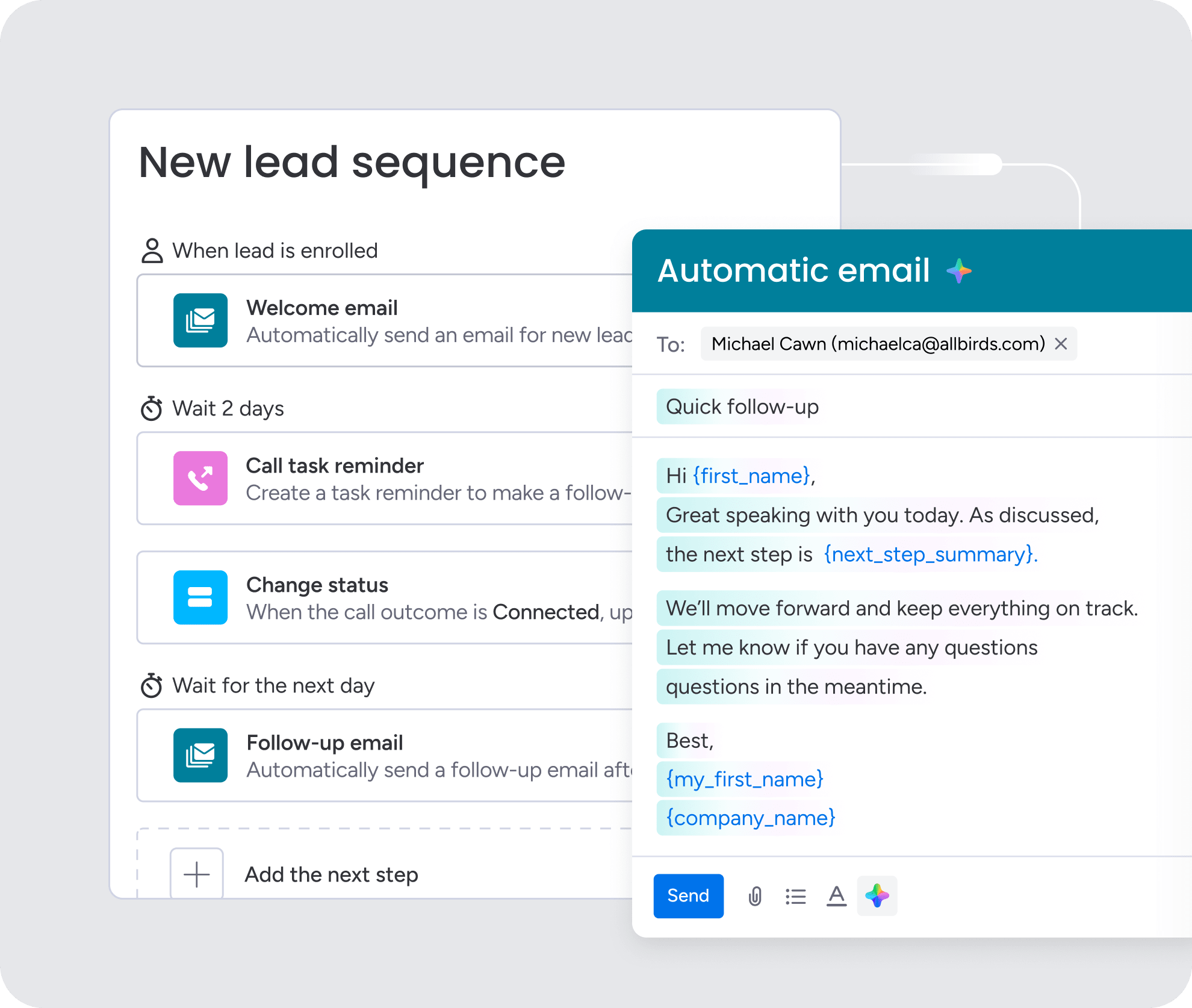
Generative AI drafts emails, creates summaries, and personalizes outreach from CRM data. The system creates content reflecting your relationship with each prospect.
A sales rep can use AI to draft a follow-up email that references specific pain points from the call, pulls relevant case studies for the prospect’s industry, and suggests next steps for the deal stage. What took 15 minutes now happens in seconds.
Agentic AI for autonomous execution
Agentic AI executes tasks based on triggers and rules you set. When conditions are met, agents act without waiting for human input.
Common agent actions include:
- Lead routing: Assign new leads to the appropriate rep by territory, industry, or size.
- Record updates: Change deal stages when activities occur.
- Follow-up triggers: Send reminders when deals go quiet.
- Risk flagging: Alert managers of churn risk.
Agents work within guardrails and respect user permissions. Strong human-AI collaboration means humans define rules and review outcomes while agents execute at scale.
Learn more: Best autonomous CRM for sales
The data foundation behind reliable AI
AI requires clean data. Reliable AI needs clean, structured data across sales, service, and marketing.
Scattered, duplicate, or incomplete data creates unreliable predictions and recommendations. AI enterprise CRM platforms pull data from multiple sources:
- Email threads and calendar events
- Support tickets
- Marketing campaign interactions
- Sales activities
When AI sees campaign engagement, webinar attendance, and support tickets, it creates accurate lead scores and better recommendations. Organizations using monday CRM get a structured data model for cross-functional context. It improves accuracy across predictions, content, and workflows.
Try monday CRMCore AI enterprise CRM capabilities
AI enterprise CRM platforms help revenue teams automate execution, improve visibility, and make faster decisions with less manual work. The strongest platforms combine predictive insights, workflow automation, generative AI, and cross-functional reporting in a single system.
1. Predictive forecasting and lead prioritization
AI forecasting models analyze deal progression, engagement activity, conversion patterns, and historical performance to predict revenue outcomes more accurately. At the same time, predictive lead scoring helps teams prioritize prospects most likely to convert based on behavioral signals and firmographic fit.
This helps sales teams focus on higher-intent opportunities, improves forecast reliability for leadership, and helps RevOps teams identify pipeline gaps earlier.
2. Generative AI for sales communication
Generative AI tools help teams create emails, meeting recaps, summaries, proposals, and follow-up content using CRM context. Instead of writing every message from scratch, reps can generate personalized outreach that references:
- Previous conversations
- Deal stage
- Customer pain points
- Industry-specific context
This reduces administrative work while improving consistency across customer communication.
3. Workflow automation and AI agents
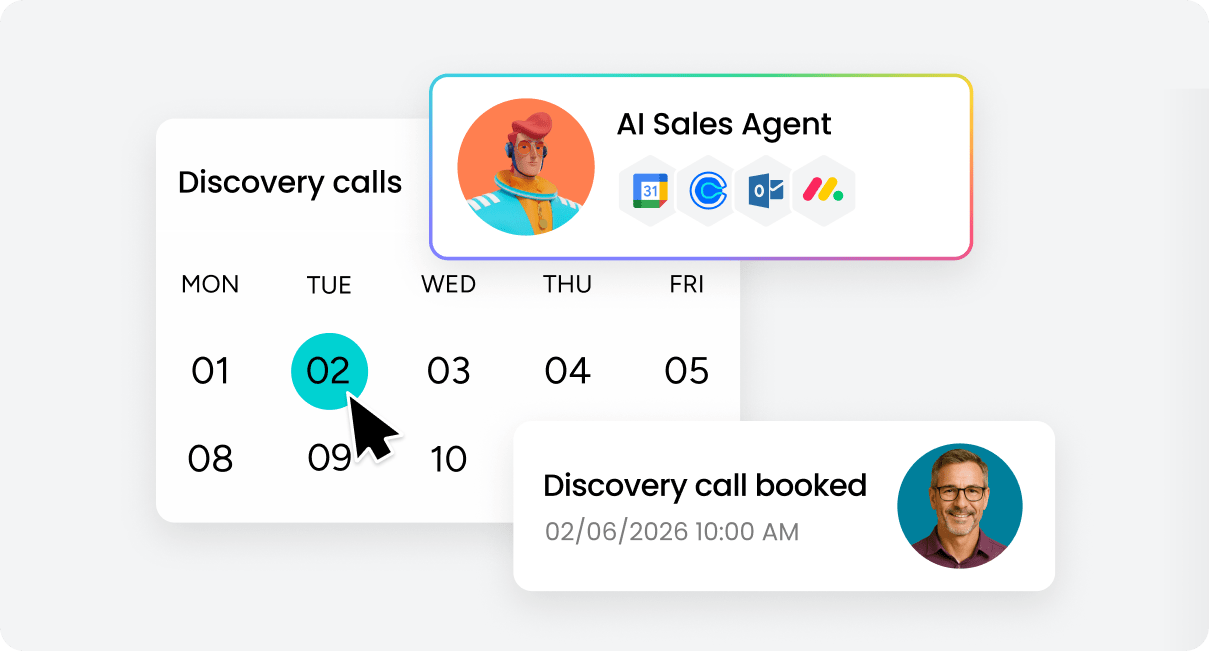
AI automation handles repetitive operational tasks that typically slow teams down. Modern AI CRM platforms can route leads automatically, assign follow-up tasks, update records and deal stages, trigger reminders when deals stall, and escalate service risks.
More advanced AI agents can manage multi-step workflows independently using predefined rules and permissions. This allows teams to scale execution without increasing manual overhead.
4. Conversation intelligence and customer insights
AI can analyze emails, meetings, support tickets, and call transcripts to identify trends, objections, risks, and sentiment changes across accounts. Instead of manually reviewing activity history, teams can quickly understand which deals need attention, which customers may be at risk, and what messaging performs best.
AI can also pinpoint where onboarding or sales processes slow down, and these insights help sales leaders coach more effectively and help customer-facing teams respond faster.
5. Cross-functional visibility and reporting
Enterprise revenue operations depend on shared visibility across sales, marketing, customer success, and support. AI CRM platforms connect customer data across departments to create unified reporting and lifecycle insights.
Teams can track:
- Campaign influence on revenue
- Customer health trends
- Pipeline bottlenecks
- Expansion opportunities
- Service and onboarding performance
This creates better alignment between departments and improves decision-making at every level of the organization.
6. No-code customization and adaptability
Enterprise teams rarely follow identical workflows. No-code AI customization allows organizations to adapt automations, pipelines, and AI workflows without relying heavily on developers or IT teams.
Teams can configure custom workflows, AI-triggered automations, department-specific processes, and custom dashboards and reporting. Platforms like monday CRM emphasize this flexibility by allowing teams to build AI-powered workflows around existing processes instead of forcing rigid operational structures.
Top benefits of AI in enterprise CRM
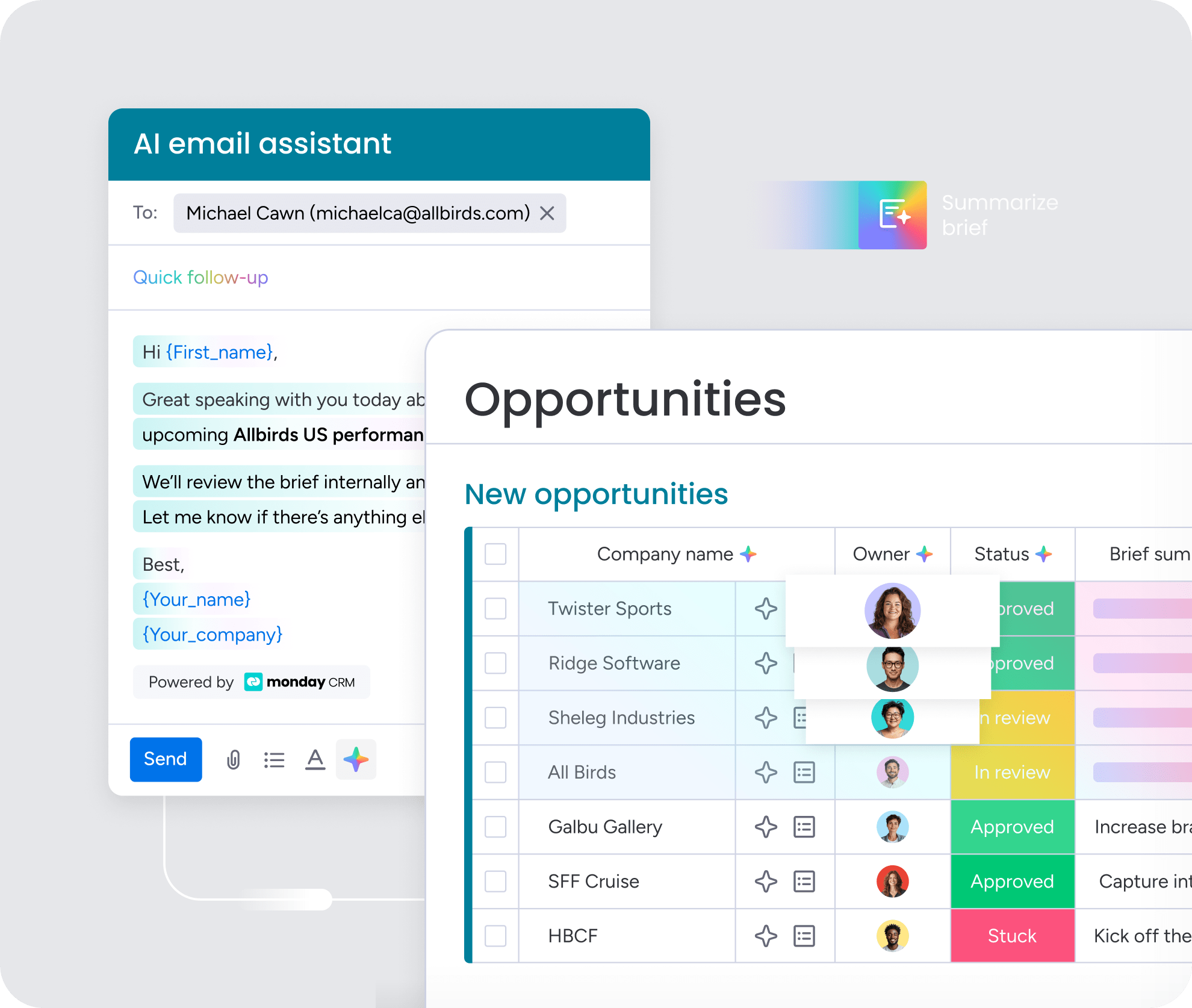
AI enterprise CRM delivers measurable results fixing core challenges. These benefits grow as teams refine processes and build data. Here’s where you’ll see the biggest impact.
Predictable pipelines and sharper forecasts
AI-driven forecasting replaces gut-feel estimates with data-backed predictions. Sales leaders report upward with confidence. Forecasts reflect actual deal patterns.
Predictive models analyze deal velocity, conversion patterns, and engagement signals to produce more accurate forecasts. Forecasts update in real time. The system flags deals moving faster or slower than expected. Resource allocation improves when leadership spots gaps early.
More time for selling, more focus on high-value work
CRM automation AI eliminates repetitive tasks consuming rep hours. The impact shows up fast:
- Generative AI drafts emails and summaries.
- Agentic AI routes leads and triggers follow-ups.
- Smart workflows automate administrative tasks.
Sales teams get more done without longer hours. Win rates improve when reps spend more time on conversations.
Faster, more personalized customer service
AI-driven speed and personalization help service teams resolve issues faster.
- AI agents triage tickets based on issue type and urgency.
- Sentiment analysis flags escalation risks before they escalate.
- Generative AI drafts personalized responses based on customer history and ticket context.
Customers get faster resolutions when AI routes tickets correctly. Service teams handle higher volumes without losing quality.
Cross-functional visibility across the customer journey
AI-driven insights show how customers move through the entire lifecycle. With AI in B2B sales, leadership can spot where things slow down:
- Where leads stall between departments
- Where deals slow in legal
- Where customers struggle onboarding
Teams using monday CRM get cross-department reporting automatically. The platform’s data model delivers insights siloed systems can’t.
Scalable growth without adding headcount
AI handles increasing workloads without proportional team growth. Companies grow revenue without ballooning costs. Teams avoid burnout from volume increases.
- AI agents handle high-volume tasks autonomously.
- Automatic scaling means agents keep pace as volume increases without additional human oversight.
- Existing resources go further rather than constantly hiring to keep pace with growth.
Real-world AI CRM examples by team
Different teams use AI CRM in different ways, but the goal is consistent: reduce manual work, improve visibility, and help teams respond faster with better context. Here are some common AI CRM use cases:
Sales teams
Sales organizations use AI CRM to improve pipeline management, prioritize opportunities, and reduce time spent on administrative work. Common use cases include:
- Prioritizing leads based on engagement and buying signals
- Drafting personalized follow-up emails after meetings
- Identifying deals at risk of stalling
- Predicting close likelihood and expected revenue
- Automating task creation and next-step reminders
For many sales teams, AI CRM improves consistency while giving reps more time to focus on active selling.
Customer service and support teams
Support organizations use AI CRM to improve response times and manage growing ticket volume more efficiently. Common applications include:
- Routing tickets to the right team automatically
- Flagging negative customer sentiment before escalation
- Generating response drafts using account history
- Surfacing relevant knowledge base content for agents
- Tracking recurring customer issues across accounts
This helps service teams maintain personalized support while scaling operations.
Marketing and demand generation teams
Marketing teams use AI CRM to improve targeting, personalize campaigns, and connect campaign performance directly to pipeline outcomes. Typical use cases include:
- Building audience segments from CRM data
- Personalizing email campaigns by industry or lifecycle stage
- Identifying high-intent leads based on engagement behavior
- Measuring campaign influence on revenue
- Optimizing campaigns using performance trends
Because campaign and CRM data live together, teams get a clearer view of how marketing activity contributes to revenue generation.
RevOps and leadership teams
Revenue operations and leadership teams rely on AI CRM for forecasting, operational visibility, and cross-functional reporting. Common use cases include:
- Monitoring pipeline health across teams
- Identifying process bottlenecks and stalled deals
- Tracking forecast changes in real time
- Generating executive dashboards automatically
- Improving resource planning based on pipeline coverage
These insights help leadership teams make faster operational decisions with more confidence in the underlying data.
How to choose an AI enterprise CRM platform
Choosing the right AI enterprise CRM means evaluating platforms against your specific needs. Follow these steps to find a platform that fits your workflows and scales with your team.
Step 1: Assess adaptability and no-code customization
Start by testing how easily you can configure the platform without developer support. Rigid platforms force teams to match the software. Adaptable platforms mold to existing workflows.
Look for visual workflow builders that let non-technical users configure AI workflows without coding, custom AI agents that teams can build to match their specific needs, and flexible data models that adapt to your sales process instead of forcing you to change how you work.
Step 2: Evaluate native AI capabilities and agent builders
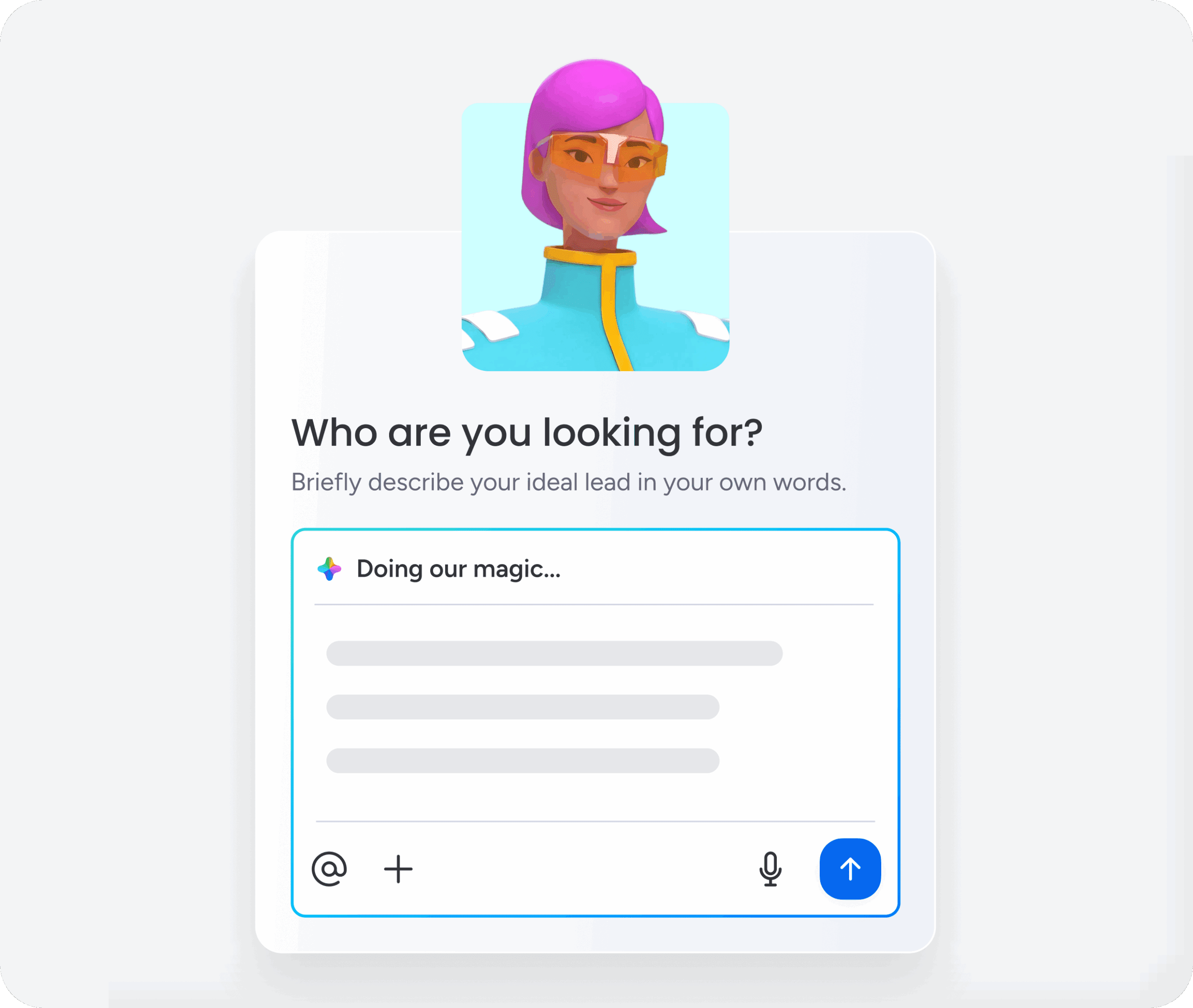
Compare what AI features come built-in versus what requires third-party add-ons. Native AI delivers stronger performance and faster time to value. Platforms with built-in AI require less configuration.
What to look for:
- Built-in AI features: Predictive scoring, generative content, and automation are native.
- Agent builder: Teams can create custom agents using visual interfaces.
- Continuous improvement: AI capabilities improve through platform updates.
Step 3: Review integration depth and open APIs
Map out which tools your team uses daily and verify the platform connects to them. AI operates best with complete context. Platforms that integrate deeply provide AI with needed data.
Look for pre-built integrations like native connections to email, calendar, Slack, and support systems. Open APIs ensure developers can build custom integrations, and cross-platform agents allow AI agents to execute tasks across connected systems.
Step 4: Verify security, governance, and compliance
Confirm the platform meets your industry’s regulatory requirements and internal security policies. AI introduces new considerations around data access and actions. Robust security and governance controls ensure compliance.
Check that data is encrypted at rest and in transit and that administrators define who accesses AI and what agents do. Additionally, the platform should meet GDPR, HIPAA, SOC 2, and ISO 27001.
Step 5: Test adoption and time to value
Run a pilot with 5-10 users to measure how quickly your team can deploy workflows and see results. Complex platforms require extensive training and months of implementation. Intuitive platforms deliver results quickly.
Look for an intuitive interface that non-technical users can navigate and use without extensive training, plus a short time to first value so teams can deploy AI workflows and see measurable results in weeks rather than months.
Try monday CRM5 steps to implement AI CRM without heavy IT lift
Implementing AI CRM doesn’t require months of IT work. Mid-market teams can deploy AI workflows quickly using a phased approach.
Step 1: Define high-value use cases by team
Identify 2-3 high-impact AI applications per department. Focus on workflows consuming the most time or causing friction.
To get this right:
- Interview team leads about time-consuming or frustrating tasks.
- Prioritize by impact, not technical complexity.
- Pilot 2-3 applications before organization-wide rollout.
Step 2: Audit data quality and permissions
AI requires clean, structured data. Audit CRM data for completeness and accuracy.
Key actions at this stage:
- Review data completeness and standardize formats.
- Define permissions across teams.
- Establish data hygiene processes.
Step 3: Pilot with a small user group
Test AI workflows with 5-10 users before full rollout. Select early adopters from different roles and gather feedback.
Piloting delivers these key advantages:
- Reduce risk by identifying issues early.
- Build confidence among skeptics by demonstrating real results.
- Generate internal champions who help drive broader adoption.
Step 4: Add human-in-the-loop guardrails
Require human approval for high-impact actions. Build escalation paths for unusual situations.
Guardrails serve 2 purposes. First, they prevent errors that could damage customer relationships or create compliance issues. Second, they build trust by ensuring humans remain in control of consequential decisions.
Step 5: Measure results and scale gradually
Track metrics and use results to justify expanding AI. Measured results build the business case. Gradual scaling ensures each expansion builds on success. A pilot for one team becomes the playbook for the next.
Why monday CRM for AI enterprise operations
monday CRM delivers the AI capabilities, flexibility, and cross-functional visibility enterprise revenue teams need to scale efficiently. Built for teams that want AI without the complexity, monday CRM combines native intelligence with no-code customization so you can deploy workflows fast and adapt as your business grows.
Here’s what sets monday CRM apart:
- Native AI built in: Predictive lead scoring, generative email drafts, and autonomous agents work out of the box — no third-party add-ons required.
- No-code AI agent builder: Create custom agents using visual workflows that match your exact processes without writing code or waiting on developers.
- Unified customer context: Sales, service, and marketing teams work from the same data model, giving AI complete visibility across the customer lifecycle.
- Deep integrations: Connect email, calendar, Slack, support systems, and marketing tools so AI has the context it needs to deliver accurate insights.
- Enterprise-grade security: SOC 2, ISO 27001, GDPR, and HIPAA compliance with granular permission controls and encryption at rest and in transit.
- Fast time to value: Teams deploy AI workflows in weeks, not months, with an intuitive interface that doesn’t require extensive training.
Whether you’re automating lead routing, improving forecast accuracy, or scaling customer service, monday CRM gives you the tools to execute faster without adding headcount. The platform grows with you — start with core workflows and expand AI capabilities as your team builds confidence and refines processes.

“With monday CRM, we’re finally able to adapt the platform to our needs — not the other way around. It gives us the flexibility to work smarter, cut costs, save time, and scale with confidence.”
Samuel Lobao | Contract Administrator & Special Projects, Strategix
“Now we have a lot less data, but it’s quality data. That change allows us to use AI confidently, without second-guessing the outputs.”
Elizabeth Gerbel | CEO
“Without monday CRM, we’d be chasing updates and fixing errors. Now we’re focused on growing the program — not just keeping up with it."
Quentin Williams | Head of Dropship, Freedom Furniture
“There’s probably about a 70% increase in efficiency in regards to the admin tasks that were removed and automated, which is a huge win for us.“
Kyle Dorman | Department Manager - Operations, Ray White
"monday CRM helps us make sure the right people have immediate visibility into the information they need so we're not wasting time."
Luca Pope | Global Client Solutions Manager at Black Mountain
“In a couple of weeks, all of the team members were using monday CRM fully. The automations and the many integrations, make monday CRM the best CRM in the market right now.”
Nuno Godinho | CIO at Velv
“monday.com provides developmental flexibility, operational efficiency, and data transparency — all in one place. We became a company that moved from chasing data to leading with it.”
Hyunghan Lee | Team Lead, Sandbox Network
"monday.com brought every part of our business into one connected space. The harmony between work management and CRM has become our operating system — giving us the clarity and confidence to scale.”
Jennifer Chinburg | Executive Vice President of Corporate Development & Brand, Chinburg Properties
“We just weren’t getting value from our old CRM. With monday.com, it's a thousand times better. Our sales teams are more informed, more consistent, and far more connected."
James Arnold | Chief Operating Officer, CenversaStart building predictable pipelines with AI enterprise CRM
AI enterprise CRM transforms how revenue teams work by automating repetitive tasks, sharpening forecast accuracy, and delivering cross-functional visibility that traditional systems can’t match. The teams seeing the biggest gains started with 2-3 high-impact workflows, built on clean data, and chose platforms that delivered value in weeks, not months.
monday CRM gives your sales, service, and marketing teams native AI capabilities, no-code customization, and the unified context needed to scale predictably. Ready to move from reactive firefighting to proactive revenue operations?
Try monday CRMFAQs
What is an enterprise AI CRM?
An enterprise AI CRM integrates artificial intelligence to automate workflows and predict outcomes across sales, service, and marketing.
How does AI improve CRM forecasting accuracy?
AI improves forecasting by analyzing deal patterns and engagement signals. Forecasts update continuously as deals progress.
How do AI CRMs integrate with existing tools?
AI CRM platforms integrate with existing applications through pre-built connectors and open APIs. Leading platforms connect to email, calendar, marketing automation, support systems, and communication tools to provide AI with complete customer context.
What is the difference between AI assistants and AI agents?
AI assistants help users draft content and suggest actions. AI agents execute tasks autonomously based on rules.
How do organizations ensure AI CRM security and compliance?
Organizations ensure security through encryption, permission controls, and compliance certifications. Administrators define AI access and agent actions.
What should teams consider when choosing an AI enterprise CRM?
When choosing an AI enterprise CRM, consider:
