



A CRM should help close deals, not become a second job. Yet most sales teams spend their days wrestling with clunky systems, chasing down customer info across five different apps, and manually updating records that nobody trusts anyway. As a result, reps avoid the CRM entirely, forecasts become fiction, and leadership flies blind.
Cloud CRM software changes that equation. Instead of months-long implementations and massive upfront costs, teams get a platform they can access from anywhere, set up in weeks, and actually want to use. The shift from legacy systems to cloud-based CRM isn’t just a tech upgrade. It’s the difference between a sales team that’s stuck in admin mode and one that’s focused on revenue.
The following analysis ranks 15 cloud CRM platforms based on critical performance metrics: the speed of deployment, the ease of user onboarding, and the efficiency of the sales cycle. This evaluation identifies the specific indicators that signal an organization is ready for a digital transition, the features that ensure high adoption rates, and a practical framework for platform assessment.
Key takeaways
- Break down silos between marketing, sales, and product teams: use shared workflows and unified reporting to ensure everyone works toward the same objectives without conflicting messages.
- Prioritize adoption speed over feature bloat: the fastest CRM implementations focus on visual interfaces and intuitive design that get teams productive in days, not months.
- Clean data is the foundation of CRM success: establish validation rules, assign data ownership, and automate quality checks to build forecasts your team can actually trust.
- Choose platforms that adapt to your workflow: the best cloud CRM software bends to fit how your team already sells, with no-code customization that doesn’t require IT tickets or consultant fees.
- Test usability with real users, not power users: hand the platform to someone who dreads new software and watch them complete basic tasks; confusion signals low adoption before you commit, and platforms like monday CRM excel here by making core workflows feel natural from day one.

What makes cloud CRM software different from legacy systems?
The difference between cloud and legacy CRM software isn’t just tech talk. It’s the difference between selling today and waiting until next quarter.
Legacy systems lock you into huge upfront investments and months of setup, while cloud CRM gets you started in days with a predictable subscription. So, why do teams actually use cloud CRMs? Because they work where your team works:
- Mobile accessibility: providing full functionality via smartphone.
- On-site flexibility: enabling updates directly from a client office.
- Remote connectivity: ensuring seamless transitions between any working environment.
When updating a deal is as easy as sending a text, adoption isn’t a problem you have to solve; it just happens. Cut the technical headaches and start closing deals faster. Teams using solutions like monday CRM go live in weeks, not the three to twelve months old systems drag out.
Reduce time spent managing software and increase time spent closing deals.
| Characteristic | Cloud CRM | Legacy CRM |
|---|---|---|
| Cost structure | Monthly subscription, predictable OpEx | Large upfront CapEx, ongoing maintenance fees |
| Deployment time | 2-8 weeks to full adoption | 3–12+ months |
| Maintenance | Automatic updates, vendor-managed | Manual updates, internal IT required |
| Accessibility | Any device, anywhere with internet | Office-bound, requires VPN for remote access |
| Scalability | Add users instantly, pay as you grow | Requires hardware upgrades and capacity planning |
Legacy systems lock you into huge upfront investments and months of setup, while cloud CRM gets you started in days with a predictable subscription.
7 signs your team is ready for a cloud CRM
Your current system may be limiting your team’s potential. Proactively addressing these limitations can unlock new revenue opportunities and empower your team to focus on what they do best: selling.
The following indicators suggest your organization would benefit from transitioning to a cloud-based CRM solution:
1. Your reps are professional data-entry clerks
When sales teams dedicate significant time to updating spreadsheets, entering deal information, or generating reports manually, they are unable to focus on engaging customers. Administrative tasks reduce selling capacity and slow momentum.
A CRM should support your team’s objectives, not create additional workload. Top performers should be empowered to drive sales, not manage systems that hinder productivity.
2. CRM adoption is painfully low
Low adoption rates often reflect system limitations rather than user shortcomings. If team members avoid the CRM, it is typically because the platform complicates their workflow rather than simplifying it.
Poor-quality data further reduces system utility, creating a cycle in which adoption declines, data integrity deteriorates, and forecasting becomes unreliable. Decisions cannot be made based on incomplete or inaccurate information.
3. Remote work feels like a data scavenger hunt
Distributed teams require seamless, centralized access to customer information. When connectivity issues, limited mobile functionality, or reliance on personal notes interfere with information sharing, the unified customer view becomes fragmented.
Critical deal context may remain siloed on individual devices, resulting in delays and lost opportunities when essential information fails to reach the right team members on time.
4. Integrations require a search party and a budget
Integrating a CRM with other essential tools should be straightforward. If connecting applications requires custom coding, extensive testing, or external consultants, system complexity reduces efficiency and slows execution.
Time-intensive integrations hinder responsiveness, giving competitors an advantage while internal resources focus on maintenance rather than revenue-generating activities.
5. Forecasting is just a prettier word for guessing
Pipeline forecasts are often inaccurate due to manual processes and compromised data integrity. Leaders struggle to differentiate true progress from administrative delays.
End-of-quarter efforts become focused on data correction instead of strategic planning, affecting decisions related to hiring, resource allocation, and overall business performance. Accurate forecasting requires dependable, high-quality data.
6. Your data gets worse as you grow
Adding more users to a broken system just creates a bigger mess. Duplicate records multiply, key fields stay empty, and outdated information lives on because no one owns data hygiene.
Your team dedicates more time to cleaning the CRM database than leveraging it for sales activities. As your organization scales, data quality should improve through established processes and governance — yet inadequate systems often produce the opposite result.
7. Cross-team handoffs are a constant roadblock
Ineffective handoffs create operational friction: marketing lacks visibility on lead conversions, customer success misses context from pre-sale conversations, and finance struggles to obtain contract details. Each transition introduces the risk of lost information, reducing overall effectiveness and diminishing customer trust.
Advanced platforms, such as monday CRM, provide a unified view across teams, ensuring handoffs are seamless, accurate, and efficient.
Proactive identification of these challenges is essential to prevent burnout, lost opportunities, and systemic inefficiencies.
Essential CRM features that drive daily adoption
Another bloated feature list won’t help you hit your number. The best CRMs aren’t the ones with the most features; they’re the ones your team actually uses.
The CRMs that actually get used don’t pile on features; they cut out the annoying stuff.
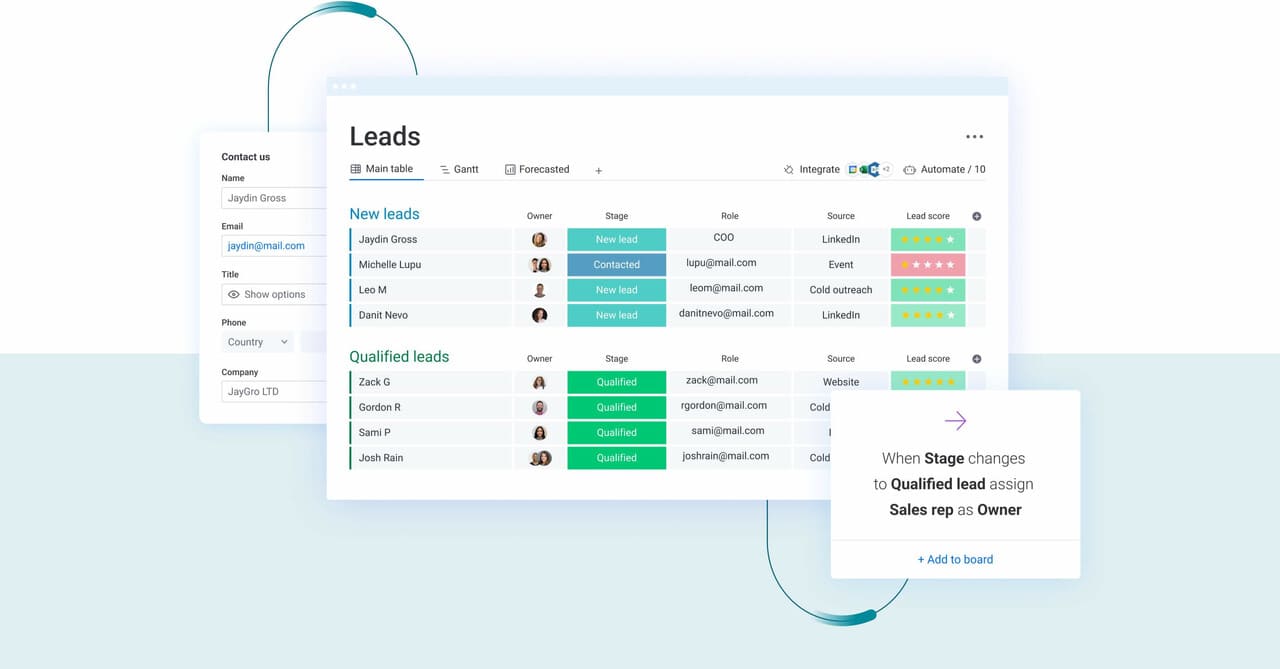
- A pipeline you can actually see: sales isn’t a spreadsheet, so your CRM shouldn’t look like one. Visual, drag-and-drop pipelines let reps see every deal at a glance and spot bottlenecks before they become problems.
- Customization without an IT ticket: your sales process is unique. No-code tools let you bend the platform to fit your workflow, not the other way around.
- A mobile CRM that actually works: deals don’t just happen at a desk. A true mobile CRM keeps your pipeline moving, no matter where your team is.
- AI that helps, not just happens: the best AI makes your team smarter, not decisions for them. It suggests drafts and flags next steps for approval, building trust instead of causing chaos.
These features stick because they save time, not create new steps. Solutions like monday CRM give teams power without the pain, offering a platform they’ll actually choose to use.
15 cloud CRM software platforms ranked by adoption speed
A CRM delivers value only when teams actively use it. Beyond feature lists and marketing claims, this ranking focuses on a single metric: the speed at which teams can deploy, adopt, and begin closing deals.
These platforms are ranked by actual implementation speed measured through typical setup times and the path from initial deployment to full productivity. The data reveals a clear pattern: platforms that prioritize usability over feature complexity achieve faster adoption.
| Rank | Platform | Typical adoption timeline | Starting price | Use case | Key adoption accelerator |
|---|---|---|---|---|---|
| 1 | monday CRM | 1-2 weeks | $12/user/month | Teams prioritizing speed and visual workflows | 20-minute setup, drag-and-drop customization |
| 2 | HubSpot CRM | 2-3 weeks | Free (paid from $20/user/month) | Marketing-sales alignment focus | Free tier, extensive onboarding resources |
| 3 | Pipedrive | 2-4 weeks | $14/user/month | Activity-focused sales teams | Visual pipeline, simple interface |
| 4 | Zoho CRM | 3-5 weeks | $14/user/month | Budget-conscious teams needing customization | Affordable pricing, extensive features |
| 5 | Salesforce | 8-16 weeks | $25/user/month | Enterprise organizations with technical resources | Market maturity, ecosystem depth |
| 6 | Freshsales | 3-4 weeks | $15/user/month | Communication-heavy sales processes | Built-in phone and email capabilities |
| 7 | Copper | 2-3 weeks | $25/user/month | Google Workspace users | Native Gmail integration |
| 8 | Insightly | 4-6 weeks | $29/user/month | Project-based selling | CRM-project management integration |
| 9 | Keap | 4-8 weeks | $159/month | Small businesses needing automation | Marketing automation inclusion |
| 10 | Zendesk Sell | 3-5 weeks | $19/user/month | Support-integrated sales | Customer service alignment |
| 11 | BIGContacts | 1-2 weeks | $5/user/month | Simple contact management needs | Extreme simplicity, low cost |
| 12 | Bitrix24 | 5-8 weeks | Free (paid from $49/month for 5 users) | Collaboration-focused teams | Extensive collaboration features |
| 13 | Nimble | 2-3 weeks | $25/user/month | Social selling focus | Social media integration |
| 14 | SugarCRM | 8-12 weeks | $52/user/month | Organizations requiring open-source flexibility | Customization depth, open architecture |
| 15 | Flowlu | 4-6 weeks | $29/month for 8 users | Business management beyond CRM | Broad business management features |
The critical factor is deployment speed: your team should be actively selling within weeks rather than waiting months for implementation. Effective platforms enable rapid productivity without extensive training requirements.
1. monday CRM
For revenue and customer-facing teams that want speed without sacrificing control, monday CRM delivers a sales platform built on the monday Work OS. Your team can shape boards, views, dashboards, and workflows around how you actually sell, without heavy technical work.
It also covers more than pipeline basics. Teams use monday CRM to run lead management, deal management, account management, and even post-sales workflows like onboarding and renewals, with customer information centralized in one place for sales, revops, and stakeholders.
Example:
Teams transition from initial purchase to active deal management by configuring visual pipelines, capturing leads, and tracking customer interactions within a unified timeline. The platform supports complete workflows including lead capture from forms, data enrichment, intelligent routing to appropriate representatives, and automated email follow-up tracking.
Key features:
- Visual deal management: track where deals stand with a visual pipeline, then customize stages with drag-and-drop as your process changes.
- Account and contact management in context: use the expanded item view to see relevant account and contact info, plus connected deals and projects, in one place.
- Centralized communication tracking: log and track interactions, including emails, meetings, and notes, in a single Emails & Activities timeline so reps and managers have the full story.
- Email at scale (without losing visibility): send individual and mass emails using dynamic fields and templates, track engagement (including open rate and link clicks), and create custom designs with the HTML email editor.
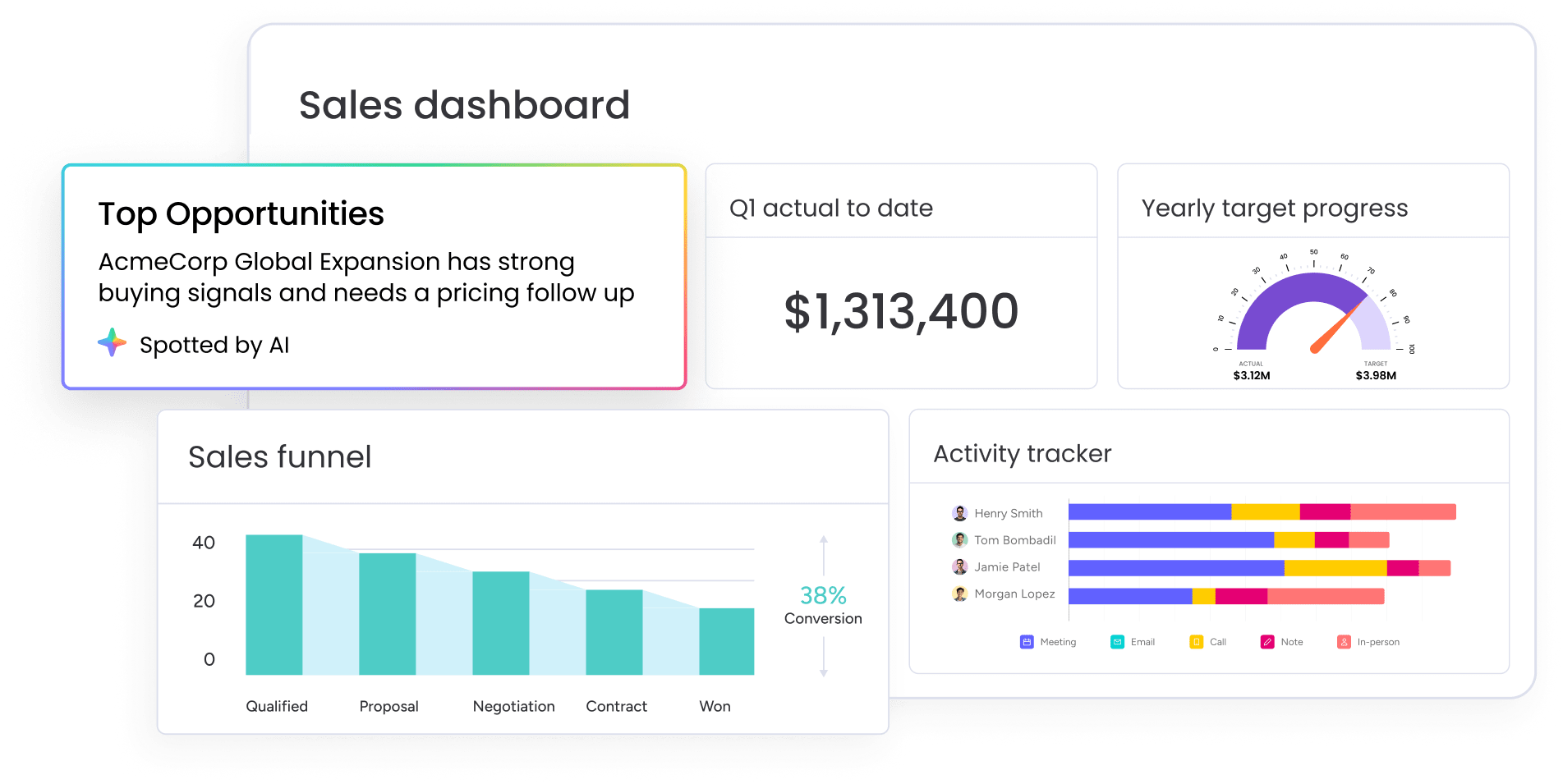
- Sales analytics dashboards: use code-free dashboards to track pipeline status, forecasting, team performance, and activity. Add sales-specific widgets like the leaderboard and sales funnel to spot strengths and gaps fast.
- Sales forecasting: build forecasts and projections, then track forecast vs. actual sales and drill down by month, rep, or other criteria.
Pricing:
- Basic CRM: $12/month per user (billed annually, minimum three seats).
- Standard CRM: $17/month per user with timeline views, email integration, and advanced automations.
- Pro CRM: $28/month per user including forecasting, custom automations, and advanced reporting.
- Enterprise: contact sales for dedicated support, advanced security, and multi-level permissions.
- Annual billing: provides 18% discount compared to monthly plans.
- Nonprofit discounts: available for qualified organizations.
Why it stands out:
- Fast to adapt when your sales motion changes: adjust deal stages, lead qualification steps, and dashboards as your team learns, without turning every change into a project.
- Built for cross-team handoffs: sales teams work seamlessly with departments like legal and finance, and can also manage workflows like legal and security requests in one secure place.
- Supports the full customer journey: beyond sales, teams use monday CRM for post-sales work like onboarding progress, renewals, billing workflows (like quotes and billable hours), and collection tracking.
Advanced AI features:
- Timeline summary with AI: AI creates a short summary of all communication events in Emails & Activities, including emails, calls, meetings, and notes. Great when a manager jumps into a deal mid-cycle, or when an account gets reassigned.
- Compose emails with AI: reps can use AI to draft emails directly in Emails & Activities, then tweak the message before sending.
- Autofill columns with AI: apply AI actions to columns like Text, Date, Number, Dropdown, People, and Status to reduce manual updates.
Automations:
- Automation based on conditions: automate actions based on custom conditions, such as updating a label when a deal stage changes.
- Automated email follow-ups: set up follow-up workflows tied to outreach, so leads don’t stall because someone missed a reminder.
- Sales process guardrails: use conditional label changes to keep pipeline stages and internal statuses consistent across the team.
Integrations:
- Lead capture from multiple sources: collect leads via website forms, social ad campaigns, or other sources, then route and qualify them in one place.
- Data enrichment with Crunchbase: auto-enrich lead data using Crunchbase’s database to save manual research time.
Cloud CRM software features:
- Custom dashboards and reporting: track pipeline status, activity, team performance, and forecasting with dashboards and sales widgets like leaderboard and funnel.
- Permissions for control: use custom dashboards and permissions so leaders and teams see what they need, without oversharing.
- Dedicated mobile experience: support reps who work from anywhere with a dedicated mobile experience.
2. HubSpot CRM
HubSpot CRM delivers a comprehensive marketing-sales platform with deep inbound marketing integration that spans the entire customer journey. The platform specializes in unified customer records across marketing and sales functions, making it ideal for teams who want everything connected without the complexity. According to HubSpot’s latest earnings report (or official website), the company serves over 258,000 customers across 135+ countries, building serious momentum in the growth-stage market.

Example:
HubSpot CRM works best for teams who want their marketing and sales data living in the same place, creating seamless handoffs and unified customer insights from first touch to closed deal.
Key features:
- Unified contact and lead management: integration with marketing automation creates comprehensive customer records that span the entire buyer journey.
- Native productivity tools: email tracking, meeting scheduling, and document sharing function directly within the platform to eliminate the need for third party integrations.
- Automated sales analytics: reporting dashboards provide pipeline visibility and actionable insights without requiring complex technical configuration.
Pricing:
- Free tier: $0 (includes unlimited users and core CRM features).
- Sales Hub Starter: $20 per user monthly (adds email sequences and basic automation).
- Professional: $100 per user monthly (provides advanced automation, custom reporting, and forecasting).
- Enterprise: includes predictive lead scoring and advanced permissions.
- Customer Platform bundles: start at $1,450/month for Professional (five seats included) and $4,700/month for Enterprise (seven seats included).
Considerations:
- Feature complexity: the comprehensive feature set can overwhelm teams seeking simple CRM solutions, especially when advanced features require understanding HubSpot’s specific methodology.
- Platform dependency: marketing-sales integration delivers maximum value when organizations use HubSpot’s full platform, but creates unnecessary complexity for teams only needing basic CRM capabilities.
3. Pipedrive
Pipedrive delivers visual pipeline management built specifically for activity-based selling. The platform turns sales activities into deal progression, making it perfect for small to mid-market teams who want their CRM to actually drive results instead of just storing data.

Example:
Pipedrive excels at helping sales teams focus on the activities that close deals rather than getting lost in data entry and administrative tasks.
Key features:
- Visual drag-and-drop pipeline views: show deal progression at a glance with color-coded stages for stale opportunities.
- Activity-based selling methodology: automated reminders for calls, meetings, and follow-ups to keep deals moving.
- AI Sales Assistant: provides context-aware insights, win probability notifications, and deal summaries to guide rep decisions.
Pricing:
- Lite: $14/user/month (billed annually) for core pipeline management and activity tracking.
- Growth: $39/user/month (billed annually) adds workflow automation and email integration.
- Premium: $59/user/month (billed annually) unlocks advanced reporting and forecasting.
- Ultimate: $79/user/month (billed annually) for unlimited customization and dedicated support.
- 14-day free trial: available across all plans.
- Annual billing discount: saves up to 42% compared to monthly pricing.
Considerations:
- Reporting capabilities remain basic: complex analytics needs often require external platforms for advanced insights.
- Integration ecosystem lags behind: more established CRM platforms offer broader workflow connections.
4. Zoho CRM
Zoho CRM delivers extensive customization capabilities at budget-friendly pricing, appealing to organizations that need flexibility without enterprise costs. The platform specializes in process orchestration and no-code design, making it ideal for teams who want to build workflows their way. With 250,000+ businesses across 180 countries using the platform, Zoho proves that powerful CRM doesn’t require breaking the bank.

Example:
Perfect for SMBs and mid-market teams who need deep customization without the complexity or cost of enterprise platforms.
Key features:
- Canvas design studio: build custom interfaces without coding, so your CRM actually fits how your team works.
- Blueprint workflow automation: handle complex business logic and stage-gated processes to keep deals moving smoothly.
- Zia AI assistant: get predictive lead scoring, call intelligence, and content generation to boost productivity.
Pricing:
- Standard: $14/user/month (annual billing) includes core CRM features and basic customization.
- Professional: $23/user/month adds workflow automation and advanced customization options.
- Enterprise: $40/user/month provides advanced AI features and multi-user portals.
- Ultimate: $52/user/month includes enhanced storage and advanced analytics.
- Annual billing discount: saves up to 34% compared to monthly plans.
- Free plan: available for up to three users.
Considerations:
- Learning curve increases with customization depth: powerful capabilities require time investment to configure properly.
- Interface complexity can slow adoption: extensive features may overwhelm teams new to CRM despite their power.
5. Salesforce
Salesforce dominates the enterprise CRM market through its comprehensive Customer 360 platform that unifies sales, service, marketing, and analytics in one ecosystem. The platform targets enterprises seeking deep customization and AI-powered automation, backed by the world’s largest CRM marketplace with over 8,000 apps.
With autonomous AI agents through Agentforce and zero-copy data connectivity, Salesforce delivers enterprise-grade capabilities that scale with complex business needs.

Example:
Salesforce excels for large organizations requiring extensive customization, advanced automation, and integrated business functions across multiple departments and data sources.
Key features:
- Comprehensive Customer 360 platform: integrating sales, service, marketing, commerce, and analytics with Tableau.
- Agentforce autonomous AI agents: that work across workflows with built-in trust and security guardrails.
- AppExchange marketplace: providing 8,000+ pre-built integrations and extensions for unlimited scalability.
Pricing:
- Free Suite: $0 for up to two users to get started with basic CRM.
- Starter Suite: $25/user/month for all-in-one sales, service, and marketing tools.
- Pro Suite: $100/user/month with added customization and automation.
- Enterprise: $175/user/month for deep customization and advanced workflows.
- Unlimited: $350/user/month with full CRM capabilities and premier support.
- Advanced features: like Data Cloud, Industry Clouds, and some Agentforce functions are quote-based add-ons.
Considerations:
- Implementation complexity: requires dedicated administrators or consultants, extending deployment from weeks to months.
- Steep learning curve: for end users despite interface improvements, with total cost of ownership significantly exceeding subscription fees when including customization and ongoing administration.
6. Freshsales
Freshsales delivers a cloud CRM with built-in communication channels, cutting the need for separate phone and email systems. The platform targets startups through mid-market companies with transparent pricing and native multichannel tools, making it a strong fit for teams that need integrated calling, email tracking, and AI-powered insights without a complex setup.

Example:
Freshsales works best for revenue teams that want comprehensive communication tools built directly into their CRM, reducing tool sprawl while keeping costs down.
Key features:
- Built-in phone system: enables direct calling from the CRM with call recording and monitoring.
- Email integration: automatically tracks opens, clicks, and responses while syncing with Gmail and Outlook.
- Freddy AI: provides lead scoring, deal insights, and forecasting to help prioritize opportunities.
Pricing:
- Growth plan: $9/user monthly (annual billing) includes core CRM features and a built-in phone system.
- Pro plan: $39/user monthly adds AI-powered insights, advanced workflows, and enhanced automation.
- Enterprise plan: $59/user monthly provides advanced customization, forecasting, and territory management.
- Free tier: available for up to three users with basic CRM functionality.
- Additional costs: apply for call minutes, WhatsApp messaging (20% markup on Meta charges), and CPQ add-on licensing.
Considerations:
- Interface complexity: grows more complex as you layer on features, which can create adoption challenges for less technical team members.
- Advanced reporting limitations: analytics fall short of enterprise-grade platforms, often requiring workarounds or external tools.
7. Copper
Copper delivers a cloud CRM that lives inside Google Workspace, eliminating the context switching that kills sales momentum. The platform specializes in Gmail-native workflows and zero-data-entry automation, making it perfect for Google-dependent teams who want CRM power without CRM friction.

Example:
Copper works best for small to mid-sized teams already running on Google Workspace who need CRM functionality without abandoning their existing Gmail and Calendar workflows.
Key features:
- Native Gmail integration: surfaces CRM data directly in your email interface, so you never leave your inbox to update records.
- Automatic contact and interaction capture: reduces manual data entry by syncing emails, meetings, and files automatically.
- Chrome extension: provides CRM access across web applications, including LinkedIn prospecting and meeting context.
Pricing:
- Starter: $9/month (billed annually) or $12/month (monthly billing).
- Basic: $23/month (billed annually) or $29/month (monthly billing).
- Professional: $59/month (billed annually) or $69/month (monthly billing).
- Business: $99/month (billed annually) or $134/month (monthly billing).
- Annual billing: offers up to 26% savings.
- Contact limits apply: 1,000 (Starter), 2,500 (Basic), 15,000 (Professional), unlimited (Business).
Considerations:
- Value drops significantly: for organizations not using Google Workspace as their primary productivity suite.
- Advanced features require higher-tier plans: bulk email, workflow automation, and custom reporting push up costs for growing teams.
8. Insightly
Insightly combines CRM with project management capabilities, appealing to organizations that sell complex solutions requiring post-sale delivery coordination. The platform specializes in converting closed deals directly into project workflows, making it ideal for service-based businesses that need seamless handoffs from sales to delivery. This dual approach eliminates the typical disconnect between winning deals and executing them.
Example:
Insightly works best for SMB and mid-market teams that need both sales management and project delivery in one platform, reducing vendor sprawl and speeding implementation.
Key features:
- Project management integration: connects sales opportunities to delivery workflows with one-click conversion.
- Relationship linking: maps complex organizational relationships across multiple stakeholders.
- AppConnect low/no-code integration hub: provides 500+ prebuilt connectors for popular business apps.
Pricing:
- Plus plan: $29/user/month (billed annually) includes core CRM and basic project management.
- Professional: $49/user/month adds advanced automation and customization features.
- Enterprise: $99/user/month provides unlimited customization and advanced security controls.
- Premier Support: available for 20% of license cost (minimum $3,000 annually).
Considerations:
- Dual CRM-project management approach: adds complexity that can slow adoption for teams needing only sales functionality.
- Interface design feels dated: compared to newer cloud CRM alternatives, potentially impacting user experience.
9. Keap
Keap delivers an all-in-one CRM that bundles marketing automation, payments, and communication channels for small businesses. The platform specializes in “Lifecycle Automation” — a prescriptive framework that guides service-based businesses through lead capture, nurturing, and conversion. With over 20 years serving small businesses and mandatory implementation services, Keap positions itself as the comprehensive solution for teams who want fewer platforms to manage.

Example:
Keap works for small service businesses that need CRM, marketing automation, invoicing, and payment processing unified in one platform with guided setup and ongoing support.
Key features:
- Marketing automation: creates email sequences, SMS campaigns, and lead nurturing workflows with AI-powered content generation.
- E-commerce integration: supports online sales, recurring billing, and payment processing through embedded Keap Pay.
- Business Line: provides a dedicated toll-free number for calls and texts that sync directly to customer records.
Pricing:
- Starting plan: $299/month (billed monthly) or $249/month (billed annually at $2,988/year).
- Implementation package: $500 one-time fee (includes strategy, migration up to 15 hours, and two automation launches).
- Business Line add-on: $24-$279/month for call and text bundles with overage rates.
- Keap Pay processing: 2.99% + $0.30 per card transaction, 1% for ACH (capped at $10).
Considerations:
- No free plan available: entry pricing is higher than many small business CRMs that offer free or low-cost tiers.
- Limited international availability:SMS marketing and Business Line features are currently limited to U.S. companies, restricting international team usage.
10. Zendesk Sell
Zendesk Sell bridges the gap between sales and customer support with unified customer records that span your entire customer lifecycle. The platform specializes in fast deployment and native service integration, making it ideal for teams already using Zendesk Support or those wanting to connect pre-sale and post-sale experiences.

Example:
Teams get up and running in under 8 weeks with built-in prospecting, engagement sequences, and automatic activity logging that reduces manual work.
Key features:
- Built-in prospecting database: access 44+ million businesses and 350+ million prospect records for lead discovery and enrichment without leaving the platform.
- Native email and communication tools: track emails, use templates, make calls, and send SMS messages with automatic activity logging.
- Unified customer records: connect sales activities with support tickets to see complete customer context in one place.
Pricing:
- Team: $19/month per user (billed annually) includes core CRM features.
- Growth: $49/month per user (billed annually) adds email integration and automation.
- Professional: $99/month per user (billed annually) provides advanced forecasting and custom roles.
- Enterprise: $169/month per user (billed annually) includes advanced permissions and enterprise features.
Considerations:
- Maximum value requires Zendesk Support: using the full platform may add complexity for pure sales teams.
- Data residency limitations: Zendesk Sell isn’t covered by regional data hosting commitments, potentially restricting heavily regulated customers.
11. BIGContacts
BIGContacts delivers simple contact management with built-in email marketing for small businesses who want to skip the complexity. The platform uses contact-based pricing with unlimited users, making it cost-effective for growing teams. Founded in 2006 and now part of the ProProfs family, it focuses on straightforward CRM functionality without overwhelming features.

Example:
Perfect for small businesses transitioning from spreadsheets who need basic contact management, email campaigns, and sales pipeline tracking in one affordable package.
Key features:
- Contact management with 360-degree profiles: custom fields and activity timelines to track every customer interaction.
- Built-in email marketing: drip campaigns and group messaging capabilities without needing a separate platform.
- Sales pipeline management: drag-and-drop Kanban view and task organization to keep deals moving.
Pricing:
- Free: forever plan for up to 100 contacts.
- Business: $9.99 per 1,000 contacts/month (annual billing, minimum 2,000 contacts).
- Customer Growth Suite: starts at $499/month bundling CRM with help desk and live chat.
- Annual billing discount: saves 50% compared to monthly rates.
Considerations:
- Mobile access limited to browser-only: no dedicated app or offline functionality available.
- Group emails capped at 100 recipients per send: requiring external platforms for larger campaigns.
12. Bitrix24
Bitrix24 isn’t just a CRM; it’s a full-blown workspace that bundles collaboration tools with sales management, built for teams tired of juggling separate apps. It uses flat-rate pricing for your whole organization — not per user — though each plan has a user cap, which keeps costs predictable as you grow. This all-in-one approach packs in telephony, a contact center, and even a website builder.

Example:
Perfect for teams ready to consolidate their entire tech stack including CRM, telephony, project management, and team chat, into one platform with no per-user pricing surprises.
Key features:
- Omnichannel contact center: pulls live chat, social media, email, and phone calls into one clean customer timeline.
- Built-in cloud telephony: includes call recording, IVR, and AI transcription in over 60 countries.
- AI assistant (CoPilot): handles the grunt work by filling in CRM fields, summarizing calls, and suggesting next steps.
Pricing:
- Free: unlimited users with 5 GB storage and core CRM tools.
- Basic: $49/month (billed annually) for up to 5 users with 24 GB storage; $61/month billed monthly.
- Standard: $99/month (billed annually) for up to 50 users with 100 GB storage and marketing tools; $124/month billed monthly.
- Professional: $199/month (billed annually) for up to 100 users with 1 TB storage and advanced automation; $249/month billed monthly.
- Enterprise: starts at $499/month for 250 users, with plans that scale up to 10,000 users and 100 TB of storage.
- Telephony costs: per-minute calling and number rentals are an additional expense.
Considerations:
- Feature overload: doing everything means there’s a lot to learn, and the sheer number of features can feel overwhelming for new users.
- Interface complexity: the interface can get cluttered, with collaboration and CRM features all competing for your attention, creating a steeper learning curve than with more focused tools.
13. Nimble
Nimble delivers relationship-focused CRM that works directly inside your email and browser. The platform specializes in social intelligence and contact enrichment, making it perfect for small teams who want CRM capabilities without leaving their daily workflows.

Example:
Nimble excels for small businesses and solopreneurs who need unified contact management with social media insights and prospecting tools embedded in their existing Microsoft 365 or Google Workspace environment.
Key features:
- Social media integration: automatically pulls contact data from LinkedIn, Twitter, and Facebook to enrich customer profiles.
- Browser extension and inbox add-ins: provide CRM access across web applications without switching platforms.
- Contact enrichment: updates records with public information and tracks interaction history across all channels.
Pricing:
- Business plan: $24.90/month per user (annual) or $29.90/month (monthly).
- 14-day free trial: available for up to five licenses.
- Add-ons: include AI Email Marketing ($15/month company-wide), enrichment credits ($10 per 100), and additional storage.
Considerations:
- Limited customization and reporting capabilities: compared to comprehensive CRM platforms.
- Niche focus on social selling: may not suit traditional B2B sales processes that rely heavily on phone outreach.
14. SugarCRM
SugarCRM delivers precision selling through AI-powered revenue intelligence that connects CRM and ERP data. The platform targets midmarket B2B organizations in manufacturing, wholesale, and distribution with deep customization capabilities and flexible deployment options. Built on AWS infrastructure, it offers both cloud and on-premises solutions with SOC 2 Type II compliance.

Example:
SugarCRM excels at complex, account-based B2B sales processes where teams need deep ERP integration and customizable workflows to manage long sales cycles.
Key features:
- Focus Drawers: provide 360-degree customer views without context switching, reducing clicks and improving sales efficiency.
- Revenue intelligence from sales-i integration: surfaces cross-sell opportunities and churn signals directly from ERP data.
- Guided selling processes: with customizable consoles and industry-specific templates for manufacturing and distribution workflows.
Pricing:
- Standard: $59/user/month (billed annually, 15-user minimum).
- Advanced: $85/user/month with workflow automation and advanced reporting.
- Premier: $135/user/month includes predictive analytics and enhanced support.
- Intelligence add-on: required for AI features like Account Intelligence and Summarization.
- Sugar Market: starts at $1,000/month for 10,000 contacts with unlimited users.
Considerations:
- Minimum 15-user requirement: and annual billing can be restrictive for smaller teams.
- AI capabilities are limited: to specific SugarCloud regions and require additional Intelligence add-on licensing.
15. Flowlu
Flowlu delivers an all-in-one business management platform that combines CRM with project management, finance, and collaboration capabilities. The platform targets small and midsize businesses seeking to consolidate multiple systems into one unified workspace, eliminating the need for separate CRM, project management, and invoicing solutions.

Example:
Teams managing the complete customer lifecycle from initial contact through project delivery and final billing benefit from Flowlu’s integrated approach to business operations.
Key features:
- Multi-pipeline CRM with Kanban views: lead capture forms and automated email sync from Gmail, Outlook, and IMAP accounts.
- Built-in project management: Gantt charts, task dependencies, and team collaboration features alongside CRM functionality.
- Native invoicing and financial management: connects directly to sales opportunities and project deliverables.
Pricing:
- Free: up to two users with essential CRM, project, and invoicing features.
- Essential: per-user pricing with multiple pipelines, email templates, and Gantt charts.
- Advanced: per-user pricing adding sales automation, email tracking, client portals, and advanced reporting.
- Ultimate: quote-based enterprise pricing with white-label options and dedicated support.
- Annual billing: provides 25% discount across all paid plans.
Considerations:
- Learning curve and navigation complexity: reported by first-time users transitioning from simpler CRM solutions.
- Mobile app feature parity: remains uneven with desktop versions for certain advanced functions.
5 steps to implement cloud based CRM systems for maximum adoption
Most CRM implementations fail to achieve their intended outcomes. The primary cause is not technological limitations, but rather insufficient user adoption. Success requires a strategic implementation plan that prioritizes team engagement and usability from the outset.
Follow these steps to ensure successful CRM adoption:
Step 1: audit your sales process before you look at a single demo
Begin by conducting a comprehensive audit of your existing sales process before evaluating potential vendors. Map each stage of your team’s sales methodology, documenting every customer touchpoint, cross-functional handoff, and operational challenge to identify where your current process encounters friction.
This audit serves a dual purpose: identifying process gaps while establishing a clear understanding of your team’s actual workflows. This foundation ensures you select a system that adapts to your established processes rather than forcing organizational change. Your audit should reveal:
- The full customer journey: where do leads come from? How are they qualified? What are the exact pipeline stages?
- Process pain points: where does information get lost? What tasks are manual and repetitive? Where do handoffs to other teams fail?
- Real reporting needs: what metrics do managers and reps actually need to see to do their jobs?
The goal isn’t to find a perfect system. It’s to find one that feels like a natural extension of how your team already wins.
Step 2: choose platforms based on user experience, not feature lists
An extensive feature list provides limited value if your team finds the platform difficult to use. Evaluate CRM platforms by having your representatives test them with actual workflows rather than relying on vendor demonstrations. Measure the time required to complete common tasks such as logging a callor updating a deal without consulting documentation.
Look beyond marketing presentations to assess practical usability. Determine whether the mobile application functions effectively in field conditions and whether new users can master basic operations quickly.
Revenue teams achieve higher adoption rates with solutions like monday CRM because the visual, drag-and-drop interface reduces the learning curve that typically impedes implementation success.
Step 3: clean your data and lock the door on junk
Bad data kills trust in a new CRM on day one. Before you migrate anything, define what good data looks like through proper CRM data management practices. Then, get ruthless about cleaning what you have: merge duplicates, standardize formats, and fill in the blanks.
Set up quality gates in your CRM database to block bad data before it ever gets in. This means making critical fields required, validating formats, and automatically checking for duplicates. Assigning data ownership to specific team members ensures everyone has skin in the game.
Step 4: launch with your most influential users to build momentum
An extensive feature list provides limited value if your team finds the platform difficult to use. Evaluate CRM platforms by having your representatives test them with actual workflows rather than relying on vendor demonstrations.

A top-down mandate won’t get you far. Real adoption is a ground-up movement, so find the people on your team who can lead it. These aren’t always managers; they’re the respected, influential reps whose opinions carry weight.
Give these champions early access and let them help customize the system for their teams. Position them as the go-to experts, not a formal help desk. They’ll prove the CRM’s value to skeptics and provide the on-the-ground coaching that no training session can match.
Step 5: scale based on data, not dates
Remember to avoid activating all features simultaneously during initial deployment. Begin with core sales workflows and expand functionality only when your team demonstrates readiness. Readiness can be measured by tracking the right metrics.
- Daily active users: are people logging in consistently?
- Actions per user: are they actually using the system to manage deals?
- Data quality: are records complete and up-to-date?
This approach stops you from adding complexity before your core team has found its footing. It ensures every new feature adds value instead of noise.

“With monday CRM, we’re finally able to adapt the platform to our needs — not the other way around. It gives us the flexibility to work smarter, cut costs, save time, and scale with confidence.”
Samuel Lobao | Contract Administrator & Special Projects, Strategix
“Now we have a lot less data, but it’s quality data. That change allows us to use AI confidently, without second-guessing the outputs.”
Elizabeth Gerbel | CEO
“Without monday CRM, we’d be chasing updates and fixing errors. Now we’re focused on growing the program — not just keeping up with it."
Quentin Williams | Head of Dropship, Freedom Furniture
“There’s probably about a 70% increase in efficiency in regards to the admin tasks that were removed and automated, which is a huge win for us.“
Kyle Dorman | Department Manager - Operations, Ray White
"monday CRM helps us make sure the right people have immediate visibility into the information they need so we're not wasting time."
Luca Pope | Global Client Solutions Manager at Black Mountain
“In a couple of weeks, all of the team members were using monday CRM fully. The automations and the many integrations, make monday CRM the best CRM in the market right now.”
Nuno Godinho | CIO at Velv
“monday.com provides developmental flexibility, operational efficiency, and data transparency — all in one place. We became a company that moved from chasing data to leading with it.”
Hyunghan Lee | Team Lead, Sandbox Network
"monday.com brought every part of our business into one connected space. The harmony between work management and CRM has become our operating system — giving us the clarity and confidence to scale.”
Jennifer Chinburg | Executive Vice President of Corporate Development & Brand, Chinburg Properties
“We just weren’t getting value from our old CRM. With monday.com, it's a thousand times better. Our sales teams are more informed, more consistent, and far more connected."
James Arnold | Chief Operating Officer, CenversaHow to evaluate cloud CRM solutions beyond feature lists?
An extensive feature list provides initial appeal, but it does not guarantee team adoption. Effective platform evaluation requires examining core factors beyond vendor presentations: usability, total cost of ownership, and alignment with existing workflows.
Step 1: calculate the total cost of ownership
The advertised subscription fee represents only a portion of the actual investment. The total cost of a CRM includes implementation, data migration, team training, and ongoing maintenance: expenses that frequently double the initial price over time.
Before committing to a platform, calculate your complete cost of ownership and compare it to on-premise CRM alternatives. Platforms with lower entry costs often require higher long-term investment, particularly when they demand specialized administrators or external consulting support.
| Cost category | Year 1 | Year 2 | Year 3 | 3-year total |
|---|---|---|---|---|
| Subscription fees | Base cost × users | Adjust for growth | Adjust for growth | Sum all years |
| Implementation | Migration + config + training | Minimal | Minimal | Primarily year 1 |
| Customization | Initial setup | Ongoing modifications | Ongoing modifications | Accumulates over time |
| Integration | Initial connections | Maintenance + new tools | Maintenance + new tools | Ongoing expense |
| Administration | IT time + support | IT time + support | IT time + support | Consistent annual cost |
Step 2: make sure it plays well with your other tools
Saying a CRM “integrates” with your tech stack is easy. Proving it is harder. A good integration just works; a bad one creates constant headaches for your team. You need to know if data flows both ways, how errors are handled, and if you can connect to your own custom tools.
Get clear answers to these questions during your evaluation:
- API limits: will usage caps slow down your data sync?
- Data flow: does data sync in both directions?
- Field mapping: can you control exactly what data syncs?
- Error handling: how will you know if an integration fails?
- Custom support: can you build connections to your company’s internal systems?
Teams discover that platforms like monday CRM enables them to connect their other systems because its flexible architecture handles both simple and custom workflows without needing a dedicated IT team.
Step 3: see if your team will actually use it
Evaluate usability with representative users rather than technical experts who can adapt to any system. The most effective assessment involves observing team members who are less comfortable with new technology as they complete fundamental tasks such as logging a call or updating a deal status.
Signs of confusion or frustration during these basic workflows indicate potential adoption challenges that will affect broader team implementation.
- Time to value: how fast can they do something useful?
- Error rate: how often are they clicking the wrong thing or getting lost?
- Help requests: are they constantly asking for help with simple tasks?
- Confidence: do they feel capable or totally overwhelmed?
- Mobile use: is it just as easy to use on a phone?
Step 4: plan your move: don’t get stuck in data limbo
Moving your data into a new CRM can be a nightmare. Some vendors hand you a manual and wish you luck, leaving your team to figure it out. You need a partner with a clear plan.
- Migration process: what steps do you follow for data migration?
- Support level: will you get hands-on help or just documents?
- Timeline: how long does migration really take?
- Data validation: how will we know everything is accurate?
- Rollback plan: can we undo the migration if there’s a problem?
Data quality as the foundation of cloud CRM success
Bad data doesn’t just make reports messy; it kills deals, which is why CRM data management is foundational. When your team can’t trust the information in front of them, they stop using the CRM. That’s how a powerful platform becomes expensive digital shelfware.
The difference between a CRM your team loves and one they ignore comes down to data they can actually count on.
Stop bad data before it starts
Prevention beats cleanup every time. Smart validation rules act as a bouncer for your database, ensuring every entry is clean, complete, and useful. No more contacts without phone numbers or deals without a source.
This isn’t about adding friction; it’s about building a foundation you can trust. A little structure up front saves your team from a massive cleanup headache later.
- Lock in formats: keep phone numbers and emails consistent and searchable.
- Prevent duplicates: automatically check for existing companies before creating new ones.
- Require context: make sure every new deal has a source, stage, and owner.
Give data quality a dedicated owner
Shared responsibility often means no responsibility. That’s where RevOps comes in. Giving them ownership means one team is responsible for setting the standards and keeping data clean across sales, marketing, and success.
They define what a good lead looks like, track data health, and hunt down duplicates. This frees up your reps to do what they do best: sell.
Put data cleanup on autopilot
Your team shouldn’t spend its days hunting for duplicate contacts or manually filling in missing info. Automate the grunt work. Set up workflows that find and flag duplicates and enrich contacts with fresh data from external sources.
Revenue teams find success using modern platforms like monday CRM to build trust by letting them review any changes before they go live. You get all the benefits of automation without the chaos of a robot gone rogue.
Track data health like a hawk
How do you know if your data is getting messy before it torpedoes your forecast? You watch the numbers. Tracking metrics like data completeness and duplicate rates gives you an early warning system for data decay.
Set thresholds that tell you when to act. This keeps data quality front and center, so you can build forecasts on facts, not guesswork.
AI-powered CRM that builds trust through transparency
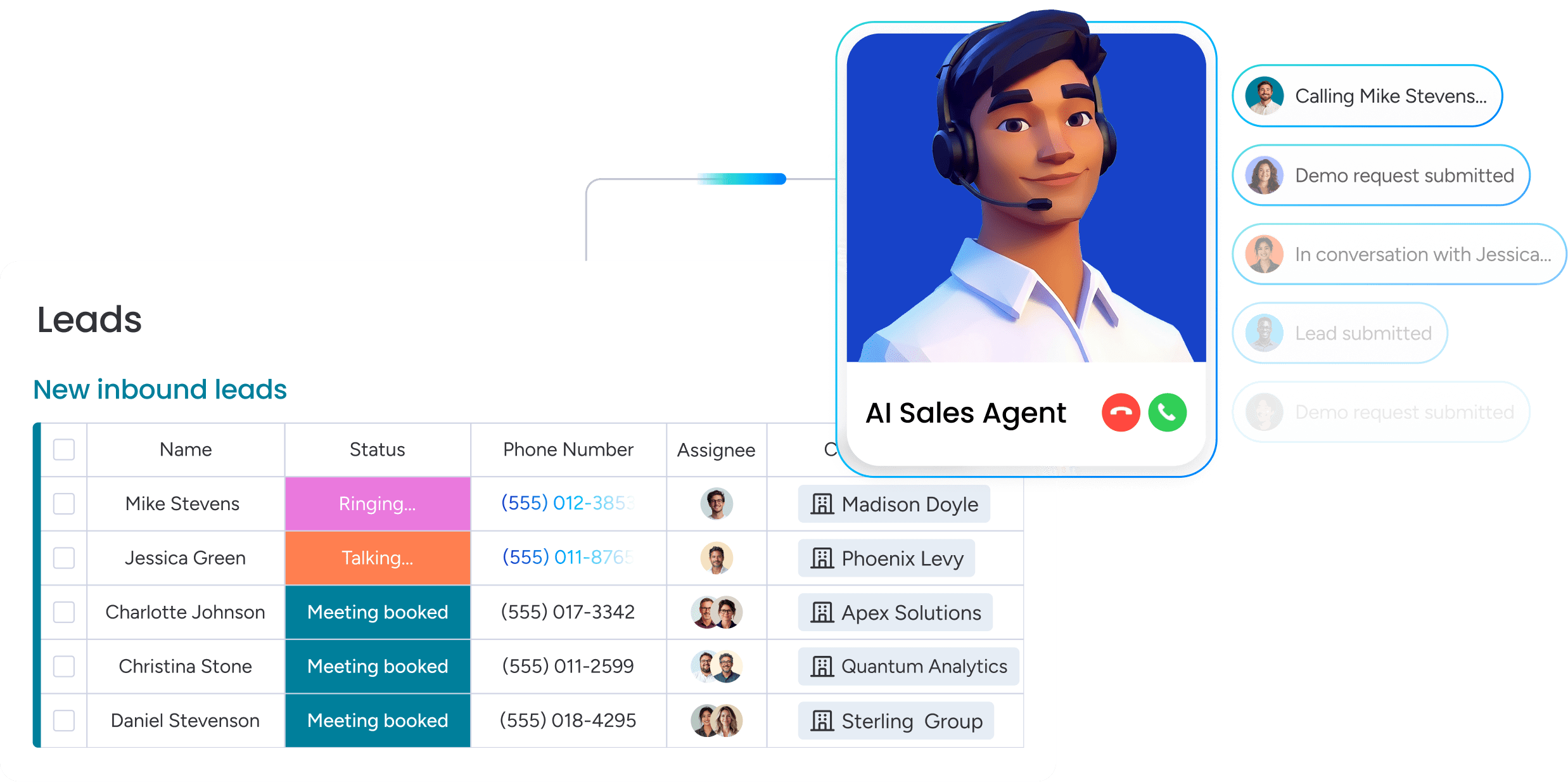
Many organizations encounter trust challenges when implementing AI-powered CRM tools. For example, teams experience setbacks when automated systems send inappropriate communications or misinterpret critical sales signals. To address these issues, the solution involves selecting AI that augments your team’s capabilities rather than replacing their judgment.
By maintaining human oversight at every decision point, effective AI implementation transforms uncertainty into confidence. Consequently, your team gains efficiency while retaining control over customer interactions.
Key advantages of this approach include:
- Email assistance: drafts smart replies your reps can tweak and send. No more robotic auto-sends.
- Data extraction: pulls key details from contracts and docs, so your team just has to verify, not type.
- Deal summaries: condenses long email chains into quick notes, so everyone is up to speed instantly.
Ensuring AI operates according to your requirements requires establishing clear governance parameters. Successful adoption depends on maintaining control over AI functionality and decision-making processes. Revenue teams achieve measurable results with monday CRM through accessible controls that manage AI features, establishing the trust foundation necessary for accelerated team performance and collaboration.
Why does monday CRM deliver the fastest path to adoption?
Most CRM rollouts are cumbersome. They often take months, during which reps find workarounds, and expensive platforms ultimately go underutilized. The gap between promise and reality usually comes down to one factor: securing team adoption without friction.
Organizations achieve faster results with monday CRM because teams can be fully operational in days rather than quarters. This begins with visual workflows that actually make sense. Instead of navigating endless forms, teams work on drag-and-drop boards that mirror how they naturally manage deals.
Setup is quick and straightforward. By importing contacts and configuring the pipeline, teams can start tracking deals almost immediately, often before finishing their first cup of coffee. There are no drawn-out implementations or reliance on external consultants, just immediate value.
Furthermore, your CRM shouldn’t operate in isolation from the rest of your business. monday CRM allows revenue teams to manage the complete customer journey within a single unified platform—from initial outreach to deal closure, and through post-sale delivery and renewals.
The platform also integrates AI that assists rather than disrupts. It can help draft emails and summarize notes, while leaving the final decisions in the hands of your team. This approach builds trust and accelerates the path to measurable results.
When your CRM costs more than it's worth
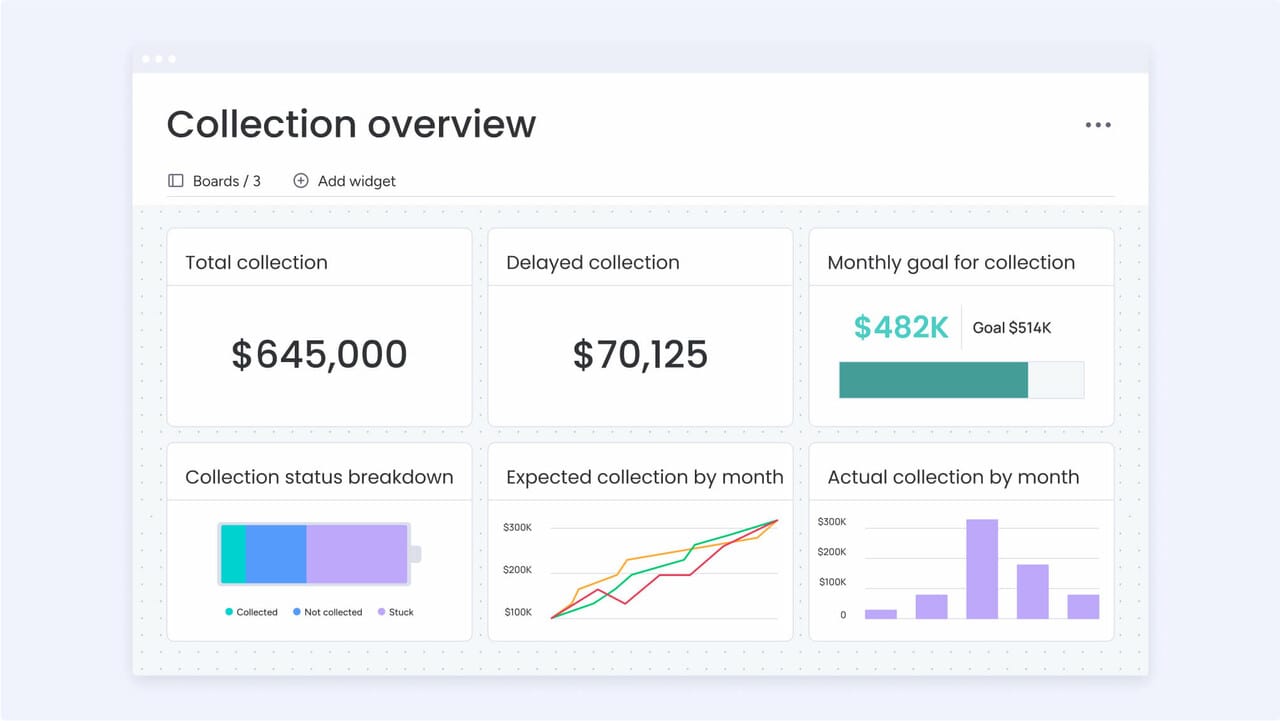
A clunky CRM isn’t just an annoyance; it’s a revenue killer. Every hour your team spends struggling with the system is an hour they aren’t selling. Over time, that lost momentum compounds, turning minor frustrations into major pipeline problems that can cost deals.
You know your platform is broken when workarounds become the default workflow. Is your team spending more time on manual data entry than engaging with customers? Are your forecasts based on guesswork rather than reliable data?
These are signals that your CRM is actively working against you:
- Sales drag: reps are buried in manual tasks instead of closing deals.
- Ghost town adoption: the team works around the CRM, not in it.
- Integration gridlock: connecting other tools takes months, not minutes.
- Unreliable forecasts: you can’t trust the data enough to plan with confidence.
Revenue teams choose monday CRM because it removes friction and accelerates deal velocity. The platform delivers complete pipeline visibility, eliminates repetitive manual work, and provides an interface teams embrace rather than avoid. Ultimately, monday CRM prioritizes execution speed and operational clarity, without unnecessary complexity.
Turn your CRM into a revenue engine
Moving to a cloud CRM isn’t just about upgrading your software; it’s about upgrading your entire sales motion. By choosing a platform that prioritizes speed, usability, and clean data, you stop fighting your tools and start closing more deals. The goal is simple: give your team a system they actually want to use, and the results will follow.
Don’t let a clunky legacy system hold your revenue hostage. Audit your process, involve your team early, and pick a solution that adapts to you. When you remove the friction of manual work and bad data, you clear the path for predictable growth.
Frequently asked questions
What's the actual timeline for cloud CRM implementation?
The actual timeline for cloud CRM implementation can range from a few days to several months. The difference comes down to the platform's complexity and how much custom work is needed to get your team running.
How does cloud based CRM software handle data security?
Reputable cloud CRMs use measures like data encryption, access controls, and regular audits to protect your information. They handle the infrastructure security, while you manage who on your team gets access.
Can cloud CRM platforms integrate with legacy systems?
Yes, most cloud CRMs connect to other tools through pre-built integrations or custom APIs. The ease of integration depends on the platform, with some offering simple connectors and others requiring more technical work.
What's the difference between cloud CRM and on-premise solutions?
Cloud CRM is hosted online by the provider, so you can access it from anywhere without needing your own servers. On-premise solutions are installed on your company's hardware, giving you more control but requiring significant IT investment and maintenance.
Which cloud CRM software works best for small businesses?
The best CRM for a small business is one that's easy for the team to adopt and can grow with you. Look for platforms that don't require deep technical knowledge to set up and customize.
How do you prevent adoption failure with new CRM systems?
Prevent CRM adoption failure by choosing a platform your team actually finds easy to use, not just one with a long feature list. Focus on a simple setup and get your team involved early to build momentum.
How does monday CRM's approach to cloud CRM differ from traditional platforms?
Built for fast adoption with visual workflows and a setup that takes minutes, not months, monday CRM adapts to your sales process instead of forcing your team to change how they work.
