

Sales teams are working harder than ever, yet many still spend the majority of their time on administrative tasks such as updating records, logging activities, and managing follow-ups while deals stall and forecasts remain uncertain. Traditional CRMs were built to store information and do not actively drive sales performance or provide actionable insights. AI-powered enterprise sales automation changes this equation by moving beyond data storage to predict deal outcomes, automate repetitive work, and surface insights that elevate average performers into top closers.
This guide explores what AI sales automation actually delivers, why it outperforms conventional CRM systems, and which capabilities are driving measurable results in 2026. From predictive lead scoring and real-time conversation intelligence to no-code workflow automation, the focus is on tools that accelerate revenue while making sales operations more efficient and actionable. Platforms like monday CRM integrate AI directly into workflows, enabling teams to focus on high-impact activities, improve forecast accuracy, and scale best practices across the organization.
Key takeaways
- AI sales automation improves productivity: AI platforms handle repetitive tasks like data entry, follow-ups, and email composition, freeing sales reps to focus on closing deals.
- Forecasts become more accurate and actionable: AI analyzes historical deal data, engagement signals, and pipeline trends to provide reliable predictions, reducing reliance on gut feelings.
- Conversation intelligence enhances team performance: Platforms like Gong and Thunai AI analyze calls and emails to surface winning behaviors, objections, and coaching opportunities.
- Flexibility and no-code workflows are critical for adoption: Platforms that allow teams to build and adjust workflows without IT support increase usability and accelerate implementation.
- monday CRM combines AI with intuitive workflows: It enables teams to automate deal management, summarize engagement history, and draft emails in context, supporting real sales work without extensive technical setup.
What is AI-powered enterprise sales automation software?
Your team is spending too much time on admin work instead of closing deals. AI-powered sales automation software changes that by handling repetitive tasks, giving your team the time to focus on what matters most: selling.
This software powers your sales operation, not just stores data. Instead of acting as a digital filing cabinet, it uses AI to predict which deals are likely to close, automate the next best step, and highlight coaching moments that make a real impact.
Here is what this means for your team: it provides a platform that works with them, not against them.
- Smarter lead scoring: The AI identifies the best leads based on actual behavior, not just job titles. This prevents chasing prospects that will never convert.
- Forecasts you can trust: AI analyzes past deals and team performance to provide accurate predictions. No guesswork, just a reliable view of your pipeline.
- Winning sales plays: The system analyzes calls and emails to uncover what top reps do differently and shares these practices across the team.
- Automation that just works: Create custom workflows that match your sales process perfectly. No developers are required.
Why AI sales automation beats traditional CRM tools
Legacy CRMs were designed for data storage, not revenue growth. AI automation transforms this by giving your team time back and forecasts you can rely on.
Here is what matters most: focusing on actions that drive results, not just completing tasks faster.
Manual tasks are eating your selling time
Sales reps spend a large share of their week on work that does not generate revenue. Data entry, scheduling, and follow-ups pull hours away from selling every week.
Across a large team, that adds up to significant salary spend on work that adds no revenue. AI automation recovers those hours, enabling reps to spend time building relationships and closing deals.
Bad forecasts cost more than just revenue
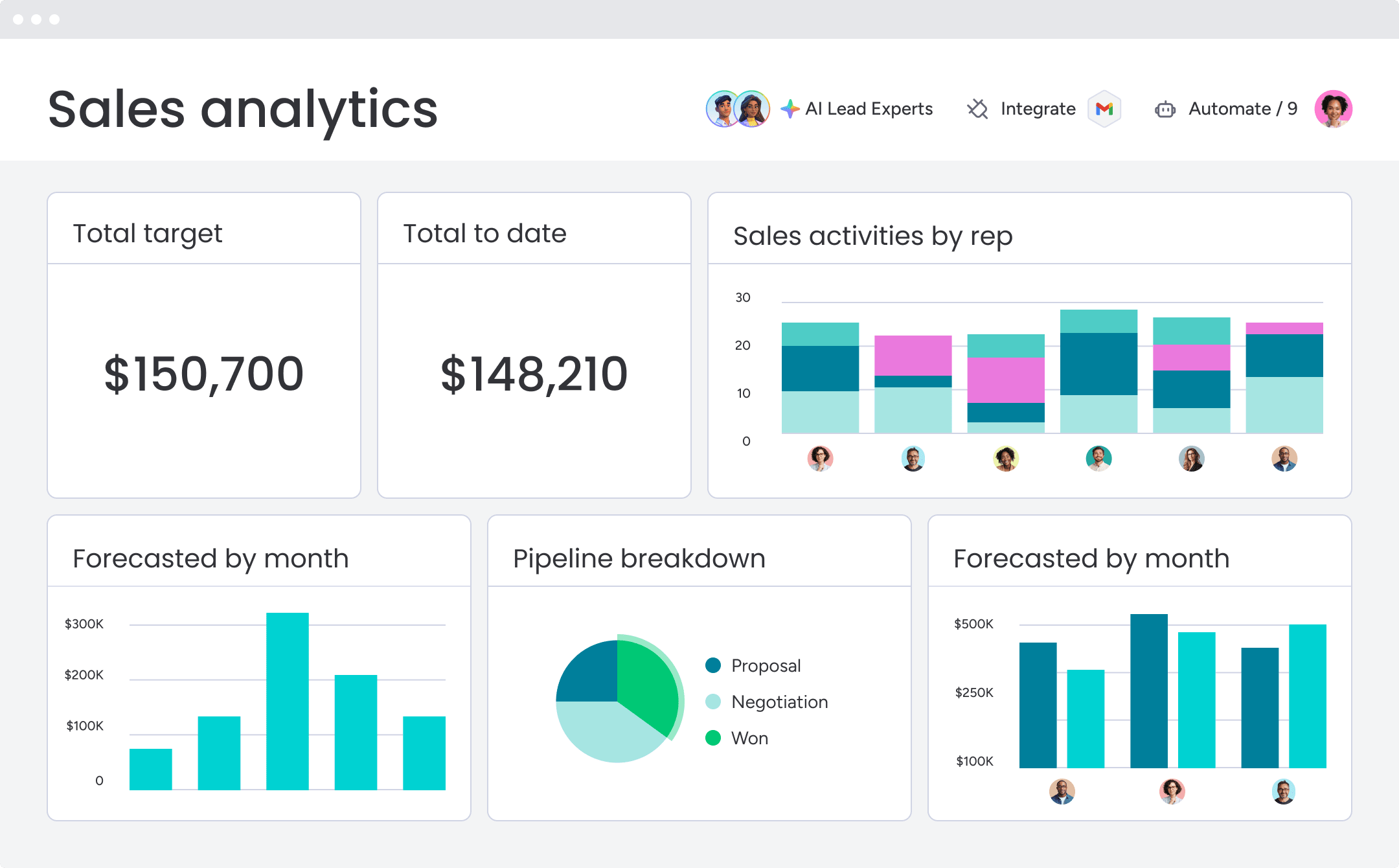 Relying on gut feelings and spreadsheets for forecasting often leads to significant, recurring errors. This creates chaos — finance teams cannot budget, and leadership loses confidence.
AI builds forecasts from real signals such as deal speed, engagement, and other critical factors. This allows leaders to report with confidence and allocate resources where they will have the most impact.
Turn every rep into a top performer
Top performers consistently close far more deals than their peers. They know when to push a deal and how to manage challenging buyers. AI captures these patterns and shares them with the entire team.
That’s what AI does. It analyzes winning patterns and gives every rep a playbook for what to do next:
- Flagging stalled deals: Identifies momentum blockers before they become issues.
- Real-time suggestions: Recommends the optimal next move during live calls.
- Pipeline velocity: Accelerates the pipeline and improves win rates.
7 AI capabilities that actually drive sales results
Marketing hype makes it hard to see what AI truly does for sales. Focus on these seven capabilities that genuinely move the needle and accelerate your pipeline.
1. Lead scoring that sees beyond the job title
AI-powered scoring emphasizes behavior, not just titles. It analyzes signals such as pricing page visits, demo requests, and content downloads to identify prospects actively seeking a solution, so teams end up talking to people who are ready to buy.
2. Forecasting that is more than a wild guess
AI reviews the entire deal history to uncover patterns that lead to wins. It highlights which deals are on track, which need attention, and where gaps exist in the pipeline, delivering a forecast that revenue leaders can trust.
3. Conversation insights that elevate team performance
AI conversation intelligence records and analyzes customer interactions to identify effective talk tracks. It flags common objections and the most successful responses, so managers can coach on what works and new reps can learn from top performers in days rather than months.
4. Automation that works the way your team does
No-code AI automation adapts to a team’s existing process without writing a single line of code. The most flexible platforms let teams build custom workflows using drag-and-drop interfaces, automating processes and handoffs in minutes.
5. Pipeline alerts that identify risk in real time
AI monitors deal health continuously and signals early warning signs, such as a decline in email responses or a stalled sales stage. Alerts give teams the opportunity to intervene before deals slip away.
6. Personalization that scales effectively
AI generates tailored opening lines, recommends relevant content, and identifies the optimal send time for each prospect. Teams can maintain a personal touch while reaching thousands of prospects at once.
7. Connections that break down silos
A connected platform keeps every team aligned. AI synchronizes data from the first marketing touch to the final renewal, making handoffs seamless and giving customers a consistent journey from start to finish.
11 enterprise sales automation AI platforms to know
AI for sales is widespread. The promise is large, but often the reality adds complexity and introduces platforms teams do not adopt. Revenue leaders require platforms that reduce manual work and provide clear pipeline insights.
The following table highlights top platforms, their use cases, key AI capabilities, starting prices, and implementation complexity. Each description emphasizes practical outcomes rather than buzzwords.
| Platform | Use case | Key AI features | Starting price | Implementation complexity |
|---|---|---|---|---|
| monday CRM | Mid-market teams wanting AI without technical complexity | AI agents, timeline summaries, email composition, no-code workflows | $12/seat/month | Low - visual setup, no IT required |
| Thunai AI | Teams prioritizing AI-first automation across sales workflows | Automated lead scoring, predictive routing, conversation analysis | Custom pricing | Medium - requires configuration |
| Salesforce Sales Cloud | Large enterprises with complex customization needs | Einstein AI for forecasting, lead scoring, opportunity insights | $25/user/month | High - extensive implementation required |
| Gong | Revenue teams focused on conversation intelligence | Call recording, pattern analysis, coaching recommendations | Custom pricing | Medium - integration with existing stack |
| Outreach | Sales development teams managing high-volume sequences | AI-powered sequencing, optimal send times, response prediction | Custom pricing | Medium - workflow configuration needed |
| HubSpot Sales Hub | Teams wanting integrated marketing and sales automation | Predictive lead scoring, email tracking, meeting scheduling | $20/seat/month | Low - quick setup for basic features |
| LinkedIn Sales Navigator | Teams prioritizing social selling and prospecting | Lead recommendations, account insights, relationship mapping | $119.99/seat/month | Low - browser-based platform |
| ZoomInfo Sales | Organizations needing B2B contact data and intent signals | Intent data, buyer identification, contact enrichment | Custom pricing | Medium - data integration required |
| Highspot | Sales enablement teams managing content and training | Content recommendations, engagement analytics, training optimization | Custom pricing | Medium - content migration needed |
| Clari | Revenue operations teams focused on forecasting accuracy | Revenue forecasting, pipeline inspection, deal risk analysis | Custom pricing | High - cross-functional implementation |
| Bombora | Teams leveraging intent data for targeting | Company-level intent signals, topic tracking, account prioritization | Custom pricing | Low - data feed integration |
The right platform depends on a team’s budget, technical resources, and specific challenges. Modern platforms like monday CRM enable AI-powered workflows without requiring coding, giving teams the tools to prioritize deals, automate routine tasks, and gain actionable insights.
1. monday CRM
Best for: Mid-market teams wanting AI without technical complexity
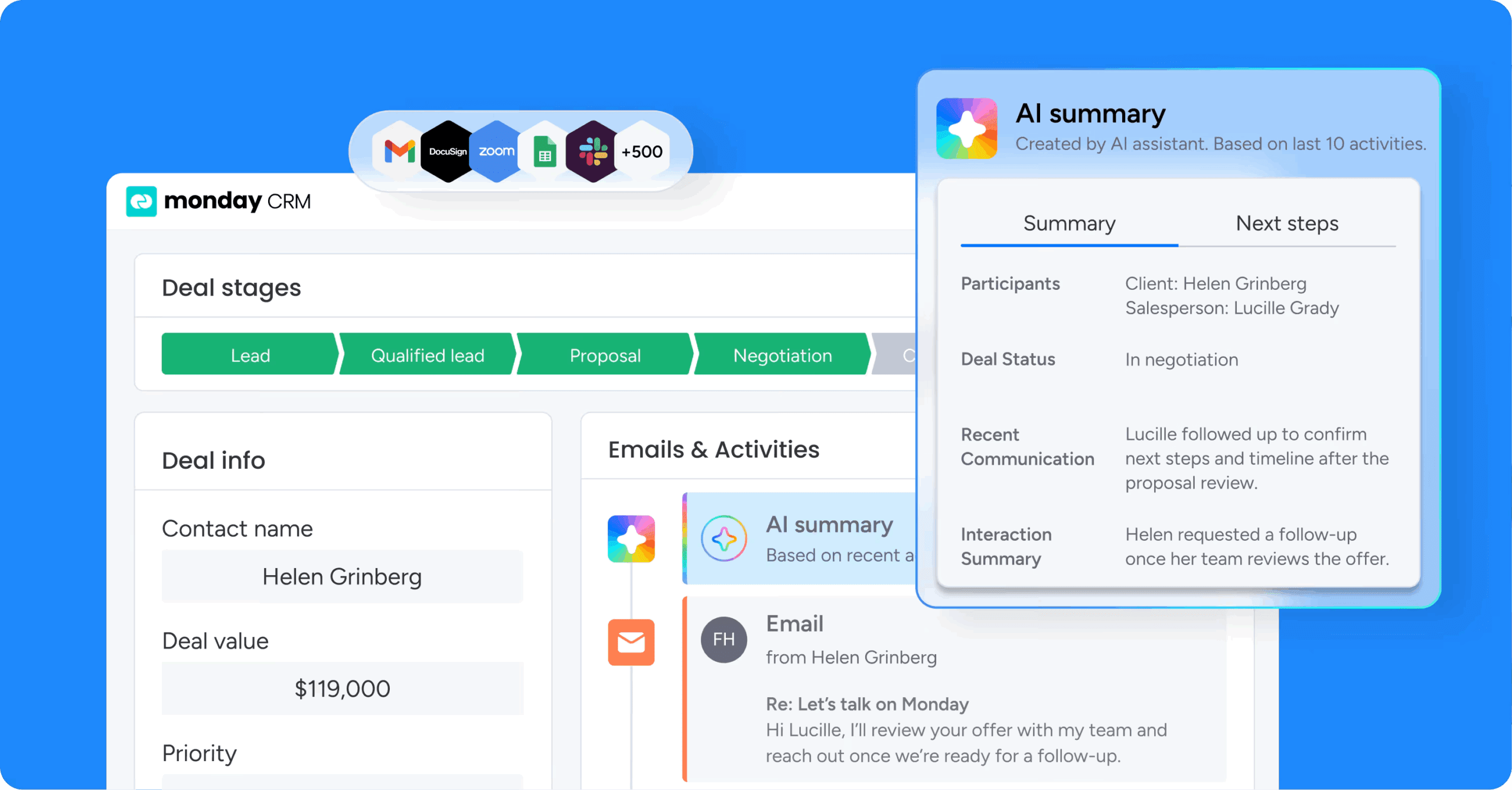
monday CRM provides revenue teams with a CRM they can adapt to their sales process without turning every update into a project. Teams can manage leads, deals, accounts, and post-sale operations in a single platform, while automations and AI reduce manual updates and ensure communication remains organized.
Use case
monday CRM is ideal for mid-market teams that want AI to assist with communication and data hygiene while managing pipeline, handoffs, and reporting in one place.It keeps every email, call, meeting, and note linked to the correct account or deal, giving teams the full context they need at the right time.
Key features
- AI Sales Agent and AI Lead Agent: Autonomous agents run outreach calls and SMS, qualify prospects, book meetings, and source new leads from your ICP with enrichment.
- monday sidekick and AI Notetaker: A context-aware assistant drafts emails and surfaces next steps, while the Notetaker captures and summarizes meetings automatically.
- AI-powered columns and Deal Insights: Apply AI to columns to detect sentiment, extract information, summarize, or translate, and flag at-risk deals before they slip.
- No-code automation recipes: Build lead assignment, status changes, and follow-ups without IT, so reps spend more time selling.
- Visual pipeline management: Track deals in a pipeline, customize deal stages with drag and drop, and maintain momentum by making next steps visible.
Pricing
Plans start at $18/seat per month on Basic, with AI capabilities available on Standard ($25/seat per month), Pro ($41/seat per month), and Ultimate (custom pricing). A 14-day free trial is available with no credit card required, and annual billing saves up to 33%.
Why it stands out
- Built for adoption: Combines an intuitive interface with customizable workflows so teams consistently follow the process you design.
- Flexible across the customer journey: Manage lead tracking, deal management, account oversight, and post-sale operations in one platform.
- Reporting that matches leadership needs: Use code-free dashboards and widgets to track status, forecast accuracy, and performance.
2. Thunai AI
Best for: Sales development teams managing thousands of leads through standardized qualification processes.
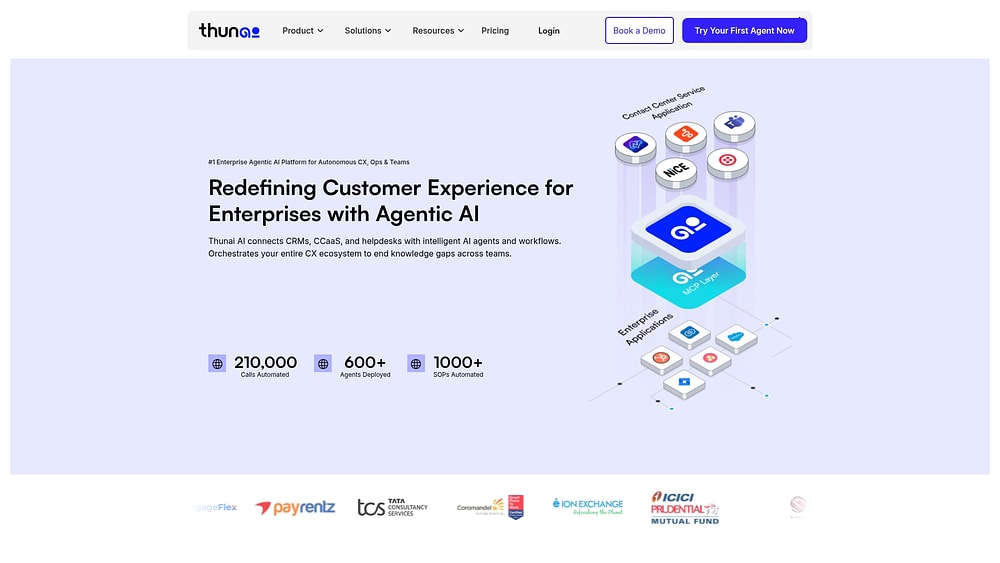 Thunai AI provides autonomous sales agents that operate across voice, chat, email, and social channels to automate the entire revenue process. The platform combines AI-powered conversation intelligence with unified knowledge management, making it suitable for teams handling high-volume sales motions where consistent execution drives results.
Use case
Sales development teams managing thousands of leads through standardized qualification processes benefit from Thunai AI’s multichannel automation and real-time pipeline intelligence.
Key features
- Revenue AI: Automatically detects deals from calls and chats, scores opportunities using more than 300 buying signals, and syncs bi-directionally with major CRMs.
- Multi-channel agents: Deploy voice agents with SIP trunking, chat agents with sub-50ms response times, and email agents that learn your brand tone.
- Real-time agent assist: Provides live scripts, sentiment detection, upsell prompts, and automated CRM updates during customer conversations.
Pricing
Thunai runs a demo-driven sales process and publishes no official rates. Third-party listings report conflicting figures, from a free tier up to roughly $499/month flat rate, so confirm directly with the vendor.
Considerations
- Pricing information varies across website versions, requiring direct quotes for accurate cost planning.
- Limited independent validation of performance claims, with few third-party reviews for enterprise-scale proof points.
3. Salesforce Sales Cloud
Best for: Large enterprises with complex sales processes and dedicated technical teams.
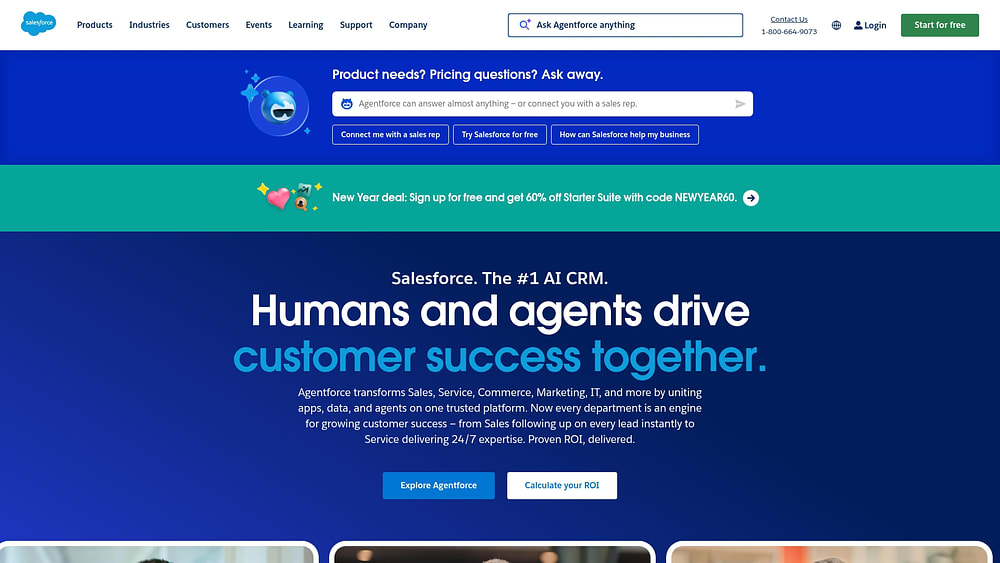 Salesforce Sales Cloud, soon to be Agentforce Sales as of October 2025, is an enterprise CRM platform with comprehensive functionality. Its deep AI automation is powered by the Einstein 1 Platform. Built for large organizations with complex sales processes, it offers extensive customization and a robust ecosystem of integrations for teams with technical resources.
Use case
Ideal for large enterprises with intricate deal structures, dedicated technical teams, and existing Salesforce ecosystems who need end-to-end automation across their revenue cycle.
Key features
- Einstein 1 Platform AI: Powers predictive lead scoring, forecasting, and autonomous agents that handle prospecting and guide deals.
- Sales engagement platform: Provides automated cadences, prioritized work queues, and conversation intelligence with call recording and AI-powered summaries.
- Revenue Cloud integration: Enables end-to-end automation from quoting and pricing approvals to billing and product-to-cash workflows.
Pricing
Plans start at $25/user per month for the Starter Suite (billed monthly or annually), with Pro Suite at $100/user per month, Enterprise at $175/user per month, and Unlimited at $350/user per month (all billed annually). Agentforce and Revenue Intelligence are available as add-ons at additional per-user rates.
Considerations
- Implementation typically requires six to twelve months with dedicated technical teams, and ongoing customization demands continuous investment.
- Feature gating across editions can fragment the experience, with advanced capabilities often requiring costly add-ons or higher-tier plans.
4. Gong
Best for: Revenue teams prioritizing conversation intelligence and sales coaching at scale.
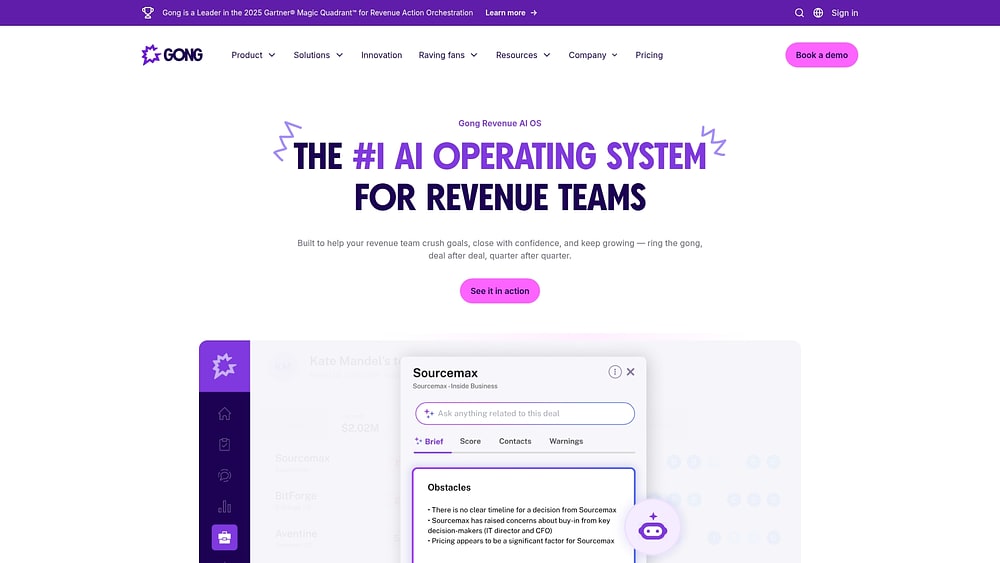 Gong converts sales conversations into revenue intelligence by recording, analyzing, and extracting insights from every customer interaction. Serving mid-market and enterprise revenue teams, it focuses on conversation-driven automation rather than basic cadence sequences. With over five thousand customers and recognition in Gartner’s 2025 Revenue Action Orchestration Magic Quadrant, Gong delivers AI agents that turn interactions into actionable insights.
Use case
Revenue teams prioritizing sales coaching and conversation analysis use Gong’s AI-powered insights to improve win rates from customer interactions.
Key features
- AI agents (Tasker, Composer, Deal Reviewer): Automate follow-ups, draft emails, and evaluate deal health based on conversation context.
- Conversation intelligence: Records, transcribes, and analyzes sales calls to identify patterns and coaching opportunities.
- Revenue orchestration platform: Combines sales engagement, pipeline management, and forecasting with full interaction data.
Pricing
Gong operates on custom pricing with no published rates, licensing per user. Third-party estimates suggest roughly $100 to $250/user per month (billed annually), with platform fees commonly cited at $5,000+ that scale with seat count, plus implementation fees.
Considerations
- High cost is frequently cited by users as a primary concern.
- Automations are limited to company flows, with date-based triggers restricted to Opportunity objects.
5. Outreach
Best for: Sales development teams managing high-volume sequences across multiple channels.
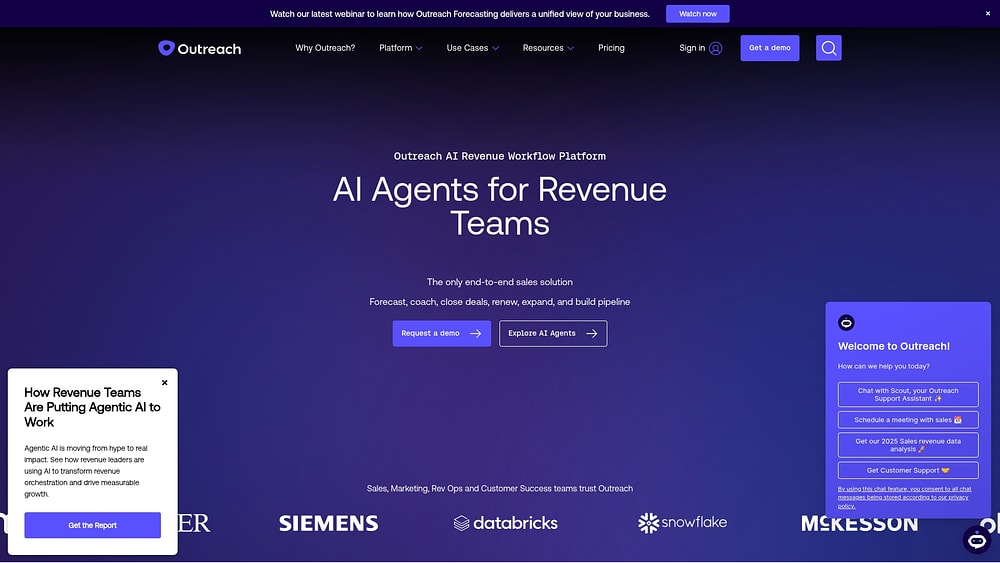 Outreach delivers AI-powered sales engagement automation for high-volume prospecting. The platform focuses on intelligent sequencing across email, phone, and social channels, making it ideal for sales development teams running complex outbound campaigns. With more than thirty-three billion interaction signals captured weekly, Outreach uses data at scale to optimize send times and predict response likelihood.
Use case
Sales development teams managing hundreds of prospects simultaneously benefit from Outreach’s AI-powered follow-ups while maintaining personalization and proper cadence.
Key features
- Multi-channel sequences:AI-powered send time optimization and A/B testing.
- Conversation intelligence (Kaia): Provides real-time transcription, live guidance, and automated summaries.
- Purpose-built AI agents: Support revenue targeting, research automation, deal management, and call personalization.
Pricing
Outreach operates on custom pricing across the Amplify Core, Plus, and Pro tiers with per-seat licensing plus consumption-based AI credits. No public monthly pricing is available.
Considerations
- Learning curve and UI complexity are frequently mentioned as challenges.
- Quote-based pricing can create barriers for smaller teams evaluating the platform.
6. HubSpot Sales Hub
Best for: Teams wanting integrated marketing and sales automation with minimal complexity and fast time-to-value.
 HubSpot Sales Hub unifies sales automation with marketing alignment, targeting mid-market B2B companies with a freemium model. Its integrated approach makes it suitable for teams moving from spreadsheets to a proper CRM. With over two hundred sixty-seven thousand customers and growing AI capabilities through Breeze agents, HubSpot focuses on ease of use and rapid implementation.
Use case
Small to mid-market businesses benefit from integrated marketing and sales automation with minimal complexity and fast time-to-value.
Key features
- AI-powered prospecting:Breeze Prospecting Agent handles research, timing, and email generation while Conversation Intelligence provides automatic call transcription and coaching insights.
- Multi-layered automation: Pipeline rules for simple automations plus enterprise-grade workflows for complex, cross-object processes.
- Unified customer platform:Sales Hub integrates with Marketing, Service, and Commerce Hubs on a single Smart CRM to prevent data silos.
Pricing
Plans start at $0/month for the Free tier (up to 2 users), with Starter at $20/seat per month, Professional at $100/seat per month (plus a one-time $1,500 onboarding fee), and Enterprise at $150/seat per month (plus a one-time $3,500 onboarding fee). A free plan is available for small teams getting started.
Considerations
- Advanced AI capabilities and customization become limited as organizations scale beyond mid-market complexity.
- Native payments functionality is restricted to the US, UK, and Canada.
7. LinkedIn Sales Navigator
Best for: Teams prioritizing social selling and relationship-based prospecting through professional networks.
 LinkedIn Sales Navigator transforms professional networking data into actionable sales intelligence for relationship-based prospecting. It leverages LinkedIn’s extensive professional network to surface buyer intent signals, map relationship pathways, and identify warm introduction opportunities that traditional sales tools cannot access.
Use case
Enterprise sales teams use Sales Navigator to identify decision-makers, monitor account changes, and leverage existing connections for warm introductions rather than cold outreach.
Key features
- Buyer intent signals: Receive real-time alerts when prospects show purchase signals or job changes across LinkedIn’s professional network.
- Relationship mapping:TeamLink identifies mutual connections and warm introduction paths to target accounts and decision-makers.
- AI-powered insights:Account IQ and Lead IQ generate summaries and research insights while Message Assist drafts personalized InMail outreach.
Pricing
Plans start at $119.99/seat per month for Core (monthly billing), with Advanced at $159.99/seat per month (monthly billing) and Advanced Plus available with custom pricing for enterprise teams.
Considerations
- No bulk messaging: All InMails must be sent individually, limiting scale for high-volume outreach.
- Limited CSV exports: Some AI features are English-only with gradual rollout timelines.
8. ZoomInfo Sales
Best for: Organizations needing B2B contact data and intent signals to identify accounts actively researching solutions.
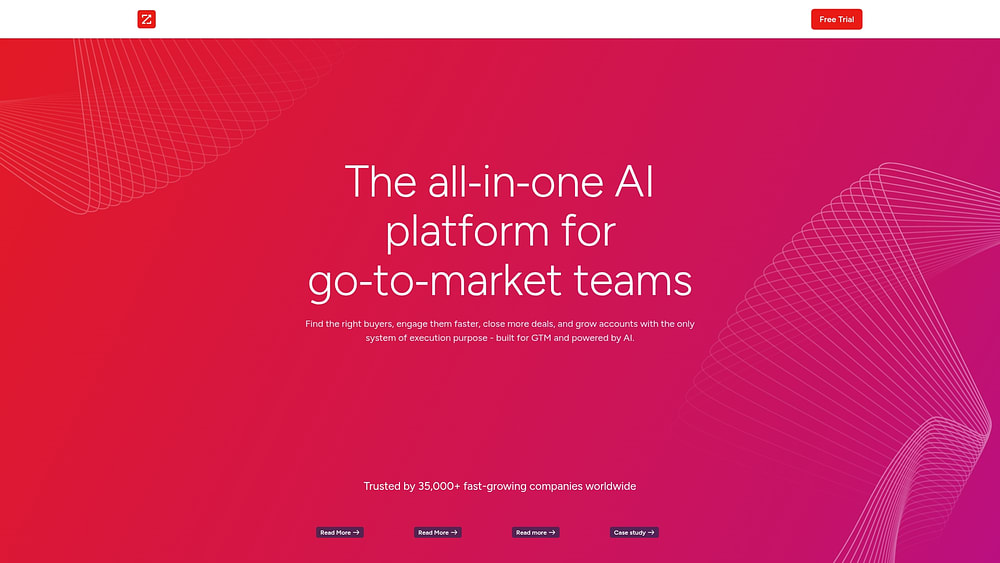 ZoomInfo Sales combines extensive B2B contact data with AI-driven intent signals to identify companies actively researching solutions. The platform centralizes data intelligence and workflow automation, making it ideal for sales teams that require comprehensive prospect information and actionable buying signals.
Use case
Sales teams leverage ZoomInfo to access verified contact details and prioritize target accounts based on real buying behavior.
Key features
- Comprehensive B2B database: Access to hundreds of millions of contacts across 104 million companies globally with verified email addresses and direct dial phone numbers.
- Intent data and buying signals:AI identifies companies showing purchase intent through behavioral signals, funding events, and technology installations.
- Workflow automation: Trigger-filter-action framework automates prospecting, routing, and campaign activation across connected platforms.
Pricing
ZoomInfo operates on custom pricing across the Professional, Copilot Advanced, and Copilot Enterprise tiers. Third-party estimates suggest roughly $15,000 to $45,000+ per year depending on tier, licenses, and credit usage.
Considerations
- Contract commitments: One- to three-year non-cancellable terms may not suit all team structures.
- Credit-based usage: Frequent add-ons can make total cost of ownership unpredictable.
9. Highspot
Best for: Enterprise enablement teams managing complex sales cycles and extensive content libraries.
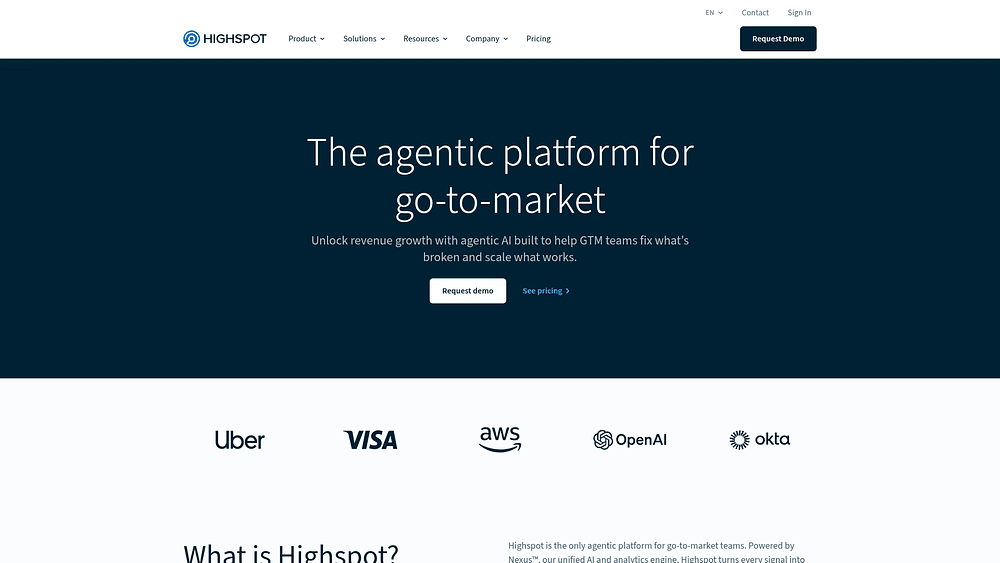 Highspot transforms sales enablement into an intelligent automation engine that guides sales reps through every deal. It specializes in AI-driven content recommendations and deal intelligence, making it suitable for enterprise teams managing complex sales cycles and extensive content libraries. The Deal Agent embeds into CRM workflows, converting scattered sales signals into actionable next steps.
Use case
Enterprise enablement teams use Highspot to automate content delivery, training programs, and deal guidance across large, distributed sales organizations.
Key features
- Deal Agent: Provides AI-driven deal intelligence and risk assessment within CRM and email workflows.
- Digital sales rooms: Create collaborative buyer experiences with automated follow-ups based on engagement analytics.
- AI content recommendations: Surface the right case studies, battle cards, and presentations for specific sales situations.
Pricing
Highspot operates on custom pricing with quote-only tiers (Good, Better, and Best). Third-party estimates suggest roughly $45 to $65/user per month (billed annually), plus setup fees.
Considerations
- Enablement focus:Highspot specializes in content automation rather than outbound sequencing, requiring integration with sales engagement platforms.
- Quote-only pricing: Lacks upfront transparency, making evaluation of total cost more difficult.
10. Clari
Best for: Revenue operations teams focused on forecasting accuracy and pipeline inspection.
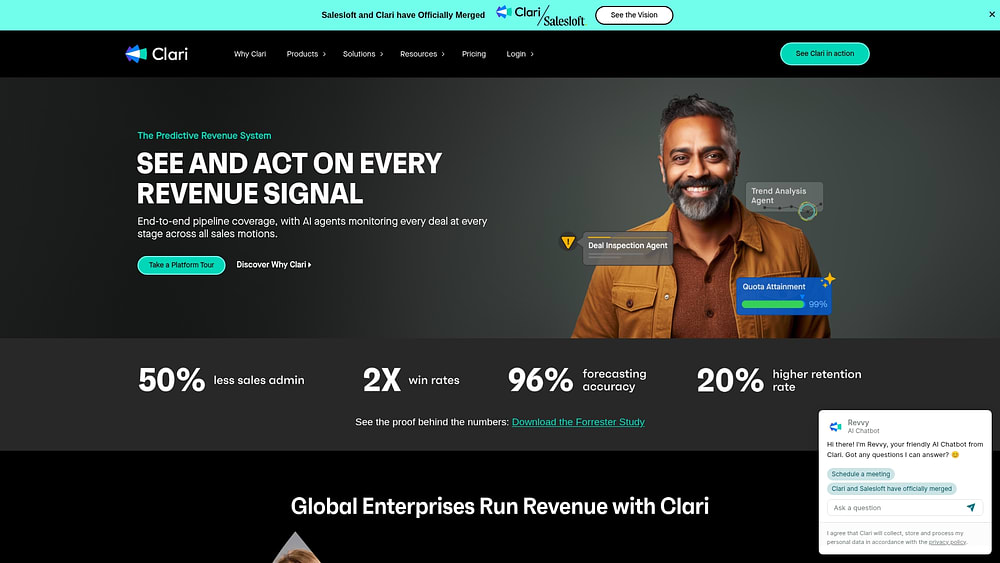 Clari gives revenue operations teams a command center to turn pipeline complexity into predictable growth. Recognized as a leader by Gartner and Forrester, the platform connects every touchpoint from first contact to close. Its merger with Salesloft provides a comprehensive revenue platform, spanning top-of-funnel engagement to bottom-line forecasting.
Use case
Revenue operations teams use Clari to inspect pipeline health, track forecast changes, and identify execution issues across the entire sales organization.
Key features
- Revenue forecasting:AI analyzes pipeline data, activity patterns, and historical trends to generate precise revenue predictions and flag at-risk deals.
- Sales engagement (Groove):Salesforce-native tools for outbound sequences, automated activity logging, and an integrated dialer with call recording.
- Conversation intelligence (Copilot): Real-time transcription, live battlecards during calls, and automated capture of next steps synced to CRM.
Pricing
Clari operates on custom pricing with quote-only packages rather than fixed self-serve tiers. Third-party estimates suggest a core platform near $100 to $120/user per month (billed annually), with additional modules adding more.
Considerations
- Salesforce-centric engagement:Groove is built for Salesforce, limiting use for other CRMs.
- No public pricing: Budgeting requires a custom quote.
11. Bombora
Best for: Teams leveraging intent data for targeting.
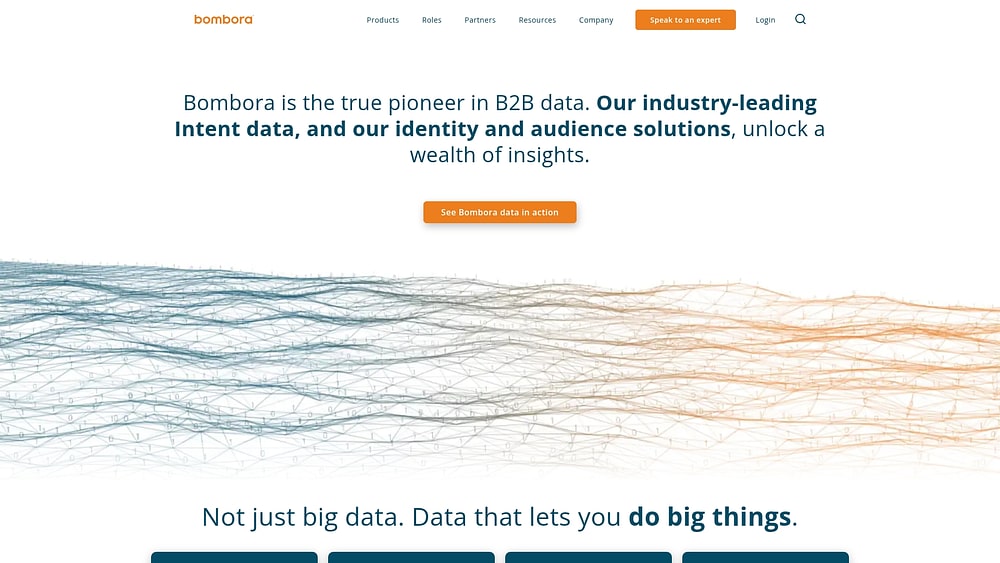 Bombora delivers company-level intent data by monitoring content consumption across thousands of B2B websites. It identifies organizations actively researching specific topics, making it ideal for account-based marketing and sales teams that need to prioritize accounts with verified buying signals. Bombora functions as a neutral data layer, integrating with existing CRM and sales engagement tools.
Use case
Sales and marketing teams use Bombora’s intent data to focus on accounts showing demonstrated interest in their solutions.
Key features
- Company Surge methodology: Tracks account-level intent signals across 5,000+ B2B websites with high publisher exclusivity using BERT-based NLP.
- Native CRM integration: Embeds intent scores into major CRMs and engagement tools to trigger automated tasks and prioritization workflows.
- Weekly automation triggers: Creates high-priority tasks in sales engagement platforms when assigned accounts surge on selected topics.
Pricing
Bombora operates on custom pricing with quote-only annual contracts based on intent topics, integrations, and scale. Third-party estimates suggest entry contracts commonly start around $25,000/year, ranging to $150,000+/year.
Considerations
- Account-level signals only: Additional workflows or partner data may be needed to identify specific contacts for outreach.
- Update frequency: Weekly updates may not support time-sensitive sales motions requiring real-time triggers.
How to choose AI sales automation your team will actually use
Choosing the right platform is less about comparing features and more about matching your sales process. Ignore the feature bake-off and focus on what actually resolves the bottlenecks slowing your team down.
- Map your actual sales process: Document real deal progression, handoffs, and manual tasks to see where things break.
- Demand flexibility over features: Choose platforms that adapt to your workflow without requiring IT for every change.
- Verify tech stack integration: Ensure the platform syncs in real time with marketing, finance, and customer success tools to avoid data silos.
- Calculate total cost of ownership: Factor in implementation, training, customization, and migration fees that can triple the sticker price.
- Prioritize user control: Platforms designed for business users, not just IT teams, deliver faster returns and predictable costs.
3 strategies for an AI rollout that actually works
Even the best software fails if rollout ignores the human element. Use these strategies to ensure adoption and deliver results quickly.
AI sales platforms are only as good as their implementation. Most teams fail because they rush the launch, losing momentum before it begins. These three strategies turn AI skeptics into advocates.
Fix your data before you do anything else
AI relies on clean data. Duplicates and incomplete fields sabotage automations before they run. Start with a data audit to locate duplicates, missing information, and inconsistencies. Define standards for data entry to ensure AI delivers value.
- Audit current data: Find duplicates, incomplete fields, and inconsistent formatting.
- Establish standards: Define required fields and clear data-entry expectations.
- Clean house: Deduplicate contacts, standardize names, and archive old records.
- Document the process: Create a simple guide to maintain data quality over time.
Launch with your champions to build momentum
A phased rollout is more effective than a company-wide launch. Early adopters need support, and skeptics often resist. Start with tech-savvy reps who have peer respect. Provide training, track wins, and let their success stories influence the team.
- Identify power users: Select reps who embrace new technology.
- Provide VIP support: Offer dedicated training and direct assistance.
- Measure early wins: Track how they save time or close more deals.
- Share success: Highlight results in team meetings and leadership updates.
Measure adoption weekly
What gets measured gets managed. Tracking specific adoption metrics lets you spot problems early and fix them before they stick.
Focus on metrics that show actual usage. If activity logging is low, reps might need a quick demo on mobile capture. If automation usage is lagging, showcase a workflow that gives them back an hour in their day.
| Metric | Target benchmark | Measurement frequency |
|---|---|---|
| Active users | >85% of licensed users logging in weekly | Weekly |
| Data quality | >90% of required fields completed | Weekly |
| Activity logging | >80% of meetings and calls recorded | Weekly |
| Automation usage | >70% of eligible workflows automated | Bi-weekly |
| Mobile adoption | >50% of users accessing via mobile | Monthly |
| Feature utilization | >60% using AI capabilities | Monthly |
AI your team will actually use
Complexity reduces adoption. That is why the AI is designed to feel invisible yet powerful. Here is how monday CRM integrates intelligence into workflows naturally.
Many CRM AI features create more work than they solve. Our AI works directly in the workflows your team already knows. No data science degree is required, and no external consultants are necessary. It delivers smart, simple capabilities that make selling easier.
Build custom AI workflows, no code needed
AI Blocks are no-code tools that enable powerful automations in minutes. Teams can create workflows that reduce manual work without waiting for technical support.
- Extract info: Automatically pull key details such as budget and timeline from emails and add them to deal records.
- Categorize: Instantly sort new leads by industry, priority, or custom fieldsso the right leads reach the right reps faster.
- Summarize: Turn long email chains and meeting notes into concise highlightsso managers can get up to speed in seconds.
- Custom actions: Build workflows for unique processes, such as flagging deals for legal review.
Turn AI insights into real action
AI recommendations appear on the visual pipeline, where work is managed daily. Each deal card displays an AI-powered risk score, allowing reps to quickly see what requires attention. Green indicates on track, yellow is a warning, and red signals a deal at risk.
Connect sales to your entire business
Revenue teams succeed by ensuring data flows seamlessly between departments using monday CRM. When marketing generates a lead, sales receives full context. When deals close, customer success has all the information needed for a smooth handover.
| Metric | Target benchmark | Measurement frequency |
|---|---|---|
| Active users | >85% of licensed users logging in weekly | Weekly |
| Data quality | >90% of required fields completed | Weekly |
| Activity logging | >80% of meetings and calls recorded | Weekly |
| Automation usage | >70% of eligible workflows automated | Bi-weekly |
| Mobile adoption | >50% of users accessing via mobile | Monthly |
| Feature utilization | >60% using AI capabilities | Monthly |
The result is AI that accelerates sales without adding complexity. Teams gain the intelligence needed to close more deals in a platform they enjoy using.
monday CRM: AI-powered sales automation built for teams that want results, not complexity
monday CRM gives revenue teams the power to automate their sales process without waiting on IT or navigating endless configuration screens. It combines visual pipeline management with AI capabilities that handle the repetitive work, so reps can focus on building relationships and closing deals. Teams get a platform that adapts to their process instead of forcing them into rigid workflows designed for someone else’s sales motion.
Built for mid-market teams that need enterprise-grade automation without enterprise-level complexity, monday CRM delivers AI that works in context. It surfaces insights where decisions happen, automates follow-ups based on real deal activity, and keeps every team aligned from first touch to renewal. The result is a CRM that teams actually use because it makes their jobs easier, not harder.
AI Sales Agent and AI Lead Agent
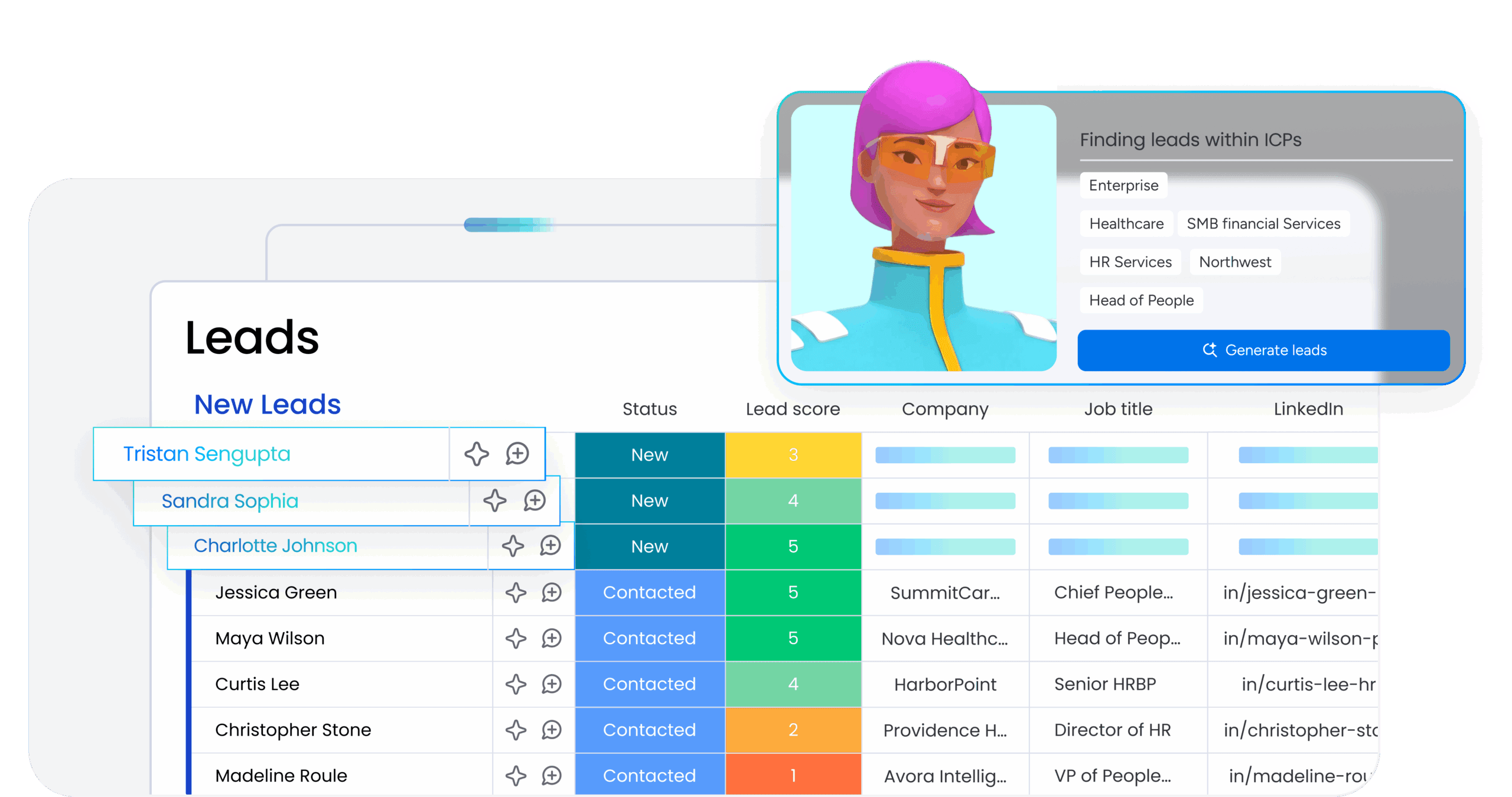
Autonomous agents run outreach calls and SMS campaigns, qualify prospects based on your criteria, and book meetings directly into rep calendars. The AI Lead Agent sources new leads that match your ideal customer profile and enriches them with contact details and firmographic data. These agents operate 24/7, handling high-volume prospecting tasks that would otherwise consume hours of manual work each week.
monday sidekick and AI Notetaker
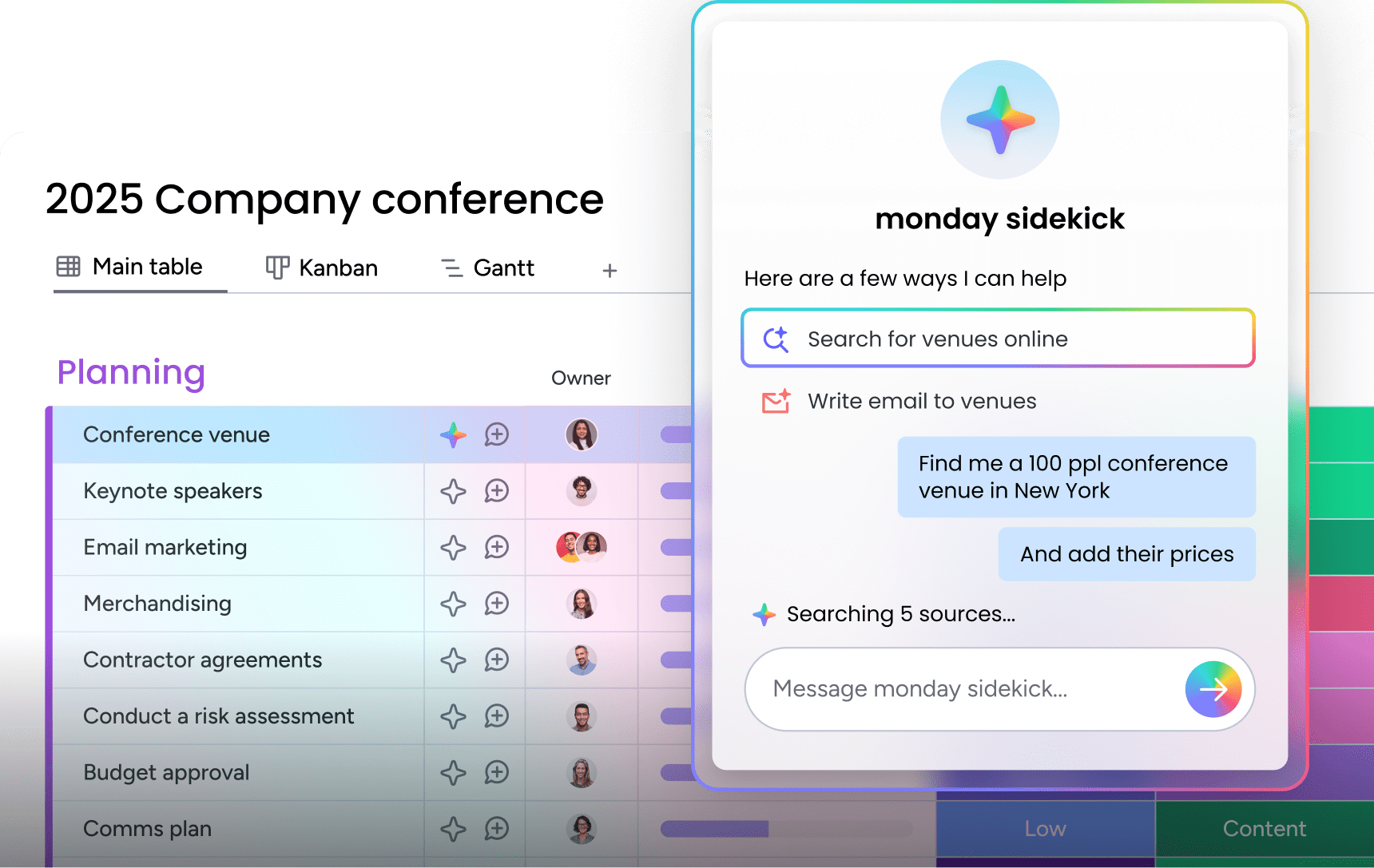
A context-aware assistant that drafts personalized emails, surfaces recommended next steps, and answers questions about deal history without leaving your workflow. The AI Notetaker joins sales calls, captures key points, and generates meeting summaries that sync automatically to the relevant deal record. Reps spend less time on admin and more time acting on what matters, while managers get instant visibility into customer conversations.
AI-powered columns and Deal Insights

Apply AI directly to CRM columns to detect sentiment in customer emails, extract key information like budget or timeline, summarize long threads, or translate messages into different languages. The Deal Insights widget analyzes engagement patterns, deal velocity, and activity levels to flag at-risk opportunities before they stall. Teams get early warnings on deals that need attention and clear visibility into which opportunities are progressing on track.
No-code automation recipes

Build custom workflows that automate lead assignment, status updates, follow-up sequences, and cross-team handoffs without writing a single line of code. Drag-and-drop automation recipes let teams design processes that match their exact sales motion, from routing inbound leads to the right rep based on territory to triggering alerts when high-value deals go quiet. Changes take minutes instead of weeks, and teams maintain full control without relying on technical resources.
“With monday CRM, we’re finally able to adapt the platform to our needs — not the other way around. It gives us the flexibility to work smarter, cut costs, save time, and scale with confidence.”
Samuel Lobao | Contract Administrator & Special Projects, Strategix
“Now we have a lot less data, but it’s quality data. That change allows us to use AI confidently, without second-guessing the outputs.”
Elizabeth Gerbel | CEO
“Without monday CRM, we’d be chasing updates and fixing errors. Now we’re focused on growing the program — not just keeping up with it."
Quentin Williams | Head of Dropship, Freedom Furniture
“There’s probably about a 70% increase in efficiency in regards to the admin tasks that were removed and automated, which is a huge win for us.“
Kyle Dorman | Department Manager - Operations, Ray White
"monday CRM helps us make sure the right people have immediate visibility into the information they need so we're not wasting time."
Luca Pope | Global Client Solutions Manager at Black Mountain
“In a couple of weeks, all of the team members were using monday CRM fully. The automations and the many integrations, make monday CRM the best CRM in the market right now.”
Nuno Godinho | CIO at Velv
“monday.com provides developmental flexibility, operational efficiency, and data transparency — all in one place. We became a company that moved from chasing data to leading with it.”
Hyunghan Lee | Team Lead, Sandbox Network
"monday.com brought every part of our business into one connected space. The harmony between work management and CRM has become our operating system — giving us the clarity and confidence to scale.”
Jennifer Chinburg | Executive Vice President of Corporate Development & Brand, Chinburg Properties
“We just weren’t getting value from our old CRM. With monday.com, it's a thousand times better. Our sales teams are more informed, more consistent, and far more connected."
James Arnold | Chief Operating Officer, CenversaReady to automate your revenue engine?
The right platform changes how a revenue team operates. Work shifts from manual, reactive admin to automated and predictable execution, where pipelines stay clean, forecasts hold up, and reps spend their time selling instead of updating records. monday CRM delivers that shift with AI built into the workflows your team already runs—autonomous AI agents source and qualify leads, the Deal Insights widget flags at-risk deals before they slip, and no-code automations keep records current without manual work.
Start by identifying the manual tasks and pipeline gaps that slow your team down most, then match them to the automations and AI features that remove that friction. Prove the value with a small group of power users first, then expand across the organization.Try monday CRM today.
FAQs
What is the difference between AI sales automation and a CRM?
The key distinction is that AI learns from your data to provide predictive insights, automatically identifying patterns in deal velocity, engagement signals, and win rates. A basic CRM follows the rules you manually configure without learning from patterns. AI platforms adapt and improve over time, while traditional CRMs require constant manual updates to remain effective.
How long does it take to implement sales automation?
Implementation time varies by platform. No-code systems can be operational in a few weeks, whereas complex legacy solutions often take several months and require dedicated technical resources. Platforms like monday CRM enable teams to go live in days with minimal IT involvement, while enterprise systems such as Salesforce typically demand six to twelve months of configuration and customization.
What is the best CRM to switch to from Salesforce?
The ideal CRM offers seamless data migration and an intuitive interface. This reduces disruption and ensures teams adopt the new platform quickly. Look for platforms that provide visual workflows, no-code customization, and built-in AI capabilities without requiring extensive technical setup. monday CRM delivers these features with transparent pricing and faster implementation timelines.
What are the hidden costs of enterprise CRM?
Unexpected costs often include consulting for implementation, custom integrations, ongoing maintenance, and data migration services. Many platforms also charge for essential features through add-ons, premium support tiers, and per-user licensing that scales unpredictably. Implementation fees alone can add tens of thousands to the total cost of ownership, while annual maintenance contracts frequently increase by 10% or more each year.
How do you increase CRM adoption?
Adoption improves when teams use a platform with a no-code interface that is easy to customize. Platforms that deliver immediate value naturally encourage regular use. Start with power users who can demonstrate quick wins, provide hands-on training focused on daily workflows, and track adoption metrics weekly to identify and address friction points before they become permanent obstacles.
Can a CRM integrate with HubSpot?
Yes, CRMs can integrate using native connectors or APIs for bidirectional data sync. Always confirm that the integration supports your specific custom fields and workflows. Most modern platforms offer pre-built integrations that sync contacts, deals, and activities in real time, eliminating manual data entry and ensuring marketing and sales teams work from the same information.