



Sales reps lose most of their day to data entry, chasing follow-ups, updating records, and coordinating handoffs between teams. That’s not a people problem. It’s a process problem that CRM automation solves directly. When your CRM handles the repetitive work automatically, reps get their time back. Leads get routed instantly. Follow-ups go out on schedule. Pipeline data stays current without anyone manually updating it.
This guide covers what CRM automation actually does, the 8 benefits that matter most for revenue teams, which processes to automate first, how AI expands what’s possible, and how to measure ROI. Whether you’re evaluating automation for the first time or looking to get more from your existing setup like monday CRM, here’s what you need to know.
Key takeaways
- Start with the workflows that hurt most: Automate lead routing, follow-up sequences, and activity logging first. These three deliver the fastest results and free up the most rep time.
- Speed wins deals: Responding to leads within minutes, not hours, dramatically increases conversion rates. Automation makes that response time possible, every time.
- Your CRM is only as good as the data inside it: Automation keeps records accurate and current, so forecasts, pipeline reports, and handoffs are based on real information, not guesswork.
- monday CRM lets teams build these workflows without IT: With no-code automations and built-in AI for email drafting, lead scoring, and meeting summaries, revenue teams can move fast and stay in control.
- Measure what changes: Track time saved on admin, conversion rates, and customer retention before and after automation. That’s how you prove the ROI and know where to go next.
What is CRM automation?

CRM automation handles repetitive sales, marketing, and customer service tasks within your CRM system. It cuts manual work and keeps follow-through consistent across the customer journey.
Instead of sales reps manually entering data, scheduling follow-ups, or routing leads to the right team members, CRM automation executes these tasks instantly based on predefined triggers and rules.
You get a system that works around the clock, capturing leads, updating records, and keeping deals moving without anyone lifting a finger.
Here’s what that looks like in practice:
- Automatic lead capture: When prospects fill out website forms, automation instantly creates contact records, assigns them to reps based on territory or deal size, and triggers welcome emails within seconds
- Follow-up sequences: Automation sends notifications or executes outreach based on customer behavior, like email opens or pricing page visits
- Data enrichment: The system pulls company information, contact details, and engagement history from external sources, eliminating manual research
CRM automation matters because it removes the admin work that keeps revenue teams from focusing on high-value activities. When reps spend less time on data entry and more time building relationships, deals close faster. When leads receive immediate responses instead of waiting hours, conversion rates increase. And when no opportunity falls through the cracks due to human error, revenue grows predictably.
CRM automation vs. sales automation
Many buyers use “CRM automation” and “sales automation” interchangeably, but understanding the distinction helps teams evaluate solutions more effectively and build workflows that connect every stage of the customer journey. Here’s how they differ and why using them together delivers the most value.
CRM automation: Cross-functional workflows across the full customer lifecycle
CRM automation covers the entire customer lifecycle: marketing, sales, customer service, and post-sale account management. It connects teams and keeps customer experiences consistent across departments.
CRM automation delivers these capabilities across your organization:
- Cross-functional lead routing: Marketing captures leads through campaigns, automation scores them based on engagement and fit, then assigns them to the right sales rep and notifies customer success when deals close.
- Unified customer data: Automation keeps contact records, interaction history, and deal status synchronized across all teams in real time.
- Lifecycle triggers: Customers move automatically from prospect to active client to renewal workflows based on their actions and milestones.
CRM automation’s biggest value? Alignment. When every team works from the same customer data and follows connected workflows, collaboration improves and customer experiences become consistent.
Sales automation: Targeted efficiency for closing deals faster
Sales automation sits inside CRM automation. It accelerates sales processes and helps reps close deals faster. It handles tasks that eat up rep time without bringing in revenue.
Sales automation addresses these daily friction points:
- Email sequences: Personalized follow-ups send automatically based on prospect behavior or deal stage
- Meeting scheduling: Prospects book time directly on reps’ calendars through automated scheduling links
- Pipeline management: Deal stages update automatically, forecasts calculate in real time, and activity logs populate without manual entry
The value of sales automation is in its efficiency. Reps spend more time selling and less time on paperwork, which directly increases the number of deals they can work and close.
How CRM and sales automation work together to drive revenue
The best revenue operations strategies combine CRM automation and sales automation. CRM automation provides the infrastructure and cross-functional workflows, while sales automation optimizes the specific actions sales teams take daily.
Here’s the full flow:
- A lead downloads a whitepaper, triggering marketing automation.
- CRM automation scores the lead, assigns it to the right sales rep, and logs the activity.
- Sales automation triggers a personalized email sequence from that rep.
- If the prospect replies, CRM automation updates the deal stage and notifies the rep to follow up.
- If the deal closes, CRM automation hands off the account to customer success and updates financial records.
How CRM automation expands CRM system benefits
A CRM database organizes customer data. CRM automation makes that data actionable, triggering workflows, surfacing insights, and driving execution without manual effort. The difference: a database stores information. An operational engine grows revenue. Here’s what that means for revenue leaders and their teams.
What CRM automation means for revenue leaders
CROs, VPs of Sales, and RevOps leaders need three things: predictability, visibility, and control. A CRM system gives you a centralized database. CRM automation turns it into a real-time command center.
| Challenge without automation | How CRM automation solves it |
|---|---|
| Pipeline data is outdated by the time reports are generated | Automation updates deal stages in real time as reps take action |
| At-risk deals go unnoticed until it's too late | Automated alerts flag stalled deals, missed follow-ups, and churn signals |
| Forecasts rely on manual input and guesswork | Automation calculates win probabilities based on historical patterns |
| Resource allocation decisions lack data | Automation tracks rep activity, deal velocity, and capacity metrics |
The outcome? Confidence. Revenue leaders act on accurate, up-to-date information instead of waiting for manual reports or relying on gut instinct.
What CRM automation means for sales reps and account managers
Sales reps, account managers, and SDRs need platforms that cut busywork so they can focus on selling. A CRM system organizes customer data. CRM automation keeps it accurate and actionable without the manual work.
Here’s how automation removes daily friction:
- Automatic activity logging: Emails, calls, and meetings sync to the CRM automatically.
- Smart follow-up reminders: Automation prompts reps to reach out at the right time based on customer behavior or deal stage.
- Streamlined collaboration: Automation notifies the right team members when handoffs occur, such as moving deals from sales to customer success.
The outcome here is focus. Reps spend their energy on building relationships and closing deals instead of fighting with administrative tasks.
Why a CRM without automation holds teams back
Without automation, CRM systems become data graveyards, with outdated records, incomplete information, and manual processes that drag teams down. CRM automation keeps the system current, actionable, and aligned with how teams work.
Here’s what happens when you embed automation into CRM operations:
- Higher adoption rates: When automation reduces manual work, teams actually use the CRM instead of avoiding it or maintaining shadow spreadsheets.
- Faster time to value: Automation accelerates onboarding, reduces training requirements, and helps new reps ramp up quickly.
- Scalable growth: Automation allows teams to handle more leads, deals, and customers without adding headcount or complexity.
8 CRM automation benefits that save time and increase revenue
Each benefit drives business growth by saving time or increasing revenue through better efficiency, faster deals, or stronger retention. These aren’t abstract gains. They show up in rep performance, pipeline health, and the bottom line.
1. Faster lead response and follow-up
Speed-to-lead is critical for conversion rates. Responding to leads within minutes rather than hours dramatically increases the likelihood of booking meetings and closing deals. Manual lead routing and follow-up processes introduce delays that cost revenue.
CRM automation eliminates these delays in three ways:
- Instant lead capture and routing: When prospects fill out forms, automation immediately creates contact records, assigns them to the right rep, and sends notifications within seconds.
- Automated follow-up sequences: If reps don’t respond within set timeframes, automation triggers follow-up emails or escalates leads to managers.
- Behavior-based engagement: Automation detects when prospects open emails, visit pricing pages, or download content, then triggers timely, relevant outreach while interest is high.
Teams using monday CRM benefit from instant lead routing that ensures no prospect waits, with automated workflows that assign leads based on territory, deal size, or custom criteria within seconds of form submission.
2. More selling time with less manual work
Sales reps spend huge chunks of their day on admin tasks. This “sales drag” reduces time available for prospecting, relationship-building, and closing deals. The table below shows how automation reclaims that time.
| Administrative task | Time without automation | Time with automation |
|---|---|---|
| Logging emails and calls | 30–45 min/day | 0 min (automatic sync) |
| Updating deal stages | 15–20 min/day | 0 min (behavior-triggered) |
| Searching for contact info | 20–30 min/day | 0 min (auto-enriched) |
| Coordinating handoffs | 15–20 min/day | 2–3 min (automated routing) |
| Total administrative time | 80–115 min/day | 2–3 min/day |
3. Cleaner customer data in one place
Poor CRM data management undermines every aspect of revenue operations. Manual data entry introduces errors, and a lack of CRM integration creates silos where information becomes outdated or inconsistent.
CRM automation keeps data clean through these features:
- Automatic data enrichment: Automation pulls company information, contact details, and firmographic data from external sources.
- Duplicate detection and merging: Automation identifies duplicate records and consolidates them to maintain a single source of truth.
- Real-time synchronization: Automation keeps customer data consistent across marketing, sales, service, and finance systems.
4. More accurate pipeline visibility and forecasting
Revenue leaders need accurate, real-time visibility into pipeline health. That’s how they make smart decisions about resource allocation, hiring, and strategic planning. Manual pipeline management leads to outdated data, inconsistent deal stages, and unreliable forecasts.
Here’s how automation transforms pipeline management:
- Real-time pipeline updates: Automation moves deals through stages based on rep activity or customer behavior.
- Automated risk detection: Automation flags deals that have stalled, lack recent activity, or show signs of slipping.
- Predictive insights: Automation analyzes historical data to calculate win probabilities and forecast close dates.
Revenue teams using monday CRM get real-time pipeline dashboards that update automatically as deals progress, with built-in alerts that flag at-risk opportunities before they slip.
5. More personal customer engagement at scale
Personalization boosts engagement and conversion rates, but you can’t do it manually at scale. Writing customized emails for every prospect requires more hours than any team has available.
CRM automation makes personalization scalable through these features:
- Behavior-based triggers: Automation sends personalized emails, offers, or content based on customer actions.
- Dynamic content: Automation customizes email content, landing pages, or outreach based on customer attributes like industry, role, or deal stage.
- Timely follow-ups: Automation ensures every customer receives relevant, timely communication without manual effort.
6. Smoother handoffs across sales, marketing, service, and finance
Customer journeys cross multiple teams. Manual handoffs create delays, miscommunication, and dropped tasks, all of which hurt customer experience and revenue. Here’s what that looks like with and without automation.
| Handoff point | Manual process | Automated process |
|---|---|---|
| Marketing → Sales | Email notification, manual lead assignment | Instant routing with full context attached |
| Sales → Customer success | Meeting to transfer notes, manual task creation | Automatic onboarding workflow triggered |
| Customer success → Finance | Email request for billing setup | Automated invoice generation and tracking |
| Any team → Manager escalation | Slack message, hope they see it | Automated alert with deadline and context |
7. Lower operating costs as teams grow
Scaling revenue operations without automation means adding headcount, which drives up costs and complexity. CRM automation lets teams handle more leads, deals, and customers without adding headcount or operational costs.
These cost benefits grow as you scale:
- Higher rep productivity: Automation allows each rep to manage more accounts and close more deals without working longer hours.
- Reduced administrative overhead: Automation eliminates the need for manual data entry, reporting, and coordination.
- Scalable processes: Automation ensures workflows remain consistent and efficient as teams grow.
8. Stronger adoption through no-code workflows and AI
CRM adoption is a massive challenge for revenue teams. Complex systems with steep learning curves lead to low adoption, incomplete data, and wasted investment. When reps don’t use the CRM, data quality suffers and forecasts become unreliable.
CRM automation, especially when combined with no-code configuration and AI, makes systems easier to use and more valuable:
- Intuitive workflows: No-code automation allows teams to configure workflows without IT support.
- AI-powered assistance: AI features like automated data entry, smart recommendations, and predictive insights reduce manual effort.
- Faster onboarding: Automation simplifies training and helps new reps ramp up quickly.
monday CRM’s no-code automation builder lets revenue teams create and modify workflows without IT support, while built-in AI handles email drafting, lead scoring, and meeting summaries to drive adoption and reduce manual work.
Try monday CRMWhich CRM processes should you automate first?
Some processes are worth automating. Others aren’t. Start with high-impact workflows. You’ll see ROI faster and build momentum for broader adoption. The best starting point depends on where teams hit the most friction, but certain workflows always deliver value. Those are the ones to tackle first.
Lead capture and routing
Lead capture and routing often delivers the biggest impact because it affects speed-to-lead, one of the strongest predictors of conversion. Manual lead routing introduces delays, inconsistencies, and the risk of leads falling through the cracks.
Here’s how automation solves common lead routing challenges:
- Instant lead creation: Contact records appear immediately when prospects fill out forms.
- Smart assignment: Leads route to the right rep based on territory, industry, deal size, or other criteria.
- Immediate notifications: Assigned reps receive alerts via email, Slack, or in-app notification.
Lead scoring and prioritization
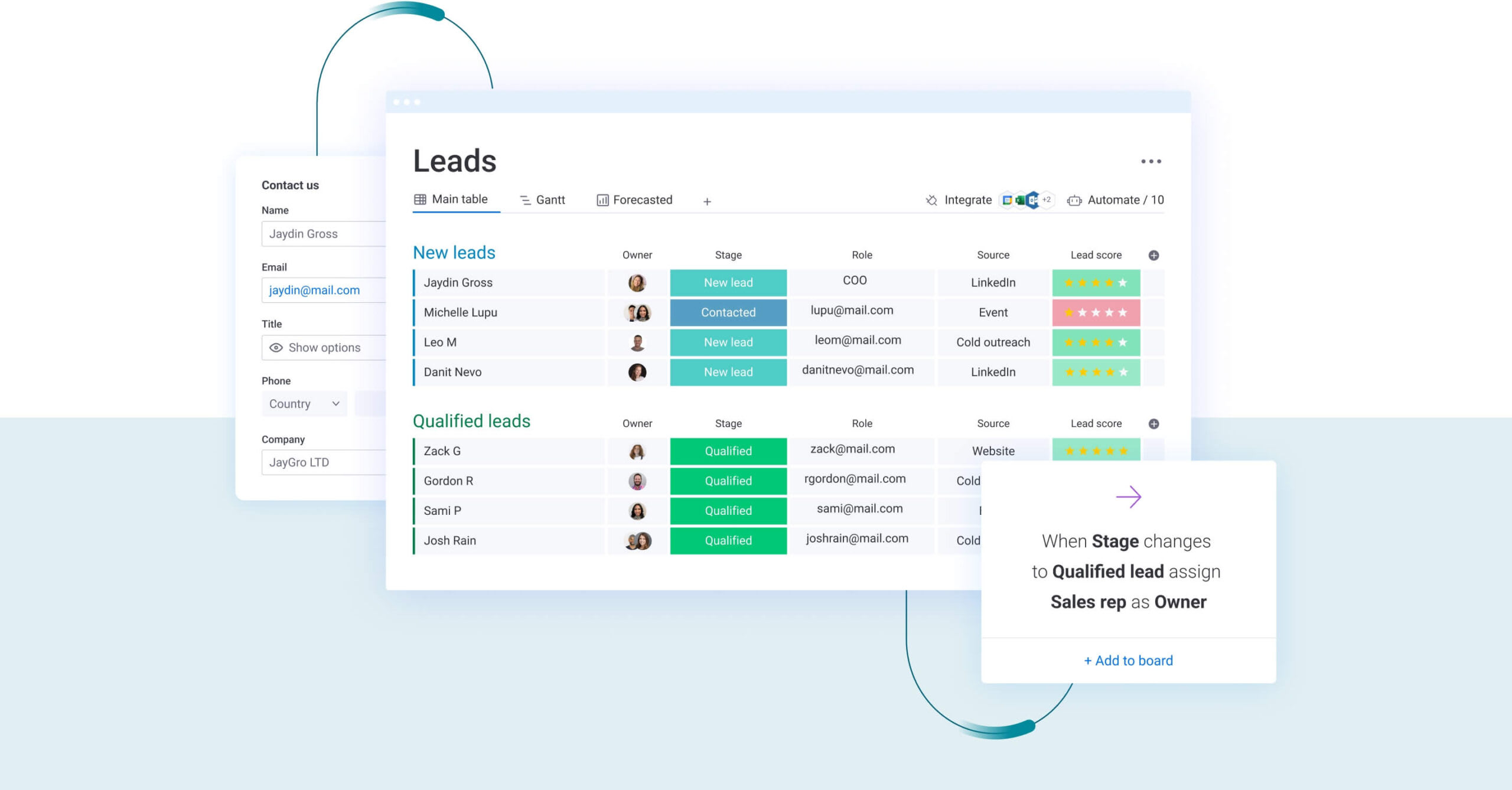
Some leads are worth more than others. Lead scoring automation helps teams focus on opportunities most likely to convert, so reps spend their time where it counts.
Here’s how scoring helps reps prioritize:
- Behavior-based scoring: Points get assigned based on actions like email opens, website visits, content downloads, or pricing page views.
- Demographic and firmographic scoring: Scores adjust based on company size, industry, role, or other fit criteria.
- Automatic prioritization: High-scoring leads surface in dashboards, or alerts fire when leads reach thresholds.
Follow-ups and reminders
Consistent follow-up is critical to moving deals forward, and outreach sales automation helps replace manual reminders that are unreliable and time-consuming. Automation ensures no opportunity is forgotten.
Here’s how follow-up automation keeps deals moving:
- Scheduled follow-ups: Emails send or tasks create at predefined intervals.
- Behavior-triggered reminders: Reps get prompted to follow up when prospects open emails, click links, or revisit websites.
- Escalation workflows: Managers receive notifications if reps haven’t followed up within set timeframes.
Activity logging and deal updates
Manual activity logging eats time and creates errors. Automation eliminates this busywork while ensuring data stays accurate.
Here’s how logging automation cuts admin work:
- Automatic email and call logging: Emails, calls, and meetings sync without manual data entry.
- Deal stage updates: Deals move through stages based on rep actions or customer behavior.
- Real-time record updates: Contact information, deal values, and close dates stay current.
Pipeline dashboards and forecasting
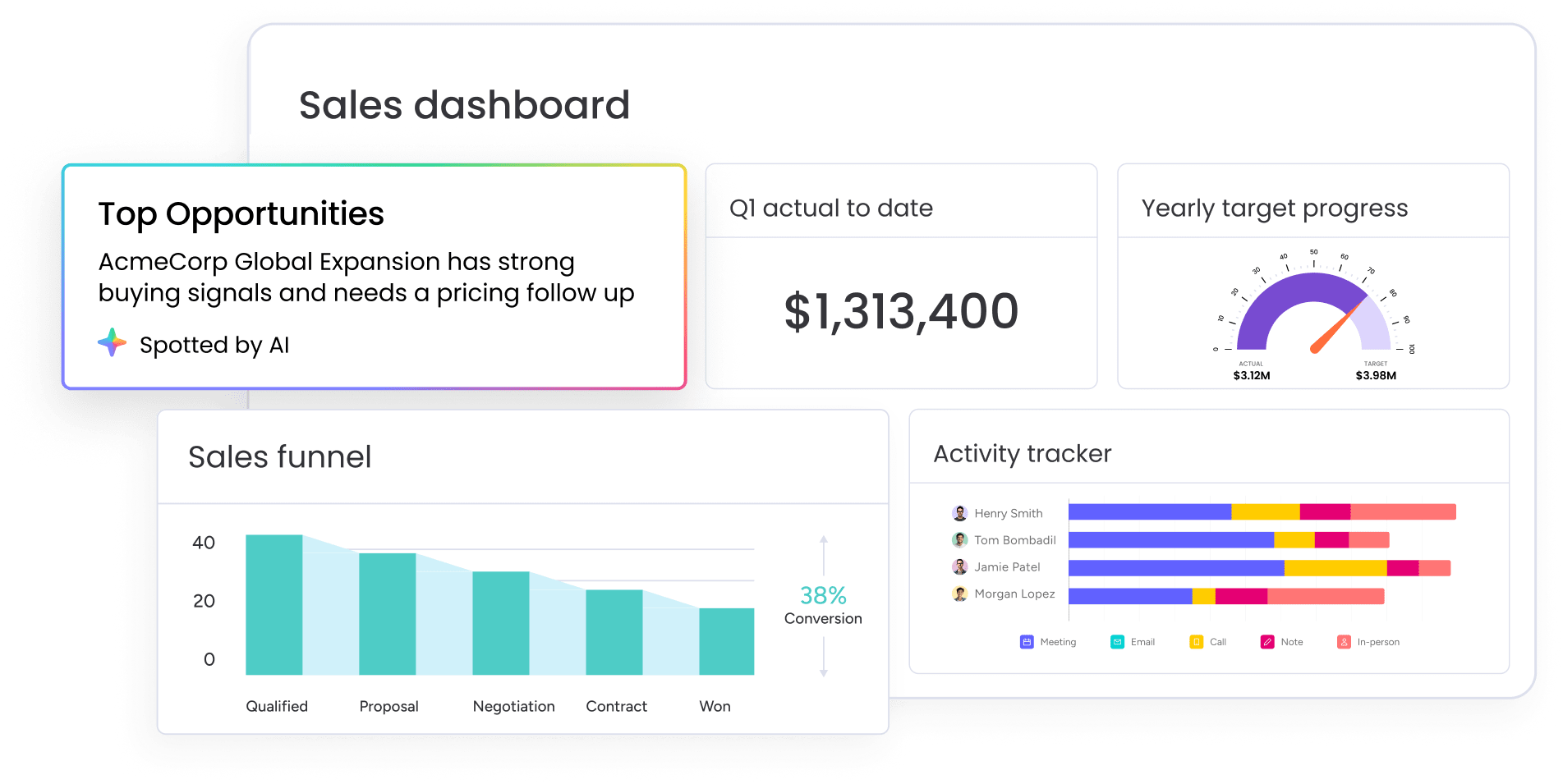
Manual reporting is slow and error-prone. By the time it reaches decision-makers, it’s outdated. Automation ensures leaders have real-time visibility into pipeline health and forecast accuracy.
Here’s how reporting automation helps leaders make better decisions:
- Real-time dashboard updates: Pipeline metrics, win rates, and deal velocity refresh as data changes.
- Automated risk detection: Deals that have stalled, lack recent activity, or show signs of slipping get flagged.
- Predictive forecasting: Win probabilities and projected close dates calculate based on historical data.
Customer onboarding and renewal workflows
Closing the deal isn’t the finish line. Onboarding and renewal workflows are critical to retention and expansion revenue, but manual processes introduce delays and inconsistencies.
Here’s how post-sale automation protects and grows revenue:
- Onboarding task creation: Checklists generate, owners get assigned, and deadlines set when deals close.
- Renewal reminders: Account managers receive alerts when contracts approach renewal.
- Upsell and cross-sell triggers: Opportunities surface based on usage patterns, customer milestones, or contract terms.
How AI expands CRM automation beyond basic workflows
A CRM with AI takes CRM automation further by adding intelligence and adaptability. Traditional automation follows predefined rules, while AI automation learns from data, detects patterns, and makes recommendations that improve over time. You get a system that doesn’t just execute tasks, but helps teams make sharper decisions at every stage of the sales cycle.
AI sales agents for lead scoring and qualification
Traditional lead scoring uses static rules, but AI-powered lead scoring analyzes hundreds of signals to predict which leads are most likely to convert.
Here’s what AI-powered scoring delivers:
- Pattern recognition: AI analyzes historical data to identify which lead characteristics and behaviors correlate with closed deals.
- Dynamic scoring: AI adjusts lead scores in real time based on engagement patterns, intent signals, and fit criteria.
- Qualification recommendations: AI suggests which leads to prioritize, nurture, or disqualify.
Revenue teams using monday CRM leverage AI-powered lead scoring and qualification to prioritize opportunities with precision. The platform’s AI capabilities help teams focus on high-value prospects while automation handles routine qualification tasks.
AI meeting summaries and deal updates
Sales reps spend significant time summarizing meetings, updating deal records, and communicating next steps. AI automation handles these tasks instantly.
Here’s how AI cuts admin work:
- Automatic meeting summaries: AI transcribes calls and meetings, extracts key points, and generates concise summaries.
- Action item extraction: AI identifies next steps, commitments, and follow-up tasks from meeting notes.
- Deal record updates: AI updates deal stages, contact information, and notes based on meeting content.
AI email drafting and outreach support
Personalized outreach drives higher engagement, but writing customized emails for every prospect is time-consuming. AI automation generates personalized email drafts based on customer data, deal context, and best practices.
Here’s what AI-powered email can do:
- Personalized email generation: AI drafts emails tailored to the recipient’s industry, role, deal stage, and recent interactions.
- Tone and style optimization: AI adjusts language to match the recipient’s communication preferences or the rep’s writing style.
- A/B testing insights: AI analyzes which email variations perform best and recommends improvements.
Organizations using monday CRM access AI-powered email drafting that helps reps craft personalized outreach quickly while maintaining authentic communication.
AI sentiment analysis and customer signals
Understanding customer sentiment helps teams close deals and retain customers. AI automation analyzes communication patterns, language, and behavior to detect sentiment shifts and surface early warning signs.
Here’s how sentiment analysis helps teams engage proactively:
- Sentiment analysis: AI evaluates email tone, meeting transcripts, and customer interactions to gauge engagement and satisfaction.
- Churn risk detection: AI identifies customers showing signs of disengagement.
- Opportunity identification: AI flags customers exhibiting buying signals.
Human review and permissions for controlled AI automation
AI automation delivers real value, but you need control and oversight to keep AI actions aligned with business goals and compliance requirements. Responsible AI usage means keeping humans in the loop, not handing over the wheel entirely.
Here’s how to keep AI usage responsible:
- Approval workflows: AI suggests actions but waits for human approval before executing.
- Granular permissions: Admins control which AI features are available to which users.
- Audit trails: AI logs every action, recommendation, and decision.
Teams using monday CRM maintain control of AI-powered automation through human-in-the-loop workflows and granular permissions, ensuring they stay in control while benefiting from AI capabilities.
How to measure CRM automation ROI
To measure CRM automation ROI, track efficiency gains and revenue impact. The most effective measurement strategies combine quantitative metrics with qualitative feedback from teams. These three metric categories give you the full picture: rep productivity, revenue growth, and customer retention.
Sales productivity metrics
Sales productivity metrics measure how CRM automation increases rep capacity and efficiency. These metrics show whether automation frees up time for high-value activities.
| Metric | What to measure | Target improvement |
|---|---|---|
| Time saved on admin tasks | Hours per week spent on data entry, logging, reporting | 50–70% reduction |
| Activities per rep | Calls, emails, meetings, demos completed | 20–40% increase |
| Selling time percentage | % of time on revenue-generating vs. admin work | Increase from 35% to 60%+ |
To measure these metrics, use time-tracking, CRM activity logs, and rep surveys to establish baselines before automation and track improvements over time.
Pipeline and revenue metrics
Pipeline and revenue metrics measure how CRM automation directly impacts business growth. These metrics demonstrate whether automation is increasing conversion rates, accelerating deal velocity, and driving revenue.
Here’s how automation impacts revenue:
- Lead-to-opportunity conversion rate: The percentage of leads that convert to qualified opportunities
- Opportunity-to-close conversion rate: The percentage of opportunities that close as won deals
- Average deal cycle length: The time from opportunity creation to close
- Revenue per rep: Total revenue divided by number of reps
Use CRM reports and dashboards to track these metrics over time, comparing performance before and after automation implementation.
Customer experience and retention metrics
Customer experience and retention metrics measure how CRM automation improves post-sale relationships and lifetime value.
Here’s how automation affects retention long-term:
- Customer satisfaction scores: Customer satisfaction measured through surveys
- Churn rate: The percentage of customers who cancel or don’t renew
- Net revenue retention: Revenue retained from existing customers including expansions minus churn
- Time to value: How quickly new customers achieve their first success milestone
Track these metrics through customer surveys, CRM reports, and financial systems. Improvements in customer experience and retention demonstrate that CRM automation is protecting and growing existing revenue.
How monday CRM delivers automation that revenue teams actually use
monday CRM combines no-code automation with built-in AI to help revenue teams move faster without adding complexity. Sales reps, account managers, and RevOps leaders get the workflows they need to eliminate busywork, respond to leads instantly, and keep pipeline data accurate without relying on IT support or lengthy implementation cycles.
The platform is built for teams that want control over their processes while benefiting from intelligent automation. Whether you’re routing leads, scoring opportunities, or coordinating handoffs between sales and customer success, monday CRM gives you the flexibility to configure workflows that match how your team works, with AI handling the repetitive tasks that slow everyone down.
No-code automation builder for custom workflows

monday CRM’s automation builder lets revenue teams create and modify workflows without writing code or waiting for IT support. You set triggers based on customer actions, deal stages, or time-based rules, and the system executes tasks like lead routing, follow-up emails, deal updates, and team notifications automatically. Teams can build, test, and deploy new automations in minutes, which means processes evolve as fast as your business does.
AI-powered lead scoring and prioritization
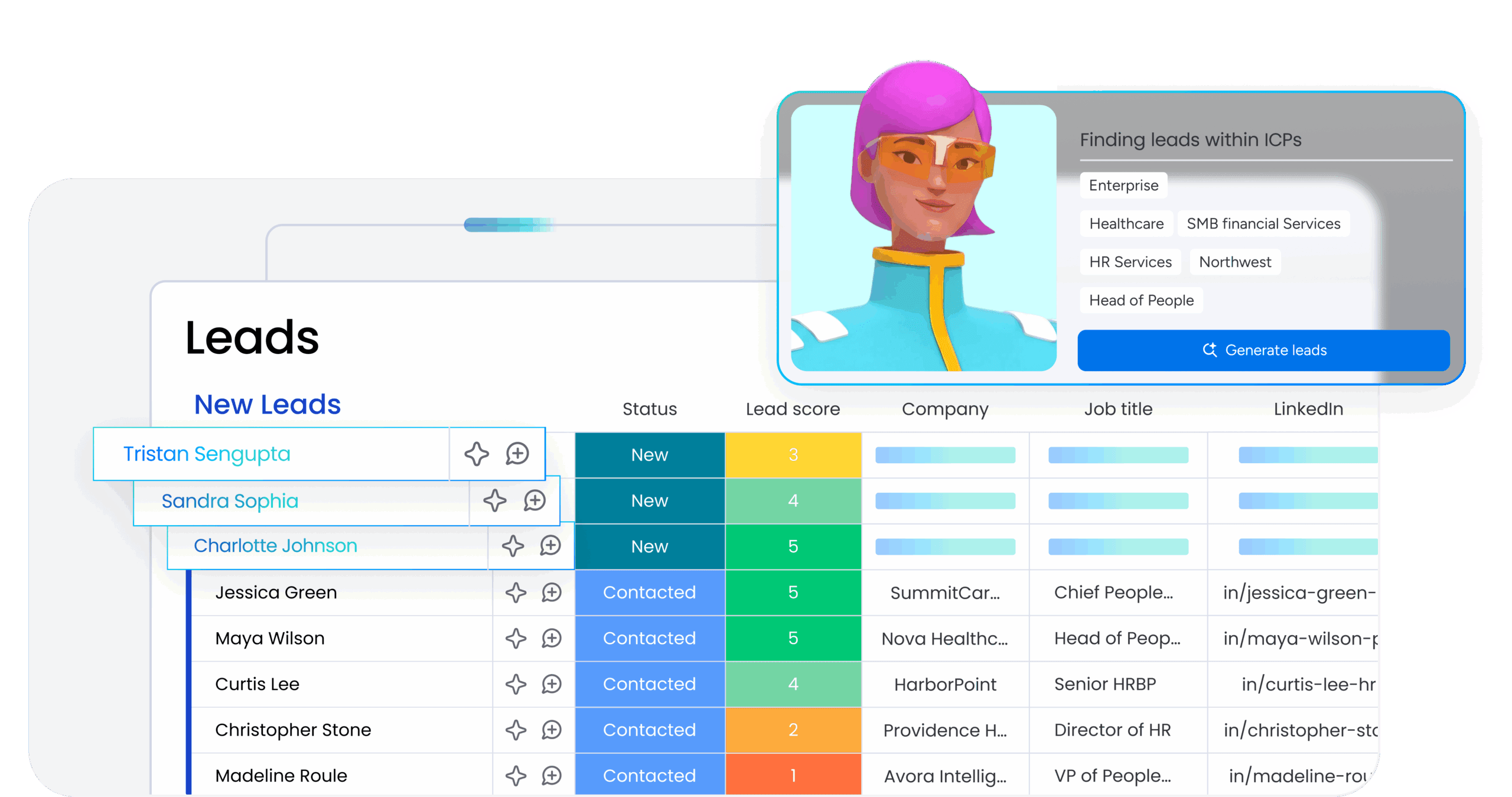
The platform’s AI analyzes historical deal data, engagement patterns, and firmographic signals to score leads and surface the opportunities most likely to convert. Instead of relying on static rules, AI-powered scoring adapts based on what’s actually driving conversions in your pipeline. Reps get clear prioritization so they focus their time on high-value prospects while automation handles nurture sequences for lower-scoring leads.
AI email drafting and outreach assistance
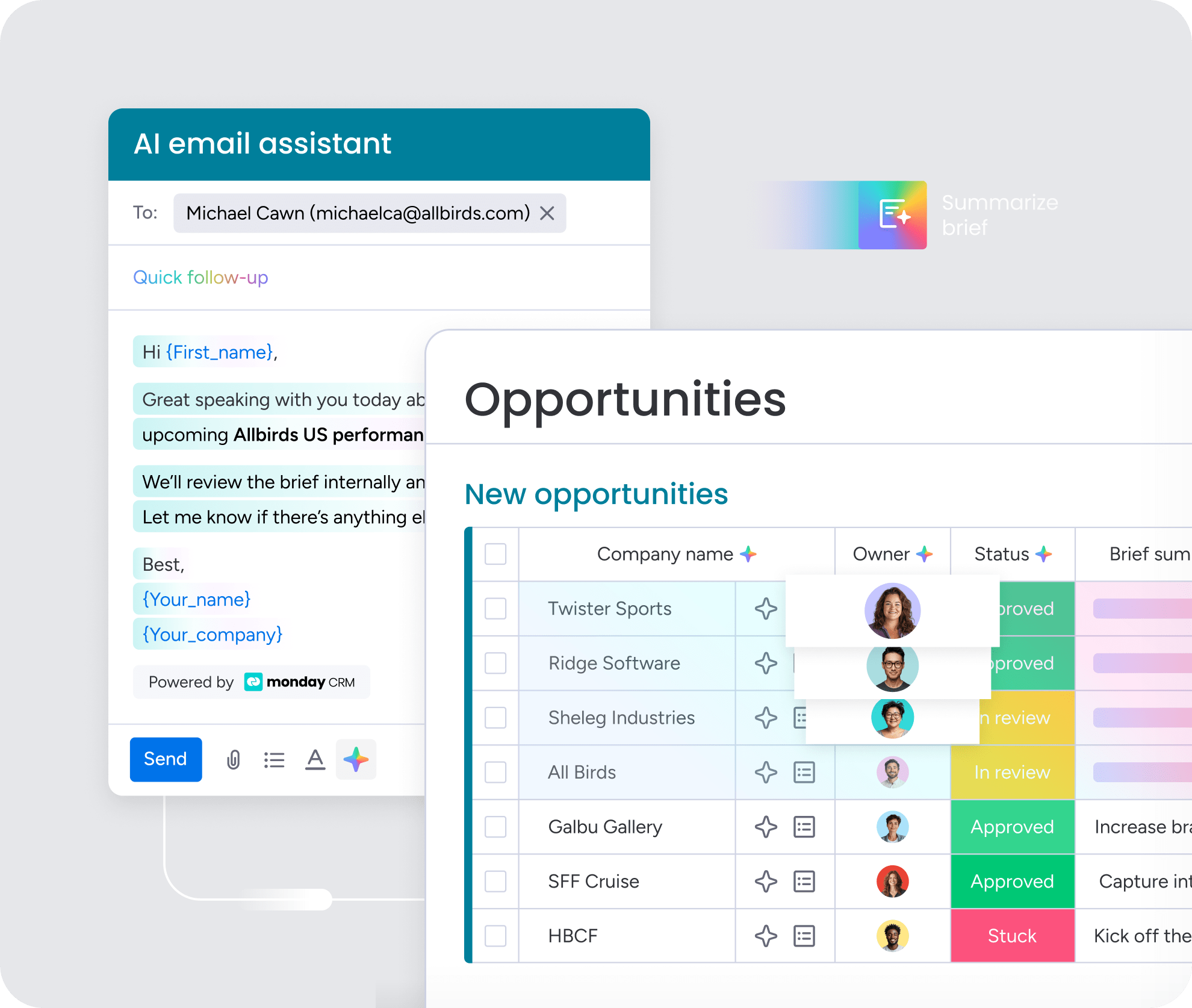
monday CRM’s AI drafts personalized emails based on deal context, customer data, and communication history, so reps can send relevant outreach without starting from scratch every time. The AI adjusts tone and messaging to match the recipient’s role, industry, and stage in the sales cycle. Reps review, edit, and send, which cuts email writing time while maintaining authentic, personalized communication at scale.
AI meeting summaries and automatic deal updates
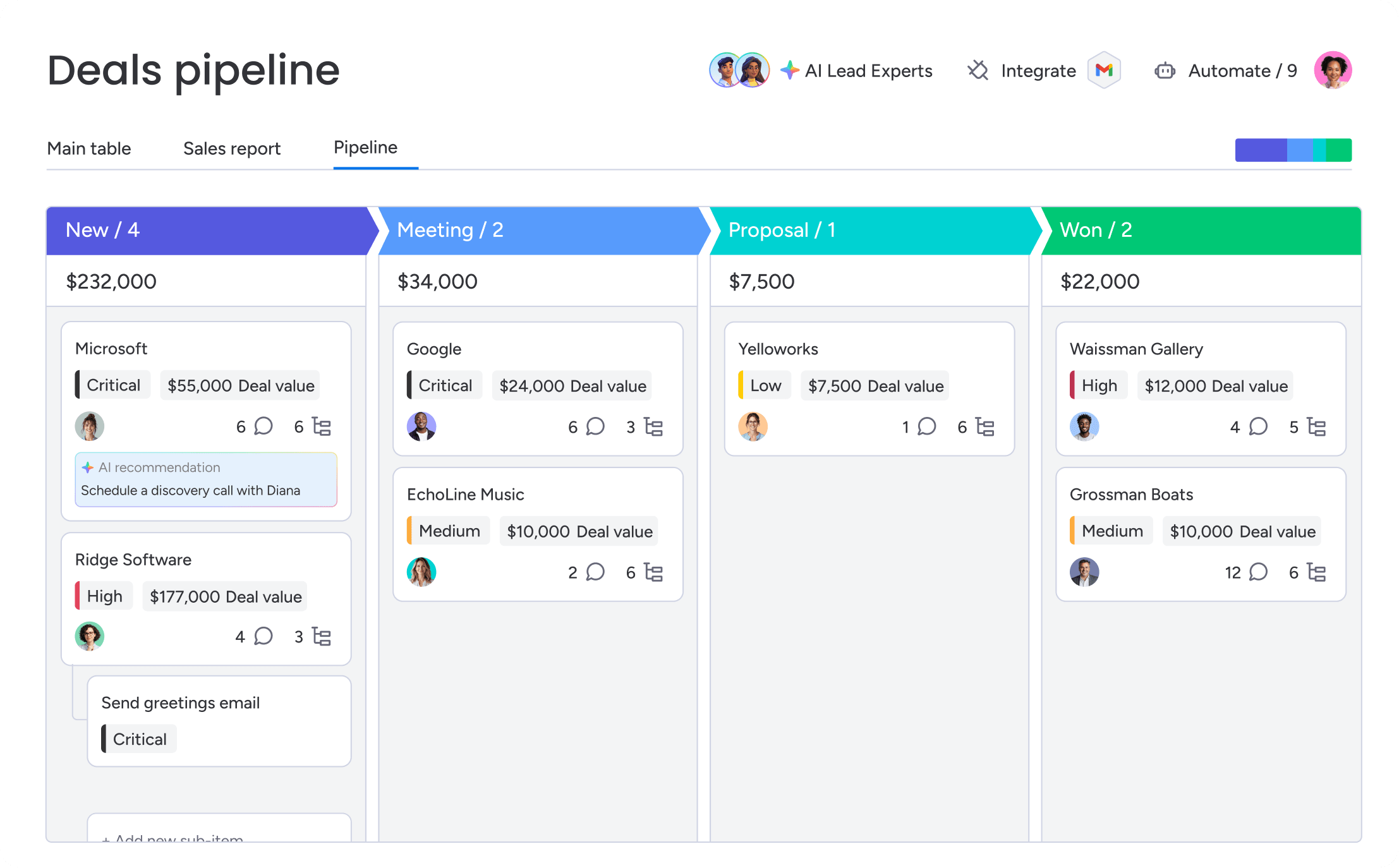
After sales calls and customer meetings, monday CRM’s AI generates concise summaries, extracts action items, and updates deal records automatically. Reps no longer spend time writing meeting notes or manually logging next steps. The AI captures key points, identifies commitments, and ensures deal records stay current without manual data entry, so teams have accurate information and nothing falls through the cracks.
Put your CRM to work today
CRM automation isn’t a nice-to-have. It’s what separates revenue teams that scale from those that stall. When the right workflows are in place, reps spend less time on admin, leaders get the visibility they need, and customers get a consistent experience from first touch to renewal.
You don’t need to automate everything at once. Start with the highest-friction workflows (lead routing, follow-up sequences, and activity logging) and build from there. Each automation you add compounds over time, freeing up capacity and tightening your pipeline. monday CRM gives revenue teams the flexibility to build these workflows without heavy IT involvement, with AI built in to handle the tasks that slow teams down.
Try monday CRMFAQs
What is CRM automation and how does it work?
CRM automation automatically handles repetitive customer relationship management tasks without manual work. It works by setting up triggers and rules in your CRM. When specific events happen, the system executes actions automatically, no manual data entry, just consistent follow-through.
What are the main benefits of CRM automation for sales teams?
The main benefits include faster lead response times, reduced administrative work, cleaner customer data, more accurate pipeline visibility, and personalized engagement at scale. Sales reps save hours per week on manual tasks, which frees them to focus on building relationships and closing deals.
How is CRM automation different from marketing automation?
CRM automation covers the entire customer lifecycle: sales, customer service, and post-sale account management. Marketing automation focuses on marketing activities like email campaigns, lead nurturing, and content delivery. CRM automation connects workflows across departments while marketing automation optimizes prospect attraction and engagement.
Which CRM processes should be automated first?
The highest-impact processes to automate first are lead capture and routing, follow-up sequences, and activity logging. These workflows deliver fast ROI because lead routing improves speed-to-lead, follow-up automation ensures consistent outreach, and activity logging eliminates administrative burden.
How do you measure the ROI of CRM automation?
CRM automation ROI is measured through sales productivity metrics (time saved on admin tasks, activities per rep), pipeline and revenue metrics (conversion rates, deal cycle length, revenue per rep), and customer experience metrics (satisfaction scores, churn rate, net revenue retention). Establish baselines before implementing automation, then track improvements over time.
Can small businesses benefit from CRM automation?
Small businesses get huge value from CRM automation. They have limited resources and can't waste time on manual processes. Automation allows small teams to handle more leads and customers without adding headcount, ensures consistent follow-up even when reps are stretched thin, and keeps customer data organized without dedicated operations support.
