A prospect fills out your demo request form at 2:00 p.m. on a Tuesday. By the time a rep notices the notification, logs the contact, and sends a follow-up, it’s nearly 4 p.m. That prospect has already booked a call with someone else. The window is that short, which is why automation has become essential for staying competitive.
Automated lead capture fixes this by connecting every lead source straight to your CRM. The second a prospect moves, so does your system. Contact records appear instantly, complete with company data, fit scores, and the right rep assignment. No manual work is required. The result is faster follow-up, more accurate data, and a pipeline that moves on its own. Teams using monday CRM can automate the full sequence from first touch to closed deal.
Key takeaways
- Automated lead capture cuts response time from hours to minutes: When leads flow directly into your CRM with instant routing and follow-up triggers, you reach prospects while their interest is hot.
- Clean, enriched data eliminates manual entry errors: Automation captures complete lead information, validates it, and adds missing details so sales reps have full context before their first conversation.
- AI-powered scoring and routing prioritize high-value leads: The right leads reach the right reps based on fit and intent signals, while lower-priority prospects enter nurture sequences automatically.
- Real-time dashboards reveal conversion bottlenecks: Track which lead sources perform best, where leads stall, and how to optimize your capture workflow for higher conversion rates.
- monday CRM automates the full capture-to-conversion sequence: From form submission to enrichment, assignment, and AI-drafted follow-up emails, the entire workflow happens in minutes without manual intervention.
What is automated lead capture?
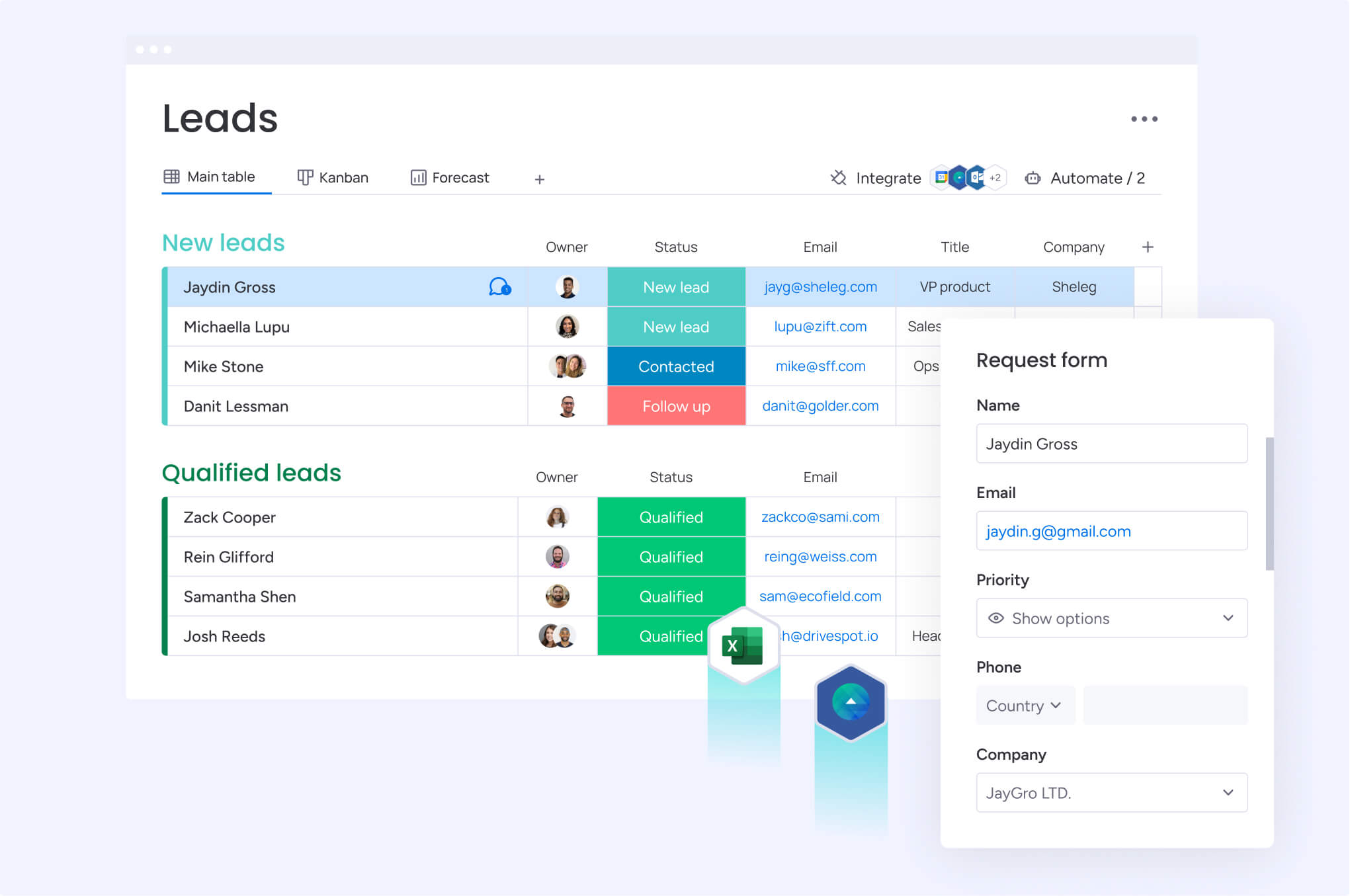
Automated lead capture is the process of collecting prospect information from digital channels and routing it directly into your CRM without manual data entry. When someone fills out a form, clicks an ad, or starts a chat, their information flows straight into your system, gets enriched with additional data, and triggers the right follow-up actions.
For revenue teams, responding in 5 minutes rather than 5 hours often determines whether you win or lose the deal.
Speed matters, but so does accuracy. Automation captures every lead with complete data: no typos, no missing fields, no leads lost in spreadsheets.
How automated lead capture works inside a CRM
In a CRM, automated lead capture pulls information straight into your system the second a prospect acts. Web form submissions, email inquiries, and chat conversations all trigger instant record creation, complete with enrichment data like company size, industry, and job title.
Someone fills out your pricing page form. Within minutes, the CRM creates their record, enriches it with firmographic data, assigns it to the right rep, and sends a follow-up email. Teams using monday CRM can connect this entire sequence in a single automated workflow.
How marketing automation platforms handle lead capture
Marketing automation platforms capture leads at the top of the funnel through landing pages, content downloads, webinar registrations, and email engagement. CRM capture focuses on sales-ready leads. Marketing automation tracks behavior over time to determine when someone is sales-ready.
Here’s how it works: a visitor downloads an ebook, enters a nurture sequence, gets educational emails, and scores as sales-ready after hitting your pricing page a few times. Marketing automation captures both contact information and intent signals, looking at what content they consumed, how often they engaged, which pages they visited. This behavioral data feeds into lead scoring models that determine handoff timing.
How lead gen systems capture and route prospects
Lead gen systems specialize in sourcing and capturing leads from external channels like paid ads, social media, third-party providers, and events. These systems pull leads from LinkedIn, Facebook, and Google Ads, then sync everything to your CRM and marketing tools.
A LinkedIn campaign, for example, captures contact info directly in the ad unit, syncs it to your CRM within minutes, and notifies the assigned rep via Slack. Lead gen systems handle the bridge between external channels and internal systems, ensuring no leads get stuck in CSV files or platform dashboards.
Automated lead capture vs. automated lead generation
These terms often get confused, but they represent different stages of the revenue process. Understanding the difference helps you build workflows that cover both without letting leads slip away.
Automated lead capture: Intake and processing
Automated lead capture collects and organizes lead information after a prospect has already expressed interest. Capture happens after a lead exists. It’s about intake, not sourcing.
Common automated lead capture examples include:
- Form submissions: A prospect fills out a demo request, and their info flows directly into the CRM
- Email replies: A prospect responds to outreach, and the reply gets logged automatically
- Meeting bookings: A prospect schedules a call, and the CRM creates a record with all details
- Chat conversations: A prospect engages with a chatbot, and their contact info gets captured mid-conversation
Capture prioritizes speed, accuracy, and routing to get the right information to the right person immediately.
Automated lead generation: Sourcing and outreach
Automated lead generation identifies and attracts new prospects using automated tools and campaigns. Generation happens before a lead enters your system. It’s about sourcing and outreach.
Key methods in automated lead generation include:
- AI-powered prospecting: Software identifies target accounts and contacts based on firmographic and intent data
- Automated email outreach: Sequences reach cold prospects at scale with personalized messaging
- Qualifying chatbots: Bots engage anonymous website visitors and convert them into known leads
- Retargeting campaigns: Ads re-engage visitors who left without converting
Generation focuses on volume, targeting, and qualification to fill your funnel with prospects matching your ideal customer profile.
Lead generation automation: The full lifecycle view
The term lead generation automation often refers to the broader automation of the entire lead lifecycle. The smartest systems combine both approaches without gaps.
In practice: a chatbot qualifies a website visitor, captures their info, enriches it with firmographic data, and routes it to the right rep in under 60 seconds. This end-to-end automation eliminates handoff delays between generation and capture.
| Automated lead capture | Automated lead generation | |
|---|---|---|
| When it happens | After a prospect expresses interest | Before a lead enters your system |
| Primary focus | Intake, enrichment, and routing | Sourcing, targeting, and outreach |
| Key actions | Form capture, CRM record creation, assignment | Prospecting, email sequences, retargeting |
| Goal | Speed and accuracy of processing | Volume and quality of new prospects |
Why automated lead capture matters for revenue teams
Automated lead capture protects revenue by eliminating the delays, errors, and missed opportunities that come with manual processes. Leads sit in inboxes, reps enter them with typos, and records route to the wrong person. Conversion rates drop, and deals go to whoever responds first.
Faster lead response times that protect revenue
Competitors wait for reps to check inboxes manually. You assign leads instantly and trigger personalized follow-up within minutes. That speed difference determines who wins the deal.
Here’s the difference: a prospect fills out your demo request at 2:00 p.m. and gets a calendar invite by 2:05 p.m. That beats a generic acknowledgment email arriving the next morning. Organizations using monday CRM enable instant lead assignment and follow-up, so no lead waits for attention.
More accurate lead data for better sales conversations
Manual data entry leads to typos, missing fields, inconsistent formatting, and duplicate records, all of which waste sales time and skew reporting. Automation solves these problems in a few ways:
- Auto-population: Fields fill from forms automatically
- Enrichment: Third-party data adds missing details
- Validation rules: Systems check data quality at the point of entry
- Deduplication: Automated processes merge duplicate records before they cause confusion
When a lead submits only their email address, enrichment adds their job title, company size, industry, and LinkedIn profile automatically. Sales reps get full context before their first call.
Smarter routing and prioritization based on real signals
Automated lead capture routes, scores, and prioritizes leads based on fit and intent signals. Instead of making reps triage inboxes manually, the system analyzes leads and routes them to the right person:
- Territory-based routing: Leads from specific regions go to assigned reps
- Lead scoring: Pricing page visitors score higher than single ebook downloads
- Deal size prioritization: Enterprise leads route to senior reps while SMB leads go to inside sales
Real-time pipeline visibility for leaders and RevOps
Automated capture shows revenue teams exactly what’s happening: lead volume, sources, and conversion rates in real time. Manual processes create blind spots. Leaders can’t see lead flow or performance, which makes accurate forecasting and resource allocation nearly impossible.
Automation surfaces critical data through dashboards showing:
- Lead flow metrics: Volume and velocity by source
- Source attribution: Which channels generate quality leads
- Conversion rates: Performance by channel and rep
- Time-to-contact: Response speed tracking
RevOps leaders can see that LinkedIn ads generate 3x more qualified leads than Google ads and adjust budgets accordingly. Organizations using monday CRM access real-time dashboards for pipeline visibility, enabling data-driven decisions about lead sources and sales capacity.
Try monday CRMHow automated lead capture works
This lead management process follows a consistent pattern: collect, enrich, score, route, and report. Know each stage, and you can build a capture system that moves leads from first touch to sales conversation without manual work.
Stage 1: Lead data collection
Lead data collection is when you capture contact information from forms, emails, chats, or integrations. Different methods serve different purposes. The right mix depends on where your prospects spend their time.
| Collection method | How it works | Best for |
|---|---|---|
| Web forms | Prospects fill out fields on landing pages | Demo requests, content downloads, newsletter signups |
| Email parsing | Automation extracts contact info from replies | Inbound inquiries, referral introductions |
| Chat widgets | Chatbots capture info during conversations | Website visitors, support-to-sales handoffs |
| API integrations | Ad platforms sync leads directly to CRM | LinkedIn, Facebook, and Google campaigns |
Stage 2: Lead enrichment and identity matching
After collection, automated systems enrich lead records and match them to existing contacts or accounts. Enrichment adds the context sales reps need for a relevant first conversation:
- Company details: Name, industry, employee count, revenue
- Contact information: Job title, social profiles, phone numbers
- Technographic data: Current tech stack and tools
- Firmographic data: Funding status, growth indicators
Identity matching prevents duplicate records. It checks for existing contacts, links leads to accounts, and merges records automatically. When a lead submits only an email address, enrichment adds their complete profile. No manual research required. Teams leveraging monday CRM benefit from automated enrichment and deduplication for complete, accurate records.
Stage 3: Lead scoring and qualification
Automated scoring assigns values to leads based on fit and intent, so sales knows who to call first. The system evaluates multiple factors simultaneously:
- Demographic fit: Company size, industry, job title, geography
- Behavioral signals: Website visits, content downloads, email engagement
- Engagement level: Frequency and recency of interactions
Scoring separates sales-ready leads from those who need more nurturing. A lead from a target account visits your pricing page 3 times? Flagged for immediate follow-up. Someone who downloads a single ebook enters a nurture sequence instead.
Stage 4: Lead routing and follow-up
Automated routing assigns leads to the right rep and triggers follow-up instantly. Common routing methods include:
- Round-robin: Even distribution across the team
- Territory-based: Geographic or industry assignments
- Account-based: Existing account ownership
- Skill-based: Complex leads to specialists
Routing triggers automated sales follow-up actions like emails, tasks, notifications, and calendar invites. When a California lead comes in, the West Coast rep gets a Slack notification and a task to call within an hour.
Stage 5: Lead reporting and optimization
Automated reporting tracks lead flow, conversion rates, and source performance so you can keep improving. These key metrics show where your workflow works and where it doesn’t:
| Metric | What it measures | Why it matters |
|---|---|---|
| Lead volume by source | Number of leads from each channel | Identifies highest-performing sources |
| Time-to-contact | Minutes between capture and outreach | Reveals response speed issues |
| Lead-to-meeting rate | Percentage converting to meetings | Shows qualification effectiveness |
| Lead-to-opportunity rate | Percentage becoming pipeline | Measures overall capture quality |
Weekly dashboards show webinar leads convert at 25% while cold outreach converts at 5%. That’s a signal to reallocate budget. Teams using monday CRM access real-time reporting dashboards for lead capture and pipeline visibility.
10 ways to capture and convert leads faster
Knowing how the system works is one thing. Getting more from it is another. These tactics hit specific lead sources and conversion points across your revenue workflow. Use each method alone or combine them into a complete capture system.
1. Automate website forms and landing pages
When forms aren’t connected to your CRM, leads sit in inboxes. Reps enter them incorrectly. Or they never get follow-up. Automate the flow from submission to CRM creation, enrichment, and routing. Delays disappear.
The automated sequence: a prospect fills out your demo request form. Within seconds, the CRM creates a record, enriches it with company data, assigns it to the right rep, and sends a calendar invite. Organizations leveraging monday CRM create automated form-to-CRM workflows that handle this entire process without manual input.
2. Use chat and conversational AI to qualify leads around the clock
Chatbots engage website visitors 24/7, qualify them, and capture their info automatically. Visitors who might leave without converting? You engage them in real time, even outside business hours.
A chatbot asks about company size and use case, captures their email, and routes qualified leads to sales reps while others enter nurture sequences automatically.
3. Sync ad leads directly into your CRM
Integrate platforms like LinkedIn, Facebook, and Google Ads with your CRM. Leads get captured instantly. No CSV downloads, no delayed follow-up. A prospect submits a lead gen form. Their information is already in your pipeline.
LinkedIn lead gen forms capture prospect info and sync it to the CRM within minutes, triggering personalized follow-up emails. Revenue teams using monday CRM integrate major ad platforms for seamless lead capture across every paid channel.
4. Capture email replies and meeting requests automatically
Email replies get buried in inboxes. Reps miss follow-up opportunities. Automate capture, and every response gets logged and triggers the right action. No relying on reps to remember.
When a prospect replies expressing interest, the CRM logs the reply, updates lead status to “Engaged,” and creates a follow-up task automatically.
5. Turn events and webinars into lead workflows
Manual event follow-up happens days later, after interest has cooled. Automate registration capture, attendance data, and post-event follow-up. You engage while the conversation’s still fresh.
Webinar attendees get added to the CRM automatically, tagged correctly, and receive follow-up emails with recordings and meeting invites. This eliminates manual work entirely.
6. Use website behavior to trigger follow-up at the right moment
Track page visits, time on site, and repeat visits to spot high-intent visitors for automated follow-up. Without behavior tracking, sales reps can’t see who’s actively evaluating your product.
A prospect visits your pricing page 3 times in one week. The CRM creates a high-priority lead record and notifies the rep to reach out now, while intent is high.
7. Score leads with fit and intent signals
Automated scoring prioritizes outreach based on demographic fit and behavioral intent, so high-value leads get attention first. The scoring model weighs multiple factors simultaneously, from company attributes to engagement patterns. Here’s how scoring factors typically break down:
| Scoring factor | Low score | High score |
|---|---|---|
| Company size | Under 10 employees | 500+ employees |
| Job title | Individual contributor | VP or C-level |
| Website behavior | Single page visit | Multiple pricing visits |
| Email engagement | No opens | Multiple opens and clicks |
8. Route leads to the right owner instantly
Manual routing creates delays and errors. Both cost you deals. Automated routing based on territory, ownership, or availability means immediate assignment and immediate action.
New York leads automatically go to the East Coast rep with instant Slack notifications and follow-up tasks. Teams using monday CRM configure flexible routing rules tailored to their specific territory and team structure.
9. Use AI agents to keep leads moving forward
AI agents handle qualification, follow-up, and nurturing automatically. Sales reps focus on high-value conversations. When reps are at capacity or leads need nurturing before they’re sales-ready, AI keeps engagement consistent.
An AI agent handles AI lead follow-up by sending educational emails, tracking engagement, and notifying sales when leads show buying signals. Organizations leveraging monday CRM’s AI agents automate qualification and follow-up while reps focus on closing deals.
10. Connect capture data to dashboards and forecasts
Automated reporting shows you pipeline health in real time by connecting capture data to dashboards and forecasting tools. Without this connection, leaders make budget and headcount decisions based on incomplete information.
RevOps leaders see dashboards showing LinkedIn generated 50 leads this week with a 20% meeting rate. They adjust budgets fast. Teams using monday CRM access real-time dashboards for comprehensive pipeline visibility.
5 steps to build an automated lead capture workflow
Building an effective workflow takes planning before you touch a single automation. These steps show you how to set up lead capture automation that scales with your business.
Step 1: Define your lead criteria
First, decide what qualifies as a lead and what information you need to capture. Without this foundation, your routing and scoring rules fall apart.
- Required fields: Name, email, company at minimum
- Qualifying criteria: Company size, industry, job title, geography
- Disqualifying criteria: Personal emails, competitors, students
- Lead sources: All channels to track and measure
Step 2: Map your lead sources
Find every channel where leads enter your system. Document how each source connects to your capture workflow for complete coverage and accurate attribution. You’ll always know where your best leads come from.
Step 3: Standardize your lead data
Set data standards and validation rules for consistency across every source. Inconsistent data makes reporting unreliable and wastes sales time.
- Field formats: Phone numbers, addresses, names
- Required vs. optional: Which fields must be complete before a record is created
- Naming conventions: How to label sources and campaigns
- Deduplication rules: How to handle existing contacts
Step 4: Build routing and follow-up rules
Build automated rules for lead assignment and follow-up that match how your team actually works. The more specific your rules, the fewer manual decisions your reps need to make.
- Routing criteria: Territory, ownership, product interest, deal size
- Follow-up actions: Emails, tasks, notifications, calendar invites
- Timing rules: Immediate for hot leads, delayed for nurture candidates
Step 5: Test and continuously improve your workflow
Test with real leads before going live, then monitor performance consistently. Automation continues to improve as you learn what works, so treat it as an evolving system.
- Submit test leads: Verify each source works correctly
- Check enrichment: Confirm data accuracy across fields
- Validate routing: Ensure leads reach the correct rep
- Monitor quality: Watch for data issues and routing errors over time
How monday CRM automates lead capture from first touch to follow-up
monday CRM connects every stage of lead capture into one automated workflow. From the moment a prospect fills out a form to the second they’re assigned to a rep, the platform handles enrichment, scoring, routing, and follow-up without manual intervention. Revenue teams get complete visibility into lead flow while sales reps focus on conversations instead of data entry.
The platform is built for teams that need flexibility without complexity. RevOps and sales ops can build and modify capture workflows using no-code tools, while AI-powered features handle scoring, routing, and follow-up at scale. Real-time dashboards show exactly where leads come from, how fast they move, and which sources convert best.
AI-powered lead scoring that prioritizes your best prospects

monday CRM uses AI to score leads based on fit and intent signals, learning from your conversion patterns over time. The system evaluates company size, industry, job title, website behavior, and engagement history to assign priority scores automatically. High-value leads get flagged for immediate follow-up while lower-priority prospects enter nurture sequences. As your team closes more deals, the scoring model gets sharper and more accurate.
Intelligent routing that assigns leads to the right rep instantly
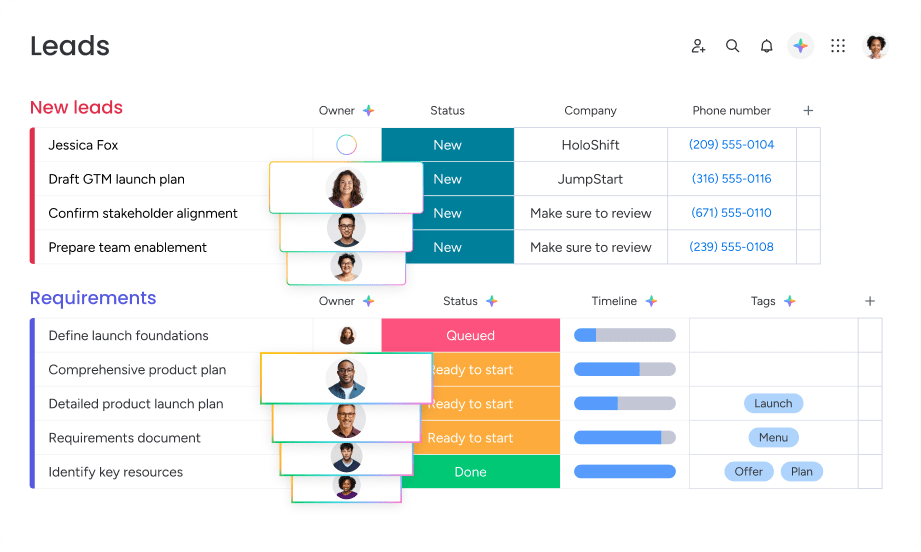
Automated routing rules assign leads based on territory, account ownership, deal size, or product interest without manual triage. The system evaluates each lead against your criteria and routes it to the correct rep within seconds, triggering follow-up tasks, notifications, and calendar invites automatically. AI-driven routing learns from past assignments and outcomes to optimize future distribution across your team.
AI agents that handle qualification and follow-up automatically
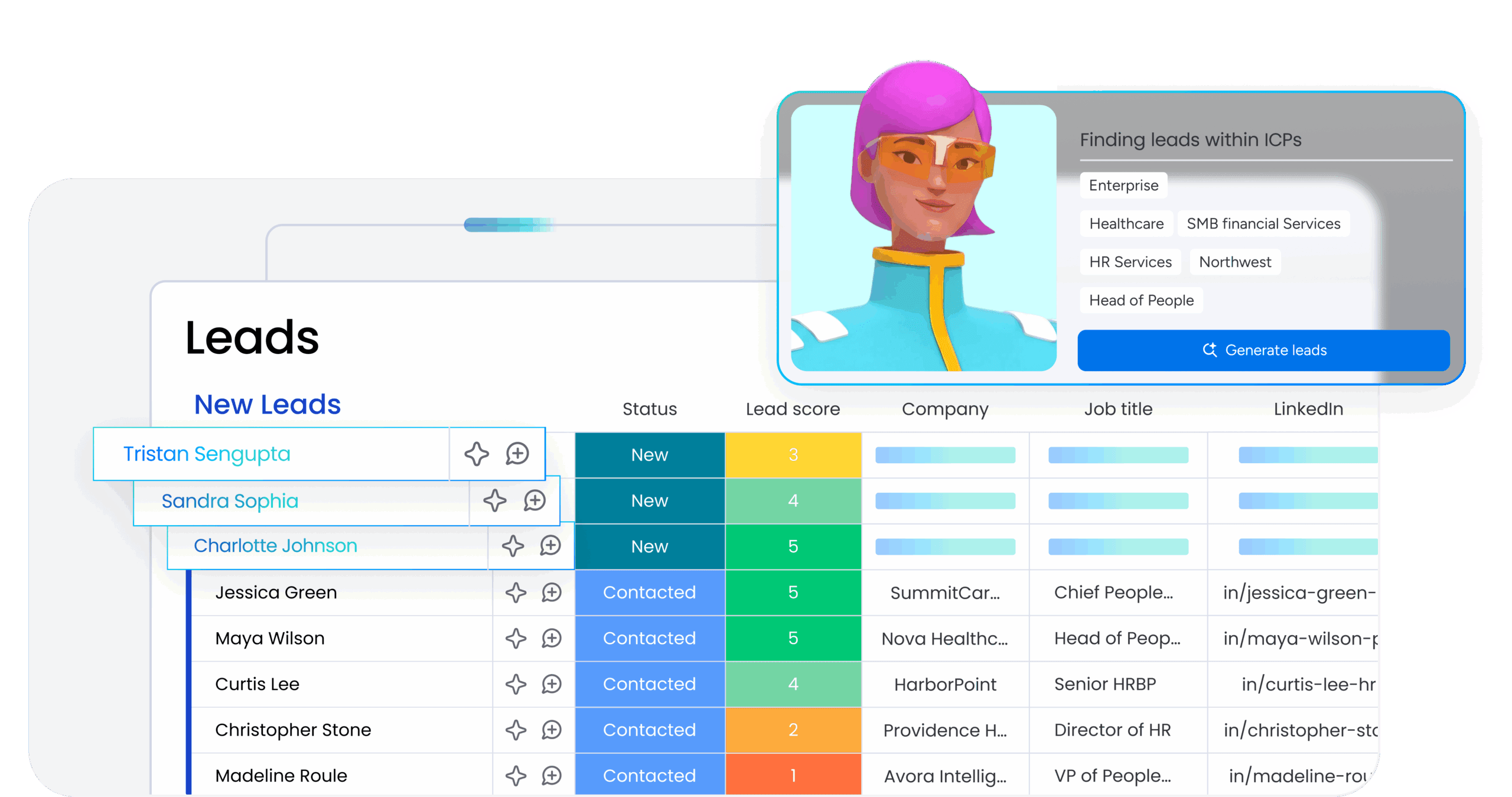
monday CRM’s AI agents engage leads through automated qualification conversations and follow-up sequences. The agents ask qualifying questions, capture responses, update lead records, and notify sales reps when prospects show buying signals. They handle nurturing for leads that aren’t sales-ready yet, sending educational content and tracking engagement until the right moment for human outreach. Sales reps stay focused on high-value conversations while AI keeps the pipeline moving.
Real-time dashboards for complete pipeline visibility
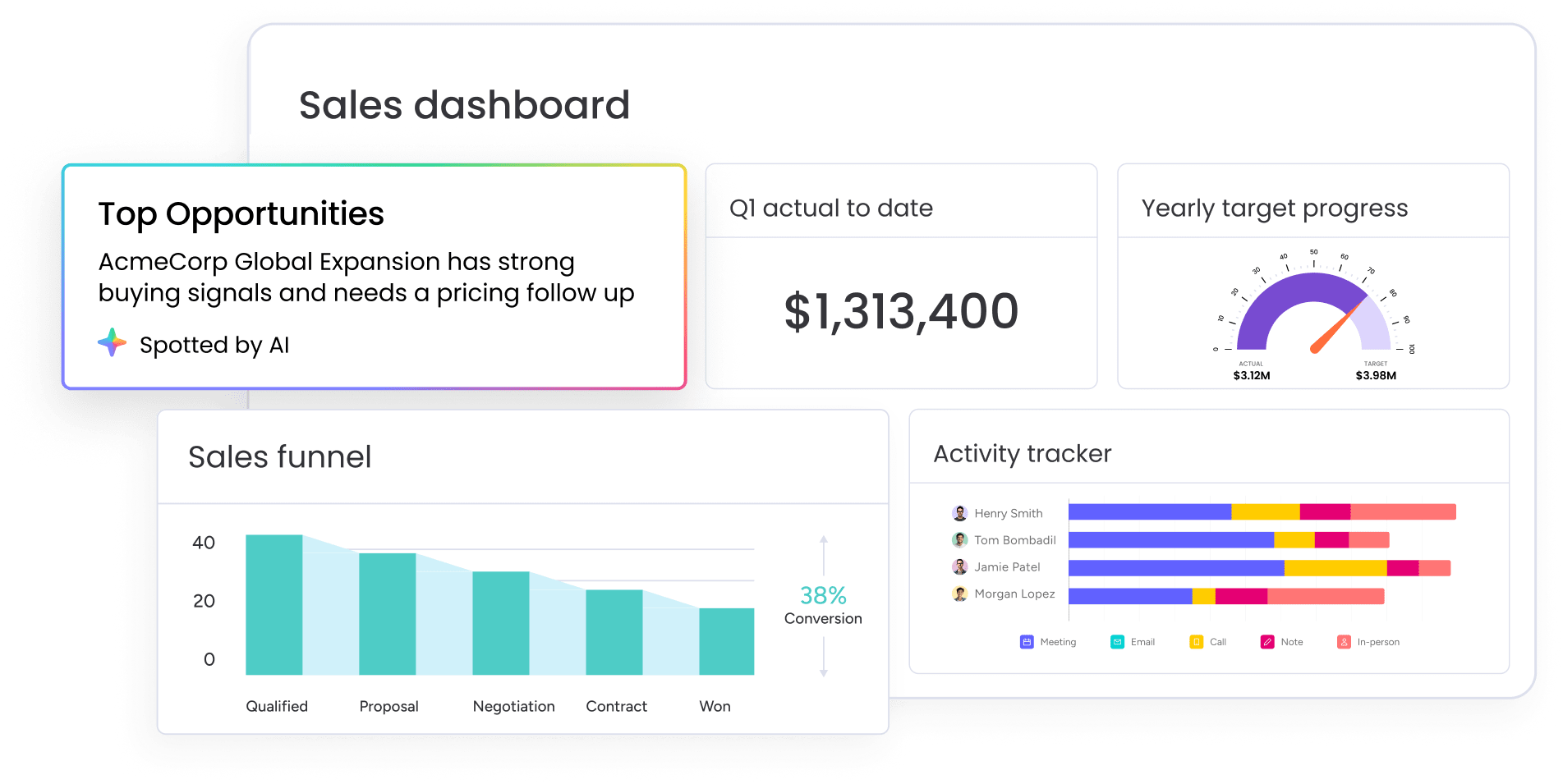
Customizable dashboards track lead volume, conversion rates, source performance, and response times in real time. RevOps leaders see which channels generate the most qualified leads, where bottlenecks occur, and how fast reps respond to new prospects. The platform surfaces actionable insights so you can adjust budgets, reallocate resources, and optimize capture workflows based on actual performance data.
Build a lead capture system that converts more prospects
Automated lead capture builds a system where every lead gets the right follow-up, at the right time, from the right person without manual effort. The teams that win more deals respond first, route accurately, and follow up consistently. Automation makes that repeatable at scale, regardless of team size.
Ready to move from reactive lead handling to a proactive capture system? Start with the 5-step workflow above. Then, using a trusted platform like monday CRM, map your sources, define your criteria, and build your routing rules, and let the automation do the rest.
Try monday CRMFAQs
What is automated lead capture?
Automated lead capture is the process of collecting, organizing, and routing lead information without manual data entry. It connects lead sources like web forms, chat widgets, ad platforms, and email directly to your CRM, where leads are enriched with additional data, scored based on fit and intent, and assigned to sales reps automatically.
What is the difference between automated lead capture and automated lead generation?
Automated lead capture collects and organizes lead information after a prospect has expressed interest, it focuses on intake and processing. Automated lead generation identifies and attracts new prospects using automated tools and campaigns before they enter your system, focusing on sourcing and initial outreach.
How does automated lead scoring work?
Automated lead scoring assigns values to leads based on demographic fit and behavioral intent signals. The system evaluates factors like company size, industry, and job title for fit scoring, while tracking website visits, content downloads, and email engagement for intent scoring. These combined signals help prioritize which leads sales should contact first.
What integrations should automated lead capture software have?
Automated lead capture software should integrate with your CRM, marketing automation platform, ad platforms, chat tools, and event platforms. Key integrations include Salesforce, HubSpot, Marketo, LinkedIn Ads, Facebook Ads, Google Ads, Zoom, and Slack to ensure seamless data flow across your tech stack.
How do I measure the ROI of automated lead capture?
Measure automated lead capture ROI by tracking speed-to-lead improvements, lead-to-meeting conversion rates, lead-to-opportunity rates, and time saved on manual data entry. Compare these metrics before and after implementing automation to quantify the impact on revenue and efficiency.
Can small businesses benefit from automated lead capture?
Small businesses benefit significantly from automated lead capture because they typically have fewer resources for manual lead handling. Automation ensures every lead gets captured accurately and followed up quickly, even when the sales team is small, helping smaller organizations compete more effectively with larger competitors.