


Even the most brilliant design concept fails if it never makes it off the page. Real interior designers know the chaos — juggling material samples, vendor deliveries, and client feedback across multiple projects while generic project management platforms fall short of the visual, collaborative reality of design work.
We’ve identified the 6 best interior design platforms for 2026, including the ones with AI that actually saves time instead of creating busywork. You’ll discover which platform fits your workflow, whether you’re a solo designer or managing multiple teams, and learn exactly how to implement it without disrupting active projects.
Try monday.comWhat is interior design project management software?

Interior design projects demand a rare combination of artistic vision and logistical precision. Generic project tools might track deadlines, but they fall apart the minute you need to manage visual assets, collaborate on mood boards, or track 50 different vendor orders. Mood boards, material samples, and client approvals require specialized tools that standard software simply wasn’t built to provide.
Interior design project management software offers a dedicated solution that unifies the entire project lifecycle. These platforms give firms specific capabilities to manage visual collaboration, track sourcing and procurement, and centralize client communication. Every creative choice stays connected to the project plan and budget.
The best platforms do something simple but game-changing — they connect what you’re designing with how you’re running your business. No more hopping between spreadsheets, email chains, and scattered design files. Everything lives in one place that everyone can trust. Stunning results become achievable while projects stay on time and profitable.
6 top interior design project management software options for 2026
Your most inspired designs mean nothing if they don’t get built. The right software keeps clients happy, vendors on schedule, and budgets under control — without adding complexity. Here’s a quick look at the top 6 followed by more in-depth details about key features, pricing, and key considerations:
| Platform | Best for | Free plan | Notable strength | Starting price |
|---|---|---|---|---|
| monday work management | Growing firms needing flexible workflows and portfolio visibility | Yes (up to 2 seats) | AI-powered automation and portfolio-level dashboards | $9/seat/month |
| Plaky | Small studios and solo designers prioritizing simplicity | Yes (unlimited users) | Unlimited users on free tier with 24/7 support | $3.99/user/month |
| Design Manager | Established US-based firms managing specs, purchasing, and accounting | No | Integrated FF&E specs and accrual-based accounting | $79/user/month |
| Programa | Design firms focused on premium client communication | No | Branded client portals with QR-code access | $59/user/month |
| DesignFiles | Firms seeking all-in-one design, project, and business management | No | Visual design creation integrated with operations | $49/month |
| Floorplanner | Residential-focused firms centered on floor plans and 3D visuals | Yes (up to 5 projects) | Browser-based 3D editor with large asset library | Contact for pricing |
Pick the right platform and you’ll get more than organized folders — you’ll have a system that lets your team focus on design while the tedious stuff runs on autopilot.
1. monday.com
Whether you’re handling 3 projects or 30, monday.com grows with you. Teams map their full delivery lifecycle in one workspace, then switch views to match how designers and coordinators actually plan. When you’re juggling multiple clients, a 2-day vendor delay can throw off everything else. With monday.com, you can connect day-to-day execution to portfolio oversight with live dashboards, workload planning, and shareable reporting.
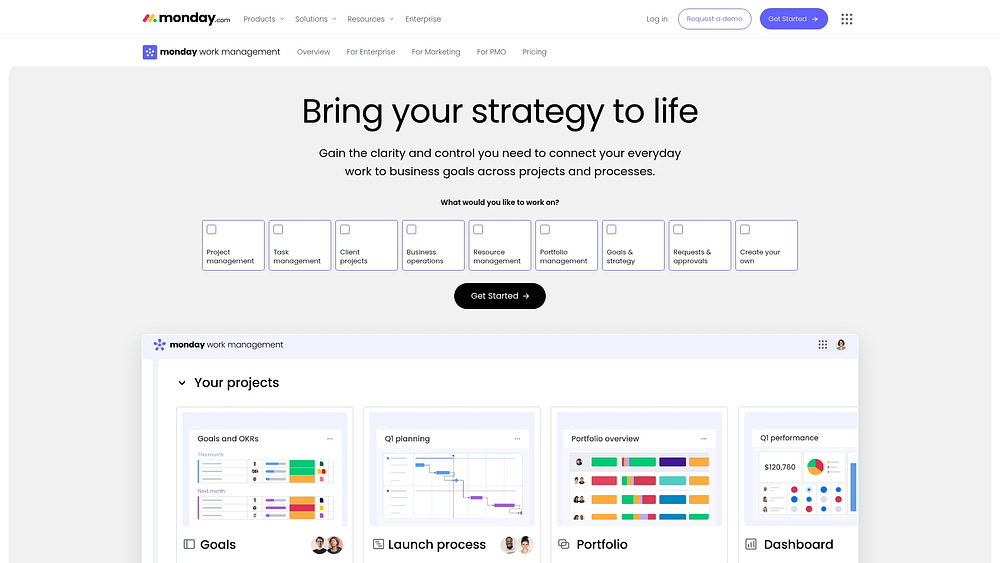
Use case: Growing design firms that need flexible workflows, portfolio-level visibility, and AI-powered automation to manage multiple projects without adding administrative overhead
Key features
- Visual project boards with 10+ views: Switch between Gantt, Kanban, Timeline, and Calendar views to match how your team actually works — designers love visual boards while project managers need Gantt charts for dependencies.
- Client collaboration portals: Give clients a branded space to review mood boards, approve selections, and track project milestones without endless email chains or version confusion.
- AI-powered automation: Let AI draft status updates, categorize client feedback, and flag potential delays before they cascade, reclaiming hours each week for actual design work.
Pricing
- Free: Up to 2 seats
- Basic: $9/seat/month (billed annually)
- Standard: $12/seat/month (billed annually)
- Pro: $19/seat/month (billed annually)
- Enterprise: Custom pricing (contact sales)
- Annual billing provides approximately 18% discount over monthly plans
- AI credits beyond trial require additional purchase at $0.01/credit annually
- Every account gets 500 free AI credits per month to explore AI capabilities
Why it stands out
- The Total Economic Impact™ Forrester study reports less than a 4-month payback period.
- Named a Leader in the 2025 Gartner® Magic Quadrant™ for Collaborative Work Management, monday.com has a high adoption rate.
2. Plaky
Plaky keeps things simple with visual Kanban boards that actually make sense for design work. It’s built for small studios and solo designers who need to track projects without spending days figuring out complicated settings or features. Unlimited users on their free tier and 24/7 human support position Plaky as an affordable entry point for creative teams prioritizing simplicity.
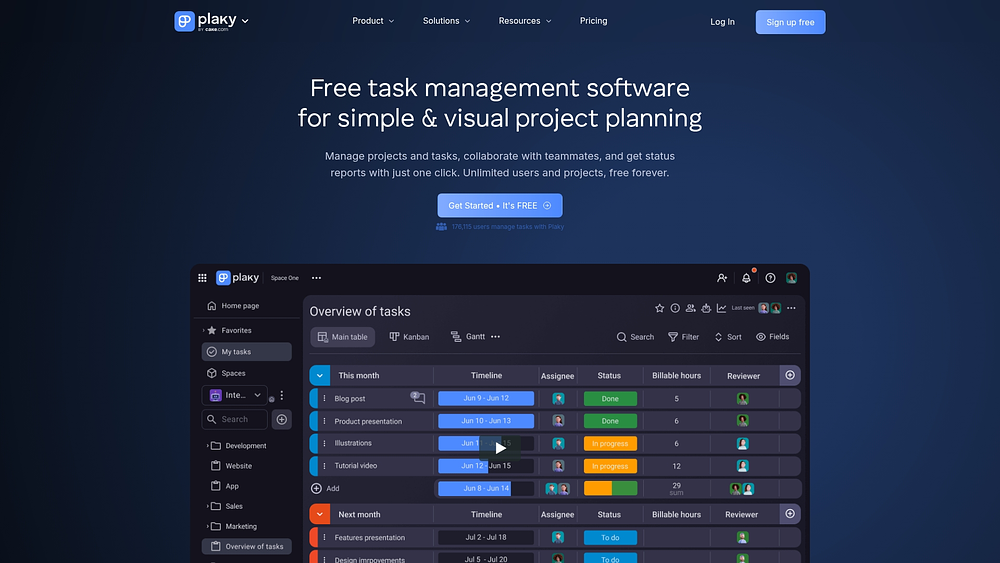
Use case: Small design studios that need visual task tracking and team collaboration without extensive customization requirements
Key features
- Visual workflow management: Kanban boards with customizable columns for tracking design phases from concept to implementation
- Multi-view project visualization: Table, Kanban, Gantt, and Chart views to match different team preferences and project needs
- Native time tracking integration: Built-in Clockify integration for accurate project billing and resource planning
Pricing
- Free: $0 for unlimited users, spaces, boards, and items with 6 fields per board
- Pro: $3.99/user/month (billed annually) with private boards, Gantt charts, and 1,000 automation actions monthly
- Enterprise: $8.99/user/month (billed annually) with unlimited automations, board permissions, and SSO
- CAKE.com Bundle: $12.99/user/month (billed annually) includes Plaky, Clockify time tracking, and Pumble team chat
Considerations
- Limited third-party integrations beyond the CAKE.com suite may restrict connectivity with design-specific applications.
- Advanced features like dashboards and enhanced reporting are still in development, potentially limiting portfolio-level visibility for growing studios.
3. Design Manager
Design Manager is exactly what it sounds like: comprehensive project management built specifically for interior design firms. It handles both the design side and the money side, tracking everything from procurement to accounting in one place.
The platform specializes in FF&E specification management and multi-step workflows that align with standard design phases from programming through installation. Four decades of industry focus enable Design Manager to handle the unique complexities of design firm operations in one unified system.
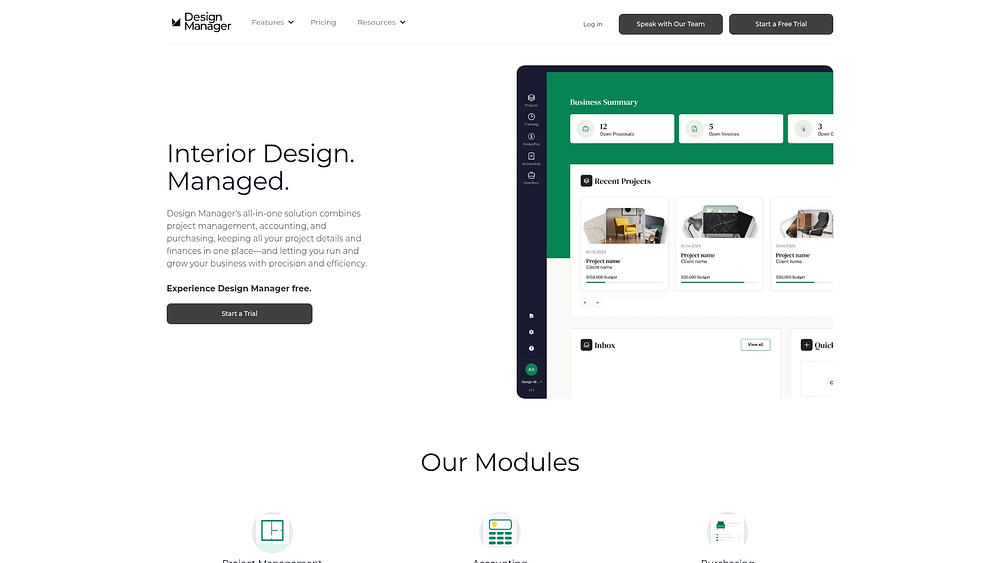
Use case: Established design firms needing end-to-end control from specifications to purchasing to accrual-based accounting and payment processing
Key features
- FF&E specification management: Separate client and vendor descriptions with automatic markups, discounts, and freight calculations
- Multi-step procurement workflows: Generate purchase orders, work orders, and change orders with comprehensive tracking across projects
- Integrated accrual accounting: Built-in project-cost accounting methods that align revenue recognition with delivery milestones
Pricing
- Core platform: $79/user/month with annual prepayment discounts available
- Add-on modules: Showroom and data collection features available for additional monthly fees
- Payment processing: 3.5% for cards, 1% for ACH transactions up to $35
Considerations
- There is limited international functionality because the platform is optimized specifically for US-based firms.
- The mobile app provides basic capture and time tracking but lacks full desktop feature parity.
4. Programa
Programa connects your project timeline directly to your spec sheets and client communications. Its standout feature? Gorgeous client portals that showcase your work and updates, making it perfect if you want clients to have a premium experience from start to finish. Designers built Programa for designers, integrating sourcing, scheduling, and project execution in one connected workspace.
Use case: Small to mid-size design firms seeking to elevate client communication while streamlining project workflows from specification to completion
Key features
- Integrated scheduling and project management: Link tasks directly to FF&E schedules and product specifications for seamless workflow coordination
- Client dashboards with QR codes: Share branded project updates, budgets, and approvals through real-time client portals accessible via scannable QR codes on-site
- Built-in marketplace: Access product discovery and procurement through the Trade Portal, connecting designers with brands directly within their workflow
Pricing
- Standard plan: $59/user/month for first 3 users, then $29/user/month for additional users
- Annual discount: 20% off when billed annually
- Free trial: 7-day trial available
- Includes: Project management, scheduling, invoicing, client dashboards, QuickBooks integration, and web clipper
Considerations
- Limited advanced project management features like explicit task dependencies and resource leveling compared to enterprise-focused platforms.
- Financial management suite still evolving, with some features flagged as “in development” despite core invoicing and accounting integrations being live.
5. DesignFiles
A comprehensive business management platform, DesignFiles combines project management with business operations including invoicing, time tracking, and client relationship management. This all-in-one approach appeals to design firms that want to consolidate their technology stack and manage both project delivery and business administration from a single platform. Features specifically tailored to design firm operations include product sourcing capabilities, purchase order management, and design library organization.
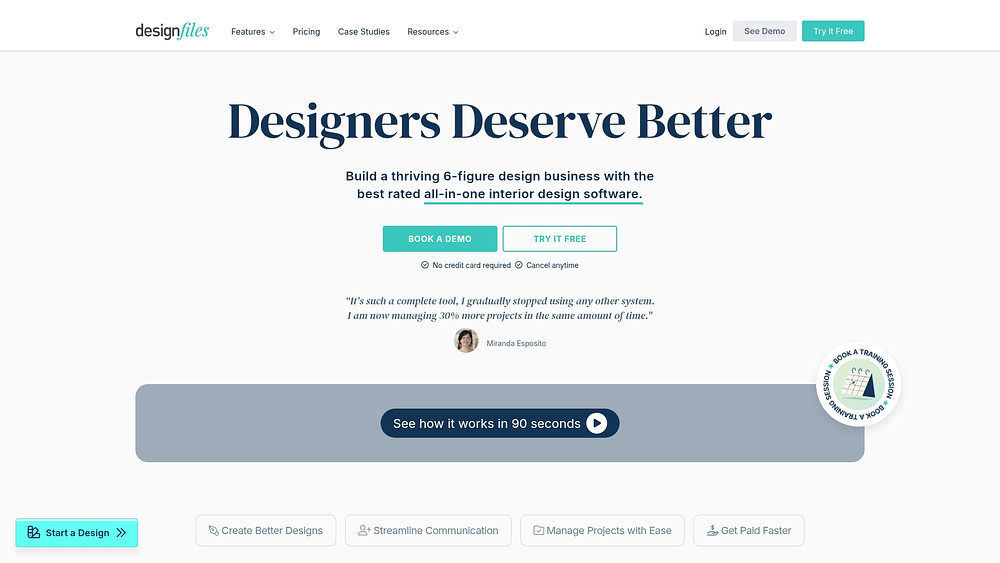
Use case: Interior design firms seeking an integrated platform that connects visual design creation with project execution, client communication, and business operations
Key features
- Workflow management with phases, sub-items, priorities, and Kanban views that sync automatically to shared project calendars
- Procurement workflows that track furniture and material selections, coordinate vendor relationships, and monitor order statuses from RFQ to installation
- Client portal providing centralized feedback, approvals, and real-time visibility into project updates, quotes, and payment history
Pricing
- e-Design: $49/month (unlimited projects, includes moodboards, floor plans, client portal, task management)
- Full Service: $69/month (adds invoicing, purchase orders, financial reporting, QuickBooks integration, time tracking)
- Enterprise: Custom pricing (contact for quote)
- Additional team members: $25/month per user across all plans
Considerations
- Product library coverage is primarily focused on US and Canada markets, requiring international designers to build custom libraries.
- Some users report occasional glitches with browser clipper functionality and learning curve challenges with certain modules.
6. Floorplanner
Space planning meets project coordination in Floorplanner, a hybrid platform for design firms that need both 3D visualization and workflow management. The platform serves teams focused on residential projects and commercial space planning, where floor plans represent primary deliverables. Over 30 million registered accounts and adoption by major furniture retailers have established Floorplanner as a go-to solution for design-centric project management.
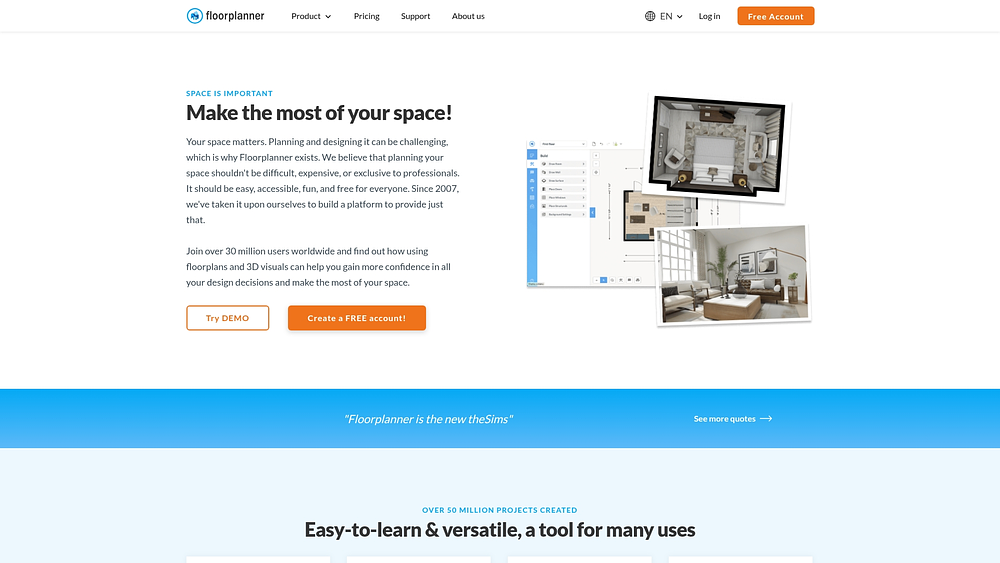
Use case: Firms managing residential projects where floor plans and 3D renderings are core deliverables
Key features
- Browser-based editor with real-time 3D visualization and a library of 260,000+ design elements
- Team administration with role-based permissions, shared templates, and project reporting capabilities
- Credit-based project upgrades enabling HD exports, watermark removal, and multiple design variants
Pricing
- Free Basic: Up to 5 projects with SD exports (includes watermark)
- Team: Up to 10 users with 60 monthly credits or 800 annual credits (pricing available upon login)
- Enterprise: Unlimited users with SSO, APIs, and volume credit bundles (quote-based pricing)
- Credit packs: 5 credits for $7.90, 10 for $15.80, 30 for $47.40, 100 for $158.00
Considerations
- Project management features remain basic compared to dedicated platforms, lacking advanced resource management and workflow automation.
- Quality outputs and advanced features are gated behind credit-based upgrades, which can complicate budgeting and approval processes.
Key features to look for in interior design project management software
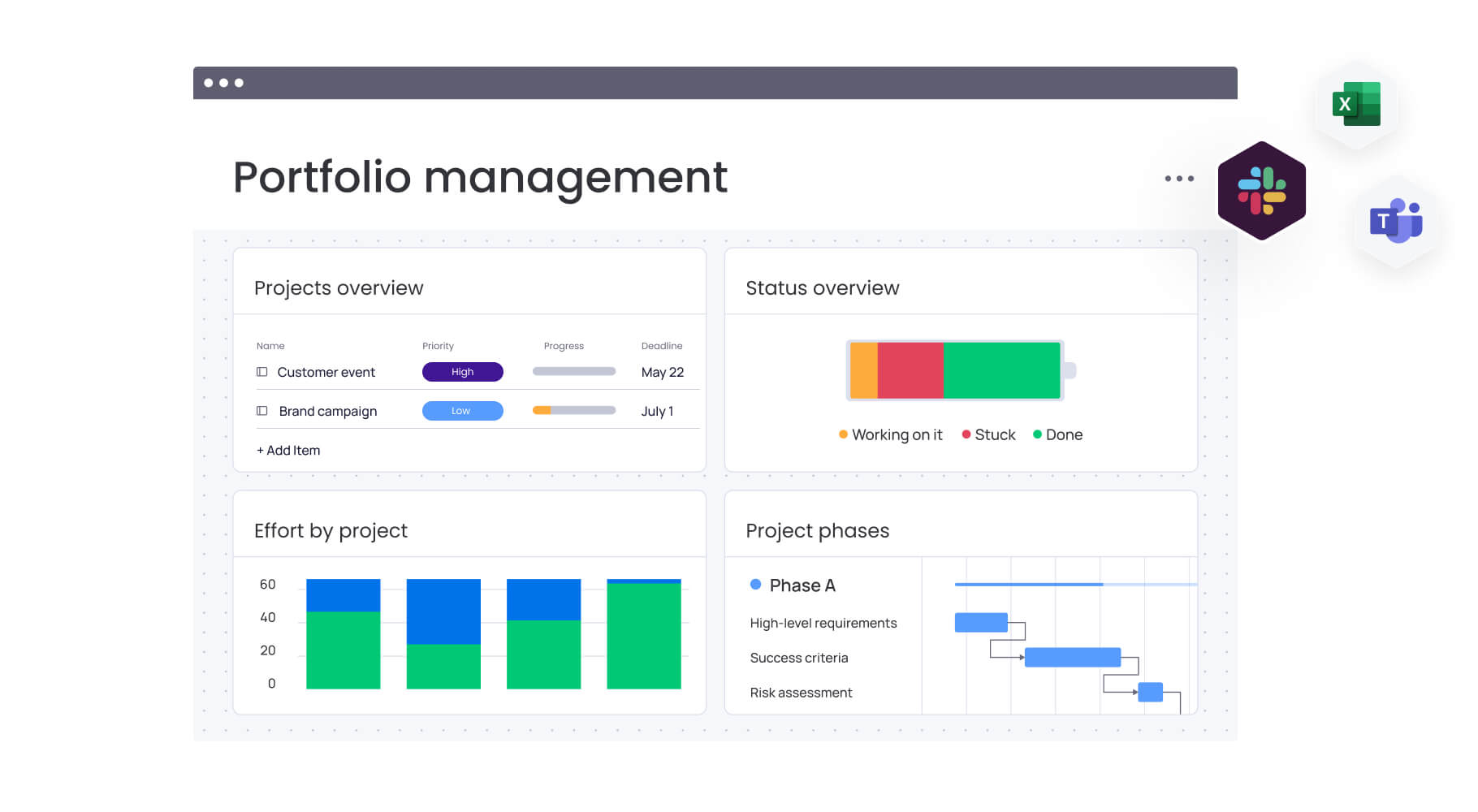
A platform truly built for interior design supports the fluid, visual, and collaborative nature of your projects. Rather than forcing creative work into rigid boxes, it provides a flexible foundation for every phase. These core capabilities make all the difference:
- Client collaboration portals: Give clients a premium, organized space to review concepts, approve selections, and track progress. This ends the chaos of email threads and ensures everyone is aligned on the latest version.
- Visual design phase tracking: Your process is iterative, not linear. You need a platform that can map to distinct design stages, from programming to implementation, and handle feedback loops with ease.
- Vendor and contractor coordination: Gain a single source of truth for purchase orders, lead times, and contractor schedules. Instantly see how a delay from one vendor impacts the entire project timeline.
- Agile budget and timeline management: Track project costs, billable hours, and change orders in real time. Protect your profitability by immediately understanding the financial impact of every client request.
- Centralized file and asset organization: Manage everything from CAD drawings and renderings to material samples in one visual workspace. A powerful, searchable hub keeps critical assets at your team’s fingertips.
- Full-featured mobile access: Keep projects moving, whether you’re on a site visit or in a client meeting. Access project details, upload photos, and update your team from anywhere.
Organizations gain complete visibility and alignment using monday.com to connect every project detail, from client feedback to vendor logistics, in one place.
How to choose project management software for your interior design firm
Choosing project management software isn’t just an IT decision — it’s a creative one. The right platform makes your vision shine. The wrong one? It’ll slow everything down and frustrate both your team and your clients. Finding a solution that adapts to your unique design process, from initial concept to final installation, requires evaluating specific capabilities.
Step 1: Evaluate pricing and scalability for growing firms
Platform cost represents more than a subscription—it’s an investment in your firm’s future. Finding a model that scales with your success matters more than finding the lowest price point.
Calculate the hours your team will recover by automating status updates and streamlining approvals. A scalable platform allows you to start with the essentials and add advanced capabilities as your firm takes on more complex projects, preventing the disruption of switching platforms mid-growth.
Leaders rely on monday.com to connect strategy to execution, with a scalable structure that supports firms from solo designers to global studios.
Step 2: Assess integration capabilities with design platforms
Your best design work happens in specialized applications like AutoCAD, SketchUp, and Adobe Creative Suite. Your project management platform shouldn’t exist in isolation. Disconnected platforms force your team into manual data entry that drains creative energy and invites errors.
A truly connected workspace syncs your files automatically, ensuring project boards always reflect the current design iteration. Designers gain more time to create and less time managing administrative workflows. Seamless connections between design and project management mean smoother handoffs and a single source of truth for everyone.
With a robust API and an extensive integration ecosystem, monday.com unifies your favorite design applications into a single, seamless workflow.
Try monday.comHow AI can transform interior design project management
AI changes the game for design firms — you can finally get ahead of problems instead of just reacting to them. The boring coordination stuff happens automatically in the background, freeing up designers to actually design instead of drowning in admin work. Moving from managing projects to guiding them with predictive insight represents a fundamental change in how design firms operate.
Automate routine workflows with AI
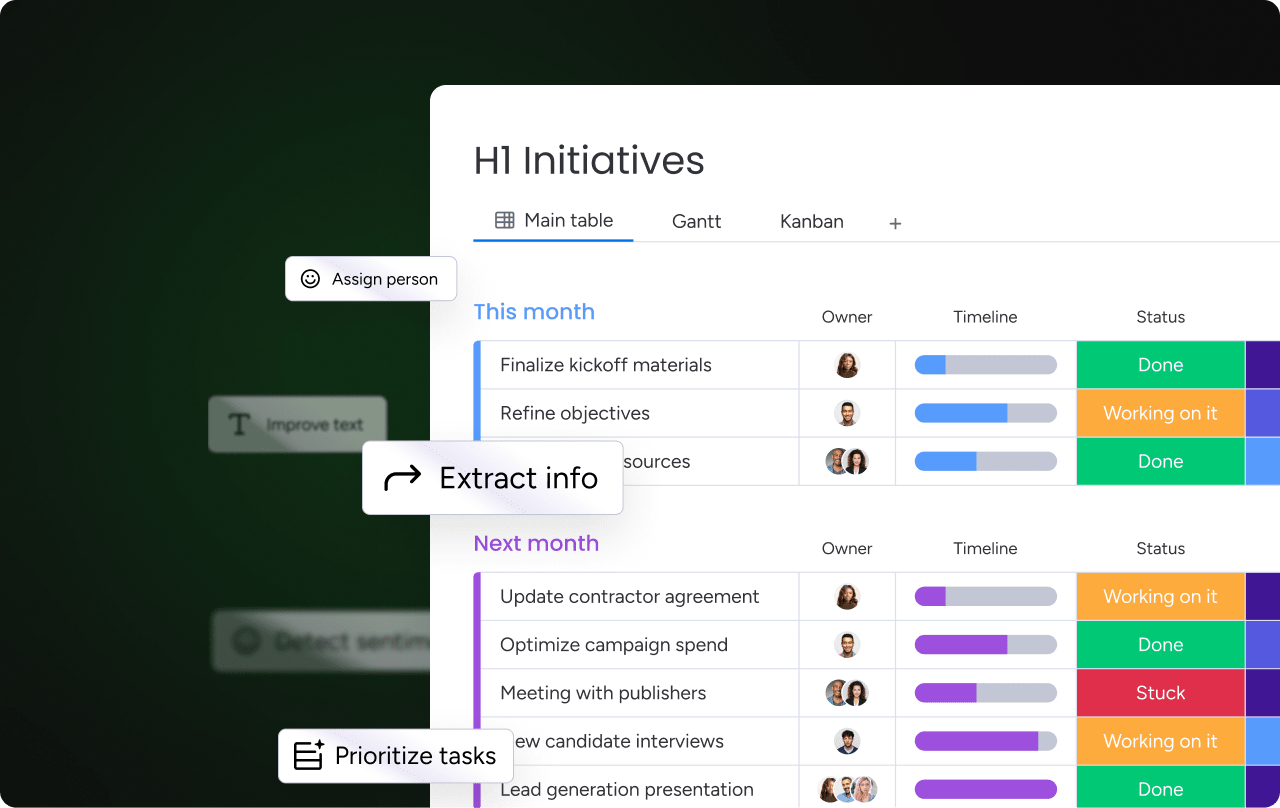
Reclaiming hours each week becomes possible by automating the administrative work that pulls designers away from their craft. AI handles repetitive coordination that fragments focus:
- Draft status updates: Generate project summaries without manual writing
- Schedule follow-ups: Automate reminder sequences for client check-ins
- Extract requirements: Pull key details from long client emails automatically
Resource allocation becomes strategic when AI analyzes team skills and workloads to suggest optimal assignments. Teams use monday.com AI to instantly categorize project data and summarize client feedback, turning complex information into actionable next steps.
Predict project risks before they impact deadlines
Anticipation replaces firefighting. AI acts as an early warning system, analyzing project data to flag potential issues weeks in advance:
- Budget overruns: Identify spending patterns that signal cost escalation
- Timeline delays: Spot scheduling conflicts before they cascade
- Resource conflicts: Detect capacity issues across multiple projects
Resource conflicts threaten quality for firms juggling multiple projects. Leaders rely on monday.com to get ahead of these challenges. The platform provides portfolio-level risk insights that inform decisions on capacity and prioritization, ensuring teams stay focused and effective.
Enhance client communication with intelligent insights
Exceptional design deserves an equally exceptional client experience. AI builds stronger relationships through smarter communication:
- Satisfaction analysis: Gauge client sentiment from communication patterns
- Early concern detection: Flag potential issues before they escalate
- Personalized updates: Tailor reports to individual client preferences
Generating customized updates ensures everyone receives the information they value most. Teams build trust and demonstrate competence on monday.com by turning data into timely, personalized client communications.
Scale your interior design firm with monday.com
Growing an interior design firm requires more than creative vision—it demands an operational engine that keeps pace. monday.com provides a durable foundation to unify your workflows, from first client meeting to final installation.

With monday.com, flexibility is key. The platform serves firms at every stage — from solo designers tracking project phases to multi-studio enterprises managing complex commercial installations across global markets. Here’s how it adapts to design firms’ specific needs:
- Flexible project views: Switch between Gantt, Kanban, Timeline, and Calendar views to match how designers and coordinators actually work — visual boards for creative teams, dependencies for project managers.
- Client collaboration portals: Give clients a branded space to review mood boards, approve selections, and track milestones without endless email chains.
- Pre-built templates: Codify your firm’s unique process with customizable templates, cutting project setup time from hours to minutes.
- AI-powered automation: Let AI draft status updates, categorize client feedback, and flag potential delays — reclaiming hours each week for actual design work.
- Portfolio-level dashboards: Monitor your project pipeline, team utilization, and revenue forecasts in real time, turning data into decisive action.
- Unified business operations: Connect design, sales, and finance so completing a design phase automatically triggers an invoice while your revenue forecast updates instantly.
- External partner access: Give clients, vendors, and contractors controlled access to review concepts, update delivery schedules, and access documentation — no more fragmented email chains.
Turn your design vision into operational excellence
Whether you’re a solo designer looking to professionalize your workflow or a multi-studio firm managing complex commercial projects, the platforms in this guide offer distinct paths forward. Match your firm’s specific needs — from client collaboration and vendor coordination to budget tracking and AI-powered insights — with the right capabilities.
If you’re ready to scale without limit, monday.com stands out with its combination of flexible workflows, powerful automations, and embedded AI creates a foundation that grows with your business. Start with a single project type, prove the value, and expand from there.
Try monday.comFAQs
What is the best free project management software for interior designers?
Free project management software serves as a good starting point for interior designers, but most firms quickly need a paid platform for essential features like client portals, advanced file management, and workflow automation.
Can project management software integrate with CAD and 3D design tools?
Project management software can integrate with design tools like AutoCAD and SketchUp. Organizations use monday.com to connect directly with the Adobe Creative Suite, keeping design files and project updates in one unified space.
How do interior design firms track project profitability?
Interior design firms track profitability by using software to monitor time, log expenses, and manage budgets in real-time. This provides an accurate, up-to-date view of each project's financial health and overall margins.
What's the learning curve for interior design project management software?
Learning curves vary by platform. Most intuitive tools allow teams to start managing projects within a few days, especially those with visual interfaces and flexible customization options.
Do solo interior designers need project management software?
Solo interior designers use project management software to organize workflows, manage client communication, and present a professional brand. It provides the structure to prevent missed details and scales easily as their business grows.
How does AI improve project management for interior designers?
AI improves project management for interior designers by automating administrative work, like generating status updates and categorizing client feedback. Designers can focus more on creative work and less on project administration.

 Get started