


A social media campaign is like an iceberg. The post itself is just the visible tip, but there’s plenty happening beneath the surface — stakeholder checks, performance checks, product input, approvals, the list is endless. That’s why AI for social media has had such a dramatic impact on the entire process, handling the grunt work and helping you manage the systems around social content, not just helping you write captions faster.
This guide covers what AI for social media can help with, 15 platforms worth considering, and the most important features to compare. We’ll also look at how the right platform can connect social work to the rest of your marketing operation, making the evaluation a lot more practical as you move into the sections below.
Try monday agentsWhat is AI for social media marketing?
AI for social media marketing uses machine learning and natural language processing to automatically handle tasks that were previously manual. Adding AI into your social media management takes it from a series of manual tasks into an intelligent, connected workflow that helps teams make faster, smarter decisions.
Instead of bouncing between analytics dashboards, scheduling platforms, trend trackers, and a content calendar, AI pulls those moving parts together. It shifts day-to-day execution away from constant manual effort and toward decisions shaped by signals, timing, and context.
Think of it as an embedded assistant inside your marketing operation. It reveals what your audience engages with and influences what and when you publish.Here’s where it can make the biggest difference:
- Spark new ideas and write posts: Generate fresh content angles and draft copy that resonates with your brand’s voice.
- Find the perfect posting time: Analyze audience activity to recommend when your content will make the biggest splash.
- Understand your audience better: Discover what your followers care about to create more engaging content.
- Keep a pulse on brand sentiment: Monitor conversations to catch shifts in perception and respond with confidence.
- Get reports you can actually use: Transform raw data into simple summaries that tell you what’s working and what to do next.
15 best AI social media marketing platforms
AI can lighten a surprising amount of social media work, from drafting copy to identifying high-impact publishing windows. To show the range of what’s available, we’ve pulled together 15 leading platforms — though the right choice usually comes down to how well an AI social media marketing software option fits your existing approval and reporting workflows, not just its feature list.
| Platform | Primary use case | Free plan | Notable AI feature | Starting price |
|---|---|---|---|---|
| monday agents | Cross-department workflow orchestration | No (early access) | Research agents with trend monitoring | Within monday.com platform |
| Buffer | Simple scheduling for small teams | Yes | Optimal posting time suggestions | $5/month/channel |
| Hootsuite | Enterprise social management | No | Social listening with AI recommendations | $99/month |
| Predis.ai | AI content generation | Yes | Visual content creation from prompts | $29/month |
| Sprout Social | Enterprise listening and analytics | No | AI-powered sentiment analysis | $249/month |
| Sprinklr | Multi-brand enterprise management | No | Unified customer experience AI | Custom pricing |
| Canva | Visual content creation | Yes | Magic Write and AI image generation | $12.99/month |
| Ocoya | Unified AI content and scheduling | Yes | AI copywriting assistant | $15/month |
| Publer | Affordable scheduling optimization | Yes | Content recycling automation | $12/month |
| ContentStudio | Content discovery and curation | No | AI-powered content discovery | $25/month |
| FeedHive | AI-native performance prediction | Yes | Predictive engagement analytics | $19/month |
| StoryChief | Multi-channel content distribution | No | AI content optimization | $40/month |
| SocialPilot | Agency-friendly management | No | AI content assistant | $25.50/month |
| SocialBee | Evergreen content management | No | Category-based AI scheduling | $29/month |
| eClincher | Comprehensive mid-market solution | No | AI-powered unified inbox | $65/month |
1. monday agents
monday agents brings AI directly into the workspace where your marketing, sales, and operations teams already collaborate. Instead of adding another standalone tool, it embeds intelligent agents that can research competitors, monitor emerging trends, translate campaigns for new markets, generate performance summaries, and automatically route follow-up tasks to the right people, all while drawing on the full context of your projects, docs, and workflows already living in monday.com’s AI Work Platform.

Best for:
Ideal for teams that want AI-driven social media workflows tied directly to broader business operations, without leaving monday.com for a separate tool.
Key features:
- Research agents for trend monitoring: Research agents scan the web to monitor trends and specific topics you want to explore. For social teams, agents like Market analyzer and Competitor Research Agent can track emerging competitors, new technologies, and market signals, then organize those findings into a structured snapshot your team can act on.
- Marketing agents for campaign recaps and goal tracking: Reporting agents can summarize, write, and send reports automatically. That can include end-of-day recaps, campaign summaries, and progress tracking against goals like performance, leads, or signups, so stakeholders get updates without waiting on manual status collection.
- Marketing agents built for real campaign work: Ready-made agents such as Translator agent can automatically translate campaigns into the required language, while RSVP Manager Agent tracks invites, responses, reminders, and attendance gaps for event-driven social programs.
- Knowledge grounded in your work: Agents can use the docs, PDFs, and boards you define as context, keeping recommendations and actions anchored to your brand guidelines, campaign plans, briefs, and approval processes rather than generic prompts.
- Actions across workflows: Agents can assign owners, create updates, extract follow-ups from meetings, and keep work moving across connected workflows. That matters when a social campaign creates downstream work for sales, service, or operations.
- Custom agents in a few steps: If your social workflow is unique, you can build a custom agent by defining the role and triggers, connecting the right knowledge and tools, then testing and refining before rollout.
Pricing:
- Free: $0 (free forever), up to 2 seats
- Basic: $9 per seat/month, billed annually
- Standard: $12 per seat/month, billed annually
- Pro: $19 per seat/month, billed annually
- Enterprise: contact sales for pricing
- AI features operate on a credit-based model; additional credits available as needed
Why it stands out:
- Cross-department context at every step: monday agents runs on top of monday.com’s structured, cross-department work data. A marketing agent can connect campaign activity to sales signals, project timelines, or service feedback, helping your team make sharper decisions than a standalone social media platform can support.
- Execution with people still in control: Agents do more than raise ideas. They can research, report, assign follow-ups, and act 24/7 across workflows, while your team sets the direction and reviews what matters most.
- Trust built into the workflow: Transparency, permissions, audit trails, and human-in-the-loop controls are built into the experience. monday.com also supports enterprise requirements with HIPAA compliance and certifications including ISO/IEC 27001, SOC 2 Type II, and ISO/IEC 27701.
- Easy to adopt for teams already on monday.com: With 250,000 organizations already running work on monday.com, agents fit into existing boards, docs, and processes. That lowers the lift for marketing leaders who want to expand output without adding another platform to manage.
2. Buffer
If your priority is simplicity, Buffer’s a strong contender. It’s built for creators, small businesses, and lean marketing teams that want AI-assisted publishing without a complicated setup process. More than 100,000 businesses and individuals use it for organic social, and its approach stays intentionally focused: plan posts, learn what performs, and keep publishing without unnecessary overhead.

Use case:
A strong fit for small teams and solo marketers who need AI-powered scheduling and content suggestions across multiple platforms without a steep learning curve.
Key features:
- AI-powered optimal posting times (paid plans): Buffer analyzes audience engagement patterns to recommend when posts are most likely to connect, taking the guesswork out of timing decisions.
- Content idea generation: The AI Assistant suggests post topics, variations, and repurposed content based on past performance and trends, helping teams maintain a consistent publishing cadence.
- Multi-platform publishing with a unified inbox: Schedule across Instagram, Facebook, X, LinkedIn, Pinterest, TikTok, Threads, Bluesky, and more from a single workspace, with a Community inbox to manage replies across channels.
Pricing:
- Free: $0/month — up to 3 channels, 10 scheduled posts per channel, basic analytics, AI Assistant, 1 user
- Essentials: $5/month per channel (billed annually) — unlimited scheduled posts, advanced analytics, first-comment scheduling, hashtag manager
- Team: $10/month per channel (billed annually) — unlimited users, approval workflows, custom permissions, branded reports
Considerations:
- Teams that need advanced workflow automation, cross-department visibility, or enterprise-grade governance will find Buffer’s capabilities limited to scheduling and basic analytics.
- Because pricing scales per channel, agencies managing many client profiles should model costs carefully before committing, especially at higher channel counts.
3. Hootsuite
For teams running large-scale social programs, Hootsuite offers a much broader control center. It combines scheduling, listening, analytics, and paid social management in one governed environment, giving mid-market and enterprise organizations a centralized place to manage the full operation.
The platform’s built-in tools like OwlyWriter AI and Blue Silk AI help teams generate captions, identify strong posting windows, and monitor sentiment without bouncing between systems.
Use case:
Best suited to mid-market and enterprise teams with established social media operations that need AI-enhanced workflows, compliance controls, and integrated listening from one unified platform.
Key features:
- AI-powered content generation: OwlyWriter AI produces post captions, hashtag suggestions, and content ideas based on trending topics, while Blue Silk AI surfaces performance summaries to inform publishing decisions.
- Advanced social listening: Talkwalker by Hootsuite monitors 150M+ sources across 30+ social channels, with image, video, and audio detection and 24+ months of historical data, giving teams early visibility into brand sentiment and emerging topics.
- Unified organic and paid management: Teams can manage, schedule, and auto-boost organic and paid content side by side across Facebook, Instagram, LinkedIn, and X, with Meta Pixel (CAPI) support for more accurate attribution.
Pricing:
- Standard: approximately $199/user/month, billed annually
- Advanced: approximately $399/user/month, billed annually
- Enterprise: custom pricing, available on request
Considerations:
- Advanced engagement features such as language detection, SLA alerts, and Zendesk integration require the Advanced Inbox add-on, which sits behind Enterprise pricing.
- The platform’s breadth can present a steeper learning curve for smaller teams, and the per-seat pricing model may feel high for organizations that only need scheduling and basic analytics.
<
4. Predis.ai
Predis.ai helps teams move from idea to finished asset quickly. A product description or simple topic prompt can become a complete social post, carousel, or short-form video in minutes. That makes it especially appealing to creators, e-commerce teams, and SMB marketers who need fast content production at scale, with scheduling, competitor analysis, and auto-publishing layered into the same platform.

Use case:
Well suited to marketing teams that need to generate large volumes of on-brand visual content, carousels, and short-form video across multiple channels without juggling separate design, scheduling, and analytics tools.
Key features:
- AI content generation from prompts: Enter a topic or product description, or connect an e-commerce store, and Predis.ai produces complete posts with copy, visuals, and hashtags, including multi-slide carousels and short-form video with AI voiceovers.
- Brand kit integration with competitor analysis: Upload brand colors, fonts, and logos to keep every generated asset on-brand, while built-in competitor analysis surfaces what content formats and cadences are performing well on Instagram and Facebook.
- Scheduling and auto-publishing: A drag-and-drop content calendar, team approval workflows, and direct integrations with Instagram, Facebook, TikTok, LinkedIn, YouTube Shorts, Pinterest, and more keep publishing on track without manual effort.
Pricing:
- Core: $19/month (billed annually); 1,300 credits/month, 1 brand, 10 social accounts
- Rise: $40/month (billed annually); 3,200 credits/month, up to 4 brands, 20 social accounts, 2 auto-posts/day
- Enterprise+: $212/month (billed annually); 10,000 credits/month, unlimited brands, 60 social accounts, 3 auto-posts/day
Considerations:
- Competitor analysis is limited to Instagram and Facebook due to external API restrictions, so teams focused on other networks will not have access to that feature.
- Auto-post limits are capped by plan tier, which may require an upgrade for high-volume teams publishing across many accounts daily.
5. Sprout Social
Some platforms help you publish faster. Sprout Social focuses on helping you understand what social activity means for the business. It gives enterprise teams a single system for publishing, engagement, analytics, and listening. Its AI-powered listening engine can process up to 50,000 posts per second. For organizations that depend on real-time insight into brand perception, that speed and depth are hard to ignore.

Use case:
A good match for enterprise teams that need advanced social listening, sentiment analysis, and AI-powered reporting to monitor brand perception and act on audience signals in real time.
Key features:
- AI-powered social listening: Monitors millions of conversations across social platforms, news sites, blogs, and forums to surface trends and brand mentions as they happen, with the Trellis AI agent answering complex research questions in plain language.
- Sentiment analysis and smart inbox: Machine learning classifies mentions as positive, negative, or neutral and tracks sentiment shifts over time. The system routes incoming social messages to the right team members based on content, sentiment, and urgency.
- Automated reporting with AI summaries: Compiles cross-network performance data into presentation-ready reports, with Premium Analytics adding custom report builders and AI-generated summaries via Analyze by AI Assist.
Pricing:
- Standard: $199/seat per month (billed annually)
- Professional: $299/seat per month (billed annually)
- Advanced: $399/seat per month (billed annually)
- Enterprise: custom pricing with white-glove onboarding and priority support
Considerations:
- Seat-based pricing scales with team size, and advanced capabilities like listening and Premium Analytics are sold as add-ons, which can increase the total cost for data-heavy programs.
- Full value realization requires upfront investment in setup and team training, which may extend time to impact for organizations without dedicated social operations resources.
6. Sprinklr
Sprinklr goes well beyond social scheduling. It pulls social media management, customer service, marketing, and advertising into a single AI-native system built for large, complex organizations. Global enterprises managing multiple brands and regions often look to it for the governance and flexibility required in regulated environments.

Use case:
Built for large enterprises managing social media across multiple brands, regions, and teams that need centralized control, advanced governance, and AI-powered content optimization without giving up regional flexibility.
Key features:
- AI-powered content optimization: Machine learning analyzes historical performance and audience behavior to suggest content improvements, helping teams publish with greater confidence and consistency across channels.
- Advanced governance controls: Granular role-based permissions, configurable multi-level approval workflows, and AI-powered compliance monitoring give regulated organizations the oversight they need at scale.
- Unified customer experience management: Social media connects directly to customer service, marketing, and advertising within one platform, reducing tool sprawl and keeping data consistent across teams.
Pricing:
- Enterprise plans: Custom quotes based on organization size, feature requirements, and implementation scope.
Considerations:
- Implementation complexity and total cost of ownership may be prohibitive for mid-market teams without dedicated resources for onboarding and configuration.
- The platform’s comprehensive scope means organizations often pay for capabilities they are not yet ready to use, which can affect time to value.
7. Canva
Not every social media team needs a full management suite first. Sometimes the bottleneck is producing enough strong visual content. Canva solves that problem by turning design into a repeatable, brand-safe process that non-designers can handle confidently. It’s a popular choice for teams producing social assets at scale.

Use case:
A practical option for teams that need to produce professional-quality social media visuals at scale, without relying on dedicated design resources.
Key features:
- AI-assisted content creation: Magic Write generates platform-specific captions and post copy directly within the design editor, while Magic Resize adapts any asset to the correct dimensions for each social network in one click, cutting production time significantly for teams managing multiple channels.
- Brand governance at scale: Brand Kit centralizes logos, fonts, colors, and voice guidelines so every team member publishes on-brand content, with enterprise-level approval workflows and admin controls available for larger organizations.
- Basic scheduling and publishing: The built-in Content Planner lets teams schedule and publish designs directly to Facebook, Instagram, LinkedIn, and TikTok. While not a replacement for a full social media management tool, it streamlines the process of getting designs from the editor to a live feed.
Pricing:
- Free: core design features with limited AI access
- Pro: $12.99/month (monthly billing), includes Brand Kit, Magic Resize, Magic Switch, premium content, and Content Planner scheduling
- Business: $20/person/month, adds advanced collaboration, higher AI usage, and Canva Grow Insights for Meta creative analytics
- Enterprise: contact sales for custom pricing, includes SSO, SCIM, ISO 27001, SOC 2 compliance, and advanced governance controls
Considerations:
- While Canva provides post-level analytics on engagement, it is primarily a design tool. Teams will need a dedicated platform like Hootsuite for broader social media management, including social listening, competitor benchmarking, community engagement, and deeper analytics.
- Some AI features are subject to plan-specific usage limits, and certain third-party apps within Canva (such as video generation integrations) may carry separate subscription costs.
8. Ocoya
Ocoya targets teams that want one workspace for writing, scheduling, and tracking social content. Instead of separating creation from publishing, it brings AI generation, scheduling, and analytics into a single interface. This balance makes it appealing to freelancers, brands, and agencies that want stronger automation than a basic scheduler offers, but without the sprawl of enterprise software.

Use case:
A fit for small to mid-market teams seeking AI-powered content creation, scheduling, and performance tracking in a unified platform, without stitching together multiple disconnected tools.
Key features:
- AI copywriting and agent library: Generate post copy, hashtag suggestions, and content variations using prebuilt AI agents trained on social media best practices, with a community prompt library for additional flexibility.
- Automated scheduling with human-like posting: Queue content across major social networks with AI-suggested optimal posting times and a “publish like a human” cadence that mimics natural posting behavior.
- Ecommerce-aware publishing: Connect Shopify or WooCommerce to trigger automated posts when new products are added, keeping product-led social content consistent without manual effort.
Pricing:
- Free: $0/month — 1 workspace, 1 team member, 1 social profile, 10 AI credits
- Bronze: $15/month — 1 workspace, 1 team member, 5 social profiles, 100 AI credits
- Silver: $39/month — 5 workspaces, 5 team members, 20 social profiles, 500 AI credits
- Gold: $79/month — 20 workspaces, 20 team members, 50 social profiles, 1,500 AI credits
- Diamond: $159/month — unlimited workspaces, 50 team members, 150 social profiles, unlimited AI credits
- Enterprise: custom pricing, available on request
Considerations:
- Several integrations, including Threads, TikTok, and YouTube Shorts, remain in beta, which may affect reliability for teams that rely on those channels.
- Reporting and analytics are functional but less comprehensive than enterprise-grade platforms, which may be a limiting factor for analytics-focused teams.
9. Publer
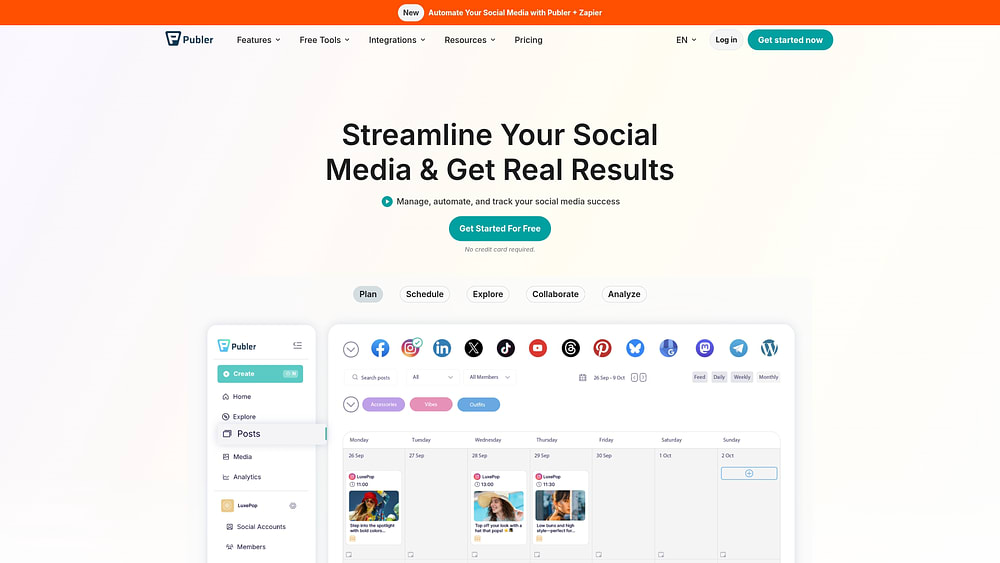
Budget-conscious teams often need automation more than complexity, and that’s where Publer stands out. It focuses on bulk scheduling, evergreen recycling, and AI-assisted optimization, making it especially useful for SMBs and agencies running many accounts without enterprise budgets. Support for 13 platforms, including Threads, Bluesky, and Google Business, also gives it broader channel coverage than many similarly priced alternatives.
Use case:
A smart choice for growing teams and agencies that need AI-assisted scheduling, bulk automation, and multi-network coverage at an accessible price point.
Key features:
- AI-powered scheduling optimization: Analyzes audience activity patterns to recommend the best posting times per platform, so content reaches people when they are most likely to engage.
- Bulk scheduling and content recycling: Upload and schedule up to 500 posts at once via CSV, and automatically re-share evergreen content based on performance data and time intervals.
- Explore and AI Assist: Finds trending content across 70+ categories and uses AI to generate captions and DALL·E-powered images, reducing the time spent on ideation and creation.
Pricing:
- Free: 3 social accounts, 10 scheduled posts per account
- Professional: starts at $5/month for 1 social account, with additional accounts at $4/month each
- Business: starts at $10/month for 1 social account, with additional accounts at $7/month each; includes advanced analytics, best times to post, and unlimited AI Assist prompts
- Enterprise: custom pricing for high-volume needs, with priority support and early feature access.
Considerations:
- Advanced analytics remain fairly basic compared to enterprise-grade reporting platforms, which may require teams to supplement with additional reporting workflows.
- Some Instagram Stories and Facebook profile posts still require manual finalization via mobile push notifications due to platform API constraints.
10. ContentStudio
ContentStudio tackles a different problem: keeping feeds active without inventing every post from scratch. It combines content discovery, AI-assisted creation, and multi-channel publishing, which makes it especially helpful for agencies and marketing teams balancing original content with curation.

Use case:
Useful for teams that need to combine original content creation with curated content discovery, scheduling, and publishing across multiple social channels from one interface.
Key features:
- AI Studio for content creation: Generate brand-aligned captions, images, and videos using multiple AI providers, directly within the scheduling workflow, so teams spend less time switching between platforms to produce posts.
- Content discovery and automation: Surface trending articles, videos, and posts by topic or industry via RSS feeds, then automate publishing to social queues using evergreen and RSS-to-social recipes that keep feeds consistently active.
- Approval workflows and analytics: Share posts for client or stakeholder review without requiring a login, track performance across channels with competitor benchmarking, and deliver white-label reports; these features are built specifically for agencies managing multiple brands.
Pricing:
- Standard: $19/month
- Advanced: $49/month
- Agency Unlimited: $99/month
- Enterprise: contact sales for custom pricing
Considerations:
- Social Inbox has channel limitations: LinkedIn DMs and YouTube comment moderation are not fully supported due to platform API restrictions.
- Usage-based add-ons for AI credits, extra social accounts, and workspaces can increase the total monthly cost for high-volume teams.
11. FeedHive
FeedHive puts predictive AI at the center of publishing. Rather than waiting until after a post goes live to evaluate performance, the platform scores content for expected engagement beforehand. This makes it particularly compelling for creators, growing brands, and agencies that want brand-voice support and automation rules driven by likely outcomes rather than past results.

Use case:
A strong option for teams wanting an AI-first social media management platform with predictive performance insights built into every stage of publishing.
Key features:
- Engagement Prediction scoring: AI trained on 1.5 million+ posts assigns each piece of content a score from 0–100 before publishing, helping teams prioritize content with the strongest potential for engagement.
- Vibe Marketing and brand voice: Builds a brand brief from your website and social profiles, then guides the AI writing assistant to draft on-brand, post-ready content across channels including TikTok, Threads, YouTube Shorts, and LinkedIn.
- Conditional post automation: Automatically triggers follow-up actions, such as adding a comment. when a post performs above a set threshold, reducing manual monitoring across active campaigns.
Pricing:
- Creator: €15/month (billed annually) — 4 social accounts, 2,500 AI credits, 500 automations/month
- Brand: €22/month (billed annually) — 10 social accounts, 5 workspaces, 10,000 AI credits
- Business: €69/month (billed annually) — 100 social accounts, 50 workspaces, 50,000 AI credits, unlimited scheduled posts
- Agency: €239/month (billed annually) — 500 social accounts, 100 workspaces, white-label eligible
Considerations:
- Conditional post logic currently applies to X/Twitter, Facebook, and Instagram only. LinkedIn and TikTok are not yet supported.
- The Engagement Prediction model does not yet account for time-of-day or image/thread content, which may limit scoring precision for visual-first strategies.
12. StoryChief
StoryChief targets teams that think beyond social posts alone. It combines planning, creation, and distribution across blogs, social channels, and other publishing destinations inside one workspace. Agencies and content-heavy marketing teams often turn to it when they want multi-channel publishing, AI-assisted calendar building, and employee advocacy features without licensing several separate tools.

Use case:
Best for content marketing teams that manage blogs alongside social accounts and need a single workspace to plan, approve, and distribute content across multiple channels simultaneously.
Key features:
- AI-powered content calendar: William AI generates social posts, converts existing content into post sets, and auto-populates the calendar at scale, reducing the manual effort of planning month-long schedules.
- Multi-channel publishing with channel-specific optimization: Distribute content to social platforms, CMSs, and content partners from one canvas, with smart auto-crop, aspect-ratio guidance, and media validation to minimize failed posts.
- Employee advocacy built in: Curate and approve content for staff sharing across personal networks, with reporting on opens and clicks — a capability most platforms charge extra for.
Pricing:
- Free: €0/month — social media and website analytics included
- Social Media Calendar (individual): €19/month, billed annually — 1 user, 3 social channels, 60 posts, 1,000 AI credits
- Team Social: €29/seat/month, billed annually — unlimited posts, 4 channels, approvals, analytics, 5,000 AI credits per seat
- Team Editorial: €69/seat/month, billed annually — adds SEO publishing, 100 articles/month, 8,000 AI credits
- Agency Social: €49/customer/month, billed annually — unlimited users, unlimited posts, 4 channels per customer
Considerations:
- StoryChief does not include a unified social inbox or direct message management, so teams that prioritize community engagement and response handling will need a separate platform for that workflow.
- The four-channel limit on Team Social and Agency Social plans may require additional seats or plan upgrades for brands managing a large number of social profiles.
13. SocialPilot
Agencies often need breadth, reliability, and client-facing polish, without enterprise-level pricing. SocialPilot is built around exactly that mix. It offers AI-assisted content creation, robust scheduling, and white-label reporting for teams managing multiple client accounts.
Use case:
A good fit for agencies and small businesses that need AI-assisted content creation, bulk scheduling, and client approval workflows across multiple social accounts — all within a single, affordable platform.
Key features:
- AI Pilot for content generation: Generates, rewrites, and localizes post copy across 10 languages, suggests hashtags, and adjusts tone by network — so teams spend less time drafting and more time publishing.
- Bulk scheduling and queue templates: Upload and schedule 500+ posts at once using reusable queue templates, helping high-volume teams maintain a consistent posting cadence without manual repetition.
- White-label client management: Separate client workspaces, branded PDF reports, and approval-on-the-go workflows let agencies present a polished, professional experience without clients ever logging into the platform.
Pricing:
- Essentials: $25.50/month (billed annually)
- Standard: $42.50/month (billed annually)
- Premium: $85/month (billed annually)
- Ultimate: $170/month (billed annually)
- Enterprise: custom pricing (contact sales)
Considerations:
- AI content capabilities are functional but less advanced than premium platforms, so agencies with high-volume, sophisticated content needs may require supplementary support.
- Advanced white-label features and enterprise controls like SSO are reserved for the Ultimate and Enterprise tiers, which may increase costs for growing agencies.
14. SocialBee
Consistency is SocialBee’s core strength. The platform is designed to keep evergreen content circulating through category-based scheduling and automated recycling, which makes it useful for solopreneurs, small businesses, and agencies that want structure without a lot of complexity.

Use case:
A solid match for teams managing evergreen content libraries that need AI-assisted content generation, category-based scheduling, and automated recycling to maintain consistent posting across multiple social networks.
Key features:
- AI Copilot for strategy and content: Generates a tailored social media strategy, including platform recommendations, posting times, and ready-to-use post variations, so teams spend less time planning and more time publishing.
- Category-based scheduling with evergreen recycling: Organizes content into categories with separate posting schedules and automatically re-shares evergreen posts at defined intervals, keeping content active without manual effort.
- Unified social inbox: Monitors and consolidates mentions, comments, and DMs from Facebook, X (Twitter), Instagram, Threads, LinkedIn, and YouTube into a single view for faster, more organized responses.
Pricing:
- Bootstrap: $29/month
- Accelerate: $49/month
- Pro: $99/month
- Agency Pro50: $179/month
- Agency Pro100: $329/month
- Agency Pro150: $449/month
Considerations:
- Inbox coverage does not yet extend to all supported networks, and some platforms require manual posting via mobile reminders due to API restrictions.
- Analytics history is capped at 3 months on the Bootstrap plan, with up to 2 years available on higher tiers — teams with longer reporting needs may need to upgrade sooner than expected.
15. eClincher
eClincher targets teams that don’t want to assemble multiple point solutions just to cover the basics of modern social management. Publishing, engagement, analytics, and listening all live in the same system, paired with AI-assisted content tools and approval workflows. For mid-market teams and agencies, its flat-rate multi-user pricing can also be a meaningful advantage as the organization grows.

Use case:
Well suited to mid-market teams and agencies that need a comprehensive social media management platform covering publishing, engagement, analytics, and listening without maintaining multiple separate tools.
Key features:
- AI-powered publishing and scheduling: Generates post suggestions, recommends optimal send times, and supports bulk scheduling and smart queues across 30+ channels, including Threads and Bluesky.
- Unified inbox with AI auto-reply: Centralizes comments, DMs, mentions, and ad comments across platforms, with rules-based automation, collision detection, and a knowledge-base-trained AI agent for consistent, on-brand responses.
- Analytics and competitor benchmarking: Delivers drag-and-drop custom reports, post-level performance data, white-label reporting, and paid ads reporting for Meta and Google — without manual data compilation.
Pricing:
- Standard: $149/month (monthly billing), including 1 brand, 1 user (max 2), and 15 social profiles
- Professional: $349/month (monthly billing), including unlimited brands, 5 users (max 10), 25 profiles, AI publishing personalization, AI inbox auto-reply, and CRM integrations
- Enterprise: Custom pricing, adding SSO, API access, and dedicated onboarding
Considerations:
- The entry price point ($149/month) may be high for solo users or very small teams with basic scheduling needs.
- The breadth of features comes with a learning curve; teams should plan for onboarding time to get full value from the platform.
How to choose the right AI social media management platform
After you narrow the field, the decision isn’t about whether a platform has AI. The more useful question is whether it fits the way your team operates. The best choice links social execution to approvals, reporting, governance, and measurable business outcomes. A platform can look impressive at first glance and still introduce friction if it lacks the controls, integrations, or context your workflow depends on. Before committing budget, it’s worth shortlisting a few AI tools for social media marketing and testing them against these five criteria rather than relying on a vendor’s feature list.
Step 1: Evaluate content creation and ideation
Your AI should sound recognizably like your brand, rather than just generic output. Strong platforms use your guidelines, previous campaigns, and audience context to create drafts that need only minimal refinement, turning AI into a creative amplifier instead of another editing burden.
As you compare options, pay close attention to whether the content carries your voice consistently across channels. LinkedIn, Instagram, and X should feel connected, but they should not read like copies of one another either.
Look for capabilities like these:
- Brand grounding: content generation based on voice guidelines, approved messaging, and previous campaigns.
- Channel adaptation: built-in support for platform-specific tone, format, and audience expectations.
- Reuse at scale: the ability to turn one brief, webinar, or blog into multiple post variations.
If the output could belong to almost any brand in your category, the platform is not reducing work. Good ideation should build momentum, not add to the review queue.
Step 2: Review scheduling automation and cross-platform publishing
Publishing well isn’t just a matter of picking a date and pressing “publish.” What you want is AI that recommends timing based on real audience behavior, not fixed presets that ignore how people engage. This gives your content a better chance of showing up at the right moment.
Scheduling quality also depends on how tightly it fits into the rest of your campaign process. Ideally, publishing should connect to reviews and milestones, rather than operating as a separate track.
As you assess this area, check for:
- Audience-based timing: posting recommendations based on actual engagement behavior.
- Platform-aware formatting: automatic adjustments for copy length, media format, and cadence.
- Approval alignment: scheduling tied to campaign reviews and publishing controls.
When scheduling is well connected, campaigns stay coordinated across teams. It also keeps social work closely aligned with the business priorities already in motion.
Step 3: Assess analytics, reporting, and performance measurement
Marketing reporting should uncover patterns, point out meaningful changes, and make the next action clearer. This saves your team from spending hours exporting numbers while giving leadership a more useful understanding of performance. Reporting also helps when it ties social activity to business signals. Engagement is useful, but revenue influence, lead quality, and campaign contribution matter more when you are defending budget or planning what happens next.
Prioritize features such as:
- Insight summaries: automated recaps that translate performance into takeaways.
- Anomaly detection: alerts for spikes, dips, or unusual behavior that deserve attention.
- Attribution support: reporting that connects campaigns to outcomes like signups, leads, or pipeline movement.
If a platform stops at dashboards full of numbers, your team still has to do the interpretation. The right reporting setup moves you from activity tracking to decision-making.
Step 4: Examine integration with your existing marketing stack
Social data becomes much more powerful when it flows into the systems your marketing, sales, and service teams already use. This is how social engagement becomes part of a connected customer journey, not just a standalone channel report. During evaluation, the quality of the integration matters just as much as the number of logos on a pricing page.
Ask practical questions like these:
- How often does data sync?
- Which fields and workflows can be connected?
- How are duplicates or conflicts handled?
- Can social signals trigger follow-up work for other teams?
A strong integration layer keeps context attached to the work. Without that, social media can easily turn into another disconnected reporting stream.
Step 5: Verify governance, permissions, and human review controls
When AI takes on more responsibility, governance stops being optional. You need clear control over what the system can access, what it is allowed to do, and where human review is required. Those guardrails don’t slow teams down. In practice, they make faster execution possible because everyone understands where automation begins and where approval remains human.
Human-in-the-loop design becomes especially important here. monday agents include built-in checks so teams can preview and validate actions before they go live. This gives marketing leaders a dependable way to expand automation without surrendering oversight.
Make sure the platform supports:
- Role-based permissions: define who can create, approve, edit, and deploy AI-driven work.
- Audit trails: track actions, changes, and approvals for accountability.
- Review checkpoints: require human validation for sensitive or high-visibility actions.
How monday agents connects social media to broader business outcomes
Social media rarely stays within your marketing strategy. One campaign can affect lead quality, event attendance, support volume, and executive reporting all at once. That’s why AI for social media becomes much more valuable when it can operate with the surrounding business context, not just within a publishing tool.
That is exactly where monday agents stands apart. Because agents run directly on monday.com’s AI Work Platform, they can use shared context across departments, teams, and workflows instead of limiting their work to a publishing calendar. A marketing team might use a Competitor Research Agent or Market landscape analyzer to identify new trends, a Translator agent to adapt campaigns for new markets, and a reporting agent to summarize results and send updates to stakeholders without manual handoffs.
For social teams, that creates practical advantages you can feel day to day:
- Monitor trends and competitors continuously: organize findings into a usable snapshot your team can act on.
- Track campaign progress against business goals: connect performance to leads, signups, and other priority outcomes.
- Support event promotion with RSVP Manager Agent: follow invites, responses, reminders, and attendance gaps in one flow.
- Turn meeting discussions into follow-up work: use Meeting Summarizer to capture summaries, owners, and next actions.
- Connect campaign signals to downstream teams: move follow-up work to sales or operations when speed matters.
If your workflow goes beyond the ready-made agents, monday agents also supports custom agent creation. You can build one in 3 steps:
- Define the role and triggers
- Connect the right knowledge and tools
- Test and refine before rollout
Guardrails such as permissions, transparency into actions, and human review help your team scale execution with confidence. People stay in charge, while agents take on the repetitive lift that slows campaigns down.
A practical next step is to pick one repeatable workflow and map it from start to finish. Begin with an area like campaign reporting, trend monitoring, or event follow-up, then measure the outcome and expand from there. Small wins tend to spread quickly, especially when they save time and give leadership clearer visibility into what social media is driving. Get started by trying monday agents today.
Try monday agents Get started