







In this video

See how monday dev’s GitLab integration keeps every commit, issue, and deploy connected in real time. Automate updates, close communication gaps, and keep your team focused on shipping — not syncing .

Transcript

If you commit in GitLab, this is the integration built for you.

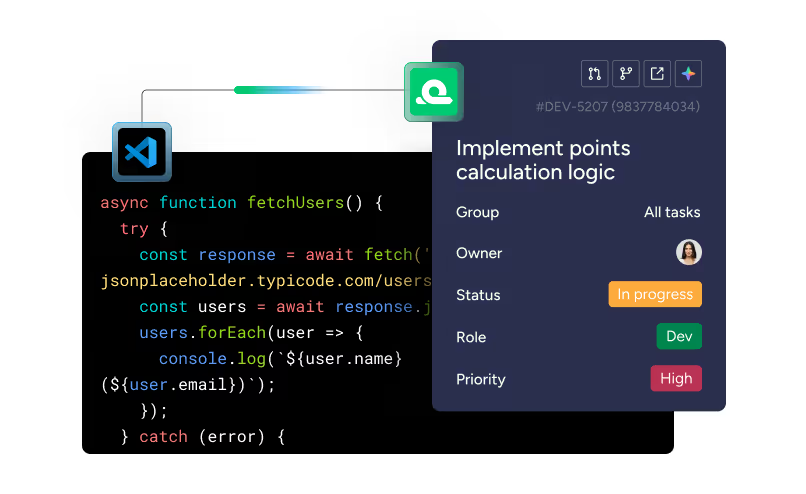
With monday dev’s GitLab integration, you can automatically sync commits, issues, and deploy activity. No context switching. No manual updates.

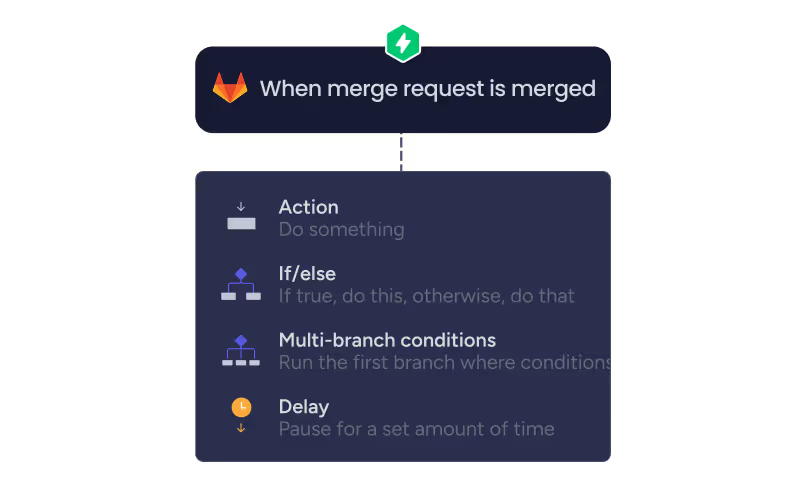
Just flow. Let’s go. Start by opening the visual workflow builder in monday dev. This is where you can choose which GitLab actions become automated workflows, like: when a merge request is created, send an update; when it’s approved, change task status; or when it’s deployed, notify the right people instantly. Everything from dev work to stakeholder communication stays connected, so your team can focus on shipping, not syncing. With the GitLab integration, monday dev becomes your team’s single source of truth — real-time updates, automated workflows, and no blockers in between. Close the gap between dev and delivery.

Try the GitLab integration in monday dev.
Read more

Learn more about features and workflows

Case study
How Vistra increased feature delivery speed by 28% with monday dev
Plan
Release
Manage
3
m
AI Daily Standup
Run efficient standups with AI-powered insights
Execute
1
m
Gitlab integration
Sync GitLab with monday dev
Execute
Monitor
1
m

Heading 1

Heading 2

Lorem ipsum dolor sit amet, consectetur adipiscing elit, sed do eiusmod tempor incididunt ut labore et dolore magna aliqua. Ut enim ad minim veniam, quis nostrud exercitation ullamco laboris nisi ut aliquip ex ea commodo consequat. Duis aute irure dolor in reprehenderit in voluptate velit esse cillum dolore eu fugiat nulla pariatur.

Heading 3

Heading 4

Heading 5
Heading 6
Block quote

Ordered list

  1. Item 1
  2. Item 2
  3. Item 3

Unordered list

Text link

Bold text

Emphasis

Superscript

Subscript

Heading 1

Heading 2

Lorem ipsum dolor sit amet, consectetur adipiscing elit, sed do eiusmod tempor incididunt ut labore et dolore magna aliqua. Ut enim ad minim veniam, quis nostrud exercitation ullamco laboris nisi ut aliquip ex ea commodo consequat. Duis aute irure dolor in reprehenderit in voluptate velit esse cillum dolore eu fugiat nulla pariatur.

Heading 3

Heading 4

Heading 5
Heading 6
Block quote

Ordered list

  1. Item 1
  2. Item 2
  3. Item 3

Unordered list

Text link

Bold text

Emphasis

Superscript

Subscript