


AI task managers are more than digital to-do lists. By automating scheduling, prioritization, and real-time collaboration, they reduce manual work and help teams stay focused.
Traditional task managers have long helped teams and individuals stay organized and on top of their work. However, without the support of AI capabilities to track, manage, and automate tasks, you could be missing opportunities to save time and optimize resources. Embracing AI-driven tools can take task management to a whole new level of efficiency.
In this guide, you’ll find a breakdown of what AI task managers do, the features that separate the best from the rest, and a side-by-side look at 7 leading platforms, including monday.com’s AI Work Platform.
Key takeaways
- AI task managers automate scheduling, prioritize work, and execute workflows autonomously, freeing teams from manual planning and repetitive coordination.
- The most capable platforms deploy AI agents that plan and act across departments, not just flag overdue items or suggest next steps.
- Features to prioritize include agentic execution, no-code workflow building, collaborative dashboards, and deep integrations with your existing calendar and communication stack.
- monday.com’s AI Work Platform includes monday agents, monday vibe, monday MCP, and monday sidekick, which give teams an autonomous AI workforce, a no-code app builder, and secure connections to external AI assistants.
What is an AI task manager?
AI task managers are applications that use artificial intelligence (AI) to streamline and optimize productivity tasks like scheduling, completing to-do lists, and prioritizing workflows. AI task managers can do this by intelligently analyzing user behavior, automating repetitive tasks, and adapting to changing goals in real time.
AI task managers are beneficial for busy professionals and teams looking to maximize efficiency with minimal manual effort. Some of their core capabilities include:
- Intelligent automation for scheduling by organizing tasks based on urgency and availability.
- Predictive prioritization to determine which tasks are most important and suggests what to work on next.
- Adaptive learning based on user behavior that continuously improves recommendations.
- Integration capabilities that connect with other apps, email inboxes, and calendars for seamless workflows.
Despite the growing buzz around AI, many teams haven’t yet taken the plunge. In fact, nearly 45% of employees at large enterprise companies report no AI usage at all, according to monday.com’s world of work report. For organizations looking to ease into AI, task management is a great place to start. These tools offer clear, immediate value — like automating schedules and prioritizing workloads — without requiring a full digital transformation.
How teams use AI task scheduler solutions
Teams across industries are leveraging AI task scheduler platforms to streamline operations and boost productivity. AI task managers are especially valuable in dynamic, fast-paced environments where priorities shift often. Here’s a quick look at some common ways AI task managers can be used to make workflows more efficient.
- Hybrid and remote teams: Distributed teams can stay aligned by automating scheduling, tracking progress, and ensuring everyone is working on the right priorities.
- Cross-departmental resource planning: AI task managers allocate resources efficiently across multiple teams and projects, reducing conflicts and maximizing output.
- Dynamic marketing campaigns: Marketing teams can coordinate complex, multi-channel campaigns and ensure deadlines are met and resources are optimized.
- Project management: Break down large projects into manageable tasks, automatically assigning deadlines based on priority, dependencies, and team availability.
- Task and calendar management: AI tools automatically schedule tasks around meetings and deadlines while pivoting to minimize time conflicts.
How do AI task managers differ from traditional platforms?
Traditional task management tools require users to manually enter, organize, and schedule tasks. This is often time-consuming and opens the door to the risk of overlooking important deadlines or dependencies. AI task managers, on the other hand, are intelligent assistants capable of independently automating the planning process and adapting to changes in an instant.
Here’s a closer look at where traditional and AI task managers differ:
| Feature | Standard task manager | AI task manager |
|---|---|---|
| Automation level | Static, user-driven, and follows fixed rules | Dynamic and operates independently |
| Task scheduling | Manual placement | Automatic scheduling based on priority |
| Priority setting | User defined | Recommends based on deadlines and importance |
| Learning capability | Static rules | Adapts to user patterns |
| Resource allocation | Manual assignment | Smart task suggestions |
| Integration | Basic connections | Deep, contextual connections |
These differences show just how much AI can shift task management from something reactive to something proactive. Instead of relying on manual upkeep, teams can focus on execution while the system takes care of planning, prioritization, and optimization in the background. In 2026, the most capable platforms have moved further still — deploying AI agents that don’t just suggest next steps but execute them.
Key features to look for in an AI task manager
AI task management platforms give organizations and individuals the ability to automate, optimize, and personalize the way they work. Not every platform offers the same depth of AI capability, though. The features below separate the most effective platforms from the rest, and they’re worth prioritizing when you’re evaluating your options.
Auto-scheduling and intelligent recommendations
AI task schedulers automatically place work into your calendar, considering priorities, deadlines, and available time slots. Time management features also analyze importance and dependencies, along with your work habits, to recommend what to focus on next. This eliminates the need for manual calendar management, ensures important work gets prioritized, and helps you make better decisions.
Platforms with workflow automations take this a step further by triggering actions, like status updates or reassignments, without any manual input.
Collaborative dashboards
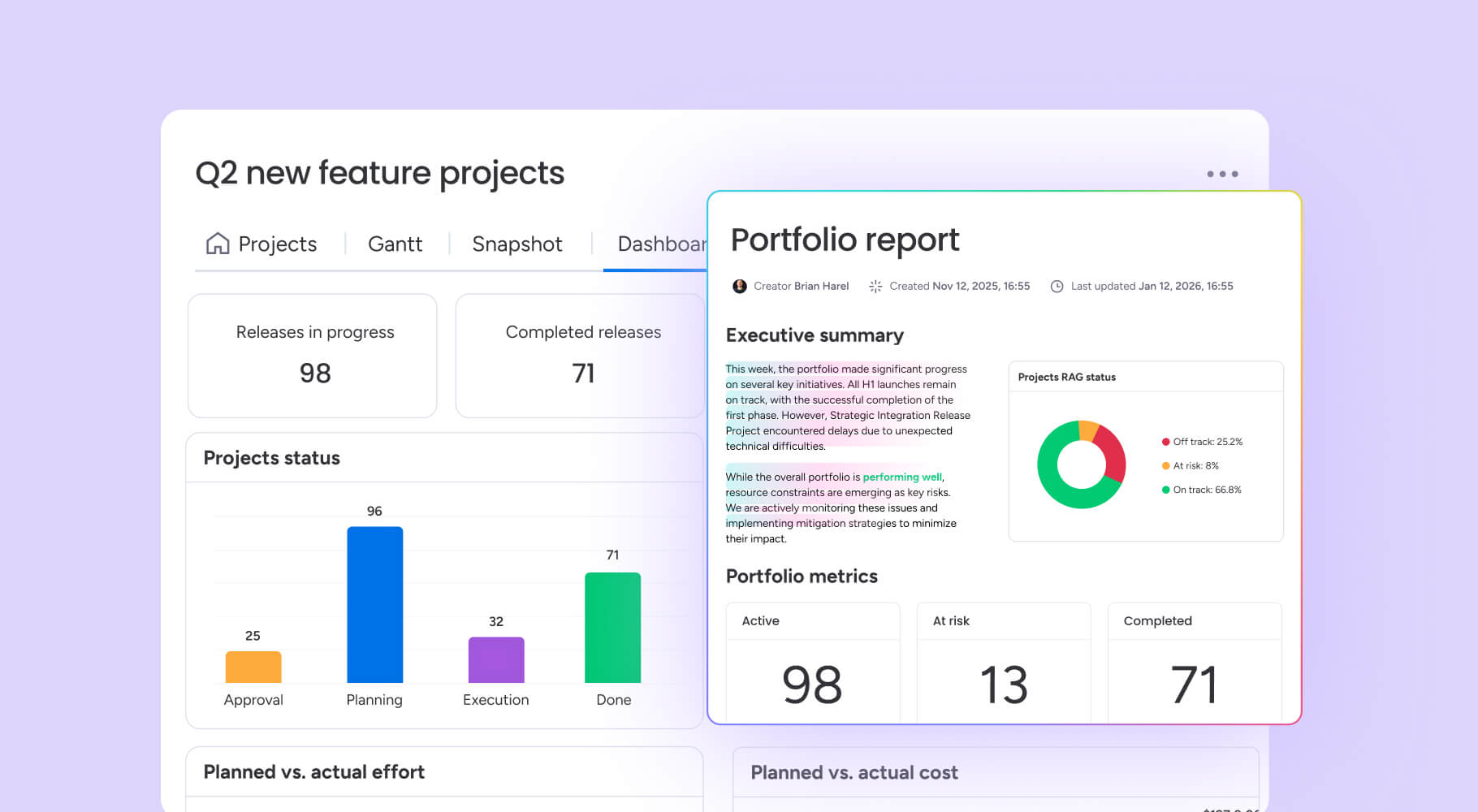
View team-wide visibility, resource allocation, and performance analytics at a glance with collaborative dashboards. Dashboards for project management and data analytics help teams stay aligned, track progress, and identify bottlenecks in real time. The most effective dashboards use AI to spot patterns that would take hours to find manually.
Integrations with other platforms
AI task managers connect with email, communication platforms, project management ecosystems, and calendars to create unified workflows. These integrations can help teams keep all their work centralized, reducing siloed data, errors due to platform and context switching, and manual data entry.
Security and data protection
Data protection is a top priority when adopting AI task management platforms. Look for robust security features such as encryption, role-based access controls, audit trails, activity logging, and compliance with industry standards like SOC 2 and GDPR. Nervous about adopting an AI task manager? According to Assaf Elovic, Head of AI at monday.com:
The risk of falling behind in the AI race is much greater than the security risks that are holding companies back.
AI agent capabilities
What separates a scheduling assistant from a true AI task manager? Agents. The most advanced platforms in 2026 can deploy AI agents for productivity — autonomous assistants that don’t just make recommendations but take action. Agents can analyze project risk, assign work, summarize meetings, score leads, and coordinate deliverables across teams without manual intervention.
When evaluating platforms, look for native agent builders, pre-built agent libraries, and the ability to customize agent behavior by department or workflow. The ceiling on what agents can do is the new competitive differentiator in this category.
No-code workflow and app building
Look for platforms that let non-technical team members build custom workflows and applications from a written prompt. This eliminates the need for costly integrations or developer resources and gives teams the ability to adapt the platform to their specific processes — not the other way around. The ability to create purpose-built dashboards, trackers, and apps inside your AI task manager is a significant advantage in 2026.
Why teams switch from traditional platforms to AI task managers
The benefits of AI-powered task management go beyond convenience. Teams that adopt these platforms typically see measurable improvements across several dimensions. These are the most important improvements.
- Reclaim time: Automate status updates, reminders, and scheduling that currently consume hours each week.
- Reduce errors: AI catches dependencies and conflicts before they cause delays.
- Improve prioritization: Stop relying on gut instinct — let data and deadlines drive the queue.
- Scale without headcount: AI agents can absorb work that would otherwise require additional staff.
- Proactive risk management: Notice blockers before they become problems, not after.
Teams on monday.com’s AI Work Platform, for example, save 3,564 hours yearly through effective resource allocation. They can plunge this time directy back into high-impact work.
Learn more: AI for work
How we evaluated these AI task management platforms
The platforms below were evaluated across five dimensions to give you a grounded, practical comparison.
- AI sophistication — the depth of automation, agent capabilities, and whether the platform learns and improves over time.
- Feature breadth — coverage of scheduling, prioritization, dashboards, and integrations.
- Usability — how quickly teams can adopt the platform without technical expertise.
- Pricing and accessibility — free tier availability and value at paid tiers.
- User validation — G2 ratings and verified customer reviews.
No single dimension determined ranking; the goal is to help you find the right fit for your team’s specific needs.
7 of the best AI task manager platforms
Selecting the right task management platform can feel overwhelming. To help you choose the right solution, we compared 7 of the leading AI task managers based on features, usability, AI capabilities, pricing, and user reviews. In the table below, you’ll get a glimpse of each platform’s main selling points. For more detailed breakdowns, keep reading.
| Platform | Best for | Starting price | Free trial | G2 rating |
|---|---|---|---|---|
| monday work management | Teams needing a scalable platform to automate projects, tasks, and workflows | Free plan, paid from $9/seat/month | 14 days | 4.7/5 (G2) |
| Motion | Professionals who value hands-off scheduling | From $19/seat/month | 7 days | 4.1/5 (G2) |
| Taskade | Teams that prioritize AI agent integration | Free plan, paid from $10/month | 7 days | 4.5/5 (G2) |
| ClickUp | Teams looking for a simple platform with automation | Free plan, paid from $7/user/month | 14 days | 4.7/5 (G2) |
| Todoist | Individuals and small teams seeking a simple, intuitive task manager | Free, plan paid from $4/user/month | 14 days | 4.4/5 (G2) |
| TimeHero | Professionals seeking to optimize their time with smart planning and forecasting | From $4.60/user/month | 7 days | 4.5/5 (G2) |
| Notion | Teams combining documentation and task management | Free plan, paid from $10/member/month | 30 days (Notion AI) | 4.7/5 (G2) |
1. monday.com’s AI Work Platform
Best for: Teams that need a scalable, AI-native platform to automate projects, coordinate agents, and deliver work at any scale
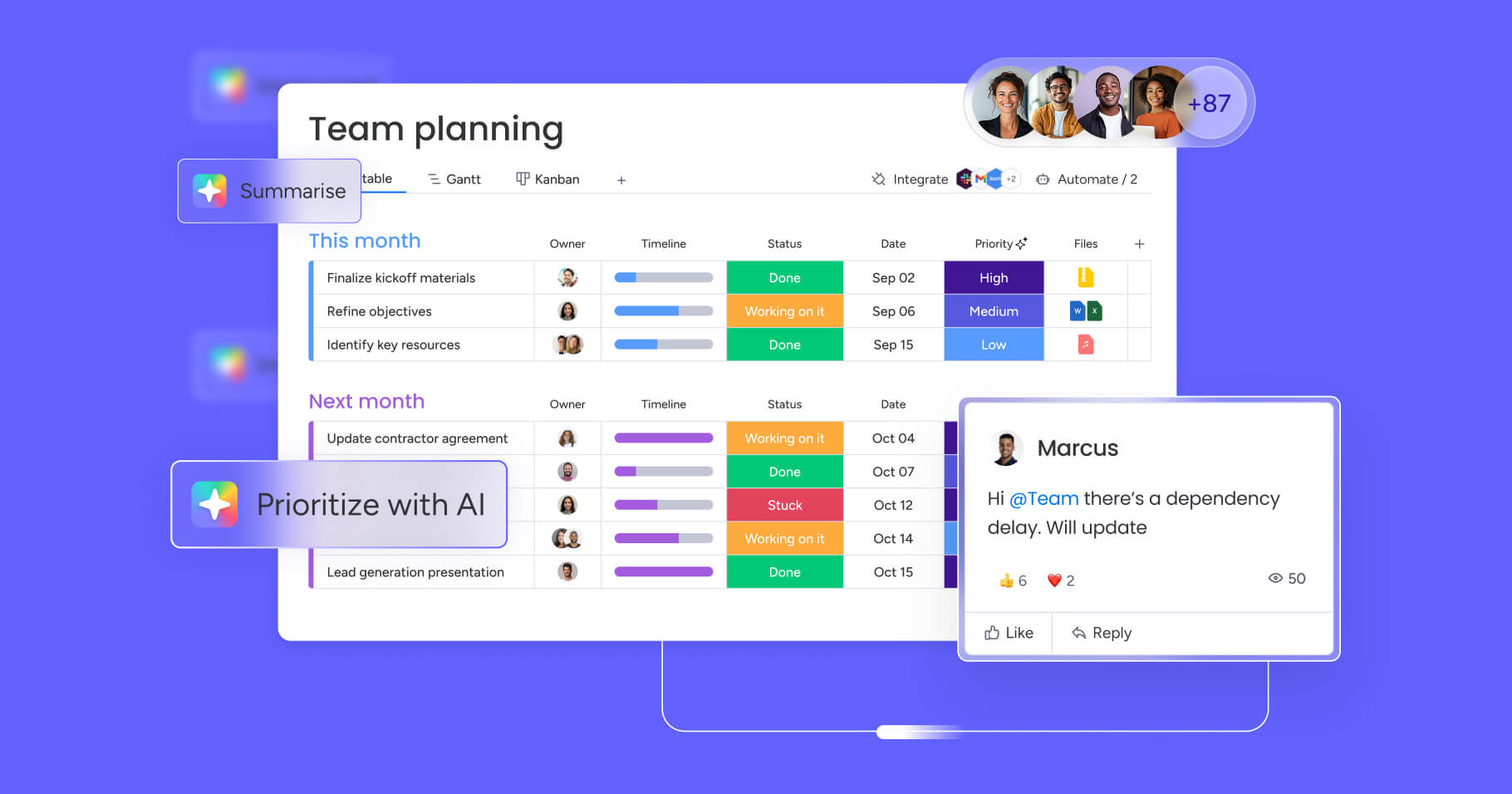
monday.com’s AI Work Platform is the orchestration layer between people and AI agents. It covers the full spectrum from individual task management to cross-department agentic workflows — giving teams the flexibility to start simple and scale as their AI maturity grows. With intelligent automations, real-time insights, and customizable templates, teams can coordinate work across departments while maintaining enterprise-level security.
Key features
- monday sidekick: A context-aware AI assistant embedded in the workspace that understands your organizational data, workflows, and history. It generates content, analyzes data, suggests next steps, and executes work on your behalf.
- monday agents: An autonomous AI workforce you can deploy out of the box, including Project Analyzer, Meeting Summarizer, Risk Analyzer, and Lead Scorer — or build custom agents from a prompt using the Agent Builder. Agents work 24/7 across departments.
- monday vibe: An AI-powered no-code app builder that turns a written prompt into a fully functional business app — dashboards, trackers, planners, chatbots — without developer resources.
- monday MCP: Connect the workspace to any AI assistant (Claude, ChatGPT, Copilot, Gemini) via the open Model Context Protocol standard — available on all plans at no extra cost.
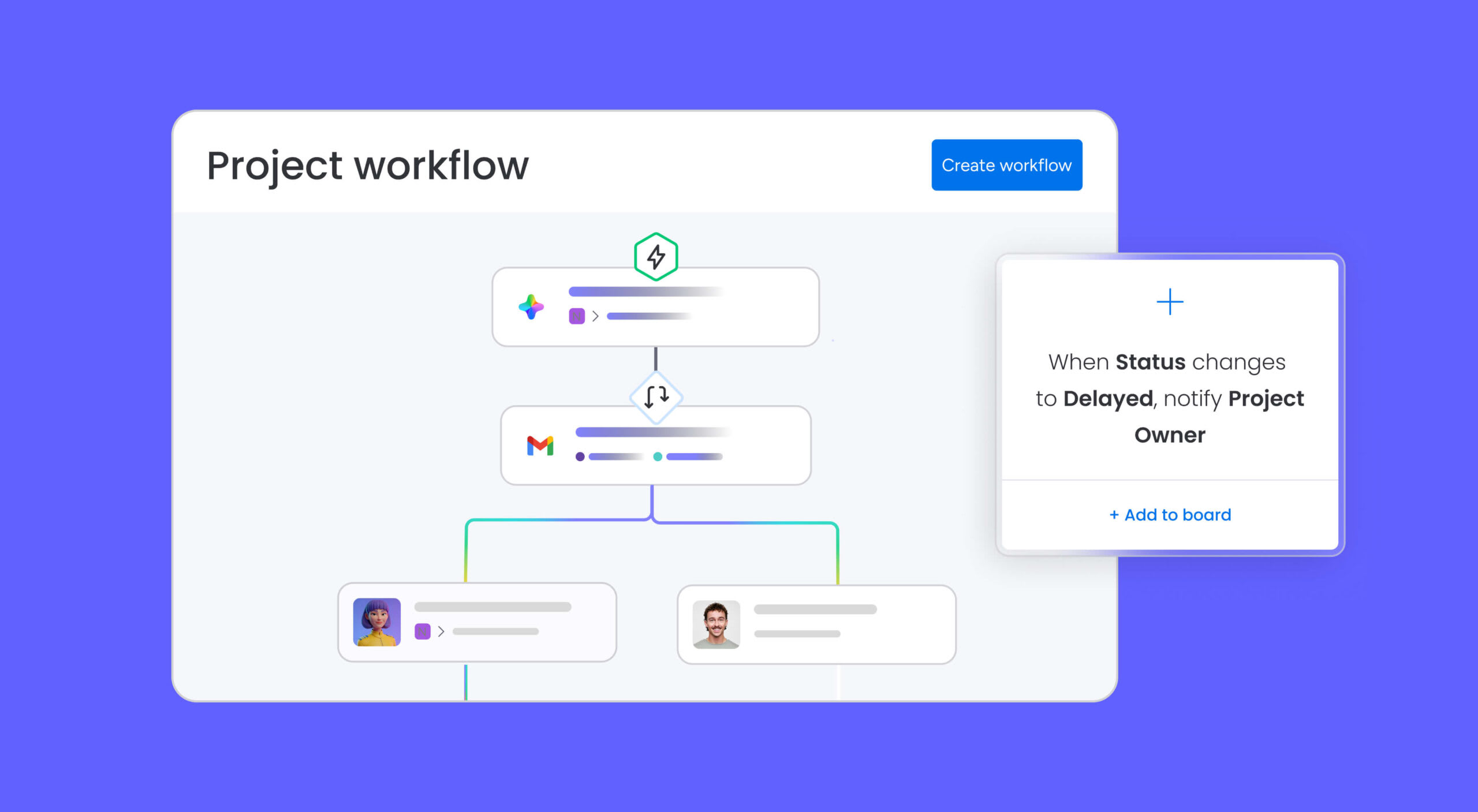
- No-code AI automations: Eliminate repetitive work with triggers and conditions that run without a single line of code.
- Visual AI dashboards: Real-time insights, bottleneck detection, and progress tracking at a glance.
Pricing
- Plans starting from $9/seat/month
- Free forever plan
- Free 14-day trial
What users are saying
G2 rating: 4.7/5
“I highly value the ability to automate repetitive tasks, such as sending notifications and updating status. I’ve seen the extensive integrations the tool has with other software/platforms, like Slack, Google Drive, etc. This helps streamline workflows. I appreciate the multiple views for different needs, for example, Table, Gantt, Calendar, etc.” — Walter C.
2. Motion
Best for: Professionals who value hands-off scheduling
Motion combines task management, calendar scheduling, and project planning into a single AI-powered productivity platform. Its strength lies in using AI to plan your day, prioritize tasks, and adapt schedules in real time as meetings or deadlines shift, removing the need for constant manual adjustments.
Key features
- AI-powered task prioritization and scheduling
- Real-time AI calendar optimization with conflict resolution
- Built-in project and task management with smart reminders
Pricing
- Plans starting from $19/seat/month
- Free 7-day trial
What users are saying
G2 rating: 4.1/5
“I love the fact that Motion takes the thinking out of my day! It’s my daily companion. With so many details to consider, and tasks to accomplish, it’s a big time-saver to have a tool tell me when to do what!” — Verified user
3. Taskade
Best for: Teams that prioritize AI agent integration
Taskade is a collaborative productivity and work management platform that uses AI to help users manage tasks, projects, and communications in a unified workspace. Its AI features allow teams to move faster by generating task suggestions, automating workflows, and offering intelligent templates tailored to project needs.
Key features
- AI task recommendations and templates to jumpstart project planning
- Real-time team collaboration with built-in video chat functionality
- AI agents that turn your ideas into action
Pricing
- Plans starting from $10/month
- Free forever plan
- Free 7-day trial
What users are saying
G2 rating: 4.5/5
“The AI agents and automation is an exceptional tool. Having your own team of AI people is a game changer.” — Mundo S.
4. ClickUp
Best for: Teams looking for a simple platform with automation
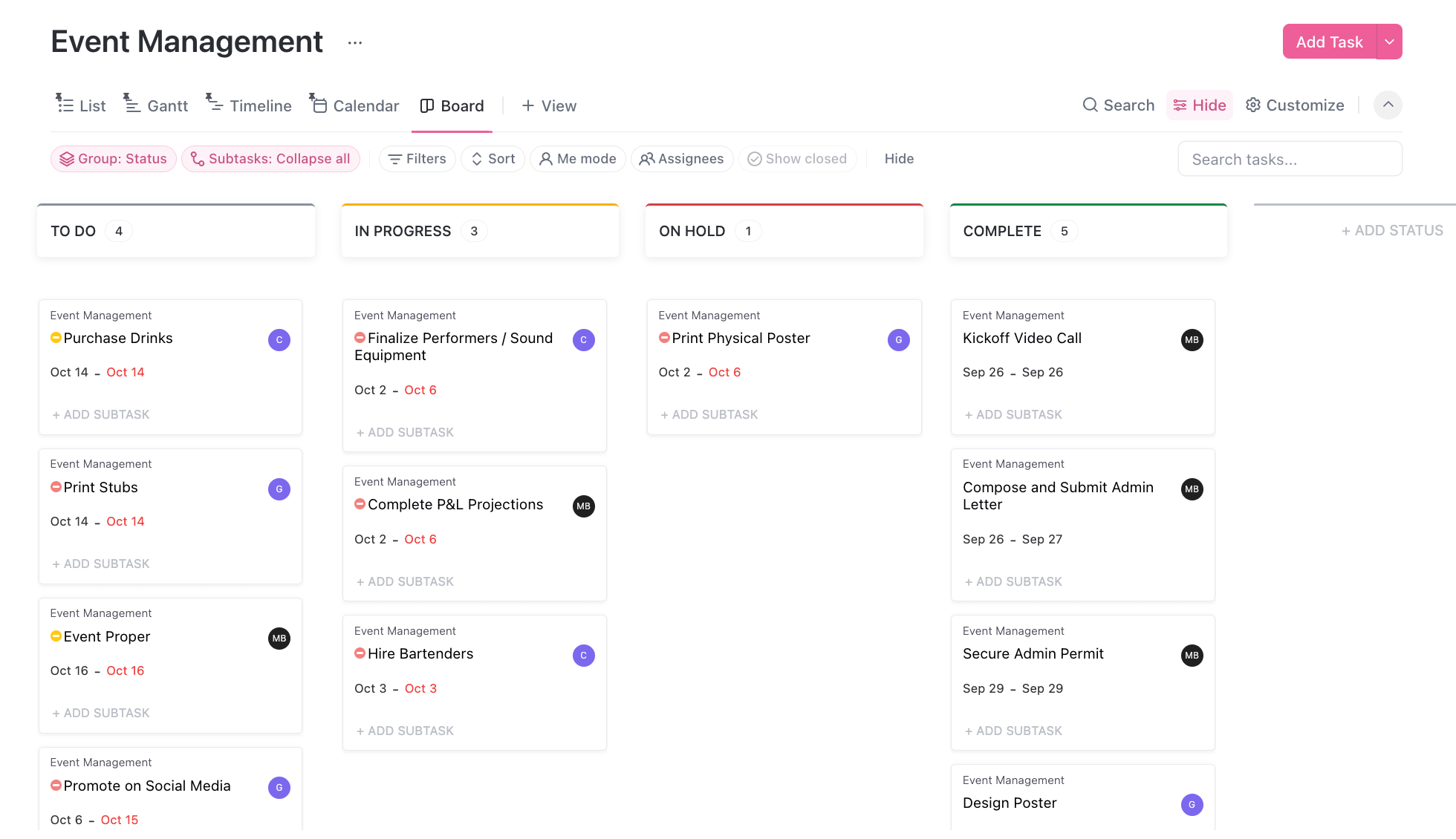
ClickUp is a customizable productivity tool that helps teams manage tasks, projects, and goals in one centralized workspace. With AI-powered features like smart reminders and task prioritization, ClickUp reduces manual tasks while keeping work aligned and on schedule.
Key features
- AI-driven reminders and task prioritization based on deadlines and activity
- AI meeting note taker with smart summaries and instant task creation
- Goal tracking, time tracking, and built-in templates for faster setup
Pricing
- Plans starting from $7/user/month
- Free forever plan
- Free 14-day trial
What users are saying
G2 rating: 4.7/5
“What I appreciate most about ClickUp is its comprehensive, all-in-one nature. Our company has successfully centralized everything from task management and project timelines to internal communication.” – Md Kamrul H.
5. Todoist
Best for: Individuals and small teams seeking a simple, intuitive task manager
Todoist is a user-friendly task management platform designed to help users stay organized with minimal friction. It uses AI and smart features to offer intelligent task suggestions, email organization, and optimize when tasks should be tackled, making productivity feel clear and effortless.
Key features
- AI Assist for generating task suggestions for workflows
- Natural language input for quick task creation
- 50+ templates for personal and professional use to start quickly
Pricing
- Plans starting from $4/user/month
- Free forever plan
- Free 14-day trial
What users are saying
G2 rating: 4.4/5
“For me, Todoist is like a lifesaver. It was easy to set up and really helps in putting everything into clear to-do lists, even for big projects with my team.” – Afsara N.
6. TimeHero
Best for: Professionals seeking to optimize their time with smart planning and forecasting
TimeHero is a productivity platform that combines task management, scheduling, and time tracking with AI-powered forecasting. It automatically schedules tasks around your calendar events and deadlines, helping you stay on top of projects without manual planning.
Key features
- Predictive scheduling to automatically find the best time for each task
- Adaptive calendar planning schedules tasks around deadlines and availability
- Built-in time tracking and timesheets to track hours
Pricing
- Plans starting from $4.60/user/month
- Free 7-day trial
What users are saying
G2 rating: 4.5/5
“TimeHero is an excellent AI-integrated application which assists one in knowing what to focus on immediately. Before Timehero, I found it difficult to conclude which task to do first while having several different tasks. TimeHero has tackled this issue by organising a timetable for my day-to-day tasks.” — Verified user
7. Notion
Best for: Teams combining documentation and task management
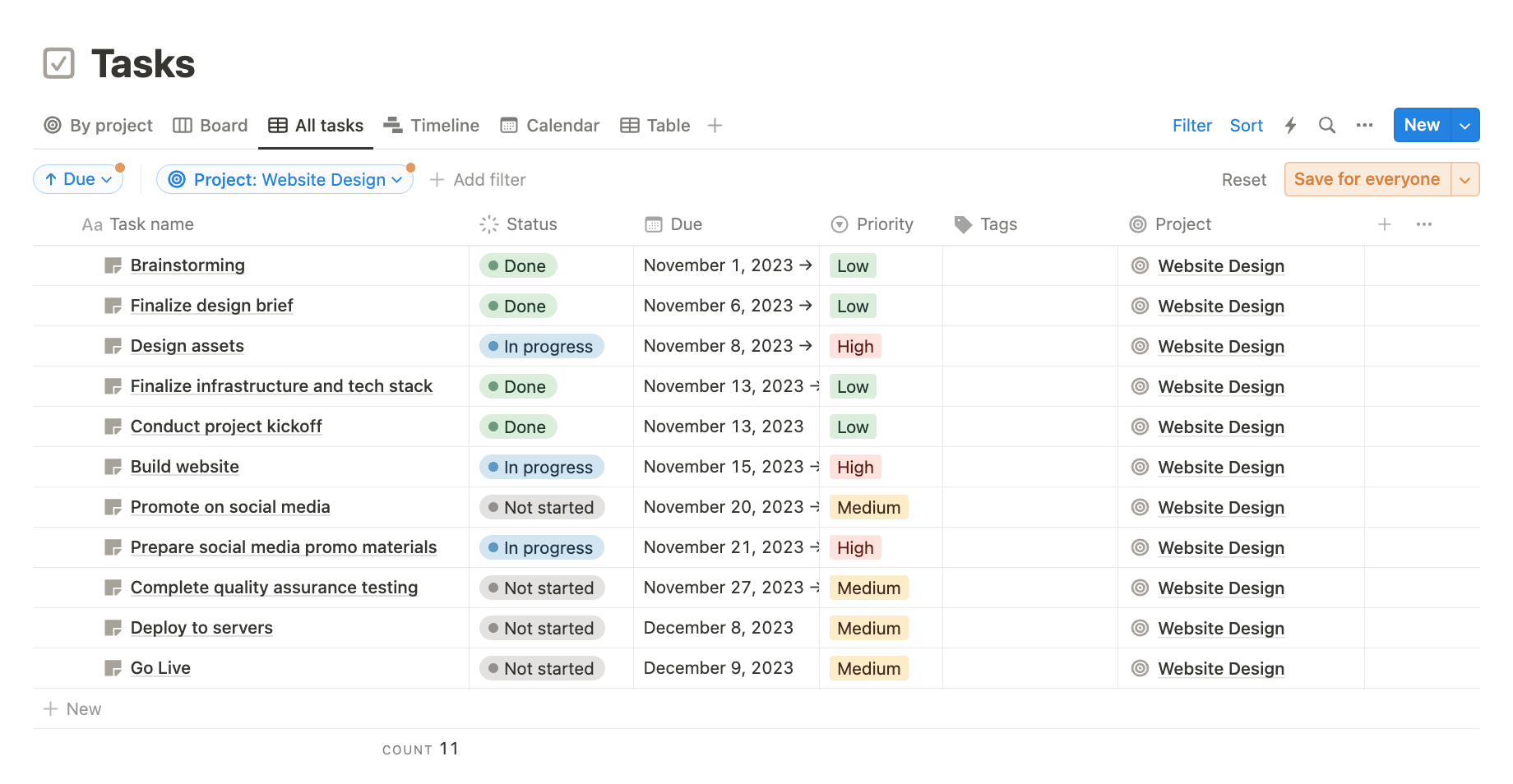
Notion is an all-in-one productivity platform that blends note-taking, project management, and wikis. Its AI features enhance workflow by offering smart content suggestions, auto-generating summaries, and improving collaboration on documentation to help users create and organize information faster.
Key features
- Smart content suggestions and AI-powered writing assistance for notes and documentation
- Customizable databases, templates, and task boards for flexible workflows
- Platform search to pull up documents, links, or notes with AI search
Pricing
- Plans starting from $10/member/month
- Free forever plan
- Free 30-day trial of Notion AI on some plans
What users are saying
G2 rating: 4.7/5
“Notion makes it incredibly easy to organize information, collaborate with teammates, and build custom workflows without writing code. I love how flexible it is, I use it everyday for everything from product specs and meeting notes to project tracking and team dashboards.” — Reena W.
How to choose the right AI task manager for your team
The right AI task manager depends on more than feature lists. It depends on how your team work, and where you want AI to take you. Before committing to a platform, step back and evaluate your team’s real needs against what each option delivers. Here are the key factors to weigh.
- Team size and structure: Larger teams typically need more robust collaboration, reporting, and permission features. A platform that works for a 5-person startup may not scale for a 500-person enterprise. Consider how the platform handles cross-department visibility as your team grows.
- Integration requirements: Make sure the platform connects with your existing ecosystem — email, calendars, communication apps, and any specialized software your team relies on. Deep, bidirectional integrations reduce context switching and keep data flowing.
- AI sophistication needed: Decide whether your team needs basic automation (reminders, scheduling) or advanced AI-driven capabilities like predictive prioritization, natural language workflows, and autonomous agents.
- Budget considerations: Weigh free versus premium options based on your needs. Many platforms offer free plans with core features, but AI capabilities often unlock at paid tiers. Factor in ROI — the right platform should save more time than it costs.
- Automation depth: Consider whether you need simple if-then triggers or sophisticated multi-step workflows that adapt as conditions change. Also factor in the learning curve — some automation builders require technical knowledge, while others work with plain language prompts.
- Security requirements: Look for platforms with encryption, role-based access controls, compliance certifications (SOC 2, GDPR), and audit logging. This is especially critical for teams handling sensitive client or financial data.
- AI agent readiness: Consider whether the platform supports autonomous AI agents and whether those agents can work across departments. In 2026, the ceiling on AI sophistication is important, especially if your team plans to grow into agentic workflows over the next 12 to 18 months. A platform that caps out at basic automation today may require a costly migration tomorrow.
Why monday.com's AI Work Platform leads with AI task management
AI task managers are all built with one goal: to make it easier for teams to handle even the smallest tasks through automation, scheduling, prioritization, and coordination. That said, some AI task management tools are more efficient than others, offering deeper customizations that can handle even the most complex workflows. Solutions like monday.com’s AI Work Platform let you lean on agents and automation so your teams can spend more time on meaningful work.
Its intelligent automations, real-time insights, and customizable workflows allow teams to focus on high-impact activities instead of repetitive admin work. Whether it’s scheduling, updating statuses, or reallocating resources, the AI Work Platform keeps everything on track, even when priorities shift or new tasks come up. The platform also includes enterprise-grade security and compliance measures, ensuring that as your team scales, your data remains protected and in line with industry standards.
Here’s a closer look at some of the AI Work Platform’s best task management features:
Smart automations to cut down on manual work
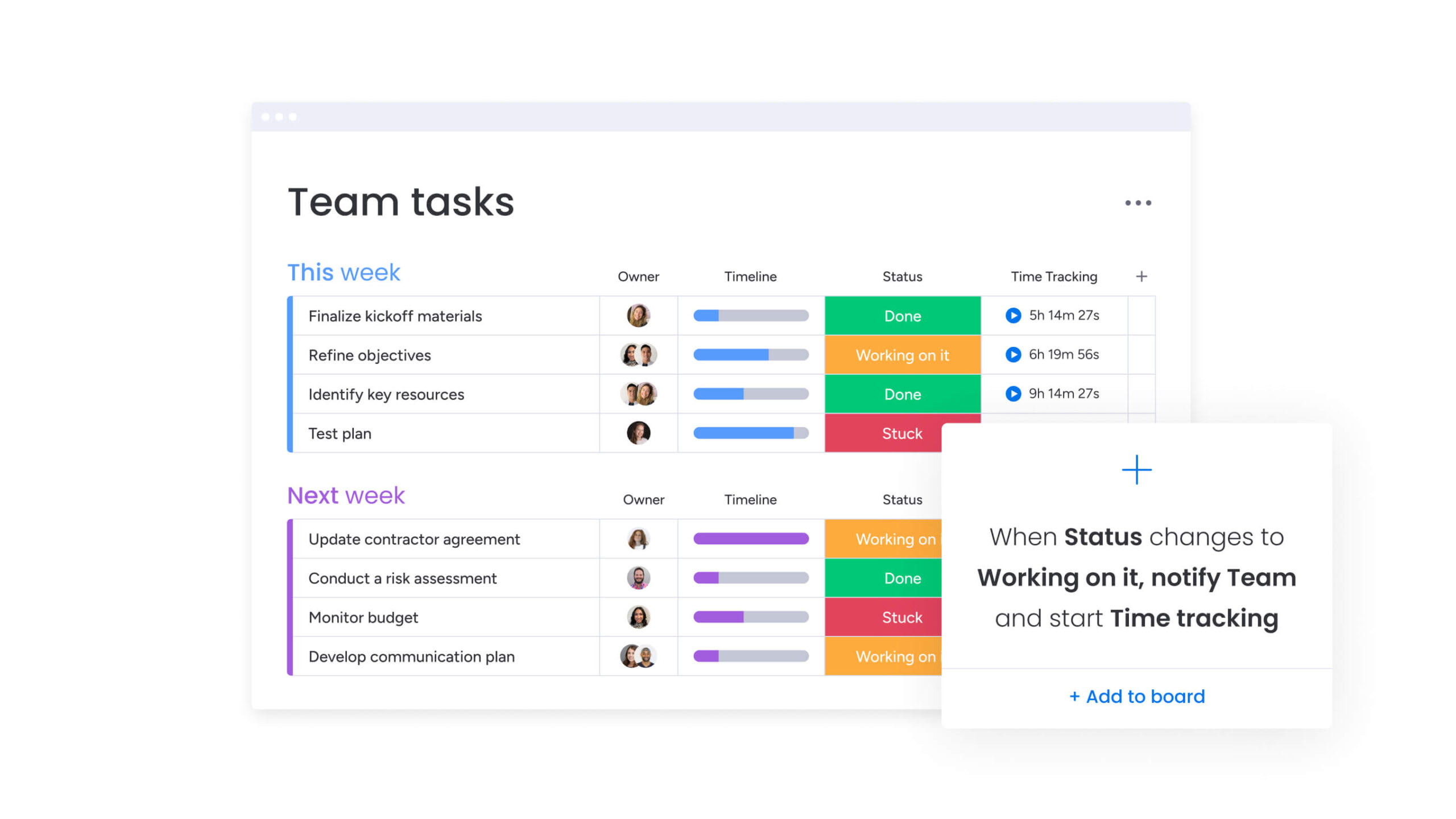
Teams can automate repetitive processes with no-code, AI-powered workflows. Users can set up triggers and conditions, like auto-assigning work when a status changes or sending reminders as deadlines approach, without writing a single line of code. This reduces time spent on routine updates, allowing teams to focus on execution rather than task coordination.
AI-driven insights for smarter decision-making
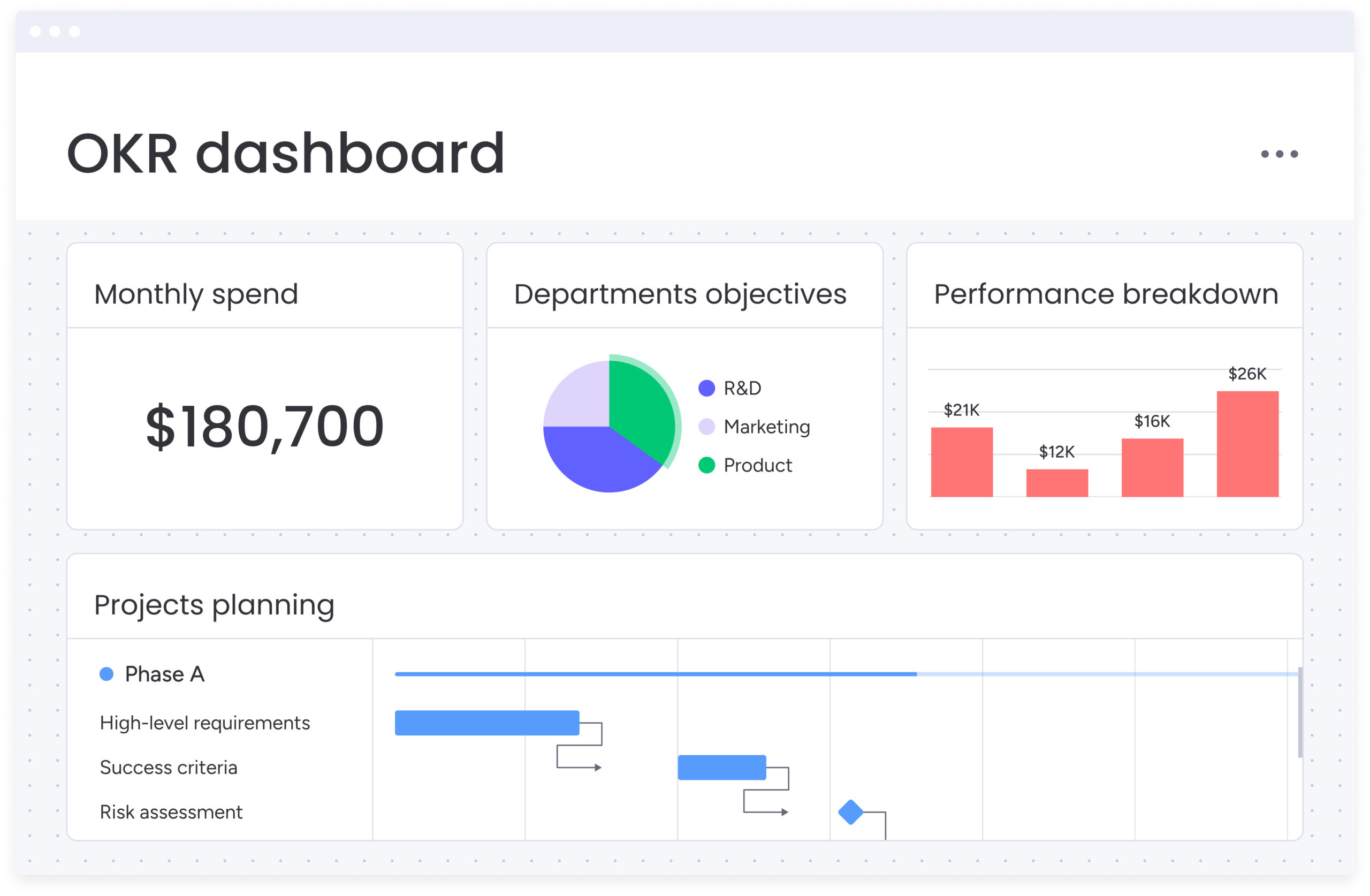
The platform provides visual dashboards that locate real-time data, trends, and actionable insights. AI capabilities identify bottlenecks, flag overdue items, and recommend process improvements. Managers gain visibility into project health at a glance, making it easier to course-correct and keep teams aligned on goals.
Predictive task management and prioritization
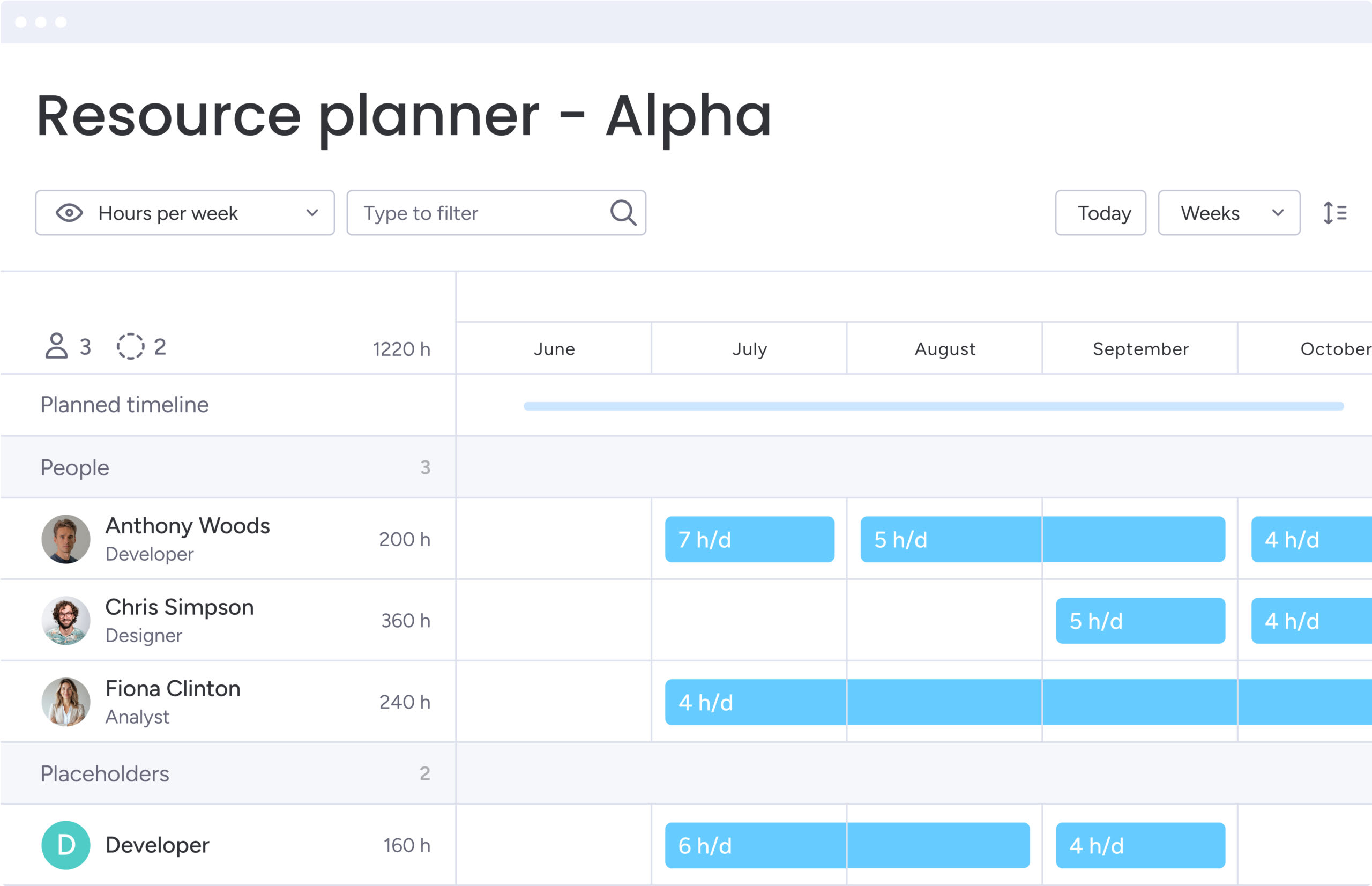
AI helps teams prioritize their work based on urgency, dependencies, and available resources. Predictive analytics and forecasting solutions built into monday.com’s AI Work Platform also make it easier for teams to assess projected tasks and projects against real results to identify performance gaps, adjust timelines, and improve future planning. Forecasting insights allow teams to stay proactive and align resources more effectively and continuously improve workflows.
Seamless calendar integration and scheduling
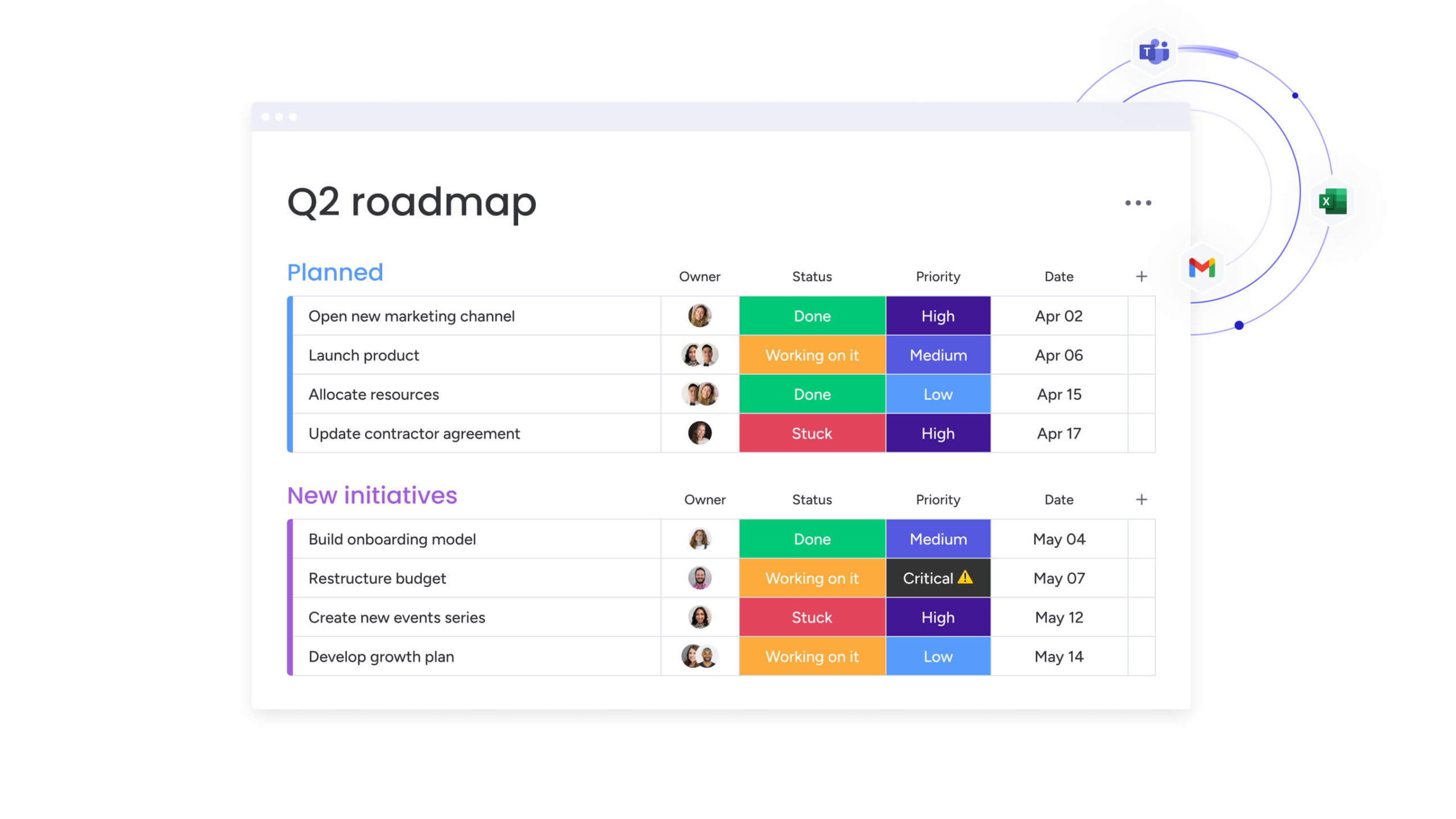
Integrate the platforms you need most, like Google Calendar and Outlook, with over 200 available app integrations. Sync data between apps and calendars to benefit from AI-enhanced scheduling. Team members can automatically map work to external calendars, reducing scheduling conflicts and keeping everyone organized across platforms.
monday agents: your autonomous AI workforce
monday agents are purpose-built AI agents that plan, coordinate, and execute work on behalf of your team. They don’t just flag issues — they take action. Out of the box, you get access to pre-built agents including Project Analyzer, Meeting Summarizer, Risk Analyzer, Lead Scorer, and Ticket Assignment. Need something custom? The Agent Builder lets you create any agent from a prompt — describe the goal and the agent works toward it.
What makes agents especially powerful is cross-department context. They understand how work connects across marketing, sales, operations, HR, and IT — so recommendations and actions account for the full picture, not just one team’s board. Customers who use monday agents save 98+ hours of manual work with AI.

monday vibe: build the tools your team needs
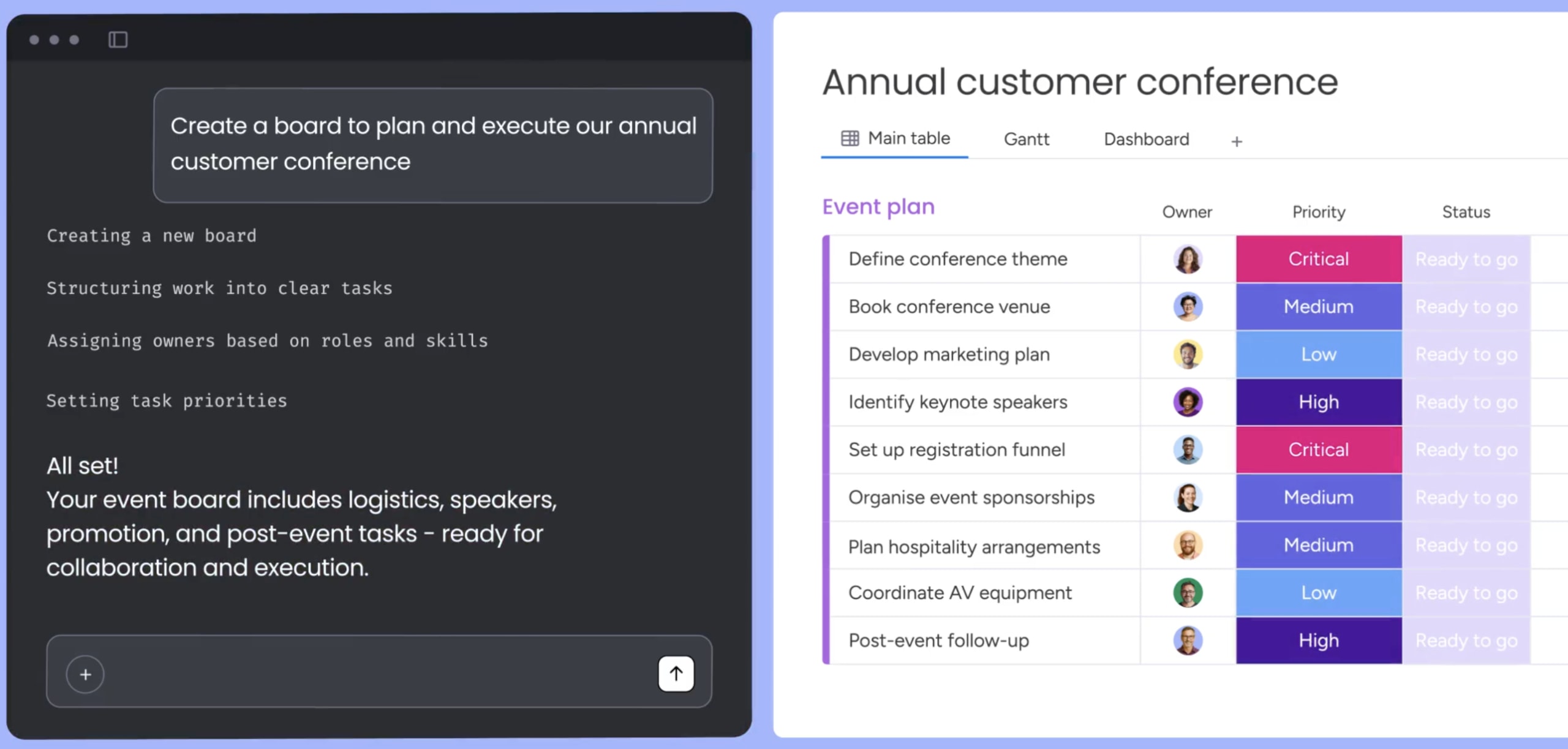
monday vibe is an AI-powered no-code app builder. Teams describe what they need in plain language and vibe generates a fully functional, enterprise-secure business app — custom dashboards, time trackers, project planners, AI insight dashboards, even chatbots. No developer required.
This overcomes the difference between “what the platform does” and “what the team actually needs.” Available on all paid plans, every app created with vibe is mobile-ready and inherits the platform’s security and permission framework. With vibe, the platform adapts to your team’s actual workflows, and not the other way around.

monday MCP: connect monday to any AI assistant
The Model Context Protocol (MCP) is an open standard that lets external AI assistants — Claude, ChatGPT, Microsoft Copilot, Gemini — connect securely to your monday.com workspace. That means you can ask your AI assistant to create an item, pull a project status update, or flag overdue work — all from outside the monday interface.
monday MCP is available on all plans at no additional cost. It uses OAuth-based security and respects account permissions, so your data stays protected regardless of which AI assistant your team prefers.
Elevate team productivity with an AI task manager
AI task managers are empowering teams to organize, prioritize, and execute work. By automating routine planning, providing intelligent recommendations, and integrating seamlessly with existing tools, the top AI productivity platforms (like monday.com’s AI Work Platform) frees up valuable time and mental energy for high-impact tasks.
Did you know that monday.com is the only work management platform recognized as a Leader in 3 Gartner® Magic Quadrant™ reports and is trusted by 225,000+ teams globally? Offering a flexible and scalable solution, the AI Work Platform is built to easily adapt to any team’s needs while maintaining robust security and compliance. Get started today.
FAQs
What is AI in task management software?
AI in task management software refers to the use of artificial intelligence to automate and optimize task-related workflows. These tools can prioritize tasks, suggest deadlines, schedule work automatically, and adapt to user habits. By reducing manual input, AI helps individuals and teams boost productivity, stay organized, and focus on high-value work.
Which AI task manager app works best for small teams?
One of the best AI task managers for small teams is monday.com's AI Work Platform because of its scalability, intuitive interface, and powerful automation features. It supports custom workflows, real-time dashboards, and AI-driven task suggestions. Teams can start small and expand usage as they grow, benefiting from a flexible platform that adapts to changing needs without requiring steep learning curves.
What is the best AI task manager?
The best AI task manager depends on your team's size and how much AI autonomy you need. For teams that want full agentic capabilities — agents that plan and execute work autonomously — monday.com's AI Work Platform offers the most comprehensive feature set, including monday agents, monday vibe, and monday MCP. For individuals focused on scheduling, Motion is a strong pick. For teams prioritizing simplicity, ClickUp or Todoist are solid starting points. See the comparison table above for a side-by-side breakdown.
Can AI task managers integrate with Google Calendar and Outlook?
Yes, most AI task managers offer seamless integration with Google Calendar and Outlook. These integrations make it quick and easy to automatically sync tasks, availability, meetings, and deadlines, ensuring that schedules are always up to date. Calendar-based AI scheduling assistants can help users avoid conflicts and manage their time more efficiently across platforms.
How do AI task managers protect sensitive business data?
AI task managers protect sensitive business data through encryption, role-based access controls, compliance certifications, and regular security audits to maintain data integrity. For example, monday.com's AI Work Platform offers enterprise-grade protections including encryption, SOC 2 compliance, role-based access, and audit logs to keep your data safe.
Is an AI task manager hard to set up?
AI task managers aren't hard to set up. Many, like those in monday.com's AI Work Platform are designed to be user-friendly with no-code automation and customizable templates. Teams can get started quickly without needing technical expertise or long onboarding times.
How do AI task managers learn and improve over time?
AI task managers use machine learning to analyze your behaviors, deadlines, and preferences. Over time, the platform gets smarter and offers better task suggestions, prioritizations, and scheduling based on your actual work patterns.
Can AI manage tasks automatically?
Yes — modern AI task managers can automatically schedule work, assign items, send reminders, detect conflicts, and even execute multi-step workflows through AI agents. Platforms like monday.com's AI Work Platform go beyond reactive automation: agents proactively monitor project health, flag risks, and take action before issues escalate. The level of automation depends on the platform — some handle basic scheduling only, while others support fully autonomous agent workflows.
Is there a free AI task manager?
Yes — several AI task managers offer free plans, including monday.com's AI Work Platform (which includes a free forever plan and a 14-day trial of paid features), ClickUp, Todoist, Notion, and Taskade. Free plans typically include core project management features, with AI capabilities unlocked at paid tiers. monday.com's AI Work Platform's free plan supports unlimited boards and basic automations, making it one of the most capable free options for small teams.

 Get started