


For many organizations, the service desk still operates in reactive mode. Tickets come in, teams respond, and the cycle repeats. But every interaction holds more value than just a resolution. Done right, service operations can surface patterns, improve processes, and strengthen customer trust across the business.
Modern ticketing systems are no longer just digital inboxes. They centralize requests, automate routing, and connect service workflows to the rest of the organization. Instead of chasing updates or sorting through scattered emails, teams gain structure, visibility, and the ability to scale without adding friction.
This helpful guide explores the leading support ticketing platforms for 2026, breaking down the features, automation capabilities, and pricing models that truly transform service operations. If your service desk is ready to move from reactive support to strategic impact, this is where to start.
Key takeaways
- Support ticketing software organizes service requests efficiently: It converts scattered emails, calls, and chats into a clear, trackable workflow, reducing lost tickets and improving resolution times.
- Modern systems enable proactive service management: AI and automation help identify trends, route tickets intelligently, and prevent issues before they escalate.
- Integration and cross-department collaboration are essential: Connecting IT, HR, customer support, and other teams on a unified platform improves efficiency and eliminates silos.
- No-code workflow customization empowers teams: Intuitive drag-and-drop tools allow service teams to adapt processes and SLAs without relying on IT support.
- monday Service exemplifies an all-in-one approach: Combining ticketing, AI, and workflow management in a single platform supports faster resolution, team collaboration, and operational visibility.
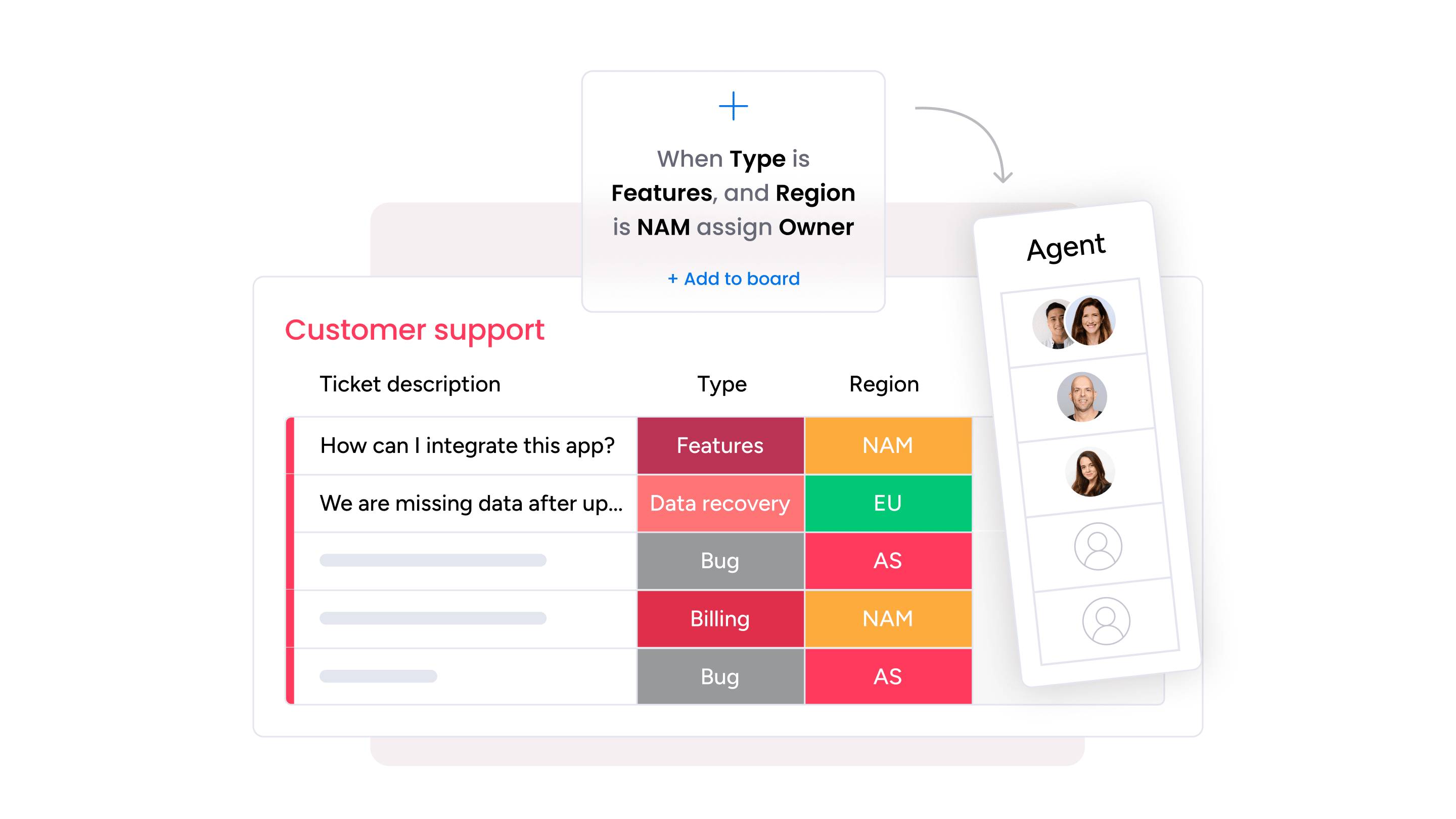
What is support ticketing software?
Support ticketing software provides the structure service teams need to turn a constant stream of emails, calls, and chats into a clear, trackable workflow. Instead of wondering, “Did anyone respond to that?”, teams gain a documented path from intake to resolution, with full visibility at every stage.
Modern ticketing systems capture requests across channels, assign them automatically, and surface insights that help prevent repeat issues. That shift moves the service desk from reactive firefighting to proactive management, where patterns are spotted early and workloads are balanced intelligently.
Automation, AI, and integrations take it further by connecting service activity to the wider business. Each ticket becomes more than a task. It becomes a data point that improves collaboration, accountability, and operational efficiency.
The table below highlights the key differences between traditional support approaches and modern ticketing systems, showing how the right platform transforms service delivery from manual tracking to intelligent, scalable workflows.
| Traditional support | Ticketing software |
|---|---|
| Scattered emails | Centralized tickets |
| Manual tracking | Automated workflows |
| Limited visibility | Real-time analytics |
| Reactive responses | Proactive insights |
Core components of modern ticket management systems
A robust ticketing system relies on six key elements, each supporting exceptional service. These are the foundational capabilities teams must master, not just optional features.
- Ticket creation engine: Captures every request from multiple channels and converts it into actionable tickets, ensuring nothing gets lost.
- Assignment and routing: This mechanism acts as your team’s quarterback, sending the right ticket to the right player instantly. This cuts down on wait times and gets resolutions faster.
- Status tracking: Provides real-time visibility for both team members and customers, eliminating the need for status-check emails.
- Knowledge base integration: Offers instant access to relevant articles, supporting faster, consistent responses and enabling self-service for customers.
- Communication hub: Consolidates all conversations in one place so any team member can contribute with full context, delivering seamless service.
- Reporting dashboard: Provides actionable insights on performance, helping teams identify trends and continuously improve workflows.
When combined, these components create a ticketing engine that works efficiently. Modern platforms integrate all these elements into a single, visual, and flexible workspace tailored to team workflows.
Help desk software vs ticketing software
Understanding the difference between help desk and ticketing software is crucial in 2026. Simple help desk software covers the full range of communication channels, acting like a stadium hosting all the plays. Ticketing software, by contrast, is the engine that manages the tickets themselves, ensuring every request is tracked, routed, and resolved.
Help desk software also offers broad functionality across channels, while ticketing platforms provide depth through workflow automation and advanced reporting. Leading platforms integrate both approaches, delivering comprehensive support while maintaining the powerful ticketing engine at the core.
| Help desk software | Ticketing software |
|---|---|
| Comprehensive support suite | Focused on ticket workflows |
| Includes chat, phone, knowledge base | Specializes in ticket lifecycle |
| Broader feature set | Deeper workflow capabilities |
| May include ticketing as one feature | Core functionality is ticketing |
Why your organization needs advanced ticketing systems
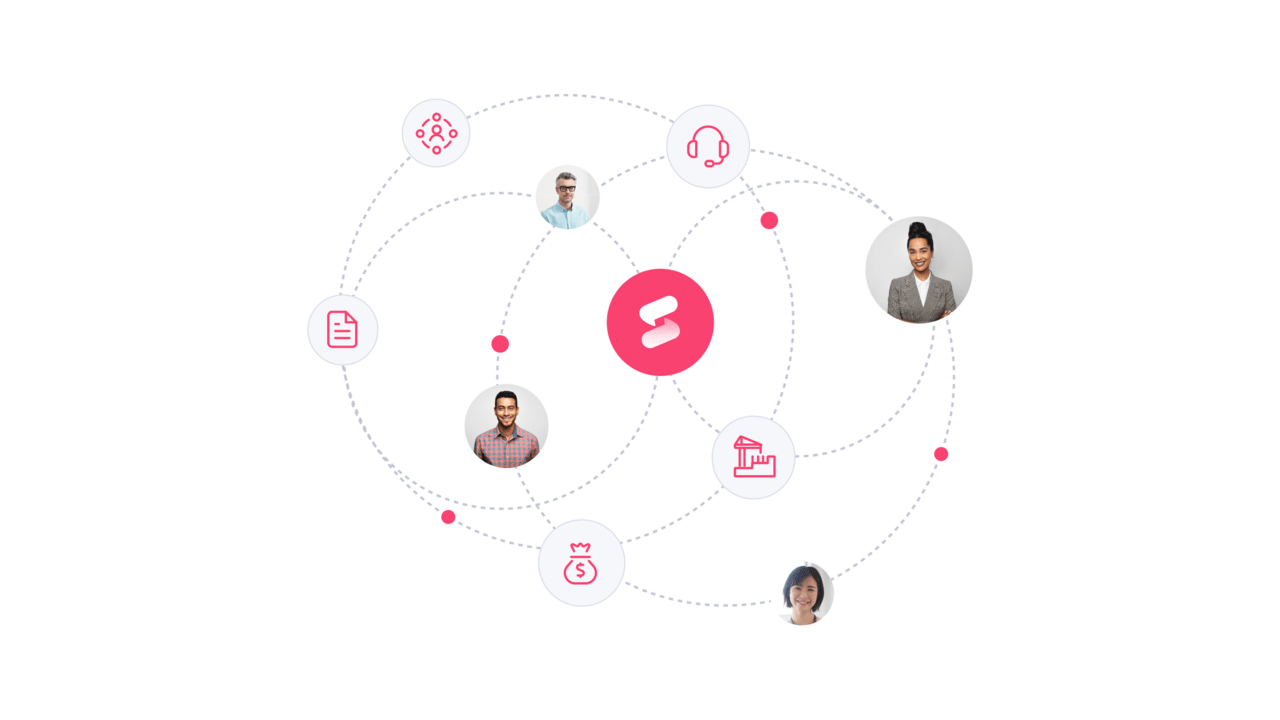
Teams often operate in silos, creating friction and inefficiency. Departments such as IT, HR, and customer support can struggle to collaborate, leading to lost requests, frustrated teams, and delayed service. Centralizing operations on one platform creates a single source of truth, making collaboration seamless.
Modern ticketing platforms empower teams to move from reactive problem-solving to proactive management. With intuitive design, AI-driven automation, and real-time analytics, tickets are instantly routed to the right person, trends are identified early, and customers receive faster, personalized support.
This transformation turns a cost center into a strategic advantage, freeing teams to focus on high-impact work.
How support ticket systems drive service excellence
Service excellence does not happen by chance. It comes from giving teams a clear structure for managing requests, collaborating efficiently, and learning from every interaction. A modern support ticket system turns scattered emails, chats, and forms into a single, organized queue where nothing gets overlooked.
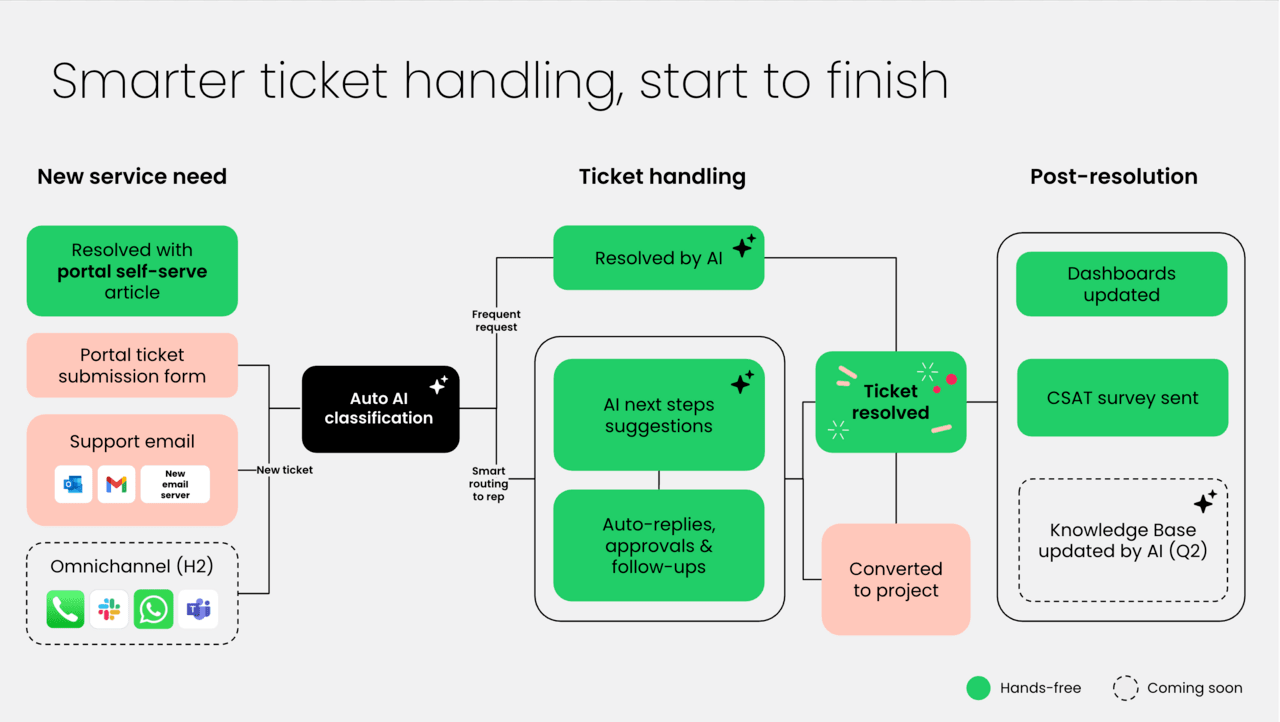
With the right platform in place, clarity replaces chaos. Tickets are automatically categorized, prioritized, and routed to the right expert. Instead of manually sorting requests or chasing updates, agents can focus on solving meaningful problems.
Platforms like monday service build that intelligence directly into the workflow. Incoming interactions are centralized in one view, AI handles routing and triage behind the scenes, and repetitive tasks are automated. The result is less administrative work and more time spent delivering thoughtful, high-quality support.
But speed is only part of the story. Real-time analytics and shared visibility across teams make it possible to see patterns, identify bottlenecks, and continuously improve how service is delivered. Over time, the service desk evolves from a reactive function into a strategic driver of operational insight and customer loyalty.
Must-have features in ticketing software
Great service teams are not defined by how many tickets they close. They are defined by how consistently and confidently they handle them. That consistency comes from having the right foundation in place.
Basic ticket tracking might help you stay organized, but modern service operations require more. The platform should reduce friction, support collaboration, and give teams the visibility they need to improve over time.
The capabilities below are no longer optional extras. They are the building blocks of a support operation that resolves issues faster, scales smoothly, and delivers a better experience for everyone involved.
Let’s look at what truly effective ticketing software includes:
AI-powered automation
AI serves as your team’s smartest assistant, working 24/7 to clear the noise so everyone can focus on what matters. It instantly routes tickets to the right expert and even spots frustrated customers, letting you get ahead of issues before they escalate.
With modern platforms like monday service, AI suggests replies and predicts resolutions, helping your team get smarter and faster with every single ticket.
No-code workflow customization
A great platform lets you build and tweak your processes with simple drag-and-drop tools, no coding or waiting on IT required. Intelligent solutions like monday service empower you to adapt on the fly, whether you’re adjusting SLAs or creating a new approval flow, so your system always works for you, not the other way around.
Real-time service analytics
Improvement is impossible without visibility, and waiting for monthly reports can leave teams behind. Real-time dashboards consolidate metrics like response times and customer satisfaction scores in one clear view. This immediate insight helps teams identify trends, celebrate successes, and coach in the moment, turning a service desk into a strategic advantage.
Cross-department collaboration
Solving tough problems is a team sport, often involving players from different departments. A truly connected platform brings everyone together in one place, ditching the endless email chains for clear, collaborative action.
With monday service, teams like IT, HR, and Support can swarm a single ticket, keeping everyone aligned and moving forward without losing an ounce of context.
Seamless integration capabilities
A modern service platform works seamlessly with other tools teams rely on daily. Connecting to CRMs, chat apps, and other systems should be straightforward, not a heavy IT project.
Top 5 support ticketing software platforms
The support platform you put in place shapes how your entire service operation runs. It determines whether tickets move smoothly across teams or get stuck in handoffs, whether agents spend time solving problems or managing systems.
Modern ticketing platforms go far beyond logging requests. They bring AI-driven automation, real-time visibility, and connected workflows into one environment so teams can respond faster and stay aligned. Instead of reacting to backlogs, service teams gain the structure and insight needed to stay ahead.
Below are five leading support ticketing platforms for 2026. Each one takes a different approach to automation, scalability, and collaboration, helping teams streamline operations and deliver consistently strong service experiences.
1. monday service
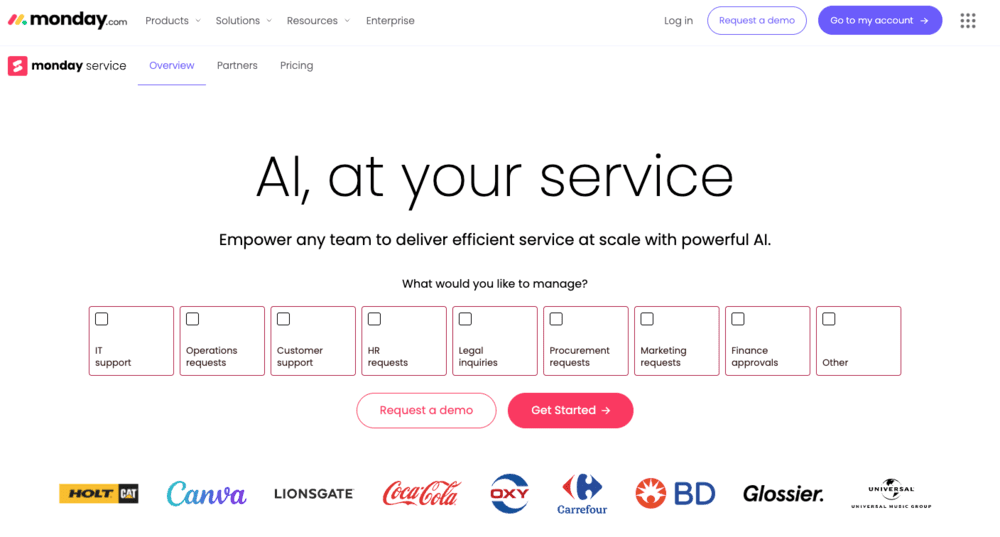
mondays service transforms service operations by connecting ticketing with broader organizational workflows through its AI-first Work OS approach. The platform specializes in eliminating silos between service, projects, and operations, making it ideal for organizations that need to coordinate service delivery across multiple departments.
With visual workflow management and no-code customization, teams can also adapt processes quickly without technical expertise.
Use case:
monday service excels for organizations that need to coordinate service with project delivery or democratize workflow customization across teams while leveraging AI to accelerate resolution times.
Key features:
- AI-powered ticket triage with automatic summarization, categorization, and smart routing to balance workloads and match skills with urgency.
- Branded customer portal with knowledge articles, request submission forms, and “My tickets” tracking for self-service experiences.
- Cross-functional integration that links service operations with project delivery, account management, and organizational data in one unified workspace.
Pricing:
- Standard: $26 per seat/month (billed annually).
- Pro: Higher-tier plan offering advanced analytics and larger portal access limits.
- Enterprise: Annual billing only, includes SAML SSO, multiple portals, and Microsoft Entra ID synchronization.
- All plans include: Unlimited tickets and 18% discount for annual billing.
- Minimum seats: Three seats required with fixed seat increments.
Why it stands out:
- Fastest time-to-value among enterprise platforms with rapid implementation and no-code setup that empowers business users to modify workflows without technical expertise.
- AI-first design that learns from organizational ticket history to provide intelligent triage, agent assistance, and configurable auto-replies with confidence thresholds.
- Unified Work OS approach that connects service operations with broader organizational workflows, eliminating silos between service, projects, and operations for seamless cross-department collaboration.
2. Zendesk
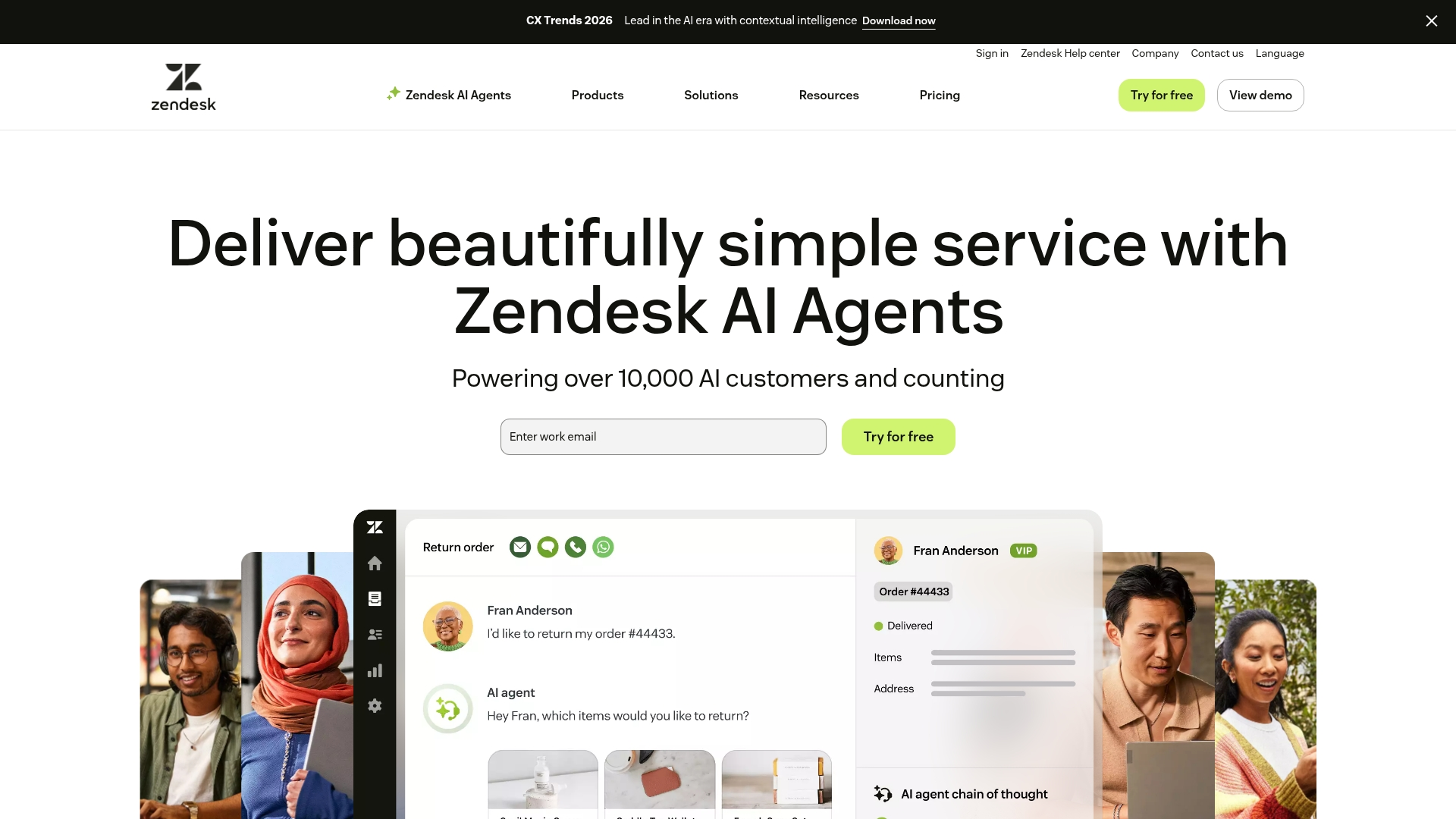
Zendesk delivers comprehensive support ticketing software that transforms customer service operations through its unified omnichannel platform. The solution excels at consolidating email, chat, messaging, social, and voice interactions into a single Agent Workspace, making it perfect for organizations seeking traditional help desk functionality with extensive customization options.
Use case:
Zendesk empowers organizations to streamline customer service operations with AI-first resolution capabilities and omnichannel routing that unifies all customer interactions in one workspace.
Key features:
- Unified Agent Workspace that manages email, chat, messaging, social, and voice channels without losing context.
- AI-powered automation including intelligent ticket routing, sentiment analysis, and automated quality assurance.
- Extensive marketplace ecosystem with 1,500+ vetted apps and integrations for seamless workflow connectivity.
Pricing:
- Support team: $19 per agent/month (annual billing).
- Support professional: $55 per agent/month (annual billing).
- Support enterprise: $115 per agent/month (annual billing).
- Suite team: $55 per agent/month (annual billing).
- Suite growth: $89 per agent/month (annual billing).
- Suite professional: $115 per agent/month (annual billing).
- Suite enterprise: Contact sales for pricing.
- Add-ons: Copilot $50 per agent/month, Quality Assurance $35 per agent/month, Workforce Management $25 per agent/month.
- Trial: 14-day free trial available.
Considerations:
- Advanced routing features and custom unified statuses require higher-tier plans, potentially increasing costs for smaller teams.
- Per-agent licensing model may not align with every budget structure, especially for organizations with fluctuating support volumes.
3. ServiceNow
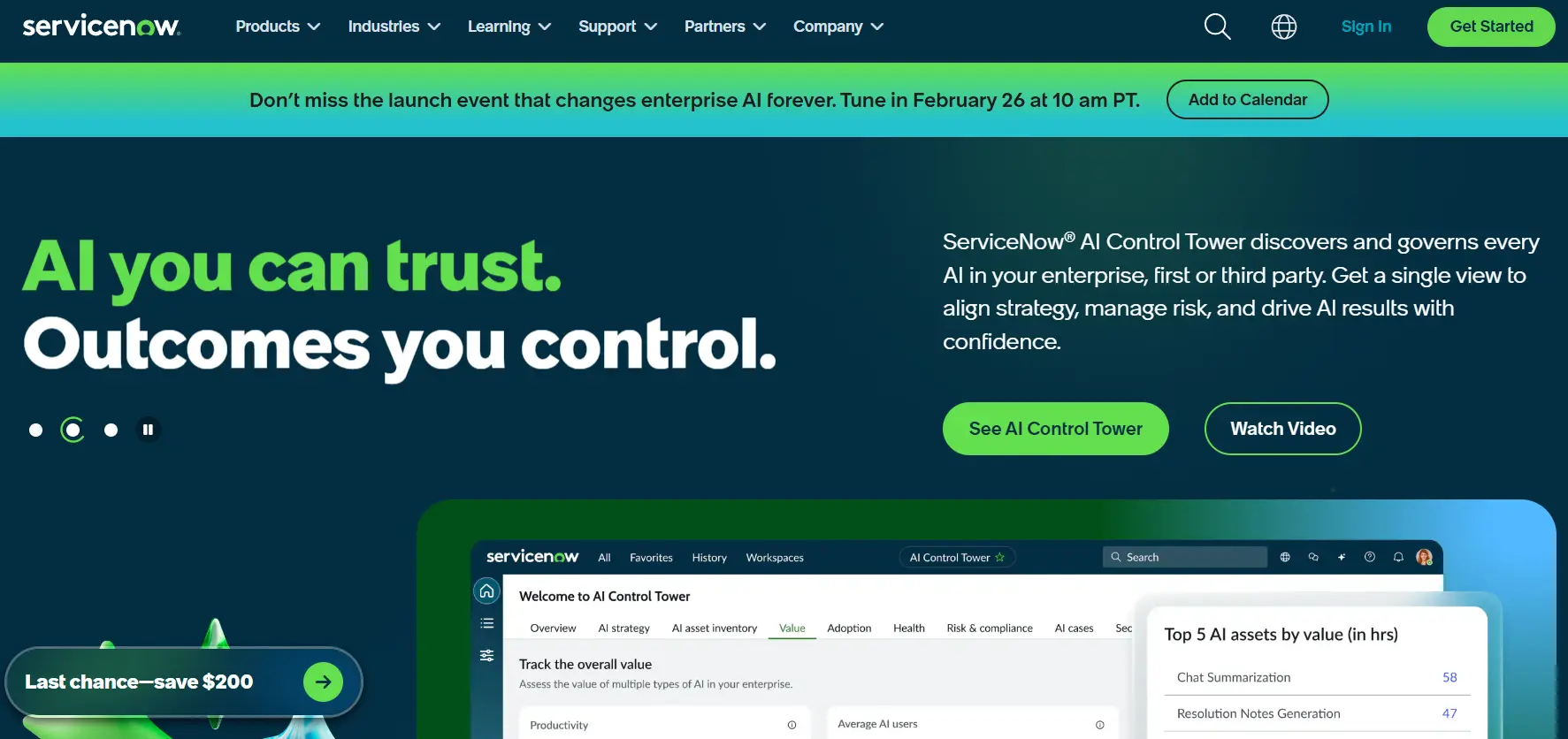
ServiceNow transforms enterprise service management with its AI-powered platform that unifies IT, customer, and employee services across complex organizations. The platform excels in highly regulated environments where Fortune 500 companies need sophisticated workflow automation, deep integrations, and enterprise-grade security.
As of 2036, it’s thought that around 85% of Fortune 500 companies are ServiceNow customers, positioning itself as the “AI control tower for business reinvention.”
Use case:
ServiceNow delivers comprehensive ITSM capabilities with advanced AI agents, unified data modeling through CSDM, and enterprise-scale workflow automation for organizations requiring sophisticated service management across multiple departments.
Key features:
- Service Operations Workspace (SOW): Unified workspace combining ITSM and IT operations context with configurable dashboards and visual task boards for streamlined agent productivity.
- AI-powered automation: Now Assist provides incident summarization, resolution note generation, and intelligent ticket routing, while autonomous AI Agents handle complex workflows across departments.
- Enterprise integrations: IntegrationHub offers hundreds of pre-built connectors with low-code flow templates, supporting everything from Kafka to remote tables for seamless third-party connectivity.
Pricing:
- ITSM standard: Quote-based pricing with core incident, problem, and change management.
- ITSM pro: Quote-based pricing with advanced workflows and reporting capabilities.
- ITSM enterprise: Quote-based pricing with full enterprise features and customization.
- Pro plus/Enterprise plus add-ons: Additional cost for GenAI features and AI Agents.
- Pricing notes: All plans require custom quotes, with volume discounts available for multi-year enterprise agreements.
Considerations:
- Complexity and learning curve: Implementation can be time-intensive for new teams, with significant configuration requirements that may impact performance if heavily customized.
- Cost structure: Premium pricing with complex licensing tiers (modules, add-ons, user roles) can make total cost of ownership challenging to predict, particularly for smaller organizations.
4. Jira Service Management
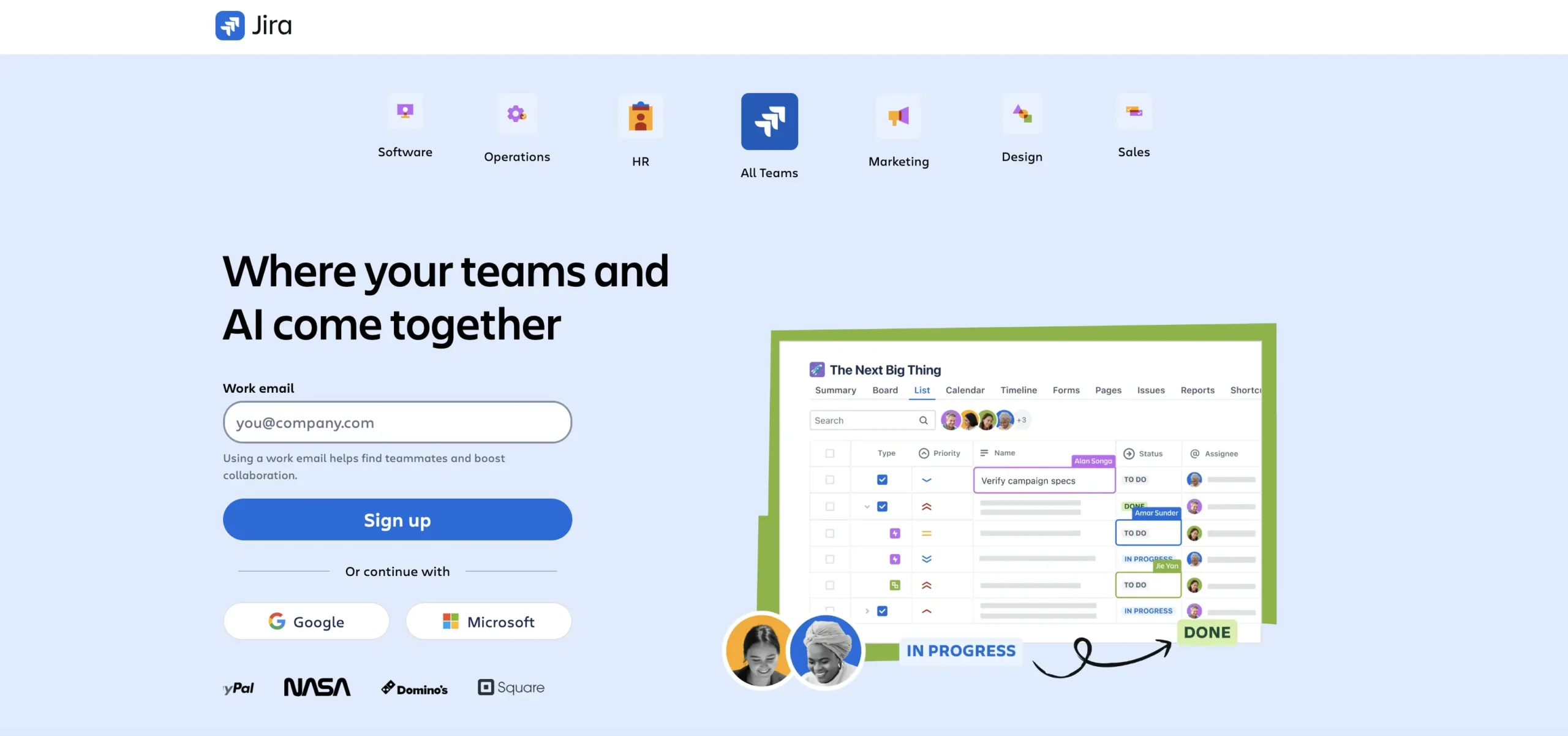
Jira Service Management transforms how development-focused teams handle service delivery by seamlessly connecting support operations with software development workflows.
Built for organizations already invested in the Atlassian ecosystem, it bridges the gap between customer requests and engineering solutions with native integrations across Jira, Confluence, and Bitbucket. This makes it the go-to choice for tech-forward companies that need their service desk to speak the same language as their development teams.
Use case:
Jira Service Management excels at unifying service operations with development workflows, making it ideal for technology companies that need seamless handoffs between support teams and engineering departments.
Key features:
- Native integration with Jira Software enables instant escalation from support tickets to development tasks.
- ITIL-aligned processes with PinkVERIFY certification for incident, problem, and change management workflows.
- AI-powered virtual service agents and automation that handles tier-1 support and intelligent ticket routing.
Pricing:
- Free: $0/month for up to three agents with basic ticketing and 2GB storage.
- Standard: $20/agent/month with unlimited email notifications and branded help center software.
- Premium: $51.42/agent/month including AI virtual agent, Assets/CMDB, and advanced ITSM features.
- Enterprise: Custom pricing with 99.95% uptime SLA and multi-site capabilities.
- Billing notes: Annual billing offers up to 17% discount across all paid tiers.
- Additional costs: Extra charges apply for additional Assets objects and virtual agent conversations beyond included quotas.
Considerations:
- Advanced incident, change, and problem management features were moved from Standard to Premium tier as of October 2024, potentially requiring plan upgrades.
- Non-technical users may face a steeper learning curve due to the developer-oriented interface and Jira-native workflows.
5. Freshservice
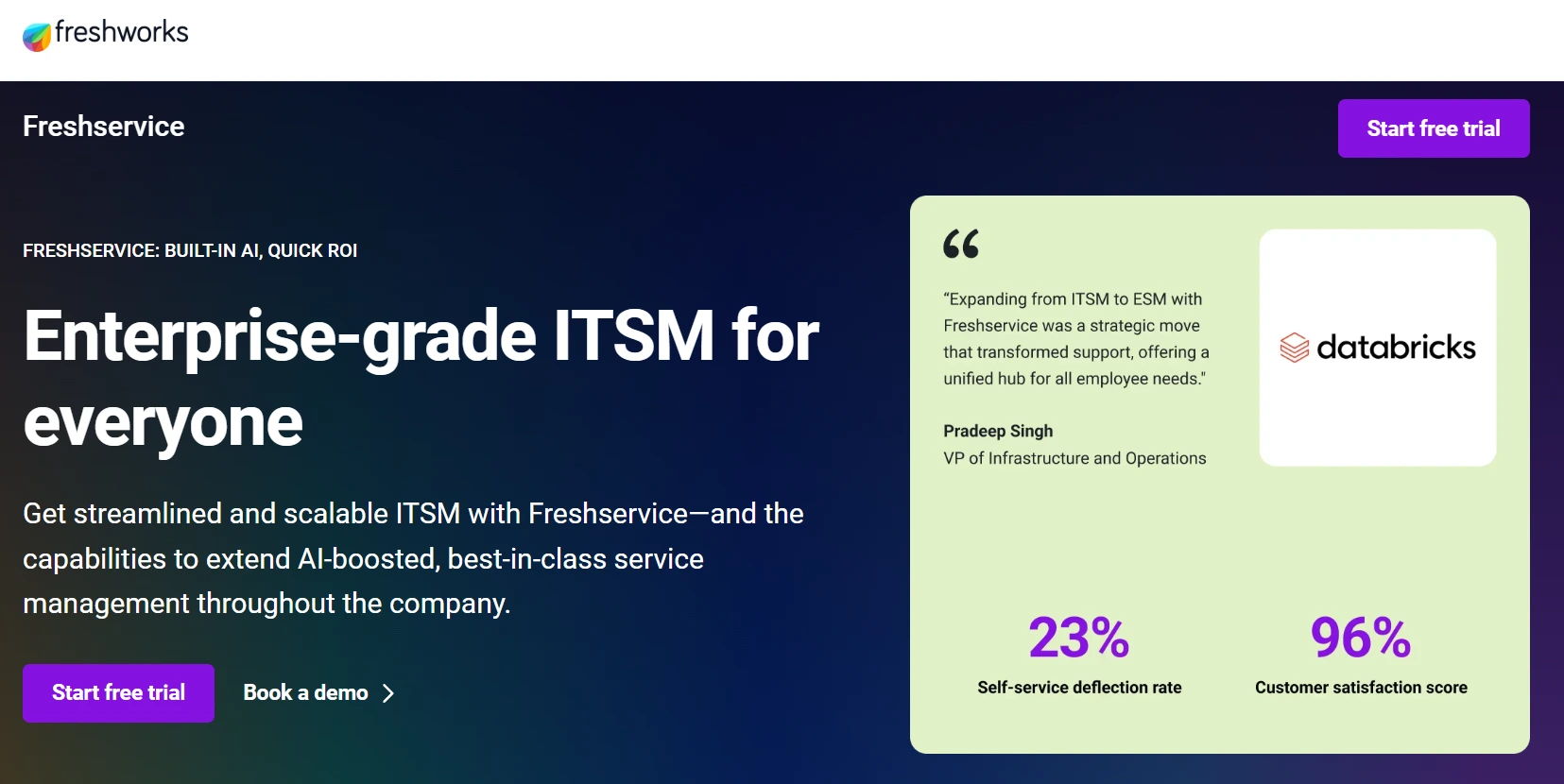
Freshservice delivers comprehensive IT service management that balances powerful functionality with refreshing simplicity. The platform targets growing organizations that need enterprise-grade capabilities without the complexity, making it particularly appealing to mid-market teams seeking streamlined service delivery.
With its intuitive interface and AI-powered features, Freshservice helps organizations accelerate resolution times while maintaining consistent service quality.
Use case:
Freshservice excels at providing “uncomplicated” AI-powered ITSM and ESM solutions that deliver fast time-to-value for organizations wanting enterprise capabilities without overwhelming complexity.
Key features:
- Omnichannel ticket intake through Slack, Microsoft Teams, email, mobile apps, and self-service portals with unified agent workspace.
- AI-powered automation including ticket summarization, similar-ticket detection, and intelligent routing through Freddy AI.
- Extensive integration marketplace with 1,300+ apps including Teams, Slack, Jira, Azure DevOps, and asset management tools.
Pricing:
- Starter: $19/agent/month billed annually.
- Growth: $49/agent/month billed annually.
- Pro: $99/agent/month billed annually.
- Enterprise: Custom quote including advanced Freddy AI components.
- Edition notes: MSP and Business Teams editions available with separate pricing tiers.
- Additional costs: Extra charges for Freddy AI session packs beyond plan allotments and occasional-agent Day Passes from $3 each.
Considerations:
- Reporting and analytics flexibility can feel limited compared to enterprise-grade alternatives, requiring workarounds for advanced customizations.
- Cloud-only delivery with no on-premises option, and mobile app lacks some desktop features for comprehensive field service scenarios.
How AI and automation helps scale service operations
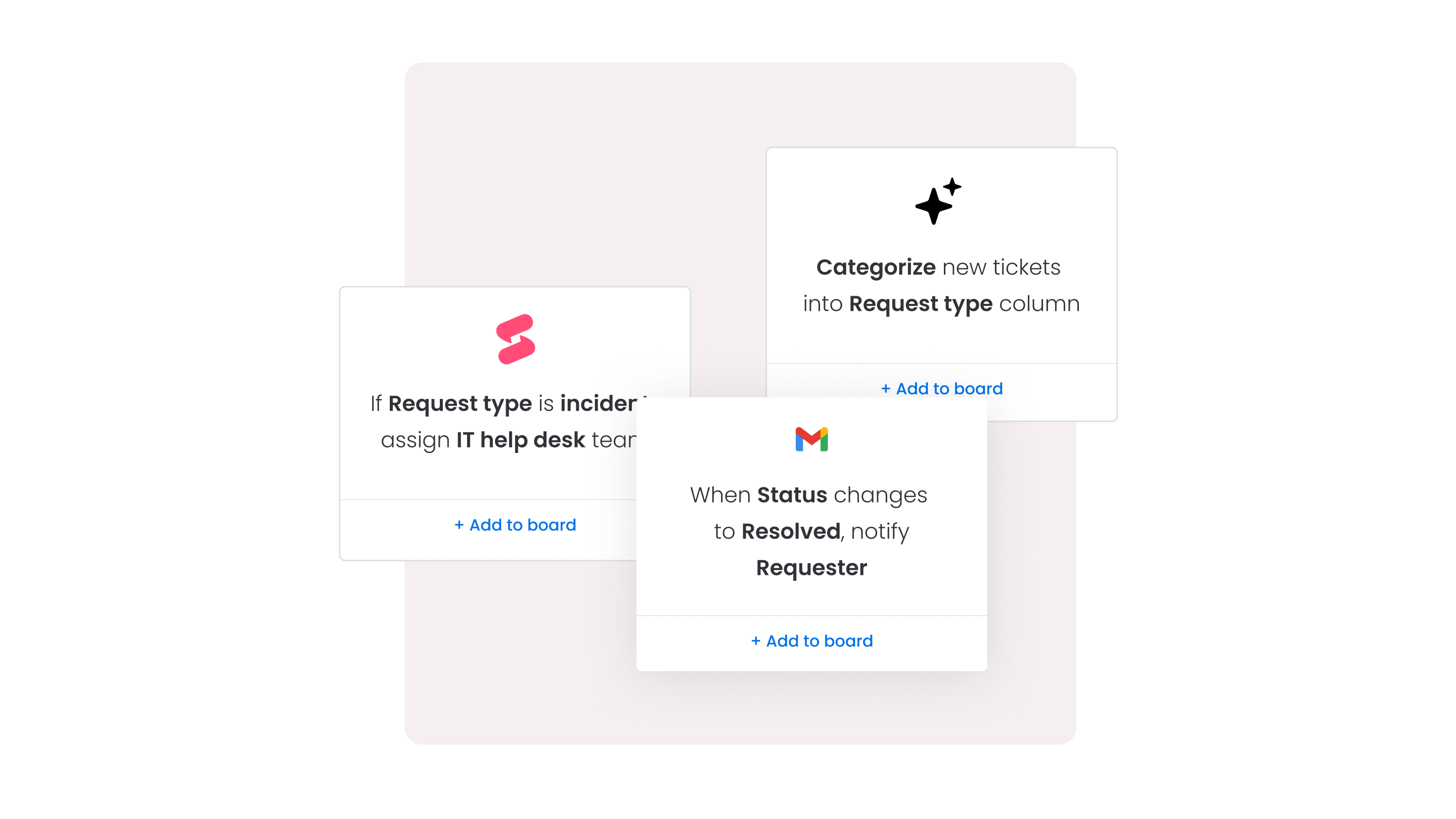
Artificial intelligence changes how service teams operate. Instead of constantly reacting to incoming tickets, teams can start identifying patterns, anticipating issues, and resolving problems before they escalate. Automation helps surface trends early, so service operations feel controlled rather than chaotic.
AI works quietly in the background, handling repetitive tasks like routing, categorizing, and summarizing tickets. It highlights what needs attention and surfaces insights that would otherwise be buried in data. This frees agents to focus on the conversations and complex cases where human judgment matters most.
Over time, the system gets smarter. As AI learns from every interaction, it becomes better at predicting outcomes, balancing workloads, and flagging risks. The result is a service operation that scales smoothly, resolves issues faster, and improves continuously without adding unnecessary complexity.
Choosing the right ticketing platform for your needs
Selecting the best service platform is not about choosing the most feature-rich tool but finding a strategic partner that aligns with current processes while supporting growth. Effective platforms should function as an intuitive extension of team workflows, simplifying tasks and enabling contributions across the organization (the focus is on empowerment, not complexity).
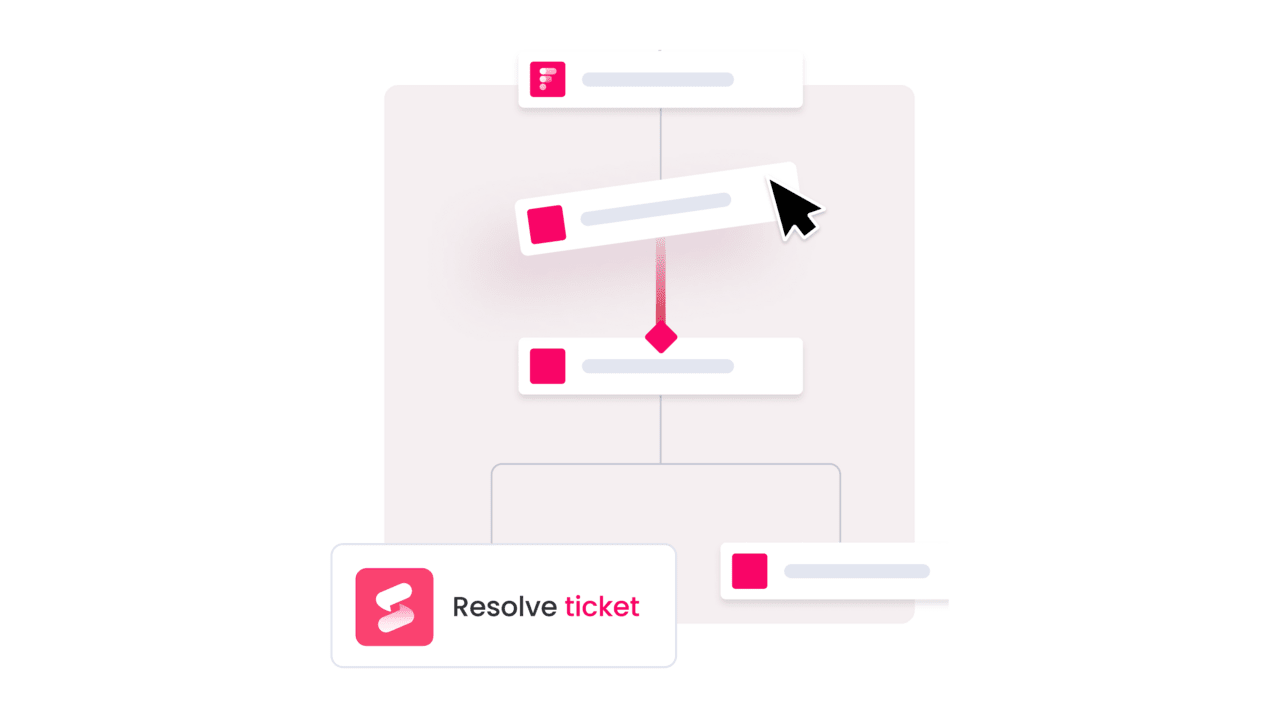
Flexible Work OS platforms provide the ability to design precise workflows without writing a single line of code. By connecting tools and teams in one visual, collaborative space, service requests, customer data, and internal projects stay in sync. This integration reduces data silos and accelerates resolution times.
As teams grow, the platform needs to scale with them, providing built-in AI and real-time analytics that translate data into actionable insights. Repetitive tasks can be automated, trends anticipated, and service delivery continuously optimized. The result is a smarter, more efficient operation that is always prepared for future demands.
A fast-track implementation guide
Rolling out a new ticketing system does not need to drag on for months. With a clear plan, teams can build momentum quickly and move from setup to full optimization in just a few weeks.
Here’s what a focused three-week implementation typically looks like.
Week 1: Build your foundation
Begin by establishing your service hub. Tickets are routed to the right team members, customer history is integrated to prevent loss of information, and essential tools like email are connected. By the end of the week, dashboards provide real-time visibility into operational activity.
Week 2: Empower your team
This stage focuses on hands-on training, enabling team members to manage tickets, collaborate on complex issues, and leverage data to celebrate success. Training ensures the team is ready to deliver exceptional service from day one.
Week 3: Launch and optimize
The final week marks full implementation. Performance is monitored, and feedback from team members and customers informs adjustments. Momentum is prioritized over perfection, allowing continuous improvements based on real-world insights.
Understanding ticketing software pricing
Software pricing can feel complicated, but it should be approached as a long-term investment decision, not just a cost comparison. The real objective is to choose a platform that delivers value from day one and continues to support your team as it grows.
Many companies price by agent seats or feature tiers, and that structure can look simple at first glance. The challenge often sits in the details. Hidden limits, locked features, or paying for unused seats can inflate costs at the exact moment your team needs flexibility. Pricing should reflect how your team actually works, not force you into unnecessary upgrades.
The strongest platforms combine transparent pricing with built-in AI and analytics that help teams operate more efficiently over time. When pricing is clear and scalable, service leaders can focus less on license management and more on delivering consistent, high-quality support.
How monday service transforms service delivery
Service delivery changes when tickets are no longer isolated tasks but part of a connected workflow. monday service brings structure, automation, and visibility into one shared workspace, so teams resolve issues faster and collaborate without friction.
Instead of juggling tools or chasing updates, teams manage everything in one place. Here’s how monday service makes that possible in 2026:
-
Connect tickets to real work: Link service requests directly to projects, roadmaps, or operational tasks so customer feedback drives action across the organization.
-
Automate the repetitive tasks: Built-in AI handles ticket triage, routing, and summarization, reducing manual effort and freeing agents to focus on meaningful problem-solving.
-
Customize without complexity: Visual, no-code workflows let teams adjust SLAs, approvals, and automations in minutes, without waiting on developers.
-
Unify teams across departments: IT, HR, customer support, and operations can collaborate inside the same system with full context, eliminating handoffs and miscommunication.
-
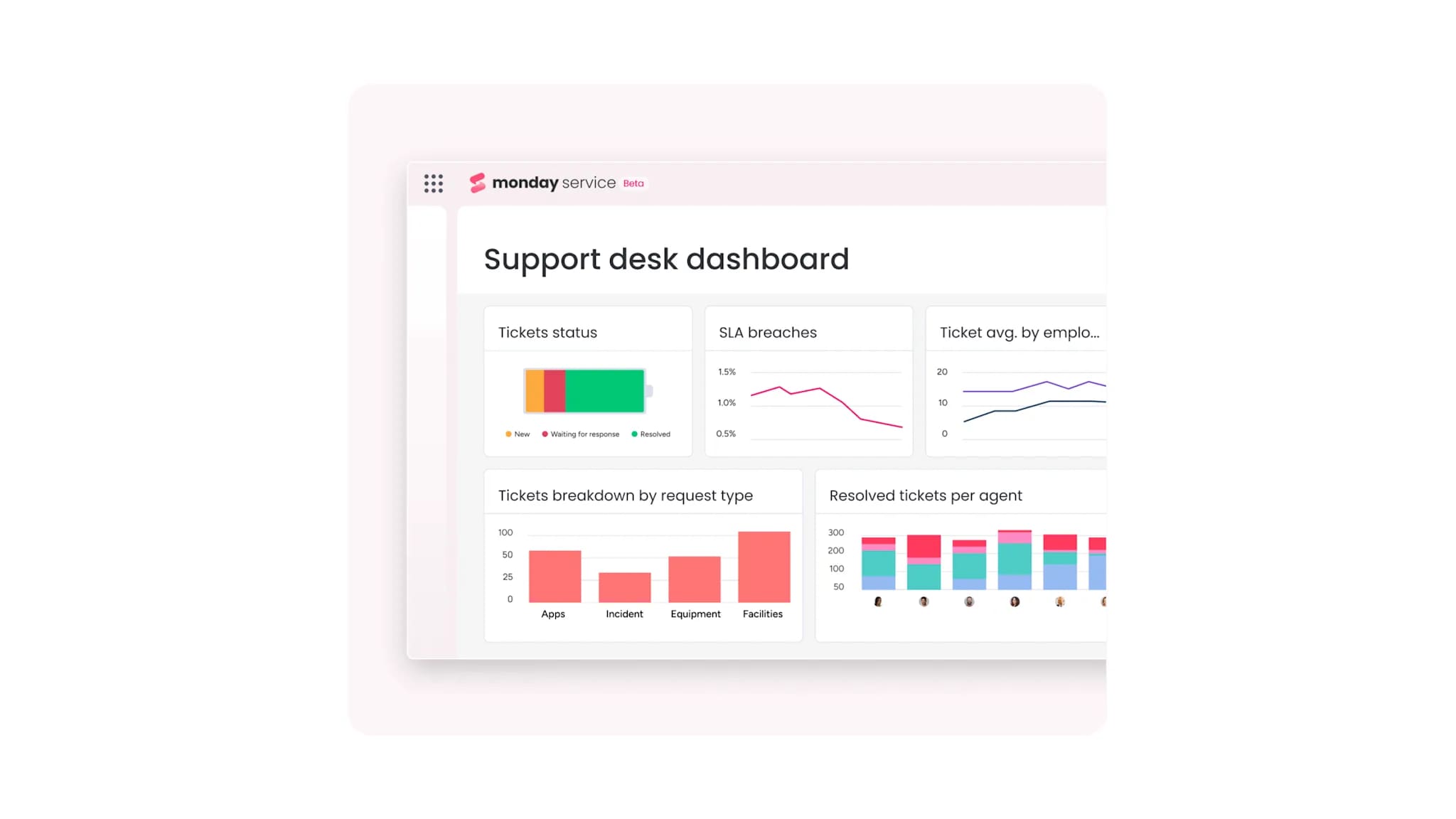
Gain real-time visibility: Live dashboards track workloads, response times, and trends, giving leaders the clarity they need to improve performance continuously.
With monday service, the service desk becomes more than a response center. It becomes a connected, intelligent operation that scales with your team and strengthens the entire organization.

"Our team LOVES the monday service platform and we’re already exploring how we could incorporate it for other departments, too. It has streamlined our workflow in a way that both our team and customers appreciate."
Andrew Marshall | VP Operations
״monday service provides clear insights into requests volume and types, response times, and trends - helping us continuously improve operations"
Grant De Waal-Dubla | CIO
"The biggest value for us is speed and flexibility. You can get up and running in days, change anything instantly, and see everything in real time. And you don’t need a dedicated admin to do it."
Clive Camilleri | Head of People Tech & OperationsLaunch your service transformation today
Delivering standout service should not mean juggling spreadsheets, inboxes, and disconnected tools. When teams are stuck managing manual tasks, burnout follows and customer experience suffers.
A unified platform changes that dynamic. By bringing tickets, projects, and cross-department workflows into one shared workspace, service stops operating in isolation. Teams see priorities clearly, collaborate with full context, and resolve issues faster without unnecessary handoffs.
When service is connected to the rest of the business, it becomes proactive instead of reactive. Patterns surface earlier, processes improve continuously, and customers feel the difference. The result is a service operation that runs smoothly, supports your team, and strengthens long-term loyalty.
Frequently asked questions
How quickly can organizations implement a new ticketing system?
The time it takes for organizations to implement a new ticketing system ranges from a few days to several weeks, depending on data migration and customization needs. Platforms with intuitive setups and pre-built templates allow teams to get started much faster.
What integrations are essential for ticketing software success?
Focus on integrating your email, CRM, and internal chat tools for a complete view of customer context and team activity. Connecting to your core business applications is also key for creating a truly unified service operation.
How do cloud-based and on-premise ticketing solutions compare?
Cloud-based solutions provide faster implementation, automatic updates, and scalability, while on-premise options offer more direct control over data. Most organizations prefer cloud platforms for their flexibility and lower maintenance overhead.
What metrics should organizations track to measure ticketing software ROI?
Track key performance indicators like first response time, resolution rate, and customer satisfaction (CSAT) scores. Also measure agent productivity and cost per ticket to prove operational efficiency and value.
How much training do support agents need for new ticketing software?
Agent training can take up to two weeks, but this is significantly shorter with intuitive, visual platforms that feel familiar from day one. An easy-to-use interface drastically reduces the learning curve for your team.
Can organizations customize ticketing workflows without IT department help?
Yes, modern systems with no-code workflow builders empower service teams to customize processes on their own. This autonomy allows you to adapt quickly without waiting on technical resources or IT support tickets.

 Get started