

Service teams handle rising request volumes driven by hybrid work, distributed devices, expanding SaaS stacks, and growing expectations for fast support. These pressures challenge IT and service leaders who want to maintain service quality, protect SLAs (service level agreements), and keep their teams focused on meaningful work.
Manual processes complicate that mission. When intake, classification, routing, approvals, and communication rely on human effort, resolution times slow and errors increase. Service teams spend time on repetitive work instead of addressing complex or urgent issues. Over time, capacity declines and experiences become inconsistent for employees and customers.
Service desk automation creates stronger foundations. Automated workflows take on routine tasks and move requests through predictable paths. AI adds contextual understanding, smarter classification, and faster decision-making. Together, these capabilities help teams resolve issues faster, support higher volumes without increasing headcount, and deliver a consistent service experience.
Platforms like monday service make automation accessible through no-code workflows, integrated ticketing, and built-in AI. Before exploring how these tools help, it’s important to define the scope of service desk automation and where it drives the most value.
Key takeaways
- Service desk automation reduces manual effort, supports faster resolutions, and creates consistent, high-quality interactions across all channels.
- AI elevates traditional automation with smart routing, contextual classification, predictions, and proactive insights that guide teams in real time.
- monday service brings ticketing, projects, SLAs, analytics, and AI automations together so service teams can manage the full lifecycle of every request in one place.
- No-code tools and ready-made AI capabilities help teams launch impactful automations quickly and expand them as service operations grow.
What is service desk automation?
Service desk automation is the practice of using technology to complete routine service activities without manual intervention. These activities span ticket intake, categorization, routing, escalations, approvals, communication, and reporting. Automated steps replace repetitive work, reduce response times, and help teams maintain accuracy across every stage of the service process.
Service desk automation supports enterprise ITSM (IT service management) teams and any department that manages requests, including HR and facilities, as well as finance and operations. Each group handles unique service processes, yet they share the same need for consistent routing, reliable data, and timely communication. Automation provides the framework to deliver that at scale.
Three categories of automation shape modern service operations:
- Workflow automation: Rules-driven actions that move requests forward. Examples include assigning tickets to queues, sending updates, or triggering approvals based on predefined conditions.
- IT service desk automation: Broader automation across ITIL processes such as incident management, service requests, problem resolution, change control, and knowledge sharing. This level of automation connects multiple teams and systems to create predictable, auditable workflows.
- AI-powered automation: Intelligent capabilities that analyze text, understand context, classify content, detect sentiment, and generate summaries or recommended actions. AI enhances traditional automation with faster decisions and deeper insights.
Automation aligns with ITIL practices. Incident workflows move quickly with automated prioritization and routing. Request management becomes more reliable through structured intake and approval paths. Problem and change processes stay aligned through linked data and consistent communication. Knowledge updates and feedback loops evolve as teams identify recurring issues and refine documentation.
Together, these capabilities create a service environment where teams work more efficiently, requesters receive faster and clearer support, and leaders gain visibility into service trends that guide planning and resource allocation.
Why is automation important in the service desk?
Employees expect quick, accurate support, and service leaders must meet those expectations while protecting capacity and service quality. Automation helps service teams keep pace with higher demand and more complex environments.
Faster resolution times and accurate routing help protect SLA commitments and reduce backlog. Classification, triage, and assignment follow consistent rules rather than ad hoc decisions. Resource allocation becomes clearer because leaders can see workloads, availability, and trends in one place.
Cost efficiency improves as repetitive work shifts to automated workflows. Smaller teams support higher volumes of routine requests and spend more time on specialized or urgent issues. Service coverage expands as routine questions receive automated responses at any hour, giving employees quick answers and limiting after-hours intervention.
Leaders gain greater insight with real-time analytics that reveal where issues emerge, how queues behave, and which improvements matter most. Automation aligns with the priorities of CIOs and IT directors who focus on operational resilience, modernization, and digital transformation. It creates a service environment that is measurable, adaptable, and ready to scale.
What impact does automation have on a service desk?
Service operations achieve measurable improvements when routine work is automated. Key impacts include:
- Resolution speed: Tickets move through intake, triage, routing, and updates without unnecessary delays.
- SLA performance: Automated alerts and escalations support timely intervention and fewer breaches.
- Cost per ticket: Routine tasks require less manual work, allowing teams to handle higher volumes without increasing headcount.
- Agent workload: Classification, routing, and communication steps move automatically, easing cognitive load.
- Requester experience: Clear updates, faster responses, and self-service options improve satisfaction and reduce the need for follow-up messages.
These improvements help service teams operate with greater confidence while building a more predictable and scalable model.
What are the core components of an automated service desk?
An automated service desk relies on coordinated workflows, accurate data, and responsive systems that guide each request from intake to resolution. These components work together to improve speed, accuracy, and visibility across the entire service operation.
How automated ticket intake and routing work
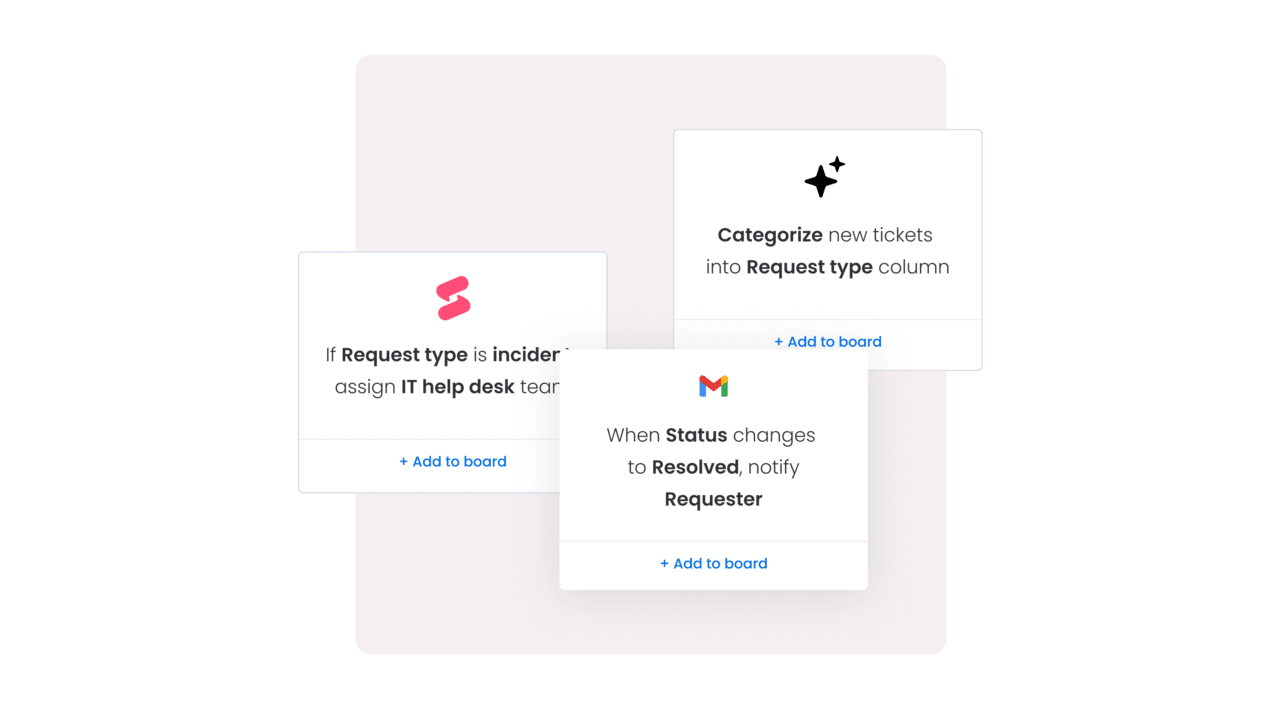
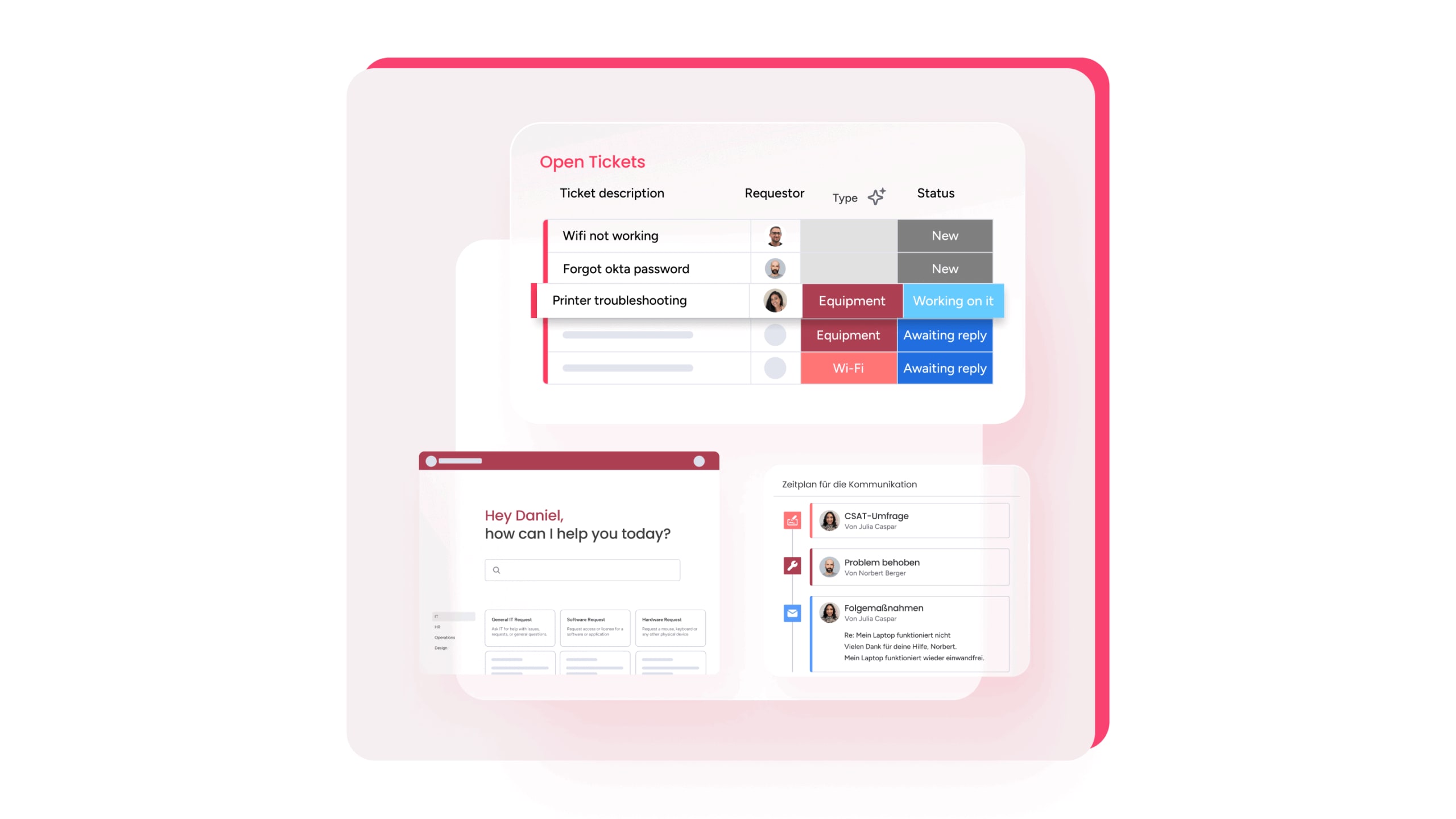
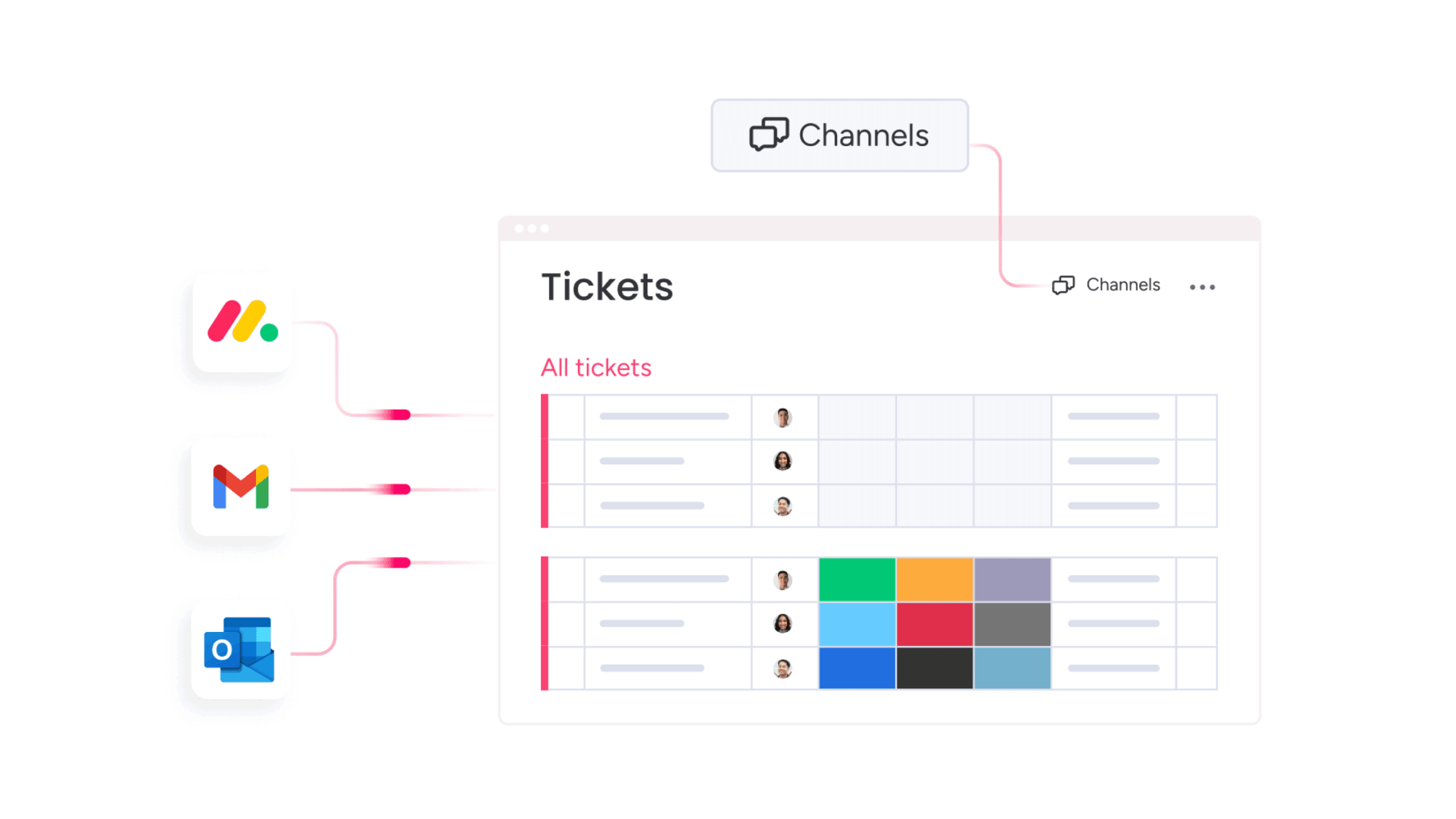
Service work begins with ticket intake, and automated channels turn incoming requests into structured data without extra steps for agents. Email-to-ticket conversion captures key details and creates a trackable item for every message. Forms and portals guide requesters to share the information teams need. Chat channels add a fast entry point for real-time questions.
AI strengthens this stage. AI Blocks classify requests by issue type, urgency, or sentiment. Labels help organize the workload. Sentiment detection surfaces messages that need quick attention. Information extraction pulls key details from attachments or long descriptions. These actions give teams clarity on each request without reviewing long text.
Routing becomes more accurate with automation. Skills-based routing sends issues to agents with the right expertise. Load balancing distributes work so teams stay productive and queues reflect real capacity. This supports steady resolution times and a consistent service experience.
How automation supports SLAs, priorities, and escalations
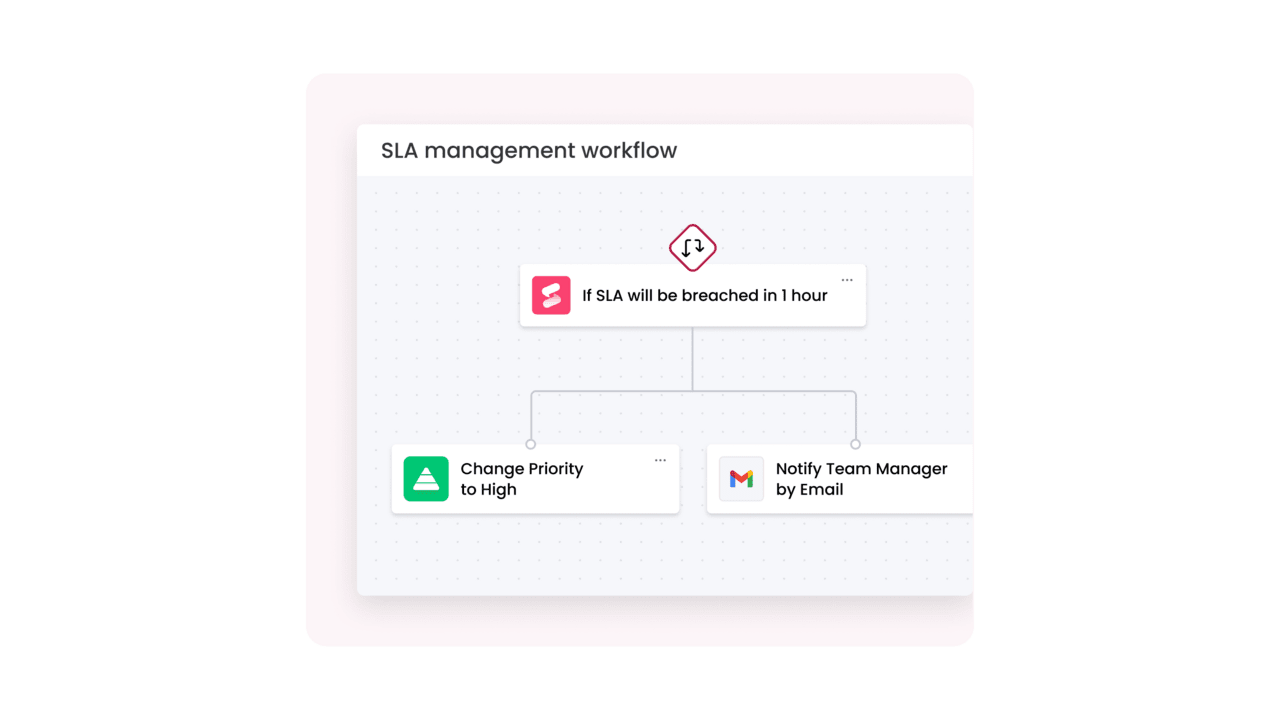
Service teams work within defined response and resolution targets. Automated SLA timers track progress and notify teams when thresholds approach risk. Alerts and escalations move time-sensitive tickets forward and involve the right stakeholders at critical moments. Automated responses keep requesters informed when updates occur or when additional information is needed.
Dashboards offer real-time visibility into SLA performance, ticket volumes, trends, and bottlenecks. Leaders gain clarity that supports planning and rapid decision-making.
How self-service automation reduces ticket volume
Self-service plays a central role in managing demand. Intelligent knowledge integration surfaces relevant articles or guides while the requester fills out a form or describes an issue. Many questions resolve without agent involvement, improving response times and reducing the volume of repeat inquiries.
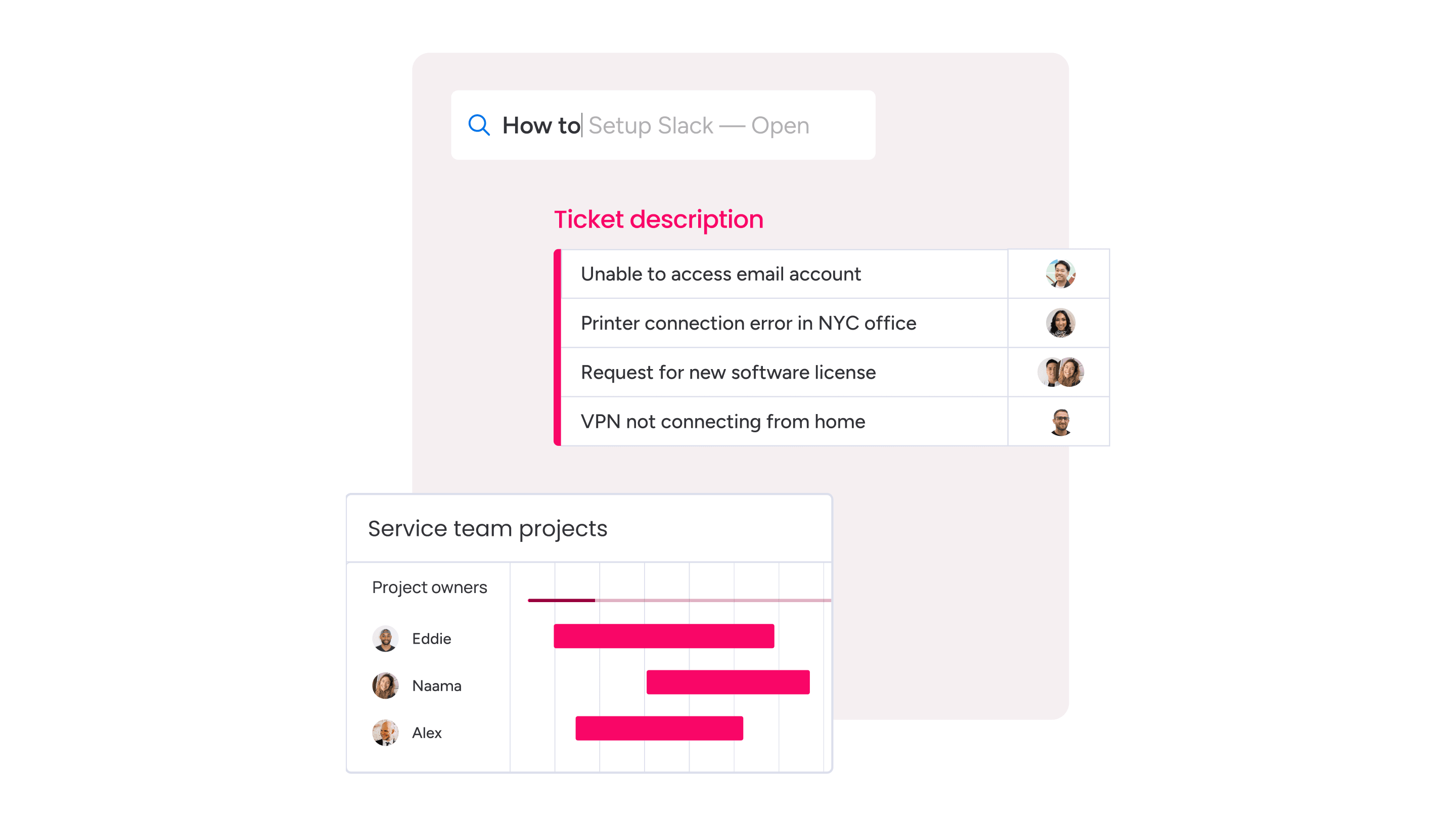
Smart forms collect structured information and trigger the correct approvals or workflows. These forms reduce back-and-forth communication and help each request move forward with the proper context. Automated status updates give requesters insight into progress, which decreases the need for follow-up messages and clarifications.
How integrations extend your automated workflows
Modern service environments rely on multiple systems. Integrations strengthen automation by connecting key data and actions across CRM platforms, HRIS systems, employee directories, asset management tools, Azure DevOps, Gmail, Outlook, Slack, and others.
Several use cases benefit from integrated workflows. High-impact incidents can automatically create change records with the necessary details. Tickets can be linked directly to development work or improvement projects, so teams have full context during investigation and execution. IoT or monitoring tools can generate structured tickets that include device details, location information, or performance indicators, giving teams immediate visibility into potential issues.
These connections help teams work from a unified view rather than switching between systems, which supports consistent processes and more reliable outcomes across the organization.
Practical service desk automation ideas you can use today
Teams gain meaningful traction when automation begins with clear, approachable steps. Small improvements compound quickly, laying the foundation for broader workflows and AI-driven capabilities. The following ideas highlight where service teams often see immediate value and how automation can strengthen both daily operations and long-term service quality.
Quick wins you can launch in a week
Several automations deliver immediate impact with minimal setup. Auto-confirmation messages reassure requesters that their issue is in the queue and assigned for review. Converting Gmail or Outlook messages into structured tickets removes manual entry and reduces the chance of missing important details.
AI Blocks help classify tickets the moment they arrive. Categorization by issue type, urgency, or department creates cleaner queues and helps teams direct work to the right place right away. Stale tickets can be automatically closed after a set period, with a courteous follow-up, keeping the backlog current. High-priority tickets can also trigger Slack notifications so the right stakeholders see them as soon as they enter the system.
Automation ideas that improve reliability and uptime
Service resilience grows stronger when teams connect monitoring tools to their service platform. Alerts shift into structured tickets that include the information needed for investigation. Recurring incidents surface more easily when automation groups related issues, allowing teams to define a problem statement or initiate an improvement initiative.
Digital Workers support reliability through continuous monitoring and guidance. An AI Service Agent or Service Tracker can flag increases in ticket categories, prepare weekly reports with actionable insights, and highlight SLA risks before they materialize. This level of oversight helps leaders take timely action and reduce the likelihood of service disruptions.
Automation ideas for employee lifecycle processes
Many requests originate from employee lifecycle events. Automation keeps these processes consistent, timely, and collaborative. New-hire onboarding templates help every department complete its part, whether that involves equipment setup, account provisioning, or workspace access. Self-service forms support common requests such as hardware refreshes or permission changes, and they route the right information to the right reviewers from the start.
Offboarding requires coordination across multiple teams. Automated workflows can handle tasks such as access removal, device collection, and manager notifications. These steps strengthen security, improve clarity, and reduce the risk of missed actions during an employee’s transition.
How monday service supports automation at scale
Service operations get up to speed faster when teams work from proven foundations. Best-practice templates help teams launch ticketing boards, request types, service catalogs, and workflows with minimal setup. These templates streamline early decision-making and give teams a starting point they can refine based on real usage.
Onboarding agents and collaborators stays straightforward. Clear roles, intuitive navigation, and transparent permissions help new users participate in service workflows from day one on the platform. Every group involved in service delivery — whether technical or nontechnical — can contribute without delays.
Automation expands as workflows evolve because configuration does not require code. Teams can adjust fields, approval paths, ticket types, and automations as their service environment changes. This flexibility helps organizations modernize service delivery at their own pace and respond to new needs without depending on specialized development resources.
Manage complex approvals and compliance workflows
Enterprise workflows often involve multiple reviewers, conditional steps, or compliance-driven checkpoints. The monday service platform supports these requirements through flexible, no-code configuration.
Capabilities include:
- Conditional approvals that adapt based on criteria such as requester department, cost center, or risk category
- Parallel approvals where multiple stakeholders review a request at the same time
- Exception paths that send requests into additional review or risk assessment steps
- Linked tasks and projects for change activities, implementation work, or communication plans
For example, a multi-step onboarding workflow can start with an HR request submitted through a catalog form. The automated ticketing system in monday service creates a ticket and triggers tasks for IT, facilities, and payroll. Conditional approvals route equipment purchases to finance beyond a set threshold. Access provisioning tasks launch based on role or department, and managers gain visibility into progress from a single view.
In a compliance-driven change process, a monitoring alert can trigger a ticket indicating a high-impact incident. Automation opens a related change record, triggers CAB review tasks, and launches implementation and validation items. Post-change summaries route to leadership through automated reports.
These patterns help service teams maintain consistency across complex operational workflows.
Want to learn more about how to manage compliance across the board? Check out the best compliance management software tools: 12 top solutions for 2025.
Support global, distributed teams
Distributed service operations require tools that adapt to regional needs and multiple time zones. The capabilities in monday service support this through flexible automations, configurable SLAs, and accessible AI.
Capabilities that support global operations include:
- Regional SLAs based on operating hours, time zones, or local regulations
- Follow-the-sun workflows that route tickets between regions as working hours change
- AI Blocks that support translation and help multilingual teams work from shared context
- Dashboards that show capacity, volumes, and trends across global queues
Global teams maintain a cohesive environment even when they operate across different time zones and regions.
A simple path to getting started
Teams new to automation or shifting from legacy tools can take an incremental approach. Creating a dedicated service desk board establishes the foundation. Adding core workflows, such as email conversion, routing rules, SLAs, and basic catalog items, builds structure and predictability.
AI Blocks and Digital Workers can layer in once the basics are in place. These capabilities help teams classify requests, extract meaningful details, monitor queues, and surface insights that inform planning. Growth remains manageable because automation naturally expands as service needs evolve.
How AI amplifies service desk automation
AI adds context, speed, and intelligence to service operations. Workflow automation handles predictable, rule-driven tasks, while AI analyzes text, identifies patterns, and interprets nuances that influence routing and resolution. Combining these capabilities gives service teams a stronger foundation for accuracy and scale.
Understanding the difference between rules-based and AI-powered automation
Rules-based automation moves tickets through clear conditions. These workflows support consistency and structure for common service scenarios.
AI adds more depth to that structure. Contextual analysis helps classify requests with higher precision. Summarization condenses long threads into actionable points. Recommendations guide agents toward next steps based on similar cases or established patterns. These capabilities improve decision-making and shorten the time required to assess each request.
AI use cases that support real service operations
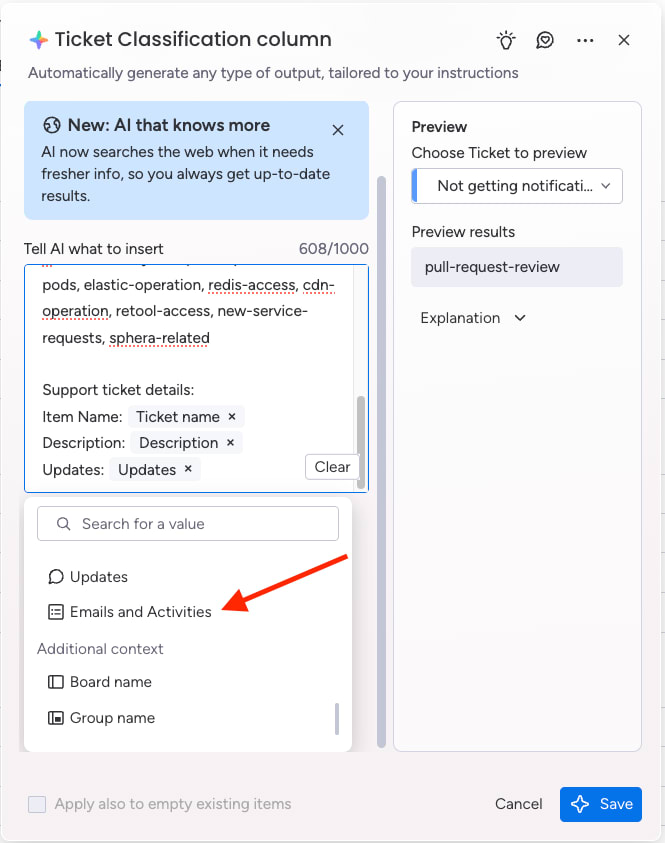
AI blocks in monday service help teams categorize tickets, detect sentiment, extract information from attachments, and summarize extended conversations. These actions improve clarity before any human intervention occurs.
Agents gain support with AI-generated next steps or draft responses. Long incident bridges, email chains, or chat transcripts can condense into clear summaries that help teams progress quickly. These capabilities reduce cognitive load and support faster onboarding for new team members.
Digital Workers play an important role in ongoing operations. They monitor queues, identify recurring issues, and highlight trends that require attention. Weekly service reports can surface early indicators of rising volumes or unresolved categories. Leaders gain a more proactive posture because insights appear before issues escalate.
How to choose the right service desk automation software
Selecting a service desk platform shapes how effectively teams can support the organization. The right tool strengthens service delivery, increases agility, and provides the visibility leaders need. A strong evaluation process helps CIOs and IT directors align technology decisions with long-term operational goals.
Key features to look for
Modern service teams gain the most value from solutions that combine structure, flexibility, and intelligent automation. Core features to prioritize include:
- Ticketing, SLAs, service catalog, and multi-channel support: These elements form the foundation for a consistent service experience.
- Knowledge management and self-service: Requesters resolve common issues faster when relevant guidance is readily available.
- No-code automation: Teams maintain and update workflows without relying on development resources.
- AI capabilities: Classification, extraction, summarization, and Digital Workers support faster routing and stronger insights.
- Real-time analytics and reporting: Leaders can assess performance, identify trends, and make informed decisions.
- Robust integrations: A healthy ecosystem connects CRM platforms, HR help desk software, asset management tools, email providers, and development environments.
- Security and access controls: Sensitive service data requires strong compliance standards and precise permission management.
Questions CIOs and IT directors should ask vendors
A clear set of questions helps evaluate whether a platform meets organizational and operational requirements:
- How quickly can teams implement and adjust workflows without development?
- What AI capabilities are available immediately, and how do they function within service processes?
- How does the platform protect sensitive service data and meet compliance needs?
- How well does the system scale as service demand grows or processes evolve?
- Can the platform connect to CRM, HRIS, asset management systems, and development tools in a way that supports cohesive operations?
Answers to these questions help leaders compare platforms and choose a solution that supports automation, visibility, and long-term adaptability.
How to implement service desk automation with ITIL best practices
Implementing automation with an ITIL lens helps changes strengthen service delivery rather than disrupt it. A structured approach gives teams confidence as they introduce new workflows.
Building an automation roadmap aligned with ITIL
Start with visibility into the current environment. Mapping existing processes highlights bottlenecks, unnecessary steps, and areas where data gaps exist. Clear goals direct automation efforts toward outcomes such as SLA improvements, higher CSAT, or reduced operational costs.
Momentum grows when teams begin with low-risk, high-volume workflows that deliver measurable value. These early improvements build organizational trust and give teams space to refine their approach. A practical readiness checklist then confirms that processes, data, and ownership are in place before automations go live.
Adding service catalog automation
Service catalogs shape how services are requested and fulfilled. Strong catalog automation supports consistency, accountability, and efficiency across the organization.
The monday service platform helps teams create structured service offerings with forms, connected workflows, and approval paths. Each catalog item can trigger its own set of actions, giving teams a reliable way to handle recurring needs.
Examples of catalog automation include:
- Triggering approvals based on request type or requester role
- Routing catalog items to the correct queue or department without manual review
- Prefilling ticket details with known requester, department, or asset data
- Launching related subtasks such as account setup, hardware allocation, or documentation updates
Catalog automation strengthens request accuracy and creates a consistent experience for employees and support teams.
Checklist: service desk automation best practices
A practical checklist supports consistent and thoughtful implementation:
- Map workflows to understand how requests move today and where repetitive work occurs
- Establish automation goals aligned with service metrics and organizational priorities
- Focus on quick wins that help teams see progress early
- Select tools teams can configure on their own
- Integrate key systems at the start to avoid fragmented data
- Train agents and requesters so everyone understands how new workflows operate
- Review automations quarterly to keep them accurate and useful
Designing automations around people
Automation works best when designed with the people who use the workflows each day. Involving agents in process mapping provides insight into real challenges and opportunities. Clear communication helps teams understand how automation improves their work by reducing repetitive tasks and freeing up more time for higher-value activities.
Training and feedback loops help teams adjust quickly and provide input that strengthens future automations.
What challenges come with service desk automation — and how to solve them
Automation strengthens service operations, yet teams often face organizational and technical hurdles during adoption. With the right approach, these challenges become opportunities to build more reliable and scalable processes.
Governance, ownership, and ongoing health
Strong governance keeps automation accurate, scalable, and aligned with organizational goals. Clear ownership prevents outdated workflows, risk exposure, or conflicting rules.
A recommended ownership model includes:
- Service owner: Defines processes, SLAs, and decision logic
- System administrator: Maintains workflows, permissions, and integrations
- Automation steward: Reviews automation performance and collects team feedback
- Executive sponsor: Aligns automation strategy with organizational priorities
Governance guardrails that support enterprise compliance include:
- Documented workflows and change logs
- Regular reviews for high-impact or conditional automations
- Standard naming conventions for fields, boards, and automations
- Role-based permissions to protect sensitive service data
- Data governance practices to maintain accuracy
Ongoing reviews of workflows and rules keep automations aligned with current processes. Monitoring data quality and ticket trends helps the system reflect current realities. Sharing insights with IT and business leadership keeps everyone aligned on performance and opportunities for improvement.
How to address resistance to change and skills gaps
Clear communication sets the foundation for positive adoption. Explaining how automation supports employees helps reduce hesitation and encourages participation.
Involving agents in the design of workflows gives them ownership of the process and helps teams identify practical improvements. The monday service platform offers a no-code environment, making it easier for teams with varying technical skill levels to build and maintain automations without specialized training.
How to handle legacy systems, fragmented data, and integration gaps
Legacy environments can complicate automation efforts. A phased approach keeps implementation manageable:
- Connect the highest-impact systems first, such as email, identity directories, or development tools
- Use monday service as the central layer for context, reporting, and cross-team visibility
- Establish data governance early, so teams have confidence in the accuracy and completeness of service information
How to ensure security, compliance, and reliable operations
Automation touches sensitive processes, so platforms must support strong security and compliance standards. SOC 2 and GDPR compliance signal a platform’s commitment to secure operations.
Audit logs, clear access controls, and documented workflows help maintain operational integrity. High-impact automations should be reviewed regularly so they continue to reflect current processes and risk thresholds.
How to prove the ROI of service desk automation
Leaders evaluating automation expect measurable outcomes. A few steps help demonstrate value:
- Capture baseline metrics before implementation, including SLA performance, CSAT, ticket volume, and cost per ticket
- Compare improvements after automations go live to show their direct impact
- Use analytics dashboards within monday service to present results to executives, highlight trends, and guide future investments
How automation evolves as teams mature
Automation expands as teams gain clarity about their processes, data, and goals. The monday service platform supports this growth with capabilities that scale from basic workflows to advanced AI-driven operations.
Level 1: Foundational automation
Teams begin with structured ticket intake, email conversion, simple routing rules, and SLA timers.
Focus: stability, visibility, and predictable workflows.
Level 2: Operational automation
Teams adopt self-service forms, catalog automation, and more advanced routing. They add automations for lifecycle requests, status updates, and change-related tasks.
Focus: efficiency, reduced manual work, and higher consistency.
Level 3: AI-powered operations
AI Blocks categorize tickets, extract details, detect sentiment, and summarize long descriptions. Digital Workers monitor queues, prepare reports, highlight risks, and uncover patterns.
Focus: proactive service management and strategic decision-making.
Teams often know they are ready to add AI Blocks or Digital Workers when:
- Request volume is high enough that classification or triage slows down
- Leaders want earlier visibility into risks or trends
- Agents feel overwhelmed by repetitive review or documentation tasks
- Teams want consistent routing and faster insights for planning
This maturity path gives organizations a practical way to expand automation at a pace that fits their operational readiness.
Criteria for readiness: a pre-automation checklist
Many teams want clarity on whether they are ready to automate. A short readiness checklist helps create alignment and structure.
Teams are ready to begin automation when:
- Core request types and service processes are documented
- SLAs, priorities, and ownership are defined
- Agents agree on naming conventions and classification standards
- Intake channels are identified or consolidated
- Key systems such as email, directories, and asset management tools are ready for integration
- Service leaders have baseline metrics for SLA performance, volume, and CSAT
- Executives support the shift toward automation and understand the business outcomes
A solid foundation leads to stronger results as automation scales.
Strengthening service delivery with automation and AI
Automation gives teams the structure and clarity needed to meet growing service demands. AI accelerates this progress with faster decisions, stronger insights, and more accurate routing. Together, they help teams reduce manual workloads, improve SLAs, and create consistent experiences across the organization.
With accessible no-code tools and AI-powered capabilities, monday service offers a path to automation that supports every stage of service maturity. Teams gain a unified view of requests, projects, and performance, enabling them to plan, scale, and improve with confidence.
Get started with monday service today to strengthen your service desk automation.
FAQs
What are the core components of a truly automated service desk?
A mature automated service desk includes structured ticket intake, AI-powered classification, skills-based routing, SLA automation, knowledge management, self-service options, integrated systems, and real-time analytics.
How does automated ticket triage and routing work, and why does it matter?
Automation analyzes incoming requests, identifies their category, determines urgency, and routes them to the right team or individual. This reduces manual review, improves accuracy, and speeds up resolution times.
What’s the difference between workflow automation and AI-powered service desk automation?
Workflow automation follows predefined rules for predictable processes. AI-powered automation handles classification, summarization, and context-based recommendations. Both work together to support efficient service delivery.
Which service desk tasks are the best candidates for automation first?
High-volume, repetitive tasks deliver the fastest value. Examples include ticket categorization, email-to-ticket conversion, confirmation messages, SLA timers, routing rules, and simple lifecycle updates.
How does service desk automation support IT onboarding and offboarding?
Automations trigger account provisioning steps, hardware assignments, permission updates, device collection tasks, and manager notifications. This reduces delays and strengthens compliance.
How can you measure the ROI of service desk automation?
Teams review SLA compliance, CSAT scores, ticket volume patterns, time-to-resolution, and cost-per-ticket before and after implementing automation. Dashboards in monday service help track these outcomes over time.
What security considerations matter when automating sensitive processes?
Secure platforms include audit logs, granular access permissions, encryption standards, compliance certifications, and documented workflows that reduce operational risk.
How do Digital Workers integrate with human support teams?
Digital Workers monitor queues, identify trends, prepare reports, and surface insights. Human teams focus on decisions, collaboration, and complex work that requires context or judgment.
How does ITIL support successful adoption of automation?
ITIL provides a structured approach to mapping processes, defining priorities, and aligning automation with service goals. It helps automation reinforce consistency across incident, request, problem, change, and knowledge practices.
How does monday service complement tools like Jira Service Management?
Integrations make it easy to connect Jira development workflows with service operations. Teams gain a unified view of requests and related work, strengthening collaboration and helping track dependencies across departments.

 Get started