


Service management is often viewed through the narrow lens of closing tickets. But the real work happens when a request moves between departments. A customer issue that needs engineering input or an IT request that requires finance approval can easily get stuck, creating friction and delays. The choice between a specialized help desk and a unified service platform comes down to solving for ticket queues versus solving for cross-team operations.
The right platform depends on whether your primary goal is managing customer conversations or orchestrating work across the entire organization. This complete comparison guide breaks down the key differences between Freshdesk and monday service. We’ll explore everything from core platform capabilities and user experience to AI features and true cost analysis. The goal is to give you a clear framework for evaluating whether you need a dedicated customer support platform or a flexible platform that connects service delivery across your organization with monday service.
Key takeaways
- Choose based on your service scope: Pick Freshdesk if you mainly handle customer support tickets. Choose monday service when multiple departments need connected workflows and approvals.
- monday service unifies teams by connecting all service requests from IT and HR to customer support in one visual platform with no-code automation.
- Migration timing varies: Simple Freshdesk-to-monday service moves take 4-6 weeks, while complex multi-department setups need 8-12 weeks.
- Pricing models work differently: Freshdesk charges per support agent ($15-79/month), while monday service uses seat-based pricing ($26-52/month).
- Both platforms offer strong security and integrations, but monday service provides more robust connections with enterprise systems, while Freshdesk excels with support-specific integrations.
Core platform differences: What sets monday service and Freshdesk apart
monday service and Freshdesk are both service management platforms, but they solve different problems. monday service is a unified platform that connects service requests across your entire organization, from IT and HR to customer support. Freshdesk is a customer support platform built specifically for managing external customer tickets through email, chat, and phone.
Think of it this way: Freshdesk excels at one thing really well: customer support. monday service handles that plus internal requests, approvals, and cross-team workflows.
What is monday service?
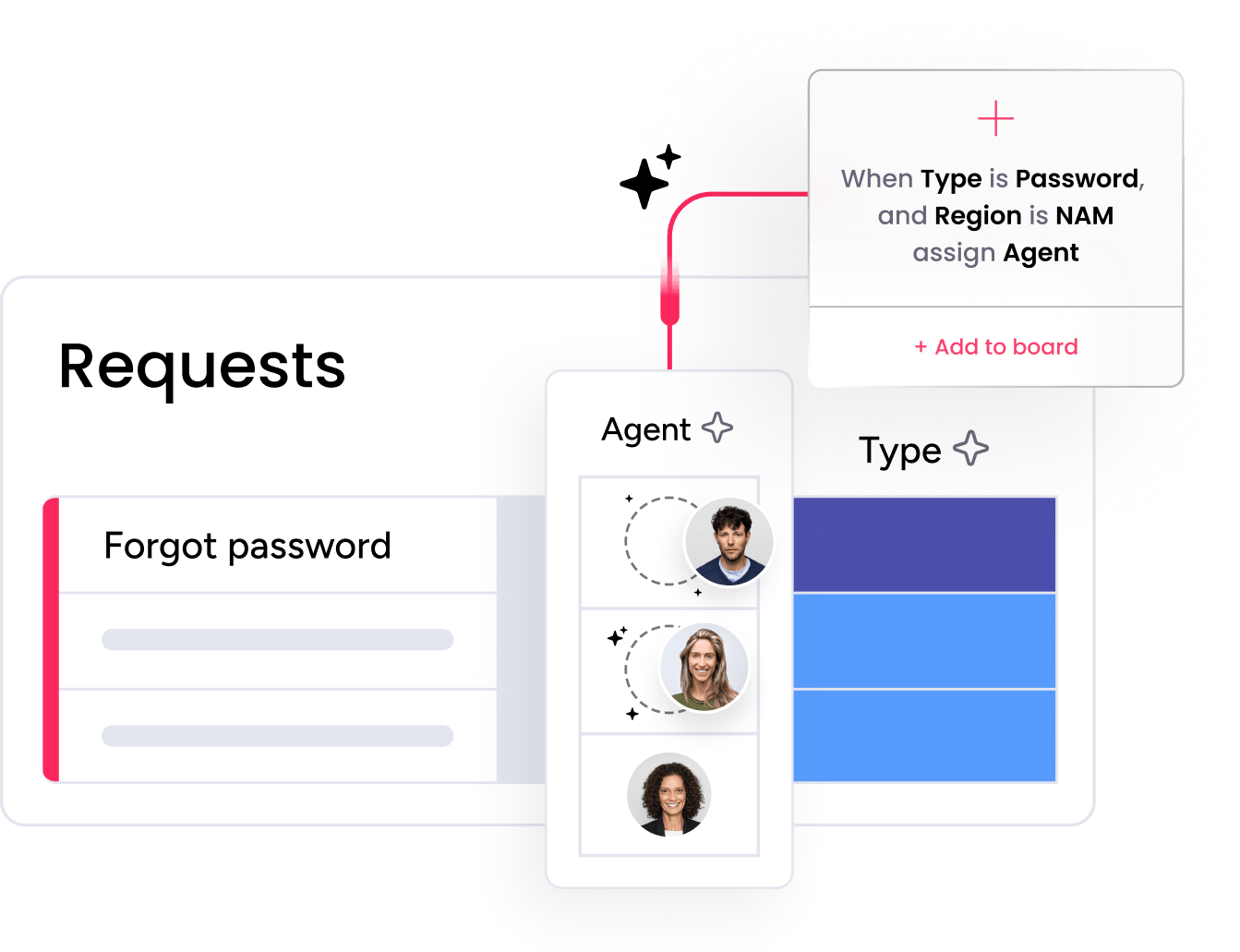
monday service is a service management platform that helps teams track and resolve any type of request. This means IT tickets, HR onboarding, facilities maintenance, and customer issues all live in one connected system.
The platform turns requests into visual workflows. When someone submits a laptop request, monday service can route it to IT, trigger manager approval, notify procurement, and track delivery, all automatically. But what makes monday service different? It treats service requests as work that moves between teams, not just tickets that need closing.
What makes monday service different? It treats service requests as work that moves between teams, not just tickets that need closing.
What is Freshdesk?

Freshdesk is a help desk platform designed for customer support teams. It turns emails, chats, phone calls, and social messages into organized tickets that agents can manage from one inbox.
The platform includes Freddy AI for response suggestions and sentiment analysis. Support managers get queue management, SLA tracking, and performance reports. Everything centers on helping agents resolve customer issues faster.
Freshdesk is the ideal choice when your main goal is managing external customer conversations efficiently.
Platform capabilities head-to-head
Let’s compare what each platform actually does in practice. Both offer automation and reporting, but they apply these features to different types of work.
Here’s a quick view of how these features stack up at a glance:
| Feature | monday service | Freshdesk |
|---|---|---|
| Internal service requests | Native support for IT, HR, facilities, and operations workflows | Basic internal ticketing; not optimized for complex workflows |
| Customer support | Integrated as part of broader service operations | Specialized support channels and agent productivity tools |
| Multi-department workflows | Seamless cross-team handoffs and approvals | Requires integrations; more friction between teams |
| User interface | Visual boards with color-coded statuses and customizable views | Traditional inbox layout with conversation threads |
| Workflow customization | No-code workflow creation for any service process | Support-specific automation rules |
| Custom fields | Rich data capture tied to downstream actions | Context capture for support resolution |
| Reporting | Dashboards across all service processes | Deep support-specific analytics |
| Best for | Organizations needing unified service delivery across departments | Dedicated customer support teams |
Service management scope
monday service handles a wider range of service scenarios. Here’s what each platform supports:
- Internal requests: monday service manages IT, HR, facilities, and operations requests naturally. Freshdesk can handle internal tickets, but wasn’t built for complex internal workflows.
- Customer support: Both platforms support customer service, but differently. Freshdesk specializes in support channels and agent productivity. monday service treats customer issues as part of broader service operations.
- Multi-department workflows: monday service excels when requests move between teams. Freshdesk handles this through integrations but with more friction.
User experience design
monday service uses visual boards, color-coded statuses, and customizable views. You can see where every request stands at a glance. Teams spot bottlenecks without digging through ticket lists.
Freshdesk uses a traditional inbox layout. Agents see conversation threads, customer context, and SLA timers in a familiar support interface. This design helps support teams work through tickets quickly.
Which design works better depends on your needs. Support agents often prefer Freshdesk’s focused interface. Service managers usually want monday service’s operational visibility.
Platform flexibility
Both platforms let you customize workflows, but the depth differs:
- Workflow building: monday service offers no-code workflow creation for any service process. Freshdesk focuses on support-specific automation rules.
- Custom fields: monday service supports rich data capture tied to downstream actions. Freshdesk captures context needed for support resolution.
- Reporting: monday service builds dashboards across all service processes. Freshdesk provides deep support analytics.
AI and automation features compared
How do these platforms use AI to reduce manual work? The answer reveals their different philosophies.
Freshdesk’s Freddy AI capabilities
- Response suggestions: AI recommends replies based on past tickets
- Sentiment detection: Flags frustrated customers for priority handling
- Ticket summarization: Creates quick overviews of long conversations
These features work well for customer support but don’t extend to broader service operations. It’s also worth noting certain capabilities, like Freddy AI Copilot, incur an additional add-on fee and can only be used on higher-tired plans.
monday service’s digital workforce
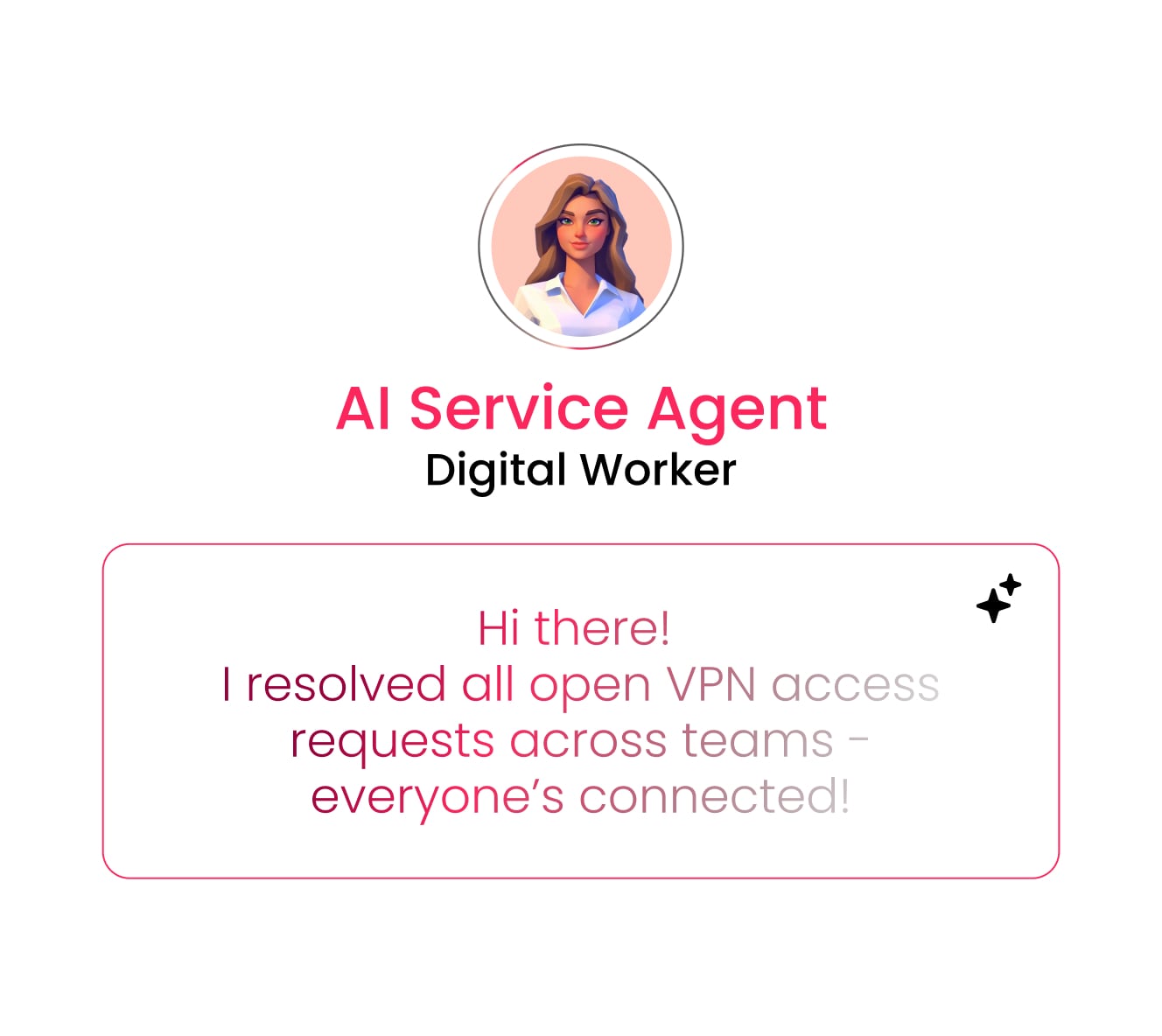
monday service treats automation as a digital workforce that coordinates across teams. Key capabilities include:
- Smart routing: AI categorizes and assigns any type of request
- Process automation: Triggers approvals, creates tasks, updates stakeholders
- Cross-system sync: Connects with other platforms to move work forward
The no-code automation builder lets service managers improve processes without waiting for IT help.
Automation without technical expertise
monday service uses visual automation recipes. You build workflows by selecting triggers and actions, no coding needed. This works especially well for multi-step processes like employee onboarding.
Freshdesk uses rule-based automation focused on tickets. You set conditions like “if ticket contains ‘urgent’, assign to senior agent.” Simple to set up but limited to support scenarios.
Try monday servicePricing models and true cost analysis
Pricing goes beyond monthly fees. You need to consider seats, features, and hidden costs that appear as you scale.
Subscription pricing breakdown
Freshdesk charges per support agent:
- Growth: $19 per agent/month with automation
- Pro: $55 per agent/month with advanced features
- Enterprise: $89 per agent/month with full capabilities
monday service uses seat-based pricing:
- Standard: $31 per seat/month with automation
- Pro: $45 per seat/month with advanced workflows
- Enterprise: Custom pricing for large organizations
Hidden costs and usage fees
Watch for these additional costs that can surprise you later:
- AI usage: Both platforms may charge extra as AI usage scales
- Add-ons: Freddy AI Copilot comes at an added cost
- Automation volume: Heavy automation users often hit usage limits
- Premium integrations: Enterprise connectors cost extra
- Advanced reporting: Deep analytics often require plan upgrades
Budget for year two, not just month one. Include expected growth in users, automation needs, and reporting requirements.
ROI at different growth stages
Small support teams often see faster ROI with Freshdesk. The focused design and per-agent pricing work well for pure customer support.
Mid-sized companies benefit more from monday service when multiple departments need service management. One platform replacing several point solutions creates compound savings.
Large enterprises evaluate based on complexity. Freshdesk remains strong for dedicated support centers. monday service wins when you need unified service delivery across the organization.
Customization and workflow building
Can your team actually customize the platform without technical help? This determines whether the system grows with you or becomes a constraint.
No-code workflow creation
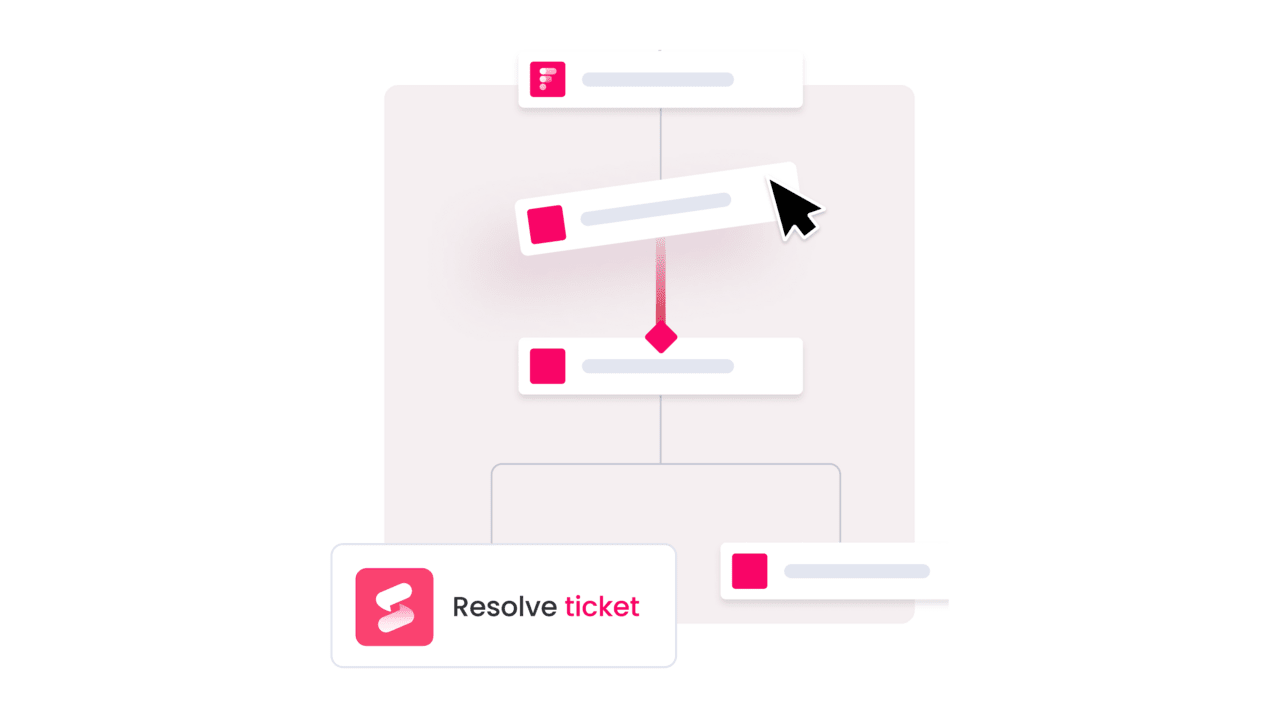
monday service excels at no-code customization. You build workflows visually, add stages, set automations, create approval chains. Service managers can adjust processes as needs change.
Freshdesk offers no-code automation for support workflows. Create escalation rules, auto-assignments, and SLA alerts through simple interfaces. It’s less flexible than monday service but easier for basic support needs.
Custom forms and portals
Both platforms let you create custom intake experiences:
- monday service: Build forms that capture any data and trigger complex workflows
- Freshdesk: Design support forms and help centers for customer self-service
The difference? monday service forms launch operational processes. Freshdesk forms create support tickets.
Process automation capabilities

Here’s where the platforms really diverge. monday service handles these complex scenarios naturally:
- Approval workflows: Multi-level approvals with automatic escalation
- Cross-team handoffs: Seamless ownership transfers between departments
- Conditional logic: Different paths based on request details
Freshdesk keeps automation simple and support-focused:
- Ticket routing: Skills-based assignment
- SLA management: Automatic escalation for breaches
- Response templates: Canned replies for common issues
Unified vs specialized service delivery
Should you choose a platform that does everything or one that specializes? The answer depends on your service delivery model.
Customer support excellence
Freshdesk wins for pure customer support. Its features align perfectly with support team needs:
- Omnichannel inbox for all customer messages
- Collision detection so agents don’t overlap
- Built-in satisfaction surveys
- Specialized support reporting
monday service handles customer support within a broader framework. Customer issues can trigger internal workflows, connect to other departments, and feed into company-wide reporting.
Internal service management
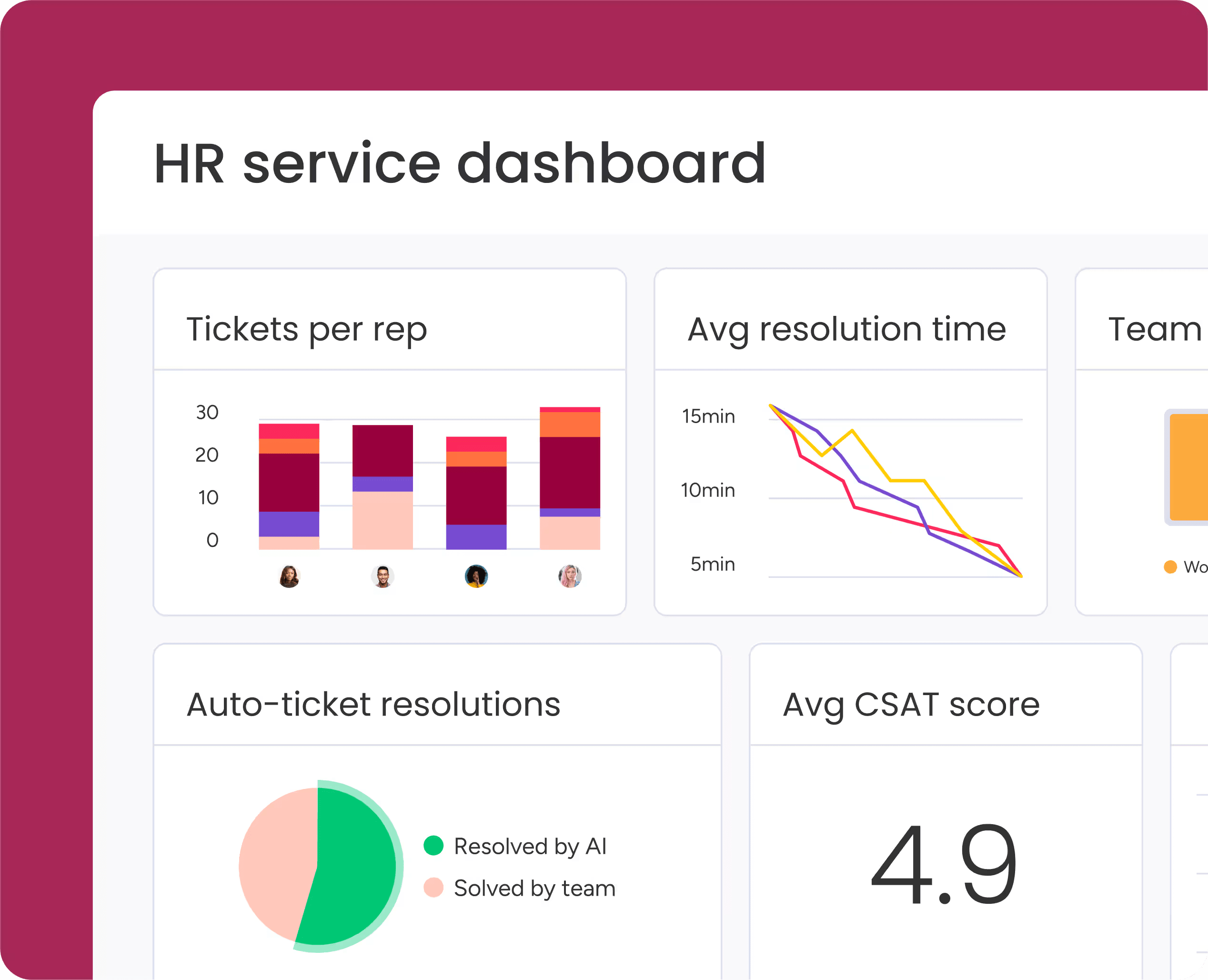
monday service dominates internal service delivery. IT requests, HR processes, and facilities tickets all use the same system. This creates consistency for employees and visibility for managers.
Can Freshdesk handle internal requests? While it’s possible, the platform’s design is not optimized for it. The system assumes every request is a support ticket, which limits how you can model complex internal processes. The platform assumes every request is a support ticket, which limits how you can model complex internal processes.
Breaking down service silos
Service silos happen when each department uses different systems. An IT request can’t connect to an HR process, and customer feedback doesn’t reach product teams.
monday service breaks these silos by design. A new employee request flows from HR to IT to facilities with full visibility and everyone sees the same status and works from shared data.
Freshdesk can integrate with other systems, but remains fundamentally a support island. Great for support teams, limiting for organizations wanting connected operations.
Integration ecosystem comparison
Which platform connects better with your existing systems? Integration quality determines whether you have a connected operation or another data silo.
Out-of-the-box integrations

monday service integrates broadly across business systems:
- Communication: Slack, Teams, email platforms
- Business apps: Microsoft 365, Google Workspace, DocuSign
- Development: Jira, GitHub, Azure DevOps
- Analytics: Built-in dashboards plus BI connectors
Freshdesk focuses on support-relevant integrations:
- Channels: Email, chat, phone, social media
- CRM: Salesforce, HubSpot, Freshsales
- Collaboration: Slack, Teams for support notifications
- Ecommerce: Shopify, WooCommerce connections
API flexibility
Both platforms offer APIs, but for different purposes. monday service’s API supports building custom workflows and connecting operational systems. Freshdesk’s API excels at extending support functionality and building customer-facing integrations.
Enterprise system connections
Large organizations need more than basic integrations. They require connections to:
- HRIS platforms for employee data
- ERP systems for procurement workflows
- Identity providers for security
- Compliance platforms for audit trails
monday service handles these enterprise connections more naturally due to its operational focus. Freshdesk can connect but usually requires more custom development.
Security, compliance, and governance
Enterprise service management buyers care about security as much as features. How do these platforms protect your data and support compliance?
Enterprise security standards
Both platforms support essential security features:
- Encryption: Data encrypted in transit and at rest
- Access control: Role-based permissions
- Authentication: SSO and multi-factor authentication
- Audit trails: Activity logging for compliance
monday service offers broader governance features for multi-department use. Freshdesk provides deep controls for support operations.
Regulatory compliance
Compliance support varies by plan level. Both vendors support:
- GDPR for data privacy
- SOC 2 for security practices
- Industry standards like HIPAA (with proper agreements)
Verify specific compliance needs during procurement. Enterprise plans typically offer stronger compliance features.
Data protection and privacy
monday service requires careful permission planning since data flows between departments. Freshdesk naturally contains data within support operations. This narrower scope can simplify privacy management.
Both platforms let you control data residency, retention, and deletion based on your policies.
Migration and implementation reality
How long does it really take to switch platforms? What breaks during migration? Let’s cover the practical steps.
Step 1: Assessment and planning
Start by documenting what you actually use today:
- Active workflows and automations
- Custom fields and data structures
- Integration points
- Reporting requirements
This inventory prevents surprises during migration. Most teams discover they use more features than they realized.
Step 2: Data export and preparation
Export your existing data and clean it up. Common data to migrate includes:
- Tickets and request history
- Customer and contact records
- Knowledge base articles
- Custom field values
Some data won’t transfer cleanly. Automation logic and AI training need rebuilding in the new platform.
Step 3: Platform configuration
monday service requires more upfront design because you’re building operational workflows, not just recreating a help desk. This extra planning pays off in flexibility later.
Freshdesk setup is faster for basic support needs. You can launch a functional help desk in days, not weeks.
Step 4: Testing and validation
Test everything before going live:
- Form submissions and routing
- Automation triggers
- Permission settings
- Integration data flow
Common issues include broken field mappings and incorrect routing rules. Budget 1-3 weeks for thorough testing.
Step 5: Training and rollout
Freshdesk requires minimal training for support agents familiar with help desks. monday service needs broader training since more teams interact with the platform.
Start with one high-value workflow, gather feedback, then expand. This approach reduces risk and builds confidence.
Choosing your service platform
The right platform transforms how your organization delivers service. Here’s how to match your needs with the platform that will drive the most value.
When monday service excels
Choose monday service when you need to:
- Connect service delivery across departments: Break down silos between IT, HR, facilities, and customer support with unified workflows that give everyone visibility into request status and progress.
- Handle complex, multi-step processes: Manage requests that require approvals, cross-team handoffs, and conditional routing without forcing teams into rigid ticket structures.
- Empower teams with no-code flexibility: Let service managers build and modify workflows as business needs evolve, without waiting for IT resources or technical expertise.
- Scale service operations strategically: Start with one department and expand across the organization using a single platform that grows with you, eliminating the need for multiple point solutions.
- Gain unified visibility: See all service requests across your organization in customizable dashboards that reveal bottlenecks, trends, and opportunities for improvement.
monday service delivers the most value when service delivery involves coordination across teams and departments. The platform treats requests as operational workflows, not just tickets to close, which means you can orchestrate complex processes that actually reflect how work gets done in your organization.
When Freshdesk makes sense
Choose Freshdesk when:
- Customer support is your dedicated focus: You need a specialized platform built specifically for external customer conversations across email, chat, phone, and social channels.
- Support-specific features matter most: Your team benefits from collision detection, satisfaction surveys, and deep support analytics designed exclusively for customer service operations.
- Quick deployment is the priority:You want a platform support agents can adopt immediately with minimal training and configuration.
- Per-agent pricing fits your model: Your budget planning works better with costs tied directly to support headcount rather than broader organizational seats.
Freshdesk excels at its core mission: helping dedicated support teams serve customers efficiently within a traditional help desk framework.

"Our team LOVES the monday service platform and we’re already exploring how we could incorporate it for other departments, too. It has streamlined our workflow in a way that both our team and customers appreciate."
Andrew Marshall | VP Operations
״monday service provides clear insights into requests volume and types, response times, and trends - helping us continuously improve operations"
Grant De Waal-Dubla | CIO
"The biggest value for us is speed and flexibility. You can get up and running in days, change anything instantly, and see everything in real time. And you don’t need a dedicated admin to do it."
Clive Camilleri | Head of People Tech & OperationsTransform service delivery with monday service
monday service transforms fragmented service operations into connected workflows. Instead of managing separate systems for IT, HR, and customer support, you get unified visibility and automation across all service delivery.
The platform grows with you. Start with one department, prove the value, then expand. No code rewrites or platform migrations needed. For organizations ready to break down service silos and deliver faster, more connected support, monday service provides the foundation.
Try monday serviceFAQs
How long does migration from Freshdesk to monday service typically take?
The time it takes for a migration from Freshdesk to monday service is typically 4-12 weeks, depending on complexity. Simple ticket transfers might finish in a month, while multi-department implementations with custom workflows often need three months for full deployment. Simple ticket transfers might finish in a month, while multi-department implementations with custom workflows often need three months for full deployment.
Can both monday service and Freshdesk handle omnichannel customer support?
Both monday service and Freshdesk can handle omnichannel support, but differently. Freshdesk specializes in unified customer channels like email, chat, and social media, while monday service better supports omnichannel workflows that require cross-team coordination beyond the support desk.
Which platform requires less technical expertise to maintain?
Freshdesk requires less technical expertise for basic customer support setups. monday service needs minimal technical skills for its no-code features but requires more planning when designing multi-department workflows and governance structures.
What happens to AI automation costs as teams scale up usage?
AI automation costs typically increase with usage on both platforms. Freshdesk may charge more for Freddy AI interactions and advanced features, while monday service costs can rise with automation volume and premium AI functionality across departments.
Do both monday service and Freshdesk offer mobile applications?
Both monday service and Freshdesk offer mobile applications for iOS and Android. Freshdesk's mobile app focuses on ticket handling for agents, while monday service's app provides broader workflow visibility and updates for all team members.
Which platform integrates more effectively with Microsoft 365?
monday service integrates more effectively with Microsoft 365 for operational workflows across Teams, Outlook, and SharePoint. Freshdesk's Microsoft integrations work well for support-specific needs but offer less depth for broader organizational processes.

 Get started