


IT support used to be simple: tickets come in, tickets get resolved, repeat. But as businesses grow more dependent on technology, that reactive rhythm starts to crack. A backlog builds. Priorities blur. High-impact issues compete with routine requests. And talented teams spend too much time firefighting instead of improving systems.
A modern IT support ticketing system does more than log requests. It organizes chaos, automates repetitive work, and brings visibility to what actually matters. Instead of treating every issue the same, teams can prioritize based on business impact, reduce manual triage, and surface trends before they become bigger problems.
This helpful article explores what separates basic ticketing software from true service platforms, the features that define modern IT operations, and how leading solutions compare across automation, flexibility, and ROI. The right system doesn’t just help close tickets faster — it helps IT operate with clarity, confidence, and measurable impact.
Key takeaways
- Basic ticketing tools limit strategic impact: Systems that only track requests reinforce reactive workflows and fail to prioritize issues based on business relevance.
- Automation drives sustainable service delivery: AI-powered routing, categorization, and ticket deflection reduce manual effort and allow teams to focus on higher-impact work.
- Visibility turns data into action: Real-time analytics surface trends, prevent recurring issues, and help teams clearly communicate their impact.
- Cross-department collaboration strengthens resolution: Modern platforms connect IT with product, operations, and other teams to resolve issues with shared context and fewer handoffs.
- monday service connects tickets to outcomes: By linking requests to workflows, automation, and business goals, monday service helps IT teams align daily support work with measurable results.
What is an IT support ticketing system?
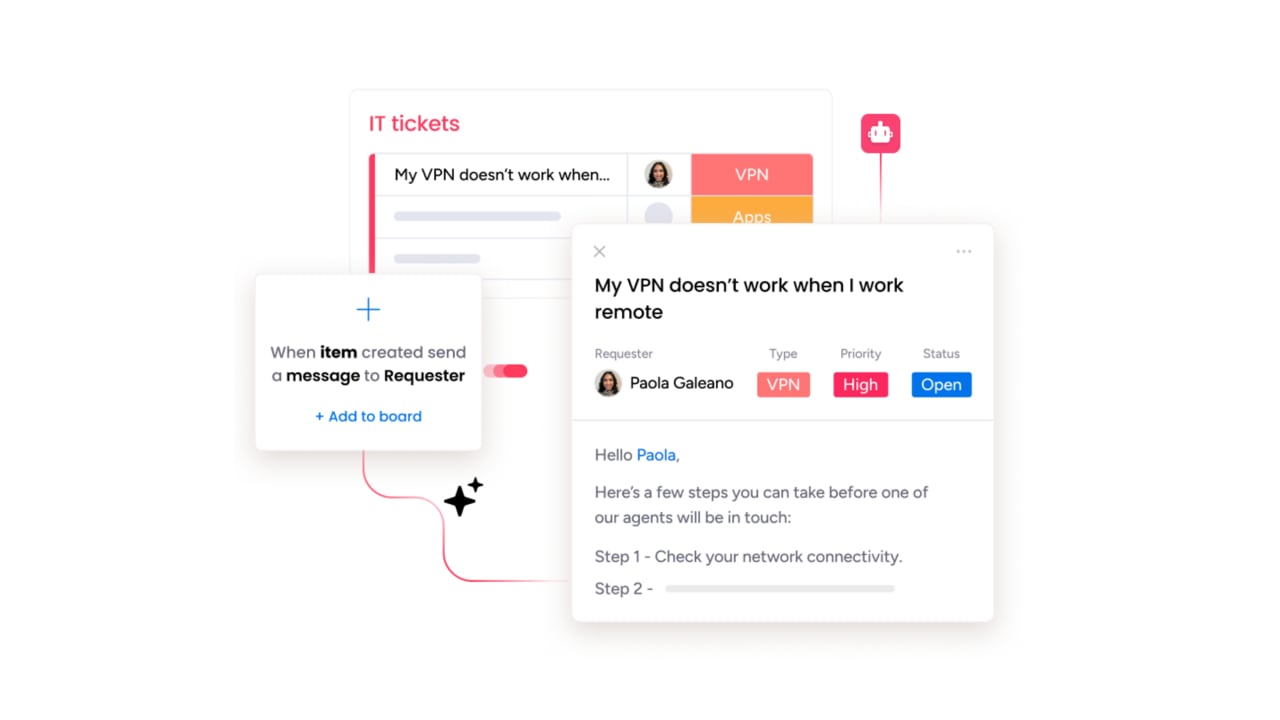
An IT support ticketing system is your team’s central hub for every tech issue, big or small. It captures all those chaotic requests from emails, chats, and calls, then neatly organizes them into trackable tickets so nothing ever gets lost in the shuffle. This gives every problem a clear owner and a path to resolution.
Modern systems bring intelligence right into the workflow, doing more than just organizing tickets. With built-in AI to automate routine tasks and real-time analytics to spot trends, your team can get ahead of issues before they escalate.
This is about working smarter, not just harder, to free up your best people for the challenges that matter most.
The result is a transformation of your support function from a reactive scramble into a smooth, predictable operation. Instead of chasing down information, teams gain complete visibility, which accelerates issue resolution and keeps the entire organization running at full speed.
Why IT teams need more than basic ticketing software
While basic ticketing systems might be able to keep a list, they often lack the intelligence to identify what truly matters to the business. Your team ends up treating a company-wide CRM outage with the same process as a broken printer, leaving everyone stuck in a reactive loop.
Advanced platforms support a necessary shift from reactive issue resolution to proactive service management. By prioritizing requests based on business impact, critical issues receive immediate attention while lower-risk requests follow structured workflows. This approach helps protect revenue, maintain productivity, and reduce recurring disruptions.
The broader objective is to move the conversation from ticket volume to business value. Real-time visibility into service activity allows teams to translate effort into outcomes such as reduced downtime and preserved productivity. This creates clearer alignment between IT operations and organizational strategy.
Must-have features for modern IT ticketing system
Many IT teams operate under constant pressure, balancing outdated platforms with rising service expectations. While effort and expertise remain high, legacy systems struggle to support the pace and complexity of modern operations. Strong service delivery requires platforms designed for speed, visibility, and adaptability.
To operate at a higher level, teams need more than a basic ticket log. Capabilities such as intelligent automation, structured collaboration, and real-time insights enable service teams to manage demand while staying focused on impact:
AI-powered automation and smart routing
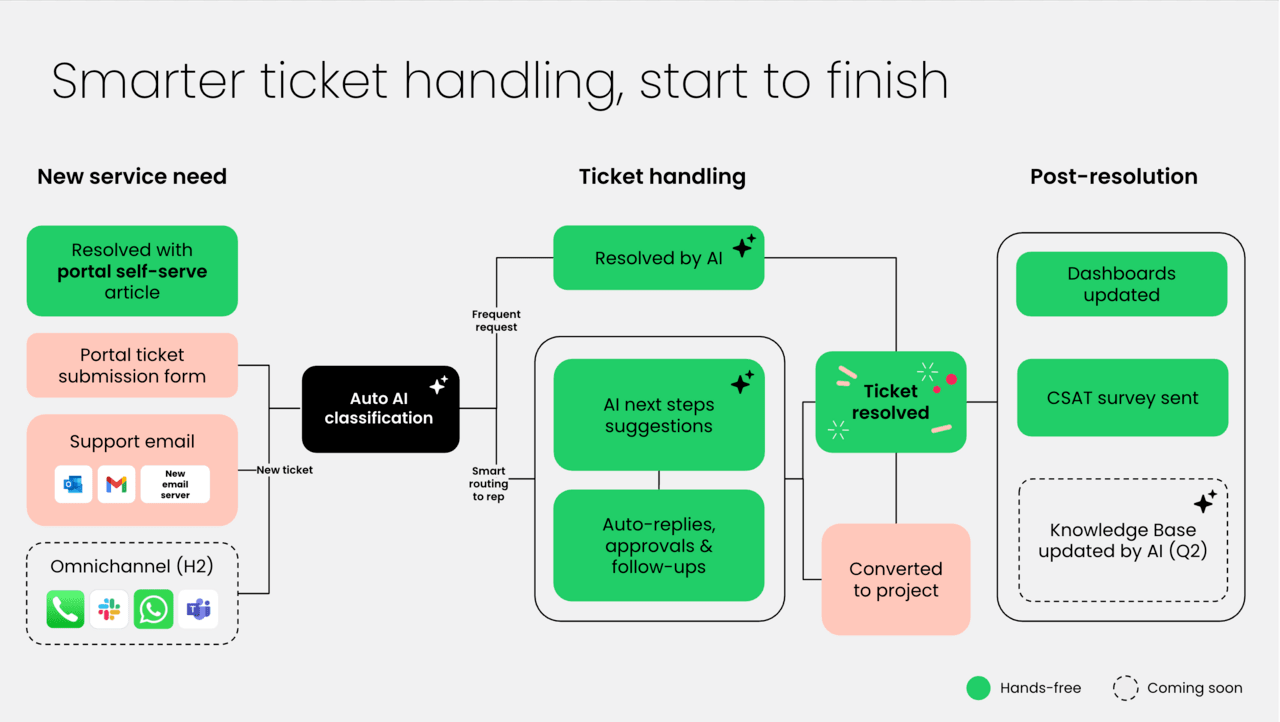
AI-powered automation acts as a tireless MVP for your team, instantly analyzing incoming tickets and routing them to the perfect agent based on their skills and workload. This eliminates the soul-crushing process of manually sorting through a crowded inbox.
Its true power lies in freeing up your experts to do what they do best: solve complex problems. AI can suggest solutions from your knowledge base and flag tickets that need urgent attention, bringing incredible speed and accuracy to your process. This isn’t about replacing people; it’s about giving them superpowers.
With platforms like monday service, the AI gets smarter over time by learning your team’s patterns, so its recommendations are always improving. Your team spends less time on admin work and more time delivering the expert solutions that make a real difference.
Omnichannel support across every touchpoint
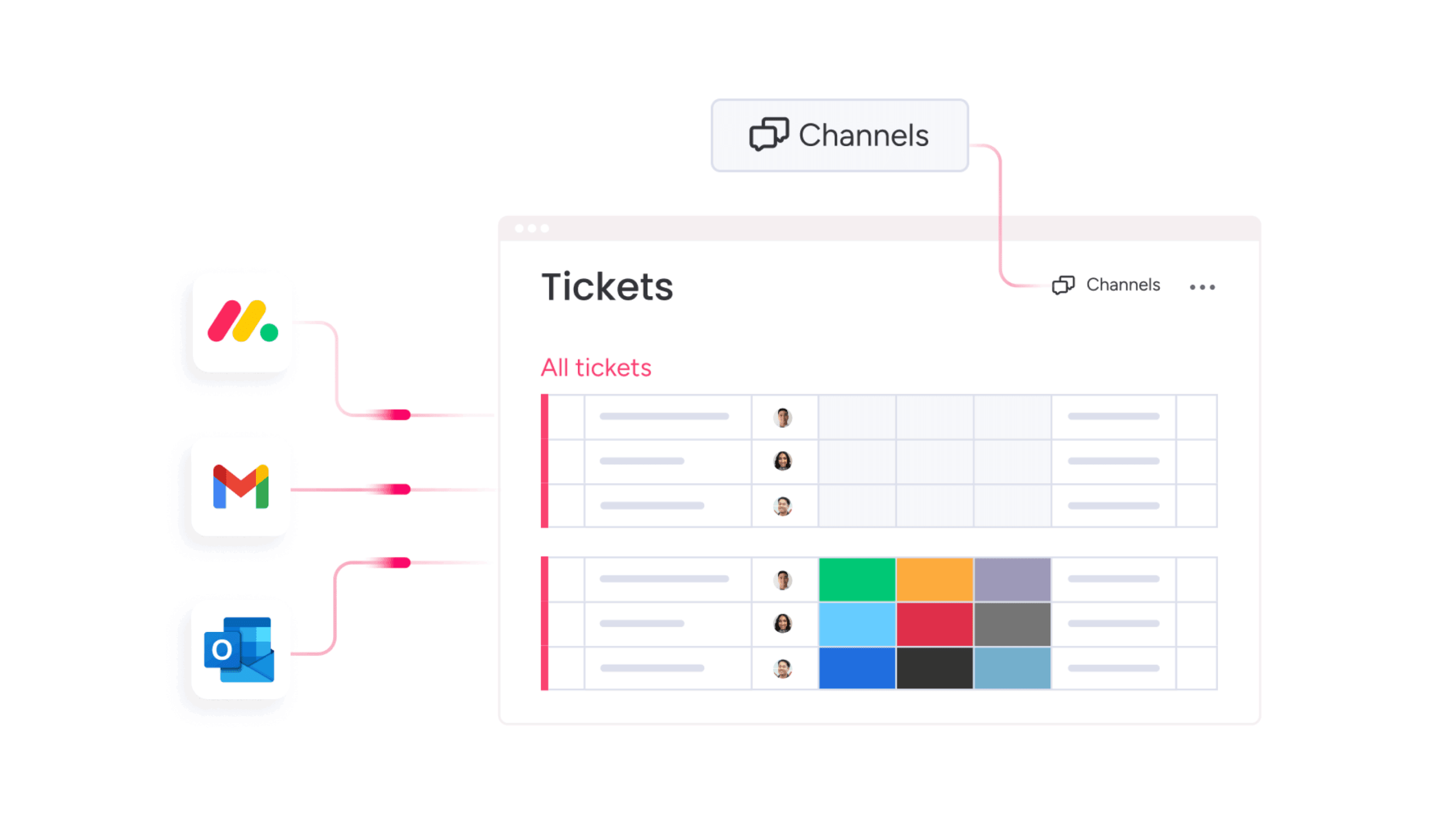
Modern service expectations extend across email, chat, and portals. Omnichannel support brings all interactions into a single workflow, ensuring continuity regardless of where a request originates. Context remains intact across channels, reducing delays caused by fragmented communication.
When conversations move between channels, agents retain full visibility into request history. This allows service teams to maintain momentum without restarting conversations or duplicating information, which improves resolution speed and satisfaction.
Centralizing communication also reduces operational complexity. Agents manage all interactions from one interface, supporting faster coordination and more consistent service delivery.
Self-service portals with knowledge management
Self-service capabilities reduce incoming request volume by enabling customers to resolve common issues independently. A structured knowledge base transforms institutional knowledge into an always-available resource, supporting faster resolution without additional agent effort.
Modern self-service portals extend beyond static documentation too. Interactive guides, searchable content, and structured resources help customers locate answers efficiently, making self-service the first step rather than a fallback option.
monday service connects service requests with knowledge content, creating a continuous feedback loop. Unresolved requests highlight content gaps, helping teams refine resources over time and strengthen self-service effectiveness.
Real-time analytics and service insights
Service data provides valuable insight into operational performance. Real-time dashboards present visibility into request volume, resolution time, and satisfaction trends, enabling informed decisions without delayed reporting cycles.
Beyond surface-level metrics, analytics reveal patterns in recurring issues and workload distribution. These insights support better planning, resource allocation, and service prioritization across teams.
Predictive insights further strengthen service reliability by highlighting potential risks before service levels decline: this approach helps teams maintain consistency while clearly communicating value to stakeholders.
No-code workflow builder for quick customization
Your system should adapt to your team’s proven processes, not the other way around. A no-code workflow builder provides this flexibility, letting you design and automate unique processes with a simple drag-and-drop interface. You can build the perfect system for your team without writing a single line of code.
Approval paths, escalation rules, and service notifications can be configured quickly, supporting evolving requirements without extended setup cycles. This flexibility ensures workflows remain aligned with operational needs.
Rapid customization supports agility. Process updates can be implemented immediately, allowing teams to respond to change without dependency on external resources.
Cross-department collaboration tools
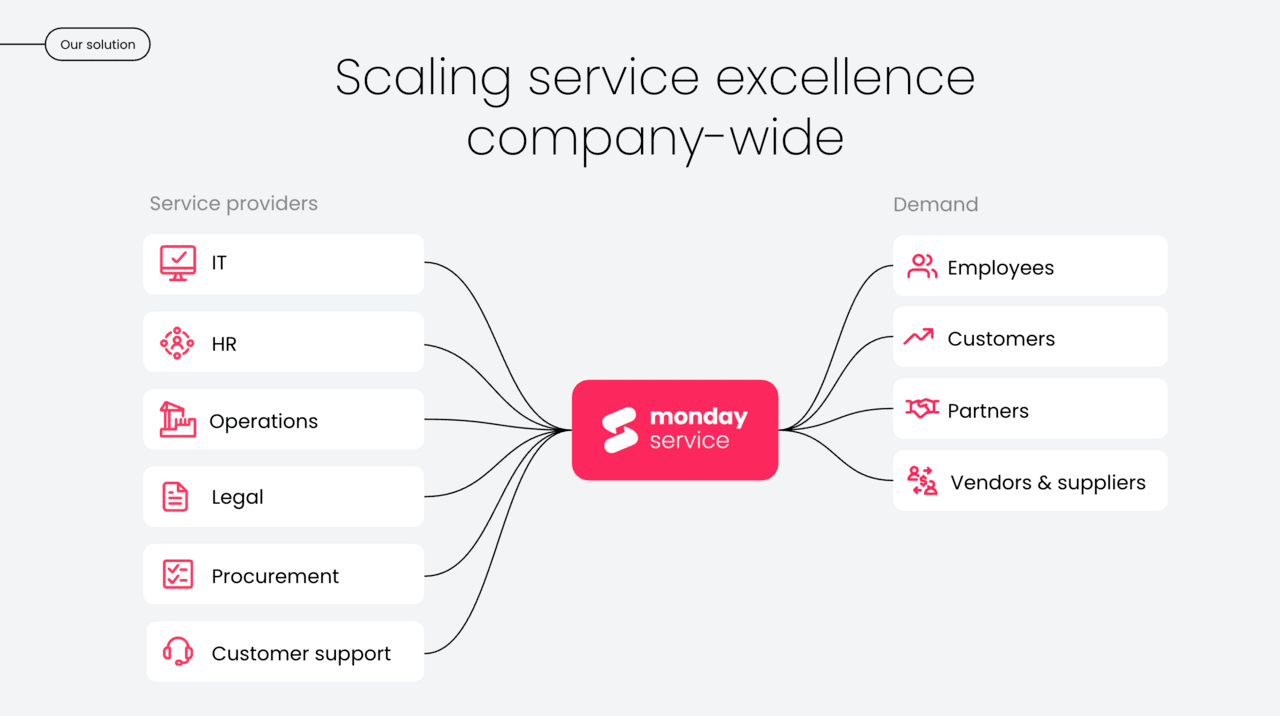
Complex challenges often require input from multiple experts. Modern ticketing systems are engineered to dismantle departmental silos, enabling seamless collaboration between IT, HR, legal, and any other department. Everyone gets the context they need to contribute effectively.
Shared tickets, internal comments, and centralized files mean different teams can swarm a problem together without losing track of information. When an issue requires input from multiple experts, everyone works from the same playbook, ensuring a coordinated and efficient response.
Powerful solutions like monday service support alignment by connecting service activity with broader organizational workflows. Requests remain linked to operational goals, supporting coordination without fragmentation.
Mobile Apps for agents and end users
Finally, service delivery must remain consistent, whether your team is at their desks or on the move. Mobile applications ensure constant connectivity, allowing support to continue and resolutions to flow in any work environment. It’s about delivering great service from anywhere.
Agents can update requests, access documentation, and communicate directly through mobile interfaces. End users can submit requests, share images, and track updates without relying on desktop access.
This flexibility supports faster response cycles and removes barriers between teams and customers, improving overall service efficiency.
Top IT support ticketing systems that drive results
Choosing an IT support platform isn’t just about finding a system that logs requests and sends notifications. It’s about deciding how service will function inside the business — how issues are prioritized, how teams collaborate, and how clearly impact can be measured.
The strongest platforms create alignment. They connect tickets to broader workflows, reduce back-and-forth between departments, and make it easier to move from isolated fixes to coordinated solutions. Over time, that structure changes how support feels — less reactive, more deliberate, and far more visible across the organization.
With that in mind, the platforms below stand out for different reasons. While some focus on deep IT service management capabilities, others emphasize flexibility, automation, or ease of adoption
1. monday service
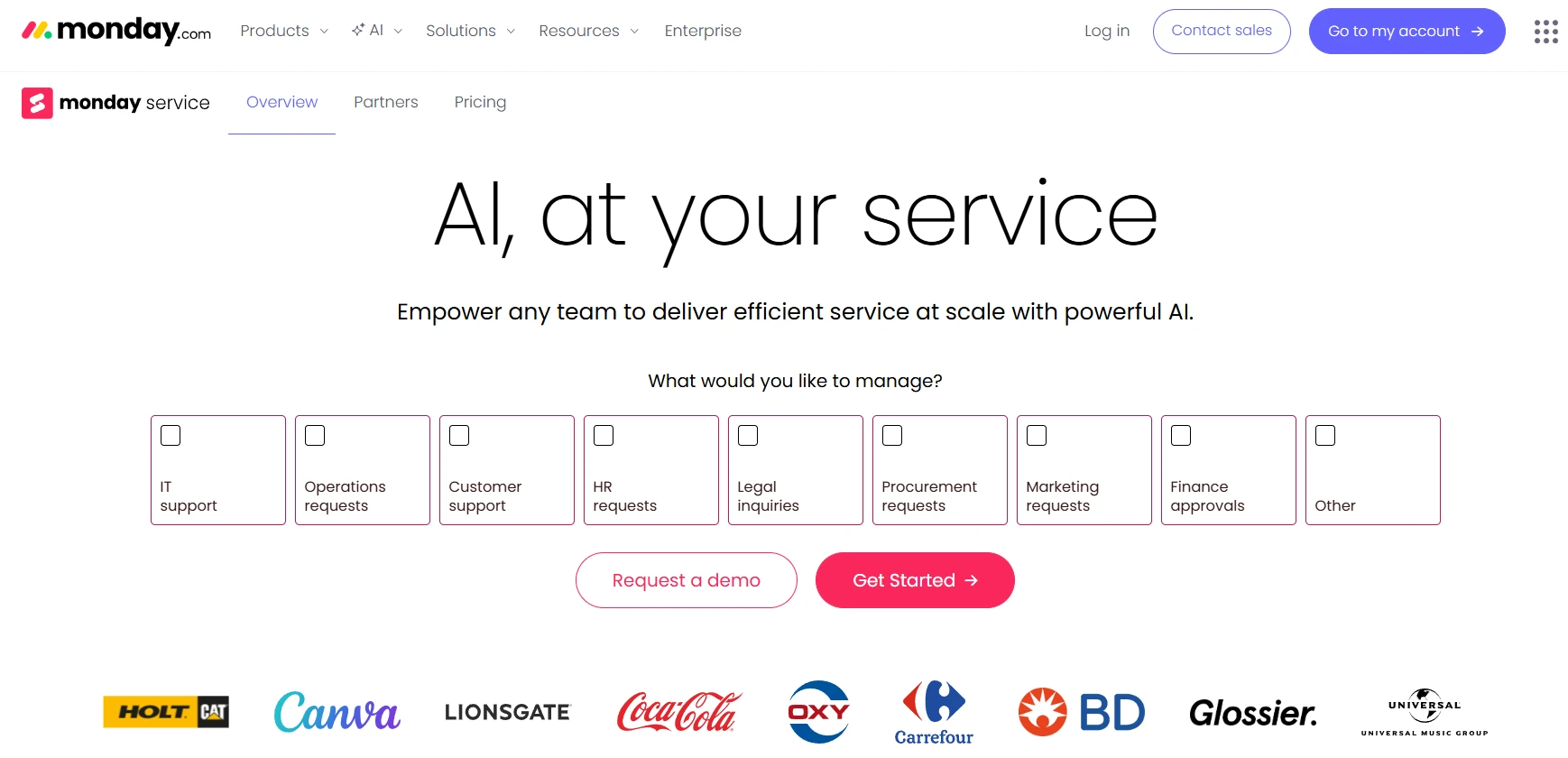
monday service is built for organizations that want their IT support to operate as part of a connected business system, not as a standalone queue. It combines ticket management, automation, and cross-department workflows in one visual workspace, helping teams link daily service activity to broader operational goals.
Use case:
monday Service empowers organizations to unify IT support with broader business workflows, creating a single source of truth that connects service delivery to project outcomes and cross-departmental collaboration.
Key features:
- AI-powered ticket management: Automatically categorizes, routes, and prioritizes tickets with smart assignment and one-click reply suggestions.
- Visual workflow management: Kanban boards and timeline views provide intuitive visibility into ticket progress and resolution status.
- Branded customer portal: Self-service portal with global search, “My tickets” tracking, and support for up to 500 separate portals per account.
Pricing:
- Standard: $31/month per seat (billed annually).
- Pro: $45/month per seat (billed annually).
- Enterprise: Custom pricing (quote-based).
- Offer: 14-day free trial available with minimum three users.
Why it stands out:
- Work OS integration: Native connection between IT tickets and project management, HR, and business workflows eliminates silos and creates organizational alignment.
- Unlimited AI credits: Core service boards receive unlimited AI assistance for ticket triage, summarization, and smart routing without additional costs.
- No-code customization: Teams can adapt workflows and processes without technical expertise, enabling rapid deployment and continuous optimization.
2. Zendesk
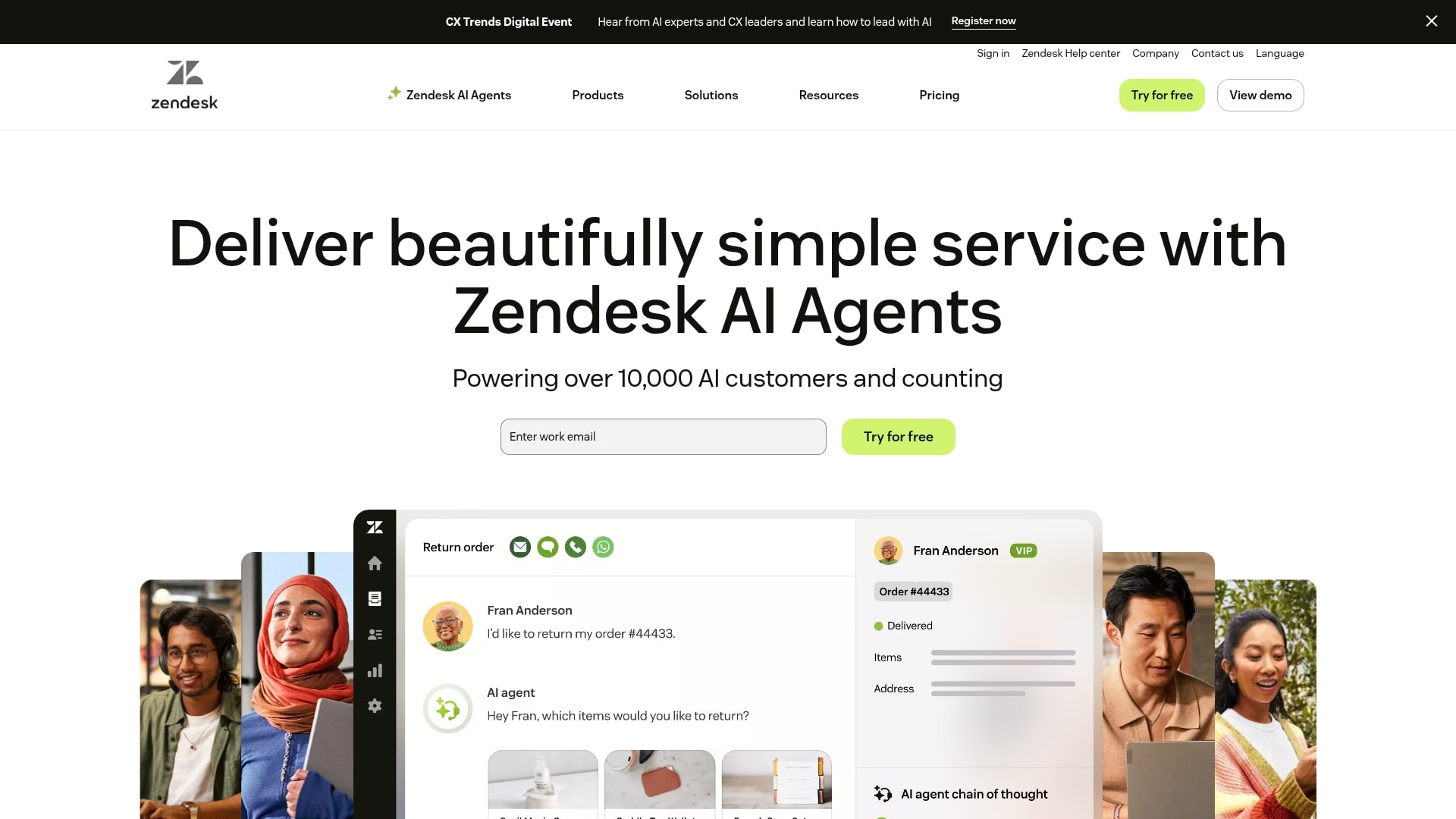
Zendesk is widely recognized for its customer support capabilities and omnichannel strength. For IT teams, it offers a structured environment with strong automation and an extensive integration marketplace, making it a solid choice for organizations that prioritize communication coverage and scalability.
Use case:
Zendesk delivers comprehensive IT service management for organizations that need robust omnichannel support capabilities with extensive third-party integrations and AI-powered automation.
Key features:
- Omnichannel ticketing: Unified workspace that consolidates tickets from email, chat, phone, social media, Slack, and Teams into a single agent interface.
- AI-powered automation: Autonomous AI agents handle routine resolutions while AI Copilot assists human agents with intelligent suggestions and knowledge base integration.
- Extensive integration ecosystem: Over 1,200 prebuilt apps and integrations including Jira, Okta, PagerDuty, and NinjaOne for seamless workflow connectivity.
Pricing:
- Suite team: $55/agent/month (annual billing).
- Suite growth: $89/agent/month (annual billing).
- Suite professional: $115/agent/month (annual billing).
- Suite enterprise: $169/agent/month (annual billing).
- Monthly billing: Available at higher rates.
- Add-ons: Include AI Copilot ($50/month), quality assurance ($35/month), and workforce management ($25/month).
Considerations:
- Limited native ITSM depth: Organizations requiring comprehensive CMDB, asset management, or complex ITIL workflows typically need multiple marketplace integrations, increasing complexity and vendor management overhead.
- Add-on cost accumulation: Advanced features like Quality Assurance, Workforce Management, and Advanced Data Privacy are separate paid add-ons that can significantly increase per-agent costs beyond base subscription pricing.
3. ServiceNow
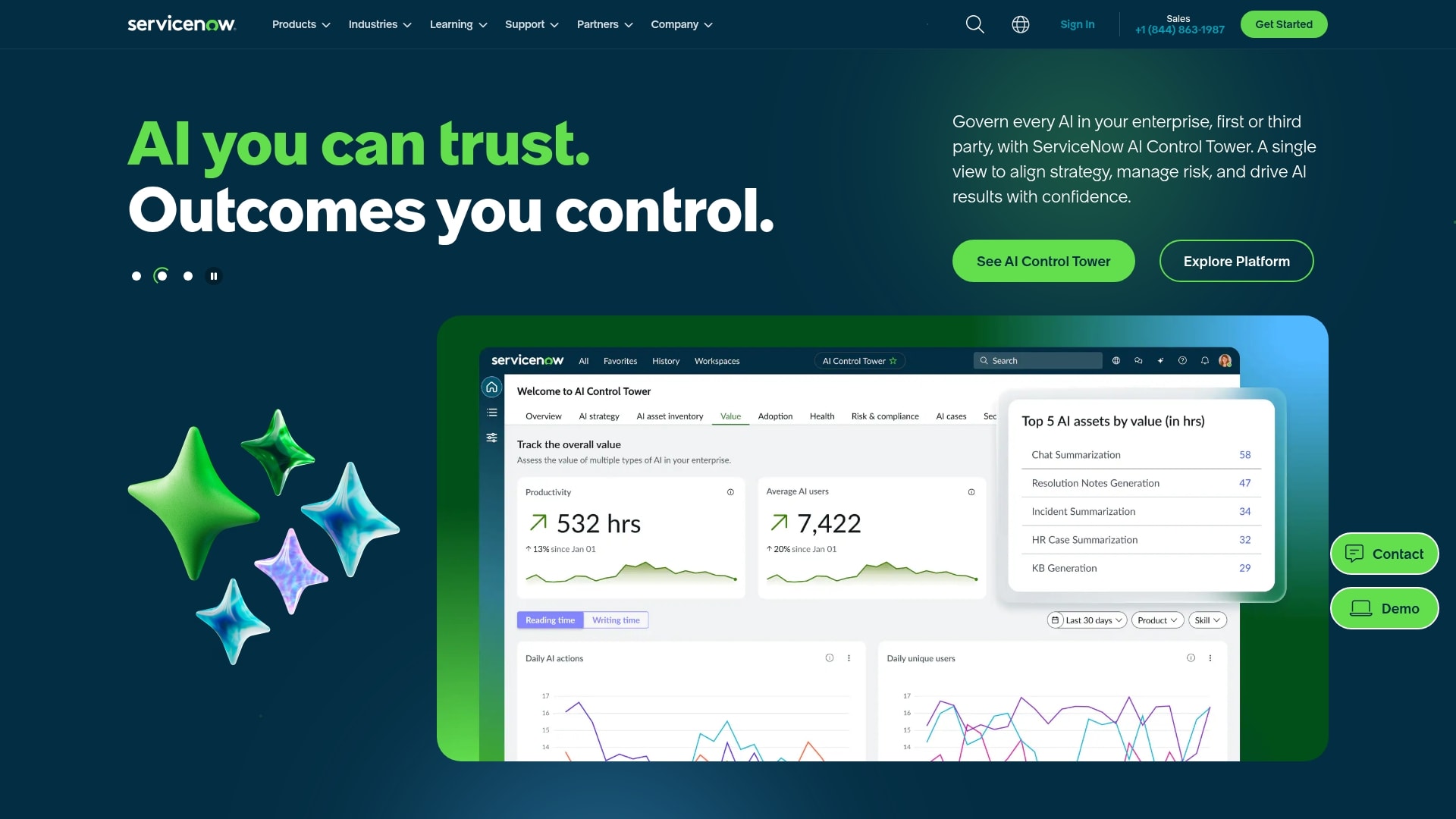
ServiceNow is positioned as an enterprise-grade IT service management platform designed for complex environments. It brings structured ITIL processes, governance controls, and deep system integrations, making it particularly suited to large organizations with mature service operations.
Use case:
ServiceNow unifies incident, request, problem, and change management on a single cloud platform with embedded AI to automate core IT processes while providing enterprise-grade compliance and governance.
Key features:
- ITIL framework compliance: Built-in best practices for incident, problem, and change management with structured processes for safe, auditable system changes.
- AI-powered automation: Now Assist provides GenAI summaries, resolution note generation, and intelligent ticket routing to accelerate resolution times.
- Enterprise integrations: Deep connections with ERP, HR, and other enterprise software, plus comprehensive CMDB for complete asset visibility.
Pricing:
- Standard: Quote-only pricing with basic ITSM capabilities.
- Pro: Quote-only pricing with advanced analytics and automation features.
- Enterprise: Quote-only pricing with full enterprise capabilities.
- Pro Plus/Enterprise plus: Required for Now Assist AI features with consumption-based “Assists” pricing.
- Additional cost: May apply for Process Mining, IntegrationHub spokes, and premium success offerings.
Considerations:
- Implementation complexity: Requires skilled administrators or partners for setup, with users frequently citing configuration complexity and steep learning curves.
- Cost transparency: Quote-only pricing model with higher licensing and implementation costs compared to simpler ticketing solutions, making total cost of ownership difficult to predict upfront.
4. Freshservice
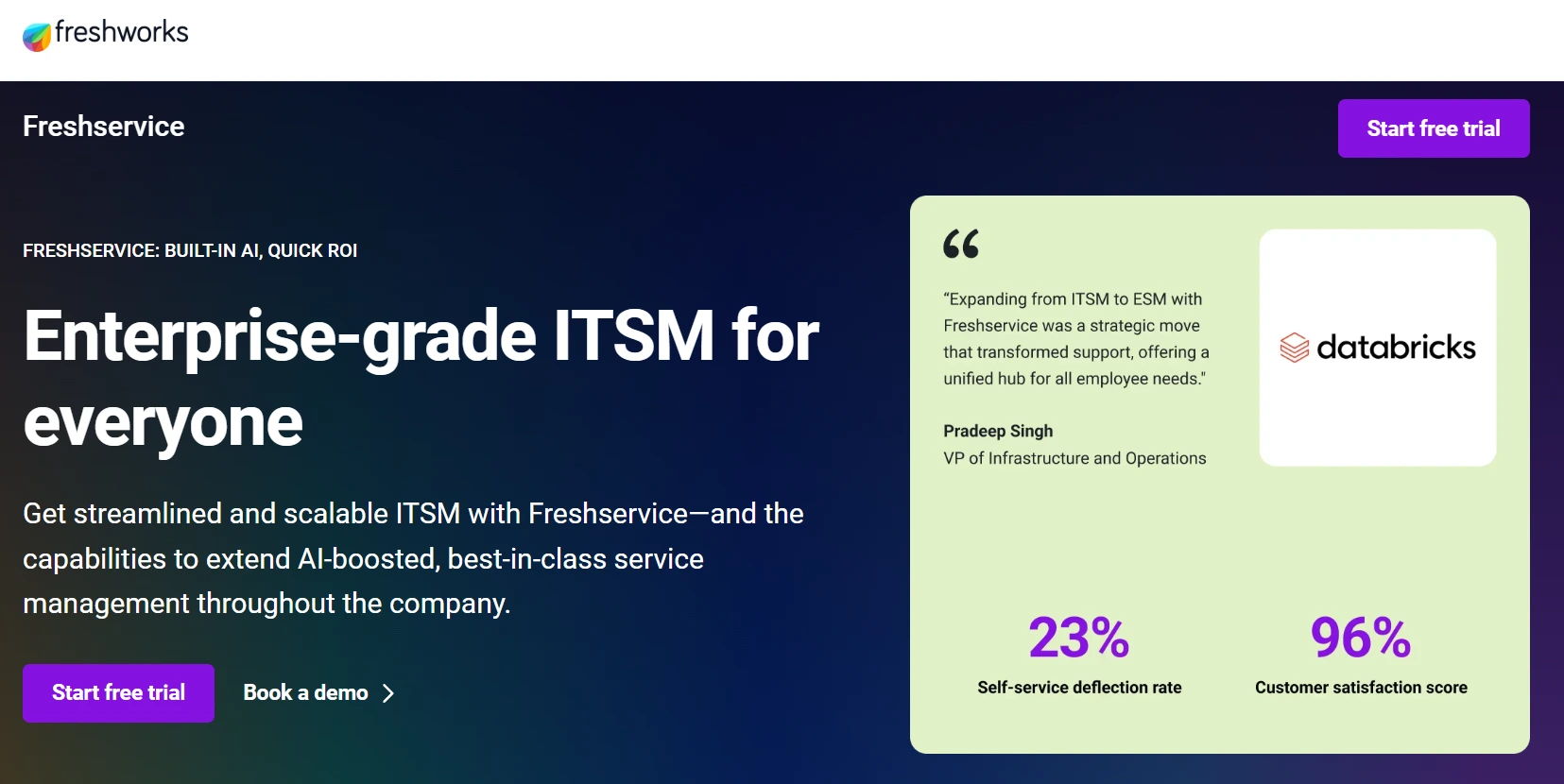
Freshservice focuses on delivering modern IT service management with an emphasis on usability. It blends ticketing, automation, and asset management into a clean interface that supports faster adoption while still covering core ITSM requirements.
Use case:
Freshservice empowers IT teams to deliver exceptional support through omnichannel ticketing, smart automation, and built-in asset management, all wrapped in an interface that encourages quick adoption across your entire organization.
Key features:
- Smart ticket routing: AI-powered automation assigns tickets to the right agents instantly, reducing response times and ensuring consistent service quality.
- Omnichannel support: Unified ticketing across email, portal, mobile, phone, and native ServiceBot integration with Slack and Microsoft Teams.
- Integrated asset management: Built-in tools track IT assets and link them directly to tickets, providing complete context for faster resolution.
Pricing:
- Starter: $19/agent/month (billed annually).
- Growth: $49/agent/month (billed annually).
- Pro: $99/agent/month (billed annually).
- Enterprise: Custom pricing available.
- Free trial: 14-day free trial is included for all plans.
- Annual billing: Offers significant savings over monthly rates.
Considerations:
- Reporting and analytics capabilities can be limited on lower-tier plans, potentially requiring upgrades for comprehensive insights.
- Some users report mobile app responsiveness lags behind the desktop experience, which could impact field support scenarios.
5. Jira Service Management
Jira Service Management is designed with development-heavy organizations in mind. Its tight integration with Jira Software makes it especially appealing to teams that want service requests, bugs, and engineering workflows connected in a single ecosystem.

Use case:
Jira Service Management is ideal for development-heavy IT teams that need tight integration between support tickets and development workflows, enabling rapid bug resolution and streamlined change management.
Key features:
- Native Jira integration: Seamlessly connects support tickets directly to development tasks and code repositories for faster issue resolution.
- ITIL-certified processes: Offers PinkVERIFY-certified incident, problem, change, and request management workflows out of the box.
- AI-powered automation: Includes virtual service agents, automated ticket routing, and machine learning-based ticket grouping to accelerate response times.
Pricing:
- Free: Up to three agents, unlimited customers, 2GB storage.
- Standard: Starting around $20-24 per agent/month, up to 20,000 agents, 250GB storage.
- Premium: Approximately $47-55 per agent/month, includes virtual agent (1,000 conversations/month), Assets CMDB (50,000 objects).
- Enterprise: Higher pricing tier with 500,000 Assets objects, multiple sites, advanced analytics.
- Annual billing: Offers up to 17% savings.
- Additional cost: May apply for Atlassian Guard (SSO/SCIM) and conversation overages.
Considerations:
- Feature limitations by tier: Key capabilities like virtual service agents and Assets CMDB are restricted to premium/enterprise plans, potentially requiring costly upgrades.
- Automation constraints: Lower tiers have strict automation limits (500-5,000 rule runs per month) that may force plan upgrades as usage scales.
6. Hiver
Hiver approaches ticketing from a different angle by transforming shared inboxes into structured help desks. It appeals to teams that prefer to stay within familiar email environments while adding automation, visibility, and collaboration features.

Use case:
Hiver turns shared email inboxes into collaborative IT help desks with built-in AI, automation, and analytics, all while maintaining the familiar Gmail interface your team already knows.
Key features:
- Gmail-native interface: Operates directly within Gmail and Outlook, eliminating the learning curve and tool-switching friction.
- AI-powered automation: Smart ticket routing, auto-tagging by urgency and sentiment, plus AI-suggested replies to accelerate resolution times.
- Omnichannel support: Centralizes requests from email, live chat, voice, WhatsApp, and customer portals into one unified workspace.
Pricing:
- Free: $0/month for unlimited users with core ticketing, shared inboxes, and 24/7 support.
- Growth: $25/month per user (annual) with internal knowledge base, custom fields, and basic integrations.
- Pro: $65/month per user (annual), adding voice/WhatsApp support, SLA management, CSAT surveys, and premium integrations.
- Elite: $105/month per user (annual) with AI QA, skill-based routing, custom objects, and HIPAA compliance.
- Annual billing: Saves up to 20% compared to monthly plans.
Considerations:
- Limited native ITIL capabilities compared to dedicated ITSM suites, relies on integrations for advanced change and problem management workflows.
- Data hosted exclusively in the US on AWS, which may not meet strict EU data residency requirements for some organizations.
7. Spiceworks
Spiceworks is known for offering accessible ticketing solutions aimed at small IT teams and managed service providers. Its free, ad-supported model makes it an entry point for organizations that need structure without a significant upfront investment.

Use case:
Spiceworks empowers small IT teams and managed service providers to implement professional ticketing workflows without the financial commitment of traditional help desk solutions.
Key features:
- Email-to-ticket conversion: Automatically transforms inbound emails into trackable tickets with reply-by-email functionality for seamless communication.
- Self-service portal: Provides end users with a simple interface to submit requests and track progress without overwhelming your team.
- Community-powered support: Access to thousands of IT professionals sharing templates, scripts, and best practices for common scenarios.
Pricing:
- Cloud Help Desk: Free (ad-supported).
- On-premises Help Desk: Free (self-hosted).
Considerations:
- Limited customization options and enterprise-grade features compared to paid ITSM platforms.
- Ad-supported model may not align with stricter corporate privacy policies or professional environments.
How AI reduces ticket volume without reducing quality
Resolving 30% of incoming tickets before they ever reach an agent isn’t a stretch goal. With the right AI capabilities in place, repetitive requests such as password resets and access questions can be handled automatically, reducing pressure on the queue from day one.
When routine issues are managed in the background, teams regain time for the work that actually requires expertise. Customers receive faster, consistent responses, while agents focus on complex problems that demand context and judgment. The service desk becomes less about volume and more about impact.
This shift relies on intelligent classification, automated routing, knowledge suggestions, and real-time performance visibility. monday service brings these capabilities together inside the ticket workflow itself, so automation supports the team without creating extra systems to manage. The result is a leaner operation that scales without overwhelming the people behind it.

"Our team LOVES the monday service platform and we’re already exploring how we could incorporate it for other departments, too. It has streamlined our workflow in a way that both our team and customers appreciate."
Andrew Marshall | VP Operations
״monday service provides clear insights into requests volume and types, response times, and trends - helping us continuously improve operations"
Grant De Waal-Dubla | CIO
"The biggest value for us is speed and flexibility. You can get up and running in days, change anything instantly, and see everything in real time. And you don’t need a dedicated admin to do it."
Clive Camilleri | Head of People Tech & OperationsComparing top IT ticketing systems side by side
Evaluating an IT support platform takes more than scanning a feature list. The real question is how well each system supports automation, collaboration, visibility, and long-term growth in day-to-day operations.
The table below outlines how leading platforms compare across the capabilities that shape modern service delivery — AI automation, omnichannel support, self-service, analytics, workflow flexibility, collaboration tools, and mobile access. It offers a clear snapshot of where each solution stands.
| Feature | monday Service | Zendesk | ServiceNow | Freshservice | Jira SM | Hiver | Spiceworks |
|---|---|---|---|---|---|---|---|
| AI-powered automation | ✓ | ✓ | ✓ | ✓ | ~ | ✗ | ✗ |
| Omnichannel support | ✓ | ✓ | ✓ | ✓ | ~ | ~ | ✗ |
| Self-service portal | ✓ | ✓ | ✓ | ✓ | ✓ | ✗ | ✓ |
| Real-time analytics | ✓ | ✓ | ✓ | ✓ | ✓ | ~ | ✓ |
| No-code workflows | ✓ | ~ | ✗ | ✓ | ✗ | ✗ | ✗ |
| Cross-dept collaboration | ✓ | ~ | ✓ | ~ | ✓ | ✗ | ✗ |
| Mobile apps | ✓ | ✓ | ✓ | ✓ | ✓ | ~ | ✗ |
✓ = Included, ~ = Limited or additional cost, ✗ = Not available
Seeing capabilities mapped side by side makes trade-offs easier to spot. Some platforms prioritize deep ITIL structure. Others emphasize usability or integration breadth. monday service stands out for its no-code workflow flexibility, allowing teams to design, refine, and scale processes without technical overhead.
Integration capabilities for modern tech stacks
A service platform should fit naturally into the systems teams already rely on. Strong integrations prevent tickets from becoming isolated records and instead connect them to collaboration, CRM, and development workflows.
monday service integrates with tools such as Slack, Microsoft Teams, Salesforce, and GitHub, keeping service activity aligned with broader business operations. Shared context reduces manual handoffs and improves resolution speed across departments.
Scalability for growing support teams
Growth brings new layers of complexity — more tickets, more stakeholders, and more reporting requirements. Platforms that lack flexibility often require heavy reconfiguration at this stage.
With a flexible, no-code foundation, monday service adapts as operations expand. Workflows can evolve without rebuilding the system, allowing teams to scale while maintaining clarity and control.
IT ticketing software pricing and proven ROI
Budget discussions around service platforms often focus on subscription costs. The more important question is what inefficiency currently costs the business. Slow triage, manual routing, duplicated effort, and limited visibility quietly drain time and productivity every day.
The right platform changes that equation. Faster resolutions, smarter prioritization, and reduced manual work translate directly into measurable gains — less downtime, fewer escalations, and better use of skilled talent.
Hidden costs tend to appear during long implementation cycles or heavy customization projects. monday service is designed to minimize that overhead with an intuitive interface and no-code automation, allowing teams to configure workflows quickly without extended development timelines.
That means value shows up earlier. Instead of spending months setting up the system, teams can focus on improving service quality, reducing ticket backlog, and delivering visible operational impact.
How to select the right customer support ticketing system
Selecting a ticketing system shapes how your service team operates every day. The right platform should reduce friction, clarify priorities, and make it easier to resolve issues with confidence. The wrong one simply adds another layer of complexity.
Start by thinking about how your team actually works. Consider ticket volume, escalation patterns, collaboration needs, and reporting expectations. A system should support those realities without forcing major process changes just to make the software fit.
Next, assess flexibility. Can workflows be adjusted without technical support? Can automation rules evolve as service demand grows? Platforms that require constant configuration help from external specialists often slow teams down over time.
Finally, look at visibility and scalability. Clear dashboards, actionable insights, and seamless integrations ensure service data doesn’t live in isolation. As the organization grows, the platform should adapt without requiring disruptive migrations.
The right platform should reduce friction, clarify priorities, and make it easier to resolve issues with confidence. The wrong one simply adds another layer of complexity.
Fast implementation for maximum adoption
A service platform only delivers value when people actually use it. Real success isn’t measured by feature depth — it’s measured by how quickly the system becomes part of daily work.
Fast implementation plays a major role. Lengthy rollouts often stall momentum and create resistance before teams even log in. A streamlined setup keeps energy high and reduces friction from the start.
With monday service, teams can move quickly because workflows are built visually and adjusted without code. That means less time configuring and more time operating. Early wins build confidence and encourage broader adoption.
Strong rollout strategies focus on a few practical priorities:
- Start with real workflows: Configure the system around how the team already operates, then improve from there.
- Empower internal champions: Identify early adopters who can guide others and reinforce best practices.
- Integrate existing tools: Connect platforms like Slack or Microsoft Teams to reduce disruption and maintain familiar communication habits.
- Deliver quick wins: Automate a high-volume task early to demonstrate measurable impact.
Turn IT support into measurable business growth with monday service
IT teams are expected to resolve issues quickly while also showing how their work supports broader business goals. Fragmented systems and manual processes make that balance harder than it should be.
monday service brings structure to daily service work by connecting tickets, automation, and visibility inside one shared workspace. Instead of reacting to volume, teams gain clarity and control.
Common barriers to modern service operations include:
- Disconnected tools slow resolution: Tickets, communication, and follow-up tasks spread across systems create friction and delay progress.
- Manual triage reduces capacity: Repetitive sorting and prioritization consume time that should be spent on complex issues.
- Limited visibility weakens decision-making: Without real-time insights, it’s difficult to prioritize based on business impact.
- Siloed collaboration increases handoffs: Lack of shared context across departments leads to duplication and delays.
- Rigid systems restrict growth: Inflexible workflows struggle to adapt as service demand evolves.
By unifying ticket management, automation, analytics, and cross-department collaboration, monday service helps IT teams operate with greater efficiency and alignment. The result is faster resolution, clearer priorities, and stronger connection between service activity and business outcomes.
Frequently asked questions
How quickly can I implement a help desk ticketing system?
With a modern, intuitive platform like monday service, your team can be fully up and running in a matter of days, not months. The visual, no-code setup means you can skip the lengthy implementation cycles and get right to solving tickets.
Do ticketing systems integrate with project management tools?
While many systems require clunky integrations, a unified platform like monday service has project management built right in. Your support tickets can instantly become tasks in a project workflow, keeping your teams perfectly in sync without any extra effort.
What's the difference between service desk and help desk software?
A help desk is great for reactively managing incoming tickets, but a service desk takes a broader, more strategic view of your entire IT service operation. It helps you move from just fixing problems to proactively optimizing services and aligning with business goals.
How do I migrate from my current support ticket software?
Migrating is much simpler than you think, as modern platforms offer automated tools to transfer your tickets, users, and history. We help you plan the move to ensure a smooth transition in just a few days, getting your team on the new system without missing a beat.
What training do agents need for ticketing system software?
Because monday service is so visual and intuitive, most agents only need a couple of hours to feel confident and productive. Our goal is to get your team helping customers, not stuck in lengthy training sessions.
How can I maximize adoption of our new service desk platform?
Great adoption comes from making the platform an indispensable part of your team's daily workflow, not just another tool. Start with a pilot group, integrate with the tools they already love, and continuously gather feedback to show them their voice helps shape the platform for the better.

 Get started