


Marketing sends a campaign brief to design. Design finishes the assets and drops them in a shared folder. Operations never sees the update. Finance approves a budget that’s already been spent. Meanwhile, leadership asks for a status report, and 3 departments send 3 different answers. Sound familiar?
In this guide, we’ve gathered details about the top 15 task management platforms built for enterprise teams managing complex, cross-functional work. You’ll discover what makes each one stand out, where they fall short, and how to choose a platform that actually fits how your organization operates.
Try monday work managementWhy work management is the key to cross-departmental success
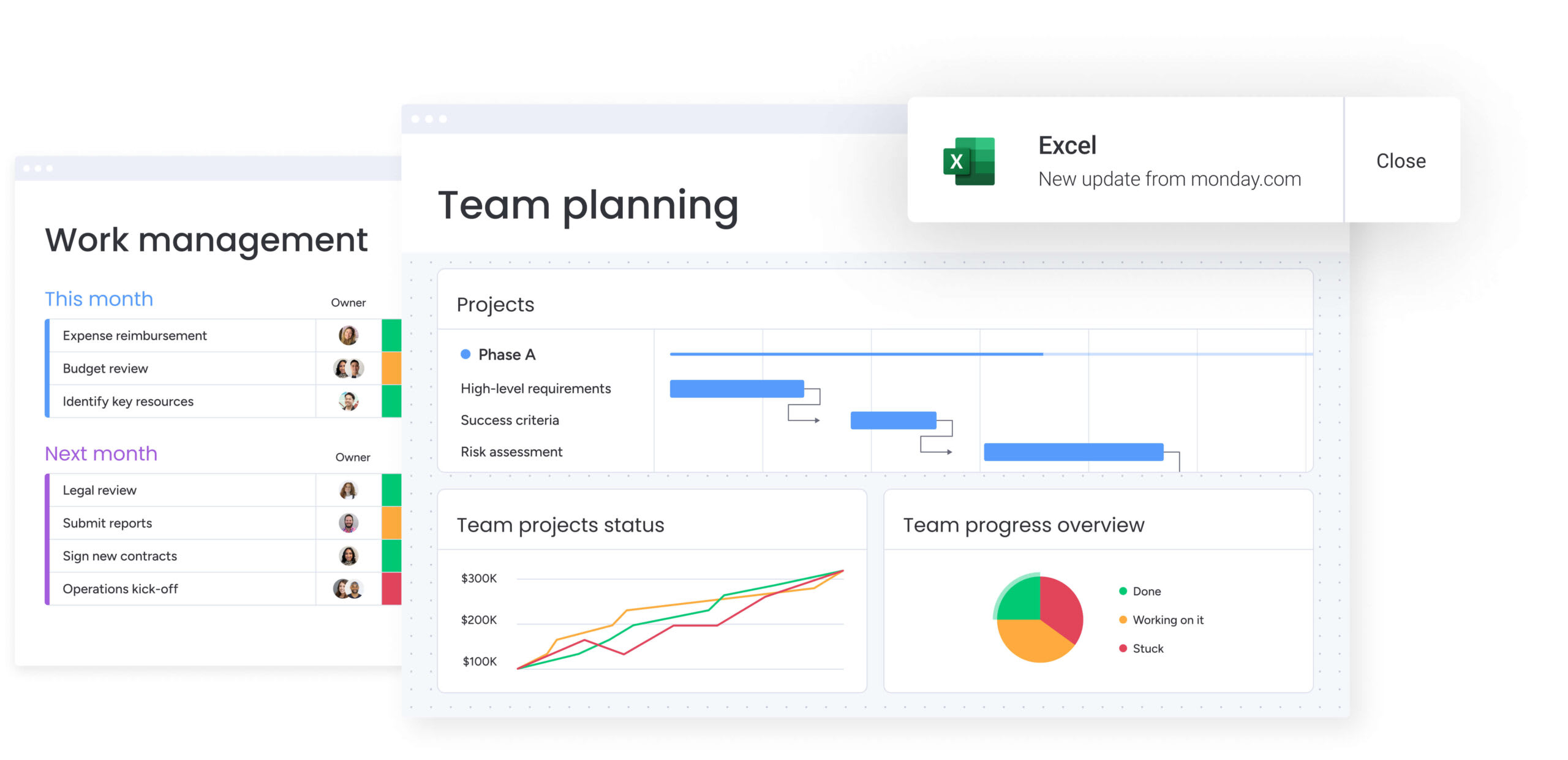
When marketing, finance, and operations work in separate systems, everything slows down. Work vanishes in the gaps between departments, friction replaces flow, and straightforward initiatives morph into logistical nightmares. This fragmentation not only delays projects but also hides opportunities you can’t afford to miss.
A unified work management platform connects every part of your business. It creates 1 shared view, so every team sees how their work connects to what the company’s trying to accomplish. Scattered work becomes coordinated action. With a cross-department task management platform, you achieve total visibility, drive seamless collaboration, and ensure strategic alignment.
15 top task management software platforms for enterprise teams
The best task management software connects strategy to execution, giving leaders visibility into progress while empowering teams to do their best work. In this section, we look at how these platforms unify workflows, automate routine work, and scale with your business. You’ll see details about their use case, key features, pricing, and considerations before trying.
Here is a quick look at the top 15 platforms:
| Platform | Use case | Free plan? | Notable feature | Starting price |
|---|---|---|---|---|
| monday work management | Complex, cross-departmental initiatives requiring unified visibility and flexible workflows | Yes | Work OS foundation with customizable building blocks | $9/seat/month |
| ClickUp | Organizations replacing multiple point solutions with a unified workspace | Yes | Hierarchical work structure with customizable views | $7/user/month |
| Wrike | Enterprises needing unified workflows with strict governance and security | Yes | Work Graph data model for configurable workflows | $10/user/month |
| Smartsheet | Enterprise organizations standardizing execution across portfolios | No | Control Center blueprints for large-scale project governance | $9/user/month |
| Zoho Projects | Organizations using the Zoho ecosystem for unified project management | Yes | Native integration with Zoho CRM and business apps | $4/user/month |
| Quickbase | Complex, regulated operations requiring custom applications | No | AI Smart Builder for rapid app creation | $35/user/month |
| Hive | Agencies and creative teams needing integrated collaboration | Yes | Built-in chat and email integration (Hive Mail) | $5/user/month |
| Todoist | Individuals and small teams managing straightforward projects | Yes | Cross-platform sync across 10+ platforms | $5/user/month |
| Bonsai | Agencies managing the complete client lifecycle from proposals to payment | No | Integrated client portal with white-label customization | $9/user/month |
| Miro | Distributed teams unifying collaborative planning and visual coordination | Yes | Intelligent Canvas with AI workflows and Sidekicks | $8/member/month |
| Nifty | Project-based teams consolidating roadmaps, tasks, and discussions | Yes | AI Project Builder for complete project structures | $7/member/month |
| MeisterTask | EU-based teams needing secure, compliant task management | Yes | ISO 27001 certification with EU hosting in Frankfurt | $13/user/month |
| Kintone | Organizations transforming spreadsheets into database applications | No | No-code app builder with 50+ pre-built templates | $24/user/month |
| Teamwork | Agencies managing billable client work with integrated time tracking | Yes | Unlimited free client users with granular permissions | $10.99/user/month |
| ProjectManager | Teams managing complex projects with traditional PM methodologies | No | Two-way Microsoft Project integration | $14/user/month |
1. monday work management
When scattered tools and disconnected workflows hold your organization back, monday work management steps in as the operating system that unifies everything. It’s built for enterprise teams that need a platform that connects strategy to execution across every department. With its flexible Work OS foundation, intuitive visual interface, and powerful AI capabilities, monday work management transforms how cross-functional teams collaborate, giving leaders the visibility they need while empowering teams to work their way.
Use case: Organizations managing complex, cross-departmental initiatives that require unified visibility, flexible workflows, and seamless collaboration
Key features
- Work OS foundation: Customizable building blocks let every team design workflows that fit their exact processes, from Kanban boards to Gantt charts, without coding
- Cross-board connections and dependencies: Link related work across departments to surface bottlenecks, track dependencies, and maintain alignment on complex initiatives
- AI-powered automation and insights: Digital Workers proactively monitor projects, predict risks, and optimize resource allocation while AI Blocks automate categorization, summarization, and routing
Pricing
- Free: Core features for up to 2 seats with unlimited boards and 1,000+ templates
- Basic: $9/seat/month (billed annually) with unlimited free viewers, 5GB storage, and iOS/Android apps
- Standard: $12/seat/month (billed annually) adding timeline and Gantt views, calendar view, and guest access
- Pro: $19/seat/month (billed annually) with time tracking, formula columns, and dependency management
- Enterprise: Custom pricing with advanced security, analytics, multi-level permissions, and dedicated success management
Learn more about monday work management pricing.
Why it stands out
- monday work management was named a Leader in the 2025 Gartner® Magic Quadrant™ for Collaborative Work Management and Adaptive Project Management and Reporting.
- Cross-departmental collaboration becomes effortless with native integrations to 200+ tools, cross-board connections that link related work, and real-time dashboards that give leaders complete portfolio visibility.
2. ClickUp
ClickUp positions itself as the “everything app,” consolidating tasks, docs, chat, and whiteboards into a single ecosystem. It targets organizations of all sizes by offering extensive customization through modular ClickApps and multiple project views. With over 1,000 integrations and AI-powered features, ClickUp aims to be the definitive consolidation solution for teams managing complex, multi-departmental workflows.
Use case: Organizations looking to replace multiple point solutions with a unified workspace that scales from individual tasks to enterprise-wide portfolio management
Key features
- Hierarchical work structure: Customizable views including Kanban, Gantt, calendar, and timeline formats
- Native collaboration suite: Docs, whiteboards, chat, and time tracking within the same platform
- AI-powered automation: ClickUp Brain delivers automation and search capabilities, plus Connected Search across external applications
Pricing
- Free Forever: Core features with unlimited tasks and 60MB storage
- Unlimited: $7/month per user (billed annually) with unlimited storage, custom fields, and integrations
- Business: $12/month per user (billed annually) adding advanced dashboards, reporting, and workload management
- Enterprise: Custom pricing with SSO, advanced permissions, and data residency options
- AI add-ons: Brain AI at $9/month per user or Everything AI at $28/month per user
Considerations
- Configuration complexity can create adoption barriers across departments with varying technical capabilities
- Learning curve may slow implementation for organizations seeking rapid deployment and standardization
3. Wrike
Security-conscious enterprises often turn to Wrike for its intelligent work management and configurable workflows. The platform excels at connecting strategic planning to execution through its proprietary Work Graph data model, making it particularly valuable for large organizations managing complex, cross-departmental initiatives. With 20,000+ customers and proven success stories from global enterprises like Siemens and Walmart, Wrike operates as a comprehensive operating system for work.
Use case: Enterprises that need to unify diverse workflows while maintaining strict governance and security standards across departments
Key features
- Work Graph and Custom Item Types: Model any workflow with configurable data structures that mirror real business processes
- Enterprise security suite: SOC 2 Type II, ISO certifications, and customer-managed encryption keys through Wrike Lock
- AI-powered Work Intelligence: Copilot for contextual analysis, custom AI agents, and MCP Server connectivity for external AI assistants
Pricing
- Free: $0/month for essential task management
- Team: $10/month per user (2-15 users, billed annually) with AI Essentials and core project management features
- Business: $25/month per user (5-200 users, billed annually) including AI Elite features and resource planning
- Apex: Custom pricing with enterprise features and most add-ons included
- Add-ons: Wrike Integrate, Wrike Sync, Datahub, and Wrike Lock available as paid additions on lower tiers
- Wrike Whiteboard: $15/month per user add-on (included in Apex)
Considerations
- Configuration complexity can overwhelm teams without dedicated admin resources.
- Advanced features like Locked Spaces and customer-managed encryption require higher-tier plans or add-ons.
4. Smartsheet
If your organization runs on Excel but needs more power, Smartsheet bridges that gap by transforming spreadsheet familiarity into enterprise-grade work management. The platform excels at large-scale portfolio governance and data-heavy operations, making it ideal for Fortune 500 organizations managing thousands of projects simultaneously. With FedRAMP authorization and billion-dollar ARR, Smartsheet serves regulated industries requiring robust compliance and security.

Use case: Enterprise organizations that want to standardize execution while unifying people, processes, and data across portfolios
Key features
- Control Center blueprints: Automate provisioning and change management across up to 20,000 active projects per portfolio
- DataTable capabilities: Store millions of rows with seamless integration to sheets, dashboards, and external systems
- WorkApps: Create role-based, no-code applications bundling sheets, reports, and dashboards into curated experiences
Pricing
- Pro: $9/month (annual billing) or $12/month (monthly billing) for 1-10 members with 250 automations per month
- Business: $19/month (annual billing) or $24/month (monthly billing) for 3+ members with unlimited automations and guests
- Enterprise: Custom pricing for 10+ members with advanced security, SAML SSO, and governance features
- Advanced Work Management: Custom pricing bundling premium capabilities like Control Center, Dynamic View, and Data Shuttle
- Premium add-ons available separately, including Dynamic View (from $125/month) and Data Shuttle (from $100/month)
Considerations
- Sheet-level limitations (20,000 rows, 400 columns per sheet) require architectural planning for very large datasets.
- Premium capabilities like Dynamic View and advanced connectors often require higher-tier plans or separate add-on purchases, increasing total cost of ownership.
5. Zoho Projects
For businesses already entrenched in the Zoho ecosystem, Zoho Projects offers comprehensive project management with native integrations across CRM, finance, and analytics platforms. The platform combines traditional project management with agile methodologies, making it particularly valuable for organizations looking to keep their tech stack consolidated.

Use case: Organizations seeking unified project management that connects seamlessly with existing Zoho CRM, Books, and other business applications
Key features
- Hybrid project execution: Combines waterfall and agile methodologies with integrated Sprints functionality for flexible project delivery
- Blueprint workflow automation: Visual workflow designer with custom rules and functions to standardize project processes across teams
- Embedded business intelligence: Native Analytics integration provides AI-powered insights and custom dashboards for project performance tracking
Pricing
- Free: $0/month for up to 5 users and 3 projects
- Premium: $4/user/month (billed annually) with unlimited projects and advanced features
- Enterprise: $9/user/month (billed annually) including Blueprint automation and custom fields
- Ultimate: $16/user/month (billed annually) with advanced analytics and premium support
- Annual billing saves over 15% compared to monthly plans
- Add-ons available for Resources and Lite Users at additional cost
Considerations
- Integration advantages diminish significantly for organizations using non-Zoho business applications, potentially creating workflow gaps.
- Cross-departmental orchestration capabilities remain basic compared to platforms specifically designed for complex, multi-team coordination.
6. Quickbase
Quickbase targets the specific needs of complex, regulated operations with its low-code application platform. It specializes in connecting field operations to back-office systems, making it ideal for construction, manufacturing, and government sectors that require deep customization and enterprise-grade compliance.

Use case: Organizations that want to build custom applications and workflows while maintaining governance controls
Key features
- AI Smart Builder: Converts spreadsheets and prompts into fully functional apps with tables, relationships, and dashboards in minutes
- FastField mobile platform: Captures offline data with AI-powered OCR that transforms photos into structured information
- Enterprise governance tools: Including Sandbox environments, Solution APIs, and application lifecycle management for controlled citizen development
Pricing
- Team: $35/user/month (billed annually)
- Business: $55/user/month (billed annually)
- Enterprise: Custom pricing available
- Platform minimum fees and Enhanced Services sold separately
- 30-day free trial available
Considerations
- Technical complexity creates barriers for non-technical users, often requiring IT involvement for workflow changes that business teams could handle independently.
- Pricing structure includes platform minimums and additional service fees that aren’t fully transparent in public pricing, typically requiring quotes for total cost assessment.
7. Hive
Hive aims to stop the “toggle tax” of switching between apps by providing an all-in-one workspace that unifies project management with native collaboration features like built-in messaging, email, and file sharing. With its democratically built roadmap and adoption guarantee, Hive positions itself as a user-driven alternative to traditional project management platforms.

Use case: Agencies and creative teams that need integrated collaboration alongside project management
Key features
- Flexible project views: Multiple project views including Kanban, Gantt, Timeline, and Portfolio with 1-click switching between perspectives
- Built-in collaboration tools: Native collaboration suite featuring built-in chat, email integration (Hive Mail), and collaborative notes to reduce external communication platforms
- AI-powered assistance: AI assistant (Buzz) for project creation, inbox management, meeting scheduling, and document summarization to accelerate workflow execution
Pricing
- Free: $0 forever for up to 10 workspace members with unlimited tasks and collaborative notes
- Starter: $5/user/month (annual) or $7/month (monthly) for up to 10 users and 10 projects
- Teams: $12/user/month (annual) or $18/month (monthly) with unlimited workspace members and advanced features
- Enterprise: Custom pricing with all add-ons, enhanced security, and dedicated customer success management
- Premium add-ons available at $5/user/month each (Proofing & Approvals, Timesheets, Advanced Dashboards)
- Buzz AI add-on: $8/user/month
Considerations
- Advanced capabilities like proofing, timesheets, and enterprise security features require additional paid add-ons, potentially increasing total cost as teams scale.
- No offline functionality available, requiring constant internet connectivity for platform access.
8. Todoist
Sometimes, less is more. Todoist strips away the noise to deliver clean, intuitive task management that keeps personal and team workflows organized without overwhelming complexity. The platform specializes in cross-platform synchronization and transparent pricing, making it accessible for individuals and small teams managing straightforward projects. With 30 million users and recognition from Apple, Microsoft, and PCMag, Todoist has earned its reputation as a reliable productivity companion.

Use case: Individuals and small teams who need streamlined task organization with real-time sync across all devices and platforms
Key features
- Cross-platform sync: Real-time updates across 10+ platforms including desktop, mobile, wearables, and browser extensions
- Team workspaces: Shared project environments with roles, permissions, and activity tracking for collaborative work
- AI-powered assistance: Todoist Assist bundle includes task suggestions, email integration, and voice-to-task conversion
Pricing
- Beginner: Free (5 personal projects, basic features, 1-week activity history)
- Pro: $5/month billed annually ($60/year) with unlimited projects, calendar view, and AI features
- Business: $8/month per user billed annually ($96/year) including team workspaces, shared templates, and up to 500 team projects
- Annual billing saves 20% across all paid plans
- Business plan members receive Pro features for personal use at no additional cost
Considerations
- Limited enterprise capabilities like advanced dashboards, native Gantt charts, and comprehensive resource management.
- Mobile restrictions for team management functions and certain integrations, with some features only available on web/desktop.
9. Bonsai Agency Software
Creative agencies often struggle with fragmented tools. Bonsai Agency Software solves this by providing an all-in-one business management platform specifically designed for service businesses. The platform combines project management with client relationship management, invoicing, and payment processing, creating a unified workspace that eliminates the need for multiple disconnected systems.

Use case: Agencies managing the complete client lifecycle — from proposals and contracts through project delivery and payment collection
Key features
- Integrated client portal: Branded, secure client access with no separate login required, plus white-label customization options
- Native proposal and contract system: Built-in e-signature capabilities, estimate builder with margin forecasting, and automated workflow triggers
- Unified financial management: Rate cards by role, budget tracking, utilization reporting, and integrated payment processing via Bonsai Payments
Pricing
- Basic: $9/month per user (annual) or $15/month (monthly)
- Essentials: $19/month per user (annual) or $25/month (monthly)
- Premium: $29/month per user (annual) or $39/month (monthly)
- Elite: $49/month per user (annual) or $59/month (monthly, 3-user minimum)
- Annual billing offers up to 4 months free
- Volume discounts available for teams with 30+ users
- Payment processing fees: 2.9% + $0.30 for most cards, 1% platform fee when using third-party processors
Considerations
- Limited to agency and service business workflows, making it less suitable for organizations requiring broader cross-departmental capabilities.
- Some advanced features like custom domains and project phases are still in development as of 2026.
10. Miro
Visual collaboration takes center stage with Miro, transforming the concept of a whiteboard into a comprehensive AI innovation workspace. The platform serves cross-functional product teams and business leaders with its infinite canvas approach, making it ideal for organizations that need to bridge strategy, design, and delivery workflows.
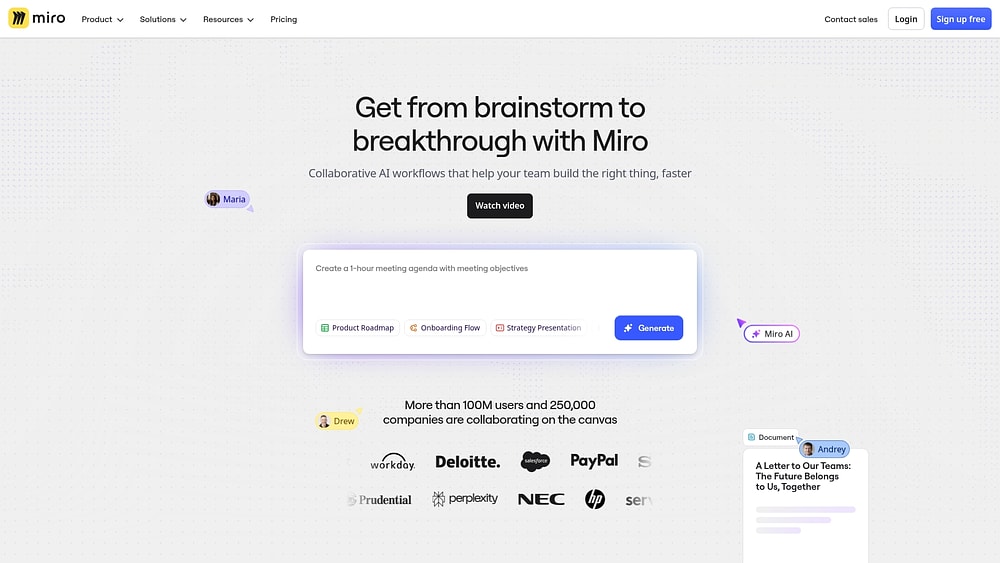
Use case: Distributed teams that want to unify collaborative planning and visual project coordination through AI-powered canvas and structured workflow capabilities
Key features
- Intelligent Canvas with AI Workflows: Flows and Sidekicks automate multi-step processes directly on the visual workspace, accelerating end-to-end collaboration
- Spaces and Blueprints: Standardized, repeatable workflows and team organization structures that scale collaborative processes across departments
- Product Acceleration suite: Roadmaps, Portfolios, and Dependencies visualization with 2-way Jira and Azure DevOps synchronization for seamless execution tracking
Pricing
- Free: $0 with unlimited members, 3 editable boards, and 10 AI credits per month per team
- Starter: $8/month per member (billed annually) with unlimited boards, public sharing, and 25 AI credits per member
- Business: $16/month per member (billed annually) featuring multiple private workspaces, advanced diagramming, and 50 AI credits per member
- Enterprise: Custom pricing starting at 30 members with flexible licensing, data residency options, and 100 AI credits per member
- Annual billing provides approximately 20% savings over monthly plans
- Nonprofit organizations receive 30% discount, stackable with annual savings
- Additional AI credits and premium add-ons (Prototypes, Insights, Portfolios, Enterprise Guard) available for purchase
Considerations
- Advanced governance and portfolio management capabilities require paid add-ons, increasing total cost for comprehensive work management.
- Limited task execution features compared to dedicated project management platforms, requiring integration with external systems for detailed workflow tracking.
11. Nifty
Nifty attempts to consolidate the entire project lifecycle by unifying planning, execution, and communication in a single workspace. The platform specializes in integrated collaboration with built-in chat, file sharing, and milestone tracking, making it ideal for cross-functional teams and agencies managing client projects.
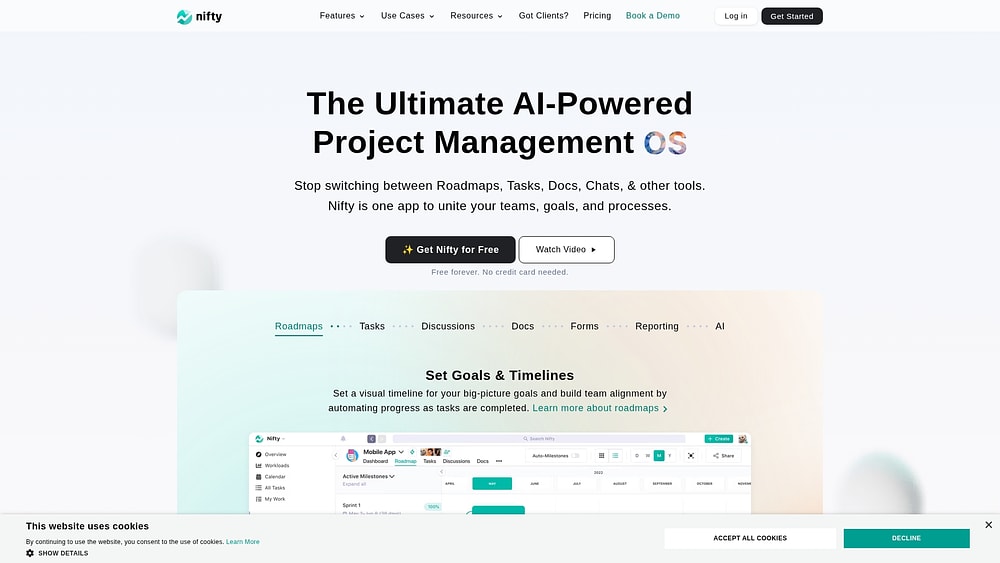
Use case: Project-based teams that need to consolidate project workflows by combining roadmaps, tasks, discussions, docs, and reporting
Key features
- AI Project Builder: Generates complete project structures, tasks, and templates from simple prompts
- Native team chat and project discussions: Eliminate the need for separate communication platforms
- File proofing with annotations: Streamlines creative review processes and client feedback loops
Pricing
- Free: $0 forever (unlimited members, 2 active projects, 100 MB storage)
- Personal: $7/month per member (100 GB storage, 40 projects, 2 guests per seat)
- Business: $16/month per member (unlimited projects, storage, and guests)
- Enterprise: Contact sales (adds SAML, white-labeling, IP restrictions)
- Annual billing offers up to 45% discount
- 50% discount available for educational and non-profit organizations
Considerations
- Feature integration focuses on project-level collaboration rather than enterprise-scale work orchestration that large organizations require.
- Cross-departmental resource management and advanced automation capabilities remain limited compared to platforms built for organizational work management.
12. MeisterTask
For teams that need strict data compliance without a steep learning curve, MeisterTask delivers secure, EU-hosted work management with Kanban-focused simplicity. The platform specializes in compliance-ready task management for regulated industries, combining clean visual design with built-in documentation and automation. Organizations prioritizing data protection and streamlined workflows find MeisterTask’s prescriptive approach refreshingly straightforward.

Use case: EU-based teams that need secure, compliant task management with minimal setup complexity, particularly in finance, healthcare, and public sector environments
Key features
- Kanban boards with workflow controls: List and timeline views, plus section-based automations and WIP limits for controlled workflow management
- Built-in Notes with AI assistance: AI-assisted writing and search capabilities, creating an integrated documentation layer alongside task execution
- ISO 27001 certification and EU hosting: EU-hosted infrastructure in Frankfurt, ensuring GDPR compliance and “Trusted Cloud” certification
Pricing
- Free: Basic Kanban boards and task management
- Pro: $13/month per user (annual billing) with unlimited projects, integrations, and advanced search
- Business: $25/month per user (annual billing) adding Timeline view, custom fields, reports, and advanced security
- Enterprise: Custom pricing for SSO, compliance exports, and tailored terms
- Annual billing saves up to 28%, with 30% discounts available through Meister Bundle (includes MindMeister)
Considerations
- Desktop applications were discontinued in April 2025, limiting teams to web and mobile access only.
- Lacks the low-code customization capabilities found in comprehensive work management platforms, focusing instead on structured Kanban workflows.
13. Kintone
Kintone takes a different approach by focusing on database application building. It transforms scattered spreadsheets and disconnected workflows into unified database applications that teams can build without coding. The platform specializes in creating custom business apps with built-in collaboration and process automation, making it ideal for organizations that need structured data management with flexible workflow design.

Use case: Organizations that need to transform scattered spreadsheets into structured database applications with built-in collaboration, automated workflows, and granular access controls
Key features
- No-code app builder: Convert spreadsheets into interactive database applications with drag-and-drop functionality and 50+ pre-built templates
- Integrated workflow automation: Design custom approval processes with branching logic, status tracking, and automated notifications
- Contextual collaboration: Enable team discussions directly within records and project spaces, eliminating the need to switch between communication platforms
Pricing
- Standard plan: $24/month per user (5-user minimum required)
- 30-day free trial: Available for all features
- Additional storage: $10/month per 10 GB beyond the included 5 GB per user
- Special Pricing Available for nonprofits, education, and government organizations
Considerations
- Platform limits may constrain large-scale implementations with restrictions of 50,000 records per app and 10,000 API requests per app daily.
- The database-centric approach requires more technical configuration compared to visual project management platforms designed for immediate business user adoption.
14. Teamwork.com
Agencies need to track every billable minute. Teamwork.com is built around this reality, delivering comprehensive project management combined with time tracking, billing, and resource planning. The platform targets agencies and professional services firms managing multiple client engagements simultaneously, offering unlimited free client users and native financial tracking capabilities.
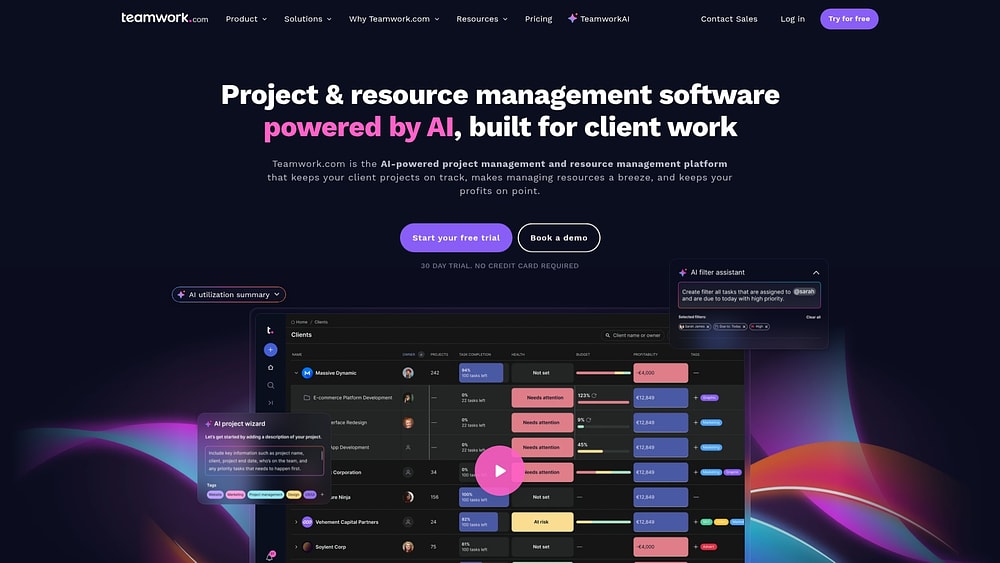
Use case: Agencies and professional services firms managing billable client work from project delivery through invoicing, with integrated time tracking and profitability insights
Key features
- Native time tracking and billing: Customizable rates for accurate project profitability
- Resource scheduling and workload planning: Optimize team utilization across client projects
- Unlimited free client users: Granular permissions for seamless client collaboration
Pricing
- Free: $0 (up to 5 users, 5 projects, 100MB storage)
- Deliver: $10.99/user/month billed annually (minimum 3 users)
- Grow: $19.99/user/month billed annually (minimum 5 users)
- Scale and Enterprise: Quote-based pricing
- Annual billing saves 20% across all paid plans
- Advanced Security add-on available with quote-based pricing
Considerations
- Client users are limited to 5 active projects per external company, which may constrain high-volume client relationships.
- Mobile app performance receives mixed reviews, particularly for larger projects with complex data sets.
15. ProjectManager
Hybrid teams that mix waterfall planning with agile execution often find their match in ProjectManager. It delivers comprehensive project and portfolio management with traditional PM capabilities like Gantt charts, resource planning, and earned value management. The platform targets PMOs and operations-heavy teams in construction, manufacturing, and professional services who need hybrid planning methodologies with enterprise-grade security.
Use case: Teams managing complex, structured projects that require traditional PM methodologies combined with modern workflow automation and portfolio visibility
Key features
- Multi-view project execution with Gantt charts, Kanban boards, and real-time dashboards for comprehensive project visibility
- Two-way Microsoft Project integration with native Excel connectivity for seamless data exchange
- Portfolio management with resource planning, timesheets, budgeting, and RAID logs for enterprise governance
Pricing
- Team: $14/month per user (annual billing) or $17/month (monthly)
- Business: $26/month per user (annual billing) or $30/month (monthly)
- Enterprise: Custom pricing with volume discounts
- Annual billing saves up to 17%
- 30-day free trial available
- Unlimited free guest licenses for stakeholder visibility
Considerations
- Mobile functionality is limited to iPhone-only with basic tablet optimization compared to desktop capabilities.
- Automation rules are capped by tier (5 rules per workflow on Business, 20 on Enterprise), which may constrain complex cross-departmental processes.
How to choose the right work management platform for your organization
Selecting a work management platform is about more than just features; it’s about choosing a new operating system for your business. The right platform unifies your teams and strategy, turning scattered work into clear, measurable execution. But how do you find the 1 that fits your organization’s unique DNA?
Consider these 4 key areas to ensure your investment drives real growth and alignment across your company.
1. Assess your cross-departmental complexity
Leaders need a 10,000-foot view of progress, not a minute-by-minute report of every task. Match your platform choice to your scale of collaboration:
- Basic complexity involves simple handoffs between 2–3 departments.
- Intermediate complexity covers interdependent projects across 4–6 departments.
- Advanced complexity demands sophisticated resource planning and executive visibility across 7+ departments.
The right platform rolls up data from across departments into high-level, actionable insights, empowering leaders to make informed decisions without getting lost in the weeds.
2. Evaluate integration depth with your existing systems
A truly connected platform doesn’t just talk to your other systems; it brings them into the workflow. Does your potential platform create another island, or does it build bridges across your entire tech stack?
Your platform should seamlessly connect with the systems your teams use every day. This creates a central nervous system for your work, eliminating duplicate data entry and context switching.
3. Consider your readiness for AI and automation
Automation handles the repetitive, rule-based processes that slow your teams down. AI goes further, analyzing patterns to predict risks and surface insights you might otherwise miss. The best platforms make advanced technology feel simple.
Are your teams ready to leverage these capabilities? Look for a platform that meets you where you are, allowing you to start with basic automations and scale up to more sophisticated AI features over time.
4. Calculate the true return on your investment
The price tag is just 1 part of the story. The true value of a platform is measured by its return on investment, from faster project delivery to higher team adoption. Look beyond the subscription fee and consider the business impact.
How much time will you save with fewer status meetings and automated reporting? An intuitive platform accelerates adoption and delivers value faster.
Key features of the best task management software
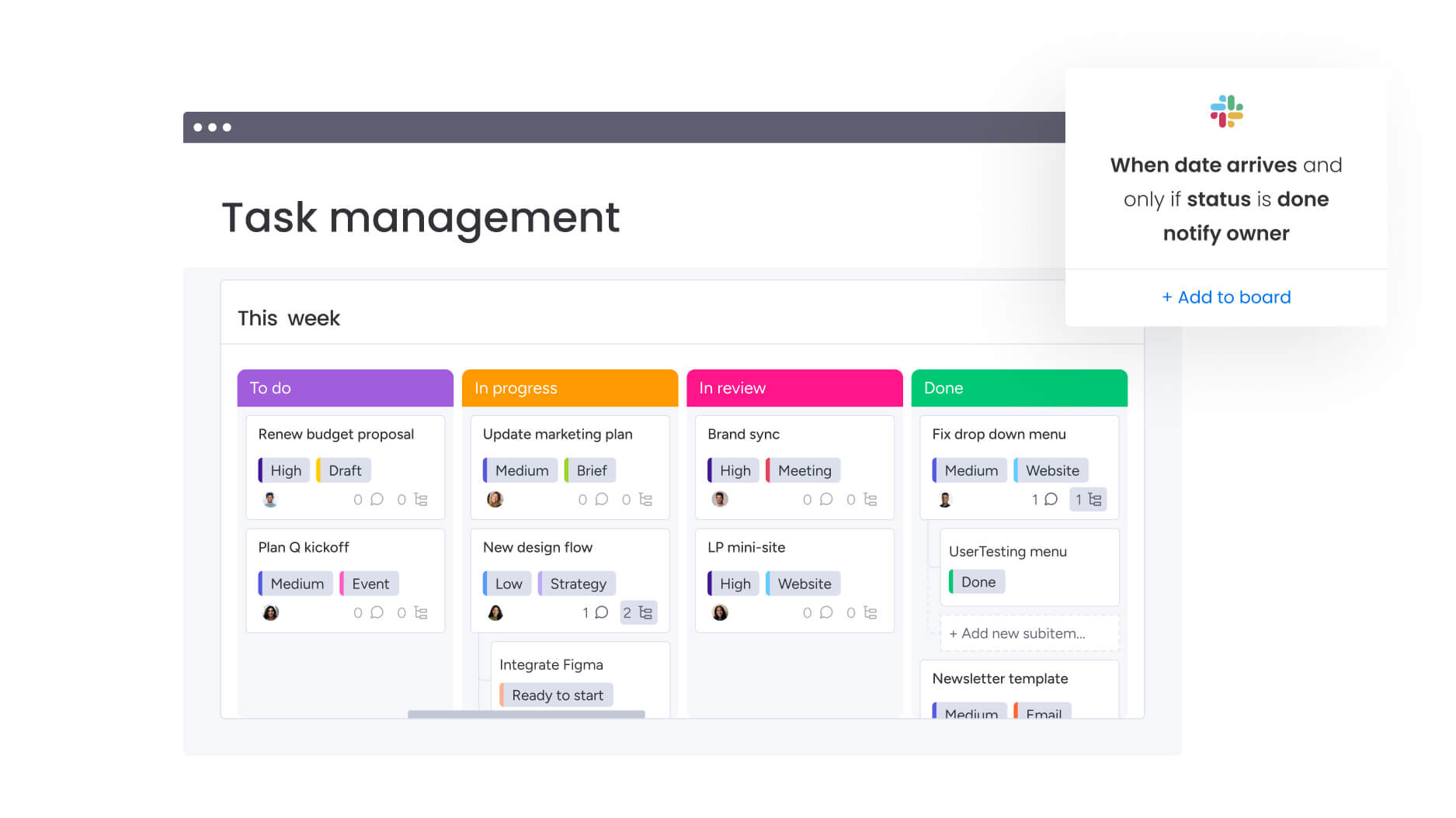
The right features break down silos, surface risks before they become problems, and give every team the context they need to move fast without stepping on each other’s toes. So what separates platforms that just manage projects from those that orchestrate entire organizations?
Here are the essential capabilities that turn scattered work into coordinated execution:
- Visual workflow management across teams: Multiple views (Kanban, Gantt, Timeline, Calendar) let each department see the same work in the format that makes sense for them, creating a shared source of truth without forcing everyone into the same rigid structure.
- Real-time visibility and executive dashboards: Live dashboards aggregate data from across departments into high-level insights that let leaders spot trends, identify risks, and make strategic decisions without chasing down status updates.
- Resource allocation and capacity planning: Workload views and capacity tracking show who’s overloaded and who has bandwidth in real time, preventing burnout while ensuring the right people are on the right projects.
- Workflow automation and process standardization: No-code automation builders let business users create consistent, repeatable processes that eliminate manual handoffs and ensure every cross-departmental workflow follows the same reliable steps.
- Cross-board connections and dependencies: Link related work across departments so teams can see how their projects impact others, reducing coordination overhead and surfacing bottlenecks before they cause delays.
- Granular permissions and access controls: Board, group, and item-level permissions enable secure collaboration across departments while protecting sensitive information and maintaining compliance standards.
- Native integrations with business systems: Deep connections to communication platforms, financial systems, and document repositories eliminate data silos and keep information flowing freely across your entire tech stack.
These features work together to create something bigger than the sum of their parts. When your platform connects strategy to execution, gives leaders visibility without micromanagement, and empowers teams to collaborate without friction, you’re not just managing work—you’re building an operating system for your entire business.
Building your connected work management ecosystem
A work management platform becomes a true business operating system when it connects to your entire tech stack. Treating it as a standalone app creates data silos and manual handoffs that slow everyone down. A truly connected ecosystem is where information flows freely, giving leaders the visibility to make strategic decisions with confidence.
The most impactful approach integrates work management with communication, financial, and document platforms. This creates a central source of truth where teams stay aligned without endless status meetings. It’s about moving beyond basic project management and building a system that runs your business.
Communication platform integration
Integrating your work management and communication platforms keeps conversations tied directly to the work itself. Decisions made in Slack or Microsoft Teams instantly become actions, with context saved for everyone.
Teams find a new level of rhythm when they coordinate work on monday work management through integrated communication platforms. This bidirectional sync means updates flow in both directions, keeping your work data accurate without any manual effort.
Here’s how this connection gives your teams a collaborative edge:
- Focus without friction: Manage work directly from your favorite communication platform.
- Faster execution: Turn conversations into actions instantly.
- Total context: Keep project history tied to conversations across departments.
ERP and financial system connections
Integrating your work management platform with ERP and financial systems gives leaders the clarity they need. This allows you to base resource allocation on live financial impact, not outdated reports.
Organizations achieve full financial transparency by connecting monday work management to their accounting and ERP systems. You can build workflows that trigger budget approvals, update forecasts as projects progress, and give leaders a complete view of resource costs.
This integration empowers you to make more strategic financial decisions by enabling:
- Real-time budget tracking: Compare planned vs. actual spending instantly to catch overruns before they happen.
- Full resource cost visibility: Understand the true cost of any initiative by tracking both internal time and external expenses.
Document management and collaboration platforms
Connecting your work management platform to document repositories like Google Drive or SharePoint keeps every file tied to its related project. Your teams will always have the correct version, right where they need it.
monday work management provides seamless file access within your workflows by integrating with the document systems you already use. Teams can attach files to work items and track version history automatically, removing the friction from document handoffs.
Integrating document workflows solves common collaboration roadblocks:
- A single source of truth: Eliminate version confusion by ensuring everyone accesses the latest file directly from the work platform.
- Preserved context: Keep documents connected to the work they support, so their purpose is always understood.
API flexibility for custom integrations
A flexible API is the key to connecting specialized or legacy systems to your work management platform. This allows you to build a unified system, even with niche applications that lack pre-built connectors.
Organizations build powerful, custom automations using the open API on monday work management. You can sync data from legacy systems to modern dashboards or push project updates to specialized industry applications, orchestrating complex processes with ease.
Custom integrations unlock value in key scenarios:
- Specialized industry software: Connect your work management platform to the niche applications essential for healthcare, manufacturing, or finance.
- Legacy system connectivity: Bring older platforms into your modern workflow without disrupting existing operations.
A connected work ecosystem does more than just link applications; it transforms how your organization executes on its strategy. When information flows freely and decisions translate instantly into coordinated action, you move from managing projects to truly running your business.
Try monday work managementHow AI transforms task management into work orchestration

AI transforms scattered work into coordinated execution. It spots risks before they become problems, suggests optimal task assignments, and turns plain language into structured workflows — no technical expertise required.
AI-powered risk detection and prevention
AI analyzes patterns across projects to flag risks before they derail timelines. On monday work management, Portfolio Risk Insights identifies at-risk initiatives based on timeline slippage, budget variance, and resource conflicts, giving leaders time to course-correct.
- Intelligent workload distribution: AI analyzes skills, availability, and current workloads to suggest optimal assignments. This prevents burnout, deploys specialized skills where they matter most, and gives you a complete picture of who’s working on what.
- Natural language task creation: Anyone can create structured workflows by describing what they need in plain English. On monday work management, for example, AI Blocks translate requests like “Create a Q4 campaign launch project” into complete board structures in seconds — no training required.
- Predictive analytics for resource planning: AI forecasts future resource needs and project timelines based on historical data. This moves leaders from reactive scrambling to strategic capacity planning, improving budget accuracy and helping you sequence initiatives for optimal results.
5 steps to successful cross-departmental implementation
Bringing a new work management platform into your organization offers a chance to fundamentally reshape how your teams collaborate and execute. So, how do you ensure your implementation builds a lasting foundation for cross-departmental success?
Here are 5 steps to guide your rollout from day 1:
Step 1: Map current workflows and pain points
Before you can build the future, you need a clear picture of today. Start by mapping how work actually moves between your teams to pinpoint the exact friction points a unified platform can solve. This isn’t about theory; it’s about uncovering the real-world delays and handoff failures that frustrate your people.
To get the full story, sit down with stakeholders from every function. Your goal is to document where work gets stuck, what information falls through the cracks, and which bottlenecks are holding everyone back.
Step 2: Build your implementation team
A successful rollout is a team sport, not a solo mission. Assembling the right group of people ensures every department’s needs are met while building momentum across the organization. Who should be on this team?
Your core implementation squad should bring together a mix of authority, project ownership, and on-the-ground expertise. This group is your engine for change. Keep the energy high with regular check-ins, celebrate early wins publicly, and create open channels for feedback to build trust from the start.
Step 3: Plan a phased rollout strategy
Going from 0 to 100 overnight is a recipe for overwhelming your teams. A phased rollout allows you to learn, adapt, and build momentum. Start with a single, motivated pilot department to create an early success story that inspires the rest of the organization.
Once your pilot is running smoothly, you can expand to a few more departments before moving to a broader deployment. This approach minimizes risk and ensures each team feels supported.
Step 4: Establish success metrics
If you can’t measure it, you can’t prove its value. Defining success metrics from the start helps you track progress and demonstrate a clear return on investment to leadership. But what does success actually look like?
Look at adoption and engagement, process improvement, and business impact. By tracking these indicators, you can move from simply managing work to measuring the impact of how work gets done. This data provides the foundation for powerful quarterly business reviews that showcase concrete value.
Step 5: Create a continuous improvement loop
An implementation isn’t a project with an end date; it’s the beginning of a new way of operating. To make sure your platform evolves with your business, build a process for continuous improvement. This keeps your work management system delivering value long after the initial rollout.
Create simple feedback channels like regular surveys or office hours to hear directly from your teams. Use this input to prioritize optimizations that solve the biggest challenges or benefit the most people.
Why monday work management excels at cross-departmental orchestration
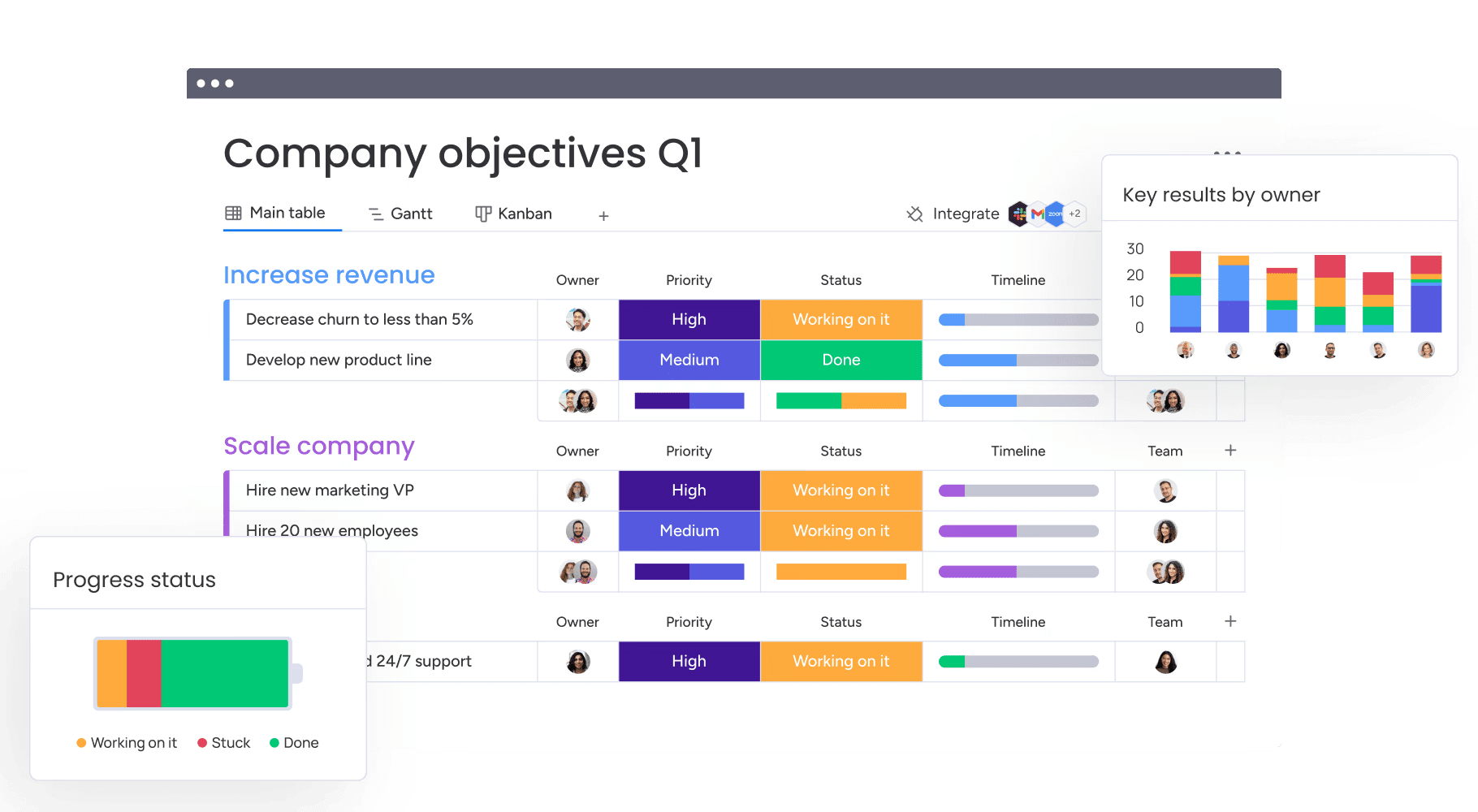
True cross-departmental coordination is what sets great organizations apart, and monday work management is built to power this connection through its Work OS foundation — a flexible operating system that gives every department customizable building blocks to design workflows that fit their exact processes. Marketing manages creative campaigns, operations orchestrates supply chains, and finance handles budget approvals on a single, unified platform.
This platform moves beyond rigid project management to become a central hub where all your teams can build, run, and scale their work. Leaders gain the visibility they need to connect execution to goals, and teams get the freedom to build workflows that fit how they actually work, all while upholding enterprise-grade security. It’s strategic work orchestration designed for the way modern organizations operate.
Accessible AI for every team
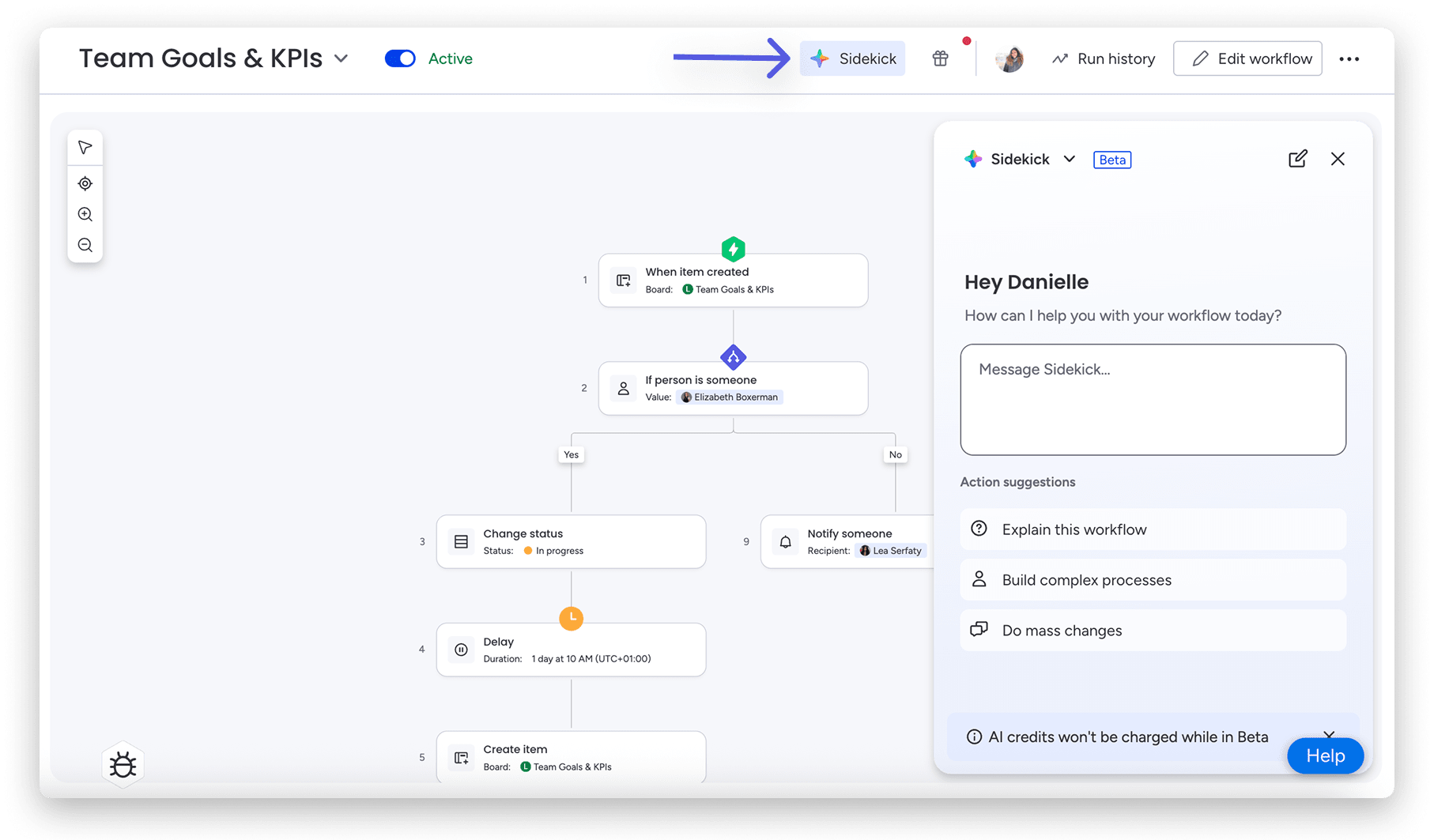
With monday work management, AI features put advanced capabilities into everyone’s hands. AI Blocks handle common tasks like categorizing data or summarizing content, while Digital Workers proactively monitor projects, identify risks, and suggest actions to keep every initiative on track across departments.
Customization without complexity
Our visual, no-code interface empowers non-technical users to build sophisticated workflows by dragging and dropping columns or configuring automations through simple menus. You get enterprise-grade depth with an intuitive design that business users can master without waiting on IT.
Security and compliance excellence
Our enterprise-grade security features and compliance certifications allow teams to share data confidently, knowing sensitive information remains protected. Granular permissions, data encryption, and comprehensive audit logs give you complete control — whether marketing is sharing budgets with finance or HR is managing employee data.
Start building connected workflows across your enterprise
Moving beyond fragmented systems is how you unlock your organization’s true potential. When you replace communication silos and visibility gaps with a single source of truth, you build a serious competitive advantage. How much faster could your teams move if they were all working from the same playbook?
This is where work flows, not stalls. Organizations gain visibility and alignment using monday work management to connect daily execution to strategic goals, giving leaders a complete picture of every initiative in real time.
Imagine marketing seeing operations’ capacity before launching a campaign, or finance tracking project spend as it happens. With monday work management, you can build any workflow for any team and even use AI to automate routine work, freeing everyone to focus on what matters most.
Try monday work managementFAQs
What is the difference between task management software and work management platforms?
Task management software tracks individual items, while a work management platform connects cross-departmental workflows to business goals. Platforms like monday work management orchestrate complex processes, from resource planning to strategic execution.
How much does enterprise task management software cost?
Enterprise task management software typically ranges from $10 to $50+ per user per month, depending on the features you need. Basic plans cover core project management, while enterprise tiers add advanced security, custom integrations, dedicated support, and governance controls. The real cost depends on your user count, required capabilities, and whether you need add-ons like advanced analytics or automation.
Can task management software integrate with Microsoft Teams and Slack?
Yes, most modern task management platforms integrate with Microsoft Teams and Slack. These integrations let teams update tasks, receive notifications, and collaborate without leaving their communication apps. The depth varies by platform: Some offer basic notifications, while others provide full 2-way sync that keeps conversations and work context connected.
Which task management app works best for hybrid teams?
The best app for hybrid teams delivers a consistent experience across desktop, mobile, and web with real-time collaboration features. Look for platforms that offer offline access, mobile-optimized interfaces, and seamless sync across devices. Features like asynchronous updates, time zone support, and flexible notification settings help distributed teams stay aligned without requiring everyone to be online simultaneously.
How do AI features in task management software work?
AI features analyze patterns across your projects to automate repetitive work and surface insights. Common capabilities include automated task categorization, risk prediction based on timeline and resource data, intelligent task assignment suggestions, and natural language processing that turns plain-text requests into structured workflows. The best AI features work in the background, requiring no technical expertise to deliver value.
What's the typical timeline for implementing a work management platform?
Implementation timelines vary widely based on organizational size and complexity. Small teams can often get up and running in a few weeks, while enterprise rollouts typically take 2-6 months. A phased approach — starting with a pilot department, then expanding gradually — reduces risk and builds momentum. Platforms with intuitive interfaces, pre-built templates, and strong onboarding support can significantly accelerate adoption across your organization.

 Get started