


If you’re managing projects in 2026, you’re not just tracking deadlines. You’re juggling shifting priorities, fielding leadership questions mid-week, coordinating across departments, and trying to keep everything moving without losing visibility. The work isn’t the problem. The chaos around it is.
Most teams don’t struggle because they lack talent. They struggle because information is scattered across tools that don’t talk to each other. Status updates are manual. Reporting is reactive. And small issues turn into big ones because no one saw them early enough.
The right project management software changes that dynamic. It pulls work into one place, connects daily tasks to bigger goals, and gives you clarity without adding complexity. In this article, you’ll find ten of the strongest platforms to consider in 2026, what each one does well, and how to choose the one that actually fits the way your organization operates.
Key takeaways
- Project management software becomes essential as organizations scale: Once work spans multiple teams and priorities, spreadsheets and email-based coordination create visibility gaps, delays, and decision fatigue.
- The most effective platforms connect strategy to execution: Solutions that link daily tasks to goals, portfolios, and outcomes provide leaders with clarity while keeping teams aligned on what matters most.
- Flexibility across methodologies is no longer optional: Modern teams often run Agile, Waterfall, and hybrid projects simultaneously, making adaptable workflows and multiple views critical.
- AI and automation are shifting project management from reactive to proactive: Platforms that surface risks early, automate updates, and support intelligent resource allocation reduce manual overhead and improve predictability.
- Work management platforms like monday work management enable cross-department execution at scale: By unifying projects, processes, and reporting in a single workspace, organizations gain real-time visibility without sacrificing team autonomy.
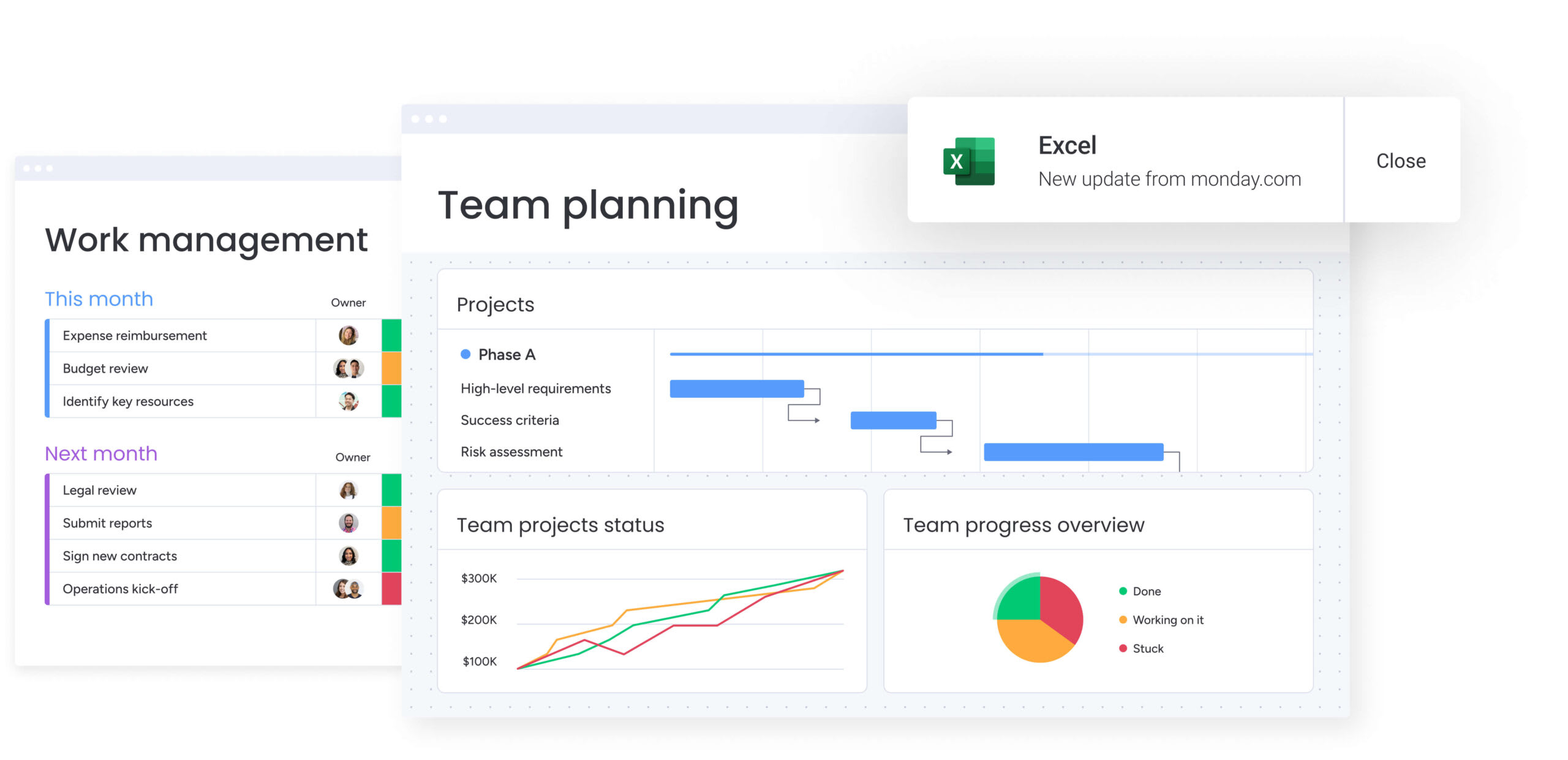
Why project management software is essential for scaling organizations
Running complex projects through email threads and scattered spreadsheets invites chaos and creates big project management challenges. This fragmented approach inevitably buckles under the weight of cross-departmental initiatives, leaving leaders blind to progress and teams exhausted from chasing status updates.
A dedicated project management platform replaces that disorder with a unified digital work management workspace. It goes beyond simple project lists, connecting individual work directly to your company’s biggest goals.
The result is faster execution, stronger alignment, and the ability to adapt as priorities shift: teams can anticipate changes, reallocate resources with confidence, and tie daily work directly to business outcomes.
On monday work management, organizations build this cohesive system, turning complex cross-functional processes into clear, executable workflows.
Top features that define a true work platform
Simple checklists cannot sustain a growing business. As you grow, you need more than a progress tracker, you need a platform that connects strategy to execution across every department. The right solution helps transform basic project management into a unified digital workspace.
These five capabilities show clearly how simple organizers differ from platforms that truly power business operations.
1. Leverage AI-powered automation and intelligence
Spotting risks before they derail a project changes everything. AI helps your team spot problems early instead of scrambling to fix them later. It analyzes project data and flags potential delays and budget overruns early, giving you time to adjust.
Modern AI does more than automate repetitive clicks too. They intelligently categorize data, extract action items from meeting notes, and assist in constructing the ideal workflow. With powerful platforms like monday work management, AI is built right in, making smart insights available to everyone.
Here’s what that looks like day-to-day:
- Smart assignment: AI matches the right person to a project based on skills and current bandwidth.
- Instant updates: It generates immediate status summaries to keep stakeholders in the loop.
- Reduced overhead: Teams are liberated from administrative drudgery, freeing them to focus on high-value work.
2. Implement real-time resource management
Preventing burnout while ensuring the right people are on the right projects requires more than guesswork and effective resource management. Effective resource management demands a live, 360-degree view of your team’s capacity, skills, and current workload. This visibility is key to balancing assignments and preventing bottlenecks.
A strong platform shows you immediately who has bandwidth and who’s overloaded, triggering automated alerts when conflicts arise, and enabling dynamic resource reallocation as priorities shift. This ensures projects remain properly staffed while teams feel supported rather than overwhelmed.
Leaders utilizing monday work management can track not just availability, but also skill sets and performance. This makes it easier to build the right team for any project and spot staffing gaps before they become problems.
3. Enable cross-functional collaboration capabilities
Silos destroy collaboration. A unified platform breaks down these barriers, creating one place where every stakeholder, from marketing to finance, stays aligned. A unified platform creates a single source of truth for version control and centralizes communication.
Context matters. Prioritize features that anchor conversations directly to specific projects or deliverables, ensuring decisions are documented exactly where they matter. Integrations with your preferred communication tools bring project updates directly into your team’s existing environment.
This transparency gives stakeholders the visibility they need, without filling calendars with more meetings. Leaders maintain a high-level view of portfolio progress, while teams access the granular details required to execute.
4. Support flexible work methodologies
Rigid frameworks rarely survive real-world complexity. Whether teams operate using Agile, Waterfall, or hybrid models, platforms must adapt to how work actually gets done.
Custom workflows and multiple views, such as Gantt, Kanban, and calendars, allow teams to plan and execute in formats that match their working style. As requirements evolve, projects can shift methodologies without losing historical data or continuity.
Flexibility ensures that processes support delivery rather than constrain it.
5. Ensure enterprise security and compliance
Protecting sensitive business information, financial data, strategic roadmaps isn’t optional. Enterprise-grade security features like data encryption, role-based permissions, and comprehensive audit trails build trust.
Seek a platform offering robust security controls like two-factor authentication and single sign-on integrations to guard against unauthorized access. For global organizations, data residency options are crucial for meeting regional regulatory requirements such as GDPR.
For teams in regulated industries, built-in compliance features provide the necessary audit documentation. On monday work management, you can securely manage sensitive workflows and collaborate with external partners while upholding the highest standards of data protection.
How to select the right project management platform?
Selecting a project management platform isn’t about tallying up the longest feature list. It’s about finding the solution that fits how your teams actually work, not one that forces rigid, unproductive processes on them. The right platform connects your strategy to execution.
Step 1: Assess your team’s project management maturity
The first step is taking an honest look at how your team currently manages work. Not every organization needs the same level of structure, and different stages of growth call for different capabilities.
Most teams tend to fall into one of the following categories:
- Basic coordination: Teams are graduating from email and spreadsheets. They require a structured, simple method to track assignments, manage deadlines, and share files without complexity.
- Intermediate project management: Teams juggle multiple projects, dependencies, and resources. They require visibility through Gantt charts, workload management, and automated updates to maintain momentum.
- Advanced portfolio operations: The organization coordinates dozens of simultaneous initiatives requiring strategic alignment. Leaders need portfolio dashboards and cross-project analytics that link daily tasks to high-level business goals.
Step 2: Match the platform to your work methodology
Your platform should support your methodology, not constrain it. Agile teams require sprint planning, backlogs, and burndown charts for rapid iteration. In contrast, traditional Waterfall approaches rely on Gantt charts with critical path analysis and milestone tracking to maintain plan integrity.
When project needs do not fit a standard model, flexibility becomes essential. Leading platforms provide adaptability, allowing teams to construct and customize workflows that accommodate any methodology, from Agile sprints to Waterfall milestones, without forcing artificial constraints.
Step 3: Plan for your organization’s growth
The platform you pick today needs to grow with your business. Real scalability means more than adding users, it’s about expanding from a single project to an enterprise-wide portfolio smoothly. It also encompasses an integration ecosystem that connects seamlessly to your entire tech stack.
Evaluate the total cost of ownership beyond the subscription fee, including implementation, training, and administration. A platform that scales alongside your organization’s complexity becomes a long-term strategic asset, eliminating the high cost and disruption of migrating systems as needs evolve.

“monday.com has been a life-changer. It gives us transparency, accountability, and a centralized place to manage projects across the globe".
Kendra Seier | Project Manager
“monday.com is the link that holds our business together — connecting our support office and stores with the visibility to move fast, stay consistent, and understand the impact on revenue.”
Duncan McHugh | Chief Operations OfficerTop ten project management software solutions
The project management software landscape is crowded, and separating real platforms from surface-level tools takes more than scanning feature lists. The best solutions don’t just organize tasks: they connect teams, timelines, resources, and strategy in a way that holds up as complexity grows.
What truly sets platforms apart is how well they handle cross-department execution while remaining flexible enough to match real workflows. Below are ten project management software solutions worth considering in 2026, each evaluated for how they support visibility, adaptability, and scalable delivery.
1. monday work management: Best work OS for cross-department collaboration
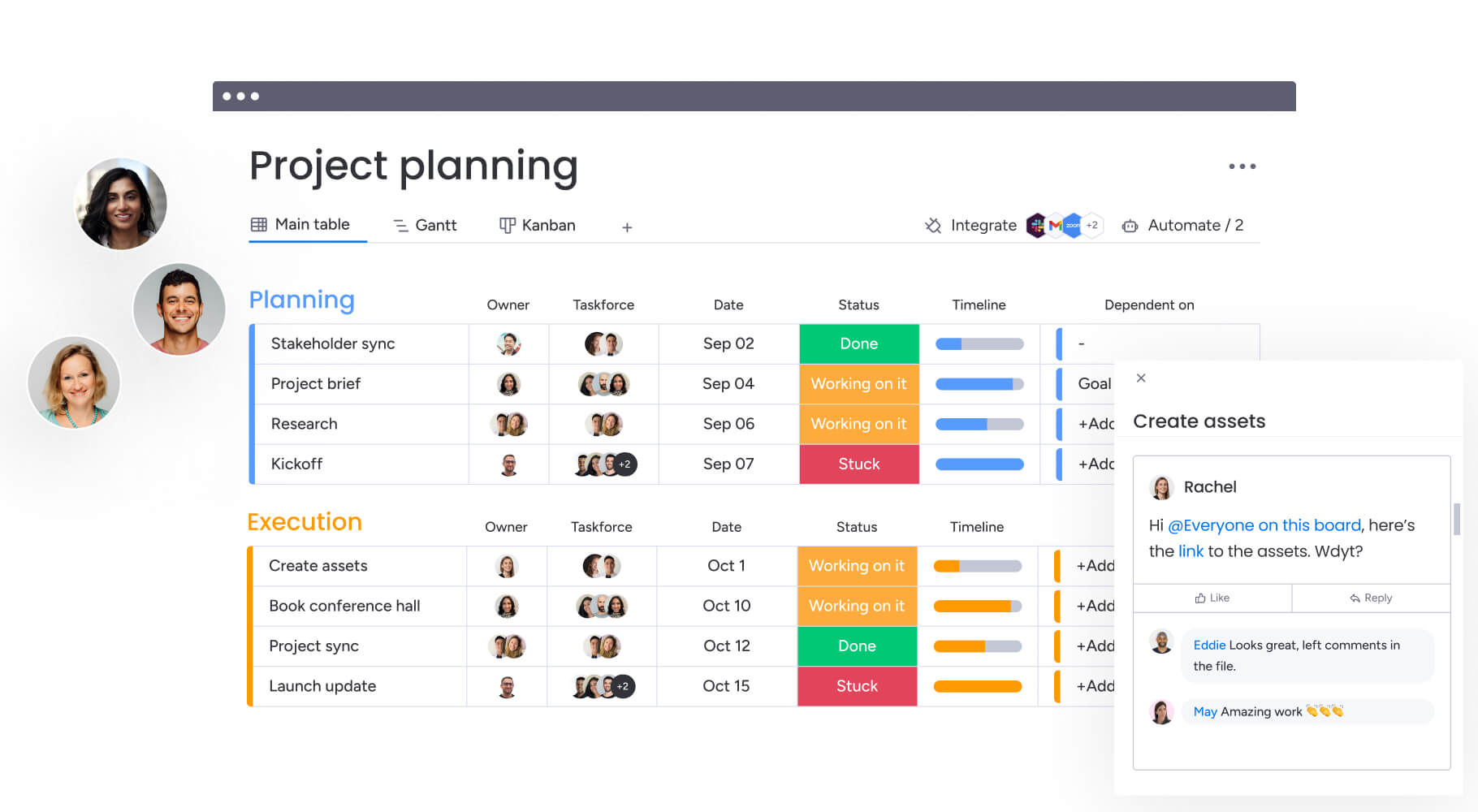
monday work management consolidates projects, portfolios, processes, resources, and goals into a single connected workspace. This allows project managers to coordinate execution across teams without losing track of the details. When marketing, operations, finance, and HR all operate within the same system, leaders gain a real-time view of progress, ownership, and risks without having to chase down updates.
For those needing to connect day-to-day delivery to broader business goals, monday work management also supports Goals & OKRs alongside execution. This ensures teams can track progress toward strategic objectives simultaneously with their project work.

Use case:
Organizations deploy monday work management to unify project execution across departments, tracking dependencies and shared milestones across initiatives such as campaign launches, operational readiness, and internal enablement.
Key features:
Before committing to a platform, ensure it can handle planning, execution, and oversight in one location. These capabilities cover the actual work occurring between kickoff and delivery.
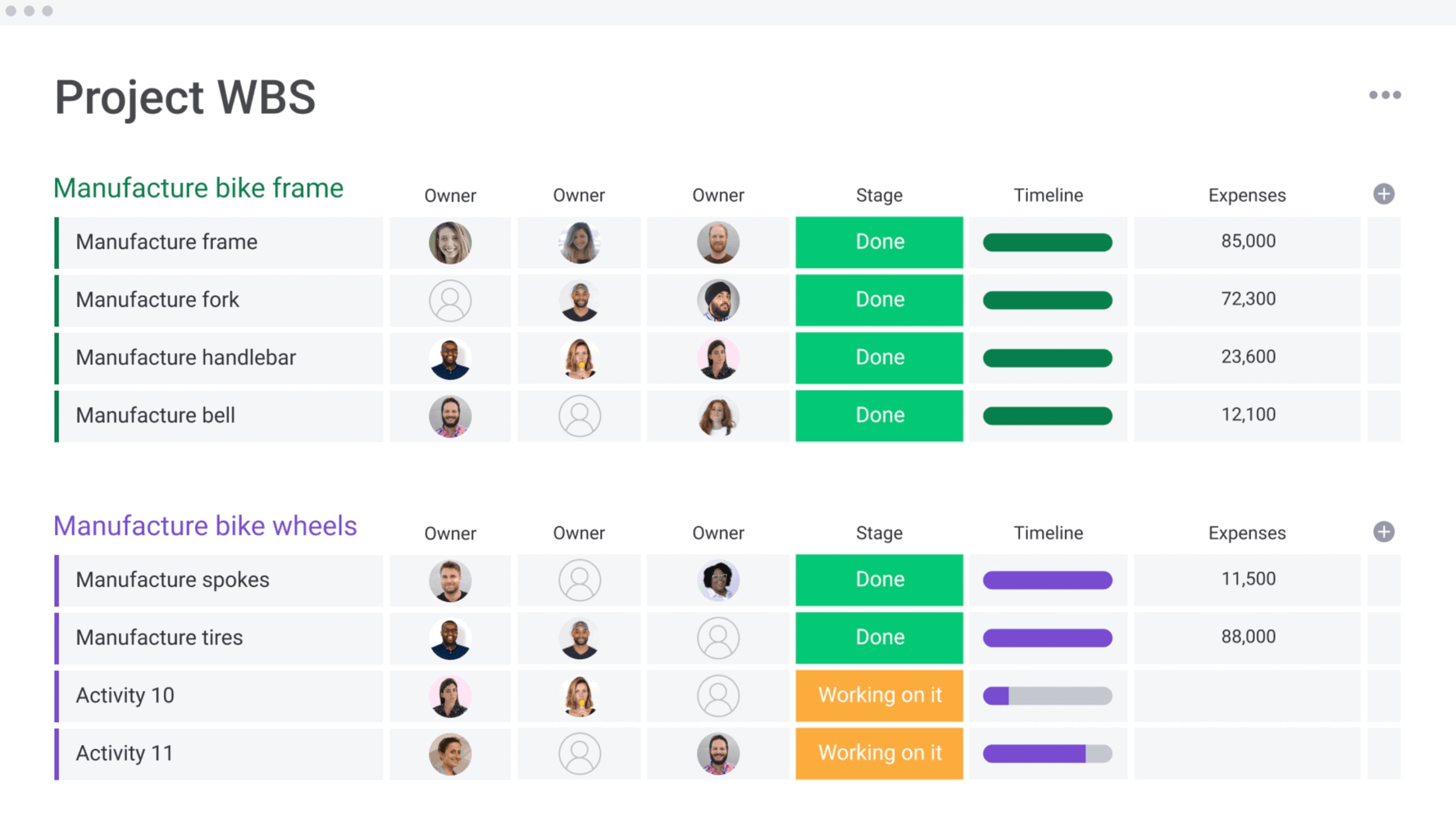
- Gantt chart + critical path: Visualize timelines with dependencies and overlay the critical path to identify work driving the finish date.
- Baseline: Establish a baseline schedule to compare planned versus actual dates as work progresses.
- Milestones: Designate key checkpoints so teams focus on prerequisites for downstream work.
- Time tracking: Monitor time spent to refine estimates and planning for future initiatives.
- Dashboards & reporting: Aggregate portfolio and project reporting into executive-ready dashboards, eliminating manual slide creation.
- Project intake & approvals: Centralize requests and route approvals through a structured flow to ensure prioritization happens with context.
AI capabilities:
Imagine automated intake and status updates. monday work management offers AI Blocks to process high-volume work efficiently, converting unstructured inputs into structured fields.
- AI Blocks: Integrate ready-made AI actions like Categorize, Extract info from files, summarize, detect sentiment, translate, and Custom Block directly into boards and automations.
- Autofill with AI: Utilize AI for supported columns, including text, date, number, dropdown, people, and status, to populate updates consistently at scale.
- Assign person with AI: Configure AI to assign ownership in a People column based on role and expertise, distributing work with minimal manual coordination.
Automations:
Automations are most valuable when they reduce handoffs and enhance follow-through across departments. monday work management enables teams to construct no-code automations that keep ownership, approvals, and updates flowing as conditions change.
- Automation center templates: Begin with pre-built automation templates, tailoring triggers and actions to your specific workflow.
- AI Automation blocks (pro and enterprise): Embed AI actions inside automations, such as categorizing with AI or extract information with AI, to maintain consistency in high-volume processes.
- Run history: Audit automation run history to understand outcomes and troubleshoot with full context.
Integrations:
Project managers rarely have the luxury of redesigning the entire tech stack. monday work management bridges common work apps, allowing teams to retain their preferred communication and file systems while tracking delivery centrally.
- Collaboration and communication: Link workflows with Slack and Microsoft Teams so updates appear where teams are already active.
- Email and calendar flow: Convert emails into trackable work via Gmail and Outlook, and schedule Zoom meetings directly from project boards.
- Files and documentation: Attach, share, and preview files through Google Drive.
- Work system connections: Sync with Jira Cloud using two-way syncing, and connect with systems like Salesforce when project work must reflect business activity.
- Spreadsheet and time apps: Import Excel sheets into monday and connect with Toggl or Harvest for time-related workflows.
Software for project managers features:
Managing cross-functional delivery isn’t about listing work; it’s about keeping dependencies, ownership, approvals, and reporting connected as priorities shift.
- Dependencies: Identify work that blocks other tasks to act early, rather than after a missed milestone.
- Multiple views: visualize work through Kanban, Timeline, Calendar, and Workload views to support diverse teams within one system.
- Shareable reporting: Grant stakeholders access to live reporting, enabling them to self-serve progress updates instead of requesting weekly check-ins.
Pricing:
- Free: $0 for up to two seats with three boards and basic functionality.
- Basic: $9/seat/month (annual billing) with core project management capabilities.
- Standard: $12/seat/month (annual) adds Timeline/Gantt views, 250 automation actions, and dashboards combining up to five boards.
- Pro: $19/seat/month (annual) includes private boards, time tracking, formula columns, and 25,000 automation actions monthly.
- Enterprise: Custom pricing with portfolio management, 250,000 automation actions, advanced security, and priority support.
- Annual billing discount: 18% savings compared to monthly plans.
- Volume pricing: Available for organizations with 40+ users.
Why it stands out:
- High adoption and speed to value: Teams acclimate quickly, supporting consistent data entry and reporting.
- Enterprise-ready controls for AI: Admins can toggle AI features at the account level, and AI respects existing permissions. Data processed by monday’s AI offering adheres to your account’s data region settings.
2. Smartsheet: Ideal for spreadsheet-based teams
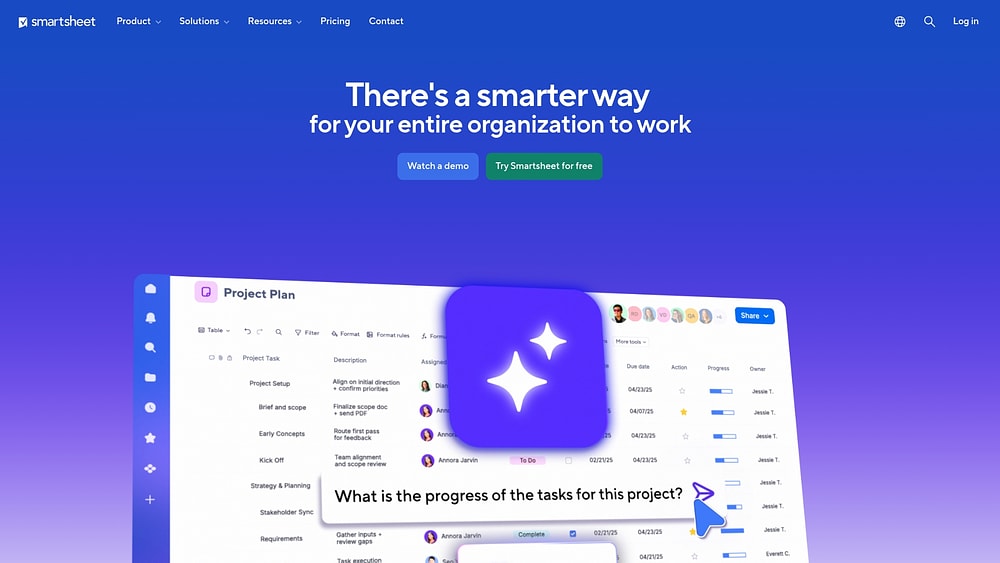
Smartsheet transforms a familiar spreadsheet interface into a work management platform that scales across enterprise operations. This clever platform suits organizations where grid-based thinking prevails but requires collaboration and automation beyond Excel. Teams can leverage Excel expertise while accessing portfolio management, automated workflows, and enterprise-grade governance.
Use case:
Finance teams, operations managers, and analysts who operate in rows and columns but require robust collaboration beyond shared Excel files.
Key features:
- Grid-first interface with advanced formulas: A familiar spreadsheet experience augmented with cross-sheet linking, conditional formatting, and complex calculations that Excel users can adopt immediately.
- Portfolio automation through Control Center: Standardized project blueprints featuring automated provisioning, rollup reporting, and change management across multiple initiatives simultaneously.
- Enterprise security and compliance: FedRAMP Moderate authorization for government clients, SOC and ISO certifications, plus advanced admin controls for large-scale deployments.
Pricing:
- Pro: $9/month per member (annual billing) or $12/month (monthly billing).
- Business: $19/month per member (annual billing) or $24/month (monthly billing).
- Enterprise: Custom pricing for 10+ members with expanded security and AI features.
- Advanced Work Management: Custom pricing including premium capabilities like Control Center, Dynamic View, and enterprise connectors.
- Premium add-ons available: Dynamic View from $125/month, Data Shuttle from $100/month.
Considerations:
- Formula complexity can present a steep learning curve for teams lacking advanced spreadsheet experience.
- Advanced capabilities often require costly add-ons or higher-tier plans, potentially increasing total ownership costs for comprehensive implementations.
3. Wrike: Great for complex enterprise projects
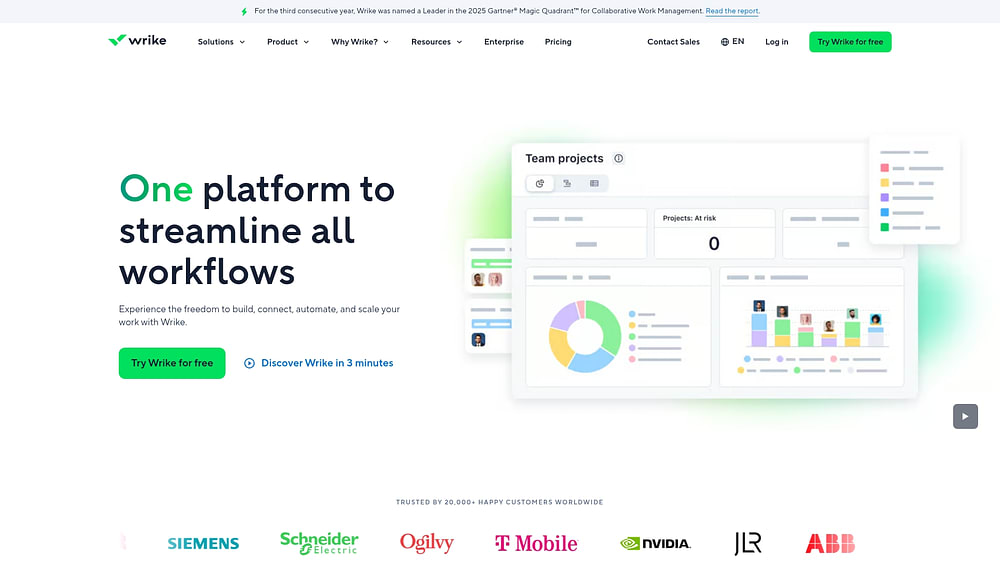
Wrike provides intelligent work management tailored for enterprises handling intricate, multi-layered initiatives across global teams. The platform is renowned for deep customization and enterprise-grade security, making it a preferred choice for organizations with established PMOs and complex approval workflows.
Use case:
Large enterprises with sophisticated project portfolios requiring granular control over workflows, advanced resource planning, and robust security compliance across distributed teams.
Key features:
- Custom Item Types: Construct tailored project structures with specific fields, sections, and automation rules that mirror your exact organizational processes.
- AI-powered workflow automation: Deploy intelligent agents and visual workflow engines to automate complex approval chains and resource allocation decisions.
- Enterprise security and compliance: Maintain customer-managed encryption keys through Wrike Lock, plus SOC 2/3 and ISO 27001 certifications for regulated industries.
Pricing:
- Free: $0/month for basic project management.
- Team: $10/user/month for core collaboration features.
- Business: $25/user/month with advanced customization and reporting.
- Enterprise: Custom pricing with full security suite and resource management.
- Add-ons: Wrike Whiteboard ($15/user/month), custom pricing for integrations and advanced security features.
Considerations:
- Complexity can overwhelm smaller teams needing straightforward project tracking rather than enterprise-grade customization.
- A steeper learning curve necessitates dedicated training investment, especially for teams transitioning from simpler platforms.
4. ClickUp: Built for teams that love customization
ClickUp offers an all-in-one workspace that merges tasks, docs, chat, and dashboards into a single platform. It specializes in extensive customization options with over 15 views and flexible workflows, making it ideal for tech-savvy teams willing to invest time in configuration.
With over 20 million users and substantial annual recurring revenue, ClickUp is a significant player in the work management arena.

Use case:
Perfect for organizations seeking to replace multiple disparate platforms with one highly configurable system that adapts to virtually any workflow or business process.
Key features:
- Converged workspace approach: Unifies tasks, documents, whiteboards, chat, and time tracking in one interface, reducing the need to switch between multiple applications.
- Extensive view options: Select from 15+ different perspectives, including Gantt charts, Kanban boards, calendars, and custom dashboards, to visualize work exactly how your team prefers.
- Advanced automation capabilities: Build complex automated workflows with conditional logic and multi-step sequences using 50+ triggers and actions to eliminate repetitive manual work.
Pricing:
- Free Forever: $0 (unlimited tasks and basic collaboration features).
- Unlimited: $7/month per user (billed annually).
- Business: $12/month per user (billed annually).
- Enterprise: Custom pricing (contact sales).
- AI add-ons: Available starting at $9/month per user for Brain AI features.
- Offers: Up to 30% discount available with annual billing.
Considerations:
- Feature density and customization options can overwhelm new users, requiring significant time investment to master the platform.
- Some users report occasional performance slowdowns and loading issues, particularly with complex dashboards and views.
5. Jira: A strong choice for Agile development teams
Jira provides comprehensive agile project management capabilities tailored specifically for software development teams. It excels at sprint planning, issue tracking, and developer workflow integration, making it the standard choice for teams practicing Scrum or Kanban methodologies.

Use case:
Software development teams practicing agile methodologies who need tight integration with development platforms and detailed issue tracking capabilities.
Key features:
- Sprint management: Complete sprint planning, backlog grooming, story point estimation, and velocity tracking built specifically for agile ceremonies.
- Issue tracking: Detailed bug and feature tracking with custom workflows, priorities, and resolution states for comprehensive project visibility.
- Developer integrations: Native integration with Bitbucket, GitHub, and CI/CD platforms for end-to-end development visibility.
Pricing:
- Free: Up to ten users with basic features.
- Standard: $7.91/user/month (billed monthly) with advanced roadmaps and automation.
- Premium: $14.54/user/month (billed monthly), including advanced administration and support.
- Enterprise: Annual billing and quote-based pricing with unlimited storage and enterprise-grade security.
- Offers: Annual billing saves up to 17%, with volume discounts available for larger teams.
Considerations:
- Limited applicability outside software development contexts, making it less suitable for general business teams.
- Complex setup and configuration require Jira expertise, potentially creating barriers for non-technical users.
6. Asana: Designed for goal-aligned project execution
Asana links strategic goals to daily execution through its Work Graph architecture, creating visibility from company objectives down to individual tasks. It excels at helping teams maintain alignment across complex, multi-departmental initiatives while providing the flexibility to adapt workflows as priorities shift.
With enterprise-grade security and AI-powered automation, Asana serves organizations ready to scale their work management beyond basic project tracking.

Use case:
Cross-functional teams managing strategic initiatives, marketing campaigns, and operational workflows that require clear goal alignment and real-time visibility across departments.
Key features:
- Goals and OKRs integration: Connect company objectives directly to projects and tasks, with real-time progress tracking and automated status updates.
- Work Graph data model: Links tasks, people, and goals across teams to provide comprehensive visibility into how work connects to business outcomes.
- AI-powered workflow automation: Asana Intelligence and AI Studio enable smart project suggestions, automated status updates, and no-code workflow orchestration.
Pricing:
- Personal: Free for up to two users.
- Starter: $10.99/user/month (billed annually) or $13.49/month (monthly billing).
- Advanced: $24.99/user/month (billed annually) or $30.49/month (monthly billing).
- Enterprise and enterprise+: Custom pricing available.
- AI Studio: Additional $135/account/month for plus tier; pro tier requires custom quote.
- Offers: 50% discounts available for eligible nonprofits and educational institutions.
Considerations:
- Pricing complexity with seat minimums and step increments can result in paying for unused licenses as teams grow.
- Advanced features like Goals, Portfolios, and resource management are locked to higher-tier plans, potentially increasing costs for full functionality.
7. Trello: Powerful platform for visual task management
Trello converts work into visual boards where teams move cards through customizable workflows. It excels at making complex processes instantly understandable through its intuitive Kanban interface, serving over 100 million users worldwide who need straightforward project coordination.

Use case:
Small to mid-sized teams managing straightforward workflows who prioritize visual simplicity and quick adoption over comprehensive project management features.
Key features:
- Kanban boards: Visual boards with cards that move through columns representing workflow stages.
- Butler automation: No-code automation rules that eliminate repetitive tasks and streamline processes.
- Power-Ups ecosystem: 200+ integrations, including Slack, Google Drive, Jira, and Salesforce, to extend functionality.
Pricing:
- Free: $0 (up to ten collaborators per workspace, basic boards and automation).
- Standard: $5/user/month billed annually (unlimited boards, custom fields, advanced checklists).
- Premium: $10/user/month billed annually (AI authoring, advanced views, unlimited automation).
- Enterprise: $17.50/user/month billed annually (minimum 50 seats, organization-wide permissions, SSO).
Considerations:
- Limited native reporting and analytics capabilities compared to comprehensive project management platforms.
- Scalability challenges arise as projects grow more complex beyond basic task tracking.
8. Notion: Great for knowledge-centric projects
Notion changes how teams manage projects by unifying documentation, databases, and workflows in one connected workspace. It serves organizations that need deep integration between project tracking and knowledge management, making it ideal for teams where context and documentation drive project success.

Use case:
Teams managing complex projects that require extensive documentation, wikis, and knowledge bases alongside traditional project tracking capabilities.
Key features:
- Connected workspace: Seamlessly link project tasks to specifications, meeting notes, and strategic documents within a unified database system.
- AI-powered automation: Leverage Notion Agent to update projects automatically from meeting notes and Enterprise Search to find information across connected tools.
- Flexible project views: Visualize work through customizable databases with table, board, calendar, and timeline views that adapt to any workflow.
Pricing:
- Free: $0 per seat/month with unlimited pages for individuals.
- Plus: $10 per seat/month (save up to 20% with yearly billing).
- Business: $20 per seat/month with included AI capabilities.
- Enterprise: Custom pricing with advanced security and compliance features.
Considerations:
- Project management features remain less robust than dedicated platforms, lacking native resource management and advanced portfolio analytics.
- Performance can slow with large, complex databases, and the learning curve for database concepts may challenge some teams.
9. Basecamp: Ideal for communication-heavy teams
Basecamp consolidates team communication and project organization into one straightforward platform with message boards, file sharing, and essential task management. It serves teams that prioritize seamless communication over complex project management features, making it ideal for remote teams and agencies that need centralized collaboration more than advanced capabilities.

Use case:
Remote teams and agencies that need centralized communication more than advanced project management capabilities.
Key features:
- Project Organization Tools: Manage work with to-do lists, schedules, a Card Table (Kanban view), and unique Hill Charts to visualize progress intuitively.
- Centralized Communication: Keep conversations organized with message boards, real-time Campfire chats, and direct messages.
- Automatic Check-ins: Automate status updates by setting up recurring questions to keep everyone in sync.
- Client Access: Grant clients access to specific projects to share progress and gather feedback, while keeping internal team discussions private.
- File & Document Hub: Store all project files in one place with version history and commenting.
Pricing:
- Basecamp plan: $15/user/month for unlimited projects and 500 GB storage.
- Pro Unlimited plan: $299/month billed annually (or $349/month monthly) for unlimited users, 5 TB storage, and included Timesheet and Admin Pro Pack.
- Free plan availability: Limited free version for up to 20 users and one project.
- Education access: Free for K–12 teachers and students for classroom use.
- Additional storage: $50/month per extra 1 TB.
Considerations:
- Lacks advanced project management features like task dependencies and resource management.
- No Gantt charts or complex timeline views.
- Reporting capabilities are minimal.
- The interface is available in English only, and data residency is limited to the US.
10. GanttPRO: Good fit for traditional Waterfall projects
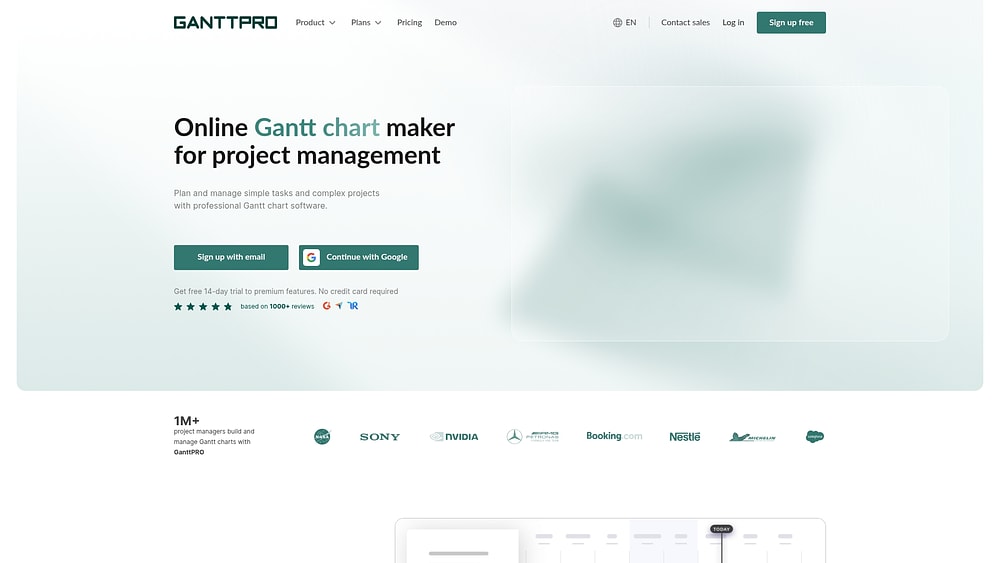
GanttPRO delivers comprehensive Gantt chart-based project planning designed specifically for traditional project management methodologies. The platform offers detailed timeline visualization and resource management, making it the go-to choice for teams that rely on structured, sequential project approaches.
With over 800,000 customers and a 4.8/5 rating across major review platforms, GanttPRO has established itself as a trusted solution for Waterfall project execution.
Use case:
Project managers in construction, engineering, manufacturing, and other industries where waterfall methodology and detailed Gantt charts remain the standard for project planning and execution.
Key features:
- Advanced Gantt chart capabilities: Create detailed timeline views with dependencies, milestones, critical path analysis, and auto-scheduling to maintain project flow.
- Comprehensive resource management: Track team member allocations with color-coded workload views, drag-and-drop reallocation, and multiple calculation modes (hours, tasks, or percentage).
- Integrated time and budget tracking: Monitor project costs with built-in time tracking, budget analysis reports, and automatic cost calculations for labor, materials, and fixed expenses.
Pricing:
- Core: $7/user/month (billed annually).
- Advanced: $10/user/month (billed annually).
- Business: $17/user/month (billed annually).
- Enterprise: Custom pricing with SAML SSO and priority support.
- Offer: 50% discount available for nonprofits, students, and teachers.
- Free trial: 14-day free trial with full feature access.
Considerations:
- Limited integration ecosystem compared to comprehensive work management platforms, requiring API development for custom connections.
- Mobile app focuses only on core actions while advanced project setup and planning remain web-only.
How monday work management transforms project delivery
Work shouldn’t have to bend around software limitations. The right platform adapts to how your organization actually operates, whether that means supporting multiple departments, parallel initiatives, or shifting priorities.
Modern platforms like monday work management are built for that flexibility, allowing teams to move beyond simple tracking and into structured, scalable execution.
Automate manual tasks with AI Blocks
Repetitive coordination drains momentum. AI Blocks embed intelligence directly into workflows, helping teams process high volumes of work without adding overhead.
In practical terms, that means:
-
Automatic categorization: Organize intake requests instantly by department, priority, or project type without manual sorting.
-
Information extraction: Pull deadlines, budgets, and key details directly from documents and emails, turning unstructured inputs into usable data.
-
Sentiment analysis: Monitor communication patterns to flag potential morale or performance risks before they escalate.
Instead of spending time organizing information, teams can focus on acting on it.
Gain proactive insights with a Digital Workforce
As projects multiply, visibility becomes harder to maintain manually. The Digital Workforce extends oversight across boards and portfolios without increasing administrative effort.
Built-in AI specialists continuously monitor project data to:
-
Analyze project health: Evaluate timelines, budgets, and dependencies to flag at-risk initiatives early.
-
Identify portfolio risks: Surface systemic issues, such as consistently over-allocated resources, so leaders can address root causes rather than symptoms.
This shifts leadership from reactive updates to proactive decision-making.
Design the exact workflows your teams need
No two departments work the same way. A visual, no-code workflow builder allows teams to map processes that match their real operations, whether running Agile sprints, Waterfall timelines, or hybrid approaches.
Automated handoffs keep work flowing between stages, reducing bottlenecks and preserving accountability as projects evolve.
Scale seamlessly from a single team to the enterprise
What works for one team should expand without requiring a platform change. monday work management supports growth from small project groups to enterprise-wide portfolios, maintaining connected reporting, governance, and automation along the way.
The comparison table below outlines how these capabilities stack up against other platforms, highlighting differences in AI depth, customization flexibility, scalability, and overall cost of ownership.
| Capability | monday work management | Smartsheet | Wrike | ClickUp |
|---|---|---|---|---|
| AI capabilities | AI Blocks & Digital Workforce for predictive insights | Limited AI, primarily focused on automation | AI features available in higher-tier plans | AI writing assistant and basic automation |
| Customization | Visual, no-code builder for any process | Formula-based; requires spreadsheet knowledge | Deep customization that needs configuration expertise | Extensive options but can be complex to set up |
| Scalability | Grows with you, from team projects to enterprise portfolios | Strong for departments, but limited for enterprise use | Built for enterprise complexity from the start | Scales, but may face performance issues at enterprise level |
| Integration ecosystem | 200+ native integrations and a robust API | Strong Microsoft and Google integrations | Focus on enterprise system integrations | Large number of integrations with varying quality |
| Total cost of ownership | Predictable pricing with fast, low-admin implementation | Moderate pricing that requires formula expertise | Higher cost with need for dedicated administrators | Lower entry cost, but potential for hidden complexity |
How to start your project management transformation
Moving away from spreadsheets and disconnected tools requires more than flipping a switch. A successful transition follows a clear path that builds confidence and proves value early.
Step 1: Build a clear business case
Start by mapping how work currently flows across teams. Identify where visibility breaks down, where manual reporting slows decisions, and where delays typically occur. Use real examples to show how a connected platform would eliminate friction, reduce status chasing, and improve accountability.
When stakeholders see specific pain points tied to measurable outcomes, support becomes easier to secure.
Step 2: Run a focused pilot
Avoid rolling out a new platform everywhere at once. Choose one team or initiative with enough complexity to demonstrate impact. Define clear success metrics such as improved deadline adherence, faster approvals, or reduced manual reporting time.
A four- to six-week pilot creates tangible proof before expanding further.
Step 3: Scale with intention
Once results are visible, expand thoughtfully. Standardize high-impact workflows first, provide targeted training, and highlight early wins to build momentum.
Adoption grows when teams see practical improvements in their daily work, not just new processes imposed from above.
Ready to elevate your organization’s execution?
As projects expand across teams and priorities, complexity rises. Visibility fragments. Reporting becomes manual. Risks surface late. Without a connected system, even strong plans are difficult to manage at scale.
monday work management brings strategy and execution into one shared platform, giving teams clarity without adding process overhead.
It supports modern delivery through:
-
Unified portfolio visibility: Real-time insight across projects without status chasing.
-
Flexible workflows: Agile, waterfall, and hybrid methods in one system.
-
AI-driven automation: Early risk signals and automated updates that reduce admin work.
-
Cross-department collaboration: Shared ownership and centralized communication.
-
Enterprise-grade security: Governance that scales with growth.
The result is simpler coordination, stronger alignment, and more predictable delivery.
Try monday work management and see how connected execution changes project outcomes.
Frequently asked questions
What is the difference between project management and work management?
Project management software tracks individual projects, while work management platforms connect all work to broader business strategy. Work management provides portfolio-level visibility, showing how every initiative contributes to company goals.
How do I migrate from spreadsheets to project management software?
To migrate from spreadsheets to project management software, you should start by importing one pilot project's data into the new platform and training that team on core features. Once they are comfortable, use templates to standardize the process and expand adoption to other projects.
Which project management platform is best for a hybrid approach?
Platforms that work best for hybrid methodologies allow teams to use different approaches, like Agile and Waterfall, within the same workspace. Look for flexible platforms like monday work management that offer multiple views, such as Kanban boards and Gantt charts, for each project.
What is the ROI of project management software?
The typical ROI for project management software is 3–6 months, with initial returns seen in improved deadline adherence and fewer status meetings. Strategic benefits, like optimized resource utilization, often appear within 6–12 months of full adoption.
How do AI features in project management software help teams?
AI features in project management software help teams by automating risk detection, intelligently suggesting resource assignments, and predicting project outcomes. This reduces manual work and allows project managers to focus on strategic decisions.
Can you use project management software without a certification?
Yes, you can effectively use project management software without a certification. Today's platforms are designed with intuitive interfaces, templates, and guided workflows that empower anyone to manage projects successfully.

 Get started