

Your brand launches a campaign on Instagram. Sales wants to amplify it on LinkedIn. Legal needs to review the copy. And leadership expects a report by Friday showing how it all ties back to revenue.
Social media stopped being a marketing-only function years ago. Today, it touches sales enablement, customer service, compliance, and executive visibility. The challenge isn’t posting content; it’s coordinating the people, approvals, and data that make social media a business driver instead of a disconnected channel.
That’s where social media management platforms become essential, not just for scheduling posts, but for connecting cross-functional teams around shared goals.
This guide shines a light on 15 top platforms built for collaboration across departments, from dedicated social suites to integrated work management systems. You’ll see what features matter most for enterprise teams, how to evaluate platforms against your actual workflows, and how to connect social execution to broader business outcomes.
Key takeaways
- Social media is now cross-functional: it supports marketing, sales, customer service, compliance, and leadership reporting, not just content publishing.
- Collaboration beats scheduling: the best platforms focus on approvals, shared context, and visibility across teams rather than posting volume alone.
- Workflow fit matters more than features: choosing the right tool depends on how content moves from idea to approval to reporting inside your organization.
- Integrated platforms unlock real ROI: connecting social execution to broader workflows helps teams tie engagement back to revenue and business goals.
- monday work management unifies execution: social campaigns connect directly to projects, approvals, resources, and OKRs in one shared digital workspace.
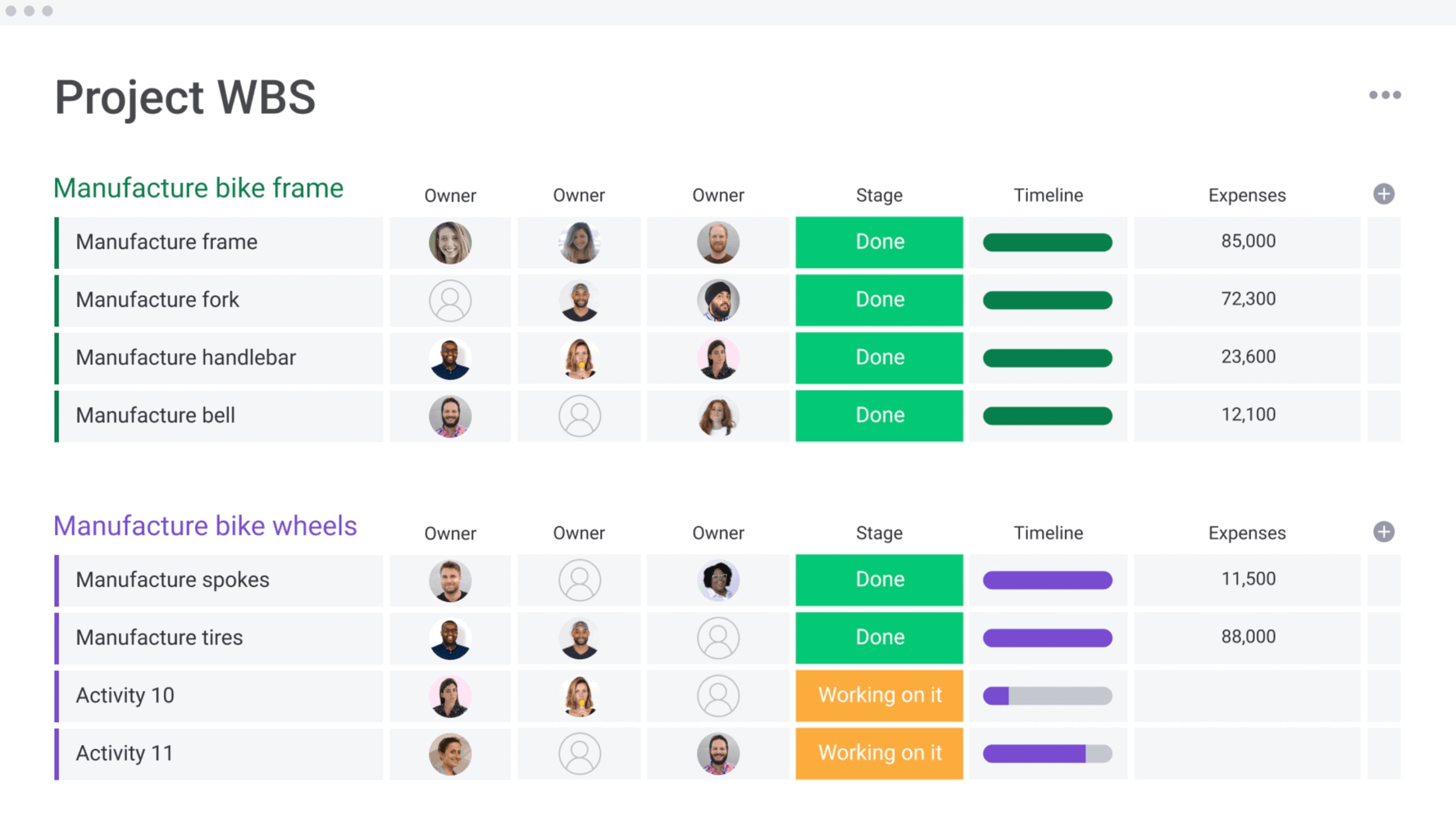
Social media management platforms do way more than schedule posts. They’re now the backbone that keeps marketing, sales, and ops moving in the same direction. These platforms bring marketing campaigns, sales outreach, and operational logistics together in one place. This shift breaks down silos so teams can actually work together.
When teams operate from a unified playbook rather than disparate systems, the impact is immediate:
- Marketing: crafts consistent brand narratives that sales teams can immediately utilize for social selling.
- Operations: secures the visibility needed to allocate resources efficiently and tie social metrics directly to business objectives.
One platform gives every team the context they need to hit company goals.
Through shared content calendars and streamlined approval routes, teams can coordinate complex campaigns, engage customers with complete background knowledge, and ensure social efforts drive strategic business priorities.
Best social media management platforms for cross-functional collaboration
Social media strategy rarely stays within the confines of the marketing department. Legal teams need to review copy, sales teams want to amplify client success stories, and leadership demands visibility. The right platform does more than post updates; it connects every stakeholder in the process.
We’ve grouped 15 platforms by what they do best to help you find the right fit. Whether you need a social-only tool or something that connects to your whole workflow, these platforms make social media a team sport.
Dedicated social platforms:
- Hootsuite: built for enterprise teams that need role-based permissions and campaign tracking across departments.
- Sprout Social: custom approval chains and reporting dashboards built for teams that need tight collaboration.
- Buffer: keeps it simple with easy team management, approval queues, and shared calendars.
- Later: focuses on visual content with team approvals and campaign coordination built in.
- CoSchedule: connects social campaigns to your marketing calendar so project timelines and reviews stay aligned.
Enterprise social suites:
- Brandwatch: combines social listening with content creation and insight sharing across teams.
- Falcon.io: creates a consistent customer experience with automated workflows and integrated approvals.
- Socialbakers: uses AI insights to help teams plan together and manage performance across departments.
- Khoros: built for enterprise community management with advanced approval logic and cross-department coordination.
- Sprinklr: manages the full customer experience with enterprise automation and collaboration tools.
Integrated work management platforms:
- monday work management: links social campaigns to the wider business via customizable workflows, approvals, and total stakeholder alignment.
- Asana: a project management hub providing templates for social campaigns and features for cross-team cooperation.
- Trello: utilizes visual Kanban boards to simplify social media planning and team coordination.
- Airtable: a database-centric platform that supports content planning, collaborative approvals, and campaign tracking.
- Notion: an all-in-one workspace blending content planning, approvals, and team collaboration in a highly flexible format.
1. monday work management
monday work management turns scattered social processes into coordinated business execution. It gives enterprise teams one place to plan campaigns, manage creative work, and report progress — so context never gets lost between tools.
Rather than treating “social” as a siloed activity, teams can link deliverables directly to marketing projects, resource allocation, and high-level OKRs. This visibility shows leadership exactly how daily work drives bigger goals.
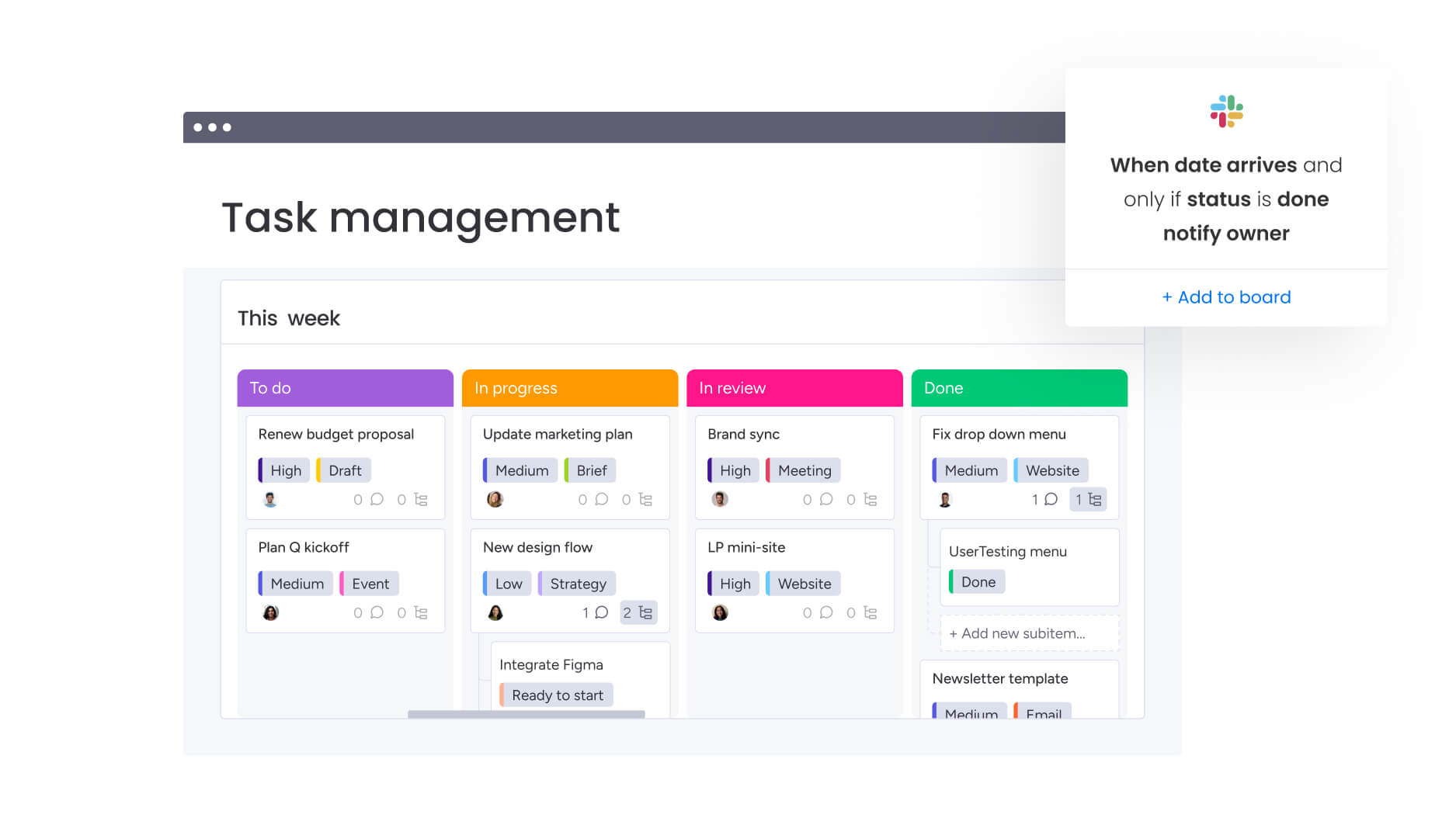
Use case: teams that want to simplify content creation, approvals, and tracking while connecting social work to marketing campaigns and company goals.
Key features:
- Visual content calendars: use Calendar and Timeline views to organize social work—each team can see the data the way they need it.
- Automated approval workflows: set up review stages with statuses and automations that ping the right people as work moves forward.
- Cross-departmental collaboration: keep briefs, context, and execution connected by embedding live boards and dashboards right in monday workdocs.
Advanced AI features:
When content volume spikes, quality can’t rely on human effort alone. monday work management builds AI right into your workflow.
- AI Blocks: use pre-built actions to categorize, summarize, extract info, detect sentiment, or translate data across boards.
- Digital Workforce: use specialized Digital Workers like a Campaign Manager to analyze performance and suggest optimizations (rolling out soon).
- AI Automations: build AI actions into automation recipes to organize and summarize work automatically.
Automations:
Governance shouldn’t slow down execution. With monday work management, you can standardize the path from intake to launch while keeping ownership clear.
- No-code workflow building: build repeatable processes with templates, automations, and flexible boards.
- Automations and templates: speed up launches by reusing what works, then automate handoffs, reminders, and updates.
- AI-driven actions inside automations: utilize blocks like “Summarize text with AI” to eliminate manual sorting and reporting tasks.
Integrations:
Social media doesn’t work in isolation. Supporting over 200 integrations, monday work management ensures social planning remains tethered to the systems leadership relies on.
- 200+ platform connections: connect workflows to the apps your teams use every day.
- Jira Cloud two-way syncing: stay aligned on cross-team work when social campaigns depend on dev schedules.
- Collaboration and email integrations: sync with Slack, Microsoft Teams, Gmail, and Outlook so updates spark action where your team already works.
Social media management platform features:
Treating social media like an operation instead of a spreadsheet makes all the difference. monday work management gives you real-time visibility across resources, campaigns, and results.
- Performance dashboards: roll up campaign progress and health into live reports you can share with leadership.
- Resource management: use Workload views to see capacity and make sure high-priority launches have the right people.
- Campaign tracking boards: connect creative work, posts, and launch milestones with Kanban, Gantt, and Timeline views.
Pricing:
- Free: up to two seats with basic features.
- Basic: $9/seat/month (billed annually) for essential work management capabilities.
- Standard: $12/seat/month (billed annually) with advanced collaboration features.
- Pro: $19/seat/month (billed annually) including advanced reporting and automation.
- Enterprise: custom pricing with advanced security, compliance, and governance features.
- annual billing provides approximately 18% savings compared to monthly plans.
- AI credits included in trial with additional credits available as add-ons.
Why it stands out:
- Operational maturity: connects campaign execution to OKRs so social work supports company priorities.
- High adoption and fast time to value: built for fast setup and high adoption, which means consistent data reporting.
- Proven ROI: a Forrester Total Economic Impact™ study found payback in under four months, with customers like Motorola seeing a 346% ROI.
2. Statusbrew
Agencies and enterprise teams that need strict governance should look at Statusbrew. It’s built for multi-brand management with separate workspaces — great for teams juggling internal brands or client accounts. External stakeholders can review and approve content without needing paid seats, which makes collaboration easier.

Use case: enterprises and agencies managing multiple brands that need white-label reporting, strong approval workflows, and easy team collaboration.
Key features:
- Multi-space architecture ensures client and brand isolation with granular role-based permissions.
- Shareable calendar links and external approvers allow stakeholder review without extra seat costs.
- AI-powered assistance for content creation and replies, supported by automated rule-based workflows.
Pricing:
- Lite: starting tier with basic features.
- Standard: mid-tier with automation and analytics included.
- Premium: advanced approval workflows, sentiment analysis, and social listening.
- Enterprise: custom pricing with SSO, audit logs, and CRM integrations.
- Agency pricing: from $49/month per client.
- 14-day free trial available.
- Annual billing discounts and 50% nonprofit discount for eligible organizations.
Considerations:
- Complex rule-based workflows and team assignments may require significant initial configuration.
- Advanced features like sentiment analysis and multi-step approvals are reserved for Premium or Enterprise tiers.
3. Sprout Social
Sprout Social connects marketing and customer service operations. It brings together social listening, team collaboration, and CRM: perfect for large teams where social drives both brand awareness and support. It combines deep analytics with strong approval processes to turn everyday interactions into business data you can measure.

Use case: large agencies and enterprises that need advanced social customer care workflows, deep CRM integration, and strong collaboration features.
Key features:
- Cases management system: streamlines customer service with unified message threading, automatic assignment, and rule-based routing based on agent availability.
- Advanced approval workflows: ensures brand consistency via multi-step approvals, mobile capabilities, and external reviewer access.
- Enterprise integrations: native connections to Salesforce Service Cloud, Zendesk, HubSpot, and Microsoft Dynamics 365 ensure workflow continuity.
Pricing:
- Standard: $199 per seat/month (annual billing).
- Professional: $299 per seat/month (annual billing).
- Advanced: $399 per seat/month (annual billing).
- Enterprise: custom pricing (quote-based).
- 30-day free trial available.
- Add-ons like Listening, Premium Analytics, and Employee Advocacy sold separately.
- Nonprofit discounts available for Professional and Advanced plans.
Considerations:
- The per-seat pricing model, combined with costs for essential add-ons, can result in a substantial investment for larger teams.
- Access to advanced features like external approvers and Salesforce integration is limited to the highest-tier Advanced plan.
4. Hootsuite
Regulated industries choose Hootsuite for its strong focus on compliance and governance. It offers multi-layer approval workflows and detailed inbox management to create the audit trails and oversight that regulated teams need.

Use case: teams with complex tech stacks that need lots of third-party integrations and enterprise governance.
Key features:
- Multi-step approval workflows supporting up to three levels of review and internal collaboration comments.
- Advanced Inbox 2.0 featuring automated routing, CSAT analytics, and SLA tracking for support operations.
- A vast app marketplace with native integrations for project management tools like monday.com, Asana, and Wrike.
Pricing:
- Standard: $99/user/month (annual billing).
- Advanced: $249/user/month (annual billing).
- Enterprise: custom pricing (quote-based).
- Annual billing saves up to 38% compared to monthly plans.
- Nonprofit organizations receive up to 60% discount on select plans.
- Additional modules like Advanced Analytics, AI Chatbot, and Compliance integration available as Enterprise add-ons.
Considerations:
- Smaller teams may find access limited, as custom permissions and approval workflows are locked behind higher-tier plans.
- Analytics reporting may have gaps due to mobile publishing workflows not always reflecting all desktop metadata.
5. Buffer
Transparency and simplicity define Buffer’s approach to social scheduling. Per-channel pricing with unlimited users means small to medium teams don’t pay per seat. The accessible pricing and generous free tier make it popular with creators and SMBs who want collaboration without enterprise complexity.

Use case: small to medium teams managing 5-10 accounts that need basic scheduling, cross-channel reporting, and approval workflows.
Key features:
- Collaborative planning: ensure content quality with Kanban-style idea boards, approval workflows, and role-based permissions.
- Unified calendar view: visualize schedules across all channels with filters for drafts, pending approvals, and scheduled posts.
- Cross-platform engagement: centralize comment management for Instagram, Facebook, LinkedIn, X/Twitter, Threads, and Bluesky in a single community workspace.
Pricing:
- Free: Up to three channels, ten scheduled posts per channel, one user.
- Essentials: $5/month per channel (billed annually), advanced analytics and hashtag manager.
- Team: $10/month per channel (billed annually), unlimited users and approval workflows.
- Annual billing provides 20% discount.
- Nonprofit organizations receive 50% discount.
Considerations:
- Social listening and advanced analytics capabilities are limited compared to enterprise-focused platforms.
- Mobile app functionality is reduced for some collaboration features, such as Notes, which are web-only.
6. Agorapulse
ROI measurement sits at the heart of Agorapulse. Designed for mid-market organizations and agencies, the platform balances robust collaboration features with ease of use. It is particularly valuable for teams that need to manage multiple client approvals and stakeholders without navigating the complexity of enterprise-level systems.

Use case: mid-sized agencies and organizations seeking external approval capabilities and built-in ROI tracking.
Key features:
- Unified social inbox featuring collision detection, team assignments, and automated moderation for coordinated responses.
- Shared Calendars facilitate multi-step approval workflows with external stakeholders.
- Native GA4 integration connects organic social activity to revenue and website traffic for clear ROI reporting.
Pricing:
- Free: $0 for one user/three profiles with basic scheduling and reporting limitations.
- Standard: $79/user/month (annual) or $99/user/month (monthly) with ten social profiles included
- Professional: $119/user/month (annual) or $149/user/month (monthly) adds team workflows and performance reports
- Advanced: $149/user/month (annual) or $199/user/month (monthly) includes Content Library and Bulk publishing
- Custom: quote-based pricing unlocks advanced approval workflows and API integrations.
- Additional social profiles and platform-specific add-ons (like X/Twitter features) available for extra cost.
- Annual billing saves up to 20% compared to monthly plans.
Considerations:
- As teams expand, per-user pricing can become costly since each additional seat is charged at the same rate.
- Access to CRM integrations and advanced workflow features like multi-step approvals requires the top-tier Custom plan.
7. Cloud Campaign
Agencies managing high volumes of client accounts find a dedicated partner in Cloud Campaign. By focusing on brand-based pricing and unlimited user access, it eliminates the friction of per-seat costs that often plague agency growth. The platform streamlines multi-stakeholder management through branded client portals and built-in approval workflows.

Use case: freelancers and marketing agencies managing 10+ accounts who require cost-effective scaling, white-label reporting, and client collaboration tools.
Key features:
- Brand workspace organization utilizing role-based permissions for clients, brand managers, and admins.
- Integrated approval workflows featuring bulk approval capabilities and timestamped audit trails.
- White-label client portals offering automated reporting, custom branding, and dashboards.
Pricing:
- Freelancer: $49/month ($41/month billed annually).
- Team: $199/month ($165/month billed annually).
- Agency: $299/month ($249/month billed annually).
- Annual billing includes two months free.
- Additional brand workspaces available as add-ons after included limits.
Considerations:
- Enhanced white-labeling and SSO features are reserved for higher-tier plans.
- Third-party API changes, such as Meta’s restrictions on Facebook Groups, may occasionally limit platform functionality.
8. SocialPilot
Growing teams and agencies often struggle to find robust collaboration tools that fit the budget. SocialPilot addresses this by offering account-based pricing and SOC 2 Type 2 certification. It provides essential features like client approval workflows and white-label capabilities without the steep price tag, allowing agencies to scale efficiently.

Use case: agencies and multi-location brands managing 3-50 accounts needing white-label reporting, team approvals, and client collaboration at an accessible price.
Key features:
- Approvals-On-The-Go: secure shareable links allow for no-login client approvals with comment threads and calendar views.
- Multi-role team management: assign granular permissions for managers, owners, clients, and content schedulers.
- AI-powered content creation: AI Pilot supports hashtag suggestions, post ideation, rewrites, and inbox replies.
Pricing:
- Essentials: $25.50/month (annual billing) — seven accounts, one user, 500 AI credits.
- Standard: $42.50/month (annual) — 15 accounts, three users, 1,000 AI credits, Social Inbox, analytics
- Premium: $85/month (annual) — 25 accounts, six users, 5,000 AI credits, client approvals, white-label reports.
- Ultimate: $170/month (annual) — 50 accounts, unlimited users and AI credits, white-label app.
- Enterprise: custom pricing — unlimited accounts, users, SSO, API access.
- Additional users: $5/month each; Additional accounts: $4/month each.
- Annual billing saves approximately 15% across all plans.
Considerations:
- Smaller budgets may find collaboration limited, as client approval workflows are only available on Premium+ plans.
- Engagement management has gaps, specifically regarding LinkedIn DMs, though Page comments are supported.
9. Later
Visual-first brands on Instagram and Pinterest require a different approach to social management. Later specializes in this niche, transforming content planning into a strategic aesthetic exercise. By allowing teams to preview exactly how content will appear in-feed, it ensures visual consistency drives engagement.

Use case: lifestyle, beauty, and fashion brands needing to maintain a strong visual identity while managing approval workflows and team collaboration.
Key features:
- Visual content calendar that renders posts exactly as they will appear in the feed.
- Discovery and organization tools for user-generated content to support community-driven campaigns.
- Access Groups offering granular permissions to separate brand and client workstreams.
Pricing:
- Starter: $18.75/month (billed annually) — one Social Set, one user, 30 posts per profile.
- Growth: $37.50/month (billed annually) — two Social Sets, two users, 180 posts per profile, includes approvals.
- Scale: $82.50/month (billed annually) — six Social Sets, four users, unlimited posts, competitive benchmarking.
- Free tier: available for creators with limited scheduling and Link in Bio access.
- Add-ons: extra Social Sets ($11.25/month), extra users ($3.75/month), AI credits ($3.75/month per 100).
- Annual discount: 25% off with three months free.
Considerations:
- Mobile workflow management is limited as approval and collaboration features are desktop-only.
- Stricter stakeholder review requirements may not be met by external review links, which lack password protection and expire in seven days.
10. Sendible
Sendible prioritizes the specific needs of agencies, delivering a platform built for multi-client operations. It combines robust client governance with workflow automation, offering optional white-label capabilities to provide a fully branded experience for clients.

Use case: agencies managing 15+ client accounts that need granular permissions, white-label reporting, and sophisticated workflow automation.
Key features:
- Client Connect facilitates secure profile onboarding without the need to share passwords.
- Structured approval workflows utilize task routing and role-based permissions.
- Automated, customizable reporting available for client presentations (Scale plan and up).
Pricing:
- Creator: $29/month (one user, six profiles).
- Traction: $89/month (four users, 24 profiles) — adds team collaboration and client dashboards.
- Scale: $199/month (seven users, 49 profiles) — adds custom reports and content libraries.
- Advanced: $299/month (20 users, 100 profiles) — adds bulk posting, custom tags, advanced user permissions, and live report sharing. White-labeling is available as a paid add-on.
- Enterprise: $750/month (80 users, 400 profiles) — includes dedicated success support. SSO and white-labeling are available as optional add-ons.
- Discounts: discounts are available for longer commitments (5% quarterly, 7% biannual, 15% annual). Nonprofits receive 25% off annual or 15% off monthly plans. Discounts do not stack.
Considerations:
- All functionality requires web-based access as mobile apps are no longer supported.
- Real-time engagement monitoring may be limited by the Priority Inbox, which can experience 1-2 hour delays due to sentiment analysis processing.
11. ContentStudio
ContentStudio integrates discovery and creation directly into the management workflow. It is designed for marketing teams and agencies that need to streamline approval processes while maintaining a steady stream of content. With built-in AI assistance and evergreen automation, it reduces the manual burden of keeping schedules full.

Use case: agencies and content marketing teams requiring automated publishing, client approval workflows, and integrated content discovery.
Key features:
- Flexible approval workflows featuring “Anyone vs. Everyone” logic, magic link client access, and bulk approvals.
- Integrated content discovery offering industry news aggregation, trending content curation, and AI-powered image and caption generation.
- Comprehensive automation including RSS-to-social publishing, evergreen content recycling, and optimal posting time suggestions.
Pricing:
- Starter: entry-level pricing for one workspace and five social accounts.
- Pro: Mid-tier with team collaboration, approval workflows, and one team member included.
- Agency: scaled workspaces, social accounts, and team seats for larger operations.
- Enterprise: custom pricing with SSO, API access, white-label options, and priority support.
- Annual billing discounts up to 34% available.
- Add-ons available for extra social accounts (~$5/month), users (~$10/month), and workspaces (~$10/month).
Considerations:
- API constraints limit social inbox coverage for platforms like YouTube comment replies and LinkedIn DMs.
- Approval workflows and team member features require upgrading beyond the entry-level tiers.
12. eClincher
Automation takes center stage with eClincher. The platform is built to reduce manual work across multiple channels, making it a strong fit for enterprises and agencies with complex client relationships. Its hierarchical approval workflows and unified inbox are complemented by extensive CRM integrations, connecting social dialogue to service operations.

Use case: teams managing high content volumes that need streamlined client approvals and extensive automation to maintain consistency.
Key features:
- Hierarchical approval workflows supporting external client access via email and up to 12 approvers.
- Unified inbox featuring CRM integrations for ServiceNow, Zendesk, and Salesforce, plus collision detection and assignment capabilities.
- RSS automation and smart queues to automatically fill calendar gaps and ensure posting consistency.
Pricing:
- Standard: $149/month (monthly billing) — one brand, up to two users, 15-20 social profiles.
- Professional: $349/month (monthly billing) — unlimited brands, up to ten users, 25-40 social profiles, includes approval workflows and external client dashboards.
- Enterprise: custom pricing — includes collision detection, AI auto-reply agent, SSO, and dedicated account management.
- Annual billing discounts available with 14-day free trial.
- Brand monitoring and local SEO available as separate add-ons, with Local SEO Automation priced at $300/month.
Considerations:
- Standard plan users are limited as key collaboration features like external dashboards and approval workflows require the Professional tier.
- Total costs can increase significantly with the add-on pricing structure for local SEO and brand monitoring.
13. Social Champ
Per-profile pricing makes Social Champ a scalable option for cost-conscious teams. It combines analytics, scheduling, AI content creation, and team collaboration into a single workspace. This structure is particularly advantageous for businesses and agencies managing multiple client accounts or brands that want to avoid per-seat constraints.

Use case: SMBs and agencies managing three to ten profiles needing unlimited team collaboration, robust approval workflows, and integrated analytics.
Key features:
- Multi-layer approval workflows featuring collision detection and workspace-level controls to prevent duplicate responses.
- Unified social inbox with saved replies, message labeling, and team assignment for efficient engagement.
- AI-powered content suite offering sentiment analysis, image creation, caption generation, and optimal posting times.
Pricing:
- Free: three social profiles, 15 scheduled posts, basic analytics.
- Starter: $5 per profile/month, one user, unlimited scheduling with fair-use policy.
- Growth: $9 per profile/month, unlimited users and workspaces, advanced analytics with competitor analysis.
- Enterprise: custom pricing for API access, SSO, and dedicated support.
- Annual billing provides up to 10% savings, with volume discounts available after 20 profiles
- Special pricing available for nonprofits and educational institutions.
Considerations:
- High-volume accounts may experience slower response times due to manual response requirements in the social inbox.
- While support is responsive, users occasionally report navigation and performance issues with the mobile app.
14. Brandwatch
Deep social intelligence is the primary currency for Brandwatch. It transforms how large organizations understand their market by offering advanced analytics and social listening. With access to over 100 million online sources, it empowers teams to make strategic decisions based on comprehensive data, supported by enterprise-grade governance.

Use case: large enterprises needing sophisticated social listening, robust governance, and advanced analytics across complex organizational structures.
Key features:
- Advanced social listening featuring industry trend monitoring, competitor tracking, and sentiment analysis across the web.
- Multi-step approval workflows utilizing external stakeholder collaboration and reusable templates for governance.
- Comprehensive team performance reporting including automated case management, business hours configuration, and SLA tracking.
Pricing:
- Standard, Pro, and Premium tiers: quote-only pricing via demo request.
- Priority Support package: available as add-on for enhanced service levels.
- Agency Catalyst Program: 15% discount on new deals with additional renewal incentives for qualifying partners.
- WPP Agency pricing: preferential rates available for WPP network agencies.
Considerations:
- Delegation flexibility in large teams may be limited as approval rights are restricted to Editor and Admin roles.
- Full functionality often requires package upgrades, as advanced governance features like case management and approval templates are gated to Pro/Premium tiers.
15. Khoros
Fortune 100 companies often require a platform that can handle massive scale and complexity. Khoros answers this by combining omnichannel support with sophisticated governance workflows. It unifies customer service, social marketing, and brand communities, making it a go-to for regulated industries managing global operations.

Use case: large enterprises in regulated industries where social media functions as both marketing and customer service.
Key features:
- Advanced approval workflows featuring rejection tracking, activity logs, and custom governance rules for compliance.
- Omnichannel work queues utilizing AI automation to route conversations across voice, SMS, email, chat, and social media.
- Integrated brand communities platform featuring the modern Aurora framework and moderation tools for scaled engagement.
Pricing:
- Enterprise pricing: custom quotes only — contact sales for tailored packages based on organizational needs and scale.
- Professional services: additional implementation, training, and strategic consulting available.
- Add-on integrations: pricing varies based on third-party connections and advanced analytics requirements.
Considerations:
- Functionality can be limited when social networks change access policies or deprecate features due to dependence on third-party APIs.
- The May 2025 acquisition by IgniteTech has introduced some uncertainty regarding support continuity and product roadmap.

8 critical features every cross-functional team needs
Cross-functional social media breaks down the moment tools fail to keep teams aligned. When approvals live in inboxes, calendars sit in silos, and reporting happens after the fact, execution slows and accountability disappears. To operate social media as a coordinated business function, teams need platforms built to support shared ownership, real-time collaboration, and measurable outcomes.
These eight features separate basic scheduling tools from systems that actually enable cross-functional work.
Centralized content calendar
Aligning every department starts with a single source of truth. A shared content calendar allows marketing to police brand consistency, sales to synchronize social selling efforts, and operations to allocate resources efficiently. Collaboration becomes effortless when the entire picture is visible to everyone instantly.
However, a calendar must do more than just display dates. A truly connected platform offers:
- Visual interfaces: a clean view of all content across every platform.
- Drag-and-drop functionality: rapid schedule adjustments when priorities shift.
- Custom views: organization by status, department, or campaign to prevent conflicts.
Teams utilizing monday work management construct social media calendars that integrate directly with broader project management workflows, ensuring every post is tied to strategic business outcomes.
Multi-department approval workflows
A flexible approval workflow keeps content moving forward to maintain campaign momentum. A flexible approval workflow keeps content moving while maintaining quality and compliance. By automatically routing posts to the necessary stakeholders—whether legal, marketing, or leadership—you ensure standards are met without manual intervention.
This structure guarantees that regulatory needs are satisfied and brand voice remains consistent. monday work management allows you to build custom approval automations that track changes and send notifications, replacing endless email chains with a clear audit trail.
Real-time collaboration

A shared digital workspace accelerates innovation by keeping context and tasks in one place. Effective cross-functional work requires a shared digital workspace where context lives alongside the task. Speed and clarity improve dramatically when every conversation is tied directly to a specific campaign.
Seek out a platform that fosters immediate connection. Within intuitive platforms like monday work management, teams coordinate social media through built-in updates, file sharing, and @mentions. This keeps everyone plugged into the latest information and the broader organizational pulse.
Unified analytics dashboards
Marketing tracks engagement. Sales watches leads. Executives demand ROI. Your social media platform must satisfy all these distinct data needs from one unified source.
Customizable dashboards transform raw data into actionable insights tailored for each stakeholder. With monday work management, you can display social media metrics alongside other key business data. This provides a holistic view that connects campaign performance directly to strategic goals, allowing leadership to make data-backed resource and budget decisions.
Workload and resource management

Even the best strategy fails without the capacity to execute. Workload management features provide a bird’s-eye view of team assignments, allowing you to balance tasks, leverage strengths, and identify potential burnout before it happens.
Is one star performer overloaded while others have bandwidth? This level of visualization allows for informed decisions that keep the team productive and balanced. Leaders utilize the resource management views on monday work management to optimize capacity, ensuring every initiative is properly staffed.
Enterprise security and permissions
Protecting brand integrity and data becomes non-negotiable as teams expand. Enterprise-grade security is essential for safe collaboration, requiring granular control over who can publish, edit, and view content across various accounts.
This necessitates secure approval gates, role-based permissions, and a full audit trail. monday work management delivers the robust permission controls and security that large organizations demand, empowering teams to collaborate with confidence while adhering to corporate governance.
Seamless third-party integrations
Social media cannot exist in a vacuum. To understand the full customer journey, your platform must connect seamlessly with other critical business systems. Data should flow directly into your CRM, and campaigns should sync perfectly with marketing automation tools.
This connectivity eliminates manual data entry and creates a unified operational view. monday work management acts as a hub for your work ecosystem, connecting social media processes to the rest of the business and driving coordinated execution across every function.
AI-powered content optimization
Moving from guesswork to precision requires data-driven intelligence. AI-powered features can forecast performance, suggest optimal posting times, and assist in generating on-brand content, serving as a powerful strategic partner.
This technology amplifies your team’s impact rather than replacing it. The AI capabilities within monday work management help teams work smarter. From Digital Workers monitoring campaign performance to AI Blocks categorizing inbound messages, your team can focus on high-impact strategy while AI handles the heavy lifting.
Try monday work management
“monday.com has been a life-changer. It gives us transparency, accountability, and a centralized place to manage projects across the globe".
Kendra Seier | Project Manager
“monday.com is the link that holds our business together — connecting our support office and stores with the visibility to move fast, stay consistent, and understand the impact on revenue.”
Duncan McHugh | Chief Operations OfficerHow to choose the right social media management platform
Selecting a social media platform is a foundational decision for your organization’s growth. The right tool connects social strategy to tangible business outcomes, evolving from a simple scheduler into a core operational asset. Finding a solution that scales with your ambition requires a strategic approach.
Step 1: map your team’s real workflow
Start by mapping the path your content travels from ideation to analysis. Trace every approval stage and person involved to reveal bottlenecks that demos and data sheets won’t show you.
A clear workflow assessment clarifies:
- The number of collaborators required.
- Whether external agencies need access.
- The specific approval chains needed for compliance.
Defining these elements helps you understand what you truly need. Instead of struggling with visibility or getting stuck in approval loops, teams can build customized processes on monday work management, adapting the platform to their workflow rather than the reverse.
Step 2: connect social media to your tech ecosystem
Integration is key. Map the connections between your current analytics, sales, and marketing platforms to identify where social data needs to flow. The objective is a connected ecosystem that provides a single source of truth and eliminates manual data entry.
Essential integrations often include:
- CRM systems: linking social interactions to customer profiles.
- Marketing automation: coordinating multi-channel campaigns.
- Analytics platforms: measuring social media’s impact on business goals.
- Customer service systems: efficiently managing social support requests.
A platform with pre-built connectors and a robust API is vital for creating this seamless information flow. monday work management helps build a comprehensive digital workspace where social media data informs the entire business strategy.
Step 3: plan for future growth and scalability
Think beyond today’s requirements. Consider how your needs will evolve over the next few years. Will the platform handle increasingly complex workflows, higher content volumes, and more users without friction?
Select a platform that supports growth rather than limiting it. Evaluate pricing models that scale fairly, user capacity, and the ability to accommodate advanced strategic operations. monday work management is built to adapt, with a flexible framework and scalable architecture that supports your team as it grows from basic channel management to sophisticated enterprise strategy.
Step 4: calculate the real return on your investment
Subscription fees are only one part of the financial equation. A comprehensive ROI calculation weighs the initial cost against the long-term value created through performance gains, collaboration, and efficiency. Consider the cost of not having an efficient, unified process.
Factor in training, implementation, and subscription costs against the value of time saved through automation and the impact of data-driven decisions. monday work management drives value for the entire organization by improving alignment and execution across all functions, providing a return that extends far beyond social media.
Transform your social media operations with monday work management
Treating social media as an isolated channel limits its potential. When campaigns fuel revenue, drive cross-departmental projects, and map to major business goals, social media becomes a fully integrated business driver.
monday work management allows you to build processes that mirror how your organization actually functions. Teams can create sophisticated content pipelines and link campaigns to company OKRs, providing the transparency needed to drive real impact.
Build custom social media workflows without code
Custom workflows shouldn’t require a computer science degree. With a no-code builder, your team can design approval routes, campaign tracking systems, and content calendars that fit your specific needs.
You can construct workflows for every phase of operation:
- Content pipeline: streamline the journey from idea submission to publication.
- Influencer collaboration: manage outreach, negotiation, and performance tracking.
- Crisis communication: coordinate issue detection, legal review, and executive approval.
- Campaign launch: align planning, asset development, and performance monitoring.
Connect social campaigns to company OKRs
Proving business impact starts with alignment. monday work management enables you to track how social activity contributes to sales targets, marketing goals, and company-wide OKRs.
Set specific performance targets and visualize progress in real time to identify where to focus attention:
- Revenue impact: track leads from social sources through the sales pipeline.
- Customer acquisition: prove contribution to growth by connecting campaigns to new customer metrics.
- Brand awareness: measure share of voice and reach against strategic objectives.
- Customer retention: analyze how engagement impacts lifetime value and satisfaction.
Leverage AI for smarter content management
Shift from reactive scheduling to proactive optimization. AI capabilities within monday work management reduce manual work and improve results, allowing your team to work smarter.
Automatically categorize posts, analyze sentiment, and spot trends to get ahead of issues. This frees the team to focus on creative strategy:
- Optimize performance: use historical data to recommend optimal messaging and posting times.
- Automate content improvements: receive suggestions for clearer headlines and stronger calls-to-action.
- Get proactive alerts: digital Workers monitor campaigns and flag performance dips automatically.
Step 4: scale from small team to enterprise
Growth is inevitable, but outgrowing your tools doesn’t have to be. monday work management supports operations at any scale, from single teams to global enterprises.
Start fast with pre-built templates, then add resource management and sophisticated workflows as operations become more complex. For large organizations, the platform offers the enterprise-grade integrations and security controls needed for high-volume content and complex compliance.
Ready to unify your social strategy?
Posting content is just the beginning; the real goal is connecting your brand’s voice to tangible business outcomes. Moving away from siloed tools to a unified platform empowers operations, sales, and marketing teams to function as a cohesive unit. This alignment streamlines execution and ensures every campaign drives value.
The right platform transforms scattered tasks into a strategic growth engine. Audit your workflows, identify collaboration breakdowns, and choose a solution that scales with your ambition. With the right foundation, your team can stop managing chaos and start delivering results.
Frequently asked questions
What social media management platforms work for enterprise teams?
To find social media management platforms that work for enterprise teams, look for solutions with robust security, advanced workflow automation, and deep integration capabilities.
How do social media platforms integrate with existing CRM systems?
Social media platforms integrate with CRM systems via APIs to sync customer data, track leads from social channels, and create a unified view of customer interactions.
Which social media management platforms offer advanced AI features?
Platforms with advanced AI features use artificial intelligence to optimize post timing, automate content tagging, and predict campaign performance based on historical data.
What platforms support complex approval workflows across departments?
Platforms that support complex approval workflows offer customizable routing, version history, and clear audit trails to ensure content is reviewed by all necessary stakeholders before publishing.
How much should organizations budget for social media management software?
To budget for social media management software, consider the subscription cost alongside the platform's total ROI, including time saved on manual processes and improved campaign performance.
Which platforms provide social commerce capabilities?
Platforms with social commerce capabilities allow you to tag products in posts, integrate with e-commerce storefronts, and track sales that originate from your social media channels.

 Get started