


Your project is humming along when suddenly a vendor misses a critical deadline, 3 “minor” risks are now major problems, and that spreadsheet with all your notes isn’t helping anyone make decisions. This is exactly why successful teams use RAID logs — a single system that tracks Risks, Assumptions, Issues, and Decisions so you can spot trouble early and respond fast.
This guide shows you how to build a RAID log that your team actually uses. You’ll learn the 4 core components, walk through the exact steps to create one from scratch, and discover how the right platform transforms basic tracking into intelligent project management that scales across your organization.
Try monday.comKey takeaways
- Create your RAID log during project kickoff to capture critical assumptions and potential problems before they derail your timeline or budget.
- Assign one specific owner to every risk, assumption, issue, and decision to prevent items from falling through the cracks.
- Schedule weekly RAID reviews to ensure new risks get identified, assumptions stay valid, and issues receive prompt attention before they escalate.
- Connect RAID tracking to your daily workflows by integrating updates into sprint planning, status meetings, and stakeholder communications instead of treating it as separate admin work.
- AI-powered categorization, automated escalations, and real-time dashboards turn basic RAID logs into proactive risk intelligence systems that scale across your organization.
What is a RAID log in project management?
A RAID log tracks 4 elements that can make or break your project: Risks, Assumptions, Issues, and Decisions. By keeping these critical factors in one place, teams can spot potential problems early and keep complex initiatives moving forward when challenges arise.
- Risks: Potential future problems that haven’t occurred yet but could impact project success. These include budget overruns, resource shortages, or technology failures that require proactive mitigation strategies.
- Assumptions: Beliefs or conditions accepted as true without definitive proof. Teams document these foundational beliefs — like stakeholder availability or budget approval timelines — to prevent project derailment when assumptions prove incorrect.
- Issues: Current problems requiring immediate attention and resolution, best tracked through an issue log. Unlike risks, issues are already affecting the project and demand swift action from designated owners.
- Decisions: Key choices made throughout the project lifecycle. Recording these decisions creates accountability and prevents teams from revisiting settled matters or losing institutional knowledge through a comprehensive decision log.
Digital platforms transform RAID logs through real-time collaboration, automated tracking, and AI-powered risk detection, turning static spreadsheets into dynamic intelligence systems that scale across portfolios.
Why project teams need RAID logs
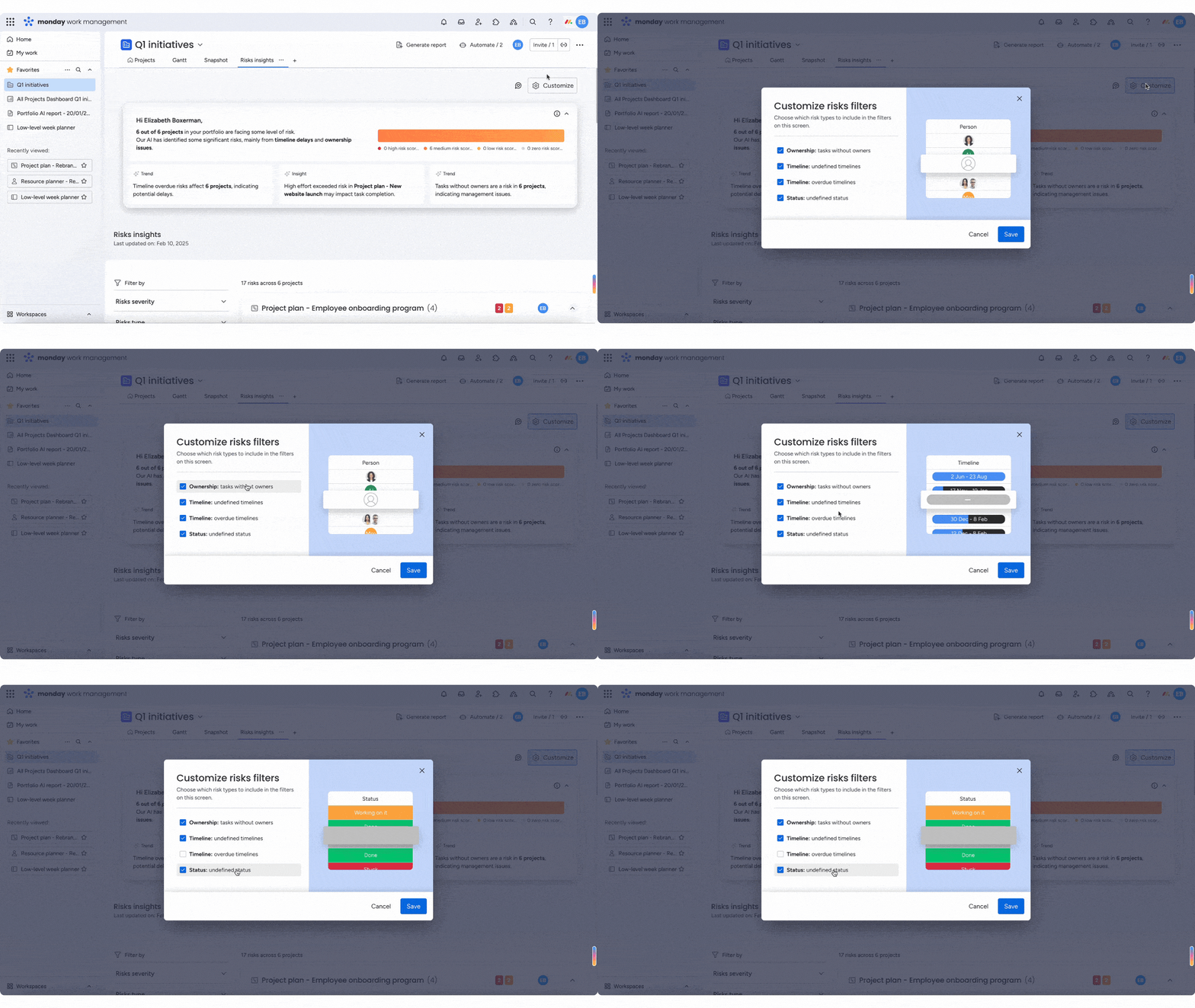
RAID logs give teams a structured way to surface problems early, document decisions clearly, and keep complex projects moving forward without relying on memory or scattered notes.
Instead of tracking risks, issues, and decisions across emails, spreadsheets, and meetings, a RAID log creates a single source of truth that helps teams act faster and communicate more effectively.
Key benefits include:
- Proactive risk visibility: Teams can identify and address potential problems before they escalate into delays, budget overruns, or scope changes.
- Clear accountability: Every risk, assumption, issue, and decision has an owner, reducing ambiguity and preventing follow-up gaps.
- Stronger stakeholder alignment: RAID logs make tradeoffs, constraints, and decisions visible, helping stakeholders understand project realities and respond faster when escalation is needed.
- Reliable project history: Documented decisions and resolved issues create an audit trail that supports retrospectives, compliance needs, and future planning.
For complex or cross-functional projects, RAID logs move teams from reactive firefighting to intentional, informed execution.
Try monday.comWhen to create a RAID log
Timing is vital. Create your RAID log at the right moments and you’ll catch problems early. Miss these windows and you’re already playing catch-up. Here’s when to create a RAID log:
- During project initiation: Create your RAID log at kickoff to capture initial assumptions about stakeholder availability, budget approvals, and resource commitments before they become invisible dependencies.
- At major milestones: Conduct comprehensive RAID reviews at phase transitions when previously hidden risks surface and earlier assumptions may no longer hold true.
- When complexity increases: Enhance your RAID log mid-project when scope changes, team expansion, or new stakeholders introduce fresh risks and shift existing assumptions.
Delayed RAID log creation forces teams into reactive mode, managing issues rather than preventing them through early risk mitigation. Projects that start RAID logs late often discover that undocumented assumptions have already proven false, creating issues that could have been avoided with earlier visibility.
7 steps for building an effective RAID log
Building an effective RAID log requires systematic planning and implementation. These 7 steps guide teams through creating a comprehensive tracking system that maintains project visibility and drives proactive management.
Step 1: Define your RAID categories
Define clear categories so everyone on your team speaks the same language. When you label a risk as “high priority” or an issue as “critical,” everyone should know exactly what that means and what action to take.
Risk severity levels and issue priority classifications help teams understand which items require immediate attention versus monitoring. Decision categories help teams understand which choices require documentation. Strategic decisions affecting project direction, major resource allocations, significant scope changes, and process modifications all warrant RAID log entries.
Step 2: Choose your tracking system
The tracking system decision affects collaboration effectiveness, update frequency, and long-term maintainability. Spreadsheet-based RAID logs offer simplicity and universal accessibility but lack real-time collaboration, automated workflows, and integration capabilities.
Digital project management platforms provide real-time collaboration, automated notifications, and integration with existing workflows. These systems reduce the friction of RAID log maintenance by embedding tracking into normal project activities rather than treating it as separate administrative overhead.
The right system depends on your project’s complexity, team size, and collaboration needs. Use these guidelines to determine which approach fits your team best:
- Small, co-located teams: Simple projects may succeed with spreadsheets
- Distributed teams: Complex initiatives with multiple stakeholders benefit from integrated platform capabilities
- Enterprise projects: Require automated workflows and portfolio-level visibility
Step 3: Identify initial risks and assumptions
Comprehensive initial identification requires structured brainstorming that surfaces risks and assumptions across all project dimensions. Stakeholder workshops bring diverse perspectives that individual project managers might miss.
Effective identification techniques include:
- Pre-mortem exercises: Imagine project failure and work backward to identify potential causes
- Category checklists: Systematically review technical, resource, stakeholder, and external risk categories
- Historical analysis: Review similar past projects for common risk patterns
- Expert consultation: Engage subject matter experts to identify domain-specific risks
Document not just the risk or assumption itself, but the context, potential impact, and initial assessment of likelihood. This detail enables meaningful prioritization and mitigation planning in subsequent steps. Some teams use AI to flag emerging risks by analyzing delivery trends like recurring delays or workload spikes.
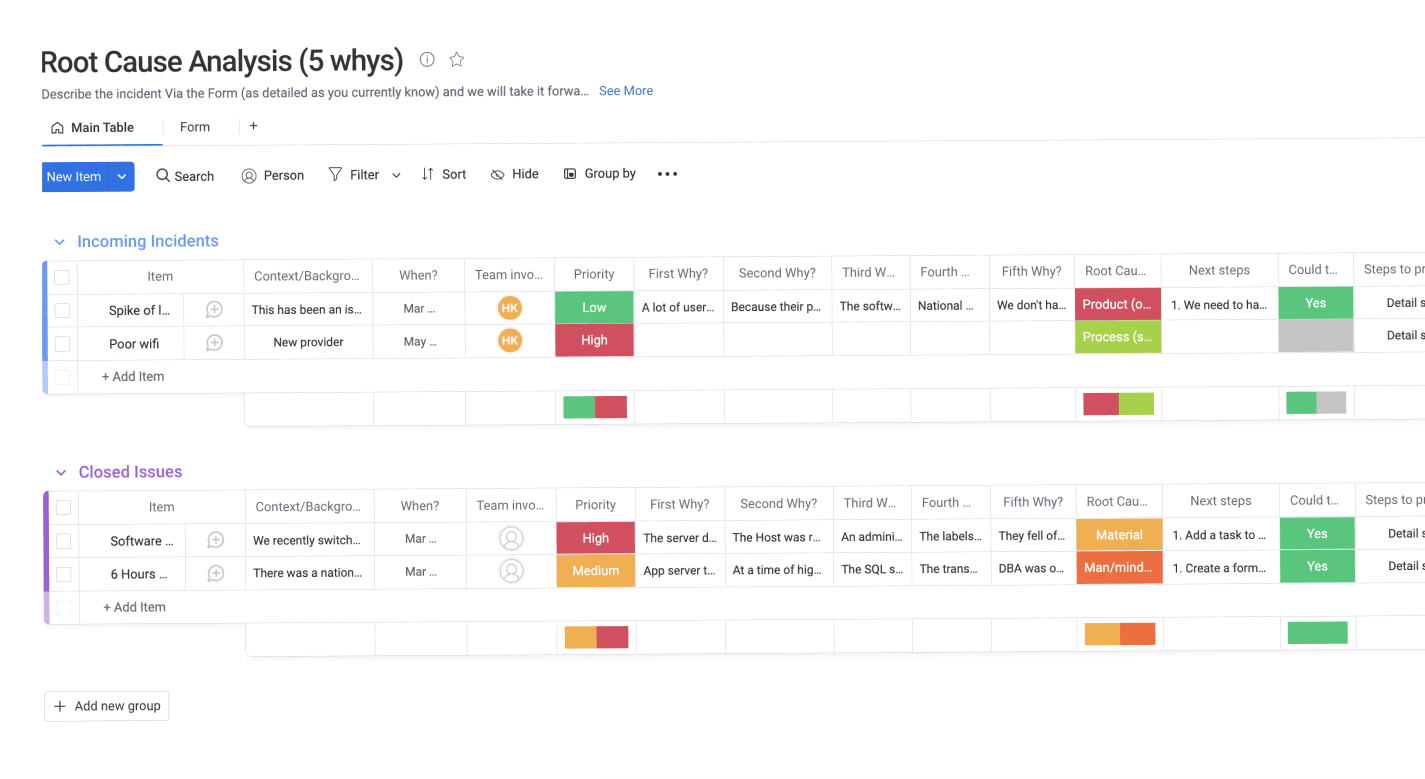
Step 4: Assign ownership and accountability
Every RAID log entry requires a designated owner responsible for monitoring, mitigation, or resolution. Shared ownership or committee responsibility creates accountability gaps where items languish without action.
Ownership responsibilities vary by component type:
- Risk owners: Monitor triggers and implement mitigation strategies
- Assumption owners: Validate accuracy and document when assumptions prove false
- Issue owners: Drive resolution activities and coordinate with stakeholders
- Decision owners: Communicate choices to affected parties and track implementation
Step 5: Create escalation workflows
Set clear rules for when to escalate problems up the chain. This prevents your team from sitting on critical issues they can’t solve, and gives leadership enough time to step in before small problems become project-killing disasters.
Escalation triggers typically include:
- Severity thresholds: High-impact risks or critical issues automatically escalate
- Time-based rules: Items open beyond specified timeframes trigger escalation
- Impact criteria: Items affecting project timeline, budget, or scope escalate immediately
- Resource needs: Items requiring additional resources or authority escalate to appropriate levels
Communication paths define who receives escalation notifications and what information they need to make decisions. This preparation enables faster leadership decision-making rather than forcing executives to reconstruct project history. In more mature setups, automated rules can also escalate items when severity increases or when issues stay open beyond a set threshold.
Step 6: Schedule regular reviews and updates
Schedule regular RAID reviews — weekly for fast-moving projects, bi-weekly for slower ones. Without these check-ins, your log quickly becomes another forgotten document nobody uses.
Effective review meetings focus on:
- Changes: New risks, issues, or decisions since the last review
- Validation: Confirming assumptions remain accurate
- Reassessment: Updating priorities based on project evolution
- Closure: Completing resolved items and archiving outdated entries
- Gaps: Identifying missing risks or assumptions
Review meetings should be working sessions that drive action, not status reporting exercises. Teams should leave with assignments, updated priorities, and renewed confidence in RAID log accuracy. AI summaries can also help teams walk into reviews with a clear snapshot of what’s open, what changed, and what needs attention.
Step 7: Connect to project workflows
RAID logs deliver maximum value when integrated with existing project management processes rather than treated as separate administrative tasks. This integration reduces maintenance friction and ensures the log reflects actual project realities, while AI-powered categorization and data extraction reduce manual entry, keeping RAID logs accurate with minimal effort.
Integration opportunities include:
- Sprint planning: Review RAID items when planning upcoming work
- Status reporting: Include RAID summaries in regular project updates
- Change management: Document decisions and assumptions when processing change requests
- Resource planning: Consider risk mitigation and issue resolution in resource allocation
- Quality management: Link quality issues to RAID tracking for comprehensive visibility
Automation capabilities in monday.com streamline these integrations through recipes that trigger notifications, update statuses, and create dependencies between RAID items and project tasks without manual intervention. AI-powered categorization and data extraction can reduce manual entry, keeping the log accurate with less admin work.
Building a RAID log template and industry examples
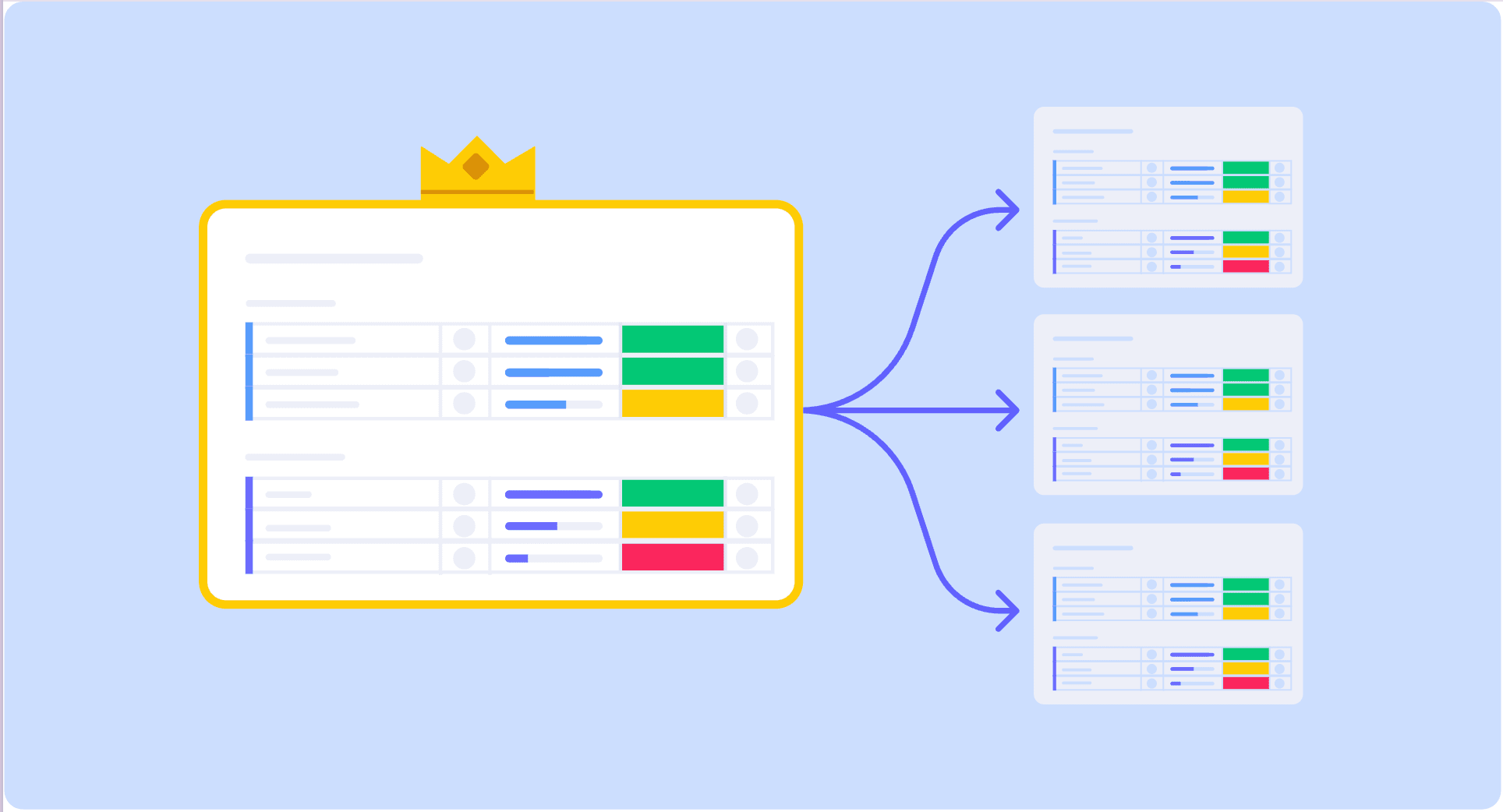
A RAID log template gives your team enough structure to make decisions quickly — without becoming so detailed that nobody updates it. At minimum, include these fields for every entry:
- Category (Risk, Assumption, Issue, Decision)
- Description
- Owner
- Status
- Priority or severity
- Date raised and target review or resolution date
Then add a few fields based on the entry type:
- Risks: Probability, impact, mitigation plan
- Issues: Impact on delivery, resolution plan, escalation status
- Decisions: Context, rationale, implementation status
Industry-specific RAID examples
Different industries tend to log different patterns of risks, assumptions, issues, and decisions. Here are a few examples to help you model your own entries:
| Industry | Risk example | Assumption example | Issue example | Decision example |
|---|---|---|---|---|
| Construction | Weather delays during foundation pour could push timeline by 2 weeks | Permit approval will occur within 30 days of submission | Concrete supplier cannot meet delivery schedule for next phase | Selected steel frame over wood construction due to building code requirements |
| Healthcare IT | EMR system integration may not support legacy lab equipment data formats | Clinical staff will be available for 40 hours of training | HIPAA compliance review identified data encryption gaps | Phased rollout by department rather than big-bang implementation |
| Technology | Third-party API provider could deprecate endpoints we depend on | Beta users will provide feedback within 1 week of feature release | Performance testing reveals 3-second load times exceed requirements | Adopted React framework over Angular based on team expertise |
RAID log best practices
Today’s distributed teams need RAID logs that work across time zones, integrate with their existing platforms, and don’t require endless meetings. Stick with outdated spreadsheets and email chains, and you’ll watch your team slowly abandon the process altogether.
- Enable real-time collaboration: Use platforms that support simultaneous editing and threaded discussions so distributed teams can update RAID items without version conflicts or endless email chains. Reserve synchronous meetings for critical issues and high-impact decisions, while routine monitoring works fine asynchronously.
- Adapt to global time zones: Rotate meeting times to share scheduling burdens fairly, record review sessions for absent team members, and use asynchronous communication tools for non-urgent updates so no one’s left out of the loop.
- Integrate with your existing tools: Connect your RAID log to communication platforms, calendar systems, and reporting tools so updates flow into team workflows automatically rather than existing as isolated documentation.
- Keep it current with weekly reviews: Schedule regular review cadences that keep logs fresh without overwhelming your team. Weekly updates strike the right balance between staying current and avoiding administrative burnout.
- Fight RAID log abandonment: Archive resolved items aggressively to prevent unwieldy logs, embed updates into existing workflows instead of creating separate tasks, and tailor stakeholder communications to their specific roles so people actually pay attention.
The difference between a RAID log that gets used and one that gets ignored often comes down to the platform behind it.
Transform your RAID logs with monday.com
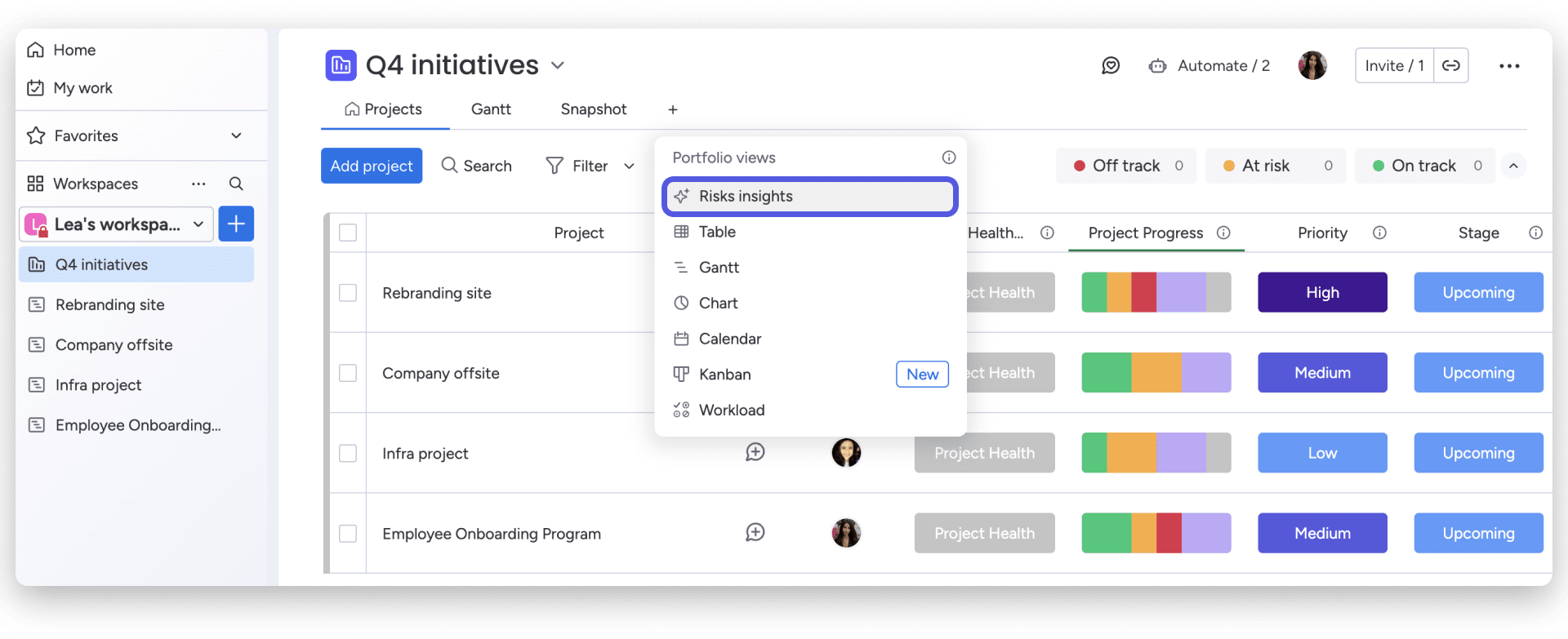
RAID logs are most effective when they’re embedded into how teams already plan, execute, and communicate work. With monday.com, you can turn RAID tracking into a connected, living system rather than a static document. Teams can track risks, assumptions, issues, and decisions alongside their project tasks, using visual boards and dashboards to maintain visibility without extra reporting work.
Key capabilities include:
- Real-time visibility: Dashboards show open risks, aging issues, and pending decisions across projects.
- Automated alerts: Escalations trigger notifications when severity changes or resolution timelines slip.
- AI-assisted management: Built-in AI categorizes entries, extracts key details, and summarizes updates for stakeholders.
- Workflow integration: RAID items link directly to tasks, owners, and timelines, ensuring follow-through.
Instead of managing RAID logs as a separate exercise, teams can make them part of their execution rhythm — catching problems earlier and keeping delivery on track.
Maximize project success with effective RAID tracking
A good RAID log isn’t just another document. It’s your early warning system for project disasters. Teams that use them effectively spot problems weeks before they happen, make decisions with complete context, and build a knowledge base that makes each project smarter than the last.
The key is weaving RAID tracking into what your team already does: add a RAID review to your sprint planning, flag new risks in your standups, and share the latest issues in your status reports. When updating the log becomes part of the rhythm, it actually gets done.
With monday.com, you can turn clunky RAID spreadsheets into a living system that does the heavy lifting for you. The platform’s AI automatically categorizes new risks, alerts the right people when issues need attention, and shows you patterns across all your projects, so you can focus on solving problems, not just tracking them.
Try monday.comFAQs
What is the difference between a RAID log and a risk register?
The difference between a RAID log and a risk register is their scope. A risk register focuses exclusively on identifying, assessing, and mitigating project risks, while a RAID log comprehensively tracks 4 components: Risks, Assumptions, Issues, and Decisions. Risk registers provide deeper risk-specific detail, but RAID logs offer broader project intelligence by connecting risks to related assumptions, tracking current issues, and documenting key decisions in a single repository.
How often should you update a RAID log?
Teams should update RAID logs weekly during regular review meetings, with immediate entries for critical items that emerge between scheduled reviews. Weekly cadences keep logs current without overwhelming teams with administrative overhead, while immediate critical item entry ensures urgent risks and issues receive prompt attention.
Can RAID logs work for agile projects?
RAID logs work effectively in agile environments when adapted to sprint-based rhythms rather than traditional phase-gate structures. Teams can review RAID items during sprint planning, update logs during daily standups when new issues emerge, and conduct comprehensive RAID reviews during sprint retrospectives.
Who should own the RAID log?
Project managers typically own the overall RAID log, ensuring regular updates, facilitating review meetings, and maintaining log quality. Individual RAID items have specific owners responsible for monitoring, mitigation, or resolution.
What happens to the RAID log after project completion?
Completed project RAID logs should be archived as part of project documentation for lessons learned analysis, compliance requirements, and organizational knowledge management. Teams should conduct post-project reviews analyzing which risks materialized and which decisions drove successful outcomes.
How do you prioritize items in a RAID log?
Prioritization uses impact/probability matrices for risks and urgency/severity classifications for issues. High-probability, high-impact risks and urgent, high-severity issues receive immediate attention and detailed mitigation or resolution plans.

 Get started