


Your team just committed to delivering three major initiatives by quarter-end. Marketing needs a new feature for their campaign launch, and operations is waiting on system updates to roll out process changes. Leadership expects everything to hit the approved timeline.
This is where a project management calendar saves you. It’s the visual system that shows you what’s due, who’s doing it, and whether your team can actually pull it off. It’s a visual system that shows project timelines, milestones, and who’s working on what — so you can spot problems early and actually deliver on those ambitious plans.
Unlike personal calendars that just track meetings, project management calendars show when deliverables are due, who owns them, and how projects connect. In the guide that follows you will discover how to build a project management calendar your team will actually use — and keep using. We’ll cover what makes teams stick with their calendars, the seven steps to set yours up right, and how to scale across complex portfolios. You’ll also see how platforms like monday work management cut the manual work that kills most calendars.
Key takeaways
- Replace reactive firefighting with proactive orchestration: visual project calendars expose bottlenecks and resource conflicts weeks before they become crises, letting you solve problems through smart scheduling instead of emergency meetings.
- Break down departmental silos with shared timeline visibility: when marketing sees product development milestones and operations views engineering sprints, teams can plan proactively instead of guessing at each other’s progress.
- Transform calendar management from manual drudgery into intelligent automation: monday work management uses AI to predict project risks, automatically balance workloads, and sync updates across 200+ integrations.
- Scale from individual projects to enterprise portfolio management: build reusable templates, track cross-project dependencies, and create executive dashboards that connect daily work to strategic business objectives.
- Support team well-being with data-driven resource planning: use real-time capacity visualization and predictive workload analysis to balance assignments based on skills and availability, not just who seems available.
What is a project management calendar?
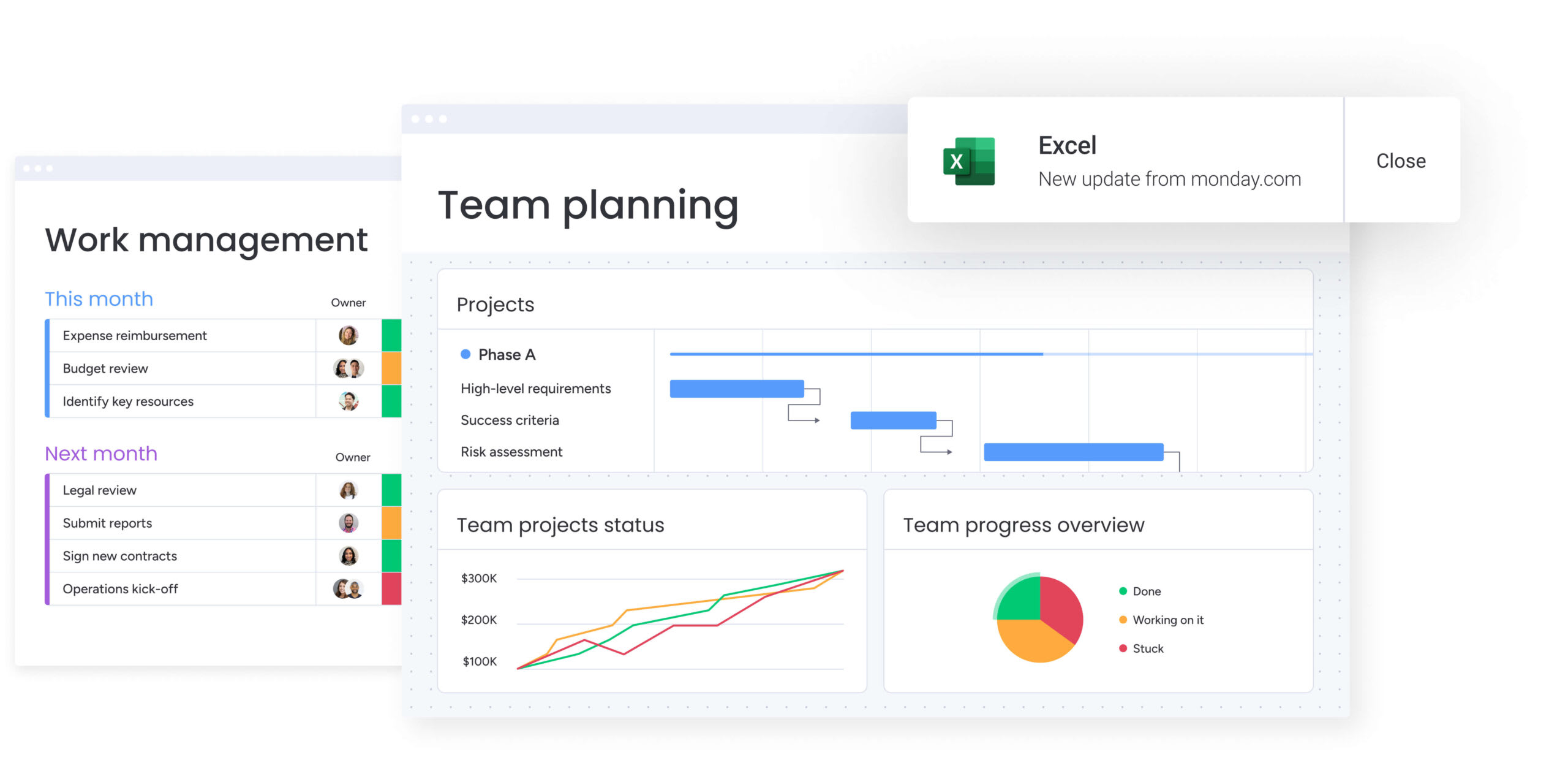
A project management calendar shows project timelines, milestones, dependencies, and who’s working on what — across your entire organization. Unlike a personal schedule that tracks meetings, this system gives you oversight of actual work execution. It’s where everyone goes to see what’s due and who owns it.
It’s helpful to think of this type of calendar as the central nervous system for your work. It turns vague deadlines into a tangible roadmap everyone can see and understand. For example, when marketing needs to know when product development will finish a feature, they check the project calendar. Likewise, when operations needs to plan staffing for an upcoming initiative, they reference the same system.
The benefits of leveraging project management calendars are also huge, with organizations that embed this ‘schedule-first’ approach reporting timeline reductions of 10–15% along with improved cross-functional coordination.
Project management calendar vs regular calendar
At a glance, a project management calendar can look similar to a standard calendar — both organise work over time. But they’re designed for very different jobs. A regular calendar helps individuals manage meetings and personal commitments.
On the other hand, a project management calendar helps teams coordinate delivery, showing how tasks, deadlines, people, and dependencies fit together across multiple projects.
The table below breaks down the practical differences, highlighting how project management calendars move beyond simple scheduling to support collaboration, resource planning, and portfolio-level decision-making.
| Feature | Regular calendar | Project management calendar |
|---|---|---|
| Primary scope | Individual appointments and meetings | Multi-project timelines and deliverables |
| Complexity handling | Linear, time-based events | Complex dependencies and critical paths |
| Collaboration | Basic sharing (view/edit) | Real-time, cross-functional execution |
| Resource intelligence | Binary availability (busy/free) | Workload balancing and capacity planning |
| Strategic value | Personal organization | Portfolio-level visibility and risk management |
Core components of effective project calendars
A good project calendar needs specific components to do more than just track dates. These components work together to show organizational health — and help you figure out what your team actually needs.
Key components include:
- Timeline visualization: projects appear chronologically, offering an immediate understanding of duration, overlap, and sequence.
- Milestone tracking: high-level deliverables and critical checkpoints stay highlighted to keep teams focused on major goals.
- Resource allocation: the system displays team member assignments and workload distribution, revealing who is doing what and when.
- Dependency mapping: visual connectors show how one area’s delay will impact downstream workflows.
- Status indicators: color-coded visual cues provide instant insight into project health, signaling which initiatives are on track, at risk, or blocked.
- Multi-project view: a portfolio-level perspective aggregates data across initiatives, allowing leadership to see the big picture without losing granular detail.
The limitations of traditional calendars for project teams
Traditional calendars create blind spots because they don’t show context. They can’t show how work connects, so when one deadline moves, dependent items don’t automatically shift.
They also fail to show resource conflicts. For example, a specialist might be double-booked across two critical projects without anyone realizing it until the deadline hits. Traditional systems also lack collaboration features and progress visualization: this forces teams to rely on status meetings and email chains to understand if work is actually moving forward.
Try monday work managementA good project calendar needs specific components to do more than just track dates. These components work together to show organizational health — and help you figure out what your team actually needs.
Why your team needs a visual project calendar
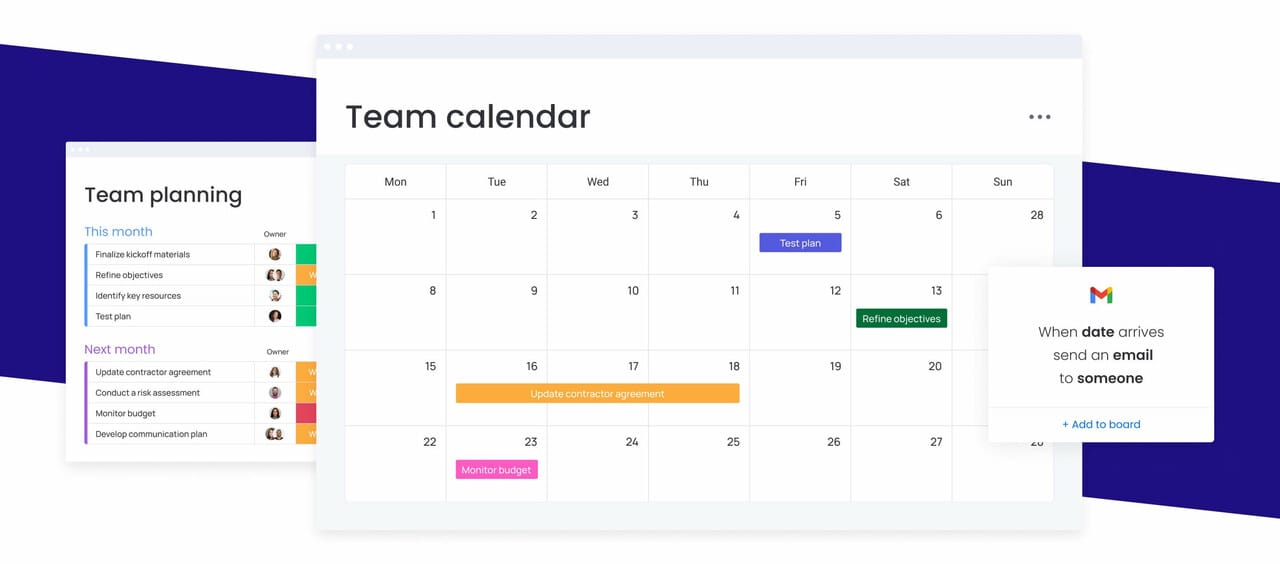
A visual project calendar isn’t just nice to have — it directly impacts your bottom line: It shifts you from firefighting to planning ahead, giving you the visibility to scale and execute complex initiatives with confidence.
In the sections below we’ll shine a little more light on why visual project calendars matter for teams managing complex, cross-departmental work.
Increase cross-department transparency
Project calendars reduce friction between teams by making timelines and ownership visible to everyone. When marketing can see product development milestones clearly, campaign planning becomes more accurate. When operations understands the resource demands of upcoming engineering work, staffing decisions can happen earlier instead of under pressure.
This shared view replaces guesswork with clarity. Teams no longer rely on assumptions, status meetings, or long email threads to understand progress — they can see it directly in the calendar.
At scale, the cost of poor visibility becomes significant. Large, multi-stakeholder initiatives routinely suffer major delays when dependencies aren’t clear or managed early. In 2025, Major Defense Acquisition Programs saw expected delivery timelines extended by an average of 18 months, reinforcing how quickly complex projects drift when coordination and dependency awareness break down.
Improve on-time delivery and workflow
Visual calendars expose potential conflicts weeks or months before they become crises. By highlighting the critical path, teams can identify exactly where delays will occur if a specific item slips.
This visibility is crucial given that average cost overruns were roughly 80% and average schedule delays about 50% across more than 300 billion-dollar megaprojects, demonstrating the systemic nature of project management challenges.
This visibility further allows managers to spot when multiple projects are competing for the same resources or when a dependency chain is too tight. They can solve problems proactively through rescheduling or resource shifting rather than reacting after a deadline is missed.
Enable smarter resource allocation
Data-driven resource management replaces gut-feeling assignments. Project calendars provide a view of team capacity, skill distribution, and availability across the portfolio. Managers can identify underutilized talent to accelerate lagging projects or spot overallocated team members who are at risk of burnout.
This intelligence supports hiring decisions, contractor budgeting, and strategic project prioritization.
Teams leveraging intelligent platforms like monday work management gain a precise understanding of capacity through the Workload View, which lets them balance resources and quickly adapt to changing priorities. This ensures that ambitious project plans are grounded in the reality of team availability.
Choose the right project calendar format
Not every team plans work in the same way, and a single calendar view rarely works for everyone. The right format depends on how your work flows, how fixed your timelines are, and what level of detail different teams need to see.
Some teams need strict sequencing and dependency tracking, while others benefit more from flexible, status-driven views. Understanding the strengths of each calendar format makes it easier to choose one your team will actually use — and stick with — as your projects grow in complexity.
Timeline and Gantt chart calendars
Gantt charts are the gold standard for complex projects requiring precise dependency management and sequential execution. They excel at visualizing the critical path, showing exactly how items overlap and link together over time.
This format is ideal for construction, manufacturing, and hardware product development where strict deadlines and order of operations are non-negotiable. While powerful, they are best suited for projects with fixed dependencies rather than highly fluid, experimental workflows.
Organizations using advanced and modern platforms like monday work management can leverage features like Gantt chart view to keep close tabs on their project’s scope, schedule, milestones, and dependencies (important metrics at any level).
Kanban-style calendar boards
Kanban calendars prioritize workflow stages and status over rigid scheduling, making them perfect for agile teams. These visual boards display work as cards moving through columns (To Do, In Progress, Done), providing an instant snapshot of where every item sits in the production cycle.
They are highly effective for marketing campaigns, software development sprints, and continuous improvement processes where flexibility and flow are more important than strict dates. However, they may lack the long-term forecasting precision required for projects with hard external deadlines.
Resource calendar project management views
Resource calendars flip the perspective from “what needs to be done” to “who is available to do it.” These views are essential for service-based businesses, agencies, and consulting firms where people are the primary constraint.
They prevent overallocation by visually displaying capacity, time-off, and current assignments side-by-side. By integrating with project timelines, these calendars also ensure that ambitious project plans are grounded in the reality of team availability.
Portfolio management calendar dashboards
Portfolio calendars provide the executive-level “control tower” view, aggregating multiple projects into a single strategic dashboard. They strip away item-level minutiae to focus on high-level milestones, health status, and resource conflicts between initiatives.
This format is absolutely critical for PMOs and executives who need to align individual project execution with quarterly business goals and make high-level decisions about budget and priority without getting lost in the weeds.
Try monday work management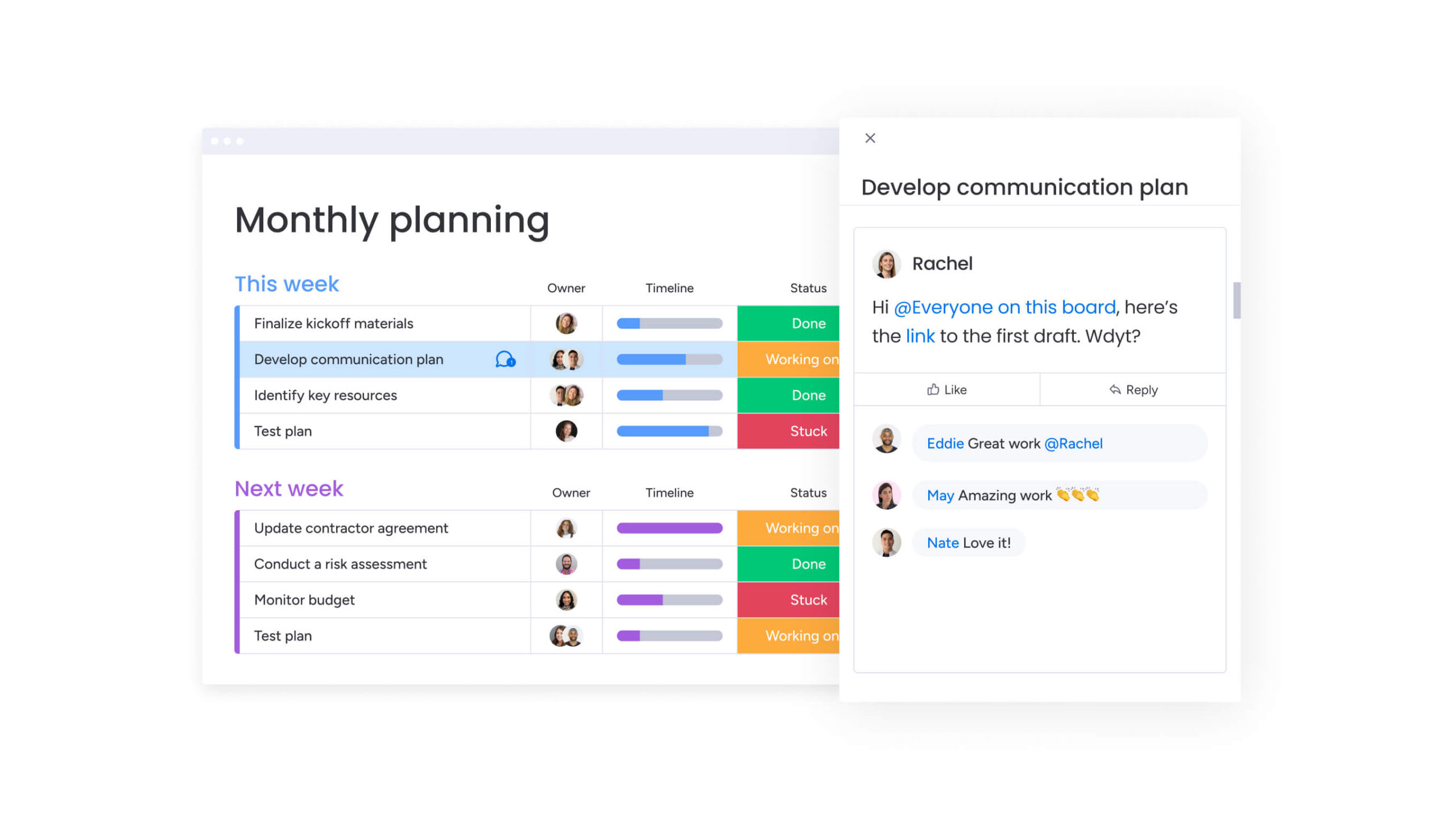
How to build your project management calendar: 7 simple steps
Building a calendar that sticks requires an approach that moves beyond strategic intent to technical configuration. It’s really important not to skip the planning phases as this often leads to a cluttered, confusing system that teams eventually abandon in favor of their old spreadsheets.
Follow this step-by-step process below to ensure your calendar becomes an indispensable operational asset rather than another forgotten system.
Step 1: define calendar objectives
Success begins by identifying exactly what business decisions the calendar must support. The goal is not just to “get organized,” but to solve specific operational problems, such as preventing resource conflicts between departments or providing leadership with accurate delivery forecasts.
Objectives should be tied to business outcomes, such as:
- Reducing project overrun costs by 15%.
- Cutting status meeting time in half.
- Improving cross-departmental coordination.
- Increasing on-time delivery rates.
Step 2: audit your current projects and workflows
A comprehensive audit catalogs every moving piece the calendar needs to track. This involves mapping all active and upcoming projects, listing every team member and their commitments, and documenting the dependencies that link work together.
This process often reveals hidden “shadow work” and informal workflows that must be formalized within the new system to ensure the calendar reflects reality. For this step, be sure to document:
- All active projects and their current status.
- Team member roles and capacity.
- Existing dependencies between projects.
- Current pain points in project coordination.
Step 3: design your calendar architecture
The calendar’s structure determines its scalability. This step involves establishing consistent naming conventions for projects and items, defining standardized status labels, and determining how projects will be categorized (by client, department, or priority).
A well-designed architecture ensures that data remains sortable, searchable, and reportable even as the organization adds hundreds of new projects over time. Key decisions include:
- Project naming conventions.
- Status label definitions.
- Categorization systems.
- Data hierarchy structure.
Step 4: configure team access and permissions
Next, it’s important to keep in mind that security and transparency must be balanced through granular permission settings. Stakeholders may need view-only access to track progress without accidentally altering timelines, while project owners require full edit rights.
Additionally, administrators need high-level control to manage the system structure. Properly configured permissions also facilitate safe collaboration with external contractors and clients, giving them access only to relevant data. Consider these access levels:
- View-only: for stakeholders tracking progress.
- Edit access: for project team members.
- Admin rights: for system managers.
- Guest access: for external collaborators.
Step 5: set up automated data flows
Automation is the key to maintaining data accuracy without administrative drudgery. The calendar should connect with existing platforms to pull in data automatically, syncing with time-tracking software for progress updates or communication platforms for status changes.
Teams using monday work management benefit from automations and templates that save valuable time and get new projects started faster by automating crucial elements of work, including creating templated project boards, sending approval notifications and reminders, and more. Automated workflows help further reduce the manual data entry burden that is the primary cause of calendar abandonment.
Step 6: customize views for each department
Relevance drives adoption. Each team should see the data that matters to them. Marketing teams might need a calendar view focused on campaign launch dates and content deliverables, while engineering needs a sprint view focused on technical items and backlog.
Using filters, color-coding, and custom fields creates tailored experiences that make the calendar an indispensable resource for every specific function. With sophisticated platforms like monday work management, teams can visualize their data and project plans the way they need with dynamic features and 15+ board views.
Step 7: launch with a pilot team
A phased rollout minimizes disruption and allows for iterative improvement. Selecting a pilot group, ideally a high-performing team with a specific project, allows you to test the architecture, refine workflows, and gather feedback in a controlled environment.
The success of this pilot creates internal case studies and “calendar champions” who will help drive adoption when the system is rolled out to the rest of the organization. Choose pilots based on:
- Team openness to new systems.
- Project complexity that tests calendar features.
- Willingness to provide detailed feedback.
- Influence within the broader organization.
Success begins by identifying exactly what business decisions the calendar must support. The goal is not just to “get organized,” but to solve specific operational problems.
Essential features every project calendar needs
Effective project calendars distinguish themselves from basic scheduling systems through specific capabilities that drive strategic value. These features transform the calendar from a passive record of dates into an active engine for project delivery.
Take a moment to understand which capabilities are essential (outlined below) will really help ensure your calendar system can scale with your organization’s growing complexity.
Real-time multi-user synchronization
Simultaneous editing capabilities prevent the version control nightmares associated with shared spreadsheets. When one person updates a deadline or marks an item complete, that change reflects instantly across everyone’s view.
This ensures the entire organization operates on the same data. This feature includes:
- Automatic conflict resolution: prevents data corruption when multiple users edit simultaneously.
- Offline sync capabilities: maintains functionality for distributed teams.
- Change tracking: shows who made what updates and when.
- Instant notifications: alerts relevant team members to critical changes.
Visual workload management
Capacity indicators integrated directly into the calendar view prevent burnout and bottlenecks. These visual aids, often heat maps or color-coded bars, show immediately when a team member is approaching or exceeding their available hours.
This allows managers to make proactive adjustments to assignments before a resource crunch impacts project delivery. Key capabilities include:
- Capacity visualization: heat maps showing workload distribution.
- Overallocation alerts: warnings when team members exceed capacity.
- Skill-based matching: assigning work based on expertise and availability.
- Historical analysis: tracking patterns to improve future planning.
Smart dependency mapping
Automated dependency logic ensures that timelines remain realistic when plans change. If a foundational item is delayed by three days, smart mapping automatically shifts all dependent downstream items and milestones, instantly showing the impact on the final delivery date.
This dynamic adjustment prevents the “cascade failure” where a small early delay silently derails an entire project. Features include:
- Automatic timeline adjustment: dependencies update when predecessors change.
- Critical path highlighting: visual emphasis on items that impact final deadlines.
- Dependency validation: prevents circular or impossible dependencies.
- Impact analysis: shows how changes affect the entire project timeline.
Customizable alert systems
Intelligent notifications cut through the noise to highlight only what requires immediate attention. Rather than blasting teams with updates on every minor change, the system triggers alerts for specific risk factors: approaching deadlines, dependency breaks, or resource overallocation.
These targeted notifications enable proactive management, allowing leaders to intervene only when necessary. Alert types include:
- Deadline warnings: notifications before items become overdue.
- Dependency breaks: alerts when prerequisite work is delayed.
- Resource conflicts: warnings about overallocation or skill gaps.
- Milestone tracking: updates on major deliverable progress,
AI-powered risk detection
As project portfolios grow, it becomes harder for teams to spot early warning signs using manual reviews alone. Patterns such as recurring delays, overloaded teams, or tightly coupled dependencies often emerge gradually and are easy to miss until a project is already off track.
AI-powered risk detection helps surface these signals earlier by analyzing historical performance and current timelines across all active work. For example, monday work management’s Portfolio Risk Insights continuously scans project data to flag initiatives that are trending toward delay, highlighting risk levels before deadlines are missed. This gives teams time to adjust scope, shift resources, or re-sequence work while recovery is still possible.
How to connect your calendar with your other work platforms
A project calendar should not be an island. It must function as the central nervous system of your digital workspace, integrating with your existing tech stack so that it eliminates context switching and ensures that the calendar always reflects the actual state of work.
These integrations discussed below will transform your calendar from a standalone system into the operational hub that connects all your business processes.
Integrate communication tools
Connecting the calendar with platforms like Slack or Microsoft Teams bridges the gap between planning and discussion. Status updates on the calendar can automatically post to relevant team channels, and discussions in chat can be converted directly into calendar items.
This bidirectional flow ensures that decisions made in conversation are immediately captured in the project plan. Teams using monday work management benefit from integrations that connect all the platforms they already use, like Microsoft Teams, Gmail, Slack, Jira, and Salesforce, to run powerful projects without ever switching tabs.
Sync time tracking systems
Integrating time tracking provides the data loop necessary for accurate estimation and profitability analysis. By comparing actual hours logged against planned duration directly on the calendar, managers gain insight into estimation accuracy and resource efficiency.
This data is crucial for refining future project plans and ensuring that billing or internal cost allocations are accurate. Key benefits include:
- Estimation improvement: historical data informs future planning.
- Profitability tracking: real-time cost analysis against project budgets.
- Resource optimization: understanding actual vs. planned effort.
- Billing accuracy: automated time capture for client projects.
Connect document repositories
Linking the calendar with systems like Google Drive or SharePoint places necessary context right next to the deadline. Team members can access briefs, specs, and assets directly from the calendar item, reducing the time spent searching for files.
When a deliverable is completed and the file is uploaded, the calendar can automatically update the item status, simplifying the handoff process. This integration provides:
- Contextual access: files linked directly to relevant calendar items.
- Version control: automatic updates when documents change.
- Status automation: calendar updates when deliverables are uploaded.
- Reduced friction: eliminates file hunting and context switching.
Link financial planning systems
Connecting project data with financial systems enables real-time budget tracking alongside timeline management. This integration allows project managers to see how schedule changes impact project margins and resource costs.
It supports executive reporting by combining operational progress with financial performance, providing a holistic view of project ROI. Financial integration enables:
- Budget monitoring: real-time tracking of project costs.
- Resource costing: understanding the financial impact of assignments.
- Profitability analysis: combining timeline and budget data.
- Executive reporting: unified operational and financial dashboards.

“monday.com has been a life-changer. It gives us transparency, accountability, and a centralized place to manage projects across the globe".
Kendra Seier | Project Manager
“monday.com is the link that holds our business together — connecting our support office and stores with the visibility to move fast, stay consistent, and understand the impact on revenue.”
Duncan McHugh | Chief Operations Officer5 calendar management best practices
In the sections above we’ve covered building the calendar but this is only the first step. Maintaining its value requires discipline and consistent governance.
Follow the practices below and you can be fully assured that the system remains a trusted source of truth rather than a graveyard of outdated information.
1. Assign calendar champions
Calendar champions are the internal guardians of the system’s integrity. These individuals, typically experienced project managers or operations leads, are responsible for training new team members, answering process questions, and vetting feature requests.
They drive sustainable adoption by providing peer-to-peer support and ensuring that the team feels ownership over the system. Champions should:
- Train new users: onboard team members to calendar best practices.
- Answer questions: provide ongoing support and troubleshooting.
- Gather feedback: collect user input for system improvements.
- Drive adoption: encourage consistent usage across teams.
2. Conduct weekly calendar audits
Regular data hygiene reviews prevent the “broken window” effect where small inaccuracies lead to total system abandonment. A brief weekly audit checks for unassigned items, outdated statuses, and broken dependencies.
This consistent maintenance ensures that when executives or stakeholders look at the calendar, they see an accurate reflection of reality. Weekly audits should review:
- Unassigned items: ensure all work has clear ownership.
- Outdated statuses: update completed or stalled items.
- Broken dependencies: fix logical inconsistencies.
- Data quality: verify accuracy of dates and assignments.
3. Implement strategic color systems
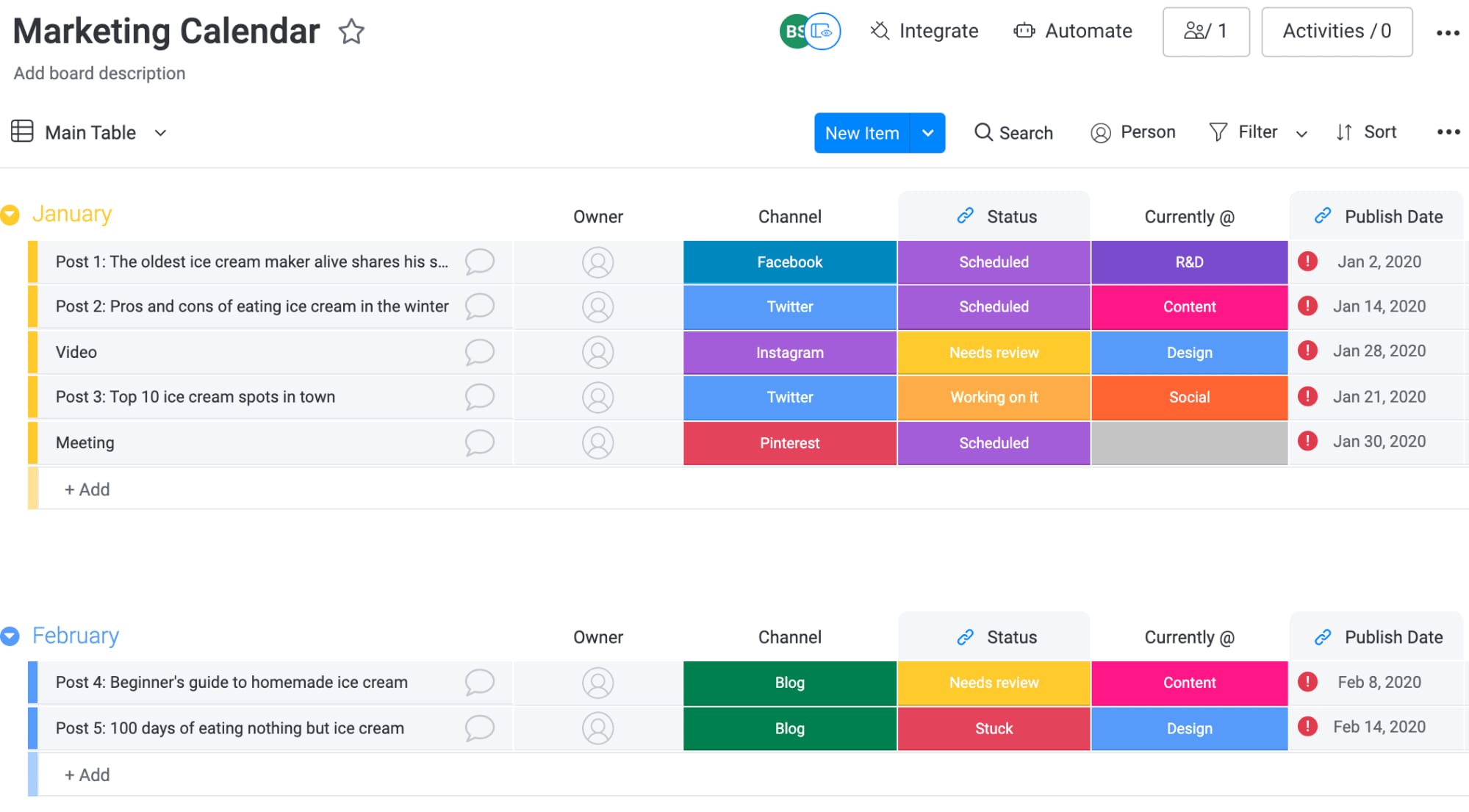
A standardized color strategy reduces cognitive load, allowing team members to understand the calendar’s state at a glance. Colors should denote objective categories, such as project status (Green/Yellow/Red), priority level, or department, rather than personal preference.
Consistent coding ensures that anyone in the organization can look at any project board and immediately interpret the data. Effective color systems include:
- Status indicators: Green (on track), Yellow (at risk), Red (blocked).
- Priority levels: high, medium, low priority assignments.
- Department codes: visual distinction between team responsibilities.
- Project types: different colors for various project categories.
4. Build buffer time into every project
Even the best plans run into unexpected delays. Small issues, shifting priorities, or last-minute feedback can quickly compound if there’s no flexibility built into the schedule. That’s why effective project calendars include intentional buffer time, rather than relying on best-case assumptions.
Making buffers visible in the calendar helps protect final deadlines and sets more realistic expectations across teams. Common ways to do this include:
- Item-level buffers: extra time built into individual deliverables.
- Project-level contingency: overall timeline padding for unexpected delays.
- Resource buffers: capacity held in reserve for urgent requests.
- Milestone protection: extra time before critical deadlines.
5. Automate routine calendar updates
Automation maintains momentum by removing the friction of manual updates. Rules can be set to automatically move items to “Done” when a status changes, notify the next person in the chain when a dependency is resolved, or archive completed projects.
This keeps the calendar current with minimal human intervention, ensuring data quality remains high even during busy periods. Automation opportunities include:
- Status updates: automatic progression when conditions are met.
- Notifications: alerts triggered by specific events or deadlines.
- Data entry: information pulled from connected systems.
- Archiving: completed projects moved to historical storage.
Using smart resource calendars to prevent burnout
Sustainable high performance requires managing energy as carefully as time. That’s why resource calendars are the primary system for protecting the team’s well-being and ensuring long-term retention by making workload visible and manageable.
In essences, these systems transform resource management from reactive crisis management into proactive capacity optimization that supports both business objectives and team sustainability.
Visualize team capacity in real time
Real-time capacity views in a resource calendar provide an objective measure of workload that cuts through subjective pressure. By displaying hours committed versus available capacity, managers can see exactly who is in the “red zone.”
This visibility makes it safe to say “no” or “not yet” to new requests, grounding capacity discussions in data rather than emotion. Capacity visualization includes:
- Workload heat maps: visual representation of team member utilization.
- Availability tracking: real-time view of who has bandwidth.
- Overallocation alerts: warnings when capacity limits are exceeded.
- Historical patterns: understanding seasonal or cyclical workload trends.
Apply AI to predict workload conflicts
AI analysis looks ahead to identify “crunch times” where multiple project deadlines will collide. By evaluating historical productivity patterns and upcoming milestones, the system can flag periods where the team will be overloaded weeks before the stress hits.
This predictive capability allows for proactive rescheduling or contractor support to smooth out the peaks. AI predictions help with:
- Conflict identification: spotting future resource bottlenecks.
- Pattern recognition: learning from historical workload data.
- Proactive planning: adjusting schedules and facilitating better time management before problems occur.
- Resource optimization: suggesting better allocation strategies.
Schedule mandatory recovery periods
High-performance teams require downtime to recharge. The calendar should reflect this reality. Scheduling maintenance windows, “no-meeting” days, or post-project recovery periods directly on the timeline protects this time from scope creep.
Making recovery visible signals that the organization values sustainability and helps prevent the cumulative fatigue that leads to burnout. Recovery planning includes:
- Post-project downtime: scheduled recovery after major deliverables.
- No-meeting blocks: protected time for deep work.
- Maintenance windows: regular system and process improvement time.
- Vacation planning: ensuring adequate time off is scheduled and protected.
Balance skills with availability
It’s also crucial to remember that effective resource management goes beyond just counting hours: it matches the right skills to the right work. Resource calendars should track skill sets alongside availability, allowing managers to assign work that aligns with an employee’s strengths and development goals.
Teams using modern platforms such as monday work management can plan, schedule, and allocate resources through a resource calendar to adapt to changing priorities, assigning the right people based on skill and availability. This prevents key personnel from becoming bottlenecks and ensures that work is distributed in a way that fosters professional growth.
Try monday work management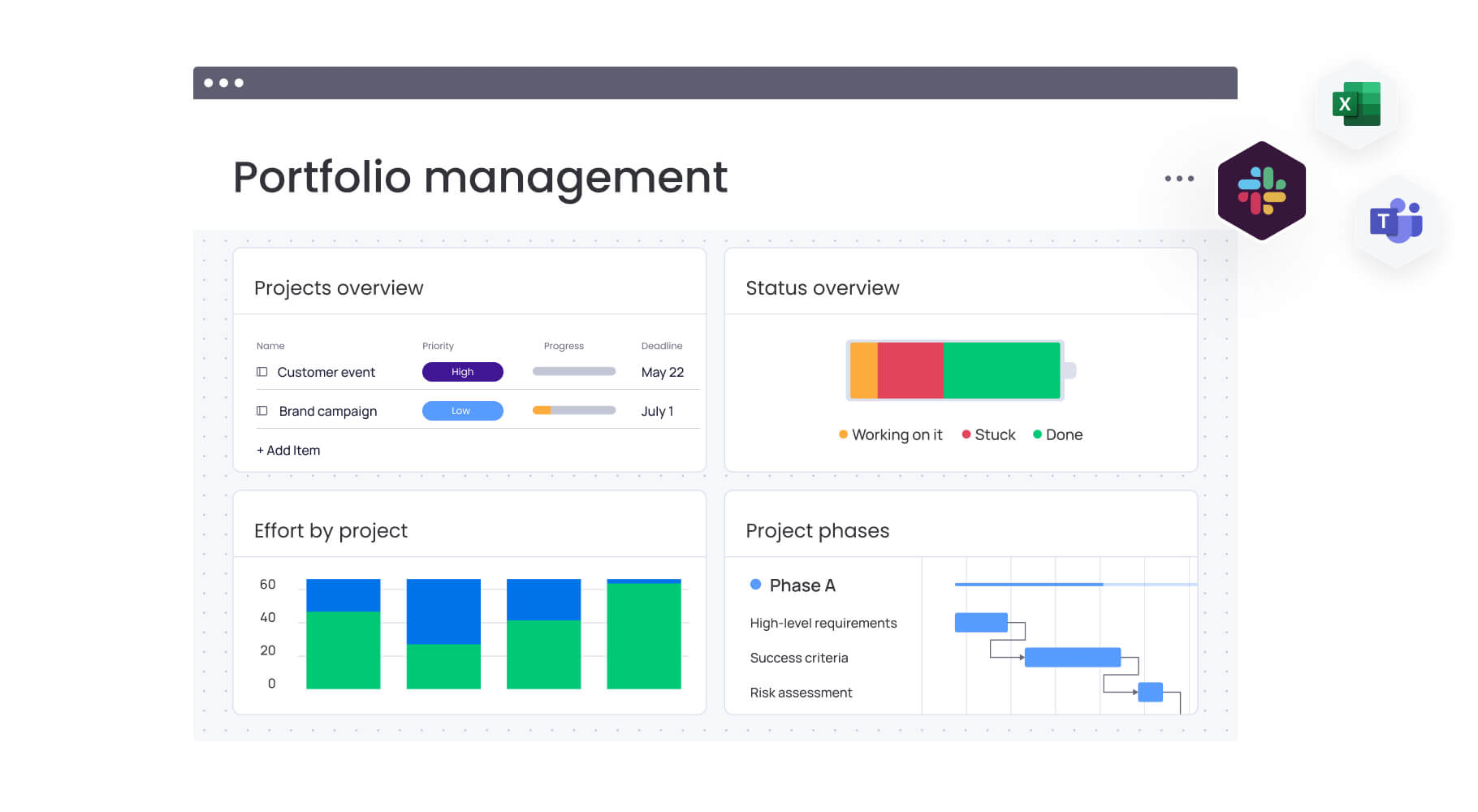
Scaling your calendar across your portfolio
As teams and workloads grow, planning challenges move beyond individual projects. Leaders need a way to see how multiple initiatives interact, compete for resources, and contribute to broader business goals.
Portfolio-level calendar management provides that perspective. Instead of tracking tasks in isolation, it helps organizations coordinate priorities, manage shared dependencies, and make informed decisions across many projects at once. The sections below outline the core capabilities that make calendars scalable at the portfolio level.
Build executive dashboard views
Executive dashboards synthesize thousands of data points into actionable strategic insights. These high-level views strip away item details to focus on portfolio health, budget alignment, and major risks.
They further allow leadership to monitor progress toward strategic objectives in real-time, facilitating faster decision-making without requiring hours of manual report compilation. Organizations using monday work management can benefit from features like dashboards that automatically display live high-level project data for insights on budget, goals, schedules, and resources.
Create reusable calendar templates
Templates standardize excellence by turning successful projects into repeatable blueprints. Instead of building every schedule from scratch, teams start with pre-configured templates that include standard phases, resource requirements, and dependencies.
This ensures consistency across the portfolio and significantly reduces the administrative time required to spin up new initiatives. Template benefits include:
- Consistency: standardized approaches across similar projects.
- Speed: faster project initiation with pre-built structures.
- Best practices: capturing and reusing successful methodologies.
- Quality control: ensuring critical steps aren’t overlooked.
Manage inter-project dependencies
Portfolio-level visibility reveals the hidden connections between seemingly unrelated projects. It highlights when two critical initiatives are competing for the same shared resource or when a delay in a platform migration will block a product launch.
Managing these cross-project dependencies is essential for realistic delivery planning and preventing resource conflicts at the macro level. Dependency management includes:
- Resource conflicts: identifying when projects compete for the same people.
- Sequential dependencies: understanding how project delays cascade.
- Shared deliverables: tracking items that serve multiple initiatives.
- Strategic alignment: ensuring projects support overarching goals.
Track portfolio-level milestones
Portfolio milestones connect the daily grind to the company’s north star. By tracking major achievements that span multiple projects, such as a quarterly release or a market expansion, the calendar keeps all teams aligned on the broader mission.
This visibility helps prioritize resources when conflicts arise, ensuring that the work most critical to the strategy takes precedence. Portfolio tracking enables:
- Strategic alignment: connecting projects to business objectives.
- Priority management: making resource decisions based on strategic impact.
- Progress monitoring: tracking advancement toward major goals.
- Stakeholder communication: providing clear updates on strategic initiatives.
Make calendar management effortless with monday work management
Sophisticated and easy-to-use, monday work management removes the friction from project planning, offering a platform that balances ease of use with enterprise-grade power. The intuitive solution is designed to make the complex logistics of calendar management invisible, allowing teams to focus entirely on execution. Some of the platform’s key features include:
Build visual calendars teams love using
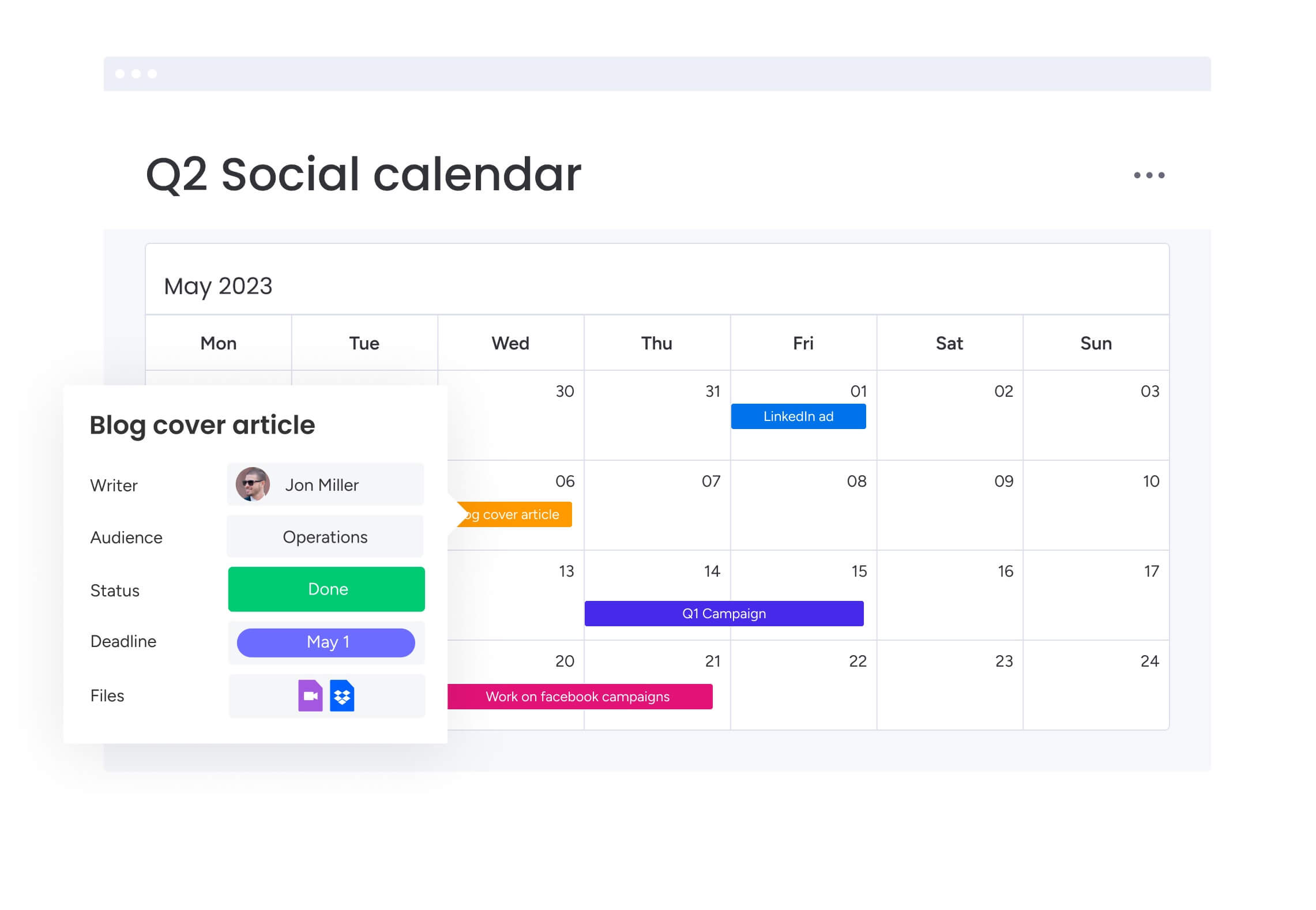
Adoption is the biggest hurdle for any new system. monday work management solves this through an intuitive, visual-first interface. Teams can build sophisticated project calendars using simple drag-and-drop actions, instantly switching between Gantt, Kanban, and calendar views to suit their working style.
The platform’s flexibility allows for custom color-coding and board structures that match the team’s specific language and workflow, resulting in high engagement and sustained usage.
Key capabilities that enhance calendar creation:
- Multiple view options: instantly toggle between Gantt, Kanban, and Calendar views to visualize work from every angle.
- Drag-and-drop scheduling: adjust timelines and dependencies effortlessly; the system automatically recalculates downstream dates.
- Custom color coding: visually distinguish priority, status, and department at a glance for immediate understanding.
- Real-time collaboration: enable the entire organization to edit and update simultaneously with zero version conflicts.
Leverage AI for smarter resource planning
The platform transforms resource management from a manual puzzle into an optimized science. Built-in AI capabilities analyze team capacity, skills, and project requirements to suggest the most efficient assignments. It can also proactively identify potential bottlenecks and burnout risks, allowing managers to balance workloads with precision.
AI-powered features that optimize resource allocation include:
- Intelligent resource allocation: AI matches work to the right people based on availability and skill sets.
- Risk detection: predictive algorithms flag projects trending toward delay before they impact the deadline.
- Workload optimization: visual systems help balance capacity across the team to maintain high performance without burnout.
- Predictive insights: historical data informs more accurate timeline estimates for future planning.
Connect daily work to strategic goals
Struggling to connect daily work to your wider goals? With monday work management, you can bridge the gap between the “what” and the “why.” The platform’s hierarchical structure connects individual items to project milestones, which roll up into departmental objectives and company-wide goals.
Strategic alignment features include:
- Goal hierarchy: link daily work directly to high-level strategic objectives.
- Progress visualization: track progress toward company goals in real-time with drill-down dashboards.
- Cross-departmental visibility: see how delays in one area impact strategic commitments across the organization.
- Executive reporting: generate automated, high-level reports that provide instant portfolio insights.
Automate updates across 200+ integrations
By connecting with communication platforms, development systems, and financial software, monday work management becomes the central hub for your digital workspace: automating the flow of data, and ensuring your calendar is always up to date without manual entry.
Integration capabilities that streamline calendar management include:
- Communication platforms: sync with Slack and Teams to push and pull updates directly from chat.
- Time tracking systems: automate actual vs planned comparisons for precise efficiency tracking.
- Document management: link files from Drive and SharePoint directly to calendar milestones.
- Financial systems: integrate budget data to track project costs alongside timelines.
| Customization flexibility | monday work management | Traditional calendar solutions |
|---|---|---|
| Setup complexity | Visual, drag-and-drop interface requires no technical expertise | Often requires IT support or extensive configuration |
| User adoption | Intuitive design with award-winning adoption rates | Steep learning curves often lead to abandonment |
| AI-powered insights | Automatic risk detection and resource optimization | Manual analysis required for workload planning |
| Integration ecosystem | 200+ pre-built integrations with automatic data sync | Limited integrations requiring custom development |
| Scalability | Seamlessly scales from team projects to enterprise portfolios | Often requires platform migration as organizations grow |
| Real-time collaboration | Multiple team members can edit simultaneously with conflict resolution | Version control issues with shared calendar files |
| Customization flexibility | Unlimited custom fields, views, and workflows | Fixed templates with limited modification options |
With monday work management, you can bridge the gap between the “what” and the “why.” The platform’s hierarchical structure connects individual items to project milestones, which roll up into departmental objectives and company-wide goals.
Transform your organization with strategic calendar management
As this guide has highlighted, project management calendars represent more than scheduling systems — they are the operational foundation that enables organizations to scale without losing coordination or strategic focus. The right calendar system unifies fragmented work, eliminates tool sprawl, and connects project delivery to business objectives.
Organizations that implement comprehensive calendar management see measurable improvements in on-time delivery, resource utilization, and cross-departmental collaboration. By providing visibility into workload distribution and project dependencies, these systems prevent the resource conflicts and communication breakdowns that derail strategic initiatives.
Try monday work management today and transform project calendars from static scheduling tools into intelligent, adaptive execution systems that unify work across your organization. The powerful solution eliminates manual updates, predict risks before they escalate, and connects daily tasks to strategic goals. In turn, this helps teams move faster, work smarter, and deliver measurable results.
Try monday work managementFrequently asked questions
What is the difference between a project calendar and a resource calendar?
A project calendar maps the timeline of milestones and deliverables, answering "when will the work be done." On the other hand, resource calendar maps the availability and workload of team members, answering "who is available to do it."
How do I get my team to consistently update the project calendar?
Consistency comes from integration and automation. Embed calendar updates into existing rituals, such as reviewing the board during stand-ups, and use integrations to automate status changes.
Can a project management calendar handle multiple time zones effectively?
Yes, project management platforms automatically adjust deadlines and meeting times to the local time zone of each team member, ensuring a deadline set for 5:00 PM in London appears correctly as 12:00 PM for someone in New York. Advanced systems also handle daylight saving time transitions and provide clear indicators when scheduling across time zones. This ensures distributed teams can collaborate effectively without confusion about timing.
Which calendar view works best for Agile project management?
Kanban-style boards are typically ideal for Agile workflows because they focus on the flow of work and current status rather than rigid, long-term dates. These boards emphasize workflow stages and continuous delivery over fixed timelines. However, many Agile teams benefit from hybrid approaches that combine Kanban boards for sprint management with Gantt charts for release planning and dependency tracking across multiple sprints.
How often should I review and update my project calendar?
Active project calendars should be reviewed weekly, ideally during a team sync, to address immediate blockers and update item status. A broader portfolio review should happen monthly to assess strategic alignment and resource allocation. Daily updates should happen automatically through integrations and workflow automation. The key is establishing a rhythm that keeps data current without creating administrative overhead.
What calendar project management features matter most for remote teams?
For remote teams, real-time synchronization and cloud-based access are non-negotiable. Robust integration with communication platforms and visual status indicators are essential to replace the casual "desk drive-by" updates that happen in an office.

 Get started