

In most workdays, a long to‑do list somehow still feels unfinished by lunchtime, and that nagging sense of scattered effort is surprisingly common. When progress feels invisible, and communication feels fragmented, it’s not about working harder; it’s about how work is organized.
Modern teams struggle not because people aren’t capable, but because there’s no clear system guiding what gets done, when, or why. This article explores practical ways to bring order to that chaos with productivity systems that go beyond individual tricks.
Below, we look at proven methods that help organize capture, execution, and alignment so work feels smoother and progress becomes visible. In the sections that follow, each framework is broken down so it’s easy to see how it could uplift both focused individuals and collaborative teams.
Key takeaways
- Systems create consistency across teams: Structured productivity systems replace scattered effort with repeatable workflows that keep work aligned, visible, and easier to manage at scale.
- Layering multiple systems drives better outcomes: Combining time management, prioritization, goal-setting, and workflow visualization ensures that every aspect of work is covered without gaps.
- Visibility accelerates execution: Visual approaches like Kanban boards, dashboards, and timelines make progress, blockers, and dependencies immediately clear, enabling faster decisions.
- Individual habits can scale into team standards: Techniques like time blocking or Pomodoro become significantly more effective when adopted as shared practices across teams.
- Unified platforms enable system-wide alignment: Solutions like monday work management allow organizations to run multiple productivity systems in one place while maintaining transparency, automation, and cross-functional coordination.
What are productivity systems?
A productivity system is simply a clear, repeatable way to manage work from start to finish. It shows how tasks are captured, organized, executed, and reviewed so nothing slips through the cracks. Unlike quick fixes like turning off notifications, a system builds structure into everyday work, making it easier to stay consistent even when things get busy.
In modern work environments, especially with distributed teams and constant communication, relying on memory quickly falls apart. As a result, work becomes reactive and scattered. Systems bring stability by creating a shared way of working, so projects continue moving forward even with interruptions, shifting priorities, or team changes.

“monday.com has been a life-changer. It gives us transparency, accountability, and a centralized place to manage projects across the globe".
Kendra Seier | Project Manager
“monday.com is the link that holds our business together — connecting our support office and stores with the visibility to move fast, stay consistent, and understand the impact on revenue.”
Duncan McHugh | Chief Operations OfficerSystems vs functions: what actually makes the difference
Individual functions are the instruments, while systems are the sheet music and the conductor. A calendar provides a function, but time blocking is a system. A project tracker offers a function, but Getting Things Done (GTD) is a system.
Understanding this distinction matters when you’re deciding where to invest your time and resources. Here’s what separates them:
- Structure vs. function: Tools offer specific functions like messaging or storage, whereas systems provide the rules for how those functions achieve an outcome.
- Repeatability: A tool relies on the user’s momentary input; a system creates a repeatable standard that yields consistent results regardless of who performs the work.
- Scalability: Individual tools often create silos; systems create bridges that allow data and decisions to flow between teams.
Why scalable productivity systems matter for growing teams?
As organizations grow, coordination becomes harder with every new person added. Without a shared system, communication increases, but clarity doesn’t. That’s where structured systems step in, reducing confusion and keeping everyone aligned.
Beyond that, the impact shows up across daily operations. For instance, teams spend less time chasing updates and more time actually working. Also, knowledge becomes easier to pass on because processes are documented and repeatable.
In addition, different departments can collaborate without friction because everyone is working within the same structure. To break it down, here’s what improves:
- Reduced coordination overhead: Systems replace endless status meetings with transparent workflows, allowing teams to synchronize without constant active communication.
- Resilient knowledge transfer: When you systematize processes, knowledge lives in the framework, not just in people’s heads. This makes onboarding faster and turnover less damaging.
- Cross-functional alignment: Scalable systems provide a common language for work, letting marketing, engineering, and operations collaborate within a shared reality.
5 core categories of modern productivity systems
Most organizations don’t rely on a single approach. Instead, they combine different systems to handle various aspects of work. Each category answers a specific question, making it easier to identify where improvements are needed.
The table below highlights how these categories break down:
| Category | Primary focus | Key question answered |
|---|---|---|
| Time management systems | Protecting the organization's most finite resource | When does work happen? |
| Task prioritization systems | Decision-making logic for what gets done | What gets done first? |
| Goal achievement systems | Connecting daily execution to strategic vision | Why does this work matter? |
| Workflow visualization systems | Making the invisible visible | How does work flow through the system? |
| Team collaboration systems | Structuring communication and handoffs | Who is involved and how do they interact? |
1. Time management systems that support execution
Time management systems create the foundation for getting work done. While they often start as personal habits, they become far more powerful when applied across teams. This not only protects focus time but also builds a predictable work rhythm.
Pomodoro technique for deep work sessions
The Pomodoro Technique breaks work into 25-minute intervals of intense focus separated by 5-minute breaks. This cycle fights mental fatigue and forces you to focus on one thing at a time.
Here’s how it works:
- Select a single project.
- Set a timer for 25 minutes.
- Work until the ring.
- Record the completed interval.
- Take a 5-minute break.
- After four intervals, take a longer break.
Teams synchronize Pomodoro sessions to create “quiet hours” where no internal messages are sent. Status columns can signal to colleagues when a team member is in a “focus sprint” versus a “break,” reducing interruption guilt.
Time blocking for protected focus time
Time blocking assigns specific hours to specific types of work. Instead of reacting to tasks, the day is planned. This ensures important work doesn’t get pushed aside by meetings or messages.
Additionally, shared schedules help teams avoid conflicts and respect each other’s focus time. For example, many teams introduce no-meeting days or dedicated collaboration windows to maintain balance.
Day theming for cognitive load management
Day theming means dedicating entire days to a single type of work or business function. This cuts down on the mental drain of switching between different types of work.
A manager might designate:
- Mondays: Planning and strategy.
- Tuesdays and Thursdays: Deep project work.
- Fridays: Administrative wrap-up.
Departments align themes to synchronize collaboration. If Product and Marketing both theme Tuesdays for “Strategy,” cross-functional alignment happens faster. This creates a predictable organizational rhythm where everyone knows which “mode” the company is in.
2. Task prioritization productivity systems
Prioritization systems help you make better decisions about what to do next. In high-growth companies, you’ll always have more requests than you can handle. These frameworks help you decide what happens first, next, and never.
Getting things done (GTD) for complete capture
GTD is a five-step system designed to free the mind by capturing every open loop in an external system. It relies on a “trusted system” so the brain can focus on execution rather than remembering.
The five steps create a complete workflow:
- Capture: Every project, idea, or request.
- Clarify: If it’s actionable and what the next step is.
- Organize: In the appropriate list (Next Actions, Waiting For, Someday/Maybe).
- Reflect: Review lists weekly to update priorities.
- Engage: Do the work.
Centralized request forms replace email for capture. Shared boards become the organize step, giving visibility into who is working on what. Teams using monday work management can automate these workflows, ensuring nothing falls through the cracks while maintaining transparency across departments.
Eisenhower matrix for urgent vs important decisions
The Eisenhower Matrix categorizes work into four quadrants based on urgency and importance. This framework prevents the “urgency trap,” where reactive work crowds out strategic work.
The quadrants guide decision-making:
- Do First: Urgent and important.
- Schedule: Not urgent but important.
- Delegate: Urgent but not important.
- Delete: Neither urgent nor important.
Teams define shared criteria for “Important” versus “Urgent” to align on priorities. During sprint planning, items are tagged by quadrant to ensure the “Schedule” quadrant, which represents strategic growth, isn’t neglected.
Eat the frog method for peak performance hours
“Eat the Frog” dictates tackling the most difficult, important, or anxiety-inducing work first thing in the morning. By conquering the “frog” when energy is highest, the rest of the day becomes easier.
The process is straightforward:
- Identify: The one project that, if completed, makes the day a success.
- Execute: Do it before checking email or Slack.
- Protect: Reserve the first 90 minutes for high-impact work.
Teams adopt a “Frog First” culture where the first 90 minutes of the day are reserved for individual high-impact work. Daily standups occur after this block, allowing team members to report a major win before the meeting even starts.
3. Goal achievement productivity systems
Goal achievement systems bridge the gap between daily activity and long-term strategy. Without them, teams risk being “busy” but not “effective.” These frameworks ensure that every completed project contributes to a larger organizational objective.
OKRs for organizational alignment
OKRs (Objectives and Key Results) connect ambitious, qualitative goals with concrete, quantitative metrics. This framework encourages aggressive goal-setting and radical transparency.
Objectives answer “Where are we going?” while Key Results answer “How do we know we arrived?” OKRs cascade from the C-suite down to individual contributors. The Goals & Strategy feature on monday work management tracks this lineage, allowing any employee to see how their daily updates influence the company’s top-line goals.
SMART goals system for measurable progress
SMART is a criteria checklist ensuring goals are unambiguous and trackable. It prevents vague objectives that lead to scope creep and misalignment.
The criteria are:
- Specific: Clearly defined outcomes.
- Measurable: Quantifiable progress indicators.
- Achievable: Realistic given resources.
- Relevant: Aligned with broader objectives.
- Time-bound: Clear deadlines.
Project charters and sprint goals are vetted against SMART criteria before approval. This standardizes expectations across departments, ensuring that “Complete the website update” becomes “Launch the pricing page redesign by Q3 with approved copy.”
The 12-week year for accelerated results
The 12-week year shortens planning cycles to create urgency. Instead of waiting all year to evaluate progress, teams work in focused twelve-week periods.
This approach includes:
- Setting clear goals
- Planning actions
- Executing with focus
Because cycles are shorter, adjustments happen faster, and progress stays consistent throughout the year.
4. Visual workflow productivity systems
Visual workflow systems rely on the principle that the human brain processes visual information faster than text. By mapping work spatially, these systems expose bottlenecks, dependencies, and status instantly.
Kanban method for continuous flow
Kanban visualizes work as cards moving through columns representing process stages. Its primary goal is to manage flow and limit work-in-progress (WIP).
The core principles are:
- Visualize the work: Make all tasks visible.
- Limit WIP: Prevent multitasking.
- Measure cycle time: Track how long work takes.
Enterprise Kanban connects multiple boards. A card moving to “Done” on the Design board automatically creates a card in the “To Do” column of the Development board. Automations in monday work management create this seamless, visual chain of custody for value delivery across the entire organization.
Scrum framework for sprint-based delivery
Scrum organizes work into fixed-length iterations called Sprints (usually two weeks). It emphasizes shipping usable work at the end of every cycle, facilitating rapid feedback and adaptation.
Key artifacts include:
- Sprint Planning: Define what gets built.
- Daily Standup: Synchronize progress.
- Sprint Review: Demo completed work.
- Retrospective: Improve the process.
Frameworks like SAFe (Scaled Agile Framework) apply Scrum logic to hundreds of teams. “Scrum of Scrums” meetings coordinate dependencies between different squads, ensuring that individual sprint goals align with the larger product roadmap.
Value stream mapping for process optimization
Value Stream Mapping (VSM) analyzes the current state of the process required to bring a product or service to a customer. It distinguishes between value-adding steps and non-value-adding waste.
Map every step from request to delivery. Measure the time work is being worked on versus the time it sits waiting. Organizations use VSM to debug cross-departmental workflows. It reveals, for example, that a feature takes four hours to code but waits three days for approval. This insight directs improvement efforts toward the approval process rather than coding speed.
5. Team collaboration productivity systems
As teams expand, informal communication starts to break down. What once worked through quick messages or assumptions begins to create confusion. Collaboration systems bring structure to how teams interact, ensuring work moves forward without constant back-and-forth.
At the same time, these systems define how teams plan, execute, and deliver together, making collaboration more predictable and less chaotic.
Agile methodology for adaptive teams
Agile prioritizes individuals and interactions, working solutions, customer collaboration, and responding to change. It moves organizations away from rigid planning toward adaptive, iterative execution.
Agile scales by transforming organizational structure from functional silos to cross-functional squads. This reduces handoff delays and empowers teams to own a specific outcome from end to end. monday work management supports this transformation with customizable workflows that adapt to each team’s unique Agile implementation.
Shape up method for project cycles
Shape Up replaces open-ended backlogs with fixed 6-week cycles. It separates the “Shaping” of work from the “Building” of work.
The process works in two phases:
- Shaping: Senior leaders define projects to the right level of abstraction.
- Building: Teams “bet” on these projects for a 6-week cycle.
If a project isn’t finished in six weeks, it isn’t automatically extended. This prevents endless projects and gives teams uninterrupted time to build while forcing leadership to define solution boundaries before assigning resources.
How to choose the right productivity system?
Not every system fits every team. The goal isn’t to pick the most popular method, but the one that aligns with how work actually happens. Often, the best approach combines multiple systems based on different needs.
To make that decision easier, it helps to break it down into clear steps:
Step 1: evaluate your current work patterns
The nature of the work dictates the system. High-volume, repetitive work benefits from different systems than creative, exploratory projects.
Ask these assessment questions to guide your selection:
- Is the work predictable or highly uncertain? Predictable work suits Kanban; uncertain work needs Agile.
- Is the primary constraint time or decision-making? Time constraints benefit from Time Blocking; decision bottlenecks need Eisenhower.
- Does the team need structure or autonomy? Structured teams thrive with Scrum; autonomous teams prefer Shape Up.
Conduct a workflow audit. Map how a request currently moves from idea to completion. Identify the friction points and select the system that directly addresses the primary bottleneck.
Step 2: match systems to organizational maturity
Systems require cultural readiness. Implementing complex frameworks in an immature startup creates bureaucracy, while using simple lists in an enterprise creates chaos.
Consider these maturity levels when selecting your approach:
- Level one (Ad-hoc): Start with visual boards (Kanban) and basic prioritization (Eisenhower).
- Level two (Defined): Introduce standardized cycles (Scrum) and goal alignment (OKRs).
- Level three (Optimized): Deploy advanced scaling frameworks (SAFe, Shape Up) and predictive AI.
Implement systems that are one step ahead of the current maturity level to pull the organization forward without breaking it.
Step 3: assess technology and adoption readiness
A productivity system is only as good as the platform that hosts it. If the technology is fragmented, the system will fail.
Consider these critical factors for successful implementation:
- Integration capabilities: Does the platform connect with existing tools (CRM, Dev, Design)?
- System adaptability: Can the software adapt to the specific rules of the chosen system?
- User interface: Is the interface intuitive enough to ensure compliance?
Comprehensive work management platforms like monday work management reduce complexity by supporting multiple systems within a single, unified data environment.
Enable any productivity system with monday work management
monday work management serves as the flexible operating system that powers these methodologies. It provides the building blocks to construct any of the 14 systems described, allowing organizations to standardize on one platform while permitting different teams to use the specific productivity system that fits their function.
Visual workflows that support every method
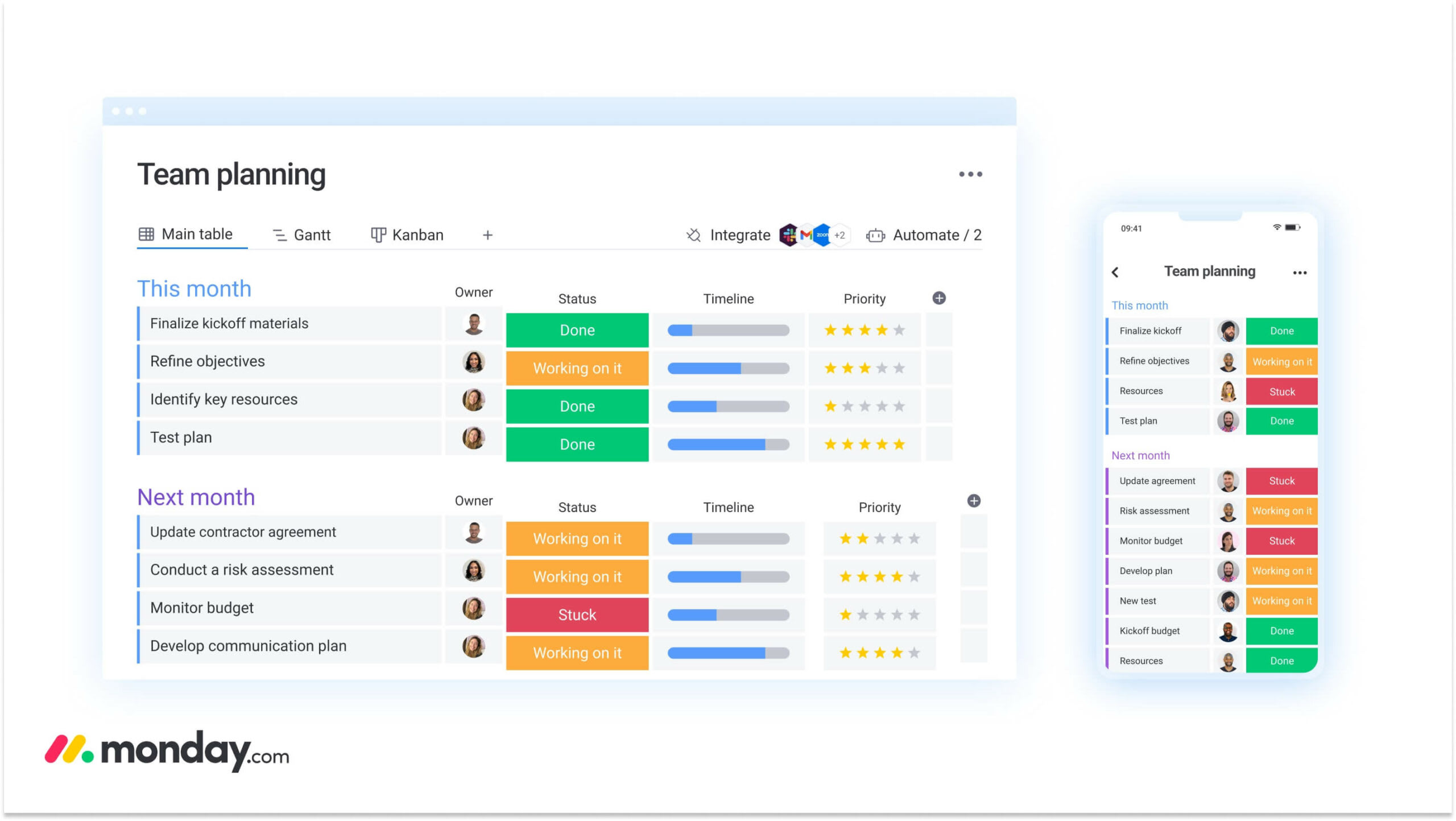
The platform’s multi-view architecture allows the same underlying data to be visualized in ways that support different systems. A marketing team can view a campaign as a Gantt chart while the creative team views the same work on a Kanban board.
The table below outlines how different productivity systems connect to visual workflows:
| Productivity system category | Visual workflow features | Specific applications |
|---|---|---|
| Time management | Calendar views, Time Tracking column, Gantt charts | Visualizing Time Blocking schedules, tracking Pomodoro intervals, coordinating Day Theming across departments |
| Task prioritization | Kanban boards, Status labels, Filtered views | Managing GTD lists, visualizing Eisenhower Quadrants, filtering for "Eat the Frog" work |
| Goal achievement | Dashboard widgets, Progress bars, Goal tracking views | Visualizing OKR hierarchies, tracking SMART goal milestones, monitoring 12-Week Year progress |
| Workflow visualization | Workload view, Dependency columns, Map view | Managing Kanban flow limits, planning Scrum sprints, mapping Value Streams |
| Team collaboration | Updates section, Shared boards, WorkForms | Facilitating Agile retrospectives, managing Shape Up betting cycles, coordinating cross-functional handoffs |
Automation that scales personal systems to teams
Automation is the mechanism that scales individual habits into organizational rules. The automation engine handles the logic that keeps systems running without manual intervention.
For scaling GTD, automations instantly route form submissions to specific “Inbox” boards. For Time Blocking, date-based triggers notify team members when deadlines approach. For prioritization, AI Blocks analyze incoming request urgency and automatically assign priority labels.
AI-powered insights for proactive management
Beyond automation, intelligent insights add another layer of support. Patterns in workflows can highlight risks, summarize updates, and surface key information without extra effort.
This allows teams to stay proactive instead of reacting to issues late. Over time, it creates a more responsive and informed way of managing work.
monday work management provides the building blocks to construct any of the 14 systems described.
Transform your organization with the right productivity framework
Keeping work organized is one challenge, but keeping it aligned with bigger goals is where most teams struggle. Tasks get completed, deadlines are met, yet the connection to real business impact often feels unclear. That gap is exactly where a structured platform makes the difference, bringing visibility, consistency, and alignment into everyday work.
monday work management helps bridge that gap by connecting daily execution with broader objectives, while still giving teams the flexibility to work their way.
- Centralized visibility across workflows: Unify projects, tasks, and updates in one place so progress, ownership, and priorities are always clear.
- Flexible views for different work styles: Switch between Kanban boards, timelines, calendars, and dashboards to match how each team plans and executes work.
- Automation that reduces manual effort: Streamline repetitive steps like task assignments, status updates, and deadline reminders to keep work moving without constant follow-ups.
- Goal tracking tied to execution: Connect OKRs and project milestones directly to daily tasks, ensuring work contributes to measurable outcomes.
- Cross-team collaboration without friction: Enable seamless handoffs, shared updates, and real-time communication so teams stay aligned without excessive meetings.
Teams gain more than just organization. Work becomes easier to track, priorities stay aligned, and decisions are made with clarity, all without adding unnecessary complexity.
Frequently asked questions
What is the most effective productivity system?
The best personal productivity system depends on your work style, role, and organizational context. For individual contributors handling multiple projects, GTD provides comprehensive capture and organization. For managers balancing strategic and tactical work, Time Blocking combined with the Eisenhower Matrix offers structure without rigidity. The key is selecting a system that matches your current needs and can scale as your responsibilities grow.
Is GTD still effective?
GTD remains highly effective for knowledge workers managing complex, multi-stream work. Its strength lies in creating a trusted external system that captures everything, freeing mental bandwidth for actual work. Modern implementations using platforms like monday work management enhance GTD with automation and team visibility, making it even more powerful than the original analog version.
Why do most productivity systems fail long-term?
Most productivity systems fail because they require too much manual maintenance. When updating the system takes more time than the work itself, people abandon it. Systems also fail when they're too rigid to adapt to changing priorities or when they exist in isolation without team buy-in. Successful long-term adoption requires automation to reduce overhead, flexibility to accommodate change, and integration with existing workflows.
What does full-stack productivity system mean?
A full-stack productivity system connects every level of work from vision to execution. It includes strategic planning (OKRs), project management (Scrum/Kanban), task execution (GTD), and performance tracking (dashboards). Unlike single-purpose methods, full-stack systems ensure daily work aligns with quarterly goals and annual strategy, creating a complete operational framework.
Is the 12-week year a full-stack productivity system?
The 12-Week Year provides strong goal-setting and execution frameworks but isn't fully comprehensive on its own. It excels at creating urgency and focus through compressed planning cycles. When combined with task management systems like GTD and visual workflows like Kanban, it becomes part of a full-stack approach that addresses both strategic planning and daily execution.
Is pomodoro a productivity system?
Pomodoro is a time management technique, not a complete productivity system. It provides a method for managing focus sessions but doesn't address task prioritization, goal setting, or workflow management. Pomodoro works best when integrated into broader systems like GTD or Time Blocking, where it serves as the execution mechanism within a larger framework.

 Get started