


Marketing teams today manage far more than campaign launches. Behind every email send, paid push, or product announcement sits a complex web of planning, approvals, creative production, and reporting. When these processes rely on disconnected tools and manual handoffs, execution slows and visibility disappears.
Marketing automation software handles more than sending emails on a schedule. It connects the work that happens before, during, and after a campaign: intake requests, creative production, approvals, and reporting. When these pieces link together, marketing shifts from reactive execution to strategic operation. Teams spend less time chasing updates and more time driving results.
This helpful post breaks down 15 marketing automation platforms built for organizations ready to scale. Read on below and you will discover what separates basic email sequencing from true operational automation, and the features that matter most for growing teams.
Key takeaways
- Marketing automation software now supports operational workflows, not just messaging: Leading platforms connect planning, production, approvals, and reporting rather than focusing solely on email or channel automation.
- Scalability depends on cross-team visibility and automation depth: Tools that offer real-time dashboards, shared workflows, and flexible automation handle growth more effectively than isolated campaign tools.
- Integration capability is a long-term differentiator: Platforms that connect easily with CRM, analytics, and collaboration tools reduce friction as campaign volume and complexity increase.
- Different platforms suit different growth stages: Some tools excel at entry-level automation, while others are built for enterprise-scale coordination and governance.
- Work operating systems such as monday.com support marketing at an organizational level: By linking campaign execution to resource planning, approvals, and portfolio visibility, the platforms helps marketing operate as a connected business function rather than a standalone team.

What is marketing automation software?
Marketing automation software is the operational engine that shifts your team from manual, repetitive tasks to high-impact strategic work. It powers intelligent, proactive customer engagement, allowing you to scale personalized experiences without proportionally increasing your workload.
It does that by turning everyday customer behavior into automated decisions. Every email open, site visit, or content download becomes a signal. The platform uses those signals to trigger relevant messages across email, social, or SMS while updating lead scores in real time. Instead of manually tracking engagement, your team focuses on the opportunities that are already moving forward.
What does this look like day-to-day?
- Revenue recovery: Abandoned carts are automatically nurtured back into completed sales.
- User onboarding: New subscribers are guided through a tailored, educational journey.
- Outreach personalization: Prospects receive content dynamically matched to their specific interests.

Best marketing automation software at a glance
Marketing automation platforms no longer focus only on sending emails. Today’s tools manage campaign execution, coordinate teams, connect to CRM systems, and surface performance insights in real time. But their strengths vary widely.
Some platforms specialize in email and lead nurturing. Others offer deeper CRM alignment. A smaller group connects marketing to broader operational workflows across the organization.
The table below compares leading platforms based on pricing, primary strengths, and ideal company size. It gives you a quick way to see which tools focus on channel execution and which support scalable, cross-functional growth.
| Platform | Starting price | Primary strength | Best-fit company size |
|---|---|---|---|
| monday work management | $9/user/month | Unified marketing operations with cross-departmental workflows | Mid-market to enterprise (50+ employees) |
| HubSpot Marketing Hub | $800/month | All-in-one CRM and marketing automation | Small business to enterprise |
| ActiveCampaign | $29/month | Advanced email automation and segmentation | Small to mid-market businesses |
| Mailchimp | Free-$350/month | Accessible entry point for email marketing | Small teams (one to 50 employees) |
Price alone will not determine whether a platform can grow with you either: the real difference shows up in how well it supports complexity over time.
When considering your options, focus on four core differentiators:
-
Integration capabilities: Does the platform connect to your CRM, analytics, and collaboration tools without heavy custom development?
-
Scalability: Can it handle increased campaign volume, larger teams, and more complex workflows as you grow?
-
Ease of implementation: Can your team build and launch workflows quickly, or does setup require long technical projects?
-
Cross-department collaboration: Does it support shared visibility between marketing, sales, and operations, or does it isolate campaign activity?
15 best marketing automation platforms for growing organizations
Marketing automation looks very different today than it did a few years ago. For growing organizations, it is not just about launching campaigns faster. It is about coordinating people, processes, and performance in a way that holds up as complexity increases.
Some platforms stay focused on channel execution. Others help teams manage the operational side of marketing at scale, from planning and approvals to reporting and resource alignment.
The platforms below represent a range of approaches, from specialized campaign tools to broader systems designed to support marketing as it expands across the busines
1. monday.com
monday.com connects campaign execution to all the work behind it: intake, planning, production, approvals, and reporting. Instead of optimizing one channel, teams run marketing projects alongside creative, legal, finance, and ops, all in one workspace. Handoffs stay in context.
This matters when you’re juggling campaigns across regions and business units. Marketing keeps the flexibility it needs. Leadership gets visibility and control.

Use case:
Teams use monday.com to close the gap between planning and execution. By running campaign management, creative requests, and resource allocation in connected workflows, teams can capture briefs via forms, route them automatically, track progress through calendar or Gantt views, and report outcomes via dashboards.
Key features:
Before you commit, understand the features that power daily work. Here’s what teams use to run campaigns smoothly and hit deadlines:
- Connected workflows: Keep campaigns and projects connected in one place, from brief to launch.
- Dynamic planning views: Use calendar, timeline, Kanban, and Gantt views to manage dates, dependencies, and launch readiness.
- Executive dashboards: Build dashboards that track progress, workload, and key metrics, no more chasing updates.
- Standardized intake: Capture requests with Forms and route them to the right workflow automatically.
- Collaborative briefs: Use Workdocs by monday to create briefs and keep everything (updates, boards, dashboards) close to the work.
Advanced AI features:
AI should speed up work, not add another system to manage. On monday.com, AI is built right into your workflows.
- AI Blocks: Inject AI into columns and automations to categorize, detect sentiment, summarize, translate, extract information, improve text, use a writing assistant, or build a custom block for specific instructions.
- Flexible activation: Access AI through the automation center, the column center, or autofill with AI directly from a column menu.
- Digital workforce: Utilize an intelligent team of workers such as Campaign Manager, designed to analyze performance and deliver actionable ROI recommendations.
Automations:
Smooth handoffs keep marketing moving. Automations in monday.com get work to the right people at the right time, without dropping the ball.
- Launch acceleration: Use ready-made templates for campaigns and requests, then automate reminders and approvals.
- No-code control: Change processes on the fly, no IT ticket needed.
- Proactive alerts: Keep everyone in the loop with automated notifications about status changes, approvals, or date shifts.
Integrations:
Marketing software can’t work alone. monday.com connects to 200+ apps, keeping communication, files, and meetings in sync.
- Communication: Sync with Slack and Microsoft Teams so updates and approvals happen where you’re already talking.
- Contextual data: Connect Gmail, Outlook, and Google Drive to keep important info right in your workflow.
- Open API: Build custom integrations with your existing tools using the Open API.
Marketing automation software features:
When weighing up software, ask: does it automate the message, or does it automate the work behind the message?
- Capacity planning: Use Workload views to see team bandwidth and assign tasks based on who’s actually available.
- Strategic alignment: Track progress toward objectives with Goals & OKRs, connecting daily work to high-level targets.
- Portfolio visibility: Roll up campaigns into portfolio views so leadership can prioritize and shift resources early.
Pricing:
- Basic: $9/month per user (billed annually). Includes unlimited items and core automation.
- Standard: $12/month per user. Adds timeline & Gantt views and guest access.
- Pro: $19/month per user. Includes private boards, time tracking, and 25,000 automation actions.
- Enterprise: Custom pricing (offers portfolio management and enterprise-scale security).
- Annual billing: Offers ~18% discount. Minimum three users required.
Why it stands out:
Committing to a marketing automation platform can sometimes force a choice between channel depth and operational control. monday.com sets itself apart by enabling marketing to run as a connected business function.
- Analyst recognition: Named a Leader in Gartner® Magic Quadrant™ reports for collaborative work management and marketing work management.
- High adoption: Rated 4.7/5 on G2 based on 12K+ reviews, recognized for high enterprise adoption.
- Proven ROI: Forrester Total Economic Impact™ research indicates a payback period of under four months and 346% ROI in one study.
2. HubSpot Marketing Hub
For organizations seeking unified customer engagement, HubSpot Marketing Hub offers an integrated CRM and automation suite. It merges lead nurturing, email marketing, and sales alignment with deep analytics that trace the full customer journey.
This all-in-one philosophy removes the friction of managing multiple point solutions while ensuring data remains consistent between sales and marketing teams.

Use case:
HubSpot Marketing Hub is designed for companies that want to bridge the gap between marketing operations and sales processes within a single ecosystem.
Key features:
- Marketing Studio: Visual campaign planning featuring real-time collaboration, budget tracking, and ROI measurement.
- Governance tools: Built-in content approvals and task management integrated with calendars.
- Attribution reporting: Multi-touch reporting that links marketing activities directly to revenue outcomes.
Pricing:
- Starter: $20/seat/month (annual billing).
- Professional: $890/month (includes three seats, annual billing, plus onboarding fee).
- Enterprise: $3,600/month (includes five seats, annual billing, plus onboarding fee).
- Note: Pricing scales with marketing contact volume.
Considerations:
- Critical collaboration features like content approvals are gated behind the Enterprise tier.
- Project management capabilities are improving but still have limitations compared to dedicated PM tools.
3. ActiveCampaign
Small to mid-sized businesses often turn to ActiveCampaign for its advanced email automation and machine learning capabilities. By blending CRM functionality with intricate automation workflows, it allows organizations to scale personalized engagement effectively.
The platform is also known for its visual automation builder, which handles complex conditional logic and goal-based optimization.

Use case:
ActiveCampaign is best suited for businesses needing complex email sequences driven by behavioral triggers, supported by over 870 integrations.
Key features:
- Visual builder: Create multi-step email sequences with conditional logic and split testing.
- Machine learning: Optimize send times based on recipient behavior and receive content suggestions.
- Integrated CRM: Manage sales pipelines with task management and AI-assisted deal prioritization.
Pricing:
- Starter: $29/month for 1,000 contacts.
- Plus: Advanced automation with contact-based pricing.
- Professional: Enhanced features for complex programs.
- Enterprise: Custom pricing with dedicated support.
Considerations:
- Work management features are centered around CRM processes rather than broader project management.
- AI features like Win Probability require significant historical data to be effective.
4. Mailchimp
Mailchimp provides an intuitive gateway into marketing automation for growing businesses. Its user-friendly design masks powerful capabilities, making it a go-to starting point for small teams ready to move beyond manual emailing.

Use case:
Mailchimp is ideal for small to mid-market businesses looking to launch automated campaigns without heavy technical requirements or upfront costs.
Key features:
- Campaign Manager: Visualize and plan campaigns on a shared calendar (standard/premium).
- Multi-channel reach: Automate across email, SMS, social ads, and postcards.
- Collaboration: Co-edit drafts in real-time and manage replies via a unified inbox.
Pricing:
- Free: Up to 500 contacts.
- Essentials: Basic automation and A/B testing.
- Standard: Adds Campaign Manager and advanced segmentation.
- Premium: Starts at $350/month for advanced testing and support.
Considerations:
- Seat limits on lower tiers can restrict team growth.
- Capabilities may feel restrictive as organizations scale beyond core email marketing needs.
5. Insider
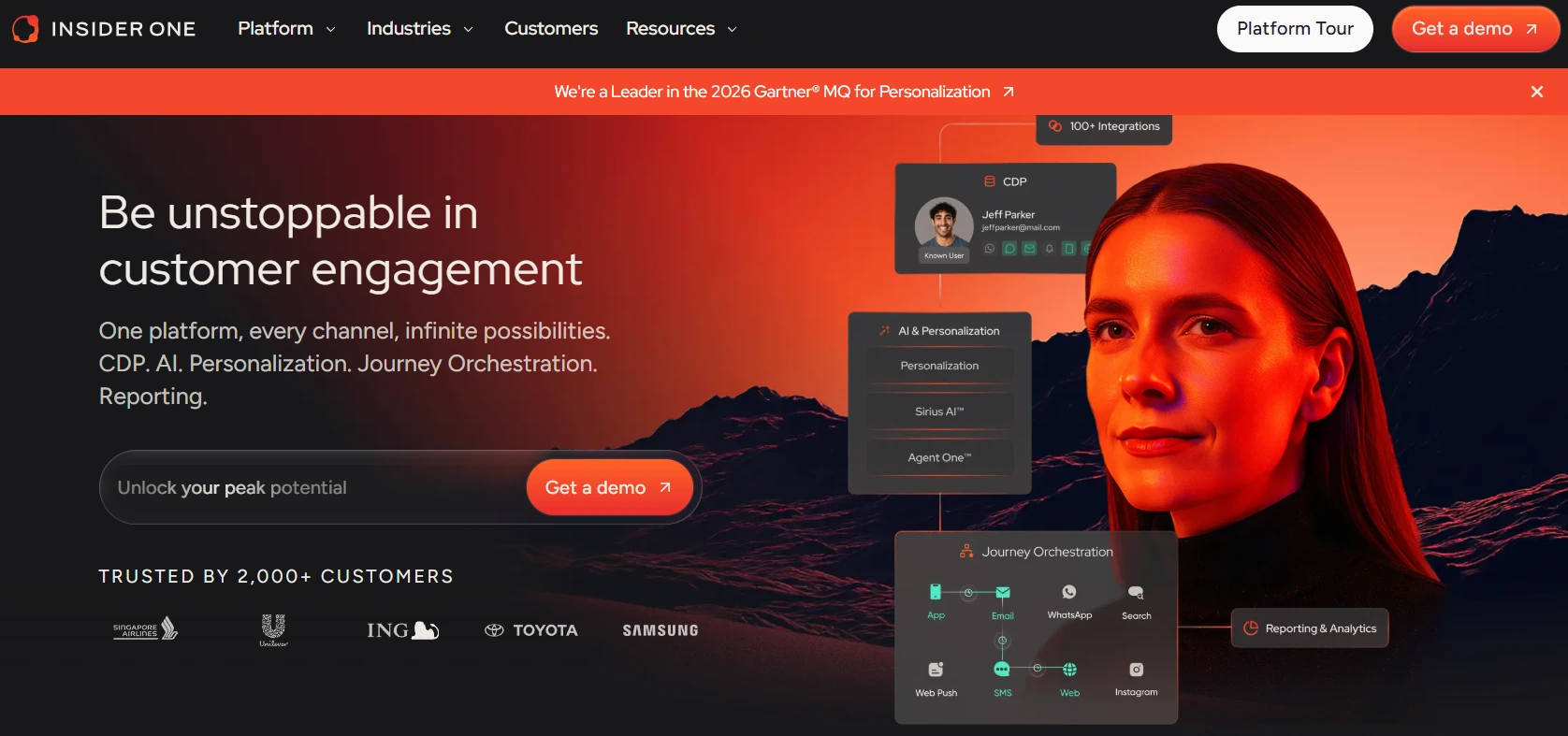
Digital-first enterprise brands use Insider to unify customer data and orchestrate journeys across web, mobile, email, SMS, and WhatsApp. Recognized as a leader in the space, the platform consolidates marketing operations for e-commerce businesses that need to manage complex omnichannel campaigns without constantly switching tools.
Use case:
Insider is built for consolidating CDP, journey orchestration, and channel management, enabling teams to coordinate complex campaigns from a single workspace.
Key features:
- Journey orchestration: AI-powered drag-and-drop canvas with predictive analytics across twelve plus channels.
- Unified CDP: Connects customer touchpoints via 100+ connectors for deep segmentation.
- Enterprise governance: Includes role-based access, SSO, and audit logs.
Pricing:
- Custom: Quote-based model determined by volume and scope.
- Add-ons: Professional services and channel pass-through costs apply.
Considerations:
- Implementation is complex and requires technical expertise.
- The focus is strictly on customer engagement, necessitating other tools for broader operational workflow management.
6. Braze
Speed is the priority for Braze, which specializes in automation that reacts instantly to user behavior. This focus makes it a strong contender for mobile-first B2C brands where real-time engagement is critical. By integrating collaboration features and enterprise governance, it reduces the need for external project management tools within the marketing function.

Use case:
Braze enables teams to build sophisticated campaigns that trigger immediately upon specific customer actions, a necessity for mobile apps and digital services.
Key features:
- Canvas journey builder: No-code orchestration for cross-channel messaging.
- Advanced segmentation: target based on behavioral patterns and predictive attributes.
- Built-in collaboration: in-line comments and approval workflows streamline governance.
Pricing:
- Custom: Quote-based subscription.
- Startup program: Eligible startups get four months free.
Considerations:
- Initial setup and ongoing maintenance require dedicated technical resources.
- Pricing transparency is low due to the quote-based model.
7. Thryv
Local service businesses face unique challenges, and Thryv addresses them by combining marketing automation with appointment booking, payments, and client management. This unified approach is tailored for healthcare practices, home services, and professionals who need to coordinate operations and communications in one system.

Use case:
Thryv streamlines the customer journey from first contact to final payment, specifically for appointment-based and field service operations.
Key features:
- Command center: Centralizes twelve plus communication channels into single client threads.
- Business center: Handles scheduling, estimates, and invoicing with mobile access.
- ThryvPay: Integrated payment processing for card and ACH transactions.
Pricing:
- Command center: Free tier available; paid starts at $20/month/seat.
- Marketing center: Starts at $244/month.
- Full CRM: Starts at $299/month.
Considerations:
- Workflow capabilities are less advanced than enterprise platforms, which may limit rapidly scaling companies.
- Certain features are currently restricted to US markets.
8. CleverTap
With a focus on mobile-first experiences, CleverTap powers engagement for digital consumer brands in fintech, gaming, and e-commerce. Its proprietary TesseractDB technology facilitates sophisticated user segmentation and lifecycle management, enabling real-time analytics and push notifications at scale.

Use case:
CleverTap is the tool of choice for creating personalized mobile experiences via advanced user analytics and cohort analysis.
Key features:
- Visual orchestration: Drag-and-drop builder with A/B testing.
- CleverAI agents: AI-powered optimization for segmentation and send-times.
- Governance: Maker-checker approval workflows and role-based access.
Pricing:
- Essentials: $75/month for up to 5,000 MAUs.
- Enterprise: Custom pricing.
- Add-ons: Extra fees for email and WhatsApp.
Considerations:
- The platform is heavily mobile-focused, often requiring additional tools for full omnichannel coverage.
- Costs can escalate quickly due to the MAU-based pricing model.
9. Iterable
Data-driven marketing teams utilize Iterable to orchestrate complex, multi-touch customer journeys across email, SMS, and emerging channels. Its API-first architecture connects directly to data warehouses, while enterprise-grade security ensures that campaigns run safely at scale.

Use case:
Iterable allows teams to design lifecycle campaigns that adapt messaging and timing based on real-time behavior and predictive analytics.
Key features:
- Journey builder: Visual orchestration with real-time editing.
- Precision segmentation: Targets based on behavioral patterns and demographic data.
- Security: SOC 2 Type II, ISO 27001, and HIPAA compliance.
Pricing:
- Custom: Quote-based enterprise pricing.
- Add-ons: Premium features like predictive goals cost extra.
Considerations:
- Quote-only pricing complicates budget planning.
- Limited SCIM provisioning can increase administrative overhead for large teams.
10. WebEngage
Retention takes center stage with WebEngage, a platform that transforms lifecycle management into a strategic asset. It is particularly effective for consumer brands that prioritize long-term value over acquisition. With features like real-time journey editing, enterprise teams can execute sophisticated campaigns without operational friction.

Use case:
WebEngage is designed to reduce churn by identifying at-risk customers and triggering automated retention campaigns.
Key features:
- Live editing: Modify active journeys without pausing campaigns.
- Churn analytics: Predictive tools to identify and re-engage at-risk users.
- Governance: Role-based access and maker-checker workflows.
Pricing:
- Custom: Quote-based pricing.
- Startup program: Credits available for eligible startups.
Considerations:
- Audit log filtering is limited to 45 days.
- Pricing transparency requires sales engagement.
11. MoEngage
Consumer brands across retail, financial services, and media rely on MoEngage for AI-powered engagement. The platform goes beyond basic demographic targeting, using its Merlin AI engine to continuously optimize campaign performance and adapt to customer behavior in real-time.

Use case:
MoEngage is best for brands needing sophisticated personalization driven by AI optimization across multiple touchpoints.
Key features:
- Intelligent Path Optimizer: AI selects the best channel and time for interaction.
- Behavioral analytics: Real-time tracking enables dynamic segmentation.
- Collaboration: Approval processes and audit trails ensure compliance.
Pricing:
- Growth: Custom pricing based on tracked users.
- Enterprise: Quote-based with advanced features.
Considerations:
- Scoping limitations in journey orchestration can restrict workflow isolation.
- Advanced governance often requires enterprise-tier subscriptions.
12. Zapier
Rather than functioning as a standalone marketing suite, Zapier acts as the glue that connects disparate tools. Its strength lies in bridging gaps between systems without code, allowing organizations to orchestrate workflows across an ecosystem of nearly 8,000 applications.

Use case:
Zapier is essential for eliminating manual data transfer and creating seamless workflows across a fragmented marketing stack.
Key features:
- Cross-platform automation: Sync data between CRM, email, and analytics tools via triggers.
- Visual builder: Map processes and get AI suggestions without coding.
- Reliability: 99.9% uptime SLA and SOC 2 compliance.
Pricing:
- Free: 100 tasks/month.
- Professional: $19.99/month for 750 tasks.
- Team: $69/month for 2,000 tasks.
- Enterprise: Custom pricing.
Considerations:
- It lacks native campaign management or analytics features.
- Costs can scale significantly with high-volume automations.
13. Brevo
Brevo unifies email, SMS, and CRM capabilities into a single, accessible platform. It targets growing businesses that require professional automation tools without the complexity or price tag of enterprise solutions.

Use case:
Brevo is a strong fit for businesses needing an all-in-one platform for sales pipeline management and multichannel communication.
Key features:
- Unified suite: Connects email, SMS, and sales pipelines with behavioral workflows.
- Multichannel: Integrates WhatsApp, live chat, and phone calls.
- AI optimization: Includes send time optimization and content generation.
Pricing:
- Free: Unlimited contacts, 300 daily emails.
- Starter: From $9/month.
- Business: From $18/month.
- Enterprise: Custom pricing.
Considerations:
- Advanced work management features require additional Sales package add-ons.
- Phone capabilities are limited to specific countries.
14. Klaviyo
Built specifically for the e-commerce sector, Klaviyo unifies customer data and cross-channel campaigns. With deep integrations into over 350 e-commerce tools, it enables brands to drive revenue through highly personalized lifecycle management.

Use case:
Klaviyo turns e-commerce data into automated revenue-driving campaigns across email, SMS, and push notifications.
Key features:
- AI automation: Flows AI builds journeys from natural language prompts.
- Unified CDP: Real-time data unification powers personalized experiences.
- Orchestration: Visual builder coordinates messaging across channels.
Pricing:
- Free: Up to 250 profiles.
- Email: From $45/month.
- Email + mobile: From $60/month.
Considerations:
- Project management capabilities are limited to campaign planning.
- Pricing scales steeply with database growth.
15.Customer.io
SaaS companies utilize Customer.io for its behavior-triggered messaging and lifecycle automation. The platform excels at responding to user actions within applications, helping teams guide product adoption and re-engage inactive users through developer-friendly APIs.

Use case:
Customer.io is built for product-led SaaS teams that need to trigger messages based on in-app behavior and usage patterns.
Key features:
- Event-based triggers: Launch campaigns automatically when users complete specific actions or hit milestones.
- Visual workflow builder: Design complex journeys with branching logic and A/B testing.
- Developer-friendly: Robust APIs and webhooks enable deep product integrations.
Pricing:
- Essentials: From $100/month based on profiles.
- Premium: Custom pricing with advanced features.
- Note: Pricing scales with profile count and message volume.
Considerations:
- Implementation requires technical resources for event tracking setup.
- Work management features are limited to campaign workflows rather than broader team coordination.
7 essential features of scalable marketing automation platforms
Not every marketing automation platform is built to handle growth. As teams expand and workflows become more complex, certain capabilities move from “nice to have” to essential.
These seven features separate solutions that support scaling organizations from those that create friction over time.
Visual workflow builders
Visual workflow builders allow marketing teams to design automation through intuitive drag-and-drop interfaces, removing dependence on technical resources. As organizations scale, this flexibility prevents bottlenecks caused by limited access to IT or engineering teams.
Basic builders handle linear email sequences, but scalable platforms support multi-step workflows that respond to behavior, coordinate multiple channels, and adapt in real time. Advanced workflow management also connects campaigns to timelines, resources, and broader operational processes, enabling marketing to scale without fragmentation.
Intuitive platforms like monday.com demonstrate how visual interfaces can support enterprise complexity, allowing teams to connect campaign execution with project management and cross-team coordination while maintaining ease of use.
AI-powered automation capabilities
As marketing operations grow, manual optimization becomes unsustainable. AI-powered automation replaces static, rule-based workflows with systems that continuously improve performance based on data patterns.
Key capabilities include:
- Predictive analytics
- Intelligent lead scoring
- Automated content optimization.
These features help teams prioritize high-value opportunities, refine messaging, and optimize timing without constant manual intervention.
monday.com approaches AI through embedded functionality like AI Blocks and the Digital Workforce, enabling teams to benefit from advanced automation without requiring specialized technical expertise or complex implementation.
Cross-department collaboration tools
Marketing automation that operates in isolation limits scalability. Campaigns depend on creative teams, product launches, sales alignment, and executive visibility, making cross-department coordination essential.
Scalable platforms support shared workflows, real-time dashboards, and built-in communication that reduce reliance on meetings and manual updates. When marketing connects directly to production timelines, resource allocation, and strategic goals, execution becomes faster and more predictable.
Unified platforms such as monday.com address this challenge by breaking down silos and keeping all stakeholders aligned within a single operational system.
Native integration ecosystem
Integration depth directly impacts scalability and total cost of ownership. Basic API connections often require custom development and ongoing maintenance, creating hidden technical debt as systems evolve.
Platforms with strong native integration ecosystems offer automatic data synchronization, built-in reliability, and reduced troubleshooting effort. This minimizes disruption as organizations expand their technology stacks.
By providing native integrations across major business applications, solutions like monday.com reduce complexity and allow teams to scale without accumulating integration overhead.
Real-time analytics and reporting
Campaign-level metrics alone are insufficient for scaling organizations. Marketing automation analytics must support executive decision-making by linking activity to revenue, goals, and resource efficiency.
Customizable dashboards enable different stakeholders to access relevant insights without unnecessary detail. Real-time visibility allows leadership to identify risks early, reallocate resources, and act proactively rather than reactively.
Scalable platforms connect marketing performance to broader business KPIs, ensuring analytics drive strategy, not just optimization.
Flexible customization options
Growing organizations need platforms that balance simplicity with depth. Tools that are easy to use but difficult to customize become constraints, while overly complex platforms slow adoption and reduce agility.
Scalable solutions support both basic automations and advanced workflows without requiring technical expertise. This allows teams to start small and expand capabilities over time without disrupting operations.
When customization is accessible, teams iterate faster, improve continuously, and avoid backlogs that delay optimization.
Enterprise-grade security
Security and compliance become critical as marketing automation expands across teams and regions. Platforms must support regulations such as GDPR and CCPA while providing strong data governance controls.
Essential features include role-based access, audit trails, and enterprise certifications such as SOC 2 Type II. These capabilities protect sensitive data and support compliance reporting.
For larger organizations, security standards often determine platform eligibility. Scalable marketing automation requires infrastructure that meets enterprise risk and compliance expectations from day one.

“monday.com has been a life-changer. It gives us transparency, accountability, and a centralized place to manage projects across the globe".
Kendra Seier | Project Manager
“monday.com is the link that holds our business together — connecting our support office and stores with the visibility to move fast, stay consistent, and understand the impact on revenue.”
Duncan McHugh | Chief Operations OfficerMarketing automation platform comparison: features and more
Choosing the right marketing automation platform means understanding how features translate into real operational value. The comparison below breaks down pricing, core strengths, and ideal company fit across leading platforms — helping you identify which solution aligns with your team’s current needs and future growth trajectory.
| Platform | Starting Price | Primary Strength | Best Company Size | Key Differentiator | Integration Approach |
|---|---|---|---|---|---|
| monday work management | $9/user/month | Unified marketing operations with cross-departmental workflows | Mid-market to enterprise (50+ employees) | Connects marketing automation to broader business operations | Native integrations with major business applications |
| HubSpot Marketing Hub | $800/month | All-in-one CRM and marketing automation | Small business to enterprise | Comprehensive feature set eliminates multiple tools | Deep CRM integration with marketing automation |
| ActiveCampaign | $29/month | Advanced email automation and segmentation | Small to mid-market businesses | Sophisticated email workflows with behavioral triggers | 870+ app integrations via marketplace |
| Mailchimp | Free-$350/month | Accessible entry point for email marketing | Small teams (one to 50 employees) | User-friendly interface with low barrier to entry | Basic integrations with popular business tools |
| Insider | Custom pricing | AI-driven personalization across channels | Mid-market to enterprise e-commerce | Predictive analytics and real-time journey optimization | API-first architecture for custom integrations |
| Braze | Custom pricing | Real-time customer engagement across channels | Enterprise mobile-first businesses | Canvas journey builder for sophisticated mobile campaigns | Technical implementation with custom integrations |
| Klaviyo | $20/month | E-commerce marketing automation | Small to mid-market e-commerce | Deep e-commerce platform integrations | Native integrations with major e-commerce platforms |
| Customer.io | $100/month | SaaS customer lifecycle marketing | Small to mid-market SaaS companies | Event-based automation with developer-friendly API | Technical integration for behavioral data |
Three really important patterns emerge when analyzing these platforms and their approaches to marketing automation at scale.
Specialized Platforms
Platforms like Klaviyo and Customer.io excel in specific markets (e-commerce, SaaS) with deep campaign execution capabilities. However, they focus narrowly on marketing tasks, requiring additional tools for project management, resource planning, and cross-departmental collaboration. This best-of-breed approach delivers specialized functionality but increases integration complexity and total cost of ownership.
All-in-One Platforms
Platforms such as HubSpot integrate marketing and sales, reducing the need for multiple tools within the marketing-to-sales pipeline. While effective for organizations with simpler structures, they often lack the ability to coordinate marketing operations with project management, resource allocation, or executive-level strategic tracking across departments.
Unified Work Management Platforms
Platforms like monday.com connect marketing automation to broader business operations. Campaigns link directly to project timelines, resource allocation, and organizational goals, reducing tool sprawl and improving cross-functional coordination.
While they may offer slightly less specialized marketing depth than dedicated solutions, the operational benefits support scalability and alignment across teams.
“monday.com has been a life-changer. It gives us transparency, accountability, and a centralized place to manage projects across the globe".
Kendra Seier | Project Manager
“monday.com is the link that holds our business together — connecting our support office and stores with the visibility to move fast, stay consistent, and understand the impact on revenue.”
Duncan McHugh | Chief Operations OfficerHow to choose marketing automation software that actually scales
It is easy to choose a marketing automation platform based on what looks impressive in a demo. Email builders, CRM integrations, and sleek dashboards can all check the right boxes at first glance. The problem is that growth exposes weaknesses that feature lists do not.
The seven features outlined above matter, but they are only part of the picture. What determines long-term fit is how well those capabilities support your team’s direction, workflow complexity, and cross-department coordination as you scale.
Cross-departmental integration capabilities
Marketing does not happen in isolation. Campaigns require creative input from design teams, alignment with product launches, and visibility for leadership. Platforms that only connect marketing to sales force organizations to rely on workarounds, separate project management systems, spreadsheets for resource planning, and numerous status meetings to maintain alignment.
Consider whether the platform connects marketing workflows to broader business operations. Can campaign timelines be tracked alongside product roadmaps? Can leadership view marketing progress in the same space as strategic objectives? If the answer is only partially or via multiple integrations, it signals future bottlenecks.
Workflow complexity management
Simple email sequences work until they don’t. As your marketing matures, you need automation that handles multiple channels, responds to behavioral triggers, and adapts based on real-time data. The question isn’t whether a platform can do this, it’s whether your team can build it without calling IT.
Look for visual workflow builders that non-technical teams can actually use. If adding complexity means hiring developers or waiting for custom builds, you’ve found your scaling limit.
Total cost of ownership
The monthly subscription is just the start. Integration maintenance, training time, and the supplementary tools you need for what the platform doesn’t do, these costs add up fast and compound as you grow.
Platforms like monday.com reduce total cost by eliminating the need for separate project management, resource planning, and collaboration tools. Specialized marketing platforms often deliver great campaign features but force you to buy additional systems for everything else. Calculate the real cost: subscription plus integrations plus the tools you still need plus the time spent managing it all.
AI accessibility
Impressive AI features mean nothing if your team can’t use them. Platforms that require technical expertise to configure AI, optimize models, or interpret results deliver theoretical value, not practical impact.
Look for AI that works out of the box. monday.com’s AI Blocks let marketing teams use intelligent automation without data science degrees. That’s the difference between AI that sounds good in demos and AI that actually speeds up your work.
Questions to ask during vendor evaluations
Cut through the sales pitch with questions that reveal how platforms actually work:
- How does this connect marketing workflows to project management, resource allocation, and goal tracking across non-marketing departments?
- What happens when our workflows get more complex, do we need technical expertise, custom development, or an enterprise upgrade?
- What’s the true total cost including integration maintenance, training, and the supplementary tools we’ll need?
- Can our current team use AI features, or do we need to hire specialized resources?
- How does phased implementation work, can we start simple and expand gradually, or is it all or nothing?
Answer these honestly before you commit.
The seven features outlined above matter, but they are only part of the picture. What determines long-term fit is how well those capabilities support your team’s direction, workflow complexity, and cross-department coordination as you scale.
How monday.com transforms marketing automation beyond email campaigns
Most marketing automation platforms focus on campaign execution. That works for sending emails and nurturing leads, but growing teams often need more than channel management.
monday.com approaches automation differently. Instead of isolating campaigns, it connects them to planning, resource management, and cross-team workflows.
Here’s how that shift changes the way marketing operates.
AI Blocks for intelligent campaign automation
AI Blocks allow marketing teams to automate content categorization, sentiment analysis, and performance-driven optimization without coding or technical expertise. Automated insights continuously refine campaigns, freeing teams to concentrate on strategy and creative development. The visual interface democratizes AI, enabling organizations to scale automation without hiring specialized technical roles.
Cross-functional workflows that connect marketing to business goals
Marketing campaigns require coordination with creative, product, sales, and executive teams. Traditional marketing automation platforms often treat these needs as secondary, forcing teams to maintain separate project management tools.
monday.com eliminates this fragmentation by connecting marketing workflows to project management, resource allocation, and strategic goal tracking.
Campaign planning aligns automatically with creative timelines, ensuring on-time asset delivery without manual updates. Resource management balances workload, preventing burnout while maintaining visibility into capacity constraints.
Examples include product launch campaigns automatically triggering marketing preparation when development milestones are complete, creative asset workflows coordinating designers and reviewers visually, and lead nurturing campaigns handing off qualified prospects to sales with full engagement context.
Resource management for marketing team capacity
Team burnout is a key challenge for growing marketing organizations. Traditional platforms focus on execution without addressing capacity constraints.
monday.com balances workloads based on capacity and expertise, shows real-time team availability, and enables skill-based task assignment for quality output. Capacity planning forecasts resource needs for planned campaigns, allowing proactive adjustments before launch. These capabilities integrate with automation, ensuring sustainable scaling rather than overwhelming teams.
Integration hub for your entire MarTech stack
Marketing stacks often include email, social media, analytics, CRM, and CMS tools. Managing integrations creates technical overhead.
monday.com acts as a central orchestration layer with native integrations and APIs. Teams manage campaigns, track resources, and coordinate workflows in one platform, reducing tool sprawl and eliminating synchronization issues. Native integrations adapt automatically to platform updates, ensuring reliability for scaling organizations.
| Dimension | monday work management | Traditional marketing automation |
|---|---|---|
| Cross-departmental collaboration | Unified workflows connect marketing to all departments through shared visibility and coordinated project management | Limited to marketing and sales teams; requires separate tools for broader collaboration |
| Workflow complexity | Visual builders support sophisticated multi-step workflows without technical expertise | Complex workflows often require technical resources or custom development |
| AI accessibility | AI Blocks enable non-technical teams to leverage intelligent automation immediately | Advanced AI features typically require technical expertise to configure and optimize |
| Resource management | Integrated capacity planning and workload balancing prevent team burnout | Separate resource management tools required; no visibility into team capacity |
| Total cost of ownership | Unified platform eliminates separate project management, resource planning, and collaboration tool subscriptions | Multiple tool subscriptions plus integration maintenance create higher total costs |
5 implementation best practices to avoid common pitfalls
Even the most capable marketing automation platform can fall short without the right foundation in place. These five best practices help teams avoid common pitfalls and build automation that scales responsibly.
1. Define success metrics before platform selection
Impressive features distract from a fundamental question: what does success actually look like? Teams get excited about sophisticated automation capabilities and forget to define what they’re trying to achieve.
Focus on metrics that matter to the business, not just marketing. Revenue attribution that connects campaigns to actual sales. Customer acquisition cost that measures efficiency. Customer lifetime value that assesses relationship quality. Strategic goal progress that links marketing to organizational objectives.
2. Audit your data quality and tech stack first
Marketing automation amplifies what you already have. Clean data becomes powerful automation. Messy data becomes automated chaos.
Common problems that derail implementations: duplicate contact records that send customers multiple copies of the same message, incomplete information that breaks segmentation, inconsistent formats that trigger the wrong campaigns, outdated data that makes automation irrelevant.
Clean your data before you migrate. Establish governance processes. Document all systems that need to connect to marketing automation and assess integration complexity for each one. This prevents the scenario where automation launches successfully but fails to sync with your CRM, analytics platform, or other critical systems.
3. Start with pilot programs, not enterprise rollouts
Launching marketing automation across all teams and campaigns simultaneously is how you discover problems at the worst possible time. Pilot programs let you learn, adjust, and prove value before you scale.
Pick pilots that are big enough to demonstrate real value but small enough to manage effectively. High-visibility campaigns with clear success metrics. Engaged stakeholders who’ll provide feedback. Workflows representative of broader organizational needs.
Track both quantitative metrics: campaign performance, and qualitative assessments like user adoption and workflow efficiency. Document what you learn. Incorporate those insights into your broader rollout plan.
monday.com supports gradual rollouts through flexible workflow building. Start simple. Expand sophistication over time. Keep stakeholders informed throughout the process with cross-departmental visibility.
4. Invest in change management and training
The human side of implementation matters more than technical capabilities. Sophisticated features deliver limited value when teams don’t understand how to use them or resist changing established workflows.
Different stakeholders need different value propositions. Marketing teams need to see how automation reduces manual work and enables strategic focus. Sales teams need visibility into how it improves lead quality and timing. Executives need confidence it’ll deliver measurable business outcomes.
User adoption extends beyond technical training. Teams need support understanding how to apply automation to their specific challenges. Establish centers of excellence that provide guidance, share best practices, and support teams as they develop expertise.
Platforms with intuitive interfaces reduce training requirements significantly. When teams can build workflows visually without technical expertise, adoption accelerates and ongoing optimization becomes sustainable. This matters particularly for scaling organizations where expertise must spread across growing teams rather than remaining concentrated in specialized roles.
5. Build governance frameworks for AI and automation
As automation expands, so does the risk of inconsistency. Without clear governance, teams create overlapping workflows, conflicting rules, and campaigns that undermine each other.
Set approval processes that match the level of impact. Smaller campaigns may only need peer review, while complex workflows affecting large segments should involve multiple stakeholders. The goal is balance — enough oversight to protect quality and brand standards, without slowing momentum.
Governance also means monitoring performance beyond campaign metrics. Test workflows before launch. Track integration reliability, data quality, and execution success rates. Define performance thresholds and set alerts so issues are caught early, not after customer experience is affected.
Finally, make sure your platform supports this structure. Visibility, role-based access, and audit trails are not optional at scale. Without them, governance becomes manual and fragile as automation grows more sophisticated.
Scale your marketing operations with confidence
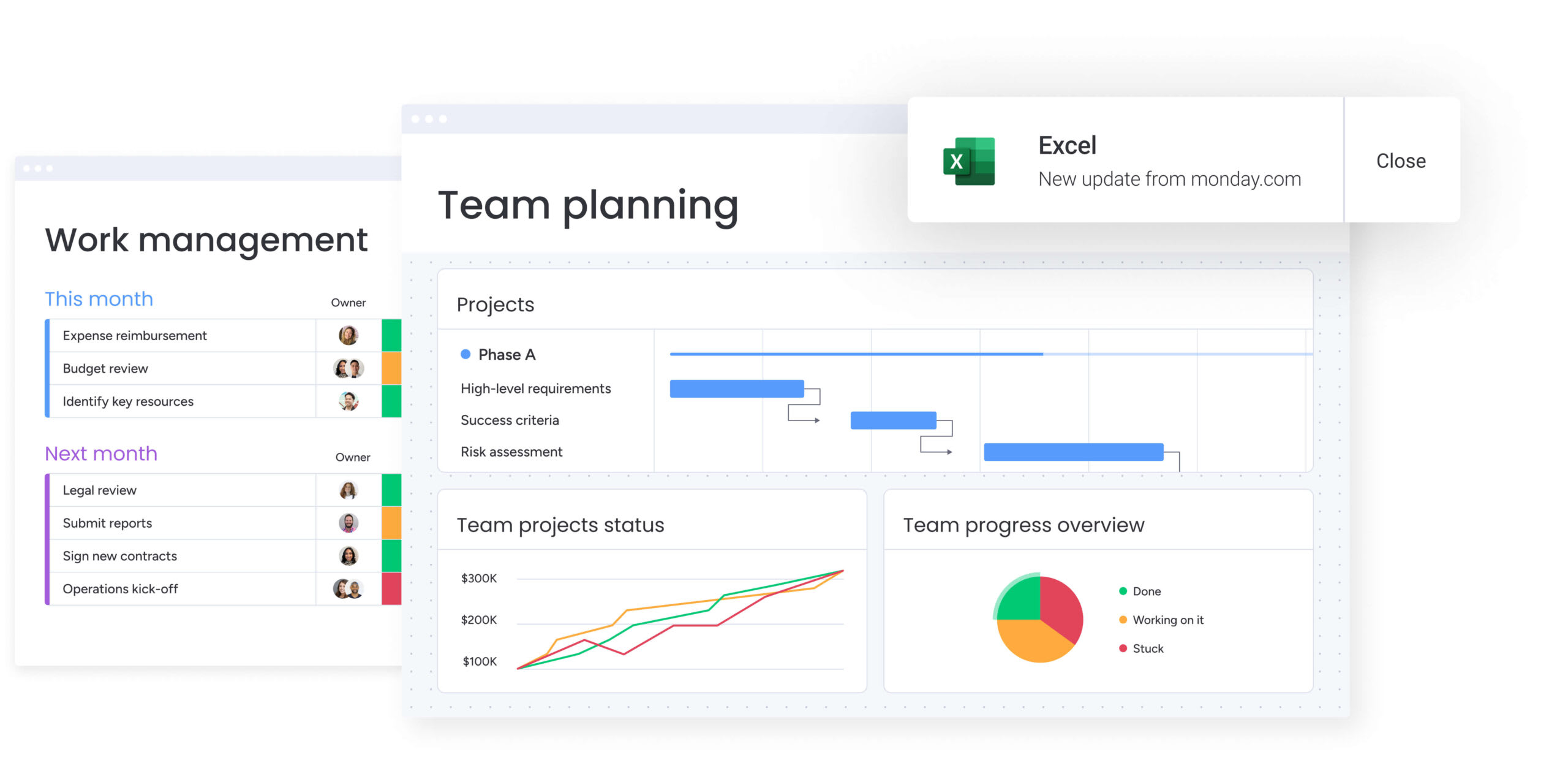
As this guide has explored, marketing teams face challenges in coordinating cross-departmental workflows, managing resources effectively, and connecting daily activities to broader business goals.
monday.com helps address these challenges by providing visibility, alignment, and operational efficiency across teams.
- Cross-functional coordination: Connects marketing activities with product, creative, and sales workflows to ensure timely campaign execution.
- Resource management: Balances workloads and forecasts capacity to prevent team burnout and maintain quality.
- Strategic goal alignment: Links individual tasks and campaigns to organizational objectives for real-time executive visibility.
- Workflow automation: Integrates processes across marketing and business systems, reducing manual updates and errors.
- Data and integration reliability: provides consistent, centralized access to MarTech stack data for informed decision-making.
By consolidating coordination, planning, and automation, teams gain efficiency, improve alignment, and demonstrate clear strategic impact without added complexity.
Frequently asked questions
What is the best free marketing automation software?
Mailchimp offers the strongest free tier, supporting up to 500 contacts with basic automation workflows. HubSpot provides free CRM features for very small teams. Keep in mind that free tiers typically lack the advanced features and scalability growing businesses need.
How much should I budget for marketing automation tools?
Budget $100-500 monthly for basic capabilities, $1,000-5,000 for mid-market features, and $5,000-20,000+ for enterprise-scale automation. Remember to factor in implementation, training, integration maintenance, and any supplementary tools you'll need.
Can work management platforms handle marketing automation?
Yes. monday.com delivers sophisticated marketing automation while connecting campaigns to broader business operations. Unlike specialized marketing tools, it treats campaign execution as part of comprehensive marketing operations that include project coordination, resource management, and strategic alignment.
What's the typical ROI timeline for marketing automation software?
Expect initial ROI within three to six months as automation reduces manual work. Significant impact usually emerges within six to twelve months as teams optimize workflows and segmentation. Long-term ROI compounds over twelve to 24 months as you develop sophisticated capabilities and integrate marketing with broader business processes.
How do I ensure successful AI adoption in marketing automation?
Focus on accessible AI that non-technical teams can use, establish clear governance frameworks, implement in phases, and optimize continuously based on performance data. Platforms like monday.com offer AI Blocks that work without technical expertise, making adoption faster and more sustainable.
Which marketing automation platforms are best for enterprise teams?
HubSpot Marketing Hub works well for comprehensive all-in-one needs. Braze excels at real-time mobile engagement. Salesforce Marketing Cloud handles complex requirements with technical resources. monday.com connects automation to broader business processes, offering unified operations particularly valuable when operational coordination matters as much as marketing features.

 Get started