


Project timelines often look solid during planning, with tasks mapped out, dependencies accounted for, and Gantt charts presenting a clear path from start to finish. Once work begins, priorities shift, teams need different ways to stay aligned, and stakeholders want updates that are easy to understand without digging through complex schedules.
This gap between planning and execution is why many teams are moving beyond traditional Gantt charts and adopting more flexible ways to visualise work. Approaches such as Kanban boards, timeline views, and dashboards better reflect how work actually happens, improving adoption while still preserving clarity and accountability.
Let’s explore some of the most practical alternatives to traditional Gantt charts and when each one works best. You’ll see how these approaches turn project management from a rigid planning exercise into a flexible system that adapts to how your team actually gets work done, all within a single digital workspace.
Key takeaways
- Match visualization to your work style: choose Kanban boards for task flow, timeline views for deadlines, or workload views for resource planning instead of forcing complex Gantt charts on every project.
- Boost team engagement with intuitive views: teams participate more actively when they can understand project status at a glance, leading to better data accuracy and stronger collaboration.
- Access 15+ visualization options with monday work management: switch between Kanban boards, timelines, dashboards, and other views within one platform while maintaining consistent project data across all views.
- Combine multiple views for a complete project overview: use different visualizations for different stakeholders — Kanban for daily work, dashboards for executives, timelines for client communication.
- Let AI guide your visualization choices: smart recommendations analyze your project type, team size, and work patterns to suggest the most effective view for each situation.
Why do teams choose Gantt chart alternatives?
Teams are turning away from Gantt charts for three simple reasons: they’re too complex, team members avoid using them, and they don’t match how work actually flows. Understanding these drivers helps teams identify which visualization methods will serve them most effectively.
Teams aren’t abandoning Gantt charts on a whim — they’re responding to how dramatically work has changed. Teams need visualization methods that match their pace, support their workflows, and engage every team member without requiring extensive training or setup.
To simplify complex project visualization
Traditional Gantt charts display every task, dependency, milestone, and resource allocation simultaneously. This creates information overload that obscures project status rather than clarifying it.
Consider these common scenarios where complexity becomes counterproductive:
- Marketing teams: planning a product launch doesn’t require seeing every dependency relationship when they simply want to know which deliverables are due this week.
- Support teams: managing ongoing tickets gains little from timeline bars when they need to visualize work stages and bottlenecks.
- Operations teams: daily workflow management becomes cumbersome when buried under complex dependency mapping.
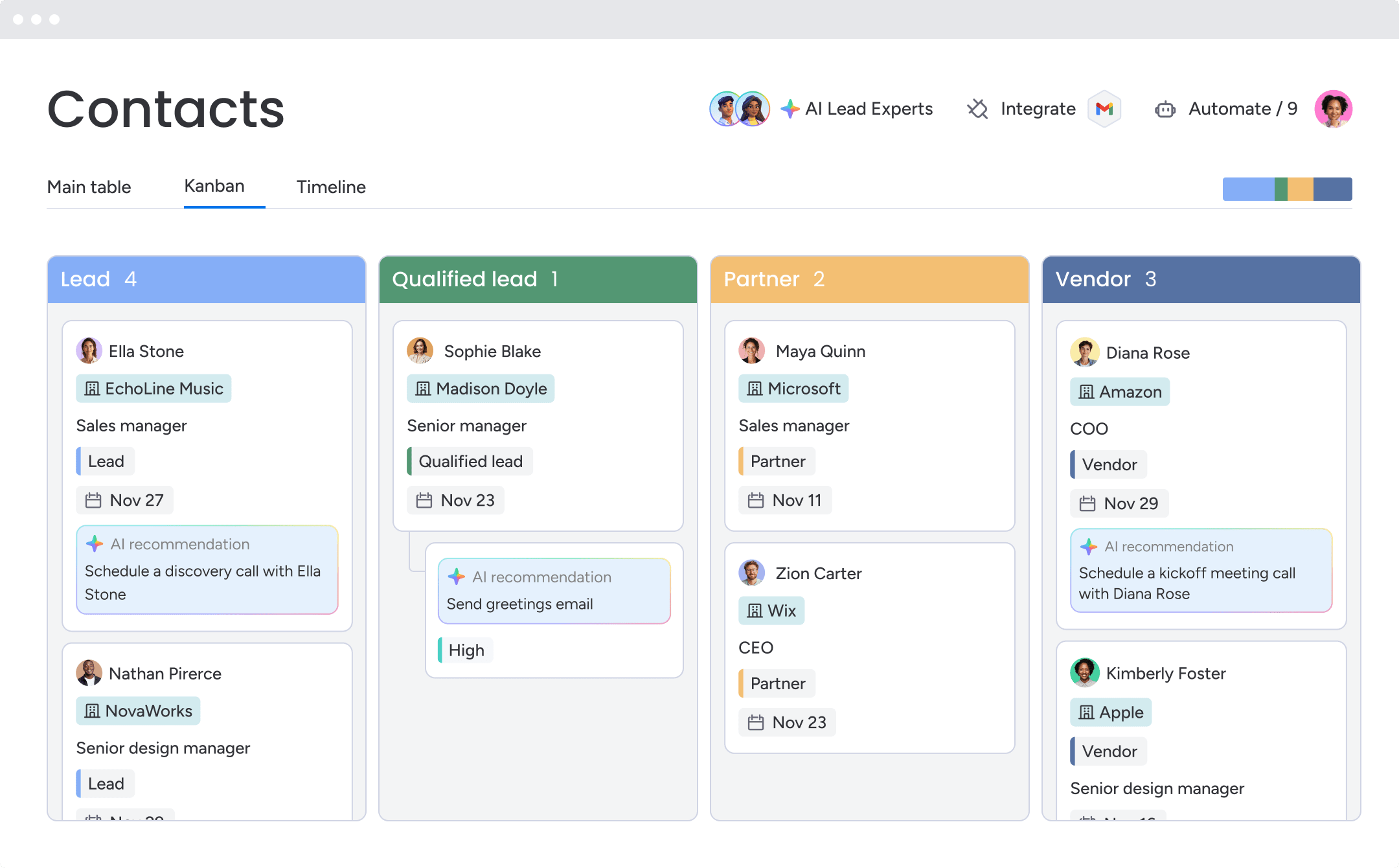
Simpler visualization methods help teams focus on the information that matters most for their specific work type. A Kanban board shows task progression through stages without timeline complexity, while calendar view highlights deadlines without dependency chains. Additionally, workload view reveals team capacity without Gantt chart overhead.
With a flexible platform like monday work management, teams can access 15+ visualization options, choosing the right level of detail for each situation. Executives use dashboards for high-level insights while individual contributors rely on detailed task lists. This flexibility ensures everyone gets the view they need without unnecessary complexity.
To increase team adoption and engagement
How can you ensure your project chart is a tool your team actually wants to use? Many professionals find Gantt charts intimidating or difficult to interpret, leading to poor data accuracy and disengagement from project planning processes.
When team members struggle to understand how their work fits into the broader project timeline, several problems emerge:
- Status updates stop: team members avoid updating task progress in complex interfaces.
- Dependencies get missed: critical relationships between tasks become invisible.
- Isolation increases: people work without understanding broader project context.
When people can view their work in a format that feels intuitive, engagement rises naturally. Here are a few examples
- Content creators: editorial calendars make more sense than Gantt charts with publishing dependencies.
- Developers: sprint boards feel more intuitive than timelines showing every code review relationship.
- Operations teams: workload views reveal capacity issues that Gantt charts hide.
- Executives: dashboards surface key metrics without timeline details.
To adapt to Agile and hybrid workflows
Today’s work requires flexibility, rapid iteration, and constant adaptation, which calls for more dynamic visualization methods than rigid Gantt charts.
Agile methodologies require rapid iteration and frequent priority changes that make traditional Gantt charts cumbersome to maintain. Cross-functional teams collaborating on multiple initiatives simultaneously need views that support parallel work streams rather than sequential task chains.
- Where Gantt charts excel: fixed-scope projects with defined beginning and end dates.
- Where they struggle: daily priority adjustments, sprint-based work, or non-linear progression.
Alternative visualization methods adapt to these modern workflows:
- Sprint boards: support iterative development cycles.
- Kanban views: accommodate continuous delivery processes.
- Timeline views: allow quick date adjustments without recalculating complex dependency chains.
When alternative views outperform traditional Gantt charts
Gantt charts still play an important role in project planning, but they are not always the best fit for how teams work day to day. Factors like team size, project length, rate of change, and stakeholder expectations all influence whether a detailed, dependency-driven view adds clarity or creates friction.
In many common scenarios, lighter and more flexible visualisations make it easier for teams to move quickly, stay aligned, and keep information up to date. The comparison below highlights when traditional Gantt charts are most effective and when alternative views tend to deliver better results.
| Project characteristic | Use Gantt charts when | Use alternatives when |
|---|---|---|
| Team size | Large teams (20+) with specialized roles and complex coordination needs | Small to medium teams (2-20) with overlapping responsibilities and direct communication |
| Project duration | Long-term projects (6+ months) with sequential phases and fixed milestones | Short-term projects (one-twelve weeks) with rapid iteration and changing priorities |
| Complexity level | High interdependency between tasks requiring detailed dependency mapping | Independent or loosely coupled tasks that can progress in parallel |
| Stakeholder needs | External stakeholders requiring traditional project management documentation | Internal teams prioritizing speed, flexibility, and collaborative planning |
| Change frequency | Stable scope with infrequent changes to timeline or deliverables | Dynamic scope with daily or weekly adjustments to priorities and deadlines |
Fast-moving Agile projects
Agile methodologies require rapid iteration and frequent priority changes that make traditional Gantt charts cumbersome to maintain. When a product team discovers new user feedback mid-sprint, they need to reorganize their backlog immediately.
Sprint boards and Kanban views support this flexibility by visualizing work as movable cards that teams can reprioritize with simple drag-and-drop actions. Development teams working in continuous delivery environments benefit from views that show current work status rather than long-term timelines.
Key benefits for Agile teams include:
- Immediate reorganization: sprint boards display what’s in progress, what’s blocked, and what’s ready for review.
- Momentum maintenance: developers get the information they need without timeline complexity.
- Rapid adaptation: teams respond to changing requirements without dependency recalculation.
Resource-heavy operations
Projects focused on resource allocation and workload balancing need specialized views that highlight capacity and availability. For example, a creative agency managing multiple client projects simultaneously needs to see which designers have capacity for new work, not just when deliverables are due.
Traditional Gantt charts show task timelines but obscure the resource utilization patterns that prevent burnout and optimize team productivity. Workload views provide visual capacity indicators that help managers balance assignments across team members.
Resource management advantages include:
- Capacity visibility: when a project manager sees that one designer is at 120% capacity while another is at 60%, they can redistribute work before deadlines slip.
- Quality protection: teams identify and address workload imbalances before they impact project delivery or team morale.
- Proactive planning: resource insights remain hidden in traditional Gantt chart views.
Cross-departmental collaboration
Projects involving multiple departments with different working styles benefit from flexible visualization options customized for each stakeholder group’s needs. For instance, a product launch involving marketing, sales, product, and support teams requires different views for each department.
In this example, it’s vital to consider the specific needs of each team:
- Marketing: content calendar for campaign coordination.
- Sales: timeline of enablement deliverables.
- Product: sprint board for feature development.
- Support: task list of documentation requirements.
Rather than forcing all departments to work within a single Gantt chart view, platforms like monday work management allow each team to visualize the same project data in the format that matches their workflow. This flexibility increases cross-departmental engagement and ensures every team has the visibility they need without learning unfamiliar visualization methods.
Try monday work management
8 powerful Gantt chart alternatives that transform work
Modern project management offers diverse visualization methods that address specific work styles, team dynamics, and project requirements. Each alternative provides unique benefits that traditional Gantt charts simply cannot match.
These eight alternatives represent the most effective visualization methods for different types of work. Understanding when and how to use each option will help your teams choose the right approach for their specific needs (maximizing project success).
1. Kanban boards for visual task flow
Kanban methodology originated in Toyota’s manufacturing processes and has become a cornerstone of modern knowledge work management. A Kanban board visualizes work as cards moving through columns that represent stages of completion.
Teams typically start with “To Do,” “In Progress,” and “Done” columns, then customize stages to match their specific workflows.
Kanban boards excel in these scenarios:
- Support teams: managing incoming tickets through triage, investigation, resolution, and verification stages.
- Editorial teams: tracking articles through ideation, drafting, editing, approval, and publishing stages.
- Professional services: managing client projects through discovery, execution, review, and delivery phases.
Implementation benefits:
- Visual bottleneck identification: when one column accumulates significantly more cards than others, teams immediately recognize process constraints.
- Rapid reprioritization: dragging cards up or down within columns takes seconds, supporting quick changes without timeline recalculation.
- Sustainable pace: teams set work-in-progress limits to prevent overload and maintain quality.
Getting started with Kanban:
- Start with three basic columns and add stages as your process matures.
- Set work-in-progress limits based on team capacity, typically one-two active items per team member.
- Review your board daily in stand-up meetings to identify blockers and maintain flow.
2. Timeline views for streamlined planning
Timeline views offer simplified project scheduling that captures the essential elements of Gantt charts without the complexity of detailed dependency mapping. A timeline displays tasks as horizontal bars across a calendar, showing when work starts and ends without requiring teams to define every relationship between tasks.
Timeline views prove particularly valuable for:
- Marketing campaigns: visualizing when each component goes live across email, social media, content, and events.
- Event planning: tracking venue booking, vendor coordination, promotion, and logistics.
- Content calendars: scheduling blog posts, videos, webinars, and social content across weeks or months.
Practical advantages:
- Quick schedule adjustments: dragging task bars to new dates takes seconds, supporting rapid changes without dependency recalculation.
- Universal understanding: timelines provide intuitive visual communication that non-project-managers understand immediately.
- Focus on priorities: key deadlines and deliverables stand out visually, helping teams maintain focus on critical dates.
3. Calendar views for deadline management
Calendar-based project visualization transforms task lists into familiar date-based interfaces that everyone already knows how to use. A calendar view displays tasks on the dates they’re due, providing intuitive deadline management that requires no training or explanation.
Calendar views work exceptionally well for:
- Publishing teams: scheduling content across multiple channels while maintaining consistency.
- Event coordination: managing multiple events, meetings, and deadlines on a single calendar.
- Deadline tracking: visualizing all deadlines across multiple projects in calendar format.
Immediate value creation:
- Tool integration: calendar views typically sync with Google Calendar, Outlook, and other scheduling tools, creating a single source of truth for all deadlines.
- Natural interaction: dragging tasks to new dates feels natural to anyone who has used a digital calendar.
- Conflict identification: overlapping deadlines and resource conflicts become immediately visible when multiple tasks appear on the same date.
4. Workload views for smart resource allocation
Workload visualization shifts focus from task timelines to team capacity. These views display how work is distributed across team members and highlight potential overallocation or underutilization.
A workload view shows each person’s assigned tasks and total capacity, typically using visual indicators like progress bars or capacity percentages.
Workload views address critical resource management needs:
- Project managers: balancing work across team members to see who has capacity for new assignments.
- Department leaders: planning quarterly initiatives based on team availability.
- Team leads: monitoring workload distribution to prevent quality issues or turnover.
Resource decision advantages:
- Instant assessment: color-coded capacity bars provide immediate evaluation of team health.
- Data-driven assignments: managers make assignment decisions based on actual capacity data rather than assumptions about availability.
- Proactive balance: teams identify and address workload imbalances before they impact project delivery or team morale.
Capacity indicators:
- Green: available capacity for additional work.
- Yellow: at capacity with current assignments.
- Red: overallocation requiring immediate attention.
5. Dashboard views for executive insights
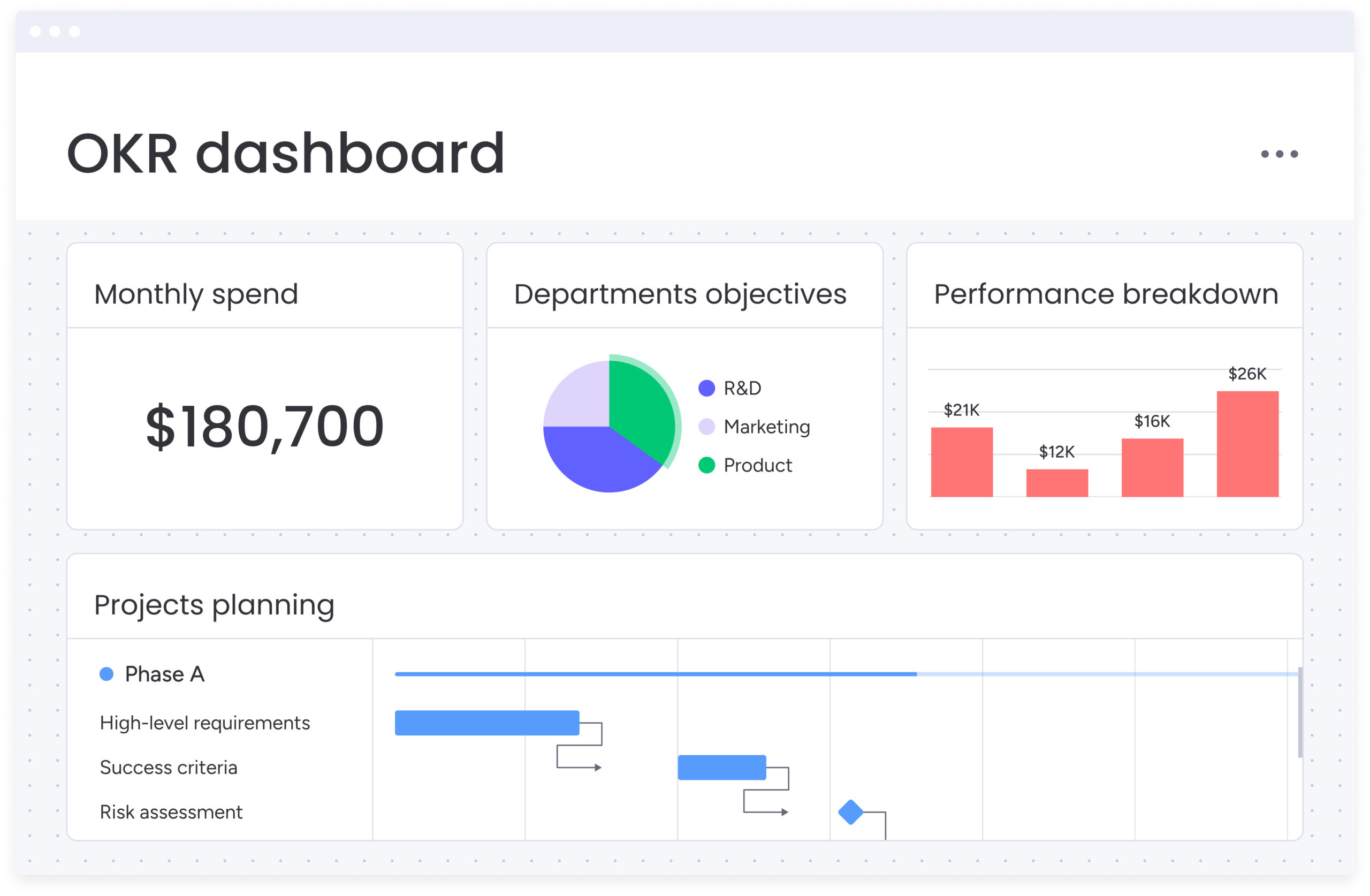
Dashboard visualization provides high-level project insights by aggregating data from multiple projects into customizable widgets. These widgets display key metrics, status summaries, and trend analysis.
A dashboard transforms detailed project data into executive-friendly insights that support strategic decision-making without requiring leaders to dig through task-level details.
Dashboards serve specific leadership needs:
- PMO leaders: overseeing multiple projects with consolidated visibility into portfolio health.
- Senior executives: requiring high-level status updates focused on outcomes and strategic alignment.
- Department heads: monitoring performance indicators like on-time delivery rate and resource utilization.
Customization delivers targeted value:
- Relevant KPIs: teams build dashboards that display the specific metrics that matter most to their stakeholders.
- Visual variety: choose from various chart types to maintain engagement — bar charts for comparisons, line charts for trends, pie charts for distributions.
- Real-time accuracy: dashboards pull data directly from underlying projects, ensuring executives always see current information without manual reporting.
6. Task lists for focused execution
Simple list-based views help teams focus on immediate priorities without visual complexity. Task lists display work in straightforward rows that can be sorted, filtered, and organized by various criteria.
A task list strips away timelines, dependencies, and visual elements to present pure task information in scannable format.
Task lists optimize daily work management:
- Individual contributors: planning their workday with simple lists sorted by priority or due date.
- Knowledge workers: managing responsibilities with clean task lists over complex visualizations.
- Small projects: tracking work with minimal dependencies using well-organized task lists.
Simplicity enables quick action:
- Instant updates: checking off completed tasks or updating status takes seconds in list format.
- No learning curve: lists require no interpretation or training.
- Flexible organization: teams can instantly reorganize lists by due date, priority, assignee, or custom criteria to focus on what matters most.
7. Sprint boards for Agile excellence
Sprint-based visualization supports Agile development cycles by organizing work into time-boxed iterations. Sprint boards show the current sprint’s backlog, work in progress, and completed items, with separate views for sprint planning, daily standups, and retrospectives.
Sprint boards enable Agile teams to:
- Engineering teams: plan iterations, track progress, and maintain velocity using Scrum frameworks.
- Product teams: release features in regular cycles aligned with product roadmaps.
- Cross-functional teams: work in fixed-duration cycles for marketing, design, or research sprints.
Agile practice reinforcement:
- Velocity tracking: teams measure how much work they complete per sprint, using historical data to improve future sprint planning accuracy.
- Meeting support: sprint boards facilitate backlog grooming, sprint planning meetings, and capacity-based commitment decisions.
- Focus maintenance: by limiting visible work to the current sprint, teams avoid distraction from future backlog items and maintain execution focus.
8. Mind maps for strategic planning
Mind mapping visualization helps teams explore project relationships and dependencies by displaying information in radial, hierarchical structures. A mind map starts with a central idea and branches outward to show related tasks, decisions, and dependencies in a format that supports creative thinking and strategic planning.
Mind maps excel at:
- Brainstorming: capturing ideas and relationships without forcing premature structure.
- Strategic planning: mapping organizational goals, initiatives, and dependencies.
- Problem-solving: identifying root causes, potential solutions, and implementation paths.
Non-linear structure benefits:
- Exploration encouragement: mind maps support ideation without the constraints of traditional project plans.
- Relationship clarity: connections between ideas become explicit, helping teams understand how different project elements influence each other.
- Goal alignment: mind maps naturally show relationships between high-level goals and detailed implementation tasks.
How AI revolutionizes project visualization
Artificial intelligence is changing how teams work with project data. Instead of relying on manual updates and after-the-fact reporting, AI helps keep visualisations accurate, surfaces risks earlier, and reduces the time spent maintaining plans.
These capabilities work across different project views, supporting better decisions without adding extra administrative effort. The result is a more adaptive way to manage work, where teams spend less time managing data and more time delivering outcomes.
Automatic view selection based on work type
AI looks at what you’re actually working on and suggests the best way to visualize it — no more guesswork about which view to use. The system examines team size, project duration, task dependencies, and update frequency to suggest whether a Kanban board, timeline view, or sprint board will serve teams most effectively.
This capability reduces decision fatigue and improves team productivity by eliminating the guesswork around which view to use. In essences, teams benefit from AI-guided visualization selection without needing deep project management expertise.
AI-powered recommendations consider:
- Team composition: size, roles, and collaboration patterns.
- Project characteristics: duration, complexity, and change frequency.
- Historical success: patterns from similar projects that achieved positive outcomes.
With intuitive and sophisticated solutions like monday work management, AI capabilities analyze project patterns and recommend visualization approaches that match proven success patterns. The platform also learns from how similar projects succeeded, applying those insights to new initiatives.
Predictive risk analysis across all views
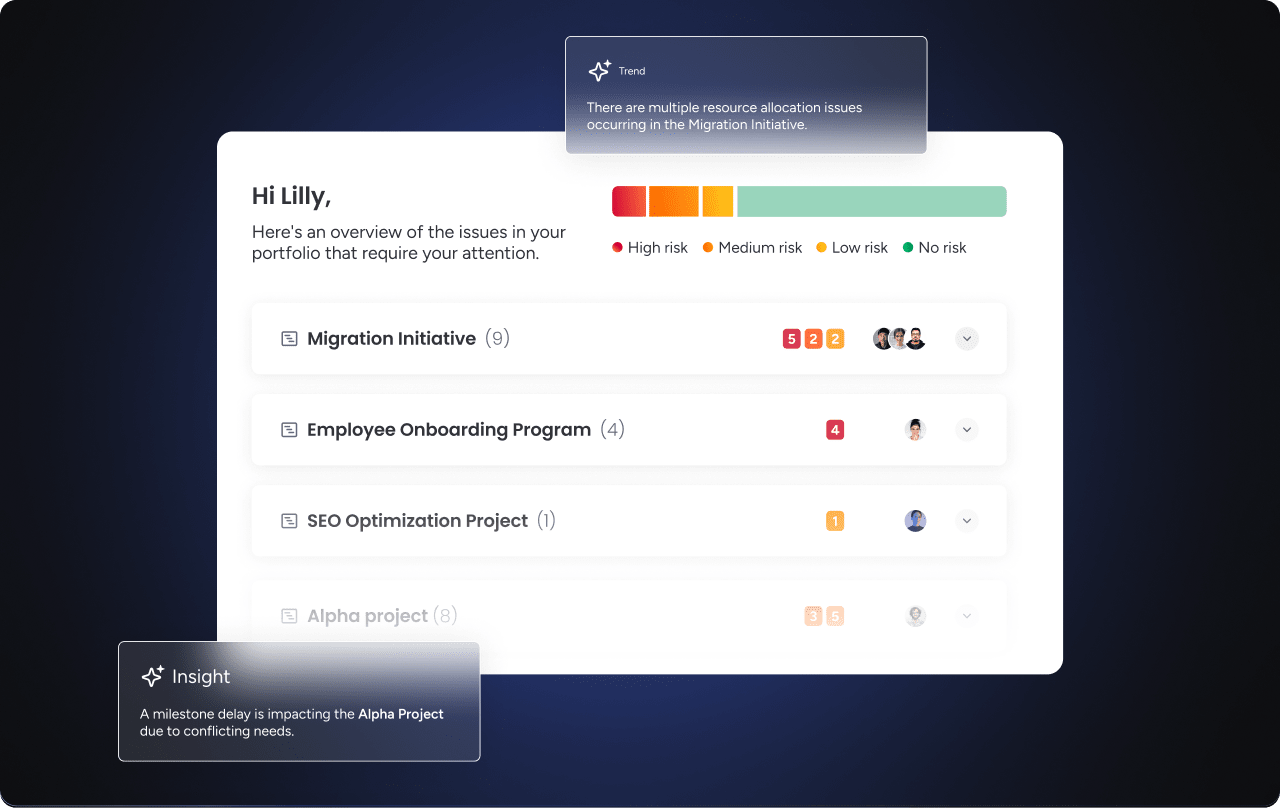
AI-powered risk detection works across different visualization types to identify potential issues before they become problems. The system analyzes task completion rates, deadline proximity, resource allocation patterns, and historical project data to flag risks.
These insights appear directly within whatever visualization method the team is using:
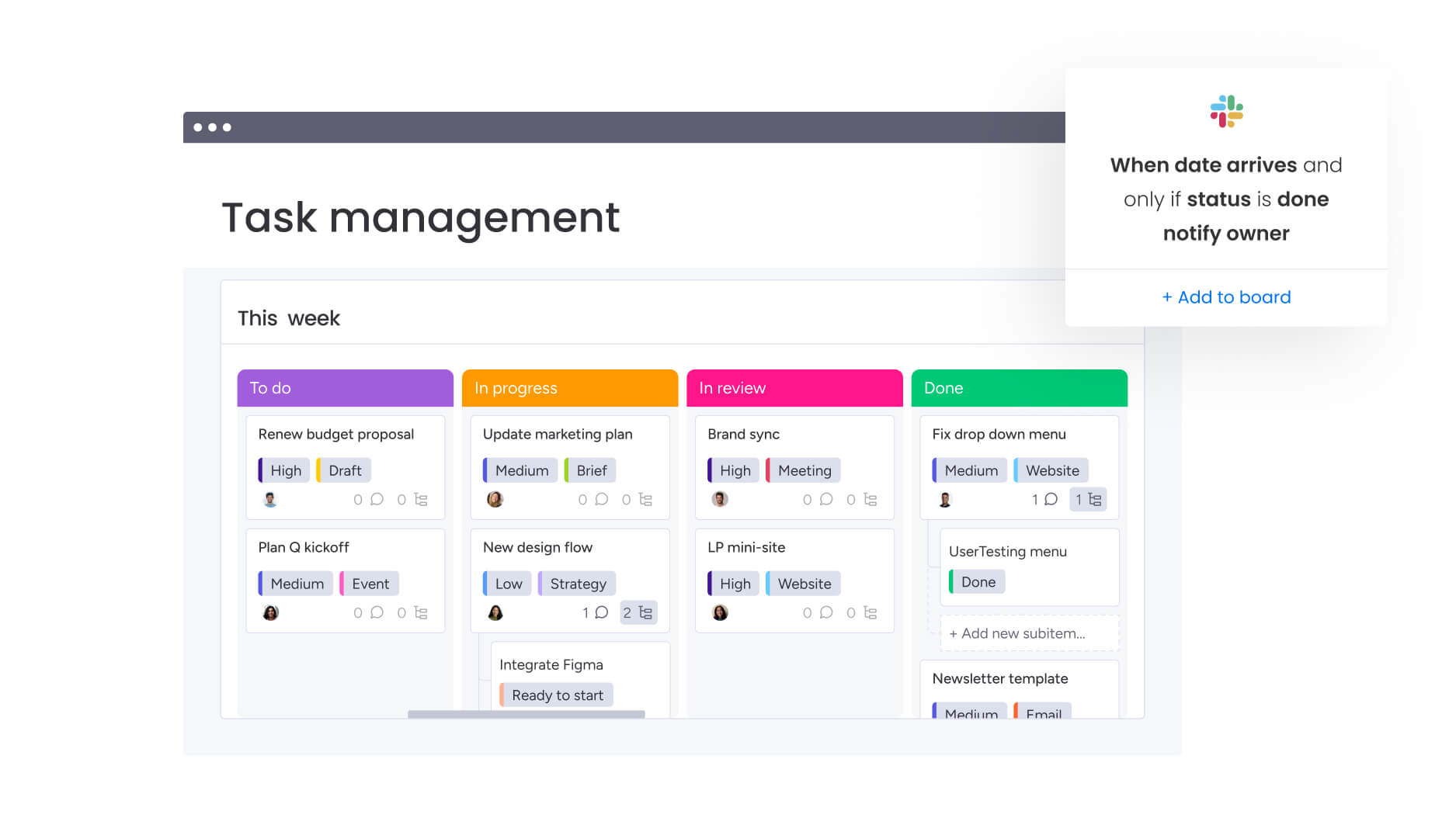
- Kanban cards: risk indicators highlight potential bottlenecks.
- Timeline tasks: warnings appear on tasks approaching critical deadlines.
- Dashboard widgets: alerts surface portfolio-level risks requiring attention.
Advanced platforms like monday work management have a Portfolio Risk Insights capability that provides proactive risk monitoring that helps teams address issues early. This feature surfaces at-risk projects across portfolios, enabling leaders to take corrective action before deadlines slip or quality suffers.
Smart automation that replaces manual updates
AI automates the really tedious work of maintaining project data accuracy across different visualization views. This automation maintains data quality across all visualization methods without requiring constant manual updates that slow down execution.
Key automation capabilities:
- AI Blocks for categorization: automatically organize tasks by type, priority, or department without manual tagging.
- AI Blocks for summarization: generate project status updates from task-level data, eliminating manual status report writing.
- Digital Workforce monitoring: continuously identify tasks needing attention, update status based on activity patterns, and notify relevant team members when action is required.
These AI capabilities work across all visualization methods, providing intelligent assistance whether teams are using Kanban boards, timelines, dashboards, or any other view. Cleverly, the system also learns from project patterns to improve recommendations over time.
How to maximize impact with hybrid visualization
The most effective teams don’t rely on a single way to visualise work. Instead, they combine multiple views to support different needs as projects move from planning to execution.
This hybrid approach allows teams to adapt as requirements change without switching tools or duplicating data, recognising that different stages of work benefit from different perspectives.
Combining views for complete project clarity
Teams use different visualization methods for different project aspects while maintaining data consistency across all views: this approach eliminates the need to maintain separate tools or manually sync data across systems.
Effective view combinations:
- Kanban board: handles daily task management and workflow progression.
- Timeline view: communicates schedules and deadlines to stakeholders.
- Workload view: supports resource planning and capacity management.
- Dashboard: provides executive reporting and portfolio insights.
For example, a product team might plan their sprint using a sprint board, track daily progress with a Kanban view, communicate deadlines to stakeholders via timeline, and report metrics to leadership through a dashboard.
All views display the same underlying project data, ensuring consistency while providing specialized perspectives that serve specific purposes.
Switching visualizations by stakeholder needs
Different stakeholders require different levels of detail and different visualization formats. The right approach matches visualization methods to stakeholder requirements while maintaining a single source of truth for project data.
Visualization needs by role:
- Team members: need task lists and Kanban boards for daily priorities and blockers.
- Project managers: require timeline and workload views for schedule status and resource allocation.
- Department leaders: use dashboards and Gantt charts for portfolio health and risk indicators.
- Executives: focus on dashboards and summary views for strategic alignment and ROI.
- External clients: prefer timeline and calendar views for major milestones and project phases.
Modern platforms like monday work management allow each person to access the visualization that matches their needs while maintaining a single source of truth for project data. This flexibility ensures everyone gets the information they need in the format that makes most sense for their role.
Building custom workflows with multiple perspectives
Integrated workflows leverage the strengths of different visualization methods throughout the project lifecycle. This approach recognizes that project needs change as work progresses from planning through execution to completion.
Project lifecycle visualization strategy:
- Strategic planning: start with mind mapping for brainstorming and relationship exploration.
- Initial scheduling: transition to timeline views for high-level planning and milestone setting.
- Daily execution: use Kanban boards or task lists for focused work management.
- Progress monitoring: monitor advancement through dashboards and workload views.
- Status communication: share updates via calendar views and timeline summaries.
Benefits by project phase:
- Early-stage projects: benefit from flexible, exploratory visualizations like mind maps.
- Mid-project execution: requires focused views like Kanban boards or task lists.
- Project closeout: benefits from summary views like dashboards for reporting and analysis.
Build flexible project workflows with monday work management today
Teams that embrace visualization flexibility gain significant advantages over those locked into single-view approaches. When teams can switch between views based on what they’re doing, who they’re talking to, and where they are in the project, everyone stays engaged, decisions improve, and results follow.
If you want to keep up with how teams work today, you need visualization solutions that flex with their needs, not against them.
With monday work management, you can adapt your project views to fit any workflow, which empowers teams to plan, track, and deliver work more effectively. Unlike traditional project management tools that force teams into rigid Gantt chart structures or single-view approaches, the platform adapts to how teams actually work.
15+ visualization options in one platform
Teams access the complete range of modern project visualization methods within a single, unified workspace. Each view serves specific purposes while maintaining data consistency across the platform.
Complete visualization suite:
- Board views: customizable tables displaying project data with unlimited custom fields.
- Kanban views: visual task flow through customizable stages with work-in-progress limits.
- Timeline views: simplified scheduling showing task duration without complex dependencies.
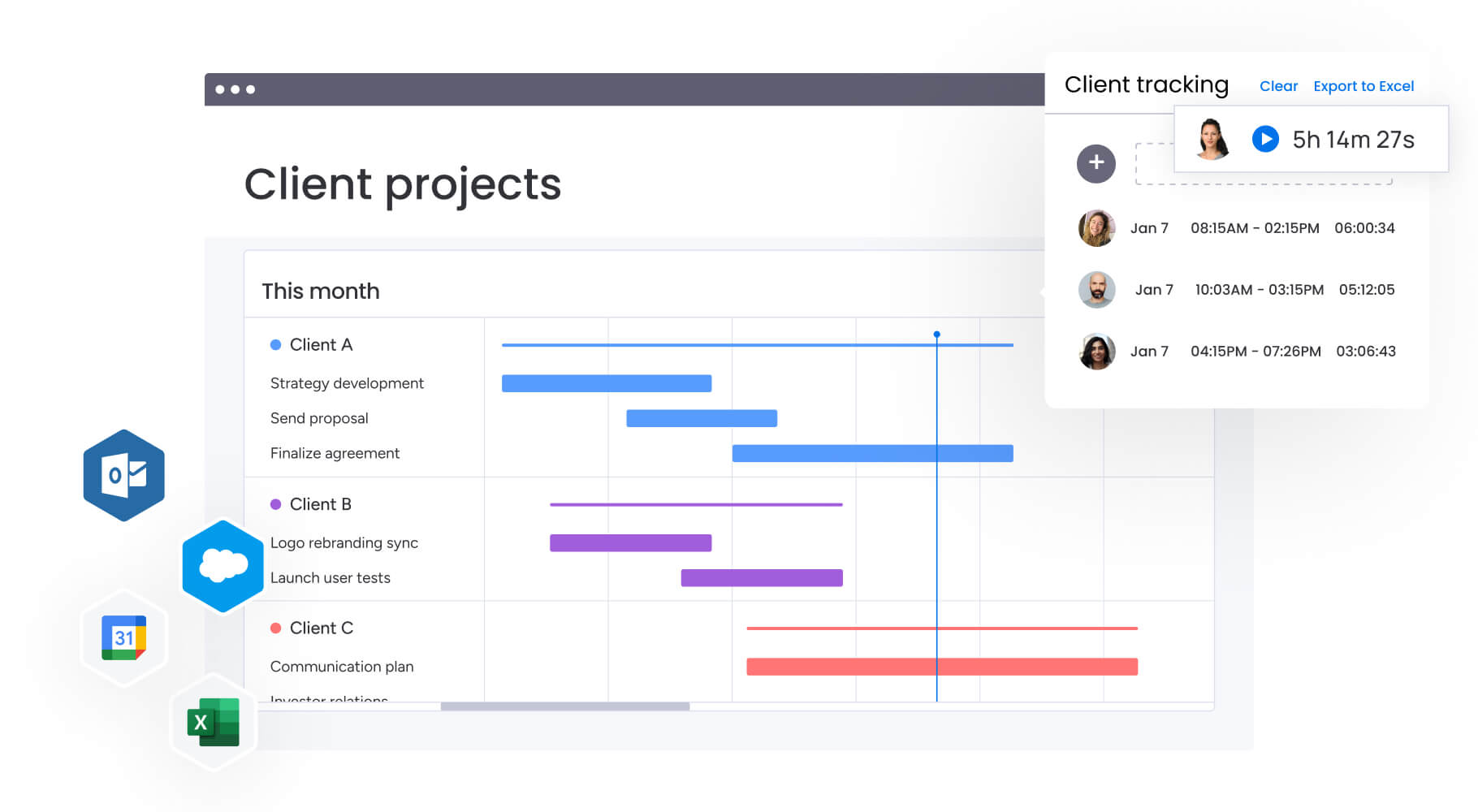
- Gantt charts: traditional project timelines with dependency mapping for teams that need them.
- Calendar views: date-based visualization integrating with Google Calendar and Outlook.
- Workload views: resource allocation and capacity management with visual indicators.
- Dashboard views: customizable widgets displaying KPIs, charts, and project summaries.
- Map views: geographic visualization for location-based projects and field operations.
- Chart views: data visualization showing project metrics and trends.
- Form views: data collection interfaces for intake requests and information gathering.
All views display the same underlying project data, eliminating the need to duplicate information or switch between tools. Teams choose the right visualization for each situation without losing data consistency or requiring manual synchronization.
AI-powered insights that guide your choice
monday work management’s AI capabilities help teams select optimal visualization methods and maintain project health across all views. The platform’s intelligent features work seamlessly regardless of which visualization method teams choose.
Intelligent automation features:
- AI Blocks for categorization: automatically organize tasks by type, priority, department, or custom criteria without manual tagging.
- AI Blocks for summarization: generate project status updates from task-level data, eliminating manual status report writing.
- Portfolio Risk Insights: analyze project patterns to identify potential issues before they impact delivery.
- Digital Workers: operate continuously in the background, flagging tasks needing attention, updating status based on activity patterns, and notifying relevant team members.
These AI capabilities work across all visualization methods, providing intelligent assistance whether teams are using Kanban boards, timelines, dashboards, or any other view. The system also learns from project patterns to improve recommendations over time, helping teams work smarter without adding administrative overhead.
Real teams, real results with flexible views
Organizations across industries use monday work management’s visualization flexibility to improve project outcomes. Here’s what happens when real teams match the right view to the right situation:
- Marketing agency success: a global marketing agency managing 50+ client campaigns simultaneously uses Kanban boards for daily task management, timeline views for client communication, Workload views for resource allocation, and dashboards for executive reporting. This approach eliminated tool switching and improved project delivery speed by 35%.
- Software development transformation: a software development company with distributed teams across three continents uses sprint boards for Agile development, Gantt charts for stakeholder reporting, and workload views for capacity planning. The unified platform improved cross-team visibility and reduced project delays by 40%.
- Professional services optimization: a professional services firm uses timeline views for client-facing project schedules, task lists for internal execution, and dashboards for portfolio management. The flexibility to switch between views based on audience needs improved client satisfaction scores by 28% while reducing internal administrative time by 20%.
Frequently asked questions
What can you use instead of a Gantt chart?
Instead of a Gantt chart, teams can use Kanban boards for visual task flow, Timeline views for simplified scheduling, calendar views for deadline management, Workload views for resource allocation, dashboard views for executive insights, task lists for focused execution, sprint boards for Agile development, and mind maps for strategic planning. Platforms like monday work management offer all these options in one place, allowing teams to choose the right visualization for each situation without switching tools.
What is the best alternative to a Gantt chart for an Agile project?
Agile teams benefit most from sprint boards that organize work into time-boxed iterations, Kanban views that visualize work flow through stages, and dashboard visualizations that track velocity and sprint metrics. These views support the rapid iteration and frequent priority changes that Agile methodologies require, unlike traditional Gantt charts that become cumbersome when teams need to reorganize work daily or weekly based on changing requirements and customer feedback.
Can you combine Gantt charts with other project views?
Modern project management platforms allow teams to use multiple visualization methods simultaneously, with different views serving different stakeholder needs within the same project. Teams might use Gantt charts for external stakeholder reporting while using Kanban boards for daily team execution, Workload views for resource planning, and dashboards for executive updates. All views display the same underlying project data to maintain consistency without manual synchronization.
How do you transition from Gantt charts to alternative methods?
Teams should gradually introduce new visualization methods while maintaining familiar Gantt chart access during the transition period. Start by adding a Kanban or timeline view alongside the existing Gantt chart, then encourage team members to try the new view for specific tasks or project phases. As comfort grows, teams naturally migrate to the visualization methods that serve them best while keeping Gantt charts available for situations where they remain optimal.
What makes a good Gantt chart alternative for small teams?
Small teams benefit from visualization methods that emphasize simplicity, ease of adoption, and minimal setup requirements. Kanban boards, task lists, and calendar views require little training and allow teams to start tracking work immediately without complex configuration. These alternatives eliminate the overhead of dependency mapping and resource allocation that make sense for large projects but create unnecessary complexity for small team initiatives.
When should you stick with traditional Gantt charts?
Gantt charts remain the optimal choice for projects with complex dependencies between tasks, long-term timelines spanning six months or more, external stakeholders who require traditional project management documentation, and situations where detailed dependency mapping provides genuine value for coordination. Construction projects, large-scale system implementations, and regulated industries with strict documentation requirements often benefit from Gantt chart visualization.

 Get started