


You send out an estimate for a $50,000 project. The client approves it three weeks later. Now what? Most businesses scramble to recreate project details from a static document, manually set up workflows, and hope nothing gets lost in translation between the estimate and actual execution.
A free estimate template provides a structured, repeatable framework for calculating and presenting project costs, ensuring consistency across all client interactions. These templates establish clear expectations for pricing, timelines, and deliverables before work commences, transforming preliminary discussions into formal agreements. Standardized formats reduce errors, accelerate approval processes, and maintain professional consistency across every client touchpoint.
Below you’ll find seven industry-specific estimate templates, the essential elements every professional estimate needs, and a 5-step process for creating accurate estimates that protect your margins. You’ll also discover how to customize templates for your business needs and transform approved estimates into structured project workflows that deliver on their promises.
Key takeaways
- Deploy industry-specific frameworks: protect your margins by selecting templates tailored to your sector, whether that means tracking materials in construction, hourly expertise in consulting, or revision limits in creative agencies.
- Codify the six essential elements: eliminate disputes and accelerate approvals by ensuring every estimate includes a detailed scope, transparent line-item pricing, realistic timelines, clear terms, payment schedules, and digital signature fields.
- Bridge the gap between estimation and execution: utilize a Work OS to automatically transform approved line items into live, trackable project workflows, ensuring the promised scope matches the actual delivery.
- Optimize professionalism with smart customization: strengthen your brand and eliminate calculation errors by integrating your visual identity, industry-specific fields, and automated formulas into every template.
- Leverage portfolio-level intelligence: use real-time dashboards to track your entire estimate pipeline, allowing leadership to identify winning pricing patterns and forecast resource needs before projects officially commence.
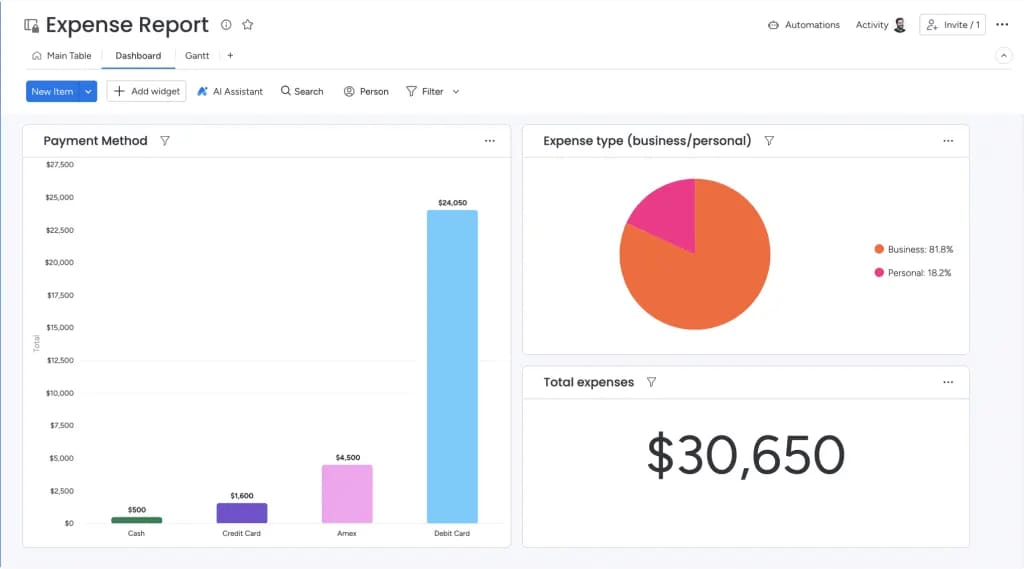
Free estimate templates are pre-formatted documents that make it easy to calculate and present project costs. They turn rough project conversations into clear agreements with pricing, timelines, and deliverables locked in before you start.
For organizations managing multiple departments and complex workflows, these templates provide essential structure for maintaining consistency and accuracy in project management. A professional estimate shows you know your stuff, builds client trust, and sets the terms that guide the entire project. When teams use different formats or miss key details, you get confusion, delayed approvals, and clients who start to question your expertise.
The right estimate template changes how you work in the ways listed below:
- Professional consistency: every proposal maintains uniform presentation and branding, reducing preparation time while reinforcing your identity across departments.
- Accurate client relationships: standardized estimates present pricing, timelines, and scope with precision, so clients understand exactly what they’re paying for.
- Error reduction: structured templates minimize costly mistakes in calculations and scope definitions by ensuring critical details like taxes, expiration dates, and specific deliverables are always included.
Downloadable templates are a solid start. But the right platforms turn static files into live workflows that track progress, budgets, and resources long after the estimate is signed.
7 types of free estimate templates for any industry
Each industry operates with distinct pricing structures, compliance requirements, and client expectations. Selecting the appropriate template ensures your estimates reflect sector-specific realities, from material volatility in construction to intellectual property considerations in creative work, while maintaining the accuracy and professionalism that drive approvals.
| Template type | Primary focus | Key sections | Best for |
|---|---|---|---|
| Construction and contractor | Materials, labor, permits | Phase breakdowns, subcontractor costs | Multi-phase builds |
| Consulting and professional services | Expertise and time | Hourly rates, milestone pricing | Strategic outcomes |
| Creative agency and design | Iterations and IP | Revision limits, usage rights | Feedback-heavy projects |
| IT services and software | Technical specifications | Testing phases, support agreements | Development projects |
| Home services and repair | Parts and labor | Diagnostic fees, warranty terms | On-site approvals |
| Event planning and catering | Logistics and vendors | Per-head pricing, contingencies | Variable guest counts |
| Customizable business | Flexible framework | Standard fields, adaptable sections | Unique workflows |
1. Construction and contractor estimate templates
Construction projects demand rigorous tracking of materials, labor hours, permit fees, and subcontractor costs. These templates excel in multi-phase builds where material costs fluctuate, requiring explicit expiration dates on pricing.
Key features include:
- Phase-based breakdowns: separate costs by foundation, framing, electrical, and finishing phases.
- Material cost tracking: real-time pricing updates for lumber, steel, and specialty materials.
- Permit and inspection fees: built-in fields for regulatory compliance costs.
2. Consulting and professional services templates
Consultants need templates that highlight expertise and time investment. These templates focus on hourly rates, specific deliverables, and milestone-based pricing, being perfect for strategic work, not physical materials.
Essential elements include:
- Expertise-based pricing: hourly rates that reflect skill level and specialization.
- Milestone structures: payment schedules tied to deliverable completion.
- Scope protection: explicit boundaries around included services and consultation hours.
3. Creative agency and design project templates
Creative work needs room for iterations and revisions. These templates spell out creative phases, revision limits, and IP rights, protecting you from scope creep during client feedback.
Critical components include:
- Revision limits: specific number of included design iterations.
- Usage rights: intellectual property terms and licensing agreements.
- Creative phases: concept development, design execution, and final delivery stages.
4. IT services and software development templates
Technical projects need precise specifications. These templates cover technical requirements, testing phases, and maintenance agreements, drawing clear lines between development, deployment, and post-launch support.
Technical specifications include:
- Development phases: planning, coding, testing, and deployment stages.
- Support agreements: post-launch maintenance and bug fix terms.
- Technical requirements: hardware, software, and integration specifications.
5. Home services and repair work templates
Service professionals need straightforward formats that homeowners can understand quickly. These templates cover diagnostic fees, parts, labor, and warranty terms — ideal when you’re generating and approving estimates on-site.
Service-specific features include:
- Diagnostic fees: upfront assessment costs and application to final work.
- Parts and labor separation: transparent breakdown of material versus service costs.
- Warranty terms: coverage periods for parts and workmanship.
6. Event planning and catering templates
Events mean juggling complex logistics and third-party vendors. These templates handle venue costs, per-head pricing, staffing ratios, and contingency planning, with line-item adjustments when guest counts shift.
Event-specific elements include:
- Per-head pricing: scalable costs based on guest count.
- Vendor coordination: third-party service integration and markup.
- Contingency planning: weather, cancellation, and change order protocols.
7. Customizable business estimate templates
General business templates provide a flexible starting point for any service industry. They include standard fields for contact info, line items, and terms making them perfect for businesses with unique workflows that don’t fit the usual categories.
Moreover, with a connected work platform, you can pull current pricing data straight into templates so every quote reflects real-time costs without manual updates.

Essential elements every professional estimate must include
Professional estimates require six critical components that safeguard your business while delivering clarity to clients. These elements accelerate approval cycles and establish the foundation for successful project execution. Omitting any component introduces risk, from scope expansion to payment friction and contractual disputes that derail profitability.
- Detailed scope of work and deliverables: specificity prevents scope expansion by drawing a precise line between what’s included in the project price and what constitutes additional cost.
- Transparent cost breakdown with line items: itemized pricing builds trust and allows clients to see exactly where their budget is allocated, facilitating easier negotiation if adjustments are needed.
- Timeline and project milestones: realistic scheduling aligns client deadline expectations with your team’s actual production capacity and availability.
- Terms, conditions, and project assumptions: legal protections define liability and document assumptions made during estimation, such as site access or data availability.
- Payment schedule and accepted methods: cash flow depends on explicit terms that define when deposits are due, how progress payments work, and what payment methods are accepted.
- Client approval and digital signature fields: formal approval triggers the move to production, with digital signature fields accelerating acceptance and creating a binding agreement record.
With solutions like monday work management, teams automate these elements through simple forms, keeping every estimate on-brand without manually checking every field.
Create professional estimates in 5 strategic steps
Accurate estimation requires a systematic methodology that safeguards profitability while establishing clear client expectations. This structured approach minimizes calculation errors, accelerates approval cycles, and ensures margin protection throughout the entire project lifecycle.
Step 1: gather complete project requirements
Accurate estimates begin with comprehensive discovery. Utilize client questionnaires and scoping meetings to gather detailed project requirements. Insufficient detail at this stage can compromise profitability, making thorough documentation of every requirement essential.
Key discovery activities include:
- Client questionnaires: structured forms that capture technical requirements and business objectives.
- Site visits or assessments: physical or virtual evaluation of project conditions.
- Stakeholder interviews: understanding decision-maker priorities and constraints.
Step 2: calculate true costs including hidden expenses
Profitability depends on capturing all costs and not just the obvious ones. Calculate direct labor and materials, but also account for overhead, administrative time, and contingency buffers. Build in your markup here so the final price covers indirect costs.
Cost calculation components include:
- Direct costs: materials, labor, and subcontractor fees.
- Indirect costs: administrative time, insurance, and equipment depreciation.
- Contingency buffers: risk mitigation for scope changes or unforeseen complications.
Step 3: define terms and boundaries
Clear boundaries prevent friction during execution. Set clear revision limits, define communication channels, and create a change order process. Lock in terms early to prevent scope creep from eating into your margins later.
Essential boundary definitions include:
- Revision limits: number of included changes or iterations.
- Communication protocols: meeting schedules and approval processes.
- Change order procedures: how additional work gets priced and approved.
Step 4: review for accuracy and professionalism
Quality checks protect your credibility. Before sending, review the estimate for mathematical accuracy, formatting consistency, and legal compliance. A simple typo in cost or timeline can hurt your credibility and delay approval.
Review checklist includes:
- Mathematical accuracy: verify all calculations and totals.
- Formatting consistency: check branding, fonts, and layout alignment.
- Legal compliance: ensure terms meet local regulations and industry standards.
Step 5: send and track client engagement
The delivery method for estimates significantly impacts client engagement and approval timelines. Utilize trackable delivery systems to monitor when clients access and review your estimates. This visibility enables strategic follow-up timing based on documented client interaction patterns.
By connecting initial inquiries to estimation workflows within monday work management, organizations establish seamless data flow from requirements gathering through final document generation, eliminating manual data reentry and reducing administrative overhead.
Get free estimate templates in every format you need
The file format you choose affects how efficiently you work and how clients experience your estimates. Different business models need different formats based on how complex your calculations are and how much collaboration you need. Know each format’s strengths, and you’ll pick the right platform for each stage of estimation.
| Feature | Word templates | Excel templates | PDF templates | Google Workspace |
|---|---|---|---|---|
| Primary strength | Text and layout | Complex math | Security and layout | Collaboration |
| Calculation ability | Low | High | None | High |
| Editability | High | High | Low (read-only) | High |
| Best for | Proposals | Costing | Delivery | Team editing |
Each format serves distinct business needs:
- Word templates for easy customization: best for businesses needing extensive text customization and branding flexibility. They allow for long-form scope descriptions but lack automatic calculation features.
- Excel templates with automatic calculations: ideal for complex pricing models. Built-in formulas reduce calculation errors and allow rapid adjustments to quantities and rates.
- PDF templates for professional presentation: the standard for final client delivery. PDFs ensure formatting remains consistent across all devices and prevent clients from accidentally altering figures.
- Google Workspace templates for team collaboration: optimal for distributed teams. Multiple stakeholders can edit and review estimates simultaneously in real-time, eliminating version control issues.
Consequently, cloud-based platforms eliminate these format constraints entirely by unifying universal access and automatic synchronization with the ability to export your data into any professional format seamlessly.
Customize any estimate template for your business
Generic templates usually miss what your business really needs. Customize your templates, and they become sales assets that strengthen your brand and streamline operations. Customization makes sure your estimates reflect what makes you different — while meeting industry compliance requirements.
Add professional branding and contact details
Strong branding builds recognition and trust. Add your logo, use your brand colors, and stick to consistent fonts. Put your contact info front and center so clients know exactly who to reach with questions.
Branding elements include:
- Logo placement: header positioning that reinforces brand recognition.
- Color schemes: consistent application of brand colors throughout the document.
- Contact information: multiple communication channels and response time expectations.
Build industry-specific fields and sections
The more specific you are, the more expertise you signal. Customize templates to include industry-standard line items, regulatory codes, or specific unit measurements like square footage versus hours. This way, your estimates speak the client’s language and meet industry requirements.
Industry customizations include:
- Regulatory compliance: required permits, licenses, and inspection codes.
- Unit measurements: industry-standard pricing per square foot, hour, or project phase.
- Specialized terminology: technical language that demonstrates sector expertise.
Create smart formulas for instant calculations
Automation speeds things up. Add formulas for tax calculations, automatic discounts, and subtotals, so you avoid manual math errors. That way, your team can focus on scoping instead of crunching numbers.
Formula applications include:
- Tax calculations: automatic application of local sales tax rates.
- Discount structures: volume pricing and early payment incentives.
- Markup applications: consistent profit margins across all line items.
Enable e-signatures for faster approvals
Easy signing speeds up deals. Add digital signature fields so clients can approve estimates right away from any device. This removes the barrier of printing, signing, and scanning that often delays project starts.
Organizations using solutions like monday work management create master templates that lock in custom elements for the entire team, ensuring brand consistency and compliance at scale.
The transition from signed estimate to live project is where data often gets lost and momentum stalls. How do organizations ensure that the scope, timeline, and budget promised in an estimate translate directly into project execution? This critical handoff determines whether projects deliver on their promised profitability and timeline.
Platforms like monday work management bridge this gap by converting static estimate data into active project workflows. The platform delivers these key capabilities:
- Connect estimates directly to project workflows: approved estimates automatically convert into structured project boards, ensuring the project plan matches the sold scope exactly with workflows, timelines, and resource assignments generated instantly.
- Generate workflows automatically from line items: line items in the estimate become trackable project elements, ensuring every deliverable promised to the client has an assigned owner and deadline.
- Schedule resources based on real availability: resource management features prevent overbooking by checking team capacity against estimated hours, allowing for realistic start dates based on actual team bandwidth.
- Track project profitability from day one: the system tracks actual time and expenses against the estimated budget in real-time, providing immediate visibility into project profitability and allowing for course correction if costs exceed the estimate.
Traditional approach monday work management approach Key advantage Manual project setup from estimates Automatic project creation Faster project initiation Separate estimation and project systems Unified estimation-to-delivery platform Eliminates data transfer errors Static budget tracking Real-time profitability monitoring Proactive cost management Email-based client updates Integrated client collaboration Transparent project visibility
Furthermore, AI capabilities within platforms like monday work management enhance the estimate-to-project workflow by analyzing patterns to flag potential risks, optimizing resource allocation by matching skills to requirements, and generating automated status reports that keep stakeholders informed without manual effort.
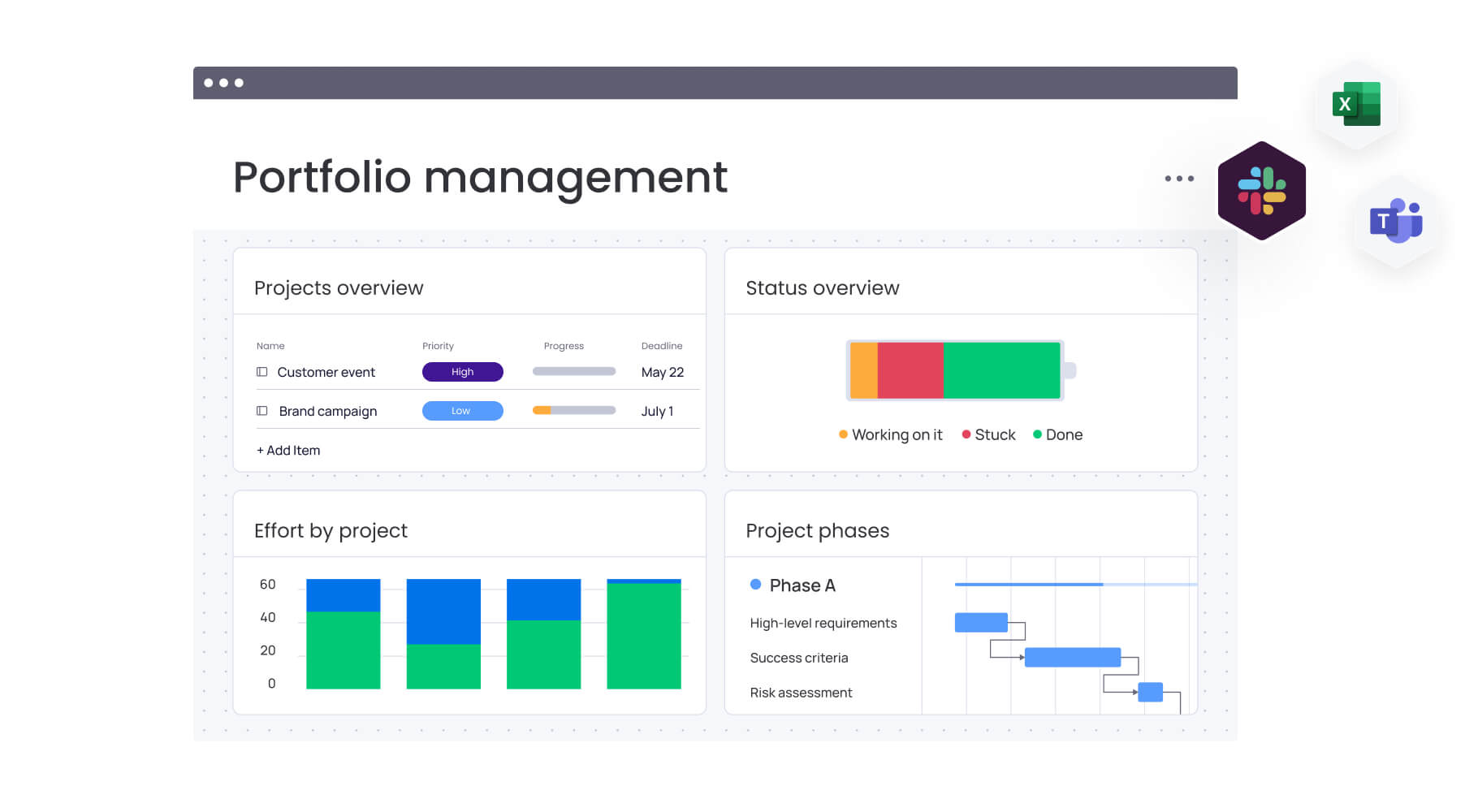
Managing multiple estimates at once requires more than individual deal tracking; it demands portfolio-level visibility. Therefore, a comprehensive view of the estimated pipeline enables leaders to forecast revenue, plan capacity, and make proactive decisions before work is approved. With the right portfolio management capabilities, estimation becomes a strategic lever rather than a reactive sales activity.
Portfolio management capabilities transform estimation from an administrative function into a strategic advantage through these features:
- Visualize your complete estimate pipeline: dashboard views aggregate data to show the status, value, and conversion probability of every active estimate, providing a precise picture of potential revenue and upcoming workload.
- Monitor status updates and client activity: real-time tracking shows which estimates are out for review, which have been viewed, and which are pending approval, allowing sales teams to prioritize follow-ups based on client engagement.
- Identify winning patterns in your estimates: analytics reveal which estimate structures, pricing models, or service packages lead to higher approval rates, informing future pricing strategies and template adjustments.
- Forecast resource needs before approval: capacity planning uses the probability of estimate approval to forecast future hiring or resource needs, preventing the bottleneck of landing new work without the team to execute it.
Dashboard capabilities in platforms like monday work management provide executive-level insights while maintaining the ability to drill down into specific project details, ensuring alignment between strategy and execution.

“monday.com has been a life-changer. It gives us transparency, accountability, and a centralized place to manage projects across the globe".
Kendra Seier | Project Manager
“monday.com is the link that holds our business together — connecting our support office and stores with the visibility to move fast, stay consistent, and understand the impact on revenue.”
Duncan McHugh | Chief Operations OfficerScale your estimation process with intelligent automation
Moving from static templates to the monday.com Work OS represents an evolution in how business is conducted. With monday work management, estimates transform from isolated documents into the foundation of a comprehensive business operating system. This shift enables organizations to scale their estimation processes without proportionally increasing administrative overhead.
The platform delivers these strategic advantages for organizations ready to scale their estimation processes:
- AI-powered estimate analysis and risk detection: intelligent analysis reviews historical data to predict potential overruns or scheduling conflicts before the project begins, protecting margins.
- Automated workflows from estimate to invoice: automation handles the administrative burden, triggering invoices, setting up project boards, and notifying teams the moment an estimate is approved.
- Real-time collaboration across your team: distributed teams stay aligned throughout the project lifecycle, with central access to the original estimate, scope changes, and current progress.
- Integration with 200+ business applications: the platform connects with existing CRM, finance, and communication systems, ensuring data flows seamlessly across the entire tech stack without manual duplication.
Organizations that implement intelligent estimation workflows report faster approval cycles, improved project profitability, and reduced administrative overhead. The combination of professional templates and dynamic project management creates a competitive advantage that scales with business growth.
Frequently asked questions
How do I track changes and revisions to estimates?
Tracking changes and revisions to estimates requires version control or a platform that records edit history. Cloud-based systems ensure every modification is logged with a timestamp and user identification, preventing confusion over which version is current.
Can I make my estimate template legally binding?
Making an estimate template legally binding requires including specific terms, conditions, and a signature from the client. Adding a formal acceptance section transforms the document from a rough quote into a contractual agreement.
What's the difference between an estimate and a quote?
The difference between an estimate and a quote is that an estimate is a projected cost based on available information and may change, while a quote is a fixed price offer that the provider commits to for a specific period. Quotes are generally used when the scope is well-defined and unlikely to fluctuate.
How long should an estimate remain valid?
An estimate should remain valid for 14 to 30 days to protect the business from material cost increases or scheduling conflicts. Stating the expiration date on the template prevents clients from accepting outdated pricing months later.
Can multiple team members work on estimates together?
Multiple team members can work on estimates together when using cloud-based platforms like Google Workspace or monday work management. These systems allow simultaneous editing and commenting, whereas static files like Excel or Word require sequential editing.
How does monday work management help convert estimates into projects?
Approved line items automatically turn into actionable workflows on a project board with monday work management. This eliminates manual data entry, ensures the project plan matches the sold scope, and immediately assigns resources to the new work.

 Get started