

Your teams are drowning in disconnected systems. Spreadsheets here, email threads there, and chat messages everywhere else. Meanwhile, you’re left wondering what’s actually getting done and why that strategic initiative launched three months ago seems stuck in limbo.
Great work management software does one thing exceptionally well: it brings all your work together while still letting different teams work their way. These platforms go beyond simple to-do tracking to connect daily execution with strategic goals, automate routine coordination, and provide real-time visibility into progress and resource allocation. They transform fragmented workflows into streamlined delivery systems that scale with organizational growth.
In this practical guide, we’ll cut through the marketing hype and show you which work management platforms actually deliver for enterprise teams. We’ll focus on what matters: automation that saves real time, collaboration that breaks down silos, and the visibility leaders need to make confident decisions.
We’ll also walk through key evaluation criteria, compare top platforms, and provide a selection framework to help you choose software that delivers measurable value rather than additional complexity.
Key takeaways
- Focus on capabilities that solve real problems, not feature counts: choose platforms that address your specific workflow challenges like scattered tools, poor visibility, and manual coordination rather than chasing the longest feature list.
- Prioritize user adoption over advanced functionality: the best task management software succeeds when teams actually use it — look for intuitive design and progressive complexity that lets teams start simple and grow capabilities over time.
- AI transforms reactive management into proactive optimization: modern platforms like monday work management use AI Blocks and Digital Workers to predict delays, route tasks intelligently, and automate complex workflows without technical expertise.
- Enterprise requirements separate professional platforms from basic trackers: organizations with 100+ employees need permission controls, audit trails, compliance certifications, and API access to support governance and long-term growth.
- Pilot with real workflows to avoid costly implementation failures: test platforms with diverse teams using actual work scenarios, not just demos — this reveals how software performs under real conditions and prevents selection mistakes.
Understanding task management software for modern organizations

Task management software is a digital platform that helps teams organize, track, and complete work across projects and departments. It transforms scattered workflows into unified systems through business process management, letting everyone see priorities, deadlines, and progress in real time.
For mid-to-large organizations managing complex operations, task management software goes beyond simple to-do lists. It connects strategic goals to daily execution, automates routine coordination, and provides visibility across departments — turning fragmented work into streamlined delivery.
The right platform addresses several critical challenges that organizations face when scaling their operations:
- Work scattered across tools: teams jump between spreadsheets, emails, and disconnected systems.
- Lack of visibility: leadership can’t see project status or resource allocation in real time.
- Manual coordination: hours wasted on status updates and task handoffs.
- Misaligned priorities: teams work in silos without understanding how their work connects to business goals.
Key capabilities to evaluate in task management platforms

Don’t get distracted by feature lists when evaluating task management software. Instead, focus on capabilities that actually solve your team’s biggest headaches. Understanding these core capabilities helps you identify platforms that will deliver measurable value rather than just additional complexity.
Step 1: assess core collaboration features
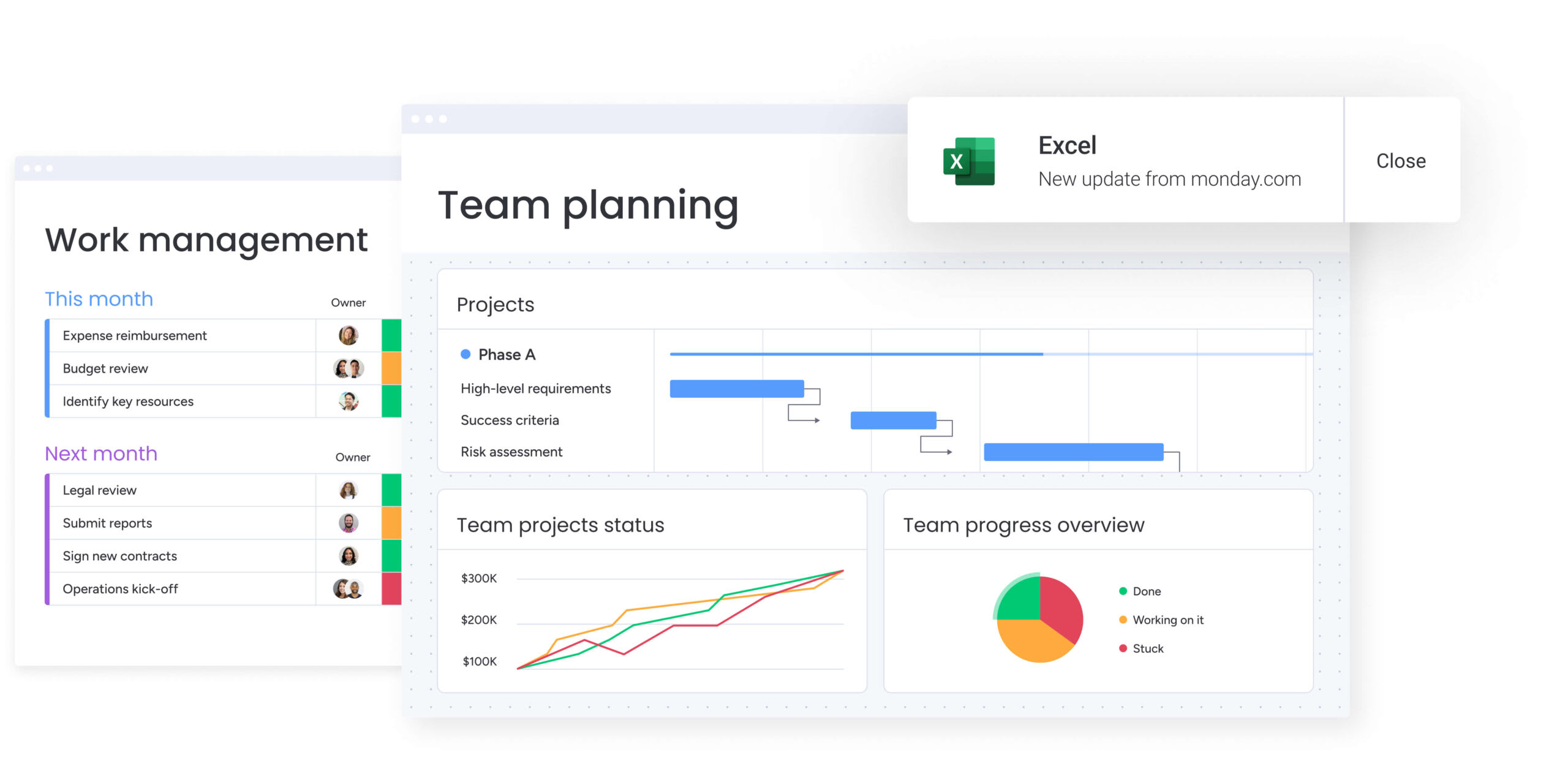
Looking for more seamless collaboration? Start with a platform that shows everyone the same reality. Your teams should be able to see updates as they happen, communicate without switching tools, and skip those mind-numbing status meetings altogether.
Essential collaboration capabilities include:
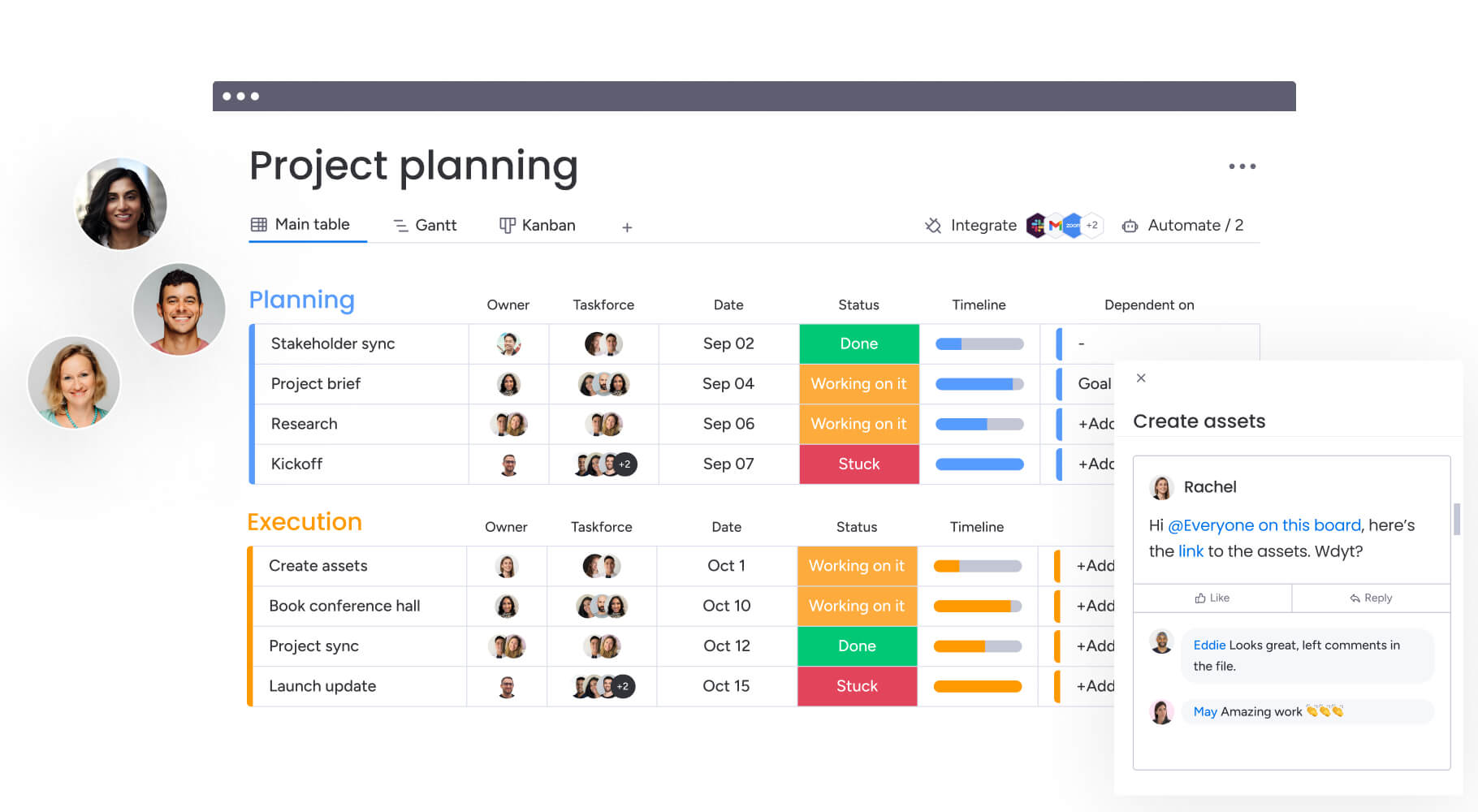
- Unified workspaces: all project information, discussions, and files in one place.
- Real-time notifications: instant alerts when tasks change or need attention.
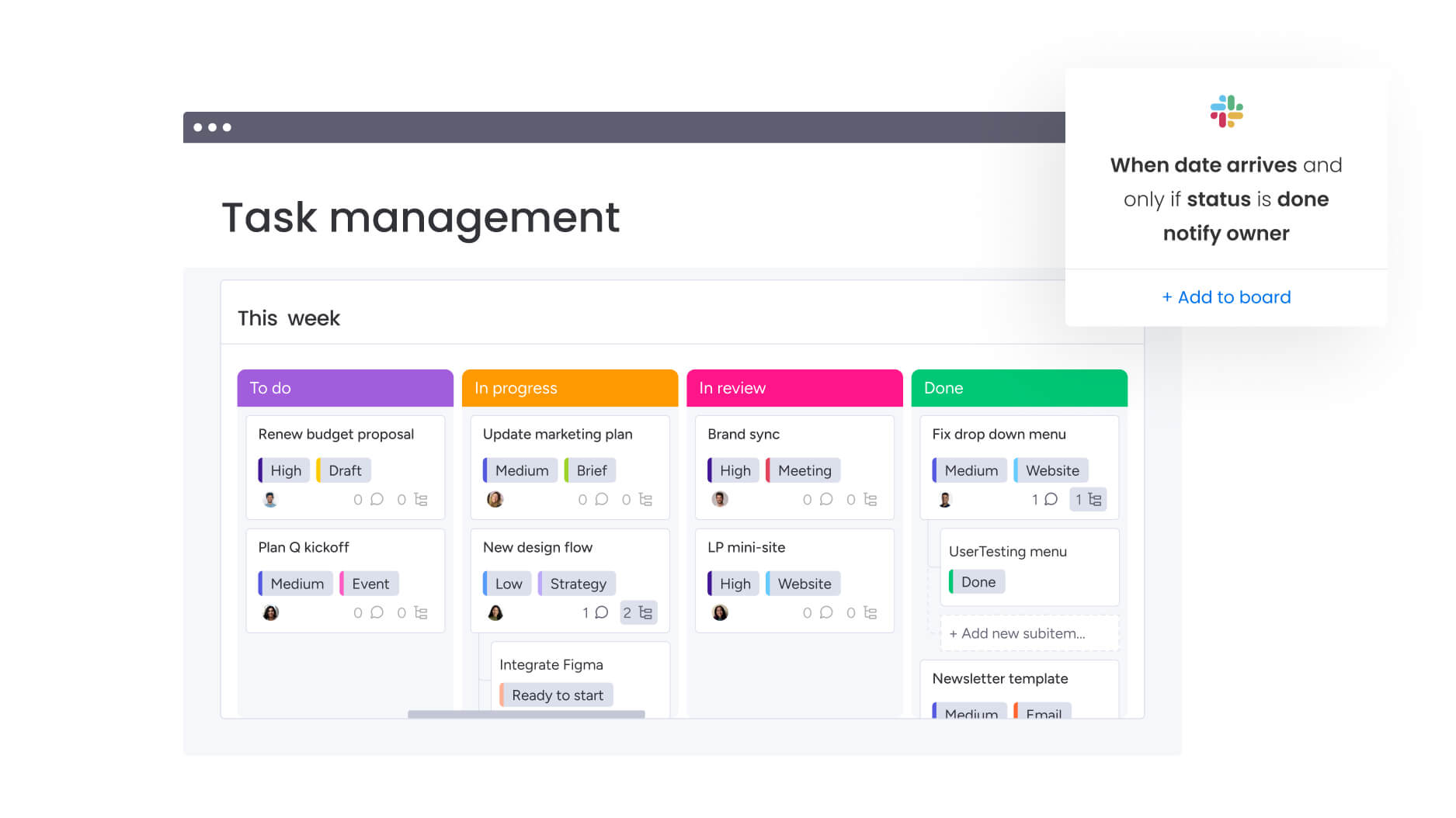
- Cross-functional views: different perspectives for different roles — Kanban for teams, Gantt for project managers, dashboards for leadership.
Step 2: evaluate automation and workflow capabilities
Good automation eliminates the soul-crushing repetitive tasks your teams hate. But here’s what matters: can your actual teams build these automations, or will they need an engineer every time?
Key automation features to prioritize:
- No-code automation builders: create complex workflows without technical expertise.
- Template libraries: pre-built automations for common processes.
- Conditional logic: if-then scenarios that adapt to changing conditions.
- Integration automation: automatic data sync between connected tools.
Step 3: verify enterprise requirements
Organizations with 100+ employees need capabilities that support governance, security, and scalability. These requirements separate professional platforms from basic task trackers and ensure your investment supports long-term growth.
Critical enterprise features include:
- Permission controls: granular access management for sensitive data.
- Audit trails: complete history of changes and decisions.
- Compliance certifications: sOC 2, ISO 27001, GDPR compliance.
- API access: custom integrations with existing enterprise systems.
Step 4: identify advanced capabilities for scale
As organizations grow, they need sophisticated features that connect strategy to execution. These capabilities distinguish comprehensive work management platforms from simple task tools and enable true organizational transformation.
Advanced capabilities to evaluate:
- Portfolio management: visibility across multiple projects and departments.
- Resource optimization: capacity planning and workload balancing.
- AI-powered insights: predictive analytics and intelligent task routing.
- Cross-project dependencies: managing connections between related initiatives.
Comparing the best task management software options
The task management software landscape offers dozens of platforms, each with distinct strengths.
Understanding how different solutions address organizational needs helps narrow your options to those that truly fit your requirements. This comparison focuses on platforms that serve enterprise-scale organizations with complex, cross-departmental workflows.
| Feature | monday work management | Asana | Wrike |
|---|---|---|---|
| Client guest access | Unlimited guests with granular permissions | Limited guest access on paid plans | Guest access on Business+ |
| Resource management | Built-in workload view and capacity planning | Workload on Advanced plan ($24.99/user/month) | Resource management on Business plan |
| Time tracking | Native time tracking on all paid plans | Requires third-party integration | Native on Business+ |
| Automation actions/month | 25,000 on Pro plan | 1,700 on Standard plan | 200 on Business plan |
| Client approval workflows | Built-in approval automation | Manual approval tracking | Approval workflows available |
| Multiple project views | 10+ views including Gantt, Kanban, Timeline | List, Board, Timeline, Calendar, Gantt | List, Board, Gantt, Table |
| Price per user/month | $12 (Standard, billed annually) | $13.49 (Starter, billed annually) | $10 (Team, billed annually) |
| Implementation time | Less than 4 months to full value | Varies by organization | Varies by organization |
monday work management: unified platform for enterprise scale
monday work management is built for organizations that need visibility and control across complex operations, without slowing teams down. It brings task tracking, automation, and reporting into a single platform that supports both daily execution and long-term planning.
The platform gives leaders a real-time view of work across departments, while letting teams operate in ways that fit their workflows. Project data rolls up automatically, removing the need for manual reporting and constant status checks.
- Portfolio visibility at scale: real-time dashboards surface progress, risks, and resource allocation across hundreds of initiatives without manual consolidation.
- Standardized workflows with team flexibility: managed templates keep processes consistent across the organization while allowing teams to adapt boards to how they actually work.
- Resource clarity across departments: a centralized resource directory and live capacity views support smarter prioritization, staffing, and project intake decisions.
- AI embedded directly into execution: AI Blocks handle categorization, summarization, and data extraction, while Digital Workers continuously monitor work and surface risks automatically.
- Enterprise-ready governance and security: granular permissions, audit trails, compliance certifications, and API access support long-term scalability and control.
By replacing disconnected systems with a single source of truth, monday work management reduces manual coordination and keeps work moving. Teams spend less time tracking updates, and leaders gain the clarity needed to make confident decisions at scale.
Asana: structured workflows for creative teams
Asana excels at providing structure for marketing and creative workflows. Its timeline views and portfolio features help teams visualize campaign schedules and dependencies. The platform’s strength lies in its pre-built templates and intuitive interface that requires minimal training.
However, organizations requiring deep customization or complex automation may find Asana limiting. The platform works best for teams that can adapt their processes to fit Asana’s framework rather than requiring the platform to adapt to them.
ClickUp: comprehensive features for tech-savvy teams
ClickUp offers extensive functionality that appeals to teams wanting everything in one platform. From docs to goals to time tracking, ClickUp provides tools for nearly every aspect of work management. Its customization options allow teams to build highly specific workflows.
The trade-off comes in complexity. New users often feel overwhelmed by the options, and achieving optimal setup requires significant time investment. Organizations should ensure they have dedicated resources for implementation and ongoing optimization.
Smartsheet: familiar spreadsheet interface
Smartsheet bridges the gap between traditional spreadsheets and modern work management. Teams comfortable with Excel find the transition intuitive, making adoption smoother for spreadsheet-heavy departments.
While the familiar interface reduces training needs, it also limits innovation. Teams may find themselves constrained by spreadsheet paradigms when trying to build more sophisticated workflows or leverage advanced automation.
How AI transforms task management capabilities
AI is fundamentally changing how we manage work. We’re finally moving beyond just tracking tasks to actually predicting problems before they happen. Understanding how AI enhances task management helps organizations evaluate which platforms will deliver lasting value. #
Remember, modern AI capabilities go far beyond simple automation to provide intelligent assistance that adapts to your organization’s unique patterns and needs.
Step 1: leverage intelligent automation at scale
Traditional automation follows rigid rules — when X happens, do Y. AI-powered automation adapts based on context and patterns, making decisions that would typically require human judgment.
AI can automatically:
- Categorize incoming requests based on content, urgency, and historical patterns.
- Route tasks to team members based on skills, availability, and past performance.
- Predict delays by analyzing project velocity and resource constraints.
- Generate summaries from meeting notes, turning discussions into actionable tasks.
monday work management’s AI Blocks bring these capabilities directly into workflows. Teams can extract information from documents, detect sentiment in feedback, and generate project plans — all without leaving their workspace.
Step 2: implement predictive insights for proactive management
AI transforms reactive management into proactive optimization by identifying patterns humans might miss. This shift from responding to problems to preventing them represents a fundamental change in how organizations manage work.
Modern platforms use AI to:
- Flag at-risk projects before delays cascade.
- Recommend resource adjustments based on workload trends.
- Identify process bottlenecks through workflow analysis.
- Suggest optimization opportunities from historical data.
The Digital Workforce in monday work management takes this further with specialized AI workers. The Project Analyzer continuously monitors portfolio health, while the Campaign Manager optimizes marketing resource allocation based on performance data.
Step 3: adopt natural language interfaces
AI makes powerful features accessible to non-technical users through natural language processing. Instead of learning complex query languages or navigation paths, users can interact with their work management platform conversationally.
Users can:
- Ask questions in plain language and receive instant answers.
- Create automations by describing desired outcomes.
- Generate reports with conversational requests.
- Build workflows through simple descriptions.
This democratization of technology ensures that advanced capabilities reach every team member, not just power users or administrators.
What makes task management software successful in organizations
Platform success depends on more than features. The best task management software becomes integral to how teams work, acting as a task tracker rather than just another system to maintain. Several factors determine whether a platform drives real value or becomes shelfware.
Understanding these success factors helps organizations choose platforms that will actually transform how work gets done.
Factor 1: intuitive design drives adoption
User adoption remains the biggest predictor of platform success. Teams need software they can start using immediately, without extensive training or documentation.
Successful platforms share these characteristics:
- Visual clarity: information hierarchy that makes sense at first glance.
- Consistent navigation: similar actions work the same way across features.
- Progressive disclosure: advanced features available without cluttering basic workflows.
- Mobile accessibility: full functionality on any device.
monday work management achieves high adoption through its visual, color-coded interface that makes project status immediately apparent. Teams can start with simple boards and gradually add automation, dashboards, and AI capabilities as comfort grows.
Factor 2: flexibility without complexity
Organizations need platforms that adapt to their unique processes without requiring technical expertise. The most successful solutions balance customization depth with configuration simplicity.
Key balance points include:
- Customization depth: ability to model any workflow or process.
- Configuration simplicity: no-code tools for building and modifying.
- Template availability: pre-built starting points for common scenarios.
- Governance controls: standardization without limiting team autonomy.
This balance allows organizations to maintain consistency across departments while giving teams the flexibility to work effectively.
Factor 3: rapid time to value
Organizations can’t afford months-long implementations. Successful platforms deliver value quickly through immediate usability and incremental complexity adoption.
Value acceleration comes through:
- Instant setup: working system from day one.
- Incremental adoption: start simple, add complexity over time.
- Quick wins: immediate improvements in visibility and coordination.
- Scalable architecture: growth without platform changes.
The ability to show measurable improvements within weeks, not months, determines whether stakeholders continue investing in platform adoption.
3 steps to choosing the right work management software for your organization
Choosing the right task management software isn’t just about features — it’s about finding a platform that fits how your teams actually work and where your company is headed. Don’t skip the proper evaluation process, or you’ll likely end up with yet another abandoned tool.
This systematic approach reduces the risk of choosing a platform that looks good in demos but fails in real-world implementation.
Step 1: define your evaluation criteria
Start by identifying what matters most to your organization. Consider these dimensions when building your evaluation framework to ensure you’re comparing platforms on factors that actually impact success.
- Organizational scope: do you need team-level task tracking or enterprise-wide work management? Platforms like monday work management excel at connecting departmental work to strategic objectives, while simpler tools may suffice for isolated team needs.
- Integration requirements: map your existing technology stack and identify critical connections. The platform should integrate seamlessly with communication tools, file storage, and specialized systems your teams already use.
- Scalability needs: consider both user growth and complexity growth. Will you add more teams? More sophisticated workflows? More data? Choose platforms with architecture that supports your trajectory.
- Change readiness: assess your organization’s capacity for change. High-adoption platforms with intuitive interfaces work better for organizations with limited training resources.
Step 2: conduct effective pilots
Pilot programs reveal how platforms perform in real-world conditions. Structure your pilots for maximum learning rather than just basic functionality testing.
Design your pilot to include:
- Select diverse teams: include different departments, technical abilities, and use cases.
- Define success metrics: establish clear, measurable goals for the pilot period.
- Provide adequate support: ensure pilot teams have resources to explore platform capabilities.
- Gather structured feedback: regular check-ins and standardized evaluation criteria.
- Test critical scenarios: include your most complex workflows and integration needs.
Step 3: make a confident selection
Organizations often make predictable mistakes when choosing task management software. Awareness helps you avoid these traps that lead to failed implementations and wasted investment.
- Feature fixation: don’t choose based on feature count. Focus on capabilities that address your specific challenges. A platform with fewer, well-executed features often outperforms feature-rich but poorly integrated alternatives.
- Underestimating adoption challenges: technical capabilities mean nothing if teams won’t use them. Prioritize user experience and adoption support over advanced features that may never get used.
- Ignoring total cost: consider implementation, training, integration, and ongoing support costs. Platforms with higher subscription fees but lower total cost of ownership often deliver better value.
- Neglecting governance needs: as organizations grow, governance becomes critical. Ensure your chosen platform provides adequate controls, audit capabilities, and compliance features.
Unify retail task management with monday work management
Task management software has evolved from simple to-do tracking to comprehensive work management platforms that connect strategy to execution. The most successful implementations focus on platforms that combine intuitive design with powerful capabilities, enabling teams to start simple and scale complexity as needs grow.
Organizations that choose platforms with strong AI integration, flexible customization, and enterprise-grade security position themselves for long-term success. The key is selecting software that adapts to your unique workflows while providing the governance and visibility needed for organizational scale.
monday work management exemplifies this evolution, offering AI-powered automation, cross-functional visibility, and the flexibility to support diverse team needs within a unified platform. As work becomes increasingly complex and distributed, investing in comprehensive work management capabilities becomes essential for maintaining competitive advantage.
The right task management software doesn’t just organize work — it transforms how organizations execute strategy, allocate resources, and deliver results. Take time to evaluate platforms thoroughly, pilot with real workflows, and choose solutions that will grow with your organization’s evolving needs.
The content in this article is provided for informational purposes only and, to the best of monday.com’s knowledge, the information provided in this article is accurate and up-to-date at the time of publication. That said, monday.com encourages readers to verify all information directly.
Frequently asked questions
What's the difference between task management and project management software?
Task management software focuses on organizing and tracking individual work items and daily activities, while project management software encompasses broader planning, resource allocation, and strategic alignment capabilities. Modern platforms like monday work management combine both, offering task-level detail within comprehensive project and portfolio management frameworks.
How long does it take to implement task management software?
Implementation timelines vary based on organizational size and complexity, but most teams see initial value within days and full adoption within four to six weeks. Platforms with intuitive interfaces and pre-built templates accelerate deployment, while enterprise implementations with custom integrations and governance setup may extend to eight to twelve weeks.
Can task management software integrate with Microsoft Teams and Slack?
Yes, leading platforms offer native integrations with Microsoft Teams, Slack, and other communication tools. These enable teams to create tasks from messages, receive notifications in communication channels, and update project status without switching applications.
What security features should enterprise task management software include?
Enterprise solutions should provide SOC two and ISO 27001 compliance, role-based access controls, audit trails, data encryption, and single sign-on capabilities. Additional features may include GDPR compliance, IP restrictions, and API security for custom integrations.
How do you measure ROI from task management software?
ROI is typically measured through time savings from automation, reduction in project delays, improved resource utilization, and lower tool costs from consolidation. Many organizations observe faster project delivery, increased team productivity, and decreased administrative overhead within the first quarter.
Which task management software offers the best AI capabilities?
monday work management leads with AI features like AI Blocks for workflow automation, Digital Workers for autonomous task handling, and predictive insights for risk detection. These go beyond basic automation to provide intelligent assistance tailored to organizational patterns.

 Get started