


Retail marketing teams manage multiple campaigns, shifting deadlines, and cross-functional projects every day. Without a clear system, it’s easy for work to get fragmented, priorities to clash, and progress to go unseen.
Modern task management software goes beyond simple task lists. It centralizes workflows, tracks progress in real time, and ensures that daily activities are aligned with strategic business goals.
This guide explores what makes task management software effective for enterprise marketing teams. From cross-departmental coordination to resource optimization, it will help you evaluate key features, adoption requirements, and integration capabilities so your team can deliver measurable results at scale.
Key takeaways
Choosing the right task management software can transform how marketing teams execute campaigns and coordinate across departments. The following key points summarize the insights from this guide:
- Focus on outcomes over features: prioritize platforms that deliver measurable results, high adoption rates, and real-time visibility, rather than simply offering a long list of tools.
- Cross-functional coordination is essential: enterprise teams benefit from software that connects multiple departments, tracks dependencies, and maintains strategic alignment across projects.
- Resource optimization drives efficiency: advanced task management platforms help allocate team capacity intelligently, prevent bottlenecks, and balance workloads during peak campaign periods.
- Integration depth matters: effective platforms unify your marketing tech stack, automate workflows across systems, and reduce the need for manual data reconciliation.
- Rapid deployment enhances impact: platforms like monday work management demonstrate how structured, flexible systems can quickly improve visibility, workflow efficiency, and cross-team collaboration in large marketing organizations.
What is task management software?
 Task management software is a digital platform that helps organizations plan, track, and execute workflows across teams and departments. It provides a centralized workspace to assign responsibilities, set deadlines, monitor progress, and coordinate resources, while maintaining visibility into how individual processes align with broader business objectives. A dedicated workflow tracker ensures every action contributes to measurable outcomes.
Managing complex operations across multiple departments requires more than basic checklists. Organizations need a central system that translates strategy into daily execution, replacing spreadsheets and disconnected solutions with a single source of truth that delivers tangible results.
Why enterprise organizations need more than basic task tracking
Large organizations face unique challenges that basic task tracking cannot address. Coordinating work across departments, time zones, and systems requires visibility, alignment, and real-time insights. Daily execution must support strategic priorities rather than exist in isolation.
Common challenges that grow with scale include:
- Visibility gaps: leadership can’t see who’s working on what, which projects are at risk, or how resources are allocated across departments.
- Siloed workflows: marketing uses one tool, operations uses another, and IT has its own system, creating communication breakdowns and duplicated effort.
- Manual coordination: teams waste hours in status meetings, chasing updates, and reconciling data from multiple sources.
- Strategic misalignment: daily execution disconnects from company objectives when there’s no clear line between tasks and goals.
Addressing these issues improves operational efficiency and strategic execution. Projects are completed on time, budgets remain accurate, and teams can respond more quickly to market changes.
What makes task management software "best" for enterprise teams?
Focus on the core business outcomes when choosing work management software. Focus on what your leadership team actually cares about:
- Time-to-value and adoption rates: choose platforms that deliver measurable results within months, not years. High adoption ensures accurate data flow and smooth operations.
- Enterprise scalability with team flexibility: solutions should provide managed templates and portfolio dashboards for oversight while enabling teams to customize workflows for their specific needs.
- AI that acts, not just analyzes: effective AI proactively categorizes processes, identifies risks, suggests resource allocation, and automates routine coordination.
- Integration depth over connection counts: platforms should unify workflows across your technology stack, reducing solution sprawl while connecting specialized tools seamlessly.
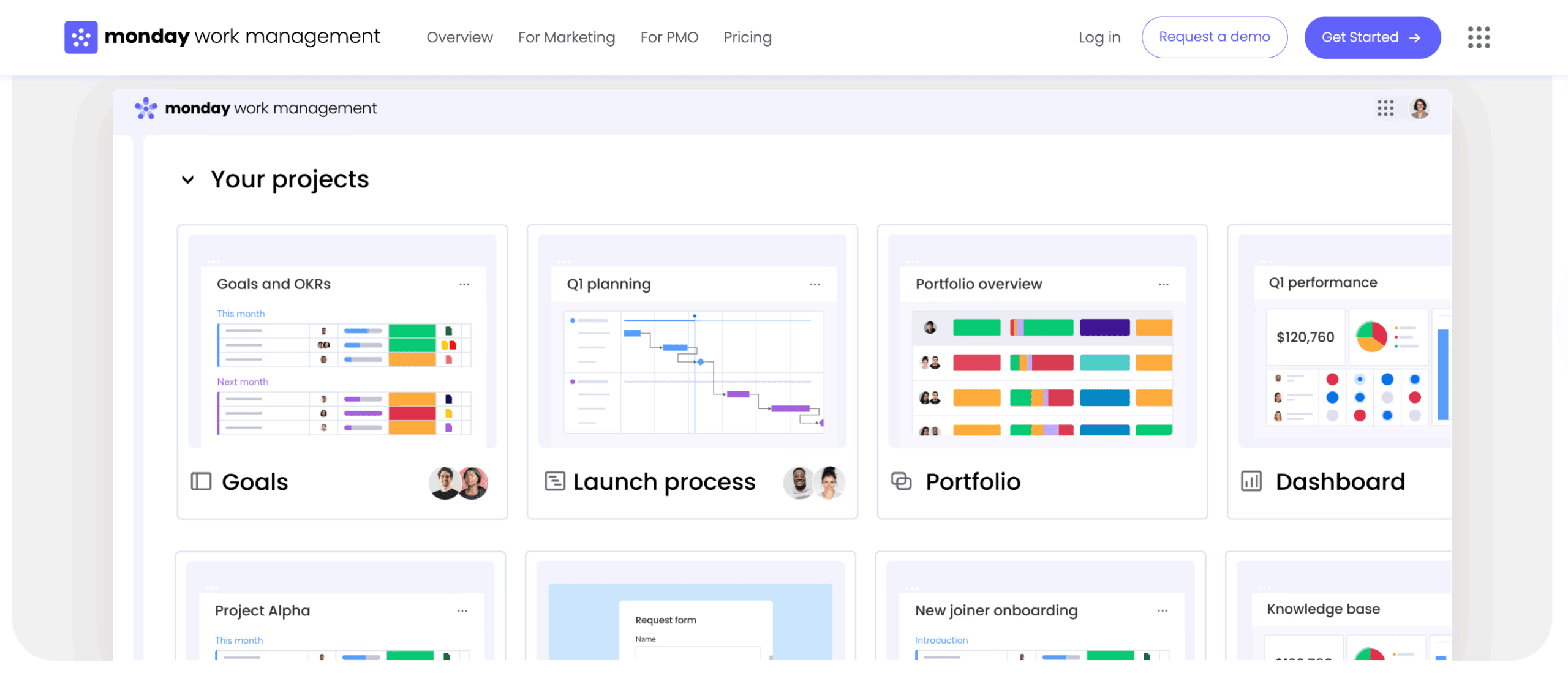
Top task management platforms for cross-functional teams
Selecting the right platform requires understanding how different solutions address enterprise-scale challenges. Here’s how leading platforms compare across key capabilities that matter most to cross-functional teams:
| Platform | Deployment speed | AI capabilities | Enterprise governance | Resource management |
|---|---|---|---|---|
| monday work management | Under four months | Proactive risk detection & automation | Managed templates + flexibility | Advanced capacity planning |
| Asana | two to four months | Basic automation | Limited governance | Requires add-ons |
| ClickUp | four to eight weeks | Basic features | Customizable but complex | Built-in but overwhelming |
| Smartsheet | one to three months | Limited AI | Spreadsheet-based | Basic resource views |
| Wrike | three to six months | Higher-tier plans only | Strong reporting | Premium features only |
| Notion | Variable | Minimal | Limited at scale | Basic task assignment |
monday work management
monday work management stands out for organizations seeking rapid deployment with high adoption rates. The platform delivers measurable value in under four months according to Forrester research, with teams reporting immediate improvements in visibility and coordination.
Key differentiators include:
- AI-powered portfolio management: monitor hundreds of projects simultaneously while AI surfaces risks and suggests mitigation strategies.
- Flexible standardization: teams customize workflows while leadership maintains control through managed templates and governance features.
- Intelligent resource optimization: the Workload View and Resource Planner promote sustainable performance by visualizing capacity and enabling intelligent workload distribution.
- Deep integration capabilities: connect to 200+ tools with workflow automation that goes beyond simple data syncing.
The platform excels at balancing enterprise-grade governance with the flexibility teams need. Organizations use monday work management to unify fragmented processes, gain real-time visibility across departments, and connect daily execution to strategic objectives.
Asana
Asana provides robust project coordination for team collaboration, offering timeline views, custom fields, and portfolio management to track multiple initiatives. While effective for project-based work, enterprise-level resource management and governance often require additional configuration or third-party add-ons.
ClickUp
ClickUp presents an all-in-one workspace with extensive customization options, including docs, goals, and time tracking alongside workflow management. However, the breadth of features can create a steep learning curve, and enterprise teams may find implementation overwhelming without dedicated administration.
Smartsheet
Smartsheet appeals to teams familiar with spreadsheets, offering Gantt charts, resource management, and automated workflows within a grid interface. While the familiar structure eases adoption, visualization and cross-functional collaboration can be limited compared with purpose-built platforms.
Wrike
Wrike provides strong reporting, custom workflows, and dashboards for creative teams. Resource management and AI capabilities are generally available only on higher-tier plans, making full enterprise functionality more costly than initial estimates.
Notion
Notion combines task management with documentation and knowledge management. Teams can build custom databases, wikis, and project trackers within one platform.
While this flexibility appeals to smaller teams, enterprise organizations often find Notion lacks the structured governance, advanced automation, and portfolio management capabilities needed at scale.
Best task management software for marketing teams
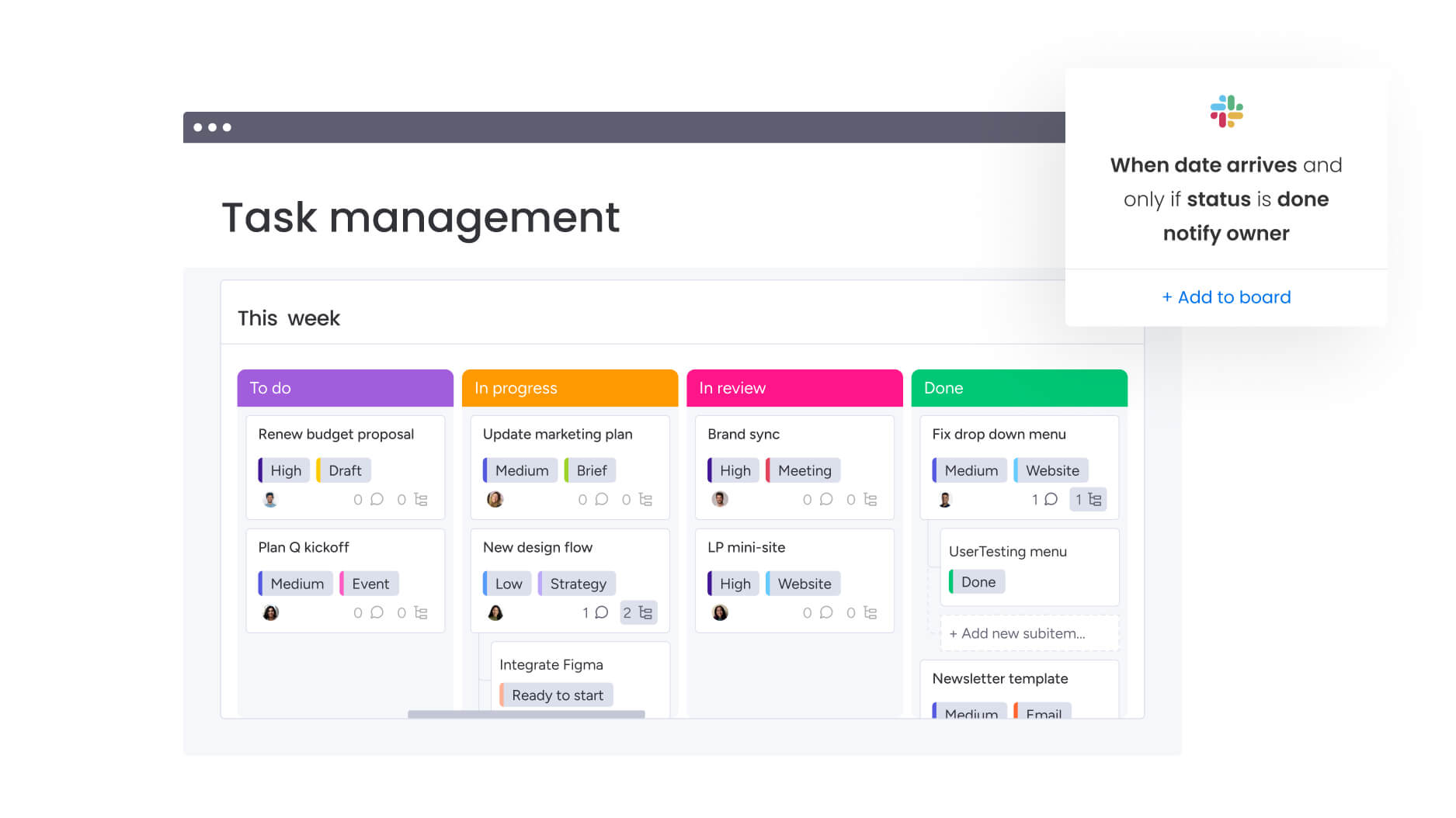
Marketing teams require specialized features for campaign coordination, creative production, and cross-functional collaboration. Platforms that provide visual campaign calendars, automated creative workflows, and real-time dashboards reduce manual reporting while tracking performance, budgets, and capacity.
monday work management addresses these needs through:
- Campaign management workflows: plan and execute multi-channel campaigns with dependencies, timelines, and automated handoffs between teams.
- Creative production automation: streamline intake, reviews, and approvals with forms that capture requirements and route work automatically.
- Resource capacity planning: balance workloads across creative, content, and digital teams to prevent bottlenecks during campaign peaks.
- Marketing operations alignment: connect campaigns to OKRs and business goals while maintaining visibility into ROI and performance metrics.
Marketing leaders particularly value how the platform reduces time spent on administrative coordination, allowing teams to focus on strategy and creative work. Integration with marketing automation tools, design software, and analytics platforms creates a unified ecosystem without forcing teams to abandon specialized tools.
How task management software connects to your marketing tech stack
Modern marketing teams operate across dozens of specialized tools, from automation platforms to design software to analytics dashboards. Task management software should unify these tools rather than add another silo.
Effective integration goes beyond simple data connections. It means creating automated workflows that trigger actions across platforms, maintaining context as work moves between teams, and providing unified reporting without manual data reconciliation.
Consider these integration priorities that maximize operational efficiency:
- Marketing automation platforms: sync campaign data, trigger task creation from lead scores, and align execution with automated workflows.
- Creative tools: attach design files, track versions, and maintain creative assets within the project context.
- Communication platforms: convert Slack messages or Teams conversations into actionable tasks without leaving the conversation.
- Analytics solutions: pull performance data directly into project dashboards to inform real-time decisions.
Platforms that unify workflows streamline operations, while weak integration adds complexity. Look for solutions with open APIs, prebuilt connectors, and drag-and-drop automation builders to enable marketing teams to create efficient workflows independently.
Key features that separate enterprise task management from basic tools
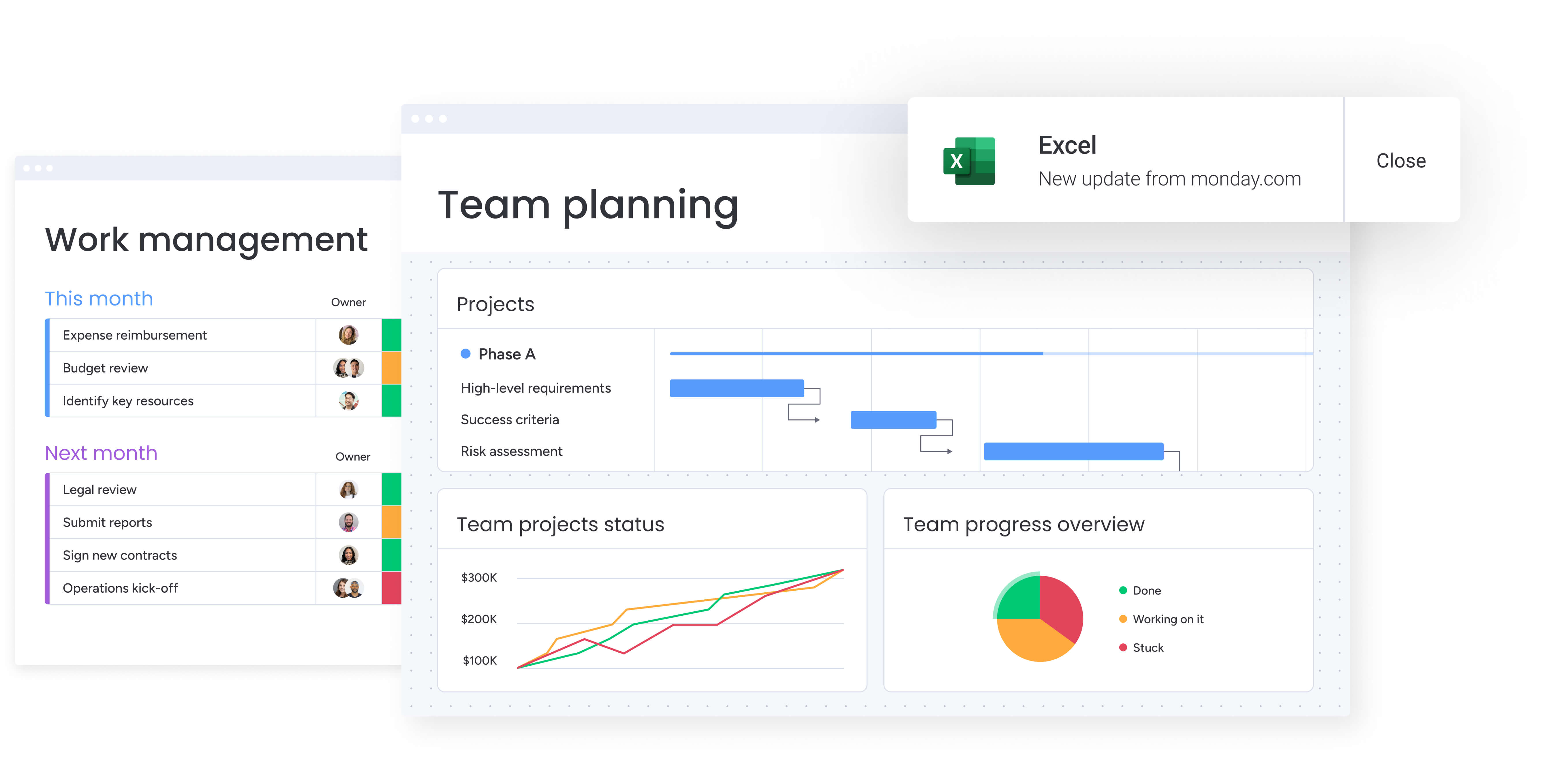 As your organization grows, simple project lists are no longer sufficient. You need capabilities that handle hundreds of projects at once, maintain alignment across teams, and connect work across departments. The following features allow enterprise platforms to scale effectively while maintaining clarity and consistency.
Enterprise platforms link everyday work to broader business objectives. Portfolio dashboards aggregate data from hundreds of projects, showing how initiatives align with company goals. AI-powered insights highlight risks across the portfolio, enabling leadership to intervene before challenges escalate.
Advanced resource management goes beyond simple task assignment. Enterprise tools include:
- Resource directories: centralized databases of skills, roles, and availability.
- Capacity planning: visual workload distribution across teams and time periods.
- Intelligent allocation: AI-suggested assignments based on skills and current capacity.
- Cross-project visibility: understanding resource conflicts across multiple initiatives.
Governance and standardization: ensure consistency without sacrificing flexibility. Managed templates propagate best practices across teams while maintaining local customization. Permission controls, audit trails, and compliance features meet regulatory requirements without slowing execution.
Cross-project dependencies: reveal how work connects across departments. Enterprise platforms visualize dependencies between projects, automatically flag conflicts, and help teams understand downstream impacts of delays or changes.
Enterprise-grade security: protects sensitive data while enabling collaboration. Look for platforms with SOC two compliance, SSO integration, role-based permissions, and data encryption that meet your industry’s requirements.
Step 1: evaluate implementation and adoption requirements
Consider both current needs and future growth when selecting a task management platform. Evaluate vendor claims against real-world data to understand how long similar organizations take to see results. Implementation timelines and adoption complexity directly impact the return on investment.
Total cost of ownership extends beyond licensing fees. Include setup services, training, ongoing administration, and maintenance of integrations. Platforms that require dedicated administrators or frequent consultant support increase long-term costs.
Step 2: assess scalability and flexibility needs
Scalability without added complexity ensures the platform grows with your organization. Can you add new departments without rebuilding workflows? Does increased usage affect performance? Will governance features scale from dozens to thousands of users?
Change management is another critical factor. Platforms that align with existing work patterns require less adjustment, supporting adoption while minimizing disruption to productivity.
Step 3: verify vendor stability and innovation
The vendor’s stability and innovation roadmap determine long-term platform viability. Review financial health, product development plans, and track record in delivering promised features. Consistent innovation and customer-driven development provide better long-term value for enterprise organizations.
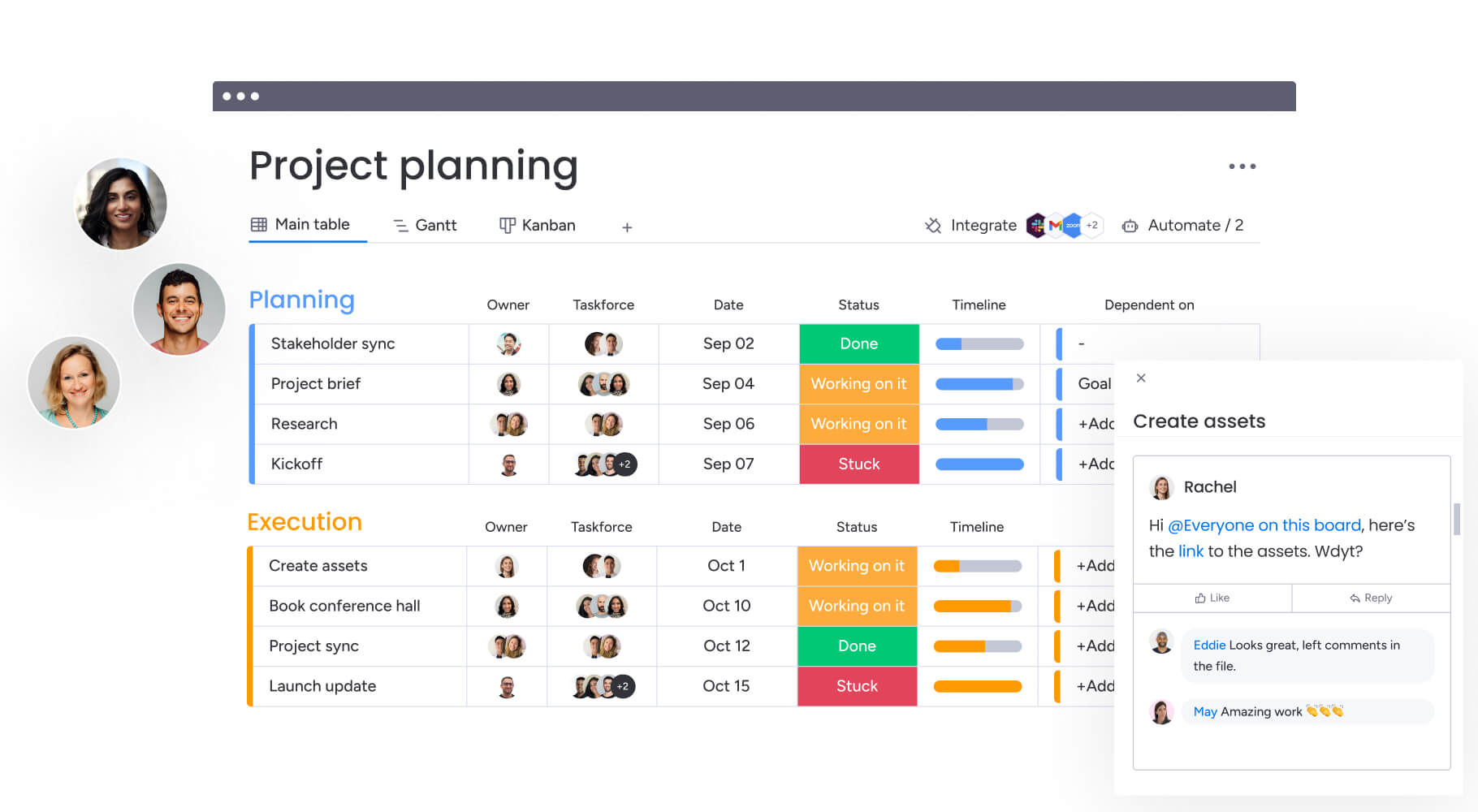
Transform task management into strategic execution with monday work management
Retail marketing teams face constant challenges: shifting campaign deadlines, cross-functional coordination, resource bottlenecks, and fragmented workflows. Without a clear system, priorities clash, visibility drops, and progress becomes difficult to track. monday work management helps marketing leaders turn these challenges into streamlined, strategic execution.
With monday work management, teams gain:
- End-to-end campaign visibility: monitor creative, content, and acquisition workflows from a single platform.
- Optimized resource planning: balance workloads with the Workload View and Resource Planner to prevent bottlenecks.
- Automated creative workflows: streamline approvals, version control, and handoffs across teams.
- Integrated tech stack: connect marketing automation, analytics, and design tools for seamless execution.
- Scalable, flexible processes: use templates, dashboards, and automations that teams actually adopt.
By centralizing workflows, enhancing visibility, and connecting daily work to strategic goals, monday work management allows marketing teams to operate efficiently, stay aligned, and focus on creative impact, all without added complexity.
Frequently asked questions
What is the best software for task management?
The best task management software for enterprise organizations is one that delivers rapid time-to-value, high adoption rates, and scales from team-level flexibility to enterprise governance. Platforms like monday work management excel by providing AI-powered insights, resource optimization, and deep integrations while maintaining an intuitive interface that teams actually use.
What are the key features of effective project management software for marketing?
Marketing teams need project management software that handles campaign coordination, creative workflows, and cross-functional collaboration. The best platforms provide visual campaign calendars, automated approval workflows, resource capacity planning, and integration with marketing-specific tools while maintaining visibility into campaign ROI and team performance.
What software do marketing managers use?
Marketing managers typically use a combination of task management platforms, marketing automation tools, analytics software, and creative applications. The task management platform serves as the central hub, connecting specialized tools like HubSpot, Adobe Creative Cloud, Google Analytics, and Slack into unified workflows that maintain context across the marketing tech stack.
How do I choose task management software for a large organization?
Choose task management software for large organizations by evaluating time-to-value, scalability, and governance capabilities. Focus on platforms that deliver results within months, offer managed templates for standardization, provide portfolio-level visibility, and include enterprise security features while maintaining the flexibility for departments to customize their workflows.
What's the difference between task management and project management software?
Task management software focuses on organizing and tracking individual work items and assignments. Project management software encompasses broader capabilities including resource planning, timeline management, budget tracking, and portfolio oversight. Enterprise organizations typically need comprehensive work management platforms that combine both task and project capabilities.
Can task management software integrate with existing enterprise tools?
Yes, enterprise task management software should integrate deeply with existing tools through APIs, pre-built connectors, and workflow automation. Look for platforms that go beyond simple data syncing to create unified workflows across your tech stack, reducing the need to switch between applications while maintaining specialized tool functionality.

 Get started