


Leading a media marketing team means balancing creative ambition with operational reality. Campaigns span content, creative, events, paid media, and partnerships — often across dozens of stakeholders and tight timelines. When work is spread across spreadsheets, chat threads, and disconnected tools, even the best strategy can lose momentum before launch.
Heads of marketing need more than basic project tracking. They need clear visibility across campaigns, confidence in resource allocation, and workflows that support creativity without slowing teams down.
In this helpful and easy-to-follow guide, you will discover what to look for in project management software for media marketing teams in 2026, which capabilities have the biggest impact on delivery, and how the right platform helps large teams stay aligned while scaling output.
Key takeaways
- Eliminate marketing chaos with centralized visibility: monday work management connects disconnected teams across content, creative, and campaigns so everyone works from the same real-time information.
- Save thousands of hours through automation and templates: Enterprise marketing teams report dramatic time savings by automating approval workflows and standardizing campaign processes across all functions.
- Prevent team burnout with smart resource planning: Real-time workload views help marketing leaders identify capacity issues early and distribute work strategically across 100+ team members.
- Demonstrate measurable marketing ROI to executives: Customizable dashboards track campaign performance, team productivity, and goal progress automatically, strengthening marketing’s position in budget discussions.
- Scale adoption quickly across diverse marketing teams: Implementation typically takes 2-4 weeks with high adoption rates due to intuitive design that works for both creative and analytical teams.
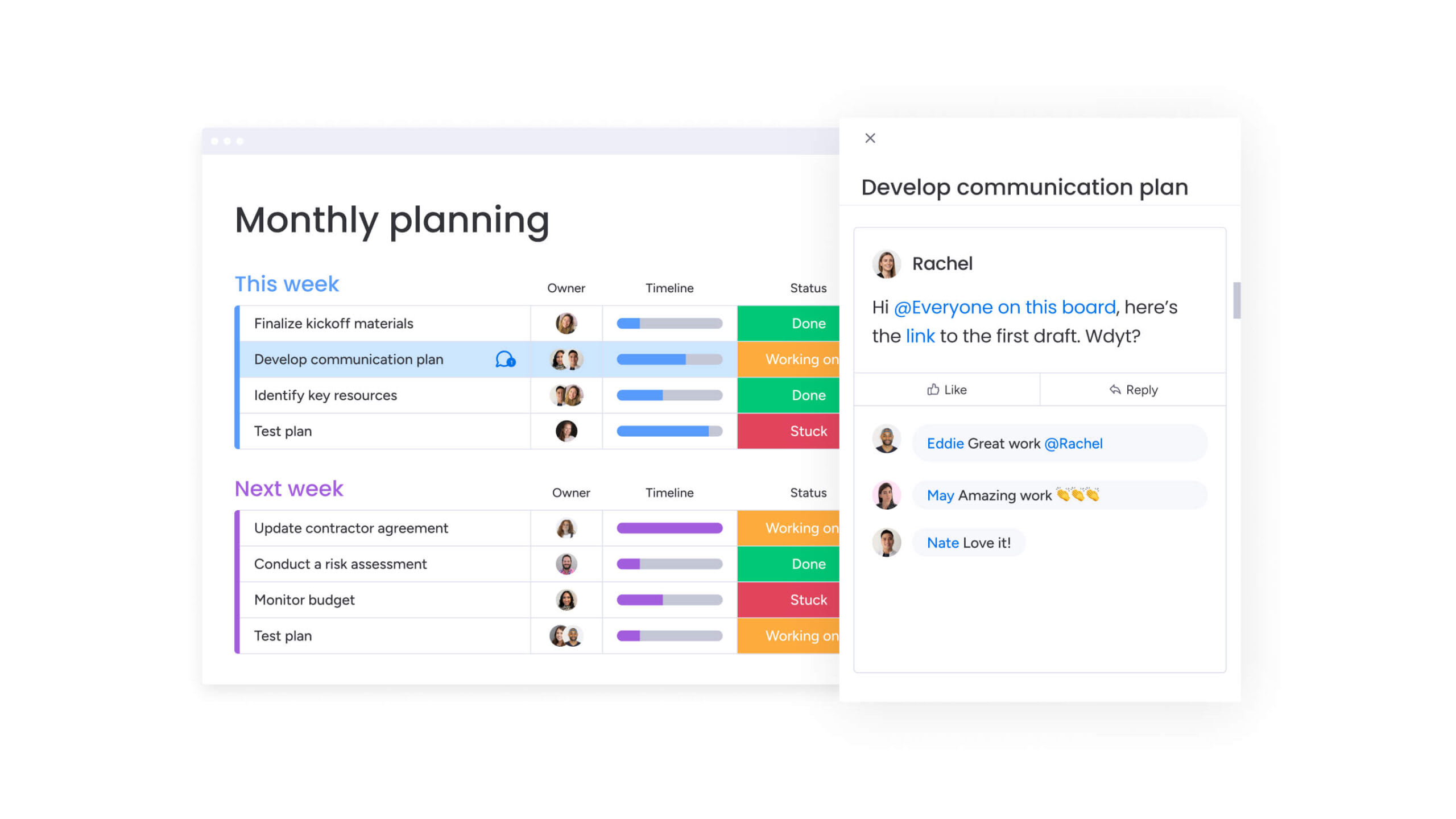
What makes a head of marketing choose monday work management for marketing project management?
Marketing leaders in media manage campaigns across content, creative, acquisition, events, and operations teams, often involving 50–100+ people. As complexity grows, maintaining visibility across timelines, priorities, and resources becomes harder without slowing teams down.
monday work management helps heads of marketing connect strategy to execution in one place. Campaign plans, timelines, resources, and performance data stay aligned, giving leaders a clearer view of progress across teams and regions.
Marketing leaders choose monday work management because it balances structure with flexibility:
- Centralized visibility: Track campaign progress, ownership, and priorities across all marketing functions.
- Flexible workflows: Standardize processes while allowing teams to adapt workflows for different campaign types.
- Resource clarity: Identify capacity gaps early and allocate work more strategically.
- Performance insight: Monitor timelines, productivity, and campaign impact in real time.
With shared visibility across teams, marketing leaders can coordinate complex initiatives more confidently while maintaining the agility creative work requires.
monday work management helps heads of marketing connect strategy to execution in one place. Campaign plans, timelines, resources, and performance data stay aligned, giving leaders a clearer view of progress across teams and regions.
monday work management top features for marketing project management
Managing modern media marketing means coordinating multiple campaigns, teams, and channels at the same time. Leaders need clear visibility across priorities, while teams need the flexibility to execute creative work without unnecessary friction.
The features below support both needs, helping marketing organizations plan campaigns more effectively, balance resources, and keep execution aligned across content, creative, acquisition, and events teams.
Marketing-ready templates
monday work management provides pre-built templates specifically designed for marketing workflows, including campaign planning, content calendars, creative briefs, and event management. They include built-in automations, custom fields, and views designed for marketing work — so teams can launch new campaigns in minutes instead of hours.
Marketing leaders can standardize these templates across their organization using managed templates, ensuring consistency while allowing teams to customize for specific campaign needs.
The platform’s template library also includes workflows for common marketing activities, addressing requirements like:
- Multi-brand campaign coordination: Templates that handle complex brand hierarchies and approval workflows.
- Editorial calendar management: Structured workflows for content planning, production, and publishing.
- Cross-channel content distribution: Templates that coordinate messaging across email, social, paid media, and events.
Teams can modify templates without coding knowledge, adding custom automations, integrations, and approval workflows that match their existing processes.
Resource planning
The sophisticated platform’s resource management capabilities provide real-time visibility into team bandwidth, skills, and workload across all marketing functions. Marketing leaders can see at a glance who has capacity, who’s overloaded, and where bottlenecks are forming across campaigns.
The workload view provides live insights into resource utilization across the entire portfolio. When you’re juggling campaigns across brands and regions, this kind of visibility changes everything.
- Capacity visualization: Real-time workload views across all team members and projects.
- Skills-based assignment: Match team members to tasks based on expertise and availability.
- Future planning: Assign placeholders for future hires and adjust assignments as priorities shift.
- Budget alignment: Make informed decisions about campaign timelines and hiring needs based on actual capacity data.
You can also make real decisions about timelines, budgets, and hiring based on actual capacity data instead of guesswork.
Automation capabilities
monday work management offers no-code automation recipes that eliminate manual work across marketing workflows. These automations handle everything from creative brief routing and approval notifications to status updates and task assignments.
Marketing teams can chain multiple automations together to create complex workflows, such as:
- Campaign initiation: Automatically creating project boards from campaign requests.
- Resource allocation: Assigning team members based on workload and skills.
- Approval routing: Triggering approval processes when creative assets are ready for review.
- Status management: Updating stakeholders when milestones are reached.
The platform’s AI capabilities extend automation further through AI Blocks that categorize requests at scale, summarize campaign updates, and extract information from briefs and documents.
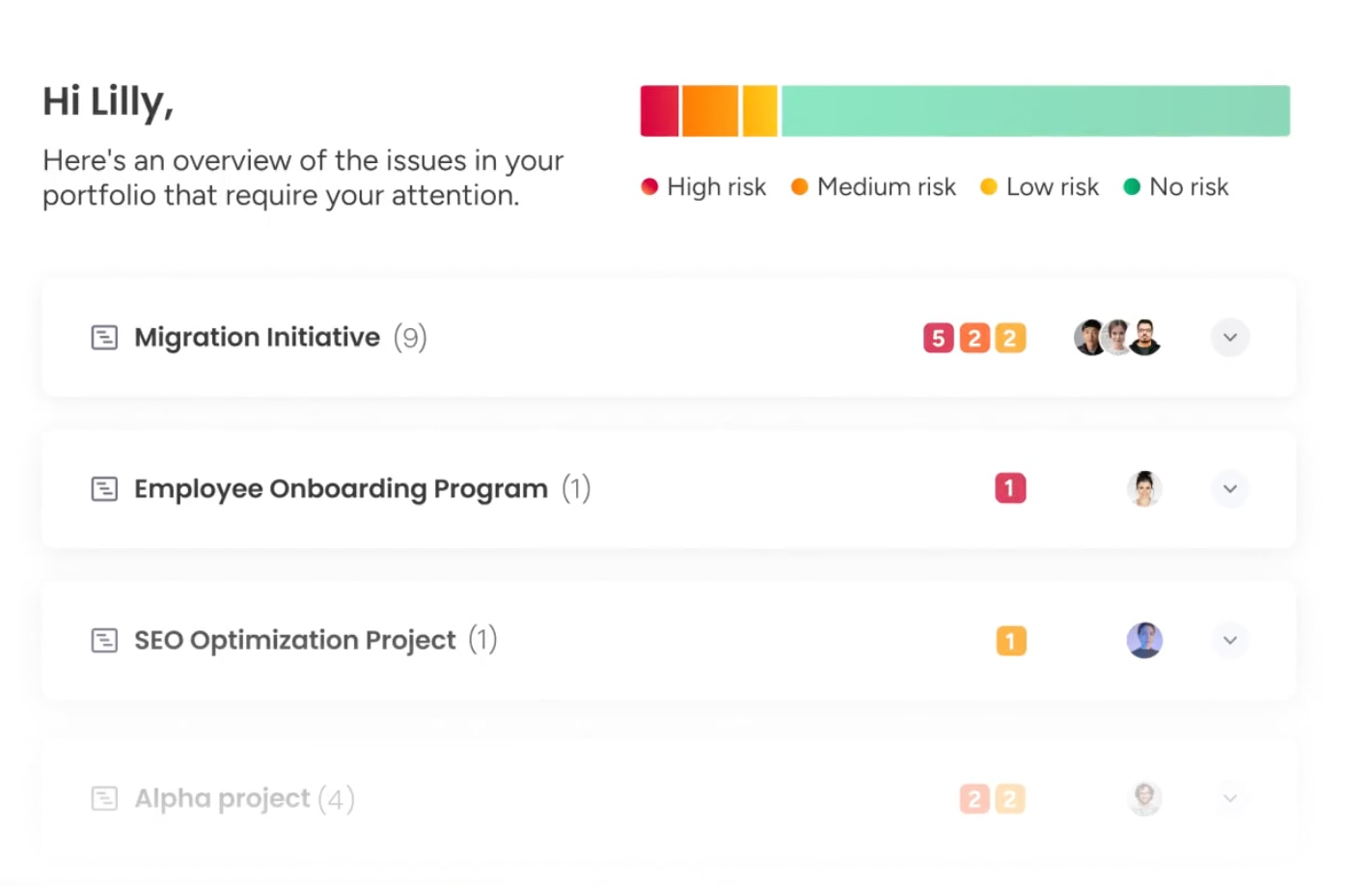
Additionally, Digital Workers provide proactive insights about budget allocation and campaign performance, while AI-powered risk identification flags at-risk campaigns before deadlines slip.
Dashboard & reporting
Customizable dashboards provide marketing leaders with instant visibility into campaign performance, team productivity, and strategic alignment. The platform’s dashboard widgets can be configured to track any metric that matters through project portfolio management: campaign ROI, customer acquisition costs, content performance, budget adherence, and progress toward OKRs.
These dashboards update in real-time, eliminating the need for manual report compilation. Key reporting capabilities include:
- Executive summaries: Generate instant summaries with trends, risks, and visual charts.
- Multi-level visibility: Drill down from portfolio-level views spanning hundreds of campaigns to individual task details.
- Performance tracking: Monitor campaign ROI, team productivity, and strategic goal progress.
- Risk identification: Proactive alerts for campaigns at risk of missing deadlines or exceeding budgets.
You can zoom from portfolio views covering hundreds of campaigns down to individual tasks — seeing not just what’s happening, but why. This combination of high-level visibility and granular detail enables data-driven decisions and confident reporting to executive leadership.
Integration ecosystem
monday work management connects with 200+ applications that marketing teams already use, creating a unified ecosystem rather than another silo. Native integrations with communication platforms (Slack, Microsoft Teams), CRM systems (Salesforce), and other marketing tools ensure data flows seamlessly between systems.
The open API enables custom integrations for proprietary or specialized tools. For media companies with complex tech stacks, these integrations provide:
- Seamless data flow: Campaign data syncs automatically between systems.
- Asset accessibility: Creative assets remain accessible within workflows.
- Connected communication: Team communication stays connected to actual work.
- Accurate reporting: Marketing leaders gain confidence that their reporting reflects accurate, up-to-date information.
Campaign data syncs automatically between systems, creative assets remain accessible within workflows, and team communication stays connected to actual work. Your reports stay accurate and current across your entire marketing operation.
Get started with monday work management
How a head of marketing in media benefits from monday work management
Project management software isn’t about features — it’s about business outcomes you can actually measure. When you’re managing big teams across multiple functions, this means more efficient performance, lower costs, and real competitive advantage.
Time savings through automation and standardization
Marketing teams using monday work management report dramatic time savings across all functions. Enterprise marketing teams save thousands of hours by centralizing operations and automating workflows.
This aligns with broader trends showing 71% of organizations now use generative AI in at least one business function, with marketing and sales among the most common areas of automation adoption.
The time savings come from multiple sources:
- Automated workflows: Eliminate repetitive tasks like status updates and approval routing.
- Standardized templates: Teams don’t reinvent processes for each campaign.
- Centralized communication: Reduces the back-and-forth of email threads and meetings.
- Streamlined coordination: Less time spent searching for information and coordinating across teams.
When you’re managing 100+ people, these efficiencies multiply: you ship faster and handle more campaigns without hiring.
Cost efficiency and ROI improvement
You get real ROI by using resources smarter and running more efficiently. Enterprise marketing teams report significant cost savings and ROI improvements using monday work management.
These cost savings come from reducing application sprawl, eliminating manual processes, and preventing the hidden costs of miscommunication and rework. Beyond direct cost savings, the platform enables smarter resource allocation that maximizes marketing investment:
- Burnout prevention: Workload balancing helps reduce costly team turnover.
- Resource optimization: High-priority campaigns get appropriate resources.
- Tool consolidation: Reduces licensing costs from multiple disconnected systems.
- Process efficiency: Eliminates rework from miscommunication and unclear handoffs.
When you can show measurable ROI through higher-performing campaigns and lower costs, you walk into budget meetings with executives in a stronger position.
Strategic alignment and visibility
Marketing leaders need a clear view of how day-to-day work contributes to broader business goals. Real-time dashboards connect campaign activity to OKRs, helping teams track progress, spot risks earlier, and adjust priorities with confidence.
Key visibility improvements include:
- Goal tracking: Real-time progress toward OKRs and strategic objectives.
- Campaign impact: Direct connection between marketing activities and business outcomes.
- Risk management: AI-powered insights identify potential issues before they impact delivery.
- Portfolio analysis: Instant analysis across all marketing activities.
With connected data across the portfolio, leaders can make faster decisions and keep marketing efforts aligned with company priorities.
Team productivity and quality improvements
Teams get more done when they have a platform built for collaboration and can see what matters most. Enterprise marketing teams report significant productivity improvements using monday work management.
The productivity boost comes from cutting out time wasted hunting for info, waiting on approvals, and coordinating across disconnected systems. Quality improves alongside productivity:
- Structured workflows: Proper review cycles ensure brand standards.
- Clear feedback loops: Version control and approval workflows maintain quality.
- Stakeholder alignment: All stakeholders review work before campaigns launch.
- Quality at scale: Increased velocity doesn’t compromise creative excellence.
You can maintain quality at scale — moving faster without sacrificing the creative excellence media companies need.
Cross-functional collaboration enhancement
Media marketing works when teams actually collaborate — marketing, editorial, sales, product, and external partners all working together. monday work management kills silos by giving everyone one workspace to contribute in.
This unified approach reduces miscommunication and ensures all teams work toward shared objectives:
- Unified workspace: All stakeholders contribute in one centralized platform.
- Dependency visualization: Cross-project dependencies show how work impacts other teams.
- Standardized handoffs: Managed templates ensure consistent processes between teams.
- Shared visibility: Everyone understands how their work connects to broader objectives.
Tighter collaboration means you ship campaigns faster, hit fewer bottlenecks between teams, and know complex projects will deliver on time.
Marketing teams using monday work management report dramatic time savings across all functions. Enterprise marketing teams save thousands of hours by centralizing operations and automating workflows.

How to solve marketing project management challenges with monday work management
Rolling out project management software across a big marketing org means balancing standardization with giving teams room to work their way. These six steps help you roll it out smoothly while scoring quick wins that get people on board.
Step 1: map your current marketing processes and identify integration requirements
Start by documenting existing workflows for campaign execution, creative production, event coordination, and cross-functional collaboration. Identify which tools in your marketing tech stack need to integrate with your project management system.
This assessment reveals process gaps, redundancies, and integration priorities that will shape your work management implementation strategy. Focus on understanding not just what teams do, but why they do it:
- Process documentation: Map workflows for all marketing functions.
- Integration assessment: Identify critical tools that need to connect.
- Pain point analysis: Where does work get stuck between teams?
- Information flow: What gets lost in handoffs between departments?
Understanding the real problems means your monday work management setup fixes actual pain points instead of forcing textbook solutions.
Step 2: build your implementation team with champions across marketing functions
Assemble a core team including representatives from content, creative, acquisition, events, and operations. These champions will advocate for adoption within their teams and provide crucial feedback during rollout.
Getting them involved means the rollout works for different marketing functions while building real support from the ground up. Select champions who are both influential and open to new approaches:
- Cross-functional representation: Include all major marketing functions.
- Influence and openness: Choose team members who understand workflows but recognize improvement opportunities.
- Bridge building: Champions translate leadership vision into practical workflows.
- Peer advocacy: Internal champions provide more credible support than top-down mandates.
They bridge the gap between what leadership wants and what teams actually need — turning strategic goals into workflows people will use.
Step 3: create custom templates and workflows for common marketing activities
Develop standardized templates for recurring activities like campaign planning, creative briefs, event management, and approval processes. Build automation recipes that handle repetitive tasks automatically.
These templates create efficiency — teams stop recreating workflows from scratch while keeping the flexibility to customize:
- Template standardization: Use managed templates to roll out consistent workflows.
- Automation integration: Include automations that enforce best practices.
- High-impact focus: Start with most common, high-volume processes.
- Flexibility preservation: Allow local modifications while maintaining standards.
Include automations that enforce best practices, such as automatic notifications when deadlines approach or approval routing based on campaign value.
Step 4: launch with a pilot campaign to validate workflows
Select a representative campaign involving multiple teams as your pilot. This real-world test validates your templates, automations, and integrations before broader rollout.
Pick a campaign that matters but won’t tank if something goes wrong. Monitor closely, gathering feedback on what works and what needs adjustment:
- Representative selection: Choose campaigns that involve multiple teams and functions.
- Risk management: Important enough to matter, not critical enough to cause damage.
- Feedback collection: Gather detailed input on what works and what doesn’t.
- Quick wins documentation: Track time saved, errors avoided, and visibility gained.
Use the pilot to demonstrate quick wins. When teams see campaigns moving faster with less manual coordination, adoption accelerates. These numbers give you ammunition when you’re rolling out to skeptical teams who don’t want to change how they work.
Step 5: scale across all marketing functions with phased rollout
Roll out systematically, starting with teams most ready for change. Provide training tailored to each team’s needs and workflows. Monitor adoption metrics and address barriers quickly.
Rolling out in phases keeps you from overwhelming people and lets you refine things based on feedback from early adopters:
- Readiness assessment: Start with teams most prepared for change.
- Tailored training: Customize support for each team’s specific needs.
- Adoption monitoring: Track usage metrics and identify barriers.
- Success celebration: Publicly highlight early wins to build momentum.
Leverage monday work management’s intuitive interface — teams can start working immediately with minimal training. Focus support on helping teams optimize their workflows rather than teaching basic functionality.
Step 6: establish reporting dashboards and continuous optimization
The final step is creating dashboards that track metrics crucial for demonstrating marketing impact: campaign ROI, team productivity, budget adherence, and goal progress. Configure reporting that generates executive summaries automatically.
These dashboards give you one place for all marketing performance data — no more scattered spreadsheets and manual reports:
- Impact metrics: Track campaign ROI, team productivity, and goal progress.
- Executive reporting: Automated summaries for leadership visibility.
- Single source of truth: Replace scattered reports with centralized dashboards.
- Continuous improvement: Regular optimization based on team feedback and changing needs.
Continuously optimize based on team feedback and changing needs. monday work management’s flexibility means you can adapt workflows without disrupting operations. Regular check-ins keep your processes current so the platform keeps delivering as your marketing org changes.
Get started with monday work management
Comparison table: monday work management vs competing platforms for marketing project management
Marketing teams need software that supports both structured planning and fast-moving campaign execution. Differences in automation, resource planning, and reporting can have a direct impact on how easily teams coordinate work and scale output.
The table below compares monday work management with other platforms across the capabilities that matter most for managing multi-channel marketing operations.
| Feature | monday work management | Asana | Wrike | Smartsheet |
|---|---|---|---|---|
| Marketing-ready templates | Pre-built templates for marketing workflows with managed template governance for enterprise standardization | Basic marketing templates; limited customization without Business+ plan | Marketing-specific templates with approval workflows; requires Business tier | Template library available; heavy Excel-like interface may slow creative teams |
| Resource planning | Real-time workload view with capacity planning across projects | Workload view on Business+; limited capacity planning | Resource management with workload charts; full features on Enterprise only | Resource management available; requires additional Resource Management add-on |
| Automation capabilities | No-code automation recipes with unlimited automations on Pro+ | Rules-based automation; limited to 25 rules on Premium | Automation engine with 200+ actions; requires Business+ for advanced features | Basic automation workflows; more complex automation requires premium add-ons |
| Dashboard & reporting | Customizable dashboards with real-time updates | Reporting dashboards; advanced analytics on Business+ only | Custom reports and dashboards; full BI capabilities on Enterprise | Dashboard functionality available; advanced reporting requires premium tier |
| Integration ecosystem | 200+ native integrations, open API | 200+ integrations via native and Zapier connections | 400+ integrations; some require higher tiers | 90+ integrations; many require enterprise plan |
| Price per user/month | From $9/user/month (billed annually) | From $10.99/user/month (billed annually) | From $10/user/month (billed annually) | From $9/user/month (billed annually) |
| Implementation time | 2 weeks to 1 month with high adoption due to intuitive interface | 2-4 weeks for enterprise teams | 1-2 months for enterprise implementations | 4-8 weeks due to complexity |
| G2 rating | 4.7/5 (12,000+ reviews) - Highest User Adoption for Enterprises | 4.3/5 (12,000+ reviews) | 4.2/5 (3,500+ reviews) | 4.4/5 (3,000+ reviews) |
While several solutions offer similar functionality, monday work management stands out for combining flexibility with ease of use, helping teams standardize workflows without adding unnecessary complexity.
How genpact transformed their marketing operations with monday work management
Large marketing teams often struggle with scattered information, unclear ownership, and limited visibility across campaigns. Genpact needed a more connected way to coordinate work across regions and channels while keeping stakeholders aligned on timelines and priorities.
Their experience shows how bringing campaign planning, execution, and reporting into one shared workspace helps marketing teams improve collaboration and maintain clearer oversight as complexity grows.
The challenge
Genpact’s globally distributed marketing department manages approximately 24 ongoing large-scale marketing campaigns simultaneously, each with multiple cross-channel activations jointly managed by campaign managers and channel owners. The team’s reliance on spreadsheets created a fragmented system where files lived across personal desktops, emails, and Microsoft SharePoint folders.
No one knew who had the latest campaign information or where to find it.
Sarah Pharr, AVP of Marketing at Genpact, describes the chaos: “There was no single source of truth or central repository that kept track of the status, progression, and key information surrounding our marketing campaigns. If someone wanted to see the status of a campaign or activation, they’d have to sift through a bunch of emails or look through SharePoint folders and files to figure out where we were in the process.”
With multiple stakeholders involved in each campaign and no visibility into progress, the marketing team struggled to coordinate effectively:
- Information fragmentation: Files scattered across personal systems and shared folders.
- Version control issues: No one knew which version was current.
- Coordination challenges: Campaign managers couldn’t provide accurate timelines.
- Leadership blindness: No visibility into resource allocation and campaign performance.
The disconnected setup slowed campaigns and made missed deadlines more likely.
The solution
Genpact implemented monday work management to create a centralized platform for end-to-end campaign planning and execution. The team built workflow apps outlining the entire activation process for each channel, with columns showing target dates versus actual timeframes.
Suddenly they could see delay patterns and bottlenecks they’d never spotted before. The team created a high-level GTM campaign calendar using monday work management’s hierarchy features, showing the relationship between programs, campaigns, and individual activations:
- Workflow visualization: Built apps showing entire activation processes for each channel.
- Timeline tracking: Columns comparing target dates versus actual timeframes.
- Hierarchy structure: GTM calendar showing programs, campaigns, and activations.
- Process automation: Forms and automation for campaign brief submission and approval.
monday work management’s forms and automation capabilities transformed their campaign brief process. Instead of spreadsheet templates attached to emails with no tracking, campaign managers now submit briefs through customizable forms. Automated notifications route requests to appropriate team members through a workflow app that serves as a centralized queue.
The marketing team further leveraged multiple view options including Timeline view and customizable dashboards. These views allow them to see outstanding campaign elements, drill into critical items for any given week, and make real-time adjustments.
The results
Genpact’s transformation delivered measurable improvements across all marketing operations:
- 40% improvement in cross-team collaboration for successful end-to-end campaign planning and execution.
- 100% removal of spreadsheets from the campaign management process.
- 25% decrease in email exchanges across the marketing department.
Sarah Pharr summarizes the impact: “Since adopting monday, our global marketing department has seen a 40% improvement in cross-team collaboration for successful end-to-end campaign planning and execution. We just rolled out a new high-level GTM calendar that shows the marketing programs, campaigns, and activations across the team. This provides another layer of visibility and allows for greater cross-team collaboration and alignment.”
The numbers only tell part of the story. Teams now work with confidence, knowing they have accurate, real-time information. Leadership makes strategic decisions based on comprehensive visibility rather than fragmented reports. The marketing org works as one team instead of separate silos.
“Since adopting monday, our global marketing department has seen a 40% improvement in cross-team collaboration for successful end-to-end campaign planning and execution.”

“monday.com has been a life-changer. It gives us transparency, accountability, and a centralized place to manage projects across the globe".
Kendra Seier | Project Manager
“monday.com is the link that holds our business together — connecting our support office and stores with the visibility to move fast, stay consistent, and understand the impact on revenue.”
Duncan McHugh | Chief Operations OfficerReady to transform your marketing operations?
Coordinating campaigns across large marketing teams becomes easier when planning, collaboration, and reporting stay connected. With clear visibility across priorities, resources, and timelines, leaders can keep teams aligned while maintaining the flexibility creative work requires.
monday work management helps heads of marketing centralize workflows, reduce coordination friction, and track performance across every campaign. Teams gain a clearer view of progress, improve collaboration across functions, and keep delivery aligned with strategic goals.
Try monday work management to connect strategy, execution, and performance in one workspace built for modern media marketing teams.
Get started with monday work managementFrequently asked questions
How long does it take to implement monday work management for a 100+ person marketing team?
Implementation for enterprise marketing teams typically takes two weeks to one month, depending on workflow complexity and integration requirements. The fastest implementations follow a phased approach: pilot campaign launch (1-2 weeks), workflow validation and feedback gathering, then systematic scaling across marketing functions (2-3 weeks).
What is the typical ROI for enterprise marketing teams using monday work management?
Enterprise marketing teams consistently achieve measurable ROI through time savings, improved resource utilization, and enhanced campaign performance. The ROI stems from eliminating manual processes, preventing burnout through resource optimization, consolidating tool sprawl, and improving campaign performance through enhanced visibility and collaboration.
How does monday work management ensure adoption across diverse marketing teams?
Successful adoption across creative and analytical marketing teams requires recognizing different working styles and needs. monday work management's customizable views (Kanban for creative teams, Gantt for project managers, dashboards for analysts) allow each team to visualize work in ways that make sense for their function while maintaining organizational alignment.
Which integrations are essential for media company marketing departments?
Media marketing departments require integrations with CRM systems (Salesforce, HubSpot), digital asset management platforms, marketing automation tools, analytics platforms (Google Analytics), communication tools (Slack, Microsoft Teams), and creative tools. monday work management offers 200+ native integrations and an open API for custom connections, enabling marketing teams to connect their entire tech stack.
What security certifications should marketing project management software have for media companies?
Media companies handling sensitive brand information, customer data, and proprietary content require enterprise-grade security protocols. Essential security features include IP restrictions, two-factor authentication, multiple SSO options, tenant-level encryption, and BYOK (Bring Your Own Key) for enterprises requiring encryption key control.

 Get started