


In retail, project timelines wait for no one. Store openings must align with lease start dates, seasonal campaigns can’t miss their window, and inventory needs to arrive at hundreds of locations right on schedule.
When these complex, interdependent timelines live scattered across spreadsheets, emails, and disconnected systems, even experienced project managers struggle to maintain visibility and control.
Things get even trickier when you’re wrangling teams from merchandising, operations, marketing, and logistics. Each group has their own priorities and deadlines, but somehow, their work needs to come together seamlessly or the whole project falls apart. A delayed vendor delivery doesn’t just impact one store opening — it cascades through fixture installation, staff training, marketing launches, and inventory positioning across multiple locations.
Let’s look at the best Gantt chart software built specifically for retail’s coordination challenges. We’ll explore the essential features that transform scattered project data into coordinated execution, compare leading platforms based on real retail requirements, and show how teams like Country Road Group achieved significant efficiency improvements.
Key takeaways
When you’re managing complex projects across departments, the right Gantt chart software transforms scattered timelines into coordinated execution. Here’s the key points retail project managers need to know about choosing and implementing Gantt solutions that actually scale:
- Centralize all retail timelines: bring store openings, seasonal campaigns, and vendor schedules into one visual workspace for clear, real-time coordination.
- Coordinate cross-functional teams effectively: use connected workflows to align merchandising, operations, marketing, and logistics without manual follow-up.
- Track immovable deadlines with milestone-driven planning: keep teams focused on must-hit dates like holiday launches and store openings to prevent costly delays.
- Scale multi-location rollouts confidently: platforms like monday work management provide templates, collaboration tools, and workload views that support dozens of stores at once.
- Improve future planning with baseline insights: compare planned vs actual timelines to strengthen estimates and identify recurring vendor or process bottlenecks.
What makes project managers choose monday work management for retail project planning?

Retail project manages (PMs) have it tough: they’re managing store openings, seasonal campaigns, inventory rollouts, and vendor deliveries all at once, often across dozens of locations. Throw in the chaos of spreadsheets, endless email chains, and disconnected systems, and even straightforward projects turn into coordination nightmares.
The solution lies in centralizing all work in one place. Connect platforms like monday work management deliver comprehensive Gantt chart capabilities combined with broader project management features, creating a single workspace where everything connects. This means you can visualize complex multi-store rollouts, track vendor dependencies, and coordinate cross-functional teams without switching between platforms.
For retail PMs, this centralized approach eliminates the constant back-and-forth between designers, planners, and field teams that previously consumed hours of manual coordination: having all project data, communications, and documentation accessible in one workspace transforms how work gets done.
Try monday work managementmonday work management features for retail project management

Let’s dive into what makes monday work management click for retail projects, so you can see if it’s right for your multi-store operation. These tools combine to tackle the specific headaches retail PMs face every day.
Gantt chart view with retail-specific customization
The Gantt chart view provides a clear visual timeline of every task, milestone, and dependency: mapped to the realities of store openings, seasonal campaigns, and vendor schedules. Charts can be customized for retail needs, showing launch dates, inventory deliveries, and coordination timelines color-coded by department, location, or project type.
How this helps retail teams:
- Replace scattered spreadsheets: see all store openings, campaigns, and product rollouts in one unified timeline.
- Adjust plans instantly: drag and drop tasks when vendor deliveries shift or construction delays occur.
- Understand downstream impact: know immediately how one change affects fixtures, training, marketing launches, and inventory readiness.
- Keep stakeholders aligned: updates made once reflect across the entire workspace in real time.
Teams managing thousands of planograms or multi-store rollouts use this view to bring structure, visibility, and speed to complex retail coordination.
Dependencies and critical path management
With dependencies in monday, you can link tasks that need to happen in order — making sure store construction wraps before you start installing fixtures, or that marketing materials get approved before your campaign goes live. The platform automatically adjusts downstream tasks when predecessor tasks change, eliminating manual recalculation.
If you’re a retail PM juggling store openings and holiday campaigns across five departments, this automation is a game-changer. When merchandising delays product selection by a week, you immediately understand the impact on marketing collateral, store layout, inventory ordering, and launch dates. The dependency tracking makes these relationships visible and automatically recalculates timelines.
The critical path overlay identifies which tasks directly impact your project completion date. For a retail project manager coordinating a holiday campaign across 50 stores, the critical path shows exactly which activities — vendor deliveries, marketing approvals, or staff training — cannot be delayed without pushing back the entire launch.
Baseline comparison for schedule tracking
Baseline comparison captures your original project plan so you can evaluate how actual progress measures up. Once set at kickoff, it becomes a reference point for understanding shifts in timelines, resource usage, and execution pace across retail projects.
Why this matters for retail teams:
- Improve future estimates: compare planned vs. actual timelines to see where construction, vendor deliveries, or marketing tasks consistently run long.
- Spot recurring bottlenecks: identify which vendors, workflows, or departments create repeated delays across store openings or seasonal initiatives.
- Strengthen executive reporting: show leaders clear, data-backed explanations for timeline changes instead of relying on anecdotal reasoning.
- Drive smarter planning: use insights from past variances to build more accurate schedules for upcoming locations or campaigns.
Milestone tracking for retail project phases
Milestones mark significant checkpoints in retail projects: store opening dates, campaign launch days, inventory delivery deadlines, or seasonal planning cut-offs. These visual markers on your Gantt chart help teams focus on critical dates and ensure prerequisite activities are completed on time.
Retail projects have hard deadlines that cannot move:
- Holiday campaigns: must launch before Black Friday.
- Store openings: must coincide with lease start dates.
- Seasonal products: must arrive before the season begins.
Milestones make these immovable dates visible to everyone, creating urgency around the activities that must be completed. The milestone tracking also enables clearer stakeholder communication — instead of explaining dozens of individual tasks, you show executives the key milestones and demonstrate progress toward these critical dates.
Workload view for resource allocation
The Workload view shows how work is distributed across team members, making it easy to identify who is overloaded and who has capacity for additional tasks. You can view workload by individual, department, or store location, ensuring your merchandising team isn’t overwhelmed during a product launch while your operations team sits idle.
When planning a new store opening while simultaneously managing a seasonal campaign and store renovation, you need visibility into whether your project coordinators, designers, and field teams have capacity to handle all three initiatives. The Workload view prevents burnout and ensures efficient resource utilization by showing when the marketing team is committed to three campaigns and cannot take on a fourth, or when your operations team has capacity to accelerate timelines.
Automations for retail workflow efficiency
No-code automations eliminate repetitive manual tasks that consume retail project managers’ time.
You can create automations that notify store managers when construction is complete, alert merchandising teams when inventory arrives, remind marketing teams about campaign deadlines, or automatically move tasks to the next phase when prerequisites are completed.
These automations ensure handoffs happen instantly without manual follow-up:
- Construction completion: fixtures team gets immediate notification.
- Marketing approval: printing vendor receives files automatically.
- Inventory arrival: store managers get delivery schedules instantly.
This reduces delays and eliminates the emails and phone calls that previously consumed hours each week. For a real-world example, Officeworks implemented automations for their product launch process involving over 50 tasks coordinated between cross-functional teams.
How retail project managers benefit from monday work management
Retail PMs using monday work management experience significant time savings through automation and centralized workflows. Instead of spending hours compiling status reports from emails and spreadsheets, you access real-time project status through dashboards and Gantt charts.
In addition, automation features eliminate repetitive tasks, saving an estimated five to ten hours per week that you can redirect toward strategic planning and problem-solving.
The platform improves several key areas for retail project management:
- Cost efficiency: better resource allocation and reduced project delays prevent expensive last-minute resource additions and rush fees.
- Accuracy and compliance: all project data lives in one system with audit trails, tracking approvals, contracts, and implementation versions.
- Team productivity: everyone works from the same real-time information, eliminating confusion and rework from outdated schedules.
- Output quality: less time on project administration means more focus on risk identification, resource optimization, and strategic alignment.
- Visibility and tracking: see the critical path, identify tasks impacting completion dates, and track actual progress against baseline plans
For more context, Country Road Group achieved 25% efficiency improvement across 150 projects, demonstrating the cost impact of centralized project management. For retail organizations where project delays mean missed seasonal windows and lost revenue, this efficiency translates directly to bottom-line impact.
Managing retail projects with monday work management: 6 steps
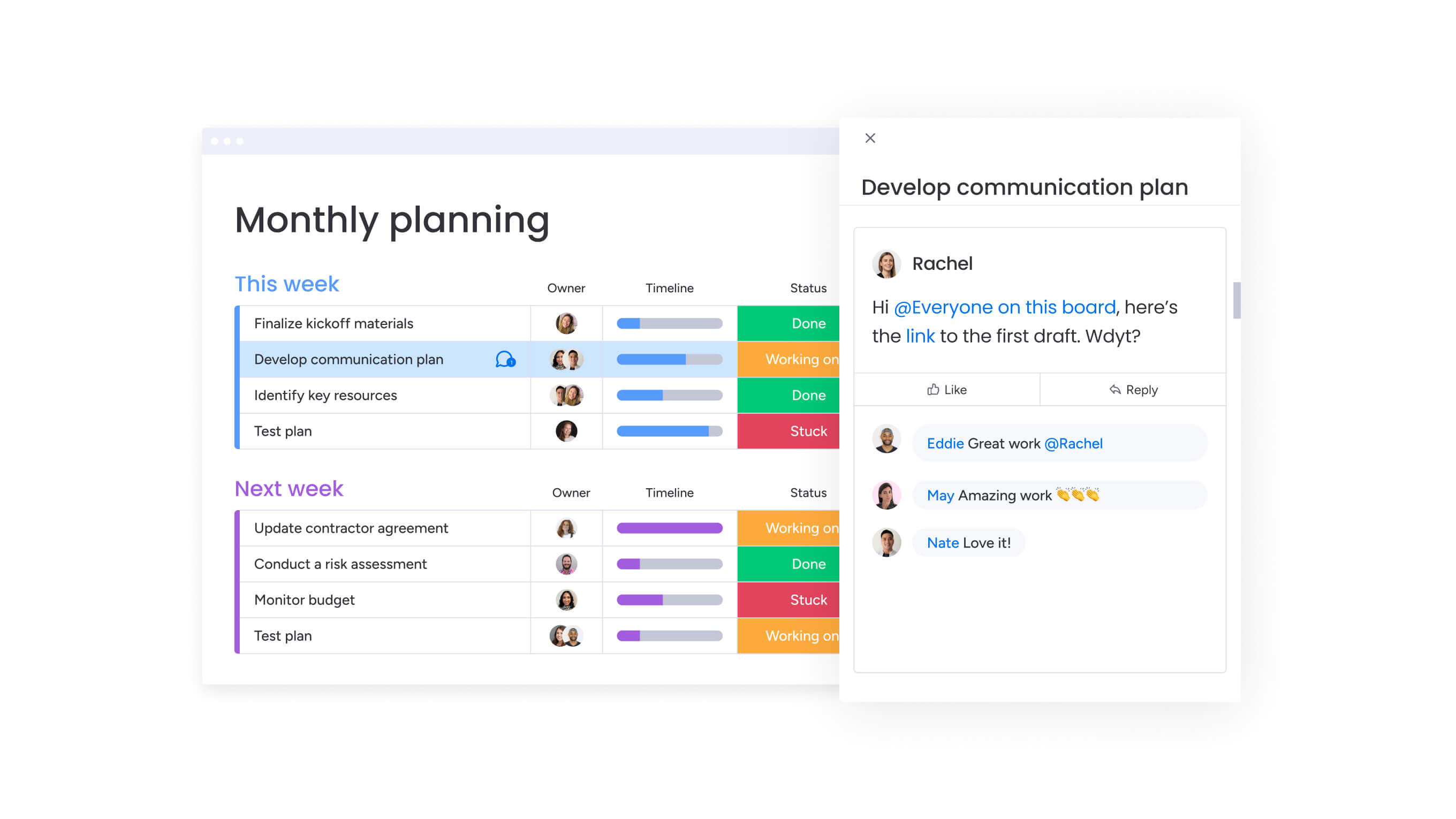
Successfully implementing monday work management for retail project coordination requires a structured approach that addresses your unique workflows, stakeholder needs, and operational requirements.
These steps guide you through setup, configuration, and team adoption to maximize your investment.
Step 1: map your retail project workflows
Document your typical retail project types — store openings, seasonal campaigns, product launches, renovations — and identify the key phases, tasks, and milestones for each. Determine which departments are involved, what dependencies exist between activities, and which deadlines are immovable.
This mapping helps you understand:
- Information visibility needs: what data requires Gantt chart display.
- Automation opportunities: which routine tasks consume the most time.
- Stakeholder requirements: who needs access to which project views.
Step 2: set up project boards with Gantt views
Create boards in monday work management for each major project type or initiative. Add the tasks, phases, and milestones from your workflow mapping. Configure the Gantt chart view to display timelines, dependencies, and critical paths.
Customize columns to track retail-specific information:
- Store locations and regions.
- Department assignments.
- Vendor and supplier details.
- Budget status and approval stages.
Step 3: establish dependencies and baselines
Link tasks that must be completed in sequence, ensuring your Gantt chart accurately reflects activity order. Enable the critical path to identify which tasks directly impact project completion dates. Once your initial timeline is set, capture a baseline to track actual progress against the original plan and learn from variances.
Step 4: configure workflow automations
Identify repetitive coordination tasks — notifying teams when prerequisites complete, reminding stakeholders about deadlines, alerting managers when tasks delay, moving items between phases. Create no-code automations for these routine activities, freeing time for strategic project management rather than administrative coordination.
Step 5: create stakeholder dashboards
Build dashboards providing executives with high-level visibility without requiring manual status reports. Include widgets showing:
- Projects by status and priority.
- Upcoming milestones and deadlines.
- Resource allocation across teams.
- Budget tracking and variance.
- At-risk initiatives requiring attention.
Share these dashboards so stakeholders can access real-time project status whenever needed.
Step 6: train your team and establish practices
Conduct training sessions for project team members, store managers, and cross-functional stakeholders. Focus on the specific views and features each group needs — Gantt charts for timeline planning, Calendar views for store managers, Workload views for resource planning.
Establish practices for keeping information current:
- Weekly status updates from project leads.
- Immediate notification of timeline changes.
- Regular baseline reviews and adjustments.
Comparison: monday work management vs other Gantt chart platforms
When considering Gantt chart software for retail project management, consider how each platform handles the unique challenges of multi-location coordination, cross-functional collaboration, and rapid timeline adjustments.
The table below highlights some of the key features associated with the most popular platforms on the market today:
| Feature | monday work management | Microsoft Project | Smartsheet |
|---|---|---|---|
| Gantt chart with dependencies | Drag-and-drop with auto-scheduling | Advanced but complex interface | Spreadsheet-style with limited automation |
| Multiple project views | 27 views including Gantt, Kanban, Calendar, Workload | Limited to Gantt and basic views | Grid, Gantt, Calendar, Card views |
| No-code automations | 200+ automation recipes | Limited automation capabilities | Basic automation with premium plans |
| Real-time collaboration | Comments, @mentions, file sharing | Limited collaboration features | Collaboration available with sharing |
| Mobile access for field teams | Full-featured iOS and Android apps | Limited mobile functionality | Mobile app with reduced features |
| Retail-specific templates | Store opening, seasonal planning, product launch templates | Generic project templates | Customizable templates available |
| Price per user/month | From $9/seat/month | From $10/user/month | From $9/user/month |
| Implementation time | 2-4 weeks typical | 2-3 months typical | 4-6 weeks typical |
| Learning curve | Low — intuitive interface | High — requires training | Medium — spreadsheet familiarity helps |
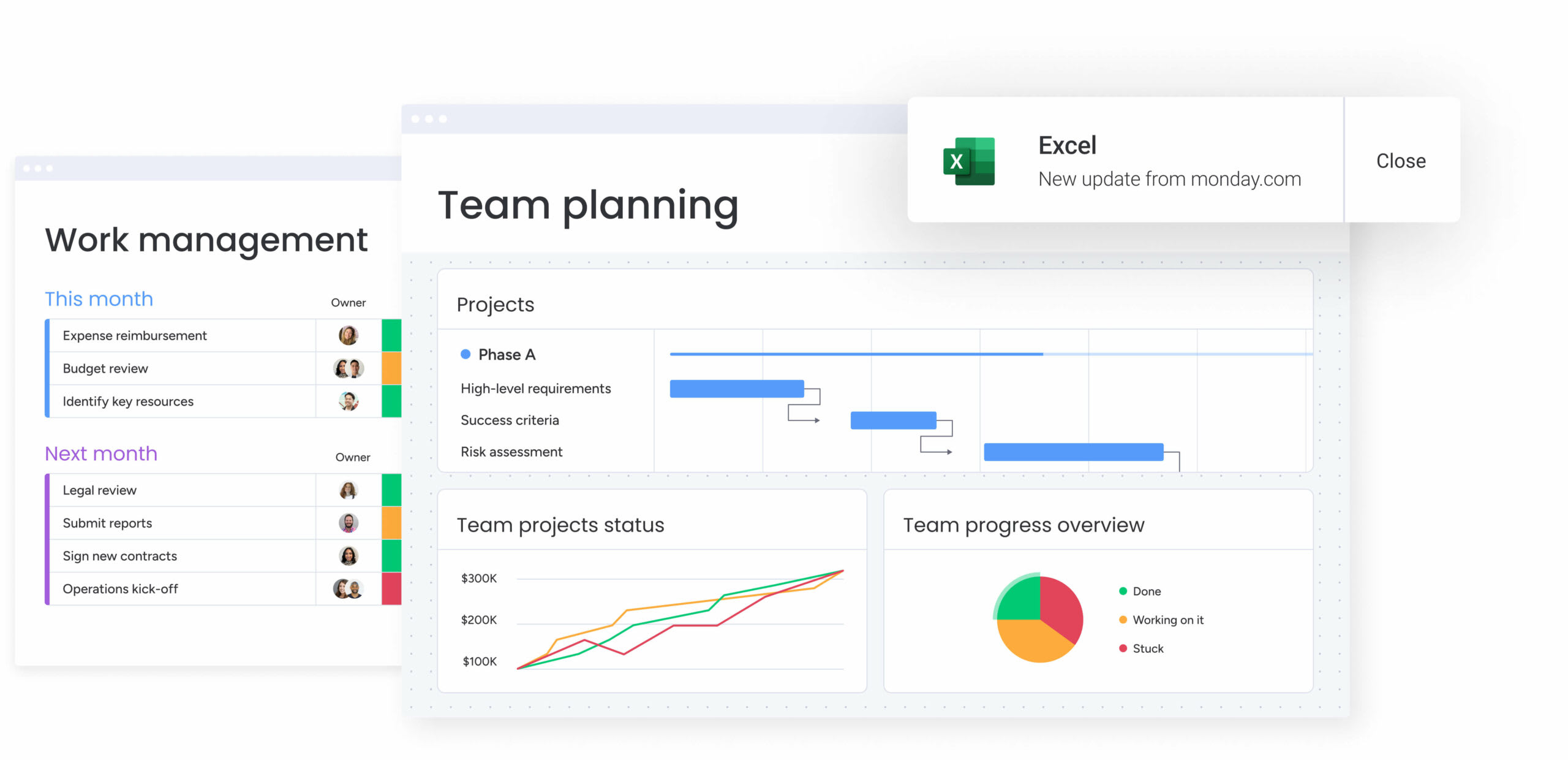
How Country Road Group transformed retail project management
Country Road Group, one of Australia’s leading fashion retailers, faced mounting complexity across its real estate and store planning teams. With more than 15 different project types — new store openings, refurbishments, concessions, and multi-brand rollouts — work was scattered across spreadsheets, email threads, and disconnected documents. Teams spent hours trying to track status, resolve duplicate work, and align designers, planners, and project managers.
The challenge grew even larger when the business re-entered Myer department stores. Each location triggered up to nine interconnected projects, all requiring coordinated timelines, shared resources, and clear visibility across multiple teams.
To regain control, the team adopted monday work management and redesigned their entire planning process. Consolidated boards replaced isolated spreadsheets, allowing multiple related projects to be viewed in a single workspace. This structure gave project teams immediate clarity on timelines, dependencies, and resource needs across every Myer location.
The impact was significant:
- 25% increase in project management efficiency across more than 150 concurrent projects.
- 150+ projects managed simultaneously with stronger cross-team coordination.
- Complete removal of spreadsheet-based planning, reducing duplicated work and manual reporting.
- Better post-project reflection, helping teams refine processes and improve future project timelines.
Country Road Group now operates with a centralized, scalable system that supports complex retail rollouts while giving leadership the visibility needed to make fast, informed decisions.
Transform your retail project management with monday work management
Retail project management requires more than basic Gantt charts. It demands a platform built to handle multi-location rollouts, cross-functional coordination, and rapid timeline shifts. monday work management brings these elements together through visual planning tools, automated workflows, and real-time collaboration features designed for the pace and complexity of retail.
Results from leading retailers show the impact. Country Road Group improved efficiency by 25% while managing 150+ concurrent projects, and Officeworks eliminated spreadsheet overload while coordinating thousands of planograms across hundreds of stores. These gains come from centralizing work, automating routine handoffs, and giving teams visibility into every task, deadline, and dependency.
For retail PMs looking to replace scattered spreadsheets and endless email follow-ups, monday work management provides a proven system for streamlined execution. With retail-specific templates, no-code automations, and advanced Gantt capabilities, teams can coordinate store openings, seasonal campaigns, and multi-location initiatives with far greater speed and clarity.
The content in this article is provided for informational purposes only and, to the best of monday.com’s knowledge, the information provided in this article is accurate and up-to-date at the time of publication. That said, monday.com encourages readers to verify all information directly.
Try monday work managementFrequently asked questions
How does monday work management handle multi-location retail projects with different timelines?
monday work management excels at multi-location retail projects through its flexible board structure and multiple view options. You can create a master board tracking all store locations with individual timelines, then use filtering and grouping to view specific regions, store types, or project phases. The Gantt chart view displays all locations on a single timeline, making it easy to see which stores are opening when and identify resource conflicts across locations.
Can I integrate promotional calendars with inventory planning timelines?
Yes, monday work management supports integration between promotional calendars and inventory planning through its board connection features and multiple view options. You can create separate boards for promotional planning and inventory management, then connect them so promotional campaign dates automatically link to inventory delivery requirements. When promotional campaign dates change, you immediately see the impact on inventory timelines.
What's the learning curve for store managers who aren't tech-savvy?
To answer what the learning curve is for store managers, they typically need only 30-60 minutes of training to understand the views and features relevant to their role. The visual, color-coded interface makes it easy to understand project status at a glance without requiring technical expertise. Most focus on the Calendar view showing activities at their location and the ability to update task status and add comments.
How do I justify the cost to retail executives focused on margins?
Calculate the hours your team currently spends on manual project coordination, status reporting, and rework caused by miscommunication, then multiply by hourly rates to show current process costs. Demonstrate how project delays impact revenue, particularly for seasonal campaigns and store openings where timing directly affects sales. Reference Country Road Group's 25% efficiency improvement across 150 projects or Officeworks' elimination of 635+ working spreadsheets.
Can I track vendor and supplier timelines alongside internal projects?
monday work management enables comprehensive vendor and supplier timeline tracking integrated with your internal project schedules. Add vendor deliveries, supplier milestones, and external dependencies directly to your Gantt charts, making it easy to see how vendor timelines impact internal activities. Create separate boards for vendor management that connect to project boards, ensuring vendor delivery date changes immediately show impact on store opening or campaign launch timelines. The platform's automation features notify vendors about upcoming deadlines and alert your team when vendor deliveries delay.
How does monday work management handle fast-paced retail deadlines?
The platform is built for retail's fast-paced environment where deadlines are immovable and changes happen constantly. Real-time collaboration features ensure everyone sees timeline updates immediately rather than working from outdated information. Automations send instant notifications when deadlines approach or tasks delay, enabling quick response. The mobile app allows field teams and store managers to provide updates and access project information from anywhere. The drag-and-drop.

 Get started