

Marketing teams constantly juggle dozens of moving pieces when coordinating events. Creative assets need approval, vendors require management, budgets demand tracking, and stakeholders expect updates. When these workflows live across disconnected platforms, teams miss opportunities for efficiency, which can impact resources and fragment marketing operations.
The best event management software doesn’t just handle logistics. It connects event planning directly to your broader marketing ecosystem, ensuring every conference, webinar, and product launch aligns with campaigns, creative production, and strategic goals. This unified approach transforms events from isolated projects into integrated initiatives that drive measurable business impact.
In this guide, you’ll discover which event management features actually matter for marketing leaders, and how the right platform connects your events directly to business outcomes and marketing OKRs — without creating yet another silo.
Key takeaways
When marketing teams manage events alongside campaigns, creative production, and strategic initiatives, disconnected tools create chaos. Here are the key ways in which advanced platforms like monday.com help transform event coordination:
- Connect events to your entire marketing operation: manage events alongside campaigns, creative production, and strategy in one unified workspace instead of juggling disconnected tools that create chaos.
- Gain real-time visibility across all moving parts: track event progress, team capacity, and budget status through customizable dashboards that prevent surprises and keep leadership informed.
- Transform coordination with monday.com’s automation: eliminate manual vendor management, stakeholder approvals, and routine tasks so your team focuses on strategic work that drives results.
- Scale event management without adding headcount: use templates, automated workflows, and integrated collaboration tools to deliver more events while reducing administrative overhead and coordination time.
- Measure event impact on business goals: connect event metrics directly to marketing OKRs and revenue outcomes through integrated reporting that demonstrates ROI to executive leadership.
What makes heads of marketing choose monday.com for event coordination?

Marketing leaders at mid-to-large organizations face a unique challenge. Events aren’t standalone projects — they’re integrated campaigns that require coordination across creative, content, demand generation, and operations teams, which is why choosing the right event planning software is critical for success.
Traditional event management software often treats events in isolation, while a unified platform helps integrate them with your overall marketing efforts.
Sophisticated solutions like monday.com take a different approach. The platform connects event planning directly to your broader marketing ecosystem, making comprehensive event management more achievable than ever.
This unified way of working solves the visibility problem that plagues marketing teams managing 50-100+ people across multiple functions. Consider how marketing teams actually work:
- Product launch events involve creative teams designing assets.
- Content teams craft messaging and promotional materials.
- Demand generation teams drive registration and attendance.
- Operations teams manage logistics and vendor coordination.
When these workflows live in separate tools, coordination also becomes a full-time job. Teams using monday.com gain visibility across all these moving parts through interconnected boards, automated notifications, and real-time dashboards.
You can build standardized workflows that work across all your events, while still keeping the flexibility to customize for webinars, trade shows, or product launches. Whether you’re running virtual webinars, hybrid conferences, or in-person trade shows, you can leverage robust event planning tools for seamless execution and consistent results.
monday.com top features for event coordination

The intuitive monday.com platform boasts features that solve the exact problems keeping marketing leaders up at night: disconnected teams, invisible bottlenecks, and the constant struggle to prove event ROI. Each feature transforms how your team approaches event management, from initial planning through post-event analysis.
Event management workflows
Create customizable event boards that capture every detail from initial planning through post-event analysis. These boards integrate seamlessly with your marketing operations, and an events calendar ensures that every project aligns with campaigns, creative production, and strategic goals.
The platform offers multiple views to match how your team works:
- Timeline view: visualize event schedules and dependencies.
- Calendar view: manage multiple concurrent events.
- Kanban boards: track tasks through planning, execution, and completion stages.
Build reusable templates for different event types that include pre-configured task lists, approval workflows, and stakeholder communication sequences. Teams launch new events in minutes rather than hours, maintaining consistency while moving fast.
Cross-functional collaboration tools
Stop the endless email chains between your event team, creative department, and demand gen specialists with collaboration that happens right where the work lives. The platform centralizes all event-related communication, creating a searchable history that eliminates the need to dig through email threads or Slack messages.
Key collaboration capabilities include:
- @mentions: tag colleagues directly within tasks for instant notification.
- Threaded updates: keep all context in one place.
- File sharing: attach creative assets, contracts, and documentation directly to their corresponding items.
- Guest access: invite external vendors or speakers without exposing your entire workspace.
When your event team needs creative assets, they submit requests through integrated forms that automatically create tasks, trigger approval workflows, and provide visibility into turnaround times. Dependencies ensure downstream tasks automatically adjust when timelines shift.
Resource management and capacity planning
The Workload view provides instant visibility into team capacity across all projects and events. See who’s overloaded, who has availability, and how to balance workloads to prevent burnout while meeting deadlines.
Resource management features help you:
- Allocate by skills: match tasks to team members based on expertise.
- Track time: understand how long event tasks actually take for better future planning.
- Prevent overload: visual indicators show when team members approach capacity.
- Plan ahead: see resource availability weeks or months in advance.
This visibility transforms how marketing leaders make decisions. You know whether your event coordinator can handle another conference, whether content teams can support promotion, and whether vendors are delivering on schedule.
Real-time analytics and reporting dashboards
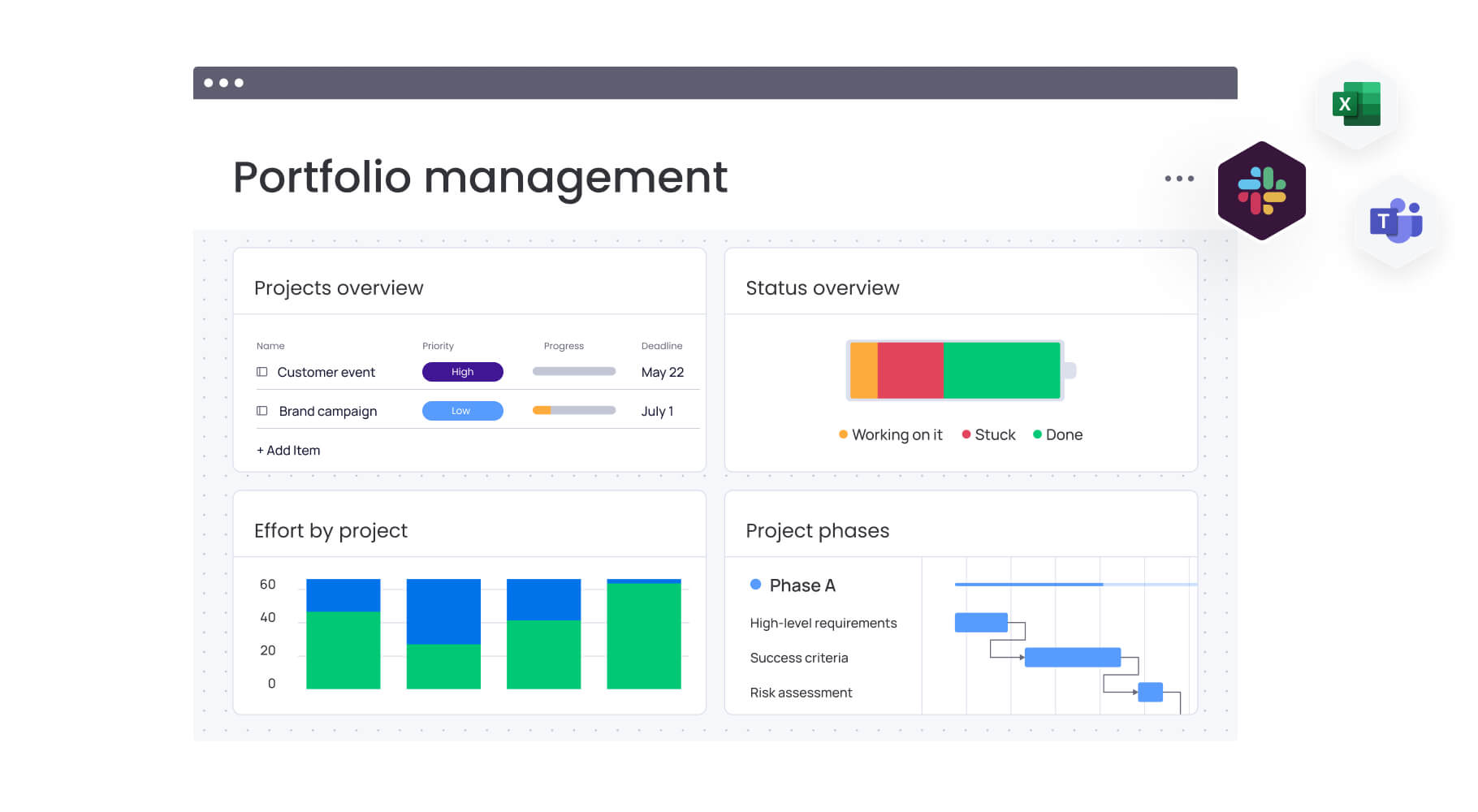
Custom dashboards aggregate event data across your organization, providing instant insights into registration numbers, budget utilization, vendor status, and task completion rates. These dashboards connect directly to your marketing OKRs, demonstrating how events contribute to pipeline generation, customer acquisition, and brand awareness.
Dashboard capabilities include:
- Portfolio views: see all events in progress with status indicators.
- Risk identification: AI-powered insights flag potential issues before they escalate.
- Budget tracking: monitor spend against allocation in real time.
- ROI metrics: connect event performance to business outcomes.
Filter and segment data by event type, region, team, or any custom criteria. Leadership accesses real-time information without requesting updates, and a comprehensive team events calendar ensures critical decisions can be made using accurate data.
Marketing stack integration capabilities
Connect monday.com with your existing marketing technology through 200+ native integrations and an open API. This integration ecosystem ensures event data flows seamlessly across systems without manual data entry.
Critical integrations for event management:
- CRM platforms: sync attendee data with Salesforce or HubSpot.
- Marketing automation: trigger email sequences through Marketo or Eloqua.
- Communication tools: receive notifications in Slack or Microsoft Teams.
- Analytics platforms: feed event metrics into your reporting systems.
When someone registers for your event, their information automatically updates in your CRM, triggers welcome emails, and creates follow-up tasks for sales teams. Post-event surveys feed directly into analytics platforms while engagement scores sync with lead scoring models.
Workflow automation and templates
No-code automation is a hallmark of the best event planning software, eliminating the manual coordination that often causes team burnout. Set up rules that automatically assign tasks, send notifications, create recurring events, and update stakeholders when milestones are reached.
Automation examples for event management:
- Approval routing: contracts and creative assets flow through defined approval chains.
- Status updates: stakeholders receive automatic notifications when stages complete.
- Task creation: recurring events generate all required tasks from templates.
- Deadline reminders: team members get alerts before critical dates.
Build approval workflows that route vendor contracts, budget requests, or creative assets to the right people in sequence. Templates ensure consistency across events while automation handles the repetitive work that slows teams down.
Vendor and stakeholder management systems
Manage external vendors, speakers, sponsors, and stakeholders within the same platform where you coordinate internal teams. Create dedicated boards for vendor management that track contracts, deliverables, payment schedules, and performance metrics.
Use Forms to collect information from external parties, automatically creating items in your event board with all relevant details. Share specific views with vendors or speakers, giving them visibility into timelines and deliverables without exposing your entire workspace.
No more hunting through six different places when a speaker needs to change their session time or a vendor has a contract question. Everything lives in one place, with clear ownership and automatic updates to everyone who needs to know.
How heads of marketing benefit from monday.com
Marketing leaders who bring their event coordination into monday.com run more efficient events — they build stronger teams, save thousands of hours, and connect their events directly to revenue outcomes.
Time savings and efficiency gains
Your team gets back thousands of hours previously lost to update meetings, hunting down approvals, and copying the same information into multiple systems. Automation takes care of the busywork so your people can focus on what actually drives results.
- Reduced coordination overhead: no more email chains or status meetings.
- Faster approvals: automated routing cuts approval cycles from days to hours.
- Streamlined reporting: real-time dashboards eliminate manual report creation.
- Quick event launch: templates and automation reduce setup time.
Cost efficiency and budget optimization
Visibility into resource allocation and budget utilization helps teams reduce waste and reallocate funds to high-impact initiatives. Real-time tracking prevents budget overruns while automation reduces the administrative overhead that inflates event costs.
Improved team productivity
When teams work in a unified platform with clear ownership and automated workflows, they deliver more events without adding headcount. The reduction in context-switching and manual work lets teams focus on strategic activities that drive results.
Enhanced visibility and decision-making
Real-time dashboards provide instant insights into event performance, team capacity, and potential risks. Leaders make data-driven decisions quickly, adjusting plans based on current information rather than outdated reports.
Strategic alignment with business goals
Events connect directly to marketing OKRs and company objectives through portfolio-level views and integrated reporting. This alignment ensures every event contributes to measurable business outcomes rather than operating in isolation.
How to coordinate enterprise events with monday.com
Transform your event coordination from reactive to proactive with this systematic approach. This step-by-step framework helps marketing teams establish unified event management that scales across multiple concurrent events and integrates with broader marketing operations.
Step 1: centralize all event planning in one platform
Create a master events board as your single source of truth. Include columns for event type, date, status, budget, owner, and key milestones.
Essential setup elements:
- Use Groups to organize events by quarter, region, or type.
- Connect master board to individual event project boards for detailed planning.
- Set up status tracking with clear indicators for planning, execution, and completion phases.
- Configure budget columns to monitor spend against allocation.
Step 2: connect events to campaign workflows
Link event boards to campaign management, content calendars, and creative production using board connections and mirroring columns. When event dates change, related campaign timelines automatically update. When creative assets get approved, the event team receives automatic notification.
Step 3: automate vendor and stakeholder management
Build vendor management boards tracking contracts, deliverables, and payment schedules. Create Forms for speaker submissions and sponsor applications that automatically populate your event boards.
Key automation setup:
- Contract reminders for renewal dates and deliverable deadlines.
- Deliverable notifications when vendors submit materials.
- Issue escalation when deadlines are missed or problems arise.
- Payment tracking to ensure vendor compensation stays on schedule.
Step 4: track performance against marketing OKRs
Create dashboards connecting event metrics to marketing goals. Track registration numbers, attendance rates, engagement scores, and post-event survey results alongside campaign performance. These dashboards demonstrate event ROI to executive leadership while identifying optimization opportunities.
Step 5: scale across multiple event types
Build templates for conferences, webinars, trade shows, and product launches. Include standard task lists, timelines, approval workflows, and communication sequences.
Template customization approach:
- Maintain consistency across your event portfolio.
- Customize for specific needs without losing standardization.
- Include pre-built workflows for common event scenarios.
- Set up automatic task creation when new events launch.
Learn more: Webinar plan template (step-by-step guide)
Step 6: optimize through continuous improvement
Don’t just move on to the next event — learn from each one. Compare your planned versus actual timelines, spot where resources got stretched thin, and gather honest team feedback. Then refine your templates and workflows so each event runs smoother than the last.
Comparison: monday.com vs traditional event platforms
Most event platforms stop at registration and ticketing, but monday.com is built different: a system that connects your events to everything else marketing does, from campaign planning to creative production to budget tracking.
This comparison highlights the key differences that matter to marketing leaders managing complex, multi-faceted events.
| Feature | monday work management | Traditional event platforms |
|---|---|---|
| Unified marketing operations | Events + campaigns + creative + strategy in one platform | Events managed in isolation |
| Cross-functional collaboration | Built-in for all teams across the organization | Limited to event-specific roles |
| Resource management | Workload view + capacity planning across all work | Not typically included |
| Marketing stack integrations | 200+ native integrations + open API | Limited integration options |
| Custom workflow automation | No-code automation builder for any process | Basic email automation only |
| Real-time dashboards | Customizable for any metric or KPI | Standard event reports only |
| OKR tracking | Connect events directly to business goals | Not included |
| Implementation time | 2 weeks to 1 month | 2-3 months typical |
| Pricing model | Transparent tier-based pricing | Complex per-registrant fees |
How Genpact transformed event and campaign coordination
To help so the real-world impact of utilizing a tool like monday.com, it helps to take a look at a real-word scenario.
Genpact’s globally distributed marketing team managed 24 large-scale campaigns and multiple international events simultaneously. Campaign managers relied on spreadsheets saved across desktops, emails, and SharePoint folders. Without a single source of truth, achieving visibility was nearly impossible.
The team implemented monday.com to create a unified platform for campaign planning, event management, and cross-functional collaboration. They built a GTM campaign calendar with subitems showing the hierarchy of programs, campaigns, and activations — including events.
Event-specific implementation
For event management specifically, Genpact created an Events & Webinar calendar tracking which events were in-person, virtual, or hybrid. When the pandemic forced rapid changes, they quickly restructured their events board to monitor which events were going virtual, canceled, or postponed.
Measurable results
The results speak for themselves. Genpact achieved:
- 40% improvement in cross-team collaboration.
- Complete elimination of spreadsheets.
- 25% reduction in email exchanges.
- Real-time visibility for the CMO to make fast decisions about contracts and budgets.
The CMO gained real-time visibility to make fast decisions about contracts and budgets based on current data rather than outdated reports.
Centralize event planning and execution in one platform: try monday.com
What if you could move beyond event management chaos? Imagine replacing endless email chains and spreadsheet nightmares with a single platform that answers “who’s working on what” instantly.
There’s a better way: monday.com brings everything together in one platform where events connect to campaigns, resources align with priorities, and results tie directly to business goals.
Start small and grow into it. Track basic event details today, then add automations and integrations as your team gets comfortable — all without rebuilding from scratch. Begin with basic event tracking, then add automation, integrate your tech stack, and build comprehensive dashboards as your program matures.
When your event team works in the same system as everyone else in marketing, magic happens. Events start driving pipeline instead of just burning budget. Teams execute faster. And you finally get clear data on which events actually deliver ROI. The transformation from scattered, reactive event management to strategic, integrated coordination creates competitive advantages that compound over time.
Ready to see how monday.com can transform your event coordination? Start by implementing an event calendar that unifies your workspace with broader marketing ecosystems.
The content in this article is provided for informational purposes only and, to the best of monday.com‘s knowledge, the information provided in this article is accurate and up-to-date at the time of publication. That said, monday.com encourages readers to verify all information directly.
Frequently asked questions
What is the typical implementation timeline for enterprise event management software?
Most enterprise marketing teams get up and running in just two to four weeks — a fraction of the time needed for traditional event platforms. The platform's intuitive interface enables rapid onboarding, allowing teams to start managing events within days of initial setup. This contrasts with traditional event platforms that often require two to three months for full implementation due to complexity and customization requirements.
How do event management platforms integrate with existing marketing automation tools?
Event management platforms integrate with marketing automation tools through native connectors and APIs. monday.com offers 200+ native integrations, enabling seamless connections with platforms like Marketo, Eloqua, HubSpot, and Salesforce. Event registration data automatically syncs with your CRM, triggering email sequences and creating follow-up tasks without manual data transfer.
What's the average ROI for marketing teams using event management software?
Marketing teams using comprehensive event management software report significant returns through time savings, cost reduction, and productivity improvements. Organizations see reduced manual coordination, elimination of tool sprawl, and improved cross-functional collaboration, with some teams saving thousands of hours monthly and achieving multiple times return on their investment.
Can event management software handle both internal and external events?
Yes, event management software handles both internal and external events effectively. monday.com supports all event types — internal meetings, employee events, customer conferences, partner summits, trade shows, and webinars. The platform's flexibility allows different workflows for different event types while maintaining visibility across your entire portfolio.
How do you measure event impact on pipeline and revenue?
Measuring event impact on pipeline and revenue requires connecting event performance to business outcomes. Integrate your event management platform with CRM and marketing automation systems to track attendee progression from registration to customer. Create dashboards showing event ROI metrics alongside campaign performance, including cost per attendee, lead conversion rates, and revenue attribution.
What training is required for marketing teams to adopt new event management platforms?
Training requirements vary by platform complexity and user interface design. monday.com requires minimal training due to its intuitive, visual interface, with most teams becoming comfortable within two weeks to one month. The platform offers comprehensive onboarding resources including documentation, video tutorials, and dedicated customer success support for enterprise implementations.

 Get started