


If your team’s work lives in inboxes, private calendars, scattered spreadsheets, and “quick” Slack messages, you’re not managing assignments, you’re chasing them.
What starts as manageable coordination quickly turns into deadline collisions, duplicated work, and overloaded team members. Leaders lose visibility. High performers burn out. And strategic initiatives stall not because the plan was flawed, but because execution wasn’t centralized.
In 2026, high-performing organizations treat assignment management as an operational system, not an afterthought. An assignment calendar brings every task, owner, and deadline into one shared layer of visibility, turning reactive coordination into proactive resource planning.
To understand its impact, we’ll examine how assignment calendars work, why they’ve become foundational to modern operations, and the practical steps required to implement them effectively across teams.
Key takeaways
Assignment calendars have become an essential part of how modern teams operate. Instead of constantly reacting to missed updates and shifting deadlines, organizations can plan ahead and manage resources more intentionally. Here are the key takeaways:
- Centralized assignment visibility is essential for execution: bringing all assignments into a single calendar eliminates blind spots, reduces missed deadlines, and gives leaders real-time insight into who is working on what across teams.
- Workload transparency prevents burnout and bottlenecks: assignment calendars surface capacity imbalances early, enabling teams to redistribute work, protect high performers from overload, and plan resources more realistically.
- Clear ownership improves accountability and outcomes: defining owners, deadlines, and status for every assignment reduces ambiguity, strengthens cross-functional collaboration, and keeps work moving forward without escalation.
- Assignment calendars complement project management tools: while project software tracks milestones and deliverables, assignment calendars focus on people, capacity, and daily execution, ensuring strategic plans align with actual team availability.
- Platforms like monday.com enable scalable assignment coordination: by combining customizable workflows, workload views, automation, and AI-driven insights, teams can manage assignments efficiently while maintaining alignment with broader business goals.
What is an assignment calendar for teams?
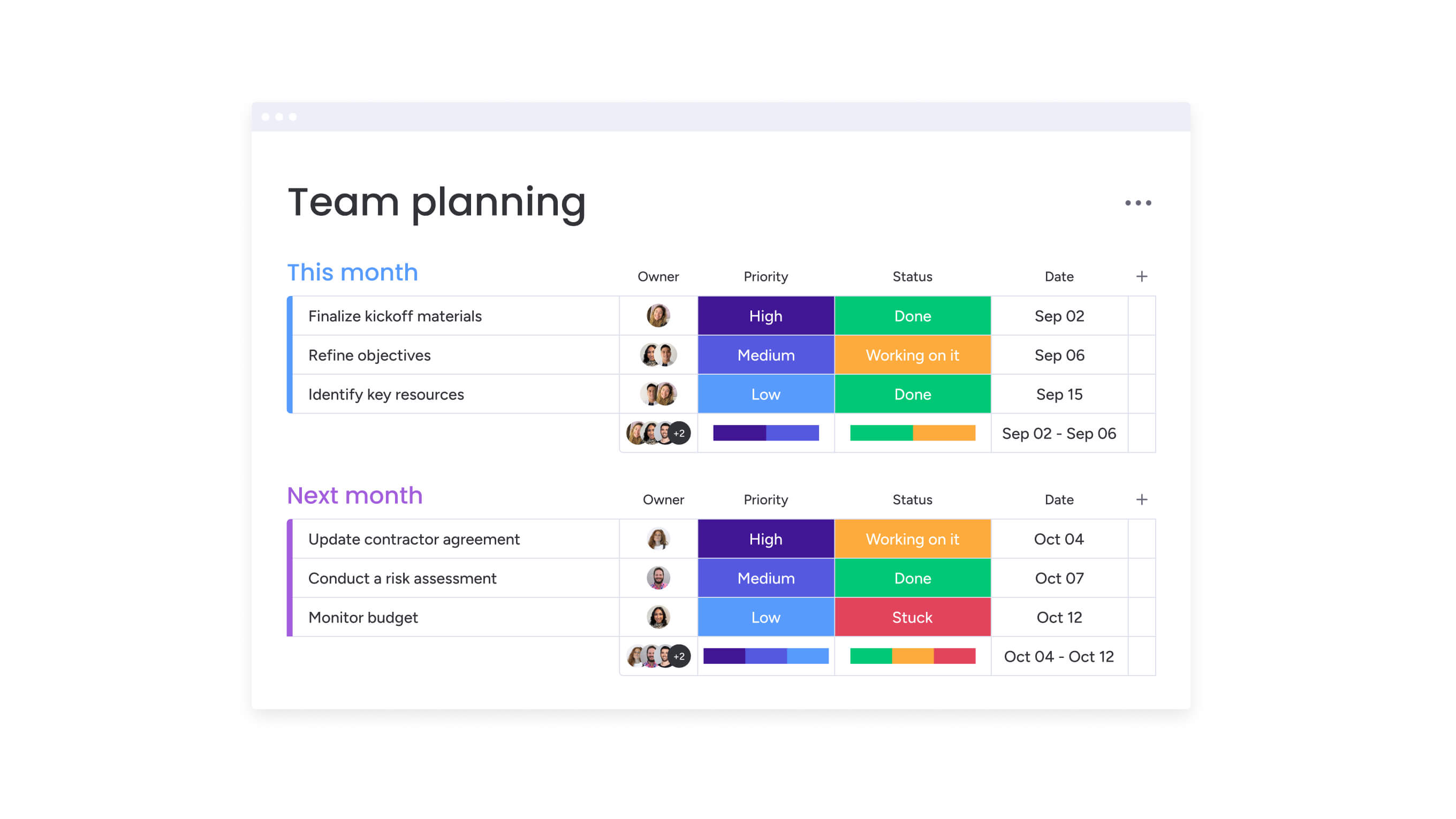
An assignment calendar is a shared system that helps teams keep track of who’s doing what and when it’s due. Instead of assignments living in personal to-do lists, scattered spreadsheets, or separate project boards, everything is visible in one place. That shared visibility makes it much easier to balance workloads, meet deadlines, and avoid last-minute surprises.
While assignment calendars may sound like something borrowed from school planners, they’ve grown into something much more powerful in the business world. Traditional work management often happens in silos, one team tracks tasks their way, another uses a different system, and leaders only see fragments of the bigger picture.
An assignment calendar brings those moving parts together. It connects individual tasks to team capacity, cross-functional dependencies, and larger company goals. The result? Teams can plan ahead instead of constantly reacting.
At their core, modern assignment calendars are built around three simple but essential elements that help teams stay consistent and aligned:
- Project deliverables: defined outputs tied to strategic initiatives, such as campaigns, launches, and client-facing work.
- Recurring responsibilities: ongoing operational assignments, including reporting cycles, system maintenance, and support rotations.
- Cross-departmental requests: collaborative work that requires coordination across teams, such as design requests, approvals, or technical support.
Here’s how assignment calendars compare to basic task lists:
| Feature | Assignment calendars | Basic task lists |
|---|---|---|
| Visibility | Centralized across all team members and departments | Individual or project-specific tracking |
| Resource planning | Real-time workload distribution and capacity planning | No resource allocation visibility |
| Coordination | Cross-departmental assignment coordination and handoffs | Siloed management within teams |
| Integration | Connects with broader work management systems | Standalone tracking |
When all assignments are centralized, you can anticipate workload imbalances, meet deadlines consistently, and ensure every effort is aligned. Organizations using monday.com streamline assignment tracking through customizable workflows that adapt to how different teams actually work, providing real-time visibility without forcing rigid processes.
Why every team needs an assignment calendar?
If your team is juggling emails, personal calendars, chat threads, and spreadsheets, it’s easy for things to slip through the cracks. Work gets duplicated, deadlines are missed, and nobody really knows who’s responsible for what. Over time, this chaos adds up, and suddenly, managing assignments feels like a full-time job in itself.
An assignment calendar changes all of that. Instead of constantly reacting to problems after they happen, you can see issues coming and fix them early. Managers no longer have to guess who’s overloaded because real-time visibility shows exactly where the work sits. And when work is visible, planning becomes proactive, not reactive.
This is more important than ever. Only about 12% of U.S. HR leaders say their organizations actually do long-term workforce planning. Without a clear view of team capacity, forecasting and prioritizing effectively is almost impossible.
Here’s how an assignment calendar helps tackle the biggest headaches.
1. Prevent resource conflicts before they happen
Multiple projects often need the same people at the same time. Without a clear view, each team assumes their work is the top priority. The result? Overloaded employees, missed deadlines, and frustration all around.
With an assignment calendar, you can spot these conflicts early. Teams can adjust workloads, set realistic deadlines, and make sure the right people are working on the right tasks, before it turns into a crisis.
2. Close visibility gaps
Managers often sense when workloads aren’t balanced or morale is slipping, but without clear data, it’s hard to figure out exactly what’s going on. Individual teams see their own work, but they can’t see the bigger picture.
By centralizing assignments in one calendar, you can easily spot which teams are overloaded, which have room for more work, and where tasks are getting delayed.
3. Make accountability crystal clear
Cross-team projects often stall because nobody is 100% sure who owns what. Assumptions lead to delays, missed deadlines, and endless follow-ups.
An assignment calendar fixes that. Every task has an owner, a due date, and a visible status. Everyone knows who’s responsible, so work keeps moving without constant check-ins.
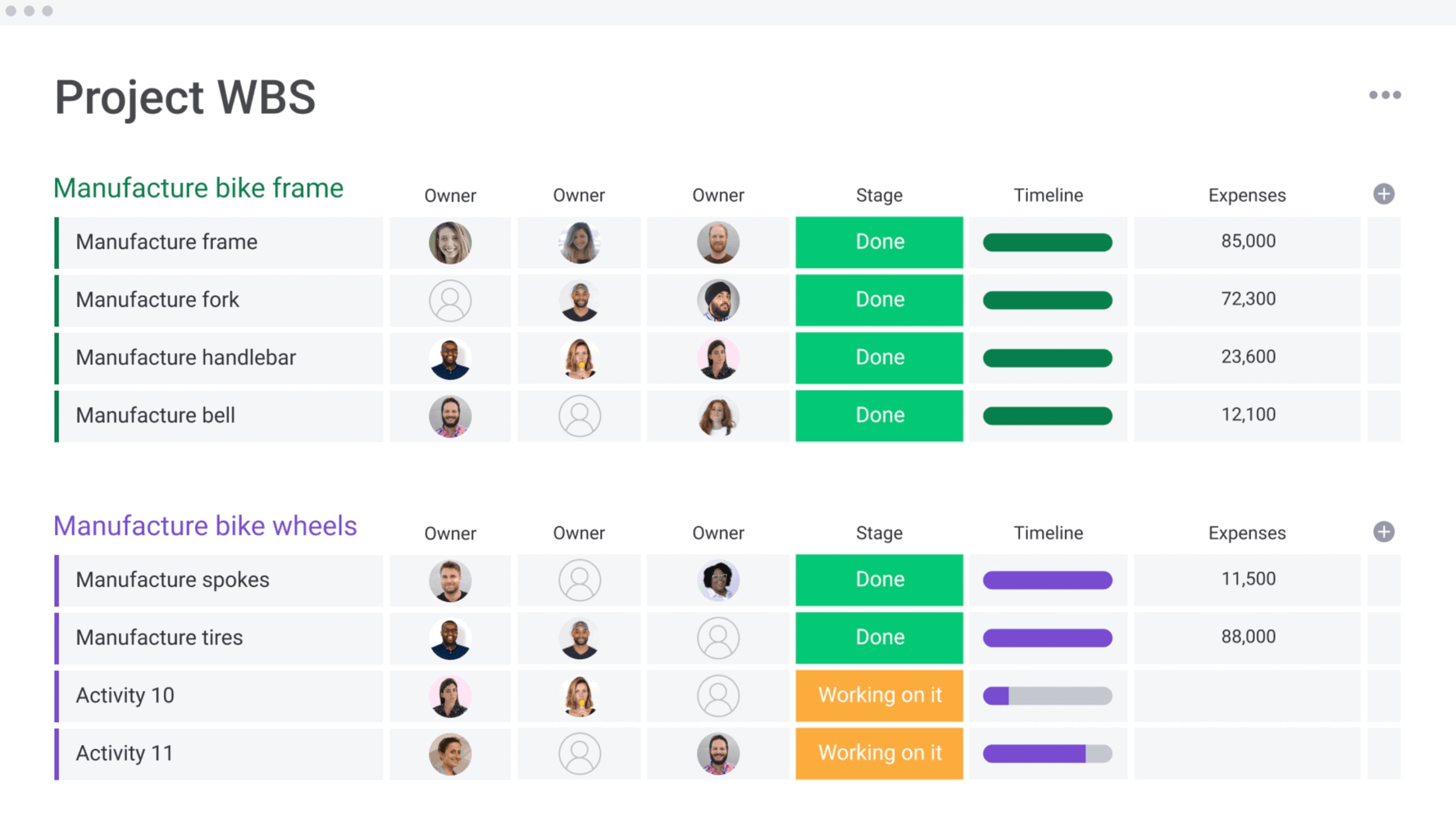
5 game-changing benefits of assignment calendars
Organizations consistently see measurable improvements when they implement assignment calendars, particularly in coordination, workload balance, and operational clarity.
1. Complete visibility across all team assignments eliminates blind spots
Leaders gain a clear view of what teams are working on, who is approaching capacity, and which deadlines require attention. Instead of relying on manual updates, managers can assess availability and make informed decisions when new initiatives arise.
2. Intelligent workload distribution prevents burnout
Assignment calendars reveal workload patterns that are easy to miss with manual tracking. Teams can quickly see who is overworked, which skills are in high demand, and where work isn’t evenly spread across departments. This insight helps managers make smarter decisions about hiring, training, and project scheduling.
For example, an IT operations team cut their average assignment completion time by 23% after using an assignment calendar. They realized junior team members had extra capacity while senior engineers were overloaded. By shifting routine tasks to junior staff, senior engineers could focus on more complex problems.
Smart workload management like this creates real value. Focusing on employee well-being and balanced workloads can boost productivity, generating $1,100–$3,500 per employee each year, equivalent to 17–55% of their average annual pay.
3. Accountability drives results through ownership
Every assignment clearly shows who’s responsible, the deadline, and the progress made. This kind of transparency removes the common “I thought someone else was handling it” problem that often slows down cross-team projects. Team members can see their work in the bigger picture, understanding how their tasks contribute to broader goals.
Managers also gain the ability to spot slowdowns before they turn into missed deadlines. For instance, a finance team cut their month-end close time by 18% after implementing an assignment calendar. They discovered that delays weren’t because of workload—but because ownership of certain reconciliation tasks wasn’t clearly defined. Once that was fixed, things moved much more smoothly.
4. Keeps all your favorite tools in sync
Modern assignment calendars integrate with the platforms teams already use, including email, calendars, project management platforms, and communication systems. This integration eliminates the friction of maintaining separate systems and ensures assignment information stays current across all platforms.
Such workflow integration is critical for adoption, as 45% of U.S. employees say they would use generative AI more in their daily work if it were seamlessly integrated into existing workflows. When a deadline changes in the assignment calendar, connected calendars update automatically.
When an assignment is completed, relevant stakeholders receive notifications through their preferred channels. Teams using monday.com connect assignment tracking with 200+ existing platforms, centralizing assignment data without requiring teams to abandon familiar workflows.
Get it now: Assignment tracker template
5. Smarter resource planning through real data
Assignment calendars turn everyday task tracking into actionable insights. You can see which assignments usually take longer than expected, who consistently finishes ahead of schedule, and when workload spikes seasonally. This information helps managers plan realistically, set better timelines, and make informed decisions about team structure.
One operations director used assignment calendar data to justify hiring two more team members. Analytics showed the team was consistently working at 130% capacity during quarterly reviews, something that would have been hard to spot without centralized visibility.
Try monday.comAssignment calendar vs project management software
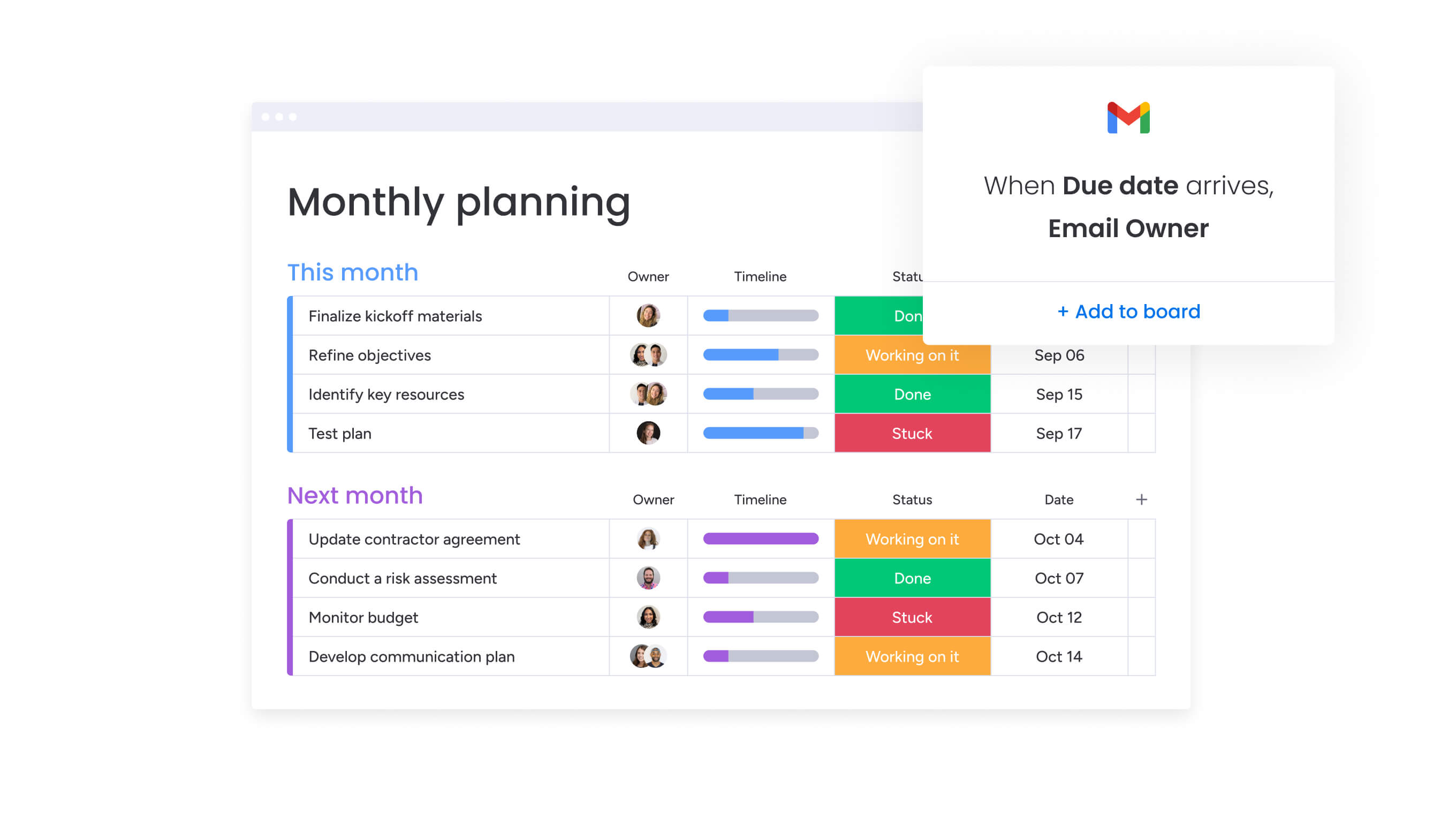
Don’t confuse assignment calendars with project management software; they solve completely different problems, even though they work best together. Project management platforms show you the big picture, but they often lack granular detail on who is doing the work and what their capacity is.
Project management software excels at tracking high-level milestones, deliverables, and project phases. These platforms answer questions like “Is the product launch on schedule?” and “What are the key deliverables for Q2?” Assignment calendars operate at a different level of granularity, answering “Who has capacity to take on new work?” and “How is workload distributed across the team this week?”
| Dimension | Assignment calendars | Project management software |
|---|---|---|
| Focus area | Individual assignments and resource allocation across all work | Project milestones and deliverables within specific initiatives |
| Granularity | Detailed assignment tracking with workload visibility | High-level organization and project phase tracking |
| Resource view | Person-centric visibility showing each team member's full workload | Project-centric visibility showing resources allocated to specific initiatives |
| Timeline perspective | Ongoing assignment flow across all projects and operational work | Project phases and milestone sequences for specific initiatives |
| Collaboration approach | Cross-departmental assignment coordination and handoffs | Project team collaboration within defined initiatives |
Assignment calendars and project management software address different operational needs, even though they work best together. Project management platforms focus on milestones, deliverables, and timelines within defined initiatives. Assignment calendars focus on how work is distributed across people and teams.
Project management answers questions such as whether an initiative is on track. Assignment calendars answer questions about capacity, workload balance, and availability. Relying on project views alone can obscure operational responsibilities that sit outside formal projects.
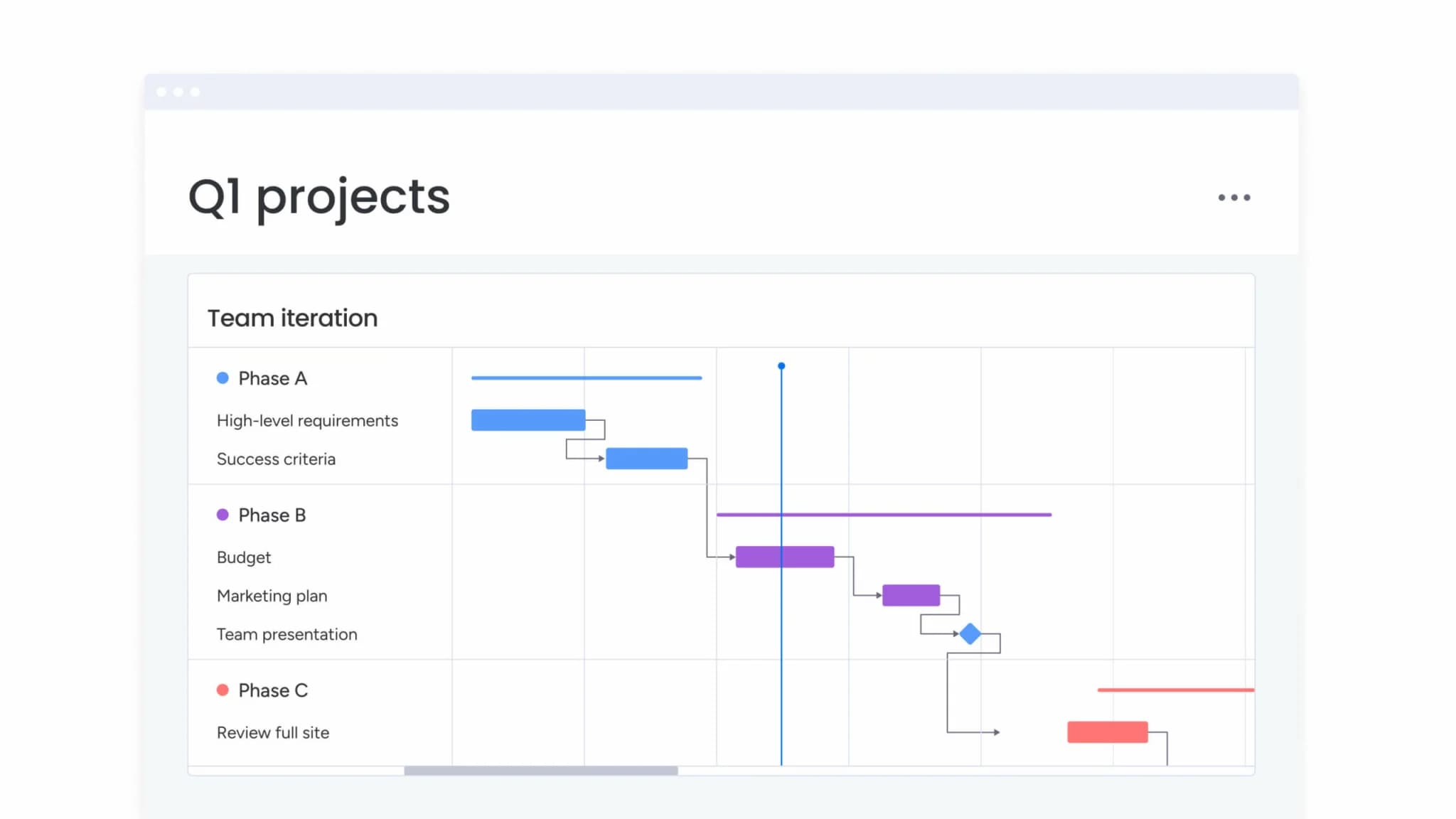
Organizations using monday.com can view work through both lenses in a single workspace, connecting project-level planning with assignment-level execution without maintaining separate systems.
Must-have features for team assignment calendars
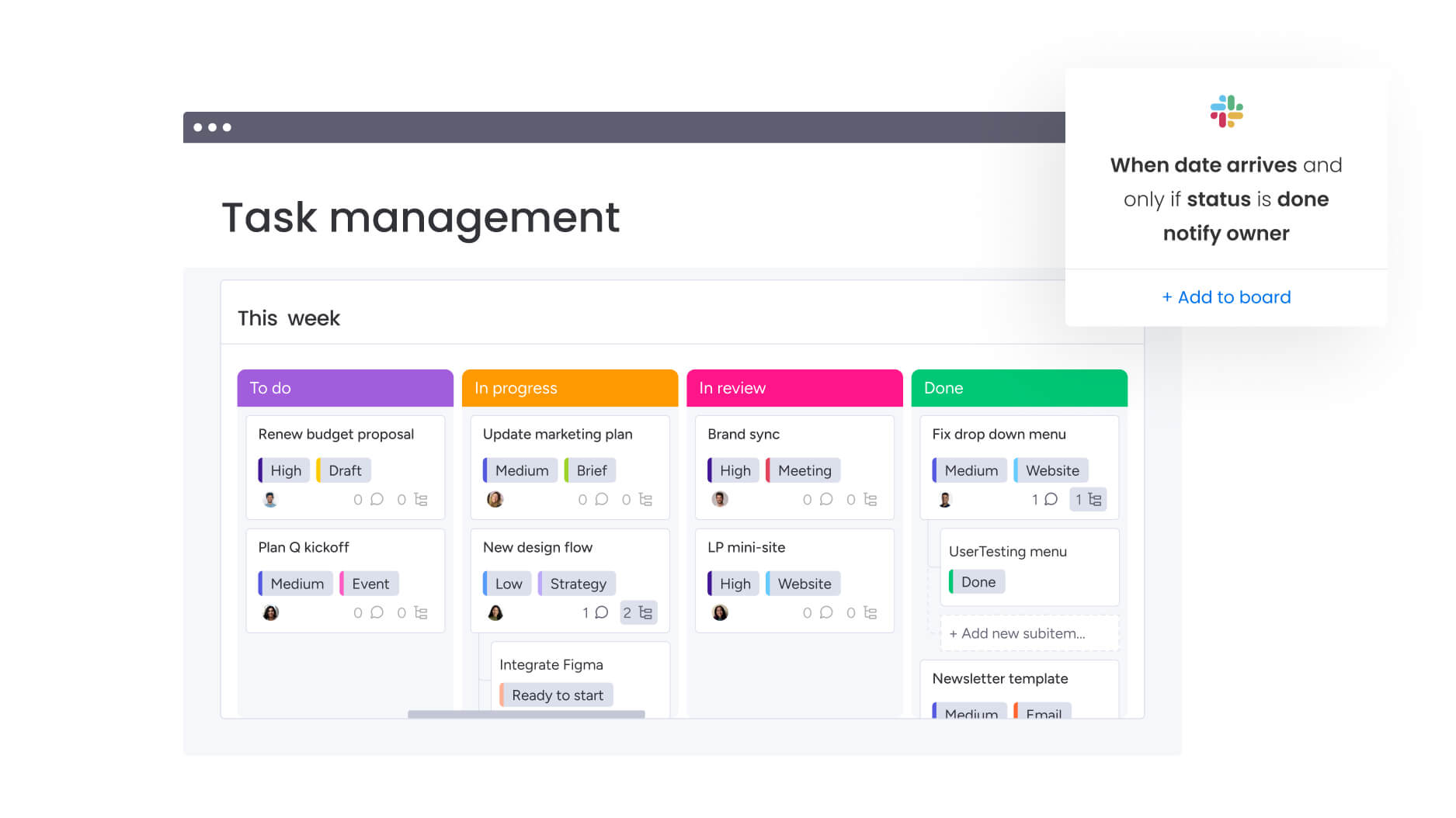
When choosing an assignment calendar solution, look for these five features that solve your biggest coordination headaches. The right features turn basic task lists into powerful tools that actually drive your strategy forward.
AI-powered assignment organization automatically categorizes and prioritizes
Modern assignment calendars use artificial intelligence to analyze assignment patterns, suggest appropriate categorization, and identify priority levels based on content and context. This approach reduces manual sorting while ensuring assignments are classified consistently across teams.
When a new assignment is created, AI reviews the description, identifies the assignment type, recommends the appropriate workflow, and highlights potential conflicts with existing work. Teams using AI-powered organization report up to 40% faster assignment routing and more consistent prioritization across departments.
Effective solutions continue learning from historical patterns rather than relying on fixed rules. This allows categorization logic to evolve alongside team processes, supporting scalability without forcing rigid structures.
Real-time progress dashboards provide live visibility
Assignment calendars should do more than just display static data, they should give teams insights they can act on. Real-time dashboards show not only upcoming deadlines and completion rates but also how work is spread across team members and where risks might be emerging, all without the need for manual reporting.
This kind of visibility lets managers quickly spot which assignments need attention, which team members are close to capacity, and where collaboration between teams is slowing things down. With these insights, adjustments can be made fast, keeping projects on track and reducing stress for everyone involved.
For example, a customer success team discovered through dashboard data that handoffs between support and product teams were taking several days longer than expected. By addressing this, they cut customer resolution time by 30%. The key is dashboards that balance a clear overview with actionable signals, helping teams focus on what really matters.
Smart assignment routing finds the right person for the job
A good assignment calendar doesn’t just list tasks—it helps make sure the right work lands on the right person’s plate. Smart routing looks at current workload, skills, and past performance to suggest who can take on a new assignment without overloading anyone.
Over time, the system gets smarter, learning which team members excel at certain types of work and how long tasks usually take. For example, an IT service desk used smart routing to ensure complex technical issues went to senior engineers, while routine requests went to available junior staff.
The result? Average assignment resolution time dropped by 25%. The key is routing logic that considers both immediate availability and longer-term capacity, so everyone stays productive without burnout.
Access your assignments anywhere, on any device
Assignment calendars must work wherever team members work, whether in the office, at home, or on the move through an online calendar platform. Full functionality across mobile and desktop devices enables real-time assignment updates, progress tracking, and workload visibility regardless of location.
This flexibility matters especially for distributed teams. A field operations team, for instance, improved assignment completion accuracy by 35% simply by allowing technicians to update status immediately, instead of waiting until they returned to the office.
Customize workflows to match how your team works
Every team handles work differently. Marketing might need creative review cycles, IT needs classification and escalation paths, and finance tracks approvals and compliance checkpoints. A one-size-fits-all system slows teams down.
Modern assignment calendars, like monday.com, let teams build workflows that match their real processes. You can define approval steps, status stages, required fields, and notifications, without needing technical expertise. Workflows evolve as your team does, making it easy to stay organized while keeping everyone aligned.
Build your assignment calendar in 5 steps
Setting up your assignment calendar doesn’t have to be complicated, but it does require a plan. With a clear plan, teams can move from scattered tracking to full visibility and coordination.
Step 1: map your current assignment flow
Start by documenting how work actually moves through your team. Where does it come from? How is it communicated? Who assigns it? Where do handoffs happen? This often reveals informal processes that differ from official ones.
For instance, one marketing team found 60% of assignments were sent via email or direct message, not through the official request system. Accounting for this ensures your calendar reflects reality.
Step 2: define assignment categories and priorities
Create clear assignment types and consistent naming conventions. Align priorities with business impact instead of vague labels. Categories could include client deliverables, internal projects, operational tasks, or ad hoc requests. Set life cycle stages, like requested, assigned, in progress, review, complete, to keep everyone on the same page.
Step 3: configure team permissions
Decide who can create, assign, or modify work at different levels. Team members typically manage their own tasks, team leads assign within their group, and managers maintain a bird’s-eye view. Approval workflows ensure high-impact assignments get proper review, preventing miscommunication or unauthorized commitments.
Step 4: create reusable assignment templates
Template save time and reduce mistakes. Include key details like description, owner, due date, priority, and status. Teams often make templates for recurring work, content creation, onboarding, system maintenance, or financial reviews. Templates keep assignments consistent and ensure nothing falls through the cracks.
Step 5: roll out with quick wins
Start with a high-visibility team or project where coordination problems are obvious. Early wins help refine the process and build support across the organization. Collect feedback, define success metrics, and expand gradually.
One professional services firm piloted their calendar with a delivery team and, within weeks, improved visibility and turnaround times allowed them to scale across departments.
Try monday.com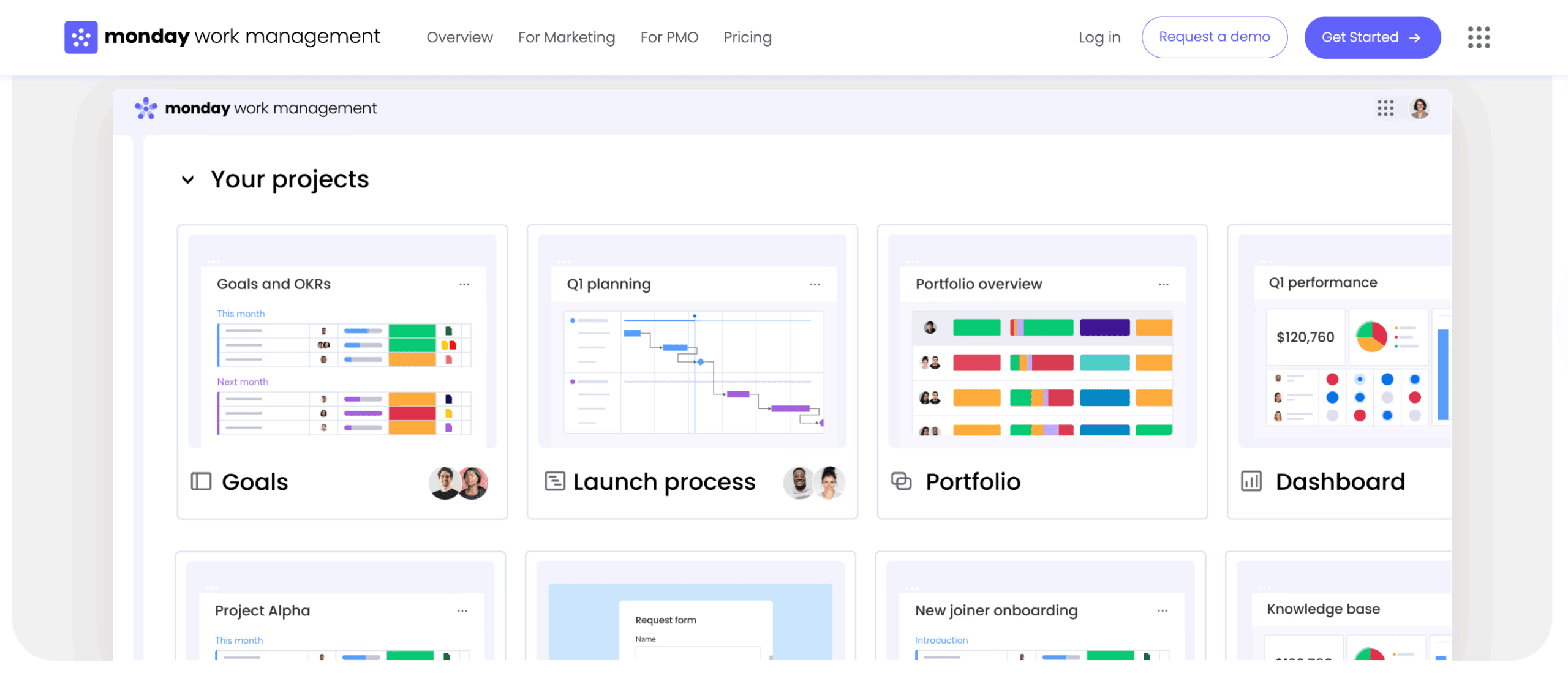
7 assignment calendar best practices that work
Successful teams know that an assignment calendar is only as effective as the way it’s used. Applying a few proven practices can turn a simple tracking tool into a system that improves visibility, coordination, and performance across your organization.
When implemented thoughtfully, these practices help teams adopt the calendar quickly, maintain consistency, and continuously improve processes. Together, they transform scattered assignments into a structured framework for execution.
1. Start with your most collaborative team
Start implementation with teams that already coordinate extensively across departments or manage high volumes of cross-functional assignments. These teams experience coordination challenges most directly, making them more motivated to adopt structured assignment practices.
Their collaborative culture also makes them more receptive to platforms that improve visibility and alignment. Early success within these teams helps demonstrate value and builds momentum for broader adoption.
A healthcare organization introduced its assignment calendar with the patient services team, which coordinates between clinical staff, administrative teams, and external providers. The team reduced patient service request resolution time by 40%, creating a strong internal proof point for expansion.
2. Standardize assignment naming
Create consistent naming conventions that improve searchability and enable pattern recognition across assignments. Effective conventions typically include assignment type, client or project identifier, and brief description.
A digital agency uses the format [Assignment Type] - [Client] - [Brief Description] (e.g., “Design Review – Acme Corp – Homepage Redesign”). This consistency enables quick scanning, accurate filtering, and communication. Avoid vague assignment names like “Review needed” or “Follow up” that provide no context when viewed in lists or reports.
3. Establish due date rules
Define how deadlines are set and communicated to prevent confusion and missed commitments. Specify whether due dates represent when work must be completed or when deliverables must be submitted for review. Clarify how to handle assignments that span multiple days versus point-in-time deadlines.
Key due date guidelines:
- Completion vs. submission: clarify what the deadline represents.
- Multi-day assignments: use start and end dates for clarity.
- Change approval: define who can modify deadlines and when.
- Notification process: how affected stakeholders learn about changes.
A financial services team implemented a “48-hour rule” requiring manager approval for any deadline change within 48 hours of the original due date, preventing last-minute extensions without proper justification.
4. Schedule weekly assignment reviews
Regular check-ins give teams the chance to spot issues before they become emergencies. Cover upcoming assignments, in-progress work, and recently completed tasks.
These brief 15–30 minute sessions save hours of firefighting later. An IT operations team found that Monday morning reviews reduced emergency escalations by 60%, allowing managers to adjust workloads proactively rather than reactively.
5. Automate repetitive assignments
Recurring tasks and notifications can be handled automatically, reducing administrative overhead and ensuring consistency. Set up recurring assignments for monthly reports, system maintenance, or operational routines.
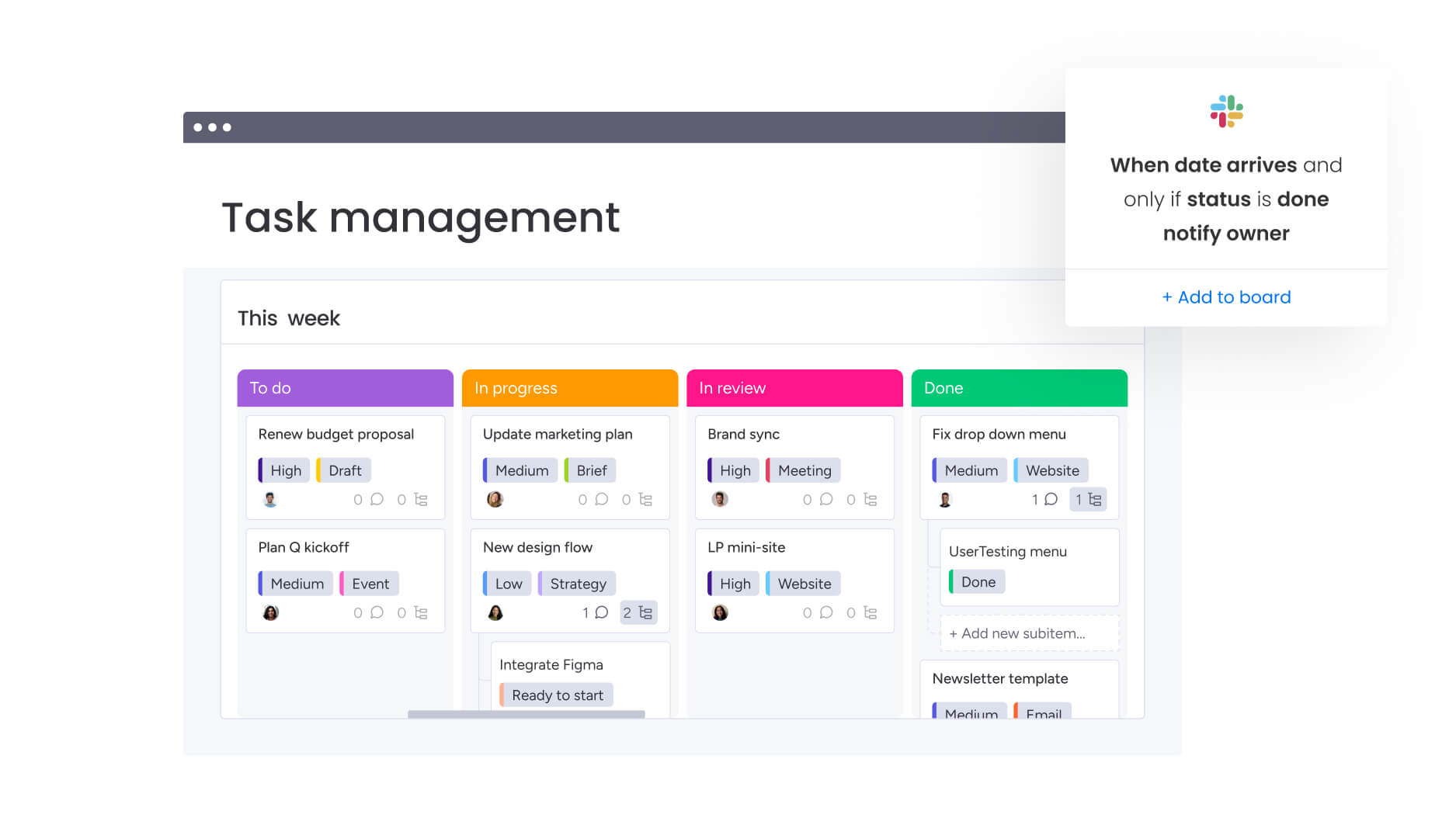
Automation also helps notify team members about upcoming or overdue tasks. Tools like monday.com allow teams to configure no-code automation themselves, keeping workflows optimized without technical support.
6. Track completion metrics
Monitoring assignment cycle times and completion rates highlights where improvements are needed and validates process changes. Track metrics such as average completion time, percentage of assignments finished by the original deadline, workload distribution, and assignment volume trends.
One customer success team discovered that certain assignments consistently took 50% longer than estimated. This insight allowed them to set more accurate timelines for clients and adjust internal resource planning.
7. Share success stories
Sharing measurable wins reinforces adoption and highlights the value of consistent assignment practices. Teams that reduce missed deadlines or improve workload balance should communicate results across the organization.
Highlight specific outcomes, such as faster turnaround times or reduced overdue work, alongside concrete examples. Recognition motivates continued use and encourages other teams to adopt the same practices.
These stories shift assignment calendars from administrative systems to strategic enablers of performance.
How AI is making assignment management smarter?
AI is changing the game for assignment calendars; instead of just tracking work, they now predict problems before they happen and put the right work on the right people’s plates. These AI applications solve real assignment management challenges rather than adding complexity.
Predictive assignment analytics
AI can forecast completion times more accurately than manual estimates by analyzing historical data. It identifies patterns, current workloads, and dependencies, flagging potential delays before they happen.
For example, a product development team used predictive analytics to spot capacity issues three weeks in advance, reducing missed deadlines by 45%. This proactive visibility helps teams plan more effectively and avoid last-minute crises.
Skill-based assignment matching
AI can recommend the right team member for each task by factoring in expertise, past performance, and current capacity. The system considers who has successfully completed similar tasks and who might benefit from growth opportunities.
It continuously learns from outcomes: tasks completed ahead of schedule influence future suggestions, while delays adjust completion time predictions. This ensures smarter assignments over time without manual intervention.
Automated workload optimization
When priorities shift or urgent tasks appear, AI dynamically reschedules work to maintain balance. Lower-priority assignments can be deferred or reassigned, preventing overloading key team members.
If someone becomes unavailable, the system proposes realistic reassignment options, highlights downstream impacts, and minimizes disruption. This real-time optimization saves hours of manual coordination and keeps projects on track.
Organizations using monday.com leverage AI features like AI Blocks for task categorization and Digital Workforce for intelligent routing, seamlessly integrating these insights into existing workflows.
Assignment calendar templates by department
Different departments have unique assignment patterns and requirements that effective assignment calendars must accommodate. These templates provide starting frameworks that teams can adapt to their specific needs while maintaining organizational consistency.
Marketing campaign calendars
Marketing teams manage complex, multi-channel campaigns with numerous interdependent assignments spanning content calendar creation, design, approval workflows, and performance analysis. Key assignment categories for marketing include:
- Content creation assignments: blog posts, social media content, email campaigns, video scripts, and landing page copy, each with specific audience targeting and SEO requirements.
- Creative production assignments: design assets, video production, photography, and graphic elements, typically requiring creative review and brand compliance approval.
- Campaign coordination assignments: launch planning, channel scheduling, stakeholder communication, and cross-functional coordination with sales, product, and customer success teams.
- Performance review assignments: campaign analysis, A/B testing evaluation, ROI reporting, and optimization recommendations based on engagement metrics.
IT service request tracking
IT teams handle high volumes of service requests with varying urgency levels, requiring prioritization and efficient routing to appropriate technical resources. Key assignment categories for IT include:
- Incident response assignments: system outages, security incidents, and critical functionality failures requiring immediate attention and escalation paths.
- Service request assignments: new user setup, access provisioning, software installations, and configuration changes with defined service level agreements.
- System maintenance assignments: scheduled updates, security patches, backup verification, and infrastructure monitoring with recurring schedules and compliance requirements.
- Project implementation assignments: new system deployments, integration projects, and infrastructure upgrades requiring cross-team coordination and change management.
HR onboarding assignment flow
HR teams coordinate complex onboarding processes involving multiple departments, external vendors, and strict compliance requirements. Key assignment categories for HR include:
- Pre-arrival assignments: offer letter processing, background checks, equipment ordering, and system access provisioning completed before the employee’s first day.
- First-week assignments: orientation scheduling, benefits enrollment, policy acknowledgment, and initial training coordination with sequencing and completion tracking.
- Manager and buddy assignments: one-on-one scheduling, role-specific training, team introductions, and ongoing check-ins with defined responsibilities and timelines.
- Compliance and documentation assignments: I-9 verification, tax form completion, policy acknowledgments, and training certifications with regulatory deadlines and audit trails.
Teams using monday.com access customizable boards and templates that support these different departmental needs while maintaining organizational visibility. Teams can start with department-specific templates and adapt them based on their unique workflows, approval processes, and reporting requirements.
Take Control of Your Team’s Workloads
Assignment calendars aren’t just about tracking tasks, they shift teams from constantly reacting to problems to managing work proactively. By centralizing assignments, teams gain clear visibility into workloads, eliminate delays caused by miscommunication, and turn scattered tasks into coordinated, strategic execution.
The benefits grow over time. Teams that use assignment calendars consistently see faster deadlines, smoother cross-department collaboration, and less stress from overloaded workloads. With automation and data insights, organizations can fine-tune resource allocation and make smarter decisions almost instantly.
Power your assignment calendar with monday.com
Teams often complete tasks but lose sight of how those tasks impact broader objectives. Work gets done, yet priorities slip or overlap without visibility. monday.com bridges this gap by connecting daily assignments to strategic goals, giving teams clarity and context for every task they handle.
Key features and benefits:
- Centralized assignment tracking: brings all work into a single view, reducing missed deadlines and eliminating blind spots.
- Workload visibility and balancing: identifies over- and underutilized resources so managers can redistribute work proactively.
- Automated workflows and notifications: ensures recurring tasks, dependencies, and approvals move smoothly without manual effort.
- Cross-department dashboards: connects individual assignments to team and organizational objectives for real-time insight.
- Mobile and remote access: enables distributed teams to update, track, and manage assignments anywhere without losing context.
By tackling fragmented processes, unclear ownership, and uneven workloads, teams gain efficiency, maintain alignment, and turn day-to-day execution into measurable impact, without adding unnecessary complexity or rigid rules.
Try monday.comFrequently asked questions
What's the difference between an assignment calendar and a project timeline?
An assignment calendar focuses on individual work assignments and resource allocation across team members, tracking who is working on what and when capacity is available. Project timelines track high-level milestones and deliverables for specific initiatives, showing how project phases sequence and when major deliverables are due. Teams need both perspectives: assignment calendars for operational execution and resource management, project timelines for strategic planning and milestone tracking.
How do assignment calendars integrate with existing calendars?
Assignment calendars sync with popular calendar applications like Google Calendar and Outlook, displaying assignment deadlines alongside meetings and personal events for complete schedule visibility. This integration is typically two-way, meaning changes to assignment due dates in the assignment calendar automatically update in connected calendars, and calendar events can be linked to specific assignments.
What size teams benefit most from assignment calendars?
Teams with 5+ members who handle multiple concurrent assignments see the greatest benefit from assignment calendars, particularly when work involves cross-departmental collaboration or shared resources. Assignment calendars become essential when manual coordination breaks down, typically when teams reach 8-10 members or when assignments regularly span multiple departments.
How quickly can teams see productivity improvements?
Most teams report improved assignment visibility within the first week of implementation, with measurable productivity gains typically appearing within 2-4 weeks of consistent use. Early improvements include reduced time spent coordinating assignments, fewer missed deadlines from overlooked work, and improved workload distribution across team members.
Can clients or vendors access our assignment calendar?
Yes, assignment calendars support guest access with customizable permission levels, allowing external stakeholders to view relevant assignments without accessing sensitive internal information. Teams configure exactly what guests can see, typically limited to assignments directly related to their work, and what actions they can take, such as viewing status, adding comments, or uploading files.
How do assignment calendars handle recurring assignments?
Assignment calendars automate recurring workflows through template-based systems that automatically create and assign repetitive work while tracking completion patterns over time. Teams define the recurrence schedule, assignment details, and responsible parties, then the system generates assignments automatically according to the specified timeline, ensuring consistent execution of routine responsibilities.

 Get started