


Choosing between monday.com and Airtable comes down to one question: does your team need a visual AI Work Platform or a relational database with project features layered on top? Both handle projects, workflows, and collaboration, but they approach work from fundamentally different starting points.
The overlap between the monday.com and Airtable can make the decision feel complicated. Both offer automations, integrations, multiple views, and collaborative workspaces. Both serve teams across industries. But the real differentiators are evident in pricing, AI capabilities, ease of adoption, and how each platform scales as your team grows.
This comparison breaks down everything you need to know, so you can make a confident decision. Whether you are evaluating monday.com’s AI Work Platform for the first time or weighing it against Airtable, the sections ahead cover each factor side by side.
Get startedKey takeaways
- Different core philosophies: monday.com is a visual, AI-powered work operating system built for project management and cross-team collaboration, while Airtable is a relational database designed for structured data management
- Significant pricing gap: monday.com starts at $9/seat/month versus Airtable’s $20/seat/month — a $1,320 annual difference for a 10-person team on entry-level paid plans
- AI capabilities set monday.com’s AI Work Platform apart: Features like Vibe (AI app builder), Agents (autonomous AI workers), Sidekick (AI assistant), and MCP (AI integration protocol) represent a category of functionality Airtable does not currently offer
- monday.com leads in ease of use and support: G2 rates monday.com 9.1/10 for ease of use versus Airtable’s 8.7/10, and monday.com provides 24/7 customer support on every paid plan
- Airtable excels at relational data: Teams whose primary need is database-style data management with linked records and complex data models will find Airtable’s architecture purpose-built for that workflow
Airtable vs monday.com's AI Work Platform: At a glance
If you want to learn the quick facts about each project management tool, scroll through the table below to see how the two stack up. For more details, keep reading as we dive deeper into the two solutions.
| monday.com's AI Work Platform | Airtable | |
|---|---|---|
| Best For | People and agents executing work side by side. | Teams looking for a database-focused platform for managing data and creating apps but willing to invest time in learning and setup for advanced capabilities |
| Pricing | Free trial available, starts at $9/seat/month | Free plan with limited features available, starts at $20/seat/month |
| Key features | Customizable dashboards Real-time reports and analytics No-code automations 27+ work views | Table-based data management AI-powered workflows Cobuilder for app creation Real-time data alignment |
| Integrations | 200+ app integrations | Limited integrations |
| Ease of Use | Intuitive boards with customizable templates Easy setup Low learning curve | Familiar spreadsheet style Quick setup Takes time to master advanced features |
| Reporting & Analytics | Customizable dashboards Real-time insights High-level overviews | No-code reporting interface Custom reporting scripts with APIs Interactive data visualization tools |
| Productivity | Team collaboration tools like workdocs Mobile access Time tracking | Advanced data management Syncing tools for consistent updates Collaboration through comments |
| Security | Two-factor authentication SOC 2 Type II compliance Integration permissions Private boards | Multi-level permissions SSO and audit logs Password/domain-restricted views |
| Customer Support | 24/7 phone and email support Customized support based on plan Dedicated customer success manager for Enterprise | Email support only Help center and guides Professional services for higher-tiered plans |
| Customer Reviews | 4.7/5 on G2 | 4.6/5 on G2 |
monday.com's AI Work Platform vs Airtable: Key features
While monday.com and Airtable are both household names in the work management arena, they offer very different solutions. Airtable is focused on data management in a table while monday.com offers a wide range of capabilities in boards and different work views. Let’s explore this further, below.
monday.com’s AI Work Platform features
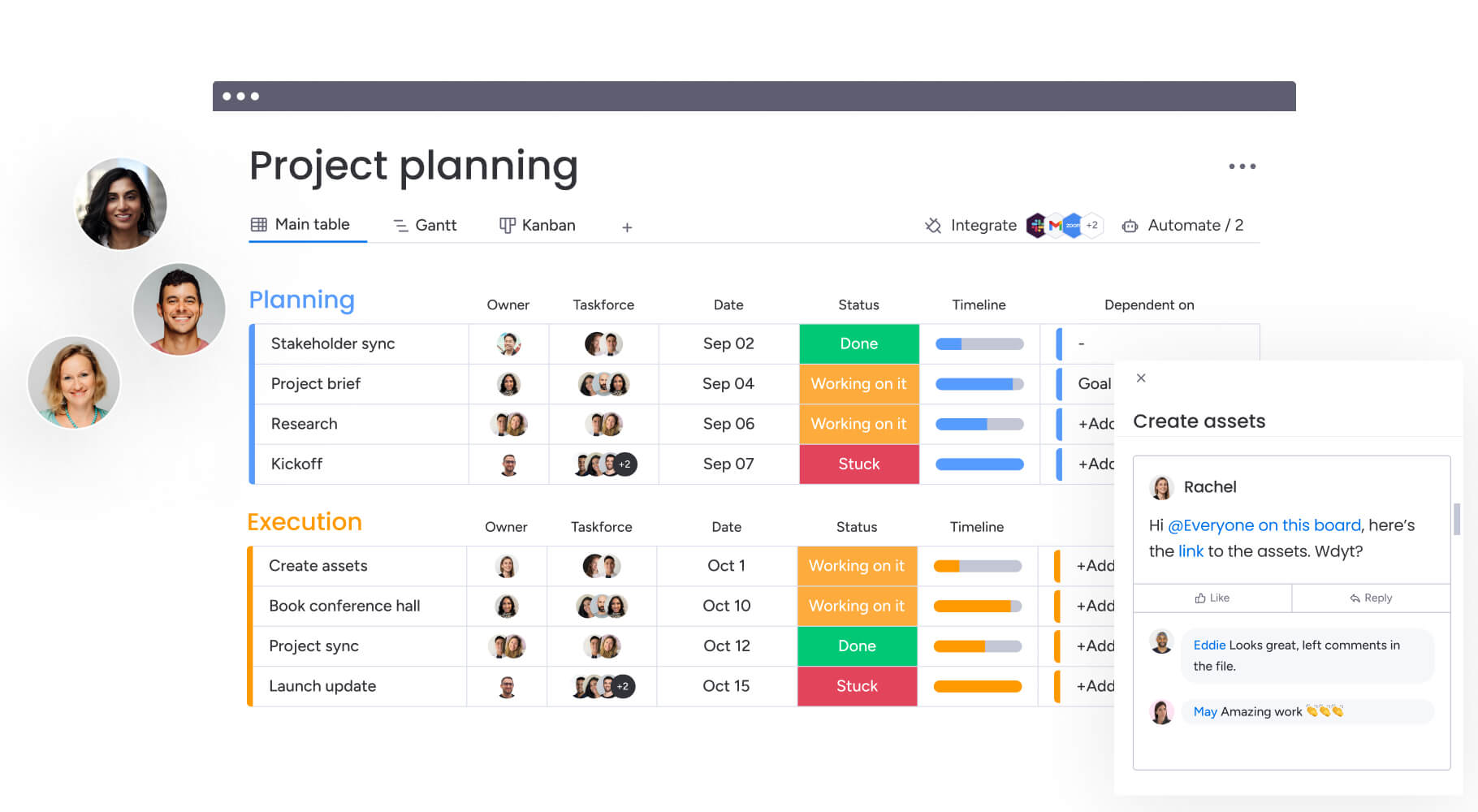
monday.com’s AI Work Platform is a cloud-based work operating system that connects people, processes, and workflows in a single digital workspace. It gives teams a visual, board-based interface for managing everything from daily projects to company-wide initiatives, with AI capabilities embedded throughout.
The platform includes 27+ work views (Kanban, Gantt, Calendar, Workload, Timeline, and more), no-code automations, 200+ native integrations, collaborative workdocs, built-in time tracking, and customizable dashboards with 50+ widgets. What sets it apart is its AI-first approach — features like monday vibe (an AI app builder), monday agents (autonomous AI workers), and monday sidekick (a context-aware AI assistant) are available across all paid plans.
Get startedAirtable features
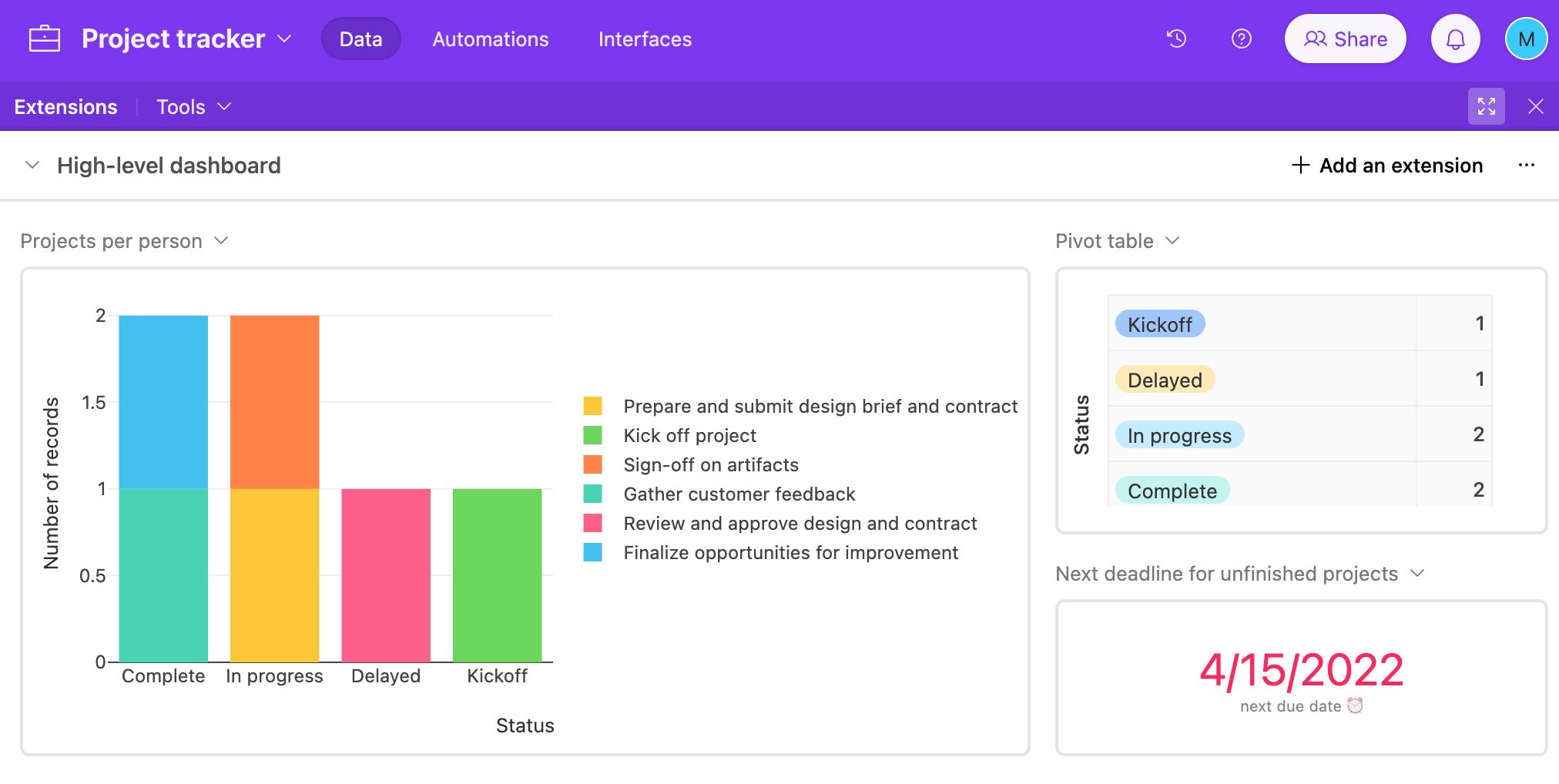
Airtable is a low-code platform for creating and sharing relational databases. It’s often used by businesses and project managers who want to create apps, automate critical processes, and manage sales data. Here’s a look at some of the main Airtable features.
- Table view: Create a table for several different use cases including product inventory, warehouse locations, and managing purchase orders
- AI-powered workflows: Use AI dashboards to generate content, perform recurring actions, and add context to various custom workflows
- Cobuilder: Build and scale apps quickly with an intuitive interface with drag-and-drop functionality for iterative development
- Data management: Keep teams aligned on core data in real-time by connecting workflows, tools, feedback, roadmaps, and more
monday.com's AI Work Platform vs Airtable: Integrations
Both project management platforms offer a range of integration options and third-party tools that can be synced with the main software. When considering different software solutions, it’s important to take stock of the apps you use often and make sure that the platform you’re looking at can integrate with them seamlessly.
monday.com’s AI Work Platform integrations
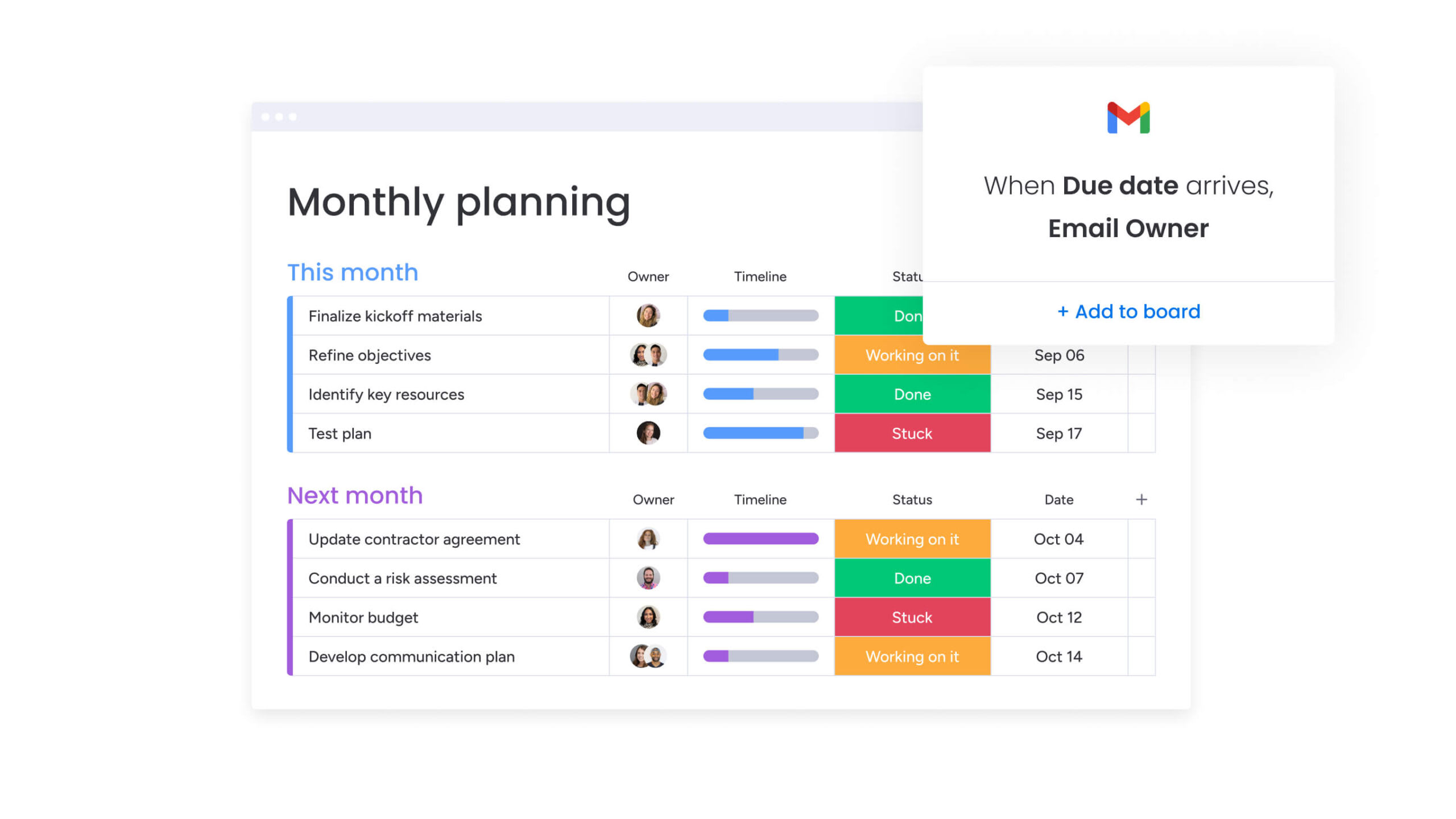
You can quickly and easily integrate monday.com’s AI Work Platform with the business apps and tools you already use to supercharge your project management processes while helping your team get more done in less time. With 200+ app integrations for tools like Slack, Google Drive, Gmail, Microsoft Teams, Outlook, DocuSign, and more.
Airtable integrations
Airtable enables native integrations too, though not as many as the AI Work Platform. Still, many of the common apps are there, including DropBox, Salesforce, Zendesk, Google Calendar, and others.
monday.com's AI Work Platform vs Airtable: Ease of use
There’s no doubt that both monday.com’s AI Work Platform and Airtable are powerful tools to streamline project management. That said, you need to make sure that you are purposeful about how you set up and categorize information – otherwise you might drown in data. Here’s a look at how simple each platform is to use.
monday.com’s AI Work Platform ease of use
The whole idea behind the AI Work Platform is that it makes your life easier, rather than adding yet another tool your team doesn’t know how to use. It’s so easy to get started with monday. Everything starts with a board. If you don’t want to start from scratch, you can choose from tons of ready-made templates, which you can customize for any industry, business, and team.
Users on TrustRadius report how much they love how easy it is to customize and get started quickly, saying that “overall, monday is a unique platform that is intuitive, easy to learn, and can offer a range of functions for your team.”
Airtable ease of use
Airtable is another uncomplicated platform that appeals to people of any technical background. It is relatively quick to set up and doesn’t require any coding knowledge. The familiarity of the spreadsheet style makes it appealing to many users who are used to working in Excel.
That said, some users also reported on the TrustRadius review site that real-time takes a long time to really make use of the more robust features, saying that “Airtable is like skiing, it’s easy to learn/use but it’s hard to really get good at.”
monday.com's AI Work Platform vs Airtable: Pricing
Generally speaking, neither platform is generally out of range for many teams. However, when considering pricing, it’s important to consider value as well by looking at what you can get with each plan. Here’s a quick overview of both monday.com’s AI Work Platform and Airtable pricing structures.
monday.com’s AI Work Platform pricing
monday.com’s AI Work Platform offers a 14-day trial, and a free plan for two seats. Paid plans are priced as follows:
- Basic: $9/seat/month, includes forms, unlimited free viewers, unlimited boards, dashboards, prioritized customer support, and 5 GB file storage
- Standard: $12/seat/month, includes everything in Basic and Timeline, Gantt, and Calendar views, 250 monthly automations and integrations, 20GB file storage, and more
- Pro: $19/seat/month, includes everything in Standard plus private boards, chart view, time tracking, 25k automations and integrations, 100 GB file storage, and more
- Enterprise: Custom pricing, includes everything in Standard plus enterprise-scale automation and integration, advanced reporting and analytics, Enterprise support, 1000 GB file storage, and more
Airtable pricing
Airtable pricing is also based on four different plans:
- Free: Unlimited bases, up to 5 editors, 1 GB of attachments, 100 automation runs, interface designer
- Team: $20/seat/month, 50,000 records per base, 25,000 automation runs, 20 GB of attachments, extensions, Gantt and Timeline view, and more
- Business: $45/seat/month, 125,000 records per base, 100,000 automation runs, 100 GB of attachments, two-way sync, admin panel, premium sync integrations, and more
- Enterprise: Custom pricing, 500,000 records per base, 500,000 automation runs, 1,000 GB of attachments, app library, Enterprise Hub, Enhanced security controls, Enterprise API, and more
It’s worth noting that while Airtable’s free program is great for testing the interface and core functionality if you want a fully functional work management platform with integrations and workflow automations, you’ll have to upgrade to one of Airtable’s paid plans.
monday.com's AI Work Platform vs Airtable: Reporting and analytics
When it comes to managing your work, it’s essential to be able to view reports and analytics to get insights into what’s working and what needs more attention. Both platforms offer robust reporting features, but here’s a closer look at what that looks like for each solution.
monday.com’s AI Work Platform reporting
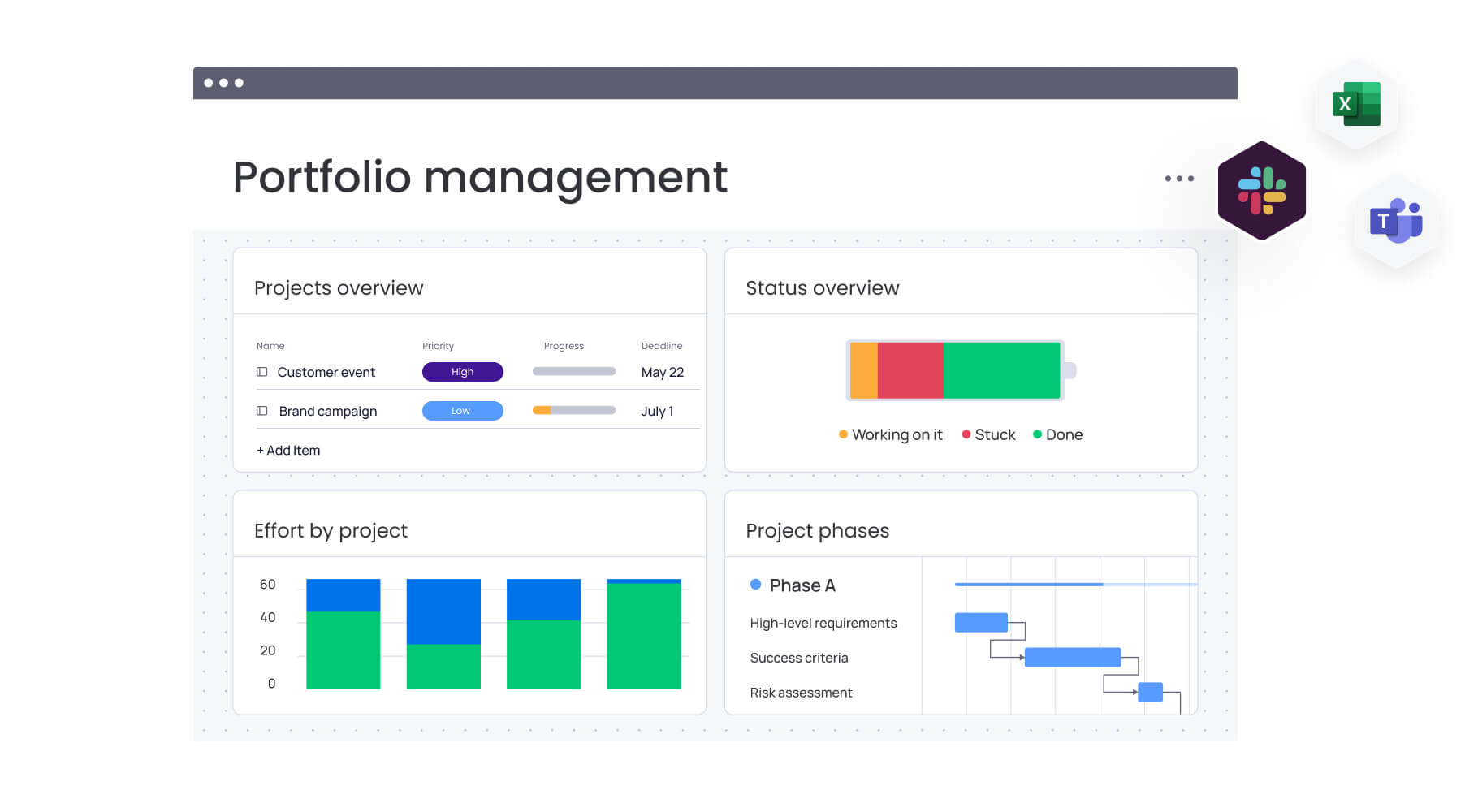
monday.com’s AI Work Platform offers robust reporting and analytics features.
- Create detailed dashboards to see real-time project, team, and task management progress at a glance
- Build reports and dashboards without any code to visualize your data
- Customize reports and dashboards with 50+ widgets such as Workload, Time Tracking, Charts, Battery, Gantt, and more
- Prioritize the right work at the right time with custom reports and high-level overviews
Airtable
With Airtable, there are multiple options for reporting and analytics:
- Visualize the data that matters using charts, graphs, and custom metrics
- No-code interface to build your own reporting system
- Developer tools to create your own reporting scripts with APIs
- Interactive interfaces make it easy to visualize information
monday.com's AI Work Platform vs Airtable: Productivity
It’s important that the project management software you choose helps your team work more productively. Both platforms offer great productivity features, with monday.com’s AI Work Platform more focused on collaboration features and smoother workflows and Airtable on data management. Here’s a closer look at the two solutions.
monday.com’s AI Work Platform productivity
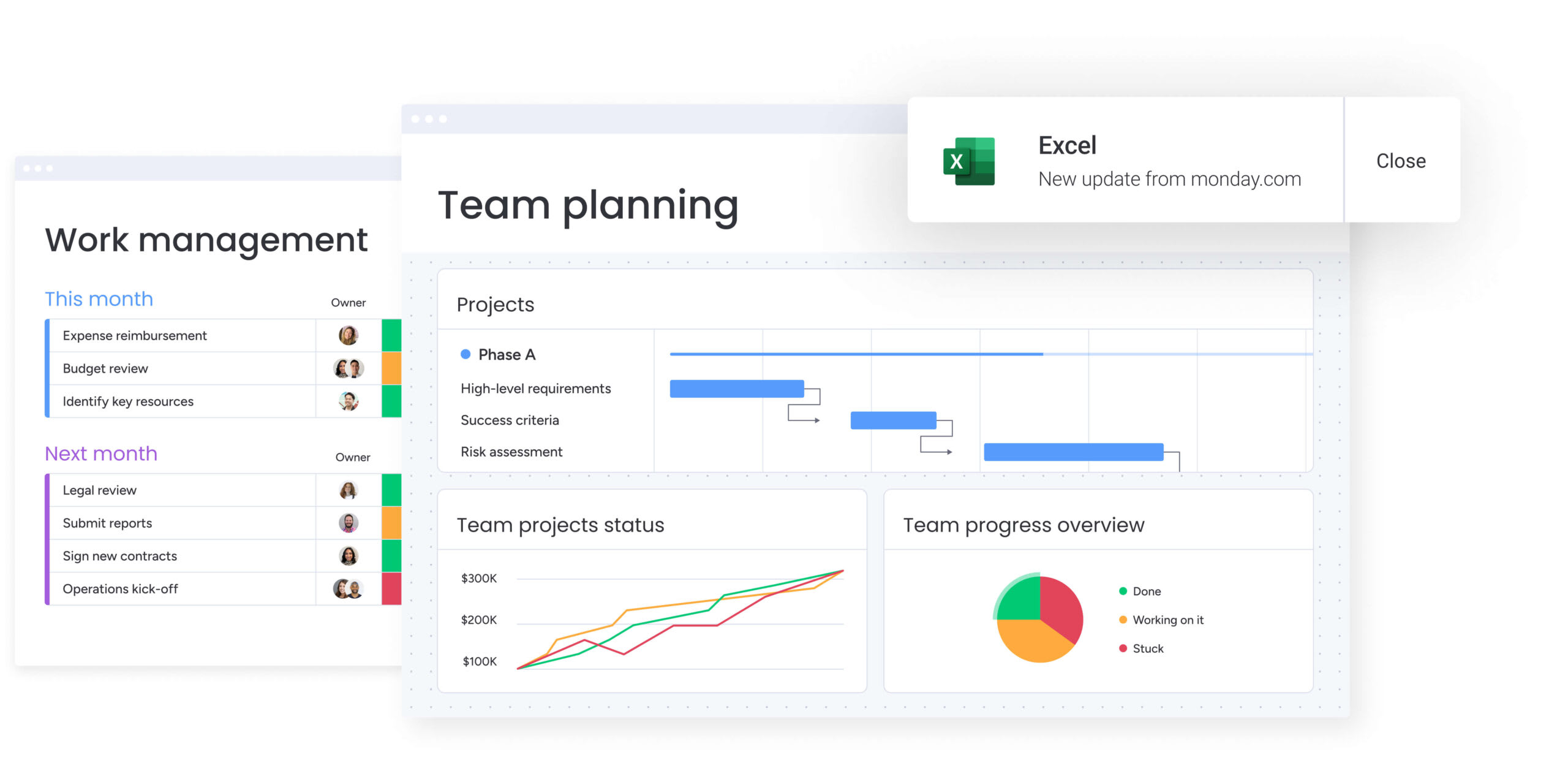
- Agentic support: monday agents sit alongside your people, supporting them and executing work together.
- Collaboration tools: monday.com’s AI Work Platform offers plenty of opportunities to collaborate, such as with monday workdocs, which makes it simple for teams to bring documents to life and turn words into actionable tasks
- Mobile app access: Access your boards on the go at any time from anywhere
- Time tracking: Track the time spent on individual tasks to see how efficiently time is being spent on specific projects
- Custom fields: Customize boards and tasks to your liking to make sure they fit your workflow
Airtable productivity
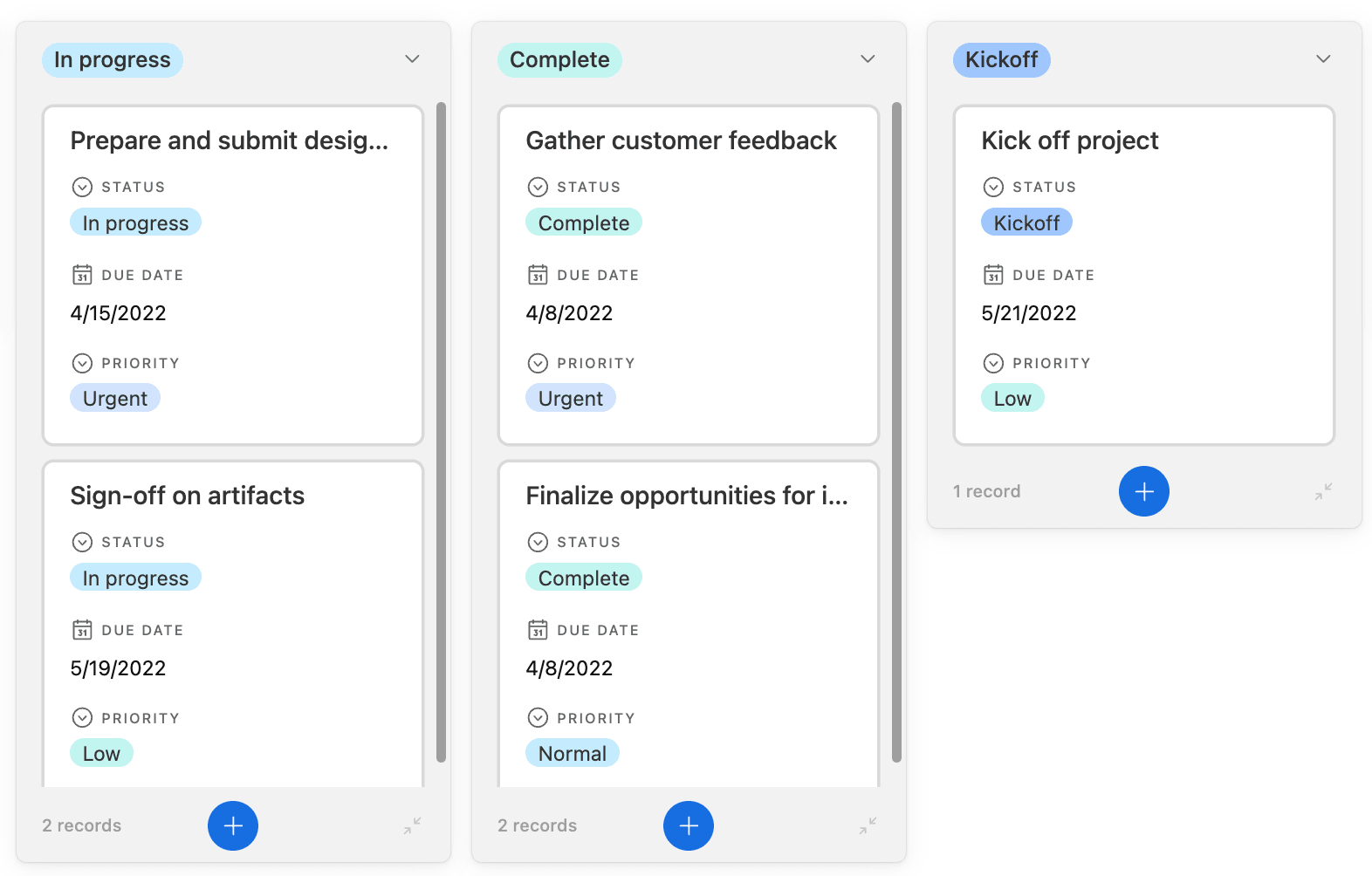
- Data management: Link records and add rich field types for in-depth data tracking, making accessing and managing data more productive overall
- Syncing tools: Use Sync to make sure updates are reflected across all workflows and teams
- Compile large datasets: Pull massive datasets from platforms like Snowflake and Databricks to have everything in one place
- Collaboration features: Add comments on tasks, assets, and apps in real-time for quick and seamless collaboration
monday.com's AI Work Platform vs Airtable: Security
Depending on your industry, your team may require specific security features to be able to adopt new software. The good news is that both monday.com’s AI Work Platform and Airtable offer advanced security features and certifications, such as HIPAA compliance. Here’s a closer look at some of the security features you’ll get with the two:
monday.com’s AI Work Platform security
With higher-tiered plans, users can access more security features, such as:
- Two-factor authentication
- Integration permissions
- SOC 2 Type II Compliance
- Google Authentication
- Private board and docs
Airtable security
Airtable gives users access to different levels of security based on their chosen plan, such as:
- Password and domain-restricted views
- Multi-level permissions
- Public read-only interfaces
- Audit logs
- SAML-based single sign-on (SSO)
monday.com's AI Work Platform vs Airtable: Customer service
Most SaaS tools today are built with clear instructions, examples, and customer service portals to seek help and exchange ideas. Still, it’s a good idea to be aware of your customer service options when implementing new software.
monday.com’s AI Work Platform customer service
There are many resources for customer support and a stellar user experience, such as:
- Customized support based on your plan
- 24/7 phone and email support – no matter which plan you have
- The Enterprise plan also includes a dedicated customer success manager
- Easy-to-follow tutorials, regular webinars, and even a community forum
- Self-serve knowledge base
- 99.9% uptime SLA
Airtable customer service
Airtable also has a help center and videos and guides, but you won’t find 24/7 phone and email support or a dedicated customer success manager. Here are the support options available with Airtable:
- Help center and community
- In-product support
- Email support
- Professional Services as an add-on for Business and Enterprise plans
monday.com's AI Work Platform vs Airtable: Customer reviews
A great way to understand if a platform will meet your team’s unique requirements is by reading what real users have to say about it on review sites. Below, we’ll look at what users are saying about both monday.com’s AI Work Platform and Airtable.
monday.com’s AI Work Platform customer reviews
Score: 4.7/5 out of 15,300+ reviews
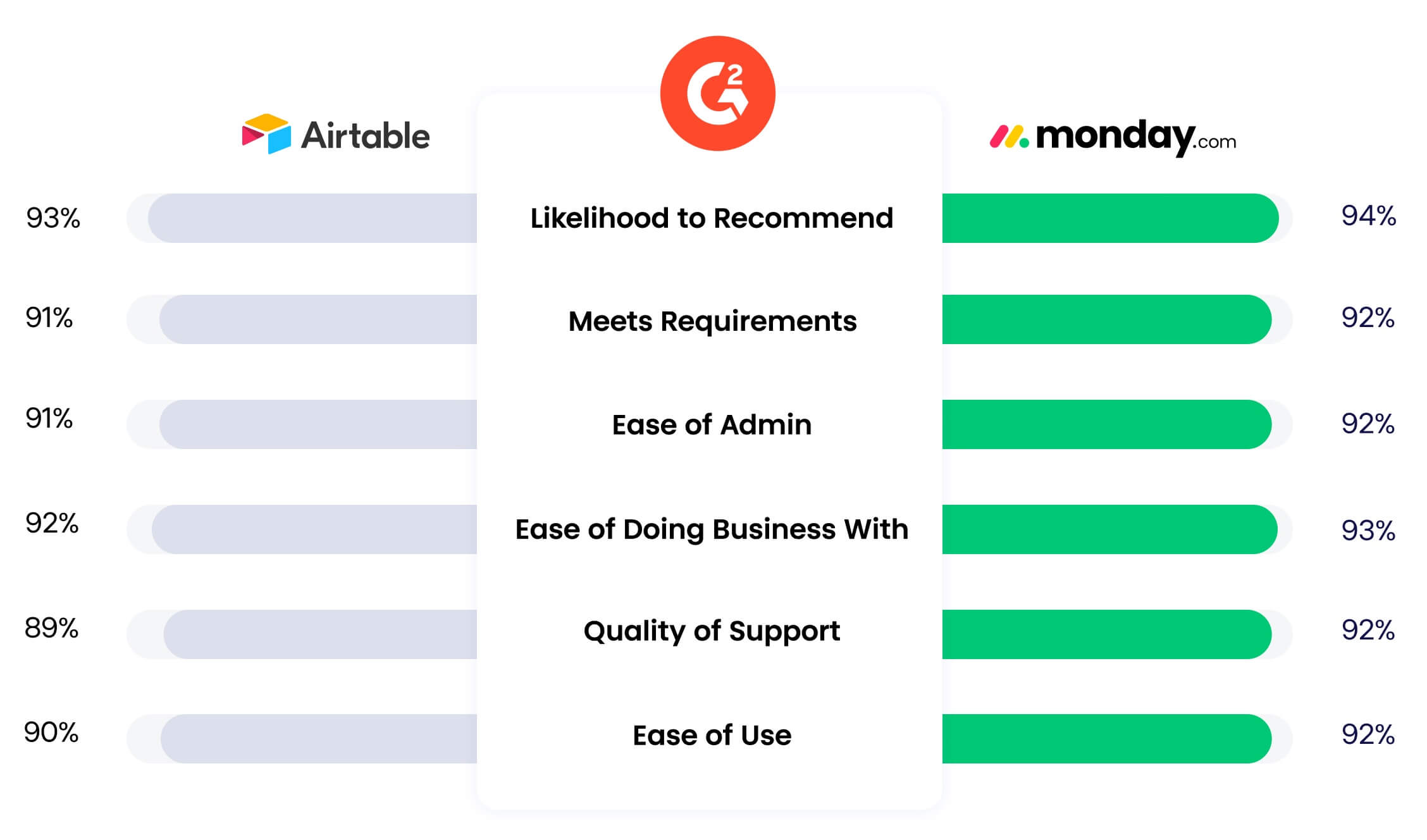
We might be biased, but if you need to improve the way your business runs, we really do believe the AI Work Platform is the best option. According to G2 ratings, users rate monday.com’s AI Work Platform over Airtable in every single category. Here is just one example of what a reviewer on G2 had to say:
I absolutely love monday’s automations and integrations, as well as the dashboards, the different views it offers and versatility. It keeps our team organized, on track, and it is all visually pleasing for everyone involved. It helps us save time by automating recurring emails for clients and team members. It saves us so much energy and keeps data organized and easy to use.
Airtable customer reviews
Score: 4.6/5 out of 3,250+ reviews
Overall, Airtable has some pretty high scores on its G2 review page, with users praising its ease of use, customization options, and automation features. That said, users still note some struggles, such as its limited features and steep learning curve. One user pointed this out in his review:
What I find tricky about Airtable is that it has a bit of a learning curve. You really need a basic understanding of spreadsheets or databases to make the most of it, which can be a challenge for some team members. It also requires a lot of attention to detail, and that can be tough to manage when working with a group.
How monday.com's AI Work Platform transforms work management
Consider the AI capabilities that set the platform apart. monday vibe lets anyone on the team build a custom business application by describing what they need in plain language — the app is ready to use on monday.com’s enterprise infrastructure without developer involvement or lengthy build cycles.
A project manager who needs a client onboarding tracker describes it in a few sentences, and Vibe generates a fully functional app running on monday.com’s enterprise infrastructure.
monday agents take automation a step further. Instead of manual rules, these purpose-built AI agents handle work autonomously around the clock. The Lead Agent scores and routes inbound leads, the Risk Analyzer flags project risks before they escalate, and the Meeting Summarizer captures action items and updates boards automatically.
With the Agent Builder, teams can create custom agents from a prompt, describing what the agent should do and letting AI handle the execution. 11 pre-built agents cover the most common workflows, and the list just keeps growing.
monday sidekick acts as a context-aware AI assistant that understands your workspace — your boards, workflows, data, and history. It generates content, analyzes trends, suggests next steps, and helps team members make decisions faster without switching to a separate AI interface.
Then there’s monday MCP — the Model Context Protocol that connects AI applications like Claude, ChatGPT, Cursor, and Copilot Studio directly to your monday.com data. MCP means your favorite AI assistants can read project statuses, update items, generate reports, and take action on your workspace without copying data back and forth.
Airtable vs monday.com's AI Work Platform: Which is right for you?
Now you have the lowdown on Airtable vs monday.com’s AI Work Platform, you have all the information to choose the right software to meet your needs. Your next step is to choose whether you want a comprehensive solution or a niche one.
At the end of the day, the tool you select should take all the needs we covered here into account, namely features, value and pricing, customer reviews, integrations, and more. After weighing all your options, consider which tool might be best for you.
Go with Airtable if:
- You prioritize data management and database functionality
- You want options for a small team
- You have a tight budget and prefer to use a free plan with limited features
Go with the AI Work Platform if:
- You want a comprehensive work management platform with extensive features, multiple work views, no-code workflow automations, and advanced analytics
- You value ease of use and quick setup and onboarding
- You need extensive integration options and 24/7 customer support
At monday.com, we have spent more than a decade listening to organizations about what they need from a work OS platform. We are constantly refining our customizable platform and bringing out new features based on your feedback.
While both platforms can help you organize your work in a customizable way, monday.com’s AI Work Platform offers more opportunities to scale your platform as your business grows. Rather than shifting between different software when your team expands or takes on new projects, with monday.com, they can evolve alongside the AI Work Platform they’re using.
FAQs
Does monday.com integrate with Airtable?
monday.com's AI Work Platform offers an integration to embed any Airtable view within your board or dashboard, in addition to additional integration options through an app like Zapier.
Is Airtable or monday.com better?
While Airtable is a great choice for teams looking for table and database-focused platforms, monday.com's AI Work Platform is much more than that. It centralizes all your work, processes, tools, and files into one intuitive workspace while offering superiors in-platform communication capabilities and other useful features.
What are the cons of Airtable?
Airtable's cons include a steeper learning curve for users unfamiliar with database structures and limitations in scalability for managing highly complex or large-scale projects. Additionally, advanced features like automations and increased record limits are locked behind higher-tier pricing plans.

 Get started