

Most days don’t get derailed by major problems — they get quietly eaten by small interruptions. A quick message here, a last-minute meeting there, and suddenly the work that actually matters keeps sliding to tomorrow. Everyone stays busy, but meaningful progress feels harder than it should.
Time batching helps bring focus back into the day. By grouping similar work into dedicated blocks, teams spend less time switching contexts and more time actually moving things forward. Emails get handled in one sweep, meetings stop scattering across the calendar, and deep work finally gets the uninterrupted space it needs.
It’s a simple shift, but a powerful one. With the right structure in place, teams protect their attention, maintain momentum, and create more space for high-impact work to happen consistently. The sections below break down how time batching works, where it delivers the biggest impact, and how to introduce it in a way that fits real team schedules in 2026.
Key takeaways
- Group similar work into dedicated time blocks: Batch emails, meetings, and deep work separately to eliminate mental switching costs and build momentum throughout your day.
- Create organization-wide batching standards: Establish company-wide “no meeting” zones and deep work blocks so teams can coordinate without constant interruptions and conflicting schedules.
- Visualize batching patterns across teams: monday work management’s multiple board views and automation features help organizations coordinate batch schedules, route requests automatically, and track batching effectiveness with real-time dashboards.
- Protect 90-minute to 3-hour focused blocks: Longer sessions allow your brain to reach flow state for complex work while shorter bursts keep you from burning out.
- Measure success with completion rates and project velocity: Track how batching reduces overdue items and accelerates project delivery to prove ROI and refine your approach.
- Try monday work management.
What is time batching?
Time batching is a productivity method where you group similar work into dedicated, uninterrupted time blocks. Instead of jumping between emails, meetings, and deep work throughout the day, you complete all emails in one sitting, handle all meetings back-to-back, and protect focused work in extended blocks.
This approach works because your brain builds momentum when performing similar activities. Switching between unrelated work forces a mental reset that drains energy and slows output. Time batching eliminates that friction by keeping you in a single mode of operation for extended periods.
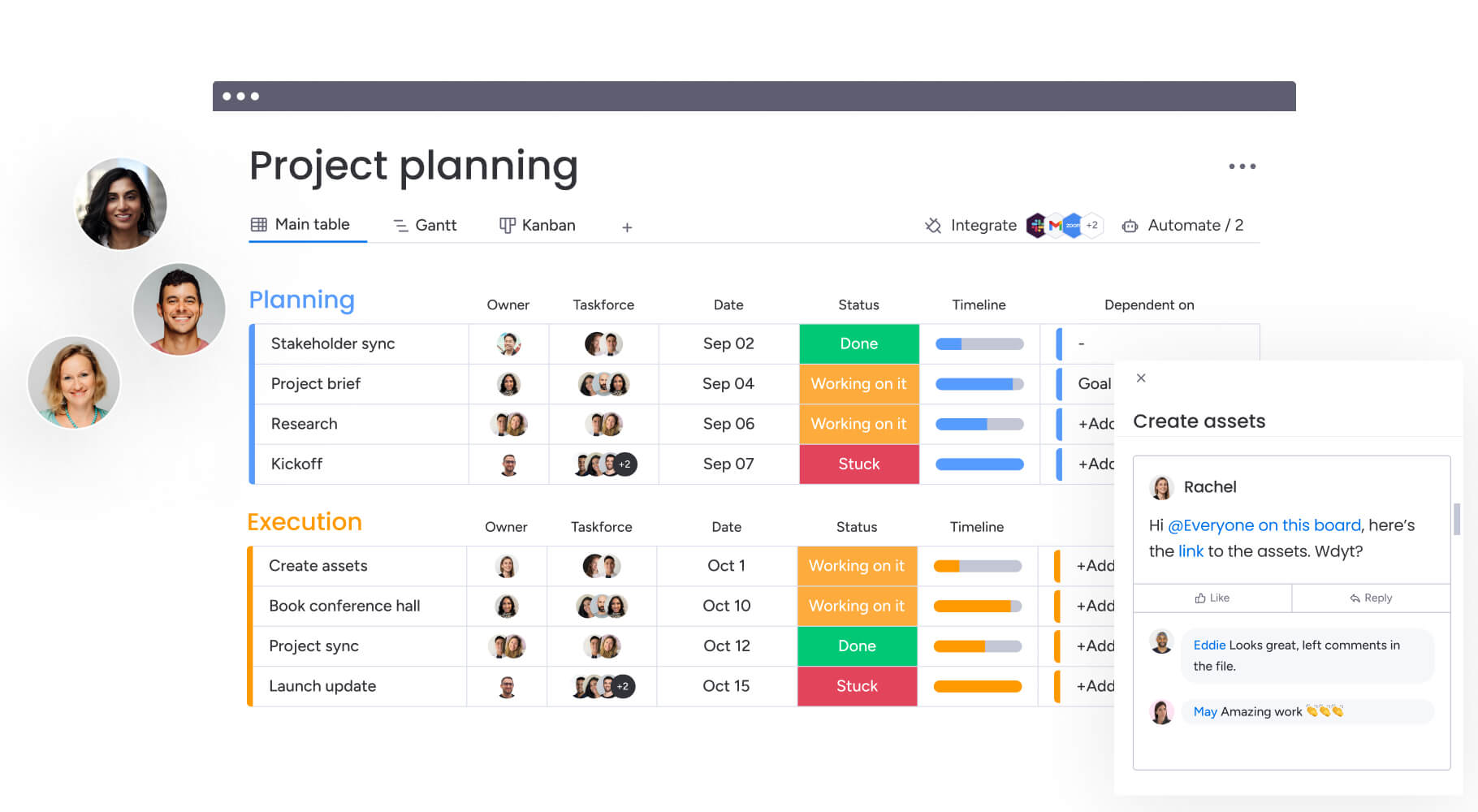
For modern organizations, time batching turns scattered individual work into synchronized team execution. You’re not just deciding what gets done, but when it happens to maximize efficiency. When teams visualize these batches on shared boards and align schedules across departments, everyone knows exactly when specific types of work occur.
Work batching vs time batching and time blocking
Time batching is often mentioned alongside work batching and time blocking, which can make the differences a bit unclear. While they are closely related, each approach solves a different part of the productivity puzzle. One helps you group similar work, another determines when that work happens, and the third protects time from distractions.
Understanding how these methods work together gives teams more control over how work flows throughout the week. Instead of relying on a single technique, many organizations combine all three to create more structured, focused schedules.
The table below shows how each approach differs in practice and when to use each one:
| Concept | Focus | Primary question answered | Example |
|---|---|---|---|
| Task batching | Grouping similar items | What work belongs together? | Collecting all invoice processing into one session |
| Time batching | Scheduling grouped work | When does each batch happen? | Fridays 9:00 a.m. to 11:00 a.m. for reporting |
| Time blocking | Protecting calendar time | How do I defend this time? | Blocking 2 hours for mixed project activities |
Understanding work batching
Task batching focuses on categorizing work based on cognitive resources required. You collect similar items and perform them sequentially.
A marketing manager might batch all copy reviews into a single session to stay in an editorial mindset, rather than reviewing one piece, checking email, attending a meeting, then returning to another review. The goal? Stop forcing your brain to reorient every time you switch tasks.
Defining time batching
Time batching assigns those grouped activities to specific, recurring calendar slots. It bridges the gap between what needs grouping and when it happens.
Teams practicing time batching don’t just agree to process reports together. They establish that Fridays from 9:00 a.m. to 11:00 a.m. are for reporting. This creates predictable rhythm. Your team knows when work gets delivered and when people are available to collaborate.
How time blocking differs
Time blocking allocates time for any activity, regardless of similarity. A block might be dedicated to a single project, mixed administrative activities, or specific meetings.
While time batching is a specific type of time blocking (blocking time for similar work batches), time blocking itself focuses on protecting time rather than optimizing cognitive load. A project manager might block two hours for Project Alpha, which could involve emailing, planning, and calling — activities requiring different mental modes.
Try monday work managementTask batching focuses on categorizing work based on cognitive resources required. You collect similar items and perform them sequentially.
Why time batching is essential for distributed teams
Time batching works because of how your brain actually functions. Every time you switch tasks, part of your brain stays stuck on what you just left. That’s attention residue, and it kills your performance on what’s in front of you.
For remote teams, this residue piles up fast. Every time you switch tasks, part of your brain stays stuck on what you just left. That’s attention residue, and it kills your performance on what’s in front of you, leaving you fried by the end of the day. Time batching protects your focus, letting teams hit flow state where real work happens.
How does your team currently protect focused work time?
For hybrid and remote teams, time batching makes work visible. When teams signal that Tuesday afternoons are for deep work through shared calendars and status updates, it reduces pressure to respond instantly. It builds a culture where deep work matters more than instant replies.
7 key benefits of time batching for organizations
When you implement time batching across your organization, you get results that go way beyond individual productivity. That’s why smart leaders treat batching as a core operating system, not just a productivity trick.
Here’s what changes when teams batch their work:
- Reduces context switching costs: Grouping similar work eliminates mental reboot time between different cognitive modes. You recover hours lost to refocusing and get more done without hiring anyone new.
- Maximizes deep work opportunities: Batching creates protected windows for complex problem-solving and strategic planning. Strategic work stops getting hijacked by urgent-but-unimportant interruptions.
- Improves cross-team coordination: When departments batch work on a predictable schedule, managing dependencies gets easier. Teams know exactly when work lands in their lap, which means fewer follow-up emails.
- Enhances focus and flow states: Sustained attention on single work types allows employees to enter flow, a psychological state of peak performance. The result? Better work, fewer mistakes, and people who actually enjoy their jobs.
- Decreases decision fatigue: When you decide in advance when work happens, you stop constantly reprioritizing. Your schedule tells you what to focus on, so you save mental energy for the actual work.
- Accelerates project delivery: Grouping related project activities creates momentum. Instead of inching projects forward, batched sprints let teams knock out major phases in focused bursts.
- Minimizes meeting interruptions: Batching meetings into specific blocks opens vast uninterrupted time on other days. This creates large, consolidated blocks of time for focused work.
Which teams benefit most from time batching?
Time batching works for everyone, but it delivers the biggest wins for teams juggling high-volume work or complex coordination. Certain departments see particularly significant improvements when implementing structured batching.
These teams see the biggest productivity jumps:
- Marketing and creative teams: Require distinct shifts between maker mode (writing, designing) and manager mode (approvals, analytics). Batching allows creatives to protect production time while confining administrative feedback loops to specific windows.
- Operations and HR departments: Handle mixed reactive requests and proactive process building. Batching allows them to process tickets and requests in efficient clusters, reserving separate time for strategic initiatives like vendor management or policy development.
- Project management offices: Constantly toggle between reporting, risk analysis, and stakeholder communication. Batching status updates and reporting cycles ensures data is collected and analyzed consistently, while leaving time for strategic resource planning.
- Sales and account management teams: Need responsiveness, but constant inbox monitoring kills productivity. Batching prospecting, CRM updates, and administrative follow-ups allows sales professionals to be fully present during client-facing blocks.
How to implement time batching in 6 steps
Adopting time batching takes more than adjusting individual calendars. For the approach to work consistently, teams really need shared expectations around when different types of work happen and how focus time is protected. A simple structure helps everyone move in the same direction without overcomplicating schedules.
These six steps outline a practical way to introduce time batching across a team, making it easier to build habits that support deeper focus and more predictable progress.
Step 1: audit your team’s current work patterns
Start by tracking how your team actually spends time right now. Track activities for one to two weeks, noting work types, duration, and interruption frequency.
You’ll spot patterns you didn’t see before — like how often deep work gets interrupted or how much time disappears into random requests. Time-tracking platforms reveal the gap between how you think you spend time and how you actually spend it.
Step 2: categorize work by type and cognitive load
Once you have the data, group activities by how much mental energy they take. Common categories include:
- Deep work: Strategy, creation, analysis.
- Shallow work: Email, scheduling, data entry.
- Collaboration: Meetings, brainstorming.
- Learning: Training, research.
This shows you which activities fit together naturally, so you stop forcing your brain to shift gears.
Step 3: create organization-wide batch categories
Create standard batch definitions so teams can coordinate easily. Companies might designate Administrative Blocks or No-Meeting Zones applying across all departments.
That way, when one team’s in deep work mode, another team won’t try to schedule a brainstorm.
Step 4: design your team’s batching schedule
Match your batch categories to specific calendar slots based on when energy is highest and what constraints you’re working with. Creative teams might schedule deep work for mornings when focus is high and administrative batches for late afternoons.
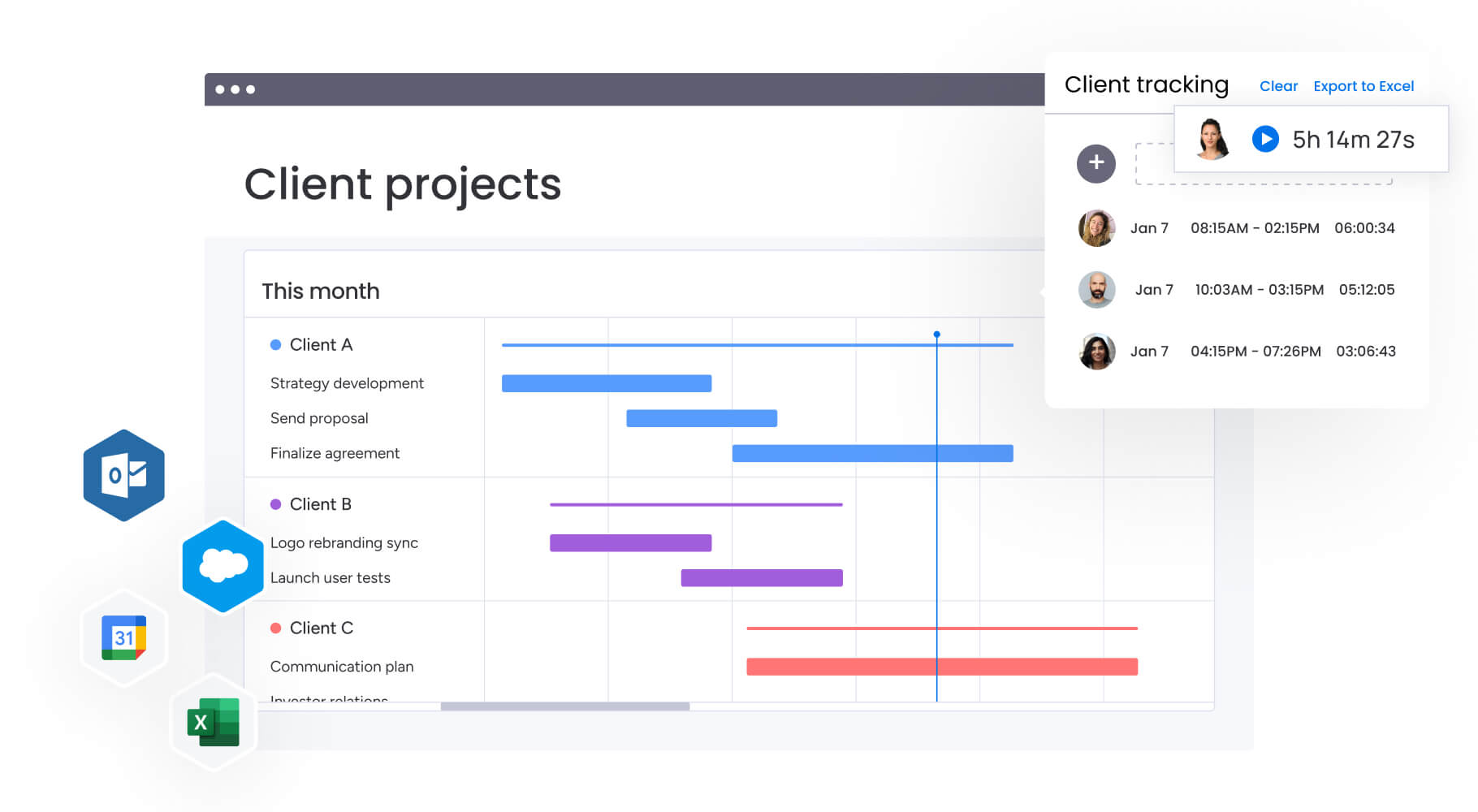
Map out your ideal week visually, making sure critical deadlines and client deliverables fit within your batching structure. Use a work management platform to leverage multiple views, including Kanban, Gantt charts, and calendars, to visualize batching patterns and identify potential conflicts.
Step 5: establish boundaries and communication protocols
To succeed, batching schedules require clear boundaries and communication protocols. Decide how you’ll handle urgent requests during batched time. This includes:
- Setting up auto-responders.
- Defining true emergencies.
- Agreeing on response time expectations.
What happens when critical client issues arise during deep work blocks? Communicate that intentional response times are a key feature of a focused work environment.
Step 6: measure and optimize your batching system
You can’t improve what you don’t measure. Review metrics such as completion rates, project velocity, and employee sentiment scores to evaluate system effectiveness.
If specific batching schedules cause bottlenecks or stress, adjust them. Keep refining based on what you learn, so your system adapts as workload and priorities shift.
Try monday work managementStart by tracking how your team actually spends time right now. Track activities for one to two weeks, noting work types, duration, and interruption frequency.
5 types of work perfect for team batching
Not every activity benefits equally from batching. The biggest improvements usually come from work that requires similar levels of focus, tools, or collaboration patterns. When these activities are grouped together, teams spend less time switching contexts and more time building momentum.
The examples below highlight the types of work that tend to deliver the fastest and most noticeable gains when batched consistently.
1. Email and communication management
Processing communication in bursts is far more efficient than constant monitoring. Schedule three to four 30-minute communication blocks daily to address inboxes and messages.
You stay responsive without letting communication shred your entire day. During non-communication blocks, pause notifications to protect focus.
2. Administrative activities and approval workflows
Expense reports, time-off requests, and document approvals are necessary administrative activities that can be completed with high efficiency. Batching these into a Friday Admin Hour or daily 4:30 p.m. block allows teams to power through them rapidly using a different, lower-energy mental mode.
Teams can streamline batch processing by using intuitive forms to collect standardized information for project proposals and work requests, making the process faster and more consistent.
3. Creative and strategic planning
Complex work needs long, uninterrupted blocks. Batching creative work into two to four hour blocks ensures designers, writers, and strategists have runway needed to solve complex problems.
Protect these sessions fiercely. No meetings, no interruptions.
4. Meetings and collaborative sessions
Scattered meetings destroy productivity. Batching meetings into specific days or time windows consolidates collaboration time.
That frees up huge blocks on other days for focused individual work.
5. Analytics and performance reporting
Data analysis requires high accuracy and focus. Batching reporting activities, such as weekly KPI reviews or monthly budget analysis, ensures necessary data is gathered and analyzed in a consistent state of mind.
You’ll catch more errors and spot deeper insights than you would analyzing data in scattered moments.
How to ensure your time batching strategy succeeds
Time batching works best when it’s structured but realistic. Teams often run into problems when schedules become too rigid or when expectations around availability aren’t clearly defined. Small adjustments to how batches are designed can make the difference between a system that supports focus and one that quickly falls apart.
The table below highlights common challenges teams encounter when implementing time batching, along with simple ways to keep schedules flexible, practical, and sustainable:
| Pitfall | Impact | Solution |
|---|---|---|
| Over-rigid scheduling | Plans collapse when unexpected happens | Build buffer blocks or flex time into daily schedule to absorb overflow |
| Ignoring urgent priorities | Critical client issues burn while team adheres to schedule | Establish break-glass protocol where true emergencies override batch |
| Poor stakeholder communication | Clients and departments become frustrated regarding availability | Proactively share availability calendars and set response time expectations |
| Inadequate transition time | Mental fatigue from packing batches back-to-back | Include 10 to 15 minute transition periods between major batches |
Measuring time batching success with data
Want to prove time batching works? Track these metrics before and after you start. These metrics provide a framework for evaluating effectiveness:
| Metric | Before batching | After batching |
|---|---|---|
| Completion rate | Activities frequently roll over to next week due to interruptions | Higher volume of work completed within scheduled week |
| Average project velocity | Projects stall due to fragmented attention and context switching | Projects move through stages faster due to focused execution sprints |
| Interruption frequency | Constant unplanned interruptions throughout day | Controlled interruptions limited to specific windows or urgent protocols |
| Employee satisfaction | High stress and feeling always on but unproductive | Increased sense of accomplishment and control over workday |
| Error rates | Higher error rates in data/admin work due to distraction | Reduced errors due to sustained focus during dedicated admin blocks |
Teams can track these improvements using work management platforms with built-in reporting capabilities. Platforms like monday work management provide dashboards that visualize trends such as reduced overdue items, improved completion rates, and more consistent on-time delivery. This visibility helps teams evaluate how well batching structures support execution and identify opportunities to refine schedules for even better results.
Time batching strategies for distributed teams
For distributed and hybrid teams, time batching helps create structure in environments where constant availability can easily become the default. Without clear signals around focus time, interruptions multiply and deep work becomes difficult to protect. Batching creates predictable rhythms that make collaboration easier without increasing meeting volume.
Teams working across locations often structure batching around time zone overlap and async handoffs:
- Coordinate collaboration windows: Schedule meetings, reviews, and live discussions during overlapping working hours to reduce back-and-forth delays.
- Protect focus time intentionally: Reserve blocks for deep work when colleagues in other regions are offline, creating natural quiet periods.
- Create predictable handoffs: When teams know exactly when work will be delivered, transitions between regions become smoother and faster.
- Use visibility instead of availability pressure: Shared calendars and project boards make it clear when colleagues are focusing, collaborating, or offline.
For example, if a London-based team batches design work to finish by 4:00 p.m. GMT, colleagues in New York can review it at the start of their workday. This steady flow keeps work moving forward without requiring constant check-ins or real-time responses.

“monday.com has been a life-changer. It gives us transparency, accountability, and a centralized place to manage projects across the globe".
Kendra Seier | Project Manager
“monday.com is the link that holds our business together — connecting our support office and stores with the visibility to move fast, stay consistent, and understand the impact on revenue.”
Duncan McHugh | Chief Operations OfficerBuild a more focused way of working with monday work management
Time batching becomes far more powerful when teams can actually see how work flows across the week. monday work management gives structure to those focus periods, helping teams coordinate deep work, collaboration, and admin time without constant back-and-forth.
Instead of scattered calendars and manual follow-ups, batching becomes part of the workflow itself:
- Make focus time visible: Calendar, Timeline, and Kanban Views show when work happens, helping teams align deep work blocks without endless coordination.
- Keep similar work together: Dedicated boards for content, reporting, approvals, or planning make it easier to stay in the right mindset longer.
- Reduce manual sorting: Automations route requests into the right workflow stage, so work naturally lands in the right batch.
- Stay aligned across teams: Shared dashboards show who is focusing, collaborating, or reviewing, helping teams plan handoffs without disrupting momentum.
- Continuously improve how work flows: Reporting insights highlight bottlenecks, making it easier to adjust batching schedules as priorities change.
With the right structure in place, teams protect focus, collaborate more smoothly, and keep work moving without constant context switching.
Try monday work management to bring clarity, momentum, and consistency to the way your team works.
Try monday work managementFrequently asked questions
How long should each time batch session last?
Most time batch sessions work best between 90 minutes and three hours. This window is long enough to build momentum and reach a focused state, but short enough to maintain energy and concentration. Shorter batches can work well for admin tasks or communication, while longer blocks are better suited to strategy, analysis, or creative work that benefits from sustained attention.
Can creative work be effectively batched?
Creative work often benefits significantly from batching because it requires uninterrupted thinking time. Grouping similar creative activities together allows ideas to develop more naturally and reduces the disruption caused by switching between unrelated tasks. Longer, protected sessions give writers, designers, and strategists the space needed to produce higher-quality work with less friction.
What if my role requires constant availability?
Roles that require responsiveness can still apply time batching with some adjustments. Instead of long focus blocks, shorter batching windows of 20–30 minutes can help group communication or quick tasks more efficiently. Clear expectations around response times and simple escalation paths for urgent issues help maintain service levels without requiring constant interruptions throughout the day.
Is time batching the same as the Pomodoro Technique?
Time batching and the Pomodoro Technique both structure how time is used, but they serve different purposes. Time batching groups similar types of work into longer, dedicated sessions to reduce context switching. The Pomodoro Technique focuses on short, timed intervals (typically 25 minutes) followed by breaks, regardless of task type. Many teams combine both approaches by batching similar work and using shorter intervals within those sessions.
How do you handle urgent requests during batch time?
Urgent requests can be managed by clearly defining what qualifies as time-sensitive and establishing a simple escalation process. True emergencies can interrupt a batch when necessary, while non-urgent requests are handled during designated communication blocks. This balance protects focus without compromising responsiveness where it genuinely matters.
Can time batching work for customer-facing teams?
Customer-facing teams can still benefit from batching by grouping similar interactions into defined time windows. Meetings, calls, or support responses can be scheduled in clusters, while administrative updates, CRM changes, and reporting tasks are handled in separate blocks. This structure helps teams stay responsive to customers while preserving uninterrupted time for important internal work.

 Get started