


The best weekly newsletters follow a repeatable structure that makes them easier to produce, easier to personalize, and easier to read. AI can help you build that structure — from planning recurring sections and drafting content to optimizing subject lines and tailoring newsletters for different audience segments, but the best results still come from combining AI efficiency with human judgment.
This guide covers how to use AI throughout your weekly newsletter workflow — from brainstorming topics and drafting copy to generating subject lines, personalizing content with CRM data, optimizing send times, and analyzing performance. Whether you’re launching your first newsletter or looking to streamline one that’s eating up too much time, the right AI-powered approach turns newsletter production from a weekly grind into a scalable growth channel.
Key takeaways
- AI can significantly reduce newsletter production time when you build reusable prompts for headlines, intros, and recurring sections.
- Fact-checking and brand voice review are non-negotiable — AI generates drafts fast, but human oversight ensures accuracy and maintains the tone that keeps subscribers engaged.
- The 80/20 rule keeps subscribers engaged: 80% educational content, 20% promotional — AI can help you maintain this balance by analyzing past performance and suggesting content mix adjustments.
- CRM-connected AI platforms automatically segment audiences and personalize content blocks based on subscriber behavior, role, and engagement history without manual list management.
- Platforms like monday campaigns combine AI-powered content creation, CRM-based segmentation, send time optimization, and closed-loop reporting in a single workflow — eliminating the need to stitch together multiple tools.
Why AI is essential for weekly newsletter production
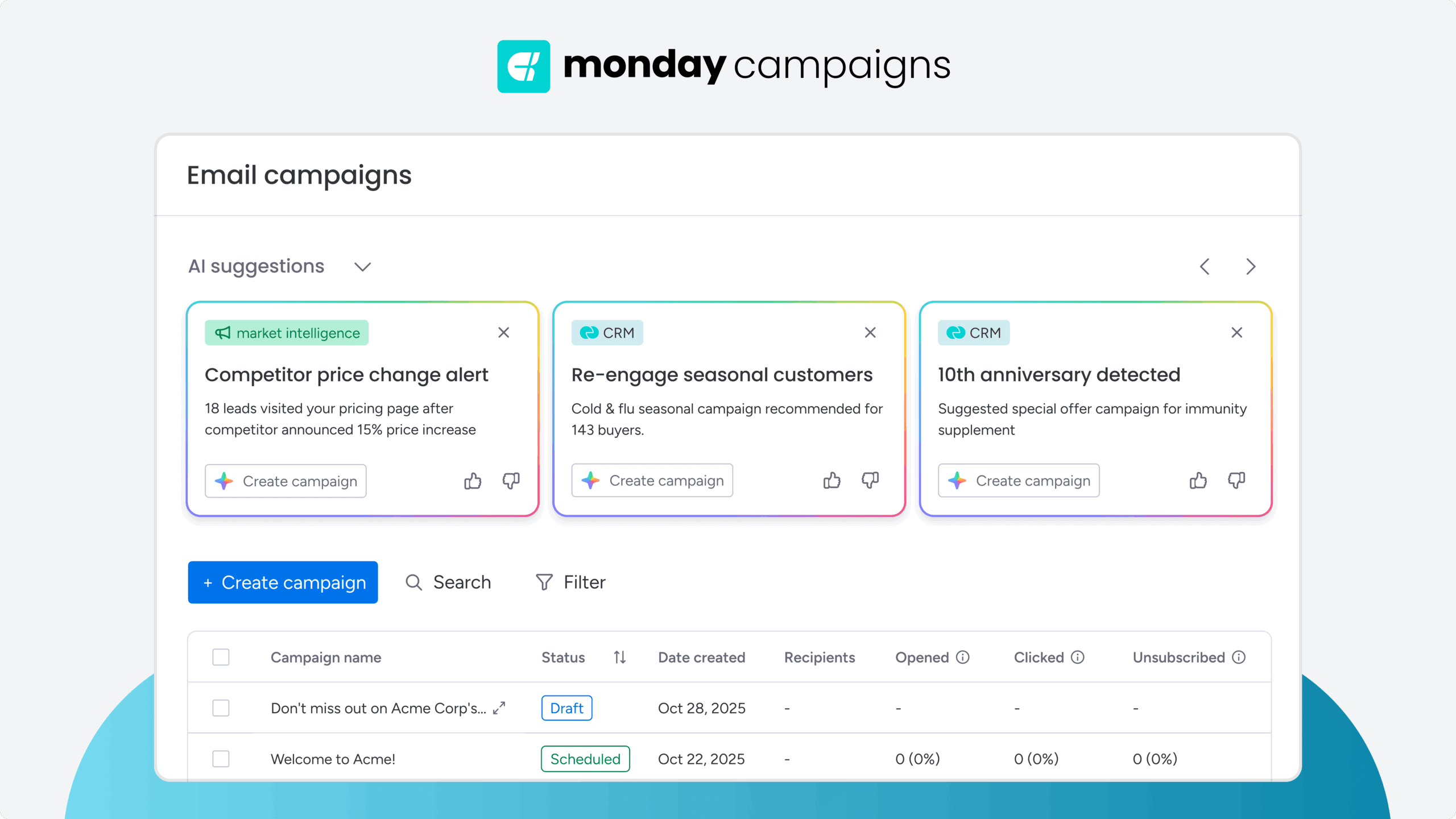
AI transforms weekly newsletter production from a time-intensive manual process into a streamlined workflow that scales. The best use of AI? Automating the repetitive tasks — content drafting, subject line testing, audience segmentation, send time optimization — so you can focus on strategy and creative direction.
AI matters because it addresses the 3 biggest bottlenecks in newsletter production: content creation speed, personalization at scale, and performance optimization.
According to Microsoft’s 2026 Work Trend Index, 66% of AI users say AI lets them spend more time on high-value work — which means tasks like drafting newsletter copy, generating subject line variations, and segmenting audiences are increasingly handled by AI tools.
Marketers who use AI for newsletter production can benefit from significant time savings. AI can generate first drafts in minutes, suggest content variations for different segments, and analyze past performance to recommend optimal send times. But speed isn’t the only benefit — AI-powered personalization drives engagement by delivering content that reflects each subscriber’s role, interests, and behavior.
The key is building a repeatable workflow that balances automation with human oversight. AI generates the drafts, suggests the segments, and optimizes the timing. You review for accuracy, refine for brand voice, and make the strategic calls that turn a good newsletter into one subscribers actually look forward to.
Building a repeatable AI-powered newsletter workflow
A repeatable AI-powered newsletter workflow turns weekly production from a time-intensive manual process into a streamlined system that scales. The key is balancing automation with human oversight — AI handles the repetitive tasks, you make the strategic decisions that drive results.
Here’s the workflow that works:
- Plan content with AI assistance: Use AI to generate topic ideas based on trending keywords, past performance, and subscriber interests — you select topics that align with business goals
- Draft copy using reusable prompts: Feed your prompt library to AI to generate first drafts for intros, hero stories, roundups, and CTAs — AI gets you there faster.
- Review and refine for brand voice: Edit AI-generated content for accuracy, tone, and brand consistency — this is where human judgment matters most
- Personalize with CRM-based segmentation: Let AI suggest segments and dynamic content blocks based on subscriber data — you approve the logic and test before sending
- Optimize send times: Use AI to recommend optimal send times for each subscriber based on their engagement history — set it and let the platform handle scheduling
- Analyze performance and iterate: Review AI-generated performance reports to see what’s working — use insights to refine prompts, segments, and content mix for the next send
The difference between newsletters that grow and newsletters that stall comes down to consistency and relevance. AI-powered workflows deliver both by automating the tasks that slow you down and surfacing the insights that help you improve.
How to structure a weekly AI newsletter
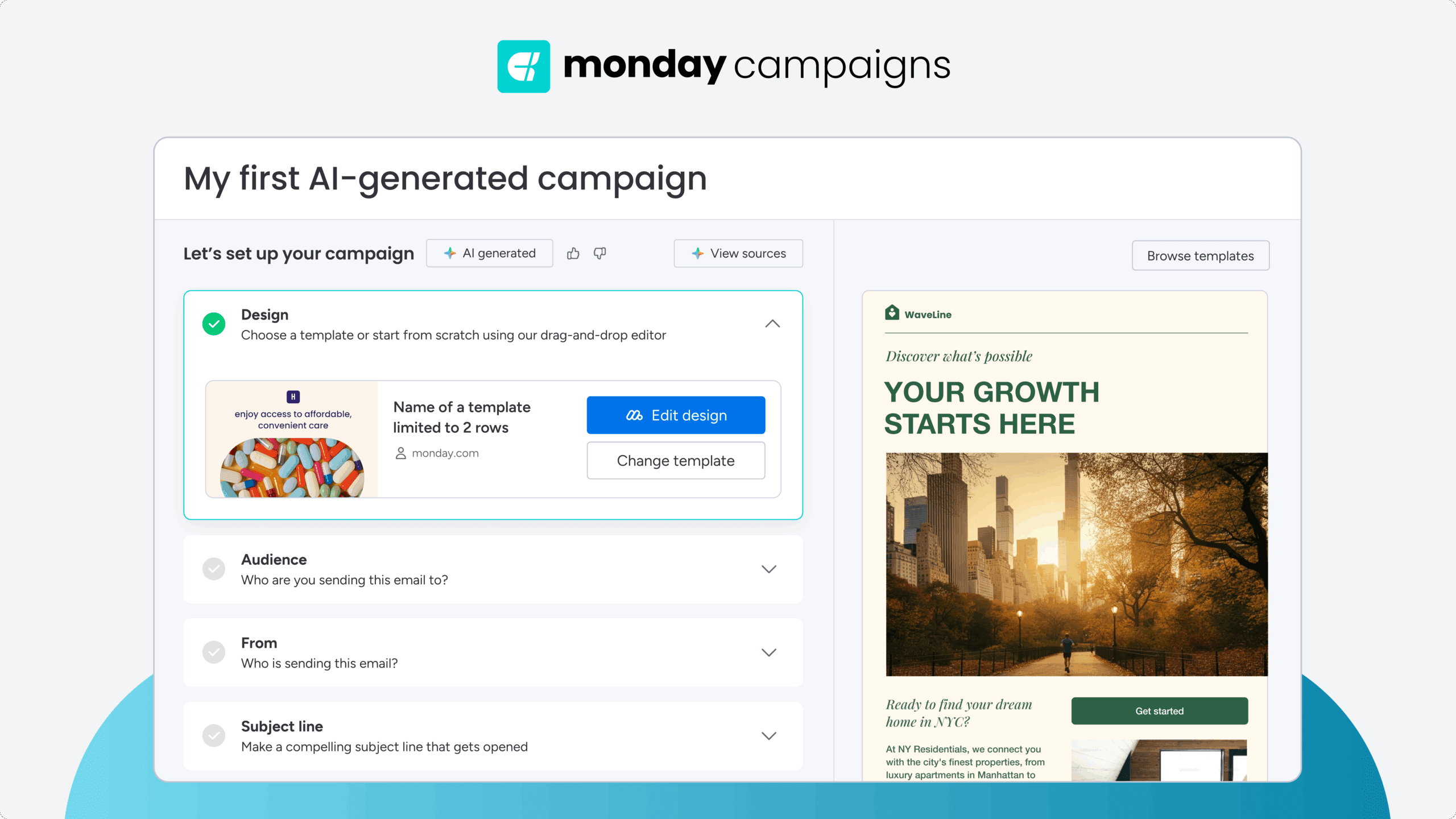
The best weekly AI newsletters follow a consistent format that subscribers recognize and look forward to. A repeatable structure also makes AI more effective because you can reuse prompts, templates, and workflows instead of starting from scratch every week. Aim for a newsletter that delivers value quickly, is easy to scan, and ends with one clear next step.
| Newsletter section | Best practice |
|---|---|
| Opening | Preview the biggest takeaway in the first 2–3 sentences so readers (and AI inbox assistants) immediately understand the value. |
| Featured content | Lead with your most valuable insight, story, or announcement while attention is highest. |
| Supporting content | Add curated resources, practical tips, prompts, or industry updates that reinforce the main topic. |
| CTA | Focus on one primary action to avoid competing priorities. |
| Footer | Include unsubscribe links, preference options, and consistent branding. |
Once you’ve established that framework, AI can help you produce each section more efficiently while keeping every issue consistent.
- Opening: Start with a concise introduction that tells readers exactly what they’ll learn. AI can draft multiple opening variations in seconds, but you should choose the version that best reflects your brand voice and accurately previews the newsletter’s biggest takeaway.
- Featured content: Lead with your most valuable insight, whether it’s an original perspective, customer story, or educational guide. Use AI to draft the first version, then strengthen it with original expertise and fact-checking.
- Supporting content: Round out the newsletter with recurring sections like curated links, AI prompts, practical tips, industry news, or reader questions. These predictable segments build familiarity while giving AI clear templates to reuse every week.
- Call to action: Every newsletter should encourage one primary action, whether that’s reading an article, registering for a webinar, downloading a resource, or trying your product. AI can generate multiple CTA variations, but keeping the focus on a single goal generally produces a clearer subscriber experience.
- Footer: Finish with branding, contact information, unsubscribe links, and preference management options. A clean, consistent footer builds trust while helping subscribers control how often — and what type of content — they receive.
Using AI throughout your newsletter production process
AI-powered content creation accelerates every stage of newsletter production — from topic ideation and headline generation to drafting body copy and creating CTAs. The workflow that works: use AI to generate options fast, then apply human judgment to select, refine, and fact-check before sending.
Here’s how to build an AI-assisted content creation workflow for weekly newsletters:
| Newsletter stage | How AI helps | Your role |
|---|---|---|
| Topic planning | Suggest topics based on trends, past performance, and audience interests | Choose ideas that align with your audience and goals |
| Subject lines | Generate multiple subject line and preview text variations | Select the strongest options and A/B test them |
| Content drafting | Draft newsletter intros, featured stories, recurring sections, and CTAs | Fact-check, refine the tone, and add original insights |
| Personalization | Create dynamic content using CRM data and engagement history | Review segment logic and test the subscriber experience |
| Final review | Check grammar, readability, and consistency | Confirm accuracy, brand voice, and messaging before sending |
Building reusable AI prompts for newsletter sections
Reusable prompts are pre-written instructions you feed to AI tools to generate consistent, on-brand content for recurring newsletter sections. They save time by eliminating the need to write new prompts from scratch every week.
Effective prompts include context, tone guidance, and structural requirements. For example, instead of “Write a newsletter intro,” use:
“Write a 2-3 sentence newsletter intro for a B2B marketing audience. Tone: conversational and direct. Preview this week’s main topic (AI-powered email personalization) and one key benefit (cutting segmentation time by 60%). Avoid jargon.”
Instead, organize your prompt library by the tasks you perform every week rather than individual newsletter sections. For example, create reusable prompts for topic ideation, first-draft generation, subject lines, personalization, proofreading, and CTA variations. This keeps your workflow consistent while giving AI enough context to produce higher-quality results.
Fact-checking and brand voice review
AI-generated content requires human review before sending. Fact-checking catches inaccuracies, and brand voice review ensures the tone matches what subscribers expect from you.
Two non-negotiable review steps:
- Verify claims and statistics: AI can hallucinate data or misattribute sources — always cross-check facts, numbers, and links before publishing
- Refine for brand voice: AI drafts often sound generic — edit to match your brand’s personality, whether that’s formal, conversational, witty, or technical
The goal isn’t perfection from AI — it’s speed.
Using AI to generate subject lines and preview text
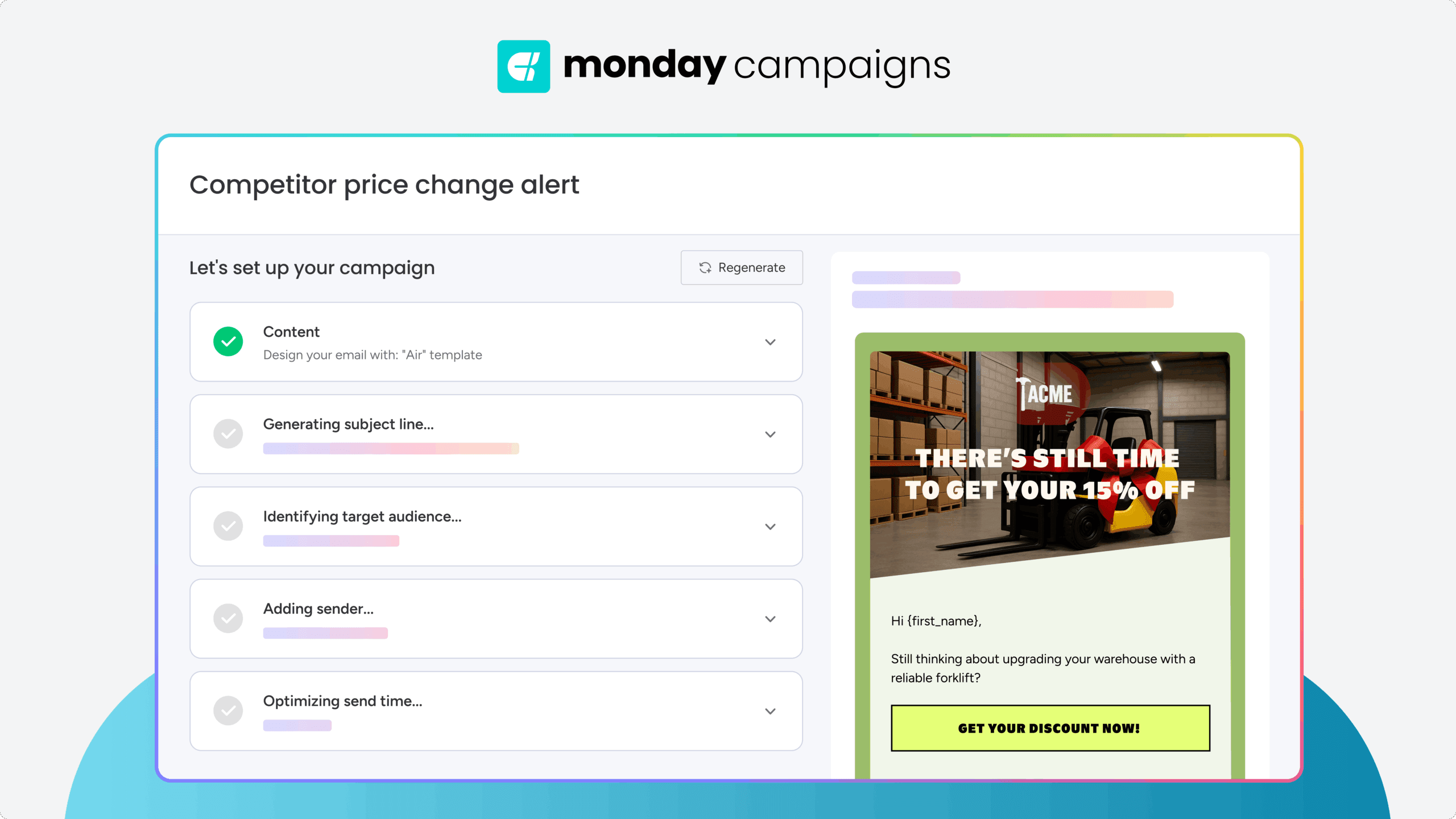
AI excels at generating subject line variations because it can produce dozens of options in seconds, test different formulas, and optimize for open rates based on past performance. The workflow: prompt AI to generate 10-15 subject lines, then A/B test the top 2-3 to see what resonates with your audience.
Effective AI prompts for subject lines include these elements:
- Content summary: Brief description of the newsletter’s main topic
- Target length: 40-50 characters (6-8 words) to avoid mobile truncation
- Tone guidance: Conversational, urgent, curiosity-driven, or benefit-focused
- Constraints: Avoid spam triggers, include numbers or questions if relevant
Preview text should complement the subject line by expanding on the promise or adding context. AI can generate preview text that answers “What’s in it for me?” in 80-100 characters. The key is ensuring alignment between subject line, preview text, and the newsletter’s opening sentences — misalignment confuses readers and reduces trust.
Balancing educational and promotional content with AI
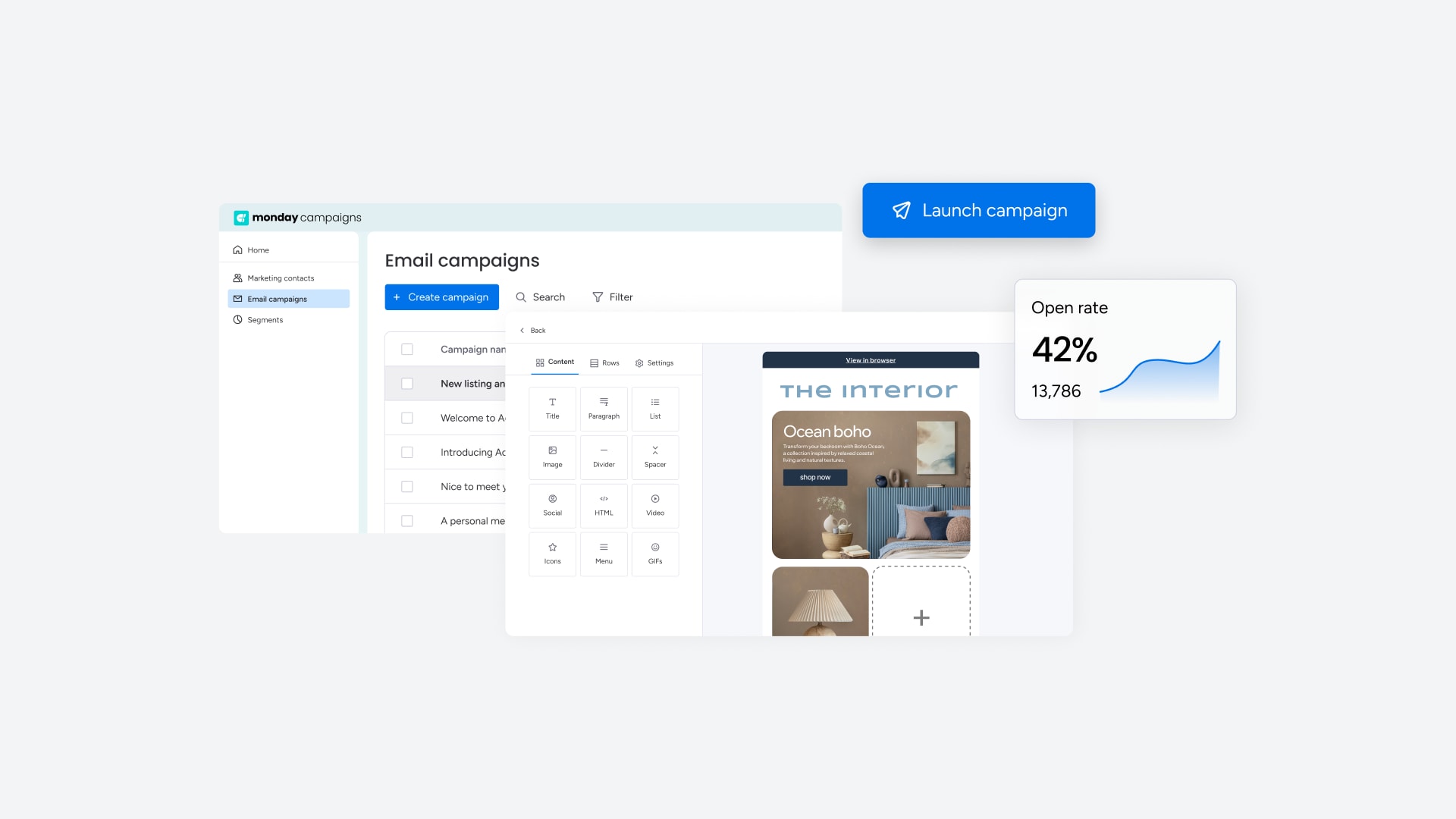
AI can help you maintain the 80/20 content mix (80% educational, 20% promotional) by analyzing your draft newsletter and flagging when the balance tips too far in either direction. The right ratio builds trust without sacrificing conversion opportunities.
Here’s how to use AI to monitor content balance:
- Value: Generate tutorials, how-to guides, industry insights, curated resources, actionable prompts, and templates
- Promotional: Draft product announcements, CTA copy, webinar invitations, and upgrade messaging that feels helpful, not pushy
AI can also suggest recurring content segments that deliver consistent value each week. These segments create anticipation and build habits:
- Prompt of the week: AI generates and tests prompts, you select and contextualize the best one
- Tool spotlight: AI drafts pros, cons, and use cases for trending tools
- Reader question: AI helps draft answers to subscriber-submitted questions
- Myth debunked: AI researches and drafts evidence-based corrections to common misconceptions
The goal is consistency without rigidity. AI handles the heavy lifting of content generation, you make the strategic decisions about what to include and where to place it.
Optimizing newsletters for AI inbox summaries
AI inbox assistants (Apple Intelligence, Gmail’s Gemini, Outlook Copilot) now summarize emails before users decide to open them. These tools parse your newsletter’s structure, prioritize front-loaded information, and generate previews that determine whether subscribers engage. Optimizing for AI summarization means structuring content so the most important information appears where AI tools look first.
AI summarization prioritizes the first 2-3 sentences of your newsletter. Front-loading your main point ensures the AI summary surfaces it accurately and compellingly.
Consider the difference between these 2 approaches:
- Front-loaded opening (optimized): “This week’s prompt cut my content production time by 50%. It works for blog posts, emails, and social captions — and it takes 30 seconds to set up.”
- Buried lede (not optimized): “Happy Tuesday! I hope you had a great weekend. I’ve been thinking a lot about productivity lately, and I wanted to share something interesting I discovered…”
Two additional structural elements that improve AI summarization:
- Semantic headings: Descriptive, keyword-rich section titles (H2, H3 tags in HTML) help AI assistants parse content structure and surface the right information
- Bulleted takeaways: Key points and action items signal importance to AI summarization engines, improving accuracy and visibility — a format validated by Microsoft’s own Outlook documentation, which confirms that AI email summaries are intentionally output as 3 to 4 bulleted points with references back to the original text
AI summarization cross-references your subject line, preview text, and opening sentences to generate summaries. Alignment across all 3 elements improves visibility and builds trust when the content matches the promise.
Try monday campaignsAI-powered personalization and segmentation using CRM data
AI-powered personalization uses CRM data to automatically segment audiences and customize content blocks based on subscriber attributes — role, company size, engagement history, and behavior. The result: every subscriber gets content that speaks to where they actually are, without manual list management.
AI can segment subscribers across 3 primary dimensions:
- Role-based segmentation: Job function, seniority, company size
- Interest-based segmentation: Content preferences, tool usage, learning style
- Behavior-based segmentation: Engagement patterns, content interactions, conversion history
Dynamic content blocks powered by AI change based on subscriber attributes. They improve relevance without forcing you to create separate newsletters for each segment. For example, AI can automatically swap in different case studies, CTAs, or product recommendations based on what each subscriber has clicked in the past.
To keep AI-powered segmentation manageable, look for a platform with native CRM integration. Deloitte’s 2026 Digital Media Trends found that nearly 30% of consumers say they’d like generative AI to create a personalized digest of updates, signaling that subscribers increasingly expect content tailored to their preferences rather than generic broadcasts. AI makes this level of personalization scalable.
How monday campaigns powers AI-driven weekly newsletters
Built for marketers who need to produce weekly newsletters faster, personalize using CRM data, and prove impact on revenue, monday campaigns is the AI-powered email platform that handles content creation, segmentation, optimization, and reporting in a single workflow. As part of the monday CRM suite, it connects marketing execution directly to sales outcomes.
Here’s what AI-powered newsletter production looks like in monday campaigns:
- AI-powered content creation: Generate subject lines, body copy, and CTA variations in seconds — AI suggests options based on past performance, you select and refine what fits your brand voice
- Automated audience segmentation: AI analyzes CRM data (job titles, company size, engagement history, deal stage) and suggests segments based on behavior patterns, with segments updating in real time as contacts interact with your content
- Send time optimization: AI recommends optimal send times for each subscriber based on their past open and click behavior, maximizing engagement without manual scheduling
- Streamlined production workflow: Drag-and-drop builder, saved content blocks, and reusable templates mean you can go from draft to send in minutes, not hours
- Closed-loop reporting: Campaign engagement data — opens, clicks, conversions — flows directly into CRM contact records, supporting lead scoring, pipeline reporting, and revenue attribution
The platform eliminates the need to stitch together separate tools for content creation, email sending, CRM integration, and analytics. Everything runs in one place, powered by AI that learns from your data and gets smarter with every send.

"With monday campaigns, we can launch professional emails in minutes and instantly see who engaged. Our sales team follows up directly with those showing interest - making outreach faster and more effective."
Michael Fitzpatrick | National Workplace Training ManagerStart building AI-powered newsletters that scale
AI transforms weekly newsletter production from a manual grind into a repeatable workflow that scales — automating content generation, personalizing with CRM data, optimizing send times, and surfacing insights that help you improve with every send. The key is balancing automation with human oversight: AI handles the repetitive tasks, you make the strategic decisions that drive engagement and revenue.
monday campaigns combines AI-powered content creation, CRM-based segmentation, send time optimization, and closed-loop reporting in a single platform — eliminating the need to stitch together multiple tools. Get started and turn newsletter production from a weekly bottleneck into a scalable growth channel.
Try monday campaignsFAQs
What is the ideal length for a weekly AI newsletter?
The ideal length for a weekly AI newsletter is 500–800 words, scannable in under 60 seconds, with 3–5 distinct sections that deliver value without overwhelming readers.
How do I balance educational content with promotional CTAs in a newsletter?
Balance educational content with promotional CTAs by following the 80/20 rule — 80% educational value and 20% promotional content — and limiting yourself to one primary CTA per newsletter.
Should I create separate newsletters for different audience segments?
Creating separate newsletters for different audience segments is unnecessary when you use dynamic content blocks that adapt based on subscriber attributes, delivering relevant content without multiplying production effort.
How much of my newsletter should AI write?
AI can write the first draft — 100% of it — but you should edit and refine before sending. Use AI to generate headlines, body copy, CTAs, and subject lines, then apply human oversight to fact-check, adjust tone, and ensure brand consistency. The goal is speed from AI, strategic judgment from you.
What's the best way to handle newsletter unsubscribes and preferences?
Handle unsubscribes and preferences by offering a preference center where subscribers can adjust frequency, content topics, and communication channels — allowing them to opt down instead of out.
Can I automate weekly newsletters without losing personalization?
Automate weekly newsletters without losing personalization by using CRM-based dynamic segmentation that automatically updates based on contact data, combined with modular content blocks that adapt to each subscriber's attributes.

 Get started