


Most marketing teams can tell you their open rates, and far fewer can tell you which campaigns actually drove revenue last quarter. That gap between email activity and business impact is where a lot of marketing effort gets lost. The best email marketing solutions close that gap by connecting campaign data directly to sales outcomes, so teams can see what’s working and act on it. Choosing the right platform matters more than most teams realize.
The difference between a basic sending service and a solution built for revenue teams is how deeply it connects to your CRM, how well it automates, and whether it gives leadership the data they need. In this article, we’ll cover what to look for when evaluating email marketing platforms, how the leading options compare, and how to match the right solution to your goals. The criteria and comparisons ahead will point you to the right platform, including how solutions like monday campaigns connect performance to revenue.
Key takeaways
- CRM integration is the deciding factor: Choose a platform that shares data natively with your CRM with automatic data syncs, real-time updates, and clear insights.
- Ditch vanity metrics and track what actually matters: Measure pipeline influenced, deal velocity, and closed-won revenue, not just opens and clicks.
- AI should do the heavy lifting across every stage: Look for platforms where AI builds your segments, writes your copy, and recommends send times.
- monday campaigns connects marketing directly to sales outcomes: Built natively into monday CRM, monday campaigns gives teams real-time visibility from first email to closed-won deal.
- Fast setup and predictable pricing save you later: Test how quickly you can launch a real campaign, and map out total cost as your list grows before you commit.Try monday campaigns
What is an email marketing solution?
An email marketing solution lets teams create, send, track, and optimize email campaigns without manual busywork. These platforms connect to customer data, automate workflows based on behavior and lifecycle stage, and measure business impact from first touch to close.
The difference between a basic email platform and a real marketing solution lies in integration and intelligence.
Real solutions connect marketing activity to sales outcomes, automate responses to customer behavior, and show you which campaigns actually influence revenue. Here’s what matters most:
- Campaign creation: Visual editors, templates, and content capabilities that enable marketers to build professional emails without design or development resources.
- Audience management: Segmentation capabilities that organize contacts based on attributes, behaviors, and CRM data. The best solutions update segments automatically as data changes.
- Automation: Triggered campaigns and workflows that respond to customer actions, lifecycle stages, or CRM events without manual intervention.
- Analytics: Performance tracking that goes beyond opens and clicks to show pipeline influence, deal progression, and revenue attribution.
- Integration: Native connections to CRM, sales platforms, and business systems that ensure marketing and sales work from the same data.
The best email marketing solutions treat CRM integration as foundational. When email platforms share data natively with CRM systems, marketing can see which campaigns influence deals, and sales can see which emails prospects engaged with before entering the pipeline.
8 things to look for in the best email marketing solutions
Evaluating email marketing platforms means looking beyond feature checklists. The right choice depends on whether the platform can prove ROI, align marketing with sales, and grow with you. These criteria separate platforms built for revenue teams from basic email services.
1. Native CRM and sales integration
Native CRM integration means the email platform and CRM share data automatically. This differs fundamentally from having a CRM as an integration. Native integration means the systems were built to work together from the start.
The business impact is real: marketing can see which campaigns drive deals, and sales can see which emails prospects engaged with before entering the pipeline. When these systems don’t talk to each other, both teams work with incomplete data.
What does native integration actually look like in practice?
- Bi-directional data sync: Changes in CRM reflect in the email platform immediately, and vice versa.
- Unified contact records: A single source of truth for customer data, eliminating duplicate databases and conflicting information.
- Campaign-to-deal tracking: Direct visibility into which email campaigns influenced specific deals and pipeline stages.
- Sales visibility: Sales teams can see email engagement history directly in CRM contact records, providing context for outreach.
2. AI built into every stage of the campaign lifecycle
AI in email marketing should speed things up, personalize at scale, and optimize performance across every stage. The best implementations embed AI throughout the workflow: building campaigns, launching them at the right times, and continuously improving performance based on results.
| Stage | AI capability | Business impact |
|---|---|---|
| Build | Generates subject lines, email copy, and audience segments based on CRM data | Marketers start with intelligent recommendations instead of blank pages |
| Launch | Recommends optimal send times based on individual recipient behavior | Different contacts receive emails when they're most likely to engage |
| Optimize | Analyzes performance data and suggests improvements | Marketers receive actionable recommendations instead of manually reviewing reports |
How important are AI-powered segmentation, content generation, and send-time recommendations? According to Capterra’s 2026 survey of 2,452 decision-makers, 90% of software buyers now prioritize products with AI capabilities. AI-powered software determines whether your team spends hours on manual work or minutes on strategic decisions.
3. Dynamic segmentation from live customer data
Dynamic segmentation creates audience lists that update automatically based on real-time customer data. Unlike static lists that require manual updates whenever customer information changes, dynamic segments refresh continuously as CRM data evolves.
This level of campaign segmentation keeps campaigns relevant. When segments update automatically, campaigns always target the right people at the right time. Consider these examples of dynamic segments:
- Contacts who entered the pipeline in the last 30 days
- Customers who haven’t engaged with emails in 90 days
- Leads assigned to a specific sales rep
- Opportunities in the “Proposal Sent” stage
4. Revenue attribution and pipeline reporting
Revenue attribution connects email campaigns to closed deals, showing which ones influenced pipeline and revenue. This is the most critical capability for teams who need to prove marketing ROI, and the need is urgent: according to McKinsey’s State of Marketing 2026, only 3% of CMOs say they can attribute more than 50% of their marketing spend.
The difference between vanity metrics and business metrics is huge:
- Opens and clicks show engagement.
- Revenue attribution shows which campaigns generated qualified leads, how email engagement correlates with deal velocity, and which nurture sequences contribute to closed-won revenue.
5. Drag-and-drop email editor and on-brand templates
Teams need to launch campaigns quickly without design bottlenecks. Drag-and-drop editors allow non-designers to build professional emails by arranging elements visually.
Brand consistency matters just as much as speed. The best editors enforce brand guidelines automatically, so every email uses approved colors, fonts, and logos.
6. Deliverability and bulk sender compliance
Deliverability determines whether emails reach inboxes or spam folders. If emails don’t land, nothing else matters. Deliverability depends on technical setup and compliance with sender standards established by major email providers. Here are the key technical requirements you need to understand:
| Term | What it does |
|---|---|
| SPF | Verifies that the sending server is authorized to send email on behalf of your domain |
| DKIM | Adds a digital signature to emails, proving they haven't been altered in transit |
| DMARC | Tells receiving servers what to do with emails that fail SPF or DKIM checks |
| One-click unsubscribe | Required by Gmail and Yahoo for bulk senders sending more than 5,000 emails per day — allows recipients to unsubscribe with a single click |
7. Fast setup with no ops team required
Speed to value matters. Teams need to launch campaigns quickly without waiting for IT configuration, consultant engagements, or lengthy onboarding processes.
The best email marketing solutions are designed for marketers, not developers. Setup should take minutes or hours, not weeks.
8. Scalable and predictable pricing
Pricing models vary widely across email marketing platforms. Some charge per contact, others per email sent, others per feature tier. Understanding total cost as contact lists grow matters for budgeting and planning.
| Pricing model | How it works | Watch out for |
|---|---|---|
| Per contact | Pay based on total contacts in database | Costs increase as list grows, even for inactive contacts |
| Per email | Pay based on emails sent | Costs spike during high-volume campaigns |
| Per feature | Base price plus add-ons for automation, reporting | Essential features may require expensive upgrades |
5 best email marketing platforms compared
Each platform here has different strengths. There’s no one-size-fits-all solution, but rather the right choice depends on your priorities: CRM integration depth, ease of use, automation sophistication, or pricing model. Here’s how the leading options stack up.
1. monday campaigns
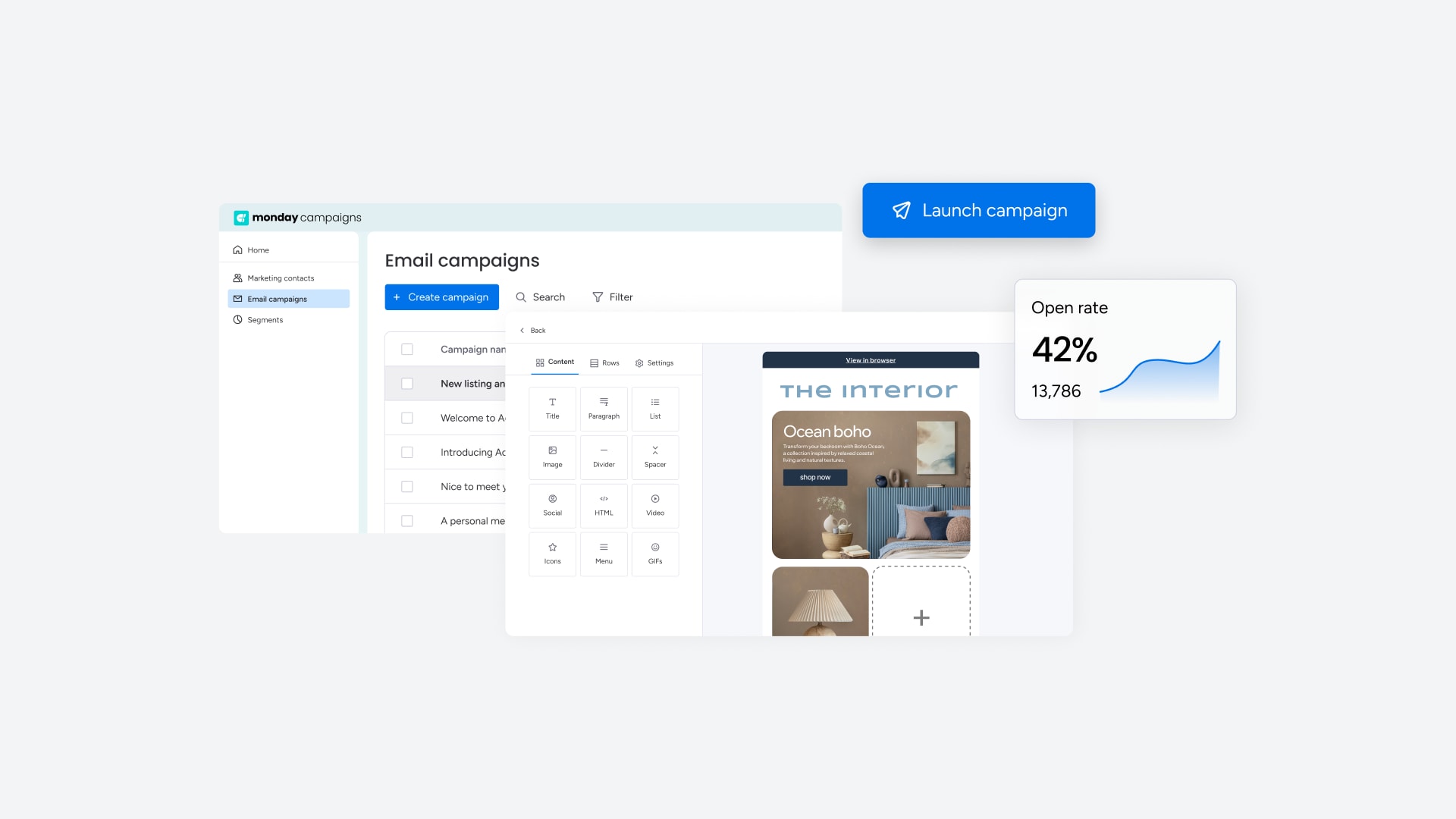
monday campaigns is built natively on monday CRM, connecting marketing activity directly to sales outcomes.
- Best for: Teams who need tight CRM integration and revenue attribution without third-party connectors.
- Key strengths: Native CRM integration ensures automatic data flow between marketing and sales. AI generates copy, suggests audience segments based on CRM data, and optimizes send times for individual recipients. Campaign performance connects directly to deals and pipeline, showing which emails influence closed-won revenue.
2. HubSpot Marketing Hub

HubSpot Marketing Hub is an inbound marketing platform that includes email marketing as part of a full suite of marketing tools.
- Best for: Teams who want an all-in-one marketing suite covering email, landing pages, social media, and advertising.
- Key strengths: Full marketing suite with email, landing pages, social media management, ads, and analytics in one platform. Native CRM is included for free with tight integration to marketing capabilities.
- Considerations: Can become expensive as contact lists grow. Complexity may require training or dedicated admin resources.
3. Mailchimp

Mailchimp is a user-friendly email marketing platform known for its accessibility and free tier, making it popular with small businesses and beginners.
- Best for: Small businesses and beginners who need an affordable, easy-to-use email platform.
- Key strengths: Intuitive interface with minimal learning curve. Free plan for up to 500 contacts and 1,000 emails per month.
- Considerations: Limited CRM integration capabilities. Advanced features require higher-tier plans.
4. ActiveCampaign
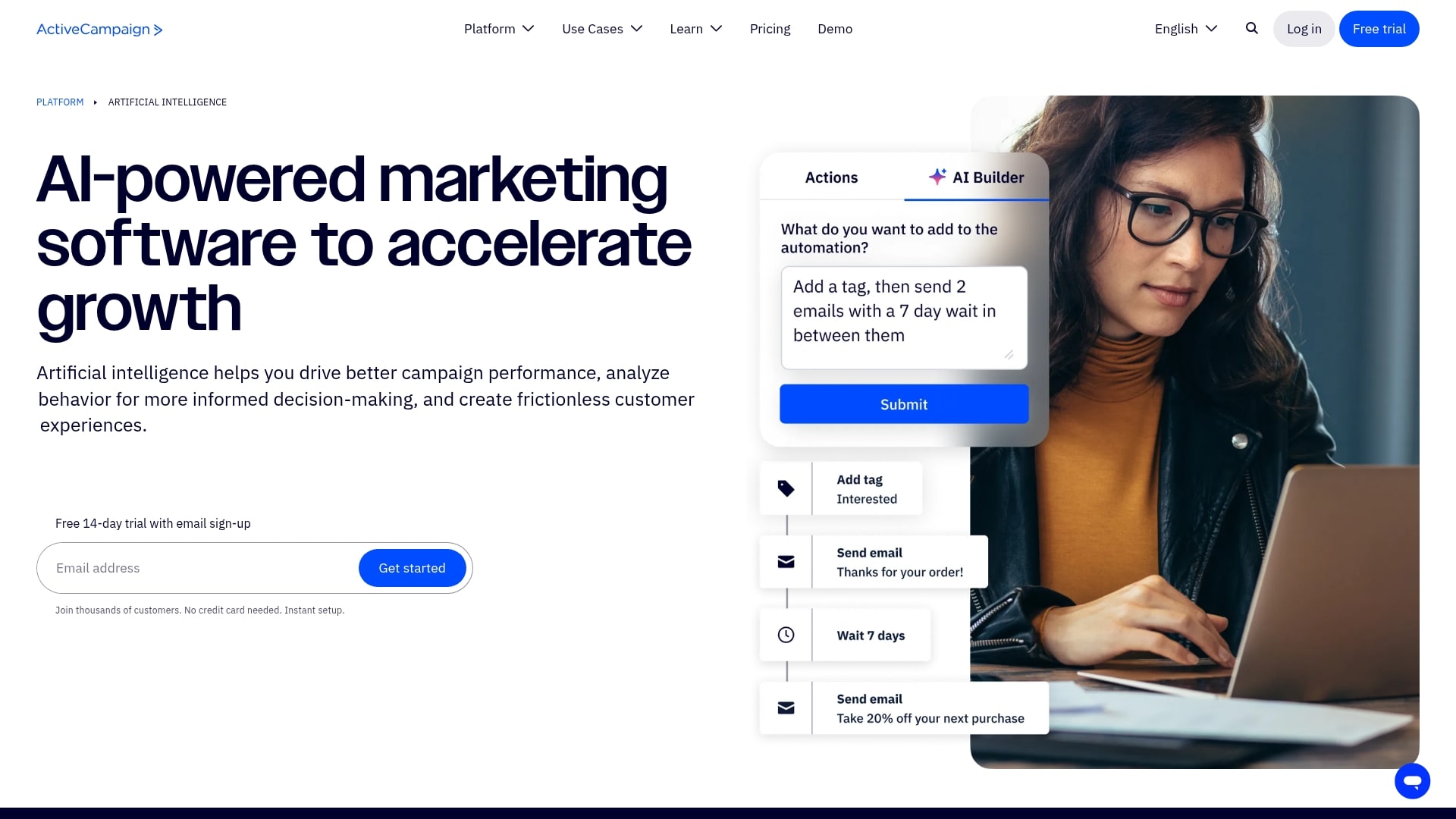
ActiveCampaign is a marketing automation platform known for advanced workflow capabilities and built-in CRM functionality.
- Best for: Teams who need advanced automation with conditional logic and complex workflows.
- Key strengths: Sophisticated workflows with conditional logic, branching, and goal tracking. Built-in CRM with sales automation and pipeline management included.
- Considerations: Steeper learning curve than simpler platforms.
5. Brevo

Brevo (formerly Sendinblue) is a multi-channel marketing platform with pricing based on emails sent, not contacts stored.
- Best for: Teams who want flexible pricing and multi-channel capabilities, including email, SMS, and chat.
- Key strengths: Pay per email sent, not per contact, which is beneficial for large lists with infrequent sends. Multi-channel capabilities in one platform.
Best email marketing services for your business needs
The “best” platform depends entirely on your specific priorities. A platform that works great for ecommerce may be the wrong fit for B2B pipeline management. Here’s how to match the right solution to your situation.
Best email marketing solution for CRM integration
Which email marketing solution is best for CRM integration and revenue tracking? The best choice is one that shares data natively with the CRM system, without requiring third-party connectors or manual data exports.
monday campaigns is built directly into monday CRM, ensuring automatic bi-directional data sync between marketing and sales. When a contact’s deal stage changes in CRM, their segment membership updates immediately.
Best email marketing platform for small businesses
Small businesses need affordable platforms that are easy to use without dedicated marketing resources. Mailchimp offers a free tier, an intuitive interface, and enough functionality to run effective campaigns without added complexity.
Best email marketing solution for B2B pipeline
B2B pipeline management requires connecting email campaigns to deal progression and revenue. Both monday campaigns and HubSpot Marketing Hub offer tight CRM integration and the attribution capabilities needed to prove marketing’s impact on pipeline.
7 steps to choosing the right email marketing platform
Choosing the right platform means aligning capabilities with business goals. Rush this decision and you’ll deal with switching costs, data migration headaches, and misaligned teams. Work through these steps before you commit.
- Map goals to revenue outcomes: Define what success looks like in business terms, not just campaign metrics.
- Audit your CRM and customer data: Understand the current state of your CRM and customer data before evaluating platforms.
- Evaluate AI across build, launch, and optimize: Assess how AI capabilities support the full campaign lifecycle, from generating copy to recommending send times.
- Compare pricing models and total cost of ownership: Evaluate pricing beyond the monthly fee, factoring in contact growth and feature tiers.
- Test deliverability and authentication support: Verify that the platform supports SPF, DKIM, and DMARC authentication and maintains strong deliverability standards.
- Validate ease of use and time to first campaign: Test how quickly your team can launch a real campaign, not just a demo.
- Confirm marketing and sales alignment: Verify that the platform enables collaboration between marketing and sales, with shared data and visibility into pipeline impact.
How to connect email campaigns to revenue and pipeline
Most email platforms track opens and clicks, but marketers increasingly need to show how campaigns drive deals and revenue, not just engagement. Here are the three practices that make that connection possible.
Step 1: Track leads from first touch to closed won
Tracking leads from first touch to closed-won means connecting email engagement to deal outcomes. A nurture campaign that generates 20 marketing qualified leads is valuable. Knowing that 5 of those leads became customers worth $50K? That’s actionable.
Step 2: Trigger campaigns from live CRM data
Triggering campaigns from live CRM data means automating emails based on real-time changes. When a deal moves to a new stage, when a lead score crosses a threshold, or when a sales rep is assigned, the right campaign triggers automatically.
Step 3: Measure pipeline influence beyond opens and clicks
How can you measure email marketing ROI beyond opens and clicks? Shift focus to metrics that reflect actual business impact. Here’s what to track:
| Metric | What it shows |
|---|---|
| Deals influenced | Number of deals where contacts engaged with campaign emails |
| Pipeline value influenced | Total value of deals where contacts engaged with campaigns |
| Deal velocity correlation | Whether email engagement correlates with faster deal progression |
| Closed-won attribution | Revenue from deals where contacts engaged with campaigns |
How monday campaigns connects email marketing to revenue outcomes
monday campaigns is built natively into monday CRM, which means marketing and sales teams work from the same data without integration headaches or sync delays. When your email platform and CRM are one unified system, you get automatic visibility into how campaigns influence pipeline and revenue. No third-party connectors, no data silos, no guessing which emails actually moved deals forward.
Teams using monday campaigns can launch sophisticated campaigns in minutes, not weeks. AI handles the heavy lifting across segmentation, content creation, and optimization, while native CRM integration ensures every campaign connects directly to business outcomes. Here’s how monday campaigns delivers for revenue-focused teams.
AI-powered campaign creation and optimization
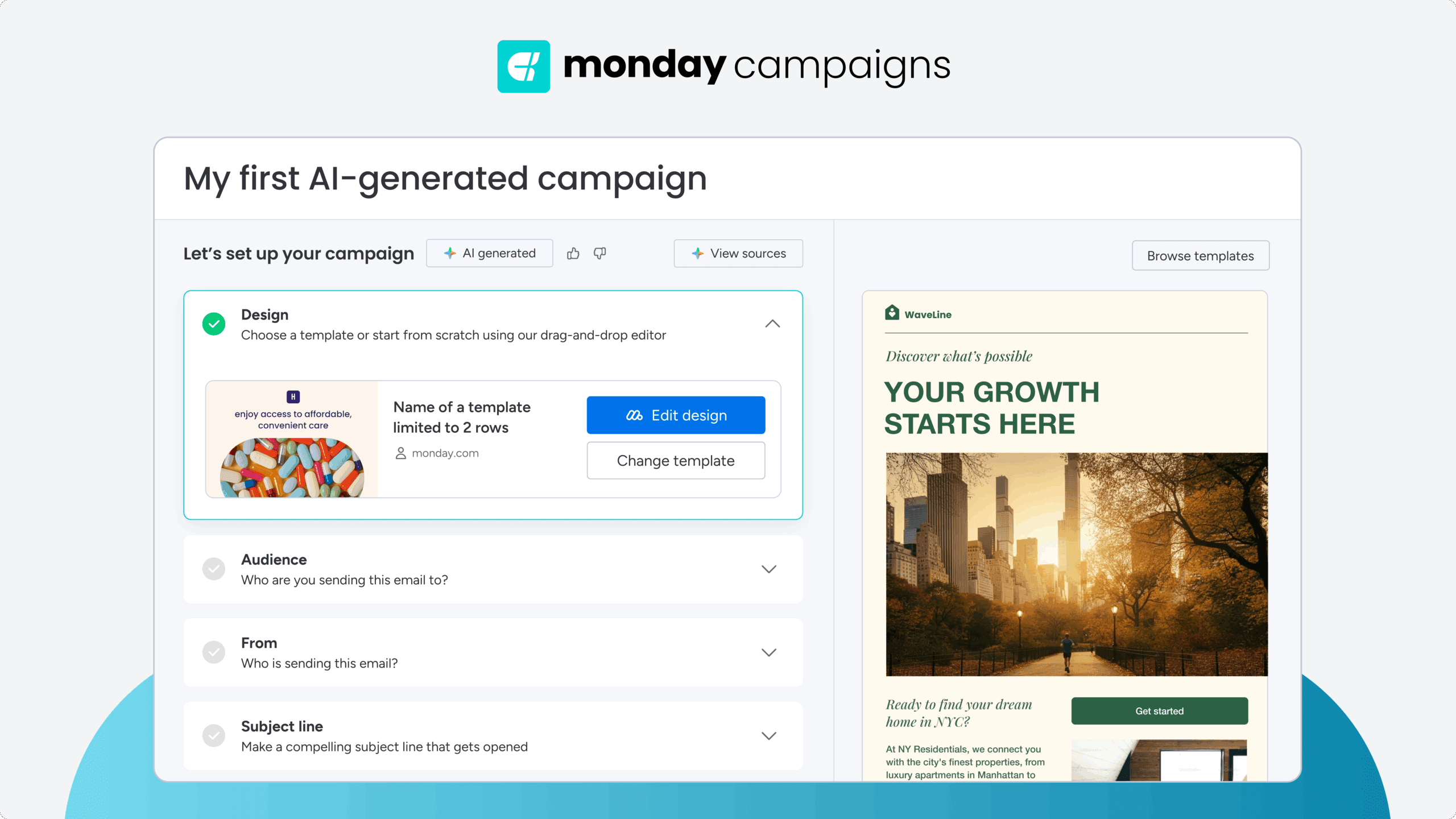
AI in monday campaigns generates email copy, suggests audience segments based on CRM data, and recommends optimal send times for individual recipients. Instead of starting with blank pages and manual list building, marketers get intelligent recommendations that accelerate campaign creation. AI continuously analyzes performance and suggests improvements, turning data into actionable next steps.
Dynamic segmentation from live CRM data
Segments in monday campaigns update automatically as CRM data changes. When a deal moves to a new stage, when a lead score crosses a threshold, or when a contact’s engagement level shifts, segment membership adjusts in real time. This means campaigns always target the right people at the right moment, without manual list updates or stale data.
Revenue attribution and pipeline visibility
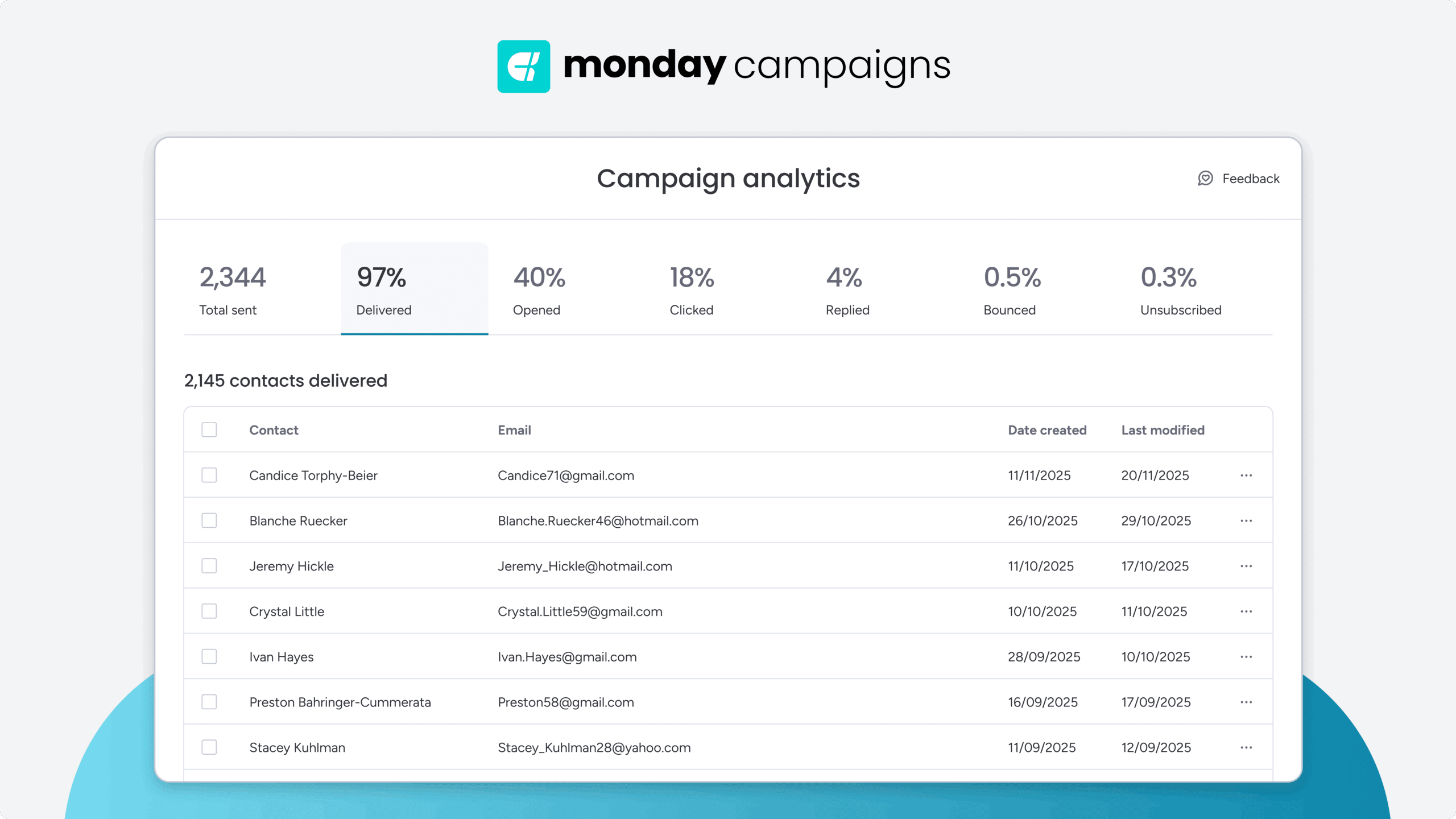
monday campaigns connects email engagement directly to deals and closed-won revenue. Marketing teams can see which campaigns influenced specific opportunities, how email engagement correlates with deal velocity, and which nurture sequences contribute to pipeline. Sales teams see email engagement history directly in contact records, providing context for every conversation.
Automated workflows triggered by CRM events
Campaigns trigger automatically based on real-time CRM changes. When a deal enters a new stage, when a sales rep is assigned, or when a contact reaches a specific lead score, the right email sequence launches without manual intervention. This level of automation ensures timely, relevant communication that responds to customer behavior and sales activity.

"With monday campaigns, we can launch professional emails in minutes and instantly see who engaged. Our sales team follows up directly with those showing interest - making outreach faster and more effective."
Michael Fitzpatrick | National Workplace Training ManagerTurn email marketing into a revenue-driving engine
The email marketing platforms that deliver real value connect marketing activity to sales outcomes, automate intelligently, and give teams the data to prove impact. The criteria in this guide reflect what high-performing marketing teams actually need. Vanity metrics are easy to find, but true pipeline influence takes the right platform.
For teams who need marketing and sales working from the same data, monday campaigns offers a direct path from campaign creation to closed-won visibility without the connectors, workarounds, or data gaps that slow teams down.
Try monday campaignsFAQs
What is the best email marketing platform for CRM integration?
The best email marketing platform for CRM integration shares data natively with the CRM system without third-party connectors or manual data exports. monday campaigns is built directly into monday CRM, ensuring automatic bi-directional data sync between marketing and sales.
What features should I look for in an email marketing solution?
The most important features depend on your goals, but teams focused on revenue should prioritize: native CRM integration, AI capabilities that accelerate campaign creation and optimization, dynamic segmentation that updates automatically, revenue attribution that connects campaigns to pipeline, deliverability capabilities, and scalable pricing.
How much does email marketing software cost?
Email marketing software pricing varies widely based on pricing model and feature tier. Free plans are available from platforms like Mailchimp. Paid plans typically start between $10–$30 per month for small lists, with enterprise platforms starting at $800 or more per month.
What is the difference between email marketing and marketing automation?
Email marketing focuses on creating, sending, and tracking email campaigns. Marketing automation is broader since it includes email but also covers lead scoring, multi-channel campaigns, behavioral triggers, and workflow automation across the customer journey.
How do I improve email deliverability?
Improving email deliverability means focusing on technical setup, list hygiene, and sending practices. On the technical side, configure SPF, DKIM, and DMARC authentication protocols. List hygiene involves removing invalid addresses, honoring unsubscribes promptly, and avoiding purchased lists.
Which email marketing platforms are easiest to set up and scale?
For fast setup, try Mailchimp (small businesses) or monday campaigns (teams that need CRM integration without technical dependencies). Both let teams launch their first campaign quickly, without waiting for IT or ops team configuration.

 Get started