


Your email campaigns hit send and the open rates look solid. But when leadership asks how much revenue those emails actually drove, the answer gets fuzzy. That gap between “sent” and “sold” is where most email platforms fall short. They can blast messages to thousands, but connecting those clicks to closed deals requires a different kind of platform. The best AI mass email software uses AI to write compelling copy, segment audiences, and optimize send times. When it connects to your CRM, you finally see which campaigns impact pipeline and which just move metrics.
This guide ranks 15 AI mass email platforms for 2026, covering everything from cold outreach specialists to full lifecycle marketing solutions. We’ll break down what separates genuine AI capabilities from marketing buzzwords, walk through the features that actually matter for revenue teams, and help you find the right fit for your goals and tech stack, including monday campaigns.
Try monday campaignsWhat is AI mass email software?
Anyone can send a mass email. The real challenge is sending one that people actually open and act on, which is where AI mass email software comes in.
Mass email software technology moves beyond basic scheduling to actively improve your outreach strategy.
It uses AI to automate the repetitive stuff, like writing compelling copy, segmenting your audience, and finding the perfect send time. The platform uses data to send personalized messages that connect, turning guesswork into results.
But not all platforms are the same. Some are for cold sales outreach, while marketing platforms focus on engaging your opted-in subscribers with newsletters and nurture flows. Choosing the right approach ensures your messages build relationships.
15 best AI mass email software platforms
Many platforms claim to use AI, but few actually help you make smarter marketing decisions. A great platform moves beyond simple automation and helps you figure out who to target, what to say, and when your message will hit home.
| Platform | Best for | Starting price | Key AI feature | Native CRM |
|---|---|---|---|---|
| monday campaigns | Marketing and sales teams needing unified CRM and campaigns | $28/seat/month | AI campaign generation from live CRM data | Yes |
| GMass | Gmail users running mail merge and cold outreach | $20/month (annual) | Gmail-native automation with Google Sheets integration | No |
| Saleshandy | B2B sales teams scaling cold outreach | $25/month (annual) | AI copy generation with A–Z variant testing | No |
| Apollo | Sales teams needing prospecting data and outreach | $49/user/month (annual) | AI-powered lead scoring and sequences | No |
| Instantly | Agencies sending high-volume outbound at scale | $37.60/month (annual) | AI Copilot and automated reply handling | No |
| Lemlist | SDR teams running multichannel outreach | $63/user/month (annual) | AI-powered image and video personalization | No |
| Smartlead | Agencies managing multiple client campaigns | $39/month | Unlimited mailbox warm-up and AI reply assistance | No |
| PlusVibe | Outbound teams prioritizing deliverability | $44/month | AI Reply Agent with private warm-up network | No |
| Mailchimp | Small businesses needing all-in-one marketing | $13/month | AI content optimizer and predictive segmentation | No |
| Elastic Email | Technical teams needing API-driven infrastructure | $19/month | SMTP relay with campaign management interface | No |
| Klaviyo | E-commerce brands driving revenue from behavior | $45/month | Predictive analytics and behavioral segmentation | No |
| Sender | Solopreneurs and small businesses on a budget | Free (up to 15,000 emails/month) | AI writing assistance for subject lines and copy | No |
| Customer.io | SaaS teams triggering messages from product events | $100/month | Event-based triggers with LLM Actions in workflows | No |
| MailerLite | Creators and freelancers needing simplicity | $10/month | AI email generator and Smart sending | No |
| SendGrid | Enterprises needing transactional and marketing email | $15/month (Marketing) / $19.95/month (API) | Enterprise-grade API with 99.99% uptime SLA | No |
1. monday campaigns
monday campaigns connects email marketing directly to your sales pipeline, giving marketing and sales teams one shared platform, from first touch to closed deal. Built natively on monday CRM, it’s designed for CRM and lifecycle marketers who need campaign execution tied to real revenue outcomes. AI handles the heavy lifting on copy, segmentation, and send timing, so your team spends less time on setup and more time on strategy.
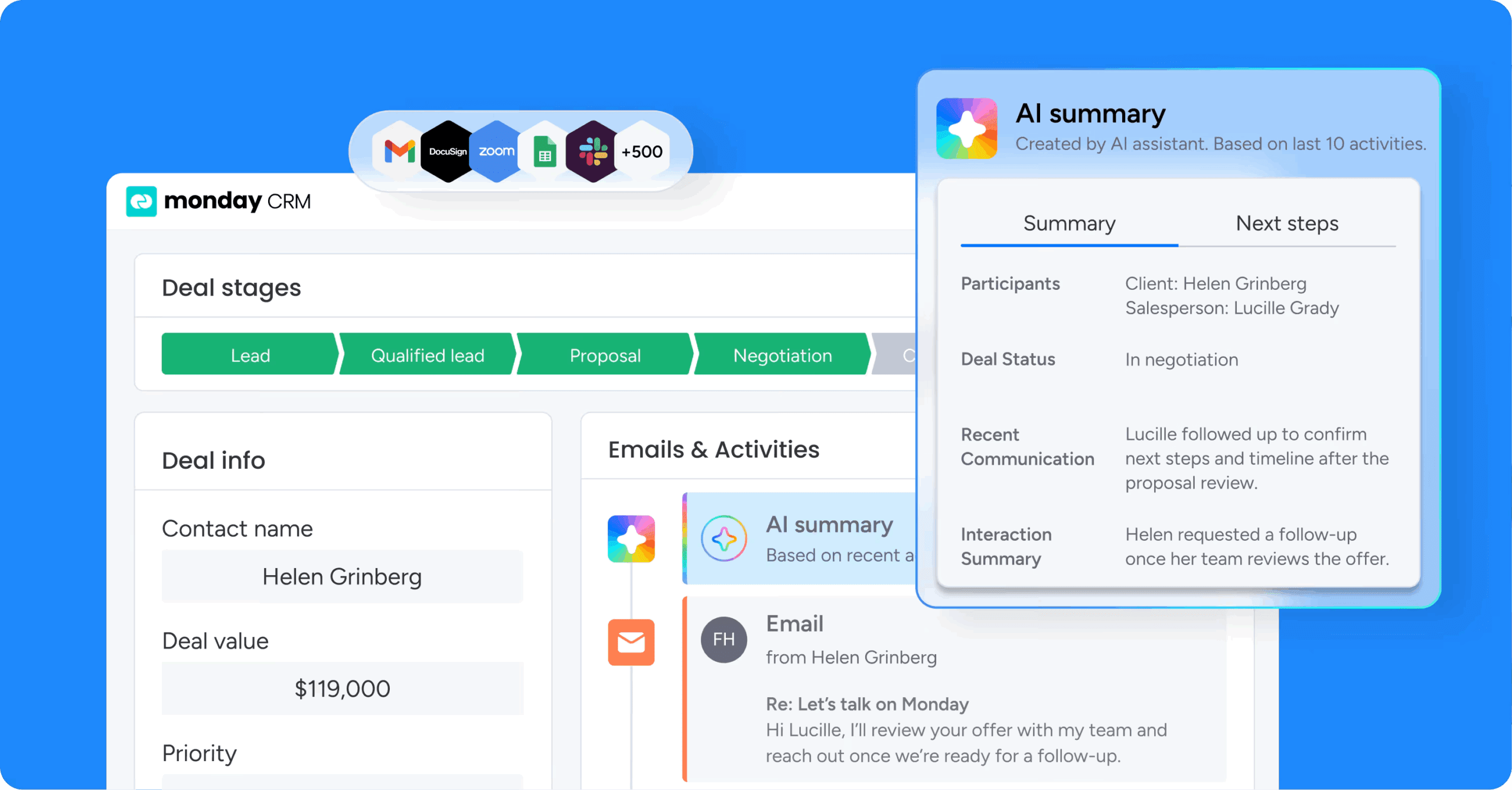
Example:
monday campaigns is built for marketing and sales teams that want to create, target, automate, and measure email campaigns, all from the same platform where deals are tracked and closed.
Key features:
- AI-powered campaign creation: AI generates email copy, suggests audience segments from live CRM data, and verifies brand consistency, reducing campaign setup from hours to minutes.
- Native CRM integration: Campaign performance and lead conversion tracking live alongside the sales pipeline, so marketing and sales always work from the same data.
- Dynamic segmentation: Audience lists auto-refresh as CRM contact data changes, keeping targeting accurate without manual list management.
Pricing:
- Pro: $50/month for 2,000 contacts
- Enterprise: Contact sales for a custom quote
- Free trial: 14-day free trial available, no credit card required
Why it stands out:
- Closed-loop revenue attribution: Campaign events such as delivered, opened, and clicked automatically log on the contact’s timeline in monday CRM, so sales teams can prioritize follow-ups based on real engagement signals, all from a single, unified platform.
- Enterprise-grade deliverability: Enterprise plans include a dedicated IP with automated warmup, custom domain authentication (SPF/DKIM/DMARC), and BIMI/VMC support, giving high-volume senders meaningful control over inbox placement.
- One platform, zero stitching: Marketing campaigns, CRM data, sales workflows, and revenue reporting all live in one place, removing the integration overhead that comes with pairing a standalone email platform to a separate CRM.
Advanced AI features:
- AI campaign generation: monday campaigns uses AI to draft email copy and recommend audience segments directly from live CRM data, so teams can move from brief to send-ready in minutes.
- Send time optimization: AI analyzes engagement data to recommend the optimal send time for each campaign, removing the guesswork from scheduling decisions.
- AI brand governance: The platform’s Brand and assets kit uses AI to extract and apply brand guidelines automatically, keeping every email on-brand at scale.
Automations:
- CRM-triggered workflows: Campaigns fire automatically based on CRM updates, such as a deal stage change or a contact reaching a new lifecycle stage, keeping outreach timely and relevant without manual intervention.
- Automated email sequences: Build multi-touch email journeys that trigger based on subscriber behavior so follow-ups happen at the right moment without lifting a finger.
- AI workflow builder: Design multi-step campaign journeys using an AI-assisted workflow builder, reducing the time it takes to map and activate new sequences.
Integrations:
- Native monday CRM connection: monday campaigns shares a single contacts board with monday CRM, meaning campaign engagement data and sales activity are always in sync.
- SendGrid-powered delivery infrastructure: Email delivery runs on SendGrid, with Enterprise plans adding a dedicated IP for greater deliverability control.
- UTM tagging support: Built-in UTM parameters connect campaign engagement to downstream analytics platforms, giving marketing leaders a full view of campaign impact beyond the inbox.
Best AI mass email software features:
- AI-driven segmentation from live CRM data: Rather than building static lists, monday campaigns generates and refreshes audience segments automatically as contact data evolves, so every send reaches the right people at the right moment.
- Drag-and-drop email builder with dynamic fields: Build professional, on-brand emails using content blocks for text, images, video, buttons, dynamic fields, and HTML, using a fully no-code interface.
- Campaign analytics tied to pipeline outcomes: Track open rate, click rate, delivery rate, and unsubscribe rate per campaign, with the ability to connect engagement directly to deal progression inside monday CRM.
2. GMass
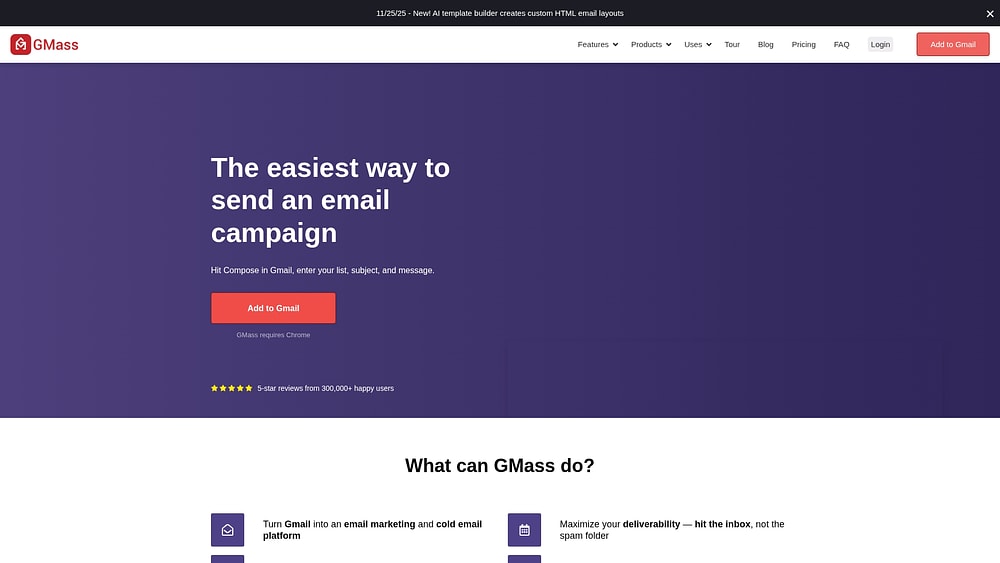
GMass turns Gmail into a fully functional mass email platform, allowing you to work directly from your existing inbox with a familiar interface. Built for individual sales reps, recruiters, and small teams already living inside Gmail, it delivers mail merge, automated follow-ups, and deliverability tools directly from the compose window. With 400,000 users and over 9 billion emails sent, it’s earned its place as a go-to solution for Gmail-centric outreach.
Use case:
GMass serves Gmail and Google Workspace users who need to run cold outreach, mail merge campaigns, and automated follow-up sequences without leaving their inbox.
Key features:
- Gmail-native mail merge: Pull recipient data directly from Google Sheets to personalize emails at scale, every column becomes a merge field, and campaign stats write back to the same sheet automatically.
- Automated follow-up sequences: Set unlimited follow-up stages triggered by opens, clicks, or replies, with options to thread responses in the same conversation or stop sequences at the domain level.
- Deliverability toolkit: Run pre-send spam placement tests, check SPF/DKIM/blacklist status, and configure custom HTTPS tracking domains to protect sender reputation before a single email goes out.
Pricing:
- Standard: $29.95/month, or $249/year (approx. $20/month billed annually)
- Premium: $39.95/month, or $349/year (approx. $29/month billed annually)
- Professional: $59.95/month, or $599/year (approx. $49/month billed annually)
- Team plans: Available with per-user pricing across 5, 10, 25, 50, and 100+ seat tiers
- Free trial: Send up to 50 emails/day before upgrading
- SMTP add-on: First 10,000 SMTP-routed emails/month included; $5 per additional 10,000 after that
- Custom tracking domain setup: One-time $50 fee if GMass performs the configuration
Considerations:
- GMass requires Chrome and a Gmail or Google Workspace account, making it a poor fit for teams operating outside the Google ecosystem.
- Real-world send volumes depend on Gmail’s dynamic throttling rules — account age, bounce rates, and content all affect daily throughput, even with GMass’s limit-handling features in place.
3. Saleshandy
Saleshandy positions itself as a cold email outreach platform engineered for B2B sales teams running high-volume prospecting campaigns. The platform weaves together automated multi-step sequences, sender rotation across unlimited inboxes, and a comprehensive deliverability suite, ideal for SDRs, founders, and lead generation agencies whose success hinges on inbox placement.

Use case:
Saleshandy helps B2B sales teams scale cold outreach across unlimited sender accounts while protecting deliverability through automated rotation, pre-send inbox placement tests, and behavioral follow-up sequences.
Key features:
- Sender rotation and deliverability stack: Automatically distributes sends across unlimited connected inboxes, with Bounce Guard, spam-word detection, and Sequence Score to reduce blacklisting risk at scale.
- AI-powered copy and A–Z variant testing: Generates subject lines and email body text using AI, with up to 26 copy variants per sequence step to reduce bulk-detection signals and improve engagement.
- Behavioral subsequences: Triggers conditional follow-up sequences based on prospect actions — opens, clicks, replies, or keywords — so outreach adapts in real time without manual intervention.
Pricing:
- Outreach Starter: $25/month (billed annually) — unlimited email accounts, 2,000 active prospects, 6,000 emails/month.
- Outreach Pro: $69/month (billed annually) — 30,000 active prospects, 150,000 emails/month, A–Z variants, and unified inbox.
- Outreach Scale: $139/month (billed annually) — 60,000 active prospects, 240,000 emails/month, plus white-label and SSO.
- Outreach Scale Plus: $209/month (billed annually) — 100,000 active prospects, 300,000 emails/month, and dedicated success support.
Considerations:
- Some reviewers on G2 note that advanced analytics and richer native enrichment may require external platforms or workarounds for more complex outreach programs.
- Certain deliverability features, including inbox placement tests, sit in a separate, priced module, and the Email Infrastructure add-on carries a 25-mailbox minimum with specific renewal terms that require careful review before committing.
4. Apollo
Apollo merges a B2B contact database with AI-powered email sequencing, creating a unified solution for sales teams who want prospecting and outreach under one roof. Access to over 275 million verified contacts eliminates the need to juggle separate data and engagement platforms. AI-assisted sequence building and lead scoring empower teams to prioritize high-value prospects and deliver personalized outreach at scale.
Use case:
Apollo serves B2B sales teams that need to find, qualify, and engage prospects without switching between multiple platforms.
Key features:
- B2B contact database: Access verified contact data for over 275 million professionals, enriched by real-time signals like job changes and a 2M+ contributor network.
- AI-powered email sequences: Build multi-touch outreach campaigns with personalization drawn directly from Apollo’s contact data, including A/B testing and time-zone-aware scheduling.
- Deliverability suite: Built-in domain authentication checks, mailbox rotation, warmup guidance, and SendGrid/Mailgun integration for teams that need to scale send volume.
Pricing:
- Free: $0/month — email campaigns included (Gmail connection only)
- Basic: $49/user/month (billed annually)
- Professional: $79/user/month (billed annually)
- Organization: $119/user/month (billed annually)
- Discount: 20% off with annual billing; 14-day free trial available on Basic and Professional plans
- Note: Additional warmup mailboxes, generated domains, enrichment, and API usage consume credits and may affect total cost for high-volume teams
Considerations:
- Apollo’s recommended send cap of around 50 emails per mailbox per day protects domain reputation, but teams expecting high-volume blasts will need to add mailboxes or route through SendGrid or Mailgun to scale.
- The Outlook add-in does not support email tracking or templates, which may limit teams that rely heavily on Microsoft environments.
5. Instantly
Instantly centers its entire platform around deliverability for high-volume outbound campaigns. Unlimited email account connections per workspace and automated inbox rotation make it particularly attractive for agencies and sales teams scaling sends without damaging sender reputation. A built-in lead database, AI writing assistance, and deliverability diagnostics complete the integrated outbound stack.

Use case:
Instantly caters to agencies and outbound sales teams that need to send at scale across multiple inboxes while maintaining strong inbox placement.
Key features:
- Unlimited inbox connections: Connect and rotate across unlimited email accounts on core outreach plans to scale volume without per-seat penalties.
- AI Copilot and AI Reply Agent: Generate email copy, subject lines, and automated reply handling using AI trained on response data, with human-in-the-loop or autopilot modes available.
- SuperSearch lead database: Access 450M+ B2B contacts with waterfall enrichment across multiple providers, directly exportable to outreach campaigns.
Pricing:
- Growth: $47/month (or ~$37.60/month billed annually) — unlimited inboxes and warm-up, 1,000 uploaded contacts, 5,000 emails/month
- Hypergrowth: $97/month (or ~$77.60/month billed annually) — 25,000 uploaded contacts, 100,000 emails/month, premium live support
- Light Speed: $358/month (or ~$286.30/month billed annually) — 500,000 emails/month, 100,000 uploaded contacts, SISR infrastructure
- Enterprise: Custom pricing — 500,000+ emails/month, private deliverability network, dedicated account management
- Annual billing offers meaningful per-month savings across all tiers
- Lead database, AI features, and CRM are priced separately via a credits system and add-on plans; real-world costs often exceed the base outreach plan
Considerations:
- The modular pricing structure, with separate plans for outreach, credits, CRM, and inbox placement, can make total cost of ownership harder to predict, particularly for teams scaling across multiple functions.
- Pre-warmed email accounts are exclusively configured for use within Instantly’s platform, with the company retaining domain and admin access, which limits portability if you decide to migrate.
6. Lemlist
Lemlist transforms cold outreach into a multichannel engine — weaving email, LinkedIn, and phone into unified, automated sequences. SDR and BDR teams gravitate toward its AI-powered image and video personalization that makes mass outreach feel genuinely one-to-one. A built-in B2B database of 600M+ contacts means teams can source, enrich, and engage prospects without ever switching platforms.

Use case:
Lemlist targets sales teams running high-volume outbound sequences who need deliverability controls, visual personalization, and multichannel reach consolidated in one platform.
Key features:
- AI-powered personalization at scale: Dynamically embed prospect-specific images, including website screenshots and custom video thumbnails, directly into emails to drive higher engagement without manual effort.
- Multichannel sequence builder: Combine email, LinkedIn, and phone steps into a single automated workflow, with an optional add-on for WhatsApp. The builder offers AI-suggested steps and timing, along with built-in branching logic to guide prospects based on their behavior.
- Deliverability infrastructure: Protect sender reputation with built-in email warm-up (lemwarm), inbox rotation, and DNS checks. A deliverability dashboard monitors placement and provides alerts for potential issues.
Pricing:
- Email Pro: $79/user/month ($63/user/month billed annually)
- Multichannel Expert: $109/user/month ($87/user/month billed annually)
- Enterprise: Custom pricing for teams of 5 or more
- A 14-day free trial is available; no permanently free plan
- Add-ons include extra email senders ($9/email/month), WhatsApp automation ($20/user/month), calling numbers ($15/number/month), and enrichment credits ($0.01 each)
Considerations:
- Per-seat pricing combined with add-ons for extra senders, WhatsApp, calling, and enrichment credits can increase total cost significantly for agencies or teams managing multiple inboxes at scale.
- As the platform has expanded, some users report that navigating and configuring multiple sequences or accounts carries a steeper learning curve compared to simpler cold email platforms.
7. Smartlead
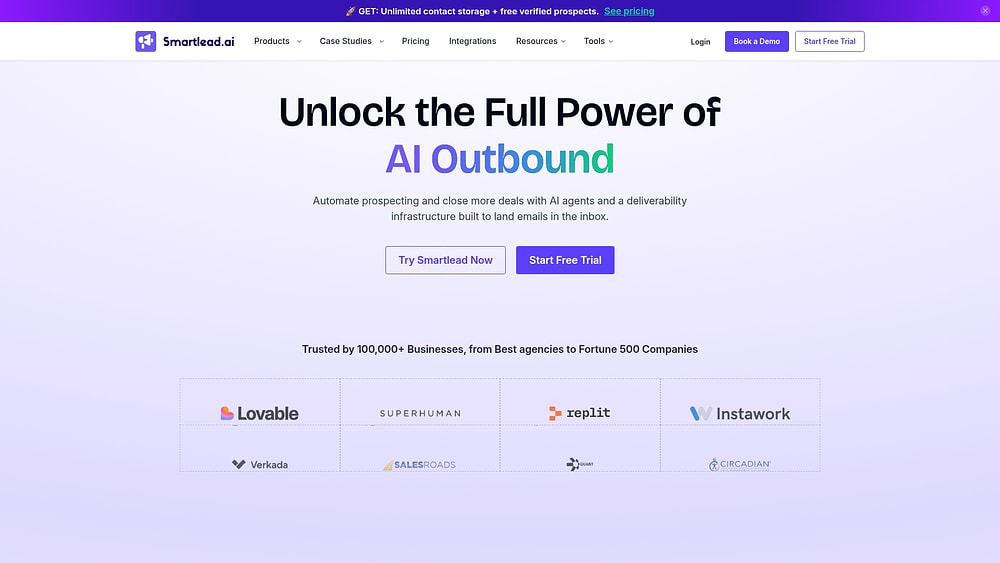
Smartlead takes a deliverability-first approach to cold email infrastructure, targeting agencies and high-volume sales teams that need to send at scale without compromising inbox placement. Unlimited mailbox warm-up, AI-powered email writing, and smart sender rotation across multiple accounts form the core offering, particularly valuable for lead-gen agencies managing campaigns across dozens of clients. White-label capabilities add another dimension for agencies presenting a branded experience to their clients.
Use case:
Smartlead addresses the needs of agencies and outbound sales teams running high-volume cold email campaigns across multiple client accounts while maintaining strong deliverability.
Key features:
- Unlimited mailbox warm-up: Connect unlimited email accounts and build sender reputation across all of them, no per-account fees, no caps.
- SmartDelivery placement testing: Run automated pre-send diagnostics that score inbox vs. spam placement, so deliverability issues surface before a single email goes out.
- Master Inbox 3.0 with AI reply assistance: Centralize replies from every account and campaign in one place, with AI that drafts context-aware responses based on your goal — whether that’s booking a meeting, re-engaging a prospect, or qualifying a lead.
Pricing:
- Base: $39/month — 2,000 contacts, 6,000 sends/month
- Pro: $94/month — 30,000 contacts, 90,000 sends/month
- Unlimited Smart: $174/month — 150,000 sends/month, unlimited contact storage, 50,000 verified emails included
- Unlimited Prime: $379/month — 500,000 sends/month, 170,000 verified emails included, private infrastructure, three client workspaces
- Free trial: 14 days available
- Annual discount: 17% savings across all plans
- Add-on note: Infrastructure add-ons — including SmartSenders (mailboxes and domains), SmartDelivery, SmartServers, and email verification credits — are priced separately and are non-refundable
Considerations:
- At high send volumes, add-on infrastructure costs (such as purchased mailboxes at ~$3.99/mailbox/month) can meaningfully exceed the base plan fee, worth factoring into total cost projections before committing.
- A portion of recent reviews cite UI bugs and slower support response times, which may create friction for teams running time-sensitive campaigns.
8. PlusVibe
PlusVibe prioritizes deliverability for cold email teams that need to send at scale without sacrificing inbox placement. Solo founders, agencies, and growing sales organizations benefit from its tightly integrated stack, including verification, enrichment, sequencing, and AI reply handling all consolidated in one platform. The private warm-up network and inbox rotation distinguish it from tools that treat deliverability as an afterthought.

Use case:
PlusVibe empowers outbound teams to run high-volume cold email campaigns with built-in deliverability safeguards, ensuring more messages land in inboxes rather than spam folders.
Key features:
- AI Reply Agent: Automatically responds to leads using configurable prompt rules and confidence filters, surfacing interested prospects without manual triage.
- Private warm-up network: Simulates human email behavior — sends, opens, replies, and stars — in an isolated pool to protect sender reputation before and during campaigns.
- Built-in verification and enrichment: Validates and re-verifies contact data automatically before sending, reducing bounce rates and keeping lists accurate at scale.
Pricing:
- Free trial: $0 for 14 days (1,000 emails, 100 enrichment credits, warm-up for up to 3 inboxes)
- Personal plans: Starting at ~$44/month (monthly billing), includes 25,000 emails/month and basic warm-up
- Business plans: Starting at ~$77/month (monthly billing), includes 150,000 emails/month, advanced warm-up, AI Reply Agents, API access, and webhooks
- Agency plan: Starting at $497/month, includes white-label, isolated back-end per client, dedicated IP rotation, and unlimited users
- Annual billing: Two months free across all paid plans
- Add-ons: Email Placement Test (separate subscription, credits consumed per sender account per test); Done-For-You infrastructure setup starting at $1,500/month
Considerations:
- Open tracking is turned off by default to protect deliverability, so teams that rely on open-rate data will need to enable a custom tracking domain and accept the associated reputation trade-offs.
- The AI Reply Agent and advanced ESP matching are gated to Business plans, and placement testing requires a separate add-on subscription, which adds to the total cost for teams that need the full feature set.
9. Mailchimp
Mailchimp provides an all-in-one email marketing platform tailored for small to mid-sized businesses seeking to launch campaigns without a steep learning curve. AI-assisted content creation, predictive segmentation, and send time optimization address the core needs of teams managing opted-in subscriber lists at scale. As part of the Intuit ecosystem, native QuickBooks integration offers a practical advantage for ecommerce and SMB teams tracking revenue alongside their campaigns.
Use case:
Mailchimp serves small to mid-sized businesses that need a reliable, feature-rich email marketing platform with minimal technical setup and a broad integration library.
Key features:
- AI content optimizer: Surfaces AI-powered suggestions to improve email copy and CTAs, plus subject line recommendations based on performance data.
- Predictive segmentation: Identifies which contacts are most likely to engage or convert, helping teams prioritize their sends on Standard and Premium plans.
- Send time optimization: Recommends the best time to send each campaign based on individual subscriber engagement patterns.
Pricing:
- Free: Up to 250 contacts; 500 emails/month; 1 seat
- Essentials: From $13/month for up to 500 contacts; includes A/B testing and basic automations
- Standard: From $20/month for up to 500 contacts; includes dynamic content, predictive segmentation, and send time optimization
- Premium: From $350/month; unlimited seats and audiences, plus phone support and onboarding sessions
- Discount: Save 20% with annual billing; 15% savings on lists of 10,000+ contacts
- Add-ons: SMS credits, transactional email (sold in 25,000-email blocks), and dedicated IPs are billed separately
Considerations:
- Advanced features like dynamic content and send time optimization are locked behind the Standard plan and above, which means smaller teams on lower tiers won’t have access to Mailchimp’s most impactful optimization capabilities.
- Contact-based pricing combined with monthly send caps can lead to overage charges for teams with large or fast-growing lists.
10. Elastic Email
Elastic Email offers high-volume email infrastructure for teams requiring both marketing campaigns and transactional sending under one roof. Built entirely on a proprietary, protocol-level stack, the platform grants technical teams precise control over delivery performance and cost at scale. Developers and marketers who want a unified sending environment without stitching together separate services will find it particularly appealing.

Use case:
Elastic Email serves technical teams and growing businesses that need scalable email delivery infrastructure paired with a marketer-friendly campaign management interface — all at a competitive price point.
Key features:
- SMTP relay and REST API: Send transactional and marketing emails through a reliable, in-house delivery stack built for high-volume programs.
- Campaign management interface: Build, segment, and send marketing campaigns using a drag-and-drop designer, A/B testing, and send-time optimization — no coding required.
- Deliverability toolkit: Manage inbox placement with built-in SPF/DKIM/DMARC validation, a free DMARC Generator, bounce categorization, and complaint threshold guidance.
Pricing:
- Email Marketing Starter: $29/month for up to 2,500 contacts and 37,500 emails/month
- Email Marketing Pro: $49/month for up to 2,500 contacts and 37,500 emails/month; includes automations, webhooks, subaccounts, and custom rDNS
- Email API Starter: $19/month for 50,000 emails/month
- Email API Pro: $49/month for 50,000 emails/month; adds inbound routing, webhooks, reseller features, and subaccounts
- Private IPs: Available as a paid add-on at $40–$50/month depending on plan
- Priority and premium support: Available as add-ons ranging from $100–$500/month
Considerations:
- Automations, webhooks, and custom rDNS are gated to Pro plans, so teams that need these features from the start will need to budget for the higher tier.
- Email log retention is limited to 3 days on Starter plans and 7 days on Pro, which may restrict visibility for teams running high-frequency campaigns.
11. Klaviyo
Klaviyo converts first-party e-commerce data into highly targeted email and SMS campaigns that drive measurable revenue. Purpose-built for consumer brands, the platform connects deeply with over 350 pre-built integrations, including Shopify and WooCommerce, to trigger personalized messages based on real customer behavior — from browsing to checkout to post-purchase.

Use case:
Klaviyo excels for e-commerce brands that want to convert behavioral data, like purchases, cart abandons, and browsing history, into automated, revenue-attributed email and SMS campaigns at scale.
Key features:
- Predictive analytics: AI forecasts customer lifetime value, churn risk, and next purchase date so teams can prioritize high-value segments before revenue slips.
- Behavioral segmentation: Automatically groups customers based on real-time browsing, cart, and purchase activity.
- AI-assisted campaign creation: A drag-and-drop editor with 160+ templates, AI subject line suggestions, generative image remixing, and Smart Send Time optimization reduce time from brief to send.
Pricing:
- Free: Up to 250 contacts and 500 monthly email sends
- Paid plans: Start at $45/month, scaling by active profile count and monthly send volume
- SMS, WhatsApp, Reviews, and advanced analytics modules are available as separate add-ons
- Free plan email support is available for the first 60 days only
Considerations:
- Advanced segmentation and flow setup carry a steep learning curve, and several G2 reviewers flag that costs can escalate quickly as contact lists grow.
- Some AI features, including the Composer campaign-generation agent, remain in private beta, so access is not yet available to all accounts.
12. Sender
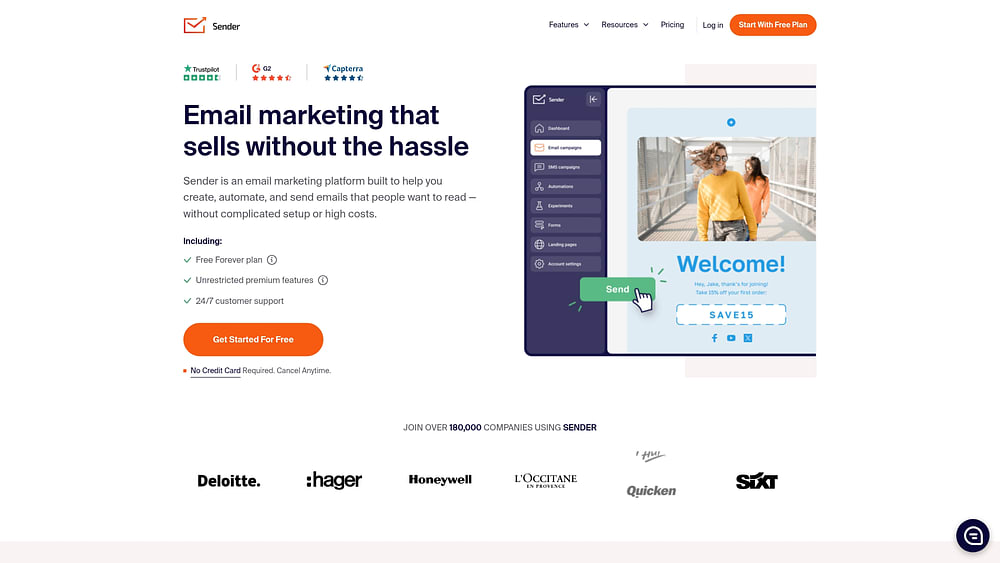
Sender packages email and SMS marketing in one affordable platform designed for small businesses and solopreneurs who need to move fast without a large budget. Drag-and-drop campaign creation, automation workflows, and AI writing assistance combine to create a practical starting point for teams scaling their first email programs. A generous free plan covering up to 15,000 emails per month removes the usual barrier to entry for early-stage senders.
Use case:
Sender fits small businesses and solopreneurs who want a cost-effective way to run automated email campaigns without outgrowing their budget.
Key features:
- Drag-and-drop email builder: Build campaigns visually using 100+ templates, with no coding required.
- Automation workflows: Create automated email sequences triggered by subscriber behavior, including abandoned cart and onboarding flows.
- AI writing assistance: Generate subject lines and email content suggestions using built-in AI to speed up campaign creation.
Pricing:
- Free Forever: $0/month — up to 2,500 subscribers and 15,000 emails/month, includes automation, landing pages, and transactional emails.
- Standard: Paid plans start at $15/month — removes Sender branding, adds SMS messaging, and expands templates and landing pages.
- Professional: Higher-tier plan — includes advanced automation, advanced reporting, priority support, and dedicated IPs for lists of 20,000+ subscribers.
- Enterprise: Custom pricing — unlimited emails, dedicated success manager, SSO, audit logs, and SLA.
- Annual billing saves up to 30%.
Considerations:
- Dedicated IPs are only available on Professional plans at 20,000+ subscribers, meaning lower-volume senders share IP pools by default.
- AI capabilities focus on content generation rather than predictive analytics or behavioral intelligence, which may limit optimization depth for more advanced campaigns.
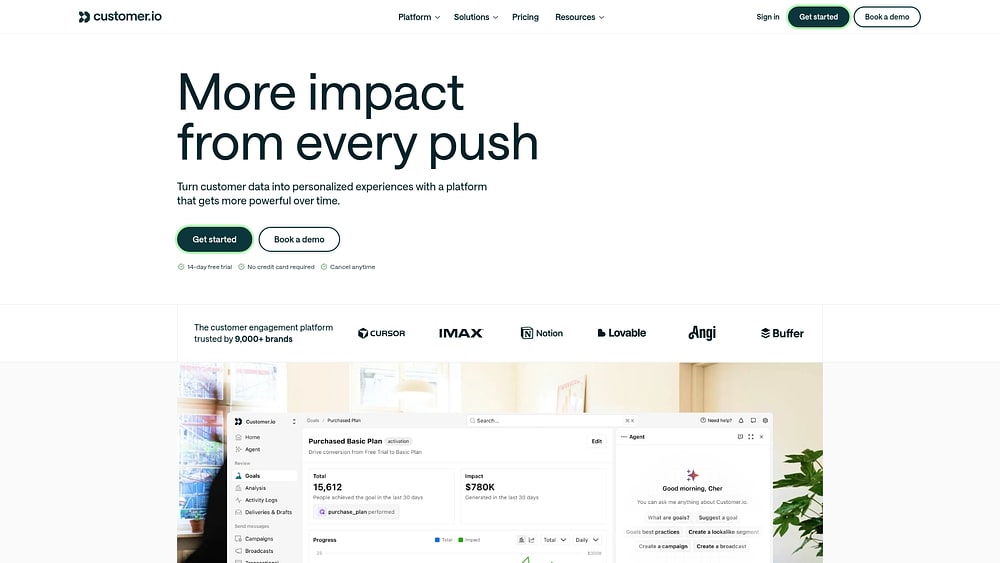
13. Customer.io
Customer.io transforms real-time user behavior into precisely timed, personalized messages, eliminating guesswork entirely. SaaS and product-led teams benefit from direct connections to product event data, triggering emails, SMS, and push notifications based on what users actually do (or don’t do). An integrated CDP, developer-grade email editor, and AI-assisted optimization push it well beyond standard broadcast sending.
Use case:
Customer.io targets SaaS and product-led growth teams that need to trigger lifecycle messages based on in-product user behavior, from onboarding nudges to re-engagement campaigns, all from a single, event-driven platform.
Key features:
- Event-based triggers: Send messages the moment users take a specific action using real-time product usage data and AND/OR segmentation logic.
- Multi-channel messaging: Coordinate email, SMS, push notifications, and in-app messages within unified workflow journeys, with Liquid templating for deep personalization.
- Message optimization & AI: Run A/B tests with up to 8 variants to find the winning message. The platform also offers AI-powered features like send time optimization and LLM Actions that can be embedded directly in workflows.
Pricing:
- Essentials: Starts at $100/month — includes 5,000 profiles and 1M monthly email sends
- Premium: Starts at $1,000/month (annual billing) — includes custom profile and email volumes, HIPAA compliance, elevated AI limits, and premium integrations
- Enterprise: Custom pricing — adds dedicated hardware, audit logging, priority support, and a dedicated customer success manager
- 14-day free trial available; Startup Program offers 12 months free for companies that have raised under $10M
- Add-ons priced separately: additional profiles at $0.009 each, additional 1,000 emails at $0.12, and AI credits at $10 per 100K
Considerations:
- The platform requires meaningful technical setup; event tracking implementation is a prerequisite, which means teams without developer resources may face a longer onboarding timeline.
- If you build a message with the drag-and-drop editor, you can’t switch that message back to the code or rich-text editors, which can limit flexibility if you change your mind mid-build.
14. MailerLite
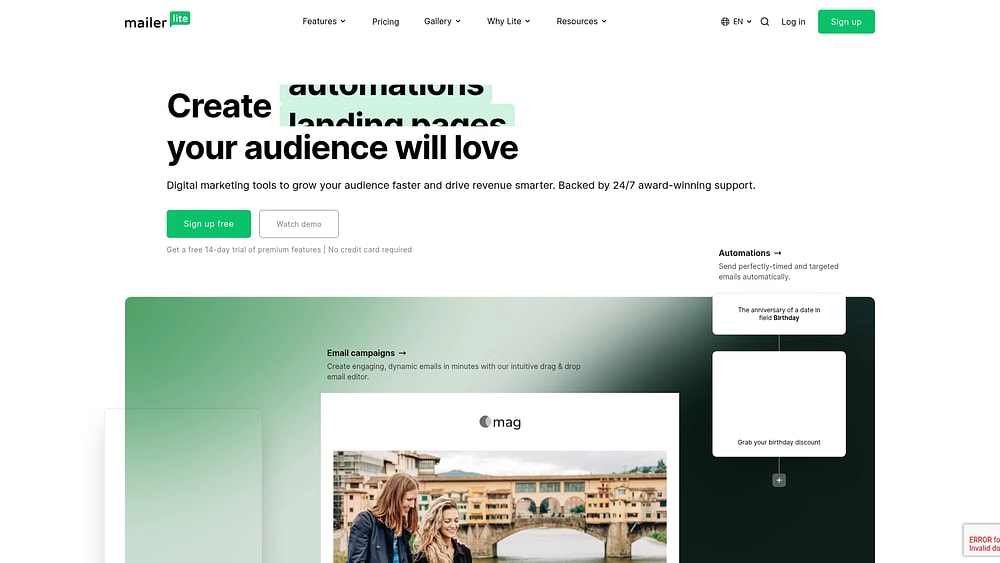
MailerLite brings accessible email marketing to freelancers, creators, and small businesses seeking professional results without a steep learning curve. A clean drag-and-drop builder, AI writing assistance, and automation workflows combine to serve lean teams managing subscriber-driven campaigns. A generous free plan and unlimited sends on paid tiers allow it to punch well above its price point.
Use case:
MailerLite appeals to solopreneurs and small business owners who need a straightforward, affordable platform to build, automate, and send email campaigns without technical overhead.
Key features:
- AI email generator: Generates subject lines and email content suggestions to help marketers move from blank page to ready-to-send, faster.
- Smart sending: Uses machine learning to deliver emails at the optimal time for each individual subscriber and is available on the Advanced plan.
- Automation workflows: Build visual, behavior-triggered email sequences with up to 100 steps, including date-based triggers and purchase events.
Pricing:
- Free: $0/month — up to 500 subscribers, 12,000 monthly emails, 1 user, and core features including automations and landing pages.
- Growing Business: From $10/month — unlimited monthly emails, 3 seats, unlimited templates, dynamic emails, and auto-resend.
- Advanced: From $20/month — unlimited monthly emails, unlimited seats, Smart sending, enhanced automations, and 24/7 live chat support.
- Enterprise: Custom pricing — for lists over 100,000 subscribers; includes a dedicated success manager, onboarding, and a dedicated IP.
- Save 10% with annual billing.
- Transactional email is handled separately via MailerSend, a sister product.
Considerations:
- AI-powered Smart sending is gated behind the Advanced plan, so teams on lower tiers won’t access send-time optimization.
- There is no native spam-testing module, meaning pre-send deliverability checks may require an external platform.
15. SendGrid
SendGrid, owned by Twilio, provides enterprise-grade email infrastructure that sends over 148 billion emails every month, backed by a 99.99% uptime SLA. The platform serves two distinct audiences: developers who need a reliable API for transactional email, and marketers running bulk campaigns from the same ecosystem. Documented delivery rates of 99–99.5% for brands like Nextdoor, Glassdoor, and Shopify make it a compelling choice for technical teams that need scale without sacrificing deliverability.

Use case:
SendGrid addresses organizations that need to run high-volume transactional and marketing email from a single, developer-friendly infrastructure without managing separate platforms.
Key features:
- SMTP API and Email API: Send transactional and bulk emails programmatically through a scalable, enterprise-grade relay with signed Event Webhooks and real-time delivery analytics.
- Dedicated IP addresses: Gain direct control over your sender reputation. The Email API Pro plan includes one dedicated IP with automated warmup, and dedicated IPs are also available on higher-tier Marketing Campaigns plans.
- Marketing Campaigns module: Build, segment, and schedule bulk campaigns using a drag-and-drop editor, A/B testing, automation flows, and deliverability insights, all within the same platform as your transactional email.
Pricing:
- Email API — Essentials: starts at $19.95/month for up to 50,000 emails
- Email API — Pro: starts at $89.95/month, includes 1 dedicated IP with automated warmup
- Email API — Premier: custom pricing for 2.5M+ emails/month
- Marketing Campaigns — Basic: starts at $15/month (5,000 contacts / 15,000 emails)
- Marketing Campaigns — Advanced: starts at $60/month (10,000 contacts / 50,000 emails)
- Marketing Campaigns — Custom: quote-based for 200,000+ contacts or 1M+ emails/month
- Free trial available: 100 emails/day for 60 days on the Email API; verify current Marketing Campaigns free allowances at signup, as terms may vary
Considerations:
- Shared IP pools on lower-tier plans carry higher deliverability risk. Getting a dedicated IP for better control requires an Email API Pro plan or a Marketing Campaigns Advanced plan (or higher), which increases the initial cost for high-volume senders.
- Email Activity history is limited to 3 days on Essentials and 7 days on Pro, with longer retention available only as a paid add-on, which can make campaign analysis and troubleshooting more difficult without upgrading.
How AI mass email software works
Most platforms slap “AI-powered” on their homepage and call it a day. But the difference between real AI and a glorified mail merge shows up in your results. Understanding how genuine AI email software works helps you see past the hype and find what actually moves the needle for your campaigns.
AI-powered content generation and personalization
Real AI acts as your creative partner, analyzing campaign goals and brand voice to generate subject lines and copy that actually perform. This turns hours of writing from scratch into minutes of review and refinement. Personalization gets a major upgrade, too, moving beyond simple name-drops to tailor entire messages.
| Feature | Basic automation | Real AI mass email software |
|---|---|---|
| Content creation | Uses static templates with basic merge tags | Generates dynamic copy based on campaign goals and CRM data |
| Audience targeting | Relies on manual list uploads and static segments | Auto-updates segments based on real-time behavioral signals |
| Send timing | Sends to the entire list at a single scheduled time | Analyzes individual habits to send when each person is active |
Behavioral segmentation and predictive targeting
Static lists belong in the past. Real AI groups contacts by what they actually do, not just who they are on paper. It examines behaviors like:
- Engagement signals: Opening an email but not clicking, or visiting a pricing page.
- Purchase history: A recent purchase, or an abandoned shopping cart.
- Activity gaps: A loyal customer who hasn’t engaged in 90 days.
Predictive targeting then analyzes these signals to forecast who is most likely to convert, churn, or jump on a specific offer. Your audience segments are no longer static snapshots; they’re living groups that update automatically to reflect real-time intent.
Send time optimization and delivery precision
Blasting your entire campaign at 9:00 a.m. on a Tuesday? That’s a shot in the dark. AI eliminates the guesswork by analyzing each contact’s personal engagement history. Your email arrives in their inbox at the exact moment they’re most likely to open it.
This is about arriving at the perfect time to drive a click. Send time optimization focuses on engagement, ensuring your message lands with maximum impact.
Workflow automation and behavioral triggers
Rigid, pre-scheduled drip campaigns are yesterday’s approach. AI-powered workflows react to your contacts in real time. If someone opens an email but doesn’t click, a behavioral trigger automatically sends a follow-up, no manual intervention needed.
The system also learns and adapts by analyzing performance across all your workflows. If a 24-hour follow-up achieves double the conversion rate of a 48-hour one, the AI adjusts the timing for you, making every campaign more effective than the last.
9 key features to look for in AI mass email software
A lot of “AI-powered” email platforms are just glorified template generators. Choosing the wrong one burns out your team on manual work that AI was supposed to eliminate. Instead of a generic checklist, here’s what separates real AI from the hype.
1. AI-powered copy and subject line generation
Your AI should do more than just spit out generic subject lines. It needs to generate copy that understands your campaign goals and, most importantly, your customer. Look for a platform where AI drafts emails by pulling from live CRM data to turn hours of writing into minutes.
2. Dynamic audience segmentation
Static lists are a liability, damaging your sender reputation with every bounce. You need dynamic segments that update in real time as your customer data changes in your CRM. With monday campaigns, for example, segments are always connected to your CRM, so your audience is always up-to-date and your targeting stays sharp without manual list cleaning.
3. Native CRM integration
If your email platform and CRM don’t talk, you’re flying blind. A native integration is non-negotiable for a single source of truth, as third-party connectors create data lags and headaches. Because monday campaigns is built on top of the monday AI Workspace, it creates a seamless loop between marketing engagement and sales results.
4. Automation workflows and behavioral triggers
Basic automation that just sends emails on a timer is table stakes. Smart automation reacts to what people do, like opening an email but not clicking, or when their deal stage changes in the CRM. Look for workflows with branching logic that can trigger unique follow-ups based on real-time customer behavior.
5. Send time optimization
Any platform suggesting “send on Tuesday at 10 a.m.” to your whole list isn’t using real AI. True send time optimization works at the individual contact level, analyzing past engagement to predict the perfect moment to land in each person’s inbox. This is the only way to genuinely maximize open rates.
6. Drag-and-drop email editor
Your marketing team shouldn’t have to file a ticket with developers just to launch an email campaign. An intuitive drag-and-drop editor is essential for speed and independence. Make sure it includes reusable branded templates so your team can build professional, on-brand emails in minutes, not days.
7. Revenue attribution and analytics
Open rates are a starting point, but revenue attribution is what justifies strategic investment. Your platform must connect campaign activity directly to pipeline and closed-won deals in your CRM. monday campaigns makes this connection seamless, tying every email send to real business outcomes so you can prove your impact.
8. Deliverability and authentication support
It doesn’t matter how great your email is if it lands in the spam folder. Strong deliverability starts with proper technical authentication like SPF and DKIM. A good platform will guide you through setup and help you monitor your sender reputation.
9. Scalability and pricing flexibility
Your platform should grow with you. Contact-based pricing often forces you to pay for contacts you aren’t even emailing. A consumption-based model, like the one on monday campaigns, means you only pay for what you actually send, giving you more flexibility as your strategy evolves.
Authentication and deliverability standards for mass email senders
Sending thousands of emails isn’t like sending one; inbox providers like Google and Yahoo need proof you’re legitimate. Authentication protocols are your digital handshake, verifying your identity so your campaigns land in the inbox, not the spam folder. To get there, you need three key protocols working together. These are requirements for anyone sending over 5,000 emails a day.
- SPF (Sender Policy Framework): Tells inbox providers which servers are approved to send email from your domain.
- DKIM (DomainKeys Identified Mail): Adds a digital signature to each email, proving it hasn’t been tampered with.
- DMARC (Domain-based Message Authentication, Reporting & Conformance): Instructs servers on what to do if an email fails SPF or DKIM checks, giving you full control and visibility.
Once your authentication is solid, you can take it a step further with BIMI (Brand Indicators for Message Identification). This powerful standard displays your verified brand logo directly in the inbox next to your sender name. Getting your authentication right provides a clear signal to customers that your messages are authentic and ensures your campaigns actually reach their intended audience.
6 steps to choose the right AI mass email software
Choosing an AI mass email platform isn’t about comparing features; it’s about driving revenue. The right one closes the gap between marketing and sales, while the wrong one just adds another login for your team to forget. Use these six steps to make the right call with confidence.
- Define your campaign goals and audience size: Know whether you’re running cold outbound or nurturing inbound leads, and understand your send volume before you start comparing platforms.
- Audit your existing CRM and tech stack: Map out where data handoffs break down and find a platform that plugs into your CRM natively instead of adding another silo.
- Compare AI capabilities across the full workflow: Look for platforms that automate real work like writing copy from CRM data, not just basic text generation.
- Evaluate time to first campaign: Test how quickly you can go from sign-up to send — the best platforms let you launch in minutes, not weeks.
- Review pricing and total cost of ownership: Factor in overage fees, add-ons, and wasted time managing disconnected tools to understand what you’ll really pay over 12 months.
- Test deliverability and support quality: Run inbox placement tests and reach out to support with real questions before you commit.
Run AI-powered campaigns connected to revenue with monday campaigns
You send an email campaign. The open rates look great. But how much revenue did it actually generate? If your email platform and CRM don’t talk, you’re just guessing.
monday campaigns is built differently. It connects every email send to your sales pipeline, turning marketing efforts into measurable revenue from day one, no sync delays, no data exports, and no IT required.
Build and launch campaigns in minutes with AI
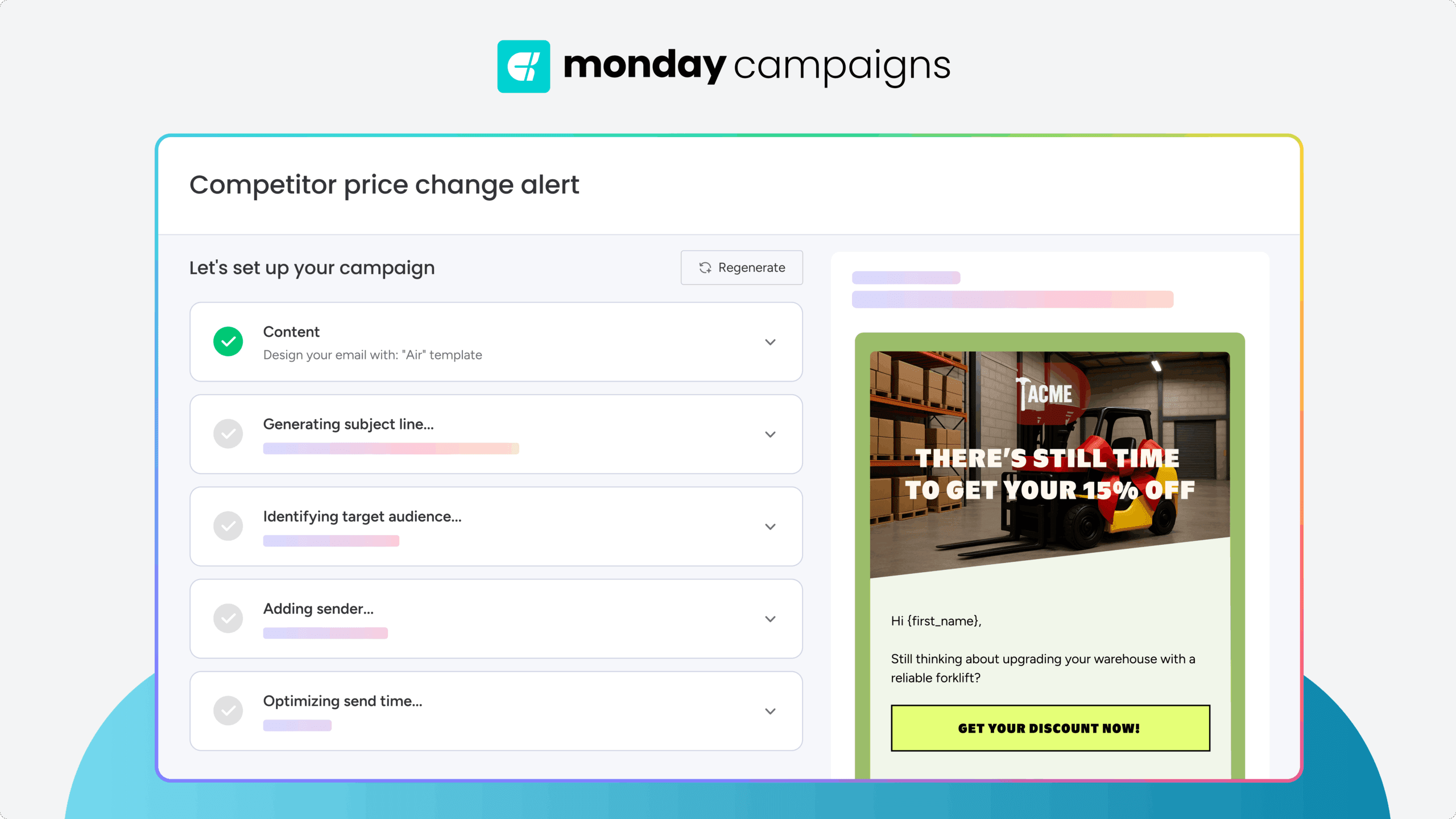
monday campaigns uses AI to draft email copy by analyzing your CRM data and campaign goals, then automatically suggests the right audience segments from your live contact base. The drag-and-drop editor with dynamic fields pulls real-time CRM data into every send, so you can build professional, personalized campaigns in minutes without touching a line of code or waiting on design resources.
Optimize with insights that go beyond opens and clicks
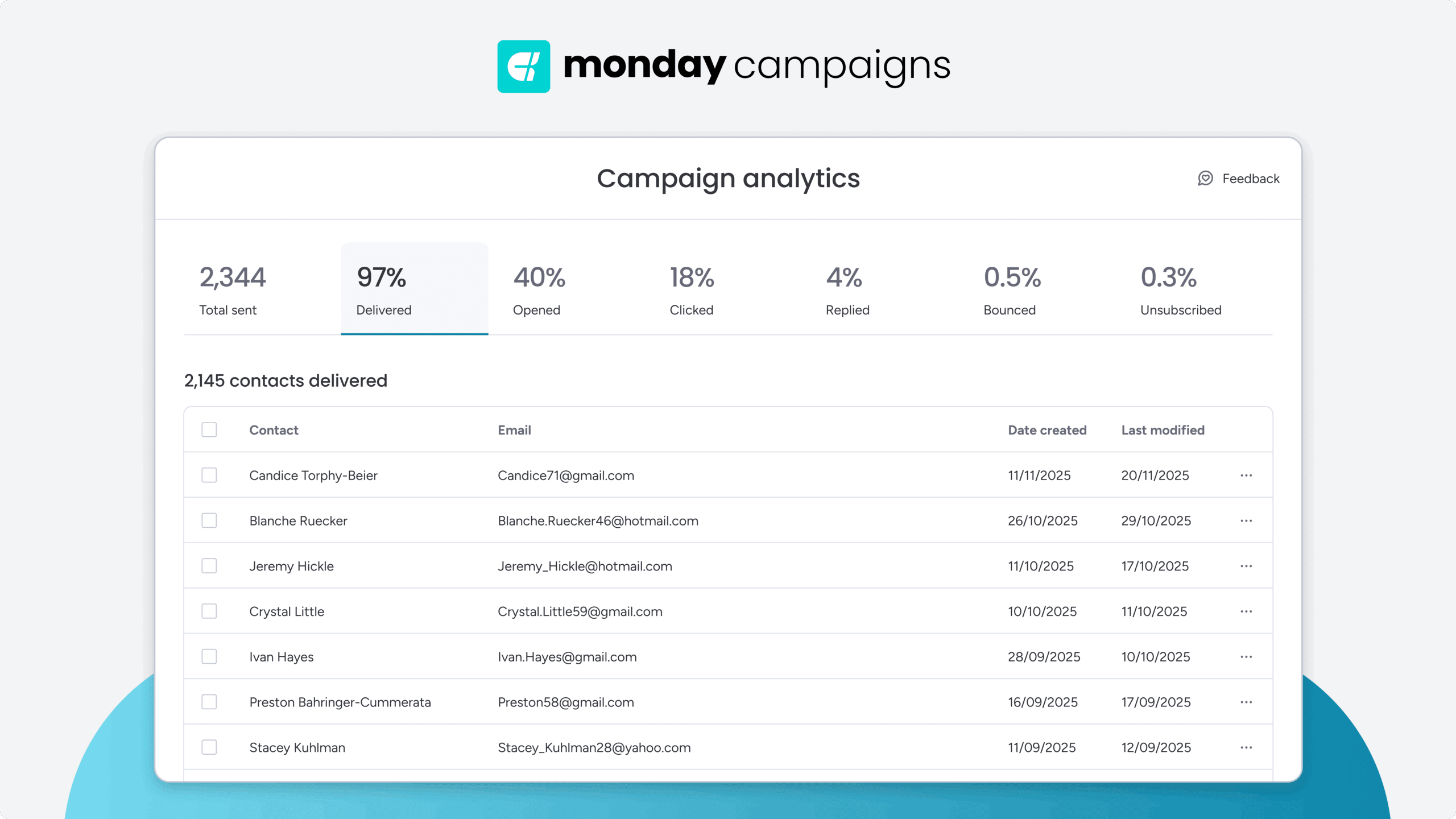
monday campaigns connects every email event directly to contact timelines in monday CRM, so you can track which campaigns actually created leads, influenced deals, and closed revenue. This closed-loop attribution gives your sales team real-time visibility into who’s engaged and what they care about, turning campaign data into actionable pipeline intelligence.
Unify your marketing and sales teams
Because monday campaigns connects natively with monday CRM, marketing and sales operate from a single shared platform where campaign execution, CRM data, and deal progression live side by side. You can connect campaign briefs and approvals to your workflows in monday.com, ensuring every send aligns with business strategy and every result feeds directly into the metrics that matter, giving your teams one funnel, one source of truth, and the visibility to scale with confidence.

"With monday campaigns, we can launch professional emails in minutes and instantly see who engaged. Our sales team follows up directly with those showing interest - making outreach faster and more effective."
Michael Fitzpatrick | National Workplace Training ManagerTurn your plans into campaigns that sell
Most email platforms do one thing well: cold outreach or marketing nurture. Choosing the wrong one means you’re stuck with features you don’t need and results you can’t measure. High open rates are nice, but they don’t justify your strategy if you can’t trace them directly to pipeline and closed deals.
monday campaigns bridges that gap by unifying campaign execution, CRM data, and revenue attribution in one place. Marketing and sales work from a single source of truth, so you can finally see exactly which emails drive deals forward. Evaluate your current tech stack today and identify where your data handoffs are failing, so you can start building campaigns that actually convert.
Try monday campaignsFAQs
What is the difference between AI mass email software and an AI email assistant?
The difference between AI mass email software and an AI email assistant comes down to scale and purpose. AI mass email software sends campaigns to thousands at once, using AI for content and analysis. An AI email assistant simply helps you write or summarize individual emails.
Can AI mass email software replace a CRM?
The difference between AI mass email software and an AI email assistant comes down to scale and purpose. AI mass email software sends campaigns to thousands at once, using AI for content and analysis. An AI email assistant simply helps you write or summarize individual emails.
How does AI improve email deliverability?
AI improves email deliverability by optimizing send times and flagging content that looks like spam to avoid filters. It also protects your sender reputation by identifying high-risk contacts before you send.
What is the difference between cold email software and marketing email software?
The difference between cold email software and marketing email software lies in the audience. Cold email software is for sales prospecting to contacts who haven't opted in. Marketing email software is for sending campaigns like newsletters to your opted-in subscribers.
Do I need technical skills to use AI mass email software?
You do not need technical skills to use AI mass email software. Modern platforms like monday campaigns are built for marketers with no-code editors and guided setup, so you don't need IT's help.
How much does AI mass email software cost?
The cost of AI mass email software varies based on your number of contacts or how many emails you send. Plans can range from free for small lists to custom pricing for larger teams.
 Get started