

Social media rarely falls apart because of creativity, it falls apart because of planning.
Posts get debated for hours. Launch content gets written the night before it goes live. Different platforms start sounding like different companies. And somehow, everyone feels busy while nothing feels aligned.
That’s what a social media calendar template fixes.
Not just a list of dates. Not just a spreadsheet. A real system that shows what is publishing, when it is going live, who owns it, and how it connects to broader campaigns.
When planning is visible, teams stop reacting and start operating with intent. Messaging stays consistent. Approvals move faster. Gaps get spotted before they hurt engagement. And leadership can finally see how social activity ties back to real business goals.
This article highlights some of the very best social media calendar templates for 2026, shining a light on what separates a basic tracker from a scalable system.
Key takeaways
- Strategic planning over reactive posting: Using a social media calendar template helps teams schedule content in advance, align with business goals, and reduce last-minute scrambles.
- Consistency across platforms: Templates standardize brand voice, visual guidelines, and approval workflows to ensure messaging remains cohesive across multiple channels.
- Customizable workflows for team efficiency: Calendars can define roles, approval stages, and automations, allowing teams of any size to collaborate smoothly and maintain accountability.
- Data-driven content optimization: Integrating performance tracking and metrics into calendars helps teams measure engagement, conversions, and ROI to refine their strategy.
- Integration with broader operations: Advanced solutions like monday.com connect social planning with overall business processes, providing real-time visibility, automation, and cross-department collaboration.
What is a social media calendar template?

A social media calendar template provides marketing teams with a central place to view, schedule, and manage content across every platform they use. It transforms scattered planning into a unified digital workspace where every post, campaign, and team conversation is organized.
Think of it as a content command hub. Instead of juggling spreadsheets, emails, and sticky notes, teams have a single source of truth that shows exactly what is publishing, when it is going live, and who is responsible for each item. When everything is visible in one place, teams stay aligned on messaging, maintain consistent posting schedules, and identify content gaps before they affect engagement.
For teams managing multiple brands or regions, a reliable calendar serves as the foundation for a coordinated social strategy: connecting marketing efforts with legal reviews, product launches with social campaigns, and strategic goals with daily posts.
Social media management requires more than creativity, in 2026 it demands operational discipline to coordinate across teams, preserve brand consistency, and demonstrate business impact. Without structure, teams miss key moments and spend time reacting instead of planning.
Calendar templates create the foundation for producing more content without sacrificing quality. Managers gain visibility into upcoming posts and can allocate resources where they will have the most impact.
The right template supports social operations by enabling teams to:
Plan ahead to capture key opportunities
Teams that operate reactively often miss major moments such as product launches or industry events. Planning backwards from important dates clarifies asset needs weeks in advance, enabling thoughtful content creation instead of rushed output.
The right template builds this discipline through:
- Mapping campaigns to business milestones: Connect content to product launches, events, and strategic initiatives.
- Setting clear deadlines: Establish checkpoints for drafts, reviews, and final approvals.
- Automated reminders: Track status and send notifications so nothing falls through the cracks.
Maintain consistent brand voice across platforms
When multiple team members, agencies, or departments contribute to social content, messaging can quickly become inconsistent. Templates help maintain clarity and coherence across channels.
They do this through:
- Required fields for tone guidelines: Standardize voice and messaging across all contributors.
- Approved hashtags and visual standards: Ensure brand integrity using predefined assets.
- Defined checkpoints: Route every post through review stages before publication.
Align social content with business goals
Social content often operates separately from company initiatives, which limits impact. Strong calendar templates connect posts to business objectives such as lead generation or customer retention.
By tagging content with campaign goals and tracking performance metrics, leadership can visualize how social efforts support strategic priorities. Aligning social with business objectives transforms it from a broadcast channel into a tool that drives measurable results for sales, product, and customer success teams.
Calendar templates create the foundation for producing more content without sacrificing quality. Managers gain visibility into upcoming posts and can allocate resources where they will have the most impact.
Essential components every template needs
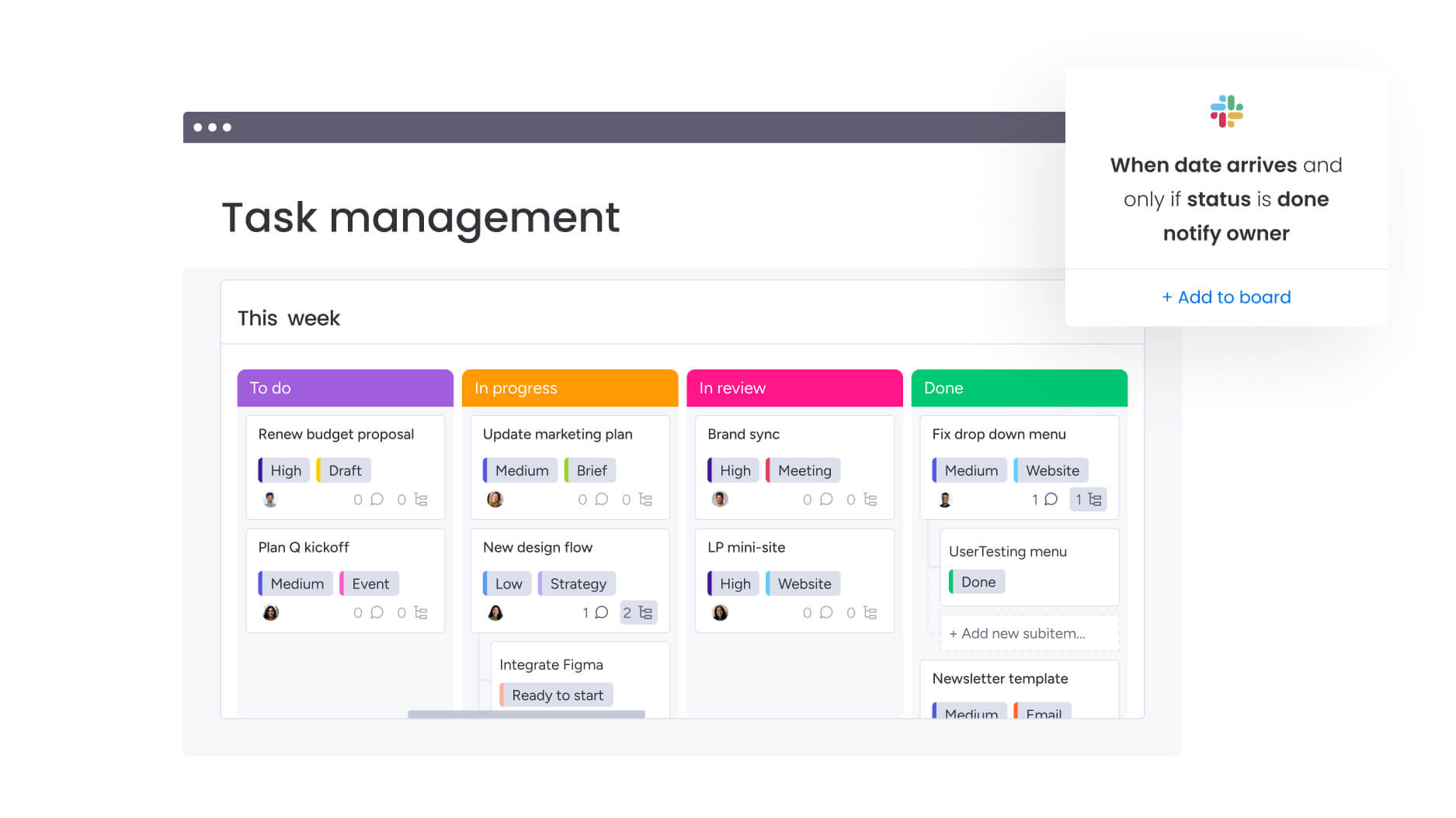
A solid template does more than track dates and captions: it creates accountability and helps teams of any size work more efficiently. These elements form the foundation of smart social planning, turning your calendar into both a planning platform and a performance dashboard.
Look for templates that include:
- Publishing schedule: Exact dates and times for every post, optimized for audience engagement across time zones and platform algorithms.
- Platform specifications: Target channels with content formats matched to each platform’s requirements and audience expectations.
- Content assets and copy: Centralized storage for visuals, captions, and hashtags that streamlines approvals and prevents missing files.
- Approval status: Visible tracking of content through review stages, from draft to final sign-off, ensuring compliance before publication.
- Performance metrics: Fields for engagement, clicks, and conversions that connect content to business outcomes.
- Owner assignment: Defined responsibility for creation, review, and publication that eliminates confusion and ensures accountability.
15 best free social media calendar templates
The right template speeds up planning and removes the guesswork from social media management. Options range from simple tracking to full marketing management, so you can select what fits your team size and workflow.
- HubSpot’s all-in-one marketing calendar: This template connects social posts with email campaigns, blog content, and product launches in one view. It’s ideal for teams that need to tie social media to larger marketing campaigns.
- Hootsuite’s multi-platform scheduler template: Emphasizes platform-specific optimization with fields for tailoring captions and assets to each network. Bulk scheduling features allow teams to repurpose content quickly.
- Sprout Social’s strategic content planner: Integrates analytics into planning. The template helps teams make data-driven decisions by connecting past performance to content goals.
- Buffer’s collaborative Google Sheets template: Leverages spreadsheet functionality with color-coded status tracking and real-time collaboration. Multiple team members can edit simultaneously, supporting remote workflows.
- Notion’s flexible content calendar: The database setup allows customization of properties and views. Teams can switch between calendar, board, and list views to manage content from idea to publication.
- CoSchedule’s editorial calendar template: Treats social posts as part of an overall publishing workflow. It includes robust content approval features and syncing with blogs or websites.
- Later’s visual-first Instagram planner: Specializes in visual planning, letting teams preview posts in the profile grid. It helps maintain a consistent aesthetic across Instagram.
- Airtable’s dynamic social media base: Combines spreadsheet simplicity with database features, connecting content to campaigns efficiently. Automations update statuses and deliver customized views for team members.
- Trello’s Kanban content board: Shows the content journey from idea to published post using cards. Team communication is supported via comments, while the visual board tracks asset status.
- Asana’s team collaboration calendar: Integrates social planning into larger project workflows. Features include task assignment, sub-items for asset creation, and dependency tracking for complex campaigns.
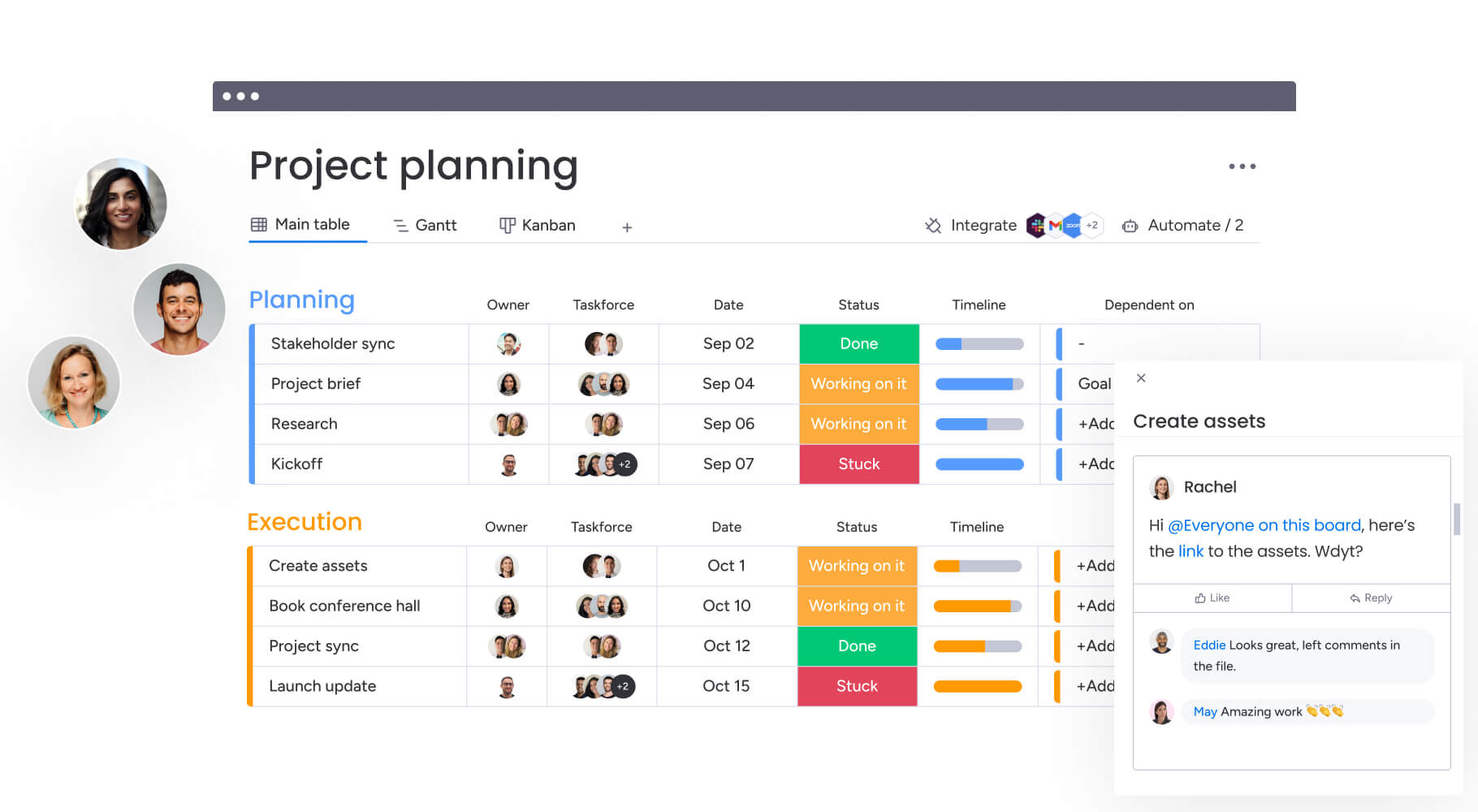
- monday.com’s customizable social template: Offers a flexible workspace to build workflows with automation and cross-department connectivity. AI categorizes content automatically, while enterprise security keeps all planning protected.
- Canva’s design-ready content calendar: Integrates design into planning, allowing teams to manage brand assets and create graphics directly alongside scheduled content.
- Google Sheets simple posting schedule: Provides a straightforward grid for dates, times, and post copy. It is ideal for teams that prefer a minimal setup.
- Excel social media planning template: Includes formulas for character counts and basic metric tracking. Works well for teams favoring traditional spreadsheets and offline access.
- ClickUp’s comprehensive marketing calendar: Integrates social media planning with broader marketing projects. Features such as time tracking, goal monitoring, and resource management support complete campaign planning.
How to choose the perfect social media calendar template
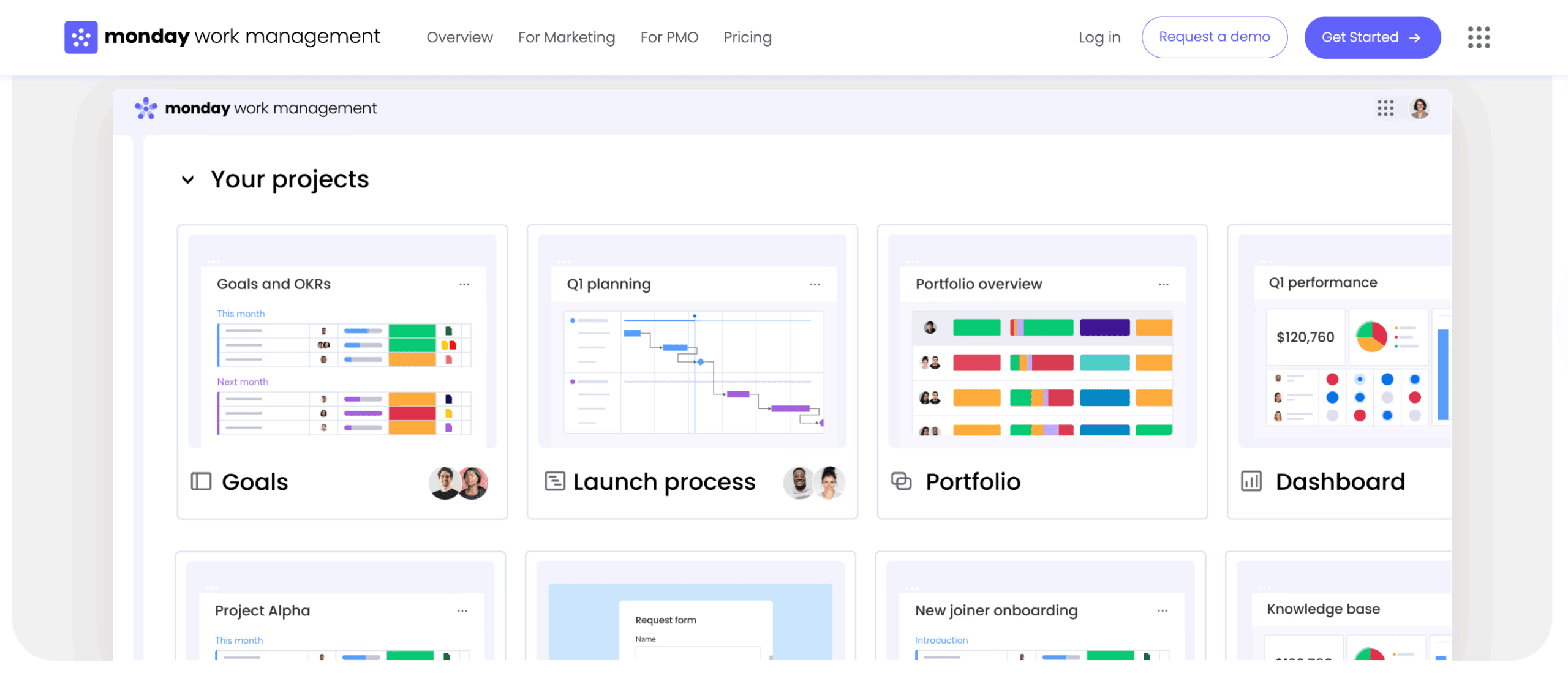
Choosing a social media calendar template starts with practicality. If your team will not use it consistently, it does not matter how polished it looks. The right template supports how your team already collaborates while giving structure where it is needed. It should connect smoothly to existing workflows instead of forcing new ones overnight.
As strategy matures and content volume grows, your calendar should scale with you and create clarity, not friction.
Evaluate your team size and workflow needs
Not every team needs the same level of structure.
A solo marketer planning a few posts per week does not need the same system as a 20-person marketing department coordinating campaigns across regions. The complexity of your template should reflect the complexity of your workflow.
Smaller teams benefit from simple, visual calendars that reduce overhead and keep planning lightweight.
The table below outlines how template requirements typically evolve based on team size. Use it as a reference point to gauge whether your current setup supports your structure or is quietly slowing it down.
| Team size | Key requirements |
|---|---|
| Individual creators | Simple, visual planning with minimal setup |
| Small teams (2-5) | Shared visibility and basic status tracking |
| Mid-sized teams (6-15) | Defined roles, handoff points, and version control |
| Large organizations (15+) | Enterprise security, granular permissions, and multi-department integration |
Consider platform-specific requirements
Different social platforms require different formats and metadata. LinkedIn articles differ from TikTok videos, and your template should handle these variations without adding complexity. The best templates allow custom messaging for each platform while keeping everything visible in one calendar. This ensures optimized content rather than simple cross-posting.
Assess collaboration and approval features
As content volume grows, approval processes can slow campaigns. Your template should reflect how content is reviewed, whether through quick peer checks or multi-stage compliance workflows. Features such as in-context comments, automated notifications, and clear content ownership help feedback move smoothly. Without these tools, posts can stall, campaigns can be delayed, and teams can become frustrated.
How to customize your social media calendar template
Templates are starting points. Customization turns them into systems that reflect your brand, strategy, and workflow. A well-designed template stays flexible to accommodate changes in goals, content types, and team structure.
Step 1: Define your content pillars and themes
Content pillars are the core topics that support business objectives. For B2B software companies, these may include:
- Industry insights: Thought leadership and market analysis.
- Product updates: Feature announcements and tutorials.
- Company culture: Behind-the-scenes content and team highlights.
- Customer success stories: Case studies and testimonials.
Setting categories early ensures content balances education, engagement, and conversion while avoiding overly promotional or vague posts.
Step 2: Map out your posting schedule
Optimal posting frequency balances audience activity patterns with team production capacity. Analyze historical data to identify high-engagement windows for each platform, adjusting for global time zones. A consistent schedule maintains visibility without overburdening creators.
Step 3: Build team workflows and approvals
Workflows define how ideas become published content:
- Assigning roles: Define who drafts, designs, reviews, and schedules content.
- Creating approval stages: Move items from drafting to design review to final approval.
- Setting up automations: Route content based on predefined rules and triggers.
Teams using platforms like monday.com can create automated workflows that streamline handoffs and approvals.
Step 4: Create content categories and tags
Tags turn a basic calendar into a searchable, analyzable database:
- Format: Video, image, carousel, story.
- Campaign: Product launch, seasonal promotion, thought leadership.
- Audience segment: Decision makers, end users, industry professionals.
Consistent tagging allows teams to filter calendars, ensuring no audience or product line is overlooked.
Step 5: Set up performance tracking
Integrate metrics directly into your calendar to link activity with results:
- Engagement metrics: Likes, comments, shares, saves.
- Traffic metrics: Click-through rates, website visits.
- Conversion metrics: Leads generated, sales attributed.
Optimal social media posting schedule by platform
Posting at the right time can double your reach. Posting at the wrong time can bury great content before it even has a chance.
Every platform runs on different audience habits and algorithm signals. LinkedIn favors business-hour activity. TikTok rewards volume and momentum. Pinterest behaves more like search than social. A single posting strategy does not work everywhere.
The table below outlines recommended frequency and timing by platform so you have a clear baseline to start from. Use it to guide your planning, then test and adjust based on your own audience data.
| Platform | Recommended frequency | Optimal timing | Content focus |
|---|---|---|---|
| 3-5 times weekly | Tuesday-Thursday mornings | Professional insights, company news | |
| 3-7 times weekly (feed) | Mid-morning or early evening | Visual storytelling, culture, product | |
| X (Twitter) | 2-5 times daily | Peak commute and lunch breaks | Real-time updates, conversations |
| TikTok | 1-3 times daily | Late afternoon/evening | Trends, entertainment, education |
| 1-3 times daily | Evenings and weekends | Inspiration, DIY, visual discovery |
Instagram and Facebook posting frequency
B2C brands benefit from consistent posting because algorithms reward frequent engagement. Feed posts on Instagram should appear three to five times weekly, complemented by daily Stories to maintain visibility without oversaturating followers.
Facebook posting should be slightly less frequent, prioritizing high-quality engagement. B2B brands often post less but focus on managing their communities and responding to comments to establish authority.
LinkedIn and X (Twitter) best times
LinkedIn activity peaks during business hours, making Tuesday through Thursday mornings optimal for engagement. Posting outside these windows typically reaches fewer users.
X (Twitter) operates in real time, so posting multiple times daily increases visibility. Engagement is highest during commutes and lunch breaks when users check feeds for updates.
TikTok and Pinterest scheduling strategy
TikTok rewards consistency and high engagement. Posting one to three times daily aligns with algorithmic preferences. Evening activity windows maximize content discovery.
Pinterest functions more like a search engine, where content remains relevant for longer periods. Evening and weekend posting matches users’ planning behavior for projects or inspiration.
Learn more: Social media posting schedule

Advanced collaboration features for social media teams
As content volume grows, simple spreadsheets start to break down. More contributors, more approvals, more risk. What once worked for a small team quickly becomes fragile.
Scaling social media operations requires systems that handle complexity without slowing momentum. When legal, product, and marketing teams all have visibility into the same workflow, quality improves, compliance is protected, and launches move with far less friction.
Real-time updates and version control
Static documents create version confusion, leading to publication of outdated or unapproved copy. Cloud-based templates with real-time syncing ensure every team member views the current iteration.
Activity logs and version history allow managers to:
- Track changes: See who made edits and when modifications occurred.
- Revert versions: Return to previous iterations if errors arise.
- Maintain accountability: Keep detailed records for compliance and quality control.
Automated approval workflows
Manual email chains slow progress and create errors. Automated workflows route content to stakeholders based on predefined logic. Standard posts may go to marketing managers, while crisis responses route automatically to communications leaders. Automation reduces administrative work while maintaining compliance.
Cross-department content coordination
Social media amplifies organizational messaging. Templates integrated with product roadmaps and sales calendars ensure posts align with company initiatives. Updates in launch schedules automatically reflect in content calendars, preventing misalignment and enabling effective collaboration across marketing, communications, HR, and customer success teams.
Static documents create version confusion, leading to publication of outdated or unapproved copy. Cloud-based templates with real-time syncing ensure every team member views the current iteration.
Track ROI with performance-driven templates
Connecting content planning to business outcomes also has the power to transform social media from a cost center to a revenue driver. Performance-driven templates track metrics beyond vanity stats, providing actionable insights for strategy optimization.
Connect content to business KPIs
Templates tracking content performance against business objectives clarify social value. Columns tracking leads, support tickets, or sales attribution show how social activity drives growth. This allows marketing leaders to:
- Justify budgets: Show measurable ROI from social investments.
- Demonstrate impact: Connect campaigns to strategic objectives and revenue outcomes.
- Optimize allocation: Focus resources on high-performing content types.
Built-in analytics and reporting
Performance fields embedded in calendar templates centralize planning and analysis. Teams view content plans alongside results, enabling faster decisions. Dashboards display live data on goals, schedules, and resources to highlight underperforming posts and adjust strategies in real time.
Campaign performance measurement
Tagging posts to specific campaigns enables detailed multi-platform analysis. Aggregating this data evaluates product launches or seasonal initiatives and informs future planning. Insights from past campaigns feed into refined content strategies and improve results.

“monday.com has been a life-changer. It gives us transparency, accountability, and a centralized place to manage projects across the globe".
Kendra Seier | Project Manager
“monday.com is the link that holds our business together — connecting our support office and stores with the visibility to move fast, stay consistent, and understand the impact on revenue.”
Duncan McHugh | Chief Operations OfficerScale your social media operations with the right calendar system
A well-designed social media calendar becomes a foundation for team growth and strategic execution. Effective templates provide structure without limiting creativity, supporting consistent posting while freeing teams to focus on high-impact content.
Organizations using scalable systems see measurable improvements in content quality, coordination, and business outcomes. The key is a solution that adapts to complexity rather than imposing rigid processes.
Modern and sophisticated platforms like monday.com centralize the content lifecycle from ideation to analytics. This clever approach increases agility while maintaining structure, connects social planning to operations, and eliminates manual work that slows teams down in 2026.
Try monday.comFrequently asked questions
How do I migrate existing content to a new calendar template?
Use CSV or Excel imports. Match column headers to the new template and import to preserve historical data while upgrading your system.
Can social media calendars handle multiple brands?
Advanced templates allow separate views or workspaces for each brand while giving managers unified visibility.
What is the difference between free and premium templates?
Free templates are static grids suitable for individuals or small teams. Premium templates offer automation, collaboration features, integrations, and enhanced security for improved efficiency and accuracy.
How do calendars integrate with publishing platforms?
Many templates connect via APIs or native apps, syncing calendar updates with publishing schedules to avoid duplicate work.
How often should I review and update my calendar?
Conduct tactical reviews weekly for immediate adjustments and strategic reviews monthly to assess performance, inform planning, and allocate resources effectively.
How does monday.com improve social media calendar workflows?
Modern platforms categorize and organize content automatically, automate approvals, and provide real-time visibility. They connect planning to business operations, reducing manual tasks and supporting strategic decision-making.

 Get started