


Great social campaigns rarely fall apart at the idea stage. They fall apart without social media campaign management software to keep approvals, scheduling, and ownership in one place. They break down in execution: missed deadlines, duplicated posts, approvals stuck in inboxes, and no clear owner for what ships next. A social media plan template gives your team one shared structure so ideas actually reach your audience on schedule.
This guide covers what a template includes, the types worth using, and how to build one that scales. You’ll also see how monday AI Workspace helps people and agents plan, approve, and report on social work together.
Key takeaways
- Standardized structure: a social media plan template standardizes how your team plans, schedules, and reviews content so campaigns ship on time
- Different types, different jobs: strategy, content calendar, campaign, workflow, and audit templates each solve a distinct planning problem
- Strong foundations: effective plans rest on clear goals, defined audiences, chosen platforms, content pillars, and a realistic posting cadence
- A repeatable process: building a plan follows six steps, from setting objectives to establishing a reporting cadence
- People and agents together: monday AI Workspace brings boards, dashboards, automations, and AI agents into one place so your team plans social work faster
What is a social media plan template?
A social media plan template is a reusable, standardized framework for organizing every piece of social content your team produces. Instead of rebuilding a spreadsheet for each campaign, you start from one structure that already captures what to post, when, on which platform, and who owns each step.
Think of it as the operating layer that turns strategy into action. A good template holds your goals, channels, content types, deadlines, and approval status in a single view your whole team can read. That shared view is what keeps a busy calendar from turning into guesswork.
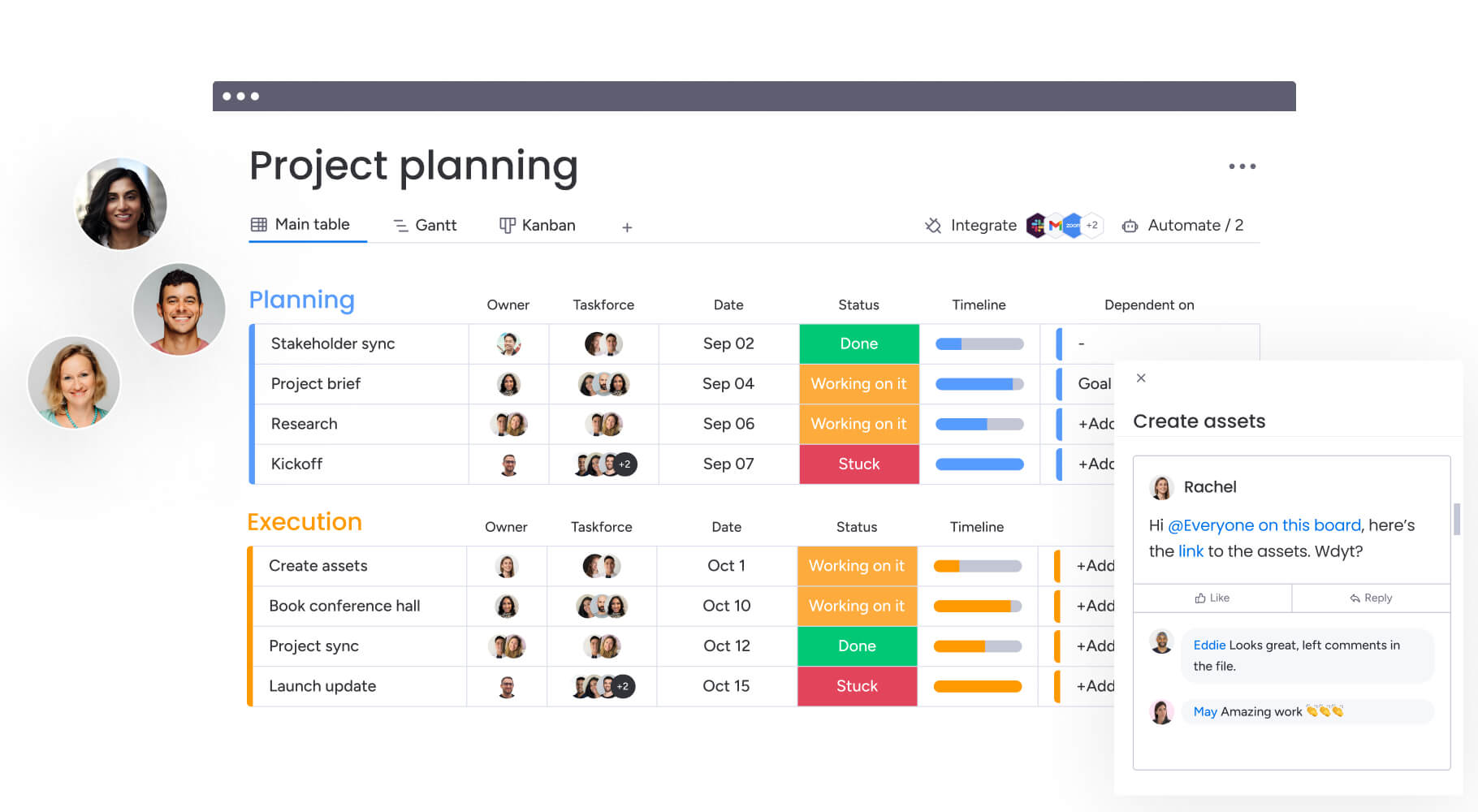
Three qualities separate a working template from a static document. Each one keeps your plan useful as campaigns multiply and your team changes. Together they turn scattered posts into a repeatable system.
- Reusable: one structure you copy for every new campaign, so you never start from a blank page
- Standardized: the same fields, statuses, and owners each time, so nothing slips through the cracks
- Scalable: room to add channels, contributors, and reporting without breaking the format
For example, a five-person marketing team running four channels can log a week of posts, assign a writer and a designer to each, and see at a glance what’s still awaiting review. When the next campaign starts, they duplicate the same board and keep moving. Teams get to that level of consistency fastest once they pair the template with real AI social media marketing software that handles the repetitive scheduling and reporting work.
Social media plan vs strategy
A strategy defines why and where you’ll compete on social; a plan defines what you’ll publish and when. Your social media strategy sets the direction, including audience, positioning, and the outcomes you want. The plan turns that direction into scheduled, assigned, trackable work.
Put simply, strategy is the map and the plan is the route. If your strategy says you’ll grow LinkedIn engagement among operations leaders, your plan sets the weekly posts, formats, and owners that get you there.
Who creates social media plans?
Social planning is a team effort, and the template clarifies each person’s role. Different contributors own different parts of the plan, from strategy to production to sign-off. The roles below show who typically touches each part of a plan.
- Marketing managers: own the plan, set priorities, and keep campaigns aligned to goals
- Content creators: writers, designers, and video editors who produce and schedule the posts
- Executives and stakeholders: review direction, approve budgets, and sign off on high-visibility campaigns
- External partners: agencies, freelancers, and contractors who contribute content or manage channels
Five types of social media planning templates
Not every social media planning template looks the same, because teams plan at different altitudes. Some map a quarter of strategy, while others schedule next week’s posts. The five templates below cover the jobs most marketing teams need across a year.
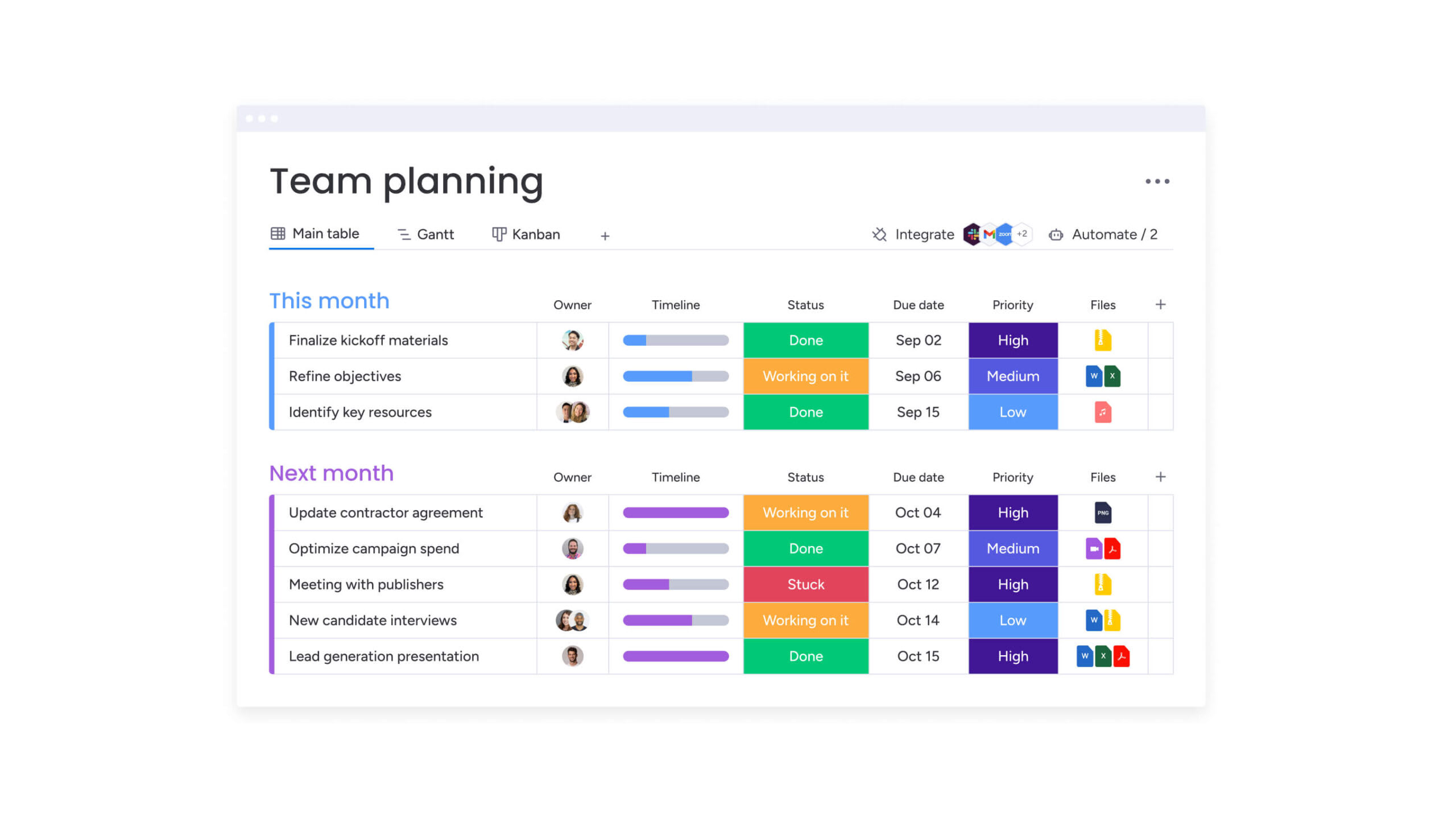
A strategy template captures the big picture: goals, audiences, and the channels you’ll prioritize. It’s the reference every other plan points back to when priorities get fuzzy.
- Goals and objectives: the outcomes you’re aiming for over the quarter or year
- Audience segments: who you’re trying to reach on each platform
- Channel priorities: where you’ll invest first and why
A content calendar template schedules individual posts across dates and channels. It’s the day-to-day workhorse for keeping a steady cadence and avoiding gaps.
- Publish date and time: when each post goes live
- Channel and format: the platform and content type for every item
- Owner and status: who’s responsible and where the post sits in the review process
A campaign template groups posts around a single initiative, like a product launch or seasonal push. It ties creative, timing, and budget to one measurable goal.
- Campaign goal and KPIs: the result the campaign should drive
- Content by phase: teaser, launch, and follow-up assets
- Budget and spend: paid support mapped to each channel
A workflow template maps how a post moves from idea to published, including every review step. It captures stakeholder feedback so approvals don’t stall.
- Stages and owners: draft, review, approve, schedule, and publish
- Approval gates: who signs off before a post advances
- Handoff notes: context passed between contributors
An audit template helps you review past performance and channel health on a regular cadence. It turns results into decisions about what to keep or cut.
- Performance by channel: reach, engagement, and conversion trends
- Content gaps: topics or formats you’re missing
- Action items: changes to apply to the next plan
Essential components of your social media plan
The best template still needs the right building blocks. These components turn a blank board into a plan your team can act on. Cover all five and your calendar becomes far easier to run.
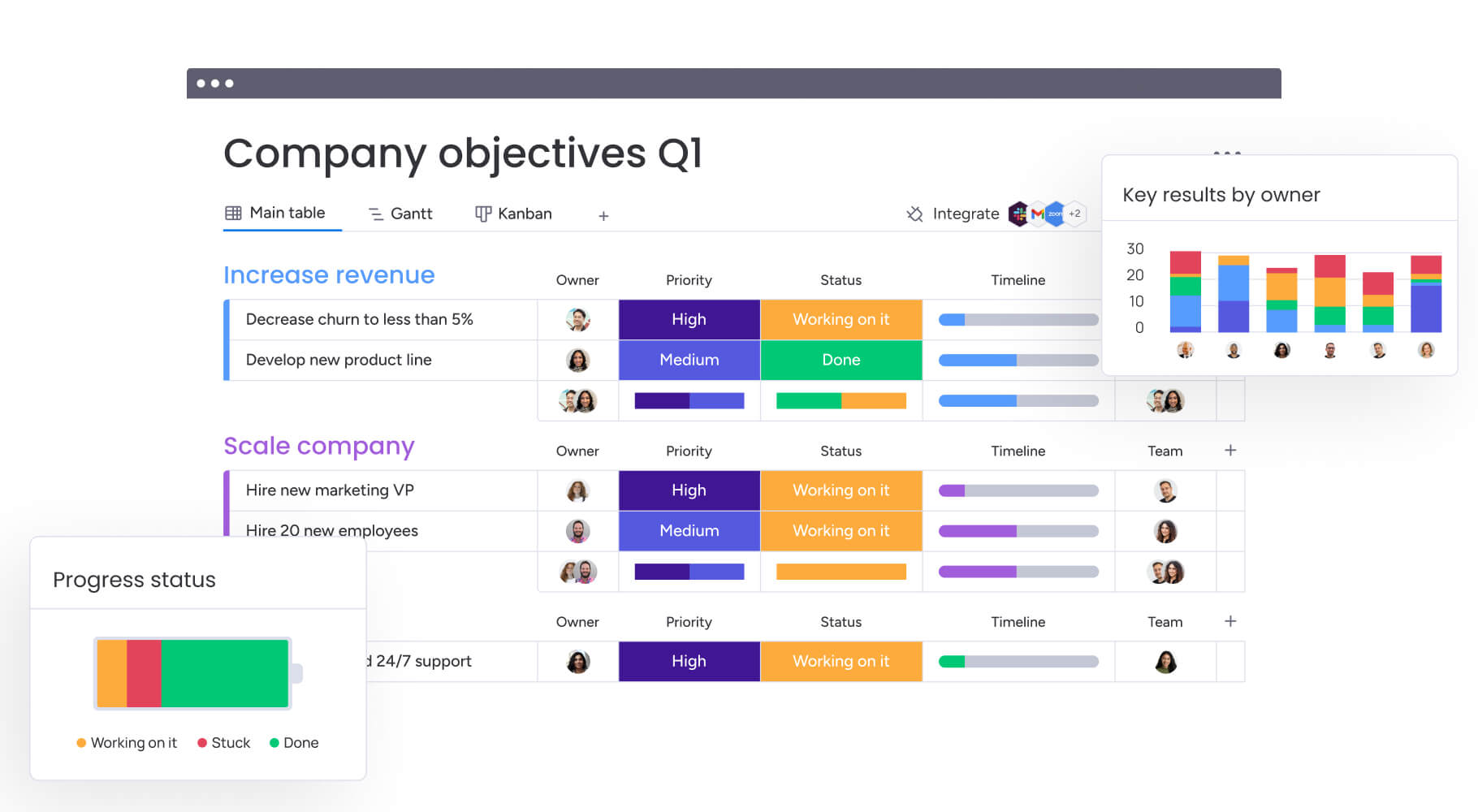
Goals and KPIs
Every plan starts with goals and the KPIs that measure them. Set targets you can track, like reach, engagement rate, click-throughs, or conversions. Tie each goal to a metric and a review date so progress stays visible.
Keep the scale of the opportunity in view. There are 5.66 billion social media user identities worldwide, and the average user spends 18 hours 36 minutes per week on social media, according to DataReportal and Kepios. Globally, social media ad spend is projected to reach $338.75 billion in 2026, up 18.4% year over year, according to Statista Market Insights.
Target audience profiles
Your plan works only if it speaks to specific people. Build short profiles for each segment you want to reach, covering their role, goals, and the channels they actually use. These profiles guide tone, format, and timing.
Revisit them as your audience grows. A profile that fit last year may miss where your buyers spend time now. Keep each one short enough that your whole team can hold it in mind while they write.
Platform selection and strategy
You don’t need to be everywhere. Choose platforms based on where your audience is active and what your team can sustain. Each channel deserves its own approach, not the same post copied across all of them.
Map a short strategy note to every channel you keep. Record its primary goal, the formats that perform there, and the cadence you can maintain. That note prevents your plan from spreading thin across too many feeds.
Content pillars and themes
Content pillars are the recurring topics your brand owns. They keep your feed focused and make planning faster, because every post maps to a theme. Most teams run three to five pillars at a time.
- Educational: how-to posts, tips, and explainers that build trust
- Product: features, use cases, and customer results
- Culture: behind-the-scenes and team stories that add personality
Posting schedule and frequency
A realistic cadence beats an ambitious one you can’t maintain. Decide how often you’ll post per channel, then block those slots in your calendar. Consistency signals reliability to both audiences and algorithms.
Build a little buffer into the schedule for timely content. Leaving a few open slots each week lets you react to trends and news without derailing your planned posts.
How to choose the right social media planning template
Choosing the right template comes down to how your team works and what you’re planning. Match the format to your cadence, your channels, and your review process. The factors below help you decide before you commit.
- Team size and roles: more contributors need clearer owners and approval stages
- Posting cadence: a daily schedule calls for detailed content calendars, while a monthly plan can stay lighter
- Number of channels: more platforms mean more views and filters to manage
- Approval complexity: regulated or high-visibility content needs multi-step review built in
- Reporting needs: decide which metrics you’ll track before you pick a format
Start with the template that fits your current reality, not the one that fits an aspirational future. You can always add fields, views, and stages as your program grows. The right choice is the one your team will actually keep updated.
Six steps to build your social media marketing plan
To create a social media plan, define your objectives, audit your current presence, research your audience and competitors, choose your platforms and content mix, build a content calendar, then set your metrics and reporting cadence. Each step builds on the last, so work through them in order.

Step 1: Define your objectives
Start with what you want social to achieve, tied to broader business goals. Write objectives you can measure, like a target growth rate or a lead volume. Clear objectives keep every later decision grounded.
Step 2: Audit your current presence
Review what you already publish and how it performs. Note which channels, formats, and topics earn engagement, and where you’re falling flat. This baseline shows you what to repeat and what to drop.
Step 3: Research your audience and competitors
Dig into who you’re reaching and what similar brands are doing well. Look at the content that resonates in your space and the gaps no one is filling. A few focused areas make this research useful, not endless.
- Audience behavior: the channels, formats, and times your buyers engage
- Competitor content: the themes and cadences that work for peers
- Content gaps: topics your audience wants that no one covers well
Step 4: Select platforms and content mix
Choose the channels that fit your audience and your capacity. Then decide the mix of formats for each, such as short video, carousels, or text posts. Balance the mix, so no single format carries the whole plan.
Step 5: Build your content calendar
Turn your decisions into scheduled posts with dates, owners, and status. A calendar view shows the whole month at once, so you can spot gaps and overlaps early. This is where the plan becomes real, daily work.
Step 6: Establish metrics and reporting cadence
Decide which metrics you’ll track and how often you’ll review them. Set a weekly or monthly rhythm to compare results against your objectives. A steady cadence lets you adjust the plan before small issues grow.
AI-powered features for social media planning
AI is now part of how most teams plan social content. 95% of B2B marketers use AI-powered applications, and 38% use AI specifically for social media scheduling, analysis, and posting, according to CMI and MarketingProfs.
Three areas show where AI helps social planners most. Each starts with a familiar bottleneck, then points to a practical way to ease it. In the AI Workspace, monday agents take on the repetitive parts, so your team can stay focused on ideas.
- Automated content categorization: Sorting hundreds of posts by channel, campaign, and status by hand eats hours. The Agents can tag and categorize incoming content automatically, so your calendar stays organized without manual cleanup
- Sentiment analysis and monitoring: Tracking how audiences react across channels is hard to do by hand. The Sentiment Detector reviews comments and mentions, flags shifts in tone, and surfaces what needs a response, working alongside your community team rather than in place of it
- Predictive performance insights: Guessing which posts will land wastes budget. The Campaign Manager and Competitive Analyst can review past results and competitor activity to suggest timing and formats worth testing, while the Content Creator drafts starting points your writers refine
A few agents are especially useful for social planning. Each takes on a specific, repetitive task and hands the results back to your team. You stay in control of what ships. Put together, these capabilities are what separate genuine AI social media marketing software from a scheduler with a chatbot bolted on.
- Sentiment Detector: monitors comments and mentions and flags changes in audience tone
- Content Creator: drafts post copy and variations your writers can refine
- Campaign Manager: tracks campaign progress and surfaces timing suggestions
- Competitive Analyst: reviews competitor activity to inform your content mix
For quick answers, monday sidekick lets you ask plain-language questions about your data, such as which campaign drove the most engagement last month, and get a response inside your boards. Across all of these, people set direction and make the calls, and the Agents handle the busywork so your team spends more time creating.
Cross-team collaboration and approval workflows
Social content rarely lives in one team. Design, product, legal, and leadership all touch it, and that’s often where plans stall. 21% of B2B marketers cite cross-department collaboration as a top-three content challenge, while 39% cite resource constraints, according to CMI.

Breaking down marketing silos
When each team works in its own file, context gets lost between handoffs. A shared plan puts writers, designers, and reviewers on the same board with the same status updates. Everyone sees where a post stands without chasing an email thread.
Multi-level approval systems
High-visibility content often needs more than one sign-off. Building your review stages into workflow templates means each approver knows when it’s their turn. Posts move forward on a clear path instead of waiting in someone’s inbox.
External stakeholder access
Agencies, freelancers, and clients often need to review work without full access to your workspace. Guest access lets them comment and approve on the specific items that involve them. Your team keeps control while partners stay in the loop.
Real-time reporting and attribution
Once posts go live, leaders want to see impact quickly. Live dashboards pull results into one view, so you can compare channels and campaigns as data comes in. Linking social activity to the customer journey shows how content contributes downstream.
Portfolio-level analytics roll several campaigns into a single picture. That view helps you decide where to invest next, based on what’s actually working. It also gives leadership the summary they want without pulling your team off active campaigns to build a report.
How monday AI Workspace supports social media planning
Bringing planning, approvals, and reporting into one place is where monday AI Workspace earns its keep. Instead of stitching together spreadsheets and separate reports, your team plans, publishes, and measures social work on connected boards. Trusted by hundreds of thousands of organizations, the platform is built for teams that need execution to match ambition.

Boards adapt to how you plan. Calendar, timeline, kanban, and workload views let you schedule posts, map campaigns, track review stages, and balance your team’s capacity from the same data. Dashboards then turn that activity into real-time reporting on reach, engagement, and ROI.
Automations handle the routine coordination that usually eats time. You can route approvals to the right reviewer, send notifications when status changes, and flag deadlines before they slip. Integrations connect the rest of your marketing stack, keeping data in sync across the platforms your team already uses.
On the AI side, the Agents and Sidekick work with your team rather than around it. The Agents take on tagging, monitoring, and drafting, while Sidekick answers plain-language questions about your data. With monday vibe, you can describe the social tracker or dashboard you need, and Vibe builds it and connects it to your data. monday MCP securely connects AI assistants to your workspace, so your data stays governed.
The difference shows up most clearly when you compare it to scattered spreadsheets and static templates.
| Capability | Scattered spreadsheets and static templates | monday AI Workspace |
|---|---|---|
| Version control | Multiple copies and unclear latest version | One live source of truth for the whole team |
| Approvals | Manual chase over email and chat | Automated routing with clear owners and gates |
| Reporting | Manual exports built after the fact | Live dashboards updated as work happens |
| Scaling across teams | Breaks down as channels and people grow | Adds views, roles, and campaigns without a rebuild |
| AI assistance | None, or bolted on separately | Agents and Sidekick work inside your boards |
| Integrations | Manual copy and paste between apps | Connected stack that keeps data in sync |
Turning your social media plan into consistent execution
A social media plan template only pays off when it becomes the way your team works every week, not a document you revisit once a quarter. When your goals, calendar, approvals, and reporting live in one connected place, the gap between planning a campaign and publishing it starts to close. That’s the point where a steady cadence and clear ownership replace last-minute scrambles.
As your channels and audiences keep growing, the teams that scale well will be the ones where people and agents share the load. Building that habit now sets you up to plan bigger, publish faster, and learn from every campaign you run.
Frequently asked questions
What is the 5 5 5 rule on social media?
The 5 5 5 rule on social media is a simple engagement habit: each day you share five posts from others, comment on five posts, and connect with five new accounts. It's designed to build visibility and relationships steadily without spending hours on the platform.
What are the 7 C's of social media?
The 7 C's of social media are a framework for a strong presence: content, context, connection, community, conversation, curation, and conversion. Together they remind teams to publish relevant content, build relationships, and guide followers toward meaningful action rather than posting for its own sake.
What is the 30 30 30 rule for social media?
The 30 30 30 rule for social media is a content mix guideline: 30% of posts share your own content, 30% share curated content from others, and the final 30% drive conversation and engagement. The remaining share leaves room for promotional posts, keeping feeds balanced.
How often should I update my social media plan template?
You should review your social media plan template on a regular cadence, typically weekly for the content calendar and monthly or quarterly for strategy. Regular updates keep goals, audiences, and channels current, so your plan reflects real performance rather than assumptions made months ago.
What metrics should I track in my social media plan?
The metrics to track in your social media plan depend on your goals, but most teams follow reach, engagement rate, click-throughs, follower growth, and conversions. Tie each metric to a specific objective and a review date, so numbers guide decisions instead of sitting in a report.
How does monday AI Workspace handle social media planning?
monday AI Workspace handles social media planning by bringing boards, calendar and timeline views, dashboards, and automations into one connected workspace. monday agents and monday sidekick support your team by handling tagging, monitoring, and data questions while people set direction and approve what ships.
 Get started